30

VS Code Extensions

Seventeen extensions.
One design system.

Themes, icons, linters and workspace tools for VS Code, built from the same design system as auricartisan.com. Every one is free, needs no account and sends no telemetry.

The two packs, in one paste
code --install-extension auric-artisan.auric-artisan-icon-pack
code --install-extension auric-artisan.auric-artisan
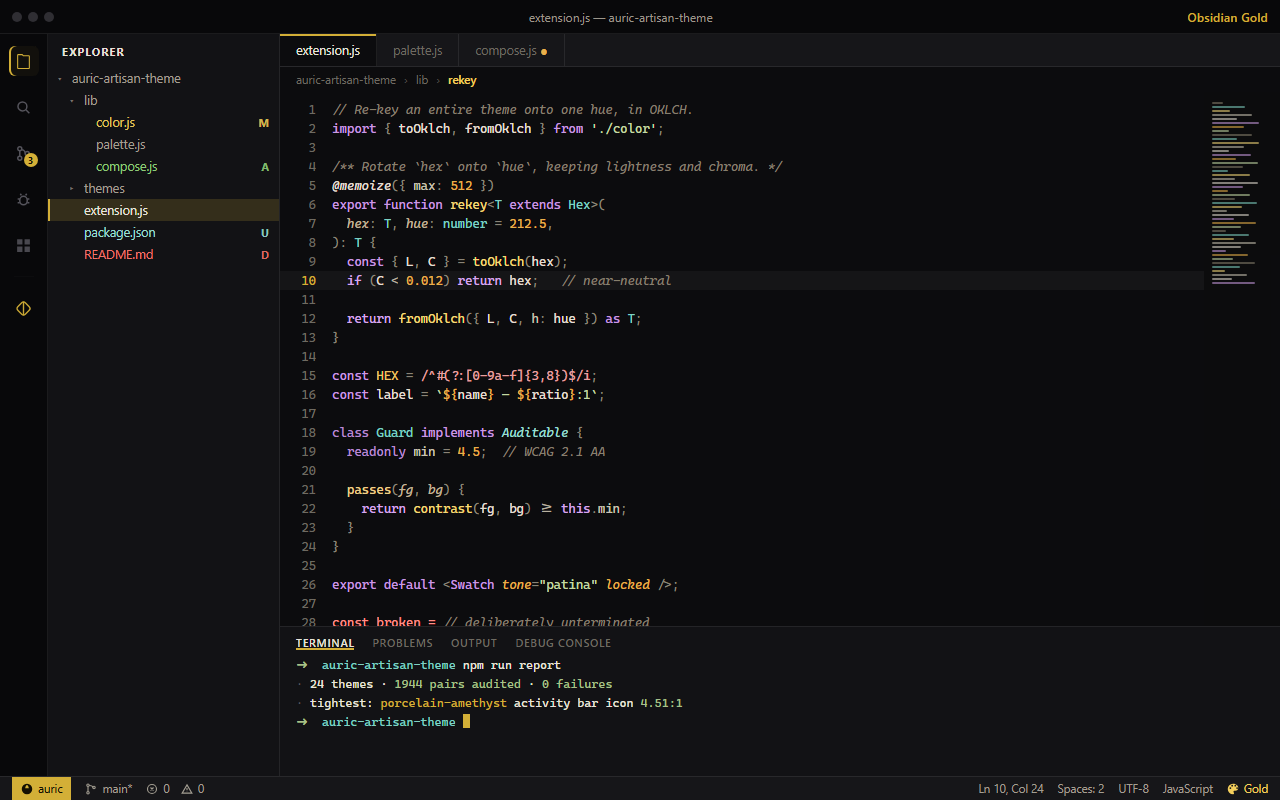
Visual Studio Code with the Auric Artisan Obsidian Gold theme, showing gold accents across the editor, sidebar and status bar
Obsidian Gold — one of fifty-four themes.
17extensions, every one of them free
54colour themes — thirty-three dark, twenty-one light
2,425original library icons across three collections
1,914emoji in the Emoji Studio
4,374contrast pairs audited at build time
0telemetry events, in any of them

Start here

Two installs cover most of it.

Each pack installs a set in one step. Every member stays its own extension, so you can switch any of them off later — and the icon collections merge into one Icon Studio when they are installed together.

Seventeen extensions

Every extension, one click from the Marketplace.

Each card opens to its full feature list, the first thing to do after installing, and the VS Code version it needs.

01 · Look & feelThemes + Theme Studio

Auric Artisan Theme

Fifty-four themes and an engine to make the next one yours. One accent re-keys the whole workbench in OKLCH — no reload, no fork, no hand-editing JSON.

  • 54 themes
  • 37 dials
  • 107 colour slots
Details, first step and requirements
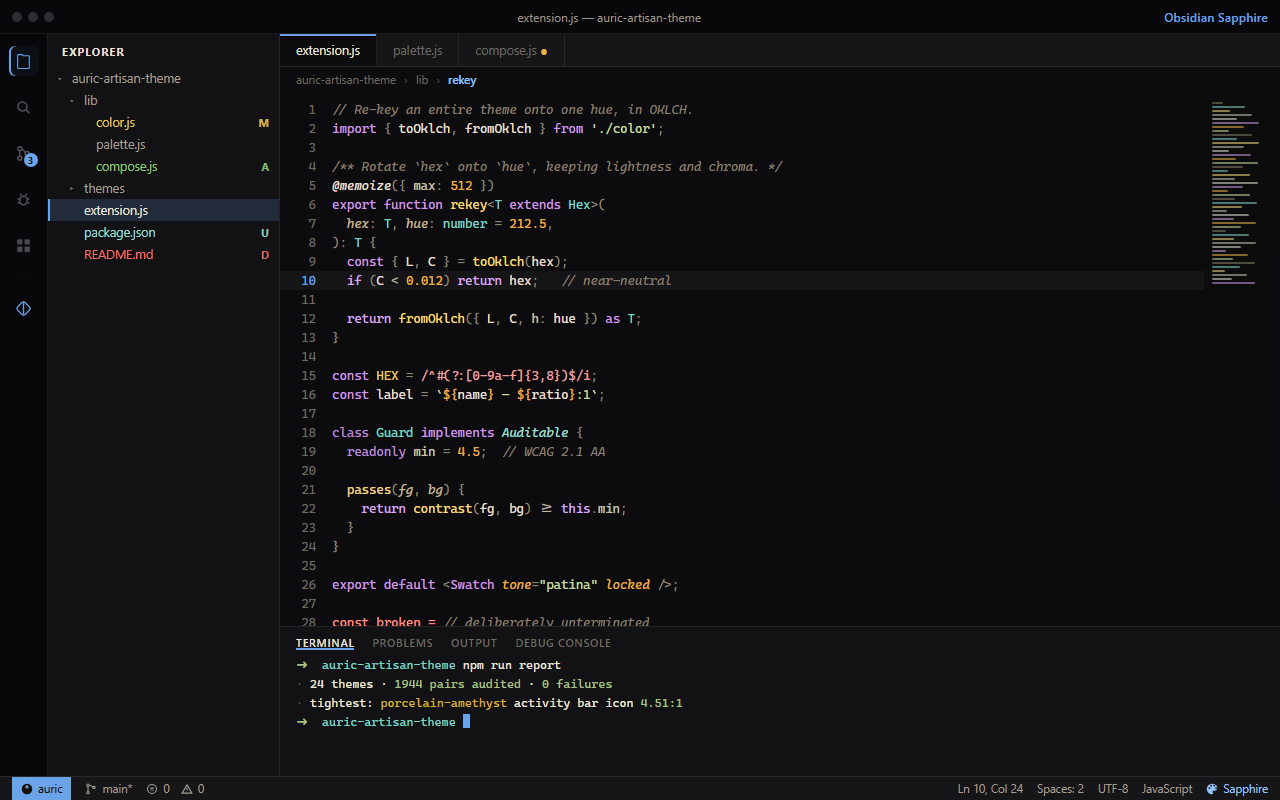
VS Code in the Auric Artisan Obsidian Sapphire theme, with blue accents on a warm charcoal canvas
  • Obsidian, Midnight, Parchment, Porcelain, Dusk and Forest, plus a dark and a light high-contrast gold.
  • Theme Studio: looks, dials, colours, a live contrast audit and shareable presets.
  • Every emitted colour passes a contrast guard before it reaches your editor.
  • Every dial is a real setting — commit a house style to .vscode/settings.json.
First step
Ctrl K then Ctrl T, type Auric, pick one of the fifty-four.
Requires
VS Code 1.75 or newer
auric-artisan.auric-artisan-theme

02 · Look & feelFile icon themes + studio

Auric Artisan File Icons

Three complete Explorer icon themes — Facet, Playful and Modern — and a studio for finding any of the artwork and inserting it into your code as SVG or JSX.

  • 1,464 SVG assets
  • 3 Explorer themes
  • 4 code formats
Details, first step and requirements
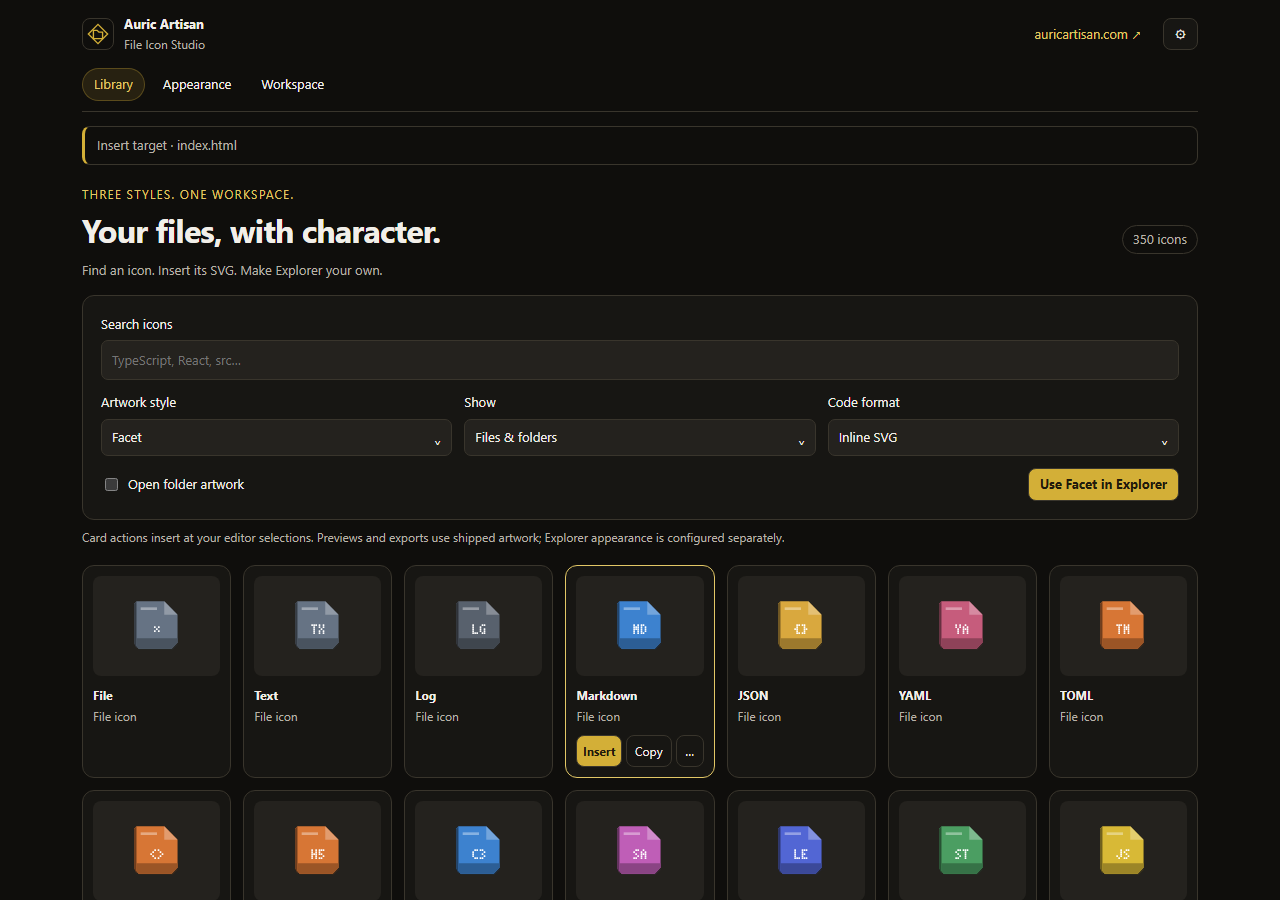
The File Icon Studio in VS Code: a search box, style and code-format controls, and a grid of Facet file icons with Insert and Copy actions
  • 270 extensions, 453 exact filenames, 84 language IDs and 357 folder aliases mapped in Facet and Playful.
  • File and folder colours with saturation, brightness and opacity, applied to all three themes.
  • Six ready-made profiles, or save your own and share it as JSON.
  • Angular, NestJS, React and Vue association packs for Modern.
First step
Run Auric Artisan File Icons: Open File Icon Studio, choose a style, then Use … in Explorer.
Requires
VS Code 1.85 or newer
auric-artisan.auric-artisan-file-icon

03 · Icons & emojiExtension pack

Pack

Auric Artisan Icon Pack

Modern, Drawn, Playful and Emoji in one install. The pack adds nothing of its own: it installs the four libraries, and each keeps its own settings.

  • 2,425 icons
  • 1,914 emoji
  • One install
Details, first step and requirements
  • Installs Auric Icons: Modern, Drawn and Playful, and Auric Artisan Emoji.
  • The three icon collections merge into one Icon Studio instead of three sidebars.
  • Disable any member on its own without removing the others.
First step
Nothing to open: it installs Modern, Drawn, Playful and Emoji.
Requires
VS Code 1.85 or newer
auric-artisan.auric-artisan-icon-pack

04 · Icons & emojiIcons + file icon theme

Auric Icons: Modern

A 720-icon geometric library in Simple Modern and Sharp Modern, plus a production file and folder icon theme drawn for the 16 px Explorer.

  • 720 icons
  • 408 theme assets
  • 4 variants
Details, first step and requirements
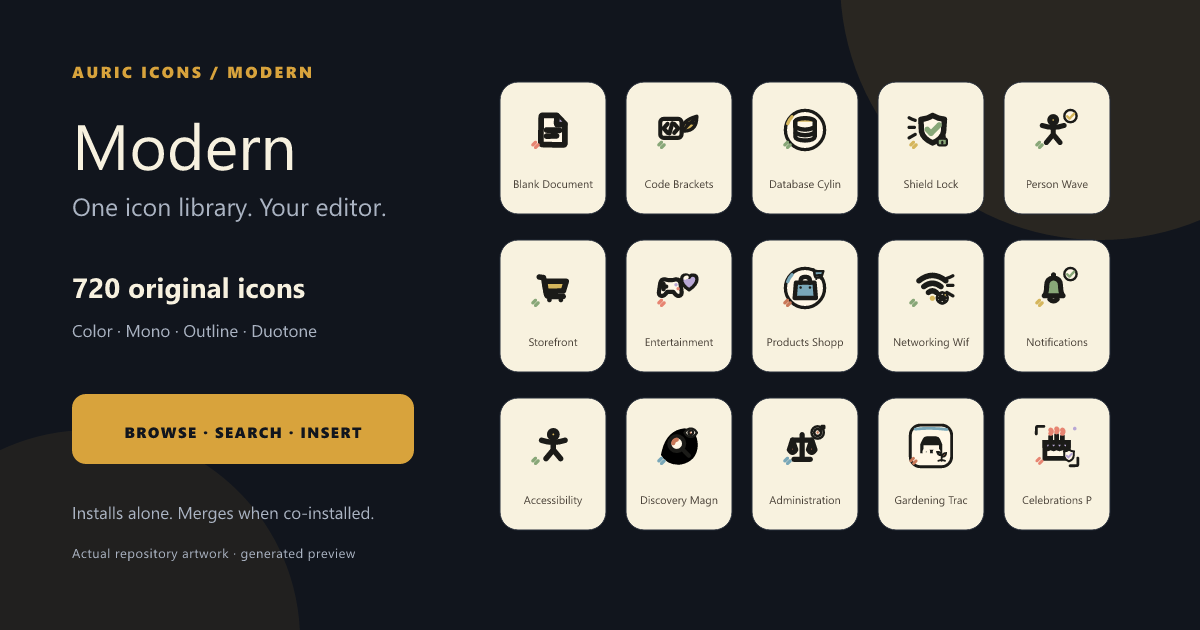
Auric Icons: Modern — a grid of geometric modern icons beside the VS Code file explorer
  • True open and closed folder pairs, semantic file colours and re-tintable folders.
  • Framework packs for Angular, NestJS, React/Redux and Vue/Pinia.
  • 265 extensions, 462 exact filenames and 265 folder names mapped, plus your own associations.
  • Colour, mono, outline and duotone for every library icon.
First step
Run Preferences: File Icon Theme and choose Auric Icons: Modern, or open its Activity Bar view for the library.
Requires
VS Code 1.85 or newer
auric-artisan.auric-artisan-modern-icon

05 · Icons & emojiIcon library

Auric Icons: Drawn

480 warm drawn icons with organic geometry and deliberate imperfections — the friendly end of the system, for products that should not look machined.

  • 480 icons
  • 4 variants
  • Offline
Details, first step and requirements
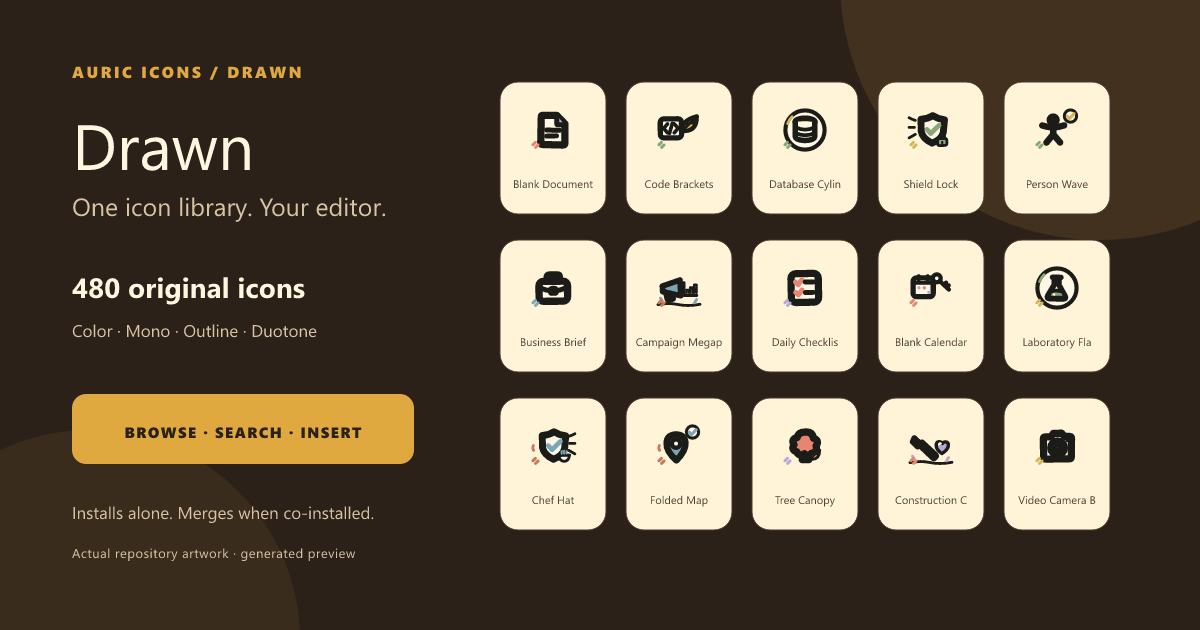
Auric Icons: Drawn — warm hand-drawn icons with organic geometry shown in a grid
  • Synonym-aware fuzzy search — delete finds trash.
  • Recommendations personalised by what you like and actually use.
  • Colour, mono, outline and duotone, with Auto following the active editor.
  • Hover previews for icon IDs anywhere in your source.
First step
Open the Activity Bar view, or run Open Icon Library.
Requires
VS Code 1.85 or newer
auric-artisan.auric-icons-drawn

06 · Icons & emojiIcon library

Auric Icons: Playful

1,225 emoji-style icons across 24 categories — expressive artwork for onboarding, empty states, docs and anywhere a product should smile.

  • 1,225 icons
  • 24 categories
  • 4 variants
Details, first step and requirements
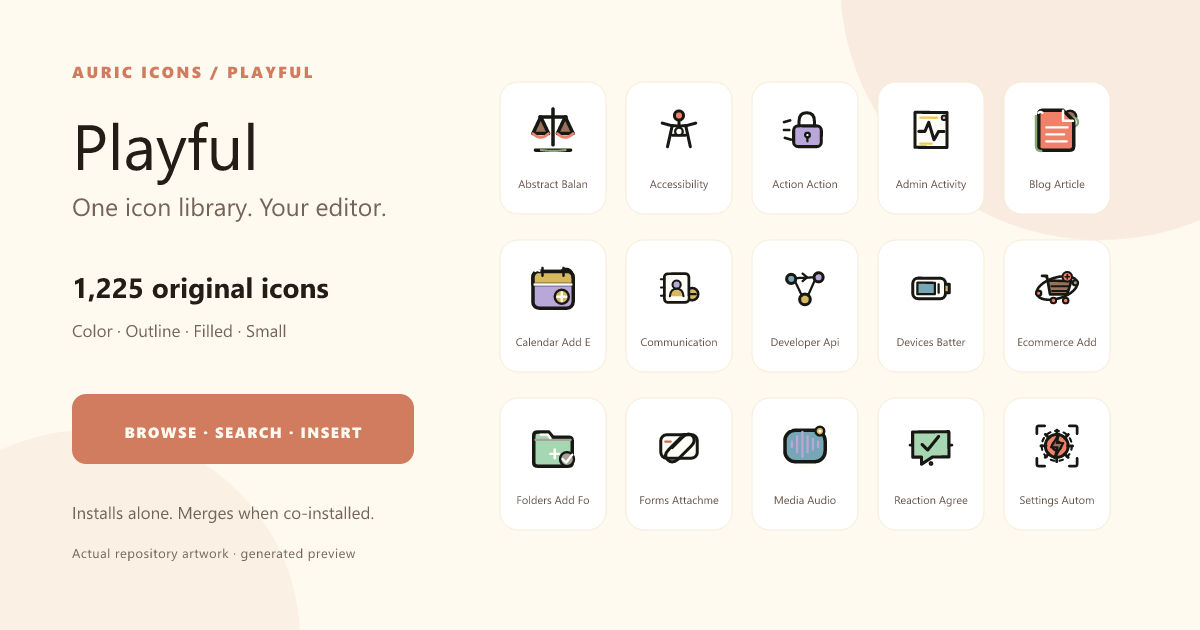
Auric Icons: Playful — expressive emoji-style icons in colour, outline, filled and small variants
  • Colour, outline, filled and small — four honest variants, not one export relabelled.
  • Small sizes are redrawn for 16–24 px, not shrunk.
  • Search by concept, description, tag or synonym across all 24 categories.
  • Multi-cursor insert and keyboard navigation throughout.
First step
Open the Activity Bar view, or run Open Icon Library.
Requires
VS Code 1.85 or newer
auric-artisan.auric-icons-playful

07 · Icons & emojiEmoji studio

Auric Artisan Emoji

1,914 emoji in a searchable studio that inserts straight into the editor — the same compact library interaction as the icon extensions, aimed at a different alphabet.

  • 1,914 emoji
  • 9 categories
  • 6 skin tones
Details, first step and requirements
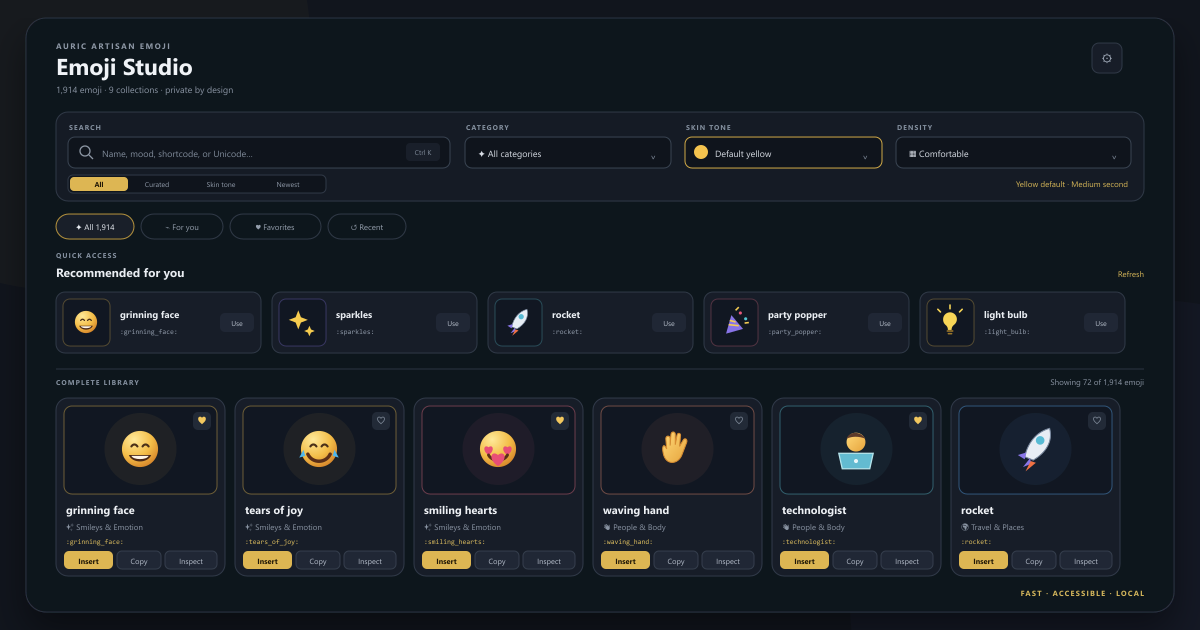
Auric Artisan Emoji — the Emoji Studio open in VS Code, showing a searchable grid of emoji with category and skin-tone controls
  • Search by glyph, name, keyword, category, shortcode or Unicode code point.
  • Shortcode completion, and replace :smile: in place across a file.
  • Insert, copy, or insert-and-copy — with multiple cursors and sane spacing.
  • Favourites, recents and personalised picks, all stored locally.
First step
Ctrl Alt E opens the Emoji Studio; Ctrl Alt J opens quick pick.
Requires
VS Code 1.85 or newer
auric-artisan.auric-artisan-emoji

08 · Icons & emojiIcon + emoji studio

Auric Artisan Icon Studio

Every Auric collection, the emoji set and seven open-source icon sets in one offline studio. It bundles all of them, so the collection extensions are optional.

  • 17,234 entries
  • 11 collections
  • Offline
Details, first step and requirements
  • Modern, Drawn, Playful and 1,914 emoji, with Phosphor, Tabler, Lucide, Remix, Heroicons, Feather and Material.
  • Smart Insert picks the format from the file you are in: a JSX element in React, a string constant in JavaScript.
  • Likes, Recent and For you, built from your local history.
  • A compact sidebar beside your code, or a full editor tab.
First step
Select Icon Studio in the Activity Bar, or run Auric Icon Studio: Open Icon Studio.
Requires
VS Code 1.85 or newer
auric-artisan.auric-artisan-icon-studio

09 · Icons & emojiOpen-source icon library

Auric Artisan Icon Hub

12,895 icons from seven open-source collections, with size, stroke and colour controls, and code shaped for the file you are editing.

  • 12,895 icons
  • 7 collections
  • 32,802 variants
Details, first step and requirements
  • Phosphor, Tabler, Lucide, Remix, Heroicons, Feather and Material, each under its own licence.
  • Insert or copy as SVG, JSX, a React component, HTML, a data URI, CSS or a CDN snippet.
  • Collect a selection, then copy it as a symbol sprite or export a ZIP with the licence notices.
  • Artwork is bundled and works offline. The daily catalog check can be switched off.
First step
Select Auric Icon Hub in the Activity Bar, or run Auric Icon Hub: Open Icon Hub.
Requires
VS Code 1.85 or newer
auric-artisan.auric-artisan-icon-lib

10 · QualityExtension pack

Pack

Auric Artisan Studio — Full Pack

Colour, accessibility and code health in one install. It installs Auric Color, Auric Accessibility and Auric Code Health, and you can disable any of them on its own.

  • Color
  • Accessibility
  • Code Health
Details, first step and requirements
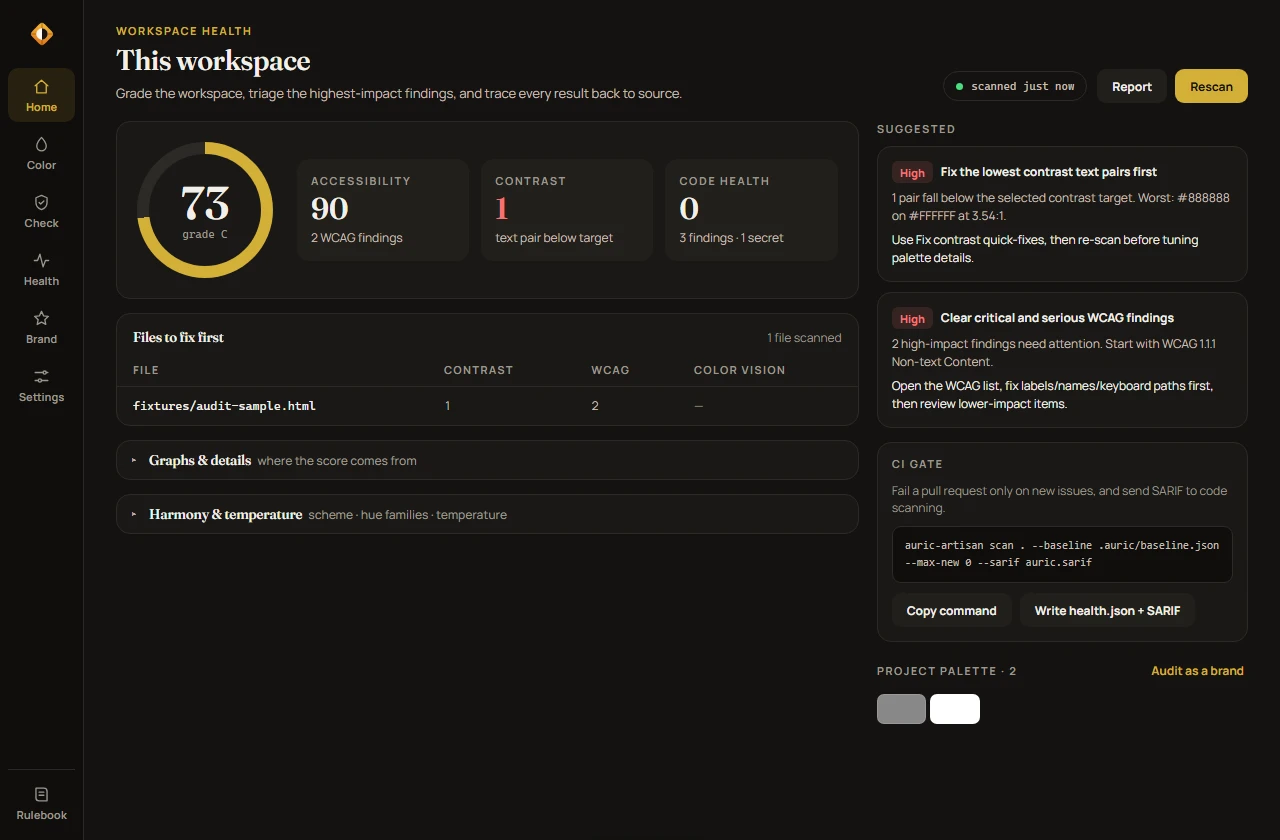
The Auric Artisan Studio home in VS Code: a workspace grade ring beside accessibility, contrast and code-health scores, with suggested fixes and a CI gate
  • One workspace grade across contrast, WCAG findings and code health.
  • A Command Center on Ctrl Alt . in each of the three.
  • health.json and SARIF 2.1.0 reports for CI.
  • Local rulebooks and a workspace knowledge base in JSON and Markdown.
First step
Nothing to open: it installs Color, Accessibility and Code Health.
Requires
VS Code 1.74 or newer

11 · QualityColour picker + contrast

Auric Color

Colour intelligence in more than 40 languages: hover any colour for a full readout, pick with a spectrum picker, and catch low-contrast text as you type.

  • 40+ languages
  • WCAG + APCA
  • OKLCH
Details, first step and requirements
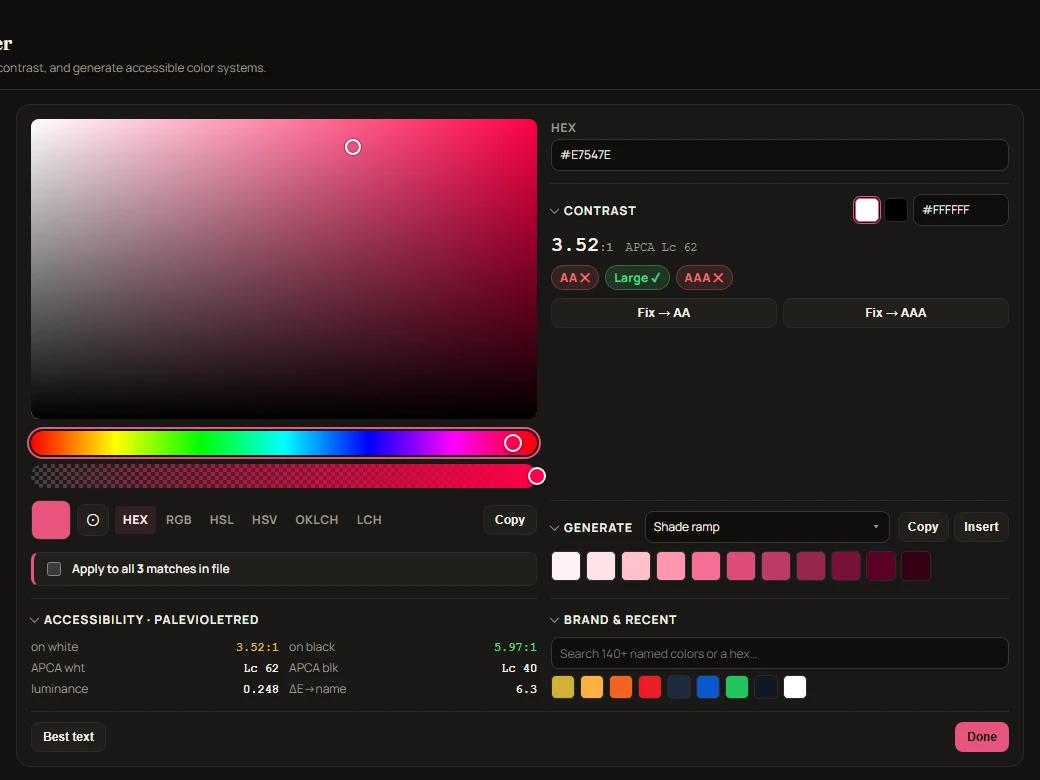
The Auric Color picker: a saturation field and hue slider, WCAG and APCA contrast readouts with Fix to AA buttons, and a generated shade ramp
  • Inline picker, hover readouts and swatches in Python, Go, Rust, Java, C#, Swift, Kotlin, Dart, YAML and TOML — not only CSS.
  • Contrast as WCAG ratios and APCA Lc, with one-step fixes.
  • Accessible palettes and OKLCH shade ramps that hold their contrast targets.
  • Each colour previewed under eight colour-vision deficiencies.
First step
Ctrl Alt C picks a colour, or run Auric Artisan: Open Color Studio.
Requires
VS Code 1.74 or newer
auric-artisan.auric-color

12 · QualityWCAG 2.2 linter

Auric Accessibility

WCAG 2.0, 2.1 and 2.2 linting for HTML, JSX, Vue, Svelte, Astro, PHP and CSS, checked against the ARIA 1.2 role matrix and the HTML autofill grammar rather than a word list.

  • 70+ rules
  • WCAG 2.2
  • ARIA 1.2
Details, first step and requirements
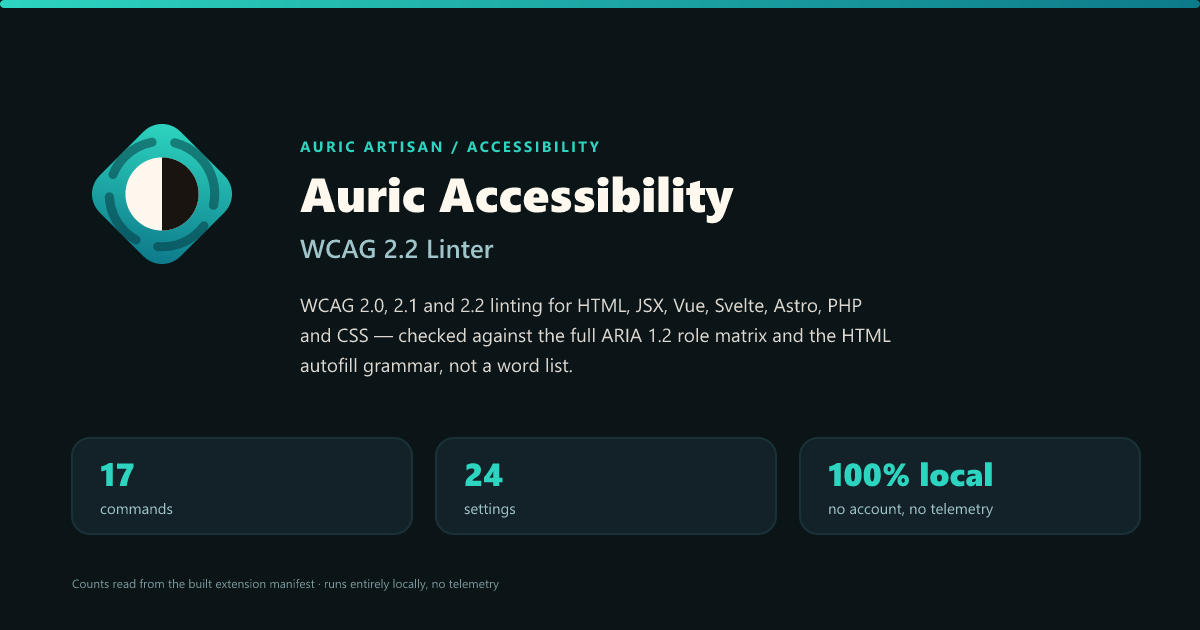
Auric Accessibility — WCAG 2.2 linting for HTML, JSX, Vue, Svelte, Astro, PHP and CSS
  • Problems as you type, each tied to its WCAG success criterion and impact.
  • Project scans that list the files to fix first.
  • Manual evidence for the checks a linter cannot decide.
  • Remediation plans written to hand to a coding agent.
First step
Ctrl Alt A inspects the current file, or run Auric Artisan: Open Accessibility Studio.
Requires
VS Code 1.74 or newer

13 · QualitySecrets + risk scanner

Auric Code Health

Language-agnostic repository hygiene: hardcoded secrets, injection and TLS-bypass patterns, debug leftovers, TODO and merge-conflict markers, and oversized files.

  • 60+ signatures
  • SARIF 2.1.0
  • Redacted
Details, first step and requirements

Auric Code Health — secrets, TODOs and risky code, exported for CI
  • Secrets and credential URLs are reported with the secret itself redacted.
  • Stable, fine-grained signatures, so a finding keeps its identity between scans.
  • health.json and SARIF 2.1.0 exports for CI and code scanning.
  • Searchable rulebooks that explain each signature.
First step
Run Auric Artisan: Open Code Health Studio.
Requires
VS Code 1.74 or newer
auric-artisan.auric-codehealth

14 · WorkspaceLocal server + live reload

Auric Artisan Live

Go Live that runs your project the way it is actually deployed — PHP, Python, Ruby, Go, Java and Node started with their own tooling, not served as flat files.

  • 6 languages
  • 54 commands
  • 103 settings
Details, first step and requirements
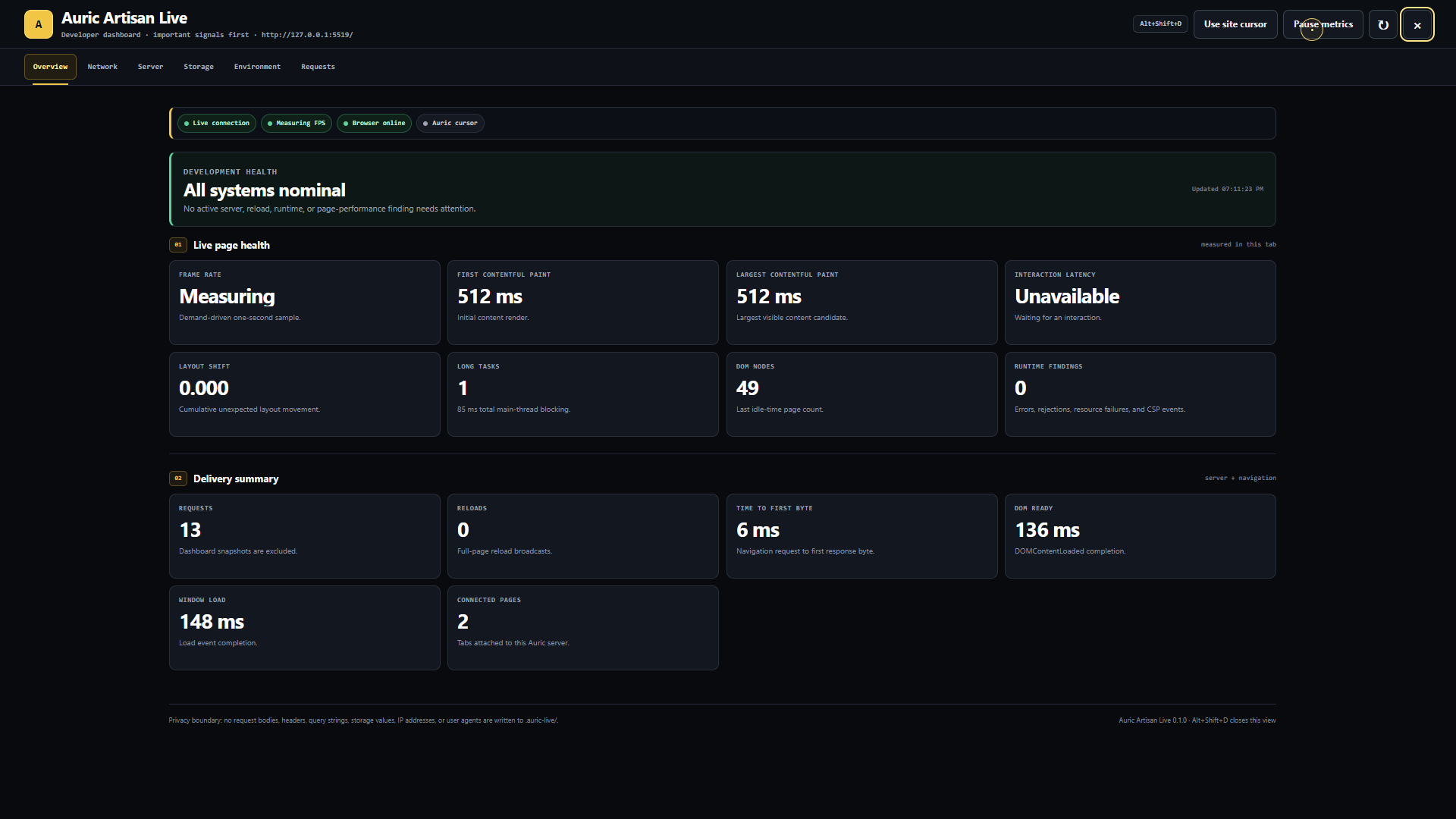
Auric Artisan Live — a page served with live reload beside its in-page developer dashboard showing performance and storage panels
  • Detects the project and picks the right runner — php artisan serve, manage.py runserver, bin/rails server, go run ..
  • An in-page dashboard for performance, cache and storage, beside the code.
  • Open Preview Beside with device presets, plus API proxy and mock REST.
  • Session records stay on your machine.
First step
Ctrl Alt L goes live, or open Auric Live in the Activity Bar.
Requires
VS Code 1.95 or newer
auric-artisan.auric-artisan-live

15 · WorkspaceExplorer file workspace

Auric Artisan File System

Create, rename, organise and inspect files from a panel inside the Explorer, without replacing the Explorer itself.

  • 81 commands
  • 7 action groups
  • 10 framework presets
Details, first step and requirements
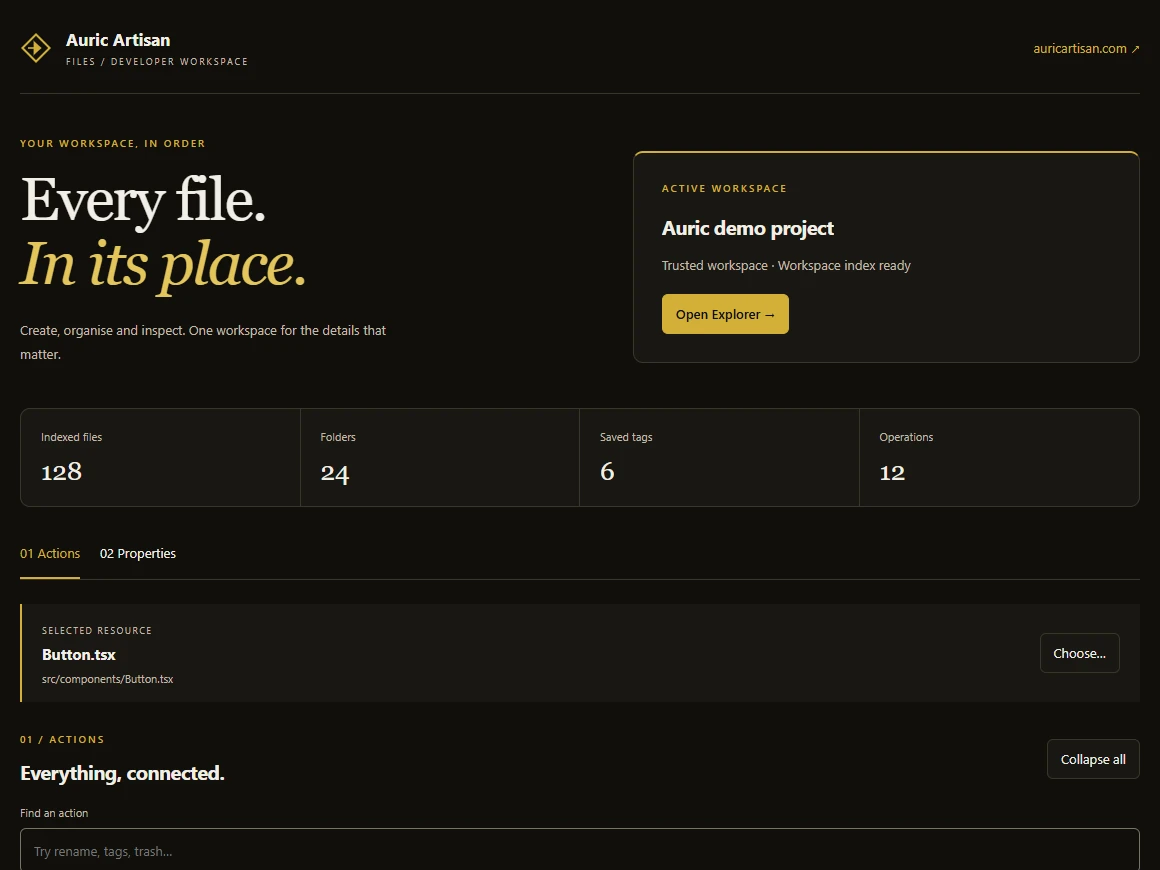
The Auric File System workspace: counts of indexed files, folders, saved tags and operations above a searchable list of Create actions
  • Batch rename with patterns, regular expressions, case and numbering, previewed before it runs.
  • Templates, plus presets for React, Vue, Angular, Svelte, Node.js, Python, Java, Go and Rust.
  • Related files: move between a component and its test, styles, stories and docs, or create the missing ones.
  • Tags, collections and pins, a graphical Properties panel, duplicate review and a restorable Workspace Trash.
First step
Expand Auric Files in the Explorer, or run Auric Files: Open File Workspace.
Requires
VS Code 1.95 or newer
auric-artisan.auric-artisan-file-system

16 · WorkspaceFont library

Auric Artisan Font Hub

Find a family, compare it and add it to your project from fonts.auricartisan.com, with a native diff preview before anything in your file changes.

  • 2,023 families
  • 547 variable
  • Offline catalog
Details, first step and requirements
  • Search by family, designer, script, OpenType feature or licence.
  • Compare up to four families side by side; keep favourites and recents.
  • Add to code writes a stylesheet link and a reusable class, never a font for the whole page.
  • Export a self-hosting kit where the licence allows it.
First step
Ctrl Alt F, or run Auric Artisan Font Hub: Open Font Hub.
Requires
VS Code 1.85 or newer
auric-artisan.auric-artisan-font-hub

17 · WorkspaceCode formatter

Auric Artisan Formatter

A formatter with a live Playground and native diff previews. Every result is re-lexed and checked; if a change cannot be proven safe, your original text stays.

  • 391 options
  • 13 presets
  • 31 native modes
Details, first step and requirements
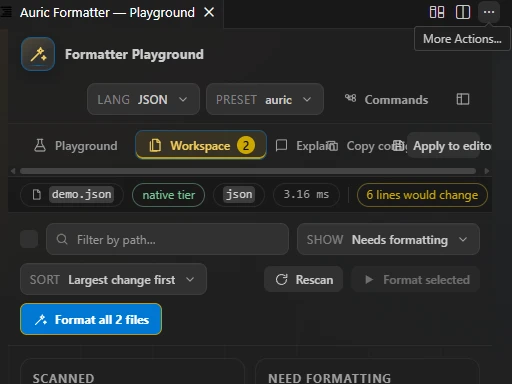
The Auric Formatter Playground on its Workspace tab: path and change filters, a Format all 2 files button and scan totals
  • Preview Formatting as a Diff: your source on the left, the result beside it, then Apply or Discard.
  • A write-free workspace scan that lists every file that needs formatting.
  • Reads .editorconfig and Prettier config, with per-language and per-glob overrides.
  • The same engine in CI: auric-format --check .
First step
Run Auric Formatter: Open Formatter Studio, or Ctrl Alt Shift F to preview formatting as a diff.
Requires
VS Code 1.74 or newer
auric-artisan.auric-artisan-formatter

Auric Artisan Theme

The accent is a key, not a coat of paint

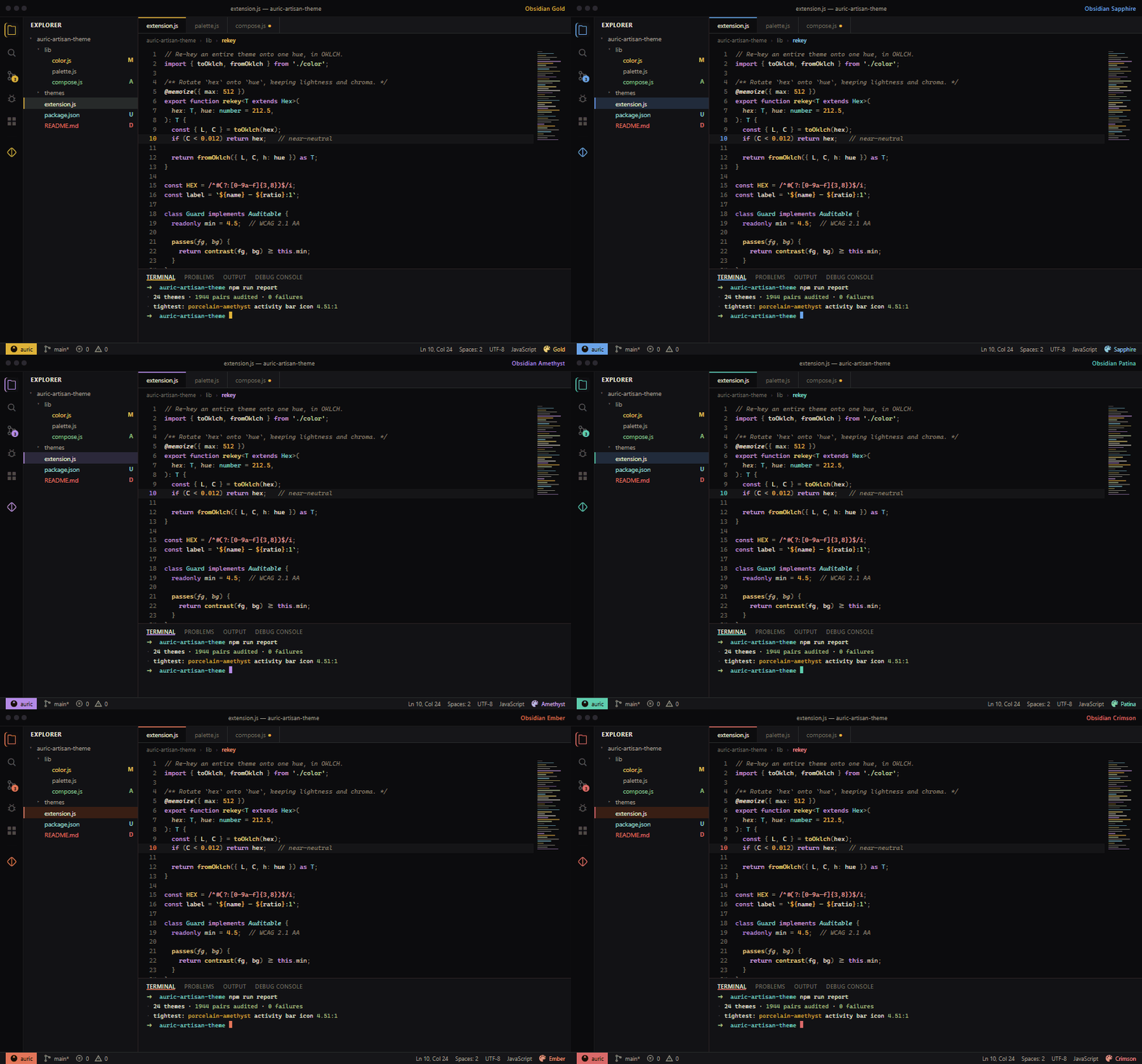
Every wash, border, selection, focus ring and cursor is derived from one accent, rotated in OKLCH at fixed lightness and chroma. A sapphire lands with the same weight the gold had, instead of turning to mud. The fifty-four shipped variants are built the same way: one family of neutrals, one accent, everything else derived.

  • Gold
  • Sapphire
  • Rose
  • Amethyst
  • Patina
  • Emerald
  • Ember
  • Crimson
  • Iris
  • Graphite
Animation cycling the Auric theme accent through eight hues; every surface, border and highlight in the editor re-keys with it
One click re-keys the workbench Cycling the accent through eight hues — nothing else was changed.
Animation switching the Auric theme between dark and light polarity while keeping the same accent
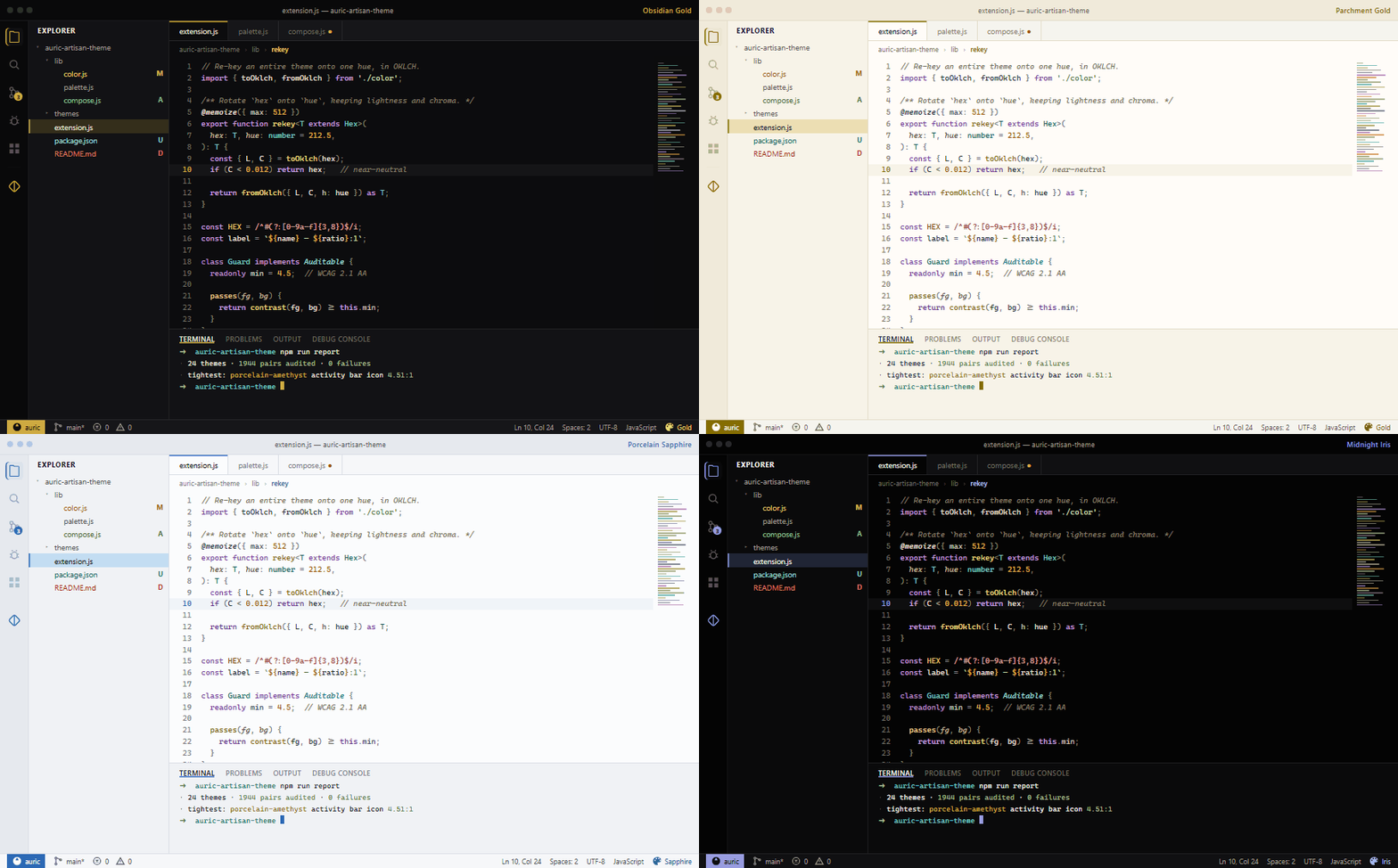
Dark, light and back again The same accent, derived correctly for each canvas.

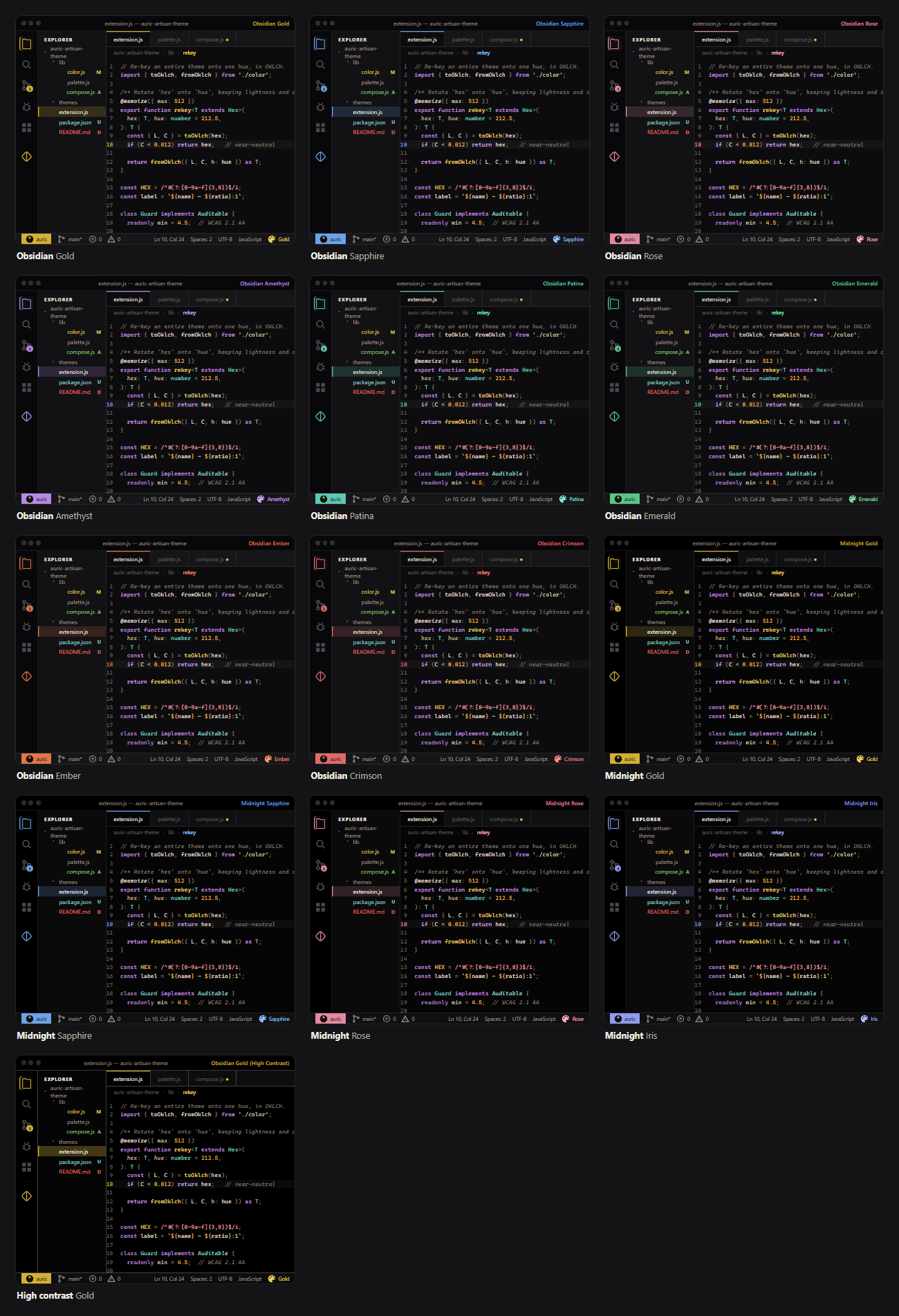
Six families, fifty-four variants

Four surfaces carry all ten accents. Dusk and Forest are tinted darks, so each takes only the six accents that sit well on violet or on green. That is the kind of decision the families encode.

Auric Artisan Theme families, canvases and character
FamilyCanvasVariantsCharacter
Obsidian#0C0C0E10Warm charcoal — the site's own surface ramp. Ten accents.
Midnight#05050510Near-black, for OLED panels and dark rooms. Ten accents.
Parchment#FFFCF710Warm cream. Ten accents.
Porcelain#FBFCFD10Cool white. Ten accents.
Dusk#100E186Violet-tinted dark. Gold, Sapphire, Rose, Amethyst, Iris and Graphite.
Forest#0C140F6Green-tinted dark. Gold, Patina, Emerald, Ember, Rose and Graphite.
High contrast#000000 / #FFFFFF2hc-black and hc-light, with gold borders on every control.
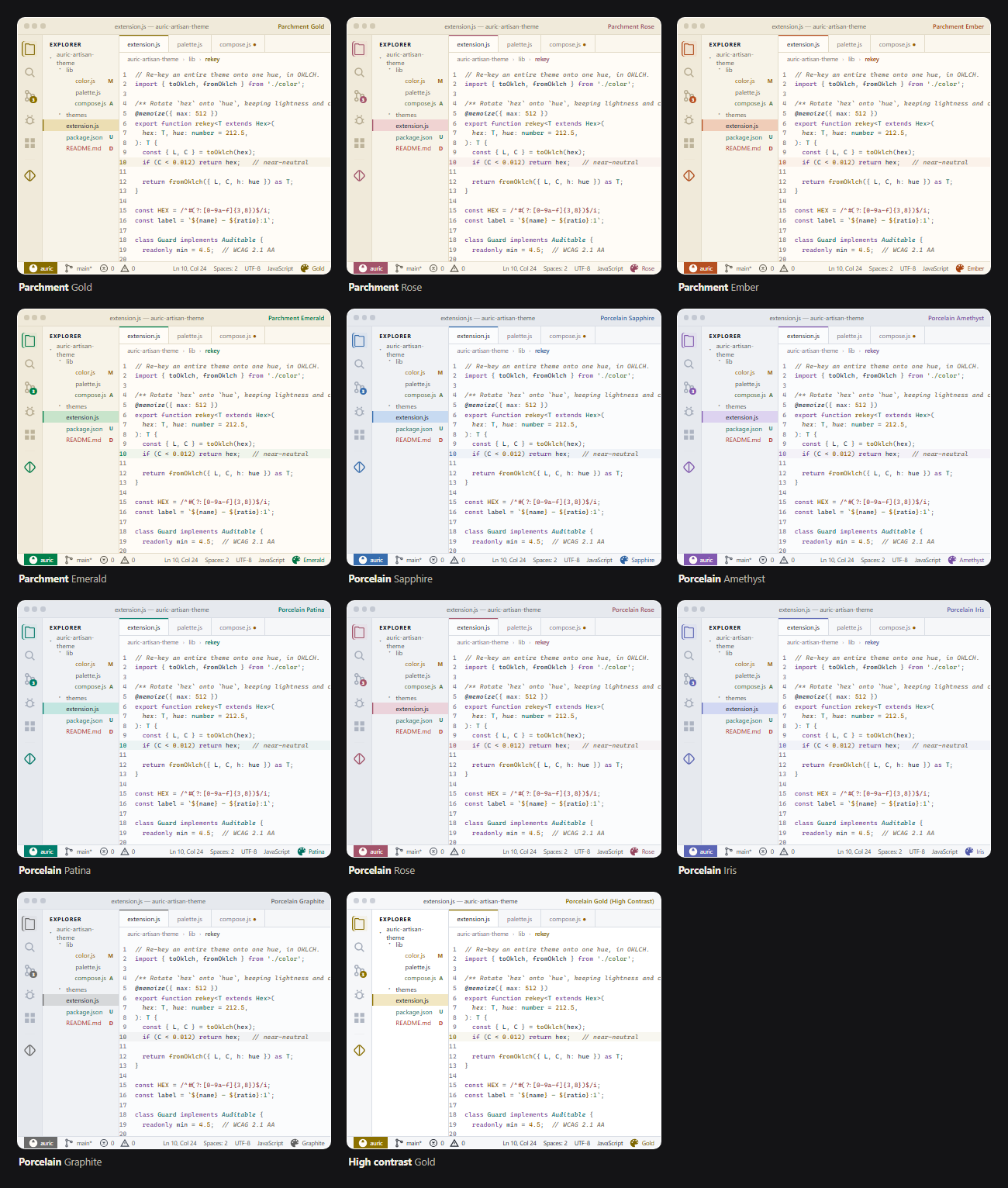
Contact sheet of thirteen dark Auric Artisan theme variants from Obsidian, Midnight and high contrast
Obsidian and Midnight Thirteen of the thirty-three dark variants.
Contact sheet of eleven light Auric Artisan theme variants from Parchment, Porcelain and high contrast
Parchment and Porcelain Eleven of the twenty-one light variants.
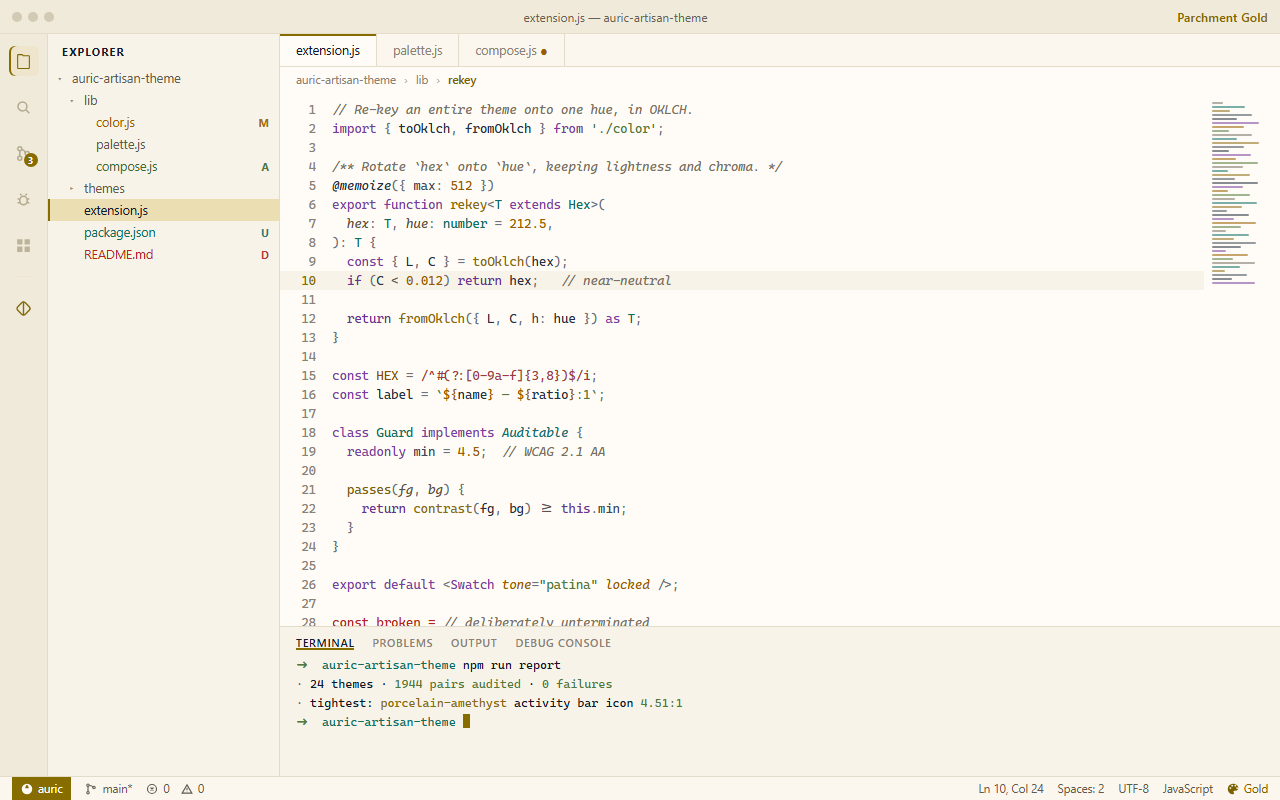
VS Code in the Parchment Gold theme
Parchment Gold Warm cream with a working gold, derived to clear AA.
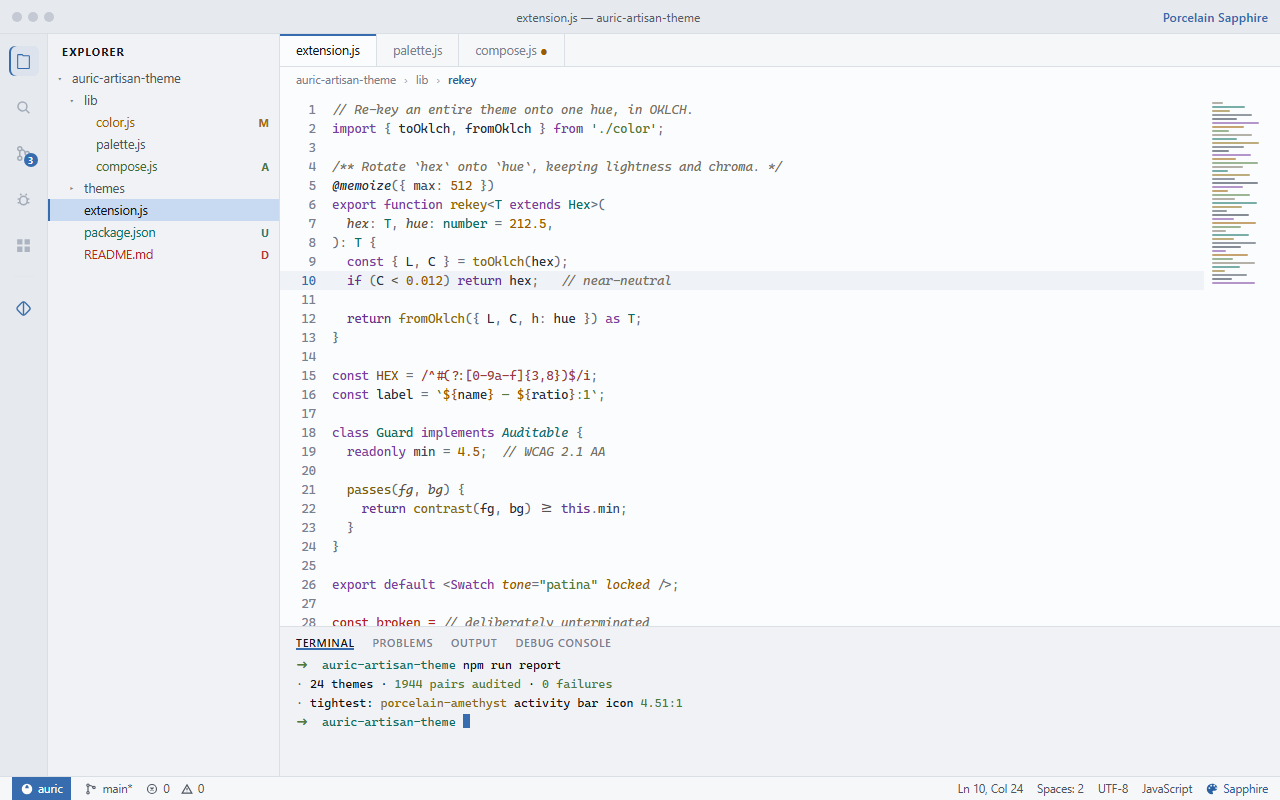
VS Code in the Porcelain Sapphire theme
Porcelain Sapphire Cool white, where blue belongs.
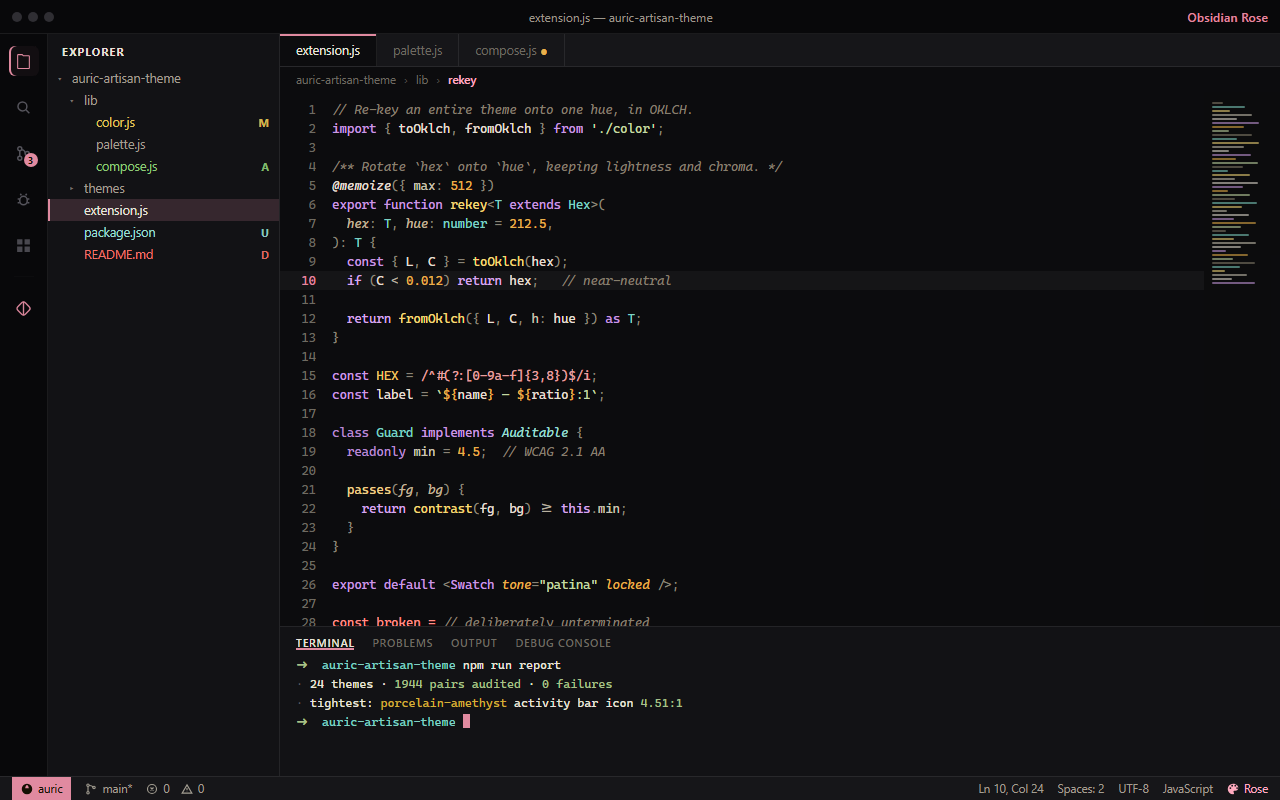
VS Code in the Obsidian Rose theme
Obsidian Rose The same charcoal canvas, re-keyed.

Theme Studio

Make the fifty-fifth one yours

Open it with Ctrl Alt ;, or click the paintcan in the status bar. Nothing you do needs a reload — every change is written as a theme-scoped override and applies instantly.

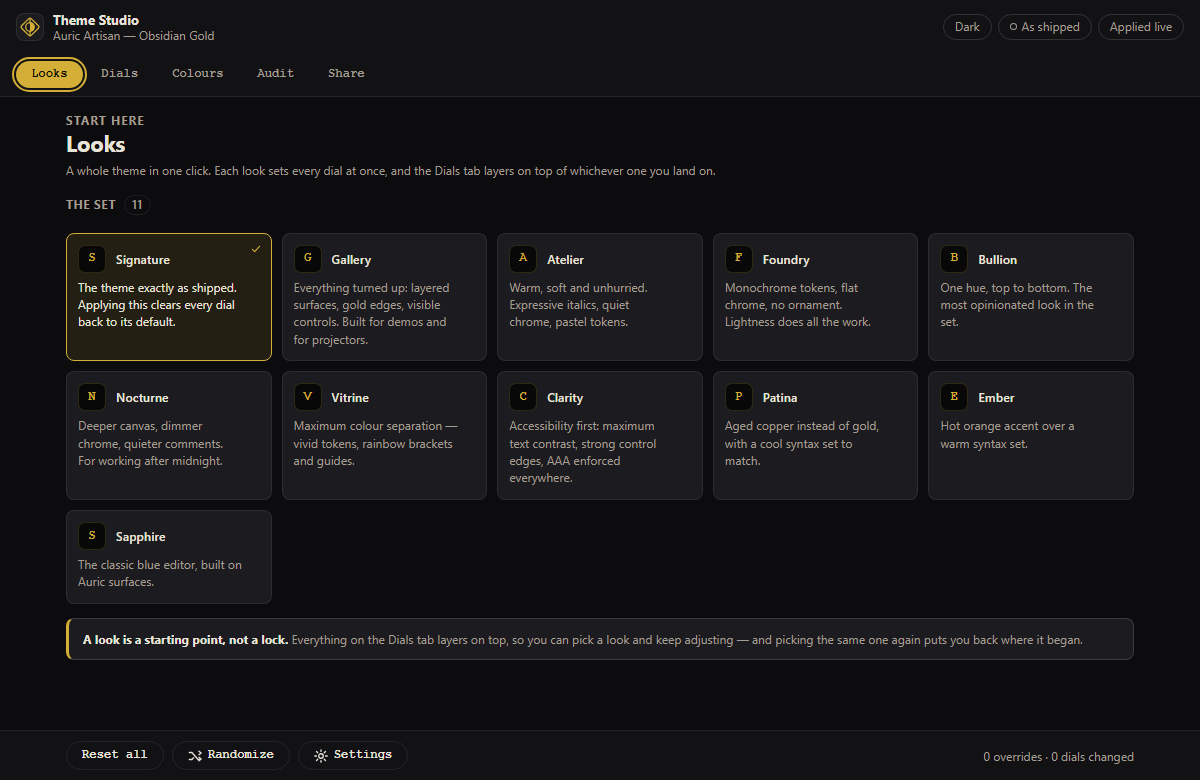
  • Looks — eleven named starting points. A look is a layer, not a reset: anything you change afterwards still wins.
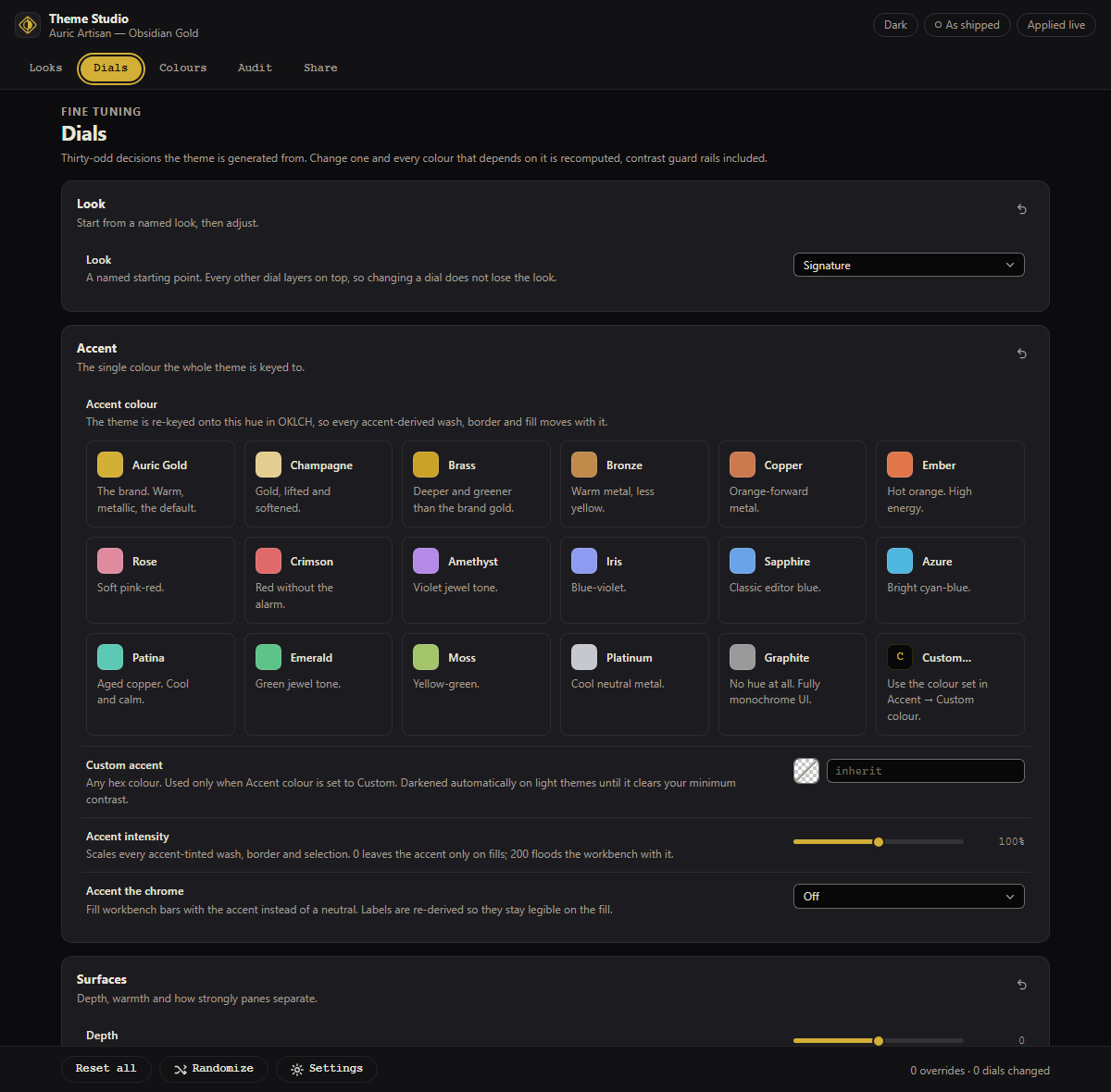
  • Dials — thirty-seven of them, from surface depth and border weight to syntax palette, bracket pairs and the ANSI set. A gold dot marks what you changed, with a one-click revert.
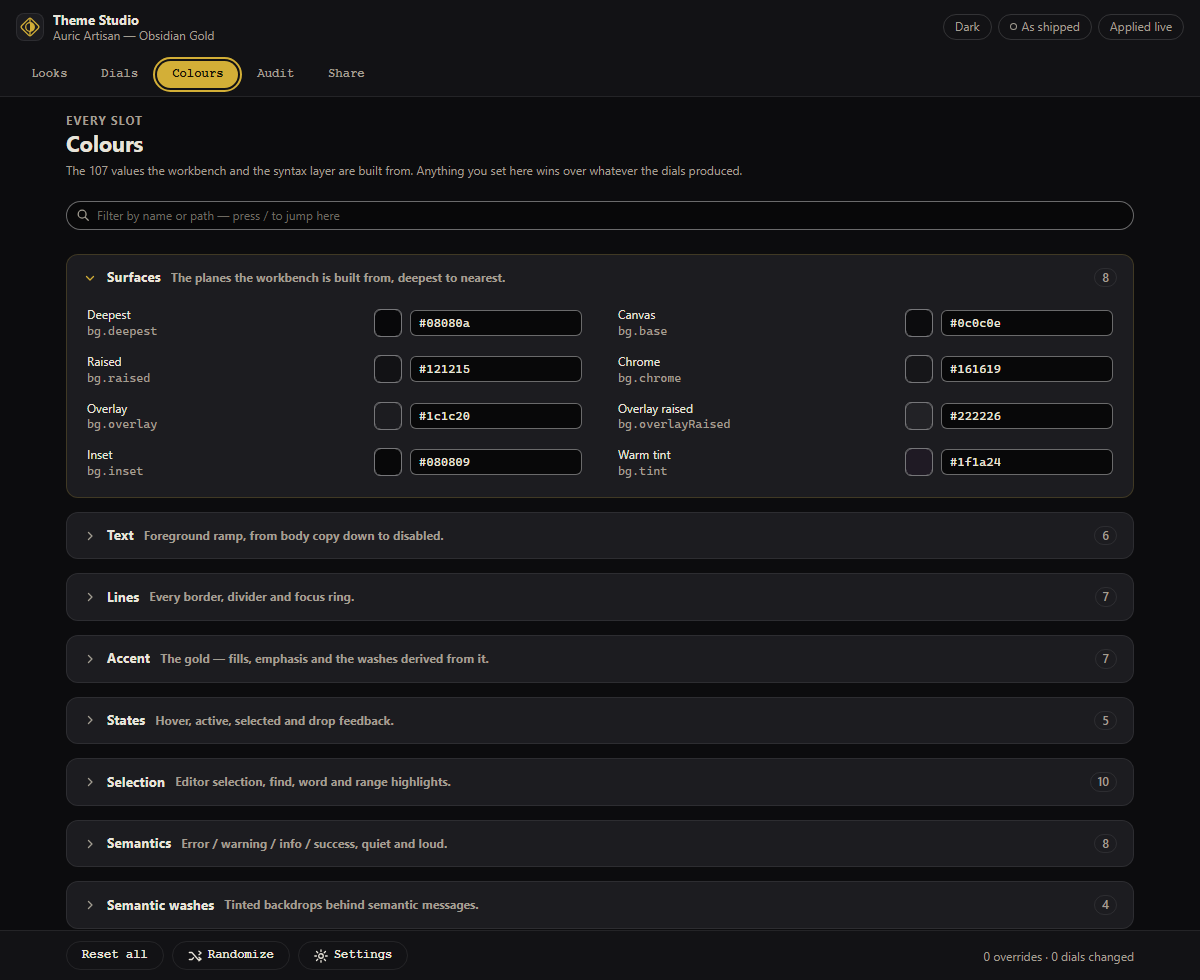
  • Colours — all 107 slots the theme is built from, searchable. A hand-picked value beats every dial above it.
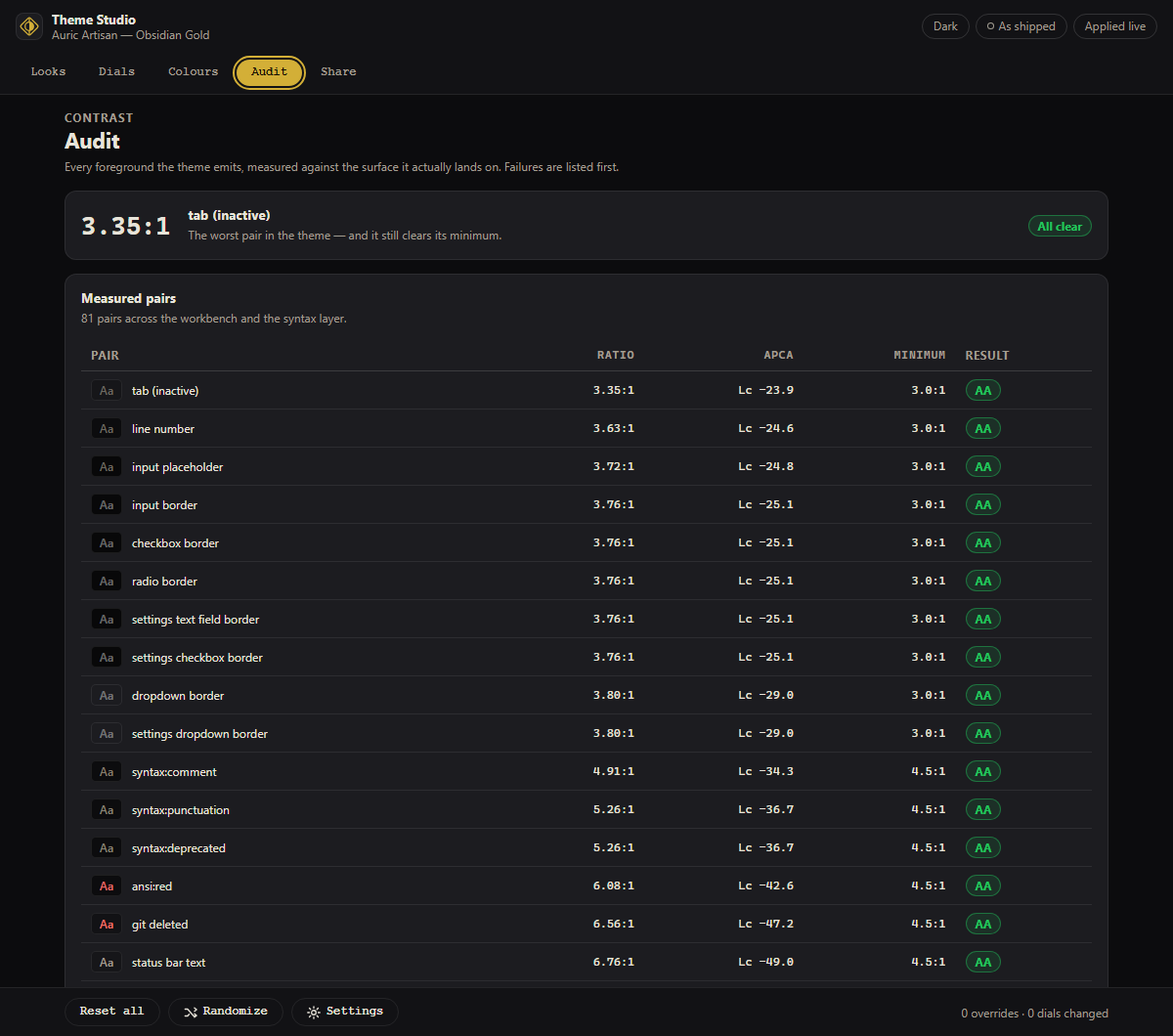
  • Audit — eighty-one contrast pairs, live, with WCAG ratios and APCA Lc. Failures sort to the top.
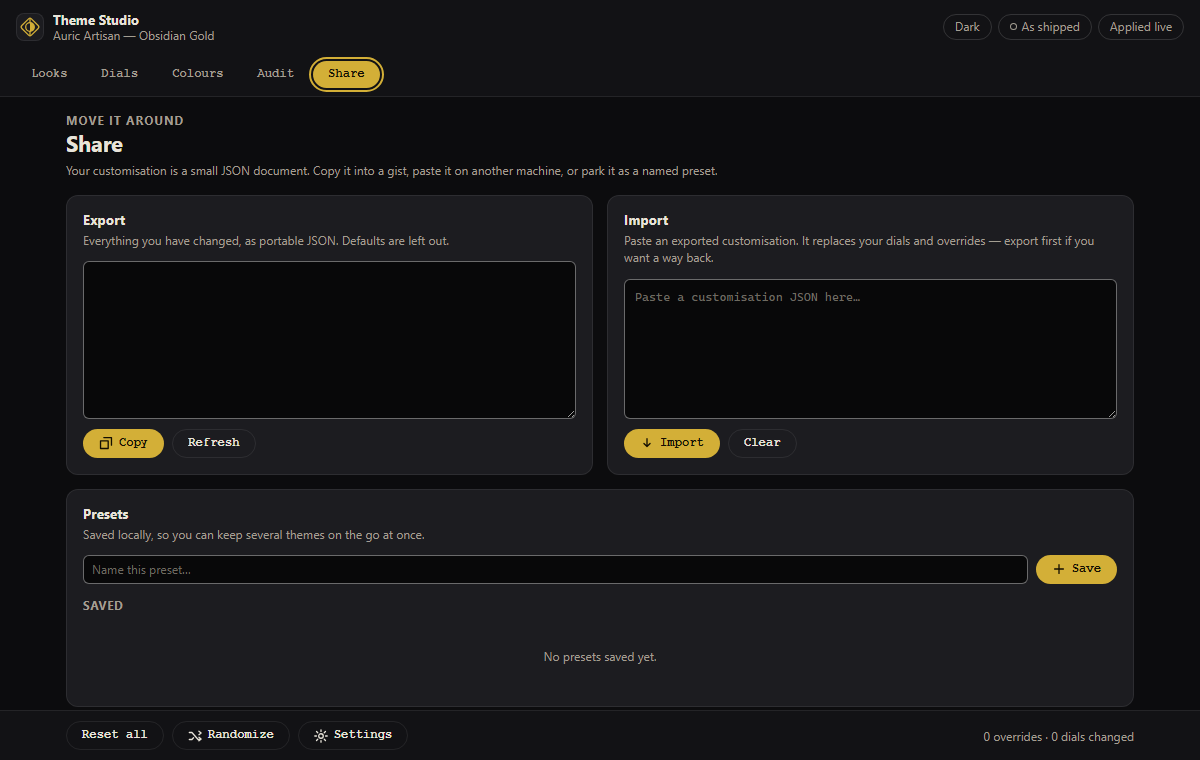
  • Share — save a preset, copy your customisation as JSON, paste someone else's, or export a standalone theme file.
The Dials tab of the Auric Theme Studio, showing grouped sliders for surfaces, text, syntax and controls
Thirty-seven dials, grouped — surfaces, text, syntax, controls, bars and the ANSI palette.
The Looks tab of the Auric Theme Studio with eleven named presets
Looks Gallery for a projector, Nocturne for a dark room, Foundry monochrome, Clarity at AAA.
The Colours tab of the Auric Theme Studio listing grouped, searchable colour slots
Colours All 107 slots — surfaces, the foreground ramp, states, ANSI, git and 26 syntax roles.
The Audit tab of the Auric Theme Studio showing live WCAG and APCA contrast results
Audit Eighty-one pairs, live, WCAG and APCA, failures first.
The Share tab of the Auric Theme Studio with preset and export actions
Share Exports store your dials and overrides, not resolved colours — so a shared theme picks up tomorrow's engine fixes.

Sidebar

The common moves, without opening a panel

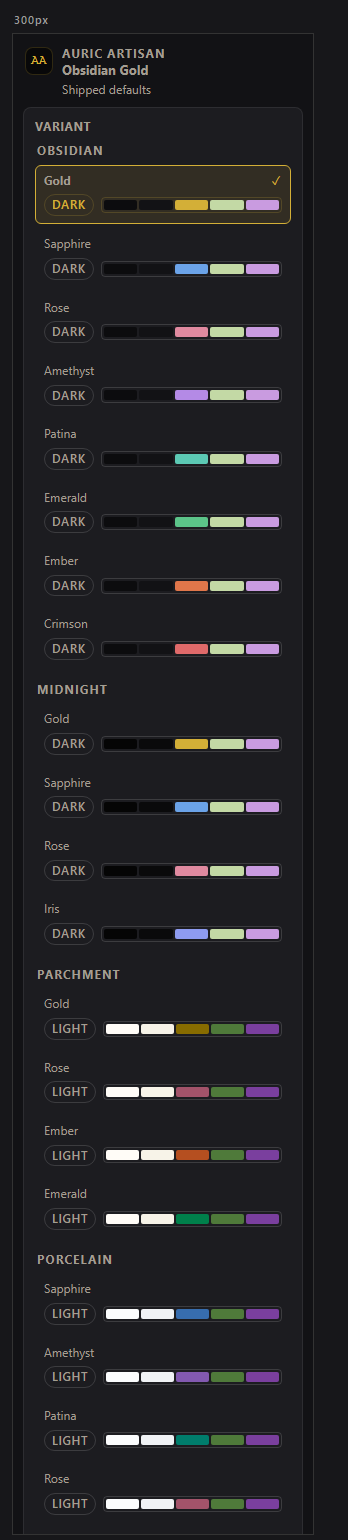
  • Variants grouped by family, each with a live five-colour preview strip.
  • Accent as a swatch grid — one click re-keys the whole workbench.
  • A Look picker, and the worst contrast pair in your current theme with a pass or fail.
  • Open Theme Studio, Reset and Export. It holds its layout down to 200 px.

Prefer the keyboard? Ctrl Alt ' cycles variants, and every action has a Command Palette entry under Auric Theme — including Surprise Me, a randomiser restricted to curated accents and palettes.

The Auric Theme sidebar showing variant groups, an accent swatch grid, a look picker and a contrast readout
The sidebar at its natural width.

Every dial is a real setting

Which means a team can commit a house style and everyone gets the same editor.

.vscode/settings.json
{
  // Re-key the theme onto any hue. `inherit` keeps the variant's own accent.
  "auricTheme.accent.preset": "patina",
  "auricTheme.accent.intensity": 120,

  // Syntax: jewel · vivid · pastel · mono · bullion · classic · warm · cool · duotone
  "auricTheme.syntax.palette": "cool",
  "auricTheme.syntax.italics": "off",
  "auricTheme.syntax.saturation": 90,

  // Surfaces
  "auricTheme.surface.depth": -1,
  "auricTheme.surface.warmth": 20,
  "auricTheme.surface.separation": "layered",

  // Guard rails — 4.5 = AA, 7 = AAA
  "auricTheme.a11y.enforceContrast": true,
  "auricTheme.a11y.minContrast": 4.5
}

One Icon Studio

Three collections, one explorer

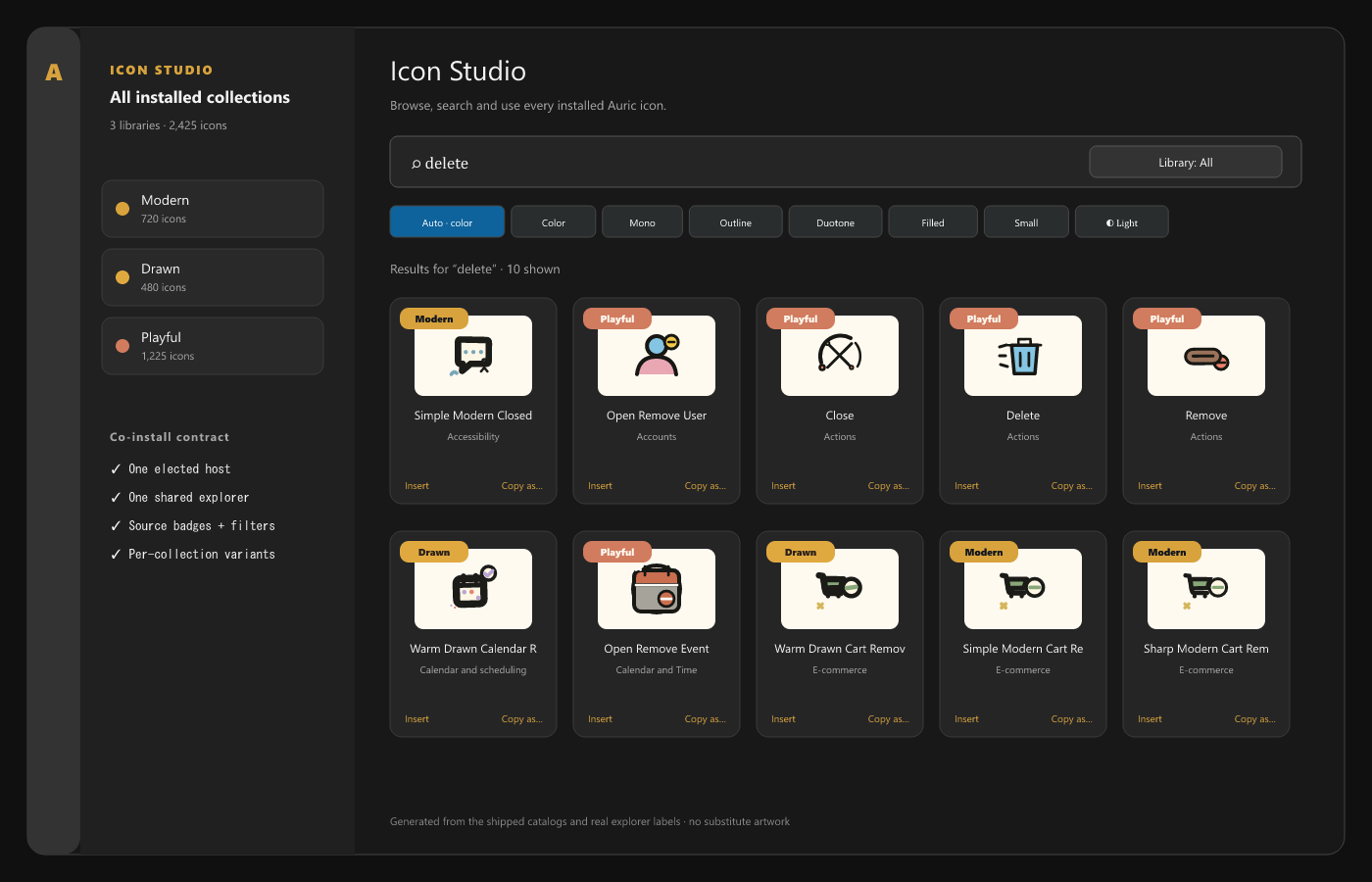
Most icon extensions each claim their own Activity Bar slot. These do not. Co-installed collections elect a single deterministic host and render one Icon Studio with the union of every catalog — a Library filter and per-card source badges keep each collection's identity, and likes and recent history stay with the extension that owns the icon.

  • The variant switcher is data-driven: it shows what the selected collection actually provides, and falls back to colour rather than faking a style.
  • Uninstall any one of them and the remaining extensions re-elect a host without losing your library.
  • The same shared core builds all three, so search, insert, previews and shortcuts behave identically in each.
One merged Icon Studio panel in VS Code showing Modern, Drawn and Playful icons together with source badges and a Library filter
Modern, Drawn and Playful co-installed — one panel, one search, three catalogs.

Search, preview, insert

From “I need an icon” to a line of code

Smart Insert reads the file you are in. JSX in React, markup in HTML, a data URI in CSS, an image in Markdown — with multi-cursor insertion when you need the same icon in several places at once.

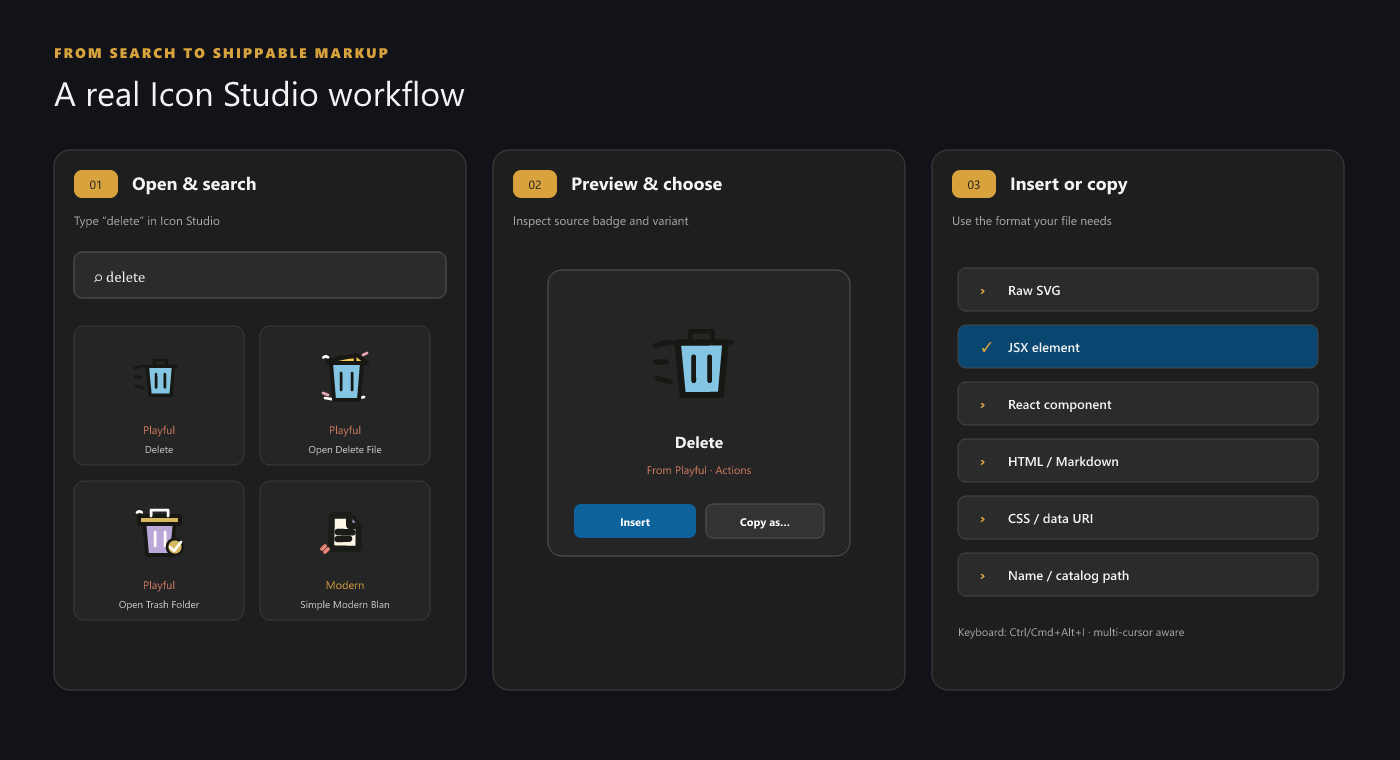
  1. Open Use the collection's Activity Bar view, or run Open Icon Library from the Command Palette.
  2. Search By name, concept, description, tag or synonym, filtered by Category, Style and Library.
  3. Choose a variant Auto follows the active editor context, or pick the style explicitly.
  4. Insert or copy Insert in place, Copy as… in nine formats, Save SVG As…, or open the source.
The Auric icon explorer workflow: searching, previewing an icon at several sizes, and inserting it into an open file
Search, preview at real size, insert into the file you already have open.

Nine copy formats

Raw SVG, JSX, a React component, HTML, Markdown, CSS, a data URI, a self-contained image tag, the icon name, and the catalog path.

Two shortcuts worth learning

Ctrl Alt I for Smart Insert, Ctrl Alt R to insert from Recent.

Drawn at 16 px

The file icon theme's geometry is checked at the size the Explorer actually renders it, and colour is never the only cue distinguishing one file type from another.

Auric Artisan Studio

Grade the workspace, trace every finding

Color, Accessibility and Code Health install separately and share one Command Center on Ctrl Alt . and one workspace grade. Install them one at a time, or all three with the Full Pack.

  • A workspace grade across contrast, WCAG findings and code health, with the files to fix first.
  • Every result leads back to the line in the file that caused it.
  • Local rulebooks and a workspace knowledge base in JSON and Markdown.
  • health.json and SARIF 2.1.0 reports for CI and code scanning.
The Auric Artisan Studio home in VS Code: a workspace grade ring beside accessibility, contrast and code-health scores, with suggested fixes and a CI gate
The Studio home: one grade, three scores, and the next fixes worth making.
The Auric Color picker: a saturation field and hue slider, WCAG and APCA contrast readouts with Fix to AA buttons, and a generated shade ramp

Colour picker + contrast

Auric Color

  • Hover readouts, swatches and an inline picker in 40+ languages.
  • WCAG ratios and APCA Lc side by side, with one-step fixes.
  • Palettes and OKLCH ramps that hold their contrast targets.
Details and install
Auric Accessibility — WCAG 2.2 linting for HTML, JSX, Vue, Svelte, Astro, PHP and CSS

WCAG 2.2 linter

Auric Accessibility

  • WCAG 2.0 to 2.2, for HTML, JSX, Vue, Svelte, Astro, PHP and CSS.
  • Checked against the ARIA 1.2 role matrix, not a word list.
  • Manual evidence and remediation plans for what a linter cannot decide.
Details and install
Auric Code Health — secrets, TODOs and risky code, exported for CI

Secrets + risk scanner

Auric Code Health

  • Hardcoded secrets and credential URLs, with the value redacted.
  • Injection and TLS-bypass patterns, debug leftovers, conflict markers.
  • Stable signatures, so a finding keeps its identity between scans.
Details and install

Workspace tools

The tools around a project

Run it, organise it, set its type and format it: the work that surrounds the code.

Auric Artisan Live — a page served with live reload beside its in-page developer dashboard showing performance and storage panels

Local server + live reload

Auric Artisan Live

  • PHP, Python, Ruby, Go, Java and Node, each started with its own tooling.
  • HTTPS, API proxy and mock REST, request inspection and device presets.
  • An in-page dashboard for performance, cache and storage.
Details and install
The Auric File System workspace: counts of indexed files, folders, saved tags and operations above a searchable list of Create actions

Explorer file workspace

Auric Artisan File System

  • Batch rename with a preview, templates and ten framework presets.
  • Related files, tags, collections, pins and a graphical Properties panel.
  • Duplicate review and a Workspace Trash you can restore from.
Details and install
fonts.auricartisan.com

Font library

Auric Artisan Font Hub

  • 2,023 families, 547 of them variable, from fonts.auricartisan.com.
  • Compare up to four families; inspect styles, glyphs and licences.
  • A native diff before Add to code changes anything; self-hosting kits.
Details and install
The Auric Formatter Playground on its Workspace tab: path and change filters, a Format all 2 files button and scan totals

Code formatter

Auric Artisan Formatter

  • 391 options, 13 presets and 31 native modes.
  • Native diff previews, a live Playground and a write-free workspace scan.
  • If a change cannot be proven safe, your original text stays.
Details and install

Accessibility

Enforced, not claimed

Every colour the engine emits passes a contrast guard before it reaches your editor. Anything below your minimum is pushed along its OKLCH lightness axis until it clears, keeping hue and chroma intact. The guard runs after your hand-picked colours — a colour you chose is a strong preference, not a licence to make comments invisible.

4,374 pairs, checked at build time

Eighty-one pairs per theme: editor text, all 26 syntax roles, the 14 text-bearing ANSI colours, git decorations, and the text and borders of every dropdown, input, checkbox, radio, button, badge, menu and quick pick. A missing colour is a failure, not a skip.

Borders held to 3:1

Form-control borders are measured against the fill they enclose, per WCAG 1.4.11 — checked rather than asserted.

Honest about the brand gold

On parchment the published #D3AF37 measures 2.9:1. It is a tint, not text — so the light variants derive a working gold and keep the brand chip for washes and hairlines.

Icons do not rely on colour alone

File icon geometry is verified at 16 px, colour is never the only identity cue, and the library controls support keyboard focus and screen-reader announcements.

Install

One line in a terminal.

Or open the Extensions view with Ctrl Shift X, search for Auric, and install what you want.

The Icon Pack and the Full Pack
# Icon Pack: Modern, Drawn, Playful and Emoji
code --install-extension auric-artisan.auric-artisan-icon-pack
# Studio Full Pack: Color, Accessibility and Code Health
code --install-extension auric-artisan.auric-artisan
All seventeen, grouped
# Themes and file icons
code --install-extension auric-artisan.auric-artisan-theme
code --install-extension auric-artisan.auric-artisan-file-icon

# Icons and emoji. The Icon Pack alone installs Modern, Drawn, Playful and Emoji.
code --install-extension auric-artisan.auric-artisan-icon-pack
code --install-extension auric-artisan.auric-artisan-modern-icon
code --install-extension auric-artisan.auric-icons-drawn
code --install-extension auric-artisan.auric-icons-playful
code --install-extension auric-artisan.auric-artisan-emoji
code --install-extension auric-artisan.auric-artisan-icon-studio
code --install-extension auric-artisan.auric-artisan-icon-lib

# Colour, accessibility and code health. The Full Pack alone installs all three.
code --install-extension auric-artisan.auric-artisan
code --install-extension auric-artisan.auric-color
code --install-extension auric-artisan.auric-a11y
code --install-extension auric-artisan.auric-codehealth

# Workspace tools
code --install-extension auric-artisan.auric-artisan-live
code --install-extension auric-artisan.auric-artisan-file-system
code --install-extension auric-artisan.auric-artisan-font-hub
code --install-extension auric-artisan.auric-artisan-formatter
From a VSIX file
# Or run Extensions: Install from VSIX… in the Command Palette.
code --install-extension <file>.vsix

1 · From the editor

Open the Extensions view with Ctrl Shift X, search for Auric, and install what you want.

2 · From the command line

Install any or all of them in one go with code --install-extension, as above.

3 · From a VSIX

Run Extensions: Install from VSIX… in the Command Palette, or code --install-extension <file>.vsix. Useful on machines without Marketplace access.

After installing

The first thing to do with each one, and the VS Code version it needs.

First steps and requirements per extension
ExtensionFirst stepRequires
Auric Artisan Theme Ctrl K then Ctrl T, type Auric, pick one of the fifty-four. VS Code 1.75+
Auric Icons: Modern Run Preferences: File Icon Theme and choose Auric Icons: Modern, or open its Activity Bar view for the library. VS Code 1.85+
Auric Icons: Drawn Open the Activity Bar view, or run Open Icon Library. VS Code 1.85+
Auric Icons: Playful Open the Activity Bar view, or run Open Icon Library. VS Code 1.85+
Auric Artisan File Icons Run Auric Artisan File Icons: Open File Icon Studio, choose a style, then Use … in Explorer. VS Code 1.85+
Auric Artisan Icon Pack Nothing to open: it installs Modern, Drawn, Playful and Emoji. VS Code 1.85+
Auric Artisan Emoji Ctrl Alt E opens the Emoji Studio; Ctrl Alt J opens quick pick. VS Code 1.85+
Auric Artisan Icon Studio Select Icon Studio in the Activity Bar, or run Auric Icon Studio: Open Icon Studio. VS Code 1.85+
Auric Artisan Icon Hub Select Auric Icon Hub in the Activity Bar, or run Auric Icon Hub: Open Icon Hub. VS Code 1.85+
Auric Artisan Studio — Full Pack Nothing to open: it installs Color, Accessibility and Code Health. VS Code 1.74+
Auric Color Ctrl Alt C picks a colour, or run Auric Artisan: Open Color Studio. VS Code 1.74+
Auric Accessibility Ctrl Alt A inspects the current file, or run Auric Artisan: Open Accessibility Studio. VS Code 1.74+
Auric Code Health Run Auric Artisan: Open Code Health Studio. VS Code 1.74+
Auric Artisan Live Ctrl Alt L goes live, or open Auric Live in the Activity Bar. VS Code 1.95+
Auric Artisan File System Expand Auric Files in the Explorer, or run Auric Files: Open File Workspace. VS Code 1.95+
Auric Artisan Font Hub Ctrl Alt F, or run Auric Artisan Font Hub: Open Font Hub. VS Code 1.85+
Auric Artisan Formatter Run Auric Formatter: Open Formatter Studio, or Ctrl Alt Shift F to preview formatting as a diff. VS Code 1.74+

Shortcuts are shown for Windows and Linux; each extension's Marketplace page lists its macOS keys. Forks that preserve VS Code's extension, colour theme and icon theme APIs are supported. Where a fork does not carry the Visual Studio Marketplace, install from the VSIX.

Privacy

No telemetry, in any of the seventeen.

None of them reports usage or phones home, and none needs an account. Three reach the network, each for its job. This is the whole list, and every request can be switched off.

Which extensions use the network, and why
ExtensionTalks toWhySwitch it off
Auric Artisan Live Your own machine only Serving your project with live reload Stop the server
Auric Artisan Font Hub fonts.auricartisan.com Catalog refresh and the font files it previews auricFontLib.network.enabled
Auric Artisan Icon Hub icons.auricartisan.com A daily check for catalog metadata updates auricIconLib.remoteRefresh.enabled
The other fourteen Nothing Artwork, catalogs, rules and themes ship inside each package Nothing to switch off

Neither hub sends your code, searches or favourites; the host still sees the ordinary connection details, such as your IP address, that any request carries.

CDN code only when you ask

Font Hub's Add to code and Icon Hub's Insert can write links to the Auric CDN into your project, so your page loads the font or icon when it runs. To keep a project self-contained, export a self-hosting kit or copy the SVG instead.

Personalisation stays local

Likes, favourites, recent items, preview preferences and theme presets live in VS Code extension storage on your device.

Clean uninstall

Theme customisations are theme-scoped blocks that apply only while an Auric theme is active. Other themes' blocks and your own unscoped customisations are never touched.

Free to use

Free for any purpose. Redistribution and resale are not permitted — see the licence bundled with each extension, or the site licence page. The open-source icon sets in Icon Hub and Icon Studio keep their own licences.

Questions

Before you install

Every Marketplace listing carries the extension's full README, with its settings and commands.

Do I have to install all seventeen?

No. Each extension is complete on its own. Two packs install a set in one step: the Icon Pack (Modern, Drawn, Playful and Emoji) and the Studio Full Pack (Color, Accessibility and Code Health).

The three icon collections detect each other when co-installed and merge into a single Icon Studio instead of stacking duplicate sidebars, so adding a second collection adds icons rather than clutter.

Do the extensions send any data anywhere?

There is no telemetry in any of them. Three use the network for their job: Auric Artisan Live serves your project on your own machine, Font Hub refreshes its catalog and fetches the fonts it previews from fonts.auricartisan.com, and Icon Hub checks icons.auricartisan.com for catalog updates. Neither hub sends your code, searches or favourites, and both can be switched off in settings.

Everything else ships inside the extension, and likes, recent items and theme presets are stored in VS Code extension storage on your machine.

Will the theme write to my settings.json?

Only when you change something. With every dial at its default the engine reproduces each shipped theme byte-for-byte — the build fails if it does not — so an untouched install writes nothing.

When you do customise, changes are written as theme-scoped overrides into workbench.colorCustomizations, editor.tokenColorCustomizations and editor.semanticTokenColorCustomizations. They apply instantly, apply only while an Auric theme is active, and disappear cleanly when removed.

Do they work in Cursor, Windsurf, VSCodium and other forks?

Yes, in forks that preserve VS Code's extension, colour theme and icon theme APIs. Where a fork does not carry the Visual Studio Marketplace, install from the VSIX with Extensions: Install from VSIX….

Can a team share one editor look?

Yes. Every Theme Studio dial is a real setting under auricTheme.*, so a house style can be committed to .vscode/settings.json and everyone on the repository gets the same editor. Presets can also be shared through the clipboard, or exported as a standalone theme file.

Can I use the icons in commercial work?

The icons are free to use for any purpose, including commercial projects. Redistributing or reselling the icon sets themselves is not permitted. The bundled licence in each extension is authoritative; the licence page summarises the same terms. The open-source sets in Icon Hub and Icon Studio keep their own licences.

What is the difference between the three icon collections?

Modern is geometric and ships the file and folder icon theme. Drawn is warm and organic, for interfaces that should feel handmade. Playful is emoji-style and expressive, for onboarding, empty states and documentation. They share the same search, insert and copy behaviour, so switching between them costs nothing.

Which icon extension should I install?

Modern, Drawn and Playful are Auric's own artwork, and Modern also ships a file icon theme. Icon Hub is 12,895 open-source icons from seven collections, with SVG controls and sprite and ZIP export. Icon Studio bundles the lot — every Auric collection, 1,914 emoji and the same seven open-source sets — in one offline studio. File Icons is for the Explorer: three file and folder icon themes.

Is there a browser version of these tools?

The colour tooling has two other homes: the browser extension for picking colours and checking contrast on any page, and the offline browser PWA for the full workspace. The VS Code extensions are the editor-side half of the same design system.