सुलभता पैटर्न · नेविगेशन
सबमेन्यू वाला साइट नेविगेशन
हर सेक्शन एक बटन है जो लिंक की एक सादी सूची दिखाता या छिपाता है, इसलिए नेविगेशन वही रहता है जो वह है: nav लैंडमार्क में सूचियों के अंदर लिंक, कोई ऐप्लिकेशन मेन्यू नहीं। Escape, बाहर क्लिक या फ़ोकस हटाने से खुली सूची बंद हो जाती है, और aria-current सबको बताता है कि वे किस पेज पर हैं।
- डब्ल्यूसीएजी मानदंड
- 6
- कीबोर्ड नियम
- 6
- जाँच का तरीक़ा
- axe, कीबोर्ड और इंस्पेक्टर
लाइव डेमो
आज़माएँ
इसे माउस, कीबोर्ड या स्क्रीन रीडर से इस्तेमाल करें। साथ का इंस्पेक्टर दिखाता है कि आपके इस्तेमाल के दौरान ब्राउज़र सहायक तकनीक को क्या बताता है: फ़ोकस, स्थिति में बदलाव और घोषणाएँ।
आप यहाँ हैं
प्रदर्शनियाँ
यह हिस्सा पेज की जगह है। नेविगेशन में कोई लिंक चुनें: वह मौजूदा पेज बन जाता है, सबमेन्यू बंद हो जाता है और फ़ोकस इस हेडिंग पर आ जाता है।
जावास्क्रिप्ट के बिना डेमो उतना ही काम करता है जितना उसका एचटीएमएल; इंस्पेक्टर के लिए जावास्क्रिप्ट चाहिए।
कीबोर्ड
जिन कुंजियों पर यह काम करता है
हर क्रिया पॉइंटर के बिना काम करती है।
| कुंजी | यह क्या करती है |
|---|---|
| TabयाShiftTab | सबसे ऊपरी स्तर के बटनों और लिंक से, और खुले सबमेन्यू के लिंक से गुज़ारता है। खुले सबमेन्यू से बाहर निकलने पर वह बंद हो जाता है। |
| EnterयाSpace | किसी सेक्शन बटन पर, उसका सबमेन्यू खोलता या बंद करता है। फ़ोकस बटन पर ही रहता है। |
| Escape | खुला सबमेन्यू बंद करता है और फ़ोकस उसके बटन पर लौटाता है। |
| Arrow RightयाArrow Left | ऊपरी स्तर के अगले या पिछले आइटम पर ले जाता है। |
| Arrow DownयाArrow Up | किसी सेक्शन बटन पर Arrow Down उसका सबमेन्यू खोलकर पहले लिंक पर ले जाता है। सबमेन्यू के अंदर अगले या पिछले लिंक पर ले जाता है; पहले लिंक से Arrow Up वापस बटन पर ले जाता है। |
| HomeयाEnd | उसी स्तर के पहले या आख़िरी आइटम पर ले जाता है। |
स्क्रीन रीडर
यह क्या घोषित करता है
मार्कअप की भूमिकाओं, नामों और स्थितियों से लिखा गया।
| कब | अपेक्षित घोषणा |
|---|---|
| Tab किसी सेक्शन बटन तक पहुँचता है | क्या चल रहा है, बटन, संक्षिप्त |
| Enter उसे खोलता है | विस्तारित |
| Tab सबमेन्यू में ले जाता है | सूची, 4 आइटम। प्रदर्शनियाँ, मौजूदा पेज, लिंक |
| Escape उसे बंद करता है | क्या चल रहा है, बटन, संक्षिप्त |
| कोई लिंक चुना जाता है | कार्यशालाएँ, हेडिंग लेवल 3 |
ये अपेक्षित घोषणाएँ हैं, रिकॉर्डिंग नहीं। स्क्रीन रीडर और ब्राउज़र के हिसाब से शब्द और क्रम बदलते हैं।
कोड
कोड कॉपी करें
वही फ़ाइलें जिन पर यह डेमो चलता है। स्टाइल एक प्रीफ़िक्स के साथ परोसी जाती हैं जो इस साइट की अपनी स्टाइल को डेमो से दूर रखता है; आप जो कॉपी करते हैं वह मूल है।
<div class="ap-site-nav" data-ap-site-nav>
  <header class="ap-site-nav__bar">
    <a class="ap-site-nav__brand" href="#sitenav-home">
      <svg class="ap-site-nav__mark" viewBox="0 0 32 32" aria-hidden="true" focusable="false"><path d="M4 28V14a12 12 0 0 1 24 0v14Z"/><path d="M12 28v-9a4 4 0 0 1 8 0v9"/></svg>
      <span>Kala Kendra</span>
    </a>
    <nav class="ap-site-nav__nav" aria-label="Main">
      <ul class="ap-site-nav__list">
        <li class="ap-site-nav__item">
          <button type="button" class="ap-site-nav__top ap-site-nav__toggle" aria-expanded="false" aria-controls="sitenav-visit">
            Visit
            <svg class="ap-site-nav__chev" viewBox="0 0 24 24" aria-hidden="true" focusable="false"><path d="m6 9 6 6 6-6"/></svg>
          </button>
          <ul class="ap-site-nav__menu" id="sitenav-visit" hidden>
            <li><a class="ap-site-nav__link" href="#sitenav-plan">Plan your visit</a></li>
            <li><a class="ap-site-nav__link" href="#sitenav-hours">Opening hours</a></li>
            <li><a class="ap-site-nav__link" href="#sitenav-getting-here">Getting here</a></li>
            <li><a class="ap-site-nav__link" href="#sitenav-access">Access and facilities</a></li>
          </ul>
        </li>
        <li class="ap-site-nav__item">
          <button type="button" class="ap-site-nav__top ap-site-nav__toggle" aria-expanded="false" aria-controls="sitenav-whats-on">
            What's on
            <svg class="ap-site-nav__chev" viewBox="0 0 24 24" aria-hidden="true" focusable="false"><path d="m6 9 6 6 6-6"/></svg>
          </button>
          <ul class="ap-site-nav__menu" id="sitenav-whats-on" hidden>
            <li><a class="ap-site-nav__link" href="#sitenav-exhibitions" aria-current="page">Exhibitions</a></li>
            <li><a class="ap-site-nav__link" href="#sitenav-performances">Performances</a></li>
            <li><a class="ap-site-nav__link" href="#sitenav-workshops">Workshops</a></li>
            <li><a class="ap-site-nav__link" href="#sitenav-family">Family days</a></li>
          </ul>
        </li>
        <li class="ap-site-nav__item">
          <button type="button" class="ap-site-nav__top ap-site-nav__toggle" aria-expanded="false" aria-controls="sitenav-learn">
            Learn
            <svg class="ap-site-nav__chev" viewBox="0 0 24 24" aria-hidden="true" focusable="false"><path d="m6 9 6 6 6-6"/></svg>
          </button>
          <ul class="ap-site-nav__menu" id="sitenav-learn" hidden>
            <li><a class="ap-site-nav__link" href="#sitenav-courses">Courses</a></li>
            <li><a class="ap-site-nav__link" href="#sitenav-schools">For schools</a></li>
            <li><a class="ap-site-nav__link" href="#sitenav-talks">Talks archive</a></li>
          </ul>
        </li>
        <li class="ap-site-nav__item"><a class="ap-site-nav__top" href="#sitenav-shop">Shop</a></li>
        <li class="ap-site-nav__item"><a class="ap-site-nav__top" href="#sitenav-membership">Membership</a></li>
      </ul>
    </nav>
  </header>

  <div class="ap-site-nav__page">
    <p class="ap-site-nav__kicker">You are on</p>
    <h3 class="ap-site-nav__page-name" id="sitenav-page" tabindex="-1" data-ap-page>Exhibitions</h3>
    <p class="ap-site-nav__page-text">This area stands in for the page. Choose a link in the navigation: it becomes the current page, the submenu closes and focus moves to this heading.</p>
  </div>
</div>
/* Site navigation with disclosure submenus. Uses the --ap-* design tokens. */
.ap-site-nav {
  width: min(100%, 720px);
  margin-inline: auto;
  container-type: inline-size;
  border: 1px solid var(--ap-border);
  border-radius: var(--ap-radius-lg);
  background: var(--ap-surface);
  box-shadow: var(--ap-shadow-md);
}

.ap-site-nav__bar {
  display: flex;
  align-items: center;
  justify-content: space-between;
  gap: 8px 20px;
  padding: 10px 12px 10px 18px;
  border-bottom: 1px solid var(--ap-border);
}

.ap-site-nav__brand {
  display: inline-flex;
  align-items: center;
  gap: 10px;
  min-height: 40px;
  padding-right: 6px;
  border-radius: var(--ap-radius-sm);
  color: var(--ap-text);
  font-size: 1.0625rem;
  font-weight: 700;
  letter-spacing: -.01em;
  text-decoration: none;
  white-space: nowrap;
}
.ap-site-nav__mark {
  width: 28px;
  height: 28px;
  flex-shrink: 0;
}
.ap-site-nav__mark path:first-child {
  fill: var(--ap-accent);
}
.ap-site-nav__mark path:last-child {
  fill: var(--ap-surface);
}

.ap-site-nav__nav {
  position: relative;
}
.ap-site-nav__list {
  display: flex;
  flex-wrap: wrap;
  align-items: center;
  gap: 2px;
  margin: 0;
  padding: 0;
  list-style: none;
}
.ap-site-nav__item {
  position: relative;
}

/* Top-level buttons and links share one look. */
.ap-site-nav__top {
  position: relative;
  display: inline-flex;
  align-items: center;
  gap: 4px;
  min-height: 40px;
  padding: 0 12px;
  border: 0;
  border-radius: var(--ap-radius-sm);
  background: transparent;
  color: var(--ap-text-2);
  font: inherit;
  font-weight: 550;
  text-decoration: none;
  white-space: nowrap;
  cursor: pointer;
  transition: background-color var(--ap-duration) var(--ap-ease), color var(--ap-duration) var(--ap-ease);
}
.ap-site-nav__top:hover,
.ap-site-nav__toggle[aria-expanded="true"] {
  background: var(--ap-surface-2);
  color: var(--ap-text);
}
.ap-site-nav__chev {
  width: 16px;
  height: 16px;
  margin-right: -4px;
  fill: none;
  stroke: currentColor;
  stroke-width: 2.2;
  stroke-linecap: round;
  stroke-linejoin: round;
  transition: transform var(--ap-duration) var(--ap-ease);
}
.ap-site-nav__toggle[aria-expanded="true"] .ap-site-nav__chev {
  transform: rotate(180deg);
}

/* Where you are: a bar under the current page's link, or under the section
   that holds it. aria-current carries the meaning; the bar shows it. */
.ap-site-nav__top[aria-current="page"],
.ap-site-nav__item:has(.ap-site-nav__menu [aria-current="page"]) > .ap-site-nav__toggle {
  color: var(--ap-text);
}
.ap-site-nav__top[aria-current="page"]::after,
.ap-site-nav__item:has(.ap-site-nav__menu [aria-current="page"]) > .ap-site-nav__toggle::after {
  content: "";
  position: absolute;
  right: 12px;
  bottom: 3px;
  left: 12px;
  height: 2px;
  border-radius: 2px;
  background: var(--ap-accent);
}

/* A submenu: a plain list of links under its button. */
.ap-site-nav__menu {
  position: absolute;
  z-index: 3;
  top: calc(100% + 8px);
  left: 0;
  display: grid;
  gap: 2px;
  min-width: 220px;
  margin: 0;
  padding: 6px;
  border: 1px solid var(--ap-border);
  border-radius: var(--ap-radius);
  background: var(--ap-surface);
  box-shadow: var(--ap-shadow-lg);
  list-style: none;
}
.ap-site-nav__menu:not([hidden]) {
  animation: ap-site-nav-in 160ms var(--ap-ease);
}
.ap-site-nav__menu[hidden] {
  display: none;
}

.ap-site-nav__link {
  display: flex;
  align-items: center;
  min-height: 40px;
  padding: 8px 12px;
  border-radius: var(--ap-radius-sm);
  color: var(--ap-text);
  text-decoration: none;
  white-space: nowrap;
}
.ap-site-nav__link:hover {
  background: var(--ap-surface-2);
}
.ap-site-nav__link[aria-current="page"] {
  background: var(--ap-accent-soft);
  color: var(--ap-accent-soft-text);
  font-weight: 650;
  box-shadow: inset 3px 0 0 var(--ap-accent);
}

.ap-site-nav :is(.ap-site-nav__brand, .ap-site-nav__top):focus-visible {
  outline: 2px solid var(--ap-focus);
  outline-offset: 1px;
}
.ap-site-nav__link:focus-visible {
  outline: 2px solid var(--ap-focus);
  outline-offset: -2px;
}

/* The page the navigation belongs to. */
.ap-site-nav__page {
  display: grid;
  align-content: start;
  gap: 6px;
  min-height: 250px;
  padding: 30px 22px 28px;
}
.ap-site-nav__kicker {
  margin: 0;
  color: var(--ap-text-3);
  font-size: .8125rem;
  font-weight: 600;
  letter-spacing: .04em;
  text-transform: uppercase;
}
.ap-site-nav__page-name {
  width: fit-content;
  margin: 0;
  border-radius: 6px;
  font-size: 1.625rem;
  font-weight: 650;
  letter-spacing: -.015em;
  line-height: 1.25;
}
.ap-site-nav__page-name:focus-visible {
  outline: 2px solid var(--ap-focus);
  outline-offset: 4px;
}
.ap-site-nav__page-text {
  max-width: 50ch;
  margin: 6px 0 0;
  color: var(--ap-text-2);
  line-height: 1.6;
}

/* Medium: the brand above, the links in a row below it. */
@container (max-width: 640px) {
  .ap-site-nav__bar {
    flex-direction: column;
    align-items: stretch;
    padding: 10px 10px 8px 14px;
  }
  .ap-site-nav__brand {
    width: fit-content;
  }
  .ap-site-nav__list {
    margin-left: -6px;
  }
  .ap-site-nav__top {
    padding: 0 10px;
  }
  .ap-site-nav__page {
    padding: 24px 16px;
  }
}

/* Narrow: the links wrap, and each submenu spans the navigation's width. */
@container (max-width: 460px) {
  .ap-site-nav__item {
    position: static;
  }
  .ap-site-nav__menu {
    right: 0;
    left: -4px;
    min-width: 0;
  }
}

@keyframes ap-site-nav-in {
  from { opacity: 0; transform: translateY(-4px); }
}

@media (prefers-reduced-motion: reduce) {
  .ap-site-nav__top,
  .ap-site-nav__chev { transition: none; }
  .ap-site-nav__menu:not([hidden]) { animation: none; }
}
/**
 * Site navigation with disclosure submenus: section buttons show or hide
 * plain lists of links. A nav landmark of lists and links, not role=menu.
 *
 * Markup: [data-ap-site-nav] holding nav > ul > li.ap-site-nav__item. A
 * section is button.ap-site-nav__top.ap-site-nav__toggle[aria-expanded]
 * [aria-controls] followed by ul.ap-site-nav__menu[hidden]; a plain item is
 * a.ap-site-nav__top. In the demo, links to "#…" stand in for pages and
 * [data-ap-page] is the heading of the page they lead to.
 */

export function init(root) {
  const nav = root.querySelector("nav");
  const tops = [...nav.querySelectorAll(".ap-site-nav__top")];
  const toggles = tops.filter((el) => el.matches(".ap-site-nav__toggle"));
  const listOf = (button) => document.getElementById(button.getAttribute("aria-controls"));
  const linksOf = (button) => [...listOf(button).querySelectorAll("a[href]")];
  const openButton = () => toggles.find((b) => b.getAttribute("aria-expanded") === "true");
  const outside = new AbortController();

  function setOpen(button, open) {
    if ((button.getAttribute("aria-expanded") === "true") === open) return;
    button.setAttribute("aria-expanded", String(open));
    listOf(button).hidden = !open;
  }

  function closeAll(except = null) {
    for (const b of toggles) if (b !== except) setOpen(b, false);
  }

  // A link that points into this page stands in for a page of its own:
  // mark it current, close the submenu and move focus to the new heading,
  // as a single-page app would. Links to other pages load as normal.
  function visit(link, event) {
    const page = root.querySelector("[data-ap-page]");
    if (!page || !link.getAttribute("href").startsWith("#")) return;
    event.preventDefault();
    for (const a of root.querySelectorAll("a[aria-current]")) a.removeAttribute("aria-current");
    link.setAttribute("aria-current", "page");
    closeAll();
    page.textContent = link.textContent.trim();
    page.focus();
  }

  function onClick(event) {
    const button = event.target.closest(".ap-site-nav__toggle");
    if (button && nav.contains(button)) {
      const open = button.getAttribute("aria-expanded") !== "true";
      closeAll(button);
      setOpen(button, open);
      return;
    }
    const link = event.target.closest("a[href]");
    if (link && root.contains(link)) visit(link, event);
  }

  function onKeydown(event) {
    const el = document.activeElement;
    if (event.key === "Escape") {
      const button = openButton();
      if (!button) return;
      setOpen(button, false);
      button.focus();
      return;
    }

    // On the top level: Left, Right, Home and End move along it.
    const at = tops.indexOf(el);
    if (at !== -1) {
      let next = null;
      if (event.key === "ArrowRight") next = tops[at + 1];
      else if (event.key === "ArrowLeft") next = tops[at - 1];
      else if (event.key === "Home") next = tops[0];
      else if (event.key === "End") next = tops[tops.length - 1];
      else if (event.key === "ArrowDown" && toggles.includes(el)) {
        closeAll(el);
        setOpen(el, true);
        next = linksOf(el)[0];
      }
      if (next) {
        event.preventDefault();
        next.focus();
      }
      return;
    }

    // Inside an open submenu: Up, Down, Home and End move between its links.
    const button = toggles.find((b) => listOf(b).contains(el));
    if (!button) return;
    const links = linksOf(button);
    const i = links.indexOf(el);
    let next = null;
    if (event.key === "ArrowDown") next = links[i + 1];
    else if (event.key === "ArrowUp") next = i === 0 ? button : links[i - 1];
    else if (event.key === "Home") next = links[0];
    else if (event.key === "End") next = links[links.length - 1];
    if (next) {
      event.preventDefault();
      next.focus();
    }
  }

  // Focus moving to anything outside the open section closes it.
  function onFocusin(event) {
    const button = openButton();
    if (button && !button.parentElement.contains(event.target)) setOpen(button, false);
  }
  function onFocusout(event) {
    if (event.relatedTarget && !nav.contains(event.relatedTarget)) closeAll();
  }

  root.addEventListener("click", onClick);
  nav.addEventListener("keydown", onKeydown);
  nav.addEventListener("focusin", onFocusin);
  nav.addEventListener("focusout", onFocusout);
  // A press anywhere outside the navigation closes the open submenu.
  document.addEventListener("pointerdown", (event) => {
    if (!nav.contains(event.target)) closeAll();
  }, { signal: outside.signal });

  return () => {
    outside.abort();
    root.removeEventListener("click", onClick);
    nav.removeEventListener("keydown", onKeydown);
    nav.removeEventListener("focusin", onFocusin);
    nav.removeEventListener("focusout", onFocusout);
  };
}

for (const root of document.querySelectorAll("[data-ap-site-nav]")) init(root);
/* Design tokens for the pattern components. Light by default, dark when the
   system asks for it; set data-theme="dark" on :root to force dark. */
:root {
    --ap-radius-sm: 8px;
    --ap-radius: 12px;
    --ap-radius-lg: 16px;
    --ap-radius-full: 999px;
    --ap-font: "Instrument Sans", ui-sans-serif, system-ui, -apple-system, "Segoe UI", Roboto, sans-serif;
    --ap-mono: "JetBrains Mono", ui-monospace, "Cascadia Mono", "SF Mono", Consolas, monospace;
    --ap-ease: cubic-bezier(.2, .8, .2, 1);
    --ap-duration: 180ms;
    --ap-target: 44px;
    --ap-bg: #F4F4F5;
    --ap-surface: #FFFFFF;
    --ap-surface-2: #F4F4F5;
    --ap-surface-3: #E4E4E7;
    --ap-border: #E4E4E7;
    --ap-border-strong: #76767F;
    --ap-text: #18181B;
    --ap-text-2: #3F3F46;
    --ap-text-3: #5E5E66;
    --ap-accent: #4F46E5;
    --ap-accent-hover: #4338CA;
    --ap-on-accent: #FFFFFF;
    --ap-accent-text: #4338CA;
    --ap-accent-soft: #EEF2FF;
    --ap-accent-soft-text: #3730A3;
    --ap-focus: #4F46E5;
    --ap-danger: #B91C1C;
    --ap-danger-soft: #FEF2F2;
    --ap-success: #15803D;
    --ap-success-soft: #F0FDF4;
    --ap-warning: #A15C07;
    --ap-warning-soft: #FEFCE8;
    --ap-info: #1D4ED8;
    --ap-info-soft: #EFF6FF;
    --ap-scrim: rgb(9 9 11 / .48);
    --ap-shadow-sm: 0 1px 2px rgb(9 9 11 / .06);
    --ap-shadow-md: 0 1px 2px rgb(9 9 11 / .05), 0 6px 16px -4px rgb(9 9 11 / .1);
    --ap-shadow-lg: 0 2px 6px rgb(9 9 11 / .06), 0 20px 40px -12px rgb(9 9 11 / .22);
    --ap-light-bg: #F4F4F5;
    --ap-light-surface: #FFFFFF;
    --ap-light-surface-2: #F4F4F5;
    --ap-light-surface-3: #E4E4E7;
    --ap-light-border: #E4E4E7;
    --ap-light-border-strong: #76767F;
    --ap-light-text: #18181B;
    --ap-light-text-2: #3F3F46;
    --ap-light-text-3: #5E5E66;
    --ap-light-accent: #4F46E5;
    --ap-light-accent-hover: #4338CA;
    --ap-light-on-accent: #FFFFFF;
    --ap-light-accent-text: #4338CA;
    --ap-light-accent-soft: #EEF2FF;
    --ap-light-accent-soft-text: #3730A3;
    --ap-light-focus: #4F46E5;
    --ap-light-danger: #B91C1C;
    --ap-light-danger-soft: #FEF2F2;
    --ap-light-success: #15803D;
    --ap-light-success-soft: #F0FDF4;
    --ap-light-warning: #A15C07;
    --ap-light-warning-soft: #FEFCE8;
    --ap-light-info: #1D4ED8;
    --ap-light-info-soft: #EFF6FF;
    --ap-light-scrim: rgb(9 9 11 / .48);
    --ap-light-shadow-sm: 0 1px 2px rgb(9 9 11 / .06);
    --ap-light-shadow-md: 0 1px 2px rgb(9 9 11 / .05), 0 6px 16px -4px rgb(9 9 11 / .1);
    --ap-light-shadow-lg: 0 2px 6px rgb(9 9 11 / .06), 0 20px 40px -12px rgb(9 9 11 / .22);
    --ap-dark-bg: #09090B;
    --ap-dark-surface: #18181B;
    --ap-dark-surface-2: #27272A;
    --ap-dark-surface-3: #3F3F46;
    --ap-dark-border: #2E2E33;
    --ap-dark-border-strong: #8E8E97;
    --ap-dark-text: #FAFAFA;
    --ap-dark-text-2: #D4D4D8;
    --ap-dark-text-3: #A1A1AA;
    --ap-dark-accent: #818CF8;
    --ap-dark-accent-hover: #A5B4FC;
    --ap-dark-on-accent: #0C0A1F;
    --ap-dark-accent-text: #A5B4FC;
    --ap-dark-accent-soft: #1E1B4B;
    --ap-dark-accent-soft-text: #C7D2FE;
    --ap-dark-focus: #A5B4FC;
    --ap-dark-danger: #F87171;
    --ap-dark-danger-soft: #2A1215;
    --ap-dark-success: #4ADE80;
    --ap-dark-success-soft: #0F2A1A;
    --ap-dark-warning: #FACC15;
    --ap-dark-warning-soft: #2A2410;
    --ap-dark-info: #60A5FA;
    --ap-dark-info-soft: #0F1D33;
    --ap-dark-scrim: rgb(0 0 0 / .62);
    --ap-dark-shadow-sm: 0 1px 2px rgb(0 0 0 / .4);
    --ap-dark-shadow-md: 0 1px 2px rgb(0 0 0 / .4), 0 8px 20px -6px rgb(0 0 0 / .5);
    --ap-dark-shadow-lg: 0 2px 8px rgb(0 0 0 / .45), 0 24px 48px -12px rgb(0 0 0 / .7);
}
@media (prefers-color-scheme: dark) {
  :root:not([data-theme="light"]) {
      --ap-bg: #09090B;
      --ap-surface: #18181B;
      --ap-surface-2: #27272A;
      --ap-surface-3: #3F3F46;
      --ap-border: #2E2E33;
      --ap-border-strong: #8E8E97;
      --ap-text: #FAFAFA;
      --ap-text-2: #D4D4D8;
      --ap-text-3: #A1A1AA;
      --ap-accent: #818CF8;
      --ap-accent-hover: #A5B4FC;
      --ap-on-accent: #0C0A1F;
      --ap-accent-text: #A5B4FC;
      --ap-accent-soft: #1E1B4B;
      --ap-accent-soft-text: #C7D2FE;
      --ap-focus: #A5B4FC;
      --ap-danger: #F87171;
      --ap-danger-soft: #2A1215;
      --ap-success: #4ADE80;
      --ap-success-soft: #0F2A1A;
      --ap-warning: #FACC15;
      --ap-warning-soft: #2A2410;
      --ap-info: #60A5FA;
      --ap-info-soft: #0F1D33;
      --ap-scrim: rgb(0 0 0 / .62);
      --ap-shadow-sm: 0 1px 2px rgb(0 0 0 / .4);
      --ap-shadow-md: 0 1px 2px rgb(0 0 0 / .4), 0 8px 20px -6px rgb(0 0 0 / .5);
      --ap-shadow-lg: 0 2px 8px rgb(0 0 0 / .45), 0 24px 48px -12px rgb(0 0 0 / .7);
  }
}
:root[data-theme="dark"] {
    --ap-bg: #09090B;
    --ap-surface: #18181B;
    --ap-surface-2: #27272A;
    --ap-surface-3: #3F3F46;
    --ap-border: #2E2E33;
    --ap-border-strong: #8E8E97;
    --ap-text: #FAFAFA;
    --ap-text-2: #D4D4D8;
    --ap-text-3: #A1A1AA;
    --ap-accent: #818CF8;
    --ap-accent-hover: #A5B4FC;
    --ap-on-accent: #0C0A1F;
    --ap-accent-text: #A5B4FC;
    --ap-accent-soft: #1E1B4B;
    --ap-accent-soft-text: #C7D2FE;
    --ap-focus: #A5B4FC;
    --ap-danger: #F87171;
    --ap-danger-soft: #2A1215;
    --ap-success: #4ADE80;
    --ap-success-soft: #0F2A1A;
    --ap-warning: #FACC15;
    --ap-warning-soft: #2A2410;
    --ap-info: #60A5FA;
    --ap-info-soft: #0F1D33;
    --ap-scrim: rgb(0 0 0 / .62);
    --ap-shadow-sm: 0 1px 2px rgb(0 0 0 / .4);
    --ap-shadow-md: 0 1px 2px rgb(0 0 0 / .4), 0 8px 20px -6px rgb(0 0 0 / .5);
    --ap-shadow-lg: 0 2px 8px rgb(0 0 0 / .45), 0 24px 48px -12px rgb(0 0 0 / .7);
}
डब्ल्यूसीएजी 2.2
यह किन मानदंडों को पूरा करता है
वे सफलता मानदंड जिनका यह पैटर्न ध्यान रखता है, और कैसे।
-
1.3.1 जानकारी और संबंध
स्तर A
नेविगेशन सूचियों और लिंक का एक nav लैंडमार्क है, और हर सबमेन्यू एक सूची है जो सोर्स में अपने बटन के ठीक बाद आती है।
-
2.1.1 कीबोर्ड
स्तर A
हर सबमेन्यू कीबोर्ड से खुलता, बंद होता और उसमें आगे-पीछे जाया जाता है; ऐरो कुंजियाँ Tab के ऊपर एक शॉर्टकट हैं, ज़रूरत नहीं।
-
2.4.3 फ़ोकस क्रम
स्तर A
सबमेन्यू अपने बटनों के ठीक बाद हैं, इसलिए Tab क्रम स्क्रीन पर दिखने वाले क्रम से मेल खाता है, और Escape फ़ोकस को वहीं लौटा देता है जहाँ से वह चला था।
-
2.4.7 फ़ोकस दिखाई देना
स्तर AA
हर बटन और लिंक पर दो पिक्सेल की फ़ोकस रिंग दिखती है, जो हेडर और सबमेन्यू के सामने 3:1 से ज़्यादा कंट्रास्ट रखती है।
-
2.4.8 स्थान
स्तर AAA
aria-current उस पेज को चिह्नित करता है जिस पर आप हैं, और जिस सेक्शन में वह है उस पर एक दिखने वाली पट्टी होती है।
-
4.1.2 नाम, भूमिका, मान
स्तर A
सेक्शन बटन aria-expanded और aria-controls बताते हैं, और मौजूदा पेज के लिंक पर aria-current="page" होता है।
उपयोग
इसे कब इस्तेमाल करें
इसे अपनाएँ
- कुछ सेक्शन वाली साइट, जिनमें से हर एक में कई पेज हों, और जो चौड़ी स्क्रीन पर हेडर में एक पंक्ति में दिखें।
- ऐसा नेविगेशन जिसे माउस, कीबोर्ड और टच से एक जैसा काम करना हो।
कुछ और इस्तेमाल करें
- हर सेक्शन में गिने-चुने से ज़्यादा लिंक, या ऐसे लिंक जिन्हें विवरण चाहिए: मेगा मेन्यू इस्तेमाल करें।
- छोटी स्क्रीन: पूरा नेविगेशन किसी मेन्यू बटन के पीछे एक ड्रॉअर में रखें।
- किसी ऐप्लिकेशन के कमांड, जैसे Edit या View: उनकी जगह role=menu वाले मेन्यू बटन में है।
आम विफलताएँ
आमतौर पर यह कहाँ गलत होता है
साइट नेविगेशन पर role=menu
मेन्यू रोल स्क्रीन रीडर को ऐप्लिकेशन मोड में डाल देते हैं और ऐरो कुंजियों के ऐसे व्यवहार का वादा करते हैं जो ज़्यादातर साइट मेन्यू में नहीं होता। लोग nav लैंडमार्क में सूचियों के अंदर लिंक की ही उम्मीद करते हैं।
सिर्फ़ होवर पर खुलने वाले सबमेन्यू
होवर कीबोर्ड और टच इस्तेमाल करने वालों को छोड़ देता है, और पॉइंटर के एक पिक्सेल खिसकते ही बंद होने वाला मेन्यू बहुत से माउस इस्तेमाल करने वालों को भी नाकाम कर देता है।
सेक्शन का लेबल जो एक साथ लिंक भी हो और टॉगल भी
अगर क्या चल रहा है पर क्लिक करने से पेज भी खुले और सूची भी, तो कीबोर्ड इस्तेमाल करने वालों को इनमें से एक ही मिलता है। बटन इस्तेमाल करें, और अगर सेक्शन का अपना पेज है तो सूची के अंदर एक अवलोकन लिंक रखें।
कीबोर्ड से बंद करने का कोई तरीका नहीं
जो सबमेन्यू Escape को अनदेखा करे और फ़ोकस आगे बढ़ने पर भी खुला रहे, वह कीबोर्ड इस्तेमाल करने वालों के लिए पेज को ढक देता है।
मौजूदा पेज सिर्फ़ रंग से दिखाया गया
हल्के रंग वाला लिंक बहुत से लोगों को दिखता नहीं और स्क्रीन रीडर के लिए खामोश रहता है। aria-current उसे नाम देता है, और एक पट्टी उसे चिह्नित करती है।
नोट्स
इसे बनाना
- aria-expanded बटन पर लगाएँ, सूची पर नहीं, और सूची को hidden एट्रिब्यूट से छिपाएँ ताकि बंद रहने पर उसके लिंक Tab क्रम से बाहर रहें।
- ऐरो कुंजियाँ WAI-एआरआईए के डिस्क्लोज़र नेविगेशन उदाहरण के अनुसार हैं। वे एक अतिरिक्त सुविधा हैं: अकेला Tab हर चीज़ तक पहुँचता है, और ज़्यादातर लोग वही इस्तेमाल करते हैं।
- डेमो में लिंक पेजों की जगह काम करते हैं: किसी को चुनने पर वह aria-current से चिह्नित होता है, सबमेन्यू बंद होता है और फ़ोकस पेज की हेडिंग पर जाता है, जैसा सिंगल-पेज ऐप को करना चाहिए। जो साइट नया पेज लोड करती है, वहाँ इसके बजाय सर्वर aria-current लगाता है, और दूसरे पेजों के लिंक सामान्य रूप से खुलते हैं।
- जिस सेक्शन बटन की सूची में मौजूदा पेज है, उसके नीचे की पट्टी सिर्फ़ दिखाने के लिए है; मौजूदा पेज होने की बात लिंक खुद बताता है।
स्रोत: WAI-एआरआईए ऑथरिंग प्रैक्टिसेज़: डिस्क्लोज़र नेविगेशन मेन्यू का उदाहरण · WAI ट्यूटोरियल: फ़्लाई-आउट मेन्यू
लाइट और डार्क थीम में, डेस्कटॉप और फ़ोन की चौड़ाई पर axe से और कीबोर्ड से जाँचा गया। अभी हर स्क्रीन रीडर और ब्राउज़र जोड़ी के साथ नहीं परखा गया। सुधार बताएँ
संबंधित
इसके साथ जाने वाले पैटर्न
-
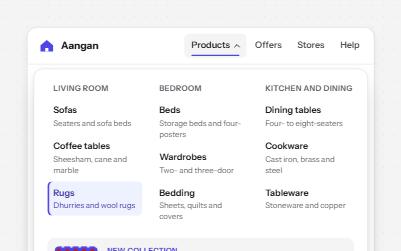
मेगा मेन्यू
नेविगेशन का एक बटन जो समूहों में बँटे लिंक, उनके छोटे विवरण और एक खास आइटम वाला चौड़ा पैनल खोलता है।
-
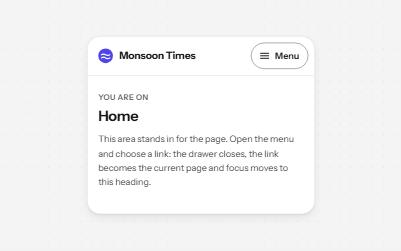
मोबाइल नेविगेशन ड्रॉअर
एक मेन्यू बटन जो साइट का नेविगेशन पूरी ऊँचाई वाले ड्रॉअर में खोलता है, जिसमें अंदर-अंदर सेक्शन हैं और फ़ोकस अंदर ही रहता है।
-
ब्रेडक्रंब
होम पेज से मौजूदा पेज तक लिंक की एक कड़ी, ताकि लोग देख सकें कि वे कहाँ हैं और एक-एक स्तर ऊपर लौट सकें।
-
मेन्यू बटन
एक्शन की सूची खोलने वाला बटन, जिसमें ऐरो कुंजियों से चला जाता है और Escape से बंद किया जाता है, और फ़ोकस बटन पर लौट आता है।