सुलभता पैटर्न · नेविगेशन
भाषा स्विचर
हर भाषा अपनी ही भाषा और लिपि में लिखी है, ताकि लोग अपनी भाषा ढूँढ सकें, और हर नाम पर lang है ताकि स्क्रीन रीडर उसे सही आवाज़ में बोले। यह डिस्क्लोज़र है, मेन्यू नहीं: aria-expanded वाला बटन लिंक की एक सामान्य सूची खोलता है, Tab उनके बीच ले जाता है, और Escape उसे बंद करता है।
- डब्ल्यूसीएजी मानदंड
- 6
- कीबोर्ड नियम
- 5
- जाँच का तरीक़ा
- axe, कीबोर्ड और इंस्पेक्टर
लाइव डेमो
आज़माएँ
इसे माउस, कीबोर्ड या स्क्रीन रीडर से इस्तेमाल करें। साथ का इंस्पेक्टर दिखाता है कि आपके इस्तेमाल के दौरान ब्राउज़र सहायक तकनीक को क्या बताता है: फ़ोकस, स्थिति में बदलाव और घोषणाएँ।
Hello
Weekend treks in the Sahyadris.
पेज की भाषा lang="en"
जावास्क्रिप्ट के बिना डेमो उतना ही काम करता है जितना उसका एचटीएमएल; इंस्पेक्टर के लिए जावास्क्रिप्ट चाहिए।
कीबोर्ड
जिन कुंजियों पर यह काम करता है
हर क्रिया पॉइंटर के बिना काम करती है।
| कुंजी | यह क्या करती है |
|---|---|
| EnterयाSpace | भाषा बटन पर, सूची खोलता या बंद करता है; फ़ोकस बटन पर ही रहता है। |
| TabयाShiftTab | भाषाओं पर बारी-बारी से ले जाता है; सूची से बाहर जाने पर वह बंद हो जाती है। |
| Arrow DownयाArrow Up | सूची खुली हो, तो अगली या पिछली भाषा पर ले जाता है, Tab के अलावा एक अतिरिक्त सुविधा के रूप में। |
| Escape | सूची बंद करता है और फ़ोकस बटन पर लौटाता है। |
| Enter | किसी भाषा पर, उस पर बदल देता है (डेमो में नीचे का पेज बदलता है) और फ़ोकस बटन पर लौटाता है। |
स्क्रीन रीडर
यह क्या घोषित करता है
मार्कअप की भूमिकाओं, नामों और स्थितियों से लिखा गया।
| कब | अपेक्षित घोषणा |
|---|---|
| Tab बटन तक पहुँचता है | भाषा: English, बटन, संक्षिप्त |
| Enter सूची खोलता है | विस्तारित |
| Tab मौजूदा भाषा तक पहुँचता है | English, मौजूदा, लिंक |
| Tab हिन्दी तक पहुँचता है | हिन्दी नाम, हिन्दी आवाज़ में जहाँ वह इंस्टॉल हो, लिंक |
| तमिल चुनी जाती है | भाषा: तमिल नाम, तमिल आवाज़ में, बटन, संक्षिप्त |
ये अपेक्षित घोषणाएँ हैं, रिकॉर्डिंग नहीं। स्क्रीन रीडर और ब्राउज़र के हिसाब से शब्द और क्रम बदलते हैं।
कोड
कोड कॉपी करें
वही फ़ाइलें जिन पर यह डेमो चलता है। स्टाइल एक प्रीफ़िक्स के साथ परोसी जाती हैं जो इस साइट की अपनी स्टाइल को डेमो से दूर रखता है; आप जो कॉपी करते हैं वह मूल है।
<div class="ap-lang" data-ap-lang>
  <div class="ap-lang__bar">
    <span class="ap-lang__brand">
      <span class="ap-lang__logo" aria-hidden="true"><svg viewBox="0 0 24 24" focusable="false"><path d="m3 19 6.5-12 4 7 2.5-4L21 19Z"/></svg></span>
      <span translate="no">Sahyadri Treks</span>
    </span>
    <div class="ap-lang__switch">
      <button type="button" class="ap-lang__button" aria-expanded="false" aria-controls="lang-list">
        <svg class="ap-lang__globe" viewBox="0 0 24 24" aria-hidden="true" focusable="false"><circle cx="12" cy="12" r="9"/><path d="M3 12h18M12 3c2.5 2.6 3.8 5.6 3.8 9s-1.3 6.4-3.8 9c-2.5-2.6-3.8-5.6-3.8-9S9.5 5.6 12 3Z"/></svg>
        <span class="ap-lang__vh">Language:</span>
        <span class="ap-lang__current" lang="en" translate="no">English</span>
        <svg class="ap-lang__chevron" viewBox="0 0 24 24" aria-hidden="true" focusable="false"><path d="m6 9 6 6 6-6"/></svg>
      </button>
      <ul class="ap-lang__list" id="lang-list" translate="no" hidden>
          <li><a class="ap-lang__link" href="/en/" hreflang="en" lang="en" aria-current="true"><span>English</span><svg class="ap-lang__check" viewBox="0 0 24 24" aria-hidden="true" focusable="false"><path d="m5 12.5 4.5 4.5L19 7.5"/></svg></a></li>
          <li><a class="ap-lang__link" href="/hi/" hreflang="hi" lang="hi"><span>हिन्दी</span><svg class="ap-lang__check" viewBox="0 0 24 24" aria-hidden="true" focusable="false"><path d="m5 12.5 4.5 4.5L19 7.5"/></svg></a></li>
          <li><a class="ap-lang__link" href="/ta/" hreflang="ta" lang="ta"><span>தமிழ்</span><svg class="ap-lang__check" viewBox="0 0 24 24" aria-hidden="true" focusable="false"><path d="m5 12.5 4.5 4.5L19 7.5"/></svg></a></li>
          <li><a class="ap-lang__link" href="/bn/" hreflang="bn" lang="bn"><span>বাংলা</span><svg class="ap-lang__check" viewBox="0 0 24 24" aria-hidden="true" focusable="false"><path d="m5 12.5 4.5 4.5L19 7.5"/></svg></a></li>
          <li><a class="ap-lang__link" href="/es/" hreflang="es" lang="es"><span>Español</span><svg class="ap-lang__check" viewBox="0 0 24 24" aria-hidden="true" focusable="false"><path d="m5 12.5 4.5 4.5L19 7.5"/></svg></a></li>
      </ul>
    </div>
  </div>
  <div class="ap-lang__page" lang="en" translate="no">
    <div class="ap-lang__copy">
      <p class="ap-lang__hello">Hello</p>
      <p class="ap-lang__line">Weekend treks in the Sahyadris.</p>
    </div>
    <svg class="ap-lang__art" viewBox="0 0 160 110" aria-hidden="true" focusable="false"><circle class="ap-lang__sun" cx="118" cy="30" r="14"/><path class="ap-lang__far" d="M0 110 38 52l22 26 34-46 66 78Z"/><path class="ap-lang__near" d="M0 110 50 70l26 18 26-24 58 46Z"/></svg>
  </div>
  <p class="ap-lang__attr"><span>Page language</span> <code class="ap-lang__code">lang="en"</code></p>
</div>
/* Language switcher. Uses the --ap-* design tokens. */
.ap-lang {
  container-type: inline-size;
  width: min(100%, 540px);
  margin-inline: auto;
  border: 1px solid var(--ap-border);
  border-radius: var(--ap-radius-lg);
  background: var(--ap-surface);
  box-shadow: var(--ap-shadow-md);
  color: var(--ap-text);
}

/* ── A site header with the switcher on the right ── */
.ap-lang__bar {
  display: flex;
  align-items: center;
  justify-content: space-between;
  gap: 12px;
  padding: 12px 14px 12px 18px;
  border-bottom: 1px solid var(--ap-border);
}
.ap-lang__brand {
  display: flex;
  align-items: center;
  gap: 10px;
  min-width: 0;
  font-weight: 700;
}
.ap-lang__logo {
  display: grid;
  place-items: center;
  width: 30px;
  height: 30px;
  flex-shrink: 0;
  border-radius: var(--ap-radius-sm);
  background: var(--ap-accent);
  color: var(--ap-on-accent);
}
.ap-lang__logo svg {
  width: 18px;
  height: 18px;
  fill: currentColor;
}

.ap-lang__switch {
  position: relative;
  flex-shrink: 0;
}
.ap-lang__button {
  display: inline-flex;
  align-items: center;
  gap: 8px;
  min-height: var(--ap-target);
  padding: 0 12px;
  border: 1px solid var(--ap-border-strong);
  border-radius: var(--ap-radius-full);
  background: var(--ap-surface);
  color: var(--ap-text);
  font: inherit;
  font-weight: 600;
  cursor: pointer;
  transition: background-color var(--ap-duration) var(--ap-ease);
}
.ap-lang__button:hover {
  background: var(--ap-surface-2);
}
.ap-lang__button:focus-visible {
  outline: 2px solid var(--ap-focus);
  outline-offset: 2px;
}
.ap-lang__button[aria-expanded="true"] {
  background: var(--ap-surface-2);
}
.ap-lang__globe,
.ap-lang__chevron {
  width: 18px;
  height: 18px;
  flex-shrink: 0;
  fill: none;
  stroke: currentColor;
  stroke-width: 1.75;
  stroke-linecap: round;
  stroke-linejoin: round;
}
.ap-lang__globe {
  color: var(--ap-text-3);
}
.ap-lang__chevron {
  width: 16px;
  height: 16px;
  stroke-width: 2;
  transition: transform var(--ap-duration) var(--ap-ease);
}
.ap-lang__button[aria-expanded="true"] .ap-lang__chevron {
  transform: rotate(180deg);
}
.ap-lang__vh {
  position: absolute;
  width: 1px;
  height: 1px;
  margin: -1px;
  overflow: hidden;
  clip-path: inset(50%);
  white-space: nowrap;
}

/* ── The list ── */
.ap-lang__list {
  position: absolute;
  top: calc(100% + 8px);
  right: 0;
  z-index: 2;
  display: grid;
  gap: 2px;
  min-width: 200px;
  margin: 0;
  padding: 6px;
  list-style: none;
  border: 1px solid var(--ap-border);
  border-radius: var(--ap-radius);
  background: var(--ap-surface);
  box-shadow: var(--ap-shadow-lg);
  animation: ap-lang-in 160ms var(--ap-ease);
}
.ap-lang__link {
  display: flex;
  align-items: center;
  justify-content: space-between;
  gap: 16px;
  min-height: 42px;
  padding: 0 10px 0 12px;
  border-radius: var(--ap-radius-sm);
  color: var(--ap-text-2);
  font-size: 1rem;
  text-decoration: none;
}
.ap-lang__link:hover {
  background: var(--ap-surface-2);
  color: var(--ap-text);
}
.ap-lang__link:focus-visible {
  outline: 2px solid var(--ap-focus);
  outline-offset: -2px;
}
/* The current language: a tick, weight and a tint, not color alone. */
.ap-lang__link[aria-current="true"] {
  background: var(--ap-accent-soft);
  color: var(--ap-accent-soft-text);
  font-weight: 650;
}
.ap-lang__check {
  width: 18px;
  height: 18px;
  flex-shrink: 0;
  fill: none;
  stroke: currentColor;
  stroke-width: 2.25;
  stroke-linecap: round;
  stroke-linejoin: round;
  visibility: hidden;
}
.ap-lang__link[aria-current="true"] .ap-lang__check {
  visibility: visible;
}

/* ── The page it switches ── */
.ap-lang__page {
  display: grid;
  grid-template-columns: minmax(0, 1fr) auto;
  align-items: center;
  gap: 16px;
  min-height: 190px;
  padding: 26px 22px 6px;
}
.ap-lang__art {
  width: 150px;
  height: auto;
}
.ap-lang__sun { fill: var(--ap-warning-soft); stroke: var(--ap-warning); stroke-width: 1.5; }
.ap-lang__far { fill: var(--ap-accent-soft); }
.ap-lang__near { fill: var(--ap-accent); opacity: .85; }
.ap-lang__hello {
  margin: 0 0 4px;
  font-size: 2rem;
  font-weight: 700;
  line-height: 1.3;
  letter-spacing: -.01em;
}
.ap-lang__line {
  margin: 0;
  color: var(--ap-text-2);
  font-size: 1.0625rem;
  line-height: 1.6;
}
.ap-lang__attr {
  display: flex;
  flex-wrap: wrap;
  align-items: center;
  gap: 8px;
  margin: 0;
  padding: 14px 22px 22px;
  color: var(--ap-text-3);
  font-size: .8125rem;
}
.ap-lang__code {
  padding: 2px 8px;
  border-radius: var(--ap-radius-sm);
  background: var(--ap-surface-2);
  color: var(--ap-text);
  font-family: var(--ap-mono);
  font-size: .8125rem;
}

@container (max-width: 440px) {
  .ap-lang__page {
    grid-template-columns: minmax(0, 1fr);
    min-height: 0;
    padding-bottom: 10px;
  }
  .ap-lang__art {
    display: none;
  }
}
@container (max-width: 360px) {
  .ap-lang__bar {
    padding-inline: 12px 10px;
  }
  .ap-lang__brand span:last-child {
    overflow: hidden;
    text-overflow: ellipsis;
    white-space: nowrap;
  }
}

@keyframes ap-lang-in {
  from { opacity: 0; transform: translateY(-4px); }
}

@media (prefers-reduced-motion: reduce) {
  .ap-lang__button,
  .ap-lang__chevron { transition: none; }
  .ap-lang__list { animation: none; }
}
/**
 * Language switcher: a disclosure button that shows the current language and
 * opens a list of links, one per language, each name written in its own
 * language with lang and hreflang.
 *
 * Markup: [data-ap-lang] holding button[aria-expanded][aria-controls] with
 * the current name in .ap-lang__current, the list of a[lang][hreflang] (the
 * current one has aria-current="true"), and an .ap-lang__page that stands in
 * for the page itself. Disclosure semantics, not a menu: Tab moves through
 * the links; the arrow keys are an extra.
 */

/* The demo page in each language. A real site links to each language's own page. */
const PAGES = {
  en: ["Hello", "Weekend treks in the Sahyadris."],
  hi: ["नमस्ते", "सह्याद्रि में सप्ताहांत के ट्रेक।"],
  ta: ["வணக்கம்", "சஹ்யாத்ரியில் வார இறுதி மலையேற்றம்."],
  bn: ["নমস্কার", "সহ্যাদ্রিতে সপ্তাহান্তের ট্রেক।"],
  es: ["Hola", "Excursiones de fin de semana en los Sahyadri."],
};

export function init(root) {
  const button = root.querySelector(".ap-lang__button");
  const list = document.getElementById(button.getAttribute("aria-controls"));
  const current = button.querySelector(".ap-lang__current");
  const links = [...list.querySelectorAll("a")];
  const page = root.querySelector(".ap-lang__page");
  const switcher = button.parentElement;
  const listeners = new AbortController();

  const isOpen = () => button.getAttribute("aria-expanded") === "true";
  function setOpen(open) {
    button.setAttribute("aria-expanded", String(open));
    list.hidden = !open;
  }

  function choose(link) {
    for (const l of links) {
      if (l === link) l.setAttribute("aria-current", "true");
      else l.removeAttribute("aria-current");
    }
    // The button names the language in that language, and says which one it is.
    current.textContent = link.textContent.trim();
    current.lang = link.lang;
    // Stand-in for loading the page in that language: the content and its lang change.
    const words = PAGES[link.lang];
    if (page && words) {
      page.lang = link.lang;
      page.querySelector(".ap-lang__hello").textContent = words[0];
      page.querySelector(".ap-lang__line").textContent = words[1];
      const code = root.querySelector(".ap-lang__code");
      if (code) code.textContent = `lang="${link.lang}"`;
    }
    setOpen(false);
    button.focus();
  }

  function onClick(event) {
    if (event.target.closest(".ap-lang__button")) {
      setOpen(!isOpen());
      return;
    }
    const link = event.target.closest("a");
    if (!link || !list.contains(link)) return;
    if (event.button !== 0 || event.metaKey || event.ctrlKey || event.shiftKey || event.altKey) return;
    // The demo stays on this page.
    event.preventDefault();
    choose(link);
  }

  function onKeydown(event) {
    if (event.key === "Escape" && isOpen()) {
      event.preventDefault();
      setOpen(false);
      button.focus();
      return;
    }
    // An extra on top of Tab, as in the APG disclosure navigation example.
    if (!isOpen() || !["ArrowDown", "ArrowUp", "Home", "End"].includes(event.key)) return;
    const at = links.indexOf(document.activeElement);
    if (at === -1 && document.activeElement !== button) return;
    let next;
    if (event.key === "Home") next = links[0];
    else if (event.key === "End") next = links[links.length - 1];
    else if (at === -1) next = event.key === "ArrowDown" ? links[0] : null;
    else next = links[Math.min(links.length - 1, Math.max(0, at + (event.key === "ArrowDown" ? 1 : -1)))];
    if (!next) return;
    event.preventDefault();
    next.focus();
  }

  // Close when focus or a click goes anywhere else.
  function onFocusout(event) {
    if (isOpen() && !switcher.contains(event.relatedTarget)) setOpen(false);
  }
  document.addEventListener("pointerdown", (event) => {
    if (isOpen() && !switcher.contains(event.target)) setOpen(false);
  }, { signal: listeners.signal });

  switcher.addEventListener("click", onClick);
  switcher.addEventListener("keydown", onKeydown);
  switcher.addEventListener("focusout", onFocusout);
  return () => {
    listeners.abort();
    switcher.removeEventListener("click", onClick);
    switcher.removeEventListener("keydown", onKeydown);
    switcher.removeEventListener("focusout", onFocusout);
  };
}

for (const root of document.querySelectorAll("[data-ap-lang]")) init(root);
/* Design tokens for the pattern components. Light by default, dark when the
   system asks for it; set data-theme="dark" on :root to force dark. */
:root {
    --ap-radius-sm: 8px;
    --ap-radius: 12px;
    --ap-radius-lg: 16px;
    --ap-radius-full: 999px;
    --ap-font: "Instrument Sans", ui-sans-serif, system-ui, -apple-system, "Segoe UI", Roboto, sans-serif;
    --ap-mono: "JetBrains Mono", ui-monospace, "Cascadia Mono", "SF Mono", Consolas, monospace;
    --ap-ease: cubic-bezier(.2, .8, .2, 1);
    --ap-duration: 180ms;
    --ap-target: 44px;
    --ap-bg: #F4F4F5;
    --ap-surface: #FFFFFF;
    --ap-surface-2: #F4F4F5;
    --ap-surface-3: #E4E4E7;
    --ap-border: #E4E4E7;
    --ap-border-strong: #76767F;
    --ap-text: #18181B;
    --ap-text-2: #3F3F46;
    --ap-text-3: #5E5E66;
    --ap-accent: #4F46E5;
    --ap-accent-hover: #4338CA;
    --ap-on-accent: #FFFFFF;
    --ap-accent-text: #4338CA;
    --ap-accent-soft: #EEF2FF;
    --ap-accent-soft-text: #3730A3;
    --ap-focus: #4F46E5;
    --ap-danger: #B91C1C;
    --ap-danger-soft: #FEF2F2;
    --ap-success: #15803D;
    --ap-success-soft: #F0FDF4;
    --ap-warning: #A15C07;
    --ap-warning-soft: #FEFCE8;
    --ap-info: #1D4ED8;
    --ap-info-soft: #EFF6FF;
    --ap-scrim: rgb(9 9 11 / .48);
    --ap-shadow-sm: 0 1px 2px rgb(9 9 11 / .06);
    --ap-shadow-md: 0 1px 2px rgb(9 9 11 / .05), 0 6px 16px -4px rgb(9 9 11 / .1);
    --ap-shadow-lg: 0 2px 6px rgb(9 9 11 / .06), 0 20px 40px -12px rgb(9 9 11 / .22);
    --ap-light-bg: #F4F4F5;
    --ap-light-surface: #FFFFFF;
    --ap-light-surface-2: #F4F4F5;
    --ap-light-surface-3: #E4E4E7;
    --ap-light-border: #E4E4E7;
    --ap-light-border-strong: #76767F;
    --ap-light-text: #18181B;
    --ap-light-text-2: #3F3F46;
    --ap-light-text-3: #5E5E66;
    --ap-light-accent: #4F46E5;
    --ap-light-accent-hover: #4338CA;
    --ap-light-on-accent: #FFFFFF;
    --ap-light-accent-text: #4338CA;
    --ap-light-accent-soft: #EEF2FF;
    --ap-light-accent-soft-text: #3730A3;
    --ap-light-focus: #4F46E5;
    --ap-light-danger: #B91C1C;
    --ap-light-danger-soft: #FEF2F2;
    --ap-light-success: #15803D;
    --ap-light-success-soft: #F0FDF4;
    --ap-light-warning: #A15C07;
    --ap-light-warning-soft: #FEFCE8;
    --ap-light-info: #1D4ED8;
    --ap-light-info-soft: #EFF6FF;
    --ap-light-scrim: rgb(9 9 11 / .48);
    --ap-light-shadow-sm: 0 1px 2px rgb(9 9 11 / .06);
    --ap-light-shadow-md: 0 1px 2px rgb(9 9 11 / .05), 0 6px 16px -4px rgb(9 9 11 / .1);
    --ap-light-shadow-lg: 0 2px 6px rgb(9 9 11 / .06), 0 20px 40px -12px rgb(9 9 11 / .22);
    --ap-dark-bg: #09090B;
    --ap-dark-surface: #18181B;
    --ap-dark-surface-2: #27272A;
    --ap-dark-surface-3: #3F3F46;
    --ap-dark-border: #2E2E33;
    --ap-dark-border-strong: #8E8E97;
    --ap-dark-text: #FAFAFA;
    --ap-dark-text-2: #D4D4D8;
    --ap-dark-text-3: #A1A1AA;
    --ap-dark-accent: #818CF8;
    --ap-dark-accent-hover: #A5B4FC;
    --ap-dark-on-accent: #0C0A1F;
    --ap-dark-accent-text: #A5B4FC;
    --ap-dark-accent-soft: #1E1B4B;
    --ap-dark-accent-soft-text: #C7D2FE;
    --ap-dark-focus: #A5B4FC;
    --ap-dark-danger: #F87171;
    --ap-dark-danger-soft: #2A1215;
    --ap-dark-success: #4ADE80;
    --ap-dark-success-soft: #0F2A1A;
    --ap-dark-warning: #FACC15;
    --ap-dark-warning-soft: #2A2410;
    --ap-dark-info: #60A5FA;
    --ap-dark-info-soft: #0F1D33;
    --ap-dark-scrim: rgb(0 0 0 / .62);
    --ap-dark-shadow-sm: 0 1px 2px rgb(0 0 0 / .4);
    --ap-dark-shadow-md: 0 1px 2px rgb(0 0 0 / .4), 0 8px 20px -6px rgb(0 0 0 / .5);
    --ap-dark-shadow-lg: 0 2px 8px rgb(0 0 0 / .45), 0 24px 48px -12px rgb(0 0 0 / .7);
}
@media (prefers-color-scheme: dark) {
  :root:not([data-theme="light"]) {
      --ap-bg: #09090B;
      --ap-surface: #18181B;
      --ap-surface-2: #27272A;
      --ap-surface-3: #3F3F46;
      --ap-border: #2E2E33;
      --ap-border-strong: #8E8E97;
      --ap-text: #FAFAFA;
      --ap-text-2: #D4D4D8;
      --ap-text-3: #A1A1AA;
      --ap-accent: #818CF8;
      --ap-accent-hover: #A5B4FC;
      --ap-on-accent: #0C0A1F;
      --ap-accent-text: #A5B4FC;
      --ap-accent-soft: #1E1B4B;
      --ap-accent-soft-text: #C7D2FE;
      --ap-focus: #A5B4FC;
      --ap-danger: #F87171;
      --ap-danger-soft: #2A1215;
      --ap-success: #4ADE80;
      --ap-success-soft: #0F2A1A;
      --ap-warning: #FACC15;
      --ap-warning-soft: #2A2410;
      --ap-info: #60A5FA;
      --ap-info-soft: #0F1D33;
      --ap-scrim: rgb(0 0 0 / .62);
      --ap-shadow-sm: 0 1px 2px rgb(0 0 0 / .4);
      --ap-shadow-md: 0 1px 2px rgb(0 0 0 / .4), 0 8px 20px -6px rgb(0 0 0 / .5);
      --ap-shadow-lg: 0 2px 8px rgb(0 0 0 / .45), 0 24px 48px -12px rgb(0 0 0 / .7);
  }
}
:root[data-theme="dark"] {
    --ap-bg: #09090B;
    --ap-surface: #18181B;
    --ap-surface-2: #27272A;
    --ap-surface-3: #3F3F46;
    --ap-border: #2E2E33;
    --ap-border-strong: #8E8E97;
    --ap-text: #FAFAFA;
    --ap-text-2: #D4D4D8;
    --ap-text-3: #A1A1AA;
    --ap-accent: #818CF8;
    --ap-accent-hover: #A5B4FC;
    --ap-on-accent: #0C0A1F;
    --ap-accent-text: #A5B4FC;
    --ap-accent-soft: #1E1B4B;
    --ap-accent-soft-text: #C7D2FE;
    --ap-focus: #A5B4FC;
    --ap-danger: #F87171;
    --ap-danger-soft: #2A1215;
    --ap-success: #4ADE80;
    --ap-success-soft: #0F2A1A;
    --ap-warning: #FACC15;
    --ap-warning-soft: #2A2410;
    --ap-info: #60A5FA;
    --ap-info-soft: #0F1D33;
    --ap-scrim: rgb(0 0 0 / .62);
    --ap-shadow-sm: 0 1px 2px rgb(0 0 0 / .4);
    --ap-shadow-md: 0 1px 2px rgb(0 0 0 / .4), 0 8px 20px -6px rgb(0 0 0 / .5);
    --ap-shadow-lg: 0 2px 8px rgb(0 0 0 / .45), 0 24px 48px -12px rgb(0 0 0 / .7);
}
डब्ल्यूसीएजी 2.2
यह किन मानदंडों को पूरा करता है
वे सफलता मानदंड जिनका यह पैटर्न ध्यान रखता है, और कैसे।
-
1.3.1 जानकारी और संबंध
स्तर A
भाषाएँ उन्हें नियंत्रित करने वाले बटन के ठीक बाद लिंक की एक सूची हैं, और मौजूदा भाषा मार्कअप में चिह्नित है, सिर्फ़ दिखाई नहीं गई।
-
2.1.1 कीबोर्ड
स्तर A
बटन, हर भाषा और सूची बंद करना, सब कीबोर्ड से काम करते हैं।
-
2.4.3 फ़ोकस क्रम
स्तर A
Escape दबाने और भाषा चुनने, दोनों पर फ़ोकस बटन पर लौटता है, ताकि कोई बंद हो चुकी सूची में न छूटे।
-
3.1.1 पेज की भाषा
स्तर A
हर भाषा का पेज अपनी lang ख़ुद सेट करता है; भाषा चुनने पर डेमो पेज वाले हिस्से की lang बदल देता है।
-
3.1.2 हिस्सों की भाषा
स्तर AA
हर भाषा के नाम पर lang है, इसलिए स्क्रीन रीडर हिन्दी, तमिल और बांग्ला नामों का उच्चारण बदल लेते हैं।
-
4.1.2 नाम, भूमिका, मान
स्तर A
बटन विस्तारित या संक्षिप्त बताता है, और मौजूदा भाषा मौजूदा बताती है।
उपयोग
इसे कब इस्तेमाल करें
इसे अपनाएँ
- कई भाषाओं में छपी साइटें, जहाँ हर पेज के अलग-अलग भाषा वाले रूप हैं।
- हेडर या फ़ुटर का कंट्रोल जो ज़रूरत पड़ने तक छोटा रहे।
कुछ और इस्तेमाल करें
- सिर्फ़ दो भाषाएँ: दूसरी भाषा का एक लिंक, उसी भाषा में लिखा हुआ, ज़्यादा आसान है।
- लोग जो सामग्री लिख रहे हैं उसकी भाषा चुनना: फ़ॉर्म में select इस्तेमाल करें।
- देश या झंडे से भाषा बदलना: देश भाषा नहीं होता।
आम विफलताएँ
आमतौर पर यह कहाँ गलत होता है
मौजूदा पेज की भाषा में नाम
सिर्फ़ तमिल पढ़ने वाला व्यक्ति अंग्रेज़ी में लिखा "Tamil" शायद न पहचाने। यहाँ हर भाषा अपनी लिपि में लिखी है।
नामों पर lang नहीं
lang के बिना स्क्रीन रीडर हिन्दी नाम को अंग्रेज़ी नियमों से पढ़ता है, या छोड़ देता है। lang="hi" आवाज़ बदल देता है।
भाषाओं के लिए झंडे
झंडे देशों के लिए होते हैं: स्पेनिश कई देशों में बोली जाती है, भारत में कई भाषाएँ हैं। स्क्रीन रीडर के लिए भी झंडों का कोई मतलब नहीं।
लिंक की सूची पर मेन्यू रोल
role=menu सिर्फ़ तीर कुंजियों वाले ऐप्लिकेशन मेन्यू का वादा करता है। भाषा के लिंक नेविगेशन हैं: एक बटन और लिंक की सूची।
बदलते ही दूसरे पेज पर ले जाने वाला select
select बदलते ही नया पेज लोड करना उन कीबोर्ड उपयोगकर्ताओं को चौंकाता है जो बस विकल्प देख रहे हैं। लिंक तभी ले जाते हैं जब उन्हें चुना जाए।
बंद न होने वाली सूची
अगर Escape कुछ न करे और सूची खुली रहते फ़ोकस कहीं और चला जाए, तो वह पेज को ढक देती है। Escape, सूची से बाहर जाना या कहीं और क्लिक करना उसे बंद कर देता है।
नोट्स
इसे बनाना
- hreflang ब्राउज़र और सर्च इंजन को बताता है कि लिंक जिस पेज पर ले जाता है वह किस भाषा में है; lang स्क्रीन रीडर को बताता है कि लिंक का टेक्स्ट कैसे बोलें। दोनों इस्तेमाल करें।
- नामों पर, और बटन पर दिख रही मौजूदा भाषा पर, translate="no" है, ताकि अनुवाद टूल "Español" को "Spanish" में न बदल दें।
- असली साइट पर हर लिंक उसी पेज को उस भाषा में खोलता है, और वह पेज html पर lang सेट करता है। डेमो नीचे का हिस्सा बदलकर उसकी जगह दिखाता है।
- बटन में नज़र से छिपा "भाषा:" बताता है कि बटन किसलिए है; दिखने वाला भाषा का नाम उसी नाम का हिस्सा है, इसलिए वॉइस कंट्रोल अब भी काम करता है।
स्रोत: W3C अंतरराष्ट्रीयकरण: एचटीएमएल में भाषा बताना · WAI-एआरआईए ऑथरिंग प्रैक्टिसेज़: डिस्क्लोज़र नेविगेशन मेन्यू का उदाहरण
लाइट और डार्क थीम में, डेस्कटॉप और फ़ोन की चौड़ाई पर axe से और कीबोर्ड से जाँचा गया। अभी हर स्क्रीन रीडर और ब्राउज़र जोड़ी के साथ नहीं परखा गया। सुधार बताएँ
संबंधित
इसके साथ जाने वाले पैटर्न
-
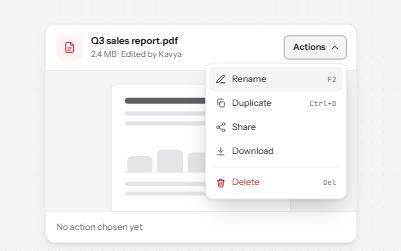
मेन्यू बटन
एक्शन की सूची खोलने वाला बटन, जिसमें ऐरो कुंजियों से चला जाता है और Escape से बंद किया जाता है, और फ़ोकस बटन पर लौट आता है।
-
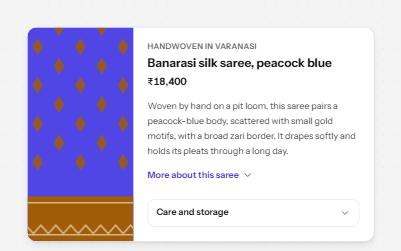
और दिखाएँ
एक बटन जो लंबे टेक्स्ट का बाक़ी हिस्सा उसी जगह खोल देता है, और छिपा हिस्सा पेज में खोज की पहुँच में बना रहता है।
-
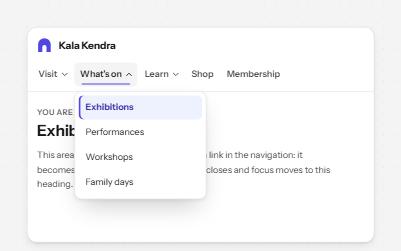
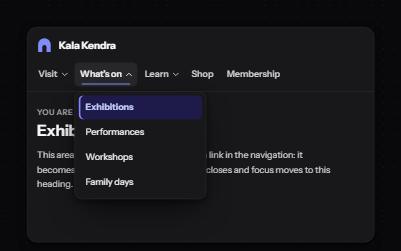
सबमेन्यू वाला साइट नेविगेशन
हेडर का नेविगेशन, जिसके सेक्शन लिंक की सूचियाँ खोलते हैं, एआरआईए मेन्यू से नहीं, बटन और लिंक से बना।
-
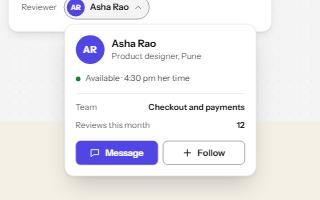
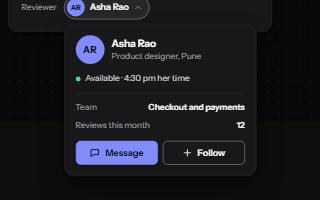
पॉपओवर
अपने बटन से जुड़ा एक कार्ड, जो popover एट्रिब्यूट से खुलता है और Escape या बाहर क्लिक करने पर बंद होता है।