सुलभता पैटर्न · नेविगेशन
ब्रेडक्रंब
लेबल किए हुए nav में लिंक की एक क्रमबद्ध सूची है; आख़िरी लिंक मौजूदा पेज है और aria-current से यह बताता है। विभाजक सीएसएस से बने हैं, इसलिए स्क्रीन रीडर कभी तीरों की कतार नहीं पढ़ते, और संकरी स्क्रीन पर बीच के स्तर एक बटन के पीछे सिमट जाते हैं।
- डब्ल्यूसीएजी मानदंड
- 6
- कीबोर्ड नियम
- 3
- जाँच का तरीक़ा
- axe, कीबोर्ड और इंस्पेक्टर
लाइव डेमो
आज़माएँ
इसे माउस, कीबोर्ड या स्क्रीन रीडर से इस्तेमाल करें। साथ का इंस्पेक्टर दिखाता है कि आपके इस्तेमाल के दौरान ब्राउज़र सहायक तकनीक को क्या बताता है: फ़ोकस, स्थिति में बदलाव और घोषणाएँ।
जावास्क्रिप्ट के बिना डेमो उतना ही काम करता है जितना उसका एचटीएमएल; इंस्पेक्टर के लिए जावास्क्रिप्ट चाहिए।
कीबोर्ड
जिन कुंजियों पर यह काम करता है
हर क्रिया पॉइंटर के बिना काम करती है।
| कुंजी | यह क्या करती है |
|---|---|
| TabयाShiftTab | कड़ी में एक लिंक से दूसरे लिंक पर ले जाता है। संकरी स्क्रीन पर पहले स्तर और आख़िरी दो के बीच वाले सिमटाव बटन पर भी रुकता है। |
| Enter | फ़ोकस वाला लिंक खोलता है। |
| EnterयाSpace | सिमटाव बटन पर, बीच के स्तर दिखाता या छिपाता है। फ़ोकस बटन पर ही रहता है, और अगला Tab उसके दिखाए पहले स्तर तक पहुँचता है। |
स्क्रीन रीडर
यह क्या घोषित करता है
मार्कअप की भूमिकाओं, नामों और स्थितियों से लिखा गया।
| कब | अपेक्षित घोषणा |
|---|---|
| Tab पहले लिंक तक पहुँचता है | स्टोर ब्रेडक्रंब, नेविगेशन। सूची, 6 आइटम। होम, लिंक |
| Tab आख़िरी लिंक तक पहुँचता है | कांजीवरम सिल्क साड़ी, मौजूदा पेज, लिंक |
| फ़ोन पर Tab सिमटाव बटन तक पहुँचता है | पूरा रास्ता, बटन, संक्षिप्त |
| Enter बीच के स्तर दिखाता है | विस्तारित |
ये अपेक्षित घोषणाएँ हैं, रिकॉर्डिंग नहीं। स्क्रीन रीडर और ब्राउज़र के हिसाब से शब्द और क्रम बदलते हैं।
कोड
कोड कॉपी करें
वही फ़ाइलें जिन पर यह डेमो चलता है। स्टाइल एक प्रीफ़िक्स के साथ परोसी जाती हैं जो इस साइट की अपनी स्टाइल को डेमो से दूर रखता है; आप जो कॉपी करते हैं वह मूल है।
<div class="ap-breadcrumb" data-ap-breadcrumb>
  <nav class="ap-breadcrumb__nav" aria-label="Store breadcrumb">
    <ol class="ap-breadcrumb__list" id="bc-list">
      <li class="ap-breadcrumb__item">
        <a class="ap-breadcrumb__link" href="#bc-home">
          <svg class="ap-breadcrumb__home" viewBox="0 0 24 24" aria-hidden="true" focusable="false"><path d="M4 10.5 12 4l8 6.5V19a1 1 0 0 1-1 1h-4.5v-5.5h-5V20H5a1 1 0 0 1-1-1Z"/></svg>
          Home
        </a>
      </li>
      <li class="ap-breadcrumb__item ap-breadcrumb__item--more">
        <button type="button" class="ap-breadcrumb__more" aria-expanded="false" aria-controls="bc-list" aria-label="Full path">
          <svg viewBox="0 0 24 24" aria-hidden="true" focusable="false"><circle cx="6" cy="12" r="1.6"/><circle cx="12" cy="12" r="1.6"/><circle cx="18" cy="12" r="1.6"/></svg>
        </button>
      </li>
      <li class="ap-breadcrumb__item ap-breadcrumb__item--fold"><a class="ap-breadcrumb__link" href="#bc-women">Women</a></li>
      <li class="ap-breadcrumb__item ap-breadcrumb__item--fold"><a class="ap-breadcrumb__link" href="#bc-ethnic">Ethnic wear</a></li>
      <li class="ap-breadcrumb__item ap-breadcrumb__item--fold"><a class="ap-breadcrumb__link" href="#bc-sarees">Sarees</a></li>
      <li class="ap-breadcrumb__item"><a class="ap-breadcrumb__link" href="#bc-silk">Silk sarees</a></li>
      <li class="ap-breadcrumb__item"><a class="ap-breadcrumb__link" href="#bc-kanjivaram" aria-current="page">Kanjivaram silk saree</a></li>
    </ol>
  </nav>

  <div class="ap-breadcrumb__product">
    <span class="ap-breadcrumb__swatch" aria-hidden="true"></span>
    <div class="ap-breadcrumb__info">
      <h3 class="ap-breadcrumb__name">Kanjivaram silk saree</h3>
      <p class="ap-breadcrumb__desc">Handwoven in Kanchipuram, in temple red with a gold zari border.</p>
      <p class="ap-breadcrumb__price">₹18,500</p>
    </div>
  </div>
</div>
/* Breadcrumb. Uses the --ap-* design tokens. */
.ap-breadcrumb {
  width: min(100%, 720px);
  margin-inline: auto;
  container-type: inline-size;
  border: 1px solid var(--ap-border);
  border-radius: var(--ap-radius-lg);
  background: var(--ap-surface);
  box-shadow: var(--ap-shadow-md);
}

.ap-breadcrumb__nav {
  padding: 12px 18px;
  border-bottom: 1px solid var(--ap-border);
}

.ap-breadcrumb__list {
  display: flex;
  flex-wrap: wrap;
  align-items: center;
  gap: 2px 0;
  margin: 0;
  padding: 0;
  list-style: none;
  font-size: .9375rem;
  line-height: 1.4;
}

.ap-breadcrumb__item {
  display: flex;
  align-items: center;
  min-width: 0;
}
/* The separator: a chevron drawn with two borders, so there is no text to read
   out. It follows each level, so a wrapped line starts with a level, not a chevron. */
.ap-breadcrumb__item:not(:last-child)::after {
  content: "";
  flex-shrink: 0;
  width: 6px;
  height: 6px;
  margin: 0 9px 0 5px;
  border-top: 1.5px solid var(--ap-text-3);
  border-right: 1.5px solid var(--ap-text-3);
  transform: rotate(45deg);
}

.ap-breadcrumb__link {
  display: inline-flex;
  align-items: center;
  gap: 6px;
  min-height: 32px;
  padding: 0 4px;
  border-radius: 6px;
  color: var(--ap-text-2);
  text-decoration: underline;
  text-decoration-color: var(--ap-border-strong);
  text-decoration-thickness: 1px;
  text-underline-offset: 4px;
  transition: color var(--ap-duration) var(--ap-ease), text-decoration-color var(--ap-duration) var(--ap-ease);
}
.ap-breadcrumb__link:hover {
  color: var(--ap-text);
  text-decoration-color: currentColor;
}
.ap-breadcrumb__link:focus-visible {
  outline: 2px solid var(--ap-focus);
  outline-offset: 1px;
}
/* The current page: heavier, not underlined, and marked with aria-current. */
.ap-breadcrumb__link[aria-current="page"] {
  color: var(--ap-text);
  font-weight: 650;
  text-decoration: none;
}

.ap-breadcrumb__home {
  width: 16px;
  height: 16px;
  flex-shrink: 0;
  fill: none;
  stroke: currentColor;
  stroke-width: 2;
  stroke-linejoin: round;
}

/* The fold button: only on a narrow trail, and only once the script runs. */
.ap-breadcrumb__item--more {
  display: none;
}
.ap-breadcrumb__more {
  display: grid;
  place-items: center;
  width: 36px;
  height: 28px;
  padding: 0;
  border: 1px solid var(--ap-border-strong);
  border-radius: var(--ap-radius-full);
  background: var(--ap-surface);
  color: var(--ap-text-2);
  cursor: pointer;
  transition: background-color var(--ap-duration) var(--ap-ease);
}
.ap-breadcrumb__more:hover {
  background: var(--ap-surface-2);
  color: var(--ap-text);
}
.ap-breadcrumb__more:focus-visible {
  outline: 2px solid var(--ap-focus);
  outline-offset: 2px;
}
.ap-breadcrumb__more[aria-expanded="true"] {
  border-color: var(--ap-accent);
  background: var(--ap-accent-soft);
  color: var(--ap-accent-soft-text);
}
.ap-breadcrumb__more svg {
  width: 18px;
  height: 18px;
  fill: currentColor;
}

@container (max-width: 600px) {
  .ap-breadcrumb.is-ready .ap-breadcrumb__item--more {
    display: flex;
  }
  .ap-breadcrumb.is-ready:has(.ap-breadcrumb__more[aria-expanded="false"]) .ap-breadcrumb__item--fold {
    display: none;
  }
  .ap-breadcrumb__item--fold {
    animation: ap-breadcrumb-in 200ms var(--ap-ease);
  }
}

/* The page the trail belongs to. */
.ap-breadcrumb__product {
  display: flex;
  align-items: flex-start;
  gap: 18px;
  padding: 20px 18px 22px;
}
.ap-breadcrumb__swatch {
  flex-shrink: 0;
  width: 84px;
  height: 104px;
  border-radius: var(--ap-radius-sm);
  background:
    linear-gradient(to bottom, transparent 0 74%, var(--ap-warning) 74% 80%, transparent 80% 84%, var(--ap-warning) 84% 86%, transparent 86%),
    repeating-linear-gradient(90deg, var(--ap-danger) 0 5px, var(--ap-danger-soft) 5px 6px);
  box-shadow: inset 0 0 0 1px var(--ap-border);
}
.ap-breadcrumb__info {
  display: grid;
  gap: 6px;
  min-width: 0;
}
.ap-breadcrumb__name {
  margin: 0;
  font-size: 1.25rem;
  font-weight: 650;
  line-height: 1.3;
}
.ap-breadcrumb__desc {
  margin: 0;
  color: var(--ap-text-2);
  line-height: 1.55;
}
.ap-breadcrumb__price {
  margin: 4px 0 0;
  color: var(--ap-text);
  font-size: 1.0625rem;
  font-weight: 650;
  font-variant-numeric: tabular-nums;
}

@container (max-width: 380px) {
  .ap-breadcrumb__nav,
  .ap-breadcrumb__product {
    padding-inline: 14px;
  }
  .ap-breadcrumb__product {
    gap: 14px;
  }
  .ap-breadcrumb__swatch {
    width: 64px;
    height: 80px;
  }
}

@keyframes ap-breadcrumb-in {
  from { opacity: 0; }
}

@media (prefers-reduced-motion: reduce) {
  .ap-breadcrumb__link,
  .ap-breadcrumb__more { transition: none; }
  .ap-breadcrumb__item--fold { animation: none; }
}
/**
 * Breadcrumb: a labelled nav holding an ordered list of links, the last one
 * marked aria-current="page". Separators are CSS.
 *
 * When the trail's own box is narrow (a container query in the CSS), the
 * middle levels (li.ap-breadcrumb__item--fold) fold behind a button in
 * li.ap-breadcrumb__item--more. This script makes that button work; until it
 * runs, the button stays hidden and every level shows.
 */

export function init(root) {
  const button = root.querySelector(".ap-breadcrumb__more");

  function onClick() {
    const open = button.getAttribute("aria-expanded") !== "true";
    button.setAttribute("aria-expanded", String(open));
  }

  button.addEventListener("click", onClick);
  // The CSS folds the trail only once this class is set.
  root.classList.add("is-ready");

  return () => {
    button.removeEventListener("click", onClick);
    root.classList.remove("is-ready");
  };
}

for (const root of document.querySelectorAll("[data-ap-breadcrumb]")) init(root);
/* Design tokens for the pattern components. Light by default, dark when the
   system asks for it; set data-theme="dark" on :root to force dark. */
:root {
    --ap-radius-sm: 8px;
    --ap-radius: 12px;
    --ap-radius-lg: 16px;
    --ap-radius-full: 999px;
    --ap-font: "Instrument Sans", ui-sans-serif, system-ui, -apple-system, "Segoe UI", Roboto, sans-serif;
    --ap-mono: "JetBrains Mono", ui-monospace, "Cascadia Mono", "SF Mono", Consolas, monospace;
    --ap-ease: cubic-bezier(.2, .8, .2, 1);
    --ap-duration: 180ms;
    --ap-target: 44px;
    --ap-bg: #F4F4F5;
    --ap-surface: #FFFFFF;
    --ap-surface-2: #F4F4F5;
    --ap-surface-3: #E4E4E7;
    --ap-border: #E4E4E7;
    --ap-border-strong: #76767F;
    --ap-text: #18181B;
    --ap-text-2: #3F3F46;
    --ap-text-3: #5E5E66;
    --ap-accent: #4F46E5;
    --ap-accent-hover: #4338CA;
    --ap-on-accent: #FFFFFF;
    --ap-accent-text: #4338CA;
    --ap-accent-soft: #EEF2FF;
    --ap-accent-soft-text: #3730A3;
    --ap-focus: #4F46E5;
    --ap-danger: #B91C1C;
    --ap-danger-soft: #FEF2F2;
    --ap-success: #15803D;
    --ap-success-soft: #F0FDF4;
    --ap-warning: #A15C07;
    --ap-warning-soft: #FEFCE8;
    --ap-info: #1D4ED8;
    --ap-info-soft: #EFF6FF;
    --ap-scrim: rgb(9 9 11 / .48);
    --ap-shadow-sm: 0 1px 2px rgb(9 9 11 / .06);
    --ap-shadow-md: 0 1px 2px rgb(9 9 11 / .05), 0 6px 16px -4px rgb(9 9 11 / .1);
    --ap-shadow-lg: 0 2px 6px rgb(9 9 11 / .06), 0 20px 40px -12px rgb(9 9 11 / .22);
    --ap-light-bg: #F4F4F5;
    --ap-light-surface: #FFFFFF;
    --ap-light-surface-2: #F4F4F5;
    --ap-light-surface-3: #E4E4E7;
    --ap-light-border: #E4E4E7;
    --ap-light-border-strong: #76767F;
    --ap-light-text: #18181B;
    --ap-light-text-2: #3F3F46;
    --ap-light-text-3: #5E5E66;
    --ap-light-accent: #4F46E5;
    --ap-light-accent-hover: #4338CA;
    --ap-light-on-accent: #FFFFFF;
    --ap-light-accent-text: #4338CA;
    --ap-light-accent-soft: #EEF2FF;
    --ap-light-accent-soft-text: #3730A3;
    --ap-light-focus: #4F46E5;
    --ap-light-danger: #B91C1C;
    --ap-light-danger-soft: #FEF2F2;
    --ap-light-success: #15803D;
    --ap-light-success-soft: #F0FDF4;
    --ap-light-warning: #A15C07;
    --ap-light-warning-soft: #FEFCE8;
    --ap-light-info: #1D4ED8;
    --ap-light-info-soft: #EFF6FF;
    --ap-light-scrim: rgb(9 9 11 / .48);
    --ap-light-shadow-sm: 0 1px 2px rgb(9 9 11 / .06);
    --ap-light-shadow-md: 0 1px 2px rgb(9 9 11 / .05), 0 6px 16px -4px rgb(9 9 11 / .1);
    --ap-light-shadow-lg: 0 2px 6px rgb(9 9 11 / .06), 0 20px 40px -12px rgb(9 9 11 / .22);
    --ap-dark-bg: #09090B;
    --ap-dark-surface: #18181B;
    --ap-dark-surface-2: #27272A;
    --ap-dark-surface-3: #3F3F46;
    --ap-dark-border: #2E2E33;
    --ap-dark-border-strong: #8E8E97;
    --ap-dark-text: #FAFAFA;
    --ap-dark-text-2: #D4D4D8;
    --ap-dark-text-3: #A1A1AA;
    --ap-dark-accent: #818CF8;
    --ap-dark-accent-hover: #A5B4FC;
    --ap-dark-on-accent: #0C0A1F;
    --ap-dark-accent-text: #A5B4FC;
    --ap-dark-accent-soft: #1E1B4B;
    --ap-dark-accent-soft-text: #C7D2FE;
    --ap-dark-focus: #A5B4FC;
    --ap-dark-danger: #F87171;
    --ap-dark-danger-soft: #2A1215;
    --ap-dark-success: #4ADE80;
    --ap-dark-success-soft: #0F2A1A;
    --ap-dark-warning: #FACC15;
    --ap-dark-warning-soft: #2A2410;
    --ap-dark-info: #60A5FA;
    --ap-dark-info-soft: #0F1D33;
    --ap-dark-scrim: rgb(0 0 0 / .62);
    --ap-dark-shadow-sm: 0 1px 2px rgb(0 0 0 / .4);
    --ap-dark-shadow-md: 0 1px 2px rgb(0 0 0 / .4), 0 8px 20px -6px rgb(0 0 0 / .5);
    --ap-dark-shadow-lg: 0 2px 8px rgb(0 0 0 / .45), 0 24px 48px -12px rgb(0 0 0 / .7);
}
@media (prefers-color-scheme: dark) {
  :root:not([data-theme="light"]) {
      --ap-bg: #09090B;
      --ap-surface: #18181B;
      --ap-surface-2: #27272A;
      --ap-surface-3: #3F3F46;
      --ap-border: #2E2E33;
      --ap-border-strong: #8E8E97;
      --ap-text: #FAFAFA;
      --ap-text-2: #D4D4D8;
      --ap-text-3: #A1A1AA;
      --ap-accent: #818CF8;
      --ap-accent-hover: #A5B4FC;
      --ap-on-accent: #0C0A1F;
      --ap-accent-text: #A5B4FC;
      --ap-accent-soft: #1E1B4B;
      --ap-accent-soft-text: #C7D2FE;
      --ap-focus: #A5B4FC;
      --ap-danger: #F87171;
      --ap-danger-soft: #2A1215;
      --ap-success: #4ADE80;
      --ap-success-soft: #0F2A1A;
      --ap-warning: #FACC15;
      --ap-warning-soft: #2A2410;
      --ap-info: #60A5FA;
      --ap-info-soft: #0F1D33;
      --ap-scrim: rgb(0 0 0 / .62);
      --ap-shadow-sm: 0 1px 2px rgb(0 0 0 / .4);
      --ap-shadow-md: 0 1px 2px rgb(0 0 0 / .4), 0 8px 20px -6px rgb(0 0 0 / .5);
      --ap-shadow-lg: 0 2px 8px rgb(0 0 0 / .45), 0 24px 48px -12px rgb(0 0 0 / .7);
  }
}
:root[data-theme="dark"] {
    --ap-bg: #09090B;
    --ap-surface: #18181B;
    --ap-surface-2: #27272A;
    --ap-surface-3: #3F3F46;
    --ap-border: #2E2E33;
    --ap-border-strong: #8E8E97;
    --ap-text: #FAFAFA;
    --ap-text-2: #D4D4D8;
    --ap-text-3: #A1A1AA;
    --ap-accent: #818CF8;
    --ap-accent-hover: #A5B4FC;
    --ap-on-accent: #0C0A1F;
    --ap-accent-text: #A5B4FC;
    --ap-accent-soft: #1E1B4B;
    --ap-accent-soft-text: #C7D2FE;
    --ap-focus: #A5B4FC;
    --ap-danger: #F87171;
    --ap-danger-soft: #2A1215;
    --ap-success: #4ADE80;
    --ap-success-soft: #0F2A1A;
    --ap-warning: #FACC15;
    --ap-warning-soft: #2A2410;
    --ap-info: #60A5FA;
    --ap-info-soft: #0F1D33;
    --ap-scrim: rgb(0 0 0 / .62);
    --ap-shadow-sm: 0 1px 2px rgb(0 0 0 / .4);
    --ap-shadow-md: 0 1px 2px rgb(0 0 0 / .4), 0 8px 20px -6px rgb(0 0 0 / .5);
    --ap-shadow-lg: 0 2px 8px rgb(0 0 0 / .45), 0 24px 48px -12px rgb(0 0 0 / .7);
}
डब्ल्यूसीएजी 2.2
यह किन मानदंडों को पूरा करता है
वे सफलता मानदंड जिनका यह पैटर्न ध्यान रखता है, और कैसे।
-
1.3.1 जानकारी और संबंध
स्तर A
लेबल किए हुए nav के अंदर की क्रमबद्ध सूची कड़ी का क्रम और लंबाई बताती है; विभाजक टेक्स्ट नहीं, सीएसएस हैं, इसलिए उन्हें सामग्री की तरह नहीं पढ़ा जाता।
-
1.4.1 रंग का उपयोग
स्तर A
लिंक पर अंडरलाइन है और मौजूदा पेज बिना अंडरलाइन के गाढ़े टेक्स्ट में है, इसलिए दोनों में से किसी की पहचान सिर्फ़ रंग से नहीं होती।
-
1.4.10 रीफ़्लो
स्तर AA
संकरी स्क्रीन पर कड़ी किनारे से बाहर जाने या बगल में स्क्रॉल होने के बजाय बीच के स्तर एक बटन के पीछे सिमट जाते हैं।
-
2.4.7 फ़ोकस दिखाई देना
स्तर AA
हर लिंक और सिमटाव बटन पर दो पिक्सेल की फ़ोकस रिंग दिखती है।
-
2.4.8 स्थान
स्तर AAA
कड़ी दिखाती है कि साइट में पेज कहाँ है, और aria-current खुद पेज को चिह्नित करता है।
-
4.1.2 नाम, भूमिका, मान
स्तर A
aria-current="page" मौजूदा आइटम को बताता है, और सिमटाव बटन अपना नाम और aria-expanded स्थिति बताता है।
उपयोग
इसे कब इस्तेमाल करें
इसे अपनाएँ
- तीन या ज़्यादा स्तरों वाली साइटें, जैसे किसी शॉप की श्रेणियाँ या दस्तावेज़ों का ट्री।
- ऐसे पेज जिन पर लोग सर्च से पहुँचते हैं, और जिन्हें देखना होता है कि वे कहाँ हैं और एक स्तर ऊपर जाना होता है।
कुछ और इस्तेमाल करें
- एक या दो स्तरों वाली सपाट साइटें: मुख्य नेविगेशन पहले से दिखाता है कि आप कहाँ हैं।
- किसी के देखे गए पेजों का रिकॉर्ड: वह हिस्ट्री है, और Back बटन उसे पहले से रखता है।
आम विफलताएँ
आमतौर पर यह कहाँ गलत होता है
टेक्स्ट के रूप में टाइप किए विभाजक
लिंक के बीच › या / जैसे अक्षर हर कदम पर "इससे बड़ा" या "स्लैश" की तरह पढ़े जाते हैं। यहाँ वे सीएसएस से बने हैं और कभी घोषित नहीं होते।
मौजूदा पेज का कोई संकेत नहीं
aria-current के बिना आख़िरी आइटम किसी भी दूसरे लिंक जैसा सुनाई देता है। इसके साथ स्क्रीन रीडर "मौजूदा पेज" जोड़ देते हैं।
बिना लेबल का nav
पेजों पर अक्सर कई नेविगेशन लैंडमार्क होते हैं। जिसकी घोषणा सिर्फ़ "नेविगेशन" के रूप में हो, उसे बाकियों से अलग नहीं पहचाना जा सकता।
कटे हुए स्तर, लौटाने का कोई तरीका नहीं
सीएसएस में ellipsis से कड़ी छोटी करने पर स्तर सबसे छिप जाते हैं। यहाँ सिमटाव बटन माँगने पर उन्हें वापस ले आता है।
बगल में स्क्रॉल होने वाली कड़ी
फ़ोन पर लंबी कड़ी किनारे से बाहर चली जाती है और बगल में स्क्रॉल करवाती है। बीच का हिस्सा सिमटाने से वह एक या दो पंक्तियों में रहती है।
नोट्स
इसे बनाना
- इसे aria-label="Breadcrumb" से नाम दें। डेमो में "Store breadcrumb" है क्योंकि इस पेज पर ऊपर पहले से Breadcrumb नाम का एक नेविगेशन है, और एक ही नाम वाले दो लैंडमार्क अलग नहीं पहचाने जा सकते।
- सिमटाव एक कंटेनर क्वेरी है, इसलिए कड़ी तब सिमटती है जब उसका अपना बॉक्स संकरा हो, वह जहाँ भी हो, सिर्फ़ तब नहीं जब विंडो संकरी हो।
- स्क्रिप्ट के बिना सिमटाव बटन छिपा रहता है और हर स्तर दिखता है, इसलिए जावास्क्रिप्ट न चले तो भी कुछ नहीं खोता।
- मौजूदा पेज aria-current वाला लिंक भी हो सकता है और सादा टेक्स्ट भी। WAI-एआरआईए उदाहरण लिंक इस्तेमाल करता है; जब तक वह चिह्नित है, दोनों चलते हैं।
स्रोत: WAI-एआरआईए ऑथरिंग प्रैक्टिसेज़: ब्रेडक्रंब
लाइट और डार्क थीम में, डेस्कटॉप और फ़ोन की चौड़ाई पर axe से और कीबोर्ड से जाँचा गया। अभी हर स्क्रीन रीडर और ब्राउज़र जोड़ी के साथ नहीं परखा गया। सुधार बताएँ
संबंधित
इसके साथ जाने वाले पैटर्न
-
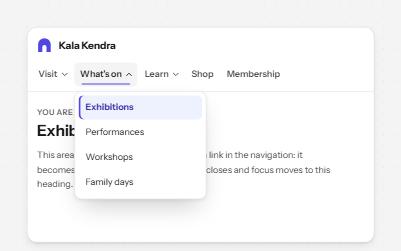
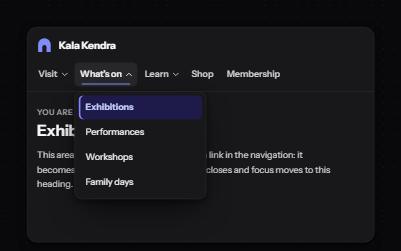
सबमेन्यू वाला साइट नेविगेशन
हेडर का नेविगेशन, जिसके सेक्शन लिंक की सूचियाँ खोलते हैं, एआरआईए मेन्यू से नहीं, बटन और लिंक से बना।
-
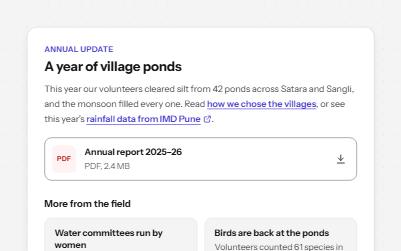
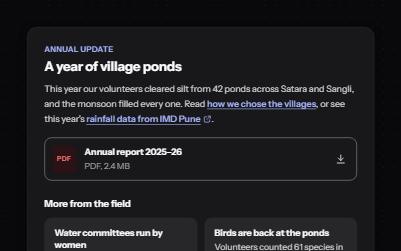
ऐसे लिंक जो बताएँ कि वे कहाँ ले जाते हैं
ऐसे लिंक जिनके शब्द बताते हैं कि वे कहाँ ले जाते हैं: टेक्स्ट में, दूसरी साइट पर, किसी डाउनलोड पर, और साफ़-साफ़ बताने वाला "और पढ़ें"।
-
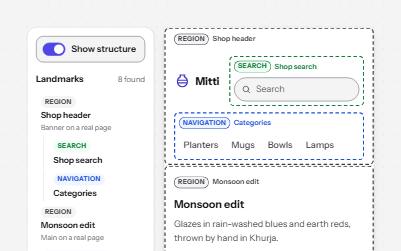
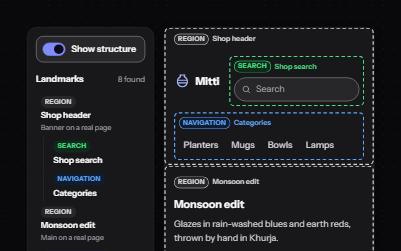
लैंडमार्क
हेडर, नेविगेशन, मुख्य सामग्री, सर्च और फ़ुटर के क्षेत्र, जिनसे स्क्रीन रीडर इस्तेमाल करने वाले पेज के हर हिस्से पर सीधे पहुँच जाते हैं।
-
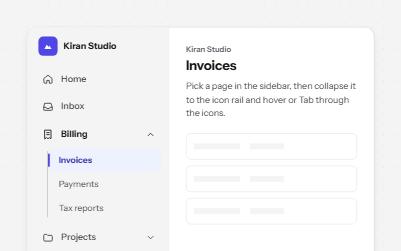
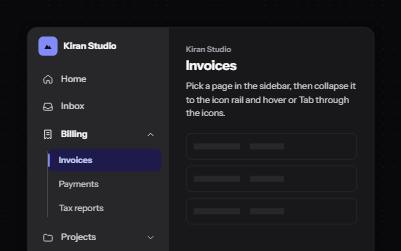
साइडबार नेविगेशन
ऐप का साइडबार, जिसमें खुलने-बंद होने वाले लिंक समूह हैं, और एक सिमटी हुई आइकन पट्टी जिसमें हर लिंक का नाम बना रहता है।