Accessibility pattern · Navigation
Language switcher
Every language is written in itself, in its own script, so people can find their own, and each name carries lang so a screen reader says it in the right voice. It is a disclosure, not a menu: a button with aria-expanded opens an ordinary list of links, Tab moves through them, and Escape closes it.
- WCAG criteria
- 6
- Keyboard rules
- 5
- Checked with
- axe, keyboard and the inspector
Live demo
Try it
Use it with a mouse, a keyboard or a screen reader. The inspector beside it shows what the browser tells assistive technology as you go: focus, state changes and announcements.
Hello
Weekend treks in the Sahyadris.
Page language lang="en"
The demo works without JavaScript only as far as its HTML does; the inspector needs JavaScript.
Keyboard
Keys it answers to
Every action works without a pointer.
| Key | What it does |
|---|---|
| Enter or Space | On the language button, opens or closes the list; focus stays on the button. |
| Tab or ShiftTab | Moves through the languages; leaving the list closes it. |
| Arrow Down or Arrow Up | While the list is open, moves to the next or previous language, as an extra to Tab. |
| Escape | Closes the list and returns focus to the button. |
| Enter | On a language, switches to it (in the demo, the page below changes) and returns focus to the button. |
Screen readers
What it announces
Written from the roles, names and states in the markup.
| When | Expected announcement |
|---|---|
| Tab reaches the button | Language: English, button, collapsed |
| Enter opens the list | Expanded |
| Tab reaches the current language | English, current, link |
| Tab reaches Hindi | The Hindi name, in a Hindi voice where one is installed, link |
| Tamil is chosen | Language: the Tamil name, in a Tamil voice, button, collapsed |
These are expected announcements, not recordings. Wording and order differ between screen readers and browsers.
Code
Copy the code
The exact files this demo runs on. The styles are served with a prefix that keeps this site's own styles out of the demo; what you copy is the original.
<div class="ap-lang" data-ap-lang>
  <div class="ap-lang__bar">
    <span class="ap-lang__brand">
      <span class="ap-lang__logo" aria-hidden="true"><svg viewBox="0 0 24 24" focusable="false"><path d="m3 19 6.5-12 4 7 2.5-4L21 19Z"/></svg></span>
      <span translate="no">Sahyadri Treks</span>
    </span>
    <div class="ap-lang__switch">
      <button type="button" class="ap-lang__button" aria-expanded="false" aria-controls="lang-list">
        <svg class="ap-lang__globe" viewBox="0 0 24 24" aria-hidden="true" focusable="false"><circle cx="12" cy="12" r="9"/><path d="M3 12h18M12 3c2.5 2.6 3.8 5.6 3.8 9s-1.3 6.4-3.8 9c-2.5-2.6-3.8-5.6-3.8-9S9.5 5.6 12 3Z"/></svg>
        <span class="ap-lang__vh">Language:</span>
        <span class="ap-lang__current" lang="en" translate="no">English</span>
        <svg class="ap-lang__chevron" viewBox="0 0 24 24" aria-hidden="true" focusable="false"><path d="m6 9 6 6 6-6"/></svg>
      </button>
      <ul class="ap-lang__list" id="lang-list" translate="no" hidden>
          <li><a class="ap-lang__link" href="/en/" hreflang="en" lang="en" aria-current="true"><span>English</span><svg class="ap-lang__check" viewBox="0 0 24 24" aria-hidden="true" focusable="false"><path d="m5 12.5 4.5 4.5L19 7.5"/></svg></a></li>
          <li><a class="ap-lang__link" href="/hi/" hreflang="hi" lang="hi"><span>हिन्दी</span><svg class="ap-lang__check" viewBox="0 0 24 24" aria-hidden="true" focusable="false"><path d="m5 12.5 4.5 4.5L19 7.5"/></svg></a></li>
          <li><a class="ap-lang__link" href="/ta/" hreflang="ta" lang="ta"><span>தமிழ்</span><svg class="ap-lang__check" viewBox="0 0 24 24" aria-hidden="true" focusable="false"><path d="m5 12.5 4.5 4.5L19 7.5"/></svg></a></li>
          <li><a class="ap-lang__link" href="/bn/" hreflang="bn" lang="bn"><span>বাংলা</span><svg class="ap-lang__check" viewBox="0 0 24 24" aria-hidden="true" focusable="false"><path d="m5 12.5 4.5 4.5L19 7.5"/></svg></a></li>
          <li><a class="ap-lang__link" href="/es/" hreflang="es" lang="es"><span>Español</span><svg class="ap-lang__check" viewBox="0 0 24 24" aria-hidden="true" focusable="false"><path d="m5 12.5 4.5 4.5L19 7.5"/></svg></a></li>
      </ul>
    </div>
  </div>
  <div class="ap-lang__page" lang="en" translate="no">
    <div class="ap-lang__copy">
      <p class="ap-lang__hello">Hello</p>
      <p class="ap-lang__line">Weekend treks in the Sahyadris.</p>
    </div>
    <svg class="ap-lang__art" viewBox="0 0 160 110" aria-hidden="true" focusable="false"><circle class="ap-lang__sun" cx="118" cy="30" r="14"/><path class="ap-lang__far" d="M0 110 38 52l22 26 34-46 66 78Z"/><path class="ap-lang__near" d="M0 110 50 70l26 18 26-24 58 46Z"/></svg>
  </div>
  <p class="ap-lang__attr"><span>Page language</span> <code class="ap-lang__code">lang="en"</code></p>
</div>
/* Language switcher. Uses the --ap-* design tokens. */
.ap-lang {
  container-type: inline-size;
  width: min(100%, 540px);
  margin-inline: auto;
  border: 1px solid var(--ap-border);
  border-radius: var(--ap-radius-lg);
  background: var(--ap-surface);
  box-shadow: var(--ap-shadow-md);
  color: var(--ap-text);
}

/* ── A site header with the switcher on the right ── */
.ap-lang__bar {
  display: flex;
  align-items: center;
  justify-content: space-between;
  gap: 12px;
  padding: 12px 14px 12px 18px;
  border-bottom: 1px solid var(--ap-border);
}
.ap-lang__brand {
  display: flex;
  align-items: center;
  gap: 10px;
  min-width: 0;
  font-weight: 700;
}
.ap-lang__logo {
  display: grid;
  place-items: center;
  width: 30px;
  height: 30px;
  flex-shrink: 0;
  border-radius: var(--ap-radius-sm);
  background: var(--ap-accent);
  color: var(--ap-on-accent);
}
.ap-lang__logo svg {
  width: 18px;
  height: 18px;
  fill: currentColor;
}

.ap-lang__switch {
  position: relative;
  flex-shrink: 0;
}
.ap-lang__button {
  display: inline-flex;
  align-items: center;
  gap: 8px;
  min-height: var(--ap-target);
  padding: 0 12px;
  border: 1px solid var(--ap-border-strong);
  border-radius: var(--ap-radius-full);
  background: var(--ap-surface);
  color: var(--ap-text);
  font: inherit;
  font-weight: 600;
  cursor: pointer;
  transition: background-color var(--ap-duration) var(--ap-ease);
}
.ap-lang__button:hover {
  background: var(--ap-surface-2);
}
.ap-lang__button:focus-visible {
  outline: 2px solid var(--ap-focus);
  outline-offset: 2px;
}
.ap-lang__button[aria-expanded="true"] {
  background: var(--ap-surface-2);
}
.ap-lang__globe,
.ap-lang__chevron {
  width: 18px;
  height: 18px;
  flex-shrink: 0;
  fill: none;
  stroke: currentColor;
  stroke-width: 1.75;
  stroke-linecap: round;
  stroke-linejoin: round;
}
.ap-lang__globe {
  color: var(--ap-text-3);
}
.ap-lang__chevron {
  width: 16px;
  height: 16px;
  stroke-width: 2;
  transition: transform var(--ap-duration) var(--ap-ease);
}
.ap-lang__button[aria-expanded="true"] .ap-lang__chevron {
  transform: rotate(180deg);
}
.ap-lang__vh {
  position: absolute;
  width: 1px;
  height: 1px;
  margin: -1px;
  overflow: hidden;
  clip-path: inset(50%);
  white-space: nowrap;
}

/* ── The list ── */
.ap-lang__list {
  position: absolute;
  top: calc(100% + 8px);
  right: 0;
  z-index: 2;
  display: grid;
  gap: 2px;
  min-width: 200px;
  margin: 0;
  padding: 6px;
  list-style: none;
  border: 1px solid var(--ap-border);
  border-radius: var(--ap-radius);
  background: var(--ap-surface);
  box-shadow: var(--ap-shadow-lg);
  animation: ap-lang-in 160ms var(--ap-ease);
}
.ap-lang__link {
  display: flex;
  align-items: center;
  justify-content: space-between;
  gap: 16px;
  min-height: 42px;
  padding: 0 10px 0 12px;
  border-radius: var(--ap-radius-sm);
  color: var(--ap-text-2);
  font-size: 1rem;
  text-decoration: none;
}
.ap-lang__link:hover {
  background: var(--ap-surface-2);
  color: var(--ap-text);
}
.ap-lang__link:focus-visible {
  outline: 2px solid var(--ap-focus);
  outline-offset: -2px;
}
/* The current language: a tick, weight and a tint, not color alone. */
.ap-lang__link[aria-current="true"] {
  background: var(--ap-accent-soft);
  color: var(--ap-accent-soft-text);
  font-weight: 650;
}
.ap-lang__check {
  width: 18px;
  height: 18px;
  flex-shrink: 0;
  fill: none;
  stroke: currentColor;
  stroke-width: 2.25;
  stroke-linecap: round;
  stroke-linejoin: round;
  visibility: hidden;
}
.ap-lang__link[aria-current="true"] .ap-lang__check {
  visibility: visible;
}

/* ── The page it switches ── */
.ap-lang__page {
  display: grid;
  grid-template-columns: minmax(0, 1fr) auto;
  align-items: center;
  gap: 16px;
  min-height: 190px;
  padding: 26px 22px 6px;
}
.ap-lang__art {
  width: 150px;
  height: auto;
}
.ap-lang__sun { fill: var(--ap-warning-soft); stroke: var(--ap-warning); stroke-width: 1.5; }
.ap-lang__far { fill: var(--ap-accent-soft); }
.ap-lang__near { fill: var(--ap-accent); opacity: .85; }
.ap-lang__hello {
  margin: 0 0 4px;
  font-size: 2rem;
  font-weight: 700;
  line-height: 1.3;
  letter-spacing: -.01em;
}
.ap-lang__line {
  margin: 0;
  color: var(--ap-text-2);
  font-size: 1.0625rem;
  line-height: 1.6;
}
.ap-lang__attr {
  display: flex;
  flex-wrap: wrap;
  align-items: center;
  gap: 8px;
  margin: 0;
  padding: 14px 22px 22px;
  color: var(--ap-text-3);
  font-size: .8125rem;
}
.ap-lang__code {
  padding: 2px 8px;
  border-radius: var(--ap-radius-sm);
  background: var(--ap-surface-2);
  color: var(--ap-text);
  font-family: var(--ap-mono);
  font-size: .8125rem;
}

@container (max-width: 440px) {
  .ap-lang__page {
    grid-template-columns: minmax(0, 1fr);
    min-height: 0;
    padding-bottom: 10px;
  }
  .ap-lang__art {
    display: none;
  }
}
@container (max-width: 360px) {
  .ap-lang__bar {
    padding-inline: 12px 10px;
  }
  .ap-lang__brand span:last-child {
    overflow: hidden;
    text-overflow: ellipsis;
    white-space: nowrap;
  }
}

@keyframes ap-lang-in {
  from { opacity: 0; transform: translateY(-4px); }
}

@media (prefers-reduced-motion: reduce) {
  .ap-lang__button,
  .ap-lang__chevron { transition: none; }
  .ap-lang__list { animation: none; }
}
/**
 * Language switcher: a disclosure button that shows the current language and
 * opens a list of links, one per language, each name written in its own
 * language with lang and hreflang.
 *
 * Markup: [data-ap-lang] holding button[aria-expanded][aria-controls] with
 * the current name in .ap-lang__current, the list of a[lang][hreflang] (the
 * current one has aria-current="true"), and an .ap-lang__page that stands in
 * for the page itself. Disclosure semantics, not a menu: Tab moves through
 * the links; the arrow keys are an extra.
 */

/* The demo page in each language. A real site links to each language's own page. */
const PAGES = {
  en: ["Hello", "Weekend treks in the Sahyadris."],
  hi: ["नमस्ते", "सह्याद्रि में सप्ताहांत के ट्रेक।"],
  ta: ["வணக்கம்", "சஹ்யாத்ரியில் வார இறுதி மலையேற்றம்."],
  bn: ["নমস্কার", "সহ্যাদ্রিতে সপ্তাহান্তের ট্রেক।"],
  es: ["Hola", "Excursiones de fin de semana en los Sahyadri."],
};

export function init(root) {
  const button = root.querySelector(".ap-lang__button");
  const list = document.getElementById(button.getAttribute("aria-controls"));
  const current = button.querySelector(".ap-lang__current");
  const links = [...list.querySelectorAll("a")];
  const page = root.querySelector(".ap-lang__page");
  const switcher = button.parentElement;
  const listeners = new AbortController();

  const isOpen = () => button.getAttribute("aria-expanded") === "true";
  function setOpen(open) {
    button.setAttribute("aria-expanded", String(open));
    list.hidden = !open;
  }

  function choose(link) {
    for (const l of links) {
      if (l === link) l.setAttribute("aria-current", "true");
      else l.removeAttribute("aria-current");
    }
    // The button names the language in that language, and says which one it is.
    current.textContent = link.textContent.trim();
    current.lang = link.lang;
    // Stand-in for loading the page in that language: the content and its lang change.
    const words = PAGES[link.lang];
    if (page && words) {
      page.lang = link.lang;
      page.querySelector(".ap-lang__hello").textContent = words[0];
      page.querySelector(".ap-lang__line").textContent = words[1];
      const code = root.querySelector(".ap-lang__code");
      if (code) code.textContent = `lang="${link.lang}"`;
    }
    setOpen(false);
    button.focus();
  }

  function onClick(event) {
    if (event.target.closest(".ap-lang__button")) {
      setOpen(!isOpen());
      return;
    }
    const link = event.target.closest("a");
    if (!link || !list.contains(link)) return;
    if (event.button !== 0 || event.metaKey || event.ctrlKey || event.shiftKey || event.altKey) return;
    // The demo stays on this page.
    event.preventDefault();
    choose(link);
  }

  function onKeydown(event) {
    if (event.key === "Escape" && isOpen()) {
      event.preventDefault();
      setOpen(false);
      button.focus();
      return;
    }
    // An extra on top of Tab, as in the APG disclosure navigation example.
    if (!isOpen() || !["ArrowDown", "ArrowUp", "Home", "End"].includes(event.key)) return;
    const at = links.indexOf(document.activeElement);
    if (at === -1 && document.activeElement !== button) return;
    let next;
    if (event.key === "Home") next = links[0];
    else if (event.key === "End") next = links[links.length - 1];
    else if (at === -1) next = event.key === "ArrowDown" ? links[0] : null;
    else next = links[Math.min(links.length - 1, Math.max(0, at + (event.key === "ArrowDown" ? 1 : -1)))];
    if (!next) return;
    event.preventDefault();
    next.focus();
  }

  // Close when focus or a click goes anywhere else.
  function onFocusout(event) {
    if (isOpen() && !switcher.contains(event.relatedTarget)) setOpen(false);
  }
  document.addEventListener("pointerdown", (event) => {
    if (isOpen() && !switcher.contains(event.target)) setOpen(false);
  }, { signal: listeners.signal });

  switcher.addEventListener("click", onClick);
  switcher.addEventListener("keydown", onKeydown);
  switcher.addEventListener("focusout", onFocusout);
  return () => {
    listeners.abort();
    switcher.removeEventListener("click", onClick);
    switcher.removeEventListener("keydown", onKeydown);
    switcher.removeEventListener("focusout", onFocusout);
  };
}

for (const root of document.querySelectorAll("[data-ap-lang]")) init(root);
/* Design tokens for the pattern components. Light by default, dark when the
   system asks for it; set data-theme="dark" on :root to force dark. */
:root {
    --ap-radius-sm: 8px;
    --ap-radius: 12px;
    --ap-radius-lg: 16px;
    --ap-radius-full: 999px;
    --ap-font: "Instrument Sans", ui-sans-serif, system-ui, -apple-system, "Segoe UI", Roboto, sans-serif;
    --ap-mono: "JetBrains Mono", ui-monospace, "Cascadia Mono", "SF Mono", Consolas, monospace;
    --ap-ease: cubic-bezier(.2, .8, .2, 1);
    --ap-duration: 180ms;
    --ap-target: 44px;
    --ap-bg: #F4F4F5;
    --ap-surface: #FFFFFF;
    --ap-surface-2: #F4F4F5;
    --ap-surface-3: #E4E4E7;
    --ap-border: #E4E4E7;
    --ap-border-strong: #76767F;
    --ap-text: #18181B;
    --ap-text-2: #3F3F46;
    --ap-text-3: #5E5E66;
    --ap-accent: #4F46E5;
    --ap-accent-hover: #4338CA;
    --ap-on-accent: #FFFFFF;
    --ap-accent-text: #4338CA;
    --ap-accent-soft: #EEF2FF;
    --ap-accent-soft-text: #3730A3;
    --ap-focus: #4F46E5;
    --ap-danger: #B91C1C;
    --ap-danger-soft: #FEF2F2;
    --ap-success: #15803D;
    --ap-success-soft: #F0FDF4;
    --ap-warning: #A15C07;
    --ap-warning-soft: #FEFCE8;
    --ap-info: #1D4ED8;
    --ap-info-soft: #EFF6FF;
    --ap-scrim: rgb(9 9 11 / .48);
    --ap-shadow-sm: 0 1px 2px rgb(9 9 11 / .06);
    --ap-shadow-md: 0 1px 2px rgb(9 9 11 / .05), 0 6px 16px -4px rgb(9 9 11 / .1);
    --ap-shadow-lg: 0 2px 6px rgb(9 9 11 / .06), 0 20px 40px -12px rgb(9 9 11 / .22);
    --ap-light-bg: #F4F4F5;
    --ap-light-surface: #FFFFFF;
    --ap-light-surface-2: #F4F4F5;
    --ap-light-surface-3: #E4E4E7;
    --ap-light-border: #E4E4E7;
    --ap-light-border-strong: #76767F;
    --ap-light-text: #18181B;
    --ap-light-text-2: #3F3F46;
    --ap-light-text-3: #5E5E66;
    --ap-light-accent: #4F46E5;
    --ap-light-accent-hover: #4338CA;
    --ap-light-on-accent: #FFFFFF;
    --ap-light-accent-text: #4338CA;
    --ap-light-accent-soft: #EEF2FF;
    --ap-light-accent-soft-text: #3730A3;
    --ap-light-focus: #4F46E5;
    --ap-light-danger: #B91C1C;
    --ap-light-danger-soft: #FEF2F2;
    --ap-light-success: #15803D;
    --ap-light-success-soft: #F0FDF4;
    --ap-light-warning: #A15C07;
    --ap-light-warning-soft: #FEFCE8;
    --ap-light-info: #1D4ED8;
    --ap-light-info-soft: #EFF6FF;
    --ap-light-scrim: rgb(9 9 11 / .48);
    --ap-light-shadow-sm: 0 1px 2px rgb(9 9 11 / .06);
    --ap-light-shadow-md: 0 1px 2px rgb(9 9 11 / .05), 0 6px 16px -4px rgb(9 9 11 / .1);
    --ap-light-shadow-lg: 0 2px 6px rgb(9 9 11 / .06), 0 20px 40px -12px rgb(9 9 11 / .22);
    --ap-dark-bg: #09090B;
    --ap-dark-surface: #18181B;
    --ap-dark-surface-2: #27272A;
    --ap-dark-surface-3: #3F3F46;
    --ap-dark-border: #2E2E33;
    --ap-dark-border-strong: #8E8E97;
    --ap-dark-text: #FAFAFA;
    --ap-dark-text-2: #D4D4D8;
    --ap-dark-text-3: #A1A1AA;
    --ap-dark-accent: #818CF8;
    --ap-dark-accent-hover: #A5B4FC;
    --ap-dark-on-accent: #0C0A1F;
    --ap-dark-accent-text: #A5B4FC;
    --ap-dark-accent-soft: #1E1B4B;
    --ap-dark-accent-soft-text: #C7D2FE;
    --ap-dark-focus: #A5B4FC;
    --ap-dark-danger: #F87171;
    --ap-dark-danger-soft: #2A1215;
    --ap-dark-success: #4ADE80;
    --ap-dark-success-soft: #0F2A1A;
    --ap-dark-warning: #FACC15;
    --ap-dark-warning-soft: #2A2410;
    --ap-dark-info: #60A5FA;
    --ap-dark-info-soft: #0F1D33;
    --ap-dark-scrim: rgb(0 0 0 / .62);
    --ap-dark-shadow-sm: 0 1px 2px rgb(0 0 0 / .4);
    --ap-dark-shadow-md: 0 1px 2px rgb(0 0 0 / .4), 0 8px 20px -6px rgb(0 0 0 / .5);
    --ap-dark-shadow-lg: 0 2px 8px rgb(0 0 0 / .45), 0 24px 48px -12px rgb(0 0 0 / .7);
}
@media (prefers-color-scheme: dark) {
  :root:not([data-theme="light"]) {
      --ap-bg: #09090B;
      --ap-surface: #18181B;
      --ap-surface-2: #27272A;
      --ap-surface-3: #3F3F46;
      --ap-border: #2E2E33;
      --ap-border-strong: #8E8E97;
      --ap-text: #FAFAFA;
      --ap-text-2: #D4D4D8;
      --ap-text-3: #A1A1AA;
      --ap-accent: #818CF8;
      --ap-accent-hover: #A5B4FC;
      --ap-on-accent: #0C0A1F;
      --ap-accent-text: #A5B4FC;
      --ap-accent-soft: #1E1B4B;
      --ap-accent-soft-text: #C7D2FE;
      --ap-focus: #A5B4FC;
      --ap-danger: #F87171;
      --ap-danger-soft: #2A1215;
      --ap-success: #4ADE80;
      --ap-success-soft: #0F2A1A;
      --ap-warning: #FACC15;
      --ap-warning-soft: #2A2410;
      --ap-info: #60A5FA;
      --ap-info-soft: #0F1D33;
      --ap-scrim: rgb(0 0 0 / .62);
      --ap-shadow-sm: 0 1px 2px rgb(0 0 0 / .4);
      --ap-shadow-md: 0 1px 2px rgb(0 0 0 / .4), 0 8px 20px -6px rgb(0 0 0 / .5);
      --ap-shadow-lg: 0 2px 8px rgb(0 0 0 / .45), 0 24px 48px -12px rgb(0 0 0 / .7);
  }
}
:root[data-theme="dark"] {
    --ap-bg: #09090B;
    --ap-surface: #18181B;
    --ap-surface-2: #27272A;
    --ap-surface-3: #3F3F46;
    --ap-border: #2E2E33;
    --ap-border-strong: #8E8E97;
    --ap-text: #FAFAFA;
    --ap-text-2: #D4D4D8;
    --ap-text-3: #A1A1AA;
    --ap-accent: #818CF8;
    --ap-accent-hover: #A5B4FC;
    --ap-on-accent: #0C0A1F;
    --ap-accent-text: #A5B4FC;
    --ap-accent-soft: #1E1B4B;
    --ap-accent-soft-text: #C7D2FE;
    --ap-focus: #A5B4FC;
    --ap-danger: #F87171;
    --ap-danger-soft: #2A1215;
    --ap-success: #4ADE80;
    --ap-success-soft: #0F2A1A;
    --ap-warning: #FACC15;
    --ap-warning-soft: #2A2410;
    --ap-info: #60A5FA;
    --ap-info-soft: #0F1D33;
    --ap-scrim: rgb(0 0 0 / .62);
    --ap-shadow-sm: 0 1px 2px rgb(0 0 0 / .4);
    --ap-shadow-md: 0 1px 2px rgb(0 0 0 / .4), 0 8px 20px -6px rgb(0 0 0 / .5);
    --ap-shadow-lg: 0 2px 8px rgb(0 0 0 / .45), 0 24px 48px -12px rgb(0 0 0 / .7);
}
WCAG 2.2
What it meets
The success criteria this pattern takes care of, and how.
-
1.3.1 Info and Relationships
Level A
The languages are a list of links straight after the button that controls them, and the current one is marked in the markup, not just drawn.
-
2.1.1 Keyboard
Level A
The button, every language and closing the list all work from the keyboard.
-
2.4.3 Focus Order
Level A
Escape and choosing a language both return focus to the button, so nobody is left in a list that has closed.
-
3.1.1 Language of Page
Level A
Each language's page sets its own lang; the demo changes the lang of the page area when you choose.
-
3.1.2 Language of Parts
Level AA
Every language name carries lang, so screen readers switch pronunciation for the Hindi, Tamil and Bengali names.
-
4.1.2 Name, Role, Value
Level A
The button reports expanded or collapsed, and the current language reports current.
Usage
When to use it
Use it
- Sites published in several languages, where every page has versions to move between.
- A header or footer control that should stay small until it is needed.
Use something else
- Two languages only: a single link to the other one, written in that language, is simpler.
- Choosing the language of content people are writing: use a select in the form.
- Changing the language by country or flag: a country is not a language.
Common failures
How it usually goes wrong
Names in the current page's language
Someone who reads only Tamil may not recognise "Tamil" in English. Each language is written in its own script here.
No lang on the names
Without lang, a screen reader reads the Hindi name with English rules, or skips it. lang="hi" switches the voice.
Flags for languages
Flags stand for countries: Spanish is spoken in many, India has many languages. Flags also mean nothing to a screen reader.
A menu role on a list of links
role=menu promises an application menu with arrow keys only. Language links are navigation: a button and a list of links.
A select that jumps on change
Loading a new page as soon as a select changes surprises keyboard users who are only looking through the options. Links go only when chosen.
A list that will not close
If Escape does nothing and focus can wander off with the list still open, it covers the page. Escape, leaving it, or clicking away closes it.
Notes
Building it
- hreflang tells browsers and search engines the language of the page a link leads to; lang tells screen readers how to say the link text. Use both.
- The names, and the current language on the button, carry translate="no" so translation tools do not turn "Español" into "Spanish".
- In a real site each link opens the same page in that language, and that page sets lang on html. The demo stands in for it by changing the area below.
- The visually hidden "Language:" in the button names what it is for; the visible language name is part of that name, so voice control still works.
Sources: W3C Internationalization: Declaring language in HTML · WAI-ARIA Authoring Practices: Disclosure navigation menu example
Checked with axe in light and dark themes, at desktop and phone widths, and by keyboard. Not yet tested with every screen reader and browser pair. Report a correction
Related
Patterns that go with it
-
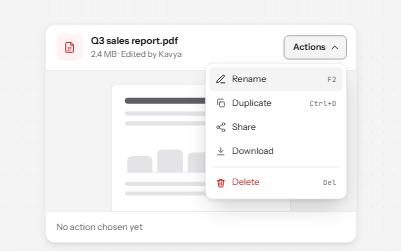
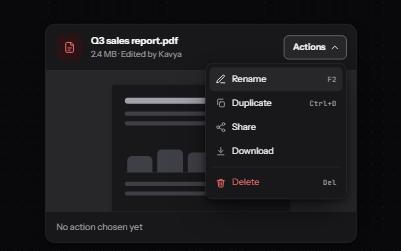
Menu button
A button that opens a list of actions, moved through with the arrow keys and closed with Escape, focus going back to the button.
-
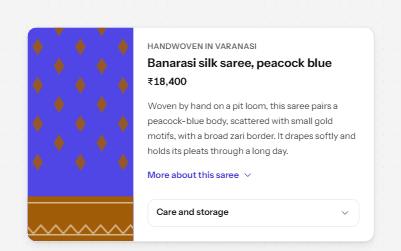
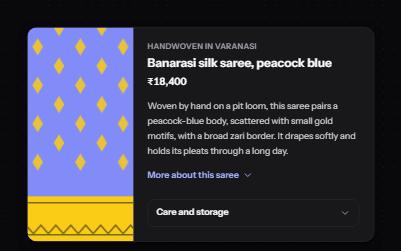
Show more
A button that reveals the rest of a long text in place, with the hidden part still reachable by find-in-page.
-
Site navigation with submenus
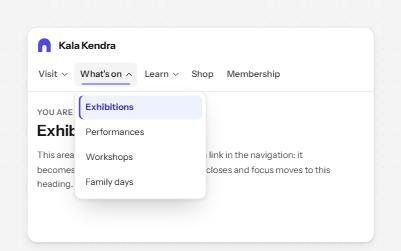
A header navigation whose sections open lists of links, built from buttons and links rather than an ARIA menu.
-
Popover
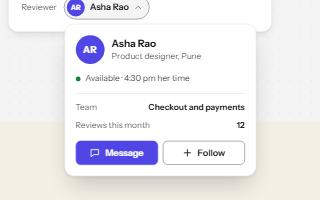
A card anchored to its button, opened with the popover attribute and dismissed by Escape or a click outside.