Accessibility pattern · Navigation
Skip links
The first Tab on the page reaches a link that jumps past the header, so nobody has to press Tab through every menu item to reach the content. The links stay out of sight until one has focus, and each target can take focus, so the next Tab carries on from where the jump landed.
- WCAG criteria
- 6
- Keyboard rules
- 3
- Checked with
- axe, keyboard and the inspector
Live demo
Try it
Use it with a mouse, a keyboard or a screen reader. The inspector beside it shows what the browser tells assistive technology as you go: focus, state changes and announcements.
Press Tab from the demo settings above. The shop's first stop is a pair of skip links.
Festive edit
Handwoven pieces for Diwali, made in small batches by weavers in Chanderi, Kanchipuram and Bhagalpur.
-
Chanderi cotton saree
₹4,200
-
Kanjivaram silk dupatta
₹6,800
-
Bhagalpur tussar stole
₹2,350
The demo works without JavaScript only as far as its HTML does; the inspector needs JavaScript.
Keyboard
Keys it answers to
Every action works without a pointer.
| Key | What it does |
|---|---|
| Tab | From the top of the page, reveals the skip links on the first press; the next press moves to the second link, then on into the header. |
| Enter | Follows the focused skip link: focus moves to the main content, or straight into the search field. |
| Tab or ShiftTab | After a jump, moves on from the target, not from the top of the page. |
Screen readers
What it announces
Written from the roles, names and states in the markup.
| When | Expected announcement |
|---|---|
| The first Tab reaches the skip links | Skip to main content, link |
| Enter follows it | Festive edit, region |
| Tab after the jump | Chanderi cotton saree, link |
| Enter on Skip to search | Search the shop, search edit text |
These are expected announcements, not recordings. Wording and order differ between screen readers and browsers.
Code
Copy the code
The exact files this demo runs on. The styles are served with a prefix that keeps this site's own styles out of the demo; what you copy is the original.
<div class="ap-skip-links" data-ap-skip-links>
  <p class="ap-skip-links__hint">Press <kbd>Tab</kbd> from the demo settings above. The shop's first stop is a pair of skip links.</p>

  <div class="ap-skip-links__page">
    <div class="ap-skip-links__bar">
      <a class="ap-skip-links__link" href="#skip-main">
        <svg class="ap-skip-links__arrow" viewBox="0 0 24 24" aria-hidden="true" focusable="false"><path d="M12 5v14M6 13l6 6 6-6"/></svg>
        Skip to main content
      </a>
      <a class="ap-skip-links__link" href="#skip-search">
        <svg class="ap-skip-links__arrow" viewBox="0 0 24 24" aria-hidden="true" focusable="false"><circle cx="11" cy="11" r="6.5"/><path d="m16 16 4 4"/></svg>
        Skip to search
      </a>
    </div>

    <header class="ap-skip-links__header">
      <div class="ap-skip-links__top">
        <a class="ap-skip-links__logo" href="#skip-home">
          <svg class="ap-skip-links__mark" viewBox="0 0 32 32" aria-hidden="true" focusable="false"><rect x="2" y="2" width="28" height="28" rx="9"/><path d="M10 22V10l12 12V10"/></svg>
          <span>Nila</span>
        </a>
        <search class="ap-skip-links__search">
          <label class="ap-skip-links__sr" for="skip-search">Search the shop</label>
          <svg class="ap-skip-links__glass" viewBox="0 0 24 24" aria-hidden="true" focusable="false"><circle cx="11" cy="11" r="6.5"/><path d="m16 16 4 4"/></svg>
          <input class="ap-skip-links__input" id="skip-search" type="search" placeholder="Search" autocomplete="off" />
        </search>
      </div>
      <nav class="ap-skip-links__nav" aria-label="Main">
        <ul class="ap-skip-links__menu">
          <li><a href="#skip-new">New in</a></li>
          <li><a href="#skip-sarees">Sarees</a></li>
          <li><a href="#skip-kurtas">Kurtas</a></li>
          <li><a href="#skip-linen">Home linen</a></li>
          <li><a href="#skip-sale">Sale</a></li>
        </ul>
      </nav>
    </header>

    <section class="ap-skip-links__main" id="skip-main" tabindex="-1" aria-labelledby="skip-main-name">
      <h3 class="ap-skip-links__name" id="skip-main-name">Festive edit</h3>
      <p class="ap-skip-links__lead">Handwoven pieces for Diwali, made in small batches by weavers in Chanderi, Kanchipuram and Bhagalpur.</p>
      <ul class="ap-skip-links__products">
        <li class="ap-skip-links__product">
          <span class="ap-skip-links__swatch" aria-hidden="true"></span>
          <a class="ap-skip-links__product-link" href="#skip-chanderi">Chanderi cotton saree</a>
          <p class="ap-skip-links__price">₹4,200</p>
        </li>
        <li class="ap-skip-links__product">
          <span class="ap-skip-links__swatch" aria-hidden="true"></span>
          <a class="ap-skip-links__product-link" href="#skip-kanjivaram">Kanjivaram silk dupatta</a>
          <p class="ap-skip-links__price">₹6,800</p>
        </li>
        <li class="ap-skip-links__product">
          <span class="ap-skip-links__swatch" aria-hidden="true"></span>
          <a class="ap-skip-links__product-link" href="#skip-tussar">Bhagalpur tussar stole</a>
          <p class="ap-skip-links__price">₹2,350</p>
        </li>
      </ul>
    </section>
  </div>
</div>
/* Skip links. Uses the --ap-* design tokens. */
.ap-skip-links {
  width: min(100%, 640px);
  margin-inline: auto;
  container-type: inline-size;
}

.ap-skip-links__hint {
  margin: 0 0 14px;
  color: var(--ap-text-3);
  font-size: .875rem;
  line-height: 1.5;
  text-align: center;
}
.ap-skip-links__hint kbd {
  display: inline-block;
  min-width: 2.4em;
  padding: 0 7px;
  border: 1px solid var(--ap-border-strong);
  border-bottom-width: 2px;
  border-radius: 6px;
  background: var(--ap-surface);
  color: var(--ap-text);
  font: 600 .8125rem/1.5 var(--ap-font);
  text-align: center;
}

/* The page the links belong to. */
.ap-skip-links__page {
  position: relative;
  border: 1px solid var(--ap-border);
  border-radius: var(--ap-radius-lg);
  background: var(--ap-surface);
  box-shadow: var(--ap-shadow-md);
}

/* The skip links: clipped out of sight until one has focus, then a
   floating chip over the top of the page. */
.ap-skip-links__bar {
  position: absolute;
  z-index: 2;
  top: 10px;
  left: 10px;
  display: flex;
  flex-wrap: wrap;
  gap: 4px;
  max-width: calc(100% - 20px);
  padding: 5px;
  border: 1px solid var(--ap-border);
  border-radius: var(--ap-radius);
  background: var(--ap-surface);
  box-shadow: var(--ap-shadow-lg);
  animation: ap-skip-links-in 180ms var(--ap-ease);
}
.ap-skip-links__bar:not(:focus-within) {
  width: 1px;
  height: 1px;
  padding: 0;
  border: 0;
  overflow: hidden;
  clip-path: inset(50%);
  white-space: nowrap;
  animation: none;
}

.ap-skip-links__link {
  display: inline-flex;
  align-items: center;
  gap: 8px;
  min-height: 40px;
  padding: 0 14px 0 12px;
  border-radius: var(--ap-radius-sm);
  color: var(--ap-text);
  font-size: .9375rem;
  font-weight: 600;
  text-decoration: none;
  white-space: nowrap;
}
.ap-skip-links__link:hover {
  background: var(--ap-surface-2);
}
.ap-skip-links__link:focus-visible {
  outline: 2px solid var(--ap-focus);
  outline-offset: 0;
  background: var(--ap-accent-soft);
  color: var(--ap-accent-soft-text);
}
.ap-skip-links__arrow {
  width: 16px;
  height: 16px;
  flex-shrink: 0;
  fill: none;
  stroke: currentColor;
  stroke-width: 2.2;
  stroke-linecap: round;
  stroke-linejoin: round;
}

/* Header: logo and search, then the section links. */
.ap-skip-links__header {
  display: grid;
  gap: 10px;
  padding: 14px 16px 10px 18px;
  border-bottom: 1px solid var(--ap-border);
}
.ap-skip-links__top {
  display: flex;
  align-items: center;
  justify-content: space-between;
  gap: 14px;
}
.ap-skip-links__logo {
  display: inline-flex;
  align-items: center;
  gap: 9px;
  min-height: 40px;
  padding-right: 6px;
  border-radius: var(--ap-radius-sm);
  color: var(--ap-text);
  font-size: 1.125rem;
  font-weight: 700;
  letter-spacing: -.01em;
  text-decoration: none;
}
.ap-skip-links__mark {
  width: 30px;
  height: 30px;
  flex-shrink: 0;
}
.ap-skip-links__mark rect {
  fill: var(--ap-accent);
}
.ap-skip-links__mark path {
  fill: none;
  stroke: var(--ap-on-accent);
  stroke-width: 2.6;
  stroke-linecap: round;
  stroke-linejoin: round;
}

.ap-skip-links__search {
  position: relative;
  flex: 0 1 250px;
  min-width: 0;
}
.ap-skip-links__glass {
  position: absolute;
  top: 50%;
  left: 13px;
  width: 17px;
  height: 17px;
  transform: translateY(-50%);
  fill: none;
  stroke: var(--ap-text-3);
  stroke-width: 2;
  stroke-linecap: round;
  pointer-events: none;
}
.ap-skip-links__input {
  width: 100%;
  min-height: 40px;
  padding: 8px 14px 8px 38px;
  border: 1px solid var(--ap-border-strong);
  border-radius: var(--ap-radius-full);
  background: var(--ap-surface-2);
  color: var(--ap-text);
  font: inherit;
  font-size: .9375rem;
}
.ap-skip-links__input::placeholder {
  color: var(--ap-text-3);
}
.ap-skip-links__input:focus-visible {
  outline: 2px solid var(--ap-focus);
  outline-offset: 1px;
  border-color: var(--ap-focus);
  background: var(--ap-surface);
}

.ap-skip-links__menu {
  display: flex;
  flex-wrap: wrap;
  gap: 2px 4px;
  margin: 0 0 0 -10px;
  padding: 0;
  list-style: none;
}
.ap-skip-links__menu a {
  display: inline-flex;
  align-items: center;
  min-height: 36px;
  padding: 0 10px;
  border-radius: var(--ap-radius-sm);
  color: var(--ap-text-2);
  font-size: .9375rem;
  font-weight: 500;
  text-decoration: none;
}
.ap-skip-links__menu a:hover {
  background: var(--ap-surface-2);
  color: var(--ap-text);
}

.ap-skip-links :is(.ap-skip-links__logo, .ap-skip-links__menu a):focus-visible {
  outline: 2px solid var(--ap-focus);
  outline-offset: 1px;
}

.ap-skip-links__sr {
  position: absolute;
  width: 1px;
  height: 1px;
  overflow: hidden;
  clip-path: inset(50%);
  white-space: nowrap;
}

/* The main content: where the first skip link lands. */
.ap-skip-links__main {
  display: grid;
  gap: 8px;
  padding: 20px 18px 22px;
  border-radius: 0 0 var(--ap-radius-lg) var(--ap-radius-lg);
  scroll-margin-top: 16px;
}
.ap-skip-links__main:focus-visible {
  outline: 2px solid var(--ap-focus);
  outline-offset: -4px;
  animation: ap-skip-links-land 900ms var(--ap-ease);
}
.ap-skip-links__name {
  margin: 0;
  font-size: 1.25rem;
  font-weight: 650;
  line-height: 1.3;
}
.ap-skip-links__lead {
  margin: 0 0 8px;
  max-width: 52ch;
  color: var(--ap-text-2);
  line-height: 1.55;
}

.ap-skip-links__products {
  display: grid;
  grid-template-columns: repeat(3, minmax(0, 1fr));
  gap: 12px;
  margin: 0;
  padding: 0;
  list-style: none;
}
.ap-skip-links__product {
  position: relative;
  display: grid;
  gap: 2px;
  padding: 10px 10px 12px;
  border: 1px solid var(--ap-border);
  border-radius: var(--ap-radius);
  background: var(--ap-surface);
  transition: border-color var(--ap-duration) var(--ap-ease), box-shadow var(--ap-duration) var(--ap-ease);
}
.ap-skip-links__product:hover {
  border-color: var(--ap-border-strong);
  box-shadow: var(--ap-shadow-sm);
}
.ap-skip-links__swatch {
  height: 64px;
  margin-bottom: 8px;
  border-radius: var(--ap-radius-sm);
  background: repeating-linear-gradient(135deg, var(--ap-success-soft) 0 8px, var(--ap-success) 8px 9px);
}
.ap-skip-links__product:nth-child(2) .ap-skip-links__swatch {
  background: linear-gradient(to bottom, var(--ap-danger) 0 68%, var(--ap-warning) 68% 80%, var(--ap-danger) 80%);
}
.ap-skip-links__product:nth-child(3) .ap-skip-links__swatch {
  background: repeating-linear-gradient(90deg, var(--ap-warning-soft) 0 7px, var(--ap-warning) 7px 8px);
}
/* The whole card is the link's target; the name stays the link's text. */
.ap-skip-links__product-link {
  color: var(--ap-text);
  font-weight: 600;
  line-height: 1.35;
  text-decoration: none;
}
.ap-skip-links__product-link::after {
  content: "";
  position: absolute;
  inset: 0;
  border-radius: var(--ap-radius);
}
.ap-skip-links__product-link:hover {
  text-decoration: underline;
  text-underline-offset: 3px;
}
.ap-skip-links__product-link:focus-visible {
  outline: none;
}
.ap-skip-links__product-link:focus-visible::after {
  outline: 2px solid var(--ap-focus);
  outline-offset: 2px;
}
.ap-skip-links__price {
  margin: 0;
  color: var(--ap-text-3);
  font-size: .875rem;
  font-variant-numeric: tabular-nums;
}

@container (max-width: 520px) {
  .ap-skip-links__products {
    grid-template-columns: minmax(0, 1fr);
    gap: 8px;
  }
  .ap-skip-links__product {
    grid-template-columns: 44px minmax(0, 1fr);
    align-items: center;
    column-gap: 12px;
    padding: 8px 12px 8px 8px;
  }
  .ap-skip-links__swatch {
    grid-row: span 2;
    height: 44px;
    margin: 0;
  }
}

@container (max-width: 360px) {
  .ap-skip-links__header {
    padding-inline: 14px 12px;
  }
  .ap-skip-links__top {
    gap: 10px;
  }
  .ap-skip-links__main {
    padding-inline: 14px;
  }
}

@keyframes ap-skip-links-in {
  from { opacity: 0; transform: translateY(-6px); }
}
@keyframes ap-skip-links-land {
  from { background-color: var(--ap-accent-soft); }
}

@media (prefers-reduced-motion: reduce) {
  .ap-skip-links__bar,
  .ap-skip-links__main:focus-visible { animation: none; }
  .ap-skip-links__product { transition: none; }
}
/**
 * Skip links: links at the top of the page, hidden until one has focus,
 * that move focus past the header.
 *
 * Markup: [data-ap-skip-links] holding a.ap-skip-links__link[href="#id"]
 * elements. Each target can take focus: a field, or a region with
 * tabindex="-1". The links work without this script; it moves focus itself
 * so the address bar and the Back button are left as they were.
 */

const FOCUSABLE = "a[href], button, input, select, textarea, [tabindex]";

export function init(root) {
  function onClick(event) {
    const link = event.target.closest(".ap-skip-links__link");
    if (!link || !root.contains(link)) return;
    const target = document.getElementById(decodeURIComponent(link.hash.slice(1)));
    // No target: let the browser follow the link as it would anyway.
    if (!target) return;
    event.preventDefault();
    // A region needs tabindex="-1" to take focus; add it if the markup forgot.
    if (!target.matches(FOCUSABLE)) target.setAttribute("tabindex", "-1");
    // focus() scrolls the target into view and moves the Tab starting point.
    target.focus();
  }

  root.addEventListener("click", onClick);
  return () => root.removeEventListener("click", onClick);
}

for (const root of document.querySelectorAll("[data-ap-skip-links]")) init(root);
/* Design tokens for the pattern components. Light by default, dark when the
   system asks for it; set data-theme="dark" on :root to force dark. */
:root {
    --ap-radius-sm: 8px;
    --ap-radius: 12px;
    --ap-radius-lg: 16px;
    --ap-radius-full: 999px;
    --ap-font: "Instrument Sans", ui-sans-serif, system-ui, -apple-system, "Segoe UI", Roboto, sans-serif;
    --ap-mono: "JetBrains Mono", ui-monospace, "Cascadia Mono", "SF Mono", Consolas, monospace;
    --ap-ease: cubic-bezier(.2, .8, .2, 1);
    --ap-duration: 180ms;
    --ap-target: 44px;
    --ap-bg: #F4F4F5;
    --ap-surface: #FFFFFF;
    --ap-surface-2: #F4F4F5;
    --ap-surface-3: #E4E4E7;
    --ap-border: #E4E4E7;
    --ap-border-strong: #76767F;
    --ap-text: #18181B;
    --ap-text-2: #3F3F46;
    --ap-text-3: #5E5E66;
    --ap-accent: #4F46E5;
    --ap-accent-hover: #4338CA;
    --ap-on-accent: #FFFFFF;
    --ap-accent-text: #4338CA;
    --ap-accent-soft: #EEF2FF;
    --ap-accent-soft-text: #3730A3;
    --ap-focus: #4F46E5;
    --ap-danger: #B91C1C;
    --ap-danger-soft: #FEF2F2;
    --ap-success: #15803D;
    --ap-success-soft: #F0FDF4;
    --ap-warning: #A15C07;
    --ap-warning-soft: #FEFCE8;
    --ap-info: #1D4ED8;
    --ap-info-soft: #EFF6FF;
    --ap-scrim: rgb(9 9 11 / .48);
    --ap-shadow-sm: 0 1px 2px rgb(9 9 11 / .06);
    --ap-shadow-md: 0 1px 2px rgb(9 9 11 / .05), 0 6px 16px -4px rgb(9 9 11 / .1);
    --ap-shadow-lg: 0 2px 6px rgb(9 9 11 / .06), 0 20px 40px -12px rgb(9 9 11 / .22);
    --ap-light-bg: #F4F4F5;
    --ap-light-surface: #FFFFFF;
    --ap-light-surface-2: #F4F4F5;
    --ap-light-surface-3: #E4E4E7;
    --ap-light-border: #E4E4E7;
    --ap-light-border-strong: #76767F;
    --ap-light-text: #18181B;
    --ap-light-text-2: #3F3F46;
    --ap-light-text-3: #5E5E66;
    --ap-light-accent: #4F46E5;
    --ap-light-accent-hover: #4338CA;
    --ap-light-on-accent: #FFFFFF;
    --ap-light-accent-text: #4338CA;
    --ap-light-accent-soft: #EEF2FF;
    --ap-light-accent-soft-text: #3730A3;
    --ap-light-focus: #4F46E5;
    --ap-light-danger: #B91C1C;
    --ap-light-danger-soft: #FEF2F2;
    --ap-light-success: #15803D;
    --ap-light-success-soft: #F0FDF4;
    --ap-light-warning: #A15C07;
    --ap-light-warning-soft: #FEFCE8;
    --ap-light-info: #1D4ED8;
    --ap-light-info-soft: #EFF6FF;
    --ap-light-scrim: rgb(9 9 11 / .48);
    --ap-light-shadow-sm: 0 1px 2px rgb(9 9 11 / .06);
    --ap-light-shadow-md: 0 1px 2px rgb(9 9 11 / .05), 0 6px 16px -4px rgb(9 9 11 / .1);
    --ap-light-shadow-lg: 0 2px 6px rgb(9 9 11 / .06), 0 20px 40px -12px rgb(9 9 11 / .22);
    --ap-dark-bg: #09090B;
    --ap-dark-surface: #18181B;
    --ap-dark-surface-2: #27272A;
    --ap-dark-surface-3: #3F3F46;
    --ap-dark-border: #2E2E33;
    --ap-dark-border-strong: #8E8E97;
    --ap-dark-text: #FAFAFA;
    --ap-dark-text-2: #D4D4D8;
    --ap-dark-text-3: #A1A1AA;
    --ap-dark-accent: #818CF8;
    --ap-dark-accent-hover: #A5B4FC;
    --ap-dark-on-accent: #0C0A1F;
    --ap-dark-accent-text: #A5B4FC;
    --ap-dark-accent-soft: #1E1B4B;
    --ap-dark-accent-soft-text: #C7D2FE;
    --ap-dark-focus: #A5B4FC;
    --ap-dark-danger: #F87171;
    --ap-dark-danger-soft: #2A1215;
    --ap-dark-success: #4ADE80;
    --ap-dark-success-soft: #0F2A1A;
    --ap-dark-warning: #FACC15;
    --ap-dark-warning-soft: #2A2410;
    --ap-dark-info: #60A5FA;
    --ap-dark-info-soft: #0F1D33;
    --ap-dark-scrim: rgb(0 0 0 / .62);
    --ap-dark-shadow-sm: 0 1px 2px rgb(0 0 0 / .4);
    --ap-dark-shadow-md: 0 1px 2px rgb(0 0 0 / .4), 0 8px 20px -6px rgb(0 0 0 / .5);
    --ap-dark-shadow-lg: 0 2px 8px rgb(0 0 0 / .45), 0 24px 48px -12px rgb(0 0 0 / .7);
}
@media (prefers-color-scheme: dark) {
  :root:not([data-theme="light"]) {
      --ap-bg: #09090B;
      --ap-surface: #18181B;
      --ap-surface-2: #27272A;
      --ap-surface-3: #3F3F46;
      --ap-border: #2E2E33;
      --ap-border-strong: #8E8E97;
      --ap-text: #FAFAFA;
      --ap-text-2: #D4D4D8;
      --ap-text-3: #A1A1AA;
      --ap-accent: #818CF8;
      --ap-accent-hover: #A5B4FC;
      --ap-on-accent: #0C0A1F;
      --ap-accent-text: #A5B4FC;
      --ap-accent-soft: #1E1B4B;
      --ap-accent-soft-text: #C7D2FE;
      --ap-focus: #A5B4FC;
      --ap-danger: #F87171;
      --ap-danger-soft: #2A1215;
      --ap-success: #4ADE80;
      --ap-success-soft: #0F2A1A;
      --ap-warning: #FACC15;
      --ap-warning-soft: #2A2410;
      --ap-info: #60A5FA;
      --ap-info-soft: #0F1D33;
      --ap-scrim: rgb(0 0 0 / .62);
      --ap-shadow-sm: 0 1px 2px rgb(0 0 0 / .4);
      --ap-shadow-md: 0 1px 2px rgb(0 0 0 / .4), 0 8px 20px -6px rgb(0 0 0 / .5);
      --ap-shadow-lg: 0 2px 8px rgb(0 0 0 / .45), 0 24px 48px -12px rgb(0 0 0 / .7);
  }
}
:root[data-theme="dark"] {
    --ap-bg: #09090B;
    --ap-surface: #18181B;
    --ap-surface-2: #27272A;
    --ap-surface-3: #3F3F46;
    --ap-border: #2E2E33;
    --ap-border-strong: #8E8E97;
    --ap-text: #FAFAFA;
    --ap-text-2: #D4D4D8;
    --ap-text-3: #A1A1AA;
    --ap-accent: #818CF8;
    --ap-accent-hover: #A5B4FC;
    --ap-on-accent: #0C0A1F;
    --ap-accent-text: #A5B4FC;
    --ap-accent-soft: #1E1B4B;
    --ap-accent-soft-text: #C7D2FE;
    --ap-focus: #A5B4FC;
    --ap-danger: #F87171;
    --ap-danger-soft: #2A1215;
    --ap-success: #4ADE80;
    --ap-success-soft: #0F2A1A;
    --ap-warning: #FACC15;
    --ap-warning-soft: #2A2410;
    --ap-info: #60A5FA;
    --ap-info-soft: #0F1D33;
    --ap-scrim: rgb(0 0 0 / .62);
    --ap-shadow-sm: 0 1px 2px rgb(0 0 0 / .4);
    --ap-shadow-md: 0 1px 2px rgb(0 0 0 / .4), 0 8px 20px -6px rgb(0 0 0 / .5);
    --ap-shadow-lg: 0 2px 8px rgb(0 0 0 / .45), 0 24px 48px -12px rgb(0 0 0 / .7);
}
WCAG 2.2
What it meets
The success criteria this pattern takes care of, and how.
-
2.4.1 Bypass Blocks
Level A
The skip link is the first stop on the page and lands past the header's seven stops: the logo, five links and the search field.
-
2.1.1 Keyboard
Level A
Following a skip link is an ordinary link activation, so Enter works with every browser and screen reader.
-
2.4.3 Focus Order
Level A
Focus moves to the target itself, so the next Tab continues from the content instead of going back into the header.
-
2.4.4 Link Purpose (In Context)
Level A
Each link says where it goes, Skip to main content and Skip to search, with no need for context.
-
2.4.7 Focus Visible
Level AA
A skip link is drawn in full the moment it has focus, and the target shows a ring where focus landed.
-
2.4.11 Focus Not Obscured (Minimum)
Level AA
The revealed links float over the header, and they hide again as soon as focus moves on, so they never cover the element that has focus.
Usage
When to use it
Use it
- Any page with a header or navigation that repeats on every page.
- Pages with a long toolbar or filter panel before the results.
Use something else
- As a stand-in for headings and landmarks: screen reader users move by those, so the page needs both.
- A long list of links to every section: that is a table of contents, and it belongs on the page where everyone can see it.
Common failures
How it usually goes wrong
Hidden for good with display: none
display: none or visibility: hidden takes the link out of the Tab order too, so nobody can use it. Clip it instead, and show it on focus.
A target that cannot take focus
Without tabindex="-1" on the target, some browsers scroll to it but leave focus behind, and the next Tab goes straight back into the header.
Not the first stop
A cookie banner, a logo or a language picker before the skip link makes people tab past the very things it was meant to skip.
Revealed under something else
A skip link that appears beneath a sticky header or a banner has focus but cannot be seen, which leaves sighted keyboard users lost.
A link to an id that is gone
Redesigns rename the content's id, and the skip link silently stops working. Check it whenever the layout changes.
A ring around the page on every click
tabindex="-1" lets a click focus the target too. Style :focus-visible, not :focus, so mouse users do not see the whole page outlined.
Notes
Building it
- Point the main skip link at your main element. The demo targets a section, because the shop sits inside this page, which already has its one main landmark.
- The links work without the script: following an in-page link moves focus to a target with tabindex="-1". The script moves focus itself so the address bar and the Back button are left alone, which also keeps hash routers in single-page apps out of it.
- Hide the links with a clip, not by moving them off screen, so the browser never scrolls sideways to reach a focused one.
- If your header is sticky, give each target scroll-margin-top, so a jump does not land underneath it.
- Two links are plenty. Landmarks and headings take care of the rest for screen reader users.
Sources: WCAG technique G1: a link to the main content · Understanding 2.4.1 Bypass Blocks
Checked with axe in light and dark themes, at desktop and phone widths, and by keyboard. Not yet tested with every screen reader and browser pair. Report a correction
Related
Patterns that go with it
-
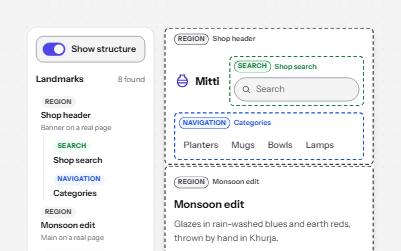
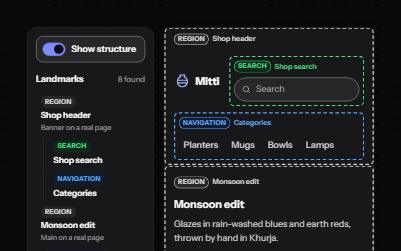
Landmarks
Header, navigation, main, search and footer regions that let screen reader users jump straight to each part of a page.
-
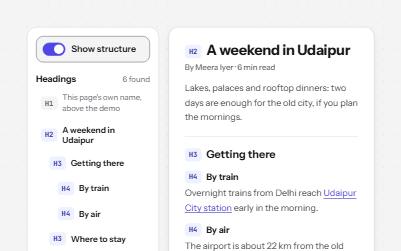
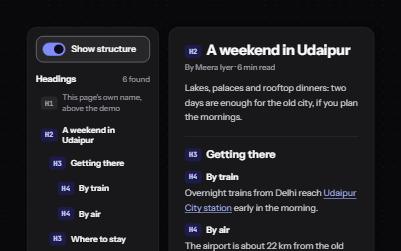
Heading structure
Headings whose levels follow the page's outline, so screen reader users can scan a page and jump straight to a section.
-
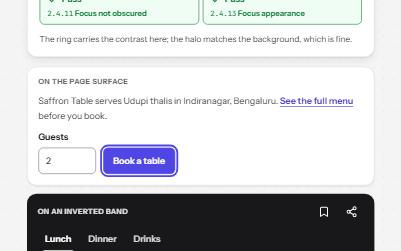
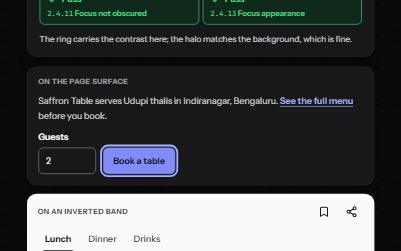
Focus indicator
A focus ring you can always see: two colors, at least 2 px, never under a sticky bar, with a live meter that measures it.
-
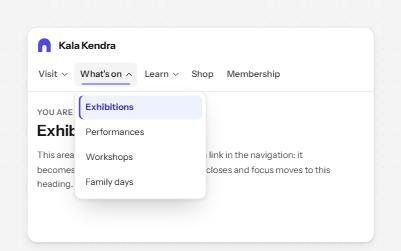
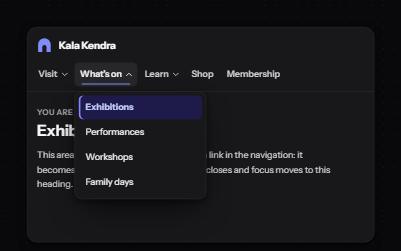
Site navigation with submenus
A header navigation whose sections open lists of links, built from buttons and links rather than an ARIA menu.