Accessibility pattern · Layout and structure
Landmarks
Landmarks are a page's big areas: header, navigation, main content, search, footer. Screen reader users jump between them the way sighted people glance at a layout. Native elements give each area its role, and a name tells two of a kind apart.
- WCAG criteria
- 6
- Keyboard rules
- 4
- Checked with
- axe, keyboard and the inspector
Live demo
Try it
Use it with a mouse, a keyboard or a screen reader. The inspector beside it shows what the browser tells assistive technology as you go: focus, state changes and announcements.
Landmarks
0 found
Landmarks of the same kind need different names, or they all sound the same.
Built from the shop's markup, like a screen reader's landmarks list. Choose one to move focus there.
Monsoon edit
Glazes in rain-washed blues and earth reds, thrown by hand in Khurja.
- Terracotta herb planter ₹649
- Blue pottery mug ₹420
- Khurja serving bowl ₹1,150
Caring for terracotta
Soak a new planter for an hour before potting, so the clay does not pull water from the soil.
© 2026 Mitti Studio, Khurja
The demo works without JavaScript only as far as its HTML does; the inspector needs JavaScript.
Keyboard
Keys it answers to
Every action works without a pointer.
| Key | What it does |
|---|---|
| Tab | Moves to Show structure, then through the landmarks list, then into the shop. |
| Enter or Space | On an entry in the landmarks list, moves focus to that landmark; the next Tab carries on inside it. |
| Space | On Show structure, outlines and names every landmark in the shop, and marks the section that is not one. |
| D or R | Screen reader keys, not the page's: D in NVDA and R in JAWS move to the next landmark. The markup is all they need. |
Screen readers
What it announces
Written from the roles, names and states in the markup.
| When | Expected announcement |
|---|---|
| Enter on Navigation, Categories in the list | Categories, navigation landmark |
| Enter on the shop's content region | Monsoon edit, region |
| A screen reader lists the landmarks | Shop header region, Shop search search, Categories navigation, Monsoon edit region, Visit the studio complementary, Shop footer region, Kiln notes form, Customer help navigation |
| Show structure is switched on | Show structure, switch, on (checked) |
| With the names removed, the list reaches a navigation | Navigation landmark, with nothing to tell it from the other one |
These are expected announcements, not recordings. Wording and order differ between screen readers and browsers.
Code
Copy the code
The exact files this demo runs on. The styles are served with a prefix that keeps this site's own styles out of the demo; what you copy is the original.
<div class="ap-landmarks" data-ap-landmarks>
  <div class="ap-landmarks__rotor">
    <button type="button" class="ap-landmarks__switch" role="switch" aria-checked="false" data-lm-structure>
      <span class="ap-landmarks__track" aria-hidden="true"><span class="ap-landmarks__knob"></span></span>
      Show structure
    </button>
    <div class="ap-landmarks__rotor-top">
      <p class="ap-landmarks__rotor-name" id="lm-rotor-name">Landmarks</p>
      <p class="ap-landmarks__count"><span data-lm-count>0</span> <span>found</span></p>
    </div>
    <ol class="ap-landmarks__list" role="list" aria-labelledby="lm-rotor-name" data-lm-list></ol>
    <p class="ap-landmarks__warn" data-lm-warn hidden>Landmarks of the same kind need different names, or they all sound the same.</p>
    <p class="ap-landmarks__note">Built from the shop's markup, like a screen reader's landmarks list. Choose one to move focus there.</p>
  </div>

  <div class="ap-landmarks__page" data-lm-page>
    <!-- On a real page this is <header>, a child of <body>: the banner landmark.
         This shop sits inside this page's own <main>, so it is a named region. -->
    <section class="ap-landmarks__top" aria-label="Shop header" data-lm-real="banner">
      <a class="ap-landmarks__logo" href="#lm-home">
        <svg class="ap-landmarks__mark" viewBox="0 0 32 32" aria-hidden="true" focusable="false"><path d="M11 4.5h10M12.5 4.5v3.2C8.6 9.6 6.5 13 6.5 17c0 5.6 4.2 10 9.5 10s9.5-4.4 9.5-10c0-4-2.1-7.4-6-9.3V4.5"/><path d="M7.2 14.5h17.6M7 19.5h18"/></svg>
        <span>Mitti</span>
      </a>
      <search class="ap-landmarks__search" aria-label="Shop search">
        <form class="ap-landmarks__find" action="#lm-results">
          <label class="ap-landmarks__vh" for="lm-q">Search the shop</label>
          <svg class="ap-landmarks__glass" viewBox="0 0 24 24" aria-hidden="true" focusable="false"><circle cx="11" cy="11" r="6.5"/><path d="m16 16 4 4"/></svg>
          <input class="ap-landmarks__input" id="lm-q" name="q" type="search" placeholder="Search" enterkeyhint="search" autocomplete="off" />
        </form>
      </search>
      <nav class="ap-landmarks__nav" aria-label="Categories">
        <ul class="ap-landmarks__menu" role="list">
          <li><a href="#lm-planters">Planters</a></li>
          <li><a href="#lm-mugs">Mugs</a></li>
          <li><a href="#lm-bowls">Bowls</a></li>
          <li><a href="#lm-lamps">Lamps</a></li>
        </ul>
      </nav>
    </section>

    <div class="ap-landmarks__body">
      <!-- On a real page: <main>. One per page. -->
      <section class="ap-landmarks__content" aria-labelledby="lm-content-name" data-lm-real="main">
        <h3 class="ap-landmarks__name" id="lm-content-name">Monsoon edit</h3>
        <p class="ap-landmarks__lead">Glazes in rain-washed blues and earth reds, thrown by hand in Khurja.</p>
        <ul class="ap-landmarks__products" role="list">
          <li class="ap-landmarks__product">
            <span class="ap-landmarks__swatch ap-landmarks__swatch--clay" aria-hidden="true"></span>
            <a href="#lm-planter">Terracotta herb planter</a>
            <span class="ap-landmarks__price">₹649</span>
          </li>
          <li class="ap-landmarks__product">
            <span class="ap-landmarks__swatch ap-landmarks__swatch--blue" aria-hidden="true"></span>
            <a href="#lm-mug">Blue pottery mug</a>
            <span class="ap-landmarks__price">₹420</span>
          </li>
          <li class="ap-landmarks__product">
            <span class="ap-landmarks__swatch ap-landmarks__swatch--cream" aria-hidden="true"></span>
            <a href="#lm-bowl">Khurja serving bowl</a>
            <span class="ap-landmarks__price">₹1,150</span>
          </li>
        </ul>
        <!-- No name, so not a landmark: just a section of the content. -->
        <section class="ap-landmarks__care">
          <h4>Caring for terracotta</h4>
          <p>Soak a new planter for an hour before potting, so the clay does not pull water from the soil.</p>
        </section>
      </section>

      <aside class="ap-landmarks__aside" aria-labelledby="lm-aside-name">
        <h3 class="ap-landmarks__name" id="lm-aside-name">Visit the studio</h3>
        <p>Watch the potters at the wheel, Tuesday to Sunday, 10 am to 6 pm.</p>
        <a href="#lm-visit">Plan a visit</a>
      </aside>
    </div>

    <!-- On a real page this is <footer>, a child of <body>: the content info landmark. -->
    <section class="ap-landmarks__foot" aria-label="Shop footer" data-lm-real="contentinfo">
      <form class="ap-landmarks__news" aria-labelledby="lm-news-name" action="#lm-subscribed">
        <h3 class="ap-landmarks__name" id="lm-news-name">Kiln notes</h3>
        <p class="ap-landmarks__small">One letter a month: new glazes and studio days.</p>
        <label class="ap-label" for="lm-email">Email address</label>
        <div class="ap-landmarks__row">
          <input class="ap-input" id="lm-email" name="email" type="email" autocomplete="email" required />
          <button type="submit" class="ap-btn ap-btn--primary">Subscribe</button>
        </div>
        <p class="ap-landmarks__done" role="status"></p>
      </form>
      <nav class="ap-landmarks__help" aria-label="Customer help">
        <ul role="list">
          <li><a href="#lm-delivery">Delivery</a></li>
          <li><a href="#lm-returns">Returns</a></li>
          <li><a href="#lm-contact">Contact us</a></li>
        </ul>
      </nav>
      <p class="ap-landmarks__legal">© 2026 Mitti Studio, Khurja</p>
    </section>
  </div>
</div>
/* Shared primitives: buttons and form fields used across the patterns.
   Uses the --ap-* design tokens. */

.ap-btn {
  display: inline-flex;
  align-items: center;
  justify-content: center;
  gap: 8px;
  min-height: 40px;
  padding: 0 16px;
  border: 1px solid var(--ap-border-strong);
  border-radius: var(--ap-radius-sm);
  background: var(--ap-surface);
  color: var(--ap-text);
  font: inherit;
  font-weight: 600;
  line-height: 1.2;
  text-decoration: none;
  white-space: nowrap;
  cursor: pointer;
  transition: background-color var(--ap-duration) var(--ap-ease), border-color var(--ap-duration) var(--ap-ease), box-shadow var(--ap-duration) var(--ap-ease);
}
.ap-btn:hover {
  background: var(--ap-surface-2);
}
.ap-btn:focus-visible {
  outline: 2px solid var(--ap-focus);
  outline-offset: 2px;
}
.ap-btn:disabled,
.ap-btn[aria-disabled="true"] {
  opacity: .55;
  cursor: not-allowed;
}
.ap-btn--primary {
  border-color: var(--ap-accent);
  background: var(--ap-accent);
  color: var(--ap-on-accent);
  box-shadow: var(--ap-shadow-sm);
}
.ap-btn--primary:hover {
  border-color: var(--ap-accent-hover);
  background: var(--ap-accent-hover);
}
.ap-btn--danger {
  border-color: var(--ap-danger);
  background: var(--ap-danger);
  color: var(--ap-surface);
}
.ap-btn--danger:hover {
  filter: brightness(1.08);
}
.ap-btn--ghost {
  border-color: transparent;
  background: transparent;
}
.ap-btn--ghost:hover {
  background: var(--ap-surface-2);
}
.ap-btn__icon {
  width: 18px;
  height: 18px;
  flex-shrink: 0;
  fill: none;
  stroke: currentColor;
  stroke-width: 2;
  stroke-linecap: round;
  stroke-linejoin: round;
}

.ap-field {
  display: grid;
  gap: 6px;
}
.ap-label {
  color: var(--ap-text);
  font-weight: 600;
  font-size: .9375rem;
}
.ap-hint {
  margin: 0;
  color: var(--ap-text-3);
  font-size: .875rem;
  line-height: 1.45;
}
.ap-error {
  display: flex;
  align-items: flex-start;
  gap: 6px;
  margin: 0;
  color: var(--ap-danger);
  font-size: .875rem;
  font-weight: 600;
  line-height: 1.45;
}
.ap-input {
  width: 100%;
  min-height: 44px;
  padding: 10px 12px;
  border: 1px solid var(--ap-border-strong);
  border-radius: var(--ap-radius-sm);
  background: var(--ap-surface);
  color: var(--ap-text);
  font: inherit;
  line-height: 1.4;
  transition: border-color var(--ap-duration) var(--ap-ease), box-shadow var(--ap-duration) var(--ap-ease);
}
.ap-input::placeholder {
  color: var(--ap-text-3);
}
.ap-input:hover {
  border-color: var(--ap-text-2);
}
.ap-input:focus-visible {
  outline: 2px solid var(--ap-focus);
  outline-offset: 1px;
  border-color: var(--ap-focus);
}
.ap-input[aria-invalid="true"] {
  border-color: var(--ap-danger);
  box-shadow: inset 4px 0 0 var(--ap-danger);
}
textarea.ap-input {
  resize: vertical;
  min-height: 88px;
}

@media (prefers-reduced-motion: reduce) {
  .ap-btn,
  .ap-input { transition: none; }
}

/* Landmarks. Uses the --ap-* design tokens and the shared primitives. */
.ap-landmarks {
  display: grid;
  gap: 16px;
  width: min(100%, 860px);
  margin-inline: auto;
  container-type: inline-size;
}
@container (min-width: 560px) {
  .ap-landmarks {
    grid-template-columns: 212px minmax(0, 1fr);
    align-items: start;
  }
}

/* ── The landmarks list (a screen reader's rotor, made visible) ── */
.ap-landmarks__rotor {
  display: grid;
  gap: 12px;
  padding: 14px;
  border: 1px solid var(--ap-border);
  border-radius: var(--ap-radius-lg);
  background: var(--ap-surface);
  box-shadow: var(--ap-shadow-sm);
}
@container (min-width: 560px) {
  .ap-landmarks__rotor {
    position: sticky;
    top: 12px;
  }
}

.ap-landmarks__switch {
  display: flex;
  align-items: center;
  gap: 10px;
  min-height: var(--ap-target);
  padding: 0 12px 0 10px;
  border: 1px solid var(--ap-border-strong);
  border-radius: var(--ap-radius);
  background: var(--ap-surface);
  color: var(--ap-text);
  font: inherit;
  font-weight: 600;
  text-align: start;
  cursor: pointer;
}
.ap-landmarks__switch:hover {
  background: var(--ap-surface-2);
}
.ap-landmarks__switch:focus-visible {
  outline: 2px solid var(--ap-focus);
  outline-offset: 2px;
}
.ap-landmarks__track {
  position: relative;
  flex-shrink: 0;
  width: 38px;
  height: 22px;
  border: 1px solid var(--ap-border-strong);
  border-radius: var(--ap-radius-full);
  background: var(--ap-surface-3);
  transition: background-color var(--ap-duration) var(--ap-ease), border-color var(--ap-duration) var(--ap-ease);
}
.ap-landmarks__knob {
  position: absolute;
  top: 2px;
  left: 2px;
  width: 16px;
  height: 16px;
  border-radius: 50%;
  background: var(--ap-surface);
  box-shadow: 0 0 0 1px var(--ap-border-strong);
  transition: transform var(--ap-duration) var(--ap-ease);
}
.ap-landmarks__switch[aria-checked="true"] .ap-landmarks__track {
  border-color: var(--ap-accent);
  background: var(--ap-accent);
}
.ap-landmarks__switch[aria-checked="true"] .ap-landmarks__knob {
  transform: translateX(16px);
  background: var(--ap-on-accent);
  box-shadow: none;
}

.ap-landmarks__rotor-top {
  display: flex;
  align-items: baseline;
  justify-content: space-between;
  gap: 8px;
  padding-top: 4px;
}
.ap-landmarks__rotor-name {
  margin: 0;
  color: var(--ap-text);
  font-size: .9375rem;
  font-weight: 650;
}
.ap-landmarks__count {
  margin: 0;
  color: var(--ap-text-3);
  font-size: .8125rem;
  font-variant-numeric: tabular-nums;
}

.ap-landmarks__list {
  display: grid;
  gap: 2px;
  margin: 0;
  padding: 0;
  list-style: none;
}
.ap-landmarks__entry[data-depth="1"] {
  margin-left: 12px;
  padding-left: 8px;
  border-left: 1px solid var(--ap-border);
}
.ap-landmarks__jump {
  display: flex;
  flex-wrap: wrap;
  align-items: center;
  gap: 2px 8px;
  width: 100%;
  min-height: var(--ap-target);
  padding: 6px 8px;
  border: 0;
  border-radius: var(--ap-radius-sm);
  background: transparent;
  color: var(--ap-text);
  font: inherit;
  text-align: start;
  cursor: pointer;
}
@container (min-width: 560px) {
  .ap-landmarks__jump {
    flex-direction: column;
    align-items: flex-start;
    justify-content: center;
    gap: 3px;
  }
}
.ap-landmarks__jump:hover {
  background: var(--ap-surface-2);
}
.ap-landmarks__jump:focus-visible {
  outline: 2px solid var(--ap-focus);
  outline-offset: 0;
}
.ap-landmarks__entry-name {
  font-size: .875rem;
  font-weight: 600;
  line-height: 1.3;
}
.ap-landmarks__entry-name--none {
  color: var(--ap-danger);
  font-style: italic;
}
.ap-landmarks__real {
  flex-basis: 100%;
  color: var(--ap-text-3);
  font-size: .75rem;
  line-height: 1.35;
}
.ap-landmarks__empty {
  color: var(--ap-text-3);
  font-size: .875rem;
}

.ap-landmarks__warn {
  margin: 0;
  padding: 8px 10px;
  border-radius: var(--ap-radius-sm);
  background: var(--ap-danger-soft);
  color: var(--ap-danger);
  font-size: .8125rem;
  font-weight: 600;
  line-height: 1.45;
}
.ap-landmarks__note {
  margin: 0;
  padding-top: 10px;
  border-top: 1px solid var(--ap-border);
  color: var(--ap-text-3);
  font-size: .8125rem;
  line-height: 1.45;
}

/* Role chips: each kind of landmark has a color, and always its name in words. */
.ap-landmarks__role {
  display: inline-flex;
  align-items: center;
  padding: 1px 7px;
  border-radius: var(--ap-radius-full);
  background: var(--lm-soft, var(--ap-surface-2));
  color: var(--lm-ink, var(--ap-text-2));
  font-size: .6875rem;
  font-weight: 700;
  letter-spacing: .04em;
  line-height: 1.6;
  text-transform: uppercase;
  white-space: nowrap;
}
.ap-landmarks [data-lm-kind="region"] { --lm-soft: var(--ap-surface-2); --lm-ink: var(--ap-text-2); }
.ap-landmarks [data-lm-kind="navigation"] { --lm-soft: var(--ap-info-soft); --lm-ink: var(--ap-info); }
.ap-landmarks [data-lm-kind="search"] { --lm-soft: var(--ap-success-soft); --lm-ink: var(--ap-success); }
.ap-landmarks [data-lm-kind="complementary"] { --lm-soft: var(--ap-accent-soft); --lm-ink: var(--ap-accent-soft-text); }
.ap-landmarks [data-lm-kind="form"] { --lm-soft: var(--ap-warning-soft); --lm-ink: var(--ap-warning); }
.ap-landmarks [data-lm-kind="none"] { --lm-soft: var(--ap-surface-2); --lm-ink: var(--ap-text-3); }

/* ── The shop ── */
.ap-landmarks__page {
  min-width: 0;
  border: 1px solid var(--ap-border);
  border-radius: var(--ap-radius-lg);
  background: var(--ap-surface);
  box-shadow: var(--ap-shadow-md);
  container-type: inline-size;
  container-name: lm-page;
}
.ap-landmarks__page :is(section, nav, aside, search, form) {
  position: relative;
}
.ap-landmarks__page a {
  color: var(--ap-text);
  text-decoration: underline;
  text-decoration-color: var(--ap-border-strong);
  text-underline-offset: 3px;
}
.ap-landmarks__page a:hover {
  text-decoration-color: currentColor;
}
.ap-landmarks__page a:focus-visible {
  outline: 2px solid var(--ap-focus);
  outline-offset: 2px;
  border-radius: 4px;
}

.ap-landmarks__vh {
  position: absolute;
  width: 1px;
  height: 1px;
  overflow: hidden;
  clip-path: inset(50%);
  white-space: nowrap;
}

/* Header region */
.ap-landmarks__top {
  display: grid;
  grid-template-columns: auto minmax(0, 1fr);
  align-items: center;
  gap: 10px 16px;
  padding: 14px 16px 8px;
  border-bottom: 1px solid var(--ap-border);
}
.ap-landmarks__page .ap-landmarks__logo {
  display: inline-flex;
  align-items: center;
  gap: 8px;
  min-height: 40px;
  color: var(--ap-text);
  font-size: 1.125rem;
  font-weight: 700;
  letter-spacing: -.01em;
  text-decoration: none;
}
.ap-landmarks__mark {
  width: 28px;
  height: 28px;
  flex-shrink: 0;
  fill: none;
  stroke: var(--ap-accent-text);
  stroke-width: 2.2;
  stroke-linecap: round;
  stroke-linejoin: round;
}
.ap-landmarks__search {
  justify-self: end;
  width: min(100%, 240px);
}
.ap-landmarks__find {
  position: relative;
}
.ap-landmarks__glass {
  position: absolute;
  top: 50%;
  left: 12px;
  width: 17px;
  height: 17px;
  transform: translateY(-50%);
  fill: none;
  stroke: var(--ap-text-3);
  stroke-width: 2;
  stroke-linecap: round;
  pointer-events: none;
}
.ap-landmarks__input {
  width: 100%;
  min-height: 40px;
  padding: 8px 12px 8px 36px;
  border: 1px solid var(--ap-border-strong);
  border-radius: var(--ap-radius-full);
  background: var(--ap-surface-2);
  color: var(--ap-text);
  font: inherit;
  font-size: .9375rem;
}
.ap-landmarks__input::placeholder {
  color: var(--ap-text-3);
}
.ap-landmarks__input:focus-visible {
  outline: 2px solid var(--ap-focus);
  outline-offset: 1px;
  border-color: var(--ap-focus);
  background: var(--ap-surface);
}
.ap-landmarks__nav {
  grid-column: 1 / -1;
}
.ap-landmarks__menu {
  display: flex;
  flex-wrap: wrap;
  gap: 2px;
  margin: 0 0 0 -10px;
  padding: 0;
  list-style: none;
}
.ap-landmarks__page .ap-landmarks__menu a {
  display: inline-flex;
  align-items: center;
  min-height: 36px;
  padding: 0 10px;
  border-radius: var(--ap-radius-sm);
  color: var(--ap-text-2);
  font-size: .9375rem;
  font-weight: 500;
  text-decoration: none;
}
.ap-landmarks__page .ap-landmarks__menu a:hover {
  background: var(--ap-surface-2);
  color: var(--ap-text);
}

/* Content region and aside */
.ap-landmarks__body {
  display: grid;
  gap: 4px 0;
}
@container lm-page (min-width: 470px) {
  .ap-landmarks__body {
    grid-template-columns: minmax(0, 1fr) 168px;
  }
}
.ap-landmarks__content {
  display: grid;
  align-content: start;
  gap: 8px;
  padding: 18px 16px;
}
.ap-landmarks__name {
  margin: 0;
  color: var(--ap-text);
  font-size: 1.125rem;
  font-weight: 650;
  line-height: 1.3;
}
.ap-landmarks__lead {
  margin: 0 0 4px;
  color: var(--ap-text-2);
  line-height: 1.55;
}
.ap-landmarks__products {
  display: grid;
  gap: 6px;
  margin: 0;
  padding: 0;
  list-style: none;
}
.ap-landmarks__product {
  display: grid;
  grid-template-columns: 34px minmax(0, 1fr) auto;
  align-items: center;
  gap: 12px;
  padding: 6px 10px 6px 6px;
  border: 1px solid var(--ap-border);
  border-radius: var(--ap-radius);
}
.ap-landmarks__page .ap-landmarks__product a {
  font-weight: 600;
  line-height: 1.35;
  text-decoration: none;
}
.ap-landmarks__page .ap-landmarks__product a:hover {
  text-decoration: underline;
}
.ap-landmarks__swatch {
  width: 34px;
  height: 34px;
  border-radius: var(--ap-radius-sm);
}
.ap-landmarks__swatch--clay {
  background: repeating-linear-gradient(0deg, var(--ap-warning) 0 5px, var(--ap-warning-soft) 5px 7px);
}
.ap-landmarks__swatch--blue {
  background: radial-gradient(circle at 50% 50%, var(--ap-info-soft) 0 5px, var(--ap-info) 5px 9px, var(--ap-info-soft) 9px 12px, var(--ap-info) 12px);
}
.ap-landmarks__swatch--cream {
  background: linear-gradient(135deg, var(--ap-surface-3) 0 50%, var(--ap-border-strong) 50%);
}
.ap-landmarks__price {
  color: var(--ap-text-3);
  font-size: .875rem;
  font-variant-numeric: tabular-nums;
}
.ap-landmarks__care {
  margin-top: 6px;
  padding: 12px 14px;
  border-radius: var(--ap-radius);
  background: var(--ap-surface-2);
}
.ap-landmarks__care h4 {
  margin: 0 0 4px;
  color: var(--ap-text);
  font-size: .9375rem;
  font-weight: 650;
}
.ap-landmarks__care p {
  margin: 0;
  color: var(--ap-text-2);
  font-size: .875rem;
  line-height: 1.5;
}

.ap-landmarks__aside {
  display: grid;
  align-content: start;
  gap: 6px;
  margin: 0 16px 16px;
  padding: 14px;
  border: 1px solid var(--ap-border);
  border-radius: var(--ap-radius);
  background: var(--ap-accent-soft);
  color: var(--ap-accent-soft-text);
}
@container lm-page (min-width: 470px) {
  .ap-landmarks__aside {
    margin: 18px 16px 18px 0;
  }
}
.ap-landmarks__aside .ap-landmarks__name {
  color: var(--ap-accent-soft-text);
  font-size: 1rem;
}
.ap-landmarks__aside p {
  margin: 0;
  font-size: .875rem;
  line-height: 1.5;
}
.ap-landmarks__page .ap-landmarks__aside a {
  color: var(--ap-accent-soft-text);
  font-size: .875rem;
  font-weight: 600;
  text-decoration-color: currentColor;
}

/* Footer region */
.ap-landmarks__foot {
  display: grid;
  gap: 16px 24px;
  padding: 16px;
  border-top: 1px solid var(--ap-border);
  border-radius: 0 0 var(--ap-radius-lg) var(--ap-radius-lg);
  background: var(--ap-surface-2);
}
@container lm-page (min-width: 470px) {
  .ap-landmarks__foot {
    grid-template-columns: minmax(0, 1fr) auto;
  }
}
.ap-landmarks__news {
  display: grid;
  gap: 6px;
}
.ap-landmarks__news .ap-landmarks__name {
  font-size: 1rem;
}
.ap-landmarks__small {
  margin: 0 0 4px;
  color: var(--ap-text-2);
  font-size: .875rem;
  line-height: 1.5;
}
.ap-landmarks__row {
  display: flex;
  flex-wrap: wrap;
  gap: 8px;
}
.ap-landmarks__row .ap-input {
  flex: 1 1 180px;
  width: auto;
  min-width: 0;
}
.ap-landmarks__row .ap-btn {
  min-height: 44px;
}
.ap-landmarks__done {
  min-height: 1.4em;
  margin: 0;
  color: var(--ap-success);
  font-size: .875rem;
  font-weight: 600;
}
.ap-landmarks__done:empty {
  min-height: 0;
}
.ap-landmarks__help ul {
  display: grid;
  gap: 2px;
  margin: 0;
  padding: 0;
  list-style: none;
}
.ap-landmarks__page .ap-landmarks__help a {
  display: inline-flex;
  align-items: center;
  min-height: 32px;
  color: var(--ap-text-2);
  font-size: .875rem;
}
.ap-landmarks__legal {
  grid-column: 1 / -1;
  margin: 0;
  padding-top: 12px;
  border-top: 1px solid var(--ap-border);
  color: var(--ap-text-3);
  font-size: .8125rem;
}

/* ── A landmark reached from the list ── */
.ap-landmarks__page [data-lm-kind]:focus {
  outline: 2px solid var(--ap-focus);
  outline-offset: -2px;
}
.ap-landmarks__page .is-landed {
  animation: ap-landmarks-land 900ms var(--ap-ease);
}
@keyframes ap-landmarks-land {
  from { box-shadow: inset 0 0 0 6px var(--ap-accent-soft); }
}

/* ── Show structure: outline and name every landmark ── */
.ap-landmarks__tag {
  display: flex;
  flex-wrap: wrap;
  align-items: center;
  gap: 2px 6px;
  grid-column: 1 / -1;
  width: fit-content;
  max-width: 100%;
  margin: 0 0 8px;
  color: var(--lm-ink);
  font-size: .75rem;
  font-weight: 600;
  line-height: 1.4;
}
.ap-landmarks__tag .ap-landmarks__role {
  box-shadow: inset 0 0 0 1px currentColor;
}
.ap-landmarks.is-structure .ap-landmarks__page [data-lm-kind]:not(.ap-landmarks__tag, .ap-landmarks__role)::after {
  content: "";
  position: absolute;
  inset: 0;
  border: 2px dashed var(--lm-ink, var(--ap-text-3));
  border-radius: var(--ap-radius-sm);
  pointer-events: none;
}
.ap-landmarks.is-structure .ap-landmarks__page section[data-lm-kind="none"]::after {
  border-style: dotted;
}
.ap-landmarks.is-structure :is(.ap-landmarks__search, .ap-landmarks__nav, .ap-landmarks__news, .ap-landmarks__help) {
  padding: 8px;
}
.ap-landmarks.is-structure .ap-landmarks__search {
  width: min(100%, 256px);
}
.ap-landmarks.is-structure .ap-landmarks__menu {
  margin-left: -2px;
}
.ap-landmarks.is-structure .ap-landmarks__top {
  padding-top: 10px;
}

@media (prefers-reduced-motion: reduce) {
  .ap-landmarks__track,
  .ap-landmarks__knob { transition: none; }
  .ap-landmarks__page .is-landed { animation: none; }
}
/**
 * Landmarks: a page's big areas exposed as landmarks, with a list of them
 * built from the markup (like a screen reader's landmarks list) that moves
 * focus to each one, and a switch that outlines and names them on screen.
 *
 * Markup: [data-ap-landmarks] holding the page [data-lm-page], a list
 * ol[data-lm-list], a count [data-lm-count], a warning [data-lm-warn] and a
 * button[role=switch][data-lm-structure]. A landmark may carry
 * data-lm-real="banner|main|contentinfo" to say what it stands for on a
 * real page. Add data-no-names to the root to strip every landmark's name.
 */

// The landmark roles. The chips show these words, as ARIA spells them.
const LANDMARKS = new Set(["banner", "navigation", "main", "complementary", "contentinfo", "search", "form", "region"]);
const REAL_WORD = {
  banner: "Banner on a real page", main: "Main on a real page", contentinfo: "Content info on a real page",
};
// A header or footer inside one of these is not the page's banner or content info.
const SECTIONING = "article, aside, main, nav, section, [role=article], [role=complementary], [role=main], [role=navigation], [role=region]";
const FOCUSABLE = "a[href], button, input, select, textarea, [tabindex]";

function nameOf(el) {
  const ids = el.getAttribute("aria-labelledby");
  if (ids) {
    const text = ids.split(/\s+/).map((id) => document.getElementById(id)?.textContent || "").join(" ").replace(/\s+/g, " ").trim();
    if (text) return text;
  }
  return (el.getAttribute("aria-label") || el.getAttribute("title") || "").trim();
}

/** The landmark role an element exposes, or null: the rules browsers follow. */
function landmarkRole(el) {
  const role = (el.getAttribute("role") || "").trim().split(/\s+/)[0];
  if (role) {
    if (role === "form" || role === "region") return nameOf(el) ? role : null;
    return LANDMARKS.has(role) ? role : null;
  }
  switch (el.localName) {
    case "nav": return "navigation";
    case "aside": return "complementary";
    case "search": return "search";
    case "main": return "main";
    case "form": return nameOf(el) ? "form" : null;
    case "section": return nameOf(el) ? "region" : null;
    case "header": return el.parentElement?.closest(SECTIONING) ? null : "banner";
    case "footer": return el.parentElement?.closest(SECTIONING) ? null : "contentinfo";
    default: return null;
  }
}

const shown = (el) => !el.closest("[hidden], [aria-hidden='true']");

function chip(kind, text) {
  const span = document.createElement("span");
  span.className = "ap-landmarks__role";
  span.dataset.lmKind = kind;
  span.textContent = text;
  return span;
}

export function init(root) {
  const page = root.querySelector("[data-lm-page]");
  const list = root.querySelector("[data-lm-list]");
  const count = root.querySelector("[data-lm-count]");
  const warn = root.querySelector("[data-lm-warn]");
  const toggle = root.querySelector("[data-lm-structure]");
  const tabbed = new Set(); // landmarks given tabindex="-1" for a jump
  let found = [];

  // The option: take every name away, to hear what is lost.
  if (root.hasAttribute("data-no-names")) {
    for (const el of page.querySelectorAll("section, nav, aside, search, form, [role]")) {
      el.removeAttribute("aria-label");
      el.removeAttribute("aria-labelledby");
    }
  }

  function scan() {
    found = [];
    for (const el of page.querySelectorAll("*")) {
      const role = landmarkRole(el);
      if (!role || !shown(el)) continue;
      let depth = 0;
      for (const other of found) if (other.el.contains(el)) depth++;
      found.push({ el, role, name: nameOf(el), depth });
      el.dataset.lmKind = role;
    }
    // Sections with no name are not landmarks; Show structure marks them.
    for (const el of page.querySelectorAll("section")) {
      if (!landmarkRole(el)) el.dataset.lmKind = "none";
    }
  }

  function renderList() {
    list.replaceChildren();
    found.forEach((item, i) => {
      const li = document.createElement("li");
      li.className = "ap-landmarks__entry";
      li.dataset.depth = String(Math.min(item.depth, 1));
      const button = document.createElement("button");
      button.type = "button";
      button.className = "ap-landmarks__jump";
      button.dataset.lmIndex = String(i);
      const name = document.createElement("span");
      name.className = "ap-landmarks__entry-name";
      if (item.name) name.textContent = item.name;
      else {
        name.classList.add("ap-landmarks__entry-name--none");
        name.textContent = "No name";
      }
      button.append(chip(item.role, item.role), name);
      const real = item.el.dataset.lmReal;
      if (real && REAL_WORD[real]) {
        const note = document.createElement("span");
        note.className = "ap-landmarks__real";
        note.textContent = REAL_WORD[real];
        button.append(note);
      }
      li.append(button);
      list.append(li);
    });
    count.textContent = String(found.length);
    // Two of a kind with the same name (or none) sound identical.
    const seen = new Set();
    let clash = false;
    for (const item of found) {
      const key = `${item.role}|${item.name.toLowerCase()}`;
      if (seen.has(key)) clash = true;
      seen.add(key);
    }
    warn.hidden = !clash;
  }

  /* Show structure: a tag at the top of each landmark, read from the same scan. */
  function paintStructure(on) {
    for (const tag of page.querySelectorAll(".ap-landmarks__tag")) tag.remove();
    root.classList.toggle("is-structure", on);
    if (!on) return;
    const tagFor = (el, kind, word, text) => {
      const tag = document.createElement("span");
      tag.className = "ap-landmarks__tag";
      tag.dataset.lmKind = kind;
      // The tags repeat what assistive technology already gets from the markup.
      tag.setAttribute("aria-hidden", "true");
      const name = document.createElement("span");
      name.textContent = text;
      tag.append(chip(kind, word), name);
      el.prepend(tag);
    };
    for (const item of found) tagFor(item.el, item.role, item.role, item.name || "No name");
    for (const el of page.querySelectorAll("[data-lm-kind='none']")) tagFor(el, "none", "section", "No name, so not a landmark");
  }

  function jump(el) {
    if (!el.matches(FOCUSABLE)) {
      el.setAttribute("tabindex", "-1");
      tabbed.add(el);
    }
    el.focus();
    el.classList.remove("is-landed");
    void el.offsetWidth; // restart the highlight
    el.classList.add("is-landed");
  }

  function onClick(event) {
    const entry = event.target.closest(".ap-landmarks__jump");
    if (entry && list.contains(entry)) {
      const item = found[Number(entry.dataset.lmIndex)];
      if (item) jump(item.el);
      return;
    }
    if (event.target.closest("[data-lm-structure]") === toggle) {
      const on = toggle.getAttribute("aria-checked") !== "true";
      toggle.setAttribute("aria-checked", String(on));
      paintStructure(on);
    }
  }

  // tabindex="-1" only for the jump: afterwards a click inside the landmark
  // should not focus it.
  function onFocusOut(event) {
    if (tabbed.has(event.target)) {
      event.target.removeAttribute("tabindex");
      tabbed.delete(event.target);
    }
  }

  function onAnimationEnd(event) {
    event.target.classList.remove("is-landed");
  }

  // The demo's forms go nowhere; on a real page, let them submit.
  function onSubmit(event) {
    event.preventDefault();
    const done = event.target.querySelector("[role=status]");
    if (done) {
      done.textContent = "";
      requestAnimationFrame(() => { done.textContent = "Thanks. Check your inbox to confirm."; });
    }
  }

  scan();
  renderList();
  paintStructure(toggle.getAttribute("aria-checked") === "true");

  root.addEventListener("click", onClick);
  page.addEventListener("focusout", onFocusOut);
  page.addEventListener("animationend", onAnimationEnd);
  page.addEventListener("submit", onSubmit);

  return () => {
    root.removeEventListener("click", onClick);
    page.removeEventListener("focusout", onFocusOut);
    page.removeEventListener("animationend", onAnimationEnd);
    page.removeEventListener("submit", onSubmit);
    paintStructure(false);
    for (const el of tabbed) el.removeAttribute("tabindex");
    for (const el of page.querySelectorAll("[data-lm-kind]")) delete el.dataset.lmKind;
    list.replaceChildren();
  };
}

for (const root of document.querySelectorAll("[data-ap-landmarks]")) init(root);
/* Design tokens for the pattern components. Light by default, dark when the
   system asks for it; set data-theme="dark" on :root to force dark. */
:root {
    --ap-radius-sm: 8px;
    --ap-radius: 12px;
    --ap-radius-lg: 16px;
    --ap-radius-full: 999px;
    --ap-font: "Instrument Sans", ui-sans-serif, system-ui, -apple-system, "Segoe UI", Roboto, sans-serif;
    --ap-mono: "JetBrains Mono", ui-monospace, "Cascadia Mono", "SF Mono", Consolas, monospace;
    --ap-ease: cubic-bezier(.2, .8, .2, 1);
    --ap-duration: 180ms;
    --ap-target: 44px;
    --ap-bg: #F4F4F5;
    --ap-surface: #FFFFFF;
    --ap-surface-2: #F4F4F5;
    --ap-surface-3: #E4E4E7;
    --ap-border: #E4E4E7;
    --ap-border-strong: #76767F;
    --ap-text: #18181B;
    --ap-text-2: #3F3F46;
    --ap-text-3: #5E5E66;
    --ap-accent: #4F46E5;
    --ap-accent-hover: #4338CA;
    --ap-on-accent: #FFFFFF;
    --ap-accent-text: #4338CA;
    --ap-accent-soft: #EEF2FF;
    --ap-accent-soft-text: #3730A3;
    --ap-focus: #4F46E5;
    --ap-danger: #B91C1C;
    --ap-danger-soft: #FEF2F2;
    --ap-success: #15803D;
    --ap-success-soft: #F0FDF4;
    --ap-warning: #A15C07;
    --ap-warning-soft: #FEFCE8;
    --ap-info: #1D4ED8;
    --ap-info-soft: #EFF6FF;
    --ap-scrim: rgb(9 9 11 / .48);
    --ap-shadow-sm: 0 1px 2px rgb(9 9 11 / .06);
    --ap-shadow-md: 0 1px 2px rgb(9 9 11 / .05), 0 6px 16px -4px rgb(9 9 11 / .1);
    --ap-shadow-lg: 0 2px 6px rgb(9 9 11 / .06), 0 20px 40px -12px rgb(9 9 11 / .22);
    --ap-light-bg: #F4F4F5;
    --ap-light-surface: #FFFFFF;
    --ap-light-surface-2: #F4F4F5;
    --ap-light-surface-3: #E4E4E7;
    --ap-light-border: #E4E4E7;
    --ap-light-border-strong: #76767F;
    --ap-light-text: #18181B;
    --ap-light-text-2: #3F3F46;
    --ap-light-text-3: #5E5E66;
    --ap-light-accent: #4F46E5;
    --ap-light-accent-hover: #4338CA;
    --ap-light-on-accent: #FFFFFF;
    --ap-light-accent-text: #4338CA;
    --ap-light-accent-soft: #EEF2FF;
    --ap-light-accent-soft-text: #3730A3;
    --ap-light-focus: #4F46E5;
    --ap-light-danger: #B91C1C;
    --ap-light-danger-soft: #FEF2F2;
    --ap-light-success: #15803D;
    --ap-light-success-soft: #F0FDF4;
    --ap-light-warning: #A15C07;
    --ap-light-warning-soft: #FEFCE8;
    --ap-light-info: #1D4ED8;
    --ap-light-info-soft: #EFF6FF;
    --ap-light-scrim: rgb(9 9 11 / .48);
    --ap-light-shadow-sm: 0 1px 2px rgb(9 9 11 / .06);
    --ap-light-shadow-md: 0 1px 2px rgb(9 9 11 / .05), 0 6px 16px -4px rgb(9 9 11 / .1);
    --ap-light-shadow-lg: 0 2px 6px rgb(9 9 11 / .06), 0 20px 40px -12px rgb(9 9 11 / .22);
    --ap-dark-bg: #09090B;
    --ap-dark-surface: #18181B;
    --ap-dark-surface-2: #27272A;
    --ap-dark-surface-3: #3F3F46;
    --ap-dark-border: #2E2E33;
    --ap-dark-border-strong: #8E8E97;
    --ap-dark-text: #FAFAFA;
    --ap-dark-text-2: #D4D4D8;
    --ap-dark-text-3: #A1A1AA;
    --ap-dark-accent: #818CF8;
    --ap-dark-accent-hover: #A5B4FC;
    --ap-dark-on-accent: #0C0A1F;
    --ap-dark-accent-text: #A5B4FC;
    --ap-dark-accent-soft: #1E1B4B;
    --ap-dark-accent-soft-text: #C7D2FE;
    --ap-dark-focus: #A5B4FC;
    --ap-dark-danger: #F87171;
    --ap-dark-danger-soft: #2A1215;
    --ap-dark-success: #4ADE80;
    --ap-dark-success-soft: #0F2A1A;
    --ap-dark-warning: #FACC15;
    --ap-dark-warning-soft: #2A2410;
    --ap-dark-info: #60A5FA;
    --ap-dark-info-soft: #0F1D33;
    --ap-dark-scrim: rgb(0 0 0 / .62);
    --ap-dark-shadow-sm: 0 1px 2px rgb(0 0 0 / .4);
    --ap-dark-shadow-md: 0 1px 2px rgb(0 0 0 / .4), 0 8px 20px -6px rgb(0 0 0 / .5);
    --ap-dark-shadow-lg: 0 2px 8px rgb(0 0 0 / .45), 0 24px 48px -12px rgb(0 0 0 / .7);
}
@media (prefers-color-scheme: dark) {
  :root:not([data-theme="light"]) {
      --ap-bg: #09090B;
      --ap-surface: #18181B;
      --ap-surface-2: #27272A;
      --ap-surface-3: #3F3F46;
      --ap-border: #2E2E33;
      --ap-border-strong: #8E8E97;
      --ap-text: #FAFAFA;
      --ap-text-2: #D4D4D8;
      --ap-text-3: #A1A1AA;
      --ap-accent: #818CF8;
      --ap-accent-hover: #A5B4FC;
      --ap-on-accent: #0C0A1F;
      --ap-accent-text: #A5B4FC;
      --ap-accent-soft: #1E1B4B;
      --ap-accent-soft-text: #C7D2FE;
      --ap-focus: #A5B4FC;
      --ap-danger: #F87171;
      --ap-danger-soft: #2A1215;
      --ap-success: #4ADE80;
      --ap-success-soft: #0F2A1A;
      --ap-warning: #FACC15;
      --ap-warning-soft: #2A2410;
      --ap-info: #60A5FA;
      --ap-info-soft: #0F1D33;
      --ap-scrim: rgb(0 0 0 / .62);
      --ap-shadow-sm: 0 1px 2px rgb(0 0 0 / .4);
      --ap-shadow-md: 0 1px 2px rgb(0 0 0 / .4), 0 8px 20px -6px rgb(0 0 0 / .5);
      --ap-shadow-lg: 0 2px 8px rgb(0 0 0 / .45), 0 24px 48px -12px rgb(0 0 0 / .7);
  }
}
:root[data-theme="dark"] {
    --ap-bg: #09090B;
    --ap-surface: #18181B;
    --ap-surface-2: #27272A;
    --ap-surface-3: #3F3F46;
    --ap-border: #2E2E33;
    --ap-border-strong: #8E8E97;
    --ap-text: #FAFAFA;
    --ap-text-2: #D4D4D8;
    --ap-text-3: #A1A1AA;
    --ap-accent: #818CF8;
    --ap-accent-hover: #A5B4FC;
    --ap-on-accent: #0C0A1F;
    --ap-accent-text: #A5B4FC;
    --ap-accent-soft: #1E1B4B;
    --ap-accent-soft-text: #C7D2FE;
    --ap-focus: #A5B4FC;
    --ap-danger: #F87171;
    --ap-danger-soft: #2A1215;
    --ap-success: #4ADE80;
    --ap-success-soft: #0F2A1A;
    --ap-warning: #FACC15;
    --ap-warning-soft: #2A2410;
    --ap-info: #60A5FA;
    --ap-info-soft: #0F1D33;
    --ap-scrim: rgb(0 0 0 / .62);
    --ap-shadow-sm: 0 1px 2px rgb(0 0 0 / .4);
    --ap-shadow-md: 0 1px 2px rgb(0 0 0 / .4), 0 8px 20px -6px rgb(0 0 0 / .5);
    --ap-shadow-lg: 0 2px 8px rgb(0 0 0 / .45), 0 24px 48px -12px rgb(0 0 0 / .7);
}
WCAG 2.2
What it meets
The success criteria this pattern takes care of, and how.
-
1.3.1 Info and Relationships
Level A
The page's areas are exposed as landmarks by nav, aside, search and named sections and forms, not only drawn with borders and backgrounds.
-
2.4.1 Bypass Blocks
Level A
Screen reader users skip the header and menus by moving to the next landmark, a technique WCAG lists for bypassing blocks.
-
2.4.3 Focus Order
Level A
Choosing a landmark from the list moves focus into it, so the next Tab continues from there and not from the top.
-
2.4.6 Headings and Labels
Level AA
Each landmark's name says what it holds (Categories, Customer help), so two navigations are told apart without opening them.
-
2.4.7 Focus Visible
Level AA
A landmark that receives focus from the list shows a two-pixel ring, so sighted keyboard users see where they landed.
-
4.1.2 Name, Role, Value
Level A
Show structure is a button with role=switch and aria-checked, so its name, role and on or off state are exposed.
Usage
When to use it
Use it
- Every page: a header, one main, a footer, and a navigation landmark for each menu.
- Search, sidebars and forms people come back to, like a newsletter sign-up or a filter panel.
Use something else
- Naming every card and panel: a list of twenty regions is as unhelpful as none.
- Landmarks instead of headings: landmarks mark the big areas, headings the topics inside them.
- Landmark roles on small widgets such as a single button group or a card.
Common failures
How it usually goes wrong
Two main landmarks
A page with two mains leaves people guessing where the content starts. Use one; if a single-page app swaps views, swap what is inside it.
Navigations that all sound the same
Three unnamed navs are read as navigation, navigation, navigation. Name each one with aria-label: Categories, Customer help, Breadcrumb.
Names that repeat the role
aria-label="Main navigation" is read as main navigation navigation. The role is announced anyway, so name the purpose only.
A section expected to be a region
A section with no name is not a landmark at all. Point aria-labelledby at its heading if people need to jump to it, or leave it a plain section.
Content outside every landmark
Text that sits outside all landmarks is skipped by landmark navigation. On a real page, everything belongs to the header, main, footer or another landmark.
Header and footer nested too deep
A header or footer inside an article, aside or section is not the page's banner or content info. Keep the site-wide ones as direct children of body.
Notes
Building it
- On a real page, the site-wide header and footer are header and footer elements that are children of body, which makes them the banner and content info landmarks, and the content goes in main. This shop sits inside this page's own main, so those three are named sections here, and the list marks what each would be.
- nav, aside and search are always landmarks. A section or a form becomes one only when it has a name, from aria-labelledby or aria-label.
- Landmark names must be unique on the page. This page already has a Breadcrumb navigation and an inspector aside, which is why the shop's landmarks have names of their own.
- The search element is supported in current browsers; for older ones, role="search" on a div or form does the same job.
- The landmarks list is built from the markup the way a screen reader builds its own. The option above removes every name: the regions and the form drop out, and the two navigations become indistinguishable.
Sources: WAI-ARIA Authoring Practices: Landmark regions · WCAG technique ARIA11: landmarks to identify regions · HTML: the search element
Checked with axe in light and dark themes, at desktop and phone widths, and by keyboard. Not yet tested with every screen reader and browser pair. Report a correction
Related
Patterns that go with it
-
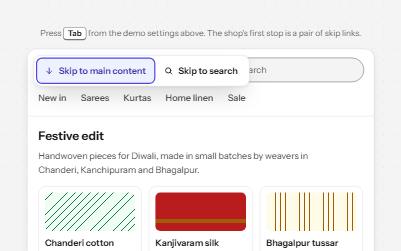
Skip links
Links at the very top of a page that let keyboard users jump past the header to the content or the search.
-
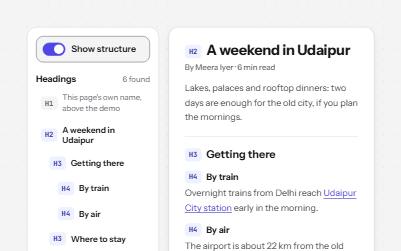
Heading structure
Headings whose levels follow the page's outline, so screen reader users can scan a page and jump straight to a section.
-
Site navigation with submenus
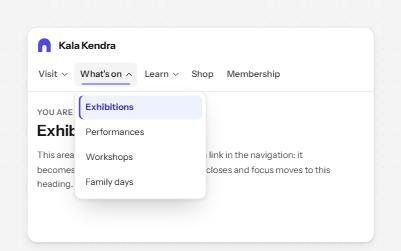
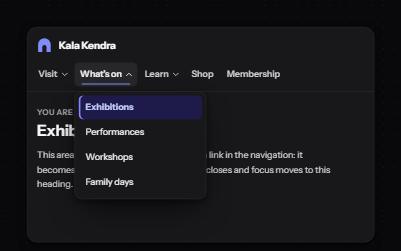
A header navigation whose sections open lists of links, built from buttons and links rather than an ARIA menu.
-
Focus after a page change
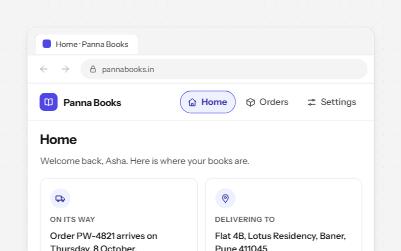
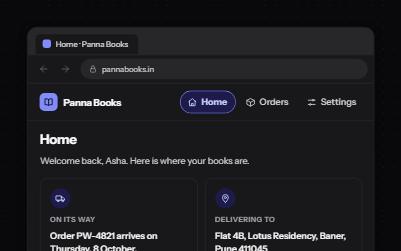
Single-page app navigation that does what a page load would: a new title, focus on the heading, an announcement, a working Back.