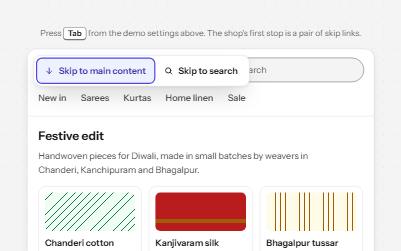
The header sticks and shrinks, and scroll-padding-top on the scroller, kept equal to the header's height by a ResizeObserver, makes the browser stop every focused element below it.A skip link jumps past it, and with hide on scroll switched on, the header comes back the moment focus moves into it.
Use it with a mouse, a keyboard or a screen reader.The inspector beside it shows what the browser tells assistive technology as you go: focus, state changes and announcements.
Yellow dal, a pressure cooker and a spoon of ghee make dinner in thirty minutes. The tempering goes in last, so it still crackles when it reaches the table.
Spices bloom in hot fat. Cumin, mustard seeds and dried chillies give up their flavour in about thirty seconds, and the ghee carries it through the whole pot. Add them early and the flavour cooks away.
Ghee takes more heat than butter without burning. Our guide to making ghee at home needs twenty minutes and one block of butter.
Every recipe on Thali is cooked in a home kitchen in Chennai before it is published.
Scroll the demo site, or press Tab through it.
Header height
0 px
Scroll padding
0 px
The demo works without JavaScript only as far as its HTML does; the inspector needs JavaScript.
Keyboard
Keys it answers to
Every action works without a pointer.
Key
What it does
Tab
Moves to the demo site, then the skip link, the header's links and the links in the article; each one it reaches stops below the header, never under it.
Enter
On Skip to content, moves focus to the start of the article, scrolled to just below the header.
Enter
On Jump to recipe, moves focus to the recipe's heading, below the header; the scroll is smooth only when the system allows motion.
Shift+Tab
Moves back up; a link scrolled back into view stops below the header, and reaching the header leaves the article where it was. With hide on scroll on, the header comes back.
Arrow Down or Arrow Up or Page Down or Space
With focus on the demo site, scrolls it; the header shrinks after the first lines.
Screen readers
What it announces
Written from the roles, names and states in the markup.
When
Expected announcement
Tab reaches the demo site
Thali, demo site, region
The next Tab reaches the skip link
Skip to content, link
Enter follows it
Dal tadka, the weeknight way, article
Enter on Jump to recipe
Recipe: dal tadka for four, heading level 4
The header shrinks, slides away or comes back
Nothing: the change is visual, and focus stays where it was
These are expected announcements, not recordings.Wording and order differ between screen readers and browsers.
Code
Copy the code
The exact files this demo runs on.The styles are served with a prefix that keeps this site's own styles out of the demo; what you copy is the original.
The markup
<div class="ap-sticky" data-ap-sticky-header>
  <div class="ap-sticky__viewport" role="region" aria-label="Thali, demo site" tabindex="0">
    <header class="ap-sticky__header">
      <div class="ap-sticky__bar">
        <a class="ap-sticky__skip" href="#sticky-article">Skip to content</a>
        <a class="ap-sticky__logo" href="#sticky-home">
          <svg class="ap-sticky__brand" viewBox="0 0 32 32" aria-hidden="true" focusable="false"><circle class="ap-sticky__plate" cx="16" cy="16" r="15"/><circle cx="10.5" cy="12" r="3.6"/><circle cx="21.5" cy="12" r="3.6"/><circle cx="16" cy="21.5" r="4.6"/></svg>
          <span>Thali</span>
        </a>
        <nav class="ap-sticky__nav" aria-label="Thali">
          <ul class="ap-sticky__menu">
            <li><a href="#sticky-recipes">Recipes</a></li>
            <li><a href="#sticky-techniques">Techniques</a></li>
            <li><a href="#sticky-pantry">Pantry</a></li>
          </ul>
        </nav>
        <a class="ap-btn ap-btn--primary ap-sticky__cta" href="#sticky-subscribe">Subscribe</a>
      </div>
    </header>
    <div class="ap-sticky__mark" aria-hidden="true"></div>

    <article class="ap-sticky__article" id="sticky-article" tabindex="-1" aria-labelledby="sticky-name">
      <p class="ap-sticky__kicker">Weeknight dinners</p>
      <h3 class="ap-sticky__name" id="sticky-name">Dal tadka, the weeknight way</h3>
      <p class="ap-sticky__byline">Meera Iyer · 6 min read</p>
      <div class="ap-sticky__art" aria-hidden="true">
        <svg viewBox="0 0 240 120" focusable="false">
          <path class="ap-sticky__steam" d="M98 34c-7-7 7-11 0-20M120 30c-7-7 7-11 0-20M142 34c-7-7 7-11 0-20"/>
          <ellipse class="ap-sticky__base" cx="120" cy="108" rx="62" ry="6"/>
          <path class="ap-sticky__bowl" d="M52 56h136a68 48 0 0 1-136 0z"/>
          <ellipse class="ap-sticky__dal-top" cx="120" cy="56" rx="68" ry="11"/>
          <ellipse class="ap-sticky__chilli" cx="104" cy="54" rx="8" ry="2.6" transform="rotate(-18 104 54)"/>
          <ellipse class="ap-sticky__chilli" cx="141" cy="57" rx="7" ry="2.4" transform="rotate(14 141 57)"/>
          <ellipse class="ap-sticky__leaf" cx="122" cy="52" rx="5.5" ry="2.4" transform="rotate(-30 122 52)"/>
          <ellipse class="ap-sticky__leaf" cx="88" cy="58" rx="5" ry="2.2" transform="rotate(20 88 58)"/>
          <circle class="ap-sticky__seed" cx="114" cy="59" r="1.6"/>
          <circle class="ap-sticky__seed" cx="130" cy="54" r="1.6"/>
          <circle class="ap-sticky__seed" cx="152" cy="55" r="1.6"/>
          <circle class="ap-sticky__seed" cx="96" cy="53" r="1.6"/>
        </svg>
      </div>
      <p class="ap-sticky__lead">Yellow dal, a pressure cooker and a spoon of ghee make dinner in thirty minutes. The tempering goes in last, so it still crackles when it reaches the table.</p>
      <a class="ap-sticky__jump" href="#sticky-recipe">
        <svg class="ap-sticky__jump-icon" viewBox="0 0 24 24" aria-hidden="true" focusable="false"><path d="M12 5v14M6 13l6 6 6-6"/></svg>
        Jump to recipe
      </a>

      <h4 class="ap-sticky__sub">Why the tadka goes in last</h4>
      <p>Spices bloom in hot fat. Cumin, mustard seeds and dried chillies give up their flavour in about thirty seconds, and the ghee carries it through the whole pot. Add them early and the flavour cooks away.</p>
      <p>Ghee takes more heat than butter without burning. Our <a href="#sticky-ghee">guide to making ghee at home</a> needs twenty minutes and one block of butter.</p>

      <h4 class="ap-sticky__sub">Choose your dal</h4>
      <ul class="ap-sticky__dals">
          <li class="ap-sticky__dal ap-sticky__dal--toor">
            <span class="ap-sticky__dot" aria-hidden="true"></span>
            <a href="#sticky-toor">Toor dal</a>
            <p class="ap-sticky__note">Split pigeon peas. Creamy, the everyday choice.</p>
          </li>
          <li class="ap-sticky__dal ap-sticky__dal--masoor">
            <span class="ap-sticky__dot" aria-hidden="true"></span>
            <a href="#sticky-masoor">Masoor dal</a>
            <p class="ap-sticky__note">Red lentils. No soaking, soft in fifteen minutes.</p>
          </li>
          <li class="ap-sticky__dal ap-sticky__dal--moong">
            <span class="ap-sticky__dot" aria-hidden="true"></span>
            <a href="#sticky-moong">Moong dal</a>
            <p class="ap-sticky__note">Split mung beans. Light and gentle.</p>
          </li>
      </ul>

      <div class="ap-sticky__recipe">
        <h4 class="ap-sticky__sub" id="sticky-recipe" tabindex="-1">Recipe: dal tadka for four</h4>
        <div class="ap-sticky__cols">
          <div>
            <h5 class="ap-sticky__colname">Ingredients</h5>
            <ul class="ap-sticky__list">
              <li>1 cup toor dal, rinsed</li>
              <li>3 cups water</li>
              <li>Half a teaspoon of turmeric</li>
              <li>1 teaspoon salt</li>
              <li>2 tablespoons ghee</li>
              <li>1 teaspoon cumin seeds</li>
              <li>2 dried red chillies</li>
              <li>4 cloves of garlic, sliced</li>
            </ul>
          </div>
          <div>
            <h5 class="ap-sticky__colname">Steps</h5>
            <ol class="ap-sticky__list ap-sticky__list--steps">
              <li>Pressure-cook the dal with the water, turmeric and salt for four whistles.</li>
              <li>Mash it lightly and simmer for five minutes, adding water until it pours.</li>
              <li>Heat the ghee, add the cumin and chillies, then the garlic until golden.</li>
              <li>Pour the tadka over the dal and cover it for a minute before serving.</li>
            </ol>
          </div>
        </div>
        <p class="ap-sticky__serve">Serve with steamed rice or <a href="#sticky-phulka">soft phulkas</a>.</p>
      </div>

      <h4 class="ap-sticky__sub">More weeknight dinners</h4>
      <ul class="ap-sticky__more">
        <li><a href="#sticky-rajma">Rajma in the pressure cooker</a></li>
        <li><a href="#sticky-lemon-rice">Lemon rice with peanuts</a></li>
        <li><a href="#sticky-palak">Palak paneer without cream</a></li>
      </ul>
      <p class="ap-sticky__end">Every recipe on Thali is cooked in a home kitchen in Chennai before it is published.</p>
    </article>
  </div>

  <div class="ap-sticky__info">
    <p class="ap-sticky__hint">Scroll the demo site, or press Tab through it.</p>
    <dl class="ap-sticky__readout" hidden>
      <div><dt>Header height</dt><dd><span data-sticky-header-px>0</span> px</dd></div>
      <div><dt>Scroll padding</dt><dd><span data-sticky-padding-px>0</span> px</dd></div>
    </dl>
  </div>
</div>
/**
 * Sticky header: a site header that stays at the top of its scroll area,
 * shrinks once the reader scrolls, and never covers the element with focus.
 *
 * Markup: [data-ap-sticky-header] holding a scroll area
 * (.ap-sticky__viewport: a labelled region with tabindex=0, and the window
 * itself on a real page) whose first child is the sticky
 * .ap-sticky__header, with the skip link first inside it. An empty
 * .ap-sticky__mark marks how far to scroll before the header shrinks.
 * The CSS reads --header-height for scroll-padding-top; this script keeps
 * it equal to the header. Add data-hide-on-scroll to the root to slide the
 * header away while scrolling down and bring it back on the way up.
 */

const FOCUSABLE = "a[href], button, input, select, textarea, [tabindex]";
const GAP = 12; // the space kept between the header and a focused element

export function init(root) {
  const viewport = root.querySelector(".ap-sticky__viewport");
  const header = root.querySelector(".ap-sticky__header");
  const mark = root.querySelector(".ap-sticky__mark");
  const readout = root.querySelector(".ap-sticky__readout");
  const headerPx = root.querySelector("[data-sticky-header-px]");
  const paddingPx = root.querySelector("[data-sticky-padding-px]");
  const reduce = matchMedia("(prefers-reduced-motion: reduce)");
  let lastTop = viewport.scrollTop;
  let frame = 0;
  let landing = null;
  let tabFrom = null;

  // 1. The header's height decides the scroll padding. It changes when the
  // header shrinks, wraps to two rows, or text is enlarged, so measure it.
  const measure = new ResizeObserver(() => {
    const height = header.offsetHeight;
    viewport.style.setProperty("--header-height", `${height}px`);
    if (readout) {
      headerPx.textContent = String(height);
      paddingPx.textContent = String(height + GAP);
      readout.hidden = false;
    }
  });
  // The border box: shrinking changes the padding, not the content.
  measure.observe(header, { box: "border-box" });

  // 2. Shrink once the marker at the top has scrolled out of view: one
  // callback per crossing, nothing on every scroll frame.
  const watch = new IntersectionObserver(([entry]) => {
    header.classList.toggle("ap-sticky__header--compact", !entry.isIntersecting);
  }, { root: viewport });
  watch.observe(mark);

  // 3. Hide on scroll down, show on scroll up, if the option is on. Never
  // hidden while something in the header has focus.
  function setAway(away) {
    header.classList.toggle("ap-sticky__header--away", away && !header.contains(document.activeElement));
  }

  function onScroll() {
    if (frame) return;
    frame = requestAnimationFrame(() => {
      frame = 0;
      const top = viewport.scrollTop;
      if (!root.hasAttribute("data-hide-on-scroll") || top <= header.offsetHeight) {
        lastTop = top;
        setAway(false);
        return;
      }
      // Ignore small wobbles from trackpads; act on a clear direction.
      if (Math.abs(top - lastTop) < 6) return;
      setAway(top > lastTop);
      lastTop = top;
    });
  }

  // 4. A safety net for browsers that ignore scroll-padding when focus
  // moves: if the focused element still ends up under the header, scroll it
  // clear.
  function keepClear(el) {
    if (document.activeElement !== el) return;
    const away = header.classList.contains("ap-sticky__header--away");
    const limit = viewport.getBoundingClientRect().top + viewport.clientTop + (away ? 0 : header.offsetHeight) + GAP;
    const top = el.getBoundingClientRect().top;
    if (top < limit - 1) viewport.scrollBy({ top: top - limit, behavior: "auto" });
  }

  // The header's own links sit inside the scroll padding, so a browser
  // scrolls the page up to "reveal" one when Tab reaches it, before any
  // focus event fires. A sticky header is always in view, so the reader's
  // place, noted when Tab was pressed, is put back before the next paint.
  function onKeydown(event) {
    if (event.key === "Tab") tabFrom = viewport.scrollTop;
  }

  function onFocusin(event) {
    const el = event.target;
    if (header.contains(el)) {
      setAway(false);
      if (tabFrom !== null && viewport.scrollTop !== tabFrom) viewport.scrollTop = tabFrom;
      tabFrom = null;
      return;
    }
    tabFrom = null;
    if (el === viewport || el === landing) return;
    requestAnimationFrame(() => keepClear(el));
  }

  // 5. Skip and jump links: move focus to the target, placed below the
  // header. Moving focus here, rather than following the link, leaves the
  // address bar and the Back button alone.
  function onClick(event) {
    const link = event.target.closest("a[href^='#']");
    if (!link || !viewport.contains(link)) return;
    const target = document.getElementById(decodeURIComponent(link.hash.slice(1)));
    if (!target || !viewport.contains(target)) return;
    event.preventDefault();
    const padding = parseFloat(getComputedStyle(viewport).scrollPaddingTop) || 0;
    const margin = parseFloat(getComputedStyle(target).scrollMarginTop) || 0;
    const offset = target.getBoundingClientRect().top - viewport.getBoundingClientRect().top - viewport.clientTop;
    let top = viewport.scrollTop + offset - padding - margin;
    // Above the marker the header is full height again: show the very top.
    if (top < mark.offsetHeight) top = 0;
    viewport.scrollTo({ top, behavior: reduce.matches ? "auto" : "smooth" });
    if (!target.matches(FOCUSABLE)) target.setAttribute("tabindex", "-1");
    landing = target;
    target.focus({ preventScroll: true });
    landing = null;
  }

  viewport.addEventListener("scroll", onScroll, { passive: true });
  viewport.addEventListener("keydown", onKeydown);
  viewport.addEventListener("focusin", onFocusin);
  viewport.addEventListener("click", onClick);

  return () => {
    measure.disconnect();
    watch.disconnect();
    cancelAnimationFrame(frame);
    viewport.removeEventListener("scroll", onScroll);
    viewport.removeEventListener("keydown", onKeydown);
    viewport.removeEventListener("focusin", onFocusin);
    viewport.removeEventListener("click", onClick);
    viewport.style.removeProperty("--header-height");
    header.classList.remove("ap-sticky__header--compact", "ap-sticky__header--away");
  };
}

for (const root of document.querySelectorAll("[data-ap-sticky-header]")) init(root);
scroll-padding-top on the scroll area equals the header's measured height plus 12 pixels, so whenever Tab or Shift+Tab scrolls, the whole focused element stops below the header.
Shrinking, sliding and the smooth jump stop when the system asks for reduced motion: the header changes in one step and the jump is instant.
Usage
When to use it
Use it
Sites whose header holds the search, the cart or the main navigation that people need from anywhere on a long page.
Long reading pages, where a slim header gives a way out without scrolling back to the top.
Use something else
Short pages, where the header is in view anyway.
Headers that would take more than about a quarter of a phone screen: let them scroll away with the page.
Pages that already pin a toolbar to the bottom of the screen: two pinned bars leave little room to read.
Common failures
How it usually goes wrong
Focus that slides under the header
Without scroll-padding, Shift+Tab scrolls a link to the very top of the window, behind the header, and a sighted keyboard user loses it. Padding as tall as the header keeps every focused element below it.
A hard-coded offset
scroll-padding-top: 64px breaks when the header wraps to two rows on a phone, shrinks, or grows with larger text. A ResizeObserver measures the header and keeps the padding equal to it.
Jump links that land under the header
A skip or jump link puts its target at the top edge, so the heading it was meant to show sits behind the header. The same padding, plus scroll-margin on the targets, lands them in view.
A hidden header that still has focus
If the header slides away while a link in it has focus, focus sits on something nobody can see. Here it cannot hide while it has focus, and it comes back the moment anything in it takes focus.
Content that jumps when the header shrinks
A header that shrinks in the flow pulls everything below it up, so the text jumps and the header can flicker at the threshold. A bottom margin that grows as it shrinks keeps its space in the flow the same.
Motion that cannot be turned off
A header that slides on every scroll is constant motion at the edge of the screen. It changes in one step when the system asks for reduced motion.
Notes
Building it
On a real page the window scrolls: put scroll-padding-top on html, measure the header the same way, and drop the scroll area's tabindex and region role. The demo scrolls inside a labelled region because it sits inside this page.
In the demo the header sits inside this page's main, so it is not a banner landmark, and its navigation is named Thali to keep landmark names unique. On your site the header is a child of body, the navigation is your main navigation, and the skip link points at main.
The padding uses the header's full height even while the header is hidden, because scrolling up brings it back: a smaller value would let focus land where the header is about to reappear.
Browsers apply scroll-padding when focus moves; the script adds a safety net that scrolls a focused element clear if a browser did not. It also undoes the scroll Chromium browsers make when Tab reaches a link in the header itself, which the padding makes them treat as covered.
Let a tall header stop sticking on short windows, for example with a max-height media query that sets it back to position: static, so at 400% zoom it never covers half the screen.
Checked with axe in light and dark themes, at desktop and phone widths, and by keyboard.Not yet tested with every screen reader and browser pair.Report a correction