Accessibility pattern · Layout and structure
Lists and groups
A screen reader announces a list and its length before the first item, so people know how much is coming and can skip past it. Styling can quietly take that away; role="list" and CSS counters keep it.
- WCAG criteria
- 4
- Keyboard rules
- 2
- Checked with
- axe, keyboard and the inspector
Live demo
Try it
Use it with a mouse, a keyboard or a screen reader. The inspector beside it shows what the browser tells assistive technology as you go: focus, state changes and announcements.
What's in the box
ul
- Steel kettle, 1.5 litres
- Power base with a 1 m cord
- Spare parts
- Mesh filter
- Lid seal
- Quick-start card
Set up your kettle
ol
- Rinse the kettle and fill it to the MAX line.
- Boil once and pour that water away.
- Set it on the base and switch on at the wall.
- Press the lever; it clicks off when the water boils.
Order details
dl
- Order number
- 40215
- Placed on
- 3 October 2026
- Arrives
- Thursday, 8 October
- Paid
- ₹1,899 by UPI
Features
ul
- Auto shut-off
- Boil-dry protection
- 360° base
- BIS certified
- 2-year warranty
More kettles
ul
The demo works without JavaScript only as far as its HTML does; the inspector needs JavaScript.
Keyboard
Keys it answers to
Every action works without a pointer.
| Key | What it does |
|---|---|
| Tab | Moves through the links in the product cards. Lists are not tab stops; they need no keyboard handling at all. |
| L or I | Screen reader keys, not the page's: L moves to the next list and I to the next list item, in NVDA and JAWS. The markup is all they need. |
Screen readers
What it announces
Written from the roles, names and states in the markup.
| When | Expected announcement |
|---|---|
| A screen reader reaches What's in the box | List, 4 items. Steel kettle, 1.5 litres |
| It moves into Spare parts | Spare parts. List, 2 items, nested. Mesh filter |
| It reaches the setup steps | List, 4 items. 1 Rinse the kettle and fill it to the MAX line. |
| It reaches the order details | Description list, 4 items. Order number, 40215 |
| Broken version: it reaches the features | Auto shut-off. Boil-dry protection. 360° base (no list, no count) |
These are expected announcements, not recordings. Wording and order differ between screen readers and browsers.
Code
Copy the code
The exact files this demo runs on. The styles are served with a prefix that keeps this site's own styles out of the demo; what you copy is the original.
<div class="ap-lists" data-ap-lists>
  <div class="ap-lists__card" data-ls-example>
    <div class="ap-lists__top">
      <h3 class="ap-lists__name" id="ls-box-name">What's in the box</h3>
      <code class="ap-lists__tag" translate="no">ul</code>
    </div>
    <p class="ap-lists__readout" data-ls-readout></p>
    <ul class="ap-lists__bullets">
      <li>Steel kettle, 1.5 litres</li>
      <li>Power base with a 1 m cord</li>
      <li>Spare parts
        <ul class="ap-lists__bullets">
          <li>Mesh filter</li>
          <li>Lid seal</li>
        </ul>
      </li>
      <li>Quick-start card</li>
    </ul>
  </div>

  <div class="ap-lists__card" data-ls-example>
    <div class="ap-lists__top">
      <h3 class="ap-lists__name" id="ls-steps-name">Set up your kettle</h3>
      <code class="ap-lists__tag" translate="no">ol</code>
    </div>
    <p class="ap-lists__readout" data-ls-readout></p>
    <!-- list-style: none hides the markers; role="list" keeps the list in Safari. -->
    <ol class="ap-lists__steps" role="list">
      <li class="ap-lists__step">Rinse the kettle and fill it to the MAX line.</li>
      <li class="ap-lists__step">Boil once and pour that water away.</li>
      <li class="ap-lists__step">Set it on the base and switch on at the wall.</li>
      <li class="ap-lists__step">Press the lever; it clicks off when the water boils.</li>
    </ol>
  </div>

  <div class="ap-lists__card" data-ls-example>
    <div class="ap-lists__top">
      <h3 class="ap-lists__name" id="ls-order-name">Order details</h3>
      <code class="ap-lists__tag" translate="no">dl</code>
    </div>
    <p class="ap-lists__readout" data-ls-readout></p>
    <dl class="ap-lists__facts">
      <div class="ap-lists__fact"><dt class="ap-lists__dt">Order number</dt><dd class="ap-lists__dd">40215</dd></div>
      <div class="ap-lists__fact"><dt class="ap-lists__dt">Placed on</dt><dd class="ap-lists__dd">3 October 2026</dd></div>
      <div class="ap-lists__fact"><dt class="ap-lists__dt">Arrives</dt><dd class="ap-lists__dd">Thursday, 8 October</dd></div>
      <div class="ap-lists__fact"><dt class="ap-lists__dt">Paid</dt><dd class="ap-lists__dd">₹1,899 by UPI</dd></div>
    </dl>
  </div>

  <div class="ap-lists__card" data-ls-example>
    <div class="ap-lists__top">
      <h3 class="ap-lists__name" id="ls-features-name">Features</h3>
      <code class="ap-lists__tag" translate="no">ul</code>
    </div>
    <p class="ap-lists__readout" data-ls-readout></p>
    <ul class="ap-lists__chips" role="list">
      <li class="ap-lists__chip">Auto shut-off</li>
      <li class="ap-lists__chip">Boil-dry protection</li>
      <li class="ap-lists__chip">360° base</li>
      <li class="ap-lists__chip">BIS certified</li>
      <li class="ap-lists__chip">2-year warranty</li>
    </ul>
  </div>

  <div class="ap-lists__card ap-lists__card--wide" data-ls-example>
    <div class="ap-lists__top">
      <h3 class="ap-lists__name" id="ls-more-name">More kettles</h3>
      <code class="ap-lists__tag" translate="no">ul</code>
    </div>
    <p class="ap-lists__readout" data-ls-readout></p>
    <ul class="ap-lists__products" role="list">
      <li class="ap-lists__product">
        <span class="ap-lists__swatch" aria-hidden="true"></span>
        <a class="ap-lists__link" href="#ls-mini">Tapri mini, 1 litre</a>
        <span class="ap-lists__meta">Steel · ₹1,499</span>
      </li>
      <li class="ap-lists__product">
        <span class="ap-lists__swatch ap-lists__swatch--glass" aria-hidden="true"></span>
        <a class="ap-lists__link" href="#ls-glass">Tapri glass, 1.7 litres</a>
        <span class="ap-lists__meta">Glass · ₹2,250</span>
      </li>
      <li class="ap-lists__product">
        <span class="ap-lists__swatch ap-lists__swatch--gooseneck" aria-hidden="true"></span>
        <a class="ap-lists__link" href="#ls-pour">Tapri pour-over</a>
        <span class="ap-lists__meta">Gooseneck · ₹2,990</span>
      </li>
    </ul>
  </div>
</div>
/* Lists. Uses the --ap-* design tokens. The look comes from classes, so a
   list keeps it whatever element it is. */
.ap-lists {
  display: grid;
  gap: 14px;
  width: min(100%, 760px);
  margin-inline: auto;
  container-type: inline-size;
}
@container (min-width: 540px) {
  .ap-lists {
    grid-template-columns: repeat(2, minmax(0, 1fr));
  }
  .ap-lists__card--wide {
    grid-column: 1 / -1;
  }
}

.ap-lists__card {
  display: grid;
  align-content: start;
  gap: 10px;
  min-width: 0;
  padding: 16px 18px 18px;
  border: 1px solid var(--ap-border);
  border-radius: var(--ap-radius-lg);
  background: var(--ap-surface);
  box-shadow: var(--ap-shadow-sm);
}
.ap-lists__top {
  display: flex;
  align-items: center;
  justify-content: space-between;
  gap: 10px;
}
.ap-lists__name {
  margin: 0;
  color: var(--ap-text);
  font-size: 1rem;
  font-weight: 650;
  line-height: 1.3;
}
.ap-lists__tag {
  padding: 1px 7px;
  border: 1px solid var(--ap-border);
  border-radius: 6px;
  background: var(--ap-surface-2);
  color: var(--ap-text-3);
  font: 600 .75rem/1.5 var(--ap-mono);
}

/* ── The readout: what a screen reader announces before the first item ── */
.ap-lists__readout {
  display: flex;
  flex-wrap: wrap;
  align-items: baseline;
  gap: 2px 6px;
  margin: 0;
  padding: 7px 10px;
  border-radius: var(--ap-radius-sm);
  background: var(--ap-info-soft);
  color: var(--ap-info);
  font-size: .8125rem;
  line-height: 1.4;
}
.ap-lists__readout:empty {
  display: none;
}
.ap-lists__rk {
  font-weight: 700;
}
.ap-lists__rk::after {
  content: ",";
}
.ap-lists__rn {
  font-weight: 700;
  font-variant-numeric: tabular-nums;
}
.ap-lists__rnote {
  flex-basis: 100%;
  font-weight: 500;
}
.ap-lists__rnote code {
  font: 600 .75rem var(--ap-mono);
}
.ap-lists__readout--none {
  background: var(--ap-danger-soft);
  color: var(--ap-danger);
}
.ap-lists__readout--none .ap-lists__rk::after {
  content: none;
}

/* ── Bullets: the browser's own markers ── */
.ap-lists__bullets {
  margin: 0;
  padding-left: 1.25em;
  color: var(--ap-text-2);
  line-height: 1.5;
}
.ap-lists__bullets > li + li {
  margin-top: 4px;
}
.ap-lists__bullets li::marker {
  color: var(--ap-accent-text);
}
.ap-lists__bullets .ap-lists__bullets {
  margin-top: 4px;
  list-style-type: circle;
}

/* ── Steps: numbers drawn from the list's own counter ── */
.ap-lists__steps {
  display: grid;
  gap: 10px;
  margin: 0;
  padding: 0;
  list-style: none;
}
/* display stays list-item: that is what moves the list-item counter. */
.ap-lists__step {
  display: list-item;
  position: relative;
  min-height: 28px;
  padding: 3px 0 0 38px;
  color: var(--ap-text-2);
  line-height: 1.45;
}
/* counter(list-item) is the ol's own numbering: start and reversed still work,
   and generated content is read as text. */
.ap-lists__step::before {
  content: counter(list-item);
  position: absolute;
  top: 0;
  left: 0;
  display: grid;
  place-items: center;
  width: 28px;
  height: 28px;
  border-radius: 50%;
  background: var(--ap-accent-soft);
  color: var(--ap-accent-soft-text);
  font-size: .8125rem;
  font-weight: 700;
  font-variant-numeric: tabular-nums;
}

/* ── Description list ── */
.ap-lists__facts {
  display: grid;
  margin: 0;
}
.ap-lists__fact {
  display: flex;
  justify-content: space-between;
  gap: 12px;
  padding: 8px 0;
  border-top: 1px solid var(--ap-border);
}
.ap-lists__fact:first-child {
  border-top: 0;
  padding-top: 2px;
}
.ap-lists__dt {
  color: var(--ap-text-3);
}
.ap-lists__dd {
  margin: 0;
  color: var(--ap-text);
  font-weight: 600;
  text-align: end;
}

/* ── Tags: a horizontal list that wraps ── */
.ap-lists__chips {
  display: flex;
  flex-wrap: wrap;
  gap: 8px;
  margin: 0;
  padding: 0;
  list-style: none;
}
.ap-lists__chip {
  display: inline-flex;
  align-items: center;
  min-height: 30px;
  padding: 3px 12px;
  border: 1px solid var(--ap-border);
  border-radius: var(--ap-radius-full);
  background: var(--ap-surface-2);
  color: var(--ap-text-2);
  font-size: .875rem;
  font-weight: 500;
}

/* ── Cards: still one list ── */
.ap-lists__products {
  display: grid;
  grid-template-columns: repeat(auto-fill, minmax(min(100%, 180px), 1fr));
  gap: 10px;
  margin: 0;
  padding: 0;
  list-style: none;
}
.ap-lists__product {
  position: relative;
  display: grid;
  gap: 2px;
  padding: 10px 10px 12px;
  border: 1px solid var(--ap-border);
  border-radius: var(--ap-radius);
  background: var(--ap-surface);
  transition: border-color var(--ap-duration) var(--ap-ease), box-shadow var(--ap-duration) var(--ap-ease);
}
.ap-lists__product:hover {
  border-color: var(--ap-border-strong);
  box-shadow: var(--ap-shadow-sm);
}
.ap-lists__swatch {
  height: 56px;
  margin-bottom: 8px;
  border-radius: var(--ap-radius-sm);
  background: linear-gradient(160deg, var(--ap-surface-3), var(--ap-border-strong));
}
.ap-lists__swatch--glass {
  background: linear-gradient(160deg, var(--ap-info-soft) 40%, var(--ap-info));
}
.ap-lists__swatch--gooseneck {
  background: linear-gradient(160deg, var(--ap-warning-soft) 30%, var(--ap-warning));
}
/* The name is the link; a pseudo-element stretches it over the card. */
.ap-lists__link {
  color: var(--ap-text);
  font-weight: 600;
  line-height: 1.35;
  text-decoration: none;
}
.ap-lists__link::after {
  content: "";
  position: absolute;
  inset: 0;
  border-radius: var(--ap-radius);
}
.ap-lists__link:hover {
  text-decoration: underline;
  text-underline-offset: 3px;
}
.ap-lists__link:focus-visible {
  outline: none;
}
.ap-lists__link:focus-visible::after {
  outline: 2px solid var(--ap-focus);
  outline-offset: 2px;
}
.ap-lists__meta {
  color: var(--ap-text-3);
  font-size: .8125rem;
}

/* ── The broken version: the same look drawn on divs ── */
.ap-lists__fake.ap-lists__bullets {
  padding-left: 0;
}
.ap-lists__fake.ap-lists__bullets > div {
  position: relative;
  padding-left: 1.25em;
}
.ap-lists__fake.ap-lists__bullets > div::before {
  content: "";
  position: absolute;
  top: .62em;
  left: .3em;
  width: 6px;
  height: 6px;
  border-radius: 50%;
  background: var(--ap-accent-text);
}
.ap-lists__fake.ap-lists__bullets > div + div {
  margin-top: 4px;
}
.ap-lists__fake .ap-lists__fake.ap-lists__bullets {
  margin-top: 4px;
}
.ap-lists__fake .ap-lists__fake.ap-lists__bullets > div::before {
  background: transparent;
  box-shadow: inset 0 0 0 1.5px var(--ap-accent-text);
}
.ap-lists__fake.ap-lists__steps {
  counter-reset: ap-step;
}
.ap-lists__fake .ap-lists__step {
  display: block;
  counter-increment: ap-step;
}
.ap-lists__fake .ap-lists__step::before {
  content: counter(ap-step);
}

@media (prefers-reduced-motion: reduce) {
  .ap-lists__product { transition: none; }
}
/**
 * Lists: ul, ol and dl styled as bullets, steps, facts, tags and cards.
 * The lists themselves need no script. This one writes a readout above each
 * list saying what a screen reader announces ("List, 4 items"), read from
 * the live page, including the Safari case where removed markers drop the
 * list role unless role="list" is set.
 *
 * Markup: [data-ap-lists] holding [data-ls-example] blocks, each with an
 * empty p[data-ls-readout] and one list. Add data-broken to the root to
 * swap every list for divs with the same classes (the demo's broken version).
 */

const LIST = "ul, ol, dl, [role=list], [data-ls-fake]";

/** Demo only: the broken version, the same look built from divs. */
function toDivs(list) {
  const swap = (el) => {
    const div = document.createElement("div");
    for (const { name, value } of el.attributes) if (name !== "role") div.setAttribute(name, value);
    div.append(...el.childNodes);
    el.replaceWith(div);
    return div;
  };
  for (const item of list.querySelectorAll("li, dt, dd")) swap(item);
  for (const inner of list.querySelectorAll("ul, ol, dl")) {
    swap(inner).classList.add("ap-lists__fake");
  }
  const fake = swap(list);
  fake.classList.add("ap-lists__fake");
  fake.dataset.lsFake = "";
  return fake;
}

function span(className, text) {
  const s = document.createElement("span");
  s.className = className;
  s.textContent = text;
  return s;
}

/** What a screen reader gets from one list element. */
function describe(list) {
  const items = (el) => [...el.children].filter((c) => c.localName === "li" || c.getAttribute("role") === "listitem");
  if (list.hasAttribute("data-ls-fake")) return { kind: "Not a list", count: null, notes: ["Read line by line, with no count and no way to skip past it."] };
  if (list.localName === "dl") {
    return { kind: "Description list", count: list.querySelectorAll(":scope > dt, :scope > div > dt").length, notes: [] };
  }
  const notes = [];
  const markers = getComputedStyle(list).listStyleType !== "none";
  if (!markers) {
    notes.push(list.getAttribute("role") === "list"
      ? "No markers, but role=\"list\" keeps it a list in Safari."
      : "No markers and no role=\"list\": Safari reads it as plain text.");
  }
  const first = items(list)[0];
  if (list.localName === "ol" && first && /counter\(/.test(getComputedStyle(first, "::before").content)) {
    notes.push("Numbers drawn with CSS counters, and read as text.");
  }
  const nested = list.querySelector(":scope > li > ul, :scope > li > ol");
  return { kind: "List", count: items(list).length, notes, nested: nested ? items(nested).length : null };
}

export function init(root) {
  const examples = [...root.querySelectorAll("[data-ls-example]")];
  const listOf = (example) => example.querySelector(LIST);

  if (root.hasAttribute("data-broken")) {
    for (const example of examples) {
      toDivs(listOf(example));
      const tag = example.querySelector(".ap-lists__tag");
      if (tag) tag.textContent = "div";
    }
  }

  function render() {
    for (const example of examples) {
      const readout = example.querySelector("[data-ls-readout]");
      const list = listOf(example);
      const r = describe(list);
      readout.replaceChildren(span("ap-lists__rk", r.kind));
      readout.classList.toggle("ap-lists__readout--none", r.count === null);
      if (r.count !== null) readout.append(span("ap-lists__rn", String(r.count)), span("ap-lists__ru", "items"));
      if (r.nested != null) {
        const note = span("ap-lists__rnote", "");
        note.append(span("", "Nested list:"), document.createTextNode(" "), span("ap-lists__rn", String(r.nested)), document.createTextNode(" "), span("", "items"));
        readout.append(note);
      }
      for (const text of r.notes) readout.append(span("ap-lists__rnote", text));
    }
  }

  render();
  return () => {
    for (const example of examples) example.querySelector("[data-ls-readout]")?.replaceChildren();
  };
}

for (const root of document.querySelectorAll("[data-ap-lists]")) init(root);
/* Design tokens for the pattern components. Light by default, dark when the
   system asks for it; set data-theme="dark" on :root to force dark. */
:root {
    --ap-radius-sm: 8px;
    --ap-radius: 12px;
    --ap-radius-lg: 16px;
    --ap-radius-full: 999px;
    --ap-font: "Instrument Sans", ui-sans-serif, system-ui, -apple-system, "Segoe UI", Roboto, sans-serif;
    --ap-mono: "JetBrains Mono", ui-monospace, "Cascadia Mono", "SF Mono", Consolas, monospace;
    --ap-ease: cubic-bezier(.2, .8, .2, 1);
    --ap-duration: 180ms;
    --ap-target: 44px;
    --ap-bg: #F4F4F5;
    --ap-surface: #FFFFFF;
    --ap-surface-2: #F4F4F5;
    --ap-surface-3: #E4E4E7;
    --ap-border: #E4E4E7;
    --ap-border-strong: #76767F;
    --ap-text: #18181B;
    --ap-text-2: #3F3F46;
    --ap-text-3: #5E5E66;
    --ap-accent: #4F46E5;
    --ap-accent-hover: #4338CA;
    --ap-on-accent: #FFFFFF;
    --ap-accent-text: #4338CA;
    --ap-accent-soft: #EEF2FF;
    --ap-accent-soft-text: #3730A3;
    --ap-focus: #4F46E5;
    --ap-danger: #B91C1C;
    --ap-danger-soft: #FEF2F2;
    --ap-success: #15803D;
    --ap-success-soft: #F0FDF4;
    --ap-warning: #A15C07;
    --ap-warning-soft: #FEFCE8;
    --ap-info: #1D4ED8;
    --ap-info-soft: #EFF6FF;
    --ap-scrim: rgb(9 9 11 / .48);
    --ap-shadow-sm: 0 1px 2px rgb(9 9 11 / .06);
    --ap-shadow-md: 0 1px 2px rgb(9 9 11 / .05), 0 6px 16px -4px rgb(9 9 11 / .1);
    --ap-shadow-lg: 0 2px 6px rgb(9 9 11 / .06), 0 20px 40px -12px rgb(9 9 11 / .22);
    --ap-light-bg: #F4F4F5;
    --ap-light-surface: #FFFFFF;
    --ap-light-surface-2: #F4F4F5;
    --ap-light-surface-3: #E4E4E7;
    --ap-light-border: #E4E4E7;
    --ap-light-border-strong: #76767F;
    --ap-light-text: #18181B;
    --ap-light-text-2: #3F3F46;
    --ap-light-text-3: #5E5E66;
    --ap-light-accent: #4F46E5;
    --ap-light-accent-hover: #4338CA;
    --ap-light-on-accent: #FFFFFF;
    --ap-light-accent-text: #4338CA;
    --ap-light-accent-soft: #EEF2FF;
    --ap-light-accent-soft-text: #3730A3;
    --ap-light-focus: #4F46E5;
    --ap-light-danger: #B91C1C;
    --ap-light-danger-soft: #FEF2F2;
    --ap-light-success: #15803D;
    --ap-light-success-soft: #F0FDF4;
    --ap-light-warning: #A15C07;
    --ap-light-warning-soft: #FEFCE8;
    --ap-light-info: #1D4ED8;
    --ap-light-info-soft: #EFF6FF;
    --ap-light-scrim: rgb(9 9 11 / .48);
    --ap-light-shadow-sm: 0 1px 2px rgb(9 9 11 / .06);
    --ap-light-shadow-md: 0 1px 2px rgb(9 9 11 / .05), 0 6px 16px -4px rgb(9 9 11 / .1);
    --ap-light-shadow-lg: 0 2px 6px rgb(9 9 11 / .06), 0 20px 40px -12px rgb(9 9 11 / .22);
    --ap-dark-bg: #09090B;
    --ap-dark-surface: #18181B;
    --ap-dark-surface-2: #27272A;
    --ap-dark-surface-3: #3F3F46;
    --ap-dark-border: #2E2E33;
    --ap-dark-border-strong: #8E8E97;
    --ap-dark-text: #FAFAFA;
    --ap-dark-text-2: #D4D4D8;
    --ap-dark-text-3: #A1A1AA;
    --ap-dark-accent: #818CF8;
    --ap-dark-accent-hover: #A5B4FC;
    --ap-dark-on-accent: #0C0A1F;
    --ap-dark-accent-text: #A5B4FC;
    --ap-dark-accent-soft: #1E1B4B;
    --ap-dark-accent-soft-text: #C7D2FE;
    --ap-dark-focus: #A5B4FC;
    --ap-dark-danger: #F87171;
    --ap-dark-danger-soft: #2A1215;
    --ap-dark-success: #4ADE80;
    --ap-dark-success-soft: #0F2A1A;
    --ap-dark-warning: #FACC15;
    --ap-dark-warning-soft: #2A2410;
    --ap-dark-info: #60A5FA;
    --ap-dark-info-soft: #0F1D33;
    --ap-dark-scrim: rgb(0 0 0 / .62);
    --ap-dark-shadow-sm: 0 1px 2px rgb(0 0 0 / .4);
    --ap-dark-shadow-md: 0 1px 2px rgb(0 0 0 / .4), 0 8px 20px -6px rgb(0 0 0 / .5);
    --ap-dark-shadow-lg: 0 2px 8px rgb(0 0 0 / .45), 0 24px 48px -12px rgb(0 0 0 / .7);
}
@media (prefers-color-scheme: dark) {
  :root:not([data-theme="light"]) {
      --ap-bg: #09090B;
      --ap-surface: #18181B;
      --ap-surface-2: #27272A;
      --ap-surface-3: #3F3F46;
      --ap-border: #2E2E33;
      --ap-border-strong: #8E8E97;
      --ap-text: #FAFAFA;
      --ap-text-2: #D4D4D8;
      --ap-text-3: #A1A1AA;
      --ap-accent: #818CF8;
      --ap-accent-hover: #A5B4FC;
      --ap-on-accent: #0C0A1F;
      --ap-accent-text: #A5B4FC;
      --ap-accent-soft: #1E1B4B;
      --ap-accent-soft-text: #C7D2FE;
      --ap-focus: #A5B4FC;
      --ap-danger: #F87171;
      --ap-danger-soft: #2A1215;
      --ap-success: #4ADE80;
      --ap-success-soft: #0F2A1A;
      --ap-warning: #FACC15;
      --ap-warning-soft: #2A2410;
      --ap-info: #60A5FA;
      --ap-info-soft: #0F1D33;
      --ap-scrim: rgb(0 0 0 / .62);
      --ap-shadow-sm: 0 1px 2px rgb(0 0 0 / .4);
      --ap-shadow-md: 0 1px 2px rgb(0 0 0 / .4), 0 8px 20px -6px rgb(0 0 0 / .5);
      --ap-shadow-lg: 0 2px 8px rgb(0 0 0 / .45), 0 24px 48px -12px rgb(0 0 0 / .7);
  }
}
:root[data-theme="dark"] {
    --ap-bg: #09090B;
    --ap-surface: #18181B;
    --ap-surface-2: #27272A;
    --ap-surface-3: #3F3F46;
    --ap-border: #2E2E33;
    --ap-border-strong: #8E8E97;
    --ap-text: #FAFAFA;
    --ap-text-2: #D4D4D8;
    --ap-text-3: #A1A1AA;
    --ap-accent: #818CF8;
    --ap-accent-hover: #A5B4FC;
    --ap-on-accent: #0C0A1F;
    --ap-accent-text: #A5B4FC;
    --ap-accent-soft: #1E1B4B;
    --ap-accent-soft-text: #C7D2FE;
    --ap-focus: #A5B4FC;
    --ap-danger: #F87171;
    --ap-danger-soft: #2A1215;
    --ap-success: #4ADE80;
    --ap-success-soft: #0F2A1A;
    --ap-warning: #FACC15;
    --ap-warning-soft: #2A2410;
    --ap-info: #60A5FA;
    --ap-info-soft: #0F1D33;
    --ap-scrim: rgb(0 0 0 / .62);
    --ap-shadow-sm: 0 1px 2px rgb(0 0 0 / .4);
    --ap-shadow-md: 0 1px 2px rgb(0 0 0 / .4), 0 8px 20px -6px rgb(0 0 0 / .5);
    --ap-shadow-lg: 0 2px 8px rgb(0 0 0 / .45), 0 24px 48px -12px rgb(0 0 0 / .7);
}
WCAG 2.2
What it meets
The success criteria this pattern takes care of, and how.
-
1.3.1 Info and Relationships
Level A
Groups of items are ul, ol and dl elements, so their count, order and nesting are exposed rather than drawn with bullets and spacing.
-
1.3.2 Meaningful Sequence
Level A
The setup steps are an ordered list, so the sequence is part of the markup, and the numbers come from the list itself.
-
1.4.10 Reflow
Level AA
The tags wrap and the cards fall into one column in a narrow container, so nothing scrolls sideways at 320 pixels.
-
2.4.4 Link Purpose (In Context)
Level A
Each card's link is the product's name, so a list of links still says where each one goes.
Usage
When to use it
Use it
- Any set of similar things: features, search results, cards, steps, tags, navigation links.
- Name and value pairs, like order details or specifications: a description list.
Use something else
- A single item: a list of one adds an announcement and nothing else.
- Layout for things that are not a set, like a logo beside a menu.
Common failures
How it usually goes wrong
Divs with drawn bullets
Bullets and numbers drawn on divs look like a list but are read as separate lines, with no count and no way to skip to the end.
list-style: none and nothing else
Safari drops the list role from a ul or ol whose markers are removed, so VoiceOver reads plain text. role="list" puts it back.
Numbers lost in the styling
Step numbers drawn as background images, or hidden with the markers, disappear for screen reader users. CSS counters in ::before are read as text.
One list per item
Wrapping each card in its own ul announces list, 1 item, five times. Put the cards in one list.
Typed-in numbers in an ol
"1. Rinse the kettle" inside an ol that also numbers itself can be read as 1, 1. Let the list number, and keep the text plain.
Anything else between dt and dd
A description list may hold dt and dd, optionally wrapped in a div per pair. Paragraphs or spans in between break the pairs.
Notes
Building it
- Lists need no script. The one on this page only builds the readouts, counting items the way a screen reader does and checking the Safari case.
- role="list" on a ul or ol repeats what the element already says everywhere except Safari, which drops list semantics when list-style is none. It costs nothing to add.
- The step numbers come from counter(list-item) in ::before. Browsers expose generated content as text, so the numbers are read, and the ol's own start and reversed attributes still drive them.
- In a description list, a div around each dt and its dd is allowed and makes styling easier; nothing else may sit between the pairs.
- In the broken version, the script swaps every list for divs with the same classes, so it looks the same; only the readouts, and screen readers, notice.
Sources: WAI tutorial: Content structure, lists · WCAG technique H48: ol, ul and dl for lists · Scott O'Hara: Fixing lists in Safari
Checked with axe in light and dark themes, at desktop and phone widths, and by keyboard. Not yet tested with every screen reader and browser pair. Report a correction
Related
Patterns that go with it
-
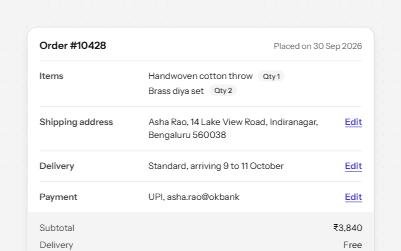
Description list
Name and value pairs in dl, dt and dd: an order summary and a profile card, with Edit links that say what they edit.
-
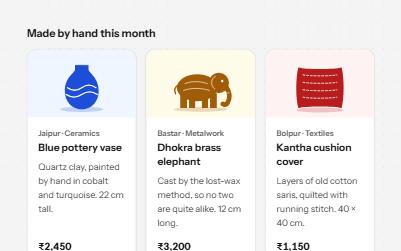
Card
Cards whose title link covers the whole card, with Save and Share buttons that stay reachable on top of it.
-
Heading structure
Headings whose levels follow the page's outline, so screen reader users can scan a page and jump straight to a section.
-
Sortable list
A list people reorder by dragging a handle, with Move up and Move down buttons and a keyboard mode that announces each move.