Accessibility pattern · Communication
Chat
The conversation is a role=log region: a screen reader reads each new message once, politely, while focus stays in the message box. Every message carries its sender and time as text, so who said what never depends on which side of the screen a bubble sits.
- WCAG criteria
- 7
- Keyboard rules
- 5
- Checked with
- axe, keyboard and the inspector
Live demo
Try it
Use it with a mouse, a keyboard or a screen reader. The inspector beside it shows what the browser tells assistive technology as you go: focus, state changes and announcements.
Kesar Tea support
Online. Replies in about a minute.
Today
-
Hello Asha, I'm Priya from Kesar Tea. How can I help today?
-
My order KT-4821 shows as delivered, but nothing has arrived.
-
Sorry about that. Let me check with the courier.
-
The courier left it at your building's security desk at 9:40 this morning.
-
Found it, thank you! Can I change the address for my next order?
-
Yes. Open the order in your account and choose Change address before it ships.
Priya is typing…
The demo works without JavaScript only as far as its HTML does; the inspector needs JavaScript.
Keyboard
Keys it answers to
Every action works without a pointer.
| Key | What it does |
|---|---|
| Tab | Moves to the conversation, then to Jump to latest when it shows, then to the message box and Send. |
| Arrow Up or Arrow Down | With the conversation focused, scrolls the history; Page Up, Page Down, Home and End scroll further. |
| Enter | In the message box, sends the message. Focus stays in the box, ready for the next one. |
| ShiftEnter | In the message box, starts a new line instead of sending. |
| Enter or Space | On Jump to latest, scrolls to the newest message and puts focus on the conversation. |
Screen readers
What it announces
Written from the roles, names and states in the markup.
| When | Expected announcement |
|---|---|
| Tab reaches the conversation | Conversation with Kesar Tea support, log |
| Tab reaches the message box | Message, edit text, multi line. Enter sends. Shift + Enter starts a new line. |
| You send a message | You 10:07 Can I pay by UPI? |
| Priya starts typing | Nothing: the typing indicator is shown, not announced |
| Her reply arrives | Priya, Kesar Tea 10:07 Thanks for waiting. I have added a note to your order. |
| Enter is pressed with nothing typed | Write a message first. |
These are expected announcements, not recordings. Wording and order differ between screen readers and browsers.
Code
Copy the code
The exact files this demo runs on. The styles are served with a prefix that keeps this site's own styles out of the demo; what you copy is the original.
<section class="ap-chat" data-ap-chat aria-labelledby="chat-name">
  <div class="ap-chat__top">
    <span class="ap-chat__logo" aria-hidden="true">
      <svg viewBox="0 0 24 24" focusable="false"><path d="M5 19c0-8 5-13 14-14 0 9-5 14-13 14Z"/><path d="M5 19 13 11"/></svg>
    </span>
    <div class="ap-chat__who">
      <h3 class="ap-chat__name" id="chat-name">Kesar Tea support</h3>
      <p class="ap-chat__presence"><span class="ap-chat__dot" aria-hidden="true"></span>Online. Replies in about a minute.</p>
    </div>
  </div>

  <div class="ap-chat__body">
    <div class="ap-chat__log" role="log" aria-live="polite" aria-label="Conversation with Kesar Tea support" tabindex="0">
      <p class="ap-chat__day">Today</p>
      <ol class="ap-chat__list">
      <li class="ap-chat__msg ap-chat__msg--them">
        <p class="ap-chat__meta"><span class="ap-chat__from">Priya, Kesar Tea</span> <time datetime="2026-10-05T10:02+05:30">10:02</time></p>
        <p class="ap-chat__text">Hello Asha, I'm Priya from Kesar Tea. How can I help today?</p>
      </li>
      <li class="ap-chat__msg ap-chat__msg--me">
        <p class="ap-chat__meta"><span class="ap-chat__from">You</span> <time datetime="2026-10-05T10:03+05:30">10:03</time></p>
        <p class="ap-chat__text">My order KT-4821 shows as delivered, but nothing has arrived.</p>
      </li>
      <li class="ap-chat__msg ap-chat__msg--them">
        <p class="ap-chat__meta"><span class="ap-chat__from">Priya, Kesar Tea</span> <time datetime="2026-10-05T10:04+05:30">10:04</time></p>
        <p class="ap-chat__text">Sorry about that. Let me check with the courier.</p>
      </li>
      <li class="ap-chat__msg ap-chat__msg--them">
        <p class="ap-chat__meta"><span class="ap-chat__from">Priya, Kesar Tea</span> <time datetime="2026-10-05T10:05+05:30">10:05</time></p>
        <p class="ap-chat__text">The courier left it at your building's security desk at 9:40 this morning.</p>
      </li>
      <li class="ap-chat__msg ap-chat__msg--me">
        <p class="ap-chat__meta"><span class="ap-chat__from">You</span> <time datetime="2026-10-05T10:06+05:30">10:06</time></p>
        <p class="ap-chat__text">Found it, thank you! Can I change the address for my next order?</p>
      </li>
      <li class="ap-chat__msg ap-chat__msg--them">
        <p class="ap-chat__meta"><span class="ap-chat__from">Priya, Kesar Tea</span> <time datetime="2026-10-05T10:06+05:30">10:06</time></p>
        <p class="ap-chat__text">Yes. Open the order in your account and choose Change address before it ships.</p>
      </li>
      </ol>
    </div>
    <button type="button" class="ap-chat__jump" data-ap-chat-jump hidden>
      <svg viewBox="0 0 24 24" aria-hidden="true" focusable="false"><path d="M12 5v14"/><path d="m6 13 6 6 6-6"/></svg>
      Jump to latest
    </button>
  </div>

  <p class="ap-chat__typing" data-ap-chat-typing><span class="ap-chat__typing-in" hidden><span class="ap-chat__dots" aria-hidden="true"><span></span><span></span><span></span></span> Priya is typing…</span></p>

  <form class="ap-chat__composer" novalidate>
    <label class="ap-chat__label" for="chat-input">Message</label>
    <div class="ap-chat__row">
      <textarea class="ap-input ap-chat__input" id="chat-input" name="message" rows="1" aria-describedby="chat-hint" autocomplete="off"></textarea>
      <button type="submit" class="ap-btn ap-btn--primary ap-chat__send">
        <svg class="ap-btn__icon" viewBox="0 0 24 24" aria-hidden="true" focusable="false"><path d="M4 12 20 4l-4 16-4-7-8-1Z"/><path d="m12 13 8-9"/></svg>
        Send
      </button>
    </div>
    <p class="ap-error ap-chat__error" id="chat-error" hidden>
      <svg class="ap-chat__icon" viewBox="0 0 24 24" aria-hidden="true" focusable="false"><circle cx="12" cy="12" r="9"/><path d="M12 7.5v5"/><path d="M12 16.5h.01"/></svg>
      <span>Write a message first.</span>
    </p>
    <p class="ap-hint ap-chat__hint" id="chat-hint"><kbd>Enter</kbd> sends. <kbd>Shift</kbd> + <kbd>Enter</kbd> starts a new line.</p>
    <p class="ap-chat__vh" aria-live="polite" data-ap-chat-say></p>
  </form>
</section>
/* Shared primitives: buttons and form fields used across the patterns.
   Uses the --ap-* design tokens. */

.ap-btn {
  display: inline-flex;
  align-items: center;
  justify-content: center;
  gap: 8px;
  min-height: 40px;
  padding: 0 16px;
  border: 1px solid var(--ap-border-strong);
  border-radius: var(--ap-radius-sm);
  background: var(--ap-surface);
  color: var(--ap-text);
  font: inherit;
  font-weight: 600;
  line-height: 1.2;
  text-decoration: none;
  white-space: nowrap;
  cursor: pointer;
  transition: background-color var(--ap-duration) var(--ap-ease), border-color var(--ap-duration) var(--ap-ease), box-shadow var(--ap-duration) var(--ap-ease);
}
.ap-btn:hover {
  background: var(--ap-surface-2);
}
.ap-btn:focus-visible {
  outline: 2px solid var(--ap-focus);
  outline-offset: 2px;
}
.ap-btn:disabled,
.ap-btn[aria-disabled="true"] {
  opacity: .55;
  cursor: not-allowed;
}
.ap-btn--primary {
  border-color: var(--ap-accent);
  background: var(--ap-accent);
  color: var(--ap-on-accent);
  box-shadow: var(--ap-shadow-sm);
}
.ap-btn--primary:hover {
  border-color: var(--ap-accent-hover);
  background: var(--ap-accent-hover);
}
.ap-btn--danger {
  border-color: var(--ap-danger);
  background: var(--ap-danger);
  color: var(--ap-surface);
}
.ap-btn--danger:hover {
  filter: brightness(1.08);
}
.ap-btn--ghost {
  border-color: transparent;
  background: transparent;
}
.ap-btn--ghost:hover {
  background: var(--ap-surface-2);
}
.ap-btn__icon {
  width: 18px;
  height: 18px;
  flex-shrink: 0;
  fill: none;
  stroke: currentColor;
  stroke-width: 2;
  stroke-linecap: round;
  stroke-linejoin: round;
}

.ap-field {
  display: grid;
  gap: 6px;
}
.ap-label {
  color: var(--ap-text);
  font-weight: 600;
  font-size: .9375rem;
}
.ap-hint {
  margin: 0;
  color: var(--ap-text-3);
  font-size: .875rem;
  line-height: 1.45;
}
.ap-error {
  display: flex;
  align-items: flex-start;
  gap: 6px;
  margin: 0;
  color: var(--ap-danger);
  font-size: .875rem;
  font-weight: 600;
  line-height: 1.45;
}
.ap-input {
  width: 100%;
  min-height: 44px;
  padding: 10px 12px;
  border: 1px solid var(--ap-border-strong);
  border-radius: var(--ap-radius-sm);
  background: var(--ap-surface);
  color: var(--ap-text);
  font: inherit;
  line-height: 1.4;
  transition: border-color var(--ap-duration) var(--ap-ease), box-shadow var(--ap-duration) var(--ap-ease);
}
.ap-input::placeholder {
  color: var(--ap-text-3);
}
.ap-input:hover {
  border-color: var(--ap-text-2);
}
.ap-input:focus-visible {
  outline: 2px solid var(--ap-focus);
  outline-offset: 1px;
  border-color: var(--ap-focus);
}
.ap-input[aria-invalid="true"] {
  border-color: var(--ap-danger);
  box-shadow: inset 4px 0 0 var(--ap-danger);
}
textarea.ap-input {
  resize: vertical;
  min-height: 88px;
}

@media (prefers-reduced-motion: reduce) {
  .ap-btn,
  .ap-input { transition: none; }
}

/* Chat. Uses the --ap-* design tokens and the shared primitives. */
.ap-chat {
  display: flex;
  flex-direction: column;
  width: min(100%, 520px);
  margin-inline: auto;
  border: 1px solid var(--ap-border);
  border-radius: var(--ap-radius-lg);
  background: var(--ap-surface);
  color: var(--ap-text);
  box-shadow: var(--ap-shadow-md);
  overflow: hidden;
  container-type: inline-size;
}
.ap-chat [hidden] {
  display: none !important;
}

/* Who you are talking to */
.ap-chat__top {
  display: flex;
  align-items: center;
  gap: 12px;
  padding: 16px 20px;
  border-bottom: 1px solid var(--ap-border);
}
.ap-chat__logo {
  display: grid;
  place-items: center;
  flex-shrink: 0;
  width: 40px;
  height: 40px;
  border-radius: var(--ap-radius-full);
  background: var(--ap-accent-soft);
  color: var(--ap-accent-soft-text);
}
.ap-chat__logo svg {
  width: 20px;
  height: 20px;
  fill: none;
  stroke: currentColor;
  stroke-width: 2;
  stroke-linecap: round;
  stroke-linejoin: round;
}
.ap-chat__name {
  margin: 0;
  font-size: 1.0625rem;
  font-weight: 650;
  line-height: 1.3;
}
.ap-chat__presence {
  display: flex;
  align-items: center;
  gap: 7px;
  margin: 2px 0 0;
  color: var(--ap-text-3);
  font-size: .8125rem;
}
.ap-chat__dot {
  flex-shrink: 0;
  width: 8px;
  height: 8px;
  border-radius: var(--ap-radius-full);
  background: var(--ap-success);
  box-shadow: 0 0 0 3px var(--ap-success-soft);
}

/* The conversation */
.ap-chat__body {
  position: relative;
}
.ap-chat__log {
  height: 340px;
  padding: 14px 20px 20px;
  overflow-y: auto;
  overscroll-behavior: contain;
  scrollbar-width: thin;
}
.ap-chat__log:focus-visible {
  outline: 2px solid var(--ap-focus);
  outline-offset: -4px;
  border-radius: var(--ap-radius);
}
.ap-chat__day {
  display: flex;
  align-items: center;
  gap: 12px;
  margin: 0 0 12px;
  color: var(--ap-text-3);
  font-size: .75rem;
  font-weight: 600;
  letter-spacing: .04em;
  text-transform: uppercase;
}
.ap-chat__day::before,
.ap-chat__day::after {
  content: "";
  flex: 1;
  height: 1px;
  background: var(--ap-border);
}
.ap-chat__list {
  display: grid;
  gap: 12px;
  margin: 0;
  padding: 0;
  list-style: none;
}
.ap-chat__msg {
  display: grid;
  gap: 4px;
  max-width: min(84%, 380px);
}
.ap-chat__msg--me {
  justify-self: end;
  justify-items: end;
}
.ap-chat__meta {
  display: flex;
  align-items: baseline;
  gap: 8px;
  margin: 0 4px;
  color: var(--ap-text-3);
  font-size: .75rem;
  line-height: 1.3;
}
.ap-chat__from {
  color: var(--ap-text-2);
  font-weight: 600;
}
.ap-chat__meta time {
  font-variant-numeric: tabular-nums;
}
.ap-chat__text {
  margin: 0;
  padding: 10px 14px;
  border-radius: 16px 16px 16px 4px;
  background: var(--ap-surface-2);
  color: var(--ap-text);
  line-height: 1.5;
  white-space: pre-wrap;
  overflow-wrap: anywhere;
}
.ap-chat__msg--me .ap-chat__text {
  border-radius: 16px 16px 4px 16px;
  background: var(--ap-accent);
  color: var(--ap-on-accent);
}
.ap-chat__msg:last-child {
  animation: ap-chat-in 220ms var(--ap-ease);
}

/* Shown when the view is scrolled up from the newest message */
.ap-chat__jump {
  position: absolute;
  bottom: 12px;
  left: 50%;
  display: inline-flex;
  align-items: center;
  gap: 6px;
  min-height: 36px;
  padding: 0 14px 0 12px;
  border: 1px solid var(--ap-border-strong);
  border-radius: var(--ap-radius-full);
  background: var(--ap-surface);
  color: var(--ap-text);
  font: inherit;
  font-size: .875rem;
  font-weight: 600;
  box-shadow: var(--ap-shadow-md);
  transform: translateX(-50%);
  cursor: pointer;
}
.ap-chat__jump:hover {
  background: var(--ap-surface-2);
}
.ap-chat__jump:focus-visible {
  outline: 2px solid var(--ap-focus);
  outline-offset: 2px;
}
.ap-chat__jump svg {
  width: 16px;
  height: 16px;
  fill: none;
  stroke: currentColor;
  stroke-width: 2.2;
  stroke-linecap: round;
  stroke-linejoin: round;
}

/* The typing indicator keeps its row, so nothing jumps when it shows */
.ap-chat__typing {
  min-height: 26px;
  margin: 0;
  padding: 0 20px 6px;
  color: var(--ap-text-3);
  font-size: .8125rem;
}
.ap-chat__typing-in {
  display: inline-flex;
  align-items: center;
  gap: 8px;
}
.ap-chat__dots {
  display: inline-flex;
  gap: 3px;
}
.ap-chat__dots span {
  width: 5px;
  height: 5px;
  border-radius: var(--ap-radius-full);
  background: currentColor;
  animation: ap-chat-dot 1.2s var(--ap-ease) infinite;
}
.ap-chat__dots span:nth-child(2) { animation-delay: .15s; }
.ap-chat__dots span:nth-child(3) { animation-delay: .3s; }

/* The message box */
.ap-chat__composer {
  display: grid;
  gap: 6px;
  padding: 12px 20px 16px;
  border-top: 1px solid var(--ap-border);
  background: var(--ap-surface);
}
.ap-chat__label {
  color: var(--ap-text);
  font-size: .875rem;
  font-weight: 600;
}
.ap-chat__row {
  display: flex;
  align-items: flex-end;
  gap: 8px;
}
.ap-chat .ap-chat__input {
  flex: 1;
  min-width: 0;
  min-height: var(--ap-target);
  max-height: 140px;
  resize: none;
  line-height: 1.45;
}
.ap-chat__send {
  min-height: var(--ap-target);
}
.ap-chat__icon {
  flex-shrink: 0;
  width: 18px;
  height: 18px;
  margin-top: 1px;
  fill: none;
  stroke: currentColor;
  stroke-width: 2;
  stroke-linecap: round;
}
.ap-chat__hint kbd {
  padding: 0 5px;
  border: 1px solid var(--ap-border-strong);
  border-bottom-width: 2px;
  border-radius: 5px;
  background: var(--ap-surface);
  color: var(--ap-text-2);
  font-family: var(--ap-mono);
  font-size: .75rem;
  line-height: 1.5;
}
.ap-chat__vh {
  position: absolute;
  width: 1px;
  height: 1px;
  margin: -1px;
  padding: 0;
  overflow: hidden;
  clip-path: inset(50%);
  white-space: nowrap;
}

@keyframes ap-chat-in {
  from { opacity: 0; transform: translateY(6px); }
}
@keyframes ap-chat-dot {
  0%, 60%, 100% { opacity: .35; transform: none; }
  30% { opacity: 1; transform: translateY(-3px); }
}

@container (max-width: 400px) {
  .ap-chat__top { padding: 14px 16px; }
  .ap-chat__log { height: 320px; padding: 12px 14px 18px; }
  .ap-chat__typing { padding-inline: 16px; }
  .ap-chat__composer { padding: 12px 14px 14px; }
  .ap-chat__msg { max-width: 88%; }
  .ap-chat__send { padding: 0 12px; }
}

@media (prefers-reduced-motion: reduce) {
  .ap-chat__msg:last-child { animation: none; }
  .ap-chat__dots span { animation: none; opacity: .7; }
}
/**
 * Chat: a support conversation whose history is a polite role=log, so each
 * new message is read once while focus stays in the message box.
 *
 * Markup: [data-ap-chat] holding a focusable div[role=log][aria-label] with
 * an ol of messages (sender and <time> in .ap-chat__meta, words in
 * .ap-chat__text), a Jump to latest button[data-ap-chat-jump], a typing
 * indicator outside the log ([data-ap-chat-typing], never announced), and a
 * form with a labelled textarea, an error p[hidden] and a polite region
 * ([data-ap-chat-say]) for the error. Enter sends; Shift+Enter is a new line.
 */

const AGENT = "Priya, Kesar Tea";
// Fixed sentences, so the page's translations can match them.
const REPLIES = [
  "Thanks for waiting. I have added a note to your order.",
  "Yes, we take UPI, cards and net banking at checkout.",
  "I'll pass that to the delivery team. You'll hear from us by email within a day.",
  "Is there anything else I can help with?",
  "Glad I could help. Have a lovely day!",
];
const NEAR_BOTTOM = 24; // px: closer than this counts as "at the latest message"

export function init(root) {
  const ac = new AbortController();
  const on = (target, type, fn, opts = {}) => target.addEventListener(type, fn, { ...opts, signal: ac.signal });
  const log = root.querySelector("[role=log]");
  const list = log.querySelector(".ap-chat__list");
  const jump = root.querySelector("[data-ap-chat-jump]");
  const typing = root.querySelector("[data-ap-chat-typing] > span");
  const form = root.querySelector(".ap-chat__composer");
  const input = form.querySelector("textarea");
  const error = form.querySelector(".ap-chat__error");
  const say = form.querySelector("[data-ap-chat-say]");
  const reduce = matchMedia("(prefers-reduced-motion: reduce)");
  let next = 0;
  let typingTimer = 0;
  let replyTimer = 0;
  let stuck = true; // the view is at the newest message
  let following = 0; // a smooth scroll to the bottom is under way (its timer)

  const atBottom = () => log.scrollHeight - log.scrollTop - log.clientHeight < NEAR_BOTTOM;

  function toBottom(smooth) {
    stuck = true;
    jump.hidden = true;
    // While the smooth scroll runs, the in-between positions are not "scrolled up".
    clearTimeout(following);
    following = setTimeout(() => { following = 0; onScroll(); }, 700);
    log.scrollTo({ top: log.scrollHeight, behavior: smooth && !reduce.matches ? "smooth" : "auto" });
  }

  function onScroll() {
    if (following) return;
    stuck = atBottom();
    jump.hidden = stuck;
  }

  function clock() {
    const now = new Date();
    const two = (n) => String(n).padStart(2, "0");
    // Local wall-clock time, with the offset, for the datetime attribute.
    const offset = -now.getTimezoneOffset();
    const sign = offset >= 0 ? "+" : "-";
    const zone = `${sign}${two(Math.floor(Math.abs(offset) / 60))}:${two(Math.abs(offset) % 60)}`;
    const date = `${now.getFullYear()}-${two(now.getMonth() + 1)}-${two(now.getDate())}`;
    const time = `${two(now.getHours())}:${two(now.getMinutes())}`;
    return { time, datetime: `${date}T${time}${zone}` };
  }

  /** One message: sender and time first, so they are read before the words. */
  function message(from, text, mine) {
    const li = document.createElement("li");
    li.className = `ap-chat__msg ap-chat__msg--${mine ? "me" : "them"}`;
    const meta = document.createElement("p");
    meta.className = "ap-chat__meta";
    const who = document.createElement("span");
    who.className = "ap-chat__from";
    who.textContent = from;
    const when = document.createElement("time");
    const { time, datetime } = clock();
    when.dateTime = datetime;
    when.textContent = time;
    meta.append(who, " ", when);
    const body = document.createElement("p");
    body.className = "ap-chat__text";
    body.textContent = text;
    li.append(meta, body);
    return li;
  }

  // Appending to the log is what gets announced. The view follows only if
  // it was already at the bottom; otherwise Jump to latest says there is more.
  function add(li, follow) {
    const wasStuck = stuck;
    list.append(li);
    if (follow || wasStuck) toBottom(true);
    else jump.hidden = false;
  }

  function setTyping(on) {
    typing.hidden = !on;
  }

  function scheduleReply() {
    clearTimeout(typingTimer);
    clearTimeout(replyTimer);
    typingTimer = setTimeout(() => setTyping(true), 700);
    replyTimer = setTimeout(() => {
      setTyping(false);
      add(message(AGENT, REPLIES[next % REPLIES.length], false), false);
      next++;
    }, 2600);
  }

  function setError(on) {
    error.hidden = !on;
    const ids = (input.getAttribute("aria-describedby") || "").split(/\s+/).filter((id) => id && id !== error.id);
    if (on) ids.push(error.id);
    input.setAttribute("aria-describedby", ids.join(" "));
    if (on) input.setAttribute("aria-invalid", "true");
    else input.removeAttribute("aria-invalid");
  }

  function speak(text) {
    say.textContent = "";
    requestAnimationFrame(() => { say.textContent = text; });
  }

  function fit() {
    input.style.height = "auto";
    input.style.height = `${Math.min(input.scrollHeight + 2, 140)}px`;
  }

  function send(event) {
    event.preventDefault();
    const text = input.value.trim();
    if (!text) {
      setError(true);
      // Focus is usually in the box already, where a new description is not reread.
      if (document.activeElement === input) speak(error.textContent.trim());
      else input.focus();
      return;
    }
    setError(false);
    add(message("You", text, true), true);
    input.value = "";
    fit();
    input.focus();
    scheduleReply();
  }

  function onKeydown(event) {
    // An input method still composing (Hindi, Japanese…) owns Enter.
    if (event.key !== "Enter" || event.shiftKey || event.isComposing) return;
    event.preventDefault();
    form.requestSubmit();
  }

  function onInput() {
    fit();
    if (!error.hidden && input.value.trim()) setError(false);
  }

  function onJump() {
    // Focus first: the button hides itself once the view reaches the bottom.
    log.focus({ preventScroll: true });
    toBottom(true);
  }

  // A narrower stage rewraps the messages; stay at the bottom if we were there.
  const resize = new ResizeObserver(() => {
    if (stuck) log.scrollTop = log.scrollHeight;
  });
  resize.observe(log);

  on(log, "scroll", onScroll, { passive: true });
  on(jump, "click", onJump);
  on(form, "submit", send);
  on(input, "keydown", onKeydown);
  on(input, "input", onInput);
  log.scrollTop = log.scrollHeight;
  onScroll();
  fit();

  return () => {
    ac.abort();
    resize.disconnect();
    clearTimeout(typingTimer);
    clearTimeout(replyTimer);
    clearTimeout(following);
  };
}

for (const root of document.querySelectorAll("[data-ap-chat]")) init(root);
/* Design tokens for the pattern components. Light by default, dark when the
   system asks for it; set data-theme="dark" on :root to force dark. */
:root {
    --ap-radius-sm: 8px;
    --ap-radius: 12px;
    --ap-radius-lg: 16px;
    --ap-radius-full: 999px;
    --ap-font: "Instrument Sans", ui-sans-serif, system-ui, -apple-system, "Segoe UI", Roboto, sans-serif;
    --ap-mono: "JetBrains Mono", ui-monospace, "Cascadia Mono", "SF Mono", Consolas, monospace;
    --ap-ease: cubic-bezier(.2, .8, .2, 1);
    --ap-duration: 180ms;
    --ap-target: 44px;
    --ap-bg: #F4F4F5;
    --ap-surface: #FFFFFF;
    --ap-surface-2: #F4F4F5;
    --ap-surface-3: #E4E4E7;
    --ap-border: #E4E4E7;
    --ap-border-strong: #76767F;
    --ap-text: #18181B;
    --ap-text-2: #3F3F46;
    --ap-text-3: #5E5E66;
    --ap-accent: #4F46E5;
    --ap-accent-hover: #4338CA;
    --ap-on-accent: #FFFFFF;
    --ap-accent-text: #4338CA;
    --ap-accent-soft: #EEF2FF;
    --ap-accent-soft-text: #3730A3;
    --ap-focus: #4F46E5;
    --ap-danger: #B91C1C;
    --ap-danger-soft: #FEF2F2;
    --ap-success: #15803D;
    --ap-success-soft: #F0FDF4;
    --ap-warning: #A15C07;
    --ap-warning-soft: #FEFCE8;
    --ap-info: #1D4ED8;
    --ap-info-soft: #EFF6FF;
    --ap-scrim: rgb(9 9 11 / .48);
    --ap-shadow-sm: 0 1px 2px rgb(9 9 11 / .06);
    --ap-shadow-md: 0 1px 2px rgb(9 9 11 / .05), 0 6px 16px -4px rgb(9 9 11 / .1);
    --ap-shadow-lg: 0 2px 6px rgb(9 9 11 / .06), 0 20px 40px -12px rgb(9 9 11 / .22);
    --ap-light-bg: #F4F4F5;
    --ap-light-surface: #FFFFFF;
    --ap-light-surface-2: #F4F4F5;
    --ap-light-surface-3: #E4E4E7;
    --ap-light-border: #E4E4E7;
    --ap-light-border-strong: #76767F;
    --ap-light-text: #18181B;
    --ap-light-text-2: #3F3F46;
    --ap-light-text-3: #5E5E66;
    --ap-light-accent: #4F46E5;
    --ap-light-accent-hover: #4338CA;
    --ap-light-on-accent: #FFFFFF;
    --ap-light-accent-text: #4338CA;
    --ap-light-accent-soft: #EEF2FF;
    --ap-light-accent-soft-text: #3730A3;
    --ap-light-focus: #4F46E5;
    --ap-light-danger: #B91C1C;
    --ap-light-danger-soft: #FEF2F2;
    --ap-light-success: #15803D;
    --ap-light-success-soft: #F0FDF4;
    --ap-light-warning: #A15C07;
    --ap-light-warning-soft: #FEFCE8;
    --ap-light-info: #1D4ED8;
    --ap-light-info-soft: #EFF6FF;
    --ap-light-scrim: rgb(9 9 11 / .48);
    --ap-light-shadow-sm: 0 1px 2px rgb(9 9 11 / .06);
    --ap-light-shadow-md: 0 1px 2px rgb(9 9 11 / .05), 0 6px 16px -4px rgb(9 9 11 / .1);
    --ap-light-shadow-lg: 0 2px 6px rgb(9 9 11 / .06), 0 20px 40px -12px rgb(9 9 11 / .22);
    --ap-dark-bg: #09090B;
    --ap-dark-surface: #18181B;
    --ap-dark-surface-2: #27272A;
    --ap-dark-surface-3: #3F3F46;
    --ap-dark-border: #2E2E33;
    --ap-dark-border-strong: #8E8E97;
    --ap-dark-text: #FAFAFA;
    --ap-dark-text-2: #D4D4D8;
    --ap-dark-text-3: #A1A1AA;
    --ap-dark-accent: #818CF8;
    --ap-dark-accent-hover: #A5B4FC;
    --ap-dark-on-accent: #0C0A1F;
    --ap-dark-accent-text: #A5B4FC;
    --ap-dark-accent-soft: #1E1B4B;
    --ap-dark-accent-soft-text: #C7D2FE;
    --ap-dark-focus: #A5B4FC;
    --ap-dark-danger: #F87171;
    --ap-dark-danger-soft: #2A1215;
    --ap-dark-success: #4ADE80;
    --ap-dark-success-soft: #0F2A1A;
    --ap-dark-warning: #FACC15;
    --ap-dark-warning-soft: #2A2410;
    --ap-dark-info: #60A5FA;
    --ap-dark-info-soft: #0F1D33;
    --ap-dark-scrim: rgb(0 0 0 / .62);
    --ap-dark-shadow-sm: 0 1px 2px rgb(0 0 0 / .4);
    --ap-dark-shadow-md: 0 1px 2px rgb(0 0 0 / .4), 0 8px 20px -6px rgb(0 0 0 / .5);
    --ap-dark-shadow-lg: 0 2px 8px rgb(0 0 0 / .45), 0 24px 48px -12px rgb(0 0 0 / .7);
}
@media (prefers-color-scheme: dark) {
  :root:not([data-theme="light"]) {
      --ap-bg: #09090B;
      --ap-surface: #18181B;
      --ap-surface-2: #27272A;
      --ap-surface-3: #3F3F46;
      --ap-border: #2E2E33;
      --ap-border-strong: #8E8E97;
      --ap-text: #FAFAFA;
      --ap-text-2: #D4D4D8;
      --ap-text-3: #A1A1AA;
      --ap-accent: #818CF8;
      --ap-accent-hover: #A5B4FC;
      --ap-on-accent: #0C0A1F;
      --ap-accent-text: #A5B4FC;
      --ap-accent-soft: #1E1B4B;
      --ap-accent-soft-text: #C7D2FE;
      --ap-focus: #A5B4FC;
      --ap-danger: #F87171;
      --ap-danger-soft: #2A1215;
      --ap-success: #4ADE80;
      --ap-success-soft: #0F2A1A;
      --ap-warning: #FACC15;
      --ap-warning-soft: #2A2410;
      --ap-info: #60A5FA;
      --ap-info-soft: #0F1D33;
      --ap-scrim: rgb(0 0 0 / .62);
      --ap-shadow-sm: 0 1px 2px rgb(0 0 0 / .4);
      --ap-shadow-md: 0 1px 2px rgb(0 0 0 / .4), 0 8px 20px -6px rgb(0 0 0 / .5);
      --ap-shadow-lg: 0 2px 8px rgb(0 0 0 / .45), 0 24px 48px -12px rgb(0 0 0 / .7);
  }
}
:root[data-theme="dark"] {
    --ap-bg: #09090B;
    --ap-surface: #18181B;
    --ap-surface-2: #27272A;
    --ap-surface-3: #3F3F46;
    --ap-border: #2E2E33;
    --ap-border-strong: #8E8E97;
    --ap-text: #FAFAFA;
    --ap-text-2: #D4D4D8;
    --ap-text-3: #A1A1AA;
    --ap-accent: #818CF8;
    --ap-accent-hover: #A5B4FC;
    --ap-on-accent: #0C0A1F;
    --ap-accent-text: #A5B4FC;
    --ap-accent-soft: #1E1B4B;
    --ap-accent-soft-text: #C7D2FE;
    --ap-focus: #A5B4FC;
    --ap-danger: #F87171;
    --ap-danger-soft: #2A1215;
    --ap-success: #4ADE80;
    --ap-success-soft: #0F2A1A;
    --ap-warning: #FACC15;
    --ap-warning-soft: #2A2410;
    --ap-info: #60A5FA;
    --ap-info-soft: #0F1D33;
    --ap-scrim: rgb(0 0 0 / .62);
    --ap-shadow-sm: 0 1px 2px rgb(0 0 0 / .4);
    --ap-shadow-md: 0 1px 2px rgb(0 0 0 / .4), 0 8px 20px -6px rgb(0 0 0 / .5);
    --ap-shadow-lg: 0 2px 8px rgb(0 0 0 / .45), 0 24px 48px -12px rgb(0 0 0 / .7);
}
WCAG 2.2
What it meets
The success criteria this pattern takes care of, and how.
-
1.3.1 Info and Relationships
Level A
Messages are list items whose sender and time are text and a time element, so the structure is in the markup, not only in bubble positions.
-
1.4.1 Use of Color
Level A
Your messages and Priya's differ in side and color, and each also says You or Priya, Kesar Tea.
-
2.1.1 Keyboard
Level A
The history is a focusable region, so it scrolls with the keyboard; sending, new lines and jumping to the latest all have keys.
-
2.4.3 Focus Order
Level A
Sending keeps focus in the message box, and Jump to latest puts focus on the conversation it scrolled, never on the page top.
-
3.3.1 Error Identification
Level A
An empty message is not sent silently: an error under the box says what to do, and it is announced.
-
4.1.2 Name, Role, Value
Level A
The history is a named log, the message box has a label and a hint, and Send is a real button.
-
4.1.3 Status Messages
Level AA
New messages reach screen readers through the polite log without moving focus; the typing indicator is left out on purpose.
Usage
When to use it
Use it
- Live conversations with a person or a bot, where new messages arrive while people are typing.
- Comment-style streams that grow at the bottom and are read in order.
Use something else
- A one-off contact form with a reply by email: a plain form and a status message are simpler.
- A feed people scroll through to browse, with no typing: use the feed pattern.
- Very busy rooms with many speakers: announcing every message is overwhelming there; offer a setting to mute announcements.
Common failures
How it usually goes wrong
Announcing the typing indicator
"Priya is typing" spoken every few seconds talks over the person reading. Here it is shown on screen only; the reply itself is what gets announced.
Sender shown only by position
Left and right bubbles mean nothing to a screen reader, and little to someone zoomed in. Each message here starts with who sent it and when.
A whole-log live region set to atomic
aria-atomic="true" on the log rereads the entire conversation for every new message. The log here reads only what was added.
Moving focus to new messages
Jumping focus to each reply throws people out of the message they are writing. Focus stays put; the log does the telling.
A scroll area the keyboard cannot reach
A scrolling div with no tabindex can only be scrolled with a mouse or touch. The log here is a focusable region with a name.
Forced scrolling while reading back
Snapping to the bottom on every message loses the place of someone reading older ones. New messages scroll the view only when it is already at the bottom; otherwise Jump to latest appears.
Notes
Building it
- role=log is polite and non-atomic by default; aria-live="polite" is repeated on it for older assistive technology.
- Put only messages inside the log. Anything else added there, a typing indicator or a date divider, is announced as if it were a message.
- Enter sends only when no input method is composing text (event.isComposing), so people typing Hindi or Japanese through an IME can confirm characters without sending.
- Times use the time element with a full datetime attribute; show a date divider when the day changes.
- In a busy chat, give people a setting to turn announcements down or off; aria-live="off" on the log keeps it readable without speaking.
Sources: WAI-ARIA 1.2: the log role · MDN: ARIA live regions
Checked with axe in light and dark themes, at desktop and phone widths, and by keyboard. Not yet tested with every screen reader and browser pair. Report a correction
Related
Patterns that go with it
-
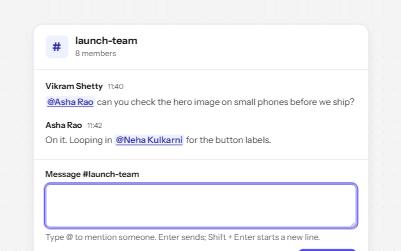
Mentions
A message box where @ opens a filtered list of people, picked by keyboard, with mentions sent as links to each person.
-
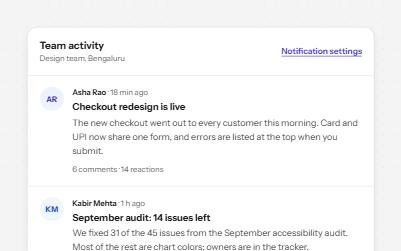
Feed with load more
A stream of posts people read in order, with keys to move post by post, a Load more button and new posts that wait.
-
Status message
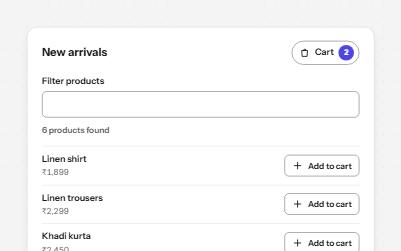
Results, confirmations and saves told to screen readers through role=status, without moving focus, once each time.
-
Text area with character count
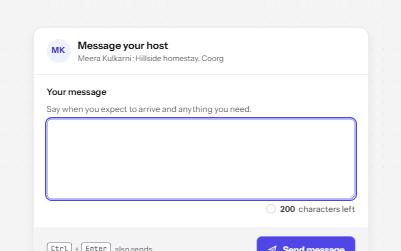
A text area with a visible character count that speaks only at thresholds, never cuts text off, and blocks sending when over.