Accessibility pattern · Communication
Notification center
The bell's name carries the unread count, and it opens a non-modal dialog: Escape closes it and returns focus, and Tab moves through and out of it as usual. New notifications raise the count and are announced once in a polite live region; they never take focus, and the demo's arrivals can be switched off.
- WCAG criteria
- 7
- Keyboard rules
- 5
- Checked with
- axe, keyboard and the inspector
Live demo
Try it
Use it with a mouse, a keyboard or a screen reader. The inspector beside it shows what the browser tells assistive technology as you go: focus, state changes and announcements.
The demo works without JavaScript only as far as its HTML does; the inspector needs JavaScript.
Keyboard
Keys it answers to
Every action works without a pointer.
| Key | What it does |
|---|---|
| Enter or Space | On the bell, opens the panel and moves focus to its heading; pressed again, closes it. |
| Tab or ShiftTab | Moves through the panel's buttons, filter and notifications, and on out of it; leaving the panel closes it. |
| Arrow Left or Arrow Right | In the filter, chooses All, Unread or Mentions. |
| Enter or Space | On a notification's button, marks it read or unread. Focus stays on the button. |
| Escape | Closes the panel and returns focus to the bell. |
Screen readers
What it announces
Written from the roles, names and states in the markup.
| When | Expected announcement |
|---|---|
| Focus reaches the bell | Notifications, 3 unread, button, collapsed, opens a dialog |
| Enter opens the panel | Notifications, dialog. Notifications, heading level 3 |
| Tab reaches a notification's button | Mark as read Asha Rao mentioned you in Checkout copy, button |
| It is pressed | Marked as read |
| A notification arrives | New notification: Kabir Khan mentioned you in Release notes |
| Arrow Right in the filter | Unread 3, radio button, checked, 2 of 3 |
These are expected announcements, not recordings. Wording and order differ between screen readers and browsers.
Code
Copy the code
The exact files this demo runs on. The styles are served with a prefix that keeps this site's own styles out of the demo; what you copy is the original.
<div class="ap-notify" data-ap-notify>
  <div class="ap-notify__app">
    <div class="ap-notify__bar">
      <p class="ap-notify__brand"><span class="ap-notify__logo" aria-hidden="true"></span>Monsoon launch</p>
      <div class="ap-notify__tools">
        <button type="button" class="ap-notify__bell" data-ap-ntf-bell aria-haspopup="dialog" aria-expanded="false" aria-controls="ntf-panel" aria-label="Notifications, 3 unread">
          <svg viewBox="0 0 24 24" aria-hidden="true" focusable="false"><path d="M6 9a6 6 0 0 1 12 0c0 6 2.5 7.5 2.5 7.5h-17S6 15 6 9Z"/><path d="M10 20a2.2 2.2 0 0 0 4 0"/></svg>
          <span class="ap-notify__badge" data-ap-ntf-badge aria-hidden="true">3</span>
        </button>
        <span class="ap-notify__me" aria-hidden="true" translate="no">KP</span>

        <dialog class="ap-notify__panel" id="ntf-panel" aria-labelledby="ntf-name">
          <div class="ap-notify__head">
            <h3 class="ap-notify__name" id="ntf-name" tabindex="-1" autofocus>Notifications</h3>
            <button type="button" class="ap-notify__all" data-ap-ntf-all>Mark all as read</button>
          </div>
          <fieldset class="ap-notify__filter">
            <legend class="ap-notify__vh">Show</legend>
            <label class="ap-notify__opt"><input type="radio" name="ntf-filter" value="all" checked /><span>All</span></label>
            <label class="ap-notify__opt"><input type="radio" name="ntf-filter" value="unread" /><span>Unread</span> <span class="ap-notify__n" data-ap-ntf-unread>3</span></label>
            <label class="ap-notify__opt"><input type="radio" name="ntf-filter" value="mention" /><span>Mentions</span> <span class="ap-notify__n" data-ap-ntf-mentions>2</span></label>
          </fieldset>
          <ul class="ap-notify__list" data-ap-ntf-list>
      <li class="ap-notify__item" data-kind="mention" data-unread>
        <span class="ap-notify__dot" aria-hidden="true"></span>
        <span class="ap-notify__avatar" aria-hidden="true" translate="no">AR</span>
        <div class="ap-notify__body">
          <p class="ap-notify__text" id="ntf-1"><strong>Asha Rao</strong> mentioned you in <strong>Checkout copy</strong></p>
          <p class="ap-notify__meta"><span class="ap-notify__vh" data-ap-ntf-state>Unread.</span> <time datetime="2026-10-05T11:55+05:30">5 min ago</time></p>
        </div>
        <button type="button" class="ap-notify__mark" data-ap-ntf-mark aria-labelledby="ntf-1-act ntf-1">
          <svg viewBox="0 0 24 24" aria-hidden="true" focusable="false"><circle cx="12" cy="12" r="9"/><path d="m8 12.5 2.8 2.8L16 10"/></svg>
          <span id="ntf-1-act" hidden>Mark as read</span>
          <span class="ap-notify__tip" aria-hidden="true">Mark as read</span>
        </button>
      </li>
      <li class="ap-notify__item" data-kind="assign" data-unread>
        <span class="ap-notify__dot" aria-hidden="true"></span>
        <span class="ap-notify__avatar" aria-hidden="true" translate="no">VS</span>
        <div class="ap-notify__body">
          <p class="ap-notify__text" id="ntf-2"><strong>Vikram Shetty</strong> assigned you <strong>Pricing page review</strong></p>
          <p class="ap-notify__meta"><span class="ap-notify__vh" data-ap-ntf-state>Unread.</span> <time datetime="2026-10-05T11:38+05:30">22 min ago</time></p>
        </div>
        <button type="button" class="ap-notify__mark" data-ap-ntf-mark aria-labelledby="ntf-2-act ntf-2">
          <svg viewBox="0 0 24 24" aria-hidden="true" focusable="false"><circle cx="12" cy="12" r="9"/><path d="m8 12.5 2.8 2.8L16 10"/></svg>
          <span id="ntf-2-act" hidden>Mark as read</span>
          <span class="ap-notify__tip" aria-hidden="true">Mark as read</span>
        </button>
      </li>
      <li class="ap-notify__item" data-kind="mention" data-unread>
        <span class="ap-notify__dot" aria-hidden="true"></span>
        <span class="ap-notify__avatar" aria-hidden="true" translate="no">NK</span>
        <div class="ap-notify__body">
          <p class="ap-notify__text" id="ntf-3"><strong>Neha Kulkarni</strong> mentioned you in <strong>Launch checklist</strong></p>
          <p class="ap-notify__meta"><span class="ap-notify__vh" data-ap-ntf-state>Unread.</span> <time datetime="2026-10-05T11:00+05:30">1 hour ago</time></p>
        </div>
        <button type="button" class="ap-notify__mark" data-ap-ntf-mark aria-labelledby="ntf-3-act ntf-3">
          <svg viewBox="0 0 24 24" aria-hidden="true" focusable="false"><circle cx="12" cy="12" r="9"/><path d="m8 12.5 2.8 2.8L16 10"/></svg>
          <span id="ntf-3-act" hidden>Mark as read</span>
          <span class="ap-notify__tip" aria-hidden="true">Mark as read</span>
        </button>
      </li>
      <li class="ap-notify__item" data-kind="comment">
        <span class="ap-notify__dot" aria-hidden="true"></span>
        <span class="ap-notify__avatar" aria-hidden="true" translate="no">RM</span>
        <div class="ap-notify__body">
          <p class="ap-notify__text" id="ntf-4"><strong>Rohan Mehta</strong> commented on <strong>Hero image</strong></p>
          <p class="ap-notify__meta"><span class="ap-notify__vh" data-ap-ntf-state hidden>Unread.</span> <time datetime="2026-10-05T09:02+05:30">3 hours ago</time></p>
        </div>
        <button type="button" class="ap-notify__mark" data-ap-ntf-mark aria-labelledby="ntf-4-act ntf-4">
          <svg viewBox="0 0 24 24" aria-hidden="true" focusable="false"><circle cx="12" cy="12" r="9"/><path d="m8 12.5 2.8 2.8L16 10"/></svg>
          <span id="ntf-4-act" hidden>Mark as unread</span>
          <span class="ap-notify__tip" aria-hidden="true">Mark as unread</span>
        </button>
      </li>
      <li class="ap-notify__item" data-kind="system">
        <span class="ap-notify__dot" aria-hidden="true"></span>
        <span class="ap-notify__avatar ap-notify__avatar--sys" aria-hidden="true" translate="no">Q3</span>
        <div class="ap-notify__body">
          <p class="ap-notify__text" id="ntf-5">Your export <strong>Q3 report.csv</strong> is ready</p>
          <p class="ap-notify__meta"><span class="ap-notify__vh" data-ap-ntf-state hidden>Unread.</span> <time datetime="2026-10-04T16:10+05:30">20 hours ago</time></p>
        </div>
        <button type="button" class="ap-notify__mark" data-ap-ntf-mark aria-labelledby="ntf-5-act ntf-5">
          <svg viewBox="0 0 24 24" aria-hidden="true" focusable="false"><circle cx="12" cy="12" r="9"/><path d="m8 12.5 2.8 2.8L16 10"/></svg>
          <span id="ntf-5-act" hidden>Mark as unread</span>
          <span class="ap-notify__tip" aria-hidden="true">Mark as unread</span>
        </button>
      </li>
      <li class="ap-notify__item" data-kind="share">
        <span class="ap-notify__dot" aria-hidden="true"></span>
        <span class="ap-notify__avatar" aria-hidden="true" translate="no">MI</span>
        <div class="ap-notify__body">
          <p class="ap-notify__text" id="ntf-6"><strong>Meera Iyer</strong> shared <strong>Brand colors</strong> with you</p>
          <p class="ap-notify__meta"><span class="ap-notify__vh" data-ap-ntf-state hidden>Unread.</span> <time datetime="2026-10-03T14:30+05:30">2 days ago</time></p>
        </div>
        <button type="button" class="ap-notify__mark" data-ap-ntf-mark aria-labelledby="ntf-6-act ntf-6">
          <svg viewBox="0 0 24 24" aria-hidden="true" focusable="false"><circle cx="12" cy="12" r="9"/><path d="m8 12.5 2.8 2.8L16 10"/></svg>
          <span id="ntf-6-act" hidden>Mark as unread</span>
          <span class="ap-notify__tip" aria-hidden="true">Mark as unread</span>
        </button>
      </li>
          </ul>
          <p class="ap-notify__empty" data-ap-ntf-empty hidden></p>
        </dialog>
      </div>
    </div>
    <div class="ap-notify__page" aria-hidden="true">
      <span class="ap-notify__bone ap-notify__bone--h"></span>
      <span class="ap-notify__bone"></span>
      <span class="ap-notify__bone ap-notify__bone--s"></span>
      <span class="ap-notify__tiles"><span></span><span></span><span></span></span>
      <span class="ap-notify__rows"><span></span><span></span><span></span><span></span></span>
    </div>
  </div>

  <label class="ap-notify__sim">
    <input type="checkbox" role="switch" data-ap-ntf-sim checked />
    <span class="ap-notify__track" aria-hidden="true"></span>
    <span>Demo: a new notification every 15 seconds</span>
  </label>
  <p class="ap-notify__vh" aria-live="polite" data-ap-ntf-say></p>
</div>
/* Notification center. Uses the --ap-* design tokens. */
.ap-notify {
  display: grid;
  gap: 14px;
  width: min(100%, 640px);
  margin-inline: auto;
  color: var(--ap-text);
  container-type: inline-size;
}
.ap-notify [hidden] {
  display: none !important;
}

/* The app the bell belongs to */
.ap-notify__app {
  min-height: 540px;
  border: 1px solid var(--ap-border);
  border-radius: var(--ap-radius-lg);
  background: var(--ap-surface);
  box-shadow: var(--ap-shadow-md);
}
.ap-notify__bar {
  display: flex;
  align-items: center;
  justify-content: space-between;
  gap: 12px;
  padding: 10px 14px 10px 18px;
  border-bottom: 1px solid var(--ap-border);
}
.ap-notify__brand {
  display: flex;
  align-items: center;
  gap: 10px;
  margin: 0;
  font-weight: 650;
}
.ap-notify__logo {
  width: 26px;
  height: 26px;
  border-radius: 8px;
  background: linear-gradient(135deg, var(--ap-accent), var(--ap-accent-soft));
}
.ap-notify__tools {
  position: relative;
  display: flex;
  align-items: center;
  gap: 8px;
}
.ap-notify__bell {
  position: relative;
  display: grid;
  place-items: center;
  width: var(--ap-target);
  height: var(--ap-target);
  padding: 0;
  border: 0;
  border-radius: var(--ap-radius-full);
  background: transparent;
  color: var(--ap-text-2);
  cursor: pointer;
}
.ap-notify__bell:hover,
.ap-notify__bell[aria-expanded="true"] {
  background: var(--ap-surface-2);
  color: var(--ap-text);
}
.ap-notify__bell:focus-visible {
  outline: 2px solid var(--ap-focus);
  outline-offset: 0;
}
.ap-notify__bell svg {
  width: 22px;
  height: 22px;
  fill: none;
  stroke: currentColor;
  stroke-width: 1.9;
  stroke-linecap: round;
  stroke-linejoin: round;
}
.ap-notify__badge {
  position: absolute;
  top: 4px;
  right: 2px;
  min-width: 20px;
  height: 20px;
  padding: 0 5px;
  border: 2px solid var(--ap-surface);
  border-radius: var(--ap-radius-full);
  background: var(--ap-accent);
  color: var(--ap-on-accent);
  font-size: .6875rem;
  font-weight: 700;
  line-height: 16px;
  text-align: center;
  font-variant-numeric: tabular-nums;
  animation: ap-notify-pop 320ms var(--ap-ease);
}
.ap-notify__me {
  display: grid;
  place-items: center;
  width: 32px;
  height: 32px;
  border-radius: var(--ap-radius-full);
  background: var(--ap-surface-3);
  font-size: .75rem;
  font-weight: 700;
}

/* A quiet stand-in for the page under the bar */
.ap-notify__page {
  display: grid;
  gap: 12px;
  padding: 26px 24px;
}
.ap-notify__bone {
  height: 12px;
  width: 78%;
  border-radius: var(--ap-radius-full);
  background: var(--ap-surface-2);
}
.ap-notify__bone--h {
  width: 42%;
  height: 18px;
  margin-bottom: 6px;
  background: var(--ap-surface-3);
}
.ap-notify__bone--s {
  width: 56%;
}
.ap-notify__tiles {
  display: grid;
  grid-template-columns: repeat(3, 1fr);
  gap: 12px;
  margin: 10px 0;
}
.ap-notify__tiles span {
  height: 92px;
  border: 1px solid var(--ap-border);
  border-radius: var(--ap-radius);
  background: var(--ap-surface-2);
}
.ap-notify__rows {
  display: grid;
  gap: 8px;
}
.ap-notify__rows span {
  display: flex;
  align-items: center;
  gap: 12px;
  height: 46px;
  padding: 0 14px;
  border: 1px solid var(--ap-border);
  border-radius: var(--ap-radius-sm);
}
.ap-notify__rows span::before {
  content: "";
  flex-shrink: 0;
  width: 22px;
  height: 22px;
  border-radius: var(--ap-radius-full);
  background: var(--ap-surface-3);
}
.ap-notify__rows span::after {
  content: "";
  width: 48%;
  height: 10px;
  border-radius: var(--ap-radius-full);
  background: var(--ap-surface-2);
}
.ap-notify__rows span:nth-child(even)::after {
  width: 34%;
}

/* The panel: a dialog opened with show(), so not in the top layer */
.ap-notify__panel {
  position: absolute;
  inset: calc(100% + 8px) 0 auto auto;
  z-index: 20;
  display: none;
  width: min(380px, calc(100cqi - 24px));
  max-width: none;
  max-height: none;
  margin: 0;
  padding: 0;
  border: 1px solid var(--ap-border);
  border-radius: var(--ap-radius-lg);
  background: var(--ap-surface);
  color: var(--ap-text);
  box-shadow: var(--ap-shadow-lg);
  overflow: hidden;
}
.ap-notify__panel[open] {
  display: block;
  animation: ap-notify-in 180ms var(--ap-ease);
}
.ap-notify__head {
  display: flex;
  align-items: center;
  justify-content: space-between;
  gap: 12px;
  padding: 14px 12px 10px 18px;
}
.ap-notify__name {
  margin: 0;
  font-size: 1.0625rem;
  font-weight: 650;
}
.ap-notify__name:focus-visible {
  outline: 2px solid var(--ap-focus);
  outline-offset: 3px;
  border-radius: 4px;
}
.ap-notify__all {
  min-height: 36px;
  padding: 0 10px;
  border: 0;
  border-radius: var(--ap-radius-sm);
  background: transparent;
  color: var(--ap-accent-text);
  font: inherit;
  font-size: .875rem;
  font-weight: 600;
  cursor: pointer;
}
.ap-notify__all:hover {
  background: var(--ap-surface-2);
}
.ap-notify__all:focus-visible {
  outline: 2px solid var(--ap-focus);
  outline-offset: 0;
}

/* Filter: radio buttons drawn as a segmented control */
.ap-notify__filter {
  display: flex;
  gap: 2px;
  margin: 0 14px 8px;
  padding: 3px;
  border: 1px solid var(--ap-border);
  border-radius: var(--ap-radius-sm);
  background: var(--ap-surface-2);
}
.ap-notify__opt {
  position: relative;
  display: flex;
  flex: 1;
  align-items: center;
  justify-content: center;
  gap: 6px;
  min-height: 34px;
  padding: 0 8px;
  border-radius: 6px;
  color: var(--ap-text-2);
  font-size: .875rem;
  font-weight: 500;
  cursor: pointer;
}
.ap-notify__opt input {
  position: absolute;
  inset: 0;
  width: 100%;
  height: 100%;
  margin: 0;
  opacity: 0;
  cursor: pointer;
}
.ap-notify__opt:has(input:checked) {
  background: var(--ap-surface);
  color: var(--ap-text);
  font-weight: 650;
  box-shadow: var(--ap-shadow-sm), 0 0 0 1px var(--ap-border);
}
.ap-notify__opt:has(input:focus-visible) {
  outline: 2px solid var(--ap-focus);
  outline-offset: 1px;
}
.ap-notify__n {
  min-width: 20px;
  padding: 0 6px;
  border-radius: var(--ap-radius-full);
  background: var(--ap-surface-3);
  color: var(--ap-text);
  font-size: .75rem;
  font-weight: 650;
  line-height: 20px;
  text-align: center;
}

/* The notifications */
.ap-notify__list {
  max-height: 360px;
  margin: 0;
  padding: 0 6px 6px;
  overflow-y: auto;
  list-style: none;
  scrollbar-width: thin;
}
.ap-notify__item {
  display: grid;
  grid-template-columns: 8px 36px minmax(0, 1fr) auto;
  align-items: start;
  gap: 10px;
  padding: 12px 8px 12px 6px;
  border-radius: var(--ap-radius);
  animation: ap-notify-in 220ms var(--ap-ease);
}
.ap-notify__item + .ap-notify__item {
  margin-top: 2px;
}
.ap-notify__item[data-unread] {
  background: var(--ap-surface-2);
}
.ap-notify__dot {
  width: 8px;
  height: 8px;
  margin-top: 14px;
  border-radius: var(--ap-radius-full);
  background: var(--ap-accent);
  visibility: hidden;
}
.ap-notify__item[data-unread] .ap-notify__dot {
  visibility: visible;
}
.ap-notify__avatar {
  display: grid;
  place-items: center;
  width: 36px;
  height: 36px;
  border-radius: var(--ap-radius-full);
  background: var(--ap-surface-3);
  font-size: .75rem;
  font-weight: 700;
}
.ap-notify__avatar--sys {
  border-radius: var(--ap-radius-sm);
  background: var(--ap-accent-soft);
  color: var(--ap-accent-soft-text);
}
.ap-notify__body {
  min-width: 0;
}
.ap-notify__text {
  margin: 0;
  color: var(--ap-text-2);
  font-size: .9375rem;
  line-height: 1.45;
}
.ap-notify__text strong {
  font-weight: 600;
}
.ap-notify__item[data-unread] .ap-notify__text {
  color: var(--ap-text);
}
.ap-notify__item[data-unread] .ap-notify__text strong {
  font-weight: 700;
}
.ap-notify__meta {
  margin: 3px 0 0;
  color: var(--ap-text-3);
  font-size: .8125rem;
}

.ap-notify__mark {
  position: relative;
  display: grid;
  place-items: center;
  width: 32px;
  height: 32px;
  padding: 0;
  border: 0;
  border-radius: var(--ap-radius-sm);
  background: transparent;
  color: var(--ap-text-3);
  cursor: pointer;
}
.ap-notify__mark:hover {
  background: var(--ap-surface-3);
  color: var(--ap-text);
}
.ap-notify__mark:focus-visible {
  outline: 2px solid var(--ap-focus);
  outline-offset: 0;
}
.ap-notify__item[data-unread] .ap-notify__mark {
  color: var(--ap-accent-text);
}
.ap-notify__mark svg {
  width: 20px;
  height: 20px;
  fill: none;
  stroke: currentColor;
  stroke-width: 2;
  stroke-linecap: round;
  stroke-linejoin: round;
}
.ap-notify__item:not([data-unread]) .ap-notify__mark svg path {
  display: none;
}
.ap-notify__tip {
  position: absolute;
  top: 50%;
  right: calc(100% + 6px);
  padding: 4px 8px;
  border-radius: 6px;
  background: var(--ap-text);
  color: var(--ap-surface);
  font-size: .75rem;
  font-weight: 600;
  white-space: nowrap;
  transform: translateY(-50%);
  opacity: 0;
  pointer-events: none;
  transition: opacity var(--ap-duration) var(--ap-ease);
}
.ap-notify__mark:hover .ap-notify__tip,
.ap-notify__mark:focus-visible .ap-notify__tip {
  opacity: 1;
}
.ap-notify__empty {
  margin: 0;
  padding: 28px 20px 34px;
  color: var(--ap-text-3);
  text-align: center;
}

/* The demo's own switch, outside the app */
.ap-notify__sim {
  position: relative;
  display: flex;
  align-items: center;
  justify-self: center;
  gap: 10px;
  min-height: var(--ap-target);
  color: var(--ap-text-2);
  font-size: .875rem;
  cursor: pointer;
}
.ap-notify__sim input {
  position: absolute;
  left: 0;
  width: 40px;
  height: 24px;
  margin: 0;
  opacity: 0;
  cursor: pointer;
}
.ap-notify__track {
  position: relative;
  flex-shrink: 0;
  width: 40px;
  height: 24px;
  border: 1px solid var(--ap-border-strong);
  border-radius: var(--ap-radius-full);
  background: var(--ap-surface-3);
  transition: background-color var(--ap-duration) var(--ap-ease);
}
.ap-notify__track::after {
  content: "";
  position: absolute;
  top: 3px;
  left: 3px;
  width: 16px;
  height: 16px;
  border-radius: var(--ap-radius-full);
  background: var(--ap-surface);
  box-shadow: var(--ap-shadow-sm);
  transition: translate var(--ap-duration) var(--ap-ease);
}
.ap-notify__sim input:checked + .ap-notify__track {
  border-color: var(--ap-accent);
  background: var(--ap-accent);
}
.ap-notify__sim input:checked + .ap-notify__track::after {
  translate: 16px 0;
}
.ap-notify__sim input:focus-visible + .ap-notify__track {
  outline: 2px solid var(--ap-focus);
  outline-offset: 2px;
}

.ap-notify__vh {
  position: absolute;
  width: 1px;
  height: 1px;
  margin: -1px;
  padding: 0;
  overflow: hidden;
  clip-path: inset(50%);
  white-space: nowrap;
}
legend.ap-notify__vh {
  float: left;
}

@keyframes ap-notify-in {
  from { opacity: 0; transform: translateY(-4px); }
}
@keyframes ap-notify-pop {
  50% { transform: scale(1.18); }
}

@container (max-width: 460px) {
  .ap-notify__app { min-height: 560px; }
  .ap-notify__panel { right: -6px; }
  .ap-notify__tiles { grid-template-columns: repeat(2, 1fr); }
  .ap-notify__tiles span:last-child { display: none; }
  .ap-notify__item { grid-template-columns: 8px 32px minmax(0, 1fr) auto; gap: 8px; }
  .ap-notify__avatar { width: 32px; height: 32px; }
}

@media (prefers-reduced-motion: reduce) {
  .ap-notify__panel[open],
  .ap-notify__item,
  .ap-notify__badge { animation: none; }
  .ap-notify__track,
  .ap-notify__track::after,
  .ap-notify__tip { transition: none; }
}

@media (forced-colors: active) {
  .ap-notify__dot { background: CanvasText; }
  .ap-notify__track::after { background: CanvasText; }
}
/**
 * Notification center: a bell whose name carries the unread count, opening a
 * non-modal panel (a dialog opened with show()) of notifications with read
 * state in words, a filter, and new arrivals announced once.
 *
 * Markup: [data-ap-notify] holding the bell button[data-ap-ntf-bell] with an
 * aria-hidden badge, a dialog with a heading (tabindex=-1, autofocus), Mark
 * all as read, a fieldset of filter radios, a ul of li.ap-notify__item
 * (data-kind, data-unread) each with a Mark as read button named by
 * aria-labelledby, an empty-state p, a switch[data-ap-ntf-sim] for the
 * demo's arrivals and a polite region [data-ap-ntf-say] outside the panel.
 */

const EVERY = 15000; // ms between the demo's arrivals
// What arrives, in order. Fixed sentences, so the page's translations match.
const ARRIVALS = [
  ["KK", "mention", "<strong>Kabir Khan</strong> mentioned you in <strong>Release notes</strong>"],
  ["PS", "comment", "<strong>Priya Sharma</strong> replied to your comment on <strong>Pricing page review</strong>"],
  ["VS", "update", "<strong>Vikram Shetty</strong> moved <strong>Hero image</strong> to Done"],
  ["AR", "mention", "<strong>Asha Rao</strong> mentioned you in <strong>Email footer</strong>"],
  ["B2", "system", "<strong>Build 214</strong> finished with 2 failed checks"],
  ["NK", "assign", "<strong>Neha Kulkarni</strong> assigned you <strong>Social posts</strong>"],
];
const EMPTY = { all: "No notifications yet.", unread: "Nothing unread. You are all caught up.", mention: "No mentions yet." };

export function init(root) {
  const ac = new AbortController();
  const on = (target, type, fn) => target.addEventListener(type, fn, { signal: ac.signal });
  const bell = root.querySelector("[data-ap-ntf-bell]");
  const badge = root.querySelector("[data-ap-ntf-badge]");
  const panel = root.querySelector("dialog");
  const start = panel.querySelector("[autofocus]") || panel;
  const list = root.querySelector("[data-ap-ntf-list]");
  const empty = root.querySelector("[data-ap-ntf-empty]");
  const unreadN = root.querySelector("[data-ap-ntf-unread]");
  const mentionsN = root.querySelector("[data-ap-ntf-mentions]");
  const sim = root.querySelector("[data-ap-ntf-sim]");
  const say = root.querySelector("[data-ap-ntf-say]");
  const model = list.querySelector(".ap-notify__item")?.cloneNode(true);
  let filter = "all";
  let arrived = 0;
  let timer = 0;

  const items = () => [...list.querySelectorAll(".ap-notify__item")];
  const isUnread = (li) => li.hasAttribute("data-unread");

  function speak(...parts) {
    say.replaceChildren();
    requestAnimationFrame(() => {
      say.replaceChildren(...parts.map((text) => {
        const span = document.createElement("span");
        span.textContent = text;
        return span;
      }));
    });
  }

  /* ── Counts: the bell's name, the badge and the filter ── */
  function paintCounts() {
    const unread = items().filter(isUnread).length;
    badge.textContent = String(unread);
    badge.hidden = unread === 0;
    // One string per count, so a translation can place the number.
    bell.setAttribute("aria-label", unread ? `Notifications, ${unread} unread` : "Notifications");
    unreadN.textContent = String(unread);
    mentionsN.textContent = String(items().filter((li) => li.dataset.kind === "mention").length);
  }

  function setRead(li, read) {
    li.toggleAttribute("data-unread", !read);
    li.querySelector("[data-ap-ntf-state]").hidden = read;
    const action = read ? "Mark as unread" : "Mark as read";
    const button = li.querySelector("[data-ap-ntf-mark]");
    button.querySelector("[hidden]").textContent = action;
    button.querySelector(".ap-notify__tip").textContent = action;
  }

  /* ── Filter: applied when it changes, not when an item is marked ── */
  const matches = (li) => filter === "all" || (filter === "unread" ? isUnread(li) : li.dataset.kind === filter);

  function applyFilter() {
    let shown = 0;
    for (const li of items()) {
      li.hidden = !matches(li);
      if (!li.hidden) shown++;
    }
    empty.textContent = EMPTY[filter];
    empty.hidden = shown > 0;
  }

  /* ── The panel ── */
  const isOpen = () => panel.open;

  function open() {
    applyFilter();
    panel.show();
    bell.setAttribute("aria-expanded", "true");
    // show() focuses the autofocus heading; older engines need telling.
    if (document.activeElement !== start) start.focus();
  }

  function close(returnFocus) {
    if (!isOpen()) return;
    panel.close();
    bell.setAttribute("aria-expanded", "false");
    if (returnFocus) bell.focus();
  }

  function onBell() {
    if (isOpen()) close(true);
    else open();
  }

  function onPanelClick(event) {
    const mark = event.target.closest("[data-ap-ntf-mark]");
    if (mark) {
      const li = mark.closest(".ap-notify__item");
      const read = isUnread(li);
      setRead(li, read);
      paintCounts();
      speak(read ? "Marked as read" : "Marked as unread");
      return;
    }
    if (event.target.closest("[data-ap-ntf-all]")) {
      const unread = items().filter(isUnread);
      for (const li of unread) setRead(li, true);
      paintCounts();
      speak(unread.length ? "All marked as read" : "Nothing unread");
    }
  }

  function onFilter(event) {
    if (event.target.name !== "ntf-filter") return;
    filter = event.target.value;
    applyFilter();
  }

  function onKeydown(event) {
    if (event.key !== "Escape" || !isOpen()) return;
    if (!panel.contains(event.target) && event.target !== bell) return;
    event.preventDefault();
    close(true);
  }

  // Tabbing out of the panel closes it; focus goes where Tab sent it.
  function onFocusout(event) {
    const next = event.relatedTarget;
    if (isOpen() && next && !panel.contains(next) && next !== bell) close(false);
  }

  // A click anywhere else closes it too.
  function onPointerdown(event) {
    if (isOpen() && !panel.contains(event.target) && !bell.contains(event.target)) close(false);
  }

  /* ── New arrivals (the demo's stand-in for a server push) ── */
  function arrive() {
    if (document.hidden || !model || arrived >= ARRIVALS.length) return;
    const [initials, kind, html] = ARRIVALS[arrived];
    arrived += 1;
    const li = model.cloneNode(true);
    const id = `ntf-new-${arrived}`;
    li.dataset.kind = kind;
    const avatar = li.querySelector(".ap-notify__avatar");
    avatar.textContent = initials;
    avatar.classList.toggle("ap-notify__avatar--sys", kind === "system");
    const text = li.querySelector(".ap-notify__text");
    text.id = id;
    text.innerHTML = html; // a fixed string from ARRIVALS, never user input
    const time = li.querySelector("time");
    time.dateTime = new Date().toISOString();
    time.textContent = "Just now";
    const button = li.querySelector("[data-ap-ntf-mark]");
    button.querySelector("[hidden]").id = `${id}-act`;
    button.setAttribute("aria-labelledby", `${id}-act ${id}`);
    setRead(li, false);
    li.hidden = !matches(li);
    list.prepend(li);
    if (!li.hidden) empty.hidden = true;
    paintCounts();
    // Said once, in one sentence; focus stays where it is.
    speak("New notification:", text.textContent);
    if (arrived >= ARRIVALS.length) clearInterval(timer);
  }

  function setSimulation() {
    clearInterval(timer);
    if (sim.checked && arrived < ARRIVALS.length) timer = setInterval(arrive, EVERY);
  }

  on(bell, "click", onBell);
  on(panel, "click", onPanelClick);
  on(panel, "change", onFilter);
  on(root, "keydown", onKeydown);
  on(root, "focusout", onFocusout);
  on(document, "pointerdown", onPointerdown);
  on(sim, "change", setSimulation);
  paintCounts();
  setSimulation();

  return () => {
    clearInterval(timer);
    ac.abort();
    if (panel.open) panel.close();
  };
}

for (const root of document.querySelectorAll("[data-ap-notify]")) init(root);
/* Design tokens for the pattern components. Light by default, dark when the
   system asks for it; set data-theme="dark" on :root to force dark. */
:root {
    --ap-radius-sm: 8px;
    --ap-radius: 12px;
    --ap-radius-lg: 16px;
    --ap-radius-full: 999px;
    --ap-font: "Instrument Sans", ui-sans-serif, system-ui, -apple-system, "Segoe UI", Roboto, sans-serif;
    --ap-mono: "JetBrains Mono", ui-monospace, "Cascadia Mono", "SF Mono", Consolas, monospace;
    --ap-ease: cubic-bezier(.2, .8, .2, 1);
    --ap-duration: 180ms;
    --ap-target: 44px;
    --ap-bg: #F4F4F5;
    --ap-surface: #FFFFFF;
    --ap-surface-2: #F4F4F5;
    --ap-surface-3: #E4E4E7;
    --ap-border: #E4E4E7;
    --ap-border-strong: #76767F;
    --ap-text: #18181B;
    --ap-text-2: #3F3F46;
    --ap-text-3: #5E5E66;
    --ap-accent: #4F46E5;
    --ap-accent-hover: #4338CA;
    --ap-on-accent: #FFFFFF;
    --ap-accent-text: #4338CA;
    --ap-accent-soft: #EEF2FF;
    --ap-accent-soft-text: #3730A3;
    --ap-focus: #4F46E5;
    --ap-danger: #B91C1C;
    --ap-danger-soft: #FEF2F2;
    --ap-success: #15803D;
    --ap-success-soft: #F0FDF4;
    --ap-warning: #A15C07;
    --ap-warning-soft: #FEFCE8;
    --ap-info: #1D4ED8;
    --ap-info-soft: #EFF6FF;
    --ap-scrim: rgb(9 9 11 / .48);
    --ap-shadow-sm: 0 1px 2px rgb(9 9 11 / .06);
    --ap-shadow-md: 0 1px 2px rgb(9 9 11 / .05), 0 6px 16px -4px rgb(9 9 11 / .1);
    --ap-shadow-lg: 0 2px 6px rgb(9 9 11 / .06), 0 20px 40px -12px rgb(9 9 11 / .22);
    --ap-light-bg: #F4F4F5;
    --ap-light-surface: #FFFFFF;
    --ap-light-surface-2: #F4F4F5;
    --ap-light-surface-3: #E4E4E7;
    --ap-light-border: #E4E4E7;
    --ap-light-border-strong: #76767F;
    --ap-light-text: #18181B;
    --ap-light-text-2: #3F3F46;
    --ap-light-text-3: #5E5E66;
    --ap-light-accent: #4F46E5;
    --ap-light-accent-hover: #4338CA;
    --ap-light-on-accent: #FFFFFF;
    --ap-light-accent-text: #4338CA;
    --ap-light-accent-soft: #EEF2FF;
    --ap-light-accent-soft-text: #3730A3;
    --ap-light-focus: #4F46E5;
    --ap-light-danger: #B91C1C;
    --ap-light-danger-soft: #FEF2F2;
    --ap-light-success: #15803D;
    --ap-light-success-soft: #F0FDF4;
    --ap-light-warning: #A15C07;
    --ap-light-warning-soft: #FEFCE8;
    --ap-light-info: #1D4ED8;
    --ap-light-info-soft: #EFF6FF;
    --ap-light-scrim: rgb(9 9 11 / .48);
    --ap-light-shadow-sm: 0 1px 2px rgb(9 9 11 / .06);
    --ap-light-shadow-md: 0 1px 2px rgb(9 9 11 / .05), 0 6px 16px -4px rgb(9 9 11 / .1);
    --ap-light-shadow-lg: 0 2px 6px rgb(9 9 11 / .06), 0 20px 40px -12px rgb(9 9 11 / .22);
    --ap-dark-bg: #09090B;
    --ap-dark-surface: #18181B;
    --ap-dark-surface-2: #27272A;
    --ap-dark-surface-3: #3F3F46;
    --ap-dark-border: #2E2E33;
    --ap-dark-border-strong: #8E8E97;
    --ap-dark-text: #FAFAFA;
    --ap-dark-text-2: #D4D4D8;
    --ap-dark-text-3: #A1A1AA;
    --ap-dark-accent: #818CF8;
    --ap-dark-accent-hover: #A5B4FC;
    --ap-dark-on-accent: #0C0A1F;
    --ap-dark-accent-text: #A5B4FC;
    --ap-dark-accent-soft: #1E1B4B;
    --ap-dark-accent-soft-text: #C7D2FE;
    --ap-dark-focus: #A5B4FC;
    --ap-dark-danger: #F87171;
    --ap-dark-danger-soft: #2A1215;
    --ap-dark-success: #4ADE80;
    --ap-dark-success-soft: #0F2A1A;
    --ap-dark-warning: #FACC15;
    --ap-dark-warning-soft: #2A2410;
    --ap-dark-info: #60A5FA;
    --ap-dark-info-soft: #0F1D33;
    --ap-dark-scrim: rgb(0 0 0 / .62);
    --ap-dark-shadow-sm: 0 1px 2px rgb(0 0 0 / .4);
    --ap-dark-shadow-md: 0 1px 2px rgb(0 0 0 / .4), 0 8px 20px -6px rgb(0 0 0 / .5);
    --ap-dark-shadow-lg: 0 2px 8px rgb(0 0 0 / .45), 0 24px 48px -12px rgb(0 0 0 / .7);
}
@media (prefers-color-scheme: dark) {
  :root:not([data-theme="light"]) {
      --ap-bg: #09090B;
      --ap-surface: #18181B;
      --ap-surface-2: #27272A;
      --ap-surface-3: #3F3F46;
      --ap-border: #2E2E33;
      --ap-border-strong: #8E8E97;
      --ap-text: #FAFAFA;
      --ap-text-2: #D4D4D8;
      --ap-text-3: #A1A1AA;
      --ap-accent: #818CF8;
      --ap-accent-hover: #A5B4FC;
      --ap-on-accent: #0C0A1F;
      --ap-accent-text: #A5B4FC;
      --ap-accent-soft: #1E1B4B;
      --ap-accent-soft-text: #C7D2FE;
      --ap-focus: #A5B4FC;
      --ap-danger: #F87171;
      --ap-danger-soft: #2A1215;
      --ap-success: #4ADE80;
      --ap-success-soft: #0F2A1A;
      --ap-warning: #FACC15;
      --ap-warning-soft: #2A2410;
      --ap-info: #60A5FA;
      --ap-info-soft: #0F1D33;
      --ap-scrim: rgb(0 0 0 / .62);
      --ap-shadow-sm: 0 1px 2px rgb(0 0 0 / .4);
      --ap-shadow-md: 0 1px 2px rgb(0 0 0 / .4), 0 8px 20px -6px rgb(0 0 0 / .5);
      --ap-shadow-lg: 0 2px 8px rgb(0 0 0 / .45), 0 24px 48px -12px rgb(0 0 0 / .7);
  }
}
:root[data-theme="dark"] {
    --ap-bg: #09090B;
    --ap-surface: #18181B;
    --ap-surface-2: #27272A;
    --ap-surface-3: #3F3F46;
    --ap-border: #2E2E33;
    --ap-border-strong: #8E8E97;
    --ap-text: #FAFAFA;
    --ap-text-2: #D4D4D8;
    --ap-text-3: #A1A1AA;
    --ap-accent: #818CF8;
    --ap-accent-hover: #A5B4FC;
    --ap-on-accent: #0C0A1F;
    --ap-accent-text: #A5B4FC;
    --ap-accent-soft: #1E1B4B;
    --ap-accent-soft-text: #C7D2FE;
    --ap-focus: #A5B4FC;
    --ap-danger: #F87171;
    --ap-danger-soft: #2A1215;
    --ap-success: #4ADE80;
    --ap-success-soft: #0F2A1A;
    --ap-warning: #FACC15;
    --ap-warning-soft: #2A2410;
    --ap-info: #60A5FA;
    --ap-info-soft: #0F1D33;
    --ap-scrim: rgb(0 0 0 / .62);
    --ap-shadow-sm: 0 1px 2px rgb(0 0 0 / .4);
    --ap-shadow-md: 0 1px 2px rgb(0 0 0 / .4), 0 8px 20px -6px rgb(0 0 0 / .5);
    --ap-shadow-lg: 0 2px 8px rgb(0 0 0 / .45), 0 24px 48px -12px rgb(0 0 0 / .7);
}
WCAG 2.2
What it meets
The success criteria this pattern takes care of, and how.
-
1.3.1 Info and Relationships
Level A
The panel is a dialog named by its heading, notifications are a list, and the filter is a fieldset of radio buttons with a legend.
-
1.4.1 Use of Color
Level A
Unread notifications have a dot and bold text, and the word Unread in text; color is never the only sign.
-
2.1.1 Keyboard
Level A
Opening, filtering, marking read and closing all work from the keyboard.
-
2.2.2 Pause, Stop, Hide
Level A
New notifications arrive on their own, so a switch stops them; in a product, that is a do-not-disturb setting.
-
2.4.3 Focus Order
Level A
Opening moves focus to the panel's heading, and Escape returns it to the bell; arrivals never move it.
-
4.1.2 Name, Role, Value
Level A
The bell has a name with the count, aria-expanded and aria-haspopup; each Mark as read button is named with the notification it acts on.
-
4.1.3 Status Messages
Level AA
Each arrival and each change of read state is announced once through a polite live region.
Usage
When to use it
Use it
- Apps that collect activity for people to catch up on: mentions, assignments, finished jobs.
- Updates that can wait until people look, rather than ones that need action now.
Use something else
- Something that needs an answer right away: use an alert or an alert dialog.
- A one-off confirmation of what someone just did: a status message or a toast says it in place.
- A long history people search and sort: give it a page with a table or a feed.
Common failures
How it usually goes wrong
A bell named only "Bell"
An icon button with no name, or the name of the icon, says nothing about new activity. Here the name is Notifications, 3 unread, and it updates.
Unread shown by color alone
A tinted row is invisible to many people and to every screen reader. Unread here is a dot, bold text and the word Unread.
Announcing arrivals over and over
Rereading the whole list, or repeating "3 unread" every few seconds, buries everything else. Each arrival is announced once, in one sentence.
Arrivals that steal focus
Moving focus to a new notification throws people out of what they were doing. Arrivals update the count and the list; focus stays where it was.
Buttons that all say Mark as read
Out of context, six identical buttons are guesswork. Each one here is named with its notification.
Items that vanish from under focus
In the Unread view, a notification marked read stays until the filter changes, so focus is never left on something that has gone.
Notes
Building it
- The panel is a dialog opened with show(), not showModal(): the page stays usable, so Tab can leave it, and leaving closes it.
- Each Mark as read button takes its name from two elements with aria-labelledby: a hidden span with the action and the notification's own text.
- The badge is aria-hidden; the count reaches screen readers through the bell's name, which is the only place it needs to be.
- Arrivals are announced from a live region outside the panel, because content inside a closed dialog is hidden and would not be read.
- The count phrase in the bell's name (Notifications, 3 unread) is one string, so a translation can put the number where its grammar needs it.
Sources: WAI-ARIA Authoring Practices: Dialog (Modal) · HTML: the dialog element
Checked with axe in light and dark themes, at desktop and phone widths, and by keyboard. Not yet tested with every screen reader and browser pair. Report a correction
Related
Patterns that go with it
-
Badge and count
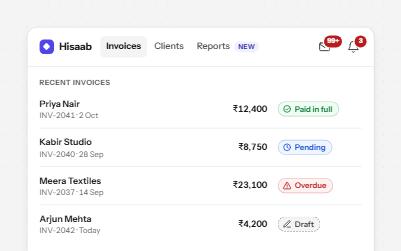
Counts and status labels that carry their meaning in words: a count inside the button's name, and pills with an icon and text.
-
Non-modal dialog
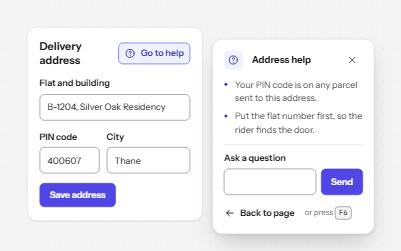
A panel that opens beside the page without blocking it, for help or tools people use while they keep working.
-
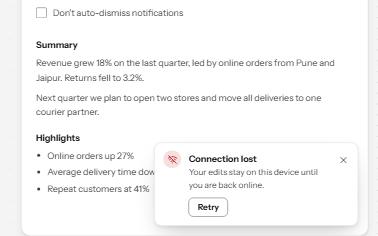
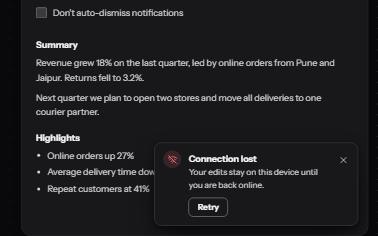
Toast notifications
Short messages that appear in a corner, are announced politely, never take focus, and wait while you read or act on them.
-
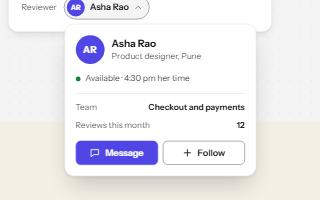
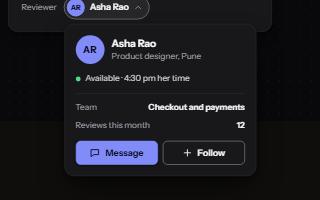
Popover
A card anchored to its button, opened with the popover attribute and dismissed by Escape or a click outside.