Accessibility pattern · Communication
Mentions
Typing @ opens a list of people above the box; letters after it filter the list, the arrow keys move a highlight, and Enter or Tab puts @Full Name into the text. Focus never leaves the message box. The keys are taken over only while the list is open, a polite status says how many people match, and sent mentions become links.
- WCAG criteria
- 7
- Keyboard rules
- 5
- Checked with
- axe, keyboard and the inspector
Live demo
Try it
Use it with a mouse, a keyboard or a screen reader. The inspector beside it shows what the browser tells assistive technology as you go: focus, state changes and announcements.
launch-team
8 members
-
@Asha Rao can you check the hero image on small phones before we ship?
-
On it. Looping in @Neha Kulkarni for the button labels.
The demo works without JavaScript only as far as its HTML does; the inspector needs JavaScript.
Keyboard
Keys it answers to
Every action works without a pointer.
| Key | What it does |
|---|---|
| @ | Opens the list of people; letters typed after it filter the list, and the number found is announced when typing pauses. |
| Arrow Down or Arrow Up | While the list is open, moves the highlight, wrapping at the ends. With it closed, they move the text cursor as usual. |
| Enter or Tab | While the list is open, inserts the highlighted person as @Full Name and a space, and closes the list. |
| Escape | Closes the list and keeps what is typed; it stays closed until the next @. |
| Enter | With the list closed, sends the message. Shift+Enter starts a new line. |
Screen readers
What it announces
Written from the roles, names and states in the markup.
| When | Expected announcement |
|---|---|
| Tab reaches the message box | Message #launch-team, edit text, multi line. Type @ to mention someone. Enter sends; Shift + Enter starts a new line. |
| Typing @, then a pause | Asha Rao Design lead, 1 of 8. 8 people |
| Typing "ne" | Neha Kulkarni Copywriter, 1 of 1. 1 person |
| Enter inserts her | Mentioned Neha Kulkarni |
| Enter sends the message | Message sent |
These are expected announcements, not recordings. Wording and order differ between screen readers and browsers.
Code
Copy the code
The exact files this demo runs on. The styles are served with a prefix that keeps this site's own styles out of the demo; what you copy is the original.
<section class="ap-mentions" data-ap-mentions aria-labelledby="men-name">
  <div class="ap-mentions__top">
    <span class="ap-mentions__hash" aria-hidden="true">#</span>
    <div>
      <h3 class="ap-mentions__name" id="men-name" translate="no">launch-team</h3>
      <p class="ap-mentions__sub">8 members</p>
    </div>
  </div>

  <ol class="ap-mentions__msgs" data-ap-men-msgs>
    <li class="ap-mentions__msg">
      <p class="ap-mentions__meta"><span class="ap-mentions__from">Vikram Shetty</span> <time datetime="2026-10-05T11:40+05:30">11:40</time></p>
      <p class="ap-mentions__text"><a class="ap-mentions__at" href="#mentions-asha">@Asha Rao</a> can you check the hero image on small phones before we ship?</p>
    </li>
    <li class="ap-mentions__msg">
      <p class="ap-mentions__meta"><span class="ap-mentions__from">Asha Rao</span> <time datetime="2026-10-05T11:42+05:30">11:42</time></p>
      <p class="ap-mentions__text">On it. Looping in <a class="ap-mentions__at" href="#mentions-neha">@Neha Kulkarni</a> for the button labels.</p>
    </li>
  </ol>

  <form class="ap-mentions__composer" novalidate>
    <label class="ap-mentions__label" for="men-input">Message #launch-team</label>
    <div class="ap-mentions__field">
      <textarea class="ap-input ap-mentions__input" id="men-input" name="message" rows="2" aria-autocomplete="list" aria-haspopup="listbox" aria-controls="men-list" aria-describedby="men-hint" autocomplete="off" spellcheck="true"></textarea>
      <div class="ap-mentions__popup" data-ap-men-popup hidden>
        <ul class="ap-mentions__list" id="men-list" role="listbox" aria-label="People to mention">
          <li class="ap-mentions__opt" role="option" id="men-p-asha" aria-selected="false" data-en="Asha Rao" data-id="asha"><span class="ap-mentions__face" aria-hidden="true" translate="no">AR</span><span class="ap-mentions__who">Asha Rao</span> <span class="ap-mentions__role">Design lead</span></li>
          <li class="ap-mentions__opt" role="option" id="men-p-arjun" aria-selected="false" data-en="Arjun Nair" data-id="arjun"><span class="ap-mentions__face" aria-hidden="true" translate="no">AN</span><span class="ap-mentions__who">Arjun Nair</span> <span class="ap-mentions__role">Engineering</span></li>
          <li class="ap-mentions__opt" role="option" id="men-p-vikram" aria-selected="false" data-en="Vikram Shetty" data-id="vikram"><span class="ap-mentions__face" aria-hidden="true" translate="no">VS</span><span class="ap-mentions__who">Vikram Shetty</span> <span class="ap-mentions__role">Product manager</span></li>
          <li class="ap-mentions__opt" role="option" id="men-p-neha" aria-selected="false" data-en="Neha Kulkarni" data-id="neha"><span class="ap-mentions__face" aria-hidden="true" translate="no">NK</span><span class="ap-mentions__who">Neha Kulkarni</span> <span class="ap-mentions__role">Copywriter</span></li>
          <li class="ap-mentions__opt" role="option" id="men-p-rohan" aria-selected="false" data-en="Rohan Mehta" data-id="rohan"><span class="ap-mentions__face" aria-hidden="true" translate="no">RM</span><span class="ap-mentions__who">Rohan Mehta</span> <span class="ap-mentions__role">Support</span></li>
          <li class="ap-mentions__opt" role="option" id="men-p-meera" aria-selected="false" data-en="Meera Iyer" data-id="meera"><span class="ap-mentions__face" aria-hidden="true" translate="no">MI</span><span class="ap-mentions__who">Meera Iyer</span> <span class="ap-mentions__role">Design</span></li>
          <li class="ap-mentions__opt" role="option" id="men-p-priya" aria-selected="false" data-en="Priya Sharma" data-id="priya"><span class="ap-mentions__face" aria-hidden="true" translate="no">PS</span><span class="ap-mentions__who">Priya Sharma</span> <span class="ap-mentions__role">Marketing</span></li>
          <li class="ap-mentions__opt" role="option" id="men-p-kabir" aria-selected="false" data-en="Kabir Khan" data-id="kabir"><span class="ap-mentions__face" aria-hidden="true" translate="no">KK</span><span class="ap-mentions__who">Kabir Khan</span> <span class="ap-mentions__role">Quality</span></li>
        </ul>
        <p class="ap-mentions__keys" aria-hidden="true"><kbd>↑</kbd> <kbd>↓</kbd> move <kbd>Enter</kbd> inserts <kbd>Esc</kbd> closes</p>
      </div>
    </div>
    <p class="ap-hint" id="men-hint">Type @ to mention someone. Enter sends; Shift + Enter starts a new line.</p>
    <p class="ap-error" id="men-error" hidden>
      <svg class="ap-mentions__icon" viewBox="0 0 24 24" aria-hidden="true" focusable="false"><circle cx="12" cy="12" r="9"/><path d="M12 7.5v5"/><path d="M12 16.5h.01"/></svg>
      <span>Write a message first.</span>
    </p>
    <div class="ap-mentions__foot">
      <p class="ap-mentions__status" role="status"></p>
      <button type="submit" class="ap-btn ap-btn--primary">
        <svg class="ap-btn__icon" viewBox="0 0 24 24" aria-hidden="true" focusable="false"><path d="M4 12 20 4l-4 16-4-7-8-1Z"/><path d="m12 13 8-9"/></svg>
        Send
      </button>
    </div>
  </form>
</section>
/* Shared primitives: buttons and form fields used across the patterns.
   Uses the --ap-* design tokens. */

.ap-btn {
  display: inline-flex;
  align-items: center;
  justify-content: center;
  gap: 8px;
  min-height: 40px;
  padding: 0 16px;
  border: 1px solid var(--ap-border-strong);
  border-radius: var(--ap-radius-sm);
  background: var(--ap-surface);
  color: var(--ap-text);
  font: inherit;
  font-weight: 600;
  line-height: 1.2;
  text-decoration: none;
  white-space: nowrap;
  cursor: pointer;
  transition: background-color var(--ap-duration) var(--ap-ease), border-color var(--ap-duration) var(--ap-ease), box-shadow var(--ap-duration) var(--ap-ease);
}
.ap-btn:hover {
  background: var(--ap-surface-2);
}
.ap-btn:focus-visible {
  outline: 2px solid var(--ap-focus);
  outline-offset: 2px;
}
.ap-btn:disabled,
.ap-btn[aria-disabled="true"] {
  opacity: .55;
  cursor: not-allowed;
}
.ap-btn--primary {
  border-color: var(--ap-accent);
  background: var(--ap-accent);
  color: var(--ap-on-accent);
  box-shadow: var(--ap-shadow-sm);
}
.ap-btn--primary:hover {
  border-color: var(--ap-accent-hover);
  background: var(--ap-accent-hover);
}
.ap-btn--danger {
  border-color: var(--ap-danger);
  background: var(--ap-danger);
  color: var(--ap-surface);
}
.ap-btn--danger:hover {
  filter: brightness(1.08);
}
.ap-btn--ghost {
  border-color: transparent;
  background: transparent;
}
.ap-btn--ghost:hover {
  background: var(--ap-surface-2);
}
.ap-btn__icon {
  width: 18px;
  height: 18px;
  flex-shrink: 0;
  fill: none;
  stroke: currentColor;
  stroke-width: 2;
  stroke-linecap: round;
  stroke-linejoin: round;
}

.ap-field {
  display: grid;
  gap: 6px;
}
.ap-label {
  color: var(--ap-text);
  font-weight: 600;
  font-size: .9375rem;
}
.ap-hint {
  margin: 0;
  color: var(--ap-text-3);
  font-size: .875rem;
  line-height: 1.45;
}
.ap-error {
  display: flex;
  align-items: flex-start;
  gap: 6px;
  margin: 0;
  color: var(--ap-danger);
  font-size: .875rem;
  font-weight: 600;
  line-height: 1.45;
}
.ap-input {
  width: 100%;
  min-height: 44px;
  padding: 10px 12px;
  border: 1px solid var(--ap-border-strong);
  border-radius: var(--ap-radius-sm);
  background: var(--ap-surface);
  color: var(--ap-text);
  font: inherit;
  line-height: 1.4;
  transition: border-color var(--ap-duration) var(--ap-ease), box-shadow var(--ap-duration) var(--ap-ease);
}
.ap-input::placeholder {
  color: var(--ap-text-3);
}
.ap-input:hover {
  border-color: var(--ap-text-2);
}
.ap-input:focus-visible {
  outline: 2px solid var(--ap-focus);
  outline-offset: 1px;
  border-color: var(--ap-focus);
}
.ap-input[aria-invalid="true"] {
  border-color: var(--ap-danger);
  box-shadow: inset 4px 0 0 var(--ap-danger);
}
textarea.ap-input {
  resize: vertical;
  min-height: 88px;
}

@media (prefers-reduced-motion: reduce) {
  .ap-btn,
  .ap-input { transition: none; }
}

/* @mentions. Uses the --ap-* design tokens and the shared primitives. */
.ap-mentions {
  width: min(100%, 560px);
  margin-inline: auto;
  border: 1px solid var(--ap-border);
  border-radius: var(--ap-radius-lg);
  background: var(--ap-surface);
  color: var(--ap-text);
  box-shadow: var(--ap-shadow-md);
  container-type: inline-size;
}
.ap-mentions [hidden] {
  display: none !important;
}

/* The channel */
.ap-mentions__top {
  display: flex;
  align-items: center;
  gap: 12px;
  padding: 16px 20px;
  border-bottom: 1px solid var(--ap-border);
}
.ap-mentions__hash {
  display: grid;
  place-items: center;
  flex-shrink: 0;
  width: 38px;
  height: 38px;
  border-radius: var(--ap-radius-sm);
  background: var(--ap-accent-soft);
  color: var(--ap-accent-soft-text);
  font-size: 1.25rem;
  font-weight: 700;
}
.ap-mentions__name {
  margin: 0;
  font-size: 1.0625rem;
  font-weight: 650;
  line-height: 1.3;
}
.ap-mentions__sub {
  margin: 1px 0 0;
  color: var(--ap-text-3);
  font-size: .8125rem;
}

/* Sent messages */
.ap-mentions__msgs {
  display: grid;
  gap: 16px;
  margin: 0;
  padding: 18px 20px 20px;
  list-style: none;
}
.ap-mentions__msg {
  animation: ap-mentions-in 200ms var(--ap-ease);
}
.ap-mentions__meta {
  display: flex;
  align-items: baseline;
  gap: 8px;
  margin: 0;
  color: var(--ap-text-3);
  font-size: .75rem;
}
.ap-mentions__from {
  color: var(--ap-text);
  font-size: .875rem;
  font-weight: 650;
}
.ap-mentions__text {
  margin: 3px 0 0;
  color: var(--ap-text-2);
  line-height: 1.55;
  white-space: pre-wrap;
  overflow-wrap: anywhere;
}
.ap-mentions__at {
  padding: 0 3px;
  border-radius: 4px;
  background: var(--ap-accent-soft);
  color: var(--ap-accent-soft-text);
  font-weight: 600;
  text-decoration: underline;
  text-decoration-thickness: 1px;
  text-underline-offset: 2px;
}
.ap-mentions__at:hover {
  text-decoration-thickness: 2px;
}
.ap-mentions__at:focus-visible {
  outline: 2px solid var(--ap-focus);
  outline-offset: 1px;
}

/* The message box */
.ap-mentions__composer {
  display: grid;
  gap: 6px;
  padding: 14px 20px 16px;
  border-top: 1px solid var(--ap-border);
}
.ap-mentions__label {
  color: var(--ap-text);
  font-size: .875rem;
  font-weight: 600;
}
.ap-mentions__field {
  position: relative;
}
.ap-mentions .ap-mentions__input {
  display: block;
  min-height: 72px;
  resize: vertical;
}
.ap-mentions__icon {
  flex-shrink: 0;
  width: 18px;
  height: 18px;
  margin-top: 1px;
  fill: none;
  stroke: currentColor;
  stroke-width: 2;
  stroke-linecap: round;
}
.ap-mentions__foot {
  display: flex;
  align-items: center;
  justify-content: space-between;
  gap: 12px;
  margin-top: 4px;
}
/* Read out, not shown: the list and the sent message are what the eye sees */
.ap-mentions__status {
  position: absolute;
  width: 1px;
  height: 1px;
  margin: -1px;
  padding: 0;
  overflow: hidden;
  clip-path: inset(50%);
  white-space: nowrap;
}
.ap-mentions__foot .ap-btn {
  min-height: var(--ap-target);
  margin-left: auto;
}

/* The suggestions, above the box when there is room */
.ap-mentions__popup {
  position: absolute;
  right: 0;
  bottom: calc(100% + 6px);
  left: 0;
  z-index: 20;
  max-width: 340px;
  border: 1px solid var(--ap-border);
  border-radius: var(--ap-radius);
  background: var(--ap-surface);
  box-shadow: var(--ap-shadow-lg);
  overflow: hidden;
  animation: ap-mentions-in 140ms var(--ap-ease);
}
.ap-mentions__popup[data-side="bottom"] {
  top: calc(100% + 6px);
  bottom: auto;
}
.ap-mentions__list {
  max-height: 228px;
  margin: 0;
  padding: 4px;
  overflow-y: auto;
  list-style: none;
  scrollbar-width: thin;
}
.ap-mentions__opt {
  display: flex;
  align-items: center;
  gap: 10px;
  min-height: 44px;
  padding: 4px 10px 4px 6px;
  border-radius: var(--ap-radius-sm);
  cursor: pointer;
}
.ap-mentions__opt:hover {
  background: var(--ap-surface-2);
}
.ap-mentions__opt[aria-selected="true"] {
  background: var(--ap-accent-soft);
  box-shadow: inset 3px 0 0 var(--ap-accent);
}
.ap-mentions__face {
  display: grid;
  place-items: center;
  flex-shrink: 0;
  width: 30px;
  height: 30px;
  border-radius: var(--ap-radius-full);
  background: var(--ap-surface-3);
  color: var(--ap-text);
  font-size: .6875rem;
  font-weight: 700;
}
.ap-mentions__who {
  color: var(--ap-text);
  font-weight: 600;
}
.ap-mentions__opt[aria-selected="true"] .ap-mentions__who {
  color: var(--ap-accent-soft-text);
}
.ap-mentions__role {
  margin-left: auto;
  color: var(--ap-text-3);
  font-size: .8125rem;
}
.ap-mentions__opt[aria-selected="true"] .ap-mentions__role {
  color: var(--ap-accent-soft-text);
}
.ap-mentions__keys {
  display: flex;
  flex-wrap: wrap;
  align-items: center;
  gap: 4px;
  margin: 0;
  padding: 7px 12px;
  border-top: 1px solid var(--ap-border);
  background: var(--ap-surface-2);
  color: var(--ap-text-3);
  font-size: .75rem;
}
.ap-mentions__keys kbd {
  padding: 0 5px;
  border: 1px solid var(--ap-border-strong);
  border-bottom-width: 2px;
  border-radius: 5px;
  background: var(--ap-surface);
  color: var(--ap-text-2);
  font-family: var(--ap-mono);
  font-size: .6875rem;
  line-height: 1.5;
}
.ap-mentions__keys kbd + kbd {
  margin-left: -1px;
}

@keyframes ap-mentions-in {
  from { opacity: 0; transform: translateY(4px); }
}

@container (max-width: 420px) {
  .ap-mentions__top { padding: 14px 16px; }
  .ap-mentions__msgs { padding: 16px 16px 18px; }
  .ap-mentions__composer { padding: 12px 16px 14px; }
  .ap-mentions__role { display: none; }
}

@media (prefers-reduced-motion: reduce) {
  .ap-mentions__msg,
  .ap-mentions__popup { animation: none; }
}

@media (forced-colors: active) {
  .ap-mentions__opt[aria-selected="true"] { outline: 2px solid Highlight; }
}
/**
 * @mentions in a message box: typing @ opens a listbox of people that the
 * letters after it filter. Focus stays in the textarea, which keeps its
 * text box role (a textarea may not be a combobox) and adds
 * aria-autocomplete, aria-haspopup, aria-controls and aria-activedescendant.
 * The arrows, Enter and Tab are borrowed only while the list is open.
 *
 * Markup: [data-ap-mentions] holding a list of sent messages
 * ([data-ap-men-msgs]) and a form with the textarea, a [hidden] popup
 * ([data-ap-men-popup]) with ul[role=listbox] of li[role=option] (data-en:
 * English name, data-id), a hint, an error p and a role=status.
 */

const PAUSE = 450; // ms of quiet before the count is announced
// One piece of text per count, so translations can place the number.
const COUNT = (n) => (n === 0 ? "No one matches" : n === 1 ? "1 person" : `${n} people`);

export function init(root) {
  const ac = new AbortController();
  const on = (target, type, fn) => target.addEventListener(type, fn, { signal: ac.signal });
  const msgs = root.querySelector("[data-ap-men-msgs]");
  const form = root.querySelector(".ap-mentions__composer");
  const input = form.querySelector("textarea");
  const field = form.querySelector(".ap-mentions__field");
  const popup = form.querySelector("[data-ap-men-popup]");
  const list = popup.querySelector("[role=listbox]");
  const options = [...list.querySelectorAll("[role=option]")];
  const error = form.querySelector(".ap-error");
  const status = form.querySelector("[role=status]");
  const model = msgs.querySelector(".ap-mentions__msg")?.cloneNode(true);
  let shown = [];
  let active = null;
  let trigger = null;    // { at, query } for the @ being typed
  let dismissed = -1;    // the @ whose list Escape closed
  let timer = 0;

  const nameOf = (option) => option.querySelector(".ap-mentions__who").textContent.trim();
  const isOpen = () => !popup.hidden;

  function tell(text) {
    clearTimeout(timer);
    status.textContent = "";
    requestAnimationFrame(() => { status.textContent = text; });
  }

  /* ── Where the @ is: at the start or after a space, with no space since ── */
  function findTrigger() {
    const caret = input.selectionStart;
    if (caret !== input.selectionEnd) return null;
    const before = input.value.slice(0, caret);
    const at = before.lastIndexOf("@");
    if (at === -1 || (at > 0 && !/[\s([{]/.test(before[at - 1]))) return null;
    const query = before.slice(at + 1);
    if (/\s/.test(query) || query.length > 24) return null;
    return { at, query };
  }

  /** 0: a first name starts with the query; 1: another word does; -1: no match. */
  function rank(option, query) {
    if (!query) return 0;
    const q = query.toLocaleLowerCase();
    const names = [nameOf(option), option.dataset.en].map((n) => n.toLocaleLowerCase().split(/\s+/));
    if (names.some((words) => words[0].startsWith(q))) return 0;
    return names.some((words) => words.some((w) => w.startsWith(q))) ? 1 : -1;
  }

  /* ── The list ── */
  function setActive(option) {
    active = option;
    for (const o of options) {
      const on = String(o === option);
      if (o.getAttribute("aria-selected") !== on) o.setAttribute("aria-selected", on);
    }
    if (option) {
      if (input.getAttribute("aria-activedescendant") !== option.id) input.setAttribute("aria-activedescendant", option.id);
      // Scroll the list, not the page.
      const top = option.offsetTop;
      const bottom = top + option.offsetHeight;
      if (top < list.scrollTop) list.scrollTop = top;
      else if (bottom > list.scrollTop + list.clientHeight) list.scrollTop = bottom - list.clientHeight;
    } else {
      input.removeAttribute("aria-activedescendant");
    }
  }

  function close() {
    popup.hidden = true;
    setActive(null);
  }

  function announceCount() {
    clearTimeout(timer);
    timer = setTimeout(() => tell(COUNT(shown.length)), PAUSE);
  }

  /** Reads the text around the cursor and opens, filters or closes the list. */
  function update(fromTyping) {
    trigger = findTrigger();
    if (!trigger || trigger.at === dismissed) {
      if (!trigger) dismissed = -1;
      if (isOpen()) close();
      clearTimeout(timer);
      return;
    }
    const ranks = new Map(options.map((o) => [o, rank(o, trigger.query)]));
    // First names first: "@k" lists Kabir Khan before Neha Kulkarni.
    shown = options.filter((o) => ranks.get(o) >= 0).sort((a, b) => ranks.get(a) - ranks.get(b));
    for (const o of options) o.hidden = ranks.get(o) < 0;
    list.append(...shown, ...options.filter((o) => o.hidden));
    if (!shown.length) {
      close();
      if (fromTyping) announceCount();
      return;
    }
    if (popup.hidden) {
      popup.hidden = false;
      // Above the box when it fits on screen, otherwise below it.
      popup.dataset.side = field.getBoundingClientRect().top - popup.offsetHeight - 8 >= 8 ? "top" : "bottom";
    }
    // The first match is highlighted, so Enter or Tab takes it straight away.
    if (!shown.includes(active)) setActive(shown[0]);
    if (fromTyping) announceCount();
  }

  function insert(option) {
    const name = nameOf(option);
    const before = input.value.slice(0, trigger.at);
    const after = input.value.slice(input.selectionStart).replace(/^\s*/, "");
    const text = `@${name} `;
    input.value = before + text + after;
    const caret = before.length + text.length;
    input.setSelectionRange(caret, caret);
    close();
    trigger = null;
    tell(`Mentioned ${option.dataset.en}`);
  }

  /* ── Sending: @Full Name becomes a link to the person ── */
  function linkify(text) {
    const people = options.flatMap((o) => [...new Set([o.dataset.en, nameOf(o)])].map((name) => ({ name, id: o.dataset.id })));
    people.sort((a, b) => b.name.length - a.name.length);
    const escape = (s) => s.replace(/[.*+?^${}()|[\]\\]/g, "\\$&");
    const pattern = new RegExp(`@(${people.map((p) => escape(p.name)).join("|")})`, "g");
    const out = [];
    let last = 0;
    for (const m of text.matchAll(pattern)) {
      out.push(document.createTextNode(text.slice(last, m.index)));
      const a = document.createElement("a");
      a.className = "ap-mentions__at";
      a.href = `#mentions-${people.find((p) => p.name === m[1]).id}`;
      a.textContent = m[0];
      out.push(a);
      last = m.index + m[0].length;
    }
    out.push(document.createTextNode(text.slice(last)));
    return out;
  }

  function setError(on) {
    error.hidden = !on;
    const ids = (input.getAttribute("aria-describedby") || "").split(/\s+/).filter((id) => id && id !== error.id);
    if (on) ids.push(error.id);
    input.setAttribute("aria-describedby", ids.join(" "));
    if (on) input.setAttribute("aria-invalid", "true");
    else input.removeAttribute("aria-invalid");
  }

  function send(event) {
    event.preventDefault();
    const text = input.value.trim();
    if (!text) {
      setError(true);
      if (document.activeElement === input) tell(error.textContent.trim());
      else input.focus();
      return;
    }
    setError(false);
    close();
    const li = model.cloneNode(true);
    li.querySelector(".ap-mentions__from").textContent = "You";
    const now = new Date();
    const time = li.querySelector("time");
    time.dateTime = now.toISOString();
    time.textContent = `${String(now.getHours()).padStart(2, "0")}:${String(now.getMinutes()).padStart(2, "0")}`;
    li.querySelector(".ap-mentions__text").replaceChildren(...linkify(text));
    msgs.append(li);
    input.value = "";
    input.focus();
    tell("Message sent");
  }

  /* ── Keys: borrowed only while the list is open ── */
  function onKeydown(event) {
    if (event.isComposing) return;
    if (isOpen()) {
      const at = shown.indexOf(active);
      switch (event.key) {
        case "ArrowDown":
          event.preventDefault();
          setActive(shown[(at + 1) % shown.length]);
          return;
        case "ArrowUp":
          event.preventDefault();
          setActive(shown[(at - 1 + shown.length) % shown.length]);
          return;
        case "Enter":
        case "Tab":
          if (event.shiftKey || !active) break;
          event.preventDefault();
          insert(active);
          return;
        case "Escape":
          event.preventDefault();
          dismissed = trigger ? trigger.at : -1;
          close();
          clearTimeout(timer);
          return;
        default:
      }
    }
    if (event.key === "Enter" && !event.shiftKey) {
      event.preventDefault();
      form.requestSubmit();
    }
  }

  function onInput() {
    if (!error.hidden && input.value.trim()) setError(false);
    update(true);
  }

  // The cursor moved without typing (arrows, Home, End, a click).
  function onCaret(event) {
    if (event.type === "keyup" && !["ArrowLeft", "ArrowRight", "Home", "End", "PageUp", "PageDown"].includes(event.key)) return;
    if (!isOpen() && event.type === "keyup" && !findTrigger()) return;
    update(false);
  }

  function onListClick(event) {
    const option = event.target.closest("[role=option]");
    if (option && trigger) insert(option);
  }

  // Keep focus in the box: a mousedown on the list would take it first.
  function onListMousedown(event) {
    event.preventDefault();
  }

  function onFocusout(event) {
    if (!field.contains(event.relatedTarget)) {
      close();
      clearTimeout(timer);
    }
  }

  on(input, "keydown", onKeydown);
  on(input, "input", onInput);
  on(input, "keyup", onCaret);
  on(input, "click", onCaret);
  on(popup, "click", onListClick);
  on(popup, "mousedown", onListMousedown);
  on(field, "focusout", onFocusout);
  on(form, "submit", send);

  return () => {
    clearTimeout(timer);
    ac.abort();
  };
}

for (const root of document.querySelectorAll("[data-ap-mentions]")) init(root);
/* Design tokens for the pattern components. Light by default, dark when the
   system asks for it; set data-theme="dark" on :root to force dark. */
:root {
    --ap-radius-sm: 8px;
    --ap-radius: 12px;
    --ap-radius-lg: 16px;
    --ap-radius-full: 999px;
    --ap-font: "Instrument Sans", ui-sans-serif, system-ui, -apple-system, "Segoe UI", Roboto, sans-serif;
    --ap-mono: "JetBrains Mono", ui-monospace, "Cascadia Mono", "SF Mono", Consolas, monospace;
    --ap-ease: cubic-bezier(.2, .8, .2, 1);
    --ap-duration: 180ms;
    --ap-target: 44px;
    --ap-bg: #F4F4F5;
    --ap-surface: #FFFFFF;
    --ap-surface-2: #F4F4F5;
    --ap-surface-3: #E4E4E7;
    --ap-border: #E4E4E7;
    --ap-border-strong: #76767F;
    --ap-text: #18181B;
    --ap-text-2: #3F3F46;
    --ap-text-3: #5E5E66;
    --ap-accent: #4F46E5;
    --ap-accent-hover: #4338CA;
    --ap-on-accent: #FFFFFF;
    --ap-accent-text: #4338CA;
    --ap-accent-soft: #EEF2FF;
    --ap-accent-soft-text: #3730A3;
    --ap-focus: #4F46E5;
    --ap-danger: #B91C1C;
    --ap-danger-soft: #FEF2F2;
    --ap-success: #15803D;
    --ap-success-soft: #F0FDF4;
    --ap-warning: #A15C07;
    --ap-warning-soft: #FEFCE8;
    --ap-info: #1D4ED8;
    --ap-info-soft: #EFF6FF;
    --ap-scrim: rgb(9 9 11 / .48);
    --ap-shadow-sm: 0 1px 2px rgb(9 9 11 / .06);
    --ap-shadow-md: 0 1px 2px rgb(9 9 11 / .05), 0 6px 16px -4px rgb(9 9 11 / .1);
    --ap-shadow-lg: 0 2px 6px rgb(9 9 11 / .06), 0 20px 40px -12px rgb(9 9 11 / .22);
    --ap-light-bg: #F4F4F5;
    --ap-light-surface: #FFFFFF;
    --ap-light-surface-2: #F4F4F5;
    --ap-light-surface-3: #E4E4E7;
    --ap-light-border: #E4E4E7;
    --ap-light-border-strong: #76767F;
    --ap-light-text: #18181B;
    --ap-light-text-2: #3F3F46;
    --ap-light-text-3: #5E5E66;
    --ap-light-accent: #4F46E5;
    --ap-light-accent-hover: #4338CA;
    --ap-light-on-accent: #FFFFFF;
    --ap-light-accent-text: #4338CA;
    --ap-light-accent-soft: #EEF2FF;
    --ap-light-accent-soft-text: #3730A3;
    --ap-light-focus: #4F46E5;
    --ap-light-danger: #B91C1C;
    --ap-light-danger-soft: #FEF2F2;
    --ap-light-success: #15803D;
    --ap-light-success-soft: #F0FDF4;
    --ap-light-warning: #A15C07;
    --ap-light-warning-soft: #FEFCE8;
    --ap-light-info: #1D4ED8;
    --ap-light-info-soft: #EFF6FF;
    --ap-light-scrim: rgb(9 9 11 / .48);
    --ap-light-shadow-sm: 0 1px 2px rgb(9 9 11 / .06);
    --ap-light-shadow-md: 0 1px 2px rgb(9 9 11 / .05), 0 6px 16px -4px rgb(9 9 11 / .1);
    --ap-light-shadow-lg: 0 2px 6px rgb(9 9 11 / .06), 0 20px 40px -12px rgb(9 9 11 / .22);
    --ap-dark-bg: #09090B;
    --ap-dark-surface: #18181B;
    --ap-dark-surface-2: #27272A;
    --ap-dark-surface-3: #3F3F46;
    --ap-dark-border: #2E2E33;
    --ap-dark-border-strong: #8E8E97;
    --ap-dark-text: #FAFAFA;
    --ap-dark-text-2: #D4D4D8;
    --ap-dark-text-3: #A1A1AA;
    --ap-dark-accent: #818CF8;
    --ap-dark-accent-hover: #A5B4FC;
    --ap-dark-on-accent: #0C0A1F;
    --ap-dark-accent-text: #A5B4FC;
    --ap-dark-accent-soft: #1E1B4B;
    --ap-dark-accent-soft-text: #C7D2FE;
    --ap-dark-focus: #A5B4FC;
    --ap-dark-danger: #F87171;
    --ap-dark-danger-soft: #2A1215;
    --ap-dark-success: #4ADE80;
    --ap-dark-success-soft: #0F2A1A;
    --ap-dark-warning: #FACC15;
    --ap-dark-warning-soft: #2A2410;
    --ap-dark-info: #60A5FA;
    --ap-dark-info-soft: #0F1D33;
    --ap-dark-scrim: rgb(0 0 0 / .62);
    --ap-dark-shadow-sm: 0 1px 2px rgb(0 0 0 / .4);
    --ap-dark-shadow-md: 0 1px 2px rgb(0 0 0 / .4), 0 8px 20px -6px rgb(0 0 0 / .5);
    --ap-dark-shadow-lg: 0 2px 8px rgb(0 0 0 / .45), 0 24px 48px -12px rgb(0 0 0 / .7);
}
@media (prefers-color-scheme: dark) {
  :root:not([data-theme="light"]) {
      --ap-bg: #09090B;
      --ap-surface: #18181B;
      --ap-surface-2: #27272A;
      --ap-surface-3: #3F3F46;
      --ap-border: #2E2E33;
      --ap-border-strong: #8E8E97;
      --ap-text: #FAFAFA;
      --ap-text-2: #D4D4D8;
      --ap-text-3: #A1A1AA;
      --ap-accent: #818CF8;
      --ap-accent-hover: #A5B4FC;
      --ap-on-accent: #0C0A1F;
      --ap-accent-text: #A5B4FC;
      --ap-accent-soft: #1E1B4B;
      --ap-accent-soft-text: #C7D2FE;
      --ap-focus: #A5B4FC;
      --ap-danger: #F87171;
      --ap-danger-soft: #2A1215;
      --ap-success: #4ADE80;
      --ap-success-soft: #0F2A1A;
      --ap-warning: #FACC15;
      --ap-warning-soft: #2A2410;
      --ap-info: #60A5FA;
      --ap-info-soft: #0F1D33;
      --ap-scrim: rgb(0 0 0 / .62);
      --ap-shadow-sm: 0 1px 2px rgb(0 0 0 / .4);
      --ap-shadow-md: 0 1px 2px rgb(0 0 0 / .4), 0 8px 20px -6px rgb(0 0 0 / .5);
      --ap-shadow-lg: 0 2px 8px rgb(0 0 0 / .45), 0 24px 48px -12px rgb(0 0 0 / .7);
  }
}
:root[data-theme="dark"] {
    --ap-bg: #09090B;
    --ap-surface: #18181B;
    --ap-surface-2: #27272A;
    --ap-surface-3: #3F3F46;
    --ap-border: #2E2E33;
    --ap-border-strong: #8E8E97;
    --ap-text: #FAFAFA;
    --ap-text-2: #D4D4D8;
    --ap-text-3: #A1A1AA;
    --ap-accent: #818CF8;
    --ap-accent-hover: #A5B4FC;
    --ap-on-accent: #0C0A1F;
    --ap-accent-text: #A5B4FC;
    --ap-accent-soft: #1E1B4B;
    --ap-accent-soft-text: #C7D2FE;
    --ap-focus: #A5B4FC;
    --ap-danger: #F87171;
    --ap-danger-soft: #2A1215;
    --ap-success: #4ADE80;
    --ap-success-soft: #0F2A1A;
    --ap-warning: #FACC15;
    --ap-warning-soft: #2A2410;
    --ap-info: #60A5FA;
    --ap-info-soft: #0F1D33;
    --ap-scrim: rgb(0 0 0 / .62);
    --ap-shadow-sm: 0 1px 2px rgb(0 0 0 / .4);
    --ap-shadow-md: 0 1px 2px rgb(0 0 0 / .4), 0 8px 20px -6px rgb(0 0 0 / .5);
    --ap-shadow-lg: 0 2px 8px rgb(0 0 0 / .45), 0 24px 48px -12px rgb(0 0 0 / .7);
}
WCAG 2.2
What it meets
The success criteria this pattern takes care of, and how.
-
1.3.1 Info and Relationships
Level A
The box has a label and a hint, the suggestions are a labelled listbox tied to it with aria-controls, and sent mentions are real links.
-
2.1.1 Keyboard
Level A
Opening, filtering, moving, inserting, closing and sending all work from the keyboard.
-
2.1.2 No Keyboard Trap
Level A
Tab inserts only while the list is open; Escape closes it, and Tab then leaves the box as usual, so focus is never held.
-
2.4.4 Link Purpose (In Context)
Level A
Each sent mention is a link whose text is the person's full name, so a list of links still says who it goes to.
-
3.2.2 On Input
Level A
Typing filters and highlights but never inserts; only Enter, Tab or a click puts a name in the text.
-
4.1.2 Name, Role, Value
Level A
The box keeps its text box role and adds aria-autocomplete, aria-haspopup, aria-controls and aria-activedescendant, so the highlighted person is exposed.
-
4.1.3 Status Messages
Level AA
How many people match, who was mentioned and that the message went are said in a polite status, without moving focus.
Usage
When to use it
Use it
- Comments and messages where people notify a colleague by name.
- Any multi-line box where a few known values (people, issues, channels) are inserted inline.
Use something else
- Choosing people as the main task, like sharing a document: a multi-select with tags shows who is chosen far better.
- A single-line field that only ever holds one name: use a combobox.
- Very large directories: search them on a page or in a dialog instead of a popup under the cursor.
Common failures
How it usually goes wrong
Moving focus into the list
If the highlight is real focus, typing stops and the half-written message loses its place. Focus stays in the box; aria-activedescendant points at the person.
Arrow keys taken over all the time
In a multi-line box the arrows move the cursor between lines. They are borrowed only while the list is open, and Escape hands them back.
A list that opens inside email addresses
Every @ in [email protected] opening a popup is maddening. The list opens only for an @ at the start or after a space.
Silent filtering
A list that shrinks without a word leaves screen reader users guessing whether anyone matched. A polite count follows each pause, and No one matches when nobody does.
Mentions sent as colored text
A blue name that is not a link cannot be followed and reads as plain text. Sent mentions here are links named with the person's full name.
role=combobox put on a textarea
ARIA in HTML does not allow it, and checkers such as axe report it. The textarea keeps its own role and gets the autocomplete attributes that a text box may carry.
Notes
Building it
- A textarea cannot take role=combobox, and a text box cannot carry aria-expanded, so whether the list is open is not exposed as a state. The polite count, and the highlighted person, stand in for it.
- Screen reader support for aria-activedescendant on a multi-line text box is less consistent than on a single-line combobox; keep the count and the Mentioned message, which work everywhere.
- The list is anchored to the box rather than to the text cursor: finding the cursor's position in a textarea needs a hidden mirror element, and a fixed place is easier to find when zoomed in.
- Mentions are plain text, @Full Name, until the message is sent, when each one becomes a link; in a real product, keep the chosen people's ids beside the text in case two share a name.
- Filtering matches the start of any word in a name, in the visible text and in an English name in data-en, so it keeps working when the page is translated.
Sources: WAI-ARIA Authoring Practices: Combobox · ARIA in HTML: textarea
Checked with axe in light and dark themes, at desktop and phone widths, and by keyboard. Not yet tested with every screen reader and browser pair. Report a correction
Related
Patterns that go with it
-
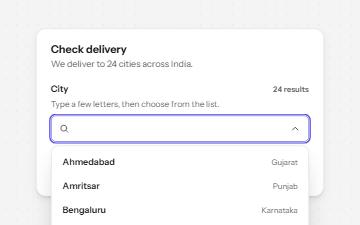
Combobox with autocomplete
A text field that filters a list of suggestions as you type, with arrow keys to pick one and a live count of matches.
-
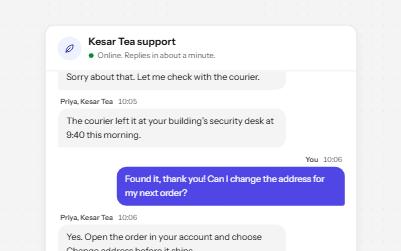
Chat
A support chat whose history is a live log: new messages are read out as they arrive, and focus stays where you are typing.
-
Comment thread
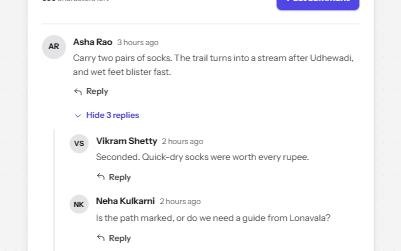
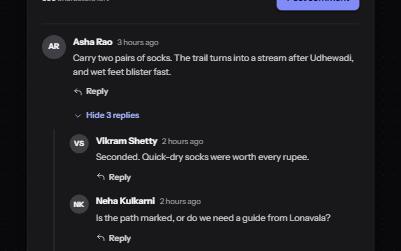
A threaded discussion with replies that open in place, collapsible threads, and edit or delete for your own comments.
-
Listbox
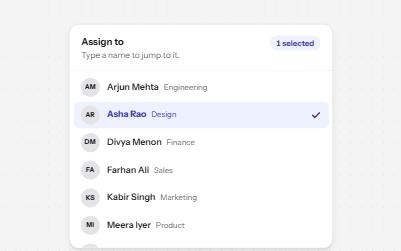
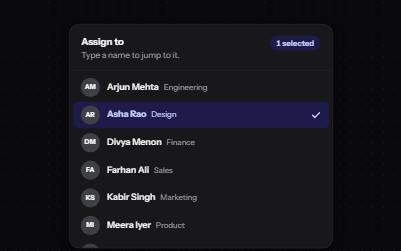
A list of options to choose one or several from, with arrow keys, typing to jump and a count of what is selected.