Accessibility pattern · Form inputs
Listbox
The list is one stop in the Tab order. Focus stays on the list while aria-activedescendant points at the option in focus, so screen readers follow the arrow keys. With Select several on, the list says it is multi-selectable, Space picks without moving, and a polite count says how many are selected.
- WCAG criteria
- 6
- Keyboard rules
- 7
- Checked with
- axe, keyboard and the inspector
Live demo
Try it
Use it with a mouse, a keyboard or a screen reader. The inspector beside it shows what the browser tells assistive technology as you go: focus, state changes and announcements.
Assign to
Type a name to jump to it.
Space picks a person. Shift with an arrow key picks the people next to them.
1 selected
- Arjun Mehta Engineering
- Asha Rao Design
- Divya Menon Finance
- Farhan Ali Sales
- Kabir Singh Marketing
- Meera Iyer Product
- Neha Joshi Legal
- Priya Nair Support
- Ravi Kumar Engineering
- Vikram Das Research
The demo works without JavaScript only as far as its HTML does; the inspector needs JavaScript.
Keyboard
Keys it answers to
Every action works without a pointer.
| Key | What it does |
|---|---|
| Tab | Moves into the list, onto the selected person; the next Tab leaves the list. |
| Arrow Down or Arrow Up | Moves to the next or previous person. Choosing one person, the selection moves with it. |
| Home or End | Moves to the first or last person. |
| A–Z | Typing the first letters of a name jumps to it; the same letter again moves on to the next name that starts with it. |
| Space | With Select several on, adds or removes the person in focus. |
| ShiftArrow Down or ShiftArrow Up | With Select several on, moves and selects every person from the last one picked to the one in focus. |
| CtrlA | With Select several on, selects everyone, or clears the selection when everyone is already selected. |
Screen readers
What it announces
Written from the roles, names and states in the markup.
| When | Expected announcement |
|---|---|
| Tab reaches the list | Assign to, list box. Asha Rao Design, selected, 2 of 10. Type a name to jump to it. |
| Arrow Down moves on | Divya Menon Finance, selected, 3 of 10 |
| Typing R | Ravi Kumar Engineering, selected, 9 of 10 |
| With Select several on, Space picks Divya Menon | Selected. 2 selected |
| Ctrl+A selects everyone | 10 selected |
These are expected announcements, not recordings. Wording and order differ between screen readers and browsers.
Code
Copy the code
The exact files this demo runs on. The styles are served with a prefix that keeps this site's own styles out of the demo; what you copy is the original.
<div class="ap-listbox" data-ap-listbox>
  <div class="ap-listbox__top">
    <div class="ap-listbox__intro">
      <p class="ap-listbox__label" id="listbox-label">Assign to</p>
      <p class="ap-listbox__hint" id="listbox-hint-one">Type a name to jump to it.</p>
      <p class="ap-listbox__hint" id="listbox-hint-many" hidden>Space picks a person. Shift with an arrow key picks the people next to them.</p>
    </div>
    <p class="ap-listbox__count" role="status"><span data-ap-n translate="no">1</span> <span>selected</span></p>
  </div>
  <ul class="ap-listbox__list" id="listbox-list" role="listbox" tabindex="0" aria-labelledby="listbox-label" aria-describedby="listbox-hint-one" aria-activedescendant="listbox-o-asha">
    <li class="ap-listbox__opt" role="option" id="listbox-o-arjun" aria-selected="false">
      <span class="ap-listbox__box" aria-hidden="true"><svg viewBox="0 0 24 24" focusable="false"><path d="m6 12.5 4 4 8-9"/></svg></span>
      <span class="ap-listbox__avatar" aria-hidden="true">AM</span>
      <span class="ap-listbox__who"><span class="ap-listbox__person">Arjun Mehta</span> <span class="ap-listbox__team">Engineering</span></span>
      <svg class="ap-listbox__tick" viewBox="0 0 24 24" aria-hidden="true" focusable="false"><path d="m5 12.5 4.5 4.5L19 7.5"/></svg>
    </li>
    <li class="ap-listbox__opt" role="option" id="listbox-o-asha" aria-selected="true">
      <span class="ap-listbox__box" aria-hidden="true"><svg viewBox="0 0 24 24" focusable="false"><path d="m6 12.5 4 4 8-9"/></svg></span>
      <span class="ap-listbox__avatar" aria-hidden="true">AR</span>
      <span class="ap-listbox__who"><span class="ap-listbox__person">Asha Rao</span> <span class="ap-listbox__team">Design</span></span>
      <svg class="ap-listbox__tick" viewBox="0 0 24 24" aria-hidden="true" focusable="false"><path d="m5 12.5 4.5 4.5L19 7.5"/></svg>
    </li>
    <li class="ap-listbox__opt" role="option" id="listbox-o-divya" aria-selected="false">
      <span class="ap-listbox__box" aria-hidden="true"><svg viewBox="0 0 24 24" focusable="false"><path d="m6 12.5 4 4 8-9"/></svg></span>
      <span class="ap-listbox__avatar" aria-hidden="true">DM</span>
      <span class="ap-listbox__who"><span class="ap-listbox__person">Divya Menon</span> <span class="ap-listbox__team">Finance</span></span>
      <svg class="ap-listbox__tick" viewBox="0 0 24 24" aria-hidden="true" focusable="false"><path d="m5 12.5 4.5 4.5L19 7.5"/></svg>
    </li>
    <li class="ap-listbox__opt" role="option" id="listbox-o-farhan" aria-selected="false">
      <span class="ap-listbox__box" aria-hidden="true"><svg viewBox="0 0 24 24" focusable="false"><path d="m6 12.5 4 4 8-9"/></svg></span>
      <span class="ap-listbox__avatar" aria-hidden="true">FA</span>
      <span class="ap-listbox__who"><span class="ap-listbox__person">Farhan Ali</span> <span class="ap-listbox__team">Sales</span></span>
      <svg class="ap-listbox__tick" viewBox="0 0 24 24" aria-hidden="true" focusable="false"><path d="m5 12.5 4.5 4.5L19 7.5"/></svg>
    </li>
    <li class="ap-listbox__opt" role="option" id="listbox-o-kabir" aria-selected="false">
      <span class="ap-listbox__box" aria-hidden="true"><svg viewBox="0 0 24 24" focusable="false"><path d="m6 12.5 4 4 8-9"/></svg></span>
      <span class="ap-listbox__avatar" aria-hidden="true">KS</span>
      <span class="ap-listbox__who"><span class="ap-listbox__person">Kabir Singh</span> <span class="ap-listbox__team">Marketing</span></span>
      <svg class="ap-listbox__tick" viewBox="0 0 24 24" aria-hidden="true" focusable="false"><path d="m5 12.5 4.5 4.5L19 7.5"/></svg>
    </li>
    <li class="ap-listbox__opt" role="option" id="listbox-o-meera" aria-selected="false">
      <span class="ap-listbox__box" aria-hidden="true"><svg viewBox="0 0 24 24" focusable="false"><path d="m6 12.5 4 4 8-9"/></svg></span>
      <span class="ap-listbox__avatar" aria-hidden="true">MI</span>
      <span class="ap-listbox__who"><span class="ap-listbox__person">Meera Iyer</span> <span class="ap-listbox__team">Product</span></span>
      <svg class="ap-listbox__tick" viewBox="0 0 24 24" aria-hidden="true" focusable="false"><path d="m5 12.5 4.5 4.5L19 7.5"/></svg>
    </li>
    <li class="ap-listbox__opt" role="option" id="listbox-o-neha" aria-selected="false">
      <span class="ap-listbox__box" aria-hidden="true"><svg viewBox="0 0 24 24" focusable="false"><path d="m6 12.5 4 4 8-9"/></svg></span>
      <span class="ap-listbox__avatar" aria-hidden="true">NJ</span>
      <span class="ap-listbox__who"><span class="ap-listbox__person">Neha Joshi</span> <span class="ap-listbox__team">Legal</span></span>
      <svg class="ap-listbox__tick" viewBox="0 0 24 24" aria-hidden="true" focusable="false"><path d="m5 12.5 4.5 4.5L19 7.5"/></svg>
    </li>
    <li class="ap-listbox__opt" role="option" id="listbox-o-priya" aria-selected="false">
      <span class="ap-listbox__box" aria-hidden="true"><svg viewBox="0 0 24 24" focusable="false"><path d="m6 12.5 4 4 8-9"/></svg></span>
      <span class="ap-listbox__avatar" aria-hidden="true">PN</span>
      <span class="ap-listbox__who"><span class="ap-listbox__person">Priya Nair</span> <span class="ap-listbox__team">Support</span></span>
      <svg class="ap-listbox__tick" viewBox="0 0 24 24" aria-hidden="true" focusable="false"><path d="m5 12.5 4.5 4.5L19 7.5"/></svg>
    </li>
    <li class="ap-listbox__opt" role="option" id="listbox-o-ravi" aria-selected="false">
      <span class="ap-listbox__box" aria-hidden="true"><svg viewBox="0 0 24 24" focusable="false"><path d="m6 12.5 4 4 8-9"/></svg></span>
      <span class="ap-listbox__avatar" aria-hidden="true">RK</span>
      <span class="ap-listbox__who"><span class="ap-listbox__person">Ravi Kumar</span> <span class="ap-listbox__team">Engineering</span></span>
      <svg class="ap-listbox__tick" viewBox="0 0 24 24" aria-hidden="true" focusable="false"><path d="m5 12.5 4.5 4.5L19 7.5"/></svg>
    </li>
    <li class="ap-listbox__opt" role="option" id="listbox-o-vikram" aria-selected="false">
      <span class="ap-listbox__box" aria-hidden="true"><svg viewBox="0 0 24 24" focusable="false"><path d="m6 12.5 4 4 8-9"/></svg></span>
      <span class="ap-listbox__avatar" aria-hidden="true">VD</span>
      <span class="ap-listbox__who"><span class="ap-listbox__person">Vikram Das</span> <span class="ap-listbox__team">Research</span></span>
      <svg class="ap-listbox__tick" viewBox="0 0 24 24" aria-hidden="true" focusable="false"><path d="m5 12.5 4.5 4.5L19 7.5"/></svg>
    </li>
  </ul>
</div>
/* Listbox. Uses the --ap-* design tokens. */
.ap-listbox {
  width: min(100%, 440px);
  margin-inline: auto;
  border: 1px solid var(--ap-border);
  border-radius: var(--ap-radius-lg);
  background: var(--ap-surface);
  color: var(--ap-text);
  box-shadow: var(--ap-shadow-md);
}
.ap-listbox [hidden] {
  display: none;
}

.ap-listbox__top {
  display: flex;
  align-items: flex-start;
  justify-content: space-between;
  gap: 12px;
  padding: 18px 20px 14px;
}
.ap-listbox__intro {
  min-width: 0;
}
.ap-listbox__label {
  margin: 0;
  font-size: 1rem;
  font-weight: 650;
  line-height: 1.35;
}
.ap-listbox__hint {
  margin: 2px 0 0;
  color: var(--ap-text-3);
  font-size: .875rem;
  line-height: 1.45;
}
.ap-listbox__count {
  flex-shrink: 0;
  margin: 0;
  padding: 3px 10px;
  border-radius: var(--ap-radius-full);
  background: var(--ap-accent-soft);
  color: var(--ap-accent-soft-text);
  font-size: .8125rem;
  font-weight: 650;
  white-space: nowrap;
  font-variant-numeric: tabular-nums;
}

/* The list: one tab stop that scrolls inside the card. */
.ap-listbox__list {
  max-height: 296px;
  margin: 0;
  padding: 6px;
  overflow-y: auto;
  border-top: 1px solid var(--ap-border);
  border-radius: 0 0 var(--ap-radius-lg) var(--ap-radius-lg);
  list-style: none;
  overscroll-behavior: contain;
  scrollbar-width: thin;
}
.ap-listbox__list:focus-visible {
  outline: 2px solid var(--ap-focus);
  outline-offset: 2px;
}

.ap-listbox__opt {
  display: flex;
  align-items: center;
  gap: 12px;
  min-height: var(--ap-target);
  padding: 6px 12px;
  border-radius: var(--ap-radius-sm);
  cursor: pointer;
  user-select: none;
}
.ap-listbox__opt + .ap-listbox__opt {
  margin-top: 2px;
}
.ap-listbox__opt:hover {
  background: var(--ap-surface-2);
}
/* The option in focus: the list has focus, the option has the ring. */
.ap-listbox__list:focus .ap-listbox__opt.is-active {
  box-shadow: inset 0 0 0 2px var(--ap-focus);
}
.ap-listbox__opt[aria-selected="true"] {
  background: var(--ap-accent-soft);
}

.ap-listbox__avatar {
  display: grid;
  flex-shrink: 0;
  place-items: center;
  width: 32px;
  height: 32px;
  border-radius: var(--ap-radius-full);
  background: var(--ap-surface-3);
  color: var(--ap-text);
  font-size: .6875rem;
  font-weight: 700;
  letter-spacing: .02em;
}
.ap-listbox__who {
  display: flex;
  flex: 1;
  flex-wrap: wrap;
  align-items: baseline;
  gap: 0 8px;
  min-width: 0;
}
.ap-listbox__person {
  font-weight: 550;
}
.ap-listbox__team {
  color: var(--ap-text-3);
  font-size: .8125rem;
}
.ap-listbox__opt[aria-selected="true"] .ap-listbox__person {
  color: var(--ap-accent-soft-text);
  font-weight: 700;
}
.ap-listbox__opt[aria-selected="true"] .ap-listbox__team {
  color: var(--ap-accent-soft-text);
}

/* Choosing one: a check at the end of the chosen row. */
.ap-listbox__tick {
  flex-shrink: 0;
  width: 20px;
  height: 20px;
  fill: none;
  stroke: var(--ap-accent-soft-text);
  stroke-width: 2.5;
  stroke-linecap: round;
  stroke-linejoin: round;
  visibility: hidden;
}
.ap-listbox__opt[aria-selected="true"] .ap-listbox__tick {
  visibility: visible;
}

/* Choosing several: a box at the start of every row, ticked when selected. */
.ap-listbox__box {
  display: none;
  flex-shrink: 0;
  place-items: center;
  width: 20px;
  height: 20px;
  border: 1.5px solid var(--ap-border-strong);
  border-radius: 5px;
  background: var(--ap-surface);
  color: var(--ap-on-accent);
}
.ap-listbox__box svg {
  width: 14px;
  height: 14px;
  fill: none;
  stroke: currentColor;
  stroke-width: 3;
  stroke-linecap: round;
  stroke-linejoin: round;
  visibility: hidden;
}
.ap-listbox[data-multiple] .ap-listbox__box {
  display: grid;
}
.ap-listbox[data-multiple] .ap-listbox__tick {
  display: none;
}
.ap-listbox__opt[aria-selected="true"] .ap-listbox__box {
  border-color: var(--ap-accent);
  background: var(--ap-accent);
}
.ap-listbox__opt[aria-selected="true"] .ap-listbox__box svg {
  visibility: visible;
}

@media (forced-colors: active) {
  .ap-listbox__list:focus .ap-listbox__opt.is-active { outline: 2px solid Highlight; outline-offset: -2px; }
  .ap-listbox__opt[aria-selected="true"] .ap-listbox__box { forced-color-adjust: none; border-color: Highlight; background: Highlight; color: HighlightText; }
}
/**
 * Listbox: a list with one tab stop. Focus stays on the list and
 * aria-activedescendant points at the option in focus; the script moves it
 * with the arrow keys, Home, End and typing, and keeps it scrolled into view.
 * Choosing one, the selection follows focus. With data-multiple on the root,
 * the list is multi-selectable: Space toggles, Shift with an arrow key
 * selects a range from the last option picked, and Ctrl+A selects all.
 *
 * Markup: [data-ap-listbox] holding ul[role=listbox][tabindex=0] of
 * li[role=option] (name in .ap-listbox__person), two hints
 * (#listbox-hint-one, #listbox-hint-many) and a p[role=status] with a
 * [data-ap-n] for the count.
 */

export function init(root) {
  const list = root.querySelector("[role=listbox]");
  const options = [...list.querySelectorAll("[role=option]")];
  const hintOne = root.querySelector("#listbox-hint-one");
  const hintMany = root.querySelector("#listbox-hint-many");
  const count = root.querySelector("[data-ap-n]");
  const multiple = () => root.hasAttribute("data-multiple");
  const nameOf = (option) => option.querySelector(".ap-listbox__person").textContent.trim().toLocaleLowerCase();
  const isSelected = (option) => option.getAttribute("aria-selected") === "true";

  let active = null;
  let anchor = null;          // the last option picked, where a Shift range starts
  let kept = new Set();       // what was selected before the current Shift range
  let typed = "";
  let typedAt = 0;

  // The mode decides the list's state and which hint describes it.
  const many = multiple();
  if (many) list.setAttribute("aria-multiselectable", "true");
  else list.removeAttribute("aria-multiselectable");
  hintOne.hidden = many;
  hintMany.hidden = !many;
  list.setAttribute("aria-describedby", many ? hintMany.id : hintOne.id);

  function paintCount() {
    const n = String(options.filter(isSelected).length);
    // Written only when it changes, so a live region does not repeat itself.
    if (count.textContent !== n) count.textContent = n;
  }

  function select(option, on) {
    option.setAttribute("aria-selected", String(on));
  }

  function setActive(option) {
    if (!option) return;
    active?.classList.remove("is-active");
    active = option;
    option.classList.add("is-active");
    if (list.getAttribute("aria-activedescendant") !== option.id) list.setAttribute("aria-activedescendant", option.id);
    // Scroll the list, not the page.
    const top = option.offsetTop - list.clientTop;
    const bottom = top + option.offsetHeight;
    if (top < list.scrollTop + 6) list.scrollTop = top - 6;
    else if (bottom > list.scrollTop + list.clientHeight - 6) list.scrollTop = bottom - list.clientHeight + 6;
  }

  // Choosing one: moving is choosing.
  function choose(option) {
    for (const o of options) select(o, o === option);
    setActive(option);
    anchor = option;
    paintCount();
  }

  function toggle(option) {
    select(option, !isSelected(option));
    setActive(option);
    anchor = option;
    kept = new Set(options.filter(isSelected));
    paintCount();
  }

  // Selects every option from the anchor to this one, keeping what was picked before.
  function extendTo(option) {
    if (!anchor) {
      anchor = active || option;
      kept = new Set(options.filter(isSelected));
    }
    const [a, b] = [options.indexOf(anchor), options.indexOf(option)].sort((x, y) => x - y);
    for (const [i, o] of options.entries()) select(o, kept.has(o) || (i >= a && i <= b));
    setActive(option);
    paintCount();
  }

  function moveTo(option, event) {
    if (!option) return;
    if (!multiple()) choose(option);
    else if (event?.shiftKey) extendTo(option);
    else setActive(option);
  }

  function typeahead(char) {
    const now = Date.now();
    typed = now - typedAt > 600 ? char : typed + char;
    typedAt = now;
    // The same letter again moves on to the next name that starts with it.
    const same = [...typed].every((c) => c === typed[0]);
    const query = same ? typed[0] : typed;
    const from = options.indexOf(active) + (same ? 1 : 0);
    const order = [...options.slice(from), ...options.slice(0, from)];
    return order.find((o) => nameOf(o).startsWith(query)) || null;
  }

  function onKeydown(event) {
    const at = options.indexOf(active);
    const ctrl = event.ctrlKey || event.metaKey;
    let next = null;
    if (event.key === "ArrowDown") next = options[Math.min(at + 1, options.length - 1)];
    else if (event.key === "ArrowUp") next = options[Math.max(at - 1, 0)];
    else if (event.key === "Home") next = options[0];
    else if (event.key === "End") next = options[options.length - 1];
    else if (event.key === " " && multiple() && active) {
      event.preventDefault();
      toggle(active);
      return;
    } else if (ctrl && event.key.toLowerCase() === "a" && multiple()) {
      event.preventDefault();
      const all = options.every(isSelected);
      for (const o of options) select(o, !all);
      kept = new Set(options.filter(isSelected));
      paintCount();
      return;
    } else if (event.key.length === 1 && !ctrl && !event.altKey && event.key !== " ") {
      next = typeahead(event.key.toLocaleLowerCase());
      if (next) {
        event.preventDefault();
        if (multiple()) setActive(next);
        else choose(next);
      }
      return;
    }
    if (!next) return;
    event.preventDefault();
    moveTo(next, event);
  }

  function onClick(event) {
    const option = event.target.closest("[role=option]");
    if (!option || !list.contains(option)) return;
    if (!multiple()) choose(option);
    else if (event.shiftKey) extendTo(option);
    else toggle(option);
  }

  // Coming back to the list lands on the selected option (or the first).
  function onFocus() {
    if (!active) setActive(options.find(isSelected) || options[0]);
  }

  setActive(document.getElementById(list.getAttribute("aria-activedescendant")) || options.find(isSelected) || options[0]);
  anchor = active;
  kept = new Set(options.filter(isSelected));
  paintCount();

  list.addEventListener("keydown", onKeydown);
  list.addEventListener("click", onClick);
  list.addEventListener("focus", onFocus);
  return () => {
    list.removeEventListener("keydown", onKeydown);
    list.removeEventListener("click", onClick);
    list.removeEventListener("focus", onFocus);
  };
}

for (const root of document.querySelectorAll("[data-ap-listbox]")) init(root);
/* Design tokens for the pattern components. Light by default, dark when the
   system asks for it; set data-theme="dark" on :root to force dark. */
:root {
    --ap-radius-sm: 8px;
    --ap-radius: 12px;
    --ap-radius-lg: 16px;
    --ap-radius-full: 999px;
    --ap-font: "Instrument Sans", ui-sans-serif, system-ui, -apple-system, "Segoe UI", Roboto, sans-serif;
    --ap-mono: "JetBrains Mono", ui-monospace, "Cascadia Mono", "SF Mono", Consolas, monospace;
    --ap-ease: cubic-bezier(.2, .8, .2, 1);
    --ap-duration: 180ms;
    --ap-target: 44px;
    --ap-bg: #F4F4F5;
    --ap-surface: #FFFFFF;
    --ap-surface-2: #F4F4F5;
    --ap-surface-3: #E4E4E7;
    --ap-border: #E4E4E7;
    --ap-border-strong: #76767F;
    --ap-text: #18181B;
    --ap-text-2: #3F3F46;
    --ap-text-3: #5E5E66;
    --ap-accent: #4F46E5;
    --ap-accent-hover: #4338CA;
    --ap-on-accent: #FFFFFF;
    --ap-accent-text: #4338CA;
    --ap-accent-soft: #EEF2FF;
    --ap-accent-soft-text: #3730A3;
    --ap-focus: #4F46E5;
    --ap-danger: #B91C1C;
    --ap-danger-soft: #FEF2F2;
    --ap-success: #15803D;
    --ap-success-soft: #F0FDF4;
    --ap-warning: #A15C07;
    --ap-warning-soft: #FEFCE8;
    --ap-info: #1D4ED8;
    --ap-info-soft: #EFF6FF;
    --ap-scrim: rgb(9 9 11 / .48);
    --ap-shadow-sm: 0 1px 2px rgb(9 9 11 / .06);
    --ap-shadow-md: 0 1px 2px rgb(9 9 11 / .05), 0 6px 16px -4px rgb(9 9 11 / .1);
    --ap-shadow-lg: 0 2px 6px rgb(9 9 11 / .06), 0 20px 40px -12px rgb(9 9 11 / .22);
    --ap-light-bg: #F4F4F5;
    --ap-light-surface: #FFFFFF;
    --ap-light-surface-2: #F4F4F5;
    --ap-light-surface-3: #E4E4E7;
    --ap-light-border: #E4E4E7;
    --ap-light-border-strong: #76767F;
    --ap-light-text: #18181B;
    --ap-light-text-2: #3F3F46;
    --ap-light-text-3: #5E5E66;
    --ap-light-accent: #4F46E5;
    --ap-light-accent-hover: #4338CA;
    --ap-light-on-accent: #FFFFFF;
    --ap-light-accent-text: #4338CA;
    --ap-light-accent-soft: #EEF2FF;
    --ap-light-accent-soft-text: #3730A3;
    --ap-light-focus: #4F46E5;
    --ap-light-danger: #B91C1C;
    --ap-light-danger-soft: #FEF2F2;
    --ap-light-success: #15803D;
    --ap-light-success-soft: #F0FDF4;
    --ap-light-warning: #A15C07;
    --ap-light-warning-soft: #FEFCE8;
    --ap-light-info: #1D4ED8;
    --ap-light-info-soft: #EFF6FF;
    --ap-light-scrim: rgb(9 9 11 / .48);
    --ap-light-shadow-sm: 0 1px 2px rgb(9 9 11 / .06);
    --ap-light-shadow-md: 0 1px 2px rgb(9 9 11 / .05), 0 6px 16px -4px rgb(9 9 11 / .1);
    --ap-light-shadow-lg: 0 2px 6px rgb(9 9 11 / .06), 0 20px 40px -12px rgb(9 9 11 / .22);
    --ap-dark-bg: #09090B;
    --ap-dark-surface: #18181B;
    --ap-dark-surface-2: #27272A;
    --ap-dark-surface-3: #3F3F46;
    --ap-dark-border: #2E2E33;
    --ap-dark-border-strong: #8E8E97;
    --ap-dark-text: #FAFAFA;
    --ap-dark-text-2: #D4D4D8;
    --ap-dark-text-3: #A1A1AA;
    --ap-dark-accent: #818CF8;
    --ap-dark-accent-hover: #A5B4FC;
    --ap-dark-on-accent: #0C0A1F;
    --ap-dark-accent-text: #A5B4FC;
    --ap-dark-accent-soft: #1E1B4B;
    --ap-dark-accent-soft-text: #C7D2FE;
    --ap-dark-focus: #A5B4FC;
    --ap-dark-danger: #F87171;
    --ap-dark-danger-soft: #2A1215;
    --ap-dark-success: #4ADE80;
    --ap-dark-success-soft: #0F2A1A;
    --ap-dark-warning: #FACC15;
    --ap-dark-warning-soft: #2A2410;
    --ap-dark-info: #60A5FA;
    --ap-dark-info-soft: #0F1D33;
    --ap-dark-scrim: rgb(0 0 0 / .62);
    --ap-dark-shadow-sm: 0 1px 2px rgb(0 0 0 / .4);
    --ap-dark-shadow-md: 0 1px 2px rgb(0 0 0 / .4), 0 8px 20px -6px rgb(0 0 0 / .5);
    --ap-dark-shadow-lg: 0 2px 8px rgb(0 0 0 / .45), 0 24px 48px -12px rgb(0 0 0 / .7);
}
@media (prefers-color-scheme: dark) {
  :root:not([data-theme="light"]) {
      --ap-bg: #09090B;
      --ap-surface: #18181B;
      --ap-surface-2: #27272A;
      --ap-surface-3: #3F3F46;
      --ap-border: #2E2E33;
      --ap-border-strong: #8E8E97;
      --ap-text: #FAFAFA;
      --ap-text-2: #D4D4D8;
      --ap-text-3: #A1A1AA;
      --ap-accent: #818CF8;
      --ap-accent-hover: #A5B4FC;
      --ap-on-accent: #0C0A1F;
      --ap-accent-text: #A5B4FC;
      --ap-accent-soft: #1E1B4B;
      --ap-accent-soft-text: #C7D2FE;
      --ap-focus: #A5B4FC;
      --ap-danger: #F87171;
      --ap-danger-soft: #2A1215;
      --ap-success: #4ADE80;
      --ap-success-soft: #0F2A1A;
      --ap-warning: #FACC15;
      --ap-warning-soft: #2A2410;
      --ap-info: #60A5FA;
      --ap-info-soft: #0F1D33;
      --ap-scrim: rgb(0 0 0 / .62);
      --ap-shadow-sm: 0 1px 2px rgb(0 0 0 / .4);
      --ap-shadow-md: 0 1px 2px rgb(0 0 0 / .4), 0 8px 20px -6px rgb(0 0 0 / .5);
      --ap-shadow-lg: 0 2px 8px rgb(0 0 0 / .45), 0 24px 48px -12px rgb(0 0 0 / .7);
  }
}
:root[data-theme="dark"] {
    --ap-bg: #09090B;
    --ap-surface: #18181B;
    --ap-surface-2: #27272A;
    --ap-surface-3: #3F3F46;
    --ap-border: #2E2E33;
    --ap-border-strong: #8E8E97;
    --ap-text: #FAFAFA;
    --ap-text-2: #D4D4D8;
    --ap-text-3: #A1A1AA;
    --ap-accent: #818CF8;
    --ap-accent-hover: #A5B4FC;
    --ap-on-accent: #0C0A1F;
    --ap-accent-text: #A5B4FC;
    --ap-accent-soft: #1E1B4B;
    --ap-accent-soft-text: #C7D2FE;
    --ap-focus: #A5B4FC;
    --ap-danger: #F87171;
    --ap-danger-soft: #2A1215;
    --ap-success: #4ADE80;
    --ap-success-soft: #0F2A1A;
    --ap-warning: #FACC15;
    --ap-warning-soft: #2A2410;
    --ap-info: #60A5FA;
    --ap-info-soft: #0F1D33;
    --ap-scrim: rgb(0 0 0 / .62);
    --ap-shadow-sm: 0 1px 2px rgb(0 0 0 / .4);
    --ap-shadow-md: 0 1px 2px rgb(0 0 0 / .4), 0 8px 20px -6px rgb(0 0 0 / .5);
    --ap-shadow-lg: 0 2px 8px rgb(0 0 0 / .45), 0 24px 48px -12px rgb(0 0 0 / .7);
}
WCAG 2.2
What it meets
The success criteria this pattern takes care of, and how.
-
1.3.1 Info and Relationships
Level A
The list is labelled by its visible name, and each person is an option, so the structure and the count of options are exposed.
-
1.4.1 Use of Color
Level A
Selected people show a check mark and heavier text; in Select several each one has a ticked box, so selection never rests on the tint.
-
2.1.1 Keyboard
Level A
Moving, choosing, jumping by typing and selecting a range all work from the keyboard.
-
2.4.7 Focus Visible
Level AA
The list shows a focus ring, and the person in focus has a ring of their own, so it is clear where the arrow keys are.
-
4.1.2 Name, Role, Value
Level A
role=listbox, role=option and aria-selected expose each option and its state; aria-multiselectable says when several can be chosen.
-
4.1.3 Status Messages
Level AA
The number selected is a polite status, read after the list changes in Select several.
Usage
When to use it
Use it
- Choosing from a list of people, files or items that people scan rather than type, and that needs more than plain text in each row.
- Picking several items from a list of up to about twenty.
Use something else
- A plain choice inside a form: a native select works everywhere with no script.
- A list long enough that people would rather type: use a combobox.
- Rows with buttons or links inside them: a listbox option cannot hold controls; use a grid or a list of buttons.
Common failures
How it usually goes wrong
Every option in the Tab order
Ten options with tabindex=0 mean ten Tab presses to get past the list. One stop for the list, with arrow keys inside it, is the expected model.
Focus moved with no indicator
With aria-activedescendant the browser does not draw a ring on the option, so the page has to. The option in focus here has its own ring.
Selected and focused drawn the same
In Select several the option in focus is often not selected. A ring for focus and a check for selection keep the two apart.
No way to select several from the keyboard
A list that only adds to its selection with Ctrl and a click leaves keyboard users with one choice. Space, Shift with the arrow keys and Ctrl+A cover it.
Interactive content inside options
Options are read as plain text, so a button inside one cannot be found or pressed by a screen reader user. Keep options to text and decoration.
Notes
Building it
- aria-activedescendant keeps focus on the list and points at an option by id, so options need unique ids and the script has to scroll the active one into view.
- In a single-choice list, the selection follows focus. In Select several it does not: the arrow keys only move, and Space or Shift does the selecting.
- The count is written only when it changes, so moving through a single-choice list does not repeat "1 selected".
- Typing to jump compares the visible text, so it keeps working when the page is translated.
Sources: WAI-ARIA Authoring Practices: Listbox
Checked with axe in light and dark themes, at desktop and phone widths, and by keyboard. Not yet tested with every screen reader and browser pair. Report a correction
Related
Patterns that go with it
-
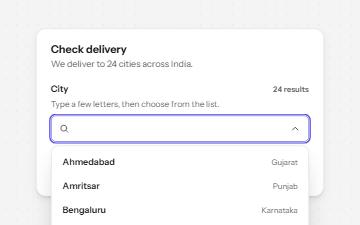
Combobox with autocomplete
A text field that filters a list of suggestions as you type, with arrow keys to pick one and a live count of matches.
-
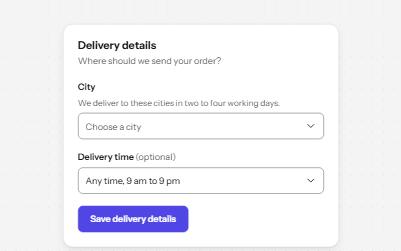
Select
A styled native select with a label, hint, region groups, a placeholder and a required error, drawn by the browser.
-
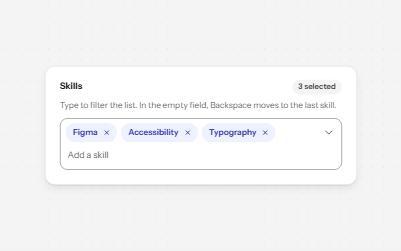
Multi-select with tags
A field that filters a list as you type and turns each choice into a removable chip, for picking several values.
-
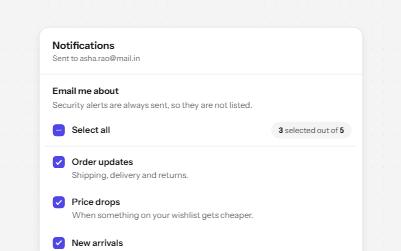
Checkbox group with select all
A fieldset of related checkboxes with a Select all box that shows a mixed state and a live count of what is chosen.