Accessibility pattern · Form inputs
Range slider
Each thumb is its own slider with its own name, and each one's limit is the other's value, so the two can meet but never cross. Two text fields set the same values by typing, and the result count is announced once the thumbs stop moving, not on every step.
- WCAG criteria
- 7
- Keyboard rules
- 6
- Checked with
- axe, keyboard and the inspector
Live demo
Try it
Use it with a mouse, a keyboard or a screen reader. The inspector beside it shows what the browser tells assistive technology as you go: focus, state changes and announcements.
The demo works without JavaScript only as far as its HTML does; the inspector needs JavaScript.
Keyboard
Keys it answers to
Every action works without a pointer.
| Key | What it does |
|---|---|
| Tab | Moves to the minimum thumb, then the maximum thumb, then the two fields. |
| Arrow Right or Arrow Up | Raises the focused thumb by ₹500, stopping at the other thumb or the end of the track. |
| Arrow Left or Arrow Down | Lowers the focused thumb by ₹500, stopping at the other thumb or the start. |
| Page Up or Page Down | Moves the focused thumb by ₹2,000. |
| Home or End | Moves the focused thumb to the lowest or highest value it can take. |
| Enter | In a field, applies the typed price; leaving the field does the same. |
Screen readers
What it announces
Written from the roles, names and states in the markup.
| When | Expected announcement |
|---|---|
| Tab reaches the first thumb | Price, group. Minimum price, slider, ₹2,000 |
| Arrow Right moves it | ₹2,500 |
| The thumbs stop moving for half a second | 20 products match |
| Tab reaches a field | Minimum (₹), edit text, 2,500. Whole rupees from ₹0 to ₹20,000. A value past the other end is moved to meet it. |
| Enter applies a typed price | 14 products match |
These are expected announcements, not recordings. Wording and order differ between screen readers and browsers.
Code
Copy the code
The exact files this demo runs on. The styles are served with a prefix that keeps this site's own styles out of the demo; what you copy is the original.
<div class="ap-range-slider" data-ap-range-slider data-min="0" data-max="20000" data-step="500" data-page="2000">
  <div class="ap-range-slider__top">
    <h3 class="ap-range-slider__label" id="range-slider-label">Price</h3>
    <p class="ap-range-slider__sub">Wireless headphones, prices include GST</p>
  </div>

  <div class="ap-range-slider__bars" data-ap-bars aria-hidden="true"></div>
  <div class="ap-range-slider__track" data-ap-track role="group" aria-labelledby="range-slider-label">
    <span class="ap-range-slider__rail" aria-hidden="true"></span>
    <span class="ap-range-slider__fill" data-ap-fill aria-hidden="true"></span>
    <span class="ap-range-slider__thumb" data-ap-thumb="min" role="slider" tabindex="0" aria-label="Minimum price" aria-valuemin="0" aria-valuemax="12000" aria-valuenow="2000" aria-valuetext="₹2,000"></span>
    <span class="ap-range-slider__thumb" data-ap-thumb="max" role="slider" tabindex="0" aria-label="Maximum price" aria-valuemin="2000" aria-valuemax="20000" aria-valuenow="12000" aria-valuetext="₹12,000"></span>
  </div>
  <div class="ap-range-slider__scale" aria-hidden="true"><span>₹0</span><span>₹20,000</span></div>

  <fieldset class="ap-range-slider__fields">
    <legend class="ap-range-slider__legend">Or type the range</legend>
    <div class="ap-range-slider__pair">
      <div class="ap-field">
        <label class="ap-label" for="range-slider-from">Minimum (₹)</label>
        <div class="ap-range-slider__money">
          <span aria-hidden="true">₹</span>
          <input class="ap-input" id="range-slider-from" data-ap-field="min" type="text" inputmode="numeric" autocomplete="off" value="2,000" aria-describedby="range-slider-hint" />
        </div>
      </div>
      <span class="ap-range-slider__dash" aria-hidden="true">–</span>
      <div class="ap-field">
        <label class="ap-label" for="range-slider-to">Maximum (₹)</label>
        <div class="ap-range-slider__money">
          <span aria-hidden="true">₹</span>
          <input class="ap-input" id="range-slider-to" data-ap-field="max" type="text" inputmode="numeric" autocomplete="off" value="12,000" aria-describedby="range-slider-hint" />
        </div>
      </div>
    </div>
    <p class="ap-hint ap-range-slider__hint" id="range-slider-hint">Whole rupees from ₹0 to ₹20,000. A value past the other end is moved to meet it.</p>
  </fieldset>

  <p class="ap-range-slider__result">
    <span class="ap-range-slider__n" data-ap-count translate="no">23</span>
    <span data-ap-unit>products match</span>
  </p>
  <p class="ap-range-slider__sr" role="status" data-ap-say></p>
</div>
/* Shared primitives: buttons and form fields used across the patterns.
   Uses the --ap-* design tokens. */

.ap-btn {
  display: inline-flex;
  align-items: center;
  justify-content: center;
  gap: 8px;
  min-height: 40px;
  padding: 0 16px;
  border: 1px solid var(--ap-border-strong);
  border-radius: var(--ap-radius-sm);
  background: var(--ap-surface);
  color: var(--ap-text);
  font: inherit;
  font-weight: 600;
  line-height: 1.2;
  text-decoration: none;
  white-space: nowrap;
  cursor: pointer;
  transition: background-color var(--ap-duration) var(--ap-ease), border-color var(--ap-duration) var(--ap-ease), box-shadow var(--ap-duration) var(--ap-ease);
}
.ap-btn:hover {
  background: var(--ap-surface-2);
}
.ap-btn:focus-visible {
  outline: 2px solid var(--ap-focus);
  outline-offset: 2px;
}
.ap-btn:disabled,
.ap-btn[aria-disabled="true"] {
  opacity: .55;
  cursor: not-allowed;
}
.ap-btn--primary {
  border-color: var(--ap-accent);
  background: var(--ap-accent);
  color: var(--ap-on-accent);
  box-shadow: var(--ap-shadow-sm);
}
.ap-btn--primary:hover {
  border-color: var(--ap-accent-hover);
  background: var(--ap-accent-hover);
}
.ap-btn--danger {
  border-color: var(--ap-danger);
  background: var(--ap-danger);
  color: var(--ap-surface);
}
.ap-btn--danger:hover {
  filter: brightness(1.08);
}
.ap-btn--ghost {
  border-color: transparent;
  background: transparent;
}
.ap-btn--ghost:hover {
  background: var(--ap-surface-2);
}
.ap-btn__icon {
  width: 18px;
  height: 18px;
  flex-shrink: 0;
  fill: none;
  stroke: currentColor;
  stroke-width: 2;
  stroke-linecap: round;
  stroke-linejoin: round;
}

.ap-field {
  display: grid;
  gap: 6px;
}
.ap-label {
  color: var(--ap-text);
  font-weight: 600;
  font-size: .9375rem;
}
.ap-hint {
  margin: 0;
  color: var(--ap-text-3);
  font-size: .875rem;
  line-height: 1.45;
}
.ap-error {
  display: flex;
  align-items: flex-start;
  gap: 6px;
  margin: 0;
  color: var(--ap-danger);
  font-size: .875rem;
  font-weight: 600;
  line-height: 1.45;
}
.ap-input {
  width: 100%;
  min-height: 44px;
  padding: 10px 12px;
  border: 1px solid var(--ap-border-strong);
  border-radius: var(--ap-radius-sm);
  background: var(--ap-surface);
  color: var(--ap-text);
  font: inherit;
  line-height: 1.4;
  transition: border-color var(--ap-duration) var(--ap-ease), box-shadow var(--ap-duration) var(--ap-ease);
}
.ap-input::placeholder {
  color: var(--ap-text-3);
}
.ap-input:hover {
  border-color: var(--ap-text-2);
}
.ap-input:focus-visible {
  outline: 2px solid var(--ap-focus);
  outline-offset: 1px;
  border-color: var(--ap-focus);
}
.ap-input[aria-invalid="true"] {
  border-color: var(--ap-danger);
  box-shadow: inset 4px 0 0 var(--ap-danger);
}
textarea.ap-input {
  resize: vertical;
  min-height: 88px;
}

@media (prefers-reduced-motion: reduce) {
  .ap-btn,
  .ap-input { transition: none; }
}

/* Range slider. Uses the --ap-* design tokens and the shared primitives. */
.ap-range-slider {
  container-type: inline-size;
  width: min(100%, 520px);
  margin-inline: auto;
  padding: 22px 24px 24px;
  border: 1px solid var(--ap-border);
  border-radius: var(--ap-radius-lg);
  background: var(--ap-surface);
  box-shadow: var(--ap-shadow-md);
  color: var(--ap-text);
  font-family: var(--ap-font);
}

.ap-range-slider__top {
  display: grid;
  gap: 2px;
}
.ap-range-slider__label {
  margin: 0;
  font-size: 1.0625rem;
  font-weight: 650;
  line-height: 1.35;
}
.ap-range-slider__sub {
  margin: 0;
  color: var(--ap-text-3);
  font-size: .875rem;
  line-height: 1.45;
}

/* The histogram: decoration that echoes the count below. */
.ap-range-slider__bars {
  display: flex;
  align-items: flex-end;
  gap: 3px;
  height: 56px;
  margin: 20px 14px 0;
}
.ap-range-slider__bars span {
  flex: 1;
  border-radius: 3px 3px 0 0;
  background: var(--ap-surface-3);
  transition: background-color var(--ap-duration) var(--ap-ease);
}
.ap-range-slider__bars span.is-in {
  background: var(--ap-accent);
  opacity: .55;
}

/* The track. Thumbs are placed by --at (0–100%), the fill by --from and --to. */
.ap-range-slider__track {
  position: relative;
  height: var(--ap-target);
  margin: 0 14px;
  cursor: pointer;
  touch-action: none;
  user-select: none;
  -webkit-user-select: none;
}
.ap-range-slider__rail,
.ap-range-slider__fill {
  position: absolute;
  top: 50%;
  height: 6px;
  margin-top: -3px;
  border-radius: var(--ap-radius-full);
}
.ap-range-slider__rail {
  left: -14px;
  right: -14px;
  background: var(--ap-surface-3);
}
.ap-range-slider__fill {
  left: var(--from, 0%);
  right: calc(100% - var(--to, 100%));
  background: var(--ap-accent);
}

.ap-range-slider__thumb {
  position: absolute;
  top: 50%;
  left: var(--at, 0%);
  z-index: 1;
  width: 28px;
  height: 28px;
  margin: -14px 0 0 -14px;
  border: 2px solid var(--ap-accent);
  border-radius: 50%;
  background: var(--ap-surface);
  box-shadow: var(--ap-shadow-sm);
  cursor: grab;
  transition: box-shadow var(--ap-duration) var(--ap-ease), transform var(--ap-duration) var(--ap-ease);
}
.ap-range-slider__thumb::after {
  content: "";
  position: absolute;
  inset: 7px;
  border-radius: 50%;
  background: var(--ap-accent);
}
.ap-range-slider__thumb.is-top {
  z-index: 2;
}
.ap-range-slider__thumb:hover {
  box-shadow: var(--ap-shadow-sm), 0 0 0 6px var(--ap-accent-soft);
}
.ap-range-slider__thumb.is-dragging {
  cursor: grabbing;
  transform: scale(1.08);
  box-shadow: var(--ap-shadow-md), 0 0 0 8px var(--ap-accent-soft);
}
.ap-range-slider__thumb:focus-visible {
  outline: 2px solid var(--ap-focus);
  outline-offset: 3px;
}

.ap-range-slider__scale {
  display: flex;
  justify-content: space-between;
  margin-top: -4px;
  color: var(--ap-text-3);
  font-size: .8125rem;
  font-variant-numeric: tabular-nums;
}

/* The typed alternative */
.ap-range-slider__fields {
  min-width: 0;
  margin: 22px 0 0;
  padding: 6px 0 0;
  border: 0;
  border-top: 1px solid var(--ap-border);
}
.ap-range-slider__legend {
  margin: 0;
  padding: 0 10px 0 0;
  color: var(--ap-text-2);
  font-size: .875rem;
  font-weight: 600;
}
.ap-range-slider__pair {
  display: grid;
  grid-template-columns: minmax(0, 1fr) auto minmax(0, 1fr);
  align-items: end;
  gap: 10px;
}
.ap-range-slider__dash {
  padding-bottom: 11px;
  color: var(--ap-text-3);
}
.ap-range-slider__money {
  position: relative;
}
.ap-range-slider__money span {
  position: absolute;
  top: 50%;
  left: 12px;
  transform: translateY(-50%);
  color: var(--ap-text-3);
  pointer-events: none;
}
.ap-range-slider__money .ap-input {
  padding-left: 28px;
  font-variant-numeric: tabular-nums;
}
.ap-range-slider__hint {
  margin-top: 8px;
}

/* The count */
.ap-range-slider__result {
  display: flex;
  align-items: baseline;
  gap: 8px;
  margin: 18px 0 0;
  padding: 12px 16px;
  border-radius: var(--ap-radius);
  background: var(--ap-surface-2);
  color: var(--ap-text-2);
  font-weight: 500;
}
.ap-range-slider__n {
  color: var(--ap-text);
  font-size: 1.25rem;
  font-weight: 700;
  font-variant-numeric: tabular-nums;
}
.ap-range-slider__n:empty {
  display: none;
}

.ap-range-slider__sr {
  position: absolute;
  width: 1px;
  height: 1px;
  margin: -1px;
  padding: 0;
  overflow: hidden;
  clip-path: inset(50%);
  white-space: nowrap;
  border: 0;
}

@container (max-width: 340px) {
  .ap-range-slider { padding: 18px 16px 20px; }
  .ap-range-slider__pair { grid-template-columns: minmax(0, 1fr); }
  .ap-range-slider__dash { display: none; }
}

@media (prefers-reduced-motion: reduce) {
  .ap-range-slider__thumb,
  .ap-range-slider__bars span { transition: none; }
  .ap-range-slider__thumb.is-dragging { transform: none; }
}
/**
 * Range slider: two role=slider thumbs on one track that cannot cross, two
 * text fields that set the same values by typing, and a result count that is
 * announced once movement stops.
 *
 * Markup: [data-ap-range-slider] with data-min, data-max, data-step (arrow
 * keys) and data-page (Page Up / Page Down); a [data-ap-track] holding
 * [data-ap-fill] and two [role=slider] thumbs, data-ap-thumb="min" and "max";
 * text inputs [data-ap-field="min"] and [data-ap-field="max"]; [data-ap-bars]
 * for the price histogram; [data-ap-count] and [data-ap-unit] for the
 * visible count; and a visually hidden [role=status][data-ap-say].
 */

// The catalogue being filtered: what a search API would answer with.
const PRICES = [799, 999, 1199, 1299, 1499, 1499, 1799, 1999, 1999, 2199, 2499, 2499, 2799, 2999,
  2999, 3299, 3499, 3999, 3999, 4499, 4999, 4999, 5499, 5999, 6499, 6999, 7499, 7999, 8999, 9999,
  10999, 11999, 12999, 13999, 14999, 15999, 17999, 19990];

export function init(root) {
  const lowest = Number(root.dataset.min);
  const highest = Number(root.dataset.max);
  const step = Number(root.dataset.step);
  const page = Number(root.dataset.page);
  const track = root.querySelector("[data-ap-track]");
  const bars = root.querySelector("[data-ap-bars]");
  const thumbs = {
    min: root.querySelector('[data-ap-thumb="min"]'),
    max: root.querySelector('[data-ap-thumb="max"]'),
  };
  const fields = {
    min: root.querySelector('[data-ap-field="min"]'),
    max: root.querySelector('[data-ap-field="max"]'),
  };
  const say = root.querySelector("[data-ap-say]");
  const values = {
    min: Number(thumbs.min.getAttribute("aria-valuenow")),
    max: Number(thumbs.max.getAttribute("aria-valuenow")),
  };
  const grouped = (n) => n.toLocaleString("en-IN");
  const pct = (v) => `${((v - lowest) / (highest - lowest)) * 100}%`;
  const matching = () => PRICES.filter((p) => p >= values.min && p <= values.max).length;

  let dragging = null;
  let sayTimer = 0;

  // The histogram: one bar per ₹1,000, drawn once; paint() lights the ones in range.
  const BIN = 1000;
  const bins = Array.from({ length: Math.ceil((highest - lowest) / BIN) }, (_, i) => ({
    from: lowest + i * BIN,
    n: PRICES.filter((p) => p >= lowest + i * BIN && p < lowest + (i + 1) * BIN).length,
  }));
  const tallest = Math.max(...bins.map((b) => b.n));
  bars.replaceChildren(...bins.map((b) => {
    const bar = document.createElement("span");
    bar.style.height = `${Math.max(6, (b.n / tallest) * 100)}%`;
    return bar;
  }));

  function paint() {
    for (const which of ["min", "max"]) {
      const thumb = thumbs[which];
      thumb.style.setProperty("--at", pct(values[which]));
      if (thumb.getAttribute("aria-valuenow") !== String(values[which])) {
        thumb.setAttribute("aria-valuenow", String(values[which]));
        thumb.setAttribute("aria-valuetext", `₹${grouped(values[which])}`);
      }
      fields[which].value = grouped(values[which]);
    }
    // Each thumb's limit is the other thumb's value.
    thumbs.min.setAttribute("aria-valuemax", String(values.max));
    thumbs.max.setAttribute("aria-valuemin", String(values.min));
    track.style.setProperty("--from", pct(values.min));
    track.style.setProperty("--to", pct(values.max));
    [...bars.children].forEach((bar, i) => {
      const mid = bins[i].from + BIN / 2;
      bar.classList.toggle("is-in", mid >= values.min && mid <= values.max);
    });
    const n = matching();
    root.querySelector("[data-ap-count]").textContent = n ? String(n) : "";
    root.querySelector("[data-ap-unit]").textContent = n === 0 ? "No products match" : n === 1 ? "product matches" : "products match";
  }

  // Say the count once the thumbs have been still for a moment, not on every step.
  function sayLater() {
    clearTimeout(sayTimer);
    sayTimer = setTimeout(() => {
      const n = matching();
      if (n === 0) {
        say.textContent = "No products match";
        return;
      }
      const num = document.createElement("span");
      num.setAttribute("translate", "no");
      num.textContent = String(n);
      const unit = document.createElement("span");
      unit.textContent = n === 1 ? "product matches" : "products match";
      say.replaceChildren(num, " ", unit);
    }, 500);
  }

  function set(which, value) {
    const floor = which === "min" ? lowest : values.min;
    const ceiling = which === "min" ? values.max : highest;
    const next = Math.min(ceiling, Math.max(floor, Math.round(value)));
    for (const k of ["min", "max"]) thumbs[k].classList.toggle("is-top", k === which);
    if (next === values[which]) {
      paint();
      return;
    }
    values[which] = next;
    paint();
    sayLater();
  }

  function onKeydown(event) {
    const thumb = event.target.closest("[role=slider]");
    if (!thumb || !track.contains(thumb)) return;
    const which = thumb.dataset.apThumb;
    const v = values[which];
    // Arrow keys snap to the next mark, so a typed ₹2,450 goes to ₹2,500.
    const up = (by) => Math.floor(v / by) * by + by;
    const down = (by) => Math.ceil(v / by) * by - by;
    let next;
    switch (event.key) {
      case "ArrowRight": case "ArrowUp": next = up(step); break;
      case "ArrowLeft": case "ArrowDown": next = down(step); break;
      case "PageUp": next = v + page; break;
      case "PageDown": next = v - page; break;
      case "Home": next = which === "min" ? lowest : values.min; break;
      case "End": next = which === "max" ? highest : values.max; break;
      default: return;
    }
    event.preventDefault();
    set(which, next);
  }

  /* Pointer: a press anywhere on the track takes the nearer thumb there. */
  function valueAt(x) {
    const box = track.getBoundingClientRect();
    const ratio = Math.min(1, Math.max(0, (x - box.left) / box.width));
    return Math.round((lowest + ratio * (highest - lowest)) / step) * step;
  }

  function onPointerDown(event) {
    if (event.button !== 0) return;
    const v = valueAt(event.clientX);
    const toMin = Math.abs(v - values.min);
    const toMax = Math.abs(v - values.max);
    // Thumbs that sit together are told apart by which way the pointer goes next.
    dragging = toMin === toMax ? (values.min === values.max ? "either" : v < values.min ? "min" : "max") : toMin < toMax ? "min" : "max";
    event.preventDefault();
    track.setPointerCapture(event.pointerId);
    if (dragging !== "either") {
      thumbs[dragging].focus();
      thumbs[dragging].classList.add("is-dragging");
      set(dragging, v);
    } else {
      thumbs.max.focus();
    }
  }

  function onPointerMove(event) {
    if (!dragging || !track.hasPointerCapture(event.pointerId)) return;
    const v = valueAt(event.clientX);
    if (dragging === "either") {
      if (v === values.min) return;
      dragging = v < values.min ? "min" : "max";
      thumbs[dragging].focus();
      thumbs[dragging].classList.add("is-dragging");
    }
    set(dragging, v);
  }

  function onPointerUp(event) {
    if (track.hasPointerCapture(event.pointerId)) track.releasePointerCapture(event.pointerId);
    for (const t of Object.values(thumbs)) t.classList.remove("is-dragging");
    dragging = null;
  }

  // Without this, the mouse press would move focus off the thumb it just gave focus to.
  const keepFocus = (event) => event.preventDefault();

  /* The typed alternative: applied on Enter or when focus leaves the field. */
  function apply(field) {
    const which = field.dataset.apField;
    const digits = field.value.replace(/\D/g, "");
    if (digits === "") {
      field.value = grouped(values[which]);
      return;
    }
    set(which, Number(digits));
  }

  function onChange(event) {
    if (event.target.matches("[data-ap-field]")) apply(event.target);
  }

  function onFieldKey(event) {
    if (event.key === "Enter" && event.target.matches("[data-ap-field]")) {
      event.preventDefault();
      apply(event.target);
    }
  }

  track.addEventListener("keydown", onKeydown);
  track.addEventListener("pointerdown", onPointerDown);
  track.addEventListener("pointermove", onPointerMove);
  track.addEventListener("pointerup", onPointerUp);
  track.addEventListener("pointercancel", onPointerUp);
  track.addEventListener("mousedown", keepFocus);
  root.addEventListener("change", onChange);
  root.addEventListener("keydown", onFieldKey);
  paint();
  root.classList.add("is-ready");

  return () => {
    clearTimeout(sayTimer);
    track.removeEventListener("keydown", onKeydown);
    track.removeEventListener("pointerdown", onPointerDown);
    track.removeEventListener("pointermove", onPointerMove);
    track.removeEventListener("pointerup", onPointerUp);
    track.removeEventListener("pointercancel", onPointerUp);
    track.removeEventListener("mousedown", keepFocus);
    root.removeEventListener("change", onChange);
    root.removeEventListener("keydown", onFieldKey);
  };
}

for (const root of document.querySelectorAll("[data-ap-range-slider]")) init(root);
/* Design tokens for the pattern components. Light by default, dark when the
   system asks for it; set data-theme="dark" on :root to force dark. */
:root {
    --ap-radius-sm: 8px;
    --ap-radius: 12px;
    --ap-radius-lg: 16px;
    --ap-radius-full: 999px;
    --ap-font: "Instrument Sans", ui-sans-serif, system-ui, -apple-system, "Segoe UI", Roboto, sans-serif;
    --ap-mono: "JetBrains Mono", ui-monospace, "Cascadia Mono", "SF Mono", Consolas, monospace;
    --ap-ease: cubic-bezier(.2, .8, .2, 1);
    --ap-duration: 180ms;
    --ap-target: 44px;
    --ap-bg: #F4F4F5;
    --ap-surface: #FFFFFF;
    --ap-surface-2: #F4F4F5;
    --ap-surface-3: #E4E4E7;
    --ap-border: #E4E4E7;
    --ap-border-strong: #76767F;
    --ap-text: #18181B;
    --ap-text-2: #3F3F46;
    --ap-text-3: #5E5E66;
    --ap-accent: #4F46E5;
    --ap-accent-hover: #4338CA;
    --ap-on-accent: #FFFFFF;
    --ap-accent-text: #4338CA;
    --ap-accent-soft: #EEF2FF;
    --ap-accent-soft-text: #3730A3;
    --ap-focus: #4F46E5;
    --ap-danger: #B91C1C;
    --ap-danger-soft: #FEF2F2;
    --ap-success: #15803D;
    --ap-success-soft: #F0FDF4;
    --ap-warning: #A15C07;
    --ap-warning-soft: #FEFCE8;
    --ap-info: #1D4ED8;
    --ap-info-soft: #EFF6FF;
    --ap-scrim: rgb(9 9 11 / .48);
    --ap-shadow-sm: 0 1px 2px rgb(9 9 11 / .06);
    --ap-shadow-md: 0 1px 2px rgb(9 9 11 / .05), 0 6px 16px -4px rgb(9 9 11 / .1);
    --ap-shadow-lg: 0 2px 6px rgb(9 9 11 / .06), 0 20px 40px -12px rgb(9 9 11 / .22);
    --ap-light-bg: #F4F4F5;
    --ap-light-surface: #FFFFFF;
    --ap-light-surface-2: #F4F4F5;
    --ap-light-surface-3: #E4E4E7;
    --ap-light-border: #E4E4E7;
    --ap-light-border-strong: #76767F;
    --ap-light-text: #18181B;
    --ap-light-text-2: #3F3F46;
    --ap-light-text-3: #5E5E66;
    --ap-light-accent: #4F46E5;
    --ap-light-accent-hover: #4338CA;
    --ap-light-on-accent: #FFFFFF;
    --ap-light-accent-text: #4338CA;
    --ap-light-accent-soft: #EEF2FF;
    --ap-light-accent-soft-text: #3730A3;
    --ap-light-focus: #4F46E5;
    --ap-light-danger: #B91C1C;
    --ap-light-danger-soft: #FEF2F2;
    --ap-light-success: #15803D;
    --ap-light-success-soft: #F0FDF4;
    --ap-light-warning: #A15C07;
    --ap-light-warning-soft: #FEFCE8;
    --ap-light-info: #1D4ED8;
    --ap-light-info-soft: #EFF6FF;
    --ap-light-scrim: rgb(9 9 11 / .48);
    --ap-light-shadow-sm: 0 1px 2px rgb(9 9 11 / .06);
    --ap-light-shadow-md: 0 1px 2px rgb(9 9 11 / .05), 0 6px 16px -4px rgb(9 9 11 / .1);
    --ap-light-shadow-lg: 0 2px 6px rgb(9 9 11 / .06), 0 20px 40px -12px rgb(9 9 11 / .22);
    --ap-dark-bg: #09090B;
    --ap-dark-surface: #18181B;
    --ap-dark-surface-2: #27272A;
    --ap-dark-surface-3: #3F3F46;
    --ap-dark-border: #2E2E33;
    --ap-dark-border-strong: #8E8E97;
    --ap-dark-text: #FAFAFA;
    --ap-dark-text-2: #D4D4D8;
    --ap-dark-text-3: #A1A1AA;
    --ap-dark-accent: #818CF8;
    --ap-dark-accent-hover: #A5B4FC;
    --ap-dark-on-accent: #0C0A1F;
    --ap-dark-accent-text: #A5B4FC;
    --ap-dark-accent-soft: #1E1B4B;
    --ap-dark-accent-soft-text: #C7D2FE;
    --ap-dark-focus: #A5B4FC;
    --ap-dark-danger: #F87171;
    --ap-dark-danger-soft: #2A1215;
    --ap-dark-success: #4ADE80;
    --ap-dark-success-soft: #0F2A1A;
    --ap-dark-warning: #FACC15;
    --ap-dark-warning-soft: #2A2410;
    --ap-dark-info: #60A5FA;
    --ap-dark-info-soft: #0F1D33;
    --ap-dark-scrim: rgb(0 0 0 / .62);
    --ap-dark-shadow-sm: 0 1px 2px rgb(0 0 0 / .4);
    --ap-dark-shadow-md: 0 1px 2px rgb(0 0 0 / .4), 0 8px 20px -6px rgb(0 0 0 / .5);
    --ap-dark-shadow-lg: 0 2px 8px rgb(0 0 0 / .45), 0 24px 48px -12px rgb(0 0 0 / .7);
}
@media (prefers-color-scheme: dark) {
  :root:not([data-theme="light"]) {
      --ap-bg: #09090B;
      --ap-surface: #18181B;
      --ap-surface-2: #27272A;
      --ap-surface-3: #3F3F46;
      --ap-border: #2E2E33;
      --ap-border-strong: #8E8E97;
      --ap-text: #FAFAFA;
      --ap-text-2: #D4D4D8;
      --ap-text-3: #A1A1AA;
      --ap-accent: #818CF8;
      --ap-accent-hover: #A5B4FC;
      --ap-on-accent: #0C0A1F;
      --ap-accent-text: #A5B4FC;
      --ap-accent-soft: #1E1B4B;
      --ap-accent-soft-text: #C7D2FE;
      --ap-focus: #A5B4FC;
      --ap-danger: #F87171;
      --ap-danger-soft: #2A1215;
      --ap-success: #4ADE80;
      --ap-success-soft: #0F2A1A;
      --ap-warning: #FACC15;
      --ap-warning-soft: #2A2410;
      --ap-info: #60A5FA;
      --ap-info-soft: #0F1D33;
      --ap-scrim: rgb(0 0 0 / .62);
      --ap-shadow-sm: 0 1px 2px rgb(0 0 0 / .4);
      --ap-shadow-md: 0 1px 2px rgb(0 0 0 / .4), 0 8px 20px -6px rgb(0 0 0 / .5);
      --ap-shadow-lg: 0 2px 8px rgb(0 0 0 / .45), 0 24px 48px -12px rgb(0 0 0 / .7);
  }
}
:root[data-theme="dark"] {
    --ap-bg: #09090B;
    --ap-surface: #18181B;
    --ap-surface-2: #27272A;
    --ap-surface-3: #3F3F46;
    --ap-border: #2E2E33;
    --ap-border-strong: #8E8E97;
    --ap-text: #FAFAFA;
    --ap-text-2: #D4D4D8;
    --ap-text-3: #A1A1AA;
    --ap-accent: #818CF8;
    --ap-accent-hover: #A5B4FC;
    --ap-on-accent: #0C0A1F;
    --ap-accent-text: #A5B4FC;
    --ap-accent-soft: #1E1B4B;
    --ap-accent-soft-text: #C7D2FE;
    --ap-focus: #A5B4FC;
    --ap-danger: #F87171;
    --ap-danger-soft: #2A1215;
    --ap-success: #4ADE80;
    --ap-success-soft: #0F2A1A;
    --ap-warning: #FACC15;
    --ap-warning-soft: #2A2410;
    --ap-info: #60A5FA;
    --ap-info-soft: #0F1D33;
    --ap-scrim: rgb(0 0 0 / .62);
    --ap-shadow-sm: 0 1px 2px rgb(0 0 0 / .4);
    --ap-shadow-md: 0 1px 2px rgb(0 0 0 / .4), 0 8px 20px -6px rgb(0 0 0 / .5);
    --ap-shadow-lg: 0 2px 8px rgb(0 0 0 / .45), 0 24px 48px -12px rgb(0 0 0 / .7);
}
WCAG 2.2
What it meets
The success criteria this pattern takes care of, and how.
-
1.3.1 Info and Relationships
Level A
The two sliders sit in a group named by the Price heading, and the fields share a fieldset with its own legend.
-
2.1.1 Keyboard
Level A
Arrow, Page Up, Page Down, Home and End move each thumb; the fields set exact values by typing.
-
2.5.7 Dragging Movements
Level AA
Dragging is never the only way: a click on the track moves the nearer thumb there, and the keys and fields do the rest.
-
2.4.7 Focus Visible
Level AA
Each thumb shows a ring offset from its edge when it has keyboard focus, separate from its hover halo.
-
4.1.2 Name, Role, Value
Level A
Each thumb has role=slider, its own name, and aria-valuenow, aria-valuetext, aria-valuemin and aria-valuemax kept current.
-
4.1.3 Status Messages
Level AA
The result count is announced in a status message after movement stops, without taking focus.
-
1.4.11 Non-text Contrast
Level AA
The thumbs' borders and the filled range clear 3:1 against the card, so the chosen range is visible without color judgement.
Usage
When to use it
Use it
- Filtering by a range where the rough shape matters more than exact numbers, like price, distance or duration.
- Ranges people adjust while watching a count or a list change.
Use something else
- A single value: use a one-thumb slider or a number input.
- Exact values people already know, like a date of birth or a pin code: give them fields only.
- Very large or open-ended ranges, where one pixel of travel jumps by thousands.
Common failures
How it usually goes wrong
Two thumbs with the same name
Two sliders both called "Price" leave people guessing which end they are moving. Each thumb here says Minimum or Maximum.
Thumbs that cross over
If the minimum can pass the maximum, the values swap meaning mid-drag. Each thumb's limit is the other's value, and aria-valuemin and aria-valuemax say so.
A number read without its unit
aria-valuenow alone is read as a bare 2000. aria-valuetext adds the rupee sign and grouping, so it is heard as a price.
Dragging as the only way in
People with tremors, switch users and voice users cannot drag precisely. Keys, a click on the track and two plain fields all set the same values.
Every step announced
A live region that speaks on each pixel of a drag drowns out the slider itself. The count here waits for half a second of stillness.
Fields that fight the slider
Fields that validate on every keystroke reset a half-typed number. These apply on Enter or when focus leaves, and correct only out-of-range values.
Notes
Building it
- Keep each thumb's aria-valuemin and aria-valuemax in step with the other thumb: that is how assistive technology learns where the thumb can go.
- Pointer events with setPointerCapture keep a drag going when the pointer leaves the track, and touch-action: none stops the page scrolling under a finger.
- Arrow keys snap to the next ₹500 mark, so a typed ₹2,450 moves to ₹2,500 rather than ₹2,950.
- The histogram above the track is decoration and is hidden from assistive technology; the count below says the same thing in words.
- In a right-to-left page, flip the arrow keys and the track direction together.
Sources: WAI-ARIA Authoring Practices: Slider (Multi-Thumb) · Understanding WCAG 2.2: Dragging Movements
Checked with axe in light and dark themes, at desktop and phone widths, and by keyboard. Not yet tested with every screen reader and browser pair. Report a correction
Related
Patterns that go with it
-
Slider
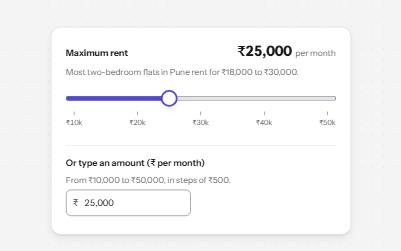
A native range input styled with a filled track and a large thumb, its value said with units, and a number field kept in step.
-
Number input
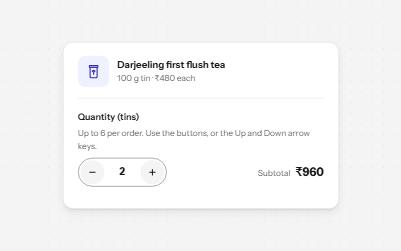
A quantity field with minus and plus buttons, arrow-key steps, limits it explains, and a total that keeps up.
-
Search filters
A product filter panel: grouped checkboxes with counts, a price range, sort, removable chips and a result count that is announced.
-
Segmented control
A row of joined segments for picking one of a few views, built from real radio buttons in a fieldset.