Accessibility pattern · Form inputs
Text area with character count
The count is always on screen and part of the field's description, so it is read when focus arrives, but it is not a live region. A separate polite message speaks only when the count crosses 50, 20 or 0 left, or goes over, so typing is never drowned out.
- WCAG criteria
- 6
- Keyboard rules
- 3
- Checked with
- axe, keyboard and the inspector
Live demo
Try it
Use it with a mouse, a keyboard or a screen reader. The inspector beside it shows what the browser tells assistive technology as you go: focus, state changes and announcements.
The demo works without JavaScript only as far as its HTML does; the inspector needs JavaScript.
Keyboard
Keys it answers to
Every action works without a pointer.
| Key | What it does |
|---|---|
| Tab | Moves into the message; its hint and the count are read with it. The next Tab goes to Send message. |
| Enter | In the message, starts a new line. On Send message, sends it, unless it is empty or over the limit. |
| CtrlEnter | Sends from inside the message, with the same checks as the button. |
Screen readers
What it announces
Written from the roles, names and states in the markup.
| When | Expected announcement |
|---|---|
| Focus reaches the message | Your message, edit text, multi line. Say when you expect to arrive and anything you need. 200 characters left |
| Typing reaches 50 characters left | 50 characters left |
| Typing reaches 20 left, then the limit | 20 characters left … 0 characters left |
| The text goes over the limit | 4 characters too many |
| Ctrl+Enter is pressed while over the limit | Your message is too long. Shorten it, then send. |
| The message is sent | Message sent to Meera |
These are expected announcements, not recordings. Wording and order differ between screen readers and browsers.
Code
Copy the code
The exact files this demo runs on. The styles are served with a prefix that keeps this site's own styles out of the demo; what you copy is the original.
<form class="ap-textarea-counter" data-ap-textarea-counter data-max="200" novalidate aria-labelledby="tc-form-name">
  <div class="ap-textarea-counter__top">
    <span class="ap-textarea-counter__avatar" aria-hidden="true" translate="no">MK</span>
    <div class="ap-textarea-counter__who">
      <h3 class="ap-textarea-counter__name" id="tc-form-name">Message your host</h3>
      <p class="ap-textarea-counter__sub">Meera Kulkarni · Hillside homestay, Coorg</p>
    </div>
  </div>

  <div class="ap-field ap-textarea-counter__body">
    <label class="ap-label" for="tc-message">Your message</label>
    <p class="ap-hint" id="tc-hint">Say when you expect to arrive and anything you need.</p>
    <textarea class="ap-input ap-textarea-counter__input" id="tc-message" name="message" rows="5" aria-describedby="tc-hint tc-count" aria-keyshortcuts="Control+Enter"></textarea>
    <div class="ap-textarea-counter__meta">
      <p class="ap-error ap-textarea-counter__error" id="tc-error" hidden><svg class="ap-textarea-counter__icon" viewBox="0 0 24 24" aria-hidden="true" focusable="false"><circle cx="12" cy="12" r="9"/><path d="M12 7.5v5"/><path d="M12 16.5h.01"/></svg><span class="ap-textarea-counter__msg"></span></p>
      <p class="ap-textarea-counter__count" id="tc-count" data-state="ok">
        <svg class="ap-textarea-counter__ring" viewBox="0 0 20 20" aria-hidden="true" focusable="false"><circle class="ap-textarea-counter__track" cx="10" cy="10" r="8"/><circle class="ap-textarea-counter__fill" cx="10" cy="10" r="8" pathLength="100"/></svg>
        <svg class="ap-textarea-counter__icon ap-textarea-counter__over" viewBox="0 0 24 24" aria-hidden="true" focusable="false"><circle cx="12" cy="12" r="9"/><path d="M12 7.5v5"/><path d="M12 16.5h.01"/></svg>
        <span class="ap-textarea-counter__n" data-ap-left>200</span> <span data-ap-words>characters left</span>
      </p>
    </div>
    <p class="ap-textarea-counter__vh" aria-live="polite" data-ap-live></p>
  </div>

  <div class="ap-textarea-counter__foot">
    <p class="ap-textarea-counter__status" role="status"></p>
    <p class="ap-textarea-counter__tip"><kbd>Ctrl</kbd> + <kbd>Enter</kbd> <span>also sends</span></p>
    <button type="submit" class="ap-btn ap-btn--primary">
      <svg class="ap-btn__icon" viewBox="0 0 24 24" aria-hidden="true" focusable="false"><path d="M4 12 20 4l-4 16-4-7-8-1Z"/><path d="m12 13 8-9"/></svg>
      Send message
    </button>
  </div>
</form>
/* Shared primitives: buttons and form fields used across the patterns.
   Uses the --ap-* design tokens. */

.ap-btn {
  display: inline-flex;
  align-items: center;
  justify-content: center;
  gap: 8px;
  min-height: 40px;
  padding: 0 16px;
  border: 1px solid var(--ap-border-strong);
  border-radius: var(--ap-radius-sm);
  background: var(--ap-surface);
  color: var(--ap-text);
  font: inherit;
  font-weight: 600;
  line-height: 1.2;
  text-decoration: none;
  white-space: nowrap;
  cursor: pointer;
  transition: background-color var(--ap-duration) var(--ap-ease), border-color var(--ap-duration) var(--ap-ease), box-shadow var(--ap-duration) var(--ap-ease);
}
.ap-btn:hover {
  background: var(--ap-surface-2);
}
.ap-btn:focus-visible {
  outline: 2px solid var(--ap-focus);
  outline-offset: 2px;
}
.ap-btn:disabled,
.ap-btn[aria-disabled="true"] {
  opacity: .55;
  cursor: not-allowed;
}
.ap-btn--primary {
  border-color: var(--ap-accent);
  background: var(--ap-accent);
  color: var(--ap-on-accent);
  box-shadow: var(--ap-shadow-sm);
}
.ap-btn--primary:hover {
  border-color: var(--ap-accent-hover);
  background: var(--ap-accent-hover);
}
.ap-btn--danger {
  border-color: var(--ap-danger);
  background: var(--ap-danger);
  color: var(--ap-surface);
}
.ap-btn--danger:hover {
  filter: brightness(1.08);
}
.ap-btn--ghost {
  border-color: transparent;
  background: transparent;
}
.ap-btn--ghost:hover {
  background: var(--ap-surface-2);
}
.ap-btn__icon {
  width: 18px;
  height: 18px;
  flex-shrink: 0;
  fill: none;
  stroke: currentColor;
  stroke-width: 2;
  stroke-linecap: round;
  stroke-linejoin: round;
}

.ap-field {
  display: grid;
  gap: 6px;
}
.ap-label {
  color: var(--ap-text);
  font-weight: 600;
  font-size: .9375rem;
}
.ap-hint {
  margin: 0;
  color: var(--ap-text-3);
  font-size: .875rem;
  line-height: 1.45;
}
.ap-error {
  display: flex;
  align-items: flex-start;
  gap: 6px;
  margin: 0;
  color: var(--ap-danger);
  font-size: .875rem;
  font-weight: 600;
  line-height: 1.45;
}
.ap-input {
  width: 100%;
  min-height: 44px;
  padding: 10px 12px;
  border: 1px solid var(--ap-border-strong);
  border-radius: var(--ap-radius-sm);
  background: var(--ap-surface);
  color: var(--ap-text);
  font: inherit;
  line-height: 1.4;
  transition: border-color var(--ap-duration) var(--ap-ease), box-shadow var(--ap-duration) var(--ap-ease);
}
.ap-input::placeholder {
  color: var(--ap-text-3);
}
.ap-input:hover {
  border-color: var(--ap-text-2);
}
.ap-input:focus-visible {
  outline: 2px solid var(--ap-focus);
  outline-offset: 1px;
  border-color: var(--ap-focus);
}
.ap-input[aria-invalid="true"] {
  border-color: var(--ap-danger);
  box-shadow: inset 4px 0 0 var(--ap-danger);
}
textarea.ap-input {
  resize: vertical;
  min-height: 88px;
}

@media (prefers-reduced-motion: reduce) {
  .ap-btn,
  .ap-input { transition: none; }
}

/* Text area with a character count. Uses the --ap-* design tokens and the shared primitives. */
.ap-textarea-counter {
  width: min(100%, 560px);
  margin-inline: auto;
  border: 1px solid var(--ap-border);
  border-radius: var(--ap-radius-lg);
  background: var(--ap-surface);
  color: var(--ap-text);
  box-shadow: var(--ap-shadow-md);
  container-type: inline-size;
}
.ap-textarea-counter [hidden] {
  display: none;
}

.ap-textarea-counter__top {
  display: flex;
  align-items: center;
  gap: 12px;
  padding: 18px 22px;
  border-bottom: 1px solid var(--ap-border);
}
.ap-textarea-counter__avatar {
  display: grid;
  flex-shrink: 0;
  place-items: center;
  width: 40px;
  height: 40px;
  border-radius: var(--ap-radius-full);
  background: var(--ap-accent-soft);
  color: var(--ap-accent-soft-text);
  font-size: .875rem;
  font-weight: 700;
  letter-spacing: .02em;
}
.ap-textarea-counter__who {
  min-width: 0;
}
.ap-textarea-counter__name {
  margin: 0;
  font-size: 1.0625rem;
  font-weight: 650;
  line-height: 1.3;
}
.ap-textarea-counter__sub {
  margin: 2px 0 0;
  color: var(--ap-text-3);
  font-size: .8125rem;
  line-height: 1.4;
}

.ap-textarea-counter__body {
  padding: 18px 22px 20px;
}
.ap-textarea-counter__input {
  min-height: 128px;
  line-height: 1.5;
}
/* Over the limit: the edge says so too, beside the count's words and icon. */
.ap-textarea-counter[data-over] .ap-textarea-counter__input:not(:focus-visible) {
  border-color: var(--ap-danger);
}

.ap-textarea-counter__meta {
  display: flex;
  flex-wrap: wrap;
  align-items: flex-start;
  gap: 6px 16px;
}
.ap-textarea-counter__error {
  flex: 1 1 200px;
}
.ap-textarea-counter__icon {
  width: 16px;
  height: 16px;
  flex-shrink: 0;
  margin-top: 2px;
  fill: none;
  stroke: currentColor;
  stroke-width: 2;
  stroke-linecap: round;
  stroke-linejoin: round;
}

/* The count: a ring that fills, the number, and the words */
.ap-textarea-counter__count {
  display: flex;
  align-items: center;
  gap: 6px;
  margin: 0 0 0 auto;
  color: var(--ap-text-3);
  font-size: .875rem;
  font-weight: 500;
  line-height: 1.45;
  white-space: nowrap;
}
.ap-textarea-counter__n {
  color: var(--ap-text-2);
  font-weight: 650;
  font-variant-numeric: tabular-nums;
}
.ap-textarea-counter__ring {
  width: 18px;
  height: 18px;
  flex-shrink: 0;
  transform: rotate(-90deg);
}
.ap-textarea-counter__ring circle {
  fill: none;
  stroke-width: 2.5;
}
.ap-textarea-counter__track {
  stroke: var(--ap-surface-3);
}
.ap-textarea-counter__fill {
  stroke: var(--ap-accent);
  stroke-dasharray: 100;
  stroke-dashoffset: calc(100 - var(--used, 0) * 100);
  stroke-linecap: round;
  transition: stroke-dashoffset var(--ap-duration) var(--ap-ease);
}
.ap-textarea-counter__count .ap-textarea-counter__over {
  display: none;
  margin-top: 0;
}
.ap-textarea-counter__count[data-state="low"],
.ap-textarea-counter__count[data-state="low"] .ap-textarea-counter__n {
  color: var(--ap-warning);
}
.ap-textarea-counter__count[data-state="low"] .ap-textarea-counter__fill {
  stroke: var(--ap-warning);
}
.ap-textarea-counter__count[data-state="over"],
.ap-textarea-counter__count[data-state="over"] .ap-textarea-counter__n {
  color: var(--ap-danger);
  font-weight: 650;
}
.ap-textarea-counter__count[data-state="over"] .ap-textarea-counter__ring {
  display: none;
}
.ap-textarea-counter__count[data-state="over"] .ap-textarea-counter__over {
  display: block;
}

.ap-textarea-counter__vh {
  position: absolute;
  width: 1px;
  height: 1px;
  margin: -1px;
  padding: 0;
  overflow: hidden;
  clip-path: inset(50%);
  white-space: nowrap;
}

/* Footer */
.ap-textarea-counter__foot {
  display: flex;
  flex-wrap: wrap;
  align-items: center;
  justify-content: space-between;
  gap: 0 16px;
  padding: 14px 22px;
  border-top: 1px solid var(--ap-border);
  border-radius: 0 0 var(--ap-radius-lg) var(--ap-radius-lg);
  background: var(--ap-surface-2);
}
.ap-textarea-counter__status {
  flex: 1 1 100%;
  margin: 0;
  color: var(--ap-success);
  font-size: .9375rem;
  font-weight: 600;
}
.ap-textarea-counter__status:not(:empty) {
  margin-bottom: 10px;
}
.ap-textarea-counter__tip {
  display: flex;
  align-items: center;
  gap: 4px;
  margin: 0;
  color: var(--ap-text-3);
  font-size: .8125rem;
}
.ap-textarea-counter__tip kbd {
  padding: 1px 6px;
  border: 1px solid var(--ap-border-strong);
  border-bottom-width: 2px;
  border-radius: 5px;
  background: var(--ap-surface);
  color: var(--ap-text-2);
  font-family: var(--ap-mono);
  font-size: .75rem;
  line-height: 1.5;
}
.ap-textarea-counter__tip span {
  margin-left: 2px;
}
.ap-textarea-counter__foot .ap-btn {
  min-height: var(--ap-target);
  margin-left: auto;
}

@container (max-width: 420px) {
  .ap-textarea-counter__top { padding: 16px 18px; }
  .ap-textarea-counter__body { padding: 16px 18px 18px; }
  .ap-textarea-counter__foot { padding: 14px 18px; }
  .ap-textarea-counter__tip { display: none; }
  .ap-textarea-counter__foot .ap-btn { flex: 1 1 100%; }
}

@media (forced-colors: active) {
  .ap-textarea-counter__fill { stroke: CanvasText; }
  .ap-textarea-counter__track { stroke: GrayText; }
}

@media (prefers-reduced-motion: reduce) {
  .ap-textarea-counter__fill { transition: none; }
}
/**
 * Text area with a character count that speaks only at thresholds.
 *
 * Markup: form[data-ap-textarea-counter][data-max] holding a textarea whose
 * aria-describedby lists its hint and the count p#…-count (not live), a hidden
 * error p, a visually hidden [data-ap-live][aria-live=polite] for threshold
 * announcements, and a role=status for the result. Nothing typed is ever cut:
 * over the limit the count says so, and sending is refused with an error.
 */

const BANDS = [50, 20, 0]; // speak when the count enters one of these bands, or goes over

function bandOf(left) {
  if (left < 0) return "over";
  for (let i = BANDS.length - 1; i >= 0; i--) if (left <= BANDS[i]) return String(BANDS[i]);
  return "plenty";
}

function piece(text, cls) {
  const span = document.createElement("span");
  span.textContent = text;
  if (cls) span.className = cls;
  return span;
}

export function init(root) {
  const field = root.querySelector("textarea");
  const max = Number(root.dataset.max) || 200;
  const count = root.querySelector(".ap-textarea-counter__count");
  const error = root.querySelector(".ap-textarea-counter__error");
  // Look these up each time: a translated page may rebuild text inside them.
  const live = () => root.querySelector("[data-ap-live]");
  const status = () => root.querySelector("[role=status]");
  const lengthOf = (text) => [...text].length; // code points: an emoji counts once
  let words = "";
  let spokenBand = bandOf(max - lengthOf(field.value));
  let timer = 0;

  /** "120 characters left" or "4 characters too many": the number in its own element. */
  function countWords(left) {
    if (left < 0) return left === -1 ? "character too many" : "characters too many";
    return left === 1 ? "character left" : "characters left";
  }

  function render() {
    const left = max - lengthOf(field.value);
    count.querySelector("[data-ap-left]").textContent = String(Math.abs(left));
    const next = countWords(left);
    if (next !== words) {
      count.querySelector("[data-ap-words]").textContent = next;
      words = next;
    }
    count.dataset.state = left < 0 ? "over" : left <= 20 ? "low" : "ok";
    count.style.setProperty("--used", String(Math.min(1, (max - Math.max(left, 0)) / max)));
    root.toggleAttribute("data-over", left < 0);
    return left;
  }

  function say(parts) {
    const region = live();
    region.replaceChildren();
    requestAnimationFrame(() => region.replaceChildren(...parts));
  }

  // After a short pause, speak the count if it has entered a new band since
  // the last time anything was said. Typing within a band stays silent.
  function scheduleAnnouncement() {
    clearTimeout(timer);
    timer = setTimeout(() => {
      const left = max - lengthOf(field.value);
      const band = bandOf(left);
      if (band === spokenBand) return;
      spokenBand = band;
      if (band !== "plenty") say([piece(String(Math.abs(left))), " ", piece(countWords(left))]);
    }, 500);
  }

  function setError(message) {
    if (message) {
      error.querySelector(".ap-textarea-counter__msg").textContent = message;
      error.hidden = false;
      field.setAttribute("aria-invalid", "true");
    } else {
      error.hidden = true;
      field.removeAttribute("aria-invalid");
    }
    const ids = (field.getAttribute("aria-describedby") || "").split(/\s+/).filter((id) => id && id !== error.id);
    if (message) ids.push(error.id);
    field.setAttribute("aria-describedby", ids.join(" "));
  }

  function onInput() {
    const left = render();
    if (status().textContent) status().textContent = "";
    // An error, once shown, goes as soon as the message is fit to send.
    if (field.getAttribute("aria-invalid") === "true" && left >= 0 && field.value.trim()) setError("");
    scheduleAnnouncement();
  }

  function onSubmit(event) {
    event.preventDefault();
    const left = render();
    const message = !field.value.trim() ? "Write a message before sending." : left < 0 ? "Your message is too long. Shorten it, then send." : "";
    if (message) {
      setError(message);
      // Already in the field (Ctrl+Enter): moving focus would say nothing.
      if (document.activeElement === field) say([piece(message)]);
      else field.focus();
      return;
    }
    setError("");
    clearTimeout(timer);
    field.value = "";
    render();
    spokenBand = bandOf(max);
    status().textContent = "Message sent to Meera";
  }

  function onKeydown(event) {
    if (event.key === "Enter" && (event.ctrlKey || event.metaKey) && event.target === field) {
      event.preventDefault();
      root.requestSubmit();
    }
  }

  render();
  field.addEventListener("input", onInput);
  field.addEventListener("keydown", onKeydown);
  root.addEventListener("submit", onSubmit);
  return () => {
    clearTimeout(timer);
    field.removeEventListener("input", onInput);
    field.removeEventListener("keydown", onKeydown);
    root.removeEventListener("submit", onSubmit);
  };
}

for (const root of document.querySelectorAll("[data-ap-textarea-counter]")) init(root);
/* Design tokens for the pattern components. Light by default, dark when the
   system asks for it; set data-theme="dark" on :root to force dark. */
:root {
    --ap-radius-sm: 8px;
    --ap-radius: 12px;
    --ap-radius-lg: 16px;
    --ap-radius-full: 999px;
    --ap-font: "Instrument Sans", ui-sans-serif, system-ui, -apple-system, "Segoe UI", Roboto, sans-serif;
    --ap-mono: "JetBrains Mono", ui-monospace, "Cascadia Mono", "SF Mono", Consolas, monospace;
    --ap-ease: cubic-bezier(.2, .8, .2, 1);
    --ap-duration: 180ms;
    --ap-target: 44px;
    --ap-bg: #F4F4F5;
    --ap-surface: #FFFFFF;
    --ap-surface-2: #F4F4F5;
    --ap-surface-3: #E4E4E7;
    --ap-border: #E4E4E7;
    --ap-border-strong: #76767F;
    --ap-text: #18181B;
    --ap-text-2: #3F3F46;
    --ap-text-3: #5E5E66;
    --ap-accent: #4F46E5;
    --ap-accent-hover: #4338CA;
    --ap-on-accent: #FFFFFF;
    --ap-accent-text: #4338CA;
    --ap-accent-soft: #EEF2FF;
    --ap-accent-soft-text: #3730A3;
    --ap-focus: #4F46E5;
    --ap-danger: #B91C1C;
    --ap-danger-soft: #FEF2F2;
    --ap-success: #15803D;
    --ap-success-soft: #F0FDF4;
    --ap-warning: #A15C07;
    --ap-warning-soft: #FEFCE8;
    --ap-info: #1D4ED8;
    --ap-info-soft: #EFF6FF;
    --ap-scrim: rgb(9 9 11 / .48);
    --ap-shadow-sm: 0 1px 2px rgb(9 9 11 / .06);
    --ap-shadow-md: 0 1px 2px rgb(9 9 11 / .05), 0 6px 16px -4px rgb(9 9 11 / .1);
    --ap-shadow-lg: 0 2px 6px rgb(9 9 11 / .06), 0 20px 40px -12px rgb(9 9 11 / .22);
    --ap-light-bg: #F4F4F5;
    --ap-light-surface: #FFFFFF;
    --ap-light-surface-2: #F4F4F5;
    --ap-light-surface-3: #E4E4E7;
    --ap-light-border: #E4E4E7;
    --ap-light-border-strong: #76767F;
    --ap-light-text: #18181B;
    --ap-light-text-2: #3F3F46;
    --ap-light-text-3: #5E5E66;
    --ap-light-accent: #4F46E5;
    --ap-light-accent-hover: #4338CA;
    --ap-light-on-accent: #FFFFFF;
    --ap-light-accent-text: #4338CA;
    --ap-light-accent-soft: #EEF2FF;
    --ap-light-accent-soft-text: #3730A3;
    --ap-light-focus: #4F46E5;
    --ap-light-danger: #B91C1C;
    --ap-light-danger-soft: #FEF2F2;
    --ap-light-success: #15803D;
    --ap-light-success-soft: #F0FDF4;
    --ap-light-warning: #A15C07;
    --ap-light-warning-soft: #FEFCE8;
    --ap-light-info: #1D4ED8;
    --ap-light-info-soft: #EFF6FF;
    --ap-light-scrim: rgb(9 9 11 / .48);
    --ap-light-shadow-sm: 0 1px 2px rgb(9 9 11 / .06);
    --ap-light-shadow-md: 0 1px 2px rgb(9 9 11 / .05), 0 6px 16px -4px rgb(9 9 11 / .1);
    --ap-light-shadow-lg: 0 2px 6px rgb(9 9 11 / .06), 0 20px 40px -12px rgb(9 9 11 / .22);
    --ap-dark-bg: #09090B;
    --ap-dark-surface: #18181B;
    --ap-dark-surface-2: #27272A;
    --ap-dark-surface-3: #3F3F46;
    --ap-dark-border: #2E2E33;
    --ap-dark-border-strong: #8E8E97;
    --ap-dark-text: #FAFAFA;
    --ap-dark-text-2: #D4D4D8;
    --ap-dark-text-3: #A1A1AA;
    --ap-dark-accent: #818CF8;
    --ap-dark-accent-hover: #A5B4FC;
    --ap-dark-on-accent: #0C0A1F;
    --ap-dark-accent-text: #A5B4FC;
    --ap-dark-accent-soft: #1E1B4B;
    --ap-dark-accent-soft-text: #C7D2FE;
    --ap-dark-focus: #A5B4FC;
    --ap-dark-danger: #F87171;
    --ap-dark-danger-soft: #2A1215;
    --ap-dark-success: #4ADE80;
    --ap-dark-success-soft: #0F2A1A;
    --ap-dark-warning: #FACC15;
    --ap-dark-warning-soft: #2A2410;
    --ap-dark-info: #60A5FA;
    --ap-dark-info-soft: #0F1D33;
    --ap-dark-scrim: rgb(0 0 0 / .62);
    --ap-dark-shadow-sm: 0 1px 2px rgb(0 0 0 / .4);
    --ap-dark-shadow-md: 0 1px 2px rgb(0 0 0 / .4), 0 8px 20px -6px rgb(0 0 0 / .5);
    --ap-dark-shadow-lg: 0 2px 8px rgb(0 0 0 / .45), 0 24px 48px -12px rgb(0 0 0 / .7);
}
@media (prefers-color-scheme: dark) {
  :root:not([data-theme="light"]) {
      --ap-bg: #09090B;
      --ap-surface: #18181B;
      --ap-surface-2: #27272A;
      --ap-surface-3: #3F3F46;
      --ap-border: #2E2E33;
      --ap-border-strong: #8E8E97;
      --ap-text: #FAFAFA;
      --ap-text-2: #D4D4D8;
      --ap-text-3: #A1A1AA;
      --ap-accent: #818CF8;
      --ap-accent-hover: #A5B4FC;
      --ap-on-accent: #0C0A1F;
      --ap-accent-text: #A5B4FC;
      --ap-accent-soft: #1E1B4B;
      --ap-accent-soft-text: #C7D2FE;
      --ap-focus: #A5B4FC;
      --ap-danger: #F87171;
      --ap-danger-soft: #2A1215;
      --ap-success: #4ADE80;
      --ap-success-soft: #0F2A1A;
      --ap-warning: #FACC15;
      --ap-warning-soft: #2A2410;
      --ap-info: #60A5FA;
      --ap-info-soft: #0F1D33;
      --ap-scrim: rgb(0 0 0 / .62);
      --ap-shadow-sm: 0 1px 2px rgb(0 0 0 / .4);
      --ap-shadow-md: 0 1px 2px rgb(0 0 0 / .4), 0 8px 20px -6px rgb(0 0 0 / .5);
      --ap-shadow-lg: 0 2px 8px rgb(0 0 0 / .45), 0 24px 48px -12px rgb(0 0 0 / .7);
  }
}
:root[data-theme="dark"] {
    --ap-bg: #09090B;
    --ap-surface: #18181B;
    --ap-surface-2: #27272A;
    --ap-surface-3: #3F3F46;
    --ap-border: #2E2E33;
    --ap-border-strong: #8E8E97;
    --ap-text: #FAFAFA;
    --ap-text-2: #D4D4D8;
    --ap-text-3: #A1A1AA;
    --ap-accent: #818CF8;
    --ap-accent-hover: #A5B4FC;
    --ap-on-accent: #0C0A1F;
    --ap-accent-text: #A5B4FC;
    --ap-accent-soft: #1E1B4B;
    --ap-accent-soft-text: #C7D2FE;
    --ap-focus: #A5B4FC;
    --ap-danger: #F87171;
    --ap-danger-soft: #2A1215;
    --ap-success: #4ADE80;
    --ap-success-soft: #0F2A1A;
    --ap-warning: #FACC15;
    --ap-warning-soft: #2A2410;
    --ap-info: #60A5FA;
    --ap-info-soft: #0F1D33;
    --ap-scrim: rgb(0 0 0 / .62);
    --ap-shadow-sm: 0 1px 2px rgb(0 0 0 / .4);
    --ap-shadow-md: 0 1px 2px rgb(0 0 0 / .4), 0 8px 20px -6px rgb(0 0 0 / .5);
    --ap-shadow-lg: 0 2px 8px rgb(0 0 0 / .45), 0 24px 48px -12px rgb(0 0 0 / .7);
}
WCAG 2.2
What it meets
The success criteria this pattern takes care of, and how.
-
1.3.1 Info and Relationships
Level A
The hint and the count are joined to the text area through aria-describedby, so the limit is part of the field, not just a number near it.
-
1.4.1 Use of Color
Level A
Near the limit the count changes color, and over it the count gains an icon and says "too many" in words, so color is never the only signal.
-
3.3.1 Error Identification
Level A
Sending an empty or too-long message marks the field aria-invalid and shows the problem in text beside the count.
-
3.3.2 Labels or Instructions
Level A
The count is on screen before typing starts, so the limit is known up front, not discovered after.
-
3.3.3 Error Suggestion
Level AA
The over-limit message says what to do: shorten it, then send. The count says by how much.
-
4.1.3 Status Messages
Level AA
Threshold counts and the sent message reach screen readers through polite live regions, without moving focus.
Usage
When to use it
Use it
- Text with a hard limit the server enforces: a message, a bio, a review, a delivery note.
- Limits people may hit in normal use, where knowing the room left changes what they write.
Use something else
- Limits nobody reaches, like 5,000 characters for a name: just enforce it on the server.
- Short single-line values: a text field with the limit in its hint is enough.
Common failures
How it usually goes wrong
maxlength that cuts text off
maxlength silently drops whatever is typed or pasted past the limit, often mid-word and with no message. Here nothing is ever cut: the count goes over, says so, and sending waits.
A live region on the count itself
Announcing the count on every keystroke talks over the typing and makes the field unusable with a screen reader. Here only the thresholds are spoken.
A count that appears only near the limit
If the number shows up only at 20 left, people plan their message without knowing the limit. It is visible from the start.
Over the limit shown only in red
A count that just turns red is missed by people who cannot see the difference. Here it also says "too many" and gains an icon.
Counting differently from the server
A counter that counts emoji as two while the server counts one, or the reverse, blocks valid messages or lets bad ones through. Count the way your back end does.
Notes
Building it
- The announcement waits for a short pause and says the count as it is then, so pasting past two thresholds at once gives one message, not two.
- Thresholds are bands: the message speaks when the count enters a new band (50, 20, 0 or over) in either direction, and stays quiet inside one.
- The count is part of aria-describedby, so anyone can hear the current number by moving focus back to the field.
- The script counts code points, so an emoji counts once. If your server counts UTF-16 units or bytes, change the count to match.
- Once an error is shown, it clears as soon as the message is back within the limit; it does not wait for the next send.
Sources: GOV.UK Design System: Character count · WAI-ARIA 1.2: aria-live
Checked with axe in light and dark themes, at desktop and phone widths, and by keyboard. Not yet tested with every screen reader and browser pair. Report a correction
Related
Patterns that go with it
-
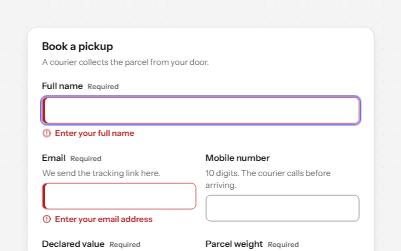
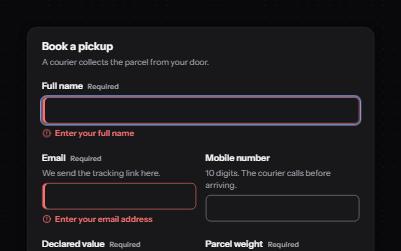
Text field
Text fields with visible labels, hints and errors tied to the input, the right keyboard and autofill, and units you can hear.
-
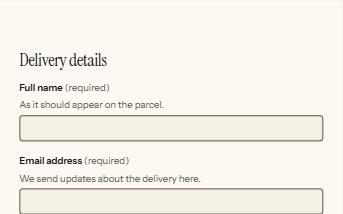
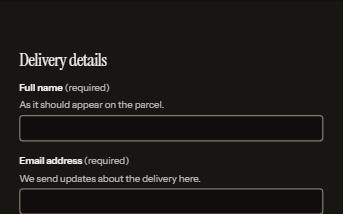
Form errors
An error summary that takes focus, messages tied to each field, and a status message when the form is sent.
-
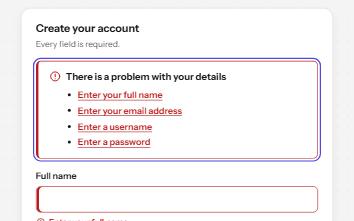
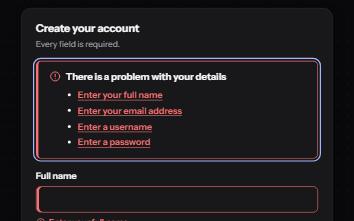
Inline validation
A sign-up form that checks each field as it is left, once typed in, with ticks and errors in words and a summary on submit.
-
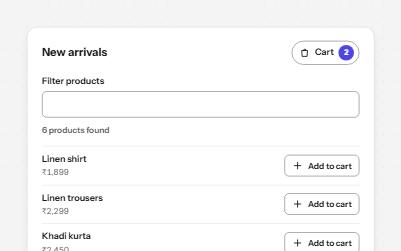
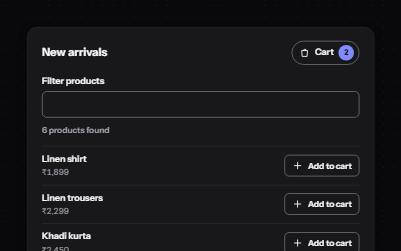
Status message
Results, confirmations and saves told to screen readers through role=status, without moving focus, once each time.