Accessibility pattern · Form inputs
One-time code
Six separate inputs break paste, SMS autofill and screen reader reading. This is one input with autocomplete="one-time-code", drawn as six boxes behind it. It checks the code after a short pause once all six digits are in, keeps a Verify button for everyone, and counts down to Resend without announcing every second.
- WCAG criteria
- 7
- Keyboard rules
- 6
- Checked with
- axe, keyboard and the inspector
Live demo
Try it
Use it with a mouse, a keyboard or a screen reader. The inspector beside it shows what the browser tells assistive technology as you go: focus, state changes and announcements.
For this demo, the code is 246810
The demo works without JavaScript only as far as its HTML does; the inspector needs JavaScript.
Keyboard
Keys it answers to
Every action works without a pointer.
| Key | What it does |
|---|---|
| Tab | Moves to the code field, then Verify, then Resend code. |
| 0–9 | Types a digit into the next box; anything that is not a digit is ignored. |
| Backspace | Deletes the digit before the caret, as in any text field. |
| Arrow Left or Arrow Right | Moves the caret between digits; the highlighted box follows it. |
| CtrlV | Pastes a whole code, even with spaces or a dash in it, and fills every box. |
| Enter | Checks the code straight away, from the field or the Verify button. |
Screen readers
What it announces
Written from the roles, names and states in the markup.
| When | Expected announcement |
|---|---|
| Focus reaches the field | Verification code, edit text. 6 digits. We check it as soon as all 6 are in. |
| A wrong code is checked | That code isn't right. Check the latest SMS, or ask for a new code. |
| The right code is checked | Phone number verified |
| Focus reaches Resend code during the wait | Resend code, button, unavailable. Available in 0:24 |
| The wait ends | You can ask for a new code now |
| Resend code is pressed | New code sent |
These are expected announcements, not recordings. Wording and order differ between screen readers and browsers.
Code
Copy the code
The exact files this demo runs on. The styles are served with a prefix that keeps this site's own styles out of the demo; what you copy is the original.
<div class="ap-otp-input" data-ap-otp-input data-code="246810" data-wait="30">
  <form class="ap-otp-input__form" novalidate>
    <span class="ap-otp-input__badge" aria-hidden="true">
      <svg viewBox="0 0 24 24" focusable="false"><rect x="6" y="2.5" width="12" height="19" rx="2.5"/><path d="M10.5 18.5h3"/><path d="m9.5 10 2 2 3.5-3.5"/></svg>
    </span>
    <h3 class="ap-otp-input__name">Check your phone</h3>
    <p class="ap-otp-input__lead">We sent a 6-digit code by SMS to the number ending in 4521.</p>

    <div class="ap-otp-input__field">
      <label class="ap-label" for="otp-input-code">Verification code</label>
      <p class="ap-hint" id="otp-input-hint" data-ap-hint>6 digits. We check it as soon as all 6 are in.</p>
      <div class="ap-otp-input__boxes">
        <input class="ap-otp-input__real" id="otp-input-code" name="code" type="text" inputmode="numeric" autocomplete="one-time-code" maxlength="6" pattern="[0-9]{6}" spellcheck="false" aria-describedby="otp-input-hint otp-input-error" />
        <span class="ap-otp-input__cells" aria-hidden="true">
        <span class="ap-otp-input__cell"></span>
        <span class="ap-otp-input__cell"></span>
        <span class="ap-otp-input__cell"></span>
        <span class="ap-otp-input__gap"></span>
        <span class="ap-otp-input__cell"></span>
        <span class="ap-otp-input__cell"></span>
        <span class="ap-otp-input__cell"></span>
        </span>
      </div>
      <p class="ap-error ap-otp-input__error" id="otp-input-error" role="alert"></p>
    </div>

    <button type="submit" class="ap-btn ap-btn--primary ap-otp-input__verify" data-ap-verify>Verify</button>
    <p class="ap-otp-input__done" role="status" data-ap-say></p>

    <p class="ap-otp-input__resend" data-ap-resend-row>
      <span>Didn't get it?</span>
      <button type="button" class="ap-otp-input__link" data-ap-resend aria-disabled="true" aria-describedby="otp-input-wait">Resend code</button>
      <span class="ap-otp-input__wait" id="otp-input-wait" data-ap-wait><svg viewBox="0 0 24 24" aria-hidden="true" focusable="false"><path d="M12 7v5l3 2"/><circle cx="12" cy="12" r="9"/></svg><span>Available in</span> <span class="ap-otp-input__clock" translate="no" data-ap-left>0:30</span></span>
    </p>
  </form>
  <p class="ap-otp-input__demo"><span>For this demo, the code is</span> <code translate="no">246810</code></p>
</div>
/* Shared primitives: buttons and form fields used across the patterns.
   Uses the --ap-* design tokens. */

.ap-btn {
  display: inline-flex;
  align-items: center;
  justify-content: center;
  gap: 8px;
  min-height: 40px;
  padding: 0 16px;
  border: 1px solid var(--ap-border-strong);
  border-radius: var(--ap-radius-sm);
  background: var(--ap-surface);
  color: var(--ap-text);
  font: inherit;
  font-weight: 600;
  line-height: 1.2;
  text-decoration: none;
  white-space: nowrap;
  cursor: pointer;
  transition: background-color var(--ap-duration) var(--ap-ease), border-color var(--ap-duration) var(--ap-ease), box-shadow var(--ap-duration) var(--ap-ease);
}
.ap-btn:hover {
  background: var(--ap-surface-2);
}
.ap-btn:focus-visible {
  outline: 2px solid var(--ap-focus);
  outline-offset: 2px;
}
.ap-btn:disabled,
.ap-btn[aria-disabled="true"] {
  opacity: .55;
  cursor: not-allowed;
}
.ap-btn--primary {
  border-color: var(--ap-accent);
  background: var(--ap-accent);
  color: var(--ap-on-accent);
  box-shadow: var(--ap-shadow-sm);
}
.ap-btn--primary:hover {
  border-color: var(--ap-accent-hover);
  background: var(--ap-accent-hover);
}
.ap-btn--danger {
  border-color: var(--ap-danger);
  background: var(--ap-danger);
  color: var(--ap-surface);
}
.ap-btn--danger:hover {
  filter: brightness(1.08);
}
.ap-btn--ghost {
  border-color: transparent;
  background: transparent;
}
.ap-btn--ghost:hover {
  background: var(--ap-surface-2);
}
.ap-btn__icon {
  width: 18px;
  height: 18px;
  flex-shrink: 0;
  fill: none;
  stroke: currentColor;
  stroke-width: 2;
  stroke-linecap: round;
  stroke-linejoin: round;
}

.ap-field {
  display: grid;
  gap: 6px;
}
.ap-label {
  color: var(--ap-text);
  font-weight: 600;
  font-size: .9375rem;
}
.ap-hint {
  margin: 0;
  color: var(--ap-text-3);
  font-size: .875rem;
  line-height: 1.45;
}
.ap-error {
  display: flex;
  align-items: flex-start;
  gap: 6px;
  margin: 0;
  color: var(--ap-danger);
  font-size: .875rem;
  font-weight: 600;
  line-height: 1.45;
}
.ap-input {
  width: 100%;
  min-height: 44px;
  padding: 10px 12px;
  border: 1px solid var(--ap-border-strong);
  border-radius: var(--ap-radius-sm);
  background: var(--ap-surface);
  color: var(--ap-text);
  font: inherit;
  line-height: 1.4;
  transition: border-color var(--ap-duration) var(--ap-ease), box-shadow var(--ap-duration) var(--ap-ease);
}
.ap-input::placeholder {
  color: var(--ap-text-3);
}
.ap-input:hover {
  border-color: var(--ap-text-2);
}
.ap-input:focus-visible {
  outline: 2px solid var(--ap-focus);
  outline-offset: 1px;
  border-color: var(--ap-focus);
}
.ap-input[aria-invalid="true"] {
  border-color: var(--ap-danger);
  box-shadow: inset 4px 0 0 var(--ap-danger);
}
textarea.ap-input {
  resize: vertical;
  min-height: 88px;
}

@media (prefers-reduced-motion: reduce) {
  .ap-btn,
  .ap-input { transition: none; }
}

/* One-time code. Uses the --ap-* design tokens and the shared primitives. */
.ap-otp-input {
  container-type: inline-size;
  display: grid;
  justify-items: center;
  gap: 14px;
  width: min(100%, 420px);
  margin-inline: auto;
  color: var(--ap-text);
  font-family: var(--ap-font);
}

.ap-otp-input__form {
  display: grid;
  justify-items: center;
  width: 100%;
  padding: 28px 24px 22px;
  border: 1px solid var(--ap-border);
  border-radius: var(--ap-radius-lg);
  background: var(--ap-surface);
  box-shadow: var(--ap-shadow-md);
  text-align: center;
}

.ap-otp-input__badge {
  display: grid;
  place-items: center;
  width: 48px;
  height: 48px;
  margin-bottom: 14px;
  border-radius: 50%;
  background: var(--ap-accent-soft);
  color: var(--ap-accent-soft-text);
}
.ap-otp-input__badge svg {
  width: 24px;
  height: 24px;
  fill: none;
  stroke: currentColor;
  stroke-width: 1.8;
  stroke-linecap: round;
  stroke-linejoin: round;
}
.ap-otp-input__name {
  margin: 0;
  font-size: 1.25rem;
  font-weight: 650;
  line-height: 1.3;
}
.ap-otp-input__lead {
  margin: 6px 0 0;
  color: var(--ap-text-2);
  line-height: 1.5;
}

.ap-otp-input__field {
  display: grid;
  justify-items: center;
  gap: 4px;
  width: 100%;
  margin-top: 22px;
}

/* One real field over six drawn boxes. */
.ap-otp-input__boxes {
  position: relative;
  width: min(100%, 336px);
  margin-top: 10px;
}
.ap-otp-input__real {
  position: absolute;
  inset: 0;
  z-index: 1;
  width: 100%;
  height: 100%;
  margin: 0;
  padding: 0;
  border: 0;
  background: transparent;
  color: transparent;
  caret-color: transparent;
  font: inherit;
  font-size: 16px;
  outline: none;
  cursor: text;
}
.ap-otp-input__real::selection {
  background: transparent;
  color: transparent;
}
.ap-otp-input__cells {
  display: grid;
  grid-template-columns: repeat(3, minmax(0, 1fr)) 14px repeat(3, minmax(0, 1fr));
  gap: 8px;
}
.ap-otp-input__cell {
  position: relative;
  display: grid;
  place-items: center;
  height: 56px;
  border: 1px solid var(--ap-border-strong);
  border-radius: var(--ap-radius-sm);
  background: var(--ap-surface);
  color: var(--ap-text);
  font-size: 1.5rem;
  font-weight: 600;
  font-variant-numeric: tabular-nums;
  transition: border-color var(--ap-duration) var(--ap-ease), box-shadow var(--ap-duration) var(--ap-ease);
}
.ap-otp-input__gap {
  align-self: center;
  justify-self: center;
  width: 10px;
  height: 2px;
  border-radius: var(--ap-radius-full);
  background: var(--ap-border-strong);
}
.ap-otp-input__boxes:hover .ap-otp-input__cell {
  border-color: var(--ap-text-2);
}
/* The box the caret is in: the field's focus indicator. */
.ap-otp-input__cell.is-active,
.ap-otp-input__boxes:hover .ap-otp-input__cell.is-active {
  border-color: var(--ap-focus);
  box-shadow: 0 0 0 1px var(--ap-focus), 0 0 0 5px var(--ap-accent-soft);
}
.ap-otp-input__cell.is-active:empty::after {
  content: "";
  width: 2px;
  height: 26px;
  border-radius: 1px;
  background: var(--ap-text);
  animation: ap-otp-input-blink 1s steps(1) infinite;
}

.ap-otp-input__real[aria-invalid="true"] + .ap-otp-input__cells .ap-otp-input__cell {
  background: var(--ap-danger-soft);
  color: var(--ap-danger);
}
.ap-otp-input__real[aria-invalid="true"] + .ap-otp-input__cells .ap-otp-input__cell:not(.is-active) {
  border-color: var(--ap-danger);
}
.ap-otp-input[data-state="verified"] .ap-otp-input__cell {
  border-color: var(--ap-success);
  background: var(--ap-success-soft);
  color: var(--ap-success);
}

.ap-otp-input__error {
  justify-content: center;
  margin-top: 6px;
  text-align: start;
}
.ap-otp-input__error:empty {
  margin: 0;
}
.ap-otp-input__error svg,
.ap-otp-input__done svg,
.ap-otp-input__verify svg,
.ap-otp-input__wait svg {
  flex-shrink: 0;
  width: 18px;
  height: 18px;
  fill: none;
  stroke: currentColor;
  stroke-width: 2;
  stroke-linecap: round;
  stroke-linejoin: round;
}
.ap-otp-input__error svg {
  margin-top: 1px;
}

.ap-otp-input__verify {
  width: min(100%, 336px);
  min-height: var(--ap-target);
  margin-top: 18px;
}
.ap-otp-input__verify.is-checking {
  cursor: progress;
}
.ap-otp-input__verify.is-checking::before {
  content: "";
  width: 16px;
  height: 16px;
  border: 2px solid currentColor;
  border-right-color: transparent;
  border-radius: 50%;
  animation: ap-otp-input-spin .7s linear infinite;
}
.ap-otp-input[data-state="verified"] .ap-otp-input__verify {
  border-color: var(--ap-success);
  background: var(--ap-success-soft);
  color: var(--ap-success);
  box-shadow: none;
  opacity: 1;
  cursor: default;
}

.ap-otp-input__done {
  display: flex;
  align-items: center;
  justify-content: center;
  gap: 6px;
  margin: 12px 0 0;
  color: var(--ap-success);
  font-weight: 600;
}
.ap-otp-input__done:empty {
  margin: 0;
}

.ap-otp-input__resend {
  display: flex;
  flex-wrap: wrap;
  align-items: center;
  justify-content: center;
  gap: 4px 8px;
  margin: 14px 0 0;
  color: var(--ap-text-3);
  font-size: .9375rem;
}
.ap-otp-input__resend[hidden] {
  display: none;
}
.ap-otp-input__link {
  min-height: 32px;
  padding: 0 4px;
  border: 0;
  border-radius: 6px;
  background: transparent;
  color: var(--ap-accent-text);
  font: inherit;
  font-weight: 600;
  text-decoration: underline;
  text-underline-offset: 3px;
  cursor: pointer;
}
.ap-otp-input__link:hover {
  text-decoration-thickness: 2px;
}
.ap-otp-input__link[aria-disabled="true"] {
  color: var(--ap-text-3);
  text-decoration: none;
  cursor: not-allowed;
}
.ap-otp-input__link:focus-visible {
  outline: 2px solid var(--ap-focus);
  outline-offset: 2px;
}
.ap-otp-input__wait {
  display: inline-flex;
  align-items: center;
  gap: 5px;
}
.ap-otp-input__wait[hidden] {
  display: none;
}
.ap-otp-input__wait svg {
  width: 16px;
  height: 16px;
}
.ap-otp-input__clock {
  color: var(--ap-text-2);
  font-weight: 600;
  font-variant-numeric: tabular-nums;
}

.ap-otp-input__demo {
  margin: 0;
  padding: 8px 14px;
  border: 1px dashed var(--ap-border-strong);
  border-radius: var(--ap-radius-full);
  color: var(--ap-text-2);
  font-size: .875rem;
}
.ap-otp-input__demo code {
  font-family: var(--ap-mono);
  font-weight: 600;
  letter-spacing: .08em;
  color: var(--ap-text);
}

@keyframes ap-otp-input-blink {
  50% { opacity: 0; }
}
@keyframes ap-otp-input-spin {
  to { transform: rotate(360deg); }
}

@container (max-width: 340px) {
  .ap-otp-input__form { padding: 24px 16px 20px; }
  .ap-otp-input__cells { gap: 6px; grid-template-columns: repeat(3, minmax(0, 1fr)) 8px repeat(3, minmax(0, 1fr)); }
  .ap-otp-input__cell { height: 50px; font-size: 1.3rem; }
}

/* With system colors forced, show the field's own text instead of the drawing. */
@media (forced-colors: active) {
  .ap-otp-input__cells { visibility: hidden; }
  .ap-otp-input__real {
    border: 1px solid CanvasText;
    color: CanvasText;
    caret-color: CanvasText;
    letter-spacing: .5em;
    text-align: center;
  }
  .ap-otp-input__real:focus-visible { outline: 2px solid Highlight; }
}

@media (prefers-reduced-motion: reduce) {
  .ap-otp-input__cell { transition: none; }
  .ap-otp-input__cell.is-active:empty::after { animation: none; }
  .ap-otp-input__verify.is-checking::before { animation-duration: 2s; }
}
/**
 * One-time code: one real text field (autocomplete=one-time-code) drawn as
 * six boxes, a pasted code cleaned of spaces and dashes, an automatic check
 * after a pause, a Verify button anyway, and a Resend button that counts down
 * without announcing every second.
 *
 * Markup: [data-ap-otp-input] with data-code (the right code, for the demo)
 * and data-wait (seconds before Resend), holding a form with the input, the
 * aria-hidden .ap-otp-input__cell boxes, an error p[role=alert], a
 * [data-ap-verify] submit button, a p[role=status][data-ap-say], and the
 * [data-ap-resend] button with its [data-ap-wait] countdown ([data-ap-left]).
 * Add data-manual to the root to check only when Verify is pressed.
 */

const SVG = "http://www.w3.org/2000/svg";

function icon(paths) {
  const svg = document.createElementNS(SVG, "svg");
  svg.setAttribute("viewBox", "0 0 24 24");
  svg.setAttribute("aria-hidden", "true");
  svg.setAttribute("focusable", "false");
  for (const d of paths) {
    const path = document.createElementNS(SVG, "path");
    path.setAttribute("d", d);
    svg.append(path);
  }
  return svg;
}
const ALERT = ["M12 8v5", "M12 16h.01", "M21 12a9 9 0 1 1-18 0 9 9 0 0 1 18 0Z"];
const CHECK = ["m5 12 5 5L20 7"];

function text(value) {
  const span = document.createElement("span");
  span.textContent = value;
  return span;
}

export function init(root) {
  const form = root.querySelector("form");
  const input = root.querySelector(".ap-otp-input__real");
  const cells = [...root.querySelectorAll(".ap-otp-input__cell")];
  const hint = root.querySelector("[data-ap-hint]");
  const error = root.querySelector(".ap-otp-input__error");
  const verify = root.querySelector("[data-ap-verify]");
  const say = root.querySelector("[data-ap-say]");
  const resend = root.querySelector("[data-ap-resend]");
  const resendRow = root.querySelector("[data-ap-resend-row]");
  const wait = root.querySelector("[data-ap-wait]");
  const left = root.querySelector("[data-ap-left]");
  const length = input.maxLength;
  const watch = new AbortController();
  let autoTimer = 0;
  let checkTimer = 0;
  let sayTimer = 0;
  let tick = 0;
  let remaining = 0;
  let checking = false;
  let verified = false;

  hint.textContent = root.hasAttribute("data-manual")
    ? "6 digits. Press Verify when you are done."
    : "6 digits. We check it as soon as all 6 are in.";

  /* The boxes are a drawing of the field: its value, and where the caret is. */
  function draw() {
    const value = input.value;
    const focused = document.activeElement === input && !verified;
    const start = input.selectionStart ?? value.length;
    const end = input.selectionEnd ?? value.length;
    cells.forEach((cell, i) => {
      cell.textContent = value[i] || "";
      // A selection lights every box it covers; a caret lights the box it sits in.
      const active = focused && (start !== end ? i >= start && i < end : i === Math.min(start, length - 1));
      cell.classList.toggle("is-active", active);
    });
  }

  function status(message) {
    clearTimeout(sayTimer);
    say.replaceChildren();
    // Cleared first, so the same message twice is still announced twice.
    sayTimer = setTimeout(() => {
      say.replaceChildren(...(message === "Phone number verified" ? [icon(CHECK), text(message)] : [text(message)]));
    }, 60);
  }

  function showError(message) {
    input.setAttribute("aria-invalid", "true");
    error.replaceChildren();
    requestAnimationFrame(() => error.replaceChildren(icon(ALERT), text(message)));
  }

  function clearError() {
    if (input.getAttribute("aria-invalid") !== "true") return;
    input.removeAttribute("aria-invalid");
    error.replaceChildren();
  }

  function check() {
    clearTimeout(autoTimer);
    if (verified || checking) return;
    const value = input.value;
    if (value.length < length) {
      showError("Enter all 6 digits of the code.");
      input.focus();
      return;
    }
    checking = true;
    verify.classList.add("is-checking");
    verify.setAttribute("aria-disabled", "true");
    checkTimer = setTimeout(() => {
      checking = false;
      verify.classList.remove("is-checking");
      if (value === root.dataset.code) {
        succeed();
        return;
      }
      verify.removeAttribute("aria-disabled");
      showError("That code isn't right. Check the latest SMS, or ask for a new code.");
      input.focus();
      input.select();
      draw();
    }, 600);
  }

  function succeed() {
    verified = true;
    clearInterval(tick);
    root.dataset.state = "verified";
    input.readOnly = true;
    verify.replaceChildren(icon(CHECK), text("Verified"));
    resendRow.hidden = true;
    status("Phone number verified");
    draw();
  }

  /* Resend: silent while counting down, announced once when it is ready. */
  function paintClock() {
    left.textContent = `${Math.floor(remaining / 60)}:${String(remaining % 60).padStart(2, "0")}`;
  }

  function startWait() {
    remaining = Number(root.dataset.wait);
    resend.setAttribute("aria-disabled", "true");
    resend.setAttribute("aria-describedby", wait.id);
    wait.hidden = false;
    paintClock();
    clearInterval(tick);
    tick = setInterval(() => {
      remaining -= 1;
      if (remaining > 0) {
        paintClock();
        return;
      }
      clearInterval(tick);
      wait.hidden = true;
      // A hidden element still describes whatever points at it, so let go of it.
      resend.removeAttribute("aria-describedby");
      resend.removeAttribute("aria-disabled");
      status("You can ask for a new code now");
    }, 1000);
  }

  function onResend() {
    if (verified || resend.getAttribute("aria-disabled") === "true") return;
    input.value = "";
    clearError();
    startWait();
    input.focus();
    draw();
    status("New code sent");
  }

  function onInput() {
    const clean = input.value.replace(/\D/g, "").slice(0, length);
    if (clean !== input.value) input.value = clean;
    clearError();
    draw();
    clearTimeout(autoTimer);
    // Wait for a pause, so a wrong last digit can still be fixed.
    if (!root.hasAttribute("data-manual") && clean.length === length) autoTimer = setTimeout(check, 900);
  }

  function onPaste(event) {
    if (verified) return;
    const digits = (event.clipboardData?.getData("text") || "").replace(/\D/g, "").slice(0, length);
    event.preventDefault();
    if (!digits) return;
    input.value = digits;
    input.setSelectionRange(digits.length, digits.length);
    onInput();
  }

  function onSubmit(event) {
    event.preventDefault();
    if (verify.getAttribute("aria-disabled") === "true") return;
    check();
  }

  function onSelection() {
    if (document.activeElement === input) draw();
  }

  input.addEventListener("input", onInput);
  input.addEventListener("paste", onPaste);
  for (const type of ["focus", "blur", "keyup", "click", "select"]) input.addEventListener(type, draw);
  document.addEventListener("selectionchange", onSelection, { signal: watch.signal });
  form.addEventListener("submit", onSubmit);
  resend.addEventListener("click", onResend);
  draw();
  startWait();

  return () => {
    clearTimeout(autoTimer);
    clearTimeout(checkTimer);
    clearTimeout(sayTimer);
    clearInterval(tick);
    watch.abort();
    input.removeEventListener("input", onInput);
    input.removeEventListener("paste", onPaste);
    for (const type of ["focus", "blur", "keyup", "click", "select"]) input.removeEventListener(type, draw);
    form.removeEventListener("submit", onSubmit);
    resend.removeEventListener("click", onResend);
  };
}

for (const root of document.querySelectorAll("[data-ap-otp-input]")) init(root);
/* Design tokens for the pattern components. Light by default, dark when the
   system asks for it; set data-theme="dark" on :root to force dark. */
:root {
    --ap-radius-sm: 8px;
    --ap-radius: 12px;
    --ap-radius-lg: 16px;
    --ap-radius-full: 999px;
    --ap-font: "Instrument Sans", ui-sans-serif, system-ui, -apple-system, "Segoe UI", Roboto, sans-serif;
    --ap-mono: "JetBrains Mono", ui-monospace, "Cascadia Mono", "SF Mono", Consolas, monospace;
    --ap-ease: cubic-bezier(.2, .8, .2, 1);
    --ap-duration: 180ms;
    --ap-target: 44px;
    --ap-bg: #F4F4F5;
    --ap-surface: #FFFFFF;
    --ap-surface-2: #F4F4F5;
    --ap-surface-3: #E4E4E7;
    --ap-border: #E4E4E7;
    --ap-border-strong: #76767F;
    --ap-text: #18181B;
    --ap-text-2: #3F3F46;
    --ap-text-3: #5E5E66;
    --ap-accent: #4F46E5;
    --ap-accent-hover: #4338CA;
    --ap-on-accent: #FFFFFF;
    --ap-accent-text: #4338CA;
    --ap-accent-soft: #EEF2FF;
    --ap-accent-soft-text: #3730A3;
    --ap-focus: #4F46E5;
    --ap-danger: #B91C1C;
    --ap-danger-soft: #FEF2F2;
    --ap-success: #15803D;
    --ap-success-soft: #F0FDF4;
    --ap-warning: #A15C07;
    --ap-warning-soft: #FEFCE8;
    --ap-info: #1D4ED8;
    --ap-info-soft: #EFF6FF;
    --ap-scrim: rgb(9 9 11 / .48);
    --ap-shadow-sm: 0 1px 2px rgb(9 9 11 / .06);
    --ap-shadow-md: 0 1px 2px rgb(9 9 11 / .05), 0 6px 16px -4px rgb(9 9 11 / .1);
    --ap-shadow-lg: 0 2px 6px rgb(9 9 11 / .06), 0 20px 40px -12px rgb(9 9 11 / .22);
    --ap-light-bg: #F4F4F5;
    --ap-light-surface: #FFFFFF;
    --ap-light-surface-2: #F4F4F5;
    --ap-light-surface-3: #E4E4E7;
    --ap-light-border: #E4E4E7;
    --ap-light-border-strong: #76767F;
    --ap-light-text: #18181B;
    --ap-light-text-2: #3F3F46;
    --ap-light-text-3: #5E5E66;
    --ap-light-accent: #4F46E5;
    --ap-light-accent-hover: #4338CA;
    --ap-light-on-accent: #FFFFFF;
    --ap-light-accent-text: #4338CA;
    --ap-light-accent-soft: #EEF2FF;
    --ap-light-accent-soft-text: #3730A3;
    --ap-light-focus: #4F46E5;
    --ap-light-danger: #B91C1C;
    --ap-light-danger-soft: #FEF2F2;
    --ap-light-success: #15803D;
    --ap-light-success-soft: #F0FDF4;
    --ap-light-warning: #A15C07;
    --ap-light-warning-soft: #FEFCE8;
    --ap-light-info: #1D4ED8;
    --ap-light-info-soft: #EFF6FF;
    --ap-light-scrim: rgb(9 9 11 / .48);
    --ap-light-shadow-sm: 0 1px 2px rgb(9 9 11 / .06);
    --ap-light-shadow-md: 0 1px 2px rgb(9 9 11 / .05), 0 6px 16px -4px rgb(9 9 11 / .1);
    --ap-light-shadow-lg: 0 2px 6px rgb(9 9 11 / .06), 0 20px 40px -12px rgb(9 9 11 / .22);
    --ap-dark-bg: #09090B;
    --ap-dark-surface: #18181B;
    --ap-dark-surface-2: #27272A;
    --ap-dark-surface-3: #3F3F46;
    --ap-dark-border: #2E2E33;
    --ap-dark-border-strong: #8E8E97;
    --ap-dark-text: #FAFAFA;
    --ap-dark-text-2: #D4D4D8;
    --ap-dark-text-3: #A1A1AA;
    --ap-dark-accent: #818CF8;
    --ap-dark-accent-hover: #A5B4FC;
    --ap-dark-on-accent: #0C0A1F;
    --ap-dark-accent-text: #A5B4FC;
    --ap-dark-accent-soft: #1E1B4B;
    --ap-dark-accent-soft-text: #C7D2FE;
    --ap-dark-focus: #A5B4FC;
    --ap-dark-danger: #F87171;
    --ap-dark-danger-soft: #2A1215;
    --ap-dark-success: #4ADE80;
    --ap-dark-success-soft: #0F2A1A;
    --ap-dark-warning: #FACC15;
    --ap-dark-warning-soft: #2A2410;
    --ap-dark-info: #60A5FA;
    --ap-dark-info-soft: #0F1D33;
    --ap-dark-scrim: rgb(0 0 0 / .62);
    --ap-dark-shadow-sm: 0 1px 2px rgb(0 0 0 / .4);
    --ap-dark-shadow-md: 0 1px 2px rgb(0 0 0 / .4), 0 8px 20px -6px rgb(0 0 0 / .5);
    --ap-dark-shadow-lg: 0 2px 8px rgb(0 0 0 / .45), 0 24px 48px -12px rgb(0 0 0 / .7);
}
@media (prefers-color-scheme: dark) {
  :root:not([data-theme="light"]) {
      --ap-bg: #09090B;
      --ap-surface: #18181B;
      --ap-surface-2: #27272A;
      --ap-surface-3: #3F3F46;
      --ap-border: #2E2E33;
      --ap-border-strong: #8E8E97;
      --ap-text: #FAFAFA;
      --ap-text-2: #D4D4D8;
      --ap-text-3: #A1A1AA;
      --ap-accent: #818CF8;
      --ap-accent-hover: #A5B4FC;
      --ap-on-accent: #0C0A1F;
      --ap-accent-text: #A5B4FC;
      --ap-accent-soft: #1E1B4B;
      --ap-accent-soft-text: #C7D2FE;
      --ap-focus: #A5B4FC;
      --ap-danger: #F87171;
      --ap-danger-soft: #2A1215;
      --ap-success: #4ADE80;
      --ap-success-soft: #0F2A1A;
      --ap-warning: #FACC15;
      --ap-warning-soft: #2A2410;
      --ap-info: #60A5FA;
      --ap-info-soft: #0F1D33;
      --ap-scrim: rgb(0 0 0 / .62);
      --ap-shadow-sm: 0 1px 2px rgb(0 0 0 / .4);
      --ap-shadow-md: 0 1px 2px rgb(0 0 0 / .4), 0 8px 20px -6px rgb(0 0 0 / .5);
      --ap-shadow-lg: 0 2px 8px rgb(0 0 0 / .45), 0 24px 48px -12px rgb(0 0 0 / .7);
  }
}
:root[data-theme="dark"] {
    --ap-bg: #09090B;
    --ap-surface: #18181B;
    --ap-surface-2: #27272A;
    --ap-surface-3: #3F3F46;
    --ap-border: #2E2E33;
    --ap-border-strong: #8E8E97;
    --ap-text: #FAFAFA;
    --ap-text-2: #D4D4D8;
    --ap-text-3: #A1A1AA;
    --ap-accent: #818CF8;
    --ap-accent-hover: #A5B4FC;
    --ap-on-accent: #0C0A1F;
    --ap-accent-text: #A5B4FC;
    --ap-accent-soft: #1E1B4B;
    --ap-accent-soft-text: #C7D2FE;
    --ap-focus: #A5B4FC;
    --ap-danger: #F87171;
    --ap-danger-soft: #2A1215;
    --ap-success: #4ADE80;
    --ap-success-soft: #0F2A1A;
    --ap-warning: #FACC15;
    --ap-warning-soft: #2A2410;
    --ap-info: #60A5FA;
    --ap-info-soft: #0F1D33;
    --ap-scrim: rgb(0 0 0 / .62);
    --ap-shadow-sm: 0 1px 2px rgb(0 0 0 / .4);
    --ap-shadow-md: 0 1px 2px rgb(0 0 0 / .4), 0 8px 20px -6px rgb(0 0 0 / .5);
    --ap-shadow-lg: 0 2px 8px rgb(0 0 0 / .45), 0 24px 48px -12px rgb(0 0 0 / .7);
}
WCAG 2.2
What it meets
The success criteria this pattern takes care of, and how.
-
1.3.5 Identify Input Purpose
Level AA
autocomplete="one-time-code" tells browsers and phones what the field is for, so they can offer the code from an SMS.
-
2.2.1 Timing Adjustable
Level A
The countdown limits only how soon a new code can be asked for; the field itself never times out while someone types.
-
3.2.2 On Input
Level A
The automatic check is described in the hint before anyone types, waits for a pause, and can be switched off; Verify is always there.
-
3.3.1 Error Identification
Level A
A wrong or short code is described in words, the field is marked invalid, and the message is tied to the field.
-
3.3.2 Labels or Instructions
Level A
The label, the expected length and how checking works are shown before the field and read with it.
-
4.1.2 Name, Role, Value
Level A
One labelled text field holds the whole code, so its name, value and invalid state are exposed as one control.
-
4.1.3 Status Messages
Level AA
Errors are announced as alerts; success, a sent code and the end of the wait as polite status messages.
Usage
When to use it
Use it
- Confirming a phone number or an email address with a short code sent to it.
- Two-step sign-in where the code comes by SMS, email or an authenticator app.
Use something else
- Long codes with letters, like recovery codes: use a plain text field with the format in its hint.
- Any code people would have to copy by hand across devices when a link or a passkey would do.
Common failures
How it usually goes wrong
Six separate inputs
Six fields break paste and SMS autofill, read as six unnamed fields, and need focus juggling on every key. One field drawn as six boxes keeps all of that native.
Submitting the instant the sixth digit lands
People who mistype the last digit get an error before they can fix it. The check here waits for a pause and can be turned off.
No button to submit
When the only way to submit is to finish typing, nobody can retry the same code or submit a pasted one that did not trigger it.
A countdown that talks every second
A live timer interrupts whatever is being read, sixty times a minute. This one is silent; it is read on request, and only its end is announced.
Resend shown as a disabled link
A disabled control drops out of the Tab order, so nobody learns why it is unavailable. This button stays focusable with aria-disabled and says how long is left.
Blocking paste
Codes are copied from messages and apps. The paste handler here cleans spaces and dashes out of a pasted code instead of refusing it.
Notes
Building it
- The real input sits over the six boxes with transparent text; the boxes are aria-hidden drawings of its value, so assistive technology meets one ordinary field.
- Keep type="text" with inputmode="numeric": type="number" drops leading zeros, adds a spinner and accepts letters like e.
- maxlength cuts a pasted "246 810" to "246 81" before any script sees it, so the paste handler reads the clipboard and keeps only digits.
- When forced colors are on, the boxes step aside and the field shows its own text, which the system colors keep readable.
- End the SMS with the origin-bound line that the WebOTP API reads, and Chrome on Android can offer the code in one tap.
Sources: HTML: autocomplete one-time-code · GOV.UK Design System: Confirm a phone number
Checked with axe in light and dark themes, at desktop and phone widths, and by keyboard. Not yet tested with every screen reader and browser pair. Report a correction
Related
Patterns that go with it
-
Text field
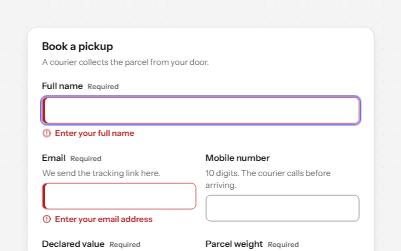
Text fields with visible labels, hints and errors tied to the input, the right keyboard and autofill, and units you can hear.
-
Sign in
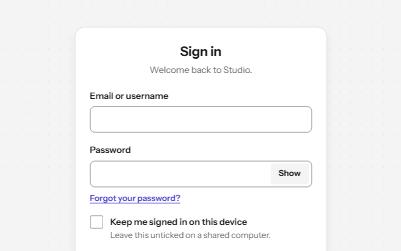
A sign-in form password managers can fill, with show password, paste allowed, a helpful error and no-password ways in.
-
Form errors
An error summary that takes focus, messages tied to each field, and a status message when the form is sent.
-
Status message
Results, confirmations and saves told to screen readers through role=status, without moving focus, once each time.