Accessibility pattern · Forms and flows
Sign in
Nothing here asks people to remember or transcribe anything the browser cannot help with: autocomplete lets a password manager fill both fields, paste works, and Show password lets people check what they typed. A failed attempt gets one honest message, Email or password is wrong, with a reset link, in a summary that takes focus, and a passkey or an emailed link offers a way in with no password at all.
- WCAG criteria
- 7
- Keyboard rules
- 4
- Checked with
- axe, keyboard and the inspector
Live demo
Try it
Use it with a mouse, a keyboard or a screen reader. The inspector beside it shows what the browser tells assistive technology as you go: focus, state changes and announcements.
The demo works without JavaScript only as far as its HTML does; the inspector needs JavaScript.
Keyboard
Keys it answers to
Every action works without a pointer.
| Key | What it does |
|---|---|
| Tab or ShiftTab | Moves through email or username, password, Show password, the reset link, Keep me signed in, Sign in and the two other ways in. |
| Enter or Space | On Show password, shows the password as text; pressed again, hides it. Focus stays on the button. |
| Enter | In a field, signs in. Problems, or a wrong email and password, are shown in a summary that takes focus. |
| Space | On Keep me signed in on this device, ticks or unticks it. |
Screen readers
What it announces
Written from the roles, names and states in the markup.
| When | Expected announcement |
|---|---|
| Focus reaches the password field | Password, secure edit text, required |
| Show password is pressed | Your password is shown. |
| Sign in is pressed with the password empty | There is a problem, group. Enter your password |
| Sign in is pressed with a wrong password | Email or password is wrong, group. Check both and try again. Passwords are case-sensitive. Reset your password |
| Email me a sign-in link is pressed with an email address | Sign-in link sent to your email. It works once, for 15 minutes. This demo sends nothing. |
| Sign in with a passkey is pressed | Signed in with your passkey. A real site asks your device for a fingerprint, face or screen lock first. |
These are expected announcements, not recordings. Wording and order differ between screen readers and browsers.
Code
Copy the code
The exact files this demo runs on. The styles are served with a prefix that keeps this site's own styles out of the demo; what you copy is the original.
<form class="ap-sign-in" data-ap-sign-in novalidate aria-labelledby="si-form-name">
  <div class="ap-sign-in__top">
    <h3 class="ap-sign-in__name" id="si-form-name">Sign in</h3>
    <p class="ap-sign-in__sub">Welcome back to Studio.</p>
  </div>

  <div class="ap-sign-in__summary" id="si-summary" role="group" aria-labelledby="si-summary-name" aria-describedby="si-summary-body" tabindex="-1" hidden>
    <h4 class="ap-sign-in__summary-name" id="si-summary-name"><svg class="ap-sign-in__icon" viewBox="0 0 24 24" aria-hidden="true" focusable="false"><circle cx="12" cy="12" r="9"/><path d="M12 7.5v5"/><path d="M12 16.5h.01"/></svg><span data-ap-summary-name>There is a problem</span></h4>
    <div class="ap-sign-in__summary-body" id="si-summary-body">
      <ul class="ap-sign-in__summary-list" data-ap-fields></ul>
      <div class="ap-sign-in__summary-auth" data-ap-auth hidden>
        <p>Check both and try again. Passwords are case-sensitive.</p>
        <p><a href="#sign-in-reset">Reset your password</a></p>
      </div>
    </div>
  </div>

  <div class="ap-sign-in__body">
    <div class="ap-field ap-sign-in__field">
      <label class="ap-label" for="si-id">Email or username</label>
      <input class="ap-input" id="si-id" name="username" type="text" inputmode="email" autocomplete="username" autocapitalize="none" spellcheck="false" required />
      <p class="ap-error ap-sign-in__error" id="si-id-error" hidden><svg class="ap-sign-in__icon" viewBox="0 0 24 24" aria-hidden="true" focusable="false"><circle cx="12" cy="12" r="9"/><path d="M12 7.5v5"/><path d="M12 16.5h.01"/></svg><span class="ap-sign-in__vh">Error:</span> <span data-ap-text></span></p>
    </div>

    <div class="ap-field ap-sign-in__field">
      <label class="ap-label" for="si-password">Password</label>
      <div class="ap-sign-in__pw">
        <input class="ap-input" id="si-password" name="password" type="password" autocomplete="current-password" required />
        <button type="button" class="ap-sign-in__show" data-ap-show aria-controls="si-password"><span data-ap-show-word>Show</span><span class="ap-sign-in__vh"> password</span></button>
      </div>
      <p class="ap-error ap-sign-in__error" id="si-password-error" hidden><svg class="ap-sign-in__icon" viewBox="0 0 24 24" aria-hidden="true" focusable="false"><circle cx="12" cy="12" r="9"/><path d="M12 7.5v5"/><path d="M12 16.5h.01"/></svg><span class="ap-sign-in__vh">Error:</span> <span data-ap-text></span></p>
      <a class="ap-sign-in__link" href="#sign-in-reset">Forgot your password?</a>
    </div>

    <div class="ap-sign-in__check">
      <input type="checkbox" id="si-remember" name="remember" aria-describedby="si-remember-hint" />
      <div>
        <label for="si-remember">Keep me signed in on this device</label>
        <p class="ap-hint" id="si-remember-hint">Leave this unticked on a shared computer.</p>
      </div>
    </div>

    <button type="submit" class="ap-btn ap-btn--primary ap-sign-in__go">Sign in</button>

    <p class="ap-sign-in__or"><span>or</span></p>

    <div class="ap-sign-in__alt">
      <button type="button" class="ap-btn" data-ap-passkey>
        <svg class="ap-btn__icon" viewBox="0 0 24 24" aria-hidden="true" focusable="false"><circle cx="8" cy="9" r="4"/><path d="M2.5 20a5.5 5.5 0 0 1 9.6-3.7"/><path d="M17 11.5a2.5 2.5 0 1 1 0 5 2.5 2.5 0 0 1 0-5Z"/><path d="M17 16.5V21l1.5-1"/></svg>
        <span data-ap-passkey-word>Sign in with a passkey</span>
      </button>
      <button type="button" class="ap-btn" data-ap-magic>
        <svg class="ap-btn__icon" viewBox="0 0 24 24" aria-hidden="true" focusable="false"><rect x="3" y="5" width="18" height="14" rx="2"/><path d="m3.5 6.5 8.5 6.5 8.5-6.5"/></svg>
        Email me a sign-in link
      </button>
    </div>

    <p class="ap-sign-in__status" role="status"><svg class="ap-sign-in__icon" viewBox="0 0 24 24" aria-hidden="true" focusable="false"><circle cx="12" cy="12" r="9"/><path d="m8 12.5 2.6 2.6L16 9.6"/></svg><span data-ap-done></span></p>
    <p class="ap-sign-in__vh" role="status" data-ap-live></p>
  </div>

  <div class="ap-sign-in__foot">
    <p>New to Studio? <a class="ap-sign-in__link" href="#sign-in-create">Create an account</a></p>
    <p class="ap-sign-in__demo">Demo: [email protected] with monsoon-chai-42 signs in; anything else shows the error. Nothing is sent.</p>
  </div>
</form>
/* Shared primitives: buttons and form fields used across the patterns.
   Uses the --ap-* design tokens. */

.ap-btn {
  display: inline-flex;
  align-items: center;
  justify-content: center;
  gap: 8px;
  min-height: 40px;
  padding: 0 16px;
  border: 1px solid var(--ap-border-strong);
  border-radius: var(--ap-radius-sm);
  background: var(--ap-surface);
  color: var(--ap-text);
  font: inherit;
  font-weight: 600;
  line-height: 1.2;
  text-decoration: none;
  white-space: nowrap;
  cursor: pointer;
  transition: background-color var(--ap-duration) var(--ap-ease), border-color var(--ap-duration) var(--ap-ease), box-shadow var(--ap-duration) var(--ap-ease);
}
.ap-btn:hover {
  background: var(--ap-surface-2);
}
.ap-btn:focus-visible {
  outline: 2px solid var(--ap-focus);
  outline-offset: 2px;
}
.ap-btn:disabled,
.ap-btn[aria-disabled="true"] {
  opacity: .55;
  cursor: not-allowed;
}
.ap-btn--primary {
  border-color: var(--ap-accent);
  background: var(--ap-accent);
  color: var(--ap-on-accent);
  box-shadow: var(--ap-shadow-sm);
}
.ap-btn--primary:hover {
  border-color: var(--ap-accent-hover);
  background: var(--ap-accent-hover);
}
.ap-btn--danger {
  border-color: var(--ap-danger);
  background: var(--ap-danger);
  color: var(--ap-surface);
}
.ap-btn--danger:hover {
  filter: brightness(1.08);
}
.ap-btn--ghost {
  border-color: transparent;
  background: transparent;
}
.ap-btn--ghost:hover {
  background: var(--ap-surface-2);
}
.ap-btn__icon {
  width: 18px;
  height: 18px;
  flex-shrink: 0;
  fill: none;
  stroke: currentColor;
  stroke-width: 2;
  stroke-linecap: round;
  stroke-linejoin: round;
}

.ap-field {
  display: grid;
  gap: 6px;
}
.ap-label {
  color: var(--ap-text);
  font-weight: 600;
  font-size: .9375rem;
}
.ap-hint {
  margin: 0;
  color: var(--ap-text-3);
  font-size: .875rem;
  line-height: 1.45;
}
.ap-error {
  display: flex;
  align-items: flex-start;
  gap: 6px;
  margin: 0;
  color: var(--ap-danger);
  font-size: .875rem;
  font-weight: 600;
  line-height: 1.45;
}
.ap-input {
  width: 100%;
  min-height: 44px;
  padding: 10px 12px;
  border: 1px solid var(--ap-border-strong);
  border-radius: var(--ap-radius-sm);
  background: var(--ap-surface);
  color: var(--ap-text);
  font: inherit;
  line-height: 1.4;
  transition: border-color var(--ap-duration) var(--ap-ease), box-shadow var(--ap-duration) var(--ap-ease);
}
.ap-input::placeholder {
  color: var(--ap-text-3);
}
.ap-input:hover {
  border-color: var(--ap-text-2);
}
.ap-input:focus-visible {
  outline: 2px solid var(--ap-focus);
  outline-offset: 1px;
  border-color: var(--ap-focus);
}
.ap-input[aria-invalid="true"] {
  border-color: var(--ap-danger);
  box-shadow: inset 4px 0 0 var(--ap-danger);
}
textarea.ap-input {
  resize: vertical;
  min-height: 88px;
}

@media (prefers-reduced-motion: reduce) {
  .ap-btn,
  .ap-input { transition: none; }
}

/* Sign in. Uses the --ap-* design tokens and the shared primitives. */
.ap-sign-in {
  width: min(100%, 420px);
  margin-inline: auto;
  border: 1px solid var(--ap-border);
  border-radius: var(--ap-radius-lg);
  background: var(--ap-surface);
  color: var(--ap-text);
  box-shadow: var(--ap-shadow-md);
  container-type: inline-size;
}
.ap-sign-in [hidden] {
  display: none;
}

.ap-sign-in__top {
  padding: 26px 24px 0;
  text-align: center;
}
.ap-sign-in__name {
  margin: 0;
  font-size: 1.375rem;
  font-weight: 650;
  line-height: 1.25;
  letter-spacing: -.01em;
}
.ap-sign-in__sub {
  margin: 6px 0 0;
  color: var(--ap-text-3);
  font-size: .9375rem;
  line-height: 1.45;
}

/* The summary: field problems as links, or the one message for a failed sign-in. */
.ap-sign-in__summary {
  margin: 20px 24px 0;
  padding: 14px 16px 14px 18px;
  border: 1px solid var(--ap-danger);
  border-left-width: 4px;
  border-radius: var(--ap-radius-sm);
  background: var(--ap-surface);
  scroll-margin-top: 96px;
}
.ap-sign-in__summary:focus {
  outline: 2px solid var(--ap-focus);
  outline-offset: 3px;
}
.ap-sign-in__summary-name {
  display: flex;
  align-items: flex-start;
  gap: 8px;
  margin: 0;
  font-size: 1rem;
  font-weight: 650;
  line-height: 1.4;
}
.ap-sign-in__summary-name .ap-sign-in__icon {
  width: 20px;
  height: 20px;
  margin-top: 1px;
  color: var(--ap-danger);
}
.ap-sign-in__summary-body {
  padding-left: 28px;
}
.ap-sign-in__summary-list {
  display: grid;
  gap: 4px;
  margin: 8px 0 0;
  padding-left: 20px;
}
.ap-sign-in__summary-auth p {
  margin: 6px 0 0;
  color: var(--ap-text-2);
  font-size: .9375rem;
  line-height: 1.5;
}
.ap-sign-in__summary a {
  color: var(--ap-danger);
  font-weight: 600;
  line-height: 1.45;
  text-decoration: underline;
  text-underline-offset: .18em;
}
.ap-sign-in__summary a:hover {
  text-decoration-thickness: 2px;
}
.ap-sign-in__summary a:focus-visible {
  outline: 2px solid var(--ap-focus);
  outline-offset: 2px;
  border-radius: 2px;
}

/* A column: the empty status at the end can take back its gap with a negative margin. */
.ap-sign-in__body {
  display: flex;
  flex-direction: column;
  gap: 18px;
  padding: 22px 24px 24px;
}
.ap-sign-in__field {
  min-width: 0;
}
.ap-sign-in__error .ap-sign-in__icon {
  margin-top: 2px;
}

/* The password with its Show button inside the field's edge. */
.ap-sign-in__pw {
  position: relative;
}
.ap-sign-in__pw .ap-input {
  padding-right: 84px;
}
.ap-sign-in__show {
  position: absolute;
  top: 5px;
  right: 5px;
  bottom: 5px;
  min-width: 64px;
  padding: 0 12px;
  border: 0;
  border-radius: calc(var(--ap-radius-sm) - 3px);
  background: var(--ap-surface-2);
  color: var(--ap-text);
  font: inherit;
  font-size: .875rem;
  font-weight: 650;
  cursor: pointer;
}
.ap-sign-in__show:hover {
  background: var(--ap-surface-3);
}
.ap-sign-in__show:focus-visible {
  outline: 2px solid var(--ap-focus);
  outline-offset: 1px;
}

.ap-sign-in__link {
  justify-self: start;
  color: var(--ap-accent-text);
  font-size: .875rem;
  font-weight: 600;
  text-decoration: underline;
  text-underline-offset: .18em;
}
.ap-sign-in__field .ap-sign-in__link {
  margin-top: 2px;
}
.ap-sign-in__link:hover {
  text-decoration-thickness: 2px;
}
.ap-sign-in__link:focus-visible {
  outline: 2px solid var(--ap-focus);
  outline-offset: 2px;
  border-radius: 2px;
}

/* Keep me signed in: a 22px box beside its label and hint. */
.ap-sign-in__check {
  display: flex;
  align-items: flex-start;
  gap: 12px;
}
.ap-sign-in__check input {
  flex-shrink: 0;
  width: 22px;
  height: 22px;
  margin: 0;
  accent-color: var(--ap-accent);
  cursor: pointer;
}
.ap-sign-in__check input:focus-visible {
  outline: 2px solid var(--ap-focus);
  outline-offset: 3px;
}
.ap-sign-in__check label {
  display: block;
  font-weight: 600;
  line-height: 1.4;
  cursor: pointer;
}
.ap-sign-in__check .ap-hint {
  margin-top: 2px;
}

.ap-sign-in__go {
  width: 100%;
  min-height: var(--ap-target);
  font-size: 1rem;
}

/* "or", between two rules. */
.ap-sign-in__or {
  display: flex;
  align-items: center;
  gap: 12px;
  margin: -4px 0;
  color: var(--ap-text-3);
  font-size: .8125rem;
  font-weight: 600;
}
.ap-sign-in__or::before,
.ap-sign-in__or::after {
  content: "";
  flex: 1;
  height: 1px;
  background: var(--ap-border);
}

.ap-sign-in__alt {
  display: grid;
  gap: 10px;
}
.ap-sign-in__alt .ap-btn {
  width: 100%;
  min-height: var(--ap-target);
  white-space: normal;
}
.ap-sign-in__alt .ap-btn[aria-disabled="true"] {
  opacity: 1;
  cursor: progress;
}

.ap-sign-in__status {
  display: flex;
  align-items: flex-start;
  gap: 8px;
  margin: -6px 0 0;
  color: var(--ap-success);
  font-size: .9375rem;
  font-weight: 600;
  line-height: 1.45;
}
.ap-sign-in__status:not([data-tone]) {
  margin: -18px 0 0;
}
.ap-sign-in__status .ap-sign-in__icon {
  display: none;
  width: 18px;
  height: 18px;
  margin-top: 1px;
}
.ap-sign-in__status[data-tone="ok"] .ap-sign-in__icon {
  display: block;
}

.ap-sign-in__icon {
  width: 16px;
  height: 16px;
  flex-shrink: 0;
  fill: none;
  stroke: currentColor;
  stroke-width: 2;
  stroke-linecap: round;
  stroke-linejoin: round;
}

.ap-sign-in__vh {
  position: absolute;
  width: 1px;
  height: 1px;
  margin: -1px;
  padding: 0;
  overflow: hidden;
  clip-path: inset(50%);
  white-space: nowrap;
}

.ap-sign-in__foot {
  display: grid;
  gap: 6px;
  padding: 16px 24px 18px;
  border-top: 1px solid var(--ap-border);
  border-radius: 0 0 var(--ap-radius-lg) var(--ap-radius-lg);
  background: var(--ap-surface-2);
  text-align: center;
}
.ap-sign-in__foot p {
  margin: 0;
  color: var(--ap-text-2);
  font-size: .9375rem;
  line-height: 1.5;
}
.ap-sign-in__foot .ap-sign-in__link {
  font-size: inherit;
}
.ap-sign-in__foot .ap-sign-in__demo {
  color: var(--ap-text-3);
  font-size: .8125rem;
}

@container (max-width: 380px) {
  .ap-sign-in__top { padding: 22px 18px 0; }
  .ap-sign-in__summary { margin: 18px 18px 0; }
  .ap-sign-in__summary-body { padding-left: 0; }
  .ap-sign-in__body { padding: 20px 18px 22px; }
  .ap-sign-in__foot { padding: 14px 18px 16px; }
}
/**
 * Sign-in: a form password managers can fill, a Show password button, a
 * generic error with a reset link, and two ways in without a password.
 * Nothing is sent: the demo account is [email protected] with monsoon-chai-42.
 *
 * Markup: form[data-ap-sign-in][novalidate] with inputs named username and
 * password, each followed by p#<id>-error; a Show button ([data-ap-show],
 * its word in [data-ap-show-word]); a summary (#si-summary) holding a
 * heading word ([data-ap-summary-name]), a list for field problems
 * ([data-ap-fields]) and a block for a failed sign-in ([data-ap-auth]); a
 * passkey button ([data-ap-passkey]), an email link button
 * ([data-ap-magic]); a role=status for outcomes and a hidden one
 * ([data-ap-live]) for Show password.
 */

const DEMO = { ids: ["[email protected]", "asha"], password: "monsoon-chai-42" };

const SHOWN = "Your password is shown.";
const HIDDEN = "Your password is hidden.";
const PROBLEM = "There is a problem";
const WRONG = "Email or password is wrong";
const SIGNED_IN = "Signed in. This demo sends nothing.";
const PASSKEY_WAIT = "Waiting for your device";
const PASSKEY_WORD = "Sign in with a passkey";
const PASSKEY_DONE = "Signed in with your passkey. A real site asks your device for a fingerprint, face or screen lock first.";
const LINK_SENT = "Sign-in link sent to your email. It works once, for 15 minutes. This demo sends nothing.";
const DELAY = 100;      // empty a live region first, then write: the change is what gets read
const DEVICE_TIME = 1200; // the pretend device prompt

const isEmail = (v) => /^[^\s@]+@[^\s@]+\.[^\s@]{2,}$/.test(v);

export function init(root) {
  const id = root.querySelector("[name=username]");
  const password = root.querySelector("[name=password]");
  const show = root.querySelector("[data-ap-show]");
  const summary = root.querySelector("#si-summary");
  const fieldsList = summary.querySelector("[data-ap-fields]");
  const auth = summary.querySelector("[data-ap-auth]");
  const passkey = root.querySelector("[data-ap-passkey]");
  const done = root.querySelector("[data-ap-done]");
  const live = root.querySelector("[data-ap-live]");
  const timers = new Set();
  let busy = false;

  function later(fn, ms = DELAY) {
    const t = setTimeout(() => { timers.delete(t); fn(); }, ms);
    timers.add(t);
  }

  function say(region, text, tone) {
    region.textContent = "";
    if (region === done) delete done.parentElement.dataset.tone;
    if (!text) return;
    later(() => {
      if (region === done && tone) done.parentElement.dataset.tone = tone;
      region.textContent = text;
    });
  }

  function setShown(on, quietly) {
    password.type = on ? "text" : "password";
    show.querySelector("[data-ap-show-word]").textContent = on ? "Hide" : "Show";
    if (!quietly) say(live, on ? SHOWN : HIDDEN);
  }

  function describedBy(input, errorId, on) {
    const ids = (input.getAttribute("aria-describedby") || "").split(/\s+/).filter((x) => x && x !== errorId);
    if (on) ids.push(errorId);
    if (ids.length) input.setAttribute("aria-describedby", ids.join(" "));
    else input.removeAttribute("aria-describedby");
  }

  function showError(input, message) {
    const box = root.querySelector(`#${input.id}-error`);
    box.querySelector("[data-ap-text]").textContent = message;
    box.hidden = !message;
    if (message) input.setAttribute("aria-invalid", "true");
    else input.removeAttribute("aria-invalid");
    describedBy(input, box.id, Boolean(message));
  }

  function hideSummary() {
    summary.hidden = true;
    fieldsList.replaceChildren();
    auth.hidden = true;
  }

  /** Show the summary, either listing field problems or saying the details did not match. */
  function showSummary(problems) {
    summary.querySelector("[data-ap-summary-name]").textContent = problems ? PROBLEM : WRONG;
    fieldsList.replaceChildren(...(problems || []).map(([input, text]) => {
      const item = document.createElement("li");
      const link = document.createElement("a");
      link.href = `#${input.id}`;
      link.textContent = text;
      item.append(link);
      return item;
    }));
    fieldsList.hidden = !problems;
    auth.hidden = Boolean(problems);
    summary.hidden = false;
    summary.focus();
  }

  function onSubmit(event) {
    // This demo sends nothing. A real form posts the two fields to the server here.
    event.preventDefault();
    if (busy) return;
    // Hidden again before sending, so the browser offers to save it as a password.
    if (password.type === "text") setShown(false, true);
    const problems = [
      [id, id.value.trim() ? "" : "Enter your email address or username"],
      [password, password.value ? "" : "Enter your password"],
    ];
    for (const [input, message] of problems) showError(input, message);
    say(done, "");
    const wrong = problems.filter(([, message]) => message);
    if (wrong.length) {
      showSummary(wrong);
      return;
    }
    const ok = DEMO.ids.includes(id.value.trim().toLowerCase()) && password.value === DEMO.password;
    if (!ok) {
      // Say that the pair did not match, not which half: that would tell an attacker which accounts exist.
      showSummary(null);
      return;
    }
    hideSummary();
    say(done, SIGNED_IN, "ok");
  }

  function onClick(event) {
    if (event.target.closest("[data-ap-show]")) {
      setShown(password.type === "password");
      return;
    }
    if (event.target.closest("[data-ap-passkey]")) {
      if (busy) return;
      // A real button calls navigator.credentials.get() and the device takes over.
      busy = true;
      hideSummary();
      passkey.setAttribute("aria-disabled", "true");
      passkey.querySelector("[data-ap-passkey-word]").textContent = PASSKEY_WAIT;
      say(done, "");
      later(() => {
        busy = false;
        passkey.removeAttribute("aria-disabled");
        passkey.querySelector("[data-ap-passkey-word]").textContent = PASSKEY_WORD;
        say(done, PASSKEY_DONE, "ok");
      }, DEVICE_TIME);
      return;
    }
    if (event.target.closest("[data-ap-magic]")) {
      hideSummary();
      if (!isEmail(id.value.trim())) {
        // The link needs an email address: say so at the field, and take focus there so it is read.
        showError(id, "Enter your email address so we can send you a link");
        say(done, "");
        id.focus();
        return;
      }
      showError(id, "");
      say(done, LINK_SENT, "ok");
      return;
    }
    // A summary link shows its field with the label above it, then moves focus there.
    const link = event.target.closest("#si-summary [data-ap-fields] a[href^='#']");
    const to = link && root.querySelector(link.getAttribute("href"));
    if (to) {
      event.preventDefault();
      to.closest(".ap-sign-in__field").scrollIntoView({ block: "center", behavior: "auto" });
      to.focus({ preventScroll: true });
    }
  }

  root.addEventListener("submit", onSubmit);
  root.addEventListener("click", onClick);
  return () => {
    for (const t of timers) clearTimeout(t);
    root.removeEventListener("submit", onSubmit);
    root.removeEventListener("click", onClick);
  };
}

for (const root of document.querySelectorAll("[data-ap-sign-in]")) init(root);
/* Design tokens for the pattern components. Light by default, dark when the
   system asks for it; set data-theme="dark" on :root to force dark. */
:root {
    --ap-radius-sm: 8px;
    --ap-radius: 12px;
    --ap-radius-lg: 16px;
    --ap-radius-full: 999px;
    --ap-font: "Instrument Sans", ui-sans-serif, system-ui, -apple-system, "Segoe UI", Roboto, sans-serif;
    --ap-mono: "JetBrains Mono", ui-monospace, "Cascadia Mono", "SF Mono", Consolas, monospace;
    --ap-ease: cubic-bezier(.2, .8, .2, 1);
    --ap-duration: 180ms;
    --ap-target: 44px;
    --ap-bg: #F4F4F5;
    --ap-surface: #FFFFFF;
    --ap-surface-2: #F4F4F5;
    --ap-surface-3: #E4E4E7;
    --ap-border: #E4E4E7;
    --ap-border-strong: #76767F;
    --ap-text: #18181B;
    --ap-text-2: #3F3F46;
    --ap-text-3: #5E5E66;
    --ap-accent: #4F46E5;
    --ap-accent-hover: #4338CA;
    --ap-on-accent: #FFFFFF;
    --ap-accent-text: #4338CA;
    --ap-accent-soft: #EEF2FF;
    --ap-accent-soft-text: #3730A3;
    --ap-focus: #4F46E5;
    --ap-danger: #B91C1C;
    --ap-danger-soft: #FEF2F2;
    --ap-success: #15803D;
    --ap-success-soft: #F0FDF4;
    --ap-warning: #A15C07;
    --ap-warning-soft: #FEFCE8;
    --ap-info: #1D4ED8;
    --ap-info-soft: #EFF6FF;
    --ap-scrim: rgb(9 9 11 / .48);
    --ap-shadow-sm: 0 1px 2px rgb(9 9 11 / .06);
    --ap-shadow-md: 0 1px 2px rgb(9 9 11 / .05), 0 6px 16px -4px rgb(9 9 11 / .1);
    --ap-shadow-lg: 0 2px 6px rgb(9 9 11 / .06), 0 20px 40px -12px rgb(9 9 11 / .22);
    --ap-light-bg: #F4F4F5;
    --ap-light-surface: #FFFFFF;
    --ap-light-surface-2: #F4F4F5;
    --ap-light-surface-3: #E4E4E7;
    --ap-light-border: #E4E4E7;
    --ap-light-border-strong: #76767F;
    --ap-light-text: #18181B;
    --ap-light-text-2: #3F3F46;
    --ap-light-text-3: #5E5E66;
    --ap-light-accent: #4F46E5;
    --ap-light-accent-hover: #4338CA;
    --ap-light-on-accent: #FFFFFF;
    --ap-light-accent-text: #4338CA;
    --ap-light-accent-soft: #EEF2FF;
    --ap-light-accent-soft-text: #3730A3;
    --ap-light-focus: #4F46E5;
    --ap-light-danger: #B91C1C;
    --ap-light-danger-soft: #FEF2F2;
    --ap-light-success: #15803D;
    --ap-light-success-soft: #F0FDF4;
    --ap-light-warning: #A15C07;
    --ap-light-warning-soft: #FEFCE8;
    --ap-light-info: #1D4ED8;
    --ap-light-info-soft: #EFF6FF;
    --ap-light-scrim: rgb(9 9 11 / .48);
    --ap-light-shadow-sm: 0 1px 2px rgb(9 9 11 / .06);
    --ap-light-shadow-md: 0 1px 2px rgb(9 9 11 / .05), 0 6px 16px -4px rgb(9 9 11 / .1);
    --ap-light-shadow-lg: 0 2px 6px rgb(9 9 11 / .06), 0 20px 40px -12px rgb(9 9 11 / .22);
    --ap-dark-bg: #09090B;
    --ap-dark-surface: #18181B;
    --ap-dark-surface-2: #27272A;
    --ap-dark-surface-3: #3F3F46;
    --ap-dark-border: #2E2E33;
    --ap-dark-border-strong: #8E8E97;
    --ap-dark-text: #FAFAFA;
    --ap-dark-text-2: #D4D4D8;
    --ap-dark-text-3: #A1A1AA;
    --ap-dark-accent: #818CF8;
    --ap-dark-accent-hover: #A5B4FC;
    --ap-dark-on-accent: #0C0A1F;
    --ap-dark-accent-text: #A5B4FC;
    --ap-dark-accent-soft: #1E1B4B;
    --ap-dark-accent-soft-text: #C7D2FE;
    --ap-dark-focus: #A5B4FC;
    --ap-dark-danger: #F87171;
    --ap-dark-danger-soft: #2A1215;
    --ap-dark-success: #4ADE80;
    --ap-dark-success-soft: #0F2A1A;
    --ap-dark-warning: #FACC15;
    --ap-dark-warning-soft: #2A2410;
    --ap-dark-info: #60A5FA;
    --ap-dark-info-soft: #0F1D33;
    --ap-dark-scrim: rgb(0 0 0 / .62);
    --ap-dark-shadow-sm: 0 1px 2px rgb(0 0 0 / .4);
    --ap-dark-shadow-md: 0 1px 2px rgb(0 0 0 / .4), 0 8px 20px -6px rgb(0 0 0 / .5);
    --ap-dark-shadow-lg: 0 2px 8px rgb(0 0 0 / .45), 0 24px 48px -12px rgb(0 0 0 / .7);
}
@media (prefers-color-scheme: dark) {
  :root:not([data-theme="light"]) {
      --ap-bg: #09090B;
      --ap-surface: #18181B;
      --ap-surface-2: #27272A;
      --ap-surface-3: #3F3F46;
      --ap-border: #2E2E33;
      --ap-border-strong: #8E8E97;
      --ap-text: #FAFAFA;
      --ap-text-2: #D4D4D8;
      --ap-text-3: #A1A1AA;
      --ap-accent: #818CF8;
      --ap-accent-hover: #A5B4FC;
      --ap-on-accent: #0C0A1F;
      --ap-accent-text: #A5B4FC;
      --ap-accent-soft: #1E1B4B;
      --ap-accent-soft-text: #C7D2FE;
      --ap-focus: #A5B4FC;
      --ap-danger: #F87171;
      --ap-danger-soft: #2A1215;
      --ap-success: #4ADE80;
      --ap-success-soft: #0F2A1A;
      --ap-warning: #FACC15;
      --ap-warning-soft: #2A2410;
      --ap-info: #60A5FA;
      --ap-info-soft: #0F1D33;
      --ap-scrim: rgb(0 0 0 / .62);
      --ap-shadow-sm: 0 1px 2px rgb(0 0 0 / .4);
      --ap-shadow-md: 0 1px 2px rgb(0 0 0 / .4), 0 8px 20px -6px rgb(0 0 0 / .5);
      --ap-shadow-lg: 0 2px 8px rgb(0 0 0 / .45), 0 24px 48px -12px rgb(0 0 0 / .7);
  }
}
:root[data-theme="dark"] {
    --ap-bg: #09090B;
    --ap-surface: #18181B;
    --ap-surface-2: #27272A;
    --ap-surface-3: #3F3F46;
    --ap-border: #2E2E33;
    --ap-border-strong: #8E8E97;
    --ap-text: #FAFAFA;
    --ap-text-2: #D4D4D8;
    --ap-text-3: #A1A1AA;
    --ap-accent: #818CF8;
    --ap-accent-hover: #A5B4FC;
    --ap-on-accent: #0C0A1F;
    --ap-accent-text: #A5B4FC;
    --ap-accent-soft: #1E1B4B;
    --ap-accent-soft-text: #C7D2FE;
    --ap-focus: #A5B4FC;
    --ap-danger: #F87171;
    --ap-danger-soft: #2A1215;
    --ap-success: #4ADE80;
    --ap-success-soft: #0F2A1A;
    --ap-warning: #FACC15;
    --ap-warning-soft: #2A2410;
    --ap-info: #60A5FA;
    --ap-info-soft: #0F1D33;
    --ap-scrim: rgb(0 0 0 / .62);
    --ap-shadow-sm: 0 1px 2px rgb(0 0 0 / .4);
    --ap-shadow-md: 0 1px 2px rgb(0 0 0 / .4), 0 8px 20px -6px rgb(0 0 0 / .5);
    --ap-shadow-lg: 0 2px 8px rgb(0 0 0 / .45), 0 24px 48px -12px rgb(0 0 0 / .7);
}
WCAG 2.2
What it meets
The success criteria this pattern takes care of, and how.
-
1.3.5 Identify Input Purpose
Level AA
The fields carry autocomplete="username" and autocomplete="current-password", so password managers and browsers fill them reliably.
-
2.4.3 Focus Order
Level A
After a failed attempt, focus moves to the summary at the top, so the message is read first and Tab goes on to the fields.
-
3.3.1 Error Identification
Level A
An empty field is marked aria-invalid with its own message; a wrong pair of details is described in words in the summary.
-
3.3.3 Error Suggestion
Level AA
The failure message says what to check and offers the next step, a password reset, as a link.
-
3.3.8 Accessible Authentication (Minimum)
Level AA
No step depends on remembering or transcribing: paste and password managers work, Show password helps check typing, there is no puzzle, and a passkey or emailed link needs no password.
-
4.1.2 Name, Role, Value
Level A
Show password is a real button, named Show password or Hide password by its words, that controls the field.
-
4.1.3 Status Messages
Level AA
Showing the password, a sent link and a passkey sign-in are announced from status regions, without moving focus.
Usage
When to use it
Use it
- Any sign-in that takes a password, on its own page or in a dialog.
- Accounts where some people will prefer a passkey or an emailed link over a password.
Use something else
- A puzzle CAPTCHA to stop bots: use rate limiting and checks on the server that people never see.
- Splitting sign-in over two screens with no reason: password managers fill one form most reliably.
- Telling people which of the two was wrong: it tells attackers which accounts exist.
Common failures
How it usually goes wrong
Paste blocked in the password field
Blocking paste stops password managers and forces people to type long passwords from memory, which fails WCAG 3.3.8. Paste works here.
Autocomplete turned off
autocomplete="off" on a password field breaks password managers for many people. username and current-password tell them exactly what to fill.
A puzzle to prove you are human
Picture and text puzzles are a cognitive function test with no alternative, and many people cannot pass them. Stop bots on the server instead.
"Invalid credentials" and nothing else
Jargon with no way forward leaves people stuck. The message here is plain and comes with a link to reset the password.
A show password icon with no name
An eye icon button with no accessible name is announced as just "button". This one says Show password or Hide password.
Errors that appear where nobody is looking
A failed sign-in message at the bottom of a long page goes unnoticed. The summary is at the top of the form and takes focus.
Notes
Building it
- Show password switches the field's type between password and text and changes its own words; a status message says which, since a type change is not announced.
- The password is hidden again before the form is sent, so browsers offer to save it as a password and never as plain text.
- The error does not say whether the email or the password was wrong: that would tell an attacker which accounts exist. Keep it generic, and make the next step easy.
- A real passkey button calls navigator.credentials.get() and the device asks for a fingerprint, face or screen lock; this demo only stands in for that prompt.
- The links stand for the reset and sign-up pages here (#…); in your own form, point them at the real pages.
Sources: Understanding SC 3.3.8: Accessible Authentication (Minimum) · HTML: autofill field names · web.dev: Sign-in form best practices
Checked with axe in light and dark themes, at desktop and phone widths, and by keyboard. Not yet tested with every screen reader and browser pair. Report a correction
Related
Patterns that go with it
-
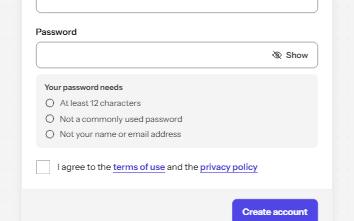
Sign up
An account form with autofill, a password checklist that speaks only when a rule changes, Show password, and an error summary.
-
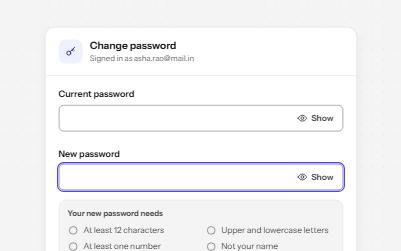
Password field
A password input with a Show toggle that keeps focus in place, a live requirements checklist, and a Caps Lock warning.
-
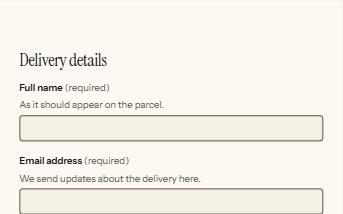
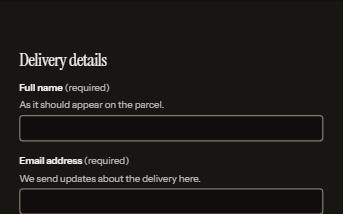
Form errors
An error summary that takes focus, messages tied to each field, and a status message when the form is sent.
-
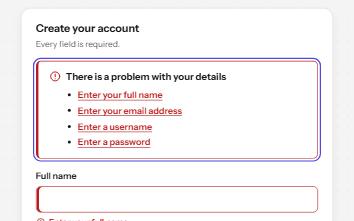
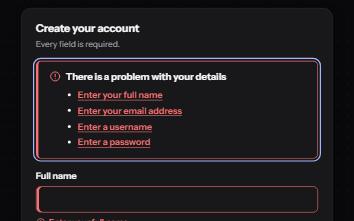
Inline validation
A sign-up form that checks each field as it is left, once typed in, with ticks and errors in words and a summary on submit.