Accessibility pattern · Forms and flows
Payment form
One field for the card number, spaced in fours as it is typed without the caret jumping, with the brand named in words beside it; expiry and security code bring up the number keypad and take autofill. Every error says exactly what to fix, and the pay button shows its progress in words and a status message, so nobody presses it twice.
- WCAG criteria
- 7
- Keyboard rules
- 5
- Checked with
- axe, keyboard and the inspector
Live demo
Try it
Use it with a mouse, a keyboard or a screen reader. The inspector beside it shows what the browser tells assistive technology as you go: focus, state changes and announcements.
The demo works without JavaScript only as far as its HTML does; the inspector needs JavaScript.
Keyboard
Keys it answers to
Every action works without a pointer.
| Key | What it does |
|---|---|
| Tab or ShiftTab | Moves through card number, expiry date, the What is this? button, security code, name on card and Pay. |
| Backspace | In the card number or expiry date, just after a space or slash, deletes the digit before it rather than the separator. |
| Enter or Space | On What is this?, shows the note about the security code; pressed again, hides it. |
| Escape | Hides the note; focus stays where it is. |
| Enter | In a field, pays: problems are listed in a summary that takes focus; otherwise the button shows its progress. |
Screen readers
What it announces
Written from the roles, names and states in the markup.
| When | Expected announcement |
|---|---|
| Focus reaches Card number | Card number, edit text, required. The long number on the front. We take Visa, Mastercard, RuPay and American Express. |
| The first digits of a Visa card are typed | Visa |
| Focus reaches the button beside Security code | What is this security code?, button, collapsed |
| Enter shows the note | Expanded. The security code is the last 3 digits printed on the back of your card… |
| Pay is pressed with a date in the past | There is a problem with your card details, group. This card has expired. Check the date or use another card |
| Pay is pressed with every field right | Processing your payment. Please wait. |
| The payment goes through | Payment received. A receipt is on its way to your email. |
These are expected announcements, not recordings. Wording and order differ between screen readers and browsers.
Code
Copy the code
The exact files this demo runs on. The styles are served with a prefix that keeps this site's own styles out of the demo; what you copy is the original.
<form class="ap-payment-form" data-ap-payment-form novalidate aria-labelledby="pay-form-name">
  <div class="ap-payment-form__top">
    <div>
      <h3 class="ap-payment-form__name" id="pay-form-name">Pay by card</h3>
      <p class="ap-payment-form__sub">Studio plan, billed yearly</p>
    </div>
    <p class="ap-payment-form__amount"><span class="ap-payment-form__amount-k">Total</span> <strong translate="no">₹4,788</strong></p>
  </div>

  <div class="ap-payment-form__summary" id="pay-summary" role="group" aria-labelledby="pay-summary-name" aria-describedby="pay-summary-list" tabindex="-1" hidden>
    <h4 class="ap-payment-form__summary-name" id="pay-summary-name"><svg class="ap-payment-form__icon" viewBox="0 0 24 24" aria-hidden="true" focusable="false"><circle cx="12" cy="12" r="9"/><path d="M12 7.5v5"/><path d="M12 16.5h.01"/></svg>There is a problem with your card details</h4>
    <ul class="ap-payment-form__summary-list" id="pay-summary-list"></ul>
  </div>

  <div class="ap-payment-form__body">
    <div class="ap-field ap-payment-form__field ap-payment-form__field--wide">
      <div class="ap-payment-form__label-row">
        <label class="ap-label" for="pay-number">Card number</label>
        <span class="ap-payment-form__brand" id="pay-brand" role="status"><svg class="ap-payment-form__icon" viewBox="0 0 24 24" aria-hidden="true" focusable="false"><rect x="3" y="5.5" width="18" height="13" rx="2"/><path d="M3 10h18"/><path d="M7 15h3"/></svg><span data-ap-brand></span></span>
      </div>
      <p class="ap-hint" id="pay-number-hint">The long number on the front. We take Visa, Mastercard, RuPay and American Express.</p>
      <input class="ap-input ap-payment-form__mono" id="pay-number" name="cc-number" type="text" inputmode="numeric" autocomplete="cc-number" spellcheck="false" required aria-describedby="pay-number-hint pay-brand" />
      <p class="ap-error ap-payment-form__error" id="pay-number-error" hidden><svg class="ap-payment-form__icon" viewBox="0 0 24 24" aria-hidden="true" focusable="false"><circle cx="12" cy="12" r="9"/><path d="M12 7.5v5"/><path d="M12 16.5h.01"/></svg><span class="ap-payment-form__vh">Error:</span> <span data-ap-text></span></p>
    </div>

    <div class="ap-field ap-payment-form__field">
      <div class="ap-payment-form__label-row">
        <label class="ap-label" for="pay-exp">Expiry date</label>
      </div>
      <p class="ap-hint" id="pay-exp-hint">Month and year, like 08/28.</p>
      <input class="ap-input ap-payment-form__mono" id="pay-exp" name="cc-exp" type="text" inputmode="numeric" autocomplete="cc-exp" spellcheck="false" required aria-describedby="pay-exp-hint" />
      <p class="ap-error ap-payment-form__error" id="pay-exp-error" hidden><svg class="ap-payment-form__icon" viewBox="0 0 24 24" aria-hidden="true" focusable="false"><circle cx="12" cy="12" r="9"/><path d="M12 7.5v5"/><path d="M12 16.5h.01"/></svg><span class="ap-payment-form__vh">Error:</span> <span data-ap-text></span></p>
    </div>

    <div class="ap-field ap-payment-form__field">
      <div class="ap-payment-form__label-row">
        <label class="ap-label" for="pay-cvc">Security code</label>
        <button type="button" class="ap-payment-form__tip-btn" id="pay-tip-btn" aria-expanded="false">What is this<span class="ap-payment-form__vh"> security code</span>?</button>
      </div>
      <p class="ap-hint" id="pay-cvc-hint" data-ap-cvc-hint>3 digits on the back.</p>
      <span class="ap-payment-form__tip-live" role="status"><span class="ap-payment-form__tip" data-ap-tip hidden>The security code is the last 3 digits printed on the back of your card, beside the signature strip. On American Express cards it is the 4 digits printed on the front.</span></span>
      <input class="ap-input ap-payment-form__mono" id="pay-cvc" name="cc-csc" type="text" inputmode="numeric" autocomplete="cc-csc" maxlength="4" spellcheck="false" required aria-describedby="pay-cvc-hint" />
      <p class="ap-error ap-payment-form__error" id="pay-cvc-error" hidden><svg class="ap-payment-form__icon" viewBox="0 0 24 24" aria-hidden="true" focusable="false"><circle cx="12" cy="12" r="9"/><path d="M12 7.5v5"/><path d="M12 16.5h.01"/></svg><span class="ap-payment-form__vh">Error:</span> <span data-ap-text></span></p>
    </div>

    <div class="ap-field ap-payment-form__field ap-payment-form__field--wide">
      <label class="ap-label" for="pay-name">Name on card</label>
      <p class="ap-hint" id="pay-name-hint">As it is printed on the card.</p>
      <input class="ap-input" id="pay-name" name="cc-name" type="text" autocomplete="cc-name" spellcheck="false" required aria-describedby="pay-name-hint" />
      <p class="ap-error ap-payment-form__error" id="pay-name-error" hidden><svg class="ap-payment-form__icon" viewBox="0 0 24 24" aria-hidden="true" focusable="false"><circle cx="12" cy="12" r="9"/><path d="M12 7.5v5"/><path d="M12 16.5h.01"/></svg><span class="ap-payment-form__vh">Error:</span> <span data-ap-text></span></p>
    </div>
  </div>

  <div class="ap-payment-form__foot">
    <p class="ap-payment-form__status" role="status"><svg class="ap-payment-form__icon ap-payment-form__icon--ok" viewBox="0 0 24 24" aria-hidden="true" focusable="false"><path d="m5 12.5 4.5 4.5L19 7.5"/></svg><span data-ap-done></span></p>
    <button type="submit" class="ap-btn ap-btn--primary ap-payment-form__pay">
      <svg class="ap-payment-form__spin" viewBox="0 0 24 24" aria-hidden="true" focusable="false"><circle cx="12" cy="12" r="8.5"/><path d="M12 3.5a8.5 8.5 0 0 1 8.5 8.5"/></svg>
      <svg class="ap-payment-form__icon ap-payment-form__paid" viewBox="0 0 24 24" aria-hidden="true" focusable="false"><path d="m5 12.5 4.5 4.5L19 7.5"/></svg>
      <span data-ap-pay>Pay ₹4,788</span>
    </button>
    <p class="ap-payment-form__demo"><svg class="ap-payment-form__icon" viewBox="0 0 24 24" aria-hidden="true" focusable="false"><rect x="5" y="11" width="14" height="9" rx="2"/><path d="M8 11V8a4 4 0 0 1 8 0v3"/></svg><span>A demo: nothing is sent or charged. Try 4242 4242 4242 4242.</span></p>
  </div>
</form>
/* Shared primitives: buttons and form fields used across the patterns.
   Uses the --ap-* design tokens. */

.ap-btn {
  display: inline-flex;
  align-items: center;
  justify-content: center;
  gap: 8px;
  min-height: 40px;
  padding: 0 16px;
  border: 1px solid var(--ap-border-strong);
  border-radius: var(--ap-radius-sm);
  background: var(--ap-surface);
  color: var(--ap-text);
  font: inherit;
  font-weight: 600;
  line-height: 1.2;
  text-decoration: none;
  white-space: nowrap;
  cursor: pointer;
  transition: background-color var(--ap-duration) var(--ap-ease), border-color var(--ap-duration) var(--ap-ease), box-shadow var(--ap-duration) var(--ap-ease);
}
.ap-btn:hover {
  background: var(--ap-surface-2);
}
.ap-btn:focus-visible {
  outline: 2px solid var(--ap-focus);
  outline-offset: 2px;
}
.ap-btn:disabled,
.ap-btn[aria-disabled="true"] {
  opacity: .55;
  cursor: not-allowed;
}
.ap-btn--primary {
  border-color: var(--ap-accent);
  background: var(--ap-accent);
  color: var(--ap-on-accent);
  box-shadow: var(--ap-shadow-sm);
}
.ap-btn--primary:hover {
  border-color: var(--ap-accent-hover);
  background: var(--ap-accent-hover);
}
.ap-btn--danger {
  border-color: var(--ap-danger);
  background: var(--ap-danger);
  color: var(--ap-surface);
}
.ap-btn--danger:hover {
  filter: brightness(1.08);
}
.ap-btn--ghost {
  border-color: transparent;
  background: transparent;
}
.ap-btn--ghost:hover {
  background: var(--ap-surface-2);
}
.ap-btn__icon {
  width: 18px;
  height: 18px;
  flex-shrink: 0;
  fill: none;
  stroke: currentColor;
  stroke-width: 2;
  stroke-linecap: round;
  stroke-linejoin: round;
}

.ap-field {
  display: grid;
  gap: 6px;
}
.ap-label {
  color: var(--ap-text);
  font-weight: 600;
  font-size: .9375rem;
}
.ap-hint {
  margin: 0;
  color: var(--ap-text-3);
  font-size: .875rem;
  line-height: 1.45;
}
.ap-error {
  display: flex;
  align-items: flex-start;
  gap: 6px;
  margin: 0;
  color: var(--ap-danger);
  font-size: .875rem;
  font-weight: 600;
  line-height: 1.45;
}
.ap-input {
  width: 100%;
  min-height: 44px;
  padding: 10px 12px;
  border: 1px solid var(--ap-border-strong);
  border-radius: var(--ap-radius-sm);
  background: var(--ap-surface);
  color: var(--ap-text);
  font: inherit;
  line-height: 1.4;
  transition: border-color var(--ap-duration) var(--ap-ease), box-shadow var(--ap-duration) var(--ap-ease);
}
.ap-input::placeholder {
  color: var(--ap-text-3);
}
.ap-input:hover {
  border-color: var(--ap-text-2);
}
.ap-input:focus-visible {
  outline: 2px solid var(--ap-focus);
  outline-offset: 1px;
  border-color: var(--ap-focus);
}
.ap-input[aria-invalid="true"] {
  border-color: var(--ap-danger);
  box-shadow: inset 4px 0 0 var(--ap-danger);
}
textarea.ap-input {
  resize: vertical;
  min-height: 88px;
}

@media (prefers-reduced-motion: reduce) {
  .ap-btn,
  .ap-input { transition: none; }
}

/* Payment form. Uses the --ap-* design tokens and the shared primitives. */
.ap-payment-form {
  width: min(100%, 500px);
  margin-inline: auto;
  border: 1px solid var(--ap-border);
  border-radius: var(--ap-radius-lg);
  background: var(--ap-surface);
  color: var(--ap-text);
  box-shadow: var(--ap-shadow-md);
  container-type: inline-size;
}
.ap-payment-form [hidden] {
  display: none;
}

.ap-payment-form__top {
  display: flex;
  flex-wrap: wrap;
  align-items: flex-start;
  justify-content: space-between;
  gap: 8px 16px;
  padding: 22px 24px 18px;
  border-bottom: 1px solid var(--ap-border);
}
.ap-payment-form__name {
  margin: 0;
  font-size: 1.125rem;
  font-weight: 650;
  line-height: 1.3;
}
.ap-payment-form__sub {
  margin: 4px 0 0;
  color: var(--ap-text-3);
  font-size: .875rem;
  line-height: 1.45;
}
.ap-payment-form__amount {
  display: grid;
  justify-items: end;
  margin: 0;
  line-height: 1.2;
}
.ap-payment-form__amount-k {
  color: var(--ap-text-3);
  font-size: .8125rem;
  font-weight: 600;
}
.ap-payment-form__amount strong {
  font-size: 1.375rem;
  font-weight: 700;
  font-variant-numeric: tabular-nums;
  letter-spacing: -.01em;
}

/* The summary: every problem, as links to the fields. */
.ap-payment-form__summary {
  margin: 18px 24px 0;
  padding: 14px 16px 14px 18px;
  border: 1px solid var(--ap-danger);
  border-left-width: 4px;
  border-radius: var(--ap-radius-sm);
  background: var(--ap-surface);
  scroll-margin-top: 96px;
}
.ap-payment-form__summary:focus {
  outline: 2px solid var(--ap-focus);
  outline-offset: 3px;
}
.ap-payment-form__summary-name {
  display: flex;
  align-items: flex-start;
  gap: 8px;
  margin: 0;
  font-size: 1rem;
  font-weight: 650;
  line-height: 1.4;
}
.ap-payment-form__summary-name .ap-payment-form__icon {
  width: 20px;
  height: 20px;
  margin-top: 1px;
  color: var(--ap-danger);
}
.ap-payment-form__summary-list {
  display: grid;
  gap: 4px;
  margin: 8px 0 0;
  padding-left: 48px;
}
.ap-payment-form__summary-list a {
  color: var(--ap-danger);
  font-weight: 600;
  line-height: 1.45;
  text-decoration: underline;
  text-underline-offset: .18em;
}
.ap-payment-form__summary-list a:hover {
  text-decoration-thickness: 2px;
}
.ap-payment-form__summary-list a:focus-visible {
  outline: 2px solid var(--ap-focus);
  outline-offset: 2px;
  border-radius: 2px;
}

.ap-payment-form__body {
  display: grid;
  grid-template-columns: repeat(2, minmax(0, 1fr));
  align-items: start;
  gap: 20px 16px;
  padding: 20px 24px 24px;
}
/* A column: the empty live region under the security code's hint can then take back its gap. */
.ap-payment-form__field {
  display: flex;
  flex-direction: column;
  gap: 6px;
  min-width: 0;
}
.ap-payment-form__field--wide {
  grid-column: 1 / -1;
}
.ap-payment-form .ap-hint {
  margin-top: -2px;
}
.ap-payment-form__label-row {
  display: flex;
  flex-wrap: wrap;
  align-items: center;
  justify-content: space-between;
  gap: 4px 12px;
  min-height: 28px;
}
.ap-payment-form__mono {
  font-family: var(--ap-mono);
  font-variant-numeric: tabular-nums;
  letter-spacing: .02em;
}
.ap-payment-form__error .ap-payment-form__icon {
  margin-top: 2px;
}

/* The brand, in words, once the first digits tell it. */
.ap-payment-form__brand {
  display: inline-flex;
  align-items: center;
  gap: 6px;
  min-height: 26px;
  padding: 0 10px 0 8px;
  border-radius: var(--ap-radius-full);
  color: var(--ap-accent-soft-text);
  font-size: .8125rem;
  font-weight: 650;
}
.ap-payment-form__brand .ap-payment-form__icon {
  display: none;
}
.ap-payment-form__brand[data-brand] {
  background: var(--ap-accent-soft);
  box-shadow: inset 0 0 0 1px var(--ap-accent-text);
  animation: ap-payment-form-in var(--ap-duration) var(--ap-ease);
}
.ap-payment-form__brand[data-brand] .ap-payment-form__icon {
  display: block;
}

/* What is this? A text button, and its note in the page flow under the label. */
.ap-payment-form__tip-btn {
  min-height: 28px;
  margin-right: -6px;
  padding: 2px 6px;
  border: 0;
  border-radius: var(--ap-radius-sm);
  background: transparent;
  color: var(--ap-accent-text);
  font: inherit;
  font-size: .8125rem;
  font-weight: 650;
  text-decoration: underline;
  text-decoration-style: dotted;
  text-underline-offset: .2em;
  cursor: pointer;
}
.ap-payment-form__tip-btn:hover {
  background: var(--ap-surface-2);
}
.ap-payment-form__tip-btn:focus-visible {
  outline: 2px solid var(--ap-focus);
  outline-offset: 1px;
}
.ap-payment-form__tip-btn[aria-expanded="true"] {
  background: var(--ap-accent-soft);
  color: var(--ap-accent-soft-text);
  text-decoration-style: solid;
}
.ap-payment-form__tip-live {
  display: block;
  margin-top: -6px;
}
.ap-payment-form__tip {
  display: block;
  position: relative;
  margin: 12px 0 2px;
  padding: 10px 12px;
  border: 1px solid var(--ap-border);
  border-radius: var(--ap-radius-sm);
  background: var(--ap-surface-2);
  color: var(--ap-text-2);
  font-size: .875rem;
  line-height: 1.5;
  animation: ap-payment-form-in var(--ap-duration) var(--ap-ease);
}

/* Footer: the outcome, the pay button and the demo note. */
.ap-payment-form__foot {
  display: flex;
  flex-direction: column;
  gap: 12px;
  padding: 16px 24px 18px;
  border-top: 1px solid var(--ap-border);
  border-radius: 0 0 var(--ap-radius-lg) var(--ap-radius-lg);
  background: var(--ap-surface-2);
}
.ap-payment-form__status {
  display: flex;
  align-items: flex-start;
  gap: 8px;
  margin: 0;
  color: var(--ap-text-2);
  font-size: .9375rem;
  font-weight: 600;
  line-height: 1.45;
}
/* Empty, it takes no room: in a flex column the negative margin cancels its gap. */
.ap-payment-form__status:not([data-tone]) {
  margin-bottom: -12px;
}
.ap-payment-form__status[data-tone="ok"] {
  color: var(--ap-success);
}
.ap-payment-form__status .ap-payment-form__icon {
  display: none;
  width: 18px;
  height: 18px;
  margin-top: 1px;
}
.ap-payment-form__status[data-tone="ok"] .ap-payment-form__icon {
  display: block;
}
.ap-payment-form__pay {
  width: 100%;
  min-height: var(--ap-target);
  font-size: 1rem;
}
.ap-payment-form__pay[aria-disabled="true"] {
  opacity: 1;
  cursor: progress;
}
.ap-payment-form__pay[data-state="done"] {
  border-color: var(--ap-success);
  background: var(--ap-success);
  color: var(--ap-surface);
  cursor: default;
}
.ap-payment-form__spin,
.ap-payment-form__paid {
  display: none;
  width: 18px;
  height: 18px;
  flex-shrink: 0;
  fill: none;
  stroke: currentColor;
  stroke-width: 2.4;
  stroke-linecap: round;
}
.ap-payment-form__spin circle {
  opacity: .3;
}
.ap-payment-form__pay[data-state="busy"] .ap-payment-form__spin {
  display: block;
  animation: ap-payment-form-turn .8s linear infinite;
}
.ap-payment-form__pay[data-state="done"] .ap-payment-form__paid {
  display: block;
}
.ap-payment-form__demo {
  display: flex;
  align-items: flex-start;
  justify-content: center;
  gap: 6px;
  margin: 0;
  color: var(--ap-text-3);
  font-size: .8125rem;
  line-height: 1.45;
  text-align: center;
}
.ap-payment-form__demo .ap-payment-form__icon {
  width: 14px;
  height: 14px;
  margin-top: 2px;
}

.ap-payment-form__icon {
  width: 16px;
  height: 16px;
  flex-shrink: 0;
  fill: none;
  stroke: currentColor;
  stroke-width: 2;
  stroke-linecap: round;
  stroke-linejoin: round;
}

.ap-payment-form__vh {
  position: absolute;
  width: 1px;
  height: 1px;
  margin: -1px;
  padding: 0;
  overflow: hidden;
  clip-path: inset(50%);
  white-space: nowrap;
}

@keyframes ap-payment-form-in {
  from { opacity: 0; transform: translateY(-3px); }
}
@keyframes ap-payment-form-turn {
  to { transform: rotate(360deg); }
}

@container (max-width: 420px) {
  .ap-payment-form__top { padding: 18px 18px 16px; }
  .ap-payment-form__summary { margin: 16px 18px 0; }
  .ap-payment-form__summary-list { padding-left: 32px; }
  .ap-payment-form__body { grid-template-columns: minmax(0, 1fr); padding: 18px 18px 22px; }
  .ap-payment-form__foot { padding: 14px 18px 16px; }
}

@media (prefers-reduced-motion: reduce) {
  .ap-payment-form__brand[data-brand],
  .ap-payment-form__tip { animation: none; }
  .ap-payment-form__pay[data-state="busy"] .ap-payment-form__spin { animation: none; }
}

@media (forced-colors: active) {
  .ap-payment-form__brand[data-brand] { border: 1px solid CanvasText; }
}
/**
 * Payment form: one card number field spaced as it is typed, the brand in
 * words, an expiry date with its slash added, a security code toggletip,
 * and a pay button that shows its progress. Nothing is sent.
 *
 * Markup: form[data-ap-payment-form][novalidate] with inputs named
 * cc-number, cc-exp, cc-csc and cc-name, each followed by p#<id>-error; a
 * role=status brand (#pay-brand > [data-ap-brand]); the security code hint
 * ([data-ap-cvc-hint]); a toggletip (#pay-tip-btn[aria-expanded] and a
 * role=status holding [data-ap-tip]); an error summary (#pay-summary); the
 * submit button with [data-ap-pay]; and a role=status for the outcome.
 */

const BRANDS = {
  visa: { name: "Visa", length: 16, groups: [4, 4, 4, 4], cvc: 3 },
  mastercard: { name: "Mastercard", length: 16, groups: [4, 4, 4, 4], cvc: 3 },
  rupay: { name: "RuPay", length: 16, groups: [4, 4, 4, 4], cvc: 3 },
  amex: { name: "American Express", length: 15, groups: [4, 6, 5], cvc: 4 },
};
const ANY = { name: "", length: 16, groups: [4, 4, 4, 4], cvc: 3 };

/** The brand from the first digits, or "" while it cannot be told. */
function brandOf(d) {
  if (/^3[47]/.test(d)) return "amex";
  if (/^4/.test(d)) return "visa";
  if (/^(5[1-5]|222[1-9]|22[3-9]\d|2[3-6]\d\d|27[01]\d|2720)/.test(d)) return "mastercard";
  if (/^(60|65|81|82|508)/.test(d)) return "rupay";
  return "";
}

/** The Luhn checksum every card number carries. */
function luhn(d) {
  let sum = 0;
  for (let i = 0; i < d.length; i++) {
    let n = Number(d[d.length - 1 - i]);
    if (i % 2) { n *= 2; if (n > 9) n -= 9; }
    sum += n;
  }
  return sum % 10 === 0;
}

const CVC_HINT = { 3: "3 digits on the back.", 4: "4 digits on the front." };
const PROCESSING = "Processing your payment. Please wait.";
const PAID = "Payment received. A receipt is on its way to your email.";
const PAY_LABEL = { idle: "Pay ₹4,788", busy: "Processing", done: "Paid" };
const WORK_TIME = 1800; // the pretend payment provider's reply
const DELAY = 100;      // empty a live region first, then write: the change is what gets read

function checkNumber(digits) {
  if (!digits) return "Enter the card number";
  const brand = BRANDS[brandOf(digits)];
  if (!brand) return "Enter a Visa, Mastercard, RuPay or American Express card number";
  if (digits.length < brand.length) return brand.length === 15 ? "Enter all 15 digits of the card number" : "Enter all 16 digits of the card number";
  return luhn(digits) ? "" : "Check the card number: a digit may be wrong or swapped";
}

function checkExpiry(digits, now = new Date()) {
  if (!digits) return "Enter the expiry date, like 08/28";
  if (digits.length < 4) return "Enter the month and the year, like 08/28";
  const month = Number(digits.slice(0, 2));
  const year = 2000 + Number(digits.slice(2, 4));
  if (month < 1 || month > 12) return "Enter a month from 01 to 12";
  const thisYear = now.getFullYear();
  const thisMonth = now.getMonth() + 1;
  if (year < thisYear || (year === thisYear && month < thisMonth)) return "This card has expired. Check the date or use another card";
  if (year > thisYear + 20) return "Check the year: cards are not valid that far ahead";
  return "";
}

export function init(root) {
  const ac = new AbortController();
  const on = (target, type, fn) => target.addEventListener(type, fn, { signal: ac.signal });
  const number = root.querySelector("[name=cc-number]");
  const exp = root.querySelector("[name=cc-exp]");
  const cvc = root.querySelector("[name=cc-csc]");
  const name = root.querySelector("[name=cc-name]");
  const brandBox = root.querySelector("#pay-brand");
  const tipBtn = root.querySelector("#pay-tip-btn");
  const tipLive = tipBtn.closest(".ap-payment-form__field").querySelector("[role=status]");
  const tip = root.querySelector("[data-ap-tip]");
  const summary = root.querySelector("#pay-summary");
  const list = summary.querySelector("ul");
  const pay = root.querySelector("[type=submit]");
  const done = root.querySelector("[data-ap-done]");
  const timers = new Set();
  let brand = "";
  let state = "idle";

  const digitsOf = (input) => input.value.replace(/\D/g, "");
  const later = (fn, ms = DELAY) => {
    const t = setTimeout(() => { timers.delete(t); fn(); }, ms);
    timers.add(t);
  };

  /** Put the value back, formatted, with the caret after the same number of digits as before. */
  function setFormatted(input, formatted, digitsBefore) {
    const focused = document.activeElement === input;
    input.value = formatted;
    if (!focused) return;
    let caret = 0;
    for (let seen = 0; caret < formatted.length && seen < digitsBefore; caret++) {
      if (/\d/.test(formatted[caret])) seen++;
    }
    input.setSelectionRange(caret, caret);
  }

  function formatNumber(digits) {
    const { groups, length } = BRANDS[brandOf(digits)] || ANY;
    const out = [];
    let at = 0;
    for (const size of groups) {
      if (at >= Math.min(digits.length, length)) break;
      out.push(digits.slice(at, at + size));
      at += size;
    }
    return out.join(" ");
  }

  const formatExpiry = (digits) => (digits.length > 2 ? `${digits.slice(0, 2)}/${digits.slice(2, 4)}` : digits);

  function showBrand(next) {
    if (next === brand) return;
    brand = next;
    const b = BRANDS[brand];
    const words = brandBox.querySelector("[data-ap-brand]");
    words.textContent = "";
    if (b) brandBox.dataset.brand = brand;
    else delete brandBox.dataset.brand;
    if (b) later(() => { words.textContent = b.name; });
    const size = (b || ANY).cvc;
    root.querySelector("[data-ap-cvc-hint]").textContent = CVC_HINT[size];
    cvc.maxLength = size;
  }

  function reformat(input, digitsBefore) {
    if (input === number) {
      const all = digitsOf(number);
      const digits = all.slice(0, (BRANDS[brandOf(all)] || ANY).length);
      setFormatted(number, formatNumber(digits), Math.min(digitsBefore, digits.length));
      showBrand(brandOf(digits));
    } else if (input === exp) {
      const digits = digitsOf(exp).slice(0, 4);
      setFormatted(exp, formatExpiry(digits), Math.min(digitsBefore, digits.length));
    } else if (input === cvc) {
      const digits = digitsOf(cvc).slice(0, cvc.maxLength);
      setFormatted(cvc, digits, digitsBefore);
    }
  }

  on(root, "input", (event) => {
    const input = event.target;
    if (![number, exp, cvc].includes(input)) return;
    const before = input.value.slice(0, input.selectionStart ?? input.value.length).replace(/\D/g, "").length;
    reformat(input, before);
  });

  // Backspace just after a separator (or Delete just before one) removes the digit beyond it.
  on(root, "beforeinput", (event) => {
    const input = event.target;
    if (input !== number && input !== exp) return;
    const { selectionStart: s, selectionEnd: e, value } = input;
    if (s !== e) return;
    let cut = -1;
    if (event.inputType === "deleteContentBackward" && /[ /]/.test(value[s - 1] || "")) cut = s - 2;
    else if (event.inputType === "deleteContentForward" && /[ /]/.test(value[s] || "")) cut = s + 1;
    if (cut < 0 || cut >= value.length) return;
    event.preventDefault();
    const digitsBefore = value.slice(0, cut).replace(/\D/g, "").length;
    input.value = value.slice(0, cut) + value.slice(cut + 1);
    reformat(input, digitsBefore);
  });

  /* The security code toggletip. */
  const tipOpen = () => tipBtn.getAttribute("aria-expanded") === "true";
  function openTip() {
    tipBtn.setAttribute("aria-expanded", "true");
    tip.hidden = true;
    tipLive.replaceChildren();
    later(() => {
      tip.hidden = false;
      tipLive.append(tip);
    });
  }
  function closeTip() {
    if (!tipOpen()) return;
    tipBtn.setAttribute("aria-expanded", "false");
    tip.hidden = true;
    if (!tip.isConnected) tipLive.append(tip);
  }
  on(tipBtn, "click", () => (tipOpen() ? closeTip() : openTip()));
  // The note sits in the page flow, so it can stay open while the code is typed; Escape or the button hides it.
  on(root, "keydown", (event) => {
    if (event.key === "Escape" && tipOpen()) {
      closeTip();
      event.preventDefault();
    }
  });

  /* Errors and the summary. */
  function describedBy(input, id, show) {
    const ids = (input.getAttribute("aria-describedby") || "").split(/\s+/).filter((x) => x && x !== id);
    if (show) ids.push(id);
    input.setAttribute("aria-describedby", ids.join(" "));
  }
  function showError(input, message) {
    const box = root.querySelector(`#${input.id}-error`);
    box.querySelector("[data-ap-text]").textContent = message;
    box.hidden = !message;
    if (message) input.setAttribute("aria-invalid", "true");
    else input.removeAttribute("aria-invalid");
    describedBy(input, box.id, Boolean(message));
  }
  function summaryItem([input, text]) {
    const item = document.createElement("li");
    const link = document.createElement("a");
    link.href = `#${input.id}`;
    link.textContent = text;
    item.append(link);
    return item;
  }
  on(summary, "click", (event) => {
    const link = event.target.closest("a[href^='#']");
    const input = link && root.querySelector(link.getAttribute("href"));
    if (!input) return;
    event.preventDefault();
    input.closest(".ap-payment-form__field").scrollIntoView({ block: "center", behavior: "auto" });
    input.focus({ preventScroll: true });
  });

  function setStatus(text, tone) {
    done.textContent = "";
    delete done.parentElement.dataset.tone;
    if (!text) return;
    later(() => {
      if (tone) done.parentElement.dataset.tone = tone;
      done.textContent = text;
    });
  }

  function setPay(next) {
    state = next;
    pay.dataset.state = next;
    pay.querySelector("[data-ap-pay]").textContent = PAY_LABEL[next];
    // aria-disabled, not disabled: the button keeps focus and can still be found and read.
    if (next === "idle") pay.removeAttribute("aria-disabled");
    else pay.setAttribute("aria-disabled", "true");
    if (next === "busy") root.setAttribute("aria-busy", "true");
    else root.removeAttribute("aria-busy");
  }

  on(root, "submit", (event) => {
    // This demo sends nothing. A real form hands the card to the payment provider here.
    event.preventDefault();
    if (state !== "idle") return;
    const problems = [
      [number, checkNumber(digitsOf(number))],
      [exp, checkExpiry(digitsOf(exp))],
      [cvc, (() => {
        const want = (BRANDS[brand] || ANY).cvc;
        if (digitsOf(cvc).length === want) return "";
        return want === 4 ? "Enter the 4-digit security code from the front of your card" : "Enter the 3-digit security code from the back of your card";
      })()],
      [name, name.value.trim() ? "" : "Enter the name as it is printed on the card"],
    ];
    for (const [input, message] of problems) showError(input, message);
    const wrong = problems.filter(([, message]) => message);
    if (wrong.length) {
      list.replaceChildren(...wrong.map(summaryItem));
      summary.hidden = false;
      setStatus("");
      summary.focus();
      return;
    }
    list.replaceChildren();
    summary.hidden = true;
    closeTip();
    setPay("busy");
    setStatus(PROCESSING, "busy");
    later(() => {
      setPay("done");
      setStatus(PAID, "ok");
    }, WORK_TIME);
  });

  return () => {
    ac.abort();
    for (const t of timers) clearTimeout(t);
    root.removeAttribute("aria-busy");
  };
}

for (const root of document.querySelectorAll("[data-ap-payment-form]")) init(root);
/* Design tokens for the pattern components. Light by default, dark when the
   system asks for it; set data-theme="dark" on :root to force dark. */
:root {
    --ap-radius-sm: 8px;
    --ap-radius: 12px;
    --ap-radius-lg: 16px;
    --ap-radius-full: 999px;
    --ap-font: "Instrument Sans", ui-sans-serif, system-ui, -apple-system, "Segoe UI", Roboto, sans-serif;
    --ap-mono: "JetBrains Mono", ui-monospace, "Cascadia Mono", "SF Mono", Consolas, monospace;
    --ap-ease: cubic-bezier(.2, .8, .2, 1);
    --ap-duration: 180ms;
    --ap-target: 44px;
    --ap-bg: #F4F4F5;
    --ap-surface: #FFFFFF;
    --ap-surface-2: #F4F4F5;
    --ap-surface-3: #E4E4E7;
    --ap-border: #E4E4E7;
    --ap-border-strong: #76767F;
    --ap-text: #18181B;
    --ap-text-2: #3F3F46;
    --ap-text-3: #5E5E66;
    --ap-accent: #4F46E5;
    --ap-accent-hover: #4338CA;
    --ap-on-accent: #FFFFFF;
    --ap-accent-text: #4338CA;
    --ap-accent-soft: #EEF2FF;
    --ap-accent-soft-text: #3730A3;
    --ap-focus: #4F46E5;
    --ap-danger: #B91C1C;
    --ap-danger-soft: #FEF2F2;
    --ap-success: #15803D;
    --ap-success-soft: #F0FDF4;
    --ap-warning: #A15C07;
    --ap-warning-soft: #FEFCE8;
    --ap-info: #1D4ED8;
    --ap-info-soft: #EFF6FF;
    --ap-scrim: rgb(9 9 11 / .48);
    --ap-shadow-sm: 0 1px 2px rgb(9 9 11 / .06);
    --ap-shadow-md: 0 1px 2px rgb(9 9 11 / .05), 0 6px 16px -4px rgb(9 9 11 / .1);
    --ap-shadow-lg: 0 2px 6px rgb(9 9 11 / .06), 0 20px 40px -12px rgb(9 9 11 / .22);
    --ap-light-bg: #F4F4F5;
    --ap-light-surface: #FFFFFF;
    --ap-light-surface-2: #F4F4F5;
    --ap-light-surface-3: #E4E4E7;
    --ap-light-border: #E4E4E7;
    --ap-light-border-strong: #76767F;
    --ap-light-text: #18181B;
    --ap-light-text-2: #3F3F46;
    --ap-light-text-3: #5E5E66;
    --ap-light-accent: #4F46E5;
    --ap-light-accent-hover: #4338CA;
    --ap-light-on-accent: #FFFFFF;
    --ap-light-accent-text: #4338CA;
    --ap-light-accent-soft: #EEF2FF;
    --ap-light-accent-soft-text: #3730A3;
    --ap-light-focus: #4F46E5;
    --ap-light-danger: #B91C1C;
    --ap-light-danger-soft: #FEF2F2;
    --ap-light-success: #15803D;
    --ap-light-success-soft: #F0FDF4;
    --ap-light-warning: #A15C07;
    --ap-light-warning-soft: #FEFCE8;
    --ap-light-info: #1D4ED8;
    --ap-light-info-soft: #EFF6FF;
    --ap-light-scrim: rgb(9 9 11 / .48);
    --ap-light-shadow-sm: 0 1px 2px rgb(9 9 11 / .06);
    --ap-light-shadow-md: 0 1px 2px rgb(9 9 11 / .05), 0 6px 16px -4px rgb(9 9 11 / .1);
    --ap-light-shadow-lg: 0 2px 6px rgb(9 9 11 / .06), 0 20px 40px -12px rgb(9 9 11 / .22);
    --ap-dark-bg: #09090B;
    --ap-dark-surface: #18181B;
    --ap-dark-surface-2: #27272A;
    --ap-dark-surface-3: #3F3F46;
    --ap-dark-border: #2E2E33;
    --ap-dark-border-strong: #8E8E97;
    --ap-dark-text: #FAFAFA;
    --ap-dark-text-2: #D4D4D8;
    --ap-dark-text-3: #A1A1AA;
    --ap-dark-accent: #818CF8;
    --ap-dark-accent-hover: #A5B4FC;
    --ap-dark-on-accent: #0C0A1F;
    --ap-dark-accent-text: #A5B4FC;
    --ap-dark-accent-soft: #1E1B4B;
    --ap-dark-accent-soft-text: #C7D2FE;
    --ap-dark-focus: #A5B4FC;
    --ap-dark-danger: #F87171;
    --ap-dark-danger-soft: #2A1215;
    --ap-dark-success: #4ADE80;
    --ap-dark-success-soft: #0F2A1A;
    --ap-dark-warning: #FACC15;
    --ap-dark-warning-soft: #2A2410;
    --ap-dark-info: #60A5FA;
    --ap-dark-info-soft: #0F1D33;
    --ap-dark-scrim: rgb(0 0 0 / .62);
    --ap-dark-shadow-sm: 0 1px 2px rgb(0 0 0 / .4);
    --ap-dark-shadow-md: 0 1px 2px rgb(0 0 0 / .4), 0 8px 20px -6px rgb(0 0 0 / .5);
    --ap-dark-shadow-lg: 0 2px 8px rgb(0 0 0 / .45), 0 24px 48px -12px rgb(0 0 0 / .7);
}
@media (prefers-color-scheme: dark) {
  :root:not([data-theme="light"]) {
      --ap-bg: #09090B;
      --ap-surface: #18181B;
      --ap-surface-2: #27272A;
      --ap-surface-3: #3F3F46;
      --ap-border: #2E2E33;
      --ap-border-strong: #8E8E97;
      --ap-text: #FAFAFA;
      --ap-text-2: #D4D4D8;
      --ap-text-3: #A1A1AA;
      --ap-accent: #818CF8;
      --ap-accent-hover: #A5B4FC;
      --ap-on-accent: #0C0A1F;
      --ap-accent-text: #A5B4FC;
      --ap-accent-soft: #1E1B4B;
      --ap-accent-soft-text: #C7D2FE;
      --ap-focus: #A5B4FC;
      --ap-danger: #F87171;
      --ap-danger-soft: #2A1215;
      --ap-success: #4ADE80;
      --ap-success-soft: #0F2A1A;
      --ap-warning: #FACC15;
      --ap-warning-soft: #2A2410;
      --ap-info: #60A5FA;
      --ap-info-soft: #0F1D33;
      --ap-scrim: rgb(0 0 0 / .62);
      --ap-shadow-sm: 0 1px 2px rgb(0 0 0 / .4);
      --ap-shadow-md: 0 1px 2px rgb(0 0 0 / .4), 0 8px 20px -6px rgb(0 0 0 / .5);
      --ap-shadow-lg: 0 2px 8px rgb(0 0 0 / .45), 0 24px 48px -12px rgb(0 0 0 / .7);
  }
}
:root[data-theme="dark"] {
    --ap-bg: #09090B;
    --ap-surface: #18181B;
    --ap-surface-2: #27272A;
    --ap-surface-3: #3F3F46;
    --ap-border: #2E2E33;
    --ap-border-strong: #8E8E97;
    --ap-text: #FAFAFA;
    --ap-text-2: #D4D4D8;
    --ap-text-3: #A1A1AA;
    --ap-accent: #818CF8;
    --ap-accent-hover: #A5B4FC;
    --ap-on-accent: #0C0A1F;
    --ap-accent-text: #A5B4FC;
    --ap-accent-soft: #1E1B4B;
    --ap-accent-soft-text: #C7D2FE;
    --ap-focus: #A5B4FC;
    --ap-danger: #F87171;
    --ap-danger-soft: #2A1215;
    --ap-success: #4ADE80;
    --ap-success-soft: #0F2A1A;
    --ap-warning: #FACC15;
    --ap-warning-soft: #2A2410;
    --ap-info: #60A5FA;
    --ap-info-soft: #0F1D33;
    --ap-scrim: rgb(0 0 0 / .62);
    --ap-shadow-sm: 0 1px 2px rgb(0 0 0 / .4);
    --ap-shadow-md: 0 1px 2px rgb(0 0 0 / .4), 0 8px 20px -6px rgb(0 0 0 / .5);
    --ap-shadow-lg: 0 2px 8px rgb(0 0 0 / .45), 0 24px 48px -12px rgb(0 0 0 / .7);
}
WCAG 2.2
What it meets
The success criteria this pattern takes care of, and how.
-
1.3.1 Info and Relationships
Level A
Every field has a label above it, hints and errors are in its aria-describedby, and the card brand is part of the number's description.
-
1.3.5 Identify Input Purpose
Level AA
cc-number, cc-exp, cc-csc and cc-name let the browser or a password manager fill in a saved card.
-
2.5.3 Label in Name
Level A
The info button reads What is this? and is named What is this security code?, so its visible words start its name.
-
3.3.1 Error Identification
Level A
A field with a problem is marked aria-invalid, its message appears under it, and the summary lists every one as a link.
-
3.3.3 Error Suggestion
Level AA
Messages say what to do about the exact problem: how many digits are missing, which month is valid, or that the card has expired.
-
3.3.4 Error Prevention (Legal, Financial, Data)
Level AA
Nothing is charged until every field passes its checks, the amount is on the button, and the button cannot be pressed twice while it works.
-
4.1.3 Status Messages
Level AA
The card brand, the note, the progress and the outcome are announced from status regions without moving focus.
Usage
When to use it
Use it
- Taking a card payment on your own page, where you control the fields.
- Saving a card for later, with the same fields and no amount.
Use something else
- Card fields when a payment provider's hosted fields or page are required for security compliance: style theirs and check them the same way.
- Splitting the card number into four boxes: it breaks autofill and pasting, and moving between boxes confuses everyone.
- Asking for the card type: it can be worked out from the first digits.
Common failures
How it usually goes wrong
Four boxes for the card number
Separate boxes stop paste and autofill and move focus on their own. One field, spaced as it is typed, reads the same and works with every tool.
A caret that jumps to the end
Reformatting the whole value on every key throws the caret to the end, so a correction in the middle types in the wrong place. The script puts it back after the same digit.
type=number for card numbers
Number inputs drop leading zeros, step with the arrow keys and refuse spaces. type=text with inputmode=numeric brings up the number keypad without those problems.
The brand shown only as a logo
A small logo with no text tells a screen reader nothing and is hard to see. The brand here is a word, part of the field's description and announced once.
"Invalid card" and nothing more
People cannot fix what they are not told. Each message here names the problem: digits missing, a month that does not exist, a card that has expired.
A pay button that can be pressed twice
With no sign that anything is happening, people press again and may be charged twice. The button says Processing your payment and ignores presses until it is done.
Notes
Building it
- The number is formatted on input, then the caret is put back after as many digits as were before it. Backspace just after a space deletes the digit before it, so the space does not seem to resist.
- The button uses aria-disabled while it works, not disabled, so it keeps focus and a screen reader can still find it and hear what it says.
- The security code note follows the toggletip pattern: a button with aria-expanded, and the note written into a status region a moment after the press.
- The brand is checked from the first digits only: 4 is Visa, 51 to 55 and 2221 to 2720 Mastercard, 34 and 37 American Express, and 60, 65, 81, 82 and 508 RuPay.
- If your payment provider requires its own hosted fields, keep the labels, hints and messages outside them, and check that autofill and the number keypad still work inside.
Sources: HTML: autofill field names · WAI Tutorials: Validating input · Understanding SC 3.3.4: Error Prevention
Checked with axe in light and dark themes, at desktop and phone widths, and by keyboard. Not yet tested with every screen reader and browser pair. Report a correction
Related
Patterns that go with it
-
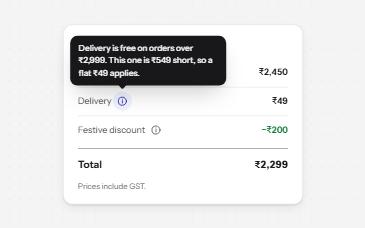
Toggletip
An info button that shows a short note when pressed and has it announced, for help that a label cannot hold.
-
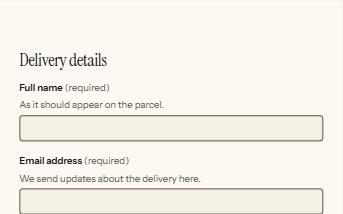
Form errors
An error summary that takes focus, messages tied to each field, and a status message when the form is sent.
-
Address form
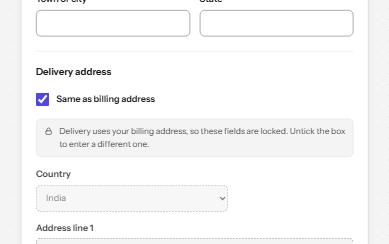
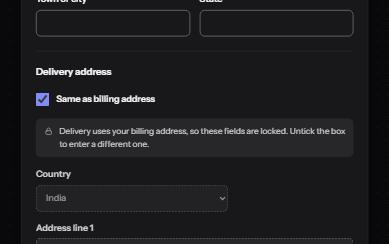
Billing and delivery addresses with the right autofill, formats that follow the country, a PIN code lookup and Same as billing.
-
Loading state
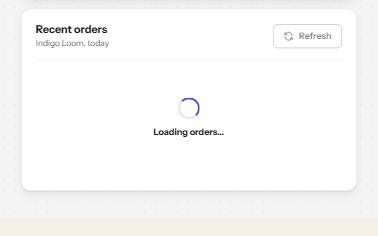
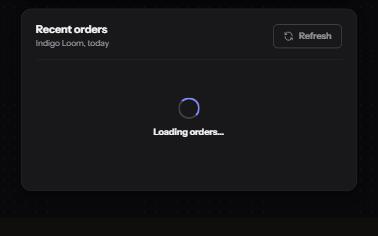
A busy button that keeps focus, a region marked busy while it loads, a spinner with words, and a note when it runs long.