Accessibility pattern · Forms and flows
Cookie consent
The banner is a labelled region at the top of the page, in the normal flow: it pushes the page down rather than covering it, so it can never hide what has focus, and it never traps the keyboard. Accept all, Reject all and Manage choices carry the same weight; after a choice, focus moves to the confirmation, and Cookie settings at the foot of the page reopens the choices at any time.
- WCAG criteria
- 6
- Keyboard rules
- 5
- Checked with
- axe, keyboard and the inspector
Live demo
Try it
Use it with a mouse, a keyboard or a screen reader. The inspector beside it shows what the browser tells assistive technology as you go: focus, state changes and announcements.
The demo works without JavaScript only as far as its HTML does; the inspector needs JavaScript.
Keyboard
Keys it answers to
Every action works without a pointer.
| Key | What it does |
|---|---|
| Tab | Reaches the banner's three buttons first, then the page; the banner never holds focus. |
| Enter or Space | On Accept all or Reject all, records the choice and moves focus to the confirmation in the banner. |
| Enter or Space | On Manage choices or Cookie settings, opens the choices dialog with focus on the first switch you can change. |
| Space | On a switch, turns that purpose on or off. Necessary stays on and says why. |
| Escape | Closes the choices dialog without saving and returns focus to the button that opened it. |
Screen readers
What it announces
Written from the roles, names and states in the markup.
| When | Expected announcement |
|---|---|
| Tab reaches the banner | Cookies on Kesar Tea, region. Accept all, button |
| Reject all is pressed | You have rejected optional cookies., group. You can change your choices at any time with Cookie settings, at the foot of every page. |
| The choices dialog opens | Cookie choices, dialog. Choose which cookies Kesar Tea may use. Analytics, switch, off. Count visits and see which pages are used, so we can improve the shop. |
| Focus reaches Necessary | Necessary, switch, on, unavailable. Keep the shop working: your basket, signing in and security. They cannot be turned off. |
| Choices are saved from Cookie settings | Your cookie choices are saved. |
These are expected announcements, not recordings. Wording and order differ between screen readers and browsers.
Code
Copy the code
The exact files this demo runs on. The styles are served with a prefix that keeps this site's own styles out of the demo; what you copy is the original.
<div class="ap-cookie-consent" data-ap-cookie-consent>
  <div class="ap-cookie-consent__window">
    <div class="ap-cookie-consent__bar" aria-hidden="true"><span></span><span></span><span></span></div>
    <div class="ap-cookie-consent__page" data-ap-page>
      <section class="ap-cookie-consent__banner" aria-labelledby="cc-banner-name" data-ap-banner>
        <div class="ap-cookie-consent__ask" data-ap-ask>
          <h3 class="ap-cookie-consent__name" id="cc-banner-name">Cookies on Kesar Tea</h3>
          <p class="ap-cookie-consent__text">We use necessary cookies to make this shop work. With your permission, we would also like to count visits and show you offers that suit you.</p>
          <div class="ap-cookie-consent__choices">
            <button type="button" class="ap-btn" data-ap-accept>Accept all</button>
            <button type="button" class="ap-btn" data-ap-reject>Reject all</button>
            <button type="button" class="ap-btn" data-ap-manage aria-haspopup="dialog">Manage choices</button>
          </div>
        </div>
        <div class="ap-cookie-consent__done" role="group" aria-labelledby="cc-done-text" aria-describedby="cc-done-more" tabindex="-1" data-ap-done hidden>
          <svg class="ap-cookie-consent__tick" viewBox="0 0 24 24" aria-hidden="true" focusable="false"><circle cx="12" cy="12" r="9"/><path d="m8 12.5 2.6 2.6L16 9.6"/></svg>
          <div>
            <p class="ap-cookie-consent__outcome" id="cc-done-text" data-ap-outcome></p>
            <p class="ap-cookie-consent__text" id="cc-done-more">You can change your choices at any time with Cookie settings, at the foot of every page.</p>
          </div>
          <button type="button" class="ap-btn" data-ap-hide>Hide this message</button>
        </div>
      </section>

      <div class="ap-cookie-consent__site">
        <a class="ap-cookie-consent__brand" href="#cc-home" data-ap-home>Kesar Tea Co.</a>
        <nav class="ap-cookie-consent__nav" aria-label="Kesar Tea">
          <a href="#cc-teas">Teas</a>
          <a href="#cc-gifts">Gifts</a>
          <a href="#cc-gardens">Our gardens</a>
        </nav>
      </div>
      <div class="ap-cookie-consent__hero">
        <h3 class="ap-cookie-consent__hero-name">First flush Darjeeling is here</h3>
        <p>Picked in March near Kurseong. Light, floral, and best without milk.</p>
        <a class="ap-btn ap-btn--primary" href="#cc-first-flush">Shop first flush</a>
      </div>
      <ul class="ap-cookie-consent__teas">
        <li><svg class="ap-cookie-consent__leaf" viewBox="0 0 48 32" aria-hidden="true" focusable="false"><path d="M24 4c9 4 12 12 7 19-3 4-9 5-13 2-4-4-3-14 6-21Z"/><path d="M17 27c3-7 6-12 11-17"/></svg><a href="#cc-darjeeling">Darjeeling first flush</a><span>100 g · ₹780</span></li>
        <li><svg class="ap-cookie-consent__leaf" viewBox="0 0 48 32" aria-hidden="true" focusable="false"><path d="M24 4c9 4 12 12 7 19-3 4-9 5-13 2-4-4-3-14 6-21Z"/><path d="M17 27c3-7 6-12 11-17"/></svg><a href="#cc-assam">Assam second flush</a><span>250 g · ₹540</span></li>
        <li><svg class="ap-cookie-consent__leaf" viewBox="0 0 48 32" aria-hidden="true" focusable="false"><path d="M24 4c9 4 12 12 7 19-3 4-9 5-13 2-4-4-3-14 6-21Z"/><path d="M17 27c3-7 6-12 11-17"/></svg><a href="#cc-nilgiri">Nilgiri frost tea</a><span>100 g · ₹460</span></li>
      </ul>
      <div class="ap-cookie-consent__foot">
        <a href="#cc-privacy">Privacy</a>
        <button type="button" class="ap-cookie-consent__settings" data-ap-settings aria-haspopup="dialog">
          <svg viewBox="0 0 24 24" aria-hidden="true" focusable="false"><path d="M20.5 12.5a8.5 8.5 0 1 1-9-9 3 3 0 0 0 4 3.5 3 3 0 0 0 5 5.5Z"/><path d="M8.5 9.5h.01M8 14.5h.01M12.5 16h.01M15.5 12.5h.01"/></svg>
          Cookie settings
        </button>
        <p class="ap-cookie-consent__saved" role="status"></p>
      </div>
    </div>
  </div>

  <dialog class="ap-cookie-consent__dialog" aria-labelledby="cc-dialog-name" aria-describedby="cc-dialog-desc">
    <form class="ap-cookie-consent__form" method="dialog">
      <div class="ap-cookie-consent__top">
        <h2 class="ap-cookie-consent__dialog-name" id="cc-dialog-name">Cookie choices</h2>
        <button type="button" class="ap-cookie-consent__close" data-ap-close aria-label="Close">
          <svg viewBox="0 0 24 24" aria-hidden="true" focusable="false"><path d="M6 6l12 12M18 6 6 18"/></svg>
        </button>
      </div>
      <p class="ap-cookie-consent__dialog-desc" id="cc-dialog-desc">Choose which cookies Kesar Tea may use. Nothing optional is on until you turn it on.</p>
      <ul class="ap-cookie-consent__purposes">
        <li class="ap-cookie-consent__purpose ap-cookie-consent__purpose--locked">
          <div class="ap-cookie-consent__purpose-text">
            <label class="ap-cookie-consent__purpose-name" for="cc-necessary">Necessary</label>
            <p class="ap-cookie-consent__purpose-desc" id="cc-necessary-desc">Keep the shop working: your basket, signing in and security. They cannot be turned off.</p>
          </div>
          <span class="ap-cookie-consent__control">
            <input class="ap-cookie-consent__switch" type="checkbox" role="switch" id="cc-necessary" name="necessary" aria-describedby="cc-necessary-desc" checked aria-disabled="true" />
            <span class="ap-cookie-consent__track" aria-hidden="true"><span class="ap-cookie-consent__thumb"></span></span>
            <span class="ap-cookie-consent__state" aria-hidden="true"><span>Always on</span></span>
          </span>
        </li>
        <li class="ap-cookie-consent__purpose">
          <div class="ap-cookie-consent__purpose-text">
            <label class="ap-cookie-consent__purpose-name" for="cc-analytics">Analytics</label>
            <p class="ap-cookie-consent__purpose-desc" id="cc-analytics-desc">Count visits and see which pages are used, so we can improve the shop.</p>
          </div>
          <span class="ap-cookie-consent__control">
            <input class="ap-cookie-consent__switch" type="checkbox" role="switch" id="cc-analytics" name="analytics" aria-describedby="cc-analytics-desc" autofocus />
            <span class="ap-cookie-consent__track" aria-hidden="true"><span class="ap-cookie-consent__thumb"></span></span>
            <span class="ap-cookie-consent__state" aria-hidden="true"><span class="ap-cookie-consent__on">On</span><span class="ap-cookie-consent__off">Off</span></span>
          </span>
        </li>
        <li class="ap-cookie-consent__purpose">
          <div class="ap-cookie-consent__purpose-text">
            <label class="ap-cookie-consent__purpose-name" for="cc-preferences">Preferences</label>
            <p class="ap-cookie-consent__purpose-desc" id="cc-preferences-desc">Remember choices like your currency and the teas you looked at.</p>
          </div>
          <span class="ap-cookie-consent__control">
            <input class="ap-cookie-consent__switch" type="checkbox" role="switch" id="cc-preferences" name="preferences" aria-describedby="cc-preferences-desc" />
            <span class="ap-cookie-consent__track" aria-hidden="true"><span class="ap-cookie-consent__thumb"></span></span>
            <span class="ap-cookie-consent__state" aria-hidden="true"><span class="ap-cookie-consent__on">On</span><span class="ap-cookie-consent__off">Off</span></span>
          </span>
        </li>
        <li class="ap-cookie-consent__purpose">
          <div class="ap-cookie-consent__purpose-text">
            <label class="ap-cookie-consent__purpose-name" for="cc-marketing">Marketing</label>
            <p class="ap-cookie-consent__purpose-desc" id="cc-marketing-desc">Show you Kesar Tea offers on other sites, and measure them.</p>
          </div>
          <span class="ap-cookie-consent__control">
            <input class="ap-cookie-consent__switch" type="checkbox" role="switch" id="cc-marketing" name="marketing" aria-describedby="cc-marketing-desc" />
            <span class="ap-cookie-consent__track" aria-hidden="true"><span class="ap-cookie-consent__thumb"></span></span>
            <span class="ap-cookie-consent__state" aria-hidden="true"><span class="ap-cookie-consent__on">On</span><span class="ap-cookie-consent__off">Off</span></span>
          </span>
        </li>
      </ul>
      <div class="ap-cookie-consent__actions">
        <button type="button" class="ap-btn" data-ap-close>Cancel</button>
        <button type="submit" class="ap-btn ap-btn--primary" value="save">Save choices</button>
      </div>
    </form>
  </dialog>
</div>
/* Shared primitives: buttons and form fields used across the patterns.
   Uses the --ap-* design tokens. */

.ap-btn {
  display: inline-flex;
  align-items: center;
  justify-content: center;
  gap: 8px;
  min-height: 40px;
  padding: 0 16px;
  border: 1px solid var(--ap-border-strong);
  border-radius: var(--ap-radius-sm);
  background: var(--ap-surface);
  color: var(--ap-text);
  font: inherit;
  font-weight: 600;
  line-height: 1.2;
  text-decoration: none;
  white-space: nowrap;
  cursor: pointer;
  transition: background-color var(--ap-duration) var(--ap-ease), border-color var(--ap-duration) var(--ap-ease), box-shadow var(--ap-duration) var(--ap-ease);
}
.ap-btn:hover {
  background: var(--ap-surface-2);
}
.ap-btn:focus-visible {
  outline: 2px solid var(--ap-focus);
  outline-offset: 2px;
}
.ap-btn:disabled,
.ap-btn[aria-disabled="true"] {
  opacity: .55;
  cursor: not-allowed;
}
.ap-btn--primary {
  border-color: var(--ap-accent);
  background: var(--ap-accent);
  color: var(--ap-on-accent);
  box-shadow: var(--ap-shadow-sm);
}
.ap-btn--primary:hover {
  border-color: var(--ap-accent-hover);
  background: var(--ap-accent-hover);
}
.ap-btn--danger {
  border-color: var(--ap-danger);
  background: var(--ap-danger);
  color: var(--ap-surface);
}
.ap-btn--danger:hover {
  filter: brightness(1.08);
}
.ap-btn--ghost {
  border-color: transparent;
  background: transparent;
}
.ap-btn--ghost:hover {
  background: var(--ap-surface-2);
}
.ap-btn__icon {
  width: 18px;
  height: 18px;
  flex-shrink: 0;
  fill: none;
  stroke: currentColor;
  stroke-width: 2;
  stroke-linecap: round;
  stroke-linejoin: round;
}

.ap-field {
  display: grid;
  gap: 6px;
}
.ap-label {
  color: var(--ap-text);
  font-weight: 600;
  font-size: .9375rem;
}
.ap-hint {
  margin: 0;
  color: var(--ap-text-3);
  font-size: .875rem;
  line-height: 1.45;
}
.ap-error {
  display: flex;
  align-items: flex-start;
  gap: 6px;
  margin: 0;
  color: var(--ap-danger);
  font-size: .875rem;
  font-weight: 600;
  line-height: 1.45;
}
.ap-input {
  width: 100%;
  min-height: 44px;
  padding: 10px 12px;
  border: 1px solid var(--ap-border-strong);
  border-radius: var(--ap-radius-sm);
  background: var(--ap-surface);
  color: var(--ap-text);
  font: inherit;
  line-height: 1.4;
  transition: border-color var(--ap-duration) var(--ap-ease), box-shadow var(--ap-duration) var(--ap-ease);
}
.ap-input::placeholder {
  color: var(--ap-text-3);
}
.ap-input:hover {
  border-color: var(--ap-text-2);
}
.ap-input:focus-visible {
  outline: 2px solid var(--ap-focus);
  outline-offset: 1px;
  border-color: var(--ap-focus);
}
.ap-input[aria-invalid="true"] {
  border-color: var(--ap-danger);
  box-shadow: inset 4px 0 0 var(--ap-danger);
}
textarea.ap-input {
  resize: vertical;
  min-height: 88px;
}

@media (prefers-reduced-motion: reduce) {
  .ap-btn,
  .ap-input { transition: none; }
}

/* Cookie consent. Uses the --ap-* design tokens and the shared primitives. */
.ap-cookie-consent {
  width: min(100%, 640px);
  margin-inline: auto;
  color: var(--ap-text);
  container-type: inline-size;
}
.ap-cookie-consent [hidden] {
  display: none;
}

/* A small browser window, so the banner has a page to sit in. */
.ap-cookie-consent__window {
  overflow: hidden;
  border: 1px solid var(--ap-border);
  border-radius: var(--ap-radius-lg);
  background: var(--ap-surface);
  box-shadow: var(--ap-shadow-md);
}
.ap-cookie-consent__bar {
  display: flex;
  gap: 6px;
  padding: 10px 14px;
  border-bottom: 1px solid var(--ap-border);
  background: var(--ap-surface-2);
}
.ap-cookie-consent__bar span {
  width: 10px;
  height: 10px;
  border-radius: var(--ap-radius-full);
  background: var(--ap-surface-3);
}
.ap-cookie-consent__page {
  height: 470px;
  overflow-y: auto;
  overscroll-behavior: contain;
  scroll-padding-top: 12px;
}
.ap-cookie-consent a {
  color: var(--ap-accent-text);
  text-underline-offset: .18em;
}
.ap-cookie-consent a:focus-visible,
.ap-cookie-consent button:focus-visible {
  outline: 2px solid var(--ap-focus);
  outline-offset: 2px;
}

/* The banner: first in the page, in its flow, pushing the page down. */
.ap-cookie-consent__banner {
  padding: 18px 20px 20px;
  border-bottom: 1px solid var(--ap-border);
  background: var(--ap-accent-soft);
  color: var(--ap-text);
}
.ap-cookie-consent__name {
  margin: 0;
  color: var(--ap-accent-soft-text);
  font-size: 1.0625rem;
  font-weight: 650;
  line-height: 1.3;
}
.ap-cookie-consent__text {
  margin: 6px 0 0;
  color: var(--ap-text-2);
  font-size: .9375rem;
  line-height: 1.5;
}
/* Three choices of equal size and weight. */
.ap-cookie-consent__choices {
  display: grid;
  grid-template-columns: repeat(3, minmax(0, 1fr));
  gap: 10px;
  margin-top: 14px;
}
.ap-cookie-consent__choices .ap-btn {
  min-height: var(--ap-target);
  white-space: normal;
}

.ap-cookie-consent__done {
  display: grid;
  grid-template-columns: auto minmax(0, 1fr) auto;
  align-items: center;
  gap: 12px;
  border-radius: var(--ap-radius-sm);
}
.ap-cookie-consent__done:focus {
  outline: none;
}
.ap-cookie-consent__done:focus-visible {
  outline: 2px solid var(--ap-focus);
  outline-offset: 6px;
}
.ap-cookie-consent__tick {
  width: 24px;
  height: 24px;
  fill: none;
  stroke: var(--ap-success);
  stroke-width: 2;
  stroke-linecap: round;
  stroke-linejoin: round;
}
.ap-cookie-consent__outcome {
  margin: 0;
  font-weight: 650;
}
.ap-cookie-consent__done .ap-cookie-consent__text {
  margin-top: 2px;
  font-size: .875rem;
}
.ap-cookie-consent__done .ap-btn {
  min-height: var(--ap-target);
}

/* The shop behind it. */
.ap-cookie-consent__site {
  display: flex;
  flex-wrap: wrap;
  align-items: center;
  justify-content: space-between;
  gap: 8px 20px;
  padding: 14px 20px;
  border-bottom: 1px solid var(--ap-border);
}
.ap-cookie-consent__brand {
  color: var(--ap-text);
  font-weight: 700;
  letter-spacing: -.01em;
  text-decoration: none;
}
.ap-cookie-consent a.ap-cookie-consent__brand {
  color: var(--ap-text);
}
.ap-cookie-consent__nav {
  display: flex;
  flex-wrap: wrap;
  gap: 4px 16px;
  font-size: .9375rem;
}
.ap-cookie-consent__nav a {
  color: var(--ap-text-2);
  text-decoration: none;
}
.ap-cookie-consent__nav a:hover {
  color: var(--ap-text);
  text-decoration: underline;
}
.ap-cookie-consent__hero {
  display: grid;
  justify-items: start;
  gap: 8px;
  padding: 28px 20px 24px;
}
.ap-cookie-consent__hero-name {
  margin: 0;
  font-size: 1.5rem;
  font-weight: 700;
  letter-spacing: -.015em;
  line-height: 1.2;
}
.ap-cookie-consent__hero p {
  max-width: 44ch;
  margin: 0 0 6px;
  color: var(--ap-text-2);
  line-height: 1.5;
}
.ap-cookie-consent .ap-cookie-consent__hero .ap-btn {
  min-height: var(--ap-target);
  color: var(--ap-on-accent);
  text-decoration: none;
}
.ap-cookie-consent__teas {
  display: grid;
  grid-template-columns: repeat(3, minmax(0, 1fr));
  gap: 12px;
  margin: 0;
  padding: 0 20px 24px;
  list-style: none;
}
.ap-cookie-consent__teas li {
  display: grid;
  gap: 4px;
  padding: 12px;
  border: 1px solid var(--ap-border);
  border-radius: var(--ap-radius);
  font-size: .875rem;
}
.ap-cookie-consent__teas a {
  color: var(--ap-text);
  font-weight: 600;
}
.ap-cookie-consent__teas li > span:last-child {
  color: var(--ap-text-3);
}
.ap-cookie-consent__leaf {
  width: 100%;
  height: 56px;
  margin-bottom: 6px;
  padding: 8px;
  border-radius: var(--ap-radius-sm);
  background: var(--ap-accent-soft);
  fill: none;
  stroke: var(--ap-accent-text);
  stroke-width: 1.6;
  stroke-linecap: round;
  stroke-linejoin: round;
}
.ap-cookie-consent__foot {
  display: flex;
  flex-wrap: wrap;
  align-items: center;
  gap: 8px 18px;
  padding: 14px 20px 18px;
  border-top: 1px solid var(--ap-border);
  background: var(--ap-surface-2);
  font-size: .875rem;
}
.ap-cookie-consent__settings {
  display: inline-flex;
  align-items: center;
  gap: 6px;
  min-height: 32px;
  padding: 0 10px;
  border: 1px solid var(--ap-border-strong);
  border-radius: var(--ap-radius-full);
  background: var(--ap-surface);
  color: var(--ap-text);
  font: inherit;
  font-weight: 600;
  cursor: pointer;
}
.ap-cookie-consent__settings:hover {
  background: var(--ap-surface-3);
}
.ap-cookie-consent__settings svg {
  width: 16px;
  height: 16px;
  fill: none;
  stroke: currentColor;
  stroke-width: 2;
  stroke-linecap: round;
  stroke-linejoin: round;
}
.ap-cookie-consent__saved {
  margin: 0;
  color: var(--ap-success);
  font-weight: 600;
}

/* Pinned to the bottom: still first in the source, drawn last, and its
   height reserved as scroll padding so focus is never hidden under it. */
.ap-cookie-consent[data-pinned] .ap-cookie-consent__page {
  display: flex;
  flex-direction: column;
  scroll-padding-bottom: calc(var(--ap-cookie-consent-reserve, 0px) + 12px);
}
.ap-cookie-consent[data-pinned] .ap-cookie-consent__page > * {
  flex-shrink: 0;
}
.ap-cookie-consent[data-pinned] .ap-cookie-consent__banner {
  position: sticky;
  bottom: 0;
  z-index: 1;
  order: 1;
  border-top: 1px solid var(--ap-border);
  border-bottom: 0;
  box-shadow: var(--ap-shadow-lg);
}

/* The choices dialog. */
.ap-cookie-consent__dialog {
  width: min(92vw, 500px);
  max-height: min(88vh, 680px);
  padding: 0;
  border: 1px solid var(--ap-border);
  border-radius: var(--ap-radius-lg);
  background: var(--ap-surface);
  color: var(--ap-text);
  box-shadow: var(--ap-shadow-lg);
  overflow: auto;
  opacity: 1;
  transform: none;
  transition: opacity 200ms var(--ap-ease), transform 200ms var(--ap-ease), overlay 200ms allow-discrete, display 200ms allow-discrete;
}
.ap-cookie-consent__dialog:not([open]) {
  opacity: 0;
  transform: translateY(8px) scale(.98);
}
@starting-style {
  .ap-cookie-consent__dialog[open] {
    opacity: 0;
    transform: translateY(8px) scale(.98);
  }
}
.ap-cookie-consent__dialog::backdrop {
  background: var(--ap-scrim);
  backdrop-filter: blur(2px);
}
.ap-cookie-consent__form {
  display: grid;
  gap: 14px;
  padding: 22px 24px 24px;
}
.ap-cookie-consent__top {
  display: flex;
  align-items: center;
  justify-content: space-between;
  gap: 12px;
}
.ap-cookie-consent__dialog-name {
  margin: 0;
  font-size: 1.25rem;
  font-weight: 650;
  line-height: 1.3;
}
.ap-cookie-consent__close {
  display: grid;
  flex-shrink: 0;
  place-items: center;
  width: 40px;
  height: 40px;
  padding: 0;
  border: 0;
  border-radius: var(--ap-radius-sm);
  background: transparent;
  color: var(--ap-text-2);
  cursor: pointer;
}
.ap-cookie-consent__close:hover {
  background: var(--ap-surface-2);
  color: var(--ap-text);
}
.ap-cookie-consent__close svg {
  width: 20px;
  height: 20px;
  fill: none;
  stroke: currentColor;
  stroke-width: 2;
  stroke-linecap: round;
}
.ap-cookie-consent__dialog-desc {
  margin: -6px 0 0;
  color: var(--ap-text-3);
  line-height: 1.5;
}
.ap-cookie-consent__purposes {
  margin: 0;
  padding: 0;
  border: 1px solid var(--ap-border);
  border-radius: var(--ap-radius);
  list-style: none;
}
.ap-cookie-consent__purpose {
  display: flex;
  align-items: flex-start;
  justify-content: space-between;
  gap: 16px;
  padding: 14px 16px;
}
.ap-cookie-consent__purpose + .ap-cookie-consent__purpose {
  border-top: 1px solid var(--ap-border);
}
.ap-cookie-consent__purpose-text {
  min-width: 0;
}
.ap-cookie-consent__purpose-name {
  font-weight: 650;
  cursor: pointer;
}
.ap-cookie-consent__purpose-desc {
  margin: 2px 0 0;
  color: var(--ap-text-3);
  font-size: .875rem;
  line-height: 1.45;
}

/* A switch: a checkbox with role=switch, drawn as a track and a thumb.
   The input covers the whole control, so the target is 44px high. */
.ap-cookie-consent__control {
  position: relative;
  display: flex;
  flex-shrink: 0;
  flex-direction: column;
  align-items: center;
  gap: 4px;
  min-width: 56px;
  padding-top: 2px;
}
.ap-cookie-consent__switch {
  position: absolute;
  inset: 0;
  z-index: 1;
  width: 100%;
  height: 100%;
  margin: 0;
  opacity: 0;
  cursor: pointer;
  appearance: none;
}
.ap-cookie-consent__switch[aria-disabled="true"] {
  cursor: not-allowed;
}
.ap-cookie-consent__track {
  position: relative;
  display: block;
  width: 48px;
  height: 28px;
  border: 2px solid var(--ap-border-strong);
  border-radius: var(--ap-radius-full);
  background: var(--ap-surface-2);
  transition: background-color var(--ap-duration) var(--ap-ease), border-color var(--ap-duration) var(--ap-ease);
}
.ap-cookie-consent__thumb {
  position: absolute;
  top: 2px;
  left: 2px;
  width: 20px;
  height: 20px;
  border-radius: var(--ap-radius-full);
  background: var(--ap-border-strong);
  transition: transform var(--ap-duration) var(--ap-ease), background-color var(--ap-duration) var(--ap-ease);
}
.ap-cookie-consent__switch:checked + .ap-cookie-consent__track {
  border-color: var(--ap-accent);
  background: var(--ap-accent);
}
.ap-cookie-consent__switch:checked + .ap-cookie-consent__track .ap-cookie-consent__thumb {
  transform: translateX(20px);
  background: var(--ap-on-accent);
}
.ap-cookie-consent__switch:focus-visible + .ap-cookie-consent__track {
  outline: 2px solid var(--ap-focus);
  outline-offset: 2px;
}
/* Always on: a dashed edge and the words say so, not a fade alone. */
.ap-cookie-consent__switch[aria-disabled="true"] + .ap-cookie-consent__track {
  border-style: dashed;
  border-color: var(--ap-border-strong);
  background: var(--ap-surface-3);
}
.ap-cookie-consent__switch[aria-disabled="true"] + .ap-cookie-consent__track .ap-cookie-consent__thumb {
  background: var(--ap-text-3);
}
.ap-cookie-consent__state {
  color: var(--ap-text-2);
  font-size: .75rem;
  font-weight: 650;
  white-space: nowrap;
}
.ap-cookie-consent__on,
.ap-cookie-consent__switch:checked ~ .ap-cookie-consent__state .ap-cookie-consent__off {
  display: none;
}
.ap-cookie-consent__switch:checked ~ .ap-cookie-consent__state .ap-cookie-consent__on {
  display: inline;
}
.ap-cookie-consent__actions {
  display: flex;
  flex-wrap: wrap;
  justify-content: flex-end;
  gap: 10px;
  margin-top: 4px;
}
.ap-cookie-consent__actions .ap-btn {
  min-height: var(--ap-target);
}

@container (max-width: 520px) {
  .ap-cookie-consent__banner { padding: 16px; }
  .ap-cookie-consent__choices { grid-template-columns: minmax(0, 1fr); gap: 8px; }
  .ap-cookie-consent__done { grid-template-columns: auto minmax(0, 1fr); }
  .ap-cookie-consent__done .ap-btn { grid-column: 1 / -1; }
  .ap-cookie-consent__site,
  .ap-cookie-consent__hero,
  .ap-cookie-consent__foot { padding-inline: 16px; }
  .ap-cookie-consent__teas { grid-template-columns: minmax(0, 1fr); padding-inline: 16px; }
  .ap-cookie-consent__leaf { display: none; }
}

@media (forced-colors: active) {
  .ap-cookie-consent__thumb { forced-color-adjust: none; background: CanvasText; }
  .ap-cookie-consent__switch:checked + .ap-cookie-consent__track { forced-color-adjust: none; border-color: Highlight; background: Highlight; }
  .ap-cookie-consent__switch:checked + .ap-cookie-consent__track .ap-cookie-consent__thumb { background: HighlightText; }
}

@media (prefers-reduced-motion: reduce) {
  .ap-cookie-consent__dialog,
  .ap-cookie-consent__track,
  .ap-cookie-consent__thumb { transition: none; }
}
/**
 * Cookie consent: a banner that is a labelled region in the page flow (not a
 * modal), equal Accept all, Reject all and Manage choices buttons, a choices
 * dialog with one switch per purpose, and Cookie settings to come back.
 *
 * Markup: [data-ap-cookie-consent] holding
 *   - [data-ap-page], the scrolling page, whose first child is the banner
 *     section[aria-labelledby][data-ap-banner] with [data-ap-ask] (the three
 *     buttons [data-ap-accept], [data-ap-reject], [data-ap-manage]) and a
 *     hidden [data-ap-done][tabindex=-1] confirmation with p[data-ap-outcome]
 *     and [data-ap-hide];
 *   - a link [data-ap-home] that takes focus when the message is hidden;
 *   - [data-ap-settings] and a role=status paragraph at the foot;
 *   - a dialog whose form[method=dialog] holds input[role=switch] per
 *     purpose (Necessary is aria-disabled) and a submit button value=save.
 * Add data-pinned to the root to pin the banner to the bottom; its height
 * then becomes the page's scroll-padding-bottom.
 */

export function init(root) {
  const page = root.querySelector("[data-ap-page]");
  const banner = root.querySelector("[data-ap-banner]");
  const ask = banner.querySelector("[data-ap-ask]");
  const done = banner.querySelector("[data-ap-done]");
  const home = root.querySelector("[data-ap-home]");
  const dialog = root.querySelector("dialog");
  const switches = [...dialog.querySelectorAll("[role=switch]")];
  const optional = switches.filter((s) => s.getAttribute("aria-disabled") !== "true");
  // Look the text parts up each time: a translated page may rebuild them.
  const outcome = () => banner.querySelector("[data-ap-outcome]");
  const saved = () => root.querySelector(".ap-cookie-consent__foot [role=status]");
  const html = document.documentElement;

  // The choice, in memory for this demo. A real site stores it.
  const choice = Object.fromEntries(optional.map((s) => [s.name, false]));
  let scrollWas = "";

  function decide(message) {
    ask.hidden = true;
    outcome().textContent = message;
    done.hidden = false;
    // The button that had focus is gone; the confirmation takes its place.
    done.focus();
  }

  function setAll(on) {
    for (const name of Object.keys(choice)) choice[name] = on;
  }

  function onAccept() {
    setAll(true);
    decide("You have accepted all cookies.");
  }

  function onReject() {
    setAll(false);
    decide("You have rejected optional cookies.");
  }

  function openChoices() {
    for (const s of optional) s.checked = choice[s.name];
    saved().textContent = "";
    scrollWas = html.style.overflow;
    html.style.overflow = "hidden";
    dialog.returnValue = "";
    dialog.showModal();
  }

  function onClose() {
    html.style.overflow = scrollWas;
    if (dialog.returnValue !== "save") return;
    dialog.returnValue = "";
    for (const s of optional) choice[s.name] = s.checked;
    if (!ask.hidden) {
      // Opened from the banner: the banner records the choice, as Accept and Reject do.
      decide("Your cookie choices are saved.");
      return;
    }
    // Opened from Cookie settings: focus goes back there, and a status confirms.
    setTimeout(() => { saved().textContent = "Your cookie choices are saved."; }, 60);
  }

  function onHide() {
    banner.hidden = true;
    home.focus();
  }

  function onDialogClick(event) {
    if (event.target.closest("[data-ap-close]")) dialog.close();
    // Necessary stays on: aria-disabled keeps it focusable, so stop the change here.
    const sw = event.target.closest("[role=switch][aria-disabled=true]");
    if (sw) event.preventDefault();
  }

  // Pinned to the bottom, the banner's height is reserved as scroll padding,
  // so a link that receives focus is scrolled clear of it.
  const resize = new ResizeObserver(() => {
    page.style.setProperty("--ap-cookie-consent-reserve", `${banner.offsetHeight}px`);
  });
  resize.observe(banner);

  const accept = banner.querySelector("[data-ap-accept]");
  const reject = banner.querySelector("[data-ap-reject]");
  const manage = banner.querySelector("[data-ap-manage]");
  const hide = banner.querySelector("[data-ap-hide]");
  const settings = root.querySelector("[data-ap-settings]");

  accept.addEventListener("click", onAccept);
  reject.addEventListener("click", onReject);
  manage.addEventListener("click", openChoices);
  settings.addEventListener("click", openChoices);
  hide.addEventListener("click", onHide);
  dialog.addEventListener("click", onDialogClick);
  dialog.addEventListener("close", onClose);

  return () => {
    resize.disconnect();
    dialog.removeEventListener("close", onClose);
    if (dialog.open) dialog.close();
    html.style.overflow = scrollWas;
    accept.removeEventListener("click", onAccept);
    reject.removeEventListener("click", onReject);
    manage.removeEventListener("click", openChoices);
    settings.removeEventListener("click", openChoices);
    hide.removeEventListener("click", onHide);
    dialog.removeEventListener("click", onDialogClick);
  };
}

for (const root of document.querySelectorAll("[data-ap-cookie-consent]")) init(root);
/* Design tokens for the pattern components. Light by default, dark when the
   system asks for it; set data-theme="dark" on :root to force dark. */
:root {
    --ap-radius-sm: 8px;
    --ap-radius: 12px;
    --ap-radius-lg: 16px;
    --ap-radius-full: 999px;
    --ap-font: "Instrument Sans", ui-sans-serif, system-ui, -apple-system, "Segoe UI", Roboto, sans-serif;
    --ap-mono: "JetBrains Mono", ui-monospace, "Cascadia Mono", "SF Mono", Consolas, monospace;
    --ap-ease: cubic-bezier(.2, .8, .2, 1);
    --ap-duration: 180ms;
    --ap-target: 44px;
    --ap-bg: #F4F4F5;
    --ap-surface: #FFFFFF;
    --ap-surface-2: #F4F4F5;
    --ap-surface-3: #E4E4E7;
    --ap-border: #E4E4E7;
    --ap-border-strong: #76767F;
    --ap-text: #18181B;
    --ap-text-2: #3F3F46;
    --ap-text-3: #5E5E66;
    --ap-accent: #4F46E5;
    --ap-accent-hover: #4338CA;
    --ap-on-accent: #FFFFFF;
    --ap-accent-text: #4338CA;
    --ap-accent-soft: #EEF2FF;
    --ap-accent-soft-text: #3730A3;
    --ap-focus: #4F46E5;
    --ap-danger: #B91C1C;
    --ap-danger-soft: #FEF2F2;
    --ap-success: #15803D;
    --ap-success-soft: #F0FDF4;
    --ap-warning: #A15C07;
    --ap-warning-soft: #FEFCE8;
    --ap-info: #1D4ED8;
    --ap-info-soft: #EFF6FF;
    --ap-scrim: rgb(9 9 11 / .48);
    --ap-shadow-sm: 0 1px 2px rgb(9 9 11 / .06);
    --ap-shadow-md: 0 1px 2px rgb(9 9 11 / .05), 0 6px 16px -4px rgb(9 9 11 / .1);
    --ap-shadow-lg: 0 2px 6px rgb(9 9 11 / .06), 0 20px 40px -12px rgb(9 9 11 / .22);
    --ap-light-bg: #F4F4F5;
    --ap-light-surface: #FFFFFF;
    --ap-light-surface-2: #F4F4F5;
    --ap-light-surface-3: #E4E4E7;
    --ap-light-border: #E4E4E7;
    --ap-light-border-strong: #76767F;
    --ap-light-text: #18181B;
    --ap-light-text-2: #3F3F46;
    --ap-light-text-3: #5E5E66;
    --ap-light-accent: #4F46E5;
    --ap-light-accent-hover: #4338CA;
    --ap-light-on-accent: #FFFFFF;
    --ap-light-accent-text: #4338CA;
    --ap-light-accent-soft: #EEF2FF;
    --ap-light-accent-soft-text: #3730A3;
    --ap-light-focus: #4F46E5;
    --ap-light-danger: #B91C1C;
    --ap-light-danger-soft: #FEF2F2;
    --ap-light-success: #15803D;
    --ap-light-success-soft: #F0FDF4;
    --ap-light-warning: #A15C07;
    --ap-light-warning-soft: #FEFCE8;
    --ap-light-info: #1D4ED8;
    --ap-light-info-soft: #EFF6FF;
    --ap-light-scrim: rgb(9 9 11 / .48);
    --ap-light-shadow-sm: 0 1px 2px rgb(9 9 11 / .06);
    --ap-light-shadow-md: 0 1px 2px rgb(9 9 11 / .05), 0 6px 16px -4px rgb(9 9 11 / .1);
    --ap-light-shadow-lg: 0 2px 6px rgb(9 9 11 / .06), 0 20px 40px -12px rgb(9 9 11 / .22);
    --ap-dark-bg: #09090B;
    --ap-dark-surface: #18181B;
    --ap-dark-surface-2: #27272A;
    --ap-dark-surface-3: #3F3F46;
    --ap-dark-border: #2E2E33;
    --ap-dark-border-strong: #8E8E97;
    --ap-dark-text: #FAFAFA;
    --ap-dark-text-2: #D4D4D8;
    --ap-dark-text-3: #A1A1AA;
    --ap-dark-accent: #818CF8;
    --ap-dark-accent-hover: #A5B4FC;
    --ap-dark-on-accent: #0C0A1F;
    --ap-dark-accent-text: #A5B4FC;
    --ap-dark-accent-soft: #1E1B4B;
    --ap-dark-accent-soft-text: #C7D2FE;
    --ap-dark-focus: #A5B4FC;
    --ap-dark-danger: #F87171;
    --ap-dark-danger-soft: #2A1215;
    --ap-dark-success: #4ADE80;
    --ap-dark-success-soft: #0F2A1A;
    --ap-dark-warning: #FACC15;
    --ap-dark-warning-soft: #2A2410;
    --ap-dark-info: #60A5FA;
    --ap-dark-info-soft: #0F1D33;
    --ap-dark-scrim: rgb(0 0 0 / .62);
    --ap-dark-shadow-sm: 0 1px 2px rgb(0 0 0 / .4);
    --ap-dark-shadow-md: 0 1px 2px rgb(0 0 0 / .4), 0 8px 20px -6px rgb(0 0 0 / .5);
    --ap-dark-shadow-lg: 0 2px 8px rgb(0 0 0 / .45), 0 24px 48px -12px rgb(0 0 0 / .7);
}
@media (prefers-color-scheme: dark) {
  :root:not([data-theme="light"]) {
      --ap-bg: #09090B;
      --ap-surface: #18181B;
      --ap-surface-2: #27272A;
      --ap-surface-3: #3F3F46;
      --ap-border: #2E2E33;
      --ap-border-strong: #8E8E97;
      --ap-text: #FAFAFA;
      --ap-text-2: #D4D4D8;
      --ap-text-3: #A1A1AA;
      --ap-accent: #818CF8;
      --ap-accent-hover: #A5B4FC;
      --ap-on-accent: #0C0A1F;
      --ap-accent-text: #A5B4FC;
      --ap-accent-soft: #1E1B4B;
      --ap-accent-soft-text: #C7D2FE;
      --ap-focus: #A5B4FC;
      --ap-danger: #F87171;
      --ap-danger-soft: #2A1215;
      --ap-success: #4ADE80;
      --ap-success-soft: #0F2A1A;
      --ap-warning: #FACC15;
      --ap-warning-soft: #2A2410;
      --ap-info: #60A5FA;
      --ap-info-soft: #0F1D33;
      --ap-scrim: rgb(0 0 0 / .62);
      --ap-shadow-sm: 0 1px 2px rgb(0 0 0 / .4);
      --ap-shadow-md: 0 1px 2px rgb(0 0 0 / .4), 0 8px 20px -6px rgb(0 0 0 / .5);
      --ap-shadow-lg: 0 2px 8px rgb(0 0 0 / .45), 0 24px 48px -12px rgb(0 0 0 / .7);
  }
}
:root[data-theme="dark"] {
    --ap-bg: #09090B;
    --ap-surface: #18181B;
    --ap-surface-2: #27272A;
    --ap-surface-3: #3F3F46;
    --ap-border: #2E2E33;
    --ap-border-strong: #8E8E97;
    --ap-text: #FAFAFA;
    --ap-text-2: #D4D4D8;
    --ap-text-3: #A1A1AA;
    --ap-accent: #818CF8;
    --ap-accent-hover: #A5B4FC;
    --ap-on-accent: #0C0A1F;
    --ap-accent-text: #A5B4FC;
    --ap-accent-soft: #1E1B4B;
    --ap-accent-soft-text: #C7D2FE;
    --ap-focus: #A5B4FC;
    --ap-danger: #F87171;
    --ap-danger-soft: #2A1215;
    --ap-success: #4ADE80;
    --ap-success-soft: #0F2A1A;
    --ap-warning: #FACC15;
    --ap-warning-soft: #2A2410;
    --ap-info: #60A5FA;
    --ap-info-soft: #0F1D33;
    --ap-scrim: rgb(0 0 0 / .62);
    --ap-shadow-sm: 0 1px 2px rgb(0 0 0 / .4);
    --ap-shadow-md: 0 1px 2px rgb(0 0 0 / .4), 0 8px 20px -6px rgb(0 0 0 / .5);
    --ap-shadow-lg: 0 2px 8px rgb(0 0 0 / .45), 0 24px 48px -12px rgb(0 0 0 / .7);
}
WCAG 2.2
What it meets
The success criteria this pattern takes care of, and how.
-
1.3.1 Info and Relationships
Level A
The banner is a region named by its heading, and each switch is labelled by its purpose and described by what it does.
-
2.1.2 No Keyboard Trap
Level A
The banner is not modal: Tab moves past it into the page, and the page works while it is showing.
-
2.4.3 Focus Order
Level A
Focus moves to the confirmation after a choice, back to the opener when the dialog closes, and on to the shop when the message is hidden.
-
2.4.11 Focus Not Obscured (Minimum)
Level AA
The banner sits in the page's flow, so it pushes content down instead of covering it. Pinned to the bottom, it reserves its height with scroll-padding, so focused links scroll clear of it.
-
4.1.2 Name, Role, Value
Level A
Each purpose is a checkbox with role=switch, so it is announced as on or off; Necessary is aria-disabled and stays in the Tab order so its reason is heard.
-
4.1.3 Status Messages
Level AA
Choices saved from Cookie settings are confirmed in a status message, without moving focus.
Usage
When to use it
Use it
- Asking for consent to optional cookies or tracking, where the law or your policy needs a free and informed choice.
- Any one-time notice that should not block the page, but must be easy to find and answer.
Use something else
- Sites that set only necessary cookies: you need no banner, just a cookie notice in the privacy page.
- A modal that blocks the page until people agree; it pressures the choice and traps keyboard users.
- Messages about the page itself, like errors or offers: use an alert or a callout.
Common failures
How it usually goes wrong
A banner that covers the focused element
A fixed banner over the bottom of the screen hides the links people tab to, failing 2.4.11. This one is part of the page flow, or reserves its height when pinned.
Reject hidden behind a link
A bright Accept and a faint Reject link pushes people towards agreeing and is hard to find for anyone using a magnifier. All three choices here look and act the same.
A focus trap until you agree
Making the banner modal forces a decision before people can read what they are agreeing to. The banner here is a region; only the Manage dialog is modal.
Disabled switches with no reason
A greyed-out switch that cannot take focus is skipped by keyboard users and never explained. Necessary stays focusable, says it is unavailable, and its description says why.
No way to change your mind
Consent has to be as easy to withdraw as to give. Cookie settings at the foot of the page reopens the same choices.
Focus lost when the banner goes
Removing the button that has focus drops people at the top of the document. Focus moves to the confirmation, then to the shop's first link when it is hidden.
Notes
Building it
- Put the banner first in the page, before the site header, so it is the first thing a screen reader or the Tab key reaches. It is a section with aria-labelledby, which makes it a named region.
- Pinned to the bottom (the option above), the banner is still first in the source; a ResizeObserver writes its height into scroll-padding-bottom on the scrolling page, so the browser scrolls a focused link above it.
- Necessary uses aria-disabled rather than disabled, so it stays in the Tab order and reads its explanation; the script stops clicks from changing it.
- This demo keeps the choice in memory only, and the shop links point to #… anchors. A real site stores the choice, sets no optional cookies before it, and reads it on every page.
Sources: Understanding SC 2.4.11: Focus Not Obscured (Minimum) · GOV.UK Design System: Cookie banner · WAI-ARIA Authoring Practices: Switch
Checked with axe in light and dark themes, at desktop and phone widths, and by keyboard. Not yet tested with every screen reader and browser pair. Report a correction
Related
Patterns that go with it
-
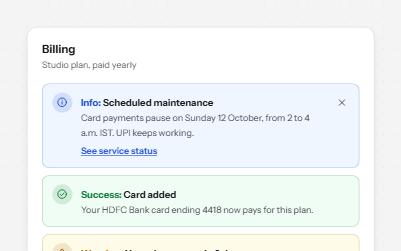
Alert banner
Messages in four tones, each with a word and an icon, and role=alert only for errors that happen while someone works.
-
Modal dialog
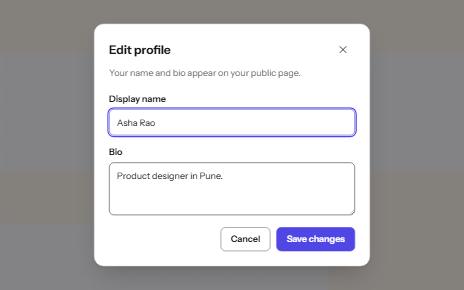
A window over the page that holds focus until it is closed, built on the native dialog element.
-
Switch
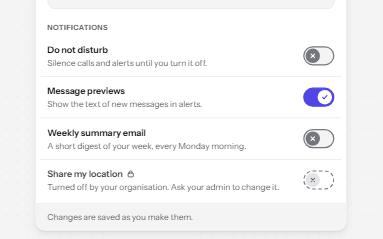
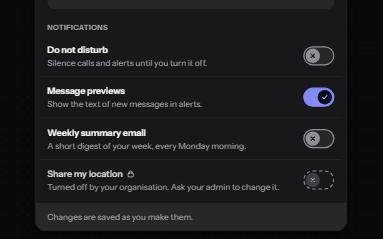
An on and off control for settings that take effect at once, built on a checkbox with the switch role.
-
Sticky header that keeps focus visible
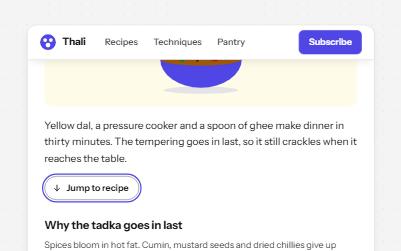
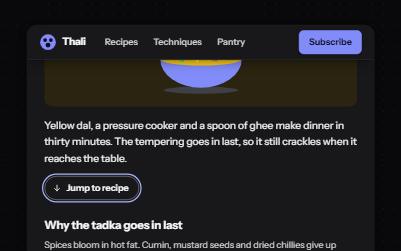
A header that stays at the top while you scroll, shrinks out of the way, and never covers the element with keyboard focus.