Accessibility pattern · Forms and flows
Sign up
Name, email and a new password, each marked up so browsers and password managers can fill them in, and no field that asks for the same thing twice. The password checklist updates as you type, but it speaks only when a requirement changes, once you pause, and sending the form with problems moves focus to a summary of them.
- WCAG criteria
- 7
- Keyboard rules
- 4
- Checked with
- axe, keyboard and the inspector
Live demo
Try it
Use it with a mouse, a keyboard or a screen reader. The inspector beside it shows what the browser tells assistive technology as you go: focus, state changes and announcements.
The demo works without JavaScript only as far as its HTML does; the inspector needs JavaScript.
Keyboard
Keys it answers to
Every action works without a pointer.
| Key | What it does |
|---|---|
| Tab | Moves through the fields, from the password to its Show button, then on to the checkbox and Create account. |
| Enter or Space | On Show, shows or hides the password as text; focus stays on the button. |
| Space | On the checkbox, ticks or clears it. |
| Enter | In a field, sends the form. With problems, focus moves to the summary; a link in it moves focus to its field. |
Screen readers
What it announces
Written from the roles, names and states in the markup.
| When | Expected announcement |
|---|---|
| Focus reaches the password | Password, password edit, required. Your password needs: Not yet: At least 12 characters. Not yet: Not a commonly used password… |
| Typing pauses after the twelfth character | Done: At least 12 characters |
| Typing pauses after every rule is met | Done: Not your name or email address. Your password meets every requirement. |
| Focus reaches Show | Show password, toggle button, not pressed |
| Create account is pressed with problems | There is a problem, group. Enter your full name. Tick the box to agree to the terms of use. |
| Every field is right and the form is sent | Account created. Check your email for a link to confirm it. |
These are expected announcements, not recordings. Wording and order differ between screen readers and browsers.
Code
Copy the code
The exact files this demo runs on. The styles are served with a prefix that keeps this site's own styles out of the demo; what you copy is the original.
<form class="ap-sign-up" data-ap-sign-up novalidate aria-labelledby="su-form-name">
  <div class="ap-sign-up__top">
    <h3 class="ap-sign-up__name" id="su-form-name">Create an account</h3>
    <p class="ap-sign-up__sub">Every field is required. Already have an account? <a class="ap-sign-up__link" href="#su-sign-in">Sign in</a></p>
  </div>

  <div class="ap-sign-up__summary" id="su-summary" role="group" aria-labelledby="su-summary-name" aria-describedby="su-summary-list" tabindex="-1" hidden>
    <h4 class="ap-sign-up__summary-name" id="su-summary-name"><svg class="ap-sign-up__icon" viewBox="0 0 24 24" aria-hidden="true" focusable="false"><circle cx="12" cy="12" r="9"/><path d="M12 7.5v5"/><path d="M12 16.5h.01"/></svg>There is a problem</h4>
    <ul class="ap-sign-up__summary-list" id="su-summary-list"></ul>
  </div>

  <div class="ap-sign-up__body">
    <div class="ap-field ap-sign-up__field">
      <label class="ap-label" for="su-name">Full name</label>
      <p class="ap-error ap-sign-up__error" id="su-name-error" hidden><svg class="ap-sign-up__icon" viewBox="0 0 24 24" aria-hidden="true" focusable="false"><circle cx="12" cy="12" r="9"/><path d="M12 7.5v5"/><path d="M12 16.5h.01"/></svg><span class="ap-sign-up__vh">Error:</span> <span class="ap-sign-up__msg"></span></p>
      <input class="ap-input" id="su-name" name="name" type="text" autocomplete="name" spellcheck="false" required />
    </div>

    <div class="ap-field ap-sign-up__field">
      <label class="ap-label" for="su-email">Email address</label>
      <p class="ap-hint" id="su-email-hint">You sign in with this. We send a link to confirm it.</p>
      <p class="ap-error ap-sign-up__error" id="su-email-error" hidden><svg class="ap-sign-up__icon" viewBox="0 0 24 24" aria-hidden="true" focusable="false"><circle cx="12" cy="12" r="9"/><path d="M12 7.5v5"/><path d="M12 16.5h.01"/></svg><span class="ap-sign-up__vh">Error:</span> <span class="ap-sign-up__msg"></span></p>
      <input class="ap-input" id="su-email" name="email" type="email" autocomplete="email" autocapitalize="none" spellcheck="false" required aria-describedby="su-email-hint" />
    </div>

    <div class="ap-field ap-sign-up__field">
      <label class="ap-label" for="su-password">Password</label>
      <p class="ap-error ap-sign-up__error" id="su-password-error" hidden><svg class="ap-sign-up__icon" viewBox="0 0 24 24" aria-hidden="true" focusable="false"><circle cx="12" cy="12" r="9"/><path d="M12 7.5v5"/><path d="M12 16.5h.01"/></svg><span class="ap-sign-up__vh">Error:</span> <span class="ap-sign-up__msg"></span></p>
      <div class="ap-sign-up__box">
        <input class="ap-input ap-sign-up__secret" id="su-password" name="password" type="password" autocomplete="new-password" autocapitalize="none" spellcheck="false" required aria-describedby="su-rules" />
        <button type="button" class="ap-sign-up__show" aria-label="Show password" aria-pressed="false" aria-controls="su-password" data-ap-show>
          <svg class="ap-sign-up__eye" viewBox="0 0 24 24" aria-hidden="true" focusable="false"><path d="M2.5 12S6 5.5 12 5.5 21.5 12 21.5 12 18 18.5 12 18.5 2.5 12 2.5 12Z"/><circle cx="12" cy="12" r="3"/><path class="ap-sign-up__slash" d="m4 4 16 16"/></svg>
          <span>Show</span>
        </button>
      </div>
      <div class="ap-sign-up__rules" id="su-rules">
        <p class="ap-sign-up__rules-name">Your password needs</p>
        <ul class="ap-sign-up__list">
          <li class="ap-sign-up__rule" data-ap-rule="length"><svg class="ap-sign-up__mark" viewBox="0 0 24 24" aria-hidden="true" focusable="false"><circle class="ap-sign-up__ring" cx="12" cy="12" r="8.5"/><path class="ap-sign-up__tick" d="m8 12.5 2.8 2.8L16.5 9.5"/></svg><span class="ap-sign-up__vh" data-ap-state>Not yet:</span> <span>At least 12 characters</span></li>
          <li class="ap-sign-up__rule" data-ap-rule="common"><svg class="ap-sign-up__mark" viewBox="0 0 24 24" aria-hidden="true" focusable="false"><circle class="ap-sign-up__ring" cx="12" cy="12" r="8.5"/><path class="ap-sign-up__tick" d="m8 12.5 2.8 2.8L16.5 9.5"/></svg><span class="ap-sign-up__vh" data-ap-state>Not yet:</span> <span>Not a commonly used password</span></li>
          <li class="ap-sign-up__rule" data-ap-rule="personal"><svg class="ap-sign-up__mark" viewBox="0 0 24 24" aria-hidden="true" focusable="false"><circle class="ap-sign-up__ring" cx="12" cy="12" r="8.5"/><path class="ap-sign-up__tick" d="m8 12.5 2.8 2.8L16.5 9.5"/></svg><span class="ap-sign-up__vh" data-ap-state>Not yet:</span> <span>Not your name or email address</span></li>
        </ul>
      </div>
    </div>

    <div class="ap-field ap-sign-up__field">
      <p class="ap-error ap-sign-up__error" id="su-terms-error" hidden><svg class="ap-sign-up__icon" viewBox="0 0 24 24" aria-hidden="true" focusable="false"><circle cx="12" cy="12" r="9"/><path d="M12 7.5v5"/><path d="M12 16.5h.01"/></svg><span class="ap-sign-up__vh">Error:</span> <span class="ap-sign-up__msg"></span></p>
      <div class="ap-sign-up__check">
        <input id="su-terms" name="terms" type="checkbox" value="yes" required />
        <label for="su-terms">I agree to the <a class="ap-sign-up__link" href="#su-terms-of-use">terms of use</a> and the <a class="ap-sign-up__link" href="#su-privacy">privacy policy</a></label>
      </div>
    </div>
  </div>

  <p class="ap-sign-up__vh" role="status" data-ap-say></p>

  <div class="ap-sign-up__foot">
    <p class="ap-sign-up__status" role="status"><svg class="ap-sign-up__icon" viewBox="0 0 24 24" aria-hidden="true" focusable="false"><circle cx="12" cy="12" r="9"/><path d="m8 12.5 2.6 2.6L16 9.6"/></svg><span data-ap-done></span></p>
    <button type="submit" class="ap-btn ap-btn--primary">Create account</button>
  </div>
</form>
/* Shared primitives: buttons and form fields used across the patterns.
   Uses the --ap-* design tokens. */

.ap-btn {
  display: inline-flex;
  align-items: center;
  justify-content: center;
  gap: 8px;
  min-height: 40px;
  padding: 0 16px;
  border: 1px solid var(--ap-border-strong);
  border-radius: var(--ap-radius-sm);
  background: var(--ap-surface);
  color: var(--ap-text);
  font: inherit;
  font-weight: 600;
  line-height: 1.2;
  text-decoration: none;
  white-space: nowrap;
  cursor: pointer;
  transition: background-color var(--ap-duration) var(--ap-ease), border-color var(--ap-duration) var(--ap-ease), box-shadow var(--ap-duration) var(--ap-ease);
}
.ap-btn:hover {
  background: var(--ap-surface-2);
}
.ap-btn:focus-visible {
  outline: 2px solid var(--ap-focus);
  outline-offset: 2px;
}
.ap-btn:disabled,
.ap-btn[aria-disabled="true"] {
  opacity: .55;
  cursor: not-allowed;
}
.ap-btn--primary {
  border-color: var(--ap-accent);
  background: var(--ap-accent);
  color: var(--ap-on-accent);
  box-shadow: var(--ap-shadow-sm);
}
.ap-btn--primary:hover {
  border-color: var(--ap-accent-hover);
  background: var(--ap-accent-hover);
}
.ap-btn--danger {
  border-color: var(--ap-danger);
  background: var(--ap-danger);
  color: var(--ap-surface);
}
.ap-btn--danger:hover {
  filter: brightness(1.08);
}
.ap-btn--ghost {
  border-color: transparent;
  background: transparent;
}
.ap-btn--ghost:hover {
  background: var(--ap-surface-2);
}
.ap-btn__icon {
  width: 18px;
  height: 18px;
  flex-shrink: 0;
  fill: none;
  stroke: currentColor;
  stroke-width: 2;
  stroke-linecap: round;
  stroke-linejoin: round;
}

.ap-field {
  display: grid;
  gap: 6px;
}
.ap-label {
  color: var(--ap-text);
  font-weight: 600;
  font-size: .9375rem;
}
.ap-hint {
  margin: 0;
  color: var(--ap-text-3);
  font-size: .875rem;
  line-height: 1.45;
}
.ap-error {
  display: flex;
  align-items: flex-start;
  gap: 6px;
  margin: 0;
  color: var(--ap-danger);
  font-size: .875rem;
  font-weight: 600;
  line-height: 1.45;
}
.ap-input {
  width: 100%;
  min-height: 44px;
  padding: 10px 12px;
  border: 1px solid var(--ap-border-strong);
  border-radius: var(--ap-radius-sm);
  background: var(--ap-surface);
  color: var(--ap-text);
  font: inherit;
  line-height: 1.4;
  transition: border-color var(--ap-duration) var(--ap-ease), box-shadow var(--ap-duration) var(--ap-ease);
}
.ap-input::placeholder {
  color: var(--ap-text-3);
}
.ap-input:hover {
  border-color: var(--ap-text-2);
}
.ap-input:focus-visible {
  outline: 2px solid var(--ap-focus);
  outline-offset: 1px;
  border-color: var(--ap-focus);
}
.ap-input[aria-invalid="true"] {
  border-color: var(--ap-danger);
  box-shadow: inset 4px 0 0 var(--ap-danger);
}
textarea.ap-input {
  resize: vertical;
  min-height: 88px;
}

@media (prefers-reduced-motion: reduce) {
  .ap-btn,
  .ap-input { transition: none; }
}

/* Sign up. Uses the --ap-* design tokens and the shared primitives. */
.ap-sign-up {
  width: min(100%, 520px);
  margin-inline: auto;
  border: 1px solid var(--ap-border);
  border-radius: var(--ap-radius-lg);
  background: var(--ap-surface);
  color: var(--ap-text);
  box-shadow: var(--ap-shadow-md);
  container-type: inline-size;
}
.ap-sign-up [hidden] {
  display: none;
}

.ap-sign-up__top {
  padding: 22px 24px 0;
}
.ap-sign-up__name {
  margin: 0;
  font-size: 1.125rem;
  font-weight: 650;
  line-height: 1.3;
}
.ap-sign-up__sub {
  margin: 4px 0 0;
  color: var(--ap-text-3);
  font-size: .875rem;
  line-height: 1.45;
}
.ap-sign-up__link {
  color: var(--ap-accent-text);
  font-weight: 600;
  text-decoration: underline;
  text-underline-offset: .18em;
}
.ap-sign-up__link:hover {
  text-decoration-thickness: 2px;
}
.ap-sign-up__link:focus-visible {
  outline: 2px solid var(--ap-focus);
  outline-offset: 2px;
  border-radius: 2px;
}

/* The summary: every problem from the last attempt to send, as links. */
.ap-sign-up__summary {
  margin: 18px 24px 0;
  padding: 14px 16px 14px 18px;
  border: 1px solid var(--ap-danger);
  border-left-width: 4px;
  border-radius: var(--ap-radius-sm);
  background: var(--ap-surface);
  scroll-margin-top: 96px;
}
.ap-sign-up__summary:focus {
  outline: 2px solid var(--ap-focus);
  outline-offset: 3px;
}
.ap-sign-up__summary-name {
  display: flex;
  align-items: flex-start;
  gap: 8px;
  margin: 0;
  font-size: 1rem;
  font-weight: 650;
  line-height: 1.4;
}
.ap-sign-up__summary-name .ap-sign-up__icon {
  width: 20px;
  height: 20px;
  margin-top: 1px;
  color: var(--ap-danger);
}
.ap-sign-up__summary-list {
  display: grid;
  gap: 4px;
  margin: 8px 0 0;
  padding-left: 48px;
}
.ap-sign-up__summary-list a {
  color: var(--ap-danger);
  font-weight: 600;
  line-height: 1.45;
  text-decoration: underline;
  text-underline-offset: .18em;
}
.ap-sign-up__summary-list a:hover {
  text-decoration-thickness: 2px;
}
.ap-sign-up__summary-list a:focus-visible {
  outline: 2px solid var(--ap-focus);
  outline-offset: 2px;
  border-radius: 2px;
}

.ap-sign-up__body {
  display: grid;
  gap: 20px;
  padding: 20px 24px 24px;
}
.ap-sign-up__field {
  min-width: 0;
}
.ap-sign-up .ap-hint {
  margin-top: -2px;
}
/* A field with a problem: an edge beside label, message and input, as on the form errors page. */
.ap-sign-up__field.is-invalid {
  padding-left: 14px;
  border-left: 4px solid var(--ap-danger);
}
.ap-sign-up__field.is-invalid .ap-input {
  box-shadow: none;
}

.ap-sign-up__icon {
  width: 16px;
  height: 16px;
  flex-shrink: 0;
  margin-top: 2px;
  fill: none;
  stroke: currentColor;
  stroke-width: 2;
  stroke-linecap: round;
  stroke-linejoin: round;
}

/* The password and its Show button, inside the input's edge. */
.ap-sign-up__box {
  position: relative;
}
.ap-sign-up__secret {
  padding-right: 96px;
}
.ap-sign-up__show {
  position: absolute;
  top: 4px;
  right: 4px;
  bottom: 4px;
  display: inline-flex;
  align-items: center;
  gap: 6px;
  min-width: 80px;
  padding: 0 12px;
  border: 0;
  border-radius: calc(var(--ap-radius-sm) - 3px);
  background: transparent;
  color: var(--ap-text-2);
  font: inherit;
  font-size: .875rem;
  font-weight: 600;
  cursor: pointer;
  transition: background-color var(--ap-duration) var(--ap-ease), color var(--ap-duration) var(--ap-ease);
}
.ap-sign-up__show:hover {
  background: var(--ap-surface-2);
  color: var(--ap-text);
}
.ap-sign-up__show:focus-visible {
  outline: 2px solid var(--ap-focus);
  outline-offset: 0;
}
.ap-sign-up__show[aria-pressed="true"] {
  background: var(--ap-accent-soft);
  color: var(--ap-accent-soft-text);
}
.ap-sign-up__eye {
  width: 18px;
  height: 18px;
  flex-shrink: 0;
  fill: none;
  stroke: currentColor;
  stroke-width: 2;
  stroke-linecap: round;
  stroke-linejoin: round;
}
/* Hidden password: the eye is struck through. Showing: the eye is open. */
.ap-sign-up__show[aria-pressed="true"] .ap-sign-up__slash {
  display: none;
}

/* The checklist: a ring that becomes a tick, and Done or Not yet in words for screen readers. */
.ap-sign-up__rules {
  margin-top: 4px;
  padding: 12px 14px;
  border-radius: var(--ap-radius-sm);
  background: var(--ap-surface-2);
}
.ap-sign-up__rules-name {
  margin: 0 0 6px;
  color: var(--ap-text-2);
  font-size: .8125rem;
  font-weight: 650;
}
.ap-sign-up__list {
  display: grid;
  gap: 6px;
  margin: 0;
  padding: 0;
  list-style: none;
}
.ap-sign-up__rule {
  display: flex;
  align-items: flex-start;
  gap: 8px;
  color: var(--ap-text-2);
  font-size: .875rem;
  line-height: 1.45;
}
.ap-sign-up__mark {
  width: 18px;
  height: 18px;
  flex-shrink: 0;
  margin-top: 1px;
  fill: none;
  stroke-width: 2;
  stroke-linecap: round;
  stroke-linejoin: round;
}
.ap-sign-up__ring {
  stroke: var(--ap-text-3);
  transition: fill var(--ap-duration) var(--ap-ease), stroke var(--ap-duration) var(--ap-ease);
}
.ap-sign-up__tick {
  stroke: var(--ap-surface);
  opacity: 0;
  transition: opacity var(--ap-duration) var(--ap-ease);
}
.ap-sign-up__rule[data-met="true"] {
  color: var(--ap-text);
}
.ap-sign-up__rule[data-met="true"] .ap-sign-up__ring {
  fill: var(--ap-success);
  stroke: var(--ap-success);
}
.ap-sign-up__rule[data-met="true"] .ap-sign-up__tick {
  opacity: 1;
}

/* The checkbox: a 24px box beside its label, so both are easy to hit. */
.ap-sign-up__check {
  display: flex;
  align-items: flex-start;
  gap: 12px;
  color: var(--ap-text);
  line-height: 1.5;
}
.ap-sign-up__check input {
  flex: none;
  width: 24px;
  height: 24px;
  margin: 0;
  accent-color: var(--ap-accent);
  cursor: pointer;
}
.ap-sign-up__check input:focus-visible {
  outline: 2px solid var(--ap-focus);
  outline-offset: 2px;
}
.ap-sign-up__check label {
  padding-top: 1px;
  cursor: pointer;
}

.ap-sign-up__vh {
  position: absolute;
  width: 1px;
  height: 1px;
  margin: -1px;
  padding: 0;
  overflow: hidden;
  clip-path: inset(50%);
  white-space: nowrap;
}

/* Footer: the outcome beside the button. */
.ap-sign-up__foot {
  display: flex;
  flex-wrap: wrap;
  align-items: center;
  justify-content: flex-end;
  gap: 12px 16px;
  padding: 16px 24px;
  border-top: 1px solid var(--ap-border);
  border-radius: 0 0 var(--ap-radius-lg) var(--ap-radius-lg);
  background: var(--ap-surface-2);
}
.ap-sign-up__status {
  display: flex;
  flex: 1 1 200px;
  align-items: flex-start;
  gap: 8px;
  margin: 0;
  color: var(--ap-success);
  font-size: .9375rem;
  font-weight: 600;
  line-height: 1.45;
}
.ap-sign-up__status .ap-sign-up__icon {
  display: none;
  width: 18px;
  height: 18px;
  margin-top: 1px;
}
.ap-sign-up__status[data-tone="ok"] .ap-sign-up__icon {
  display: block;
}
.ap-sign-up__foot .ap-btn {
  min-height: var(--ap-target);
}

@container (max-width: 440px) {
  .ap-sign-up__top { padding: 18px 18px 0; }
  .ap-sign-up__summary { margin: 16px 18px 0; }
  .ap-sign-up__summary-list { padding-left: 32px; }
  .ap-sign-up__body { padding: 18px 18px 20px; }
  .ap-sign-up__foot { padding: 14px 18px; }
  .ap-sign-up__status:not([data-tone]) { flex-basis: 0; }
  .ap-sign-up__foot .ap-btn { flex: 1 1 100%; }
}

@media (forced-colors: active) {
  .ap-sign-up__rule[data-met="true"] .ap-sign-up__ring { fill: CanvasText; stroke: CanvasText; }
  .ap-sign-up__tick { stroke: Canvas; }
  .ap-sign-up__show[aria-pressed="true"] { border: 2px solid ButtonText; }
}

@media (prefers-reduced-motion: reduce) {
  .ap-sign-up__show,
  .ap-sign-up__ring,
  .ap-sign-up__tick { transition: none; }
}
/**
 * Sign up: an account form with autofill tokens, a live password checklist,
 * Show password instead of a confirm field, and an error summary.
 *
 * Markup: form[data-ap-sign-up][novalidate] with inputs named name, email,
 * password and terms. Each has a hidden p#<input id>-error above it. The
 * password has a Show button[data-ap-show][aria-pressed] and, in its
 * aria-describedby, a list of li[data-ap-rule] whose span[data-ap-state]
 * says Done: or Not yet:. A visually hidden role=status [data-ap-say] speaks
 * a requirement only when it changes, once typing pauses. On submit, every
 * field is checked; problems are listed in the summary, which takes focus,
 * and a sent form is confirmed in the role=status beside the button.
 */

// A few of the passwords people pick most often, 12 characters or longer.
const COMMON = new Set([
  "password1234", "password12345", "qwerty123456", "123456789012", "1234567890123",
  "qwertyuiop12", "iloveyou1234", "abcdefghijkl", "1q2w3e4r5t6y", "welcome12345",
  "letmein12345", "india1234567", "password@123", "admin1234567",
]);

// The parts of a name or email address a password should not contain.
function personalBits(form) {
  const name = form.elements.namedItem("name").value.toLowerCase();
  const email = form.elements.namedItem("email").value.toLowerCase().split("@")[0];
  return [...name.split(/\s+/), ...email.split(/[._+-]/), email].filter((bit) => bit.length >= 3);
}

const RULES = {
  length: (pw) => pw.length >= 12,
  common: (pw) => pw.length > 0 && !COMMON.has(pw.toLowerCase()) && !/^(.)\1+$/.test(pw),
  personal: (pw, form) => {
    const lower = pw.toLowerCase();
    return pw.length > 0 && !personalBits(form).some((bit) => lower.includes(bit));
  },
};

// One message per broken field, in the order they appear.
const CHECKS = {
  name: (field) => (field.value.trim() ? "" : "Enter your full name"),
  email: (field) => {
    const v = field.value.trim();
    if (!v) return "Enter your email address";
    return /^[^\s@]+@[^\s@]+\.[^\s@]+$/.test(v) ? "" : "Enter an email address like [email protected]";
  },
  password: (field, form) => {
    const pw = field.value;
    if (!pw) return "Enter a password";
    if (!RULES.length(pw)) return "Use at least 12 characters for your password";
    if (!RULES.common(pw)) return "Choose a password that is harder to guess";
    if (!RULES.personal(pw, form)) return "Choose a password without your name or email address";
    return "";
  },
  terms: (field) => (field.checked ? "" : "Tick the box to agree to the terms of use"),
};

export function init(root) {
  const form = root;
  const fields = Object.keys(CHECKS).map((name) => form.elements.namedItem(name));
  const password = form.elements.namedItem("password");
  const show = root.querySelector("[data-ap-show]");
  const rules = [...root.querySelectorAll("[data-ap-rule]")];
  const summary = root.querySelector(".ap-sign-up__summary");
  const list = summary.querySelector("ul");
  // Look the live parts up each time: a translated page may rebuild them.
  const say = () => root.querySelector("[data-ap-say]");
  const done = () => root.querySelector("[data-ap-done]");
  // What the live region last said about each rule; it speaks only differences.
  const heard = new Map(rules.map((li) => [li, false]));
  let pause = 0;

  function piece(text) {
    const span = document.createElement("span");
    span.textContent = text;
    return span;
  }

  function paintRules() {
    for (const li of rules) {
      const met = RULES[li.dataset.apRule](password.value, form);
      li.dataset.met = String(met);
      li.querySelector("[data-ap-state]").textContent = met ? "Done:" : "Not yet:";
    }
  }

  // Called once typing pauses: say what changed since last time, nothing else.
  function speakChanges() {
    const parts = [];
    for (const li of rules) {
      const met = li.dataset.met === "true";
      if (met === heard.get(li)) continue;
      heard.set(li, met);
      const words = li.querySelector("[data-ap-state]").nextElementSibling.textContent;
      parts.push(piece(met ? "Done:" : "Not yet:"), " ", piece(words), " ");
    }
    if (!parts.length) return;
    if (rules.every((li) => li.dataset.met === "true")) parts.push(piece("Your password meets every requirement."));
    say().replaceChildren(...parts);
  }

  function onInput(event) {
    if (!["name", "email", "password"].includes(event.target.name)) return;
    paintRules();
    clearTimeout(pause);
    pause = setTimeout(speakChanges, 1000);
  }

  function setShown(on) {
    password.type = on ? "text" : "password";
    show.setAttribute("aria-pressed", String(on));
  }

  function onShow() {
    setShown(password.type === "password");
  }

  function showError(field, message) {
    const box = document.getElementById(`${field.id}-error`);
    const own = (field.getAttribute("aria-describedby") || "").split(/\s+/).filter((id) => id && id !== box.id);
    field.closest(".ap-sign-up__field").classList.toggle("is-invalid", Boolean(message));
    box.querySelector(".ap-sign-up__msg").textContent = message;
    box.hidden = !message;
    if (message) {
      field.setAttribute("aria-invalid", "true");
      own.unshift(box.id);
    } else field.removeAttribute("aria-invalid");
    if (own.length) field.setAttribute("aria-describedby", own.join(" "));
    else field.removeAttribute("aria-describedby");
  }

  function summaryLink(field, message) {
    const item = document.createElement("li");
    const link = document.createElement("a");
    link.href = `#${field.id}`;
    link.textContent = message;
    item.append(link);
    return item;
  }

  // A summary link shows its field with the label above it, then moves focus there.
  function onSummaryClick(event) {
    const link = event.target.closest("a[href^='#']");
    const field = link && document.getElementById(link.getAttribute("href").slice(1));
    if (!field) return;
    event.preventDefault();
    field.closest(".ap-sign-up__field").scrollIntoView({ block: "center", behavior: matchMedia("(prefers-reduced-motion: reduce)").matches ? "auto" : "smooth" });
    field.focus({ preventScroll: true });
  }

  function onSubmit(event) {
    // This demo sends nothing. A real form sends the data here, and the
    // server checks it all again.
    event.preventDefault();
    // Hide the password again before it is sent: off the screen, and a
    // password field for the password manager to save.
    setShown(false);
    const errors = [];
    for (const field of fields) {
      const message = CHECKS[field.name](field, form);
      showError(field, message);
      if (message) errors.push(summaryLink(field, message));
    }
    const status = done().parentElement;
    delete status.dataset.tone;
    done().textContent = "";
    if (errors.length) {
      list.replaceChildren(...errors);
      summary.hidden = false;
      summary.focus();
      return;
    }
    list.replaceChildren();
    summary.hidden = true;
    // Written a moment after it was emptied, so a second success is read out too.
    setTimeout(() => {
      status.dataset.tone = "ok";
      done().textContent = "Account created. Check your email for a link to confirm it.";
    }, 100);
  }

  form.addEventListener("input", onInput);
  form.addEventListener("submit", onSubmit);
  show.addEventListener("click", onShow);
  summary.addEventListener("click", onSummaryClick);
  paintRules();

  return () => {
    clearTimeout(pause);
    form.removeEventListener("input", onInput);
    form.removeEventListener("submit", onSubmit);
    show.removeEventListener("click", onShow);
    summary.removeEventListener("click", onSummaryClick);
  };
}

for (const root of document.querySelectorAll("[data-ap-sign-up]")) init(root);
/* Design tokens for the pattern components. Light by default, dark when the
   system asks for it; set data-theme="dark" on :root to force dark. */
:root {
    --ap-radius-sm: 8px;
    --ap-radius: 12px;
    --ap-radius-lg: 16px;
    --ap-radius-full: 999px;
    --ap-font: "Instrument Sans", ui-sans-serif, system-ui, -apple-system, "Segoe UI", Roboto, sans-serif;
    --ap-mono: "JetBrains Mono", ui-monospace, "Cascadia Mono", "SF Mono", Consolas, monospace;
    --ap-ease: cubic-bezier(.2, .8, .2, 1);
    --ap-duration: 180ms;
    --ap-target: 44px;
    --ap-bg: #F4F4F5;
    --ap-surface: #FFFFFF;
    --ap-surface-2: #F4F4F5;
    --ap-surface-3: #E4E4E7;
    --ap-border: #E4E4E7;
    --ap-border-strong: #76767F;
    --ap-text: #18181B;
    --ap-text-2: #3F3F46;
    --ap-text-3: #5E5E66;
    --ap-accent: #4F46E5;
    --ap-accent-hover: #4338CA;
    --ap-on-accent: #FFFFFF;
    --ap-accent-text: #4338CA;
    --ap-accent-soft: #EEF2FF;
    --ap-accent-soft-text: #3730A3;
    --ap-focus: #4F46E5;
    --ap-danger: #B91C1C;
    --ap-danger-soft: #FEF2F2;
    --ap-success: #15803D;
    --ap-success-soft: #F0FDF4;
    --ap-warning: #A15C07;
    --ap-warning-soft: #FEFCE8;
    --ap-info: #1D4ED8;
    --ap-info-soft: #EFF6FF;
    --ap-scrim: rgb(9 9 11 / .48);
    --ap-shadow-sm: 0 1px 2px rgb(9 9 11 / .06);
    --ap-shadow-md: 0 1px 2px rgb(9 9 11 / .05), 0 6px 16px -4px rgb(9 9 11 / .1);
    --ap-shadow-lg: 0 2px 6px rgb(9 9 11 / .06), 0 20px 40px -12px rgb(9 9 11 / .22);
    --ap-light-bg: #F4F4F5;
    --ap-light-surface: #FFFFFF;
    --ap-light-surface-2: #F4F4F5;
    --ap-light-surface-3: #E4E4E7;
    --ap-light-border: #E4E4E7;
    --ap-light-border-strong: #76767F;
    --ap-light-text: #18181B;
    --ap-light-text-2: #3F3F46;
    --ap-light-text-3: #5E5E66;
    --ap-light-accent: #4F46E5;
    --ap-light-accent-hover: #4338CA;
    --ap-light-on-accent: #FFFFFF;
    --ap-light-accent-text: #4338CA;
    --ap-light-accent-soft: #EEF2FF;
    --ap-light-accent-soft-text: #3730A3;
    --ap-light-focus: #4F46E5;
    --ap-light-danger: #B91C1C;
    --ap-light-danger-soft: #FEF2F2;
    --ap-light-success: #15803D;
    --ap-light-success-soft: #F0FDF4;
    --ap-light-warning: #A15C07;
    --ap-light-warning-soft: #FEFCE8;
    --ap-light-info: #1D4ED8;
    --ap-light-info-soft: #EFF6FF;
    --ap-light-scrim: rgb(9 9 11 / .48);
    --ap-light-shadow-sm: 0 1px 2px rgb(9 9 11 / .06);
    --ap-light-shadow-md: 0 1px 2px rgb(9 9 11 / .05), 0 6px 16px -4px rgb(9 9 11 / .1);
    --ap-light-shadow-lg: 0 2px 6px rgb(9 9 11 / .06), 0 20px 40px -12px rgb(9 9 11 / .22);
    --ap-dark-bg: #09090B;
    --ap-dark-surface: #18181B;
    --ap-dark-surface-2: #27272A;
    --ap-dark-surface-3: #3F3F46;
    --ap-dark-border: #2E2E33;
    --ap-dark-border-strong: #8E8E97;
    --ap-dark-text: #FAFAFA;
    --ap-dark-text-2: #D4D4D8;
    --ap-dark-text-3: #A1A1AA;
    --ap-dark-accent: #818CF8;
    --ap-dark-accent-hover: #A5B4FC;
    --ap-dark-on-accent: #0C0A1F;
    --ap-dark-accent-text: #A5B4FC;
    --ap-dark-accent-soft: #1E1B4B;
    --ap-dark-accent-soft-text: #C7D2FE;
    --ap-dark-focus: #A5B4FC;
    --ap-dark-danger: #F87171;
    --ap-dark-danger-soft: #2A1215;
    --ap-dark-success: #4ADE80;
    --ap-dark-success-soft: #0F2A1A;
    --ap-dark-warning: #FACC15;
    --ap-dark-warning-soft: #2A2410;
    --ap-dark-info: #60A5FA;
    --ap-dark-info-soft: #0F1D33;
    --ap-dark-scrim: rgb(0 0 0 / .62);
    --ap-dark-shadow-sm: 0 1px 2px rgb(0 0 0 / .4);
    --ap-dark-shadow-md: 0 1px 2px rgb(0 0 0 / .4), 0 8px 20px -6px rgb(0 0 0 / .5);
    --ap-dark-shadow-lg: 0 2px 8px rgb(0 0 0 / .45), 0 24px 48px -12px rgb(0 0 0 / .7);
}
@media (prefers-color-scheme: dark) {
  :root:not([data-theme="light"]) {
      --ap-bg: #09090B;
      --ap-surface: #18181B;
      --ap-surface-2: #27272A;
      --ap-surface-3: #3F3F46;
      --ap-border: #2E2E33;
      --ap-border-strong: #8E8E97;
      --ap-text: #FAFAFA;
      --ap-text-2: #D4D4D8;
      --ap-text-3: #A1A1AA;
      --ap-accent: #818CF8;
      --ap-accent-hover: #A5B4FC;
      --ap-on-accent: #0C0A1F;
      --ap-accent-text: #A5B4FC;
      --ap-accent-soft: #1E1B4B;
      --ap-accent-soft-text: #C7D2FE;
      --ap-focus: #A5B4FC;
      --ap-danger: #F87171;
      --ap-danger-soft: #2A1215;
      --ap-success: #4ADE80;
      --ap-success-soft: #0F2A1A;
      --ap-warning: #FACC15;
      --ap-warning-soft: #2A2410;
      --ap-info: #60A5FA;
      --ap-info-soft: #0F1D33;
      --ap-scrim: rgb(0 0 0 / .62);
      --ap-shadow-sm: 0 1px 2px rgb(0 0 0 / .4);
      --ap-shadow-md: 0 1px 2px rgb(0 0 0 / .4), 0 8px 20px -6px rgb(0 0 0 / .5);
      --ap-shadow-lg: 0 2px 8px rgb(0 0 0 / .45), 0 24px 48px -12px rgb(0 0 0 / .7);
  }
}
:root[data-theme="dark"] {
    --ap-bg: #09090B;
    --ap-surface: #18181B;
    --ap-surface-2: #27272A;
    --ap-surface-3: #3F3F46;
    --ap-border: #2E2E33;
    --ap-border-strong: #8E8E97;
    --ap-text: #FAFAFA;
    --ap-text-2: #D4D4D8;
    --ap-text-3: #A1A1AA;
    --ap-accent: #818CF8;
    --ap-accent-hover: #A5B4FC;
    --ap-on-accent: #0C0A1F;
    --ap-accent-text: #A5B4FC;
    --ap-accent-soft: #1E1B4B;
    --ap-accent-soft-text: #C7D2FE;
    --ap-focus: #A5B4FC;
    --ap-danger: #F87171;
    --ap-danger-soft: #2A1215;
    --ap-success: #4ADE80;
    --ap-success-soft: #0F2A1A;
    --ap-warning: #FACC15;
    --ap-warning-soft: #2A2410;
    --ap-info: #60A5FA;
    --ap-info-soft: #0F1D33;
    --ap-scrim: rgb(0 0 0 / .62);
    --ap-shadow-sm: 0 1px 2px rgb(0 0 0 / .4);
    --ap-shadow-md: 0 1px 2px rgb(0 0 0 / .4), 0 8px 20px -6px rgb(0 0 0 / .5);
    --ap-shadow-lg: 0 2px 8px rgb(0 0 0 / .45), 0 24px 48px -12px rgb(0 0 0 / .7);
}
WCAG 2.2
What it meets
The success criteria this pattern takes care of, and how.
-
1.3.5 Identify Input Purpose
Level AA
Name, email and the new password carry the autocomplete tokens name, email and new-password, so browsers fill them in and password managers offer a strong password.
-
1.4.1 Use of Color
Level A
A met requirement swaps an empty ring for a tick and says Done in text; nothing depends on the green alone.
-
3.3.1 Error Identification
Level A
Each field with a problem is marked aria-invalid, gets its message in words above it, and is listed in the summary.
-
3.3.3 Error Suggestion
Level AA
Messages say what to do, like Use at least 12 characters, rather than Invalid password.
-
3.3.7 Redundant Entry
Level A
Nothing is asked twice: there is no confirm-password field. Show password lets people check what they typed instead of typing it again.
-
3.3.8 Accessible Authentication (Minimum)
Level AA
The password field accepts paste and is marked new-password, so a password manager can create and save it, and signing in later needs no memory test.
-
4.1.3 Status Messages
Level AA
Requirement changes and the final result are announced from polite live regions, without moving focus from the field.
Usage
When to use it
Use it
- Creating an account, where the name, email and password will be reused at every sign-in.
- Any form that sets a new password, like a reset or an invitation.
Use something else
- Asking for an account before people can do what they came for: let them check out or browse as a guest.
- Long profiles at sign-up; ask for the extra details later, when they are needed.
- Signing in, which needs current-password and no checklist: use the sign-in pattern.
Common failures
How it usually goes wrong
A confirm-password field
Typing a hidden password twice doubles the work and the chance of a slip, and it is no help to people using a password manager. Show password lets them check it once.
Blocking paste in the password field
Stopping paste breaks password managers and forces people to transcribe a long string. Here paste and autofill always work.
A checklist that speaks on every key press
A live region that rereads every rule after each character drowns out the typing. This one waits for a pause and says only what changed.
Rules shown only in red and green
People who cannot tell the two apart see a list that never changes. Each rule here also swaps its ring for a tick and says Done or Not yet in text.
Rules revealed only after a failed attempt
Telling people the password needs 12 characters only after they submit seven wastes a try. The rules are visible before typing starts.
Errors that are only listed at the top
A summary alone leaves people hunting for the field. Each message here also sits above its field, and each summary item links to it.
Notes
Building it
- WCAG 3.3.7 allows a confirm field for a new password under its security exception, but it is not needed: Show password, paste and password managers catch typing slips better than retyping does.
- The checklist is the password's description (aria-describedby), so the rules are read when the field is reached. A separate polite live region speaks a requirement only when it changes, about a second after typing stops.
- Length beats complexity: the rules ask for 12 characters and reject common or personal passwords, instead of demanding a symbol that people put at the end of a word they can guess.
- If the password is showing when the form is sent, the script hides it again first, so it is not left on screen and password managers see a password field.
- Sign in and the policy links point to #… anchors in this demo; in your form they are links to those pages. The server checks everything again.
Sources: Understanding SC 3.3.7: Redundant Entry · Understanding SC 3.3.8: Accessible Authentication (Minimum) · HTML: autofill field names
Checked with axe in light and dark themes, at desktop and phone widths, and by keyboard. Not yet tested with every screen reader and browser pair. Report a correction
Related
Patterns that go with it
-
Inline validation
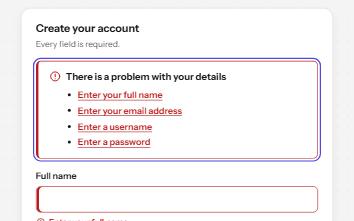
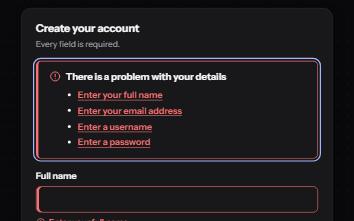
A sign-up form that checks each field as it is left, once typed in, with ticks and errors in words and a summary on submit.
-
Sign in
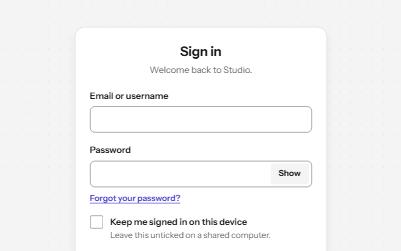
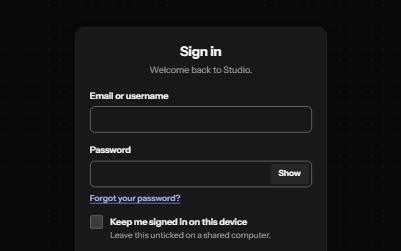
A sign-in form password managers can fill, with show password, paste allowed, a helpful error and no-password ways in.
-
Password field
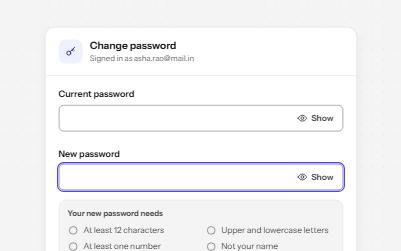
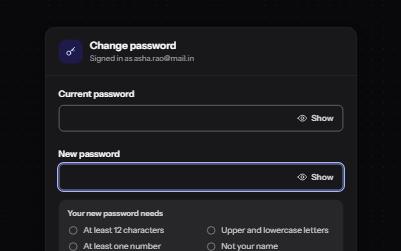
A password input with a Show toggle that keeps focus in place, a live requirements checklist, and a Caps Lock warning.
-
Form errors
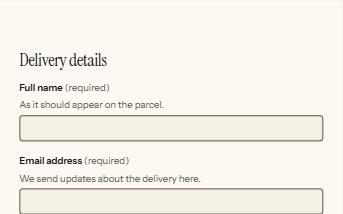
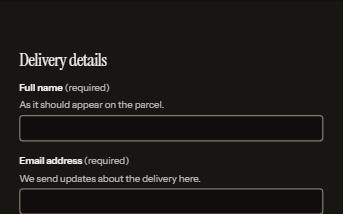
An error summary that takes focus, messages tied to each field, and a status message when the form is sent.