Accessibility pattern · Forms and flows
Address form
Every field carries its autocomplete token, with billing or shipping in front, so a browser fills both addresses in one go, and the country chosen first decides what the postcode is called, how it is checked and whether the state is needed. A PIN code fills in the town and state and says so politely, and Same as billing locks the delivery fields in view with a note, instead of hiding them.
- WCAG criteria
- 7
- Keyboard rules
- 4
- Checked with
- axe, keyboard and the inspector
Live demo
Try it
Use it with a mouse, a keyboard or a screen reader. The inspector beside it shows what the browser tells assistive technology as you go: focus, state changes and announcements.
The demo works without JavaScript only as far as its HTML does; the inspector needs JavaScript.
Keyboard
Keys it answers to
Every action works without a pointer.
| Key | What it does |
|---|---|
| Tab or ShiftTab | Moves through the fields. While Same as billing address is ticked, the locked delivery fields are skipped. |
| Arrow Down or Arrow Up | On the country select, changes the country; the postcode and state fields change to match. |
| Space | On Same as billing address, locks or unlocks the delivery fields, and the note under it says which. |
| Enter | In a field, saves the form: problems are listed in a summary that takes focus. |
Screen readers
What it announces
Written from the roles, names and states in the markup.
| When | Expected announcement |
|---|---|
| The sixth digit of a known PIN code is typed | Town and state filled in from the PIN code. Check them before you go on. |
| A PIN code that is not on the list is typed | We could not find that PIN code. Enter the town and state yourself. |
| United Kingdom is chosen | Billing address now uses the United Kingdom format: postcode, and county is optional. |
| Space unticks Same as billing address | Same as billing address, checkbox, not checked. Enter the address the parcel should go to. |
| A screen reader reads on to a locked delivery field | Address line 1, edit text, unavailable, 12 MG Road |
| Save addresses is pressed with the town missing | There is a problem with your details, group. Billing address: Enter the town or city |
These are expected announcements, not recordings. Wording and order differ between screen readers and browsers.
Code
Copy the code
The exact files this demo runs on. The styles are served with a prefix that keeps this site's own styles out of the demo; what you copy is the original.
<form class="ap-address-form" data-ap-address-form novalidate aria-labelledby="addr-form-name">
  <div class="ap-address-form__top">
    <h3 class="ap-address-form__name" id="addr-form-name">Addresses</h3>
    <p class="ap-address-form__sub">Fields are required unless they say optional.</p>
  </div>

  <div class="ap-address-form__summary" id="addr-summary" role="group" aria-labelledby="addr-summary-name" aria-describedby="addr-summary-list" tabindex="-1" hidden>
    <h4 class="ap-address-form__summary-name" id="addr-summary-name"><svg class="ap-address-form__icon" viewBox="0 0 24 24" aria-hidden="true" focusable="false"><circle cx="12" cy="12" r="9"/><path d="M12 7.5v5"/><path d="M12 16.5h.01"/></svg>There is a problem with your details</h4>
    <ul class="ap-address-form__summary-list" id="addr-summary-list"></ul>
  </div>

  <div class="ap-address-form__body">
    <fieldset class="ap-address-form__group" data-ap-address="b">
      <legend class="ap-address-form__legend">Billing address</legend>
      <div class="ap-address-form__grid">
        <div class="ap-field ap-address-form__field ap-address-form__field--wide">
          <label class="ap-label" for="addr-b-country">Country</label>
          <select class="ap-input ap-address-form__select" id="addr-b-country" name="b-country" autocomplete="billing country" data-ap-part="country">
            <option value="IN" selected>India</option>
            <option value="GB">United Kingdom</option>
            <option value="US">United States</option>
          </select>
        </div>
        <div class="ap-field ap-address-form__field ap-address-form__field--wide">
          <label class="ap-label" for="addr-b-line1">Address line 1</label>
          <p class="ap-hint" id="addr-b-line1-hint">House or flat number, building and street.</p>
          <input class="ap-input" id="addr-b-line1" name="b-line1" type="text" autocomplete="billing address-line1" required aria-describedby="addr-b-line1-hint" data-ap-part="line1" />
        <p class="ap-error ap-address-form__error" id="addr-b-line1-error" hidden><svg class="ap-address-form__icon" viewBox="0 0 24 24" aria-hidden="true" focusable="false"><circle cx="12" cy="12" r="9"/><path d="M12 7.5v5"/><path d="M12 16.5h.01"/></svg><span class="ap-address-form__vh">Error:</span> <span data-ap-text></span></p>
        </div>
        <div class="ap-field ap-address-form__field ap-address-form__field--wide">
          <label class="ap-label" for="addr-b-line2">Address line 2 <span class="ap-address-form__opt">(optional)</span></label>
          <input class="ap-input" id="addr-b-line2" name="b-line2" type="text" autocomplete="billing address-line2" data-ap-part="line2" />
        </div>
        <div class="ap-field ap-address-form__field ap-address-form__field--wide ap-address-form__post">
          <label class="ap-label" for="addr-b-post" data-ap-post-label>PIN code</label>
          <p class="ap-hint" id="addr-b-post-hint" data-ap-post-hint>6 digits, like 560001.</p>
          <input class="ap-input ap-address-form__short" id="addr-b-post" name="b-post" type="text" inputmode="numeric" autocomplete="billing postal-code" spellcheck="false" required aria-describedby="addr-b-post-hint addr-b-found" data-ap-part="post" />
        <p class="ap-error ap-address-form__error" id="addr-b-post-error" hidden><svg class="ap-address-form__icon" viewBox="0 0 24 24" aria-hidden="true" focusable="false"><circle cx="12" cy="12" r="9"/><path d="M12 7.5v5"/><path d="M12 16.5h.01"/></svg><span class="ap-address-form__vh">Error:</span> <span data-ap-text></span></p>
          <p class="ap-address-form__found" id="addr-b-found" role="status"><svg class="ap-address-form__icon ap-address-form__icon--ok" viewBox="0 0 24 24" aria-hidden="true" focusable="false"><circle cx="12" cy="12" r="9"/><path d="m8 12.5 2.6 2.6L16 9.6"/></svg><svg class="ap-address-form__icon ap-address-form__icon--info" viewBox="0 0 24 24" aria-hidden="true" focusable="false"><circle cx="12" cy="12" r="9"/><path d="M12 11v5"/><path d="M12 7.5h.01"/></svg><span data-ap-found></span></p>
        </div>
        <div class="ap-field ap-address-form__field">
          <label class="ap-label" for="addr-b-city">Town or city</label>
          <input class="ap-input" id="addr-b-city" name="b-city" type="text" autocomplete="billing address-level2" required data-ap-part="city" />
        <p class="ap-error ap-address-form__error" id="addr-b-city-error" hidden><svg class="ap-address-form__icon" viewBox="0 0 24 24" aria-hidden="true" focusable="false"><circle cx="12" cy="12" r="9"/><path d="M12 7.5v5"/><path d="M12 16.5h.01"/></svg><span class="ap-address-form__vh">Error:</span> <span data-ap-text></span></p>
        </div>
        <div class="ap-field ap-address-form__field">
          <label class="ap-label" for="addr-b-region"><span data-ap-region-label>State</span> <span class="ap-address-form__opt" data-ap-region-opt hidden>(optional)</span></label>
          <input class="ap-input" id="addr-b-region" name="b-region" type="text" autocomplete="billing address-level1" required data-ap-part="region" />
        <p class="ap-error ap-address-form__error" id="addr-b-region-error" hidden><svg class="ap-address-form__icon" viewBox="0 0 24 24" aria-hidden="true" focusable="false"><circle cx="12" cy="12" r="9"/><path d="M12 7.5v5"/><path d="M12 16.5h.01"/></svg><span class="ap-address-form__vh">Error:</span> <span data-ap-text></span></p>
        </div>
      </div>
    </fieldset>

    <fieldset class="ap-address-form__group">
      <legend class="ap-address-form__legend">Delivery address</legend>
      <div class="ap-address-form__same">
        <div class="ap-address-form__check">
          <input type="checkbox" id="addr-same" checked aria-describedby="addr-same-note" />
          <label for="addr-same">Same as billing address</label>
        </div>
        <p class="ap-address-form__note" id="addr-same-note" role="status"><svg class="ap-address-form__icon ap-address-form__icon--lock" viewBox="0 0 24 24" aria-hidden="true" focusable="false"><rect x="5" y="11" width="14" height="9" rx="2"/><path d="M8 11V8a4 4 0 0 1 8 0v3"/></svg><span data-ap-note>Delivery uses your billing address, so these fields are locked. Untick the box to enter a different one.</span></p>
      </div>
      <fieldset class="ap-address-form__copy" data-ap-address="s" disabled>
        <div class="ap-address-form__grid">
        <div class="ap-field ap-address-form__field ap-address-form__field--wide">
          <label class="ap-label" for="addr-s-country">Country</label>
          <select class="ap-input ap-address-form__select" id="addr-s-country" name="s-country" autocomplete="shipping country" data-ap-part="country">
            <option value="IN" selected>India</option>
            <option value="GB">United Kingdom</option>
            <option value="US">United States</option>
          </select>
        </div>
        <div class="ap-field ap-address-form__field ap-address-form__field--wide">
          <label class="ap-label" for="addr-s-line1">Address line 1</label>
          <p class="ap-hint" id="addr-s-line1-hint">House or flat number, building and street.</p>
          <input class="ap-input" id="addr-s-line1" name="s-line1" type="text" autocomplete="shipping address-line1" required aria-describedby="addr-s-line1-hint" data-ap-part="line1" />
        <p class="ap-error ap-address-form__error" id="addr-s-line1-error" hidden><svg class="ap-address-form__icon" viewBox="0 0 24 24" aria-hidden="true" focusable="false"><circle cx="12" cy="12" r="9"/><path d="M12 7.5v5"/><path d="M12 16.5h.01"/></svg><span class="ap-address-form__vh">Error:</span> <span data-ap-text></span></p>
        </div>
        <div class="ap-field ap-address-form__field ap-address-form__field--wide">
          <label class="ap-label" for="addr-s-line2">Address line 2 <span class="ap-address-form__opt">(optional)</span></label>
          <input class="ap-input" id="addr-s-line2" name="s-line2" type="text" autocomplete="shipping address-line2" data-ap-part="line2" />
        </div>
        <div class="ap-field ap-address-form__field ap-address-form__field--wide ap-address-form__post">
          <label class="ap-label" for="addr-s-post" data-ap-post-label>PIN code</label>
          <p class="ap-hint" id="addr-s-post-hint" data-ap-post-hint>6 digits, like 560001.</p>
          <input class="ap-input ap-address-form__short" id="addr-s-post" name="s-post" type="text" inputmode="numeric" autocomplete="shipping postal-code" spellcheck="false" required aria-describedby="addr-s-post-hint addr-s-found" data-ap-part="post" />
        <p class="ap-error ap-address-form__error" id="addr-s-post-error" hidden><svg class="ap-address-form__icon" viewBox="0 0 24 24" aria-hidden="true" focusable="false"><circle cx="12" cy="12" r="9"/><path d="M12 7.5v5"/><path d="M12 16.5h.01"/></svg><span class="ap-address-form__vh">Error:</span> <span data-ap-text></span></p>
          <p class="ap-address-form__found" id="addr-s-found" role="status"><svg class="ap-address-form__icon ap-address-form__icon--ok" viewBox="0 0 24 24" aria-hidden="true" focusable="false"><circle cx="12" cy="12" r="9"/><path d="m8 12.5 2.6 2.6L16 9.6"/></svg><svg class="ap-address-form__icon ap-address-form__icon--info" viewBox="0 0 24 24" aria-hidden="true" focusable="false"><circle cx="12" cy="12" r="9"/><path d="M12 11v5"/><path d="M12 7.5h.01"/></svg><span data-ap-found></span></p>
        </div>
        <div class="ap-field ap-address-form__field">
          <label class="ap-label" for="addr-s-city">Town or city</label>
          <input class="ap-input" id="addr-s-city" name="s-city" type="text" autocomplete="shipping address-level2" required data-ap-part="city" />
        <p class="ap-error ap-address-form__error" id="addr-s-city-error" hidden><svg class="ap-address-form__icon" viewBox="0 0 24 24" aria-hidden="true" focusable="false"><circle cx="12" cy="12" r="9"/><path d="M12 7.5v5"/><path d="M12 16.5h.01"/></svg><span class="ap-address-form__vh">Error:</span> <span data-ap-text></span></p>
        </div>
        <div class="ap-field ap-address-form__field">
          <label class="ap-label" for="addr-s-region"><span data-ap-region-label>State</span> <span class="ap-address-form__opt" data-ap-region-opt hidden>(optional)</span></label>
          <input class="ap-input" id="addr-s-region" name="s-region" type="text" autocomplete="shipping address-level1" required data-ap-part="region" />
        <p class="ap-error ap-address-form__error" id="addr-s-region-error" hidden><svg class="ap-address-form__icon" viewBox="0 0 24 24" aria-hidden="true" focusable="false"><circle cx="12" cy="12" r="9"/><path d="M12 7.5v5"/><path d="M12 16.5h.01"/></svg><span class="ap-address-form__vh">Error:</span> <span data-ap-text></span></p>
        </div>
        </div>
      </fieldset>
    </fieldset>
  </div>

  <p class="ap-address-form__vh" role="status" data-ap-live></p>

  <div class="ap-address-form__foot">
    <p class="ap-address-form__status" role="status"><svg class="ap-address-form__icon ap-address-form__icon--ok" viewBox="0 0 24 24" aria-hidden="true" focusable="false"><circle cx="12" cy="12" r="9"/><path d="m8 12.5 2.6 2.6L16 9.6"/></svg><span data-ap-done></span></p>
    <button type="submit" class="ap-btn ap-btn--primary">Save addresses</button>
  </div>
</form>
/* Shared primitives: buttons and form fields used across the patterns.
   Uses the --ap-* design tokens. */

.ap-btn {
  display: inline-flex;
  align-items: center;
  justify-content: center;
  gap: 8px;
  min-height: 40px;
  padding: 0 16px;
  border: 1px solid var(--ap-border-strong);
  border-radius: var(--ap-radius-sm);
  background: var(--ap-surface);
  color: var(--ap-text);
  font: inherit;
  font-weight: 600;
  line-height: 1.2;
  text-decoration: none;
  white-space: nowrap;
  cursor: pointer;
  transition: background-color var(--ap-duration) var(--ap-ease), border-color var(--ap-duration) var(--ap-ease), box-shadow var(--ap-duration) var(--ap-ease);
}
.ap-btn:hover {
  background: var(--ap-surface-2);
}
.ap-btn:focus-visible {
  outline: 2px solid var(--ap-focus);
  outline-offset: 2px;
}
.ap-btn:disabled,
.ap-btn[aria-disabled="true"] {
  opacity: .55;
  cursor: not-allowed;
}
.ap-btn--primary {
  border-color: var(--ap-accent);
  background: var(--ap-accent);
  color: var(--ap-on-accent);
  box-shadow: var(--ap-shadow-sm);
}
.ap-btn--primary:hover {
  border-color: var(--ap-accent-hover);
  background: var(--ap-accent-hover);
}
.ap-btn--danger {
  border-color: var(--ap-danger);
  background: var(--ap-danger);
  color: var(--ap-surface);
}
.ap-btn--danger:hover {
  filter: brightness(1.08);
}
.ap-btn--ghost {
  border-color: transparent;
  background: transparent;
}
.ap-btn--ghost:hover {
  background: var(--ap-surface-2);
}
.ap-btn__icon {
  width: 18px;
  height: 18px;
  flex-shrink: 0;
  fill: none;
  stroke: currentColor;
  stroke-width: 2;
  stroke-linecap: round;
  stroke-linejoin: round;
}

.ap-field {
  display: grid;
  gap: 6px;
}
.ap-label {
  color: var(--ap-text);
  font-weight: 600;
  font-size: .9375rem;
}
.ap-hint {
  margin: 0;
  color: var(--ap-text-3);
  font-size: .875rem;
  line-height: 1.45;
}
.ap-error {
  display: flex;
  align-items: flex-start;
  gap: 6px;
  margin: 0;
  color: var(--ap-danger);
  font-size: .875rem;
  font-weight: 600;
  line-height: 1.45;
}
.ap-input {
  width: 100%;
  min-height: 44px;
  padding: 10px 12px;
  border: 1px solid var(--ap-border-strong);
  border-radius: var(--ap-radius-sm);
  background: var(--ap-surface);
  color: var(--ap-text);
  font: inherit;
  line-height: 1.4;
  transition: border-color var(--ap-duration) var(--ap-ease), box-shadow var(--ap-duration) var(--ap-ease);
}
.ap-input::placeholder {
  color: var(--ap-text-3);
}
.ap-input:hover {
  border-color: var(--ap-text-2);
}
.ap-input:focus-visible {
  outline: 2px solid var(--ap-focus);
  outline-offset: 1px;
  border-color: var(--ap-focus);
}
.ap-input[aria-invalid="true"] {
  border-color: var(--ap-danger);
  box-shadow: inset 4px 0 0 var(--ap-danger);
}
textarea.ap-input {
  resize: vertical;
  min-height: 88px;
}

@media (prefers-reduced-motion: reduce) {
  .ap-btn,
  .ap-input { transition: none; }
}

/* Address form. Uses the --ap-* design tokens and the shared primitives. */
.ap-address-form {
  width: min(100%, 600px);
  margin-inline: auto;
  border: 1px solid var(--ap-border);
  border-radius: var(--ap-radius-lg);
  background: var(--ap-surface);
  color: var(--ap-text);
  box-shadow: var(--ap-shadow-md);
  container-type: inline-size;
}
.ap-address-form [hidden] {
  display: none;
}

.ap-address-form__top {
  padding: 22px 24px 0;
}
.ap-address-form__name {
  margin: 0;
  font-size: 1.125rem;
  font-weight: 650;
  line-height: 1.3;
}
.ap-address-form__sub {
  margin: 4px 0 0;
  color: var(--ap-text-3);
  font-size: .875rem;
  line-height: 1.45;
}

/* The summary: every problem, as links that name the address they belong to. */
.ap-address-form__summary {
  margin: 18px 24px 0;
  padding: 14px 16px 14px 18px;
  border: 1px solid var(--ap-danger);
  border-left-width: 4px;
  border-radius: var(--ap-radius-sm);
  background: var(--ap-surface);
  scroll-margin-top: 96px;
}
.ap-address-form__summary:focus {
  outline: 2px solid var(--ap-focus);
  outline-offset: 3px;
}
.ap-address-form__summary-name {
  display: flex;
  align-items: flex-start;
  gap: 8px;
  margin: 0;
  font-size: 1rem;
  font-weight: 650;
  line-height: 1.4;
}
.ap-address-form__summary-name .ap-address-form__icon {
  width: 20px;
  height: 20px;
  margin-top: 1px;
  color: var(--ap-danger);
}
.ap-address-form__summary-list {
  display: grid;
  gap: 4px;
  margin: 8px 0 0;
  padding-left: 48px;
}
.ap-address-form__summary-list a {
  color: var(--ap-danger);
  font-weight: 600;
  line-height: 1.45;
  text-decoration: underline;
  text-underline-offset: .18em;
}
.ap-address-form__summary-list a:hover {
  text-decoration-thickness: 2px;
}
.ap-address-form__summary-list a:focus-visible {
  outline: 2px solid var(--ap-focus);
  outline-offset: 2px;
  border-radius: 2px;
}

.ap-address-form__body {
  display: grid;
  padding: 4px 24px 24px;
}
.ap-address-form__group {
  min-width: 0;
  margin: 0;
  padding: 18px 0 0;
  border: 0;
}
.ap-address-form__group + .ap-address-form__group {
  margin-top: 24px;
  padding-top: 22px;
  border-top: 1px solid var(--ap-border);
}
.ap-address-form__legend {
  float: left;
  width: 100%;
  margin: 0 0 14px;
  padding: 0;
  font-size: 1rem;
  font-weight: 650;
  line-height: 1.4;
}
.ap-address-form__legend + * {
  clear: both;
}

/* Fields: full rows for the lines and the postcode, then town and state side by side. */
.ap-address-form__grid {
  display: grid;
  grid-template-columns: repeat(2, minmax(0, 1fr));
  align-items: start;
  gap: 16px;
}
.ap-address-form__field {
  min-width: 0;
}
.ap-address-form__field--wide {
  grid-column: 1 / -1;
}
.ap-address-form .ap-hint {
  margin-top: -2px;
}
.ap-address-form__opt {
  color: var(--ap-text-3);
  font-weight: 500;
}
.ap-address-form__short {
  max-width: 12rem;
}
.ap-address-form__select {
  max-width: 20rem;
  cursor: pointer;
}
.ap-address-form__error .ap-address-form__icon {
  margin-top: 2px;
}

/* The lookup's result, spoken politely and shown under the row it filled. */
/* A column, so the empty status can pull its gap back and take no room. */
.ap-address-form__post {
  display: flex;
  flex-direction: column;
  gap: 6px;
}
.ap-address-form__found {
  display: flex;
  align-items: flex-start;
  gap: 8px;
  margin: 2px 0 0;
  font-size: .875rem;
  font-weight: 600;
  line-height: 1.45;
}
.ap-address-form__found:not([data-tone]) {
  margin: -6px 0 0;
}
.ap-address-form__found[data-tone="ok"] {
  color: var(--ap-success);
}
.ap-address-form__found[data-tone="info"] {
  color: var(--ap-text-2);
}
.ap-address-form__found .ap-address-form__icon {
  display: none;
  margin-top: 2px;
}
.ap-address-form__found[data-tone="ok"] .ap-address-form__icon--ok {
  display: block;
}
.ap-address-form__found[data-tone="info"] .ap-address-form__icon--info {
  display: block;
  color: var(--ap-info);
}

/* Same as billing: the checkbox, and the note that says what it does. */
.ap-address-form__same {
  display: grid;
  gap: 10px;
  margin-bottom: 18px;
}
.ap-address-form__check {
  display: flex;
  align-items: center;
  gap: 12px;
  min-height: var(--ap-target);
}
.ap-address-form__check input {
  flex-shrink: 0;
  width: 22px;
  height: 22px;
  margin: 0;
  accent-color: var(--ap-accent);
  cursor: pointer;
}
.ap-address-form__check input:focus-visible {
  outline: 2px solid var(--ap-focus);
  outline-offset: 3px;
}
.ap-address-form__check label {
  font-weight: 600;
  cursor: pointer;
}
.ap-address-form__note {
  display: flex;
  align-items: flex-start;
  gap: 10px;
  margin: 0;
  padding: 10px 12px;
  border: 1px solid var(--ap-border);
  border-radius: var(--ap-radius-sm);
  background: var(--ap-surface-2);
  color: var(--ap-text-2);
  font-size: .875rem;
  line-height: 1.5;
}
.ap-address-form__note .ap-address-form__icon {
  margin-top: 2px;
  color: var(--ap-text-3);
}
.ap-address-form__note[data-state="open"] .ap-address-form__icon--lock {
  display: none;
}

/* Locked fields stay in view: dashed edges and a quieter fill say they cannot be changed. */
.ap-address-form__copy {
  min-width: 0;
  margin: 0;
  padding: 0;
  border: 0;
}
.ap-address-form__copy:disabled .ap-label {
  color: var(--ap-text-2);
}
.ap-address-form__copy:disabled .ap-input {
  border-style: dashed;
  background: var(--ap-surface-2);
  color: var(--ap-text-2);
  cursor: not-allowed;
}
.ap-address-form__copy:disabled .ap-hint,
.ap-address-form__copy:disabled .ap-address-form__found {
  display: none;
}

.ap-address-form__icon {
  width: 16px;
  height: 16px;
  flex-shrink: 0;
  fill: none;
  stroke: currentColor;
  stroke-width: 2;
  stroke-linecap: round;
  stroke-linejoin: round;
}

.ap-address-form__vh {
  position: absolute;
  width: 1px;
  height: 1px;
  margin: -1px;
  padding: 0;
  overflow: hidden;
  clip-path: inset(50%);
  white-space: nowrap;
}

/* Footer: the outcome beside the button. */
.ap-address-form__foot {
  display: flex;
  flex-wrap: wrap;
  align-items: center;
  justify-content: flex-end;
  gap: 12px 16px;
  padding: 16px 24px;
  border-top: 1px solid var(--ap-border);
  border-radius: 0 0 var(--ap-radius-lg) var(--ap-radius-lg);
  background: var(--ap-surface-2);
}
.ap-address-form__status {
  display: flex;
  flex: 1 1 200px;
  align-items: flex-start;
  gap: 8px;
  margin: 0;
  color: var(--ap-success);
  font-size: .9375rem;
  font-weight: 600;
  line-height: 1.45;
}
.ap-address-form__status .ap-address-form__icon {
  display: none;
  width: 18px;
  height: 18px;
  margin-top: 1px;
}
.ap-address-form__status[data-tone="ok"] .ap-address-form__icon {
  display: block;
}
.ap-address-form__foot .ap-btn {
  min-height: var(--ap-target);
}

@container (max-width: 480px) {
  .ap-address-form__top { padding: 18px 18px 0; }
  .ap-address-form__summary { margin: 16px 18px 0; }
  .ap-address-form__summary-list { padding-left: 32px; }
  .ap-address-form__body { padding: 0 18px 22px; }
  .ap-address-form__grid { grid-template-columns: minmax(0, 1fr); }
  .ap-address-form__field { grid-column: 1 / -1; }
  .ap-address-form__select,
  .ap-address-form__short { max-width: none; }
  .ap-address-form__foot { row-gap: 0; padding: 14px 18px; }
  .ap-address-form__status { flex-basis: 100%; }
  .ap-address-form__status[data-tone] { margin-bottom: 12px; }
  .ap-address-form__foot .ap-btn { flex: 1 1 100%; }
}

@media (forced-colors: active) {
  .ap-address-form__copy:disabled .ap-input { color: GrayText; }
}
/**
 * Address form: billing and delivery addresses whose postcode and state
 * fields follow the country, a PIN code lookup, and Same as billing.
 *
 * Markup: form[data-ap-address-form][novalidate] holding two
 * fieldset[data-ap-address="b"|"s"], each with fields marked
 * data-ap-part="country|line1|line2|post|city|region", the postcode label
 * ([data-ap-post-label]) and hint ([data-ap-post-hint]), the state label
 * ([data-ap-region-label], [data-ap-region-opt]) and a role=status
 * ([data-ap-found]) for the lookup. The delivery fieldset is disabled while
 * #addr-same is ticked; #addr-same-note (role=status) says why. Also an
 * error summary (#addr-summary), a hidden role=status [data-ap-live] for
 * country changes and a role=status beside the button for the outcome.
 */

const FORMATS = {
  IN: {
    post: "PIN code", hint: "6 digits, like 560001.", region: "State", optional: false, mode: "numeric", caps: "off",
    ok: (v) => /^[1-9]\d{5}$/.test(v.replace(/\s/g, "")),
    empty: "Enter the PIN code", bad: "Enter a 6-digit PIN code, like 560001",
  },
  GB: {
    post: "Postcode", hint: "Like SW1A 1AA.", region: "County", optional: true, mode: "text", caps: "characters",
    ok: (v) => /^[A-Z]{1,2}\d[A-Z\d]?\d[A-Z]{2}$/.test(v.replace(/\s/g, "").toUpperCase()),
    empty: "Enter the postcode", bad: "Enter a UK postcode, like SW1A 1AA",
  },
  US: {
    post: "ZIP code", hint: "5 digits, like 10001.", region: "State", optional: false, mode: "numeric", caps: "off",
    ok: (v) => /^\d{5}(-?\d{4})?$/.test(v.replace(/\s/g, "")),
    empty: "Enter the ZIP code", bad: "Enter a 5-digit ZIP code, like 10001",
  },
};

// Said when the country changes, for each address.
const NEWS = {
  b: {
    IN: "Billing address now uses the India format: PIN code and state.",
    GB: "Billing address now uses the United Kingdom format: postcode, and county is optional.",
    US: "Billing address now uses the United States format: ZIP code and state.",
  },
  s: {
    IN: "Delivery address now uses the India format: PIN code and state.",
    GB: "Delivery address now uses the United Kingdom format: postcode, and county is optional.",
    US: "Delivery address now uses the United States format: ZIP code and state.",
  },
};
const GROUP = { b: "Billing address", s: "Delivery address" };

// A few PIN codes and where they are. A real form asks a postal service.
const PINS = {
  110001: ["New Delhi", "Delhi"],
  226001: ["Lucknow", "Uttar Pradesh"],
  302001: ["Jaipur", "Rajasthan"],
  380001: ["Ahmedabad", "Gujarat"],
  400001: ["Mumbai", "Maharashtra"],
  411001: ["Pune", "Maharashtra"],
  500001: ["Hyderabad", "Telangana"],
  560001: ["Bengaluru", "Karnataka"],
  600001: ["Chennai", "Tamil Nadu"],
  700001: ["Kolkata", "West Bengal"],
};

const FOUND = "Town and state filled in from the PIN code. Check them before you go on.";
const NOT_FOUND = "We could not find that PIN code. Enter the town and state yourself.";
const LOCKED = "Delivery uses your billing address, so these fields are locked. Untick the box to enter a different one.";
const OPEN = "Enter the address the parcel should go to.";
const SAVED = "Addresses saved. This demo sends nothing.";
const DELAY = 100; // empty a live region first, then write: the change is what gets read

const RULES = {
  line1: (v) => (v.trim() ? "" : "Enter the first line of the address"),
  post: (v, f) => (!v.trim() ? f.empty : f.ok(v) ? "" : f.bad),
  city: (v) => (v.trim() ? "" : "Enter the town or city"),
  region: (v, f) => (f.optional || v.trim() ? "" : "Enter the state"),
};

export function init(root) {
  const same = root.querySelector("#addr-same");
  const note = root.querySelector("#addr-same-note");
  const summary = root.querySelector("#addr-summary");
  const list = summary.querySelector("ul");
  const live = root.querySelector("[data-ap-live]");
  const done = root.querySelector("[data-ap-done]");
  const timers = new Set();

  const groups = [...root.querySelectorAll("[data-ap-address]")].map((el) => {
    const parts = {};
    for (const f of el.querySelectorAll("[data-ap-part]")) parts[f.dataset.apPart] = f;
    return { key: el.dataset.apAddress, el, parts, looked: "" };
  });
  const [billing, delivery] = groups;
  const groupOf = (node) => groups.find((g) => g.el === node.closest("[data-ap-address]"));
  const formatOf = (g) => FORMATS[g.parts.country.value] || FORMATS.IN;

  function say(region, text, before) {
    region.textContent = "";
    if (before) before();
    if (!text) return;
    const t = setTimeout(() => { timers.delete(t); region.textContent = text; }, DELAY);
    timers.add(t);
  }

  function setFound(g, tone, text) {
    const box = g.el.querySelector(`#addr-${g.key}-found`);
    if (tone) box.dataset.tone = tone;
    else delete box.dataset.tone;
    say(box.querySelector("[data-ap-found]"), text);
  }

  /** The labels, hint, keyboard and rules that follow the country. */
  function applyFormat(g, announce) {
    const f = formatOf(g);
    g.el.querySelector("[data-ap-post-label]").textContent = f.post;
    g.el.querySelector("[data-ap-post-hint]").textContent = f.hint;
    g.el.querySelector("[data-ap-region-label]").textContent = f.region;
    g.el.querySelector("[data-ap-region-opt]").hidden = !f.optional;
    g.parts.post.inputMode = f.mode;
    g.parts.post.setAttribute("autocapitalize", f.caps);
    g.parts.region.required = !f.optional;
    g.looked = "";
    setFound(g, null, "");
    if (announce) say(live, NEWS[g.key][g.parts.country.value]);
  }

  /** On the sixth digit of an Indian PIN code, fill in the town and state if they are empty. */
  function lookup(g) {
    const digits = g.parts.post.value.replace(/\s/g, "");
    if (g.parts.country.value !== "IN" || !/^\d{6}$/.test(digits)) {
      if (g.looked) { g.looked = ""; setFound(g, null, ""); }
      return;
    }
    if (digits === g.looked) return;
    g.looked = digits;
    const hit = PINS[digits];
    if (!hit) {
      setFound(g, "info", NOT_FOUND);
      return;
    }
    let filled = false;
    for (const [part, value] of [["city", hit[0]], ["region", hit[1]]]) {
      const input = g.parts[part];
      // Never replace what someone typed; only an empty field or one this lookup filled.
      if (input.value.trim() && !input.dataset.filled) continue;
      input.value = value;
      input.dataset.filled = "pin";
      filled = true;
    }
    if (filled) setFound(g, "ok", FOUND);
  }

  function copyBilling() {
    delivery.parts.country.value = billing.parts.country.value;
    applyFormat(delivery, false);
    for (const part of ["line1", "line2", "post", "city", "region"]) delivery.parts[part].value = billing.parts[part].value;
  }

  function describedBy(el, id, on) {
    const ids = (el.getAttribute("aria-describedby") || "").split(/\s+/).filter((x) => x && x !== id);
    if (on) ids.push(id);
    if (ids.length) el.setAttribute("aria-describedby", ids.join(" "));
    else el.removeAttribute("aria-describedby");
  }

  function showError(input, message) {
    const box = root.querySelector(`#${input.id}-error`);
    if (!box) return;
    box.querySelector("[data-ap-text]").textContent = message;
    box.hidden = !message;
    if (message) input.setAttribute("aria-invalid", "true");
    else input.removeAttribute("aria-invalid");
    describedBy(input, box.id, Boolean(message));
  }

  function check(g) {
    const f = formatOf(g);
    const problems = [];
    for (const part of Object.keys(RULES)) {
      const input = g.parts[part];
      const message = RULES[part](input.value, f);
      showError(input, message);
      if (message) problems.push([g, input, message]);
    }
    return problems;
  }

  function setSame() {
    const locked = same.checked;
    if (locked) {
      copyBilling();
      for (const part of Object.keys(RULES)) showError(delivery.parts[part], "");
    }
    delivery.el.disabled = locked;
    say(note.querySelector("[data-ap-note]"), locked ? LOCKED : OPEN, () => { note.dataset.state = locked ? "locked" : "open"; });
  }

  function summaryItem([g, input, message]) {
    const item = document.createElement("li");
    const link = document.createElement("a");
    link.href = `#${input.id}`;
    const where = document.createElement("span");
    where.textContent = GROUP[g.key];
    const what = document.createElement("span");
    what.textContent = message;
    link.append(where, ": ", what);
    item.append(link);
    return item;
  }

  function onInput(event) {
    const input = event.target;
    const g = groupOf(input);
    if (!g) return;
    if (input.dataset.filled && event.type === "input") delete input.dataset.filled;
    if (input === g.parts.country) applyFormat(g, true);
    if (input === g.parts.post) lookup(g);
    if (g === billing && same.checked) copyBilling();
    if (done.textContent) { done.textContent = ""; delete done.parentElement.dataset.tone; }
  }

  function onChange(event) {
    if (event.target === same) setSame();
  }

  function onSubmit(event) {
    // This demo sends nothing. A real form sends here, and the server checks again.
    event.preventDefault();
    const problems = [...check(billing), ...(same.checked ? [] : check(delivery))];
    say(done, "", () => { delete done.parentElement.dataset.tone; });
    if (problems.length) {
      list.replaceChildren(...problems.map(summaryItem));
      summary.hidden = false;
      summary.focus();
      return;
    }
    list.replaceChildren();
    summary.hidden = true;
    say(done, SAVED, () => { done.parentElement.dataset.tone = "ok"; });
  }

  // A summary link shows its field with the label above it, then moves focus there.
  function onSummaryClick(event) {
    const link = event.target.closest("a[href^='#']");
    const input = link && root.querySelector(link.getAttribute("href"));
    if (!input) return;
    event.preventDefault();
    input.closest(".ap-address-form__field").scrollIntoView({ block: "center", behavior: "auto" });
    input.focus({ preventScroll: true });
  }

  root.addEventListener("input", onInput);
  root.addEventListener("change", onChange);
  root.addEventListener("submit", onSubmit);
  summary.addEventListener("click", onSummaryClick);
  for (const g of groups) applyFormat(g, false);
  if (same.checked) copyBilling();
  delivery.el.disabled = same.checked;

  return () => {
    for (const t of timers) clearTimeout(t);
    root.removeEventListener("input", onInput);
    root.removeEventListener("change", onChange);
    root.removeEventListener("submit", onSubmit);
    summary.removeEventListener("click", onSummaryClick);
  };
}

for (const root of document.querySelectorAll("[data-ap-address-form]")) init(root);
/* Design tokens for the pattern components. Light by default, dark when the
   system asks for it; set data-theme="dark" on :root to force dark. */
:root {
    --ap-radius-sm: 8px;
    --ap-radius: 12px;
    --ap-radius-lg: 16px;
    --ap-radius-full: 999px;
    --ap-font: "Instrument Sans", ui-sans-serif, system-ui, -apple-system, "Segoe UI", Roboto, sans-serif;
    --ap-mono: "JetBrains Mono", ui-monospace, "Cascadia Mono", "SF Mono", Consolas, monospace;
    --ap-ease: cubic-bezier(.2, .8, .2, 1);
    --ap-duration: 180ms;
    --ap-target: 44px;
    --ap-bg: #F4F4F5;
    --ap-surface: #FFFFFF;
    --ap-surface-2: #F4F4F5;
    --ap-surface-3: #E4E4E7;
    --ap-border: #E4E4E7;
    --ap-border-strong: #76767F;
    --ap-text: #18181B;
    --ap-text-2: #3F3F46;
    --ap-text-3: #5E5E66;
    --ap-accent: #4F46E5;
    --ap-accent-hover: #4338CA;
    --ap-on-accent: #FFFFFF;
    --ap-accent-text: #4338CA;
    --ap-accent-soft: #EEF2FF;
    --ap-accent-soft-text: #3730A3;
    --ap-focus: #4F46E5;
    --ap-danger: #B91C1C;
    --ap-danger-soft: #FEF2F2;
    --ap-success: #15803D;
    --ap-success-soft: #F0FDF4;
    --ap-warning: #A15C07;
    --ap-warning-soft: #FEFCE8;
    --ap-info: #1D4ED8;
    --ap-info-soft: #EFF6FF;
    --ap-scrim: rgb(9 9 11 / .48);
    --ap-shadow-sm: 0 1px 2px rgb(9 9 11 / .06);
    --ap-shadow-md: 0 1px 2px rgb(9 9 11 / .05), 0 6px 16px -4px rgb(9 9 11 / .1);
    --ap-shadow-lg: 0 2px 6px rgb(9 9 11 / .06), 0 20px 40px -12px rgb(9 9 11 / .22);
    --ap-light-bg: #F4F4F5;
    --ap-light-surface: #FFFFFF;
    --ap-light-surface-2: #F4F4F5;
    --ap-light-surface-3: #E4E4E7;
    --ap-light-border: #E4E4E7;
    --ap-light-border-strong: #76767F;
    --ap-light-text: #18181B;
    --ap-light-text-2: #3F3F46;
    --ap-light-text-3: #5E5E66;
    --ap-light-accent: #4F46E5;
    --ap-light-accent-hover: #4338CA;
    --ap-light-on-accent: #FFFFFF;
    --ap-light-accent-text: #4338CA;
    --ap-light-accent-soft: #EEF2FF;
    --ap-light-accent-soft-text: #3730A3;
    --ap-light-focus: #4F46E5;
    --ap-light-danger: #B91C1C;
    --ap-light-danger-soft: #FEF2F2;
    --ap-light-success: #15803D;
    --ap-light-success-soft: #F0FDF4;
    --ap-light-warning: #A15C07;
    --ap-light-warning-soft: #FEFCE8;
    --ap-light-info: #1D4ED8;
    --ap-light-info-soft: #EFF6FF;
    --ap-light-scrim: rgb(9 9 11 / .48);
    --ap-light-shadow-sm: 0 1px 2px rgb(9 9 11 / .06);
    --ap-light-shadow-md: 0 1px 2px rgb(9 9 11 / .05), 0 6px 16px -4px rgb(9 9 11 / .1);
    --ap-light-shadow-lg: 0 2px 6px rgb(9 9 11 / .06), 0 20px 40px -12px rgb(9 9 11 / .22);
    --ap-dark-bg: #09090B;
    --ap-dark-surface: #18181B;
    --ap-dark-surface-2: #27272A;
    --ap-dark-surface-3: #3F3F46;
    --ap-dark-border: #2E2E33;
    --ap-dark-border-strong: #8E8E97;
    --ap-dark-text: #FAFAFA;
    --ap-dark-text-2: #D4D4D8;
    --ap-dark-text-3: #A1A1AA;
    --ap-dark-accent: #818CF8;
    --ap-dark-accent-hover: #A5B4FC;
    --ap-dark-on-accent: #0C0A1F;
    --ap-dark-accent-text: #A5B4FC;
    --ap-dark-accent-soft: #1E1B4B;
    --ap-dark-accent-soft-text: #C7D2FE;
    --ap-dark-focus: #A5B4FC;
    --ap-dark-danger: #F87171;
    --ap-dark-danger-soft: #2A1215;
    --ap-dark-success: #4ADE80;
    --ap-dark-success-soft: #0F2A1A;
    --ap-dark-warning: #FACC15;
    --ap-dark-warning-soft: #2A2410;
    --ap-dark-info: #60A5FA;
    --ap-dark-info-soft: #0F1D33;
    --ap-dark-scrim: rgb(0 0 0 / .62);
    --ap-dark-shadow-sm: 0 1px 2px rgb(0 0 0 / .4);
    --ap-dark-shadow-md: 0 1px 2px rgb(0 0 0 / .4), 0 8px 20px -6px rgb(0 0 0 / .5);
    --ap-dark-shadow-lg: 0 2px 8px rgb(0 0 0 / .45), 0 24px 48px -12px rgb(0 0 0 / .7);
}
@media (prefers-color-scheme: dark) {
  :root:not([data-theme="light"]) {
      --ap-bg: #09090B;
      --ap-surface: #18181B;
      --ap-surface-2: #27272A;
      --ap-surface-3: #3F3F46;
      --ap-border: #2E2E33;
      --ap-border-strong: #8E8E97;
      --ap-text: #FAFAFA;
      --ap-text-2: #D4D4D8;
      --ap-text-3: #A1A1AA;
      --ap-accent: #818CF8;
      --ap-accent-hover: #A5B4FC;
      --ap-on-accent: #0C0A1F;
      --ap-accent-text: #A5B4FC;
      --ap-accent-soft: #1E1B4B;
      --ap-accent-soft-text: #C7D2FE;
      --ap-focus: #A5B4FC;
      --ap-danger: #F87171;
      --ap-danger-soft: #2A1215;
      --ap-success: #4ADE80;
      --ap-success-soft: #0F2A1A;
      --ap-warning: #FACC15;
      --ap-warning-soft: #2A2410;
      --ap-info: #60A5FA;
      --ap-info-soft: #0F1D33;
      --ap-scrim: rgb(0 0 0 / .62);
      --ap-shadow-sm: 0 1px 2px rgb(0 0 0 / .4);
      --ap-shadow-md: 0 1px 2px rgb(0 0 0 / .4), 0 8px 20px -6px rgb(0 0 0 / .5);
      --ap-shadow-lg: 0 2px 8px rgb(0 0 0 / .45), 0 24px 48px -12px rgb(0 0 0 / .7);
  }
}
:root[data-theme="dark"] {
    --ap-bg: #09090B;
    --ap-surface: #18181B;
    --ap-surface-2: #27272A;
    --ap-surface-3: #3F3F46;
    --ap-border: #2E2E33;
    --ap-border-strong: #8E8E97;
    --ap-text: #FAFAFA;
    --ap-text-2: #D4D4D8;
    --ap-text-3: #A1A1AA;
    --ap-accent: #818CF8;
    --ap-accent-hover: #A5B4FC;
    --ap-on-accent: #0C0A1F;
    --ap-accent-text: #A5B4FC;
    --ap-accent-soft: #1E1B4B;
    --ap-accent-soft-text: #C7D2FE;
    --ap-focus: #A5B4FC;
    --ap-danger: #F87171;
    --ap-danger-soft: #2A1215;
    --ap-success: #4ADE80;
    --ap-success-soft: #0F2A1A;
    --ap-warning: #FACC15;
    --ap-warning-soft: #2A2410;
    --ap-info: #60A5FA;
    --ap-info-soft: #0F1D33;
    --ap-scrim: rgb(0 0 0 / .62);
    --ap-shadow-sm: 0 1px 2px rgb(0 0 0 / .4);
    --ap-shadow-md: 0 1px 2px rgb(0 0 0 / .4), 0 8px 20px -6px rgb(0 0 0 / .5);
    --ap-shadow-lg: 0 2px 8px rgb(0 0 0 / .45), 0 24px 48px -12px rgb(0 0 0 / .7);
}
WCAG 2.2
What it meets
The success criteria this pattern takes care of, and how.
-
1.3.1 Info and Relationships
Level A
Each address is a fieldset with a legend, every field has a label, and the PIN code's hint and lookup result are in its aria-describedby.
-
1.3.5 Identify Input Purpose
Level AA
Every field has its autocomplete token, prefixed with billing or shipping, so a browser can fill the two addresses separately.
-
3.2.2 On Input
Level A
Choosing a country changes only the labels and hints below it, in place; focus stays on the select and the change is announced.
-
3.3.1 Error Identification
Level A
A missing or malformed field is marked aria-invalid, its message is written under it, and the summary lists it with the address it belongs to.
-
3.3.2 Labels or Instructions
Level A
The postcode's label and example follow the country: PIN code with 560001, Postcode with SW1A 1AA, ZIP code with 10001.
-
3.3.7 Redundant Entry
Level A
Same as billing address copies the first address, so nobody types it twice, and a PIN code fills in the town and state.
-
4.1.3 Status Messages
Level AA
The lookup result, the country change and the outcome are written into status regions, so they are announced without moving focus.
Usage
When to use it
Use it
- Checkout, account and delivery forms that take a postal address, especially from more than one country.
- Forms that need two addresses that are usually the same, like billing and delivery.
Use something else
- Splitting a house number, a street and a landmark into many required fields: many addresses do not fit the boxes.
- A map pin or GPS as the only way to give an address: people need to be able to type it.
- Asking for an address you do not need: a digital product needs at most a country for tax.
Common failures
How it usually goes wrong
Autocomplete left off
Without autocomplete tokens, people type an address their browser already knows, letter by letter. With billing and shipping in front, both addresses fill correctly.
A ZIP code box for the whole world
A five-digit check rejects every Indian PIN code and British postcode. The country decides the label, the example and the check here.
Same as billing that hides the fields
When the delivery fields vanish, people cannot check what will be used, and screen reader users may not know they exist. Here they stay in view, locked, with a note saying why.
A lookup that overwrites quietly
Filling the town without a word leaves people unsure what changed, and replacing something they typed is worse. The lookup here fills only empty or self-filled fields and says so.
Disabled fields with no explanation
A greyed-out field with no reason looks broken. The note beside the checkbox says why the fields are locked and how to unlock them, and is tied to the checkbox.
Postcodes rejected for spaces or case
People type sw1a1aa and 560 001. The check here ignores spaces and case, and only the meaning of the value is tested.
Notes
Building it
- The postcode comes before the town so the PIN code lookup can fill in what follows. The lookup here is a short fixed list; a real one asks a postal service when the sixth digit arrives.
- The locked fields sit in a fieldset with the disabled attribute: they stay readable in a screen reader's browse mode but are skipped by Tab and not sent with the form.
- Choosing a country keeps what was typed and changes only the labels, the hint, inputmode and whether the state is required, so switching by mistake loses nothing.
- The select has no empty first option: India is chosen by default here. Default to the country most of your customers are in, or the one their connection suggests.
- Unticking Same as billing address keeps the copied address as a starting point, since most delivery addresses differ only in a line or two.
Sources: HTML: autofill field names · WAI Tutorials: Grouping controls · Understanding SC 1.3.5: Identify Input Purpose
Checked with axe in light and dark themes, at desktop and phone widths, and by keyboard. Not yet tested with every screen reader and browser pair. Report a correction
Related
Patterns that go with it
-
Form errors
An error summary that takes focus, messages tied to each field, and a status message when the form is sent.
-
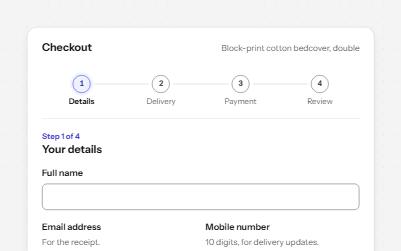
Multi-step form
A checkout split into four steps, with a progress list, a heading that takes focus on every step, and a review to change answers.
-
Payment form
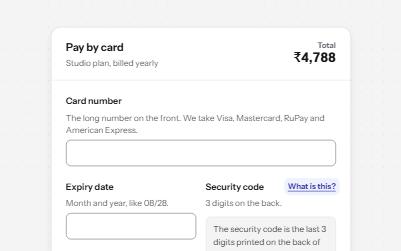
A card payment form that spaces the number as you type, names the brand in words, explains the security code and shows progress.
-
Select
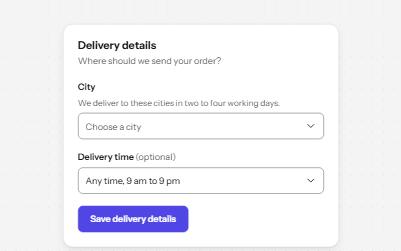
A styled native select with a label, hint, region groups, a placeholder and a required error, drawn by the browser.