Accessibility pattern · Forms and flows
Session timeout warning
Before an idle session ends, an alert dialog asks whether you are still there, with focus on Stay signed in and at least 20 seconds to answer. The time left is spoken once, when the warning opens, while the countdown on screen keeps going quietly; if time runs out, what you typed is still there when you sign in again.
- WCAG criteria
- 6
- Keyboard rules
- 5
- Checked with
- axe, keyboard and the inspector
Live demo
Try it
Use it with a mouse, a keyboard or a screen reader. The inspector beside it shows what the browser tells assistive technology as you go: focus, state changes and announcements.
Demo clock
- Time until sign-out
- Stopped
- Times extended
- 0
Contact support
Signed in as Asha Rao
The demo works without JavaScript only as far as its HTML does; the inspector needs JavaScript.
Keyboard
Keys it answers to
Every action works without a pointer.
| Key | What it does |
|---|---|
| Enter or Space | On Start the clock, starts the idle clock; on Skip to the warning, opens the warning at once. |
| Enter or Space | In the warning, Stay signed in (focused when it opens) restarts the clock; Sign out ends the session. |
| Tab or ShiftTab | Moves between the warning's two buttons only; the page behind cannot be reached. |
| Escape | Closes the warning and keeps you signed in, like Stay signed in. |
| Enter or Space | After expiry, Sign in again (which has focus) restores the session with the form as you left it. |
Screen readers
What it announces
Written from the roles, names and states in the markup.
| When | Expected announcement |
|---|---|
| The warning opens | Are you still there?, alert dialog. Nothing has happened for a while, so you will be signed out to keep your account safe. Time left: 20 seconds. Stay signed in, button |
| The countdown keeps going | Nothing: the number changes on screen without being announced |
| Stay signed in is pressed | You are still signed in. |
| Time runs out | You were signed out because nothing happened for a while. Your request is kept: sign in again to carry on. Sign in again, button |
| Sign in again is pressed | Signed in again. Your request is as you left it. |
These are expected announcements, not recordings. Wording and order differ between screen readers and browsers.
Code
Copy the code
The exact files this demo runs on. The styles are served with a prefix that keeps this site's own styles out of the demo; what you copy is the original.
<div class="ap-session-timeout" data-ap-session-timeout>
  <div class="ap-session-timeout__demo" role="group" aria-labelledby="st-demo-name">
    <p class="ap-session-timeout__kicker" id="st-demo-name">Demo clock</p>
    <div class="ap-session-timeout__controls">
      <div class="ap-field ap-session-timeout__length">
        <label class="ap-label" for="st-length">Session length</label>
        <select class="ap-input" id="st-length" data-ap-length>
          <option value="30" selected>30 seconds</option>
          <option value="60">1 minute</option>
          <option value="120">2 minutes</option>
        </select>
      </div>
      <button type="button" class="ap-btn" data-ap-start>
        <svg class="ap-btn__icon" viewBox="0 0 24 24" aria-hidden="true" focusable="false"><path d="M7 5.5v13l11-6.5Z"/></svg>
        Start the clock
      </button>
      <button type="button" class="ap-btn ap-btn--ghost" data-ap-skip>Skip to the warning</button>
    </div>
    <dl class="ap-session-timeout__readout">
      <div><dt>Time until sign-out</dt><dd data-ap-clock>Stopped</dd></div>
      <div><dt>Times extended</dt><dd data-ap-extended>0</dd></div>
    </dl>
  </div>

  <section class="ap-session-timeout__app" aria-labelledby="st-app-name">
    <div class="ap-session-timeout__head">
      <span class="ap-session-timeout__avatar" aria-hidden="true">AR</span>
      <div>
        <h3 class="ap-session-timeout__name" id="st-app-name">Contact support</h3>
        <p class="ap-session-timeout__sub">Signed in as Asha Rao</p>
      </div>
    </div>

    <div class="ap-session-timeout__news">
      <svg class="ap-session-timeout__lock" viewBox="0 0 24 24" aria-hidden="true" focusable="false"><rect x="5" y="10.5" width="14" height="10" rx="2"/><path d="M8.5 10.5V8a3.5 3.5 0 0 1 7 0v2.5"/></svg>
      <p class="ap-session-timeout__status" role="status"></p>
      <div class="ap-session-timeout__out" data-ap-out hidden>
        <button type="button" class="ap-btn ap-btn--primary" data-ap-sign-in>Sign in again</button>
      </div>
    </div>

    <form class="ap-session-timeout__form" data-ap-work>
      <p class="ap-session-timeout__note">For your security, you are signed out after a while with no activity. You are warned first, and what you type here is kept.</p>
      <div class="ap-session-timeout__pair">
        <div class="ap-field">
          <label class="ap-label" for="st-order">Order number</label>
          <input class="ap-input" id="st-order" name="order" type="text" inputmode="numeric" autocomplete="off" value="40917" />
        </div>
        <div class="ap-field">
          <label class="ap-label" for="st-topic">Topic</label>
          <select class="ap-input" id="st-topic" name="topic">
            <option>Delivery</option>
            <option selected>Damaged item</option>
            <option>Refund</option>
            <option>Something else</option>
          </select>
        </div>
      </div>
      <div class="ap-field">
        <label class="ap-label" for="st-message">What happened?</label>
        <p class="ap-hint" id="st-message-hint">A few lines are enough. We reply within one working day.</p>
        <textarea class="ap-input" id="st-message" name="message" rows="3" aria-describedby="st-message-hint"></textarea>
      </div>
      <div class="ap-session-timeout__foot">
        <button type="submit" class="ap-btn ap-btn--primary">Send request</button>
      </div>
    </form>
  </section>

  <dialog class="ap-session-timeout__dialog" role="alertdialog" aria-labelledby="st-warn-name" aria-describedby="st-warn-desc st-warn-time">
    <div class="ap-session-timeout__warn">
      <svg class="ap-session-timeout__ring" viewBox="0 0 48 48" aria-hidden="true" focusable="false">
        <circle class="ap-session-timeout__track" cx="24" cy="24" r="20"/>
        <circle class="ap-session-timeout__drain" cx="24" cy="24" r="20" pathLength="100" data-ap-ring/>
        <path class="ap-session-timeout__hands" d="M24 14v10l6 4"/>
      </svg>
      <h2 class="ap-session-timeout__ask" id="st-warn-name">Are you still there?</h2>
      <p class="ap-session-timeout__desc" id="st-warn-desc">Nothing has happened for a while, so you will be signed out to keep your account safe.</p>
      <p class="ap-session-timeout__time" id="st-warn-time"><span>Time left:</span> <span class="ap-session-timeout__count"><span data-ap-left>20</span> <span data-ap-unit>seconds</span></span></p>
      <div class="ap-session-timeout__actions">
        <button type="button" class="ap-btn" data-ap-sign-out>Sign out</button>
        <button type="button" class="ap-btn ap-btn--primary" data-ap-stay autofocus>Stay signed in</button>
      </div>
    </div>
  </dialog>
</div>
/* Shared primitives: buttons and form fields used across the patterns.
   Uses the --ap-* design tokens. */

.ap-btn {
  display: inline-flex;
  align-items: center;
  justify-content: center;
  gap: 8px;
  min-height: 40px;
  padding: 0 16px;
  border: 1px solid var(--ap-border-strong);
  border-radius: var(--ap-radius-sm);
  background: var(--ap-surface);
  color: var(--ap-text);
  font: inherit;
  font-weight: 600;
  line-height: 1.2;
  text-decoration: none;
  white-space: nowrap;
  cursor: pointer;
  transition: background-color var(--ap-duration) var(--ap-ease), border-color var(--ap-duration) var(--ap-ease), box-shadow var(--ap-duration) var(--ap-ease);
}
.ap-btn:hover {
  background: var(--ap-surface-2);
}
.ap-btn:focus-visible {
  outline: 2px solid var(--ap-focus);
  outline-offset: 2px;
}
.ap-btn:disabled,
.ap-btn[aria-disabled="true"] {
  opacity: .55;
  cursor: not-allowed;
}
.ap-btn--primary {
  border-color: var(--ap-accent);
  background: var(--ap-accent);
  color: var(--ap-on-accent);
  box-shadow: var(--ap-shadow-sm);
}
.ap-btn--primary:hover {
  border-color: var(--ap-accent-hover);
  background: var(--ap-accent-hover);
}
.ap-btn--danger {
  border-color: var(--ap-danger);
  background: var(--ap-danger);
  color: var(--ap-surface);
}
.ap-btn--danger:hover {
  filter: brightness(1.08);
}
.ap-btn--ghost {
  border-color: transparent;
  background: transparent;
}
.ap-btn--ghost:hover {
  background: var(--ap-surface-2);
}
.ap-btn__icon {
  width: 18px;
  height: 18px;
  flex-shrink: 0;
  fill: none;
  stroke: currentColor;
  stroke-width: 2;
  stroke-linecap: round;
  stroke-linejoin: round;
}

.ap-field {
  display: grid;
  gap: 6px;
}
.ap-label {
  color: var(--ap-text);
  font-weight: 600;
  font-size: .9375rem;
}
.ap-hint {
  margin: 0;
  color: var(--ap-text-3);
  font-size: .875rem;
  line-height: 1.45;
}
.ap-error {
  display: flex;
  align-items: flex-start;
  gap: 6px;
  margin: 0;
  color: var(--ap-danger);
  font-size: .875rem;
  font-weight: 600;
  line-height: 1.45;
}
.ap-input {
  width: 100%;
  min-height: 44px;
  padding: 10px 12px;
  border: 1px solid var(--ap-border-strong);
  border-radius: var(--ap-radius-sm);
  background: var(--ap-surface);
  color: var(--ap-text);
  font: inherit;
  line-height: 1.4;
  transition: border-color var(--ap-duration) var(--ap-ease), box-shadow var(--ap-duration) var(--ap-ease);
}
.ap-input::placeholder {
  color: var(--ap-text-3);
}
.ap-input:hover {
  border-color: var(--ap-text-2);
}
.ap-input:focus-visible {
  outline: 2px solid var(--ap-focus);
  outline-offset: 1px;
  border-color: var(--ap-focus);
}
.ap-input[aria-invalid="true"] {
  border-color: var(--ap-danger);
  box-shadow: inset 4px 0 0 var(--ap-danger);
}
textarea.ap-input {
  resize: vertical;
  min-height: 88px;
}

@media (prefers-reduced-motion: reduce) {
  .ap-btn,
  .ap-input { transition: none; }
}

/* Session timeout warning. Uses the --ap-* design tokens and the shared primitives. */
.ap-session-timeout {
  display: grid;
  gap: 16px;
  width: min(100%, 560px);
  margin-inline: auto;
  color: var(--ap-text);
  container-type: inline-size;
}
.ap-session-timeout [hidden] {
  display: none;
}

/* Demo clock: scaffolding for trying the pattern, drawn apart from it. */
.ap-session-timeout__demo {
  display: grid;
  gap: 12px;
  padding: 14px 16px 16px;
  border: 1px dashed var(--ap-border-strong);
  border-radius: var(--ap-radius);
  background: var(--ap-surface-2);
}
.ap-session-timeout__kicker {
  margin: 0;
  color: var(--ap-text-3);
  font-size: .75rem;
  font-weight: 650;
  letter-spacing: .06em;
  text-transform: uppercase;
}
.ap-session-timeout__controls {
  display: flex;
  flex-wrap: wrap;
  align-items: flex-end;
  gap: 10px;
}
.ap-session-timeout__length {
  flex: 1 1 150px;
}
.ap-session-timeout__controls .ap-btn {
  min-height: 44px;
}
.ap-session-timeout__readout {
  display: flex;
  flex-wrap: wrap;
  gap: 8px 24px;
  margin: 0;
  font-size: .875rem;
}
.ap-session-timeout__readout div {
  display: flex;
  align-items: baseline;
  gap: 8px;
}
.ap-session-timeout__readout dt {
  color: var(--ap-text-3);
}
.ap-session-timeout__readout dd {
  margin: 0;
  color: var(--ap-text);
  font-weight: 650;
  font-variant-numeric: tabular-nums;
}

/* The signed-in work. */
.ap-session-timeout__app {
  border: 1px solid var(--ap-border);
  border-radius: var(--ap-radius-lg);
  background: var(--ap-surface);
  box-shadow: var(--ap-shadow-md);
}
.ap-session-timeout__head {
  display: flex;
  align-items: center;
  gap: 12px;
  padding: 18px 24px;
  border-bottom: 1px solid var(--ap-border);
}
.ap-session-timeout__avatar {
  display: grid;
  flex-shrink: 0;
  place-items: center;
  width: 40px;
  height: 40px;
  border-radius: var(--ap-radius-full);
  background: var(--ap-accent-soft);
  color: var(--ap-accent-soft-text);
  font-size: .8125rem;
  font-weight: 700;
  letter-spacing: .02em;
}
.ap-session-timeout__name {
  margin: 0;
  font-size: 1.125rem;
  font-weight: 650;
  line-height: 1.3;
}
.ap-session-timeout__sub {
  margin: 2px 0 0;
  color: var(--ap-text-3);
  font-size: .875rem;
}

/* The outcome, and the way back in after expiry: one warning box while signed out. */
.ap-session-timeout__news {
  display: grid;
  grid-template-columns: minmax(0, 1fr);
  gap: 12px;
  margin: 0 24px;
}
.ap-session-timeout__news:has(.ap-session-timeout__status:not(:empty)) {
  margin-top: 16px;
}
.ap-session-timeout__status {
  margin: 0;
  color: var(--ap-text);
  font-weight: 600;
  line-height: 1.45;
}
.ap-session-timeout__lock {
  display: none;
  width: 22px;
  height: 22px;
  fill: none;
  stroke: var(--ap-warning);
  stroke-width: 2;
  stroke-linecap: round;
  stroke-linejoin: round;
}
.ap-session-timeout__news:has(.ap-session-timeout__out:not([hidden])) {
  grid-template-columns: auto minmax(0, 1fr);
  align-items: start;
  padding: 14px 16px;
  border: 1px solid var(--ap-border);
  border-left: 4px solid var(--ap-warning);
  border-radius: var(--ap-radius-sm);
  background: var(--ap-warning-soft);
}
.ap-session-timeout__news:has(.ap-session-timeout__out:not([hidden])) .ap-session-timeout__lock {
  display: block;
}
.ap-session-timeout__out {
  grid-column: 2;
}
.ap-session-timeout__out .ap-btn {
  min-height: var(--ap-target);
}

.ap-session-timeout__form {
  display: grid;
  gap: 18px;
  padding: 18px 24px 22px;
}
.ap-session-timeout__form[inert] .ap-input {
  border-style: dashed;
  background: var(--ap-surface-2);
}
.ap-session-timeout__note {
  margin: 0;
  padding: 10px 12px;
  border-radius: var(--ap-radius-sm);
  background: var(--ap-info-soft);
  color: var(--ap-info);
  font-size: .875rem;
  line-height: 1.45;
}
.ap-session-timeout__pair {
  display: grid;
  grid-template-columns: repeat(2, minmax(0, 1fr));
  gap: 16px;
}
.ap-session-timeout .ap-hint {
  margin-top: -2px;
}
.ap-session-timeout__foot {
  display: flex;
  justify-content: flex-end;
}
.ap-session-timeout__foot .ap-btn {
  min-height: var(--ap-target);
}

/* The warning. */
.ap-session-timeout__dialog {
  width: min(92vw, 420px);
  padding: 0;
  border: 1px solid var(--ap-border);
  border-radius: var(--ap-radius-lg);
  background: var(--ap-surface);
  color: var(--ap-text);
  box-shadow: var(--ap-shadow-lg);
  opacity: 1;
  transform: none;
  transition: opacity 200ms var(--ap-ease), transform 200ms var(--ap-ease), overlay 200ms allow-discrete, display 200ms allow-discrete;
}
.ap-session-timeout__dialog:not([open]) {
  opacity: 0;
  transform: translateY(8px) scale(.98);
}
@starting-style {
  .ap-session-timeout__dialog[open] {
    opacity: 0;
    transform: translateY(8px) scale(.98);
  }
}
.ap-session-timeout__dialog::backdrop {
  background: var(--ap-scrim);
  backdrop-filter: blur(2px);
}
.ap-session-timeout__warn {
  display: grid;
  justify-items: center;
  gap: 10px;
  padding: 28px 24px 24px;
  text-align: center;
}
.ap-session-timeout__ring {
  width: 64px;
  height: 64px;
  margin-bottom: 4px;
  fill: none;
  stroke-linecap: round;
  stroke-linejoin: round;
}
.ap-session-timeout__track {
  stroke: var(--ap-surface-3);
  stroke-width: 4;
}
/* Drains as time runs out: the script sets --ap-session-timeout-left from 1 to 0. */
.ap-session-timeout__drain {
  stroke: var(--ap-warning);
  stroke-width: 4;
  stroke-dasharray: 100;
  stroke-dashoffset: calc(100 - 100 * var(--ap-session-timeout-left, 1));
  transform: rotate(-90deg);
  transform-origin: center;
  transition: stroke-dashoffset 250ms linear;
}
.ap-session-timeout__hands {
  stroke: var(--ap-text-2);
  stroke-width: 2.5;
}
.ap-session-timeout__ask {
  margin: 0;
  font-size: 1.25rem;
  font-weight: 650;
  line-height: 1.3;
}
.ap-session-timeout__desc {
  margin: 0;
  color: var(--ap-text-2);
  line-height: 1.5;
}
.ap-session-timeout__time {
  display: flex;
  align-items: baseline;
  justify-content: center;
  gap: 8px;
  margin: 6px 0 4px;
  padding: 8px 16px;
  border-radius: var(--ap-radius-full);
  background: var(--ap-warning-soft);
  color: var(--ap-warning);
  font-weight: 600;
}
.ap-session-timeout__count {
  color: var(--ap-text);
  font-weight: 700;
}
.ap-session-timeout__count [data-ap-left] {
  font-size: 1.375rem;
  font-variant-numeric: tabular-nums;
}
.ap-session-timeout__actions {
  display: flex;
  flex-wrap: wrap;
  justify-content: center;
  gap: 10px;
  width: 100%;
  margin-top: 8px;
}
.ap-session-timeout__actions .ap-btn {
  flex: 1 1 140px;
  min-height: var(--ap-target);
}

@container (max-width: 440px) {
  .ap-session-timeout__head { padding: 16px 18px; }
  .ap-session-timeout__news { margin-inline: 18px; }
  .ap-session-timeout__form { padding: 16px 18px 20px; }
  .ap-session-timeout__pair { grid-template-columns: minmax(0, 1fr); }
  .ap-session-timeout__controls .ap-btn { flex: 1 1 auto; }
  .ap-session-timeout__foot .ap-btn { flex: 1 1 100%; }
}

@media (forced-colors: active) {
  .ap-session-timeout__drain { stroke: CanvasText; }
}

@media (prefers-reduced-motion: reduce) {
  .ap-session-timeout__dialog,
  .ap-session-timeout__drain { transition: none; }
}
/**
 * Session timeout warning: an alert dialog before an idle session ends, with
 * a countdown that is shown but announced only once, and work kept on expiry.
 *
 * Markup: [data-ap-session-timeout] holding
 *   - the work: form[data-ap-work], a role=status paragraph, and a hidden
 *     [data-ap-out] box with the Sign in again button[data-ap-sign-in];
 *   - dialog[role=alertdialog] described by the time left, with
 *     span[data-ap-left] and span[data-ap-unit] for the countdown, and
 *     buttons [data-ap-stay][autofocus] and [data-ap-sign-out];
 *   - demo controls: select[data-ap-length] (seconds), [data-ap-start],
 *     [data-ap-skip], and readouts [data-ap-clock] and [data-ap-extended].
 * The warning opens WARN_AT before the end. Activity in the form restarts
 * the clock while the warning is closed.
 */

const WARN_AT = 20000; // WCAG 2.2.1 asks for at least 20 seconds to respond.

export function init(root) {
  const length = root.querySelector("[data-ap-length]");
  const startButton = root.querySelector("[data-ap-start]");
  const skipButton = root.querySelector("[data-ap-skip]");
  const work = root.querySelector("[data-ap-work]");
  const out = root.querySelector("[data-ap-out]");
  const signIn = root.querySelector("[data-ap-sign-in]");
  const dialog = root.querySelector("dialog");
  const stay = dialog.querySelector("[data-ap-stay]");
  const signOut = dialog.querySelector("[data-ap-sign-out]");
  const ring = dialog.querySelector("[data-ap-ring]");
  // Look the text parts up each time: a translated page may rebuild them.
  const status = () => root.querySelector("[role=status]");
  const html = document.documentElement;

  let deadline = 0; // when the session ends; 0 while the clock is stopped
  let ticker = 0;
  let extended = 0;
  let shownLeft = -1;
  let before = null; // what had focus when the warning opened
  let kept = true;
  let scrollWas = "";

  const sessionMs = () => Number(length.value) * 1000;

  function say(text) {
    // Emptied first, so the same message twice is read twice.
    status().textContent = "";
    setTimeout(() => { status().textContent = text; }, 60);
  }

  function setText(selector, text) {
    const el = root.querySelector(selector);
    if (el.textContent !== text) el.textContent = text;
  }

  function paintClock(left) {
    if (!deadline) return;
    const s = Math.max(0, Math.ceil(left / 1000));
    setText("[data-ap-clock]", `${Math.floor(s / 60)}:${String(s % 60).padStart(2, "0")}`);
  }

  function paintCountdown(left) {
    const s = Math.max(0, Math.ceil(left / 1000));
    ring.style.setProperty("--ap-session-timeout-left", String(Math.max(0, Math.min(1, left / WARN_AT))));
    if (s === shownLeft) return;
    shownLeft = s;
    // The countdown is not a live region: it changes on screen only.
    setText("[data-ap-left]", String(s));
    setText("[data-ap-unit]", s === 1 ? "second" : "seconds");
  }

  function tick() {
    if (!deadline) return;
    const left = deadline - Date.now();
    paintClock(left);
    if (left <= 0) {
      expire();
      return;
    }
    if (left <= WARN_AT && !dialog.open) warn(left);
    if (dialog.open) paintCountdown(left);
  }

  function run(ms) {
    deadline = Date.now() + ms;
    clearInterval(ticker);
    ticker = setInterval(tick, 250);
    tick();
  }

  function warn(left) {
    shownLeft = -1;
    paintCountdown(left);
    before = document.activeElement;
    scrollWas = html.style.overflow;
    html.style.overflow = "hidden";
    dialog.returnValue = "";
    // autofocus puts focus on Stay signed in, the answer that loses nothing.
    dialog.showModal();
  }

  function onClose() {
    html.style.overflow = scrollWas;
    const why = dialog.returnValue;
    dialog.returnValue = "";
    if (why === "expired") return;
    if (why === "sign-out") {
      endSession(false);
      return;
    }
    // Stay signed in, or Escape: both count as activity.
    extended += 1;
    setText("[data-ap-extended]", String(extended));
    run(sessionMs());
    if (before && before.isConnected && before !== document.body) before.focus();
    say("You are still signed in.");
  }

  function endSession(keep) {
    clearInterval(ticker);
    deadline = 0;
    kept = keep;
    setText("[data-ap-clock]", "Signed out");
    if (!keep) work.reset();
    // Kept as it was, but out of reach until the person signs in again.
    work.inert = true;
    out.hidden = false;
    signIn.focus();
    say(keep
      ? "You were signed out because nothing happened for a while. Your request is kept: sign in again to carry on."
      : "You have signed out. Your request was cleared from this device.");
  }

  function expire() {
    if (dialog.open) dialog.close("expired");
    endSession(true);
  }

  function onSignIn() {
    work.inert = false;
    out.hidden = true;
    const field = before && work.contains(before) ? before : work.elements[0];
    field.focus();
    say(kept ? "Signed in again. Your request is as you left it." : "Signed in again.");
    run(sessionMs());
  }

  function onStart() {
    if (!out.hidden) onSignIn();
    run(sessionMs());
    say("Clock started.");
  }

  function onSkip() {
    if (!out.hidden) {
      work.inert = false;
      out.hidden = true;
    }
    run(WARN_AT);
  }

  // Activity restarts the clock, but only while it runs and no warning is up.
  function onActivity() {
    if (deadline && !dialog.open) deadline = Date.now() + sessionMs();
  }

  function onLength() {
    if (deadline) run(sessionMs());
  }

  function onSubmit(event) {
    // This demo sends nothing.
    event.preventDefault();
    say("Request sent. We reply within one working day.");
  }

  const onStay = () => dialog.close("stay");
  const onSignOut = () => dialog.close("sign-out");

  startButton.addEventListener("click", onStart);
  skipButton.addEventListener("click", onSkip);
  length.addEventListener("change", onLength);
  signIn.addEventListener("click", onSignIn);
  stay.addEventListener("click", onStay);
  signOut.addEventListener("click", onSignOut);
  dialog.addEventListener("close", onClose);
  work.addEventListener("submit", onSubmit);
  for (const type of ["keydown", "pointerdown", "input"]) work.addEventListener(type, onActivity);

  return () => {
    clearInterval(ticker);
    dialog.removeEventListener("close", onClose);
    if (dialog.open) dialog.close();
    html.style.overflow = scrollWas;
    startButton.removeEventListener("click", onStart);
    skipButton.removeEventListener("click", onSkip);
    length.removeEventListener("change", onLength);
    signIn.removeEventListener("click", onSignIn);
    stay.removeEventListener("click", onStay);
    signOut.removeEventListener("click", onSignOut);
    work.removeEventListener("submit", onSubmit);
    for (const type of ["keydown", "pointerdown", "input"]) work.removeEventListener(type, onActivity);
  };
}

for (const root of document.querySelectorAll("[data-ap-session-timeout]")) init(root);
/* Design tokens for the pattern components. Light by default, dark when the
   system asks for it; set data-theme="dark" on :root to force dark. */
:root {
    --ap-radius-sm: 8px;
    --ap-radius: 12px;
    --ap-radius-lg: 16px;
    --ap-radius-full: 999px;
    --ap-font: "Instrument Sans", ui-sans-serif, system-ui, -apple-system, "Segoe UI", Roboto, sans-serif;
    --ap-mono: "JetBrains Mono", ui-monospace, "Cascadia Mono", "SF Mono", Consolas, monospace;
    --ap-ease: cubic-bezier(.2, .8, .2, 1);
    --ap-duration: 180ms;
    --ap-target: 44px;
    --ap-bg: #F4F4F5;
    --ap-surface: #FFFFFF;
    --ap-surface-2: #F4F4F5;
    --ap-surface-3: #E4E4E7;
    --ap-border: #E4E4E7;
    --ap-border-strong: #76767F;
    --ap-text: #18181B;
    --ap-text-2: #3F3F46;
    --ap-text-3: #5E5E66;
    --ap-accent: #4F46E5;
    --ap-accent-hover: #4338CA;
    --ap-on-accent: #FFFFFF;
    --ap-accent-text: #4338CA;
    --ap-accent-soft: #EEF2FF;
    --ap-accent-soft-text: #3730A3;
    --ap-focus: #4F46E5;
    --ap-danger: #B91C1C;
    --ap-danger-soft: #FEF2F2;
    --ap-success: #15803D;
    --ap-success-soft: #F0FDF4;
    --ap-warning: #A15C07;
    --ap-warning-soft: #FEFCE8;
    --ap-info: #1D4ED8;
    --ap-info-soft: #EFF6FF;
    --ap-scrim: rgb(9 9 11 / .48);
    --ap-shadow-sm: 0 1px 2px rgb(9 9 11 / .06);
    --ap-shadow-md: 0 1px 2px rgb(9 9 11 / .05), 0 6px 16px -4px rgb(9 9 11 / .1);
    --ap-shadow-lg: 0 2px 6px rgb(9 9 11 / .06), 0 20px 40px -12px rgb(9 9 11 / .22);
    --ap-light-bg: #F4F4F5;
    --ap-light-surface: #FFFFFF;
    --ap-light-surface-2: #F4F4F5;
    --ap-light-surface-3: #E4E4E7;
    --ap-light-border: #E4E4E7;
    --ap-light-border-strong: #76767F;
    --ap-light-text: #18181B;
    --ap-light-text-2: #3F3F46;
    --ap-light-text-3: #5E5E66;
    --ap-light-accent: #4F46E5;
    --ap-light-accent-hover: #4338CA;
    --ap-light-on-accent: #FFFFFF;
    --ap-light-accent-text: #4338CA;
    --ap-light-accent-soft: #EEF2FF;
    --ap-light-accent-soft-text: #3730A3;
    --ap-light-focus: #4F46E5;
    --ap-light-danger: #B91C1C;
    --ap-light-danger-soft: #FEF2F2;
    --ap-light-success: #15803D;
    --ap-light-success-soft: #F0FDF4;
    --ap-light-warning: #A15C07;
    --ap-light-warning-soft: #FEFCE8;
    --ap-light-info: #1D4ED8;
    --ap-light-info-soft: #EFF6FF;
    --ap-light-scrim: rgb(9 9 11 / .48);
    --ap-light-shadow-sm: 0 1px 2px rgb(9 9 11 / .06);
    --ap-light-shadow-md: 0 1px 2px rgb(9 9 11 / .05), 0 6px 16px -4px rgb(9 9 11 / .1);
    --ap-light-shadow-lg: 0 2px 6px rgb(9 9 11 / .06), 0 20px 40px -12px rgb(9 9 11 / .22);
    --ap-dark-bg: #09090B;
    --ap-dark-surface: #18181B;
    --ap-dark-surface-2: #27272A;
    --ap-dark-surface-3: #3F3F46;
    --ap-dark-border: #2E2E33;
    --ap-dark-border-strong: #8E8E97;
    --ap-dark-text: #FAFAFA;
    --ap-dark-text-2: #D4D4D8;
    --ap-dark-text-3: #A1A1AA;
    --ap-dark-accent: #818CF8;
    --ap-dark-accent-hover: #A5B4FC;
    --ap-dark-on-accent: #0C0A1F;
    --ap-dark-accent-text: #A5B4FC;
    --ap-dark-accent-soft: #1E1B4B;
    --ap-dark-accent-soft-text: #C7D2FE;
    --ap-dark-focus: #A5B4FC;
    --ap-dark-danger: #F87171;
    --ap-dark-danger-soft: #2A1215;
    --ap-dark-success: #4ADE80;
    --ap-dark-success-soft: #0F2A1A;
    --ap-dark-warning: #FACC15;
    --ap-dark-warning-soft: #2A2410;
    --ap-dark-info: #60A5FA;
    --ap-dark-info-soft: #0F1D33;
    --ap-dark-scrim: rgb(0 0 0 / .62);
    --ap-dark-shadow-sm: 0 1px 2px rgb(0 0 0 / .4);
    --ap-dark-shadow-md: 0 1px 2px rgb(0 0 0 / .4), 0 8px 20px -6px rgb(0 0 0 / .5);
    --ap-dark-shadow-lg: 0 2px 8px rgb(0 0 0 / .45), 0 24px 48px -12px rgb(0 0 0 / .7);
}
@media (prefers-color-scheme: dark) {
  :root:not([data-theme="light"]) {
      --ap-bg: #09090B;
      --ap-surface: #18181B;
      --ap-surface-2: #27272A;
      --ap-surface-3: #3F3F46;
      --ap-border: #2E2E33;
      --ap-border-strong: #8E8E97;
      --ap-text: #FAFAFA;
      --ap-text-2: #D4D4D8;
      --ap-text-3: #A1A1AA;
      --ap-accent: #818CF8;
      --ap-accent-hover: #A5B4FC;
      --ap-on-accent: #0C0A1F;
      --ap-accent-text: #A5B4FC;
      --ap-accent-soft: #1E1B4B;
      --ap-accent-soft-text: #C7D2FE;
      --ap-focus: #A5B4FC;
      --ap-danger: #F87171;
      --ap-danger-soft: #2A1215;
      --ap-success: #4ADE80;
      --ap-success-soft: #0F2A1A;
      --ap-warning: #FACC15;
      --ap-warning-soft: #2A2410;
      --ap-info: #60A5FA;
      --ap-info-soft: #0F1D33;
      --ap-scrim: rgb(0 0 0 / .62);
      --ap-shadow-sm: 0 1px 2px rgb(0 0 0 / .4);
      --ap-shadow-md: 0 1px 2px rgb(0 0 0 / .4), 0 8px 20px -6px rgb(0 0 0 / .5);
      --ap-shadow-lg: 0 2px 8px rgb(0 0 0 / .45), 0 24px 48px -12px rgb(0 0 0 / .7);
  }
}
:root[data-theme="dark"] {
    --ap-bg: #09090B;
    --ap-surface: #18181B;
    --ap-surface-2: #27272A;
    --ap-surface-3: #3F3F46;
    --ap-border: #2E2E33;
    --ap-border-strong: #8E8E97;
    --ap-text: #FAFAFA;
    --ap-text-2: #D4D4D8;
    --ap-text-3: #A1A1AA;
    --ap-accent: #818CF8;
    --ap-accent-hover: #A5B4FC;
    --ap-on-accent: #0C0A1F;
    --ap-accent-text: #A5B4FC;
    --ap-accent-soft: #1E1B4B;
    --ap-accent-soft-text: #C7D2FE;
    --ap-focus: #A5B4FC;
    --ap-danger: #F87171;
    --ap-danger-soft: #2A1215;
    --ap-success: #4ADE80;
    --ap-success-soft: #0F2A1A;
    --ap-warning: #FACC15;
    --ap-warning-soft: #2A2410;
    --ap-info: #60A5FA;
    --ap-info-soft: #0F1D33;
    --ap-scrim: rgb(0 0 0 / .62);
    --ap-shadow-sm: 0 1px 2px rgb(0 0 0 / .4);
    --ap-shadow-md: 0 1px 2px rgb(0 0 0 / .4), 0 8px 20px -6px rgb(0 0 0 / .5);
    --ap-shadow-lg: 0 2px 8px rgb(0 0 0 / .45), 0 24px 48px -12px rgb(0 0 0 / .7);
}
WCAG 2.2
What it meets
The success criteria this pattern takes care of, and how.
-
2.2.1 Timing Adjustable
Level A
The warning comes at least 20 seconds before the session ends, and one key press extends it; it can be extended any number of times, more than the ten WCAG asks for.
-
2.2.5 Re-authenticating
Level AAA
When the session does end, the form is kept as it was, so after signing in again the work carries on without loss.
-
2.2.6 Timeouts
Level AAA
The form says up front that you are signed out after a while with no activity, and that what you type is kept.
-
2.4.3 Focus Order
Level A
Focus moves to Stay signed in when the warning opens, back to where it was when it closes, and to Sign in again after expiry.
-
4.1.2 Name, Role, Value
Level A
The warning is a native dialog with role=alertdialog, named by its question and described by the time left.
-
4.1.3 Status Messages
Level AA
Staying, expiring and signing in again are confirmed in a status message, announced without moving focus.
Usage
When to use it
Use it
- Signed-in sessions that end after a period of inactivity for security, like banking, health or account settings.
- Any time limit you cannot remove, where people may be slowed down by reading, typing or interruptions.
Use something else
- Time limits you do not need: the best warning is none, or a session that lasts at least 20 hours.
- Real-time limits, like an auction closing, where extending would change the activity itself.
- Warning someone who is busy typing: activity should keep the session alive without asking.
Common failures
How it usually goes wrong
Signing people out without warning
Someone who reads slowly, uses a switch or was interrupted loses their work with no chance to act. Warn at least 20 seconds ahead and let one action extend it.
A countdown in a live region
Announcing the time every second buries everything else and makes the buttons hard to use. The time is spoken once, when the warning opens.
Throwing away the work on expiry
Clearing a half-written form punishes people for being slow. Keep what they typed and return them to it after they sign in again.
Sign out as the focused button
A stray Enter from someone who was typing would end their session. Focus goes to Stay signed in, the action that loses nothing.
A warning that is not a dialog
A banner that appears at the top of the page is missed by someone whose screen reader or magnifier is elsewhere. An alert dialog moves focus and is announced.
Notes
Building it
- WCAG 2.2.1 is met by any one of: letting people turn the limit off, adjust it to at least ten times its length, or extend it at least ten times after a warning of 20 seconds or more. Limits of 20 hours or more need nothing.
- In this demo any key press, click or typing in the form counts as activity and restarts the clock, so the warning only appears when you leave it alone. The demo clock and its controls are scaffolding, not part of the pattern.
- On expiry the form is made inert and kept as it was. A real site saves the draft (on the server or in sessionStorage) before signing out, then restores it after sign-in.
- Choosing Sign out is different from timing out: it clears the form, because someone leaving a shared computer does not want their words left behind.
- Use Date.now() deadlines rather than counting ticks: timers slow down in background tabs, and the warning must still appear on time.
Sources: Understanding SC 2.2.1: Timing Adjustable · Understanding SC 2.2.5: Re-authenticating · WAI-ARIA Authoring Practices: Alert and Message Dialogs
Checked with axe in light and dark themes, at desktop and phone widths, and by keyboard. Not yet tested with every screen reader and browser pair. Report a correction
Related
Patterns that go with it
-
Alert dialog
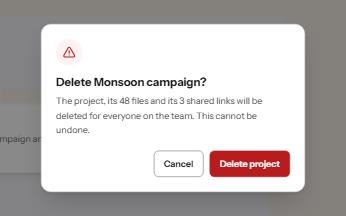
A modal that stops to confirm something that cannot be undone, with focus on the safe answer and the cost in plain words.
-
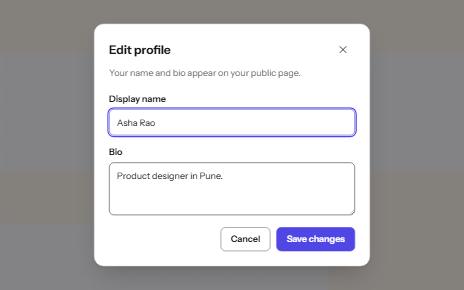
Modal dialog
A window over the page that holds focus until it is closed, built on the native dialog element.
-
Status message
Results, confirmations and saves told to screen readers through role=status, without moving focus, once each time.
-
Sign in
A sign-in form password managers can fill, with show password, paste allowed, a helpful error and no-password ways in.