Accessibility pattern · Forms and flows
Multi-step form
Each step is a fieldset whose heading takes focus when the step changes, so a screen reader announces where the person is, and the progress list marks the current step with aria-current="step" and finished ones in words. Every step is checked before moving on, going back keeps every answer, and a review step links back to each part with a Change button.
- WCAG criteria
- 8
- Keyboard rules
- 5
- Checked with
- axe, keyboard and the inspector
Live demo
Try it
Use it with a mouse, a keyboard or a screen reader. The inspector beside it shows what the browser tells assistive technology as you go: focus, state changes and announcements.
The demo works without JavaScript only as far as its HTML does; the inspector needs JavaScript.
Keyboard
Keys it answers to
Every action works without a pointer.
| Key | What it does |
|---|---|
| Tab or ShiftTab | Moves through the fields of the step on screen, then Back and Continue. Other steps are hidden, so Tab never reaches them. |
| Enter | In a field, does what Continue does: checks this step, then moves on or lists the problems. |
| Enter or Space | On Back, shows the previous step with every answer kept, and moves focus to its heading. |
| Enter or Space | On Change in the review, opens that step; Continue there brings you back to the review. |
| Arrow Down or Arrow Up | In a group of choices, picks the next or previous option. |
Screen readers
What it announces
Written from the roles, names and states in the markup.
| When | Expected announcement |
|---|---|
| Continue moves to the second step | Step 2 of 4 Delivery, heading level 4 |
| The steps list is read | Checkout steps, list, 4 items. Details, Done. Delivery, current step. Payment. Review. |
| Continue is pressed with the mobile number missing | There is a problem with your details, group. Enter your mobile number |
| Back is pressed | Step 1 of 4 Your details, heading level 4 |
| Change is pressed on the delivery part of the review | Step 2 of 4 Delivery, heading level 4 |
| The order is placed | Order placed. This demo sends nothing. |
These are expected announcements, not recordings. Wording and order differ between screen readers and browsers.
Code
Copy the code
The exact files this demo runs on. The styles are served with a prefix that keeps this site's own styles out of the demo; what you copy is the original.
<form class="ap-wizard" data-ap-wizard novalidate aria-labelledby="wiz-form-name">
  <div class="ap-wizard__top">
    <h3 class="ap-wizard__name" id="wiz-form-name">Checkout</h3>
    <p class="ap-wizard__sub">Block-print cotton bedcover, double</p>
  </div>

  <ol class="ap-wizard__steps" aria-label="Checkout steps">
    <li class="ap-wizard__step" aria-current="step" data-ap-step="1">
      <span class="ap-wizard__dot" aria-hidden="true"><span class="ap-wizard__num">1</span><svg class="ap-wizard__icon" viewBox="0 0 24 24" aria-hidden="true" focusable="false"><path d="m5 12.5 4.5 4.5L19 7.5"/></svg></span>
      <span class="ap-wizard__step-name">Details</span>
      <span class="ap-wizard__state" hidden>Done</span>
    </li>
    <li class="ap-wizard__step" data-ap-step="2">
      <span class="ap-wizard__dot" aria-hidden="true"><span class="ap-wizard__num">2</span><svg class="ap-wizard__icon" viewBox="0 0 24 24" aria-hidden="true" focusable="false"><path d="m5 12.5 4.5 4.5L19 7.5"/></svg></span>
      <span class="ap-wizard__step-name">Delivery</span>
      <span class="ap-wizard__state" hidden>Done</span>
    </li>
    <li class="ap-wizard__step" data-ap-step="3">
      <span class="ap-wizard__dot" aria-hidden="true"><span class="ap-wizard__num">3</span><svg class="ap-wizard__icon" viewBox="0 0 24 24" aria-hidden="true" focusable="false"><path d="m5 12.5 4.5 4.5L19 7.5"/></svg></span>
      <span class="ap-wizard__step-name">Payment</span>
      <span class="ap-wizard__state" hidden>Done</span>
    </li>
    <li class="ap-wizard__step" data-ap-step="4">
      <span class="ap-wizard__dot" aria-hidden="true"><span class="ap-wizard__num">4</span><svg class="ap-wizard__icon" viewBox="0 0 24 24" aria-hidden="true" focusable="false"><path d="m5 12.5 4.5 4.5L19 7.5"/></svg></span>
      <span class="ap-wizard__step-name">Review</span>
      <span class="ap-wizard__state" hidden>Done</span>
    </li>
  </ol>

  <div class="ap-wizard__body">
    <div class="ap-wizard__summary" id="wiz-summary" role="group" aria-labelledby="wiz-summary-name" aria-describedby="wiz-summary-list" tabindex="-1" hidden>
      <h4 class="ap-wizard__summary-name" id="wiz-summary-name"><svg class="ap-wizard__icon" viewBox="0 0 24 24" aria-hidden="true" focusable="false"><circle cx="12" cy="12" r="9"/><path d="M12 7.5v5"/><path d="M12 16.5h.01"/></svg>There is a problem with your details</h4>
      <ul class="ap-wizard__summary-list" id="wiz-summary-list"></ul>
    </div>

    <fieldset class="ap-wizard__panel" data-ap-panel="1">
      <legend class="ap-wizard__legend"><h4 class="ap-wizard__h" id="wiz-h-1" tabindex="-1"><span class="ap-wizard__kicker">Step 1 of 4</span> Your details</h4></legend>
      <div class="ap-wizard__fields">
        <div class="ap-field ap-wizard__field ap-wizard__field--wide">
          <label class="ap-label" for="wiz-name">Full name</label>
          <input class="ap-input" id="wiz-name" name="name" type="text" autocomplete="name" spellcheck="false" required />
        <p class="ap-error ap-wizard__error" id="wiz-name-error" hidden><svg class="ap-wizard__icon" viewBox="0 0 24 24" aria-hidden="true" focusable="false"><circle cx="12" cy="12" r="9"/><path d="M12 7.5v5"/><path d="M12 16.5h.01"/></svg><span class="ap-wizard__vh">Error:</span> <span data-ap-text></span></p>
        </div>
        <div class="ap-field ap-wizard__field">
          <label class="ap-label" for="wiz-email">Email address</label>
          <p class="ap-hint" id="wiz-email-hint">For the receipt.</p>
          <input class="ap-input" id="wiz-email" name="email" type="email" autocomplete="email" spellcheck="false" required aria-describedby="wiz-email-hint" />
        <p class="ap-error ap-wizard__error" id="wiz-email-error" hidden><svg class="ap-wizard__icon" viewBox="0 0 24 24" aria-hidden="true" focusable="false"><circle cx="12" cy="12" r="9"/><path d="M12 7.5v5"/><path d="M12 16.5h.01"/></svg><span class="ap-wizard__vh">Error:</span> <span data-ap-text></span></p>
        </div>
        <div class="ap-field ap-wizard__field">
          <label class="ap-label" for="wiz-tel">Mobile number</label>
          <p class="ap-hint" id="wiz-tel-hint">10 digits, for delivery updates.</p>
          <input class="ap-input" id="wiz-tel" name="tel" type="tel" autocomplete="tel" required aria-describedby="wiz-tel-hint" />
        <p class="ap-error ap-wizard__error" id="wiz-tel-error" hidden><svg class="ap-wizard__icon" viewBox="0 0 24 24" aria-hidden="true" focusable="false"><circle cx="12" cy="12" r="9"/><path d="M12 7.5v5"/><path d="M12 16.5h.01"/></svg><span class="ap-wizard__vh">Error:</span> <span data-ap-text></span></p>
        </div>
      </div>
    </fieldset>

    <fieldset class="ap-wizard__panel" data-ap-panel="2" hidden>
      <legend class="ap-wizard__legend"><h4 class="ap-wizard__h" id="wiz-h-2" tabindex="-1"><span class="ap-wizard__kicker">Step 2 of 4</span> Delivery</h4></legend>
      <div class="ap-wizard__fields">
        <div class="ap-field ap-wizard__field ap-wizard__field--wide">
          <label class="ap-label" for="wiz-line1">Flat, house and street</label>
          <input class="ap-input" id="wiz-line1" name="line1" type="text" autocomplete="address-line1" required />
        <p class="ap-error ap-wizard__error" id="wiz-line1-error" hidden><svg class="ap-wizard__icon" viewBox="0 0 24 24" aria-hidden="true" focusable="false"><circle cx="12" cy="12" r="9"/><path d="M12 7.5v5"/><path d="M12 16.5h.01"/></svg><span class="ap-wizard__vh">Error:</span> <span data-ap-text></span></p>
        </div>
        <div class="ap-field ap-wizard__field">
          <label class="ap-label" for="wiz-city">Town or city</label>
          <input class="ap-input" id="wiz-city" name="city" type="text" autocomplete="address-level2" required />
        <p class="ap-error ap-wizard__error" id="wiz-city-error" hidden><svg class="ap-wizard__icon" viewBox="0 0 24 24" aria-hidden="true" focusable="false"><circle cx="12" cy="12" r="9"/><path d="M12 7.5v5"/><path d="M12 16.5h.01"/></svg><span class="ap-wizard__vh">Error:</span> <span data-ap-text></span></p>
        </div>
        <div class="ap-field ap-wizard__field">
          <label class="ap-label" for="wiz-pin">PIN code</label>
          <p class="ap-hint" id="wiz-pin-hint">6 digits.</p>
          <input class="ap-input ap-wizard__short" id="wiz-pin" name="pin" type="text" inputmode="numeric" autocomplete="postal-code" required aria-describedby="wiz-pin-hint" />
        <p class="ap-error ap-wizard__error" id="wiz-pin-error" hidden><svg class="ap-wizard__icon" viewBox="0 0 24 24" aria-hidden="true" focusable="false"><circle cx="12" cy="12" r="9"/><path d="M12 7.5v5"/><path d="M12 16.5h.01"/></svg><span class="ap-wizard__vh">Error:</span> <span data-ap-text></span></p>
        </div>
        <fieldset class="ap-wizard__choice ap-wizard__field--wide">
          <legend class="ap-label">Delivery speed</legend>
          <label class="ap-wizard__option" for="wiz-speed-standard">
            <input type="radio" id="wiz-speed-standard" name="speed" value="standard" checked />
            <span class="ap-wizard__option-text"><span class="ap-wizard__option-name">Standard, free</span> <span class="ap-wizard__option-note">3 to 5 working days</span></span>
          </label>
          <label class="ap-wizard__option" for="wiz-speed-express">
            <input type="radio" id="wiz-speed-express" name="speed" value="express" />
            <span class="ap-wizard__option-text"><span class="ap-wizard__option-name">Express, ₹149</span> <span class="ap-wizard__option-note">Next working day</span></span>
          </label>
        </fieldset>
      </div>
    </fieldset>

    <fieldset class="ap-wizard__panel" data-ap-panel="3" hidden>
      <legend class="ap-wizard__legend"><h4 class="ap-wizard__h" id="wiz-h-3" tabindex="-1"><span class="ap-wizard__kicker">Step 3 of 4</span> Payment</h4></legend>
      <fieldset class="ap-wizard__choice" id="wiz-pay" aria-describedby="wiz-pay-hint">
        <legend class="ap-label">How would you like to pay?</legend>
        <p class="ap-hint" id="wiz-pay-hint">You pay after checking your order.</p>
        <p class="ap-error ap-wizard__error" id="wiz-pay-error" hidden><svg class="ap-wizard__icon" viewBox="0 0 24 24" aria-hidden="true" focusable="false"><circle cx="12" cy="12" r="9"/><path d="M12 7.5v5"/><path d="M12 16.5h.01"/></svg><span class="ap-wizard__vh">Error:</span> <span data-ap-text></span></p>
          <label class="ap-wizard__option" for="wiz-pay-upi">
            <input type="radio" id="wiz-pay-upi" name="pay" value="upi" />
            <span class="ap-wizard__option-text"><span class="ap-wizard__option-name">UPI</span> <span class="ap-wizard__option-note">Any UPI app, on the next screen</span></span>
          </label>
          <label class="ap-wizard__option" for="wiz-pay-card">
            <input type="radio" id="wiz-pay-card" name="pay" value="card" />
            <span class="ap-wizard__option-text"><span class="ap-wizard__option-name">Card</span> <span class="ap-wizard__option-note">Debit or credit card</span></span>
          </label>
          <label class="ap-wizard__option" for="wiz-pay-cod">
            <input type="radio" id="wiz-pay-cod" name="pay" value="cod" />
            <span class="ap-wizard__option-text"><span class="ap-wizard__option-name">Cash on delivery</span> <span class="ap-wizard__option-note">₹40 handling fee</span></span>
          </label>
      </fieldset>
    </fieldset>

    <fieldset class="ap-wizard__panel" data-ap-panel="4" hidden>
      <legend class="ap-wizard__legend"><h4 class="ap-wizard__h" id="wiz-h-4" tabindex="-1"><span class="ap-wizard__kicker">Step 4 of 4</span> Check your order</h4></legend>
      <div class="ap-wizard__review">
        <div class="ap-wizard__group">
          <div class="ap-wizard__group-top"><h5 class="ap-wizard__group-name">Your details</h5><button type="button" class="ap-wizard__change" data-ap-goto="1">Change<span class="ap-wizard__vh"> your details</span></button></div>
          <dl class="ap-wizard__list">
          <div class="ap-wizard__row"><dt>Name</dt><dd data-ap-show="name"></dd></div>
          <div class="ap-wizard__row"><dt>Email</dt><dd data-ap-show="email"></dd></div>
          <div class="ap-wizard__row"><dt>Mobile</dt><dd data-ap-show="tel"></dd></div>
          </dl>
        </div>
        <div class="ap-wizard__group">
          <div class="ap-wizard__group-top"><h5 class="ap-wizard__group-name">Delivery</h5><button type="button" class="ap-wizard__change" data-ap-goto="2">Change<span class="ap-wizard__vh"> delivery</span></button></div>
          <dl class="ap-wizard__list">
          <div class="ap-wizard__row"><dt>Address</dt><dd data-ap-show="address"></dd></div>
          <div class="ap-wizard__row"><dt>Speed</dt><dd data-ap-show="speed"></dd></div>
          </dl>
        </div>
        <div class="ap-wizard__group">
          <div class="ap-wizard__group-top"><h5 class="ap-wizard__group-name">Payment</h5><button type="button" class="ap-wizard__change" data-ap-goto="3">Change<span class="ap-wizard__vh"> payment</span></button></div>
          <dl class="ap-wizard__list">
          <div class="ap-wizard__row"><dt>Method</dt><dd data-ap-show="pay"></dd></div>
          </dl>
        </div>
        <p class="ap-wizard__total"><span>Total to pay</span> <strong data-ap-total translate="no">₹3,450</strong></p>
      </div>
    </fieldset>
  </div>

  <div class="ap-wizard__foot">
    <p class="ap-wizard__status" role="status"><svg class="ap-wizard__icon" viewBox="0 0 24 24" aria-hidden="true" focusable="false"><path d="m5 12.5 4.5 4.5L19 7.5"/></svg><span data-ap-done></span></p>
    <button type="button" class="ap-btn" data-ap-back hidden>
      <svg class="ap-btn__icon" viewBox="0 0 24 24" aria-hidden="true" focusable="false"><path d="m15 6-6 6 6 6"/></svg>
      Back
    </button>
    <button type="submit" class="ap-btn ap-btn--primary" data-ap-next>Continue</button>
  </div>
</form>
/* Shared primitives: buttons and form fields used across the patterns.
   Uses the --ap-* design tokens. */

.ap-btn {
  display: inline-flex;
  align-items: center;
  justify-content: center;
  gap: 8px;
  min-height: 40px;
  padding: 0 16px;
  border: 1px solid var(--ap-border-strong);
  border-radius: var(--ap-radius-sm);
  background: var(--ap-surface);
  color: var(--ap-text);
  font: inherit;
  font-weight: 600;
  line-height: 1.2;
  text-decoration: none;
  white-space: nowrap;
  cursor: pointer;
  transition: background-color var(--ap-duration) var(--ap-ease), border-color var(--ap-duration) var(--ap-ease), box-shadow var(--ap-duration) var(--ap-ease);
}
.ap-btn:hover {
  background: var(--ap-surface-2);
}
.ap-btn:focus-visible {
  outline: 2px solid var(--ap-focus);
  outline-offset: 2px;
}
.ap-btn:disabled,
.ap-btn[aria-disabled="true"] {
  opacity: .55;
  cursor: not-allowed;
}
.ap-btn--primary {
  border-color: var(--ap-accent);
  background: var(--ap-accent);
  color: var(--ap-on-accent);
  box-shadow: var(--ap-shadow-sm);
}
.ap-btn--primary:hover {
  border-color: var(--ap-accent-hover);
  background: var(--ap-accent-hover);
}
.ap-btn--danger {
  border-color: var(--ap-danger);
  background: var(--ap-danger);
  color: var(--ap-surface);
}
.ap-btn--danger:hover {
  filter: brightness(1.08);
}
.ap-btn--ghost {
  border-color: transparent;
  background: transparent;
}
.ap-btn--ghost:hover {
  background: var(--ap-surface-2);
}
.ap-btn__icon {
  width: 18px;
  height: 18px;
  flex-shrink: 0;
  fill: none;
  stroke: currentColor;
  stroke-width: 2;
  stroke-linecap: round;
  stroke-linejoin: round;
}

.ap-field {
  display: grid;
  gap: 6px;
}
.ap-label {
  color: var(--ap-text);
  font-weight: 600;
  font-size: .9375rem;
}
.ap-hint {
  margin: 0;
  color: var(--ap-text-3);
  font-size: .875rem;
  line-height: 1.45;
}
.ap-error {
  display: flex;
  align-items: flex-start;
  gap: 6px;
  margin: 0;
  color: var(--ap-danger);
  font-size: .875rem;
  font-weight: 600;
  line-height: 1.45;
}
.ap-input {
  width: 100%;
  min-height: 44px;
  padding: 10px 12px;
  border: 1px solid var(--ap-border-strong);
  border-radius: var(--ap-radius-sm);
  background: var(--ap-surface);
  color: var(--ap-text);
  font: inherit;
  line-height: 1.4;
  transition: border-color var(--ap-duration) var(--ap-ease), box-shadow var(--ap-duration) var(--ap-ease);
}
.ap-input::placeholder {
  color: var(--ap-text-3);
}
.ap-input:hover {
  border-color: var(--ap-text-2);
}
.ap-input:focus-visible {
  outline: 2px solid var(--ap-focus);
  outline-offset: 1px;
  border-color: var(--ap-focus);
}
.ap-input[aria-invalid="true"] {
  border-color: var(--ap-danger);
  box-shadow: inset 4px 0 0 var(--ap-danger);
}
textarea.ap-input {
  resize: vertical;
  min-height: 88px;
}

@media (prefers-reduced-motion: reduce) {
  .ap-btn,
  .ap-input { transition: none; }
}

/* Multi-step form. Uses the --ap-* design tokens and the shared primitives. */
.ap-wizard {
  width: min(100%, 580px);
  margin-inline: auto;
  border: 1px solid var(--ap-border);
  border-radius: var(--ap-radius-lg);
  background: var(--ap-surface);
  color: var(--ap-text);
  box-shadow: var(--ap-shadow-md);
  container-type: inline-size;
}
.ap-wizard [hidden] {
  display: none;
}

.ap-wizard__top {
  display: flex;
  flex-wrap: wrap;
  align-items: baseline;
  justify-content: space-between;
  gap: 4px 16px;
  padding: 22px 24px 0;
}
.ap-wizard__name {
  margin: 0;
  font-size: 1.125rem;
  font-weight: 650;
  line-height: 1.3;
}
.ap-wizard__sub {
  margin: 0;
  color: var(--ap-text-3);
  font-size: .875rem;
  line-height: 1.45;
}

/* Progress: a row of steps joined by a line. The line is decoration. */
.ap-wizard__steps {
  display: grid;
  grid-template-columns: repeat(4, minmax(0, 1fr));
  margin: 18px 24px 0;
  padding: 16px 0 18px;
  border-bottom: 1px solid var(--ap-border);
  list-style: none;
}
.ap-wizard__step {
  position: relative;
  display: grid;
  justify-items: center;
  align-content: start;
  gap: 2px;
  min-width: 0;
  color: var(--ap-text-3);
  font-size: .8125rem;
  line-height: 1.35;
  text-align: center;
}
.ap-wizard__step + .ap-wizard__step::before {
  content: "";
  position: absolute;
  top: 14px;
  right: calc(50% + 20px);
  left: calc(-50% + 20px);
  height: 2px;
  border-radius: 2px;
  background: var(--ap-surface-3);
}
.ap-wizard__step[data-state="done"]::before,
.ap-wizard__step[data-state="current"]::before {
  background: var(--ap-accent);
}
.ap-wizard__dot {
  display: grid;
  place-items: center;
  width: 30px;
  height: 30px;
  margin-bottom: 4px;
  border: 1.5px solid var(--ap-border-strong);
  border-radius: var(--ap-radius-full);
  background: var(--ap-surface);
  color: var(--ap-text-2);
  font-weight: 650;
  font-variant-numeric: tabular-nums;
  transition: background-color var(--ap-duration) var(--ap-ease), border-color var(--ap-duration) var(--ap-ease), box-shadow var(--ap-duration) var(--ap-ease);
}
.ap-wizard__dot .ap-wizard__icon {
  display: none;
  width: 16px;
  height: 16px;
  stroke-width: 2.6;
}
.ap-wizard__step-name {
  max-width: 100%;
  overflow-wrap: anywhere;
}
.ap-wizard__state {
  color: var(--ap-success);
  font-size: .75rem;
  font-weight: 650;
}
/* Current: an accent ring, and the name in the text color and weight. */
.ap-wizard__step[aria-current="step"] {
  color: var(--ap-text);
  font-weight: 650;
}
.ap-wizard__step[aria-current="step"] .ap-wizard__dot {
  border-color: var(--ap-accent);
  background: var(--ap-accent-soft);
  color: var(--ap-accent-soft-text);
  box-shadow: 0 0 0 4px var(--ap-accent-soft);
}
/* Done: a filled circle with a tick, and the word Done under the name. */
.ap-wizard__step[data-state="done"] {
  color: var(--ap-text-2);
}
.ap-wizard__step[data-state="done"] .ap-wizard__dot {
  border-color: var(--ap-accent);
  background: var(--ap-accent);
  color: var(--ap-on-accent);
}
.ap-wizard__step[data-state="done"] .ap-wizard__num {
  display: none;
}
.ap-wizard__step[data-state="done"] .ap-wizard__dot .ap-wizard__icon {
  display: block;
}

.ap-wizard__body {
  display: grid;
  gap: 18px;
  padding: 20px 24px 24px;
}

/* The summary: every problem on this step, as links to the fields. */
.ap-wizard__summary {
  padding: 14px 16px 14px 18px;
  border: 1px solid var(--ap-danger);
  border-left-width: 4px;
  border-radius: var(--ap-radius-sm);
  background: var(--ap-surface);
  scroll-margin-top: 96px;
}
.ap-wizard__summary:focus {
  outline: 2px solid var(--ap-focus);
  outline-offset: 3px;
}
.ap-wizard__summary-name {
  display: flex;
  align-items: flex-start;
  gap: 8px;
  margin: 0;
  font-size: 1rem;
  font-weight: 650;
  line-height: 1.4;
}
.ap-wizard__summary-name .ap-wizard__icon {
  width: 20px;
  height: 20px;
  margin-top: 1px;
  color: var(--ap-danger);
}
.ap-wizard__summary-list {
  display: grid;
  gap: 4px;
  margin: 8px 0 0;
  padding-left: 48px;
}
.ap-wizard__summary-list a {
  color: var(--ap-danger);
  font-weight: 600;
  line-height: 1.45;
  text-decoration: underline;
  text-underline-offset: .18em;
}
.ap-wizard__summary-list a:hover {
  text-decoration-thickness: 2px;
}
.ap-wizard__summary-list a:focus-visible {
  outline: 2px solid var(--ap-focus);
  outline-offset: 2px;
  border-radius: 2px;
}

/* A step: a fieldset whose legend holds the heading. */
.ap-wizard__panel {
  min-width: 0;
  margin: 0;
  padding: 0;
  border: 0;
}
.ap-wizard__panel:not([hidden]) {
  animation: ap-wizard-in 220ms var(--ap-ease);
}
.ap-wizard__legend {
  float: left;
  width: 100%;
  margin: 0 0 16px;
  padding: 0;
}
.ap-wizard__legend + * {
  clear: both;
}
.ap-wizard__h {
  margin: 0;
  font-size: 1.125rem;
  font-weight: 650;
  line-height: 1.35;
  scroll-margin-top: 96px;
}
.ap-wizard__h:focus {
  outline: none;
}
.ap-wizard__h:focus-visible {
  outline: 2px solid var(--ap-focus);
  outline-offset: 4px;
  border-radius: 4px;
}
.ap-wizard__kicker {
  display: block;
  margin-bottom: 2px;
  color: var(--ap-accent-text);
  font-size: .8125rem;
  font-weight: 650;
  letter-spacing: .01em;
}

.ap-wizard__fields {
  display: grid;
  grid-template-columns: repeat(2, minmax(0, 1fr));
  align-items: start;
  gap: 18px 16px;
}
.ap-wizard__field {
  min-width: 0;
}
.ap-wizard__field--wide {
  grid-column: 1 / -1;
}
.ap-wizard .ap-hint {
  margin-top: -2px;
}
.ap-wizard__short {
  max-width: 12rem;
}
.ap-wizard__error .ap-wizard__icon {
  margin-top: 2px;
}

/* Choices: each option is a bordered row; the whole row is the label. */
.ap-wizard__choice {
  display: grid;
  gap: 8px;
  min-width: 0;
  margin: 0;
  padding: 0;
  border: 0;
}
.ap-wizard__choice > legend {
  float: left;
  width: 100%;
  margin-bottom: 8px;
  padding: 0;
}
.ap-wizard__choice > legend + * {
  clear: both;
}
.ap-wizard__choice .ap-hint {
  margin: -6px 0 2px;
}
.ap-wizard__option {
  display: flex;
  align-items: flex-start;
  gap: 12px;
  min-height: var(--ap-target);
  padding: 12px 14px;
  border: 1px solid var(--ap-border-strong);
  border-radius: var(--ap-radius-sm);
  background: var(--ap-surface);
  cursor: pointer;
  transition: border-color var(--ap-duration) var(--ap-ease), background-color var(--ap-duration) var(--ap-ease);
}
.ap-wizard__option:hover {
  background: var(--ap-surface-2);
}
.ap-wizard__option:has(input:checked) {
  border-color: var(--ap-accent);
  background: var(--ap-accent-soft);
  box-shadow: inset 0 0 0 1px var(--ap-accent);
}
.ap-wizard__option input {
  flex-shrink: 0;
  width: 20px;
  height: 20px;
  margin: 1px 0 0;
  border-radius: 50%;
  accent-color: var(--ap-accent);
  cursor: pointer;
}
.ap-wizard__option input:focus-visible {
  outline: 2px solid var(--ap-focus);
  outline-offset: 3px;
}
/* A choice still to be made: every option gets the error edge. */
.ap-wizard__option:has(input[aria-invalid="true"]) {
  border-color: var(--ap-danger);
  box-shadow: inset 4px 0 0 var(--ap-danger);
}
.ap-wizard__option-text {
  display: grid;
  gap: 1px;
  line-height: 1.4;
}
.ap-wizard__option-name {
  font-weight: 650;
}
.ap-wizard__option-note {
  color: var(--ap-text-3);
  font-size: .875rem;
}
.ap-wizard__option:has(input:checked) .ap-wizard__option-name,
.ap-wizard__option:has(input:checked) .ap-wizard__option-note {
  color: var(--ap-accent-soft-text);
}

/* Review: each part with its answers and a Change button. */
.ap-wizard__review {
  display: grid;
  gap: 12px;
}
.ap-wizard__group {
  padding: 12px 16px 14px;
  border: 1px solid var(--ap-border);
  border-radius: var(--ap-radius);
  background: var(--ap-surface-2);
}
.ap-wizard__group-top {
  display: flex;
  align-items: center;
  justify-content: space-between;
  gap: 12px;
}
.ap-wizard__group-name {
  margin: 0;
  font-size: .9375rem;
  font-weight: 650;
  line-height: 1.4;
}
.ap-wizard__change {
  min-width: 24px;
  min-height: 32px;
  margin-right: -8px;
  padding: 4px 8px;
  border: 0;
  border-radius: var(--ap-radius-sm);
  background: transparent;
  color: var(--ap-accent-text);
  font: inherit;
  font-size: .875rem;
  font-weight: 650;
  text-decoration: underline;
  text-underline-offset: .18em;
  cursor: pointer;
}
.ap-wizard__change:hover {
  background: var(--ap-surface-3);
}
.ap-wizard__change:focus-visible {
  outline: 2px solid var(--ap-focus);
  outline-offset: 1px;
}
.ap-wizard__list {
  display: grid;
  gap: 4px;
  margin: 6px 0 0;
}
.ap-wizard__row {
  display: grid;
  grid-template-columns: 6.5rem minmax(0, 1fr);
  gap: 12px;
  font-size: .9375rem;
  line-height: 1.45;
}
.ap-wizard__row dt {
  color: var(--ap-text-3);
}
.ap-wizard__row dd {
  margin: 0;
  overflow-wrap: anywhere;
}
.ap-wizard__total {
  display: flex;
  align-items: baseline;
  justify-content: space-between;
  gap: 12px;
  margin: 4px 0 0;
  padding: 0 4px;
  font-weight: 600;
}
.ap-wizard__total strong {
  font-size: 1.25rem;
  font-weight: 700;
  font-variant-numeric: tabular-nums;
}

.ap-wizard__icon {
  width: 16px;
  height: 16px;
  flex-shrink: 0;
  fill: none;
  stroke: currentColor;
  stroke-width: 2;
  stroke-linecap: round;
  stroke-linejoin: round;
}

.ap-wizard__vh {
  position: absolute;
  width: 1px;
  height: 1px;
  margin: -1px;
  padding: 0;
  overflow: hidden;
  clip-path: inset(50%);
  white-space: nowrap;
}

/* Footer: the outcome, then Back and Continue. */
.ap-wizard__foot {
  display: flex;
  flex-wrap: wrap;
  align-items: center;
  justify-content: flex-end;
  gap: 12px;
  padding: 16px 24px;
  border-top: 1px solid var(--ap-border);
  border-radius: 0 0 var(--ap-radius-lg) var(--ap-radius-lg);
  background: var(--ap-surface-2);
}
.ap-wizard__status {
  display: flex;
  flex: 1 1 180px;
  align-items: flex-start;
  gap: 8px;
  margin: 0 auto 0 0;
  color: var(--ap-success);
  font-size: .9375rem;
  font-weight: 600;
  line-height: 1.45;
}
.ap-wizard__status .ap-wizard__icon {
  display: none;
  width: 18px;
  height: 18px;
  margin-top: 1px;
}
.ap-wizard__status[data-tone="ok"] .ap-wizard__icon {
  display: block;
}
.ap-wizard__foot .ap-btn {
  min-height: var(--ap-target);
}

@keyframes ap-wizard-in {
  from { opacity: 0; transform: translateX(8px); }
}

@container (max-width: 460px) {
  .ap-wizard__top { padding: 18px 18px 0; }
  .ap-wizard__steps { margin: 14px 12px 0; }
  .ap-wizard__body { padding: 18px 18px 22px; }
  .ap-wizard__fields { grid-template-columns: minmax(0, 1fr); }
  .ap-wizard__row { grid-template-columns: minmax(0, 1fr); gap: 0; }
  .ap-wizard__row + .ap-wizard__row { margin-top: 4px; }
  .ap-wizard__summary-list { padding-left: 32px; }
  .ap-wizard__foot { row-gap: 0; padding: 14px 18px; }
  .ap-wizard__status { flex-basis: 100%; }
  .ap-wizard__status[data-tone] { margin-bottom: 12px; }
  .ap-wizard__foot .ap-btn { flex: 1 1 0; }
}

@media (prefers-reduced-motion: reduce) {
  .ap-wizard__dot { transition: none; }
  .ap-wizard__panel:not([hidden]) { animation: none; }
}

@media (forced-colors: active) {
  .ap-wizard__step[data-state="done"] .ap-wizard__dot { border-color: CanvasText; }
  .ap-wizard__step + .ap-wizard__step::before { background: CanvasText; }
}
/**
 * Multi-step form: one form, one fieldset per step, shown one at a time.
 *
 * Markup: form[data-ap-wizard][novalidate] holding an ol of steps
 * (li[data-ap-step] with a hidden "Done" word), an error summary
 * (#wiz-summary), fieldset[data-ap-panel="n"] for each step with an
 * h4[tabindex=-1] inside its legend, a review step whose dd[data-ap-show]
 * are filled from the answers, Change buttons (button[data-ap-goto="n"]),
 * a Back button ([data-ap-back]), the submit button ([data-ap-next]) and a
 * role=status for the outcome.
 *
 * Continue checks the step on screen. With problems, they are written under
 * each field and listed in the summary, which takes focus; without, the
 * next step is shown and its heading takes focus. Steps are only hidden,
 * never cleared, so going back keeps every answer.
 */

const RULES = {
  name: (v) => (v.trim() ? "" : "Enter your full name"),
  email: (v) => {
    const s = v.trim();
    if (!s) return "Enter your email address";
    return /^[^\s@]+@[^\s@]+\.[^\s@]{2,}$/.test(s) ? "" : "Enter an email address like [email protected]";
  },
  tel: (v) => {
    if (!v.trim()) return "Enter your mobile number";
    const digits = v.replace(/[\s()-]/g, "").replace(/^(\+91|0)/, "");
    return /^[6-9]\d{9}$/.test(digits) ? "" : "Enter a 10-digit mobile number, like 98450 12345";
  },
  line1: (v) => (v.trim() ? "" : "Enter the flat, house and street"),
  city: (v) => (v.trim() ? "" : "Enter the town or city"),
  pin: (v) => {
    const s = v.replace(/\s/g, "");
    if (!s) return "Enter the PIN code";
    return /^[1-9]\d{5}$/.test(s) ? "" : "Enter a 6-digit PIN code, like 560001";
  },
  pay: (v) => (v ? "" : "Select how you would like to pay"),
};

const STEPS = { 1: ["name", "email", "tel"], 2: ["line1", "city", "pin"], 3: ["pay"] };
const LAST = 4;
const PRICE = 3450;
const EXTRA = { express: 149, cod: 40 };

const NEXT = "Continue";
const RETURN = "Save and return to review";
const PLACE = "Place order";
const PLACED = "Order placed. This demo sends nothing.";

export function init(root) {
  const items = [...root.querySelectorAll("[data-ap-step]")];
  const panels = [...root.querySelectorAll("[data-ap-panel]")];
  const summary = root.querySelector("#wiz-summary");
  const list = summary.querySelector("ul");
  const back = root.querySelector("[data-ap-back]");
  const next = root.querySelector("[data-ap-next]");
  const done = root.querySelector("[data-ap-done]");
  const panelOf = (n) => panels.find((p) => p.dataset.apPanel === String(n));
  const field = (name) => root.elements.namedItem(name);
  const completed = new Set();
  let current = 1;
  let returning = false; // came here from the review with Change
  let timer = 0;

  // The control a summary link should land on: a text input, or a radio group's first option.
  function target(name) {
    const f = field(name);
    return f instanceof RadioNodeList ? f[0] : f;
  }

  function describedBy(el, id, on) {
    const ids = (el.getAttribute("aria-describedby") || "").split(/\s+/).filter((x) => x && x !== id);
    if (on) ids.push(id);
    if (ids.length) el.setAttribute("aria-describedby", ids.join(" "));
    else el.removeAttribute("aria-describedby");
  }

  function showError(name, message) {
    const box = root.querySelector(`#wiz-${name}-error`);
    const f = field(name);
    box.querySelector("[data-ap-text]").textContent = message;
    box.hidden = !message;
    // A radio group carries the message on its fieldset; each option says it is invalid.
    const holder = f instanceof RadioNodeList ? box.closest("fieldset") : f;
    describedBy(holder, box.id, Boolean(message));
    for (const el of f instanceof RadioNodeList ? [...f] : [f]) {
      if (message) el.setAttribute("aria-invalid", "true");
      else el.removeAttribute("aria-invalid");
    }
  }

  function setStatus(text) {
    clearTimeout(timer);
    done.textContent = "";
    delete done.parentElement.dataset.tone;
    if (!text) return;
    // Written a moment after it was emptied, so the change is read out.
    timer = setTimeout(() => {
      done.parentElement.dataset.tone = "ok";
      done.textContent = text;
    }, 100);
  }

  function optionName(name) {
    const checked = [...field(name)].find((r) => r.checked);
    return checked ? checked.closest("label").querySelector(".ap-wizard__option-name").textContent.trim() : "";
  }

  function fillReview() {
    const v = (name) => field(name).value.trim();
    const shown = {
      name: v("name"),
      email: v("email"),
      tel: v("tel"),
      address: [v("line1"), `${v("city")} ${v("pin")}`.trim()].filter(Boolean).join(", "),
      speed: optionName("speed"),
      pay: optionName("pay"),
    };
    for (const dd of root.querySelectorAll("[data-ap-show]")) dd.textContent = shown[dd.dataset.apShow] || "";
    const total = PRICE + (EXTRA[field("speed").value] || 0) + (EXTRA[field("pay").value] || 0);
    root.querySelector("[data-ap-total]").textContent = `₹${total.toLocaleString("en-IN")}`;
  }

  function go(n) {
    current = n;
    for (const p of panels) p.hidden = p !== panelOf(n);
    for (const li of items) {
      const step = Number(li.dataset.apStep);
      if (step === n) li.setAttribute("aria-current", "step");
      else li.removeAttribute("aria-current");
      const finished = completed.has(step) && step !== n;
      li.dataset.state = step === n ? "current" : finished ? "done" : "";
      li.querySelector(".ap-wizard__state").hidden = !finished;
    }
    summary.hidden = true;
    list.replaceChildren();
    back.hidden = n === 1;
    next.textContent = n === LAST ? PLACE : returning ? RETURN : NEXT;
    if (n === LAST) fillReview();
    setStatus("");
    // The new step's heading takes focus: it says where you are, and Tab goes on from there.
    panelOf(n).querySelector("h4[tabindex]").focus();
  }

  function summaryItem(name, text) {
    const item = document.createElement("li");
    const link = document.createElement("a");
    link.href = `#${target(name).id}`;
    link.textContent = text;
    item.append(link);
    return item;
  }

  function onSubmit(event) {
    // This demo sends nothing. A real checkout sends the order here, and the server checks it again.
    event.preventDefault();
    if (current === LAST) {
      completed.add(LAST);
      setStatus(PLACED);
      return;
    }
    const problems = [];
    for (const name of STEPS[current]) {
      const message = RULES[name](field(name).value);
      showError(name, message);
      if (message) problems.push([name, message]);
    }
    if (problems.length) {
      list.replaceChildren(...problems.map(([name, text]) => summaryItem(name, text)));
      summary.hidden = false;
      summary.focus();
      return;
    }
    completed.add(current);
    const to = returning ? LAST : current + 1;
    if (to === LAST) returning = false;
    go(to);
  }

  function onClick(event) {
    const goto = event.target.closest("[data-ap-goto]");
    if (goto) {
      returning = true;
      go(Number(goto.dataset.apGoto));
      return;
    }
    if (event.target.closest("[data-ap-back]")) {
      go(current - 1);
      return;
    }
    // A summary link shows its field with the label above it, then moves focus there.
    const link = event.target.closest("#wiz-summary a[href^='#']");
    const to = link && root.querySelector(link.getAttribute("href"));
    if (to) {
      event.preventDefault();
      (to.closest(".ap-wizard__field, .ap-wizard__choice") || to).scrollIntoView({ block: "center", behavior: "auto" });
      to.focus({ preventScroll: true });
    }
  }

  root.addEventListener("submit", onSubmit);
  root.addEventListener("click", onClick);
  return () => {
    clearTimeout(timer);
    root.removeEventListener("submit", onSubmit);
    root.removeEventListener("click", onClick);
  };
}

for (const root of document.querySelectorAll("[data-ap-wizard]")) init(root);
/* Design tokens for the pattern components. Light by default, dark when the
   system asks for it; set data-theme="dark" on :root to force dark. */
:root {
    --ap-radius-sm: 8px;
    --ap-radius: 12px;
    --ap-radius-lg: 16px;
    --ap-radius-full: 999px;
    --ap-font: "Instrument Sans", ui-sans-serif, system-ui, -apple-system, "Segoe UI", Roboto, sans-serif;
    --ap-mono: "JetBrains Mono", ui-monospace, "Cascadia Mono", "SF Mono", Consolas, monospace;
    --ap-ease: cubic-bezier(.2, .8, .2, 1);
    --ap-duration: 180ms;
    --ap-target: 44px;
    --ap-bg: #F4F4F5;
    --ap-surface: #FFFFFF;
    --ap-surface-2: #F4F4F5;
    --ap-surface-3: #E4E4E7;
    --ap-border: #E4E4E7;
    --ap-border-strong: #76767F;
    --ap-text: #18181B;
    --ap-text-2: #3F3F46;
    --ap-text-3: #5E5E66;
    --ap-accent: #4F46E5;
    --ap-accent-hover: #4338CA;
    --ap-on-accent: #FFFFFF;
    --ap-accent-text: #4338CA;
    --ap-accent-soft: #EEF2FF;
    --ap-accent-soft-text: #3730A3;
    --ap-focus: #4F46E5;
    --ap-danger: #B91C1C;
    --ap-danger-soft: #FEF2F2;
    --ap-success: #15803D;
    --ap-success-soft: #F0FDF4;
    --ap-warning: #A15C07;
    --ap-warning-soft: #FEFCE8;
    --ap-info: #1D4ED8;
    --ap-info-soft: #EFF6FF;
    --ap-scrim: rgb(9 9 11 / .48);
    --ap-shadow-sm: 0 1px 2px rgb(9 9 11 / .06);
    --ap-shadow-md: 0 1px 2px rgb(9 9 11 / .05), 0 6px 16px -4px rgb(9 9 11 / .1);
    --ap-shadow-lg: 0 2px 6px rgb(9 9 11 / .06), 0 20px 40px -12px rgb(9 9 11 / .22);
    --ap-light-bg: #F4F4F5;
    --ap-light-surface: #FFFFFF;
    --ap-light-surface-2: #F4F4F5;
    --ap-light-surface-3: #E4E4E7;
    --ap-light-border: #E4E4E7;
    --ap-light-border-strong: #76767F;
    --ap-light-text: #18181B;
    --ap-light-text-2: #3F3F46;
    --ap-light-text-3: #5E5E66;
    --ap-light-accent: #4F46E5;
    --ap-light-accent-hover: #4338CA;
    --ap-light-on-accent: #FFFFFF;
    --ap-light-accent-text: #4338CA;
    --ap-light-accent-soft: #EEF2FF;
    --ap-light-accent-soft-text: #3730A3;
    --ap-light-focus: #4F46E5;
    --ap-light-danger: #B91C1C;
    --ap-light-danger-soft: #FEF2F2;
    --ap-light-success: #15803D;
    --ap-light-success-soft: #F0FDF4;
    --ap-light-warning: #A15C07;
    --ap-light-warning-soft: #FEFCE8;
    --ap-light-info: #1D4ED8;
    --ap-light-info-soft: #EFF6FF;
    --ap-light-scrim: rgb(9 9 11 / .48);
    --ap-light-shadow-sm: 0 1px 2px rgb(9 9 11 / .06);
    --ap-light-shadow-md: 0 1px 2px rgb(9 9 11 / .05), 0 6px 16px -4px rgb(9 9 11 / .1);
    --ap-light-shadow-lg: 0 2px 6px rgb(9 9 11 / .06), 0 20px 40px -12px rgb(9 9 11 / .22);
    --ap-dark-bg: #09090B;
    --ap-dark-surface: #18181B;
    --ap-dark-surface-2: #27272A;
    --ap-dark-surface-3: #3F3F46;
    --ap-dark-border: #2E2E33;
    --ap-dark-border-strong: #8E8E97;
    --ap-dark-text: #FAFAFA;
    --ap-dark-text-2: #D4D4D8;
    --ap-dark-text-3: #A1A1AA;
    --ap-dark-accent: #818CF8;
    --ap-dark-accent-hover: #A5B4FC;
    --ap-dark-on-accent: #0C0A1F;
    --ap-dark-accent-text: #A5B4FC;
    --ap-dark-accent-soft: #1E1B4B;
    --ap-dark-accent-soft-text: #C7D2FE;
    --ap-dark-focus: #A5B4FC;
    --ap-dark-danger: #F87171;
    --ap-dark-danger-soft: #2A1215;
    --ap-dark-success: #4ADE80;
    --ap-dark-success-soft: #0F2A1A;
    --ap-dark-warning: #FACC15;
    --ap-dark-warning-soft: #2A2410;
    --ap-dark-info: #60A5FA;
    --ap-dark-info-soft: #0F1D33;
    --ap-dark-scrim: rgb(0 0 0 / .62);
    --ap-dark-shadow-sm: 0 1px 2px rgb(0 0 0 / .4);
    --ap-dark-shadow-md: 0 1px 2px rgb(0 0 0 / .4), 0 8px 20px -6px rgb(0 0 0 / .5);
    --ap-dark-shadow-lg: 0 2px 8px rgb(0 0 0 / .45), 0 24px 48px -12px rgb(0 0 0 / .7);
}
@media (prefers-color-scheme: dark) {
  :root:not([data-theme="light"]) {
      --ap-bg: #09090B;
      --ap-surface: #18181B;
      --ap-surface-2: #27272A;
      --ap-surface-3: #3F3F46;
      --ap-border: #2E2E33;
      --ap-border-strong: #8E8E97;
      --ap-text: #FAFAFA;
      --ap-text-2: #D4D4D8;
      --ap-text-3: #A1A1AA;
      --ap-accent: #818CF8;
      --ap-accent-hover: #A5B4FC;
      --ap-on-accent: #0C0A1F;
      --ap-accent-text: #A5B4FC;
      --ap-accent-soft: #1E1B4B;
      --ap-accent-soft-text: #C7D2FE;
      --ap-focus: #A5B4FC;
      --ap-danger: #F87171;
      --ap-danger-soft: #2A1215;
      --ap-success: #4ADE80;
      --ap-success-soft: #0F2A1A;
      --ap-warning: #FACC15;
      --ap-warning-soft: #2A2410;
      --ap-info: #60A5FA;
      --ap-info-soft: #0F1D33;
      --ap-scrim: rgb(0 0 0 / .62);
      --ap-shadow-sm: 0 1px 2px rgb(0 0 0 / .4);
      --ap-shadow-md: 0 1px 2px rgb(0 0 0 / .4), 0 8px 20px -6px rgb(0 0 0 / .5);
      --ap-shadow-lg: 0 2px 8px rgb(0 0 0 / .45), 0 24px 48px -12px rgb(0 0 0 / .7);
  }
}
:root[data-theme="dark"] {
    --ap-bg: #09090B;
    --ap-surface: #18181B;
    --ap-surface-2: #27272A;
    --ap-surface-3: #3F3F46;
    --ap-border: #2E2E33;
    --ap-border-strong: #8E8E97;
    --ap-text: #FAFAFA;
    --ap-text-2: #D4D4D8;
    --ap-text-3: #A1A1AA;
    --ap-accent: #818CF8;
    --ap-accent-hover: #A5B4FC;
    --ap-on-accent: #0C0A1F;
    --ap-accent-text: #A5B4FC;
    --ap-accent-soft: #1E1B4B;
    --ap-accent-soft-text: #C7D2FE;
    --ap-focus: #A5B4FC;
    --ap-danger: #F87171;
    --ap-danger-soft: #2A1215;
    --ap-success: #4ADE80;
    --ap-success-soft: #0F2A1A;
    --ap-warning: #FACC15;
    --ap-warning-soft: #2A2410;
    --ap-info: #60A5FA;
    --ap-info-soft: #0F1D33;
    --ap-scrim: rgb(0 0 0 / .62);
    --ap-shadow-sm: 0 1px 2px rgb(0 0 0 / .4);
    --ap-shadow-md: 0 1px 2px rgb(0 0 0 / .4), 0 8px 20px -6px rgb(0 0 0 / .5);
    --ap-shadow-lg: 0 2px 8px rgb(0 0 0 / .45), 0 24px 48px -12px rgb(0 0 0 / .7);
}
WCAG 2.2
What it meets
The success criteria this pattern takes care of, and how.
-
1.3.1 Info and Relationships
Level A
Each step is a fieldset named by its heading, choices are grouped with their own legend, and the progress is an ordered list with the current step marked.
-
1.3.5 Identify Input Purpose
Level AA
Name, email, mobile, address, town and PIN code carry autocomplete tokens, so the browser can fill each step.
-
2.4.3 Focus Order
Level A
When the step changes, focus goes to the new step's heading, not to the top of the page or to a button that may no longer be there.
-
2.4.6 Headings and Labels
Level AA
Every step's heading says where you are in words, Step 2 of 4, then what the step is for.
-
3.3.1 Error Identification
Level A
Problems are found before leaving a step, marked aria-invalid, written under each field and listed in a summary that takes focus.
-
3.3.4 Error Prevention (Legal, Financial, Data)
Level AA
Nothing is ordered until the review: every answer is shown there with a Change button, and the order is placed only from that step.
-
3.3.7 Redundant Entry
Level A
Going back, or changing a part from the review, keeps everything already entered; nothing has to be typed twice.
-
4.1.2 Name, Role, Value
Level A
The current step carries aria-current="step", and finished steps say Done in text, not only with a tick.
Usage
When to use it
Use it
- Long tasks that fall into clear parts, like a checkout, an application or setting up an account.
- Questions whose answers change what comes next, so asking them a part at a time keeps each screen short.
Use something else
- Short forms that fit on one screen: splitting them adds clicks and hides the end from view.
- Parts people need to see side by side to answer well: keep those on one page.
- Steps that can be done in any order: use tabs or sections with headings instead.
Common failures
How it usually goes wrong
Focus left on the Continue button
When the content changes and focus stays on the button, a screen reader user hears nothing and keyboard users must hunt for the new step. The new step's heading takes focus here.
Progress shown only by color
A filled circle in a slightly different shade says nothing to many people. Finished steps here have a tick and the word Done, and the current step is marked aria-current="step".
Answers lost on going back
Clearing a step when someone goes back makes them type it all again. The steps here are only hidden, so every answer stays.
Errors found only at the end
Checking everything on the last step sends people back through every screen to find the problem. Each step is checked before moving on.
No way to check before ordering
Placing the order straight from the payment step leaves no chance to spot a wrong address. The review shows every answer with a Change button.
Clickable step indicators
Steps in the progress list that act as links let people skip unchecked steps and give the list two jobs. Here it only shows progress; moving is done with Back, Continue and Change.
Notes
Building it
- The heading sits inside the legend, so it names the fieldset and still appears in a screen reader's list of headings. It has tabindex="-1" so the script can focus it without adding a Tab stop.
- Continue is the form's submit button, so Enter in any field moves on, and the checks run in one place. Back is type="button" so it never submits.
- After a Change from the review, Continue reads Save and return to review and goes straight back, so a small fix does not mean walking through every step again.
- On a site where each step is its own page, keep the same parts: the step in the page title and heading, a Back link, and the review's Change links.
- The total is worked out from the answers and written as a number in its own element, so the words around it translate on their own.
Sources: WAI Tutorials: Multi-page forms · WAI Tutorials: Grouping controls · HTML: the legend element
Checked with axe in light and dark themes, at desktop and phone widths, and by keyboard. Not yet tested with every screen reader and browser pair. Report a correction
Related
Patterns that go with it
-
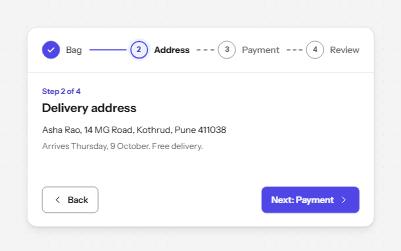
Progress steps
A row of numbered steps that says which are done, which is current and which are still to come, with Back and Next to move.
-
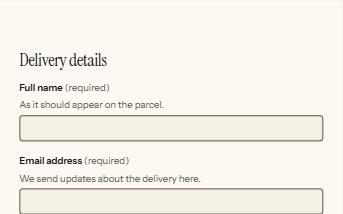
Form errors
An error summary that takes focus, messages tied to each field, and a status message when the form is sent.
-
Address form
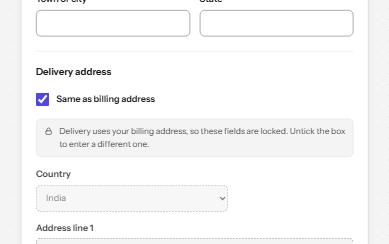
Billing and delivery addresses with the right autofill, formats that follow the country, a PIN code lookup and Same as billing.
-
Payment form
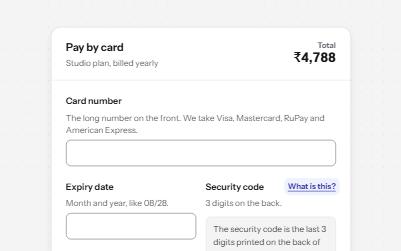
A card payment form that spaces the number as you type, names the brand in words, explains the security code and shows progress.