Accessibility pattern · Feedback and status
Status message
A status message is news people should hear without leaving what they are doing: an item added, a number of results, a draft saved. Each one is written into a role=status element that was in the page from the start, once per change, and emptied first when the same words need saying again.
- WCAG criteria
- 5
- Keyboard rules
- 4
- Checked with
- axe, keyboard and the inspector
Live demo
Try it
Use it with a mouse, a keyboard or a screen reader. The inspector beside it shows what the browser tells assistive technology as you go: focus, state changes and announcements.
The demo works without JavaScript only as far as its HTML does; the inspector needs JavaScript.
Keyboard
Keys it answers to
Every action works without a pointer.
| Key | What it does |
|---|---|
| Enter or Space | On Add to cart, adds the item. Focus stays on the button; the cart count changes and the result is announced once. |
| Type | In Filter products, filters the list when typing pauses; the number found is announced then, not on every key. |
| Type | In the gift message, saves a second and a half after typing stops, then announces the time it was saved. |
| Enter or Space | On Save now, saves at once; the time is announced again even when it has not changed. |
Screen readers
What it announces
Written from the roles, names and states in the markup.
| When | Expected announcement |
|---|---|
| Add to cart is pressed for the linen shirt | Linen shirt added. 3 items in cart |
| The cart count beside it changes | Nothing: it is not a live region, so the news is heard once |
| Typing linen in the filter, then pausing | 3 products found |
| Typing pauses in the gift message | Saved at 10:42 (Saving… is shown, not announced) |
| Save now is pressed in the same minute | Saved at 10:42, again, because the region was emptied first |
These are expected announcements, not recordings. Wording and order differ between screen readers and browsers.
Code
Copy the code
The exact files this demo runs on. The styles are served with a prefix that keeps this site's own styles out of the demo; what you copy is the original.
<div class="ap-status-message" data-ap-status-message>
  <section class="ap-status-message__card" aria-labelledby="status-shop-h">
    <div class="ap-status-message__top">
      <h3 class="ap-status-message__h" id="status-shop-h">New arrivals</h3>
      <a class="ap-status-message__cart" href="#status-cart">
        <svg viewBox="0 0 24 24" aria-hidden="true" focusable="false"><path d="M6 7h12l-1 13H7Z"/><path d="M9 7a3 3 0 0 1 6 0"/></svg>
        <span>Cart</span>
        <span class="ap-status-message__badge"><span data-ap-count>2</span><span class="ap-status-message__sr"> items</span></span>
      </a>
    </div>

    <div class="ap-field">
      <label class="ap-label" for="status-filter">Filter products</label>
      <input class="ap-input" id="status-filter" type="search" autocomplete="off" spellcheck="false" data-ap-filter />
    </div>
    <p class="ap-status-message__found" role="status" data-ap-found><span data-ap-n>6</span> <span>products found</span></p>

    <ul class="ap-status-message__list" aria-labelledby="status-shop-h">
      <li class="ap-status-message__item">
        <span class="ap-status-message__what">
          <span class="ap-status-message__name" id="status-name-1">Linen shirt</span>
          <span class="ap-status-message__price">₹1,899</span>
        </span>
        <button type="button" class="ap-btn ap-status-message__add" id="status-add-1" aria-labelledby="status-add-1 status-name-1" data-ap-add>
          <svg class="ap-btn__icon" viewBox="0 0 24 24" aria-hidden="true" focusable="false"><path d="M12 5v14M5 12h14"/></svg>
          Add to cart
        </button>
      </li>
      <li class="ap-status-message__item">
        <span class="ap-status-message__what">
          <span class="ap-status-message__name" id="status-name-2">Linen trousers</span>
          <span class="ap-status-message__price">₹2,299</span>
        </span>
        <button type="button" class="ap-btn ap-status-message__add" id="status-add-2" aria-labelledby="status-add-2 status-name-2" data-ap-add>
          <svg class="ap-btn__icon" viewBox="0 0 24 24" aria-hidden="true" focusable="false"><path d="M12 5v14M5 12h14"/></svg>
          Add to cart
        </button>
      </li>
      <li class="ap-status-message__item">
        <span class="ap-status-message__what">
          <span class="ap-status-message__name" id="status-name-3">Khadi kurta</span>
          <span class="ap-status-message__price">₹2,450</span>
        </span>
        <button type="button" class="ap-btn ap-status-message__add" id="status-add-3" aria-labelledby="status-add-3 status-name-3" data-ap-add>
          <svg class="ap-btn__icon" viewBox="0 0 24 24" aria-hidden="true" focusable="false"><path d="M12 5v14M5 12h14"/></svg>
          Add to cart
        </button>
      </li>
      <li class="ap-status-message__item">
        <span class="ap-status-message__what">
          <span class="ap-status-message__name" id="status-name-4">Cotton dupatta</span>
          <span class="ap-status-message__price">₹950</span>
        </span>
        <button type="button" class="ap-btn ap-status-message__add" id="status-add-4" aria-labelledby="status-add-4 status-name-4" data-ap-add>
          <svg class="ap-btn__icon" viewBox="0 0 24 24" aria-hidden="true" focusable="false"><path d="M12 5v14M5 12h14"/></svg>
          Add to cart
        </button>
      </li>
      <li class="ap-status-message__item">
        <span class="ap-status-message__what">
          <span class="ap-status-message__name" id="status-name-5">Silk stole</span>
          <span class="ap-status-message__price">₹1,650</span>
        </span>
        <button type="button" class="ap-btn ap-status-message__add" id="status-add-5" aria-labelledby="status-add-5 status-name-5" data-ap-add>
          <svg class="ap-btn__icon" viewBox="0 0 24 24" aria-hidden="true" focusable="false"><path d="M12 5v14M5 12h14"/></svg>
          Add to cart
        </button>
      </li>
      <li class="ap-status-message__item">
        <span class="ap-status-message__what">
          <span class="ap-status-message__name" id="status-name-6">Linen tote bag</span>
          <span class="ap-status-message__price">₹799</span>
        </span>
        <button type="button" class="ap-btn ap-status-message__add" id="status-add-6" aria-labelledby="status-add-6 status-name-6" data-ap-add>
          <svg class="ap-btn__icon" viewBox="0 0 24 24" aria-hidden="true" focusable="false"><path d="M12 5v14M5 12h14"/></svg>
          Add to cart
        </button>
      </li>
    </ul>
    <p class="ap-status-message__added" role="status" data-ap-added></p>
  </section>

  <section class="ap-status-message__card" aria-labelledby="status-gift-h">
    <div class="ap-status-message__top">
      <h3 class="ap-status-message__h" id="status-gift-h">Gift message</h3>
      <p class="ap-status-message__save" role="status" data-ap-save>
        <span class="ap-status-message__busy" aria-hidden="true" hidden data-ap-busy>
          <span class="ap-status-message__dots"><span></span><span></span><span></span></span>
          Saving…
        </span>
        <span class="ap-status-message__done" data-ap-done>No changes yet</span>
      </p>
    </div>
    <div class="ap-field">
      <label class="ap-label" for="status-note">Message on the card</label>
      <textarea class="ap-input" id="status-note" rows="3" maxlength="200" aria-describedby="status-note-hint" data-ap-note></textarea>
      <p class="ap-hint" id="status-note-hint">Saved as you type. Up to 200 characters.</p>
    </div>
    <div class="ap-status-message__actions">
      <button type="button" class="ap-btn" data-ap-save-now>Save now</button>
    </div>
  </section>
</div>
/* Shared primitives: buttons and form fields used across the patterns.
   Uses the --ap-* design tokens. */

.ap-btn {
  display: inline-flex;
  align-items: center;
  justify-content: center;
  gap: 8px;
  min-height: 40px;
  padding: 0 16px;
  border: 1px solid var(--ap-border-strong);
  border-radius: var(--ap-radius-sm);
  background: var(--ap-surface);
  color: var(--ap-text);
  font: inherit;
  font-weight: 600;
  line-height: 1.2;
  text-decoration: none;
  white-space: nowrap;
  cursor: pointer;
  transition: background-color var(--ap-duration) var(--ap-ease), border-color var(--ap-duration) var(--ap-ease), box-shadow var(--ap-duration) var(--ap-ease);
}
.ap-btn:hover {
  background: var(--ap-surface-2);
}
.ap-btn:focus-visible {
  outline: 2px solid var(--ap-focus);
  outline-offset: 2px;
}
.ap-btn:disabled,
.ap-btn[aria-disabled="true"] {
  opacity: .55;
  cursor: not-allowed;
}
.ap-btn--primary {
  border-color: var(--ap-accent);
  background: var(--ap-accent);
  color: var(--ap-on-accent);
  box-shadow: var(--ap-shadow-sm);
}
.ap-btn--primary:hover {
  border-color: var(--ap-accent-hover);
  background: var(--ap-accent-hover);
}
.ap-btn--danger {
  border-color: var(--ap-danger);
  background: var(--ap-danger);
  color: var(--ap-surface);
}
.ap-btn--danger:hover {
  filter: brightness(1.08);
}
.ap-btn--ghost {
  border-color: transparent;
  background: transparent;
}
.ap-btn--ghost:hover {
  background: var(--ap-surface-2);
}
.ap-btn__icon {
  width: 18px;
  height: 18px;
  flex-shrink: 0;
  fill: none;
  stroke: currentColor;
  stroke-width: 2;
  stroke-linecap: round;
  stroke-linejoin: round;
}

.ap-field {
  display: grid;
  gap: 6px;
}
.ap-label {
  color: var(--ap-text);
  font-weight: 600;
  font-size: .9375rem;
}
.ap-hint {
  margin: 0;
  color: var(--ap-text-3);
  font-size: .875rem;
  line-height: 1.45;
}
.ap-error {
  display: flex;
  align-items: flex-start;
  gap: 6px;
  margin: 0;
  color: var(--ap-danger);
  font-size: .875rem;
  font-weight: 600;
  line-height: 1.45;
}
.ap-input {
  width: 100%;
  min-height: 44px;
  padding: 10px 12px;
  border: 1px solid var(--ap-border-strong);
  border-radius: var(--ap-radius-sm);
  background: var(--ap-surface);
  color: var(--ap-text);
  font: inherit;
  line-height: 1.4;
  transition: border-color var(--ap-duration) var(--ap-ease), box-shadow var(--ap-duration) var(--ap-ease);
}
.ap-input::placeholder {
  color: var(--ap-text-3);
}
.ap-input:hover {
  border-color: var(--ap-text-2);
}
.ap-input:focus-visible {
  outline: 2px solid var(--ap-focus);
  outline-offset: 1px;
  border-color: var(--ap-focus);
}
.ap-input[aria-invalid="true"] {
  border-color: var(--ap-danger);
  box-shadow: inset 4px 0 0 var(--ap-danger);
}
textarea.ap-input {
  resize: vertical;
  min-height: 88px;
}

@media (prefers-reduced-motion: reduce) {
  .ap-btn,
  .ap-input { transition: none; }
}

/* Status message. Uses the --ap-* design tokens and the shared primitives. */
.ap-status-message {
  display: grid;
  gap: 16px;
  width: min(100%, 580px);
  margin-inline: auto;
  container-type: inline-size;
}

.ap-status-message__card {
  display: grid;
  gap: 16px;
  padding: 22px 24px 24px;
  border: 1px solid var(--ap-border);
  border-radius: var(--ap-radius-lg);
  background: var(--ap-surface);
  color: var(--ap-text);
  box-shadow: var(--ap-shadow-md);
}
.ap-status-message__top {
  display: flex;
  flex-wrap: wrap;
  align-items: center;
  justify-content: space-between;
  gap: 8px 16px;
}
.ap-status-message__h {
  margin: 0;
  font-size: 1.1875rem;
  font-weight: 650;
  line-height: 1.3;
}

/* The cart link: its count changes quietly, it is not a live region. */
.ap-status-message__cart {
  display: inline-flex;
  align-items: center;
  gap: 8px;
  min-height: 40px;
  padding: 0 8px 0 12px;
  border: 1px solid var(--ap-border-strong);
  border-radius: var(--ap-radius-full);
  color: var(--ap-text);
  font-weight: 600;
  text-decoration: none;
}
.ap-status-message__cart:hover {
  background: var(--ap-surface-2);
}
.ap-status-message__cart:focus-visible {
  outline: 2px solid var(--ap-focus);
  outline-offset: 2px;
}
.ap-status-message__cart svg {
  width: 18px;
  height: 18px;
  fill: none;
  stroke: currentColor;
  stroke-width: 2;
  stroke-linecap: round;
  stroke-linejoin: round;
}
.ap-status-message__badge {
  display: inline-grid;
  place-items: center;
  min-width: 26px;
  height: 26px;
  padding: 0 7px;
  border-radius: var(--ap-radius-full);
  background: var(--ap-accent);
  color: var(--ap-on-accent);
  font-size: .8125rem;
  font-weight: 700;
  font-variant-numeric: tabular-nums;
}
.ap-status-message__badge.is-bumped {
  animation: ap-status-message-bump 260ms var(--ap-ease);
}

.ap-status-message__found {
  margin: -6px 0 0;
  color: var(--ap-text-3);
  font-size: .875rem;
  font-weight: 600;
  min-height: 1.4em;
}

.ap-status-message__list {
  display: grid;
  margin: 0;
  padding: 0;
  list-style: none;
  border-top: 1px solid var(--ap-border);
}
.ap-status-message__item {
  display: flex;
  align-items: center;
  justify-content: space-between;
  gap: 12px;
  padding: 10px 0;
  border-bottom: 1px solid var(--ap-border);
}
.ap-status-message__item[hidden] {
  display: none;
}
.ap-status-message__what {
  display: grid;
  min-width: 0;
}
.ap-status-message__name {
  font-weight: 600;
}
.ap-status-message__price {
  color: var(--ap-text-3);
  font-size: .875rem;
  font-variant-numeric: tabular-nums;
}
.ap-status-message__add {
  flex-shrink: 0;
  min-height: 36px;
  padding: 0 12px;
  font-size: .875rem;
}

/* A sentence, with a tick that only repeats it. */
.ap-status-message__added {
  display: flex;
  align-items: center;
  gap: 8px;
  min-height: 1.5em;
  margin: -4px 0 0;
  color: var(--ap-success);
  font-weight: 600;
}
.ap-status-message__added svg {
  width: 18px;
  height: 18px;
  flex-shrink: 0;
  fill: none;
  stroke: currentColor;
  stroke-width: 2.2;
  stroke-linecap: round;
  stroke-linejoin: round;
}

/* The autosave indicator */
.ap-status-message__save {
  display: inline-flex;
  align-items: center;
  gap: 8px;
  min-height: 28px;
  margin: 0;
  color: var(--ap-text-3);
  font-size: .875rem;
  font-weight: 600;
}
.ap-status-message__busy {
  display: inline-flex;
  align-items: center;
  gap: 8px;
}
.ap-status-message__busy[hidden] {
  display: none;
}
.ap-status-message__done {
  display: inline-flex;
  align-items: center;
  gap: 6px;
}
.ap-status-message__done svg {
  width: 16px;
  height: 16px;
  fill: none;
  stroke: var(--ap-success);
  stroke-width: 2.4;
  stroke-linecap: round;
  stroke-linejoin: round;
}
.ap-status-message__dots {
  display: inline-flex;
  gap: 3px;
}
.ap-status-message__dots span {
  width: 5px;
  height: 5px;
  border-radius: var(--ap-radius-full);
  background: currentColor;
  animation: ap-status-message-dot 900ms var(--ap-ease) infinite;
}
.ap-status-message__dots span:nth-child(2) {
  animation-delay: 150ms;
}
.ap-status-message__dots span:nth-child(3) {
  animation-delay: 300ms;
}
.ap-status-message__actions {
  display: flex;
  justify-content: flex-end;
}

/* Read by screen readers, not shown. */
.ap-status-message__sr {
  position: absolute;
  width: 1px;
  height: 1px;
  margin: -1px;
  padding: 0;
  overflow: hidden;
  clip-path: inset(50%);
  white-space: nowrap;
  border: 0;
}

@keyframes ap-status-message-bump {
  50% { transform: scale(1.18); }
}
@keyframes ap-status-message-dot {
  0%, 100% { opacity: .3; }
  40% { opacity: 1; }
}

@container (max-width: 440px) {
  .ap-status-message__card {
    padding: 18px 16px 20px;
  }
}

@media (prefers-reduced-motion: reduce) {
  .ap-status-message__badge.is-bumped { animation: none; }
  .ap-status-message__dots span { animation: none; opacity: .7; }
}
/**
 * Status messages (WCAG 4.1.3): news told to screen readers through
 * role=status regions that are in the page from the start, without moving
 * focus, once per change.
 *
 * Markup: [data-ap-status-message] holding
 *   a cart link with a [data-ap-count] (not live: it changes quietly);
 *   an input[data-ap-filter], a p[role=status][data-ap-found] for the count,
 *   and li.ap-status-message__item rows, each with an .ap-status-message__name
 *   and a button[data-ap-add];
 *   a p[role=status][data-ap-added] for the cart message;
 *   a textarea[data-ap-note], a button[data-ap-save-now], and a
 *   p[role=status][data-ap-save] holding an aria-hidden [data-ap-busy]
 *   ("Saving…", shown but not announced) and a [data-ap-done] span.
 */

const PAUSE = 500; // the filter waits this long after the last key
const IDLE = 1500; // the autosave waits this long after typing stops
const SAVE_MS = 700; // the simulated save

const SVG = "http://www.w3.org/2000/svg";

export function init(root) {
  const filter = root.querySelector("[data-ap-filter]");
  const found = root.querySelector("[data-ap-found]");
  const items = [...root.querySelectorAll(".ap-status-message__item")];
  const count = root.querySelector("[data-ap-count]");
  const added = root.querySelector("[data-ap-added]");
  const note = root.querySelector("[data-ap-note]");
  const busy = root.querySelector("[data-ap-busy]");
  const done = root.querySelector("[data-ap-done]");
  const badge = count.parentElement;
  const events = new AbortController();
  const signal = events.signal;
  const writes = new Map(); // region -> pending write
  let filterTimer = 0;
  let typeTimer = 0;
  let saveTimer = 0;

  function el(tag, ...content) {
    const node = document.createElement(tag);
    node.append(...content);
    return node;
  }
  function tick() {
    const svg = document.createElementNS(SVG, "svg");
    svg.setAttribute("viewBox", "0 0 24 24");
    svg.setAttribute("aria-hidden", "true");
    svg.setAttribute("focusable", "false");
    const path = document.createElementNS(SVG, "path");
    path.setAttribute("d", "m5 12.5 4.5 4.5L19 7.5");
    svg.append(path);
    return svg;
  }

  // Empty the region, then write a moment later. The region has been in the
  // page all along, so the change is announced; starting from empty makes the
  // same words count as a change when they need saying again.
  function write(region, parts) {
    clearTimeout(writes.get(region));
    region.replaceChildren();
    writes.set(region, setTimeout(() => region.replaceChildren(...parts), 80));
  }

  /* ── Add to cart: the badge changes quietly, the message says it once ── */
  function add(button) {
    const name = button.closest(".ap-status-message__item").querySelector(".ap-status-message__name").textContent.trim();
    const total = Number(count.textContent) + 1;
    count.textContent = String(total);
    badge.classList.remove("is-bumped");
    void badge.offsetWidth;
    badge.classList.add("is-bumped");
    // The number sits in its own element, between fixed phrases.
    write(added, [tick(), el("span", el("span", name), " ", el("span", "added."), " ", el("span", String(total)), " ", el("span", "items in cart"))]);
  }

  /* ── Filter: the list and the count change once typing pauses ── */
  function applyFilter() {
    const q = filter.value.trim().toLowerCase();
    let n = 0;
    for (const li of items) {
      const show = !q || li.querySelector(".ap-status-message__name").textContent.toLowerCase().includes(q);
      li.hidden = !show;
      if (show) n++;
    }
    if (n === 0) write(found, [el("span", "No products found")]);
    else write(found, [el("span", String(n)), " ", el("span", n === 1 ? "product found" : "products found")]);
  }

  /* ── Autosave: Saving… is shown but hidden from the region ── */
  function save() {
    clearTimeout(typeTimer);
    clearTimeout(saveTimer);
    done.replaceChildren();
    busy.hidden = false;
    saveTimer = setTimeout(() => {
      busy.hidden = true;
      const now = new Date();
      const hhmm = `${String(now.getHours()).padStart(2, "0")}:${String(now.getMinutes()).padStart(2, "0")}`;
      const time = el("time", hhmm);
      time.dateTime = hhmm;
      done.replaceChildren(tick(), el("span", el("span", "Saved at"), " ", time));
    }, SAVE_MS);
  }

  root.addEventListener("click", (event) => {
    const button = event.target.closest("[data-ap-add]");
    if (button) add(button);
    else if (event.target.closest("[data-ap-save-now]")) save();
  }, { signal });
  filter.addEventListener("input", () => {
    clearTimeout(filterTimer);
    filterTimer = setTimeout(applyFilter, PAUSE);
  }, { signal });
  note.addEventListener("input", () => {
    clearTimeout(typeTimer);
    typeTimer = setTimeout(save, IDLE);
  }, { signal });

  return () => {
    events.abort();
    for (const t of writes.values()) clearTimeout(t);
    clearTimeout(filterTimer);
    clearTimeout(typeTimer);
    clearTimeout(saveTimer);
  };
}

for (const root of document.querySelectorAll("[data-ap-status-message]")) init(root);
/* Design tokens for the pattern components. Light by default, dark when the
   system asks for it; set data-theme="dark" on :root to force dark. */
:root {
    --ap-radius-sm: 8px;
    --ap-radius: 12px;
    --ap-radius-lg: 16px;
    --ap-radius-full: 999px;
    --ap-font: "Instrument Sans", ui-sans-serif, system-ui, -apple-system, "Segoe UI", Roboto, sans-serif;
    --ap-mono: "JetBrains Mono", ui-monospace, "Cascadia Mono", "SF Mono", Consolas, monospace;
    --ap-ease: cubic-bezier(.2, .8, .2, 1);
    --ap-duration: 180ms;
    --ap-target: 44px;
    --ap-bg: #F4F4F5;
    --ap-surface: #FFFFFF;
    --ap-surface-2: #F4F4F5;
    --ap-surface-3: #E4E4E7;
    --ap-border: #E4E4E7;
    --ap-border-strong: #76767F;
    --ap-text: #18181B;
    --ap-text-2: #3F3F46;
    --ap-text-3: #5E5E66;
    --ap-accent: #4F46E5;
    --ap-accent-hover: #4338CA;
    --ap-on-accent: #FFFFFF;
    --ap-accent-text: #4338CA;
    --ap-accent-soft: #EEF2FF;
    --ap-accent-soft-text: #3730A3;
    --ap-focus: #4F46E5;
    --ap-danger: #B91C1C;
    --ap-danger-soft: #FEF2F2;
    --ap-success: #15803D;
    --ap-success-soft: #F0FDF4;
    --ap-warning: #A15C07;
    --ap-warning-soft: #FEFCE8;
    --ap-info: #1D4ED8;
    --ap-info-soft: #EFF6FF;
    --ap-scrim: rgb(9 9 11 / .48);
    --ap-shadow-sm: 0 1px 2px rgb(9 9 11 / .06);
    --ap-shadow-md: 0 1px 2px rgb(9 9 11 / .05), 0 6px 16px -4px rgb(9 9 11 / .1);
    --ap-shadow-lg: 0 2px 6px rgb(9 9 11 / .06), 0 20px 40px -12px rgb(9 9 11 / .22);
    --ap-light-bg: #F4F4F5;
    --ap-light-surface: #FFFFFF;
    --ap-light-surface-2: #F4F4F5;
    --ap-light-surface-3: #E4E4E7;
    --ap-light-border: #E4E4E7;
    --ap-light-border-strong: #76767F;
    --ap-light-text: #18181B;
    --ap-light-text-2: #3F3F46;
    --ap-light-text-3: #5E5E66;
    --ap-light-accent: #4F46E5;
    --ap-light-accent-hover: #4338CA;
    --ap-light-on-accent: #FFFFFF;
    --ap-light-accent-text: #4338CA;
    --ap-light-accent-soft: #EEF2FF;
    --ap-light-accent-soft-text: #3730A3;
    --ap-light-focus: #4F46E5;
    --ap-light-danger: #B91C1C;
    --ap-light-danger-soft: #FEF2F2;
    --ap-light-success: #15803D;
    --ap-light-success-soft: #F0FDF4;
    --ap-light-warning: #A15C07;
    --ap-light-warning-soft: #FEFCE8;
    --ap-light-info: #1D4ED8;
    --ap-light-info-soft: #EFF6FF;
    --ap-light-scrim: rgb(9 9 11 / .48);
    --ap-light-shadow-sm: 0 1px 2px rgb(9 9 11 / .06);
    --ap-light-shadow-md: 0 1px 2px rgb(9 9 11 / .05), 0 6px 16px -4px rgb(9 9 11 / .1);
    --ap-light-shadow-lg: 0 2px 6px rgb(9 9 11 / .06), 0 20px 40px -12px rgb(9 9 11 / .22);
    --ap-dark-bg: #09090B;
    --ap-dark-surface: #18181B;
    --ap-dark-surface-2: #27272A;
    --ap-dark-surface-3: #3F3F46;
    --ap-dark-border: #2E2E33;
    --ap-dark-border-strong: #8E8E97;
    --ap-dark-text: #FAFAFA;
    --ap-dark-text-2: #D4D4D8;
    --ap-dark-text-3: #A1A1AA;
    --ap-dark-accent: #818CF8;
    --ap-dark-accent-hover: #A5B4FC;
    --ap-dark-on-accent: #0C0A1F;
    --ap-dark-accent-text: #A5B4FC;
    --ap-dark-accent-soft: #1E1B4B;
    --ap-dark-accent-soft-text: #C7D2FE;
    --ap-dark-focus: #A5B4FC;
    --ap-dark-danger: #F87171;
    --ap-dark-danger-soft: #2A1215;
    --ap-dark-success: #4ADE80;
    --ap-dark-success-soft: #0F2A1A;
    --ap-dark-warning: #FACC15;
    --ap-dark-warning-soft: #2A2410;
    --ap-dark-info: #60A5FA;
    --ap-dark-info-soft: #0F1D33;
    --ap-dark-scrim: rgb(0 0 0 / .62);
    --ap-dark-shadow-sm: 0 1px 2px rgb(0 0 0 / .4);
    --ap-dark-shadow-md: 0 1px 2px rgb(0 0 0 / .4), 0 8px 20px -6px rgb(0 0 0 / .5);
    --ap-dark-shadow-lg: 0 2px 8px rgb(0 0 0 / .45), 0 24px 48px -12px rgb(0 0 0 / .7);
}
@media (prefers-color-scheme: dark) {
  :root:not([data-theme="light"]) {
      --ap-bg: #09090B;
      --ap-surface: #18181B;
      --ap-surface-2: #27272A;
      --ap-surface-3: #3F3F46;
      --ap-border: #2E2E33;
      --ap-border-strong: #8E8E97;
      --ap-text: #FAFAFA;
      --ap-text-2: #D4D4D8;
      --ap-text-3: #A1A1AA;
      --ap-accent: #818CF8;
      --ap-accent-hover: #A5B4FC;
      --ap-on-accent: #0C0A1F;
      --ap-accent-text: #A5B4FC;
      --ap-accent-soft: #1E1B4B;
      --ap-accent-soft-text: #C7D2FE;
      --ap-focus: #A5B4FC;
      --ap-danger: #F87171;
      --ap-danger-soft: #2A1215;
      --ap-success: #4ADE80;
      --ap-success-soft: #0F2A1A;
      --ap-warning: #FACC15;
      --ap-warning-soft: #2A2410;
      --ap-info: #60A5FA;
      --ap-info-soft: #0F1D33;
      --ap-scrim: rgb(0 0 0 / .62);
      --ap-shadow-sm: 0 1px 2px rgb(0 0 0 / .4);
      --ap-shadow-md: 0 1px 2px rgb(0 0 0 / .4), 0 8px 20px -6px rgb(0 0 0 / .5);
      --ap-shadow-lg: 0 2px 8px rgb(0 0 0 / .45), 0 24px 48px -12px rgb(0 0 0 / .7);
  }
}
:root[data-theme="dark"] {
    --ap-bg: #09090B;
    --ap-surface: #18181B;
    --ap-surface-2: #27272A;
    --ap-surface-3: #3F3F46;
    --ap-border: #2E2E33;
    --ap-border-strong: #8E8E97;
    --ap-text: #FAFAFA;
    --ap-text-2: #D4D4D8;
    --ap-text-3: #A1A1AA;
    --ap-accent: #818CF8;
    --ap-accent-hover: #A5B4FC;
    --ap-on-accent: #0C0A1F;
    --ap-accent-text: #A5B4FC;
    --ap-accent-soft: #1E1B4B;
    --ap-accent-soft-text: #C7D2FE;
    --ap-focus: #A5B4FC;
    --ap-danger: #F87171;
    --ap-danger-soft: #2A1215;
    --ap-success: #4ADE80;
    --ap-success-soft: #0F2A1A;
    --ap-warning: #FACC15;
    --ap-warning-soft: #2A2410;
    --ap-info: #60A5FA;
    --ap-info-soft: #0F1D33;
    --ap-scrim: rgb(0 0 0 / .62);
    --ap-shadow-sm: 0 1px 2px rgb(0 0 0 / .4);
    --ap-shadow-md: 0 1px 2px rgb(0 0 0 / .4), 0 8px 20px -6px rgb(0 0 0 / .5);
    --ap-shadow-lg: 0 2px 8px rgb(0 0 0 / .45), 0 24px 48px -12px rgb(0 0 0 / .7);
}
WCAG 2.2
What it meets
The success criteria this pattern takes care of, and how.
-
1.3.1 Info and Relationships
Level A
Each message sits in the section it belongs to, beside the controls that cause it, and the filter and the gift message have real labels.
-
2.5.3 Label in Name
Level A
Each Add to cart button's name starts with its visible words, then adds the product, so a voice command for what is on screen works.
-
3.2.2 On Input
Level A
Typing in the filter changes the list and the count, but never moves focus or submits anything.
-
4.1.2 Name, Role, Value
Level A
The Add to cart buttons are named with their products, such as Add to cart Linen shirt, so the list of buttons makes sense on its own.
-
4.1.3 Status Messages
Level AA
The cart, the result count and the save time are told through role=status elements, heard without focus moving to them.
Usage
When to use it
Use it
- The result of an action that leaves focus where it is: an item added, a filter applied, a draft saved.
- Progress or a count that changes while people work, said once it settles.
Use something else
- Errors or risks that need attention now: use role=alert in an alert banner.
- Messages that need an answer: use a dialog.
- A change that takes people somewhere new, like a new page or step: move focus to its heading instead.
Common failures
How it usually goes wrong
Moving focus to say something
Focusing a message to make it heard pulls people away from the button or field they were using. A status message is heard where they are.
A count announced on every key
Updating a live count on each keystroke queues a string of numbers over the typing. The filter here waits for a pause and says one number.
The same news twice
With both the cart badge and the message live, the count is said twice. Only the message is a live region; the badge changes quietly.
A repeat that goes unheard
Writing the same words into a region again may not count as a change. Emptying it first and writing a moment later makes it news again.
A region added with its message
A role=status element inserted with its text already inside is often missed. These regions are in the HTML from the start, empty or holding the last message.
Saving and saved, every time
Announcing Saving… and then Saved for each autosave doubles the chatter while someone types. Saving… is shown but kept out of the region.
Notes
Building it
- role=status is polite and atomic: it waits for the screen reader to finish, then reads the whole region. Use it for results, confirmations and progress; role=alert interrupts and is for problems.
- The region must exist, and be rendered, before its text changes, because screen readers announce changes to regions they already know about. One hidden with display: none or the hidden attribute is not in the accessibility tree, so showing it and filling it at the same moment is often missed.
- Write numbers into their own element inside a fixed phrase, as the counts here do, so the words can be translated and the number never becomes part of them.
- Saving… sits in the region with aria-hidden="true", so it is shown but not announced, and each save is heard once, as the time it finished.
- The cart link uses a # address in the demo, where it stands for the cart page.
Sources: Understanding SC 4.1.3: Status Messages · Technique ARIA22: Using role=status to present status messages · WAI-ARIA 1.2: the status role
Checked with axe in light and dark themes, at desktop and phone widths, and by keyboard. Not yet tested with every screen reader and browser pair. Report a correction
Related
Patterns that go with it
-
Alert banner
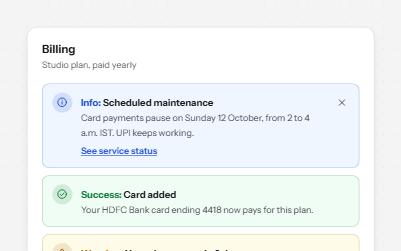
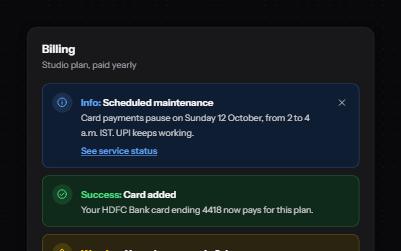
Messages in four tones, each with a word and an icon, and role=alert only for errors that happen while someone works.
-
Toast notifications
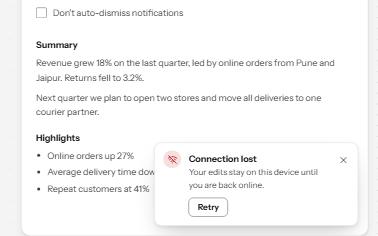
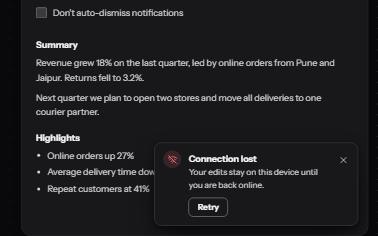
Short messages that appear in a corner, are announced politely, never take focus, and wait while you read or act on them.
-
Loading state
A busy button that keeps focus, a region marked busy while it loads, a spinner with words, and a note when it runs long.
-
Search filters
A product filter panel: grouped checkboxes with counts, a price range, sort, removable chips and a result count that is announced.