Accessibility pattern · Feedback and status
Empty state
An empty state is a heading that says what is missing, a sentence on why, and the action that fills it; the drawing is decoration and stays out of the accessibility tree. When a list empties or fills because of something the person did, focus moves to whatever now answers them, and a polite status message covers changes they did not cause.
- WCAG criteria
- 6
- Keyboard rules
- 7
- Checked with
- axe, keyboard and the inspector
Live demo
Try it
Use it with a mouse, a keyboard or a screen reader. The inspector beside it shows what the browser tells assistive technology as you go: focus, state changes and announcements.
Fabric search
0 fabrics found
No results for linnen
Check the spelling, or clear the filters to see more fabrics.
Check the spelling, or try a broader word such as cotton or silk.
Did you mean linen?
Inbox
Your inbox is empty
Questions from customers land here, and we email you when one arrives.
Ritu Sharma
Imran Qureshi
Projects
No projects yet
A project keeps the fabrics, measurements and notes for one order together.
The demo works without JavaScript only as far as its HTML does; the inspector needs JavaScript.
Keyboard
Keys it answers to
Every action works without a pointer.
| Key | What it does |
|---|---|
| Tab | Moves through the sample-data switch, the search, the filter, the empty states' links and buttons, and any items in the lists. |
| Space | On Show sample data, fills every list or empties it again; a status message says which. |
| Enter | On Did you mean, searches for the suggestion and moves focus to the result count, or to the empty state if there is still nothing. |
| Enter or Space | On Clear filters or a filter chip, removes the filters and moves focus the same way. |
| Enter or Space | On Create a project, swaps the empty state for a short form and moves focus to its name field; Cancel brings focus back. |
| Escape | In the new-project form, closes it like Cancel and returns focus to the button that opened it. |
| Enter or Space | On Archive, removes that message; focus moves to the next message, or to the empty inbox's heading after the last one. |
Screen readers
What it announces
Written from the roles, names and states in the markup.
| When | Expected announcement |
|---|---|
| Focus moves to the search's empty state | No results for linnen, heading level 4 |
| Did you mean linen is followed | 1 fabric found, heading level 4 |
| The last message is archived | Message archived. Your inbox is empty, heading level 4 |
| Create a project is pressed | Project name, edit text |
| Show sample data is switched on | Show sample data, switch, on. Showing sample data |
| A search is sent with nothing to find | No fabrics found |
These are expected announcements, not recordings. Wording and order differ between screen readers and browsers.
Code
Copy the code
The exact files this demo runs on. The styles are served with a prefix that keeps this site's own styles out of the demo; what you copy is the original.
<div class="ap-empty" data-ap-empty-state>
  <div class="ap-empty__demo">
    <label class="ap-empty__switch">
      <input type="checkbox" role="switch" data-ap-sample />
      <span>Show sample data</span>
    </label>
  </div>

  <section class="ap-empty__card ap-empty__card--wide" aria-labelledby="empty-search-name">
    <div class="ap-empty__head">
      <h3 class="ap-empty__card-name" id="empty-search-name">Fabric search</h3>
    </div>
    <form class="ap-empty__search" role="search" aria-label="Fabrics" data-ap-search>
      <label class="ap-empty__vh" for="empty-q">Search fabrics</label>
      <input class="ap-input" id="empty-q" type="search" name="q" value="linnen" autocomplete="off" spellcheck="false" />
      <button type="submit" class="ap-btn">Search</button>
    </form>
    <div class="ap-empty__filters" data-ap-filters>
      <span class="ap-empty__filters-label" id="empty-filters-label">Filters</span>
      <ul aria-labelledby="empty-filters-label">
        <li data-ap-filter="under500">
          <button type="button" class="ap-empty__chip" data-ap-remove>
            <span class="ap-empty__vh">Remove filter:</span>
            <span>Under ₹500</span>
            <svg viewBox="0 0 24 24" aria-hidden="true" focusable="false"><path d="M7 7l10 10M17 7 7 17"/></svg>
          </button>
        </li>
      </ul>
    </div>

    <div class="ap-empty__body">
      <h4 class="ap-empty__count" tabindex="-1" data-ap-count hidden><span data-ap-n>0</span> <span data-ap-unit>fabrics found</span></h4>
      <ul class="ap-empty__list" data-ap-results hidden></ul>
      <div class="ap-empty__state" data-ap-none>
        <svg class="ap-empty__art" viewBox="0 0 120 88" aria-hidden="true" focusable="false"><rect class="ap-empty__art-fill" x="14" y="18" width="70" height="52" rx="10"/><path class="ap-empty__art-soft" d="M26 34h34M26 46h22M26 58h28"/><circle class="ap-empty__art-glass" cx="78" cy="44" r="17"/><path class="ap-empty__art-line" d="m90.5 56.5 13 13"/><path class="ap-empty__art-line" d="M74 39.5a4.5 4.5 0 1 1 6 4.2c-1.3.5-2 1.4-2 2.8v.5M78 51.5h.01"/></svg>
        <h4 class="ap-empty__name" tabindex="-1"><span>No results for</span> <q translate="no" data-ap-q>linnen</q></h4>
        <p class="ap-empty__text" data-ap-why="filters">Check the spelling, or clear the filters to see more fabrics.</p>
        <p class="ap-empty__text" data-ap-why="spelling" hidden>Check the spelling, or try a broader word such as cotton or silk.</p>
        <p class="ap-empty__suggest" data-ap-suggest-line><span>Did you mean</span> <a href="#empty-q" translate="no" data-ap-suggest>linen</a>?</p>
        <div class="ap-empty__actions">
          <button type="button" class="ap-btn" data-ap-clear-filters>Clear filters</button>
        </div>
      </div>
    </div>
    <template data-ap-catalogue>
      <li class="ap-empty__item" data-words="washed linen indigo" data-price="720">
        <span class="ap-empty__swatch ap-empty__swatch--accent" aria-hidden="true"></span>
        <span class="ap-empty__item-text"><span class="ap-empty__item-name">Washed linen, indigo</span> <span class="ap-empty__item-meta">₹720 a metre</span></span>
      </li>
      <li class="ap-empty__item" data-words="linen kurta fabric natural" data-price="640">
        <span class="ap-empty__swatch ap-empty__swatch--natural" aria-hidden="true"></span>
        <span class="ap-empty__item-text"><span class="ap-empty__item-name">Linen kurta fabric, natural</span> <span class="ap-empty__item-meta">₹640 a metre</span></span>
      </li>
      <li class="ap-empty__item" data-words="cotton linen blend rust" data-price="480">
        <span class="ap-empty__swatch ap-empty__swatch--rust" aria-hidden="true"></span>
        <span class="ap-empty__item-text"><span class="ap-empty__item-name">Cotton-linen blend, rust</span> <span class="ap-empty__item-meta">₹480 a metre</span></span>
      </li>
      <li class="ap-empty__item" data-words="handloom cotton white" data-price="320">
        <span class="ap-empty__swatch ap-empty__swatch--white" aria-hidden="true"></span>
        <span class="ap-empty__item-text"><span class="ap-empty__item-name">Handloom cotton, white</span> <span class="ap-empty__item-meta">₹320 a metre</span></span>
      </li>
      <li class="ap-empty__item" data-words="chanderi silk gold" data-price="1150">
        <span class="ap-empty__swatch ap-empty__swatch--gold" aria-hidden="true"></span>
        <span class="ap-empty__item-text"><span class="ap-empty__item-name">Chanderi silk, gold</span> <span class="ap-empty__item-meta">₹1150 a metre</span></span>
      </li>
    </template>
  </section>

  <section class="ap-empty__card" aria-labelledby="empty-inbox-name">
    <div class="ap-empty__head">
      <h3 class="ap-empty__card-name" id="empty-inbox-name">Inbox</h3>
    </div>
    <ul class="ap-empty__list" data-ap-inbox hidden></ul>
    <div class="ap-empty__state" data-ap-inbox-none>
      <svg class="ap-empty__art" viewBox="0 0 120 88" aria-hidden="true" focusable="false"><path class="ap-empty__art-fill" d="M22 48h22l5 9h22l5-9h22v20a8 8 0 0 1-8 8H30a8 8 0 0 1-8-8Z"/><path class="ap-empty__art-line" d="M22 48 34 20h52l12 28M22 48v20a8 8 0 0 0 8 8h60a8 8 0 0 0 8-8V48H76l-5 9H49l-5-9Z"/><path class="ap-empty__art-soft" d="m52 30 6 6 12-12"/></svg>
      <h4 class="ap-empty__name" tabindex="-1">Your inbox is empty</h4>
      <p class="ap-empty__text">Questions from customers land here, and we email you when one arrives.</p>
    </div>
    <template data-ap-sample-inbox>
      <li class="ap-empty__item">
        <span class="ap-empty__avatar" aria-hidden="true">RS</span>
        <div class="ap-empty__item-text" id="empty-msg-1">
          <p class="ap-empty__item-name">Ritu Sharma</p>
          <p class="ap-empty__item-meta">Is the indigo linen pre-washed?</p>
        </div>
        <span class="ap-empty__time">9:40</span>
        <button type="button" class="ap-empty__archive" data-ap-archive aria-describedby="empty-msg-1">Archive</button>
      </li>
      <li class="ap-empty__item">
        <span class="ap-empty__avatar" aria-hidden="true">IQ</span>
        <div class="ap-empty__item-text" id="empty-msg-2">
          <p class="ap-empty__item-name">Imran Qureshi</p>
          <p class="ap-empty__item-meta">Can I order 3.5 metres of the rust blend?</p>
        </div>
        <span class="ap-empty__time">Mon</span>
        <button type="button" class="ap-empty__archive" data-ap-archive aria-describedby="empty-msg-2">Archive</button>
      </li>
    </template>
  </section>

  <section class="ap-empty__card" aria-labelledby="empty-projects-name">
    <div class="ap-empty__head">
      <h3 class="ap-empty__card-name" id="empty-projects-name">Projects</h3>
      <button type="button" class="ap-btn ap-empty__new" data-ap-create hidden>New project</button>
    </div>
    <ul class="ap-empty__list" data-ap-projects hidden></ul>
    <div class="ap-empty__state" data-ap-projects-none>
      <svg class="ap-empty__art" viewBox="0 0 120 88" aria-hidden="true" focusable="false"><path class="ap-empty__art-fill" d="M18 26a6 6 0 0 1 6-6h20l8 8h44a6 6 0 0 1 6 6v36a6 6 0 0 1-6 6H24a6 6 0 0 1-6-6Z"/><path class="ap-empty__art-line" d="M18 26a6 6 0 0 1 6-6h20l8 8h44a6 6 0 0 1 6 6v36a6 6 0 0 1-6 6H24a6 6 0 0 1-6-6Z"/><path class="ap-empty__art-line" d="M60 42v18M51 51h18"/></svg>
      <h4 class="ap-empty__name" tabindex="-1">No projects yet</h4>
      <p class="ap-empty__text">A project keeps the fabrics, measurements and notes for one order together.</p>
      <div class="ap-empty__actions">
        <button type="button" class="ap-btn ap-btn--primary" data-ap-create>Create a project</button>
      </div>
    </div>
    <form class="ap-empty__form" data-ap-form novalidate hidden>
      <div class="ap-field">
        <label class="ap-label" for="empty-project">Project name</label>
        <input class="ap-input" id="empty-project" name="project" type="text" autocomplete="off" />
        <p class="ap-error" id="empty-project-error" hidden>Enter a name for the project.</p>
      </div>
      <div class="ap-empty__actions ap-empty__actions--start">
        <button type="submit" class="ap-btn ap-btn--primary">Create</button>
        <button type="button" class="ap-btn" data-ap-cancel>Cancel</button>
      </div>
    </form>
    <template data-ap-sample-projects>
      <li class="ap-empty__item">
        <span class="ap-empty__swatch ap-empty__swatch--folder" aria-hidden="true"><svg viewBox="0 0 24 24" focusable="false"><path d="M3 7a2 2 0 0 1 2-2h4l2 2h8a2 2 0 0 1 2 2v8a2 2 0 0 1-2 2H5a2 2 0 0 1-2-2Z"/></svg></span>
        <span class="ap-empty__item-text"><a class="ap-empty__item-name" href="#empty-projects">Wedding sherwani, Rohan</a> <span class="ap-empty__item-meta">4 fabrics</span></span>
      </li>
      <li class="ap-empty__item">
        <span class="ap-empty__swatch ap-empty__swatch--folder" aria-hidden="true"><svg viewBox="0 0 24 24" focusable="false"><path d="M3 7a2 2 0 0 1 2-2h4l2 2h8a2 2 0 0 1 2 2v8a2 2 0 0 1-2 2H5a2 2 0 0 1-2-2Z"/></svg></span>
        <span class="ap-empty__item-text"><a class="ap-empty__item-name" href="#empty-projects">Office kurtas, Sana</a> <span class="ap-empty__item-meta">2 fabrics</span></span>
      </li>
    </template>
  </section>

  <p class="ap-empty__vh" role="status" data-ap-live></p>
</div>
/* Shared primitives: buttons and form fields used across the patterns.
   Uses the --ap-* design tokens. */

.ap-btn {
  display: inline-flex;
  align-items: center;
  justify-content: center;
  gap: 8px;
  min-height: 40px;
  padding: 0 16px;
  border: 1px solid var(--ap-border-strong);
  border-radius: var(--ap-radius-sm);
  background: var(--ap-surface);
  color: var(--ap-text);
  font: inherit;
  font-weight: 600;
  line-height: 1.2;
  text-decoration: none;
  white-space: nowrap;
  cursor: pointer;
  transition: background-color var(--ap-duration) var(--ap-ease), border-color var(--ap-duration) var(--ap-ease), box-shadow var(--ap-duration) var(--ap-ease);
}
.ap-btn:hover {
  background: var(--ap-surface-2);
}
.ap-btn:focus-visible {
  outline: 2px solid var(--ap-focus);
  outline-offset: 2px;
}
.ap-btn:disabled,
.ap-btn[aria-disabled="true"] {
  opacity: .55;
  cursor: not-allowed;
}
.ap-btn--primary {
  border-color: var(--ap-accent);
  background: var(--ap-accent);
  color: var(--ap-on-accent);
  box-shadow: var(--ap-shadow-sm);
}
.ap-btn--primary:hover {
  border-color: var(--ap-accent-hover);
  background: var(--ap-accent-hover);
}
.ap-btn--danger {
  border-color: var(--ap-danger);
  background: var(--ap-danger);
  color: var(--ap-surface);
}
.ap-btn--danger:hover {
  filter: brightness(1.08);
}
.ap-btn--ghost {
  border-color: transparent;
  background: transparent;
}
.ap-btn--ghost:hover {
  background: var(--ap-surface-2);
}
.ap-btn__icon {
  width: 18px;
  height: 18px;
  flex-shrink: 0;
  fill: none;
  stroke: currentColor;
  stroke-width: 2;
  stroke-linecap: round;
  stroke-linejoin: round;
}

.ap-field {
  display: grid;
  gap: 6px;
}
.ap-label {
  color: var(--ap-text);
  font-weight: 600;
  font-size: .9375rem;
}
.ap-hint {
  margin: 0;
  color: var(--ap-text-3);
  font-size: .875rem;
  line-height: 1.45;
}
.ap-error {
  display: flex;
  align-items: flex-start;
  gap: 6px;
  margin: 0;
  color: var(--ap-danger);
  font-size: .875rem;
  font-weight: 600;
  line-height: 1.45;
}
.ap-input {
  width: 100%;
  min-height: 44px;
  padding: 10px 12px;
  border: 1px solid var(--ap-border-strong);
  border-radius: var(--ap-radius-sm);
  background: var(--ap-surface);
  color: var(--ap-text);
  font: inherit;
  line-height: 1.4;
  transition: border-color var(--ap-duration) var(--ap-ease), box-shadow var(--ap-duration) var(--ap-ease);
}
.ap-input::placeholder {
  color: var(--ap-text-3);
}
.ap-input:hover {
  border-color: var(--ap-text-2);
}
.ap-input:focus-visible {
  outline: 2px solid var(--ap-focus);
  outline-offset: 1px;
  border-color: var(--ap-focus);
}
.ap-input[aria-invalid="true"] {
  border-color: var(--ap-danger);
  box-shadow: inset 4px 0 0 var(--ap-danger);
}
textarea.ap-input {
  resize: vertical;
  min-height: 88px;
}

@media (prefers-reduced-motion: reduce) {
  .ap-btn,
  .ap-input { transition: none; }
}

/* Empty state. Uses the --ap-* design tokens and the shared primitives. */
.ap-empty {
  display: grid;
  grid-template-columns: repeat(auto-fit, minmax(min(100%, 290px), 1fr));
  gap: 16px;
  width: min(100%, 700px);
  margin-inline: auto;
  color: var(--ap-text);
}
.ap-empty [hidden] {
  display: none !important;
}

/* The demo control: a switch that fills or empties every list. */
.ap-empty__demo {
  grid-column: 1 / -1;
  display: flex;
  justify-content: flex-end;
}
.ap-empty__switch {
  display: inline-flex;
  align-items: center;
  gap: 10px;
  min-height: 40px;
  padding: 4px 14px 4px 8px;
  border: 1px solid var(--ap-border);
  border-radius: var(--ap-radius-full);
  background: var(--ap-surface);
  box-shadow: var(--ap-shadow-sm);
  font-size: .875rem;
  font-weight: 600;
  cursor: pointer;
}
.ap-empty__switch input {
  appearance: none;
  position: relative;
  flex-shrink: 0;
  width: 40px;
  height: 24px;
  margin: 0;
  border: 1.5px solid var(--ap-border-strong);
  border-radius: var(--ap-radius-full);
  background: var(--ap-surface-2);
  cursor: pointer;
  transition: background-color var(--ap-duration) var(--ap-ease), border-color var(--ap-duration) var(--ap-ease);
}
.ap-empty__switch input::before {
  content: "";
  position: absolute;
  top: 2.5px;
  left: 2.5px;
  width: 16px;
  height: 16px;
  border-radius: 50%;
  background: var(--ap-border-strong);
  transition: transform var(--ap-duration) var(--ap-ease);
}
.ap-empty__switch input:checked {
  border-color: var(--ap-accent);
  background: var(--ap-accent);
}
.ap-empty__switch input:checked::before {
  background: var(--ap-on-accent);
  transform: translateX(16px);
}
.ap-empty__switch input:focus-visible {
  outline: 2px solid var(--ap-focus);
  outline-offset: 2px;
}

/* A card: a heading row, then its list, empty state or form. */
.ap-empty__card {
  display: flex;
  flex-direction: column;
  min-width: 0;
  border: 1px solid var(--ap-border);
  border-radius: var(--ap-radius-lg);
  background: var(--ap-surface);
  box-shadow: var(--ap-shadow-md);
}
.ap-empty__card--wide {
  grid-column: 1 / -1;
}
.ap-empty__head {
  display: flex;
  align-items: center;
  justify-content: space-between;
  gap: 12px;
  min-height: 56px;
  padding: 8px 12px 8px 18px;
  border-bottom: 1px solid var(--ap-border);
}
.ap-empty__card-name {
  margin: 0;
  font-size: 1rem;
  font-weight: 650;
  line-height: 1.3;
}
.ap-empty__new {
  min-height: 36px;
  padding: 0 12px;
  font-size: .875rem;
}

/* Search: field, filter chips, then the answer. */
.ap-empty__search {
  display: flex;
  gap: 8px;
  padding: 16px 18px 0;
}
.ap-empty__search .ap-input {
  flex: 1;
  min-width: 0;
}
.ap-empty__search .ap-btn {
  min-height: 44px;
}
.ap-empty__filters {
  display: flex;
  flex-wrap: wrap;
  align-items: center;
  gap: 8px;
  padding: 12px 18px 0;
}
.ap-empty__filters-label {
  color: var(--ap-text-3);
  font-size: .8125rem;
  font-weight: 600;
}
.ap-empty__filters ul {
  display: flex;
  flex-wrap: wrap;
  gap: 6px;
  margin: 0;
  padding: 0;
  list-style: none;
}
.ap-empty__chip {
  display: inline-flex;
  align-items: center;
  gap: 6px;
  min-height: 32px;
  padding: 0 9px 0 12px;
  border: 1px solid var(--ap-border-strong);
  border-radius: var(--ap-radius-full);
  background: var(--ap-surface-2);
  color: var(--ap-text);
  font: inherit;
  font-size: .8125rem;
  font-weight: 600;
  cursor: pointer;
}
.ap-empty__chip:hover {
  background: var(--ap-surface-3);
}
.ap-empty__chip:focus-visible {
  outline: 2px solid var(--ap-focus);
  outline-offset: 2px;
}
.ap-empty__chip svg {
  width: 14px;
  height: 14px;
  fill: none;
  stroke: currentColor;
  stroke-width: 2.4;
  stroke-linecap: round;
}
.ap-empty__body {
  display: flex;
  flex: 1;
  flex-direction: column;
  padding: 6px 18px 4px;
}
.ap-empty__count {
  margin: 12px 0 2px;
  color: var(--ap-text-2);
  font-size: .875rem;
  font-weight: 650;
  line-height: 1.4;
}

/* Lists */
.ap-empty__list {
  margin: 0;
  padding: 2px 18px 8px;
  list-style: none;
}
.ap-empty__body .ap-empty__list {
  padding: 0 0 10px;
}
.ap-empty__item {
  display: flex;
  align-items: center;
  gap: 12px;
  padding: 11px 0;
}
.ap-empty__item + .ap-empty__item {
  border-top: 1px solid var(--ap-border);
}
.ap-empty__item-text {
  display: grid;
  flex: 1;
  min-width: 0;
}
.ap-empty__item-name {
  margin: 0;
  color: var(--ap-text);
  font-weight: 600;
  line-height: 1.4;
}
a.ap-empty__item-name {
  justify-self: start;
  color: var(--ap-accent-text);
  text-decoration: underline;
  text-decoration-thickness: 1px;
  text-underline-offset: .18em;
}
a.ap-empty__item-name:hover {
  text-decoration-thickness: 2px;
}
a.ap-empty__item-name:focus-visible {
  outline: 2px solid var(--ap-focus);
  outline-offset: 2px;
  border-radius: 2px;
}
.ap-empty__item-meta {
  margin: 0;
  color: var(--ap-text-3);
  font-size: .8125rem;
  line-height: 1.45;
}
.ap-empty__swatch {
  flex-shrink: 0;
  width: 34px;
  height: 34px;
  border: 1px solid var(--ap-border);
  border-radius: var(--ap-radius-sm);
}
.ap-empty__swatch--accent { background: var(--ap-accent); }
.ap-empty__swatch--natural { background: var(--ap-surface-3); }
.ap-empty__swatch--rust { background: var(--ap-danger); }
.ap-empty__swatch--white { background: var(--ap-surface); }
.ap-empty__swatch--gold { background: var(--ap-warning); }
.ap-empty__swatch--folder {
  display: grid;
  place-items: center;
  background: var(--ap-accent-soft);
}
.ap-empty__swatch--folder svg {
  width: 18px;
  height: 18px;
  fill: none;
  stroke: var(--ap-accent-text);
  stroke-width: 2;
  stroke-linejoin: round;
}
.ap-empty__avatar {
  display: grid;
  place-items: center;
  flex-shrink: 0;
  width: 34px;
  height: 34px;
  border-radius: 50%;
  background: var(--ap-accent-soft);
  color: var(--ap-accent-soft-text);
  font-size: .75rem;
  font-weight: 700;
}
.ap-empty__time {
  align-self: flex-start;
  color: var(--ap-text-3);
  font-size: .75rem;
  white-space: nowrap;
}
.ap-empty__archive {
  min-height: 32px;
  padding: 0 10px;
  border: 1px solid var(--ap-border-strong);
  border-radius: var(--ap-radius-sm);
  background: var(--ap-surface);
  color: var(--ap-text);
  font: inherit;
  font-size: .8125rem;
  font-weight: 600;
  cursor: pointer;
}
.ap-empty__archive:hover {
  background: var(--ap-surface-2);
}
.ap-empty__archive:focus-visible {
  outline: 2px solid var(--ap-focus);
  outline-offset: 2px;
}
/* A message: avatar, text, then the time above its Archive button. */
.ap-empty__list:has(.ap-empty__archive) .ap-empty__item {
  display: grid;
  grid-template-columns: 34px minmax(0, 1fr) auto;
  grid-template-areas: "avatar text time" "avatar text action";
  align-items: start;
  gap: 4px 12px;
}
.ap-empty__item .ap-empty__avatar { grid-area: avatar; }
.ap-empty__list:has(.ap-empty__archive) .ap-empty__item-text { grid-area: text; }
.ap-empty__item .ap-empty__time { grid-area: time; justify-self: end; }
.ap-empty__item .ap-empty__archive { grid-area: action; }

/* The empty state itself. */
.ap-empty__state {
  display: grid;
  flex: 1;
  align-content: center;
  justify-items: center;
  gap: 6px;
  padding: 22px 22px 28px;
  text-align: center;
}
.ap-empty__body .ap-empty__state {
  padding-inline: 4px;
}
.ap-empty__art {
  width: 112px;
  height: auto;
  margin-bottom: 6px;
  overflow: visible;
}
.ap-empty__art-fill {
  fill: var(--ap-accent-soft);
}
.ap-empty__art-line {
  fill: none;
  stroke: var(--ap-accent-text);
  stroke-width: 2.5;
  stroke-linecap: round;
  stroke-linejoin: round;
}
.ap-empty__art-soft {
  fill: none;
  stroke: var(--ap-accent);
  stroke-width: 3;
  stroke-linecap: round;
  stroke-linejoin: round;
  opacity: .45;
}
.ap-empty__art-glass {
  fill: var(--ap-surface);
  stroke: var(--ap-accent-text);
  stroke-width: 2.5;
}
.ap-empty__name {
  margin: 0;
  font-size: 1.0625rem;
  font-weight: 650;
  line-height: 1.35;
}
.ap-empty__name q {
  font-weight: 700;
  overflow-wrap: anywhere;
}
.ap-empty__name:focus-visible,
.ap-empty__count:focus-visible {
  outline: 2px solid var(--ap-focus);
  outline-offset: 4px;
  border-radius: 4px;
}
.ap-empty__text {
  max-width: 40ch;
  margin: 0;
  color: var(--ap-text-2);
  font-size: .9375rem;
  line-height: 1.5;
}
.ap-empty__suggest {
  margin: 2px 0 0;
  color: var(--ap-text-2);
  font-size: .9375rem;
}
.ap-empty__suggest a {
  color: var(--ap-accent-text);
  font-weight: 650;
  text-decoration: underline;
  text-underline-offset: .18em;
}
.ap-empty__suggest a:hover {
  text-decoration-thickness: 2px;
}
.ap-empty__suggest a:focus-visible {
  outline: 2px solid var(--ap-focus);
  outline-offset: 2px;
  border-radius: 2px;
}
.ap-empty__actions {
  display: flex;
  flex-wrap: wrap;
  justify-content: center;
  gap: 8px;
  margin-top: 10px;
}
.ap-empty__actions--start {
  justify-content: flex-start;
  margin-top: 0;
}
.ap-empty__state .ap-btn {
  min-height: var(--ap-target);
}

/* The new-project form, in place of the empty state. */
.ap-empty__form {
  display: grid;
  flex: 1;
  align-content: start;
  gap: 14px;
  padding: 18px;
}

.ap-empty__vh {
  position: absolute;
  width: 1px;
  height: 1px;
  margin: -1px;
  padding: 0;
  overflow: hidden;
  clip-path: inset(50%);
  white-space: nowrap;
  border: 0;
}

.ap-empty__state:not([hidden]),
.ap-empty__list:not([hidden]),
.ap-empty__form:not([hidden]) {
  animation: ap-empty-in 220ms var(--ap-ease);
}
@keyframes ap-empty-in {
  from { opacity: 0; transform: translateY(4px); }
}

@media (forced-colors: active) {
  .ap-empty__switch input {
    forced-color-adjust: none;
    border-color: CanvasText;
    background: Canvas;
  }
  .ap-empty__switch input::before {
    background: CanvasText;
  }
  .ap-empty__switch input:checked {
    border-color: Highlight;
    background: Highlight;
  }
  .ap-empty__switch input:checked::before {
    background: HighlightText;
  }
}

@media (prefers-reduced-motion: reduce) {
  .ap-empty__switch input,
  .ap-empty__switch input::before { transition: none; }
  .ap-empty__state:not([hidden]),
  .ap-empty__list:not([hidden]),
  .ap-empty__form:not([hidden]) { animation: none; }
}
/**
 * Empty state: lists that say why they are empty and offer the next step,
 * with focus moved to whatever answers the person when the view changes.
 *
 * Markup: [data-ap-empty-state] holding a search (form[data-ap-search], filter
 * chips li[data-ap-filter], a [data-ap-count] line, a results list and a
 * [data-ap-none] empty state with a [data-ap-suggest] link and
 * [data-ap-clear-filters]), an inbox and a projects list, each with an empty state
 * and a <template> of sample items, a [data-ap-sample] switch, and a
 * role=status paragraph.
 */

// Filters the search can apply, by the key on their chip.
const FILTERS = {
  under500: (item) => Number(item.dataset.price) < 500,
};

// How far apart two words are, in single-letter edits (for "Did you mean").
function distance(a, b) {
  const row = Array.from({ length: b.length + 1 }, (_, i) => i);
  for (let i = 1; i <= a.length; i++) {
    let prev = row[0];
    row[0] = i;
    for (let j = 1; j <= b.length; j++) {
      const keep = row[j];
      row[j] = Math.min(row[j] + 1, row[j - 1] + 1, prev + (a[i - 1] === b[j - 1] ? 0 : 1));
      prev = keep;
    }
  }
  return row[b.length];
}

export function init(root) {
  const $ = (sel) => root.querySelector(sel);
  const live = $("[data-ap-live]");
  const sample = $("[data-ap-sample]");

  // Search
  const form = $("[data-ap-search]");
  const input = form.querySelector("input");
  const catalogue = [...$("[data-ap-catalogue]").content.children];
  const vocabulary = [...new Set(catalogue.flatMap((li) => li.dataset.words.split(" ")))];
  const results = $("[data-ap-results]");
  const count = $("[data-ap-count]");
  const none = $("[data-ap-none]");
  const filterRow = $("[data-ap-filters]");
  const chips = [...root.querySelectorAll("[data-ap-filter]")];
  const active = new Set(chips.map((li) => li.dataset.apFilter));

  // Inbox and projects
  const inbox = $("[data-ap-inbox]");
  const inboxNone = $("[data-ap-inbox-none]");
  const projects = $("[data-ap-projects]");
  const projectsNone = $("[data-ap-projects-none]");
  const projectForm = $("[data-ap-form]");
  const projectName = projectForm.querySelector("input");
  const projectError = projectForm.querySelector(".ap-error");
  const newProject = root.querySelector(".ap-empty__head [data-ap-create]");

  function say(...parts) {
    live.textContent = "";
    requestAnimationFrame(() => {
      live.replaceChildren(...parts.flatMap((text, i) => {
        const s = document.createElement("span");
        s.textContent = text;
        return i ? [" ", s] : [s];
      }));
    });
  }

  /* ── Search ── */
  function search() {
    const terms = input.value.trim().toLowerCase().split(/\s+/).filter(Boolean);
    const found = catalogue.filter((li) => terms.every((t) => li.dataset.words.includes(t))
      && [...active].every((key) => FILTERS[key](li)));

    for (const li of chips) li.hidden = !active.has(li.dataset.apFilter);
    filterRow.hidden = active.size === 0;

    results.replaceChildren(...found.map((li) => li.cloneNode(true)));
    results.hidden = found.length === 0;
    count.hidden = found.length === 0;
    count.querySelector("[data-ap-n]").textContent = String(found.length);
    count.querySelector("[data-ap-unit]").textContent = found.length === 1 ? "fabric found" : "fabrics found";

    none.hidden = found.length > 0;
    if (!found.length) {
      none.querySelector("[data-ap-q]").textContent = input.value.trim();
      // Suggest the nearest known word for any term that matches nothing.
      const wrong = terms.find((t) => !vocabulary.some((w) => w.includes(t)));
      const near = wrong && vocabulary
        .map((w) => [w, distance(wrong, w)])
        .filter(([, d]) => d > 0 && d <= 2)
        .sort((a, b) => a[1] - b[1])[0];
      const suggestion = near ? input.value.trim().toLowerCase().replace(wrong, near[0]) : "";
      none.querySelector("[data-ap-suggest]").textContent = suggestion;
      none.querySelector("[data-ap-suggest-line]").hidden = !suggestion;
      none.querySelector("[data-ap-why='filters']").hidden = active.size === 0;
      none.querySelector("[data-ap-why='spelling']").hidden = active.size > 0;
      none.querySelector("[data-ap-clear-filters]").closest(".ap-empty__actions").hidden = active.size === 0;
    }
    return found.length;
  }

  // Focus goes to whatever now answers the search: the count, or the empty state.
  function searchAndFocus() {
    const n = search();
    (n ? count : none.querySelector(".ap-empty__name")).focus();
  }

  function announceCount(n) {
    if (n) say(String(n), n === 1 ? "fabric found" : "fabrics found");
    else say("No fabrics found");
  }

  /* ── Inbox ── */
  function showInbox(items) {
    inbox.replaceChildren(...items);
    inbox.hidden = items.length === 0;
    inboxNone.hidden = items.length > 0;
  }

  function archive(button) {
    const item = button.closest("li");
    const rest = [...inbox.children].filter((li) => li !== item);
    const next = item.nextElementSibling || item.previousElementSibling;
    item.remove();
    showInbox(rest);
    say("Message archived");
    if (next) next.querySelector("[data-ap-archive]").focus();
    else inboxNone.querySelector(".ap-empty__name").focus();
  }

  /* ── Projects ── */
  function showProjects(items) {
    projects.replaceChildren(...items);
    const any = items.length > 0;
    projects.hidden = !any;
    projectsNone.hidden = any || !projectForm.hidden;
    newProject.hidden = !any;
  }

  function openForm() {
    projectForm.hidden = false;
    projectsNone.hidden = true;
    newProject.hidden = true;
    projectName.value = "";
    setError(false);
    projectName.focus();
  }

  function closeForm() {
    projectForm.hidden = true;
    showProjects([...projects.children]);
    // Back to the button that opened the form, wherever it is now.
    (projects.children.length ? newProject : projectsNone.querySelector("[data-ap-create]")).focus();
  }

  // The message is tied to the field only while it shows: a hidden element
  // that aria-describedby points at is still read out.
  function setError(on) {
    projectError.hidden = !on;
    if (on) {
      projectName.setAttribute("aria-invalid", "true");
      projectName.setAttribute("aria-describedby", projectError.id);
    } else {
      projectName.removeAttribute("aria-invalid");
      projectName.removeAttribute("aria-describedby");
    }
  }

  function createProject() {
    const name = projectName.value.trim();
    if (!name) {
      // Focus is already in the field, so the message is also announced.
      setError(true);
      say("Enter a name for the project.");
      projectName.focus();
      return;
    }
    const item = $("[data-ap-sample-projects]").content.firstElementChild.cloneNode(true);
    const link = item.querySelector("a");
    link.textContent = name;
    link.setAttribute("translate", "no");
    item.querySelector(".ap-empty__item-meta").textContent = "No fabrics yet";
    projectForm.hidden = true;
    showProjects([item, ...projects.children]);
    say("Project created");
    link.focus();
  }

  /* ── Sample data: every list fills, or empties again ── */
  function setSample(on) {
    const clone = (sel) => [...$(sel).content.children].map((li) => li.cloneNode(true));
    input.value = on ? "linen" : "linnen";
    active.clear();
    if (!on) for (const li of chips) active.add(li.dataset.apFilter);
    search();
    showInbox(on ? clone("[data-ap-sample-inbox]") : []);
    projectForm.hidden = true;
    setError(false);
    showProjects(on ? clone("[data-ap-sample-projects]") : []);
    say(on ? "Showing sample data" : "Showing empty states");
  }

  /* ── Events ── */
  function onSubmit(event) {
    event.preventDefault();
    if (event.target === form) announceCount(search());
    else if (event.target === projectForm) createProject();
  }

  function onClick(event) {
    const t = event.target;
    if (t.closest("[data-ap-suggest]")) {
      event.preventDefault();
      input.value = t.closest("[data-ap-suggest]").textContent;
      searchAndFocus();
    } else if (t.closest("[data-ap-clear-filters]")) {
      active.clear();
      searchAndFocus();
    } else if (t.closest("[data-ap-remove]")) {
      active.delete(t.closest("[data-ap-filter]").dataset.apFilter);
      searchAndFocus();
    } else if (t.closest("[data-ap-archive]")) {
      archive(t.closest("[data-ap-archive]"));
    } else if (t.closest("[data-ap-create]")) {
      openForm();
    } else if (t.closest("[data-ap-cancel]")) {
      closeForm();
    } else if (t.closest(".ap-empty__list a[href^='#']")) {
      // The demo's project pages do not exist here.
      event.preventDefault();
    }
  }

  function onChange(event) {
    if (event.target === sample) setSample(sample.checked);
  }

  function onKeydown(event) {
    if (event.key === "Escape" && !projectForm.hidden && projectForm.contains(event.target)) {
      event.preventDefault();
      closeForm();
    }
  }

  search();
  root.addEventListener("submit", onSubmit);
  root.addEventListener("click", onClick);
  root.addEventListener("change", onChange);
  root.addEventListener("keydown", onKeydown);
  return () => {
    root.removeEventListener("submit", onSubmit);
    root.removeEventListener("click", onClick);
    root.removeEventListener("change", onChange);
    root.removeEventListener("keydown", onKeydown);
  };
}

for (const root of document.querySelectorAll("[data-ap-empty-state]")) init(root);
/* Design tokens for the pattern components. Light by default, dark when the
   system asks for it; set data-theme="dark" on :root to force dark. */
:root {
    --ap-radius-sm: 8px;
    --ap-radius: 12px;
    --ap-radius-lg: 16px;
    --ap-radius-full: 999px;
    --ap-font: "Instrument Sans", ui-sans-serif, system-ui, -apple-system, "Segoe UI", Roboto, sans-serif;
    --ap-mono: "JetBrains Mono", ui-monospace, "Cascadia Mono", "SF Mono", Consolas, monospace;
    --ap-ease: cubic-bezier(.2, .8, .2, 1);
    --ap-duration: 180ms;
    --ap-target: 44px;
    --ap-bg: #F4F4F5;
    --ap-surface: #FFFFFF;
    --ap-surface-2: #F4F4F5;
    --ap-surface-3: #E4E4E7;
    --ap-border: #E4E4E7;
    --ap-border-strong: #76767F;
    --ap-text: #18181B;
    --ap-text-2: #3F3F46;
    --ap-text-3: #5E5E66;
    --ap-accent: #4F46E5;
    --ap-accent-hover: #4338CA;
    --ap-on-accent: #FFFFFF;
    --ap-accent-text: #4338CA;
    --ap-accent-soft: #EEF2FF;
    --ap-accent-soft-text: #3730A3;
    --ap-focus: #4F46E5;
    --ap-danger: #B91C1C;
    --ap-danger-soft: #FEF2F2;
    --ap-success: #15803D;
    --ap-success-soft: #F0FDF4;
    --ap-warning: #A15C07;
    --ap-warning-soft: #FEFCE8;
    --ap-info: #1D4ED8;
    --ap-info-soft: #EFF6FF;
    --ap-scrim: rgb(9 9 11 / .48);
    --ap-shadow-sm: 0 1px 2px rgb(9 9 11 / .06);
    --ap-shadow-md: 0 1px 2px rgb(9 9 11 / .05), 0 6px 16px -4px rgb(9 9 11 / .1);
    --ap-shadow-lg: 0 2px 6px rgb(9 9 11 / .06), 0 20px 40px -12px rgb(9 9 11 / .22);
    --ap-light-bg: #F4F4F5;
    --ap-light-surface: #FFFFFF;
    --ap-light-surface-2: #F4F4F5;
    --ap-light-surface-3: #E4E4E7;
    --ap-light-border: #E4E4E7;
    --ap-light-border-strong: #76767F;
    --ap-light-text: #18181B;
    --ap-light-text-2: #3F3F46;
    --ap-light-text-3: #5E5E66;
    --ap-light-accent: #4F46E5;
    --ap-light-accent-hover: #4338CA;
    --ap-light-on-accent: #FFFFFF;
    --ap-light-accent-text: #4338CA;
    --ap-light-accent-soft: #EEF2FF;
    --ap-light-accent-soft-text: #3730A3;
    --ap-light-focus: #4F46E5;
    --ap-light-danger: #B91C1C;
    --ap-light-danger-soft: #FEF2F2;
    --ap-light-success: #15803D;
    --ap-light-success-soft: #F0FDF4;
    --ap-light-warning: #A15C07;
    --ap-light-warning-soft: #FEFCE8;
    --ap-light-info: #1D4ED8;
    --ap-light-info-soft: #EFF6FF;
    --ap-light-scrim: rgb(9 9 11 / .48);
    --ap-light-shadow-sm: 0 1px 2px rgb(9 9 11 / .06);
    --ap-light-shadow-md: 0 1px 2px rgb(9 9 11 / .05), 0 6px 16px -4px rgb(9 9 11 / .1);
    --ap-light-shadow-lg: 0 2px 6px rgb(9 9 11 / .06), 0 20px 40px -12px rgb(9 9 11 / .22);
    --ap-dark-bg: #09090B;
    --ap-dark-surface: #18181B;
    --ap-dark-surface-2: #27272A;
    --ap-dark-surface-3: #3F3F46;
    --ap-dark-border: #2E2E33;
    --ap-dark-border-strong: #8E8E97;
    --ap-dark-text: #FAFAFA;
    --ap-dark-text-2: #D4D4D8;
    --ap-dark-text-3: #A1A1AA;
    --ap-dark-accent: #818CF8;
    --ap-dark-accent-hover: #A5B4FC;
    --ap-dark-on-accent: #0C0A1F;
    --ap-dark-accent-text: #A5B4FC;
    --ap-dark-accent-soft: #1E1B4B;
    --ap-dark-accent-soft-text: #C7D2FE;
    --ap-dark-focus: #A5B4FC;
    --ap-dark-danger: #F87171;
    --ap-dark-danger-soft: #2A1215;
    --ap-dark-success: #4ADE80;
    --ap-dark-success-soft: #0F2A1A;
    --ap-dark-warning: #FACC15;
    --ap-dark-warning-soft: #2A2410;
    --ap-dark-info: #60A5FA;
    --ap-dark-info-soft: #0F1D33;
    --ap-dark-scrim: rgb(0 0 0 / .62);
    --ap-dark-shadow-sm: 0 1px 2px rgb(0 0 0 / .4);
    --ap-dark-shadow-md: 0 1px 2px rgb(0 0 0 / .4), 0 8px 20px -6px rgb(0 0 0 / .5);
    --ap-dark-shadow-lg: 0 2px 8px rgb(0 0 0 / .45), 0 24px 48px -12px rgb(0 0 0 / .7);
}
@media (prefers-color-scheme: dark) {
  :root:not([data-theme="light"]) {
      --ap-bg: #09090B;
      --ap-surface: #18181B;
      --ap-surface-2: #27272A;
      --ap-surface-3: #3F3F46;
      --ap-border: #2E2E33;
      --ap-border-strong: #8E8E97;
      --ap-text: #FAFAFA;
      --ap-text-2: #D4D4D8;
      --ap-text-3: #A1A1AA;
      --ap-accent: #818CF8;
      --ap-accent-hover: #A5B4FC;
      --ap-on-accent: #0C0A1F;
      --ap-accent-text: #A5B4FC;
      --ap-accent-soft: #1E1B4B;
      --ap-accent-soft-text: #C7D2FE;
      --ap-focus: #A5B4FC;
      --ap-danger: #F87171;
      --ap-danger-soft: #2A1215;
      --ap-success: #4ADE80;
      --ap-success-soft: #0F2A1A;
      --ap-warning: #FACC15;
      --ap-warning-soft: #2A2410;
      --ap-info: #60A5FA;
      --ap-info-soft: #0F1D33;
      --ap-scrim: rgb(0 0 0 / .62);
      --ap-shadow-sm: 0 1px 2px rgb(0 0 0 / .4);
      --ap-shadow-md: 0 1px 2px rgb(0 0 0 / .4), 0 8px 20px -6px rgb(0 0 0 / .5);
      --ap-shadow-lg: 0 2px 8px rgb(0 0 0 / .45), 0 24px 48px -12px rgb(0 0 0 / .7);
  }
}
:root[data-theme="dark"] {
    --ap-bg: #09090B;
    --ap-surface: #18181B;
    --ap-surface-2: #27272A;
    --ap-surface-3: #3F3F46;
    --ap-border: #2E2E33;
    --ap-border-strong: #8E8E97;
    --ap-text: #FAFAFA;
    --ap-text-2: #D4D4D8;
    --ap-text-3: #A1A1AA;
    --ap-accent: #818CF8;
    --ap-accent-hover: #A5B4FC;
    --ap-on-accent: #0C0A1F;
    --ap-accent-text: #A5B4FC;
    --ap-accent-soft: #1E1B4B;
    --ap-accent-soft-text: #C7D2FE;
    --ap-focus: #A5B4FC;
    --ap-danger: #F87171;
    --ap-danger-soft: #2A1215;
    --ap-success: #4ADE80;
    --ap-success-soft: #0F2A1A;
    --ap-warning: #FACC15;
    --ap-warning-soft: #2A2410;
    --ap-info: #60A5FA;
    --ap-info-soft: #0F1D33;
    --ap-scrim: rgb(0 0 0 / .62);
    --ap-shadow-sm: 0 1px 2px rgb(0 0 0 / .4);
    --ap-shadow-md: 0 1px 2px rgb(0 0 0 / .4), 0 8px 20px -6px rgb(0 0 0 / .5);
    --ap-shadow-lg: 0 2px 8px rgb(0 0 0 / .45), 0 24px 48px -12px rgb(0 0 0 / .7);
}
WCAG 2.2
What it meets
The success criteria this pattern takes care of, and how.
-
1.1.1 Non-text Content
Level A
The drawings are aria-hidden: they repeat what the heading says, so a screen reader skips them instead of reading "image".
-
1.3.1 Info and Relationships
Level A
Each empty state starts with a real heading, so it is found in the headings list and read as the answer to what is in the card.
-
2.4.3 Focus Order
Level A
When the control someone used disappears, focus moves to the result count, the empty state's heading or the next message, never to the top of the page.
-
2.4.6 Headings and Labels
Level AA
Headings say exactly what is missing ("No results for linnen", "No projects yet") rather than a generic "Nothing here".
-
3.3.3 Error Suggestion
Level AA
A search with no results suggests a corrected spelling and offers to clear the filters that may be hiding results.
-
4.1.3 Status Messages
Level AA
Search results and the sample-data switch are confirmed in a polite status message, without moving focus from the field or switch.
Usage
When to use it
Use it
- A list, table or search that can legitimately have nothing in it: a new account, an inbox at zero, a search with no matches.
- First use, when the empty view is the best place to explain what the feature is for and how to start.
Use something else
- Content that is still loading: show a loading state, or the empty message appears and then vanishes.
- Errors: a failed request is not an empty list, and saying "No results" hides the problem. Use an error message.
Common failures
How it usually goes wrong
A blank area with no words
An empty container gives sighted people a gap and screen reader users nothing at all. Say what is missing in a heading.
An illustration with alt text
"Illustration of an empty tray" adds nothing to "Your inbox is empty" and makes everyone listen to it. Decorative drawings are aria-hidden.
Focus lost when the last item goes
Archiving the last message removes the button that had focus, and focus falls to the top of the page. Here it moves to the empty state's heading.
No way forward
"No results" with nothing else is a dead end. Offer a spelling suggestion, a way to clear filters, or the action that creates the first item.
Empty shown while loading
Flashing "No projects yet" before the data arrives tells people their work is gone. Show the empty state only once the list is known to be empty.
Silent changes
When a list empties or fills without the person's own action, a screen reader user has no way to know. A polite status message says so.
Notes
Building it
- Keep the heading level in step with the page: the empty state's heading sits one level below the card's heading, h4 here.
- Give the heading tabindex="-1" so a script can move focus to it when the list empties; it stays out of the Tab order.
- One primary action is enough. If the empty view has several, people stop at the first; put the rest in the normal page.
- The switch at the top is a demo control for watching the transitions; in a real product the data decides which view shows.
- The did-you-mean link points at the search field, so it still makes sense without JavaScript; the script runs the corrected search instead.
Sources: WCAG 2.2 Understanding 4.1.3: Status Messages · WCAG 2.2 Understanding 2.4.3: Focus Order
Checked with axe in light and dark themes, at desktop and phone widths, and by keyboard. Not yet tested with every screen reader and browser pair. Report a correction
Related
Patterns that go with it
-
Status message
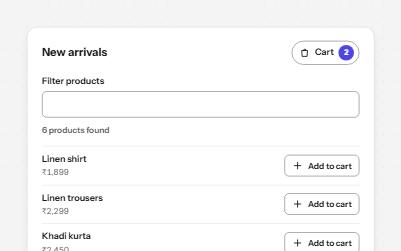
Results, confirmations and saves told to screen readers through role=status, without moving focus, once each time.
-
Loading state
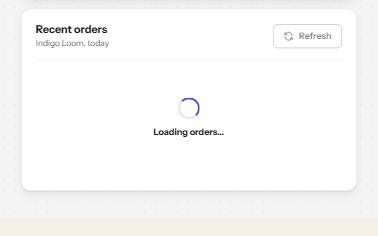
A busy button that keeps focus, a region marked busy while it loads, a spinner with words, and a note when it runs long.
-
Skeleton loader
Placeholder shapes that hold the layout while content loads, hidden from screen readers, with one message when it arrives.
-
Search field
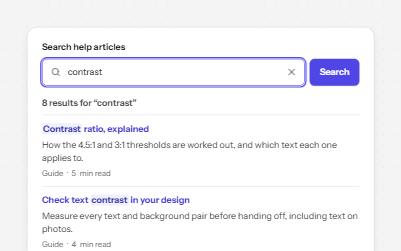
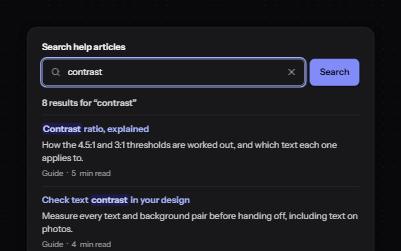
A labelled search landmark with a clear button, recent searches, and a result count that is announced without moving focus.