Accessibility pattern · Feedback and status
Loading state
While something loads, the button that started it stays focusable but unavailable, the region being filled is marked aria-busy, and the spinner has words beside it. A polite status says when loading starts, when it runs long and how many results arrived, so a screen reader user is never left in silence.
- WCAG criteria
- 5
- Keyboard rules
- 3
- Checked with
- axe, keyboard and the inspector
Live demo
Try it
Use it with a mouse, a keyboard or a screen reader. The inspector beside it shows what the browser tells assistive technology as you go: focus, state changes and announcements.
Store details
Recent orders
Indigo Loom, today
- Meera Iyer Shipped
- Rohan Das Packed
- Fatima Shaikh Delivered
The demo works without JavaScript only as far as its HTML does; the inspector needs JavaScript.
Keyboard
Keys it answers to
Every action works without a pointer.
| Key | What it does |
|---|---|
| Enter or Space | On Save changes, starts saving. The button says Saving… and stays focused; pressing it again does nothing until the save is done. |
| Enter or Space | On Refresh, reloads the orders. Refresh stays focused but unavailable while they load. |
| Tab | Moves between the field and the buttons as usual; nothing is taken out of the Tab order while loading. |
Screen readers
What it announces
Written from the roles, names and states in the markup.
| When | Expected announcement |
|---|---|
| Save changes is pressed | Changes saved, when the save is done (the button reads Saving… in the meantime) |
| Refresh is pressed | Loading orders… |
| Loading runs past three seconds | Still loading — this is taking longer than usual. |
| The orders arrive | 6 orders loaded |
| Focus is on Refresh while it loads | Refresh, button, unavailable |
These are expected announcements, not recordings. Wording and order differ between screen readers and browsers.
Code
Copy the code
The exact files this demo runs on. The styles are served with a prefix that keeps this site's own styles out of the demo; what you copy is the original.
<div class="ap-loading" data-ap-loading>
  <section class="ap-loading__card" aria-labelledby="loading-store-h">
    <h3 class="ap-loading__h" id="loading-store-h">Store details</h3>
    <div class="ap-field">
      <label class="ap-label" for="loading-store-name">Store name</label>
      <input class="ap-input" id="loading-store-name" name="store" autocomplete="organization" value="Indigo Loom" />
    </div>
    <div class="ap-loading__foot">
      <button type="button" class="ap-btn ap-btn--primary ap-loading__save" data-ap-save>
        <span class="ap-loading__face" data-ap-idle>Save changes</span>
        <span class="ap-loading__face" aria-hidden="true" data-ap-busy><span class="ap-loading__spin"></span>Saving…</span>
      </button>
      <p class="ap-loading__note" role="status" data-ap-save-say></p>
    </div>
  </section>

  <section class="ap-loading__card" aria-labelledby="loading-orders-h">
    <div class="ap-loading__top">
      <div>
        <h3 class="ap-loading__h" id="loading-orders-h">Recent orders</h3>
        <p class="ap-loading__sub">Indigo Loom, today</p>
      </div>
      <button type="button" class="ap-btn ap-loading__refresh" data-ap-refresh>
        <svg class="ap-btn__icon ap-loading__turn" viewBox="0 0 24 24" aria-hidden="true" focusable="false"><path d="M20 11a8 8 0 0 0-14.3-4.9L4 8"/><path d="M4 4v4h4"/><path d="M4 13a8 8 0 0 0 14.3 4.9L20 16"/><path d="M20 20v-4h-4"/></svg>
        Refresh
      </button>
    </div>
    <div class="ap-loading__area">
      <ul class="ap-loading__list" aria-labelledby="loading-orders-h" aria-busy="false" data-ap-list>
      <li class="ap-loading__row">
        <span class="ap-loading__who">
          <span class="ap-loading__name">Meera Iyer</span>
          <span class="ap-loading__meta">#4127 · ₹2,450</span>
        </span>
        <span class="ap-loading__state">Shipped</span>
      </li>
      <li class="ap-loading__row">
        <span class="ap-loading__who">
          <span class="ap-loading__name">Rohan Das</span>
          <span class="ap-loading__meta">#4126 · ₹899</span>
        </span>
        <span class="ap-loading__state">Packed</span>
      </li>
      <li class="ap-loading__row">
        <span class="ap-loading__who">
          <span class="ap-loading__name">Fatima Shaikh</span>
          <span class="ap-loading__meta">#4125 · ₹5,120</span>
        </span>
        <span class="ap-loading__state">Delivered</span>
      </li>
      </ul>
      <div class="ap-loading__cover" aria-hidden="true" hidden data-ap-cover>
        <span class="ap-loading__spinner"></span>
        <p class="ap-loading__what">Loading orders…</p>
        <p class="ap-loading__slow" hidden data-ap-slow>Still loading — this is taking longer than usual.</p>
      </div>
    </div>
    <p class="ap-loading__sr" role="status" data-ap-say></p>
  </section>

  <template data-ap-orders>
      <li class="ap-loading__row">
        <span class="ap-loading__who">
          <span class="ap-loading__name">Kavya Menon</span>
          <span class="ap-loading__meta">#4130 · ₹1,340</span>
        </span>
        <span class="ap-loading__state">New</span>
      </li>
      <li class="ap-loading__row">
        <span class="ap-loading__who">
          <span class="ap-loading__name">Arjun Singh</span>
          <span class="ap-loading__meta">#4129 · ₹3,075</span>
        </span>
        <span class="ap-loading__state">Confirmed</span>
      </li>
      <li class="ap-loading__row">
        <span class="ap-loading__who">
          <span class="ap-loading__name">Neha Kulkarni</span>
          <span class="ap-loading__meta">#4128 · ₹640</span>
        </span>
        <span class="ap-loading__state">New</span>
      </li>
      <li class="ap-loading__row">
        <span class="ap-loading__who">
          <span class="ap-loading__name">Meera Iyer</span>
          <span class="ap-loading__meta">#4127 · ₹2,450</span>
        </span>
        <span class="ap-loading__state">Delivered</span>
      </li>
      <li class="ap-loading__row">
        <span class="ap-loading__who">
          <span class="ap-loading__name">Rohan Das</span>
          <span class="ap-loading__meta">#4126 · ₹899</span>
        </span>
        <span class="ap-loading__state">Shipped</span>
      </li>
      <li class="ap-loading__row">
        <span class="ap-loading__who">
          <span class="ap-loading__name">Fatima Shaikh</span>
          <span class="ap-loading__meta">#4125 · ₹5,120</span>
        </span>
        <span class="ap-loading__state">Delivered</span>
      </li>
  </template>
</div>
/* Shared primitives: buttons and form fields used across the patterns.
   Uses the --ap-* design tokens. */

.ap-btn {
  display: inline-flex;
  align-items: center;
  justify-content: center;
  gap: 8px;
  min-height: 40px;
  padding: 0 16px;
  border: 1px solid var(--ap-border-strong);
  border-radius: var(--ap-radius-sm);
  background: var(--ap-surface);
  color: var(--ap-text);
  font: inherit;
  font-weight: 600;
  line-height: 1.2;
  text-decoration: none;
  white-space: nowrap;
  cursor: pointer;
  transition: background-color var(--ap-duration) var(--ap-ease), border-color var(--ap-duration) var(--ap-ease), box-shadow var(--ap-duration) var(--ap-ease);
}
.ap-btn:hover {
  background: var(--ap-surface-2);
}
.ap-btn:focus-visible {
  outline: 2px solid var(--ap-focus);
  outline-offset: 2px;
}
.ap-btn:disabled,
.ap-btn[aria-disabled="true"] {
  opacity: .55;
  cursor: not-allowed;
}
.ap-btn--primary {
  border-color: var(--ap-accent);
  background: var(--ap-accent);
  color: var(--ap-on-accent);
  box-shadow: var(--ap-shadow-sm);
}
.ap-btn--primary:hover {
  border-color: var(--ap-accent-hover);
  background: var(--ap-accent-hover);
}
.ap-btn--danger {
  border-color: var(--ap-danger);
  background: var(--ap-danger);
  color: var(--ap-surface);
}
.ap-btn--danger:hover {
  filter: brightness(1.08);
}
.ap-btn--ghost {
  border-color: transparent;
  background: transparent;
}
.ap-btn--ghost:hover {
  background: var(--ap-surface-2);
}
.ap-btn__icon {
  width: 18px;
  height: 18px;
  flex-shrink: 0;
  fill: none;
  stroke: currentColor;
  stroke-width: 2;
  stroke-linecap: round;
  stroke-linejoin: round;
}

.ap-field {
  display: grid;
  gap: 6px;
}
.ap-label {
  color: var(--ap-text);
  font-weight: 600;
  font-size: .9375rem;
}
.ap-hint {
  margin: 0;
  color: var(--ap-text-3);
  font-size: .875rem;
  line-height: 1.45;
}
.ap-error {
  display: flex;
  align-items: flex-start;
  gap: 6px;
  margin: 0;
  color: var(--ap-danger);
  font-size: .875rem;
  font-weight: 600;
  line-height: 1.45;
}
.ap-input {
  width: 100%;
  min-height: 44px;
  padding: 10px 12px;
  border: 1px solid var(--ap-border-strong);
  border-radius: var(--ap-radius-sm);
  background: var(--ap-surface);
  color: var(--ap-text);
  font: inherit;
  line-height: 1.4;
  transition: border-color var(--ap-duration) var(--ap-ease), box-shadow var(--ap-duration) var(--ap-ease);
}
.ap-input::placeholder {
  color: var(--ap-text-3);
}
.ap-input:hover {
  border-color: var(--ap-text-2);
}
.ap-input:focus-visible {
  outline: 2px solid var(--ap-focus);
  outline-offset: 1px;
  border-color: var(--ap-focus);
}
.ap-input[aria-invalid="true"] {
  border-color: var(--ap-danger);
  box-shadow: inset 4px 0 0 var(--ap-danger);
}
textarea.ap-input {
  resize: vertical;
  min-height: 88px;
}

@media (prefers-reduced-motion: reduce) {
  .ap-btn,
  .ap-input { transition: none; }
}

/* Loading state. Uses the --ap-* design tokens and the shared primitives. */
.ap-loading {
  display: grid;
  gap: 16px;
  width: min(100%, 560px);
  margin-inline: auto;
  container-type: inline-size;
}

.ap-loading__card {
  display: grid;
  gap: 16px;
  padding: 22px 24px 24px;
  border: 1px solid var(--ap-border);
  border-radius: var(--ap-radius-lg);
  background: var(--ap-surface);
  color: var(--ap-text);
  box-shadow: var(--ap-shadow-md);
}
.ap-loading__h {
  margin: 0;
  font-size: 1.125rem;
  font-weight: 650;
  line-height: 1.3;
}
.ap-loading__sub {
  margin: 2px 0 0;
  color: var(--ap-text-3);
  font-size: .875rem;
}
.ap-loading__top {
  display: flex;
  flex-wrap: wrap;
  align-items: center;
  justify-content: space-between;
  gap: 12px;
}

/* The busy button: both labels share one cell, so the width holds. */
.ap-loading__foot {
  display: flex;
  flex-wrap: wrap;
  align-items: center;
  gap: 10px 16px;
}
.ap-loading__save {
  display: inline-grid;
  min-height: var(--ap-target);
}
.ap-loading__face {
  display: inline-flex;
  grid-area: 1 / 1;
  align-items: center;
  justify-content: center;
  gap: 8px;
}
.ap-loading__face[aria-hidden="true"] {
  visibility: hidden;
}
.ap-loading__save[aria-disabled="true"] {
  opacity: 1;
  cursor: progress;
}
.ap-loading__spin {
  width: 16px;
  height: 16px;
  border: 2px solid color-mix(in srgb, currentColor 35%, transparent);
  border-top-color: currentColor;
  border-radius: var(--ap-radius-full);
  animation: ap-loading-spin 700ms linear infinite;
}
.ap-loading__note {
  display: inline-flex;
  align-items: center;
  gap: 6px;
  min-height: 1.5em;
  margin: 0;
  color: var(--ap-success);
  font-weight: 600;
}
.ap-loading__note svg {
  width: 18px;
  height: 18px;
  fill: none;
  stroke: currentColor;
  stroke-width: 2.2;
  stroke-linecap: round;
  stroke-linejoin: round;
}

/* The refresh icon turns while the list loads. */
.ap-loading__turn {
  transition: transform var(--ap-duration) var(--ap-ease);
}
.ap-loading.is-loading .ap-loading__turn {
  animation: ap-loading-spin 900ms linear infinite;
}
.ap-loading__refresh[aria-disabled="true"] {
  cursor: progress;
}

/* The list, and the cover that sits over it while it is busy. */
.ap-loading__area {
  position: relative;
  min-height: 150px;
}
.ap-loading__list {
  display: grid;
  margin: 0;
  padding: 0;
  list-style: none;
  border-top: 1px solid var(--ap-border);
}
.ap-loading__row {
  display: flex;
  align-items: center;
  justify-content: space-between;
  gap: 12px;
  padding: 10px 0;
  border-bottom: 1px solid var(--ap-border);
}
.ap-loading__who {
  display: grid;
  min-width: 0;
}
.ap-loading__name {
  font-weight: 600;
}
.ap-loading__meta {
  color: var(--ap-text-3);
  font-size: .875rem;
  font-variant-numeric: tabular-nums;
}
.ap-loading__state {
  flex-shrink: 0;
  padding: 3px 10px;
  border: 1px solid var(--ap-border);
  border-radius: var(--ap-radius-full);
  background: var(--ap-surface-2);
  color: var(--ap-text-2);
  font-size: .8125rem;
  font-weight: 600;
}
/* Stale rows are not shown while new ones load, so nobody acts on them. */
.ap-loading__list[aria-busy="true"] > li {
  visibility: hidden;
}

.ap-loading__cover {
  position: absolute;
  inset: 1px 0 0;
  display: grid;
  place-content: center;
  justify-items: center;
  gap: 10px;
  padding: 16px;
  background: var(--ap-surface);
  text-align: center;
  animation: ap-loading-in 200ms var(--ap-ease);
}
.ap-loading__cover[hidden] {
  display: none;
}
.ap-loading__spinner {
  width: 36px;
  height: 36px;
  border: 3px solid var(--ap-surface-3);
  border-top-color: var(--ap-accent);
  border-right-color: var(--ap-accent);
  border-radius: var(--ap-radius-full);
  animation: ap-loading-spin 800ms linear infinite;
}
.ap-loading__what {
  margin: 0;
  font-weight: 650;
}
.ap-loading__slow {
  max-width: 30ch;
  margin: 0;
  color: var(--ap-text-2);
  font-size: .875rem;
  line-height: 1.5;
}
.ap-loading__slow[hidden] {
  display: none;
}

/* Read by screen readers, not shown. */
.ap-loading__sr {
  position: absolute;
  width: 1px;
  height: 1px;
  margin: -1px;
  padding: 0;
  overflow: hidden;
  clip-path: inset(50%);
  white-space: nowrap;
  border: 0;
}

@keyframes ap-loading-spin {
  to { transform: rotate(360deg); }
}
@keyframes ap-loading-in {
  from { opacity: 0; }
}

@container (max-width: 440px) {
  .ap-loading__card {
    padding: 18px 16px 20px;
  }
}

/* Reduced motion: the spinners stand still, a quarter-ring that still reads
   as waiting, and the words beside them say what is happening. */
@media (prefers-reduced-motion: reduce) {
  .ap-loading__spin,
  .ap-loading__spinner,
  .ap-loading.is-loading .ap-loading__turn { animation: none; }
  .ap-loading__cover { animation: none; }
  .ap-loading__turn { transition: none; }
}
/**
 * Loading states: a busy button that keeps focus, and a list that is marked
 * aria-busy and covered by a spinner with words while it reloads, with a
 * polite status for the start, a slow-down note and the result.
 *
 * Markup: [data-ap-loading] holding
 *   button[data-ap-save] with two labels, [data-ap-idle] and an aria-hidden
 *   [data-ap-busy], and a p[role=status][data-ap-save-say];
 *   button[data-ap-refresh], ul[data-ap-list][aria-busy], an aria-hidden
 *   [data-ap-cover] holding a [data-ap-slow] note, an empty
 *   p[role=status][data-ap-say], and a template[data-ap-orders] with the
 *   rows a refresh brings back.
 * Add data-slow to the root for a slow network.
 */

const SAVE_MS = 1400;
const LOAD_MS = 1600;
const SLOW_FACTOR = 4.5; // the Slow network option stretches both waits
const LONG_AFTER = 3000; // when "still loading" is said
const SVG = "http://www.w3.org/2000/svg";

export function init(root) {
  const save = root.querySelector("[data-ap-save]");
  const idle = save.querySelector("[data-ap-idle]");
  const busy = save.querySelector("[data-ap-busy]");
  const saveSay = root.querySelector("[data-ap-save-say]");
  const refresh = root.querySelector("[data-ap-refresh]");
  const list = root.querySelector("[data-ap-list]");
  const cover = root.querySelector("[data-ap-cover]");
  const slowNote = root.querySelector("[data-ap-slow]");
  const say = root.querySelector("[data-ap-say]");
  const orders = root.querySelector("template[data-ap-orders]");
  const timers = new Set();

  const wait = (ms) => ms * (root.hasAttribute("data-slow") ? SLOW_FACTOR : 1);
  const isBusy = (button) => button.getAttribute("aria-disabled") === "true";

  function later(fn, ms) {
    const t = setTimeout(() => {
      timers.delete(t);
      fn();
    }, ms);
    timers.add(t);
    return t;
  }

  // Both status elements are in the page from the start, so a change to
  // their content is announced. Emptying first makes a repeat news again.
  function write(region, ...parts) {
    region.replaceChildren();
    later(() => region.replaceChildren(...parts), 80);
  }
  function el(tag, ...content) {
    const node = document.createElement(tag);
    node.append(...content);
    return node;
  }
  function tick() {
    const svg = document.createElementNS(SVG, "svg");
    svg.setAttribute("viewBox", "0 0 24 24");
    svg.setAttribute("aria-hidden", "true");
    svg.setAttribute("focusable", "false");
    const path = document.createElementNS(SVG, "path");
    path.setAttribute("d", "m5 12.5 4.5 4.5L19 7.5");
    svg.append(path);
    return svg;
  }

  /* ── The busy button ── */
  function startSave() {
    // aria-disabled, not disabled: focus stays on the button, and the press
    // is simply ignored while it is busy.
    if (isBusy(save)) return;
    save.setAttribute("aria-disabled", "true");
    idle.setAttribute("aria-hidden", "true");
    busy.removeAttribute("aria-hidden");
    saveSay.replaceChildren();
    later(() => {
      busy.setAttribute("aria-hidden", "true");
      idle.removeAttribute("aria-hidden");
      save.removeAttribute("aria-disabled");
      write(saveSay, tick(), el("span", "Changes saved"));
    }, wait(SAVE_MS));
  }

  /* ── The list that reloads ── */
  function startRefresh() {
    if (isBusy(refresh)) return;
    refresh.setAttribute("aria-disabled", "true");
    root.classList.add("is-loading");
    list.setAttribute("aria-busy", "true");
    cover.hidden = false;
    slowNote.hidden = true;
    write(say, el("span", "Loading orders…"));

    const long = later(() => {
      slowNote.hidden = false;
      write(say, el("span", "Still loading — this is taking longer than usual."));
    }, LONG_AFTER);

    later(() => {
      clearTimeout(long);
      timers.delete(long);
      // The rows are replaced while the list is busy, then it is released
      // and one message says what arrived.
      list.replaceChildren(orders.content.cloneNode(true));
      list.setAttribute("aria-busy", "false");
      cover.hidden = true;
      root.classList.remove("is-loading");
      refresh.removeAttribute("aria-disabled");
      const n = list.children.length;
      write(say, el("span", String(n)), " ", el("span", "orders loaded"));
    }, wait(LOAD_MS));
  }

  function onClick(event) {
    const button = event.target.closest("button");
    if (button === save) startSave();
    else if (button === refresh) startRefresh();
  }

  root.addEventListener("click", onClick);
  return () => {
    for (const t of timers) clearTimeout(t);
    timers.clear();
    root.removeEventListener("click", onClick);
  };
}

for (const root of document.querySelectorAll("[data-ap-loading]")) init(root);
/* Design tokens for the pattern components. Light by default, dark when the
   system asks for it; set data-theme="dark" on :root to force dark. */
:root {
    --ap-radius-sm: 8px;
    --ap-radius: 12px;
    --ap-radius-lg: 16px;
    --ap-radius-full: 999px;
    --ap-font: "Instrument Sans", ui-sans-serif, system-ui, -apple-system, "Segoe UI", Roboto, sans-serif;
    --ap-mono: "JetBrains Mono", ui-monospace, "Cascadia Mono", "SF Mono", Consolas, monospace;
    --ap-ease: cubic-bezier(.2, .8, .2, 1);
    --ap-duration: 180ms;
    --ap-target: 44px;
    --ap-bg: #F4F4F5;
    --ap-surface: #FFFFFF;
    --ap-surface-2: #F4F4F5;
    --ap-surface-3: #E4E4E7;
    --ap-border: #E4E4E7;
    --ap-border-strong: #76767F;
    --ap-text: #18181B;
    --ap-text-2: #3F3F46;
    --ap-text-3: #5E5E66;
    --ap-accent: #4F46E5;
    --ap-accent-hover: #4338CA;
    --ap-on-accent: #FFFFFF;
    --ap-accent-text: #4338CA;
    --ap-accent-soft: #EEF2FF;
    --ap-accent-soft-text: #3730A3;
    --ap-focus: #4F46E5;
    --ap-danger: #B91C1C;
    --ap-danger-soft: #FEF2F2;
    --ap-success: #15803D;
    --ap-success-soft: #F0FDF4;
    --ap-warning: #A15C07;
    --ap-warning-soft: #FEFCE8;
    --ap-info: #1D4ED8;
    --ap-info-soft: #EFF6FF;
    --ap-scrim: rgb(9 9 11 / .48);
    --ap-shadow-sm: 0 1px 2px rgb(9 9 11 / .06);
    --ap-shadow-md: 0 1px 2px rgb(9 9 11 / .05), 0 6px 16px -4px rgb(9 9 11 / .1);
    --ap-shadow-lg: 0 2px 6px rgb(9 9 11 / .06), 0 20px 40px -12px rgb(9 9 11 / .22);
    --ap-light-bg: #F4F4F5;
    --ap-light-surface: #FFFFFF;
    --ap-light-surface-2: #F4F4F5;
    --ap-light-surface-3: #E4E4E7;
    --ap-light-border: #E4E4E7;
    --ap-light-border-strong: #76767F;
    --ap-light-text: #18181B;
    --ap-light-text-2: #3F3F46;
    --ap-light-text-3: #5E5E66;
    --ap-light-accent: #4F46E5;
    --ap-light-accent-hover: #4338CA;
    --ap-light-on-accent: #FFFFFF;
    --ap-light-accent-text: #4338CA;
    --ap-light-accent-soft: #EEF2FF;
    --ap-light-accent-soft-text: #3730A3;
    --ap-light-focus: #4F46E5;
    --ap-light-danger: #B91C1C;
    --ap-light-danger-soft: #FEF2F2;
    --ap-light-success: #15803D;
    --ap-light-success-soft: #F0FDF4;
    --ap-light-warning: #A15C07;
    --ap-light-warning-soft: #FEFCE8;
    --ap-light-info: #1D4ED8;
    --ap-light-info-soft: #EFF6FF;
    --ap-light-scrim: rgb(9 9 11 / .48);
    --ap-light-shadow-sm: 0 1px 2px rgb(9 9 11 / .06);
    --ap-light-shadow-md: 0 1px 2px rgb(9 9 11 / .05), 0 6px 16px -4px rgb(9 9 11 / .1);
    --ap-light-shadow-lg: 0 2px 6px rgb(9 9 11 / .06), 0 20px 40px -12px rgb(9 9 11 / .22);
    --ap-dark-bg: #09090B;
    --ap-dark-surface: #18181B;
    --ap-dark-surface-2: #27272A;
    --ap-dark-surface-3: #3F3F46;
    --ap-dark-border: #2E2E33;
    --ap-dark-border-strong: #8E8E97;
    --ap-dark-text: #FAFAFA;
    --ap-dark-text-2: #D4D4D8;
    --ap-dark-text-3: #A1A1AA;
    --ap-dark-accent: #818CF8;
    --ap-dark-accent-hover: #A5B4FC;
    --ap-dark-on-accent: #0C0A1F;
    --ap-dark-accent-text: #A5B4FC;
    --ap-dark-accent-soft: #1E1B4B;
    --ap-dark-accent-soft-text: #C7D2FE;
    --ap-dark-focus: #A5B4FC;
    --ap-dark-danger: #F87171;
    --ap-dark-danger-soft: #2A1215;
    --ap-dark-success: #4ADE80;
    --ap-dark-success-soft: #0F2A1A;
    --ap-dark-warning: #FACC15;
    --ap-dark-warning-soft: #2A2410;
    --ap-dark-info: #60A5FA;
    --ap-dark-info-soft: #0F1D33;
    --ap-dark-scrim: rgb(0 0 0 / .62);
    --ap-dark-shadow-sm: 0 1px 2px rgb(0 0 0 / .4);
    --ap-dark-shadow-md: 0 1px 2px rgb(0 0 0 / .4), 0 8px 20px -6px rgb(0 0 0 / .5);
    --ap-dark-shadow-lg: 0 2px 8px rgb(0 0 0 / .45), 0 24px 48px -12px rgb(0 0 0 / .7);
}
@media (prefers-color-scheme: dark) {
  :root:not([data-theme="light"]) {
      --ap-bg: #09090B;
      --ap-surface: #18181B;
      --ap-surface-2: #27272A;
      --ap-surface-3: #3F3F46;
      --ap-border: #2E2E33;
      --ap-border-strong: #8E8E97;
      --ap-text: #FAFAFA;
      --ap-text-2: #D4D4D8;
      --ap-text-3: #A1A1AA;
      --ap-accent: #818CF8;
      --ap-accent-hover: #A5B4FC;
      --ap-on-accent: #0C0A1F;
      --ap-accent-text: #A5B4FC;
      --ap-accent-soft: #1E1B4B;
      --ap-accent-soft-text: #C7D2FE;
      --ap-focus: #A5B4FC;
      --ap-danger: #F87171;
      --ap-danger-soft: #2A1215;
      --ap-success: #4ADE80;
      --ap-success-soft: #0F2A1A;
      --ap-warning: #FACC15;
      --ap-warning-soft: #2A2410;
      --ap-info: #60A5FA;
      --ap-info-soft: #0F1D33;
      --ap-scrim: rgb(0 0 0 / .62);
      --ap-shadow-sm: 0 1px 2px rgb(0 0 0 / .4);
      --ap-shadow-md: 0 1px 2px rgb(0 0 0 / .4), 0 8px 20px -6px rgb(0 0 0 / .5);
      --ap-shadow-lg: 0 2px 8px rgb(0 0 0 / .45), 0 24px 48px -12px rgb(0 0 0 / .7);
  }
}
:root[data-theme="dark"] {
    --ap-bg: #09090B;
    --ap-surface: #18181B;
    --ap-surface-2: #27272A;
    --ap-surface-3: #3F3F46;
    --ap-border: #2E2E33;
    --ap-border-strong: #8E8E97;
    --ap-text: #FAFAFA;
    --ap-text-2: #D4D4D8;
    --ap-text-3: #A1A1AA;
    --ap-accent: #818CF8;
    --ap-accent-hover: #A5B4FC;
    --ap-on-accent: #0C0A1F;
    --ap-accent-text: #A5B4FC;
    --ap-accent-soft: #1E1B4B;
    --ap-accent-soft-text: #C7D2FE;
    --ap-focus: #A5B4FC;
    --ap-danger: #F87171;
    --ap-danger-soft: #2A1215;
    --ap-success: #4ADE80;
    --ap-success-soft: #0F2A1A;
    --ap-warning: #FACC15;
    --ap-warning-soft: #2A2410;
    --ap-info: #60A5FA;
    --ap-info-soft: #0F1D33;
    --ap-scrim: rgb(0 0 0 / .62);
    --ap-shadow-sm: 0 1px 2px rgb(0 0 0 / .4);
    --ap-shadow-md: 0 1px 2px rgb(0 0 0 / .4), 0 8px 20px -6px rgb(0 0 0 / .5);
    --ap-shadow-lg: 0 2px 8px rgb(0 0 0 / .45), 0 24px 48px -12px rgb(0 0 0 / .7);
}
WCAG 2.2
What it meets
The success criteria this pattern takes care of, and how.
-
1.3.1 Info and Relationships
Level A
The order list is named by its heading and marked aria-busy while its contents are replaced, so the loading state is in the markup, not only on screen.
-
2.3.3 Animation from Interactions
Level AAA
The spinner and the turning icon stop moving when the system asks for reduced motion; the words beside them carry on saying what is happening.
-
2.4.3 Focus Order
Level A
Neither button loses focus while it is busy: aria-disabled keeps it in place, where the disabled attribute would throw focus away.
-
4.1.2 Name, Role, Value
Level A
The busy button's name changes to Saving… and it reports itself unavailable; the spinner inside it is hidden from assistive technology.
-
4.1.3 Status Messages
Level AA
Loading, the slow-down note and the result are announced from a polite status, without focus moving.
Usage
When to use it
Use it
- Anything that takes long enough to notice, roughly over half a second: saving, refreshing, searching, loading a panel.
- Content replaced in place, where people need to know the old content is about to change.
Use something else
- Loads under a few hundred milliseconds: show nothing, or delay the spinner, so it does not flash.
- Long tasks whose size is known: a progress bar tells people how far along it is.
- Whole pages loading for the first time: a skeleton keeps the layout steady while content arrives.
Common failures
How it usually goes wrong
A spinner and nothing else
A spinning circle says nothing to a screen reader and little to many others. Here it has words beside it, and a status says the same.
disabled on the busy button
The disabled attribute takes the button out of the Tab order and drops focus to the top of the page. aria-disabled keeps it focusable; the script ignores presses while busy.
Silence when it runs long
A wait with no end in sight feels broken. After three seconds a note says it is still loading, on screen and to screen readers.
Announcing every row as it arrives
Content streamed into a live region reads each item aloud. The list is not live; one message says how many arrived.
Old content that looks current
Leaving stale rows on screen without a sign invites people to act on them. The list is covered and marked busy until the new rows are in.
A spinner that never stops
Endless rotation can make people with vestibular disorders unwell. Under reduced motion the spinner stands still and the words stay.
Notes
Building it
- aria-busy="true" tells assistive technology the region is being updated, and some screen readers hold back reading it until it is false. Support varies, so the status message carries the news.
- The status element is in the HTML from the start, empty. Live regions announce changes to content that is already in the accessibility tree; a region created with its message, or unhidden at the same moment, is often missed.
- The busy label and the idle label share one grid cell, so the button keeps its width; the one not in use is hidden with aria-hidden and visibility, so the name is always the visible words.
- The overlay over the list is aria-hidden: it is a picture of the busy state, which aria-busy and the status message already expose.
- The Slow network option makes both waits longer, so the still loading note appears.
Sources: WAI-ARIA 1.2: aria-busy · Understanding SC 4.1.3: Status Messages · Understanding SC 2.3.3: Animation from Interactions
Checked with axe in light and dark themes, at desktop and phone widths, and by keyboard. Not yet tested with every screen reader and browser pair. Report a correction
Related
Patterns that go with it
-
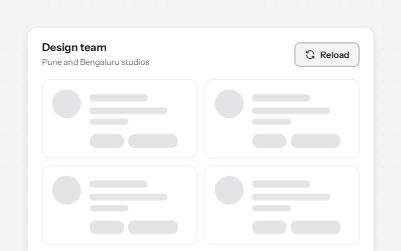
Skeleton loader
Placeholder shapes that hold the layout while content loads, hidden from screen readers, with one message when it arrives.
-
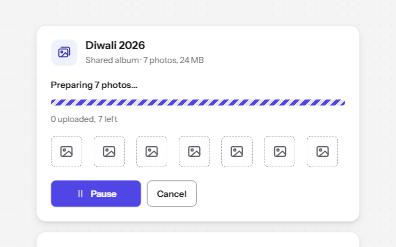
Progress bar
Determinate and indeterminate progress on the native progress element, with a label, visible numbers and milestone announcements.
-
Button
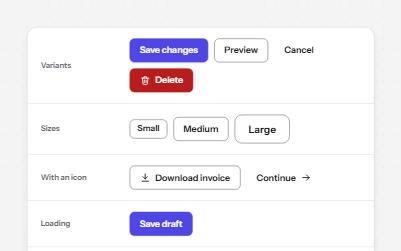
Native buttons in four variants and three sizes, with a loading state that keeps focus and a disabled state that says why.
-
Status message
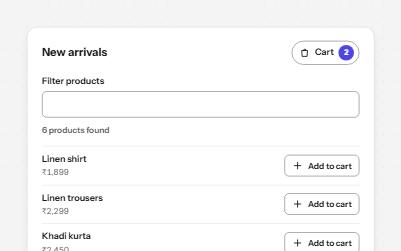
Results, confirmations and saves told to screen readers through role=status, without moving focus, once each time.