Accessibility pattern · Feedback and status
Error page
An error page is a page like any other: its title and its heading say what went wrong, in words, so the tab, the history and the first thing a screen reader reads all agree. Below that come the address that failed, a search, a short labelled set of links, and for server and connection errors a Try again button with a suggested wait that never reloads by itself.
- WCAG criteria
- 7
- Keyboard rules
- 4
- Checked with
- axe, keyboard and the inspector
Live demo
Try it
Use it with a mouse, a keyboard or a screen reader. The inspector beside it shows what the browser tells assistive technology as you go: focus, state changes and announcements.
Page title: Page not found · Kapda Co. Something went wrong · Kapda Co. You're offline · Kapda Co.
Error 404
We can't find that page
The link may be broken, or the page may have moved. Check the address, or search for what you need.
You asked for: kapda.co/fabrics/linen-kurtaa
Error 500
Something went wrong on our side
It's not you: our server hit a problem loading this page, and we have been told. Your cart is safe.
Reference for support: 7F3K-29QA
Suggested wait 0:30
No connection
You're offline
Check your Wi-Fi or mobile data. Pages you opened before still work, and your cart is saved on this device.
Suggested wait 0:30
The demo works without JavaScript only as far as its HTML does; the inspector needs JavaScript.
Keyboard
Keys it answers to
Every action works without a pointer.
| Key | What it does |
|---|---|
| Arrow Right or Arrow Left | In Error to show, picks the next or previous kind of error; the page below changes to match. |
| Tab | Moves from the picker into the page: the search field and button (404) or Try again (500 and offline), then the helpful links. |
| Enter | In the search field, sends the search. |
| Enter or Space | On Try again, tries once more; the button says Trying again and stays focused, then a status message gives the result. |
Screen readers
What it announces
Written from the roles, names and states in the markup.
| When | Expected announcement |
|---|---|
| A screen reader reads the 404 page from the top | Error 404. We can't find that page, heading level 3 |
| Focus reaches the search field | Search the shop, search edit text |
| Tab reaches the links | Helpful links, navigation. Home page, link |
| Try again is pressed | Trying again, button, unavailable |
| The attempt fails | Still not working. Wait a moment, then try again. |
| The suggested wait runs out | You can try again now |
These are expected announcements, not recordings. Wording and order differ between screen readers and browsers.
Code
Copy the code
The exact files this demo runs on. The styles are served with a prefix that keeps this site's own styles out of the demo; what you copy is the original.
<div class="ap-errpage" data-ap-error-page>
  <fieldset class="ap-errpage__pick">
    <legend class="ap-errpage__legend">Error to show</legend>
    <div class="ap-errpage__track">
      <label class="ap-errpage__seg">
        <input class="ap-errpage__radio" type="radio" name="errpage-kind" value="404" checked />
        <span>Not found</span>
      </label>
      <label class="ap-errpage__seg">
        <input class="ap-errpage__radio" type="radio" name="errpage-kind" value="500" />
        <span>Server error</span>
      </label>
      <label class="ap-errpage__seg">
        <input class="ap-errpage__radio" type="radio" name="errpage-kind" value="offline" />
        <span>Offline</span>
      </label>
    </div>
  </fieldset>

  <div class="ap-errpage__window">
    <div class="ap-errpage__chrome">
      <p class="ap-errpage__tab">
        <span class="ap-errpage__favicon" aria-hidden="true"></span>
        <span class="ap-errpage__vh">Page title:</span>
        <span data-ap-title="404">Page not found · Kapda Co.</span>
        <span data-ap-title="500" hidden>Something went wrong · Kapda Co.</span>
        <span data-ap-title="offline" hidden>You're offline · Kapda Co.</span>
      </p>
    </div>

    <div class="ap-errpage__page">
      <section class="ap-errpage__variant" data-ap-variant="404" aria-labelledby="errpage-404-name">
        <svg class="ap-errpage__art" viewBox="0 0 96 64" aria-hidden="true" focusable="false"><rect class="ap-errpage__art-fill" x="8" y="10" width="62" height="44" rx="8"/><path class="ap-errpage__art-line" d="M8 22h62"/><circle class="ap-errpage__art-dot" cx="17" cy="16" r="1.6"/><circle class="ap-errpage__art-dot" cx="23" cy="16" r="1.6"/><path class="ap-errpage__art-soft" d="M20 33h24M20 42h14"/><circle class="ap-errpage__art-glass" cx="70" cy="40" r="12"/><path class="ap-errpage__art-line" d="m79 49 9 9"/></svg>
        <p class="ap-errpage__code">Error 404</p>
        <h3 class="ap-errpage__name" id="errpage-404-name" tabindex="-1">We can't find that page</h3>
        <p class="ap-errpage__what">The link may be broken, or the page may have moved. Check the address, or search for what you need.</p>
        <p class="ap-errpage__url"><span>You asked for:</span> <code translate="no">kapda.co/fabrics/linen-kurtaa</code></p>
        <form class="ap-errpage__search" role="search" aria-label="Shop" data-ap-search>
          <label class="ap-label" for="errpage-q">Search the shop</label>
          <div class="ap-errpage__search-row">
            <input class="ap-input" id="errpage-q" type="search" name="q" autocomplete="off" />
            <button type="submit" class="ap-btn">Search</button>
          </div>
        </form>
      </section>

      <section class="ap-errpage__variant" data-ap-variant="500" aria-labelledby="errpage-500-name" hidden>
        <svg class="ap-errpage__art" viewBox="0 0 96 64" aria-hidden="true" focusable="false"><rect class="ap-errpage__art-fill" x="20" y="8" width="56" height="20" rx="5"/><rect class="ap-errpage__art-fill" x="20" y="34" width="56" height="20" rx="5"/><rect class="ap-errpage__art-frame" x="20" y="8" width="56" height="20" rx="5"/><rect class="ap-errpage__art-frame" x="20" y="34" width="56" height="20" rx="5"/><circle class="ap-errpage__art-dot" cx="30" cy="18" r="2"/><circle class="ap-errpage__art-dot" cx="30" cy="44" r="2"/><path class="ap-errpage__art-soft" d="M42 18h22M42 44h22"/><path class="ap-errpage__art-line" d="m60 26-6 6h8l-6 6"/></svg>
        <p class="ap-errpage__code">Error 500</p>
        <h3 class="ap-errpage__name" id="errpage-500-name" tabindex="-1">Something went wrong on our side</h3>
        <p class="ap-errpage__what">It's not you: our server hit a problem loading this page, and we have been told. Your cart is safe.</p>
        <p class="ap-errpage__url"><span>Reference for support:</span> <code translate="no">7F3K-29QA</code></p>
        <div class="ap-errpage__retry">
          <button type="button" class="ap-btn ap-btn--primary" data-ap-retry>
            <svg class="ap-btn__icon ap-errpage__spin" viewBox="0 0 24 24" aria-hidden="true" focusable="false"><path d="M20 12a8 8 0 1 1-2.3-5.7"/><path d="M20 4v4.5h-4.5"/></svg>
            <span data-ap-retry-label>Try again</span>
          </button>
          <p class="ap-errpage__wait" data-ap-wait>
            <span data-ap-wait-text>Suggested wait</span>
            <span class="ap-errpage__secs" role="timer" aria-live="off" translate="no" data-ap-secs>0:30</span>
          </p>
        </div>
      </section>

      <section class="ap-errpage__variant" data-ap-variant="offline" aria-labelledby="errpage-offline-name" hidden>
        <svg class="ap-errpage__art" viewBox="0 0 96 64" aria-hidden="true" focusable="false"><path class="ap-errpage__art-soft" d="M22 30a37 37 0 0 1 52 0M30 39a25 25 0 0 1 36 0"/><path class="ap-errpage__art-line" d="M39 48a13 13 0 0 1 18 0"/><circle class="ap-errpage__art-dot" cx="48" cy="55" r="2.6"/><path class="ap-errpage__art-line" d="M24 12 72 58"/></svg>
        <p class="ap-errpage__code">No connection</p>
        <h3 class="ap-errpage__name" id="errpage-offline-name" tabindex="-1">You're offline</h3>
        <p class="ap-errpage__what">Check your Wi-Fi or mobile data. Pages you opened before still work, and your cart is saved on this device.</p>
        <div class="ap-errpage__retry">
          <button type="button" class="ap-btn ap-btn--primary" data-ap-retry>
            <svg class="ap-btn__icon ap-errpage__spin" viewBox="0 0 24 24" aria-hidden="true" focusable="false"><path d="M20 12a8 8 0 1 1-2.3-5.7"/><path d="M20 4v4.5h-4.5"/></svg>
            <span data-ap-retry-label>Try again</span>
          </button>
          <p class="ap-errpage__wait" data-ap-wait>
            <span data-ap-wait-text>Suggested wait</span>
            <span class="ap-errpage__secs" role="timer" aria-live="off" translate="no" data-ap-secs>0:30</span>
          </p>
        </div>
      </section>

      <nav class="ap-errpage__links" aria-labelledby="errpage-links-name">
        <h4 class="ap-errpage__links-name" id="errpage-links-name">Helpful links</h4>
        <ul>
          <li><a href="#errpage-home">Home page</a></li>
          <li><a href="#errpage-new">New arrivals</a></li>
          <li><a href="#errpage-orders">Track an order</a></li>
          <li><a href="#errpage-help">Help centre</a></li>
        </ul>
      </nav>
    </div>
  </div>

  <p class="ap-errpage__vh" role="status" data-ap-live></p>
</div>
/* Shared primitives: buttons and form fields used across the patterns.
   Uses the --ap-* design tokens. */

.ap-btn {
  display: inline-flex;
  align-items: center;
  justify-content: center;
  gap: 8px;
  min-height: 40px;
  padding: 0 16px;
  border: 1px solid var(--ap-border-strong);
  border-radius: var(--ap-radius-sm);
  background: var(--ap-surface);
  color: var(--ap-text);
  font: inherit;
  font-weight: 600;
  line-height: 1.2;
  text-decoration: none;
  white-space: nowrap;
  cursor: pointer;
  transition: background-color var(--ap-duration) var(--ap-ease), border-color var(--ap-duration) var(--ap-ease), box-shadow var(--ap-duration) var(--ap-ease);
}
.ap-btn:hover {
  background: var(--ap-surface-2);
}
.ap-btn:focus-visible {
  outline: 2px solid var(--ap-focus);
  outline-offset: 2px;
}
.ap-btn:disabled,
.ap-btn[aria-disabled="true"] {
  opacity: .55;
  cursor: not-allowed;
}
.ap-btn--primary {
  border-color: var(--ap-accent);
  background: var(--ap-accent);
  color: var(--ap-on-accent);
  box-shadow: var(--ap-shadow-sm);
}
.ap-btn--primary:hover {
  border-color: var(--ap-accent-hover);
  background: var(--ap-accent-hover);
}
.ap-btn--danger {
  border-color: var(--ap-danger);
  background: var(--ap-danger);
  color: var(--ap-surface);
}
.ap-btn--danger:hover {
  filter: brightness(1.08);
}
.ap-btn--ghost {
  border-color: transparent;
  background: transparent;
}
.ap-btn--ghost:hover {
  background: var(--ap-surface-2);
}
.ap-btn__icon {
  width: 18px;
  height: 18px;
  flex-shrink: 0;
  fill: none;
  stroke: currentColor;
  stroke-width: 2;
  stroke-linecap: round;
  stroke-linejoin: round;
}

.ap-field {
  display: grid;
  gap: 6px;
}
.ap-label {
  color: var(--ap-text);
  font-weight: 600;
  font-size: .9375rem;
}
.ap-hint {
  margin: 0;
  color: var(--ap-text-3);
  font-size: .875rem;
  line-height: 1.45;
}
.ap-error {
  display: flex;
  align-items: flex-start;
  gap: 6px;
  margin: 0;
  color: var(--ap-danger);
  font-size: .875rem;
  font-weight: 600;
  line-height: 1.45;
}
.ap-input {
  width: 100%;
  min-height: 44px;
  padding: 10px 12px;
  border: 1px solid var(--ap-border-strong);
  border-radius: var(--ap-radius-sm);
  background: var(--ap-surface);
  color: var(--ap-text);
  font: inherit;
  line-height: 1.4;
  transition: border-color var(--ap-duration) var(--ap-ease), box-shadow var(--ap-duration) var(--ap-ease);
}
.ap-input::placeholder {
  color: var(--ap-text-3);
}
.ap-input:hover {
  border-color: var(--ap-text-2);
}
.ap-input:focus-visible {
  outline: 2px solid var(--ap-focus);
  outline-offset: 1px;
  border-color: var(--ap-focus);
}
.ap-input[aria-invalid="true"] {
  border-color: var(--ap-danger);
  box-shadow: inset 4px 0 0 var(--ap-danger);
}
textarea.ap-input {
  resize: vertical;
  min-height: 88px;
}

@media (prefers-reduced-motion: reduce) {
  .ap-btn,
  .ap-input { transition: none; }
}

/* Error page. Uses the --ap-* design tokens and the shared primitives. */
.ap-errpage {
  display: grid;
  gap: 16px;
  width: min(100%, 620px);
  margin-inline: auto;
  color: var(--ap-text);
}
.ap-errpage [hidden] {
  display: none !important;
}

/* Demo control: which error to show, as a row of radio buttons. */
.ap-errpage__pick {
  justify-self: center;
  min-width: 0;
  max-width: 100%;
  margin: 0;
  padding: 0;
  border: 0;
}
.ap-errpage__legend {
  float: left;
  width: 100%;
  margin: 0 0 8px;
  padding: 0;
  color: var(--ap-text-3);
  font-size: .75rem;
  font-weight: 650;
  letter-spacing: .06em;
  text-align: center;
  text-transform: uppercase;
}
.ap-errpage__track {
  clear: both;
  display: flex;
  flex-wrap: wrap;
  justify-content: center;
  gap: 2px;
  padding: 3px;
  border: 1px solid var(--ap-border);
  border-radius: 22px;
  background: var(--ap-surface);
  box-shadow: var(--ap-shadow-sm);
}
.ap-errpage__seg {
  position: relative;
  display: flex;
  align-items: center;
  min-height: 36px;
  padding: 0 14px;
  border-radius: var(--ap-radius-full);
  color: var(--ap-text-2);
  font-size: .875rem;
  font-weight: 500;
  white-space: nowrap;
  cursor: pointer;
}
.ap-errpage__seg:hover {
  background: var(--ap-surface-2);
  color: var(--ap-text);
}
.ap-errpage__seg:has(.ap-errpage__radio:checked) {
  background: var(--ap-text);
  color: var(--ap-surface);
  font-weight: 650;
}
.ap-errpage__seg:has(.ap-errpage__radio:focus-visible) {
  outline: 2px solid var(--ap-focus);
  outline-offset: 2px;
}
/* The real radio: invisible, covering its label, so it takes clicks and focus. */
.ap-errpage__radio {
  position: absolute;
  inset: 0;
  width: 100%;
  height: 100%;
  margin: 0;
  opacity: 0;
  cursor: pointer;
}

/* The page, in a window with its tab, so the document title is visible. */
.ap-errpage__window {
  border: 1px solid var(--ap-border);
  border-radius: var(--ap-radius-lg);
  background: var(--ap-surface);
  box-shadow: var(--ap-shadow-md);
  overflow: hidden;
  container-type: inline-size;
}
.ap-errpage__chrome {
  display: flex;
  padding: 10px 14px 0;
  border-bottom: 1px solid var(--ap-border);
  background: var(--ap-surface-2);
}
.ap-errpage__tab {
  display: flex;
  align-items: center;
  gap: 8px;
  min-width: 0;
  max-width: 100%;
  margin: 0 0 -1px;
  padding: 8px 16px 9px 12px;
  border: 1px solid var(--ap-border);
  border-bottom-color: var(--ap-surface);
  border-radius: var(--ap-radius-sm) var(--ap-radius-sm) 0 0;
  background: var(--ap-surface);
  color: var(--ap-text-2);
  font-size: .8125rem;
  font-weight: 500;
  line-height: 1.35;
}
.ap-errpage__favicon {
  flex: none;
  width: 14px;
  height: 14px;
  border-radius: 4px;
  background: var(--ap-accent);
}

.ap-errpage__page {
  display: grid;
  gap: 24px;
  padding: 28px 30px 26px;
}
.ap-errpage__variant {
  display: grid;
  justify-items: start;
  gap: 8px;
}
.ap-errpage__variant:not([hidden]) {
  animation: ap-errpage-in 220ms var(--ap-ease);
}
.ap-errpage__art {
  width: 96px;
  height: auto;
  margin-bottom: 4px;
  overflow: visible;
}
.ap-errpage__art-fill {
  fill: var(--ap-accent-soft);
}
.ap-errpage__art-frame,
.ap-errpage__art-line {
  fill: none;
  stroke: var(--ap-accent-text);
  stroke-width: 2.5;
  stroke-linecap: round;
  stroke-linejoin: round;
}
.ap-errpage__art-soft {
  fill: none;
  stroke: var(--ap-accent);
  stroke-width: 3;
  stroke-linecap: round;
  opacity: .45;
}
.ap-errpage__art-dot {
  fill: var(--ap-accent-text);
}
.ap-errpage__art-glass {
  fill: var(--ap-surface);
  stroke: var(--ap-accent-text);
  stroke-width: 2.5;
}
.ap-errpage__code {
  margin: 0;
  padding: 2px 9px;
  border: 1px solid var(--ap-border);
  border-radius: var(--ap-radius-full);
  background: var(--ap-surface-2);
  color: var(--ap-text-2);
  font-family: var(--ap-mono);
  font-size: .75rem;
  font-weight: 600;
  letter-spacing: .02em;
}
.ap-errpage__name {
  margin: 2px 0 0;
  font-size: 1.5rem;
  font-weight: 700;
  letter-spacing: -.01em;
  line-height: 1.25;
}
.ap-errpage__name:focus-visible {
  outline: 2px solid var(--ap-focus);
  outline-offset: 4px;
  border-radius: 4px;
}
.ap-errpage__what {
  max-width: 52ch;
  margin: 0;
  color: var(--ap-text-2);
  line-height: 1.55;
}
.ap-errpage__url {
  display: flex;
  flex-wrap: wrap;
  align-items: baseline;
  gap: 4px 8px;
  margin: 2px 0 0;
  color: var(--ap-text-3);
  font-size: .875rem;
}
.ap-errpage__url code {
  padding: 2px 8px;
  border: 1px solid var(--ap-border);
  border-radius: 6px;
  background: var(--ap-surface-2);
  color: var(--ap-text);
  font-family: var(--ap-mono);
  font-size: .8125rem;
  overflow-wrap: anywhere;
}

.ap-errpage__search {
  display: grid;
  gap: 6px;
  width: 100%;
  margin-top: 12px;
}
.ap-errpage__search-row {
  display: flex;
  gap: 8px;
}
.ap-errpage__search-row .ap-input {
  flex: 1;
  min-width: 0;
}
.ap-errpage__search-row .ap-btn {
  min-height: 44px;
}

/* Try again, with a suggested wait beside it. */
.ap-errpage__retry {
  display: flex;
  flex-wrap: wrap;
  align-items: center;
  gap: 10px 16px;
  margin-top: 12px;
}
.ap-errpage__retry .ap-btn {
  min-height: var(--ap-target);
}
.ap-errpage__wait {
  display: inline-flex;
  align-items: center;
  gap: 8px;
  margin: 0;
  color: var(--ap-text-3);
  font-size: .875rem;
}
.ap-errpage__secs {
  padding: 2px 9px;
  border-radius: var(--ap-radius-full);
  background: var(--ap-surface-2);
  color: var(--ap-text);
  font-family: var(--ap-mono);
  font-size: .8125rem;
  font-variant-numeric: tabular-nums;
  font-weight: 600;
}
.ap-errpage .is-busy .ap-errpage__spin {
  animation: ap-errpage-spin 900ms linear infinite;
}

/* Helpful links, as a named navigation region. */
.ap-errpage__links {
  padding-top: 20px;
  border-top: 1px solid var(--ap-border);
}
.ap-errpage__links-name {
  margin: 0 0 8px;
  color: var(--ap-text-3);
  font-size: .75rem;
  font-weight: 650;
  letter-spacing: .06em;
  text-transform: uppercase;
}
.ap-errpage__links ul {
  display: grid;
  grid-template-columns: repeat(2, minmax(0, 1fr));
  gap: 2px 18px;
  margin: 0;
  padding: 0;
  list-style: none;
}
.ap-errpage__links a {
  display: inline-flex;
  align-items: center;
  min-height: 36px;
  color: var(--ap-accent-text);
  font-weight: 600;
  text-decoration: underline;
  text-decoration-thickness: 1px;
  text-underline-offset: .2em;
}
.ap-errpage__links a:hover {
  text-decoration-thickness: 2px;
}
.ap-errpage__links a:focus-visible {
  outline: 2px solid var(--ap-focus);
  outline-offset: 2px;
  border-radius: 2px;
}

.ap-errpage__vh {
  position: absolute;
  width: 1px;
  height: 1px;
  margin: -1px;
  padding: 0;
  overflow: hidden;
  clip-path: inset(50%);
  white-space: nowrap;
  border: 0;
}

@container (max-width: 440px) {
  .ap-errpage__page { padding: 22px 20px 20px; }
  .ap-errpage__name { font-size: 1.3125rem; }
  .ap-errpage__links ul { grid-template-columns: minmax(0, 1fr); }
}

@keyframes ap-errpage-in {
  from { opacity: 0; transform: translateY(4px); }
}
@keyframes ap-errpage-spin {
  to { transform: rotate(360deg); }
}

@media (prefers-reduced-motion: reduce) {
  .ap-errpage__variant:not([hidden]),
  .ap-errpage .is-busy .ap-errpage__spin { animation: none; }
}
/**
 * Error page: 404, 500 and offline views with a matching document title, a
 * search and labelled links, and a Try again button whose suggested wait
 * never reloads anything by itself.
 *
 * Markup: [data-ap-error-page] holding radios (name="errpage-kind") that
 * pick the view, title spans [data-ap-title="<kind>"], sections
 * [data-ap-variant="<kind>"] (the 500 and offline ones with a
 * button[data-ap-retry] and a [data-ap-wait] line), and a role=status
 * paragraph. Add data-set-title to the root to set document.title as well.
 */

const WAIT = 30; // seconds suggested between attempts

const clock = (s) => `${Math.floor(s / 60)}:${String(s % 60).padStart(2, "0")}`;

// The request to repeat. In the demo there is nothing to load, so it fails;
// in a real page, fetch the page again and replace this view when it works.
function attempt(kind) {
  return new Promise((resolve, reject) => {
    setTimeout(() => reject(new Error(kind === "offline" && !navigator.onLine ? "offline" : "failed")), 1400);
  });
}

export function init(root) {
  const live = root.querySelector("[data-ap-live]");
  const radios = [...root.querySelectorAll("input[name='errpage-kind']")];
  const startTitle = document.title;
  const events = new AbortController();
  let kind = (radios.find((r) => r.checked) || radios[0]).value;
  let tick = 0;
  let busy = false;
  let titleChanged = false;
  let gone = false;

  const view = () => root.querySelector(`[data-ap-variant="${kind}"]`);
  const say = (text) => {
    live.textContent = "";
    requestAnimationFrame(() => { live.textContent = text; });
  };

  /* The suggested wait: a count, then a nudge. Nothing happens at zero. */
  function stopWait() {
    clearInterval(tick);
  }
  function startWait() {
    stopWait();
    const wait = view().querySelector("[data-ap-wait]");
    if (!wait) return;
    const text = wait.querySelector("[data-ap-wait-text]");
    const secs = wait.querySelector("[data-ap-secs]");
    let left = WAIT;
    text.textContent = "Suggested wait";
    secs.hidden = false;
    secs.textContent = clock(left);
    tick = setInterval(() => {
      left -= 1;
      secs.textContent = clock(left);
      if (left > 0) return;
      stopWait();
      text.textContent = "You can try again now";
      secs.hidden = true;
      say("You can try again now");
    }, 1000);
  }

  function setBusy(button, on) {
    busy = on;
    button.querySelector("[data-ap-retry-label]").textContent = on ? "Trying again" : "Try again";
    button.classList.toggle("is-busy", on);
    // aria-disabled, not disabled: the button keeps focus while it works.
    if (on) button.setAttribute("aria-disabled", "true");
    else button.removeAttribute("aria-disabled");
  }

  async function retry(button) {
    if (busy) return;
    stopWait();
    setBusy(button, true);
    const tried = kind;
    try {
      await attempt(tried);
      if (!gone) say("Page loaded");
    } catch (error) {
      if (gone || tried !== kind) return;
      say(error.message === "offline" || tried === "offline"
        ? "Still offline. Check your connection, then try again."
        : "Still not working. Wait a moment, then try again.");
      startWait();
    } finally {
      if (!gone && tried === kind) setBusy(button, false);
    }
  }

  /* Showing one kind of error: its section, its title, its wait. */
  function show(next) {
    kind = next;
    for (const section of root.querySelectorAll("[data-ap-variant]")) section.hidden = section.dataset.apVariant !== kind;
    let title = "";
    for (const span of root.querySelectorAll("[data-ap-title]")) {
      span.hidden = span.dataset.apTitle !== kind;
      if (!span.hidden) title = span.textContent.trim();
    }
    if (root.hasAttribute("data-set-title")) {
      document.title = title;
      titleChanged = true;
    }
    for (const button of root.querySelectorAll("[data-ap-retry]")) setBusy(button, false);
    stopWait();
    startWait();
  }

  function onChange(event) {
    if (radios.includes(event.target)) show(event.target.value);
  }

  function onClick(event) {
    const button = event.target.closest("[data-ap-retry]");
    if (button) {
      retry(button);
      return;
    }
    if (event.target.closest("a[href^='#errpage-']")) {
      // The demo's pages do not exist here; a real page follows the link.
      event.preventDefault();
      say("In a real shop, this link opens that page.");
    }
  }

  function onSubmit(event) {
    event.preventDefault();
    say("In a real shop, this opens the search results.");
  }

  // A connection coming back is news, not a reason to reload on its own.
  window.addEventListener("online", () => {
    if (kind === "offline") say("You're back online. Try again to load the page.");
  }, { signal: events.signal });

  show(kind);
  root.addEventListener("change", onChange);
  root.addEventListener("click", onClick);
  root.addEventListener("submit", onSubmit);
  return () => {
    gone = true;
    stopWait();
    events.abort();
    if (titleChanged) document.title = startTitle;
    root.removeEventListener("change", onChange);
    root.removeEventListener("click", onClick);
    root.removeEventListener("submit", onSubmit);
  };
}

for (const root of document.querySelectorAll("[data-ap-error-page]")) init(root);
/* Design tokens for the pattern components. Light by default, dark when the
   system asks for it; set data-theme="dark" on :root to force dark. */
:root {
    --ap-radius-sm: 8px;
    --ap-radius: 12px;
    --ap-radius-lg: 16px;
    --ap-radius-full: 999px;
    --ap-font: "Instrument Sans", ui-sans-serif, system-ui, -apple-system, "Segoe UI", Roboto, sans-serif;
    --ap-mono: "JetBrains Mono", ui-monospace, "Cascadia Mono", "SF Mono", Consolas, monospace;
    --ap-ease: cubic-bezier(.2, .8, .2, 1);
    --ap-duration: 180ms;
    --ap-target: 44px;
    --ap-bg: #F4F4F5;
    --ap-surface: #FFFFFF;
    --ap-surface-2: #F4F4F5;
    --ap-surface-3: #E4E4E7;
    --ap-border: #E4E4E7;
    --ap-border-strong: #76767F;
    --ap-text: #18181B;
    --ap-text-2: #3F3F46;
    --ap-text-3: #5E5E66;
    --ap-accent: #4F46E5;
    --ap-accent-hover: #4338CA;
    --ap-on-accent: #FFFFFF;
    --ap-accent-text: #4338CA;
    --ap-accent-soft: #EEF2FF;
    --ap-accent-soft-text: #3730A3;
    --ap-focus: #4F46E5;
    --ap-danger: #B91C1C;
    --ap-danger-soft: #FEF2F2;
    --ap-success: #15803D;
    --ap-success-soft: #F0FDF4;
    --ap-warning: #A15C07;
    --ap-warning-soft: #FEFCE8;
    --ap-info: #1D4ED8;
    --ap-info-soft: #EFF6FF;
    --ap-scrim: rgb(9 9 11 / .48);
    --ap-shadow-sm: 0 1px 2px rgb(9 9 11 / .06);
    --ap-shadow-md: 0 1px 2px rgb(9 9 11 / .05), 0 6px 16px -4px rgb(9 9 11 / .1);
    --ap-shadow-lg: 0 2px 6px rgb(9 9 11 / .06), 0 20px 40px -12px rgb(9 9 11 / .22);
    --ap-light-bg: #F4F4F5;
    --ap-light-surface: #FFFFFF;
    --ap-light-surface-2: #F4F4F5;
    --ap-light-surface-3: #E4E4E7;
    --ap-light-border: #E4E4E7;
    --ap-light-border-strong: #76767F;
    --ap-light-text: #18181B;
    --ap-light-text-2: #3F3F46;
    --ap-light-text-3: #5E5E66;
    --ap-light-accent: #4F46E5;
    --ap-light-accent-hover: #4338CA;
    --ap-light-on-accent: #FFFFFF;
    --ap-light-accent-text: #4338CA;
    --ap-light-accent-soft: #EEF2FF;
    --ap-light-accent-soft-text: #3730A3;
    --ap-light-focus: #4F46E5;
    --ap-light-danger: #B91C1C;
    --ap-light-danger-soft: #FEF2F2;
    --ap-light-success: #15803D;
    --ap-light-success-soft: #F0FDF4;
    --ap-light-warning: #A15C07;
    --ap-light-warning-soft: #FEFCE8;
    --ap-light-info: #1D4ED8;
    --ap-light-info-soft: #EFF6FF;
    --ap-light-scrim: rgb(9 9 11 / .48);
    --ap-light-shadow-sm: 0 1px 2px rgb(9 9 11 / .06);
    --ap-light-shadow-md: 0 1px 2px rgb(9 9 11 / .05), 0 6px 16px -4px rgb(9 9 11 / .1);
    --ap-light-shadow-lg: 0 2px 6px rgb(9 9 11 / .06), 0 20px 40px -12px rgb(9 9 11 / .22);
    --ap-dark-bg: #09090B;
    --ap-dark-surface: #18181B;
    --ap-dark-surface-2: #27272A;
    --ap-dark-surface-3: #3F3F46;
    --ap-dark-border: #2E2E33;
    --ap-dark-border-strong: #8E8E97;
    --ap-dark-text: #FAFAFA;
    --ap-dark-text-2: #D4D4D8;
    --ap-dark-text-3: #A1A1AA;
    --ap-dark-accent: #818CF8;
    --ap-dark-accent-hover: #A5B4FC;
    --ap-dark-on-accent: #0C0A1F;
    --ap-dark-accent-text: #A5B4FC;
    --ap-dark-accent-soft: #1E1B4B;
    --ap-dark-accent-soft-text: #C7D2FE;
    --ap-dark-focus: #A5B4FC;
    --ap-dark-danger: #F87171;
    --ap-dark-danger-soft: #2A1215;
    --ap-dark-success: #4ADE80;
    --ap-dark-success-soft: #0F2A1A;
    --ap-dark-warning: #FACC15;
    --ap-dark-warning-soft: #2A2410;
    --ap-dark-info: #60A5FA;
    --ap-dark-info-soft: #0F1D33;
    --ap-dark-scrim: rgb(0 0 0 / .62);
    --ap-dark-shadow-sm: 0 1px 2px rgb(0 0 0 / .4);
    --ap-dark-shadow-md: 0 1px 2px rgb(0 0 0 / .4), 0 8px 20px -6px rgb(0 0 0 / .5);
    --ap-dark-shadow-lg: 0 2px 8px rgb(0 0 0 / .45), 0 24px 48px -12px rgb(0 0 0 / .7);
}
@media (prefers-color-scheme: dark) {
  :root:not([data-theme="light"]) {
      --ap-bg: #09090B;
      --ap-surface: #18181B;
      --ap-surface-2: #27272A;
      --ap-surface-3: #3F3F46;
      --ap-border: #2E2E33;
      --ap-border-strong: #8E8E97;
      --ap-text: #FAFAFA;
      --ap-text-2: #D4D4D8;
      --ap-text-3: #A1A1AA;
      --ap-accent: #818CF8;
      --ap-accent-hover: #A5B4FC;
      --ap-on-accent: #0C0A1F;
      --ap-accent-text: #A5B4FC;
      --ap-accent-soft: #1E1B4B;
      --ap-accent-soft-text: #C7D2FE;
      --ap-focus: #A5B4FC;
      --ap-danger: #F87171;
      --ap-danger-soft: #2A1215;
      --ap-success: #4ADE80;
      --ap-success-soft: #0F2A1A;
      --ap-warning: #FACC15;
      --ap-warning-soft: #2A2410;
      --ap-info: #60A5FA;
      --ap-info-soft: #0F1D33;
      --ap-scrim: rgb(0 0 0 / .62);
      --ap-shadow-sm: 0 1px 2px rgb(0 0 0 / .4);
      --ap-shadow-md: 0 1px 2px rgb(0 0 0 / .4), 0 8px 20px -6px rgb(0 0 0 / .5);
      --ap-shadow-lg: 0 2px 8px rgb(0 0 0 / .45), 0 24px 48px -12px rgb(0 0 0 / .7);
  }
}
:root[data-theme="dark"] {
    --ap-bg: #09090B;
    --ap-surface: #18181B;
    --ap-surface-2: #27272A;
    --ap-surface-3: #3F3F46;
    --ap-border: #2E2E33;
    --ap-border-strong: #8E8E97;
    --ap-text: #FAFAFA;
    --ap-text-2: #D4D4D8;
    --ap-text-3: #A1A1AA;
    --ap-accent: #818CF8;
    --ap-accent-hover: #A5B4FC;
    --ap-on-accent: #0C0A1F;
    --ap-accent-text: #A5B4FC;
    --ap-accent-soft: #1E1B4B;
    --ap-accent-soft-text: #C7D2FE;
    --ap-focus: #A5B4FC;
    --ap-danger: #F87171;
    --ap-danger-soft: #2A1215;
    --ap-success: #4ADE80;
    --ap-success-soft: #0F2A1A;
    --ap-warning: #FACC15;
    --ap-warning-soft: #2A2410;
    --ap-info: #60A5FA;
    --ap-info-soft: #0F1D33;
    --ap-scrim: rgb(0 0 0 / .62);
    --ap-shadow-sm: 0 1px 2px rgb(0 0 0 / .4);
    --ap-shadow-md: 0 1px 2px rgb(0 0 0 / .4), 0 8px 20px -6px rgb(0 0 0 / .5);
    --ap-shadow-lg: 0 2px 8px rgb(0 0 0 / .45), 0 24px 48px -12px rgb(0 0 0 / .7);
}
WCAG 2.2
What it meets
The success criteria this pattern takes care of, and how.
-
1.1.1 Non-text Content
Level A
The drawings are aria-hidden; the error code and heading say everything the picture does.
-
1.3.1 Info and Relationships
Level A
The error is a section named by its heading, the links are a nav named by their own heading, and the search is a labelled search landmark.
-
2.4.3 Focus Order
Level A
While Try again is busy it uses aria-disabled rather than disabled, so focus stays on it instead of falling back to the top of the page.
-
2.4.2 Page Titled
Level A
Each kind of error has its own document title, shown above the page, so the tab and the history say what happened.
-
2.4.6 Headings and Labels
Level AA
The heading says what went wrong in words ("We can't find that page"), with the code as a small label above it.
-
3.2.5 Change on Request
Level AAA
The page only tries again when asked; a lost connection coming back is announced rather than acted on.
-
4.1.3 Status Messages
Level AA
The result of Try again, the end of the suggested wait and a returning connection are polite status messages; focus stays where it is.
Usage
When to use it
Use it
- Any request that cannot be served: a missing page (404), a server failure (500), a lost connection, a page someone may not see.
- Single-page apps when a route fails: render this view, set the title, and move focus to its heading.
Use something else
- A form field that failed: show the error beside the field and keep the person on the form.
- An empty search or list: that is an empty state, not an error.
Common failures
How it usually goes wrong
Just a big 404
A number means nothing to most people and is read as "four hundred and four". Say what happened in words, and show the code small, for support.
The title still says the old page
In a single-page app, the tab keeps the last page's title, and a screen reader announces it. Set document.title for the error view.
Automatic reloads
A page that refreshes itself every few seconds moves focus to the top and restarts the reading. Here nothing happens until Try again is pressed.
A disabled retry button
Greying out Try again during a countdown leaves a dead control and gives no reason. The button stays usable; the wait is only a suggestion.
No way forward
An error page with only a home link sends everyone back to the start. A search and a few labelled links get people where they meant to go.
Blaming the visitor
"Invalid request" for a server fault is wrong and unkind. Say whose problem it is and whether anything was lost.
Notes
Building it
- On a real page the heading is the h1 and the title is in the HTML; the demo uses h3 because it sits under this page's h2, and shows the title in a tab strip.
- The option above also sets this browser tab's document.title while the demo is open; switch it on and watch the tab change with each kind of error.
- Send the right status code (404, 500, 503) from the server too: it is what search engines and monitoring read, whatever the page says.
- For the offline view, listen for the window's online event and announce it, but leave the reload to the person.
- The search's form has role=search and its own name, and the links' nav is named by its heading, so neither repeats a landmark name the site already uses.
Sources: WCAG 2.2 Understanding 2.4.2: Page Titled · WCAG 2.2 Understanding 3.2.5: Change on Request
Checked with axe in light and dark themes, at desktop and phone widths, and by keyboard. Not yet tested with every screen reader and browser pair. Report a correction
Related
Patterns that go with it
-
Empty state
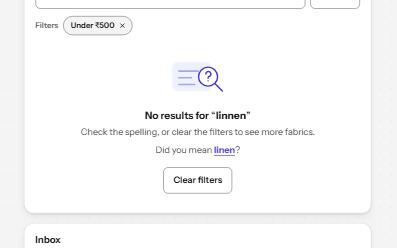
What to show when a list has nothing in it: why it is empty, and the one action that fills it, announced when it changes.
-
Alert banner
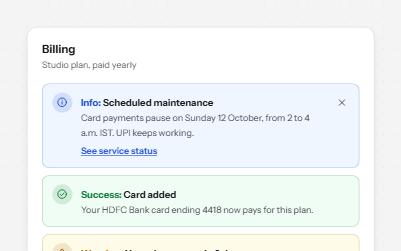
Messages in four tones, each with a word and an icon, and role=alert only for errors that happen while someone works.
-
Status message
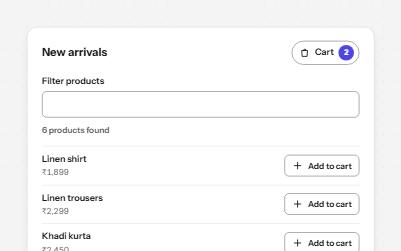
Results, confirmations and saves told to screen readers through role=status, without moving focus, once each time.
-
Search field
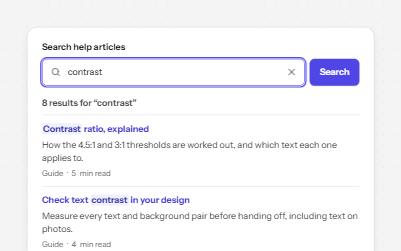
A labelled search landmark with a clear button, recent searches, and a result count that is announced without moving focus.