Accessibility pattern · Feedback and status
Toast notifications
Each toast is written into one role=status element that was in the page from the start, so it is announced once, politely, while focus stays where it was. Timed toasts pause while they are pointed at, focused or in a background tab, a setting turns the timer off, and a toast with an action stays until it is handled.
- WCAG criteria
- 7
- Keyboard rules
- 4
- Checked with
- axe, keyboard and the inspector
Live demo
Try it
Use it with a mouse, a keyboard or a screen reader. The inspector beside it shows what the browser tells assistive technology as you go: focus, state changes and announcements.
Q3 sales report
Send a notification
Summary
Revenue grew 18% on the last quarter, led by online orders from Pune and Jaipur. Returns fell to 3.2%.
Next quarter we plan to open two stores and move all deliveries to one courier partner.
Highlights
- Online orders up 27%
- Average delivery time down to 2.4 days
- Repeat customers at 41%
Saved
Q3 sales report is up to date.
Upload complete
invoice-2041.pdf is in Documents.
Connection lost
Your edits stay on this device until you are back online.
Back online
Your edits are synced.
The demo works without JavaScript only as far as its HTML does; the inspector needs JavaScript.
Keyboard
Keys it answers to
Every action works without a pointer.
| Key | What it does |
|---|---|
| Enter or Space | On Save draft, Upload invoice or Go offline, shows a notification. Focus stays on the button you pressed. |
| Tab or ShiftTab | Reaches the open notifications' Retry and Dismiss buttons after the page's own controls; a toast never takes focus by itself. |
| Escape | In a notification, closes it and returns focus to where you were before you moved into the stack. |
| Enter or Space | On Retry, reconnects: Connection lost is replaced by Back online, and focus goes back to where you were. |
Screen readers
What it announces
Written from the roles, names and states in the markup.
| When | Expected announcement |
|---|---|
| Save draft is pressed | Saved. Q3 sales report is up to date. |
| Go offline is pressed | Connection lost. Your edits stay on this device until you are back online. |
| Tab reaches the stack | Notifications, region. Retry, button |
| Retry succeeds | Back online. Your edits are synced. |
| A toast closes, on its own or by Dismiss | Nothing: closing is silent |
These are expected announcements, not recordings. Wording and order differ between screen readers and browsers.
Code
Copy the code
The exact files this demo runs on. The styles are served with a prefix that keeps this site's own styles out of the demo; what you copy is the original.
<div class="ap-toast" data-ap-toast>
  <div class="ap-toast__app">
    <div class="ap-toast__top">
      <span class="ap-toast__doc" aria-hidden="true">
        <svg viewBox="0 0 24 24" focusable="false"><path d="M14 3H7a2 2 0 0 0-2 2v14a2 2 0 0 0 2 2h10a2 2 0 0 0 2-2V8Z"/><path d="M14 3v5h5"/><path d="M9 13h6M9 17h4"/></svg>
      </span>
      <div>
        <h3 class="ap-toast__file">Q3 sales report</h3>
        <p class="ap-toast__meta">Shared with Finance</p>
      </div>
    </div>

    <div class="ap-toast__try">
      <p class="ap-toast__k" id="toast-try">Send a notification</p>
      <div class="ap-toast__btns" role="group" aria-labelledby="toast-try">
        <button type="button" class="ap-btn" data-ap-make="saved">
          <svg class="ap-btn__icon" viewBox="0 0 24 24" aria-hidden="true" focusable="false"><path d="M5 4h11l3 3v13H5Z"/><path d="M8 4v5h7V4"/><path d="M8 20v-6h8v6"/></svg>
          Save draft
        </button>
        <button type="button" class="ap-btn" data-ap-make="upload">
          <svg class="ap-btn__icon" viewBox="0 0 24 24" aria-hidden="true" focusable="false"><path d="M12 16V4"/><path d="m7 9 5-5 5 5"/><path d="M4 16v2a2 2 0 0 0 2 2h12a2 2 0 0 0 2-2v-2"/></svg>
          Upload invoice
        </button>
        <button type="button" class="ap-btn" data-ap-make="offline">
          <svg class="ap-btn__icon" viewBox="0 0 24 24" aria-hidden="true" focusable="false"><path d="M2 8.8a15 15 0 0 1 4.2-2.6"/><path d="M10.7 5.1A15 15 0 0 1 22 8.8"/><path d="M5 12.5a10 10 0 0 1 3.4-2"/><path d="M16.2 10.8a10 10 0 0 1 2.8 1.7"/><path d="M8.5 16.4a5 5 0 0 1 7 0"/><path d="M12 20h.01"/><path d="m3 3 18 18"/></svg>
          Go offline
        </button>
      </div>
      <label class="ap-toast__pref">
        <input class="ap-toast__check" type="checkbox" data-ap-keep />
        <span>Don't auto-dismiss notifications</span>
      </label>
    </div>

    <section class="ap-toast__region" aria-label="Notifications">
      <ol class="ap-toast__list" data-ap-list></ol>
      <p class="ap-toast__sr" role="status" data-ap-say></p>
    </section>

    <div class="ap-toast__page">
      <h4 class="ap-toast__h">Summary</h4>
      <p>Revenue grew 18% on the last quarter, led by online orders from Pune and Jaipur. Returns fell to 3.2%.</p>
      <p>Next quarter we plan to open two stores and move all deliveries to one courier partner.</p>
      <h4 class="ap-toast__h">Highlights</h4>
      <ul class="ap-toast__points">
        <li>Online orders up 27%</li>
        <li>Average delivery time down to 2.4 days</li>
        <li>Repeat customers at 41%</li>
      </ul>
    </div>
  </div>


  <template data-ap-kind="saved">
    <li class="ap-toast__item ap-toast__item--success">
      <span class="ap-toast__mark" aria-hidden="true"><svg class="ap-toast__icon" viewBox="0 0 24 24" focusable="false"><circle cx="12" cy="12" r="9"/><path d="m8 12.5 2.7 2.7L16.2 9.6"/></svg></span>
      <div class="ap-toast__body">
        <p class="ap-toast__name">Saved</p>
        <p class="ap-toast__text">Q3 sales report is up to date.</p>
      </div>
      <button type="button" class="ap-toast__x" data-ap-close>
        <svg viewBox="0 0 24 24" aria-hidden="true" focusable="false"><path d="M6 6l12 12M18 6 6 18"/></svg>
        <span class="ap-toast__sr">Dismiss Saved</span>
      </button>
      <span class="ap-toast__timer" aria-hidden="true"></span>
    </li>
  </template>
  <template data-ap-kind="upload">
    <li class="ap-toast__item ap-toast__item--info">
      <span class="ap-toast__mark" aria-hidden="true"><svg class="ap-toast__icon" viewBox="0 0 24 24" focusable="false"><path d="M14 3H7a2 2 0 0 0-2 2v14a2 2 0 0 0 2 2h10a2 2 0 0 0 2-2V8Z"/><path d="M14 3v5h5"/><path d="m9 14 2 2 4-4"/></svg></span>
      <div class="ap-toast__body">
        <p class="ap-toast__name">Upload complete</p>
        <p class="ap-toast__text"><span translate="no">invoice-2041.pdf</span> is in Documents.</p>
      </div>
      <button type="button" class="ap-toast__x" data-ap-close>
        <svg viewBox="0 0 24 24" aria-hidden="true" focusable="false"><path d="M6 6l12 12M18 6 6 18"/></svg>
        <span class="ap-toast__sr">Dismiss Upload complete</span>
      </button>
      <span class="ap-toast__timer" aria-hidden="true"></span>
    </li>
  </template>
  <template data-ap-kind="offline">
    <li class="ap-toast__item ap-toast__item--error" data-ap-sticky>
      <span class="ap-toast__mark" aria-hidden="true"><svg class="ap-toast__icon" viewBox="0 0 24 24" focusable="false"><path d="M2 8.8a15 15 0 0 1 4.2-2.6"/><path d="M10.7 5.1A15 15 0 0 1 22 8.8"/><path d="M5 12.5a10 10 0 0 1 3.4-2"/><path d="M16.2 10.8a10 10 0 0 1 2.8 1.7"/><path d="M8.5 16.4a5 5 0 0 1 7 0"/><path d="M12 20h.01"/><path d="m3 3 18 18"/></svg></span>
      <div class="ap-toast__body">
        <p class="ap-toast__name">Connection lost</p>
        <p class="ap-toast__text">Your edits stay on this device until you are back online.</p>
        <div class="ap-toast__acts">
          <button type="button" class="ap-toast__act" data-ap-retry>Retry</button>
        </div>
      </div>
      <button type="button" class="ap-toast__x" data-ap-close>
        <svg viewBox="0 0 24 24" aria-hidden="true" focusable="false"><path d="M6 6l12 12M18 6 6 18"/></svg>
        <span class="ap-toast__sr">Dismiss Connection lost</span>
      </button>
    </li>
  </template>
  <template data-ap-kind="online">
    <li class="ap-toast__item ap-toast__item--success">
      <span class="ap-toast__mark" aria-hidden="true"><svg class="ap-toast__icon" viewBox="0 0 24 24" focusable="false"><path d="M2 8.8a15 15 0 0 1 20 0"/><path d="M5 12.5a10 10 0 0 1 14 0"/><path d="M8.5 16.4a5 5 0 0 1 7 0"/><path d="M12 20h.01"/></svg></span>
      <div class="ap-toast__body">
        <p class="ap-toast__name">Back online</p>
        <p class="ap-toast__text">Your edits are synced.</p>
      </div>
      <button type="button" class="ap-toast__x" data-ap-close>
        <svg viewBox="0 0 24 24" aria-hidden="true" focusable="false"><path d="M6 6l12 12M18 6 6 18"/></svg>
        <span class="ap-toast__sr">Dismiss Back online</span>
      </button>
      <span class="ap-toast__timer" aria-hidden="true"></span>
    </li>
  </template>
</div>
/* Shared primitives: buttons and form fields used across the patterns.
   Uses the --ap-* design tokens. */

.ap-btn {
  display: inline-flex;
  align-items: center;
  justify-content: center;
  gap: 8px;
  min-height: 40px;
  padding: 0 16px;
  border: 1px solid var(--ap-border-strong);
  border-radius: var(--ap-radius-sm);
  background: var(--ap-surface);
  color: var(--ap-text);
  font: inherit;
  font-weight: 600;
  line-height: 1.2;
  text-decoration: none;
  white-space: nowrap;
  cursor: pointer;
  transition: background-color var(--ap-duration) var(--ap-ease), border-color var(--ap-duration) var(--ap-ease), box-shadow var(--ap-duration) var(--ap-ease);
}
.ap-btn:hover {
  background: var(--ap-surface-2);
}
.ap-btn:focus-visible {
  outline: 2px solid var(--ap-focus);
  outline-offset: 2px;
}
.ap-btn:disabled,
.ap-btn[aria-disabled="true"] {
  opacity: .55;
  cursor: not-allowed;
}
.ap-btn--primary {
  border-color: var(--ap-accent);
  background: var(--ap-accent);
  color: var(--ap-on-accent);
  box-shadow: var(--ap-shadow-sm);
}
.ap-btn--primary:hover {
  border-color: var(--ap-accent-hover);
  background: var(--ap-accent-hover);
}
.ap-btn--danger {
  border-color: var(--ap-danger);
  background: var(--ap-danger);
  color: var(--ap-surface);
}
.ap-btn--danger:hover {
  filter: brightness(1.08);
}
.ap-btn--ghost {
  border-color: transparent;
  background: transparent;
}
.ap-btn--ghost:hover {
  background: var(--ap-surface-2);
}
.ap-btn__icon {
  width: 18px;
  height: 18px;
  flex-shrink: 0;
  fill: none;
  stroke: currentColor;
  stroke-width: 2;
  stroke-linecap: round;
  stroke-linejoin: round;
}

.ap-field {
  display: grid;
  gap: 6px;
}
.ap-label {
  color: var(--ap-text);
  font-weight: 600;
  font-size: .9375rem;
}
.ap-hint {
  margin: 0;
  color: var(--ap-text-3);
  font-size: .875rem;
  line-height: 1.45;
}
.ap-error {
  display: flex;
  align-items: flex-start;
  gap: 6px;
  margin: 0;
  color: var(--ap-danger);
  font-size: .875rem;
  font-weight: 600;
  line-height: 1.45;
}
.ap-input {
  width: 100%;
  min-height: 44px;
  padding: 10px 12px;
  border: 1px solid var(--ap-border-strong);
  border-radius: var(--ap-radius-sm);
  background: var(--ap-surface);
  color: var(--ap-text);
  font: inherit;
  line-height: 1.4;
  transition: border-color var(--ap-duration) var(--ap-ease), box-shadow var(--ap-duration) var(--ap-ease);
}
.ap-input::placeholder {
  color: var(--ap-text-3);
}
.ap-input:hover {
  border-color: var(--ap-text-2);
}
.ap-input:focus-visible {
  outline: 2px solid var(--ap-focus);
  outline-offset: 1px;
  border-color: var(--ap-focus);
}
.ap-input[aria-invalid="true"] {
  border-color: var(--ap-danger);
  box-shadow: inset 4px 0 0 var(--ap-danger);
}
textarea.ap-input {
  resize: vertical;
  min-height: 88px;
}

@media (prefers-reduced-motion: reduce) {
  .ap-btn,
  .ap-input { transition: none; }
}

/* Toast notifications. Uses the --ap-* design tokens and the shared primitives. */
.ap-toast {
  --ap-toast-life: 6000ms; /* keep in step with LIFE in the script */
  position: relative;
  width: min(100%, 680px);
  min-height: 580px;
  margin-inline: auto;
  border: 1px solid var(--ap-border);
  border-radius: var(--ap-radius-lg);
  background: var(--ap-surface);
  color: var(--ap-text);
  box-shadow: var(--ap-shadow-md);
  overflow: hidden;
  container-type: inline-size;
}

/* The page the notifications belong to */
.ap-toast__app {
  padding: 22px 24px 24px;
}
.ap-toast__try,
.ap-toast__page {
  margin-top: 20px;
}
.ap-toast__top {
  display: flex;
  align-items: center;
  gap: 12px;
  padding-bottom: 18px;
  border-bottom: 1px solid var(--ap-border);
}
.ap-toast__doc {
  display: grid;
  place-items: center;
  width: 40px;
  height: 40px;
  flex-shrink: 0;
  border-radius: var(--ap-radius-sm);
  background: var(--ap-accent-soft);
  color: var(--ap-accent-soft-text);
}
.ap-toast__doc svg {
  width: 22px;
  height: 22px;
  fill: none;
  stroke: currentColor;
  stroke-width: 1.8;
  stroke-linecap: round;
  stroke-linejoin: round;
}
.ap-toast__file {
  margin: 0;
  font-size: 1.0625rem;
  font-weight: 650;
  line-height: 1.3;
}
.ap-toast__meta {
  margin: 2px 0 0;
  color: var(--ap-text-3);
  font-size: .875rem;
}

.ap-toast__try {
  display: grid;
  gap: 10px;
}
.ap-toast__k {
  margin: 0;
  color: var(--ap-text-3);
  font-size: .8125rem;
  font-weight: 600;
  letter-spacing: .02em;
}
.ap-toast__btns {
  display: flex;
  flex-wrap: wrap;
  gap: 8px;
}
.ap-toast__pref {
  display: inline-flex;
  align-items: center;
  justify-self: start;
  gap: 10px;
  min-height: var(--ap-target);
  color: var(--ap-text-2);
  font-size: .9375rem;
  cursor: pointer;
}
.ap-toast__check {
  width: 18px;
  height: 18px;
  margin: 0;
  accent-color: var(--ap-accent);
  cursor: pointer;
}
.ap-toast__check:focus-visible {
  outline: 2px solid var(--ap-focus);
  outline-offset: 2px;
}

.ap-toast__page {
  max-width: 34em;
  color: var(--ap-text-2);
  line-height: 1.6;
}
.ap-toast__h {
  margin: 0 0 6px;
  color: var(--ap-text);
  font-size: .9375rem;
  font-weight: 650;
}
.ap-toast__page p {
  margin: 0 0 10px;
}
.ap-toast__page .ap-toast__h:not(:first-child) {
  margin-top: 18px;
}
.ap-toast__points {
  margin: 0;
  padding-left: 1.25em;
}
.ap-toast__points li {
  margin-bottom: 4px;
}

/* The stack: bottom corner of the page, newest at the bottom */
.ap-toast__region {
  position: absolute;
  right: 16px;
  bottom: 16px;
  z-index: 2;
  width: min(340px, calc(100% - 32px));
}
.ap-toast__list {
  display: grid;
  gap: 10px;
  margin: 0;
  padding: 0;
  list-style: none;
}

.ap-toast__item {
  --ap-toast-tone: var(--ap-success);
  position: relative;
  display: grid;
  grid-template-columns: auto minmax(0, 1fr) auto;
  align-items: start;
  column-gap: 12px;
  padding: 12px 8px 14px 14px;
  border: 1px solid var(--ap-surface-3);
  border-radius: var(--ap-radius);
  background: var(--ap-surface);
  box-shadow: var(--ap-shadow-lg);
  overflow: hidden;
  animation: ap-toast-in 220ms var(--ap-ease);
}
.ap-toast__item--info {
  --ap-toast-tone: var(--ap-info);
}
.ap-toast__item--error {
  --ap-toast-tone: var(--ap-danger);
}
.ap-toast__item.is-leaving {
  opacity: 0;
  transform: translateY(6px);
  transition: opacity 160ms var(--ap-ease), transform 160ms var(--ap-ease);
}

.ap-toast__mark {
  display: grid;
  place-items: center;
  width: 30px;
  height: 30px;
  border-radius: var(--ap-radius-full);
  background: color-mix(in srgb, var(--ap-toast-tone) 14%, transparent);
}
.ap-toast__icon {
  width: 17px;
  height: 17px;
  fill: none;
  stroke: var(--ap-toast-tone);
  stroke-width: 2;
  stroke-linecap: round;
  stroke-linejoin: round;
}

.ap-toast__body {
  display: grid;
  gap: 2px;
  min-width: 0;
  padding-top: 4px;
}
.ap-toast__name {
  margin: 0;
  font-size: .9375rem;
  font-weight: 650;
  line-height: 1.35;
}
.ap-toast__text {
  margin: 0;
  color: var(--ap-text-2);
  font-size: .875rem;
  line-height: 1.5;
  overflow-wrap: anywhere;
}
.ap-toast__acts {
  display: flex;
  gap: 8px;
  margin-top: 8px;
}
.ap-toast__act {
  min-height: 32px;
  padding: 0 14px;
  border: 1px solid var(--ap-border-strong);
  border-radius: var(--ap-radius-sm);
  background: var(--ap-surface);
  color: var(--ap-text);
  font: inherit;
  font-size: .875rem;
  font-weight: 650;
  cursor: pointer;
}
.ap-toast__act:hover {
  background: var(--ap-surface-2);
}
.ap-toast__act[aria-disabled="true"] {
  color: var(--ap-text-3);
  cursor: progress;
}
.ap-toast__act:focus-visible {
  outline: 2px solid var(--ap-focus);
  outline-offset: 2px;
}

.ap-toast__x {
  display: grid;
  place-items: center;
  width: 32px;
  height: 32px;
  padding: 0;
  border: 0;
  border-radius: var(--ap-radius-sm);
  background: transparent;
  color: var(--ap-text-2);
  cursor: pointer;
}
.ap-toast__x:hover {
  background: var(--ap-surface-2);
  color: var(--ap-text);
}
.ap-toast__x:focus-visible {
  outline: 2px solid var(--ap-focus);
  outline-offset: -2px;
}
.ap-toast__x svg {
  width: 17px;
  height: 17px;
  fill: none;
  stroke: currentColor;
  stroke-width: 2;
  stroke-linecap: round;
}

/* Time left. Decoration: hidden from assistive technology. */
.ap-toast__timer {
  position: absolute;
  inset: auto 0 0;
  height: 3px;
  background: var(--ap-toast-tone);
  transform-origin: left;
  animation: ap-toast-time var(--ap-toast-life) linear forwards;
}
.ap-toast__region[data-paused] .ap-toast__timer {
  animation-play-state: paused;
}
.ap-toast[data-keep] .ap-toast__timer {
  opacity: 0;
}

/* Read by screen readers, not shown. */
.ap-toast__sr {
  position: absolute;
  width: 1px;
  height: 1px;
  margin: -1px;
  padding: 0;
  overflow: hidden;
  clip-path: inset(50%);
  white-space: nowrap;
  border: 0;
}

@keyframes ap-toast-in {
  from { opacity: 0; transform: translateY(10px) scale(.98); }
}
@keyframes ap-toast-time {
  to { transform: scaleX(0); }
}

/* Narrow: the stack joins the flow under the controls, full width, so it
   is in view and can never sit over them. */
@container (max-width: 480px) {
  .ap-toast {
    min-height: 0;
  }
  .ap-toast__app {
    padding: 18px 16px 20px;
  }
  .ap-toast__region {
    position: static;
    width: auto;
  }
  .ap-toast__list:not(:empty) {
    margin-top: 16px;
  }
  .ap-toast__btns .ap-btn {
    flex: 1 1 auto;
  }
}

@media (prefers-reduced-motion: reduce) {
  .ap-toast__item { animation: none; }
  .ap-toast__item.is-leaving { transition: none; transform: none; }
  .ap-toast__timer { display: none; }
}
/**
 * Toast notifications: a stack in a corner, announced from one polite status
 * element, that never takes focus. Timed toasts pause on hover, on focus and
 * while the tab is in the background; a toast with an action stays until it
 * is handled.
 *
 * Markup: [data-ap-toast] holding buttons[data-ap-make="<kind>"], an
 * input[data-ap-keep] checkbox (don't auto-dismiss), and a
 * section[aria-label=Notifications] with an ol[data-ap-list] and an empty
 * p[role=status][data-ap-say]. Each kind is a template[data-ap-kind] holding
 * one li: .ap-toast__name, .ap-toast__text, a button[data-ap-close] and,
 * for toasts that wait to be handled, data-ap-sticky and a
 * button[data-ap-retry].
 */

const LIFE = 6000; // how long a timed toast stays, in ms
const MAX = 3; // toasts shown at once
const RETRY_MS = 1200; // the simulated reconnect
const CLEAR_MS = 7000; // when the status element is emptied again

export function init(root) {
  const region = root.querySelector(".ap-toast__region");
  const list = root.querySelector("[data-ap-list]");
  const say = root.querySelector("[data-ap-say]");
  const keep = root.querySelector("[data-ap-keep]");
  const events = new AbortController();
  const signal = events.signal;
  const timers = new Map(); // li -> { left, started, id }
  const holds = new Set(); // why timers are paused: hover, focus, away, keep
  const later = new Set();
  let sayTimer = 0;
  let clearTimer = 0;
  let queue = []; // messages waiting for the next write
  let returnTo = null; // where focus was before it moved into the stack

  const reduced = () => window.matchMedia("(prefers-reduced-motion: reduce)").matches;
  const shown = () => [...list.children].filter((li) => !li.classList.contains("is-leaving"));

  function wait(fn, ms) {
    const t = setTimeout(() => {
      later.delete(t);
      fn();
    }, ms);
    later.add(t);
  }

  /* ── Announcing ── */
  // The status element has been in the page all along, so a change to its
  // text is what screen readers announce. Emptying it first means the same
  // message twice is still a change; toasts that arrive together are written
  // in one go, so none is lost; and emptying it later means a stale copy does
  // not linger for someone reading the region.
  function announce(li) {
    const name = document.createElement("span");
    name.append(li.querySelector(".ap-toast__name").textContent.trim(), ".");
    const text = document.createElement("span");
    text.textContent = li.querySelector(".ap-toast__text").textContent.trim();
    queue.push(name, " ", text, " ");
    if (sayTimer) return;
    clearTimeout(clearTimer);
    say.replaceChildren();
    sayTimer = setTimeout(() => {
      sayTimer = 0;
      say.replaceChildren(...queue.slice(0, -1));
      queue = [];
      clearTimer = setTimeout(() => say.replaceChildren(), CLEAR_MS);
    }, 100);
  }

  /* ── Timers ── */
  function run(li) {
    const t = timers.get(li);
    if (!t || t.id || holds.size) return;
    t.started = performance.now();
    t.id = setTimeout(() => close(li), t.left);
  }
  function stop(li) {
    const t = timers.get(li);
    if (!t || !t.id) return;
    clearTimeout(t.id);
    t.id = 0;
    t.left = Math.max(0, t.left - (performance.now() - t.started));
  }
  function sync() {
    region.toggleAttribute("data-paused", holds.size > 0);
    for (const li of timers.keys()) {
      if (holds.size) stop(li);
      else run(li);
    }
  }
  function hold(reason) {
    holds.add(reason);
    sync();
  }
  function release(reason) {
    if (holds.delete(reason)) sync();
  }

  /* ── Showing and closing ── */
  function show(kind) {
    const template = root.querySelector(`template[data-ap-kind="${kind}"]`);
    const li = template.content.firstElementChild.cloneNode(true);
    li.dataset.kind = kind;
    // One of each kind: a repeat replaces its twin instead of stacking.
    const twin = shown().find((x) => x.dataset.kind === kind);
    if (twin) close(twin);
    list.append(li);
    // Over the limit, the oldest toast that is not waiting on an action makes way.
    while (shown().length > MAX) {
      close(shown().find((x) => !x.hasAttribute("data-ap-sticky")) || shown()[0]);
    }
    if (!li.hasAttribute("data-ap-sticky")) {
      timers.set(li, { left: LIFE, started: 0, id: 0 });
      run(li);
    }
    announce(li);
  }

  function close(li) {
    stop(li);
    timers.delete(li);
    const hadFocus = li.contains(document.activeElement);
    if (hadFocus) {
      // Back to where the person was, never to the top of the page.
      const back = returnTo && returnTo.isConnected ? returnTo : root.querySelector("[data-ap-make]");
      back.focus();
    }
    if (reduced()) {
      li.remove();
      return;
    }
    li.classList.add("is-leaving");
    li.inert = true;
    wait(() => li.remove(), 170);
  }

  function retry(li, button) {
    if (button.getAttribute("aria-disabled") === "true") return;
    button.setAttribute("aria-disabled", "true");
    button.textContent = "Retrying…";
    wait(() => {
      if (!li.isConnected) return;
      close(li);
      show("online");
    }, RETRY_MS);
  }

  /* ── Events ── */
  root.addEventListener("click", (event) => {
    const make = event.target.closest("[data-ap-make]");
    if (make) {
      show(make.dataset.apMake);
      return;
    }
    const li = event.target.closest(".ap-toast__item");
    if (!li || !list.contains(li)) return;
    if (event.target.closest("[data-ap-close]")) close(li);
    else {
      const again = event.target.closest("[data-ap-retry]");
      if (again) retry(li, again);
    }
  }, { signal });

  region.addEventListener("keydown", (event) => {
    const li = event.target.closest(".ap-toast__item");
    if (event.key === "Escape" && li) {
      event.preventDefault();
      close(li);
    }
  }, { signal });

  keep.addEventListener("change", () => {
    root.toggleAttribute("data-keep", keep.checked);
    if (keep.checked) hold("keep");
    else release("keep");
  }, { signal });

  root.addEventListener("focusin", (event) => {
    if (region.contains(event.target)) hold("focus");
    else returnTo = event.target;
  }, { signal });
  region.addEventListener("focusout", (event) => {
    if (!region.contains(event.relatedTarget)) release("focus");
  }, { signal });
  region.addEventListener("pointerenter", () => hold("hover"), { signal });
  region.addEventListener("pointerleave", () => release("hover"), { signal });
  document.addEventListener("visibilitychange", () => {
    if (document.hidden) hold("away");
    else release("away");
  }, { signal });

  return () => {
    events.abort();
    for (const t of timers.values()) clearTimeout(t.id);
    for (const t of later) clearTimeout(t);
    clearTimeout(sayTimer);
    clearTimeout(clearTimer);
  };
}

for (const root of document.querySelectorAll("[data-ap-toast]")) init(root);
/* Design tokens for the pattern components. Light by default, dark when the
   system asks for it; set data-theme="dark" on :root to force dark. */
:root {
    --ap-radius-sm: 8px;
    --ap-radius: 12px;
    --ap-radius-lg: 16px;
    --ap-radius-full: 999px;
    --ap-font: "Instrument Sans", ui-sans-serif, system-ui, -apple-system, "Segoe UI", Roboto, sans-serif;
    --ap-mono: "JetBrains Mono", ui-monospace, "Cascadia Mono", "SF Mono", Consolas, monospace;
    --ap-ease: cubic-bezier(.2, .8, .2, 1);
    --ap-duration: 180ms;
    --ap-target: 44px;
    --ap-bg: #F4F4F5;
    --ap-surface: #FFFFFF;
    --ap-surface-2: #F4F4F5;
    --ap-surface-3: #E4E4E7;
    --ap-border: #E4E4E7;
    --ap-border-strong: #76767F;
    --ap-text: #18181B;
    --ap-text-2: #3F3F46;
    --ap-text-3: #5E5E66;
    --ap-accent: #4F46E5;
    --ap-accent-hover: #4338CA;
    --ap-on-accent: #FFFFFF;
    --ap-accent-text: #4338CA;
    --ap-accent-soft: #EEF2FF;
    --ap-accent-soft-text: #3730A3;
    --ap-focus: #4F46E5;
    --ap-danger: #B91C1C;
    --ap-danger-soft: #FEF2F2;
    --ap-success: #15803D;
    --ap-success-soft: #F0FDF4;
    --ap-warning: #A15C07;
    --ap-warning-soft: #FEFCE8;
    --ap-info: #1D4ED8;
    --ap-info-soft: #EFF6FF;
    --ap-scrim: rgb(9 9 11 / .48);
    --ap-shadow-sm: 0 1px 2px rgb(9 9 11 / .06);
    --ap-shadow-md: 0 1px 2px rgb(9 9 11 / .05), 0 6px 16px -4px rgb(9 9 11 / .1);
    --ap-shadow-lg: 0 2px 6px rgb(9 9 11 / .06), 0 20px 40px -12px rgb(9 9 11 / .22);
    --ap-light-bg: #F4F4F5;
    --ap-light-surface: #FFFFFF;
    --ap-light-surface-2: #F4F4F5;
    --ap-light-surface-3: #E4E4E7;
    --ap-light-border: #E4E4E7;
    --ap-light-border-strong: #76767F;
    --ap-light-text: #18181B;
    --ap-light-text-2: #3F3F46;
    --ap-light-text-3: #5E5E66;
    --ap-light-accent: #4F46E5;
    --ap-light-accent-hover: #4338CA;
    --ap-light-on-accent: #FFFFFF;
    --ap-light-accent-text: #4338CA;
    --ap-light-accent-soft: #EEF2FF;
    --ap-light-accent-soft-text: #3730A3;
    --ap-light-focus: #4F46E5;
    --ap-light-danger: #B91C1C;
    --ap-light-danger-soft: #FEF2F2;
    --ap-light-success: #15803D;
    --ap-light-success-soft: #F0FDF4;
    --ap-light-warning: #A15C07;
    --ap-light-warning-soft: #FEFCE8;
    --ap-light-info: #1D4ED8;
    --ap-light-info-soft: #EFF6FF;
    --ap-light-scrim: rgb(9 9 11 / .48);
    --ap-light-shadow-sm: 0 1px 2px rgb(9 9 11 / .06);
    --ap-light-shadow-md: 0 1px 2px rgb(9 9 11 / .05), 0 6px 16px -4px rgb(9 9 11 / .1);
    --ap-light-shadow-lg: 0 2px 6px rgb(9 9 11 / .06), 0 20px 40px -12px rgb(9 9 11 / .22);
    --ap-dark-bg: #09090B;
    --ap-dark-surface: #18181B;
    --ap-dark-surface-2: #27272A;
    --ap-dark-surface-3: #3F3F46;
    --ap-dark-border: #2E2E33;
    --ap-dark-border-strong: #8E8E97;
    --ap-dark-text: #FAFAFA;
    --ap-dark-text-2: #D4D4D8;
    --ap-dark-text-3: #A1A1AA;
    --ap-dark-accent: #818CF8;
    --ap-dark-accent-hover: #A5B4FC;
    --ap-dark-on-accent: #0C0A1F;
    --ap-dark-accent-text: #A5B4FC;
    --ap-dark-accent-soft: #1E1B4B;
    --ap-dark-accent-soft-text: #C7D2FE;
    --ap-dark-focus: #A5B4FC;
    --ap-dark-danger: #F87171;
    --ap-dark-danger-soft: #2A1215;
    --ap-dark-success: #4ADE80;
    --ap-dark-success-soft: #0F2A1A;
    --ap-dark-warning: #FACC15;
    --ap-dark-warning-soft: #2A2410;
    --ap-dark-info: #60A5FA;
    --ap-dark-info-soft: #0F1D33;
    --ap-dark-scrim: rgb(0 0 0 / .62);
    --ap-dark-shadow-sm: 0 1px 2px rgb(0 0 0 / .4);
    --ap-dark-shadow-md: 0 1px 2px rgb(0 0 0 / .4), 0 8px 20px -6px rgb(0 0 0 / .5);
    --ap-dark-shadow-lg: 0 2px 8px rgb(0 0 0 / .45), 0 24px 48px -12px rgb(0 0 0 / .7);
}
@media (prefers-color-scheme: dark) {
  :root:not([data-theme="light"]) {
      --ap-bg: #09090B;
      --ap-surface: #18181B;
      --ap-surface-2: #27272A;
      --ap-surface-3: #3F3F46;
      --ap-border: #2E2E33;
      --ap-border-strong: #8E8E97;
      --ap-text: #FAFAFA;
      --ap-text-2: #D4D4D8;
      --ap-text-3: #A1A1AA;
      --ap-accent: #818CF8;
      --ap-accent-hover: #A5B4FC;
      --ap-on-accent: #0C0A1F;
      --ap-accent-text: #A5B4FC;
      --ap-accent-soft: #1E1B4B;
      --ap-accent-soft-text: #C7D2FE;
      --ap-focus: #A5B4FC;
      --ap-danger: #F87171;
      --ap-danger-soft: #2A1215;
      --ap-success: #4ADE80;
      --ap-success-soft: #0F2A1A;
      --ap-warning: #FACC15;
      --ap-warning-soft: #2A2410;
      --ap-info: #60A5FA;
      --ap-info-soft: #0F1D33;
      --ap-scrim: rgb(0 0 0 / .62);
      --ap-shadow-sm: 0 1px 2px rgb(0 0 0 / .4);
      --ap-shadow-md: 0 1px 2px rgb(0 0 0 / .4), 0 8px 20px -6px rgb(0 0 0 / .5);
      --ap-shadow-lg: 0 2px 8px rgb(0 0 0 / .45), 0 24px 48px -12px rgb(0 0 0 / .7);
  }
}
:root[data-theme="dark"] {
    --ap-bg: #09090B;
    --ap-surface: #18181B;
    --ap-surface-2: #27272A;
    --ap-surface-3: #3F3F46;
    --ap-border: #2E2E33;
    --ap-border-strong: #8E8E97;
    --ap-text: #FAFAFA;
    --ap-text-2: #D4D4D8;
    --ap-text-3: #A1A1AA;
    --ap-accent: #818CF8;
    --ap-accent-hover: #A5B4FC;
    --ap-on-accent: #0C0A1F;
    --ap-accent-text: #A5B4FC;
    --ap-accent-soft: #1E1B4B;
    --ap-accent-soft-text: #C7D2FE;
    --ap-focus: #A5B4FC;
    --ap-danger: #F87171;
    --ap-danger-soft: #2A1215;
    --ap-success: #4ADE80;
    --ap-success-soft: #0F2A1A;
    --ap-warning: #FACC15;
    --ap-warning-soft: #2A2410;
    --ap-info: #60A5FA;
    --ap-info-soft: #0F1D33;
    --ap-scrim: rgb(0 0 0 / .62);
    --ap-shadow-sm: 0 1px 2px rgb(0 0 0 / .4);
    --ap-shadow-md: 0 1px 2px rgb(0 0 0 / .4), 0 8px 20px -6px rgb(0 0 0 / .5);
    --ap-shadow-lg: 0 2px 8px rgb(0 0 0 / .45), 0 24px 48px -12px rgb(0 0 0 / .7);
}
WCAG 2.2
What it meets
The success criteria this pattern takes care of, and how.
-
1.3.1 Info and Relationships
Level A
The toasts are a list inside a region named Notifications, so screen reader users can jump to them and hear how many there are.
-
2.1.1 Keyboard
Level A
Retry, Dismiss and Escape all work from the keyboard; nothing depends on hovering to stop a timer.
-
2.2.1 Timing Adjustable
Level A
Timed toasts pause on hover, on focus and in a background tab, a setting turns the timer off, and a toast with an action never times out.
-
2.4.3 Focus Order
Level A
No toast takes focus. When the focused one closes, focus returns to where it was before, never to the top of the page.
-
2.4.11 Focus Not Obscured (Minimum)
Level AA
The stack sits in the corner beneath the controls, so it does not cover the button or field that has focus.
-
4.1.2 Name, Role, Value
Level A
Each Dismiss button is named with its toast, such as Dismiss Connection lost, so a row of them still makes sense.
-
4.1.3 Status Messages
Level AA
Every toast is announced from a polite role=status element, without moving focus.
Usage
When to use it
Use it
- Confirming something worked that needs no answer: saved, sent, copied, uploaded.
- Events in the background people should know about without stopping, like a lost connection.
Use something else
- Errors that block the task: use an alert banner near the problem, or an alert dialog.
- Anything people will need later: a toast goes away, so keep the information on the page too.
- Messages about one field: show them next to the field.
Common failures
How it usually goes wrong
A toast that grabs focus
Moving focus to every notification drags keyboard and screen reader users away from their work. These are announced; Tab reaches them when wanted.
An action that times out
A Retry button that leaves after five seconds can go before a screen reader user hears it or a keyboard user reaches it. A toast with an action stays until it is handled.
A timer nobody can stop
Auto-dismiss is a time limit. Here it pauses on hover, on focus and in a background tab, and a setting turns it off altogether.
A live region made with the toast
A new role=status element added with the message already in it is often not announced. The status element here is in the page from the start, and only its text changes.
The whole stack read again
With the list itself live, some screen readers read the Dismiss and Retry buttons with each message, or read older toasts again. One status element says each message once.
Toasts that pile up
An endless stack covers the page. Three show at most; the oldest timed toast makes way, and a repeat replaces its twin.
Notes
Building it
- The visible stack is an ordered list in a section named Notifications, a region landmark, so screen reader users can find Retry with landmark navigation. The words are announced from a separate role=status element inside it.
- A live region must be in the accessibility tree before its content changes: browsers report changes to regions they already know about. A region added with its text, or shown from display: none at the same moment, is often silent, so the status element is in the HTML, empty.
- Each message is copied into the status element after emptying it, so the same toast twice is announced twice, and emptied again after seven seconds so a stale copy does not linger for people reading the region.
- The countdown pauses rather than restarts, and the bar that shows it is decoration: hidden from assistive technology, and switched off with the slide-in for reduced motion.
- Keep the stack clear of where people work: a toast over a focused field or a sticky footer hides it, which fails 2.4.11.
Sources: Understanding SC 2.2.1: Timing Adjustable · Understanding SC 4.1.3: Status Messages · WAI-ARIA 1.2: the status role
Checked with axe in light and dark themes, at desktop and phone widths, and by keyboard. Not yet tested with every screen reader and browser pair. Report a correction
Related
Patterns that go with it
-
Alert banner
Messages in four tones, each with a word and an icon, and role=alert only for errors that happen while someone works.
-
Status message
Results, confirmations and saves told to screen readers through role=status, without moving focus, once each time.
-
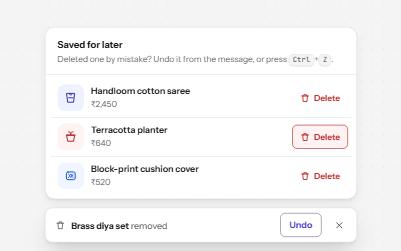
Destructive action with undo
Delete at once and offer Undo in a toast that waits while you use it, instead of asking Are you sure? first.
-
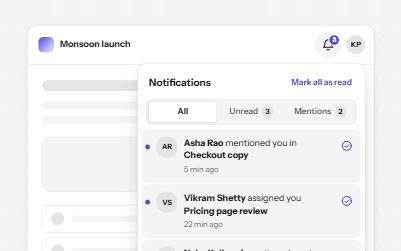
Notification center
A bell that opens a panel of notifications, with read and unread in words, filters, and new arrivals announced once.