Accessibility pattern · Buttons and actions
Destructive action with undo
Delete acts at once and moves focus to the next item's Delete button, so keyboard users keep their place in the list. A toast offers Undo and waits while it is pointed at or focused, and Ctrl+Z still undoes after it has gone, so undoing is never a race.
- WCAG criteria
- 6
- Keyboard rules
- 5
- Checked with
- axe, keyboard and the inspector
Live demo
Try it
Use it with a mouse, a keyboard or a screen reader. The inspector beside it shows what the browser tells assistive technology as you go: focus, state changes and announcements.
Saved for later
Deleted one by mistake? Undo it from the message, or press Ctrl+Z.
- Handloom cotton saree ₹2,450
- Brass diya set ₹899
- Terracotta planter ₹640
- Block-print cushion cover ₹520
Nothing saved. Items you save for later appear here.
removed
The demo works without JavaScript only as far as its HTML does; the inspector needs JavaScript.
Keyboard
Keys it answers to
Every action works without a pointer.
| Key | What it does |
|---|---|
| Enter or Space | On Delete, removes the item and moves focus to the next item's Delete button, or the previous one, or the list heading when nothing is left. |
| CtrlZ or ⌘Z | Restores the last deleted item while focus is in the demo, even after the toast has closed. |
| Tab | From the list, reaches the toast's Undo button; the toast stops counting down while it has focus. |
| Enter | On Undo, puts the item back where it was and moves focus to its Delete button. |
| Escape | In the toast, dismisses it and returns focus to the list. |
Screen readers
What it announces
Written from the roles, names and states in the markup.
| When | Expected announcement |
|---|---|
| Focus reaches a Delete button | Delete Brass diya set, button |
| Delete is pressed | Delete Terracotta planter, button. Brass diya set removed. Press Ctrl+Z to undo. |
| Undo is pressed | Delete Brass diya set, button. Brass diya set restored. |
| The last item is deleted | Saved for later, heading level 3. Block-print cushion cover removed. Press Ctrl+Z to undo. |
These are expected announcements, not recordings. Wording and order differ between screen readers and browsers.
Code
Copy the code
The exact files this demo runs on. The styles are served with a prefix that keeps this site's own styles out of the demo; what you copy is the original.
<div class="ap-confirm-action" data-ap-confirm-action>
  <div class="ap-confirm-action__card">
    <div class="ap-confirm-action__top">
      <h3 class="ap-confirm-action__label" id="confirm-action-list" tabindex="-1">Saved for later</h3>
      <p class="ap-confirm-action__hint">Deleted one by mistake? Undo it from the message, or press <kbd>Ctrl</kbd>+<kbd>Z</kbd>.</p>
    </div>
    <ul class="ap-confirm-action__list" aria-labelledby="confirm-action-list">
      <li class="ap-confirm-action__row">
        <span class="ap-confirm-action__art ap-confirm-action__art--cloth" aria-hidden="true"><svg viewBox="0 0 24 24" focusable="false"><path d="M5 4h14l-2 16H7Z"/><path d="M9 4c0 4 6 4 6 0M8 12h8"/></svg></span>
        <span class="ap-confirm-action__text">
          <span class="ap-confirm-action__name" id="confirm-action-name-1">Handloom cotton saree</span>
          <span class="ap-confirm-action__price">₹2,450</span>
        </span>
        <button type="button" class="ap-confirm-action__delete" id="confirm-action-del-1" aria-labelledby="confirm-action-del-1 confirm-action-name-1" data-ap-delete>
          <svg viewBox="0 0 24 24" aria-hidden="true" focusable="false"><path d="M4 7h16"/><path d="M9 7V4h6v3"/><path d="M6.5 7l1 13h9l1-13"/></svg>
          Delete
        </button>
      </li>
      <li class="ap-confirm-action__row">
        <span class="ap-confirm-action__art ap-confirm-action__art--lamp" aria-hidden="true"><svg viewBox="0 0 24 24" focusable="false"><path d="M4 13h16c0 4-3.6 6-8 6s-8-2-8-6Z"/><path d="M12 13c-2-2-1-5 0-8 1 3 2 6 0 8Z"/></svg></span>
        <span class="ap-confirm-action__text">
          <span class="ap-confirm-action__name" id="confirm-action-name-2">Brass diya set</span>
          <span class="ap-confirm-action__price">₹899</span>
        </span>
        <button type="button" class="ap-confirm-action__delete" id="confirm-action-del-2" aria-labelledby="confirm-action-del-2 confirm-action-name-2" data-ap-delete>
          <svg viewBox="0 0 24 24" aria-hidden="true" focusable="false"><path d="M4 7h16"/><path d="M9 7V4h6v3"/><path d="M6.5 7l1 13h9l1-13"/></svg>
          Delete
        </button>
      </li>
      <li class="ap-confirm-action__row">
        <span class="ap-confirm-action__art ap-confirm-action__art--pot" aria-hidden="true"><svg viewBox="0 0 24 24" focusable="false"><path d="M5 9h14l-2 11H7Z"/><path d="M4 9h16M12 9V6c0-2 2-3 4-3M12 6c0-2-2-3-4-3"/></svg></span>
        <span class="ap-confirm-action__text">
          <span class="ap-confirm-action__name" id="confirm-action-name-3">Terracotta planter</span>
          <span class="ap-confirm-action__price">₹640</span>
        </span>
        <button type="button" class="ap-confirm-action__delete" id="confirm-action-del-3" aria-labelledby="confirm-action-del-3 confirm-action-name-3" data-ap-delete>
          <svg viewBox="0 0 24 24" aria-hidden="true" focusable="false"><path d="M4 7h16"/><path d="M9 7V4h6v3"/><path d="M6.5 7l1 13h9l1-13"/></svg>
          Delete
        </button>
      </li>
      <li class="ap-confirm-action__row">
        <span class="ap-confirm-action__art ap-confirm-action__art--cushion" aria-hidden="true"><svg viewBox="0 0 24 24" focusable="false"><rect x="4" y="5" width="16" height="14" rx="3"/><circle cx="12" cy="12" r="2.5"/><path d="M8 9h.01M16 9h.01M8 15h.01M16 15h.01"/></svg></span>
        <span class="ap-confirm-action__text">
          <span class="ap-confirm-action__name" id="confirm-action-name-4">Block-print cushion cover</span>
          <span class="ap-confirm-action__price">₹520</span>
        </span>
        <button type="button" class="ap-confirm-action__delete" id="confirm-action-del-4" aria-labelledby="confirm-action-del-4 confirm-action-name-4" data-ap-delete>
          <svg viewBox="0 0 24 24" aria-hidden="true" focusable="false"><path d="M4 7h16"/><path d="M9 7V4h6v3"/><path d="M6.5 7l1 13h9l1-13"/></svg>
          Delete
        </button>
      </li>
    </ul>
    <p class="ap-confirm-action__empty" data-ap-nothing hidden>Nothing saved. Items you save for later appear here.</p>
  </div>

  <div class="ap-confirm-action__shelf">
    <div class="ap-confirm-action__toast" data-ap-toast hidden>
      <svg class="ap-confirm-action__toast-icon" viewBox="0 0 24 24" aria-hidden="true" focusable="false"><path d="M4 7h16"/><path d="M9 7V4h6v3"/><path d="M6.5 7l1 13h9l1-13"/></svg>
      <p class="ap-confirm-action__msg"><span class="ap-confirm-action__what" data-ap-what></span> <span>removed</span></p>
      <button type="button" class="ap-confirm-action__undo" data-ap-undo>Undo</button>
      <button type="button" class="ap-confirm-action__x" data-ap-dismiss aria-label="Dismiss">
        <svg viewBox="0 0 24 24" aria-hidden="true" focusable="false"><path d="M6 6l12 12M18 6 6 18"/></svg>
      </button>
      <span class="ap-confirm-action__timer" aria-hidden="true"></span>
    </div>
  </div>
  <p class="ap-confirm-action__say" role="status"></p>
</div>
/* Delete with undo. Uses the --ap-* design tokens. */
.ap-confirm-action {
  display: grid;
  gap: 14px;
  width: min(100%, 520px);
  margin-inline: auto;
  color: var(--ap-text);
  container-type: inline-size;
}

.ap-confirm-action__card {
  border: 1px solid var(--ap-border);
  border-radius: var(--ap-radius-lg);
  background: var(--ap-surface);
  box-shadow: var(--ap-shadow-md);
}
.ap-confirm-action__top {
  padding: 18px 20px 14px;
  border-bottom: 1px solid var(--ap-border);
}
.ap-confirm-action__label {
  margin: 0;
  font-size: 1rem;
  font-weight: 650;
  line-height: 1.35;
}
.ap-confirm-action__label:focus-visible {
  outline: 2px solid var(--ap-focus);
  outline-offset: 4px;
  border-radius: var(--ap-radius-sm);
}
.ap-confirm-action__hint {
  margin: 4px 0 0;
  color: var(--ap-text-3);
  font-size: .875rem;
  line-height: 1.5;
}
.ap-confirm-action__hint kbd {
  padding: 1px 6px;
  border: 1px solid var(--ap-border);
  border-bottom-width: 2px;
  border-radius: var(--ap-radius-sm);
  background: var(--ap-surface-2);
  color: var(--ap-text-2);
  font-family: var(--ap-mono);
  font-size: .75rem;
}

/* The saved items */
.ap-confirm-action__list {
  display: grid;
  margin: 0;
  padding: 6px 8px;
  list-style: none;
}
.ap-confirm-action__row {
  display: flex;
  align-items: center;
  gap: 12px;
  padding: 10px 6px 10px 12px;
  animation: ap-confirm-action-in 220ms var(--ap-ease);
}
.ap-confirm-action__row + .ap-confirm-action__row {
  border-top: 1px solid var(--ap-border);
}
.ap-confirm-action__art {
  display: grid;
  flex-shrink: 0;
  place-items: center;
  width: 44px;
  height: 44px;
  border-radius: var(--ap-radius);
}
.ap-confirm-action__art svg {
  width: 22px;
  height: 22px;
  fill: none;
  stroke: currentColor;
  stroke-width: 1.8;
  stroke-linecap: round;
  stroke-linejoin: round;
}
.ap-confirm-action__art--cloth { background: var(--ap-accent-soft); color: var(--ap-accent-soft-text); }
.ap-confirm-action__art--lamp { background: var(--ap-warning-soft); color: var(--ap-warning); }
.ap-confirm-action__art--pot { background: var(--ap-danger-soft); color: var(--ap-danger); }
.ap-confirm-action__art--cushion { background: var(--ap-info-soft); color: var(--ap-info); }

.ap-confirm-action__text {
  display: grid;
  flex: 1;
  gap: 2px;
  min-width: 0;
}
.ap-confirm-action__name {
  font-weight: 600;
  line-height: 1.35;
}
.ap-confirm-action__price {
  color: var(--ap-text-3);
  font-size: .875rem;
}

.ap-confirm-action__delete {
  display: inline-flex;
  flex-shrink: 0;
  align-items: center;
  gap: 6px;
  min-height: 40px;
  padding: 0 12px;
  border: 1px solid transparent;
  border-radius: var(--ap-radius-sm);
  background: transparent;
  color: var(--ap-danger);
  font: inherit;
  font-size: .875rem;
  font-weight: 600;
  cursor: pointer;
  transition: background-color var(--ap-duration) var(--ap-ease), border-color var(--ap-duration) var(--ap-ease);
}
.ap-confirm-action__delete:hover {
  border-color: var(--ap-danger);
  background: var(--ap-danger-soft);
}
.ap-confirm-action__delete:focus-visible {
  outline: 2px solid var(--ap-focus);
  outline-offset: 2px;
}
.ap-confirm-action__delete svg,
.ap-confirm-action__toast-icon,
.ap-confirm-action__x svg {
  flex-shrink: 0;
  width: 17px;
  height: 17px;
  fill: none;
  stroke: currentColor;
  stroke-width: 2;
  stroke-linecap: round;
  stroke-linejoin: round;
}

.ap-confirm-action__empty {
  margin: 0;
  padding: 28px 20px;
  color: var(--ap-text-3);
  text-align: center;
}

/* The toast, in a shelf that keeps its space so nothing jumps */
.ap-confirm-action__shelf {
  min-height: 60px;
}
.ap-confirm-action__toast {
  position: relative;
  display: flex;
  align-items: center;
  gap: 10px;
  overflow: hidden;
  padding: 8px 8px 8px 16px;
  border: 1px solid var(--ap-border);
  border-radius: var(--ap-radius);
  background: var(--ap-surface);
  box-shadow: var(--ap-shadow-lg);
  animation: ap-confirm-action-up 200ms var(--ap-ease);
}
.ap-confirm-action__toast[hidden] {
  display: none;
}
.ap-confirm-action__toast-icon {
  color: var(--ap-text-3);
}
.ap-confirm-action__msg {
  flex: 1;
  min-width: 0;
  margin: 0;
  color: var(--ap-text-2);
  font-size: .9375rem;
  line-height: 1.4;
}
.ap-confirm-action__what {
  color: var(--ap-text);
  font-weight: 650;
}
.ap-confirm-action__undo {
  flex-shrink: 0;
  min-height: 40px;
  padding: 0 14px;
  border: 1px solid var(--ap-border-strong);
  border-radius: var(--ap-radius-sm);
  background: var(--ap-surface);
  color: var(--ap-accent-text);
  font: inherit;
  font-weight: 650;
  cursor: pointer;
}
.ap-confirm-action__undo:hover {
  background: var(--ap-accent-soft);
}
.ap-confirm-action__x {
  display: grid;
  flex-shrink: 0;
  place-items: center;
  width: 40px;
  height: 40px;
  padding: 0;
  border: 0;
  border-radius: var(--ap-radius-sm);
  background: transparent;
  color: var(--ap-text-2);
  cursor: pointer;
}
.ap-confirm-action__x:hover {
  background: var(--ap-surface-2);
  color: var(--ap-text);
}
.ap-confirm-action__undo:focus-visible,
.ap-confirm-action__x:focus-visible {
  outline: 2px solid var(--ap-focus);
  outline-offset: 1px;
}

/* Time left, as a bar along the bottom edge. Decoration only. */
.ap-confirm-action__timer {
  position: absolute;
  right: 0;
  bottom: 0;
  left: 0;
  height: 3px;
  background: var(--ap-accent);
  transform-origin: left center;
  animation: ap-confirm-action-time 8s linear forwards;
}
.ap-confirm-action__toast[data-paused] .ap-confirm-action__timer {
  animation-play-state: paused;
}
.ap-confirm-action[data-sticky] .ap-confirm-action__timer {
  display: none;
}

/* Read by screen readers, not shown */
.ap-confirm-action__say {
  position: absolute;
  width: 1px;
  height: 1px;
  margin: -1px;
  padding: 0;
  overflow: hidden;
  clip-path: inset(50%);
  white-space: nowrap;
}

@container (max-width: 360px) {
  .ap-confirm-action__row { gap: 10px; padding-left: 6px; }
  .ap-confirm-action__art { width: 36px; height: 36px; }
  .ap-confirm-action__delete { padding: 0 8px; }
  .ap-confirm-action__toast { flex-wrap: wrap; padding-left: 12px; }
  .ap-confirm-action__msg { flex-basis: calc(100% - 40px); }
  .ap-confirm-action__undo { margin-left: auto; }
}

@keyframes ap-confirm-action-in {
  from { opacity: 0; transform: translateY(-4px); }
}
@keyframes ap-confirm-action-up {
  from { opacity: 0; transform: translateY(8px); }
}
@keyframes ap-confirm-action-time {
  to { transform: scaleX(0); }
}

@media (prefers-reduced-motion: reduce) {
  .ap-confirm-action__row,
  .ap-confirm-action__toast { animation: none; }
  .ap-confirm-action__timer { display: none; }
  .ap-confirm-action__delete { transition: none; }
}
/**
 * Delete with undo: Delete acts at once, focus moves to the next item, and a
 * toast offers Undo. The toast waits while it is hovered or focused (and
 * while the tab is in the background), closes after 8 seconds otherwise,
 * and Ctrl+Z or ⌘Z undoes the last delete even after it has gone.
 *
 * Markup: [data-ap-confirm-action] holding a ul (aria-labelledby a heading
 * with tabindex=-1) of li rows, each with an .ap-confirm-action__name and a
 * button[data-ap-delete]; a p[data-ap-nothing] for the empty list; a toast
 * [data-ap-toast] with [data-ap-what], button[data-ap-undo],
 * button[data-ap-dismiss] and an .ap-confirm-action__timer bar; and a
 * p[role=status]. Add data-sticky to the root to keep the toast until it is
 * dismissed.
 */

const WAIT = 8000;

export function init(root) {
  const list = root.querySelector("ul");
  const heading = document.getElementById(list.getAttribute("aria-labelledby"));
  const nothing = root.querySelector("[data-ap-nothing]");
  const toast = root.querySelector("[data-ap-toast]");
  const what = toast.querySelector("[data-ap-what]");
  const bar = toast.querySelector(".ap-confirm-action__timer");
  const say = root.querySelector("[role=status]");
  const events = new AbortController();
  const signal = events.signal;
  const removed = []; // { row, index }, most recent last
  const holds = new Set(); // why the countdown is paused: hover, focus, away
  let left = WAIT;
  let startedAt = 0;
  let clock = 0;
  let sayTimer = 0;
  let spot = null; // where focus went after the last delete

  const nameOf = (row) => row.querySelector(".ap-confirm-action__name").textContent.trim();
  const deleteOf = (row) => row.querySelector("[data-ap-delete]");

  // The item's name in one element, the fixed words in another.
  function announce(name, words) {
    clearTimeout(sayTimer);
    say.textContent = "";
    sayTimer = setTimeout(() => {
      const a = document.createElement("span");
      a.textContent = name;
      const b = document.createElement("span");
      b.textContent = words;
      say.replaceChildren(a, " ", b);
    }, 60);
  }

  function refresh() {
    const empty = list.children.length === 0;
    list.hidden = empty;
    nothing.hidden = !empty;
  }

  /* ── The countdown ── */
  function tick() {
    clearTimeout(clock);
    clock = 0;
    if (toast.hidden) return;
    if (holds.size || root.hasAttribute("data-sticky")) {
      toast.setAttribute("data-paused", "");
      return;
    }
    toast.removeAttribute("data-paused");
    startedAt = performance.now();
    clock = setTimeout(() => hideToast(), left);
  }
  function hold(reason) {
    if (clock) left = Math.max(0, left - (performance.now() - startedAt));
    holds.add(reason);
    tick();
  }
  function release(reason) {
    if (!holds.delete(reason)) return;
    tick();
  }

  function showToast(name) {
    what.textContent = name;
    toast.hidden = false;
    left = WAIT;
    // Restart the bar from full.
    bar.style.animation = "none";
    void bar.offsetWidth;
    bar.style.animation = "";
    bar.style.animationDuration = `${WAIT}ms`;
    tick();
  }

  function hideToast() {
    clearTimeout(clock);
    clock = 0;
    const hadFocus = toast.contains(document.activeElement);
    toast.hidden = true;
    holds.delete("hover");
    holds.delete("focus");
    if (hadFocus) (spot && spot.isConnected ? spot : (list.querySelector("[data-ap-delete]") || heading)).focus();
  }

  /* ── Delete and undo ── */
  function remove(row) {
    const rows = [...list.children];
    const index = rows.indexOf(row);
    const next = rows[index + 1] || rows[index - 1];
    removed.push({ row, index });
    row.remove();
    refresh();
    spot = next ? deleteOf(next) : heading;
    spot.focus();
    showToast(nameOf(row));
    announce(nameOf(row), "removed. Press Ctrl+Z to undo.");
  }

  function undo() {
    const last = removed.pop();
    if (!last) return;
    list.insertBefore(last.row, list.children[last.index] || null);
    refresh();
    toast.hidden = true;
    clearTimeout(clock);
    clock = 0;
    holds.delete("hover");
    holds.delete("focus");
    deleteOf(last.row).focus();
    announce(nameOf(last.row), "restored.");
  }

  root.addEventListener("click", (event) => {
    const del = event.target.closest("[data-ap-delete]");
    if (del) remove(del.closest("li"));
    else if (event.target.closest("[data-ap-undo]")) undo();
    else if (event.target.closest("[data-ap-dismiss]")) hideToast();
  }, { signal });

  root.addEventListener("keydown", (event) => {
    const isZ = event.key.toLowerCase() === "z" || event.code === "KeyZ";
    if (isZ && (event.ctrlKey || event.metaKey) && !event.shiftKey && !event.altKey) {
      if (!removed.length) return;
      event.preventDefault();
      undo();
    } else if (event.key === "Escape" && toast.contains(event.target)) {
      event.preventDefault();
      hideToast();
    }
  }, { signal });

  toast.addEventListener("mouseenter", () => hold("hover"), { signal });
  toast.addEventListener("mouseleave", () => release("hover"), { signal });
  toast.addEventListener("focusin", () => hold("focus"), { signal });
  toast.addEventListener("focusout", (event) => {
    if (!toast.contains(event.relatedTarget)) release("focus");
  }, { signal });
  document.addEventListener("visibilitychange", () => {
    if (document.hidden) hold("away");
    else release("away");
  }, { signal });

  return () => {
    events.abort();
    clearTimeout(clock);
    clearTimeout(sayTimer);
  };
}

for (const root of document.querySelectorAll("[data-ap-confirm-action]")) init(root);
/* Design tokens for the pattern components. Light by default, dark when the
   system asks for it; set data-theme="dark" on :root to force dark. */
:root {
    --ap-radius-sm: 8px;
    --ap-radius: 12px;
    --ap-radius-lg: 16px;
    --ap-radius-full: 999px;
    --ap-font: "Instrument Sans", ui-sans-serif, system-ui, -apple-system, "Segoe UI", Roboto, sans-serif;
    --ap-mono: "JetBrains Mono", ui-monospace, "Cascadia Mono", "SF Mono", Consolas, monospace;
    --ap-ease: cubic-bezier(.2, .8, .2, 1);
    --ap-duration: 180ms;
    --ap-target: 44px;
    --ap-bg: #F4F4F5;
    --ap-surface: #FFFFFF;
    --ap-surface-2: #F4F4F5;
    --ap-surface-3: #E4E4E7;
    --ap-border: #E4E4E7;
    --ap-border-strong: #76767F;
    --ap-text: #18181B;
    --ap-text-2: #3F3F46;
    --ap-text-3: #5E5E66;
    --ap-accent: #4F46E5;
    --ap-accent-hover: #4338CA;
    --ap-on-accent: #FFFFFF;
    --ap-accent-text: #4338CA;
    --ap-accent-soft: #EEF2FF;
    --ap-accent-soft-text: #3730A3;
    --ap-focus: #4F46E5;
    --ap-danger: #B91C1C;
    --ap-danger-soft: #FEF2F2;
    --ap-success: #15803D;
    --ap-success-soft: #F0FDF4;
    --ap-warning: #A15C07;
    --ap-warning-soft: #FEFCE8;
    --ap-info: #1D4ED8;
    --ap-info-soft: #EFF6FF;
    --ap-scrim: rgb(9 9 11 / .48);
    --ap-shadow-sm: 0 1px 2px rgb(9 9 11 / .06);
    --ap-shadow-md: 0 1px 2px rgb(9 9 11 / .05), 0 6px 16px -4px rgb(9 9 11 / .1);
    --ap-shadow-lg: 0 2px 6px rgb(9 9 11 / .06), 0 20px 40px -12px rgb(9 9 11 / .22);
    --ap-light-bg: #F4F4F5;
    --ap-light-surface: #FFFFFF;
    --ap-light-surface-2: #F4F4F5;
    --ap-light-surface-3: #E4E4E7;
    --ap-light-border: #E4E4E7;
    --ap-light-border-strong: #76767F;
    --ap-light-text: #18181B;
    --ap-light-text-2: #3F3F46;
    --ap-light-text-3: #5E5E66;
    --ap-light-accent: #4F46E5;
    --ap-light-accent-hover: #4338CA;
    --ap-light-on-accent: #FFFFFF;
    --ap-light-accent-text: #4338CA;
    --ap-light-accent-soft: #EEF2FF;
    --ap-light-accent-soft-text: #3730A3;
    --ap-light-focus: #4F46E5;
    --ap-light-danger: #B91C1C;
    --ap-light-danger-soft: #FEF2F2;
    --ap-light-success: #15803D;
    --ap-light-success-soft: #F0FDF4;
    --ap-light-warning: #A15C07;
    --ap-light-warning-soft: #FEFCE8;
    --ap-light-info: #1D4ED8;
    --ap-light-info-soft: #EFF6FF;
    --ap-light-scrim: rgb(9 9 11 / .48);
    --ap-light-shadow-sm: 0 1px 2px rgb(9 9 11 / .06);
    --ap-light-shadow-md: 0 1px 2px rgb(9 9 11 / .05), 0 6px 16px -4px rgb(9 9 11 / .1);
    --ap-light-shadow-lg: 0 2px 6px rgb(9 9 11 / .06), 0 20px 40px -12px rgb(9 9 11 / .22);
    --ap-dark-bg: #09090B;
    --ap-dark-surface: #18181B;
    --ap-dark-surface-2: #27272A;
    --ap-dark-surface-3: #3F3F46;
    --ap-dark-border: #2E2E33;
    --ap-dark-border-strong: #8E8E97;
    --ap-dark-text: #FAFAFA;
    --ap-dark-text-2: #D4D4D8;
    --ap-dark-text-3: #A1A1AA;
    --ap-dark-accent: #818CF8;
    --ap-dark-accent-hover: #A5B4FC;
    --ap-dark-on-accent: #0C0A1F;
    --ap-dark-accent-text: #A5B4FC;
    --ap-dark-accent-soft: #1E1B4B;
    --ap-dark-accent-soft-text: #C7D2FE;
    --ap-dark-focus: #A5B4FC;
    --ap-dark-danger: #F87171;
    --ap-dark-danger-soft: #2A1215;
    --ap-dark-success: #4ADE80;
    --ap-dark-success-soft: #0F2A1A;
    --ap-dark-warning: #FACC15;
    --ap-dark-warning-soft: #2A2410;
    --ap-dark-info: #60A5FA;
    --ap-dark-info-soft: #0F1D33;
    --ap-dark-scrim: rgb(0 0 0 / .62);
    --ap-dark-shadow-sm: 0 1px 2px rgb(0 0 0 / .4);
    --ap-dark-shadow-md: 0 1px 2px rgb(0 0 0 / .4), 0 8px 20px -6px rgb(0 0 0 / .5);
    --ap-dark-shadow-lg: 0 2px 8px rgb(0 0 0 / .45), 0 24px 48px -12px rgb(0 0 0 / .7);
}
@media (prefers-color-scheme: dark) {
  :root:not([data-theme="light"]) {
      --ap-bg: #09090B;
      --ap-surface: #18181B;
      --ap-surface-2: #27272A;
      --ap-surface-3: #3F3F46;
      --ap-border: #2E2E33;
      --ap-border-strong: #8E8E97;
      --ap-text: #FAFAFA;
      --ap-text-2: #D4D4D8;
      --ap-text-3: #A1A1AA;
      --ap-accent: #818CF8;
      --ap-accent-hover: #A5B4FC;
      --ap-on-accent: #0C0A1F;
      --ap-accent-text: #A5B4FC;
      --ap-accent-soft: #1E1B4B;
      --ap-accent-soft-text: #C7D2FE;
      --ap-focus: #A5B4FC;
      --ap-danger: #F87171;
      --ap-danger-soft: #2A1215;
      --ap-success: #4ADE80;
      --ap-success-soft: #0F2A1A;
      --ap-warning: #FACC15;
      --ap-warning-soft: #2A2410;
      --ap-info: #60A5FA;
      --ap-info-soft: #0F1D33;
      --ap-scrim: rgb(0 0 0 / .62);
      --ap-shadow-sm: 0 1px 2px rgb(0 0 0 / .4);
      --ap-shadow-md: 0 1px 2px rgb(0 0 0 / .4), 0 8px 20px -6px rgb(0 0 0 / .5);
      --ap-shadow-lg: 0 2px 8px rgb(0 0 0 / .45), 0 24px 48px -12px rgb(0 0 0 / .7);
  }
}
:root[data-theme="dark"] {
    --ap-bg: #09090B;
    --ap-surface: #18181B;
    --ap-surface-2: #27272A;
    --ap-surface-3: #3F3F46;
    --ap-border: #2E2E33;
    --ap-border-strong: #8E8E97;
    --ap-text: #FAFAFA;
    --ap-text-2: #D4D4D8;
    --ap-text-3: #A1A1AA;
    --ap-accent: #818CF8;
    --ap-accent-hover: #A5B4FC;
    --ap-on-accent: #0C0A1F;
    --ap-accent-text: #A5B4FC;
    --ap-accent-soft: #1E1B4B;
    --ap-accent-soft-text: #C7D2FE;
    --ap-focus: #A5B4FC;
    --ap-danger: #F87171;
    --ap-danger-soft: #2A1215;
    --ap-success: #4ADE80;
    --ap-success-soft: #0F2A1A;
    --ap-warning: #FACC15;
    --ap-warning-soft: #2A2410;
    --ap-info: #60A5FA;
    --ap-info-soft: #0F1D33;
    --ap-scrim: rgb(0 0 0 / .62);
    --ap-shadow-sm: 0 1px 2px rgb(0 0 0 / .4);
    --ap-shadow-md: 0 1px 2px rgb(0 0 0 / .4), 0 8px 20px -6px rgb(0 0 0 / .5);
    --ap-shadow-lg: 0 2px 8px rgb(0 0 0 / .45), 0 24px 48px -12px rgb(0 0 0 / .7);
}
WCAG 2.2
What it meets
The success criteria this pattern takes care of, and how.
-
2.1.1 Keyboard
Level A
Delete, Undo, Dismiss and Ctrl+Z all work from the keyboard.
-
2.2.1 Timing Adjustable
Level A
The toast pauses while it is hovered or focused, an option keeps it until dismissed, and Ctrl+Z still undoes after it closes, so undo has no hard time limit.
-
2.4.3 Focus Order
Level A
After a delete, focus moves to the next Delete button, the previous one or the heading, never to the top of the page.
-
3.3.4 Error Prevention (Legal, Financial, Data)
Level AA
Deleting is reversible: Undo puts the item back in place, which this criterion accepts instead of asking for confirmation.
-
4.1.2 Name, Role, Value
Level A
Each Delete button is named with its item, such as Delete Brass diya set, so a list of buttons still makes sense out of context.
-
4.1.3 Status Messages
Level AA
The removal and the restore are announced from a polite status, without pulling focus into the toast.
Usage
When to use it
Use it
- Removing things people can easily get back: saved items, drafts, list entries, notifications.
- Lists where people delete several things in a row, and a dialog each time would slow them down.
Use something else
- Actions that cannot be undone, like closing an account or sending money: ask first with an alert dialog.
- Deletes that reach a server at once with no way back: make them reversible first, or confirm.
Common failures
How it usually goes wrong
Focus lost with the item
When the focused button is removed, focus falls back to the top of the page. Moving it to the next item keeps people in the list.
An Undo that runs out
A toast that closes after a few seconds can take the only undo with it before a screen reader user reaches it. This one waits on hover and focus, and Ctrl+Z works after it.
Pulling focus into the toast
Moving focus to the toast after every delete drags people out of the list they are working through. The toast is announced; Tab reaches it when wanted.
Are you sure? every time
Confirmation dialogs on routine deletes train people to press Yes without reading. A real undo protects them better and costs nothing when unused.
A list of buttons all called Delete
Out of context, Delete, Delete, Delete says nothing about what goes. aria-labelledby adds the item's name to each button.
Deleting on the server straight away
If the record is gone before the toast closes, Undo has to re-create it. Commit the delete when the undo window ends, or keep a bin.
Notes
Building it
- Each Delete button is named by aria-labelledby pointing at itself and at the item's name, so the visible word comes first and nothing is written twice.
- Deleted items wait in a stack with their positions; Undo and Ctrl+Z put back the most recent one where it was.
- The countdown pauses, rather than restarts, on hover and focus, and also while the browser tab is in the background.
- The thin bar along the bottom of the toast shows the time left; it is decoration, hidden from assistive technology and switched off for reduced motion.
Sources: Understanding WCAG 2.2: Timing Adjustable · Understanding WCAG 2.2: Error Prevention (Legal, Financial, Data)
Checked with axe in light and dark themes, at desktop and phone widths, and by keyboard. Not yet tested with every screen reader and browser pair. Report a correction
Related
Patterns that go with it
-
Toast notifications
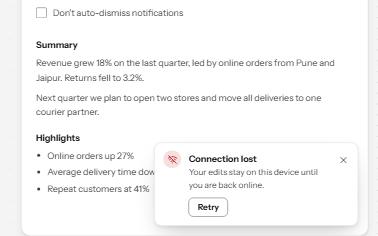
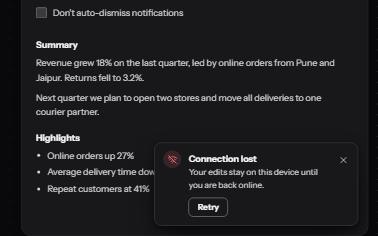
Short messages that appear in a corner, are announced politely, never take focus, and wait while you read or act on them.
-
Alert dialog
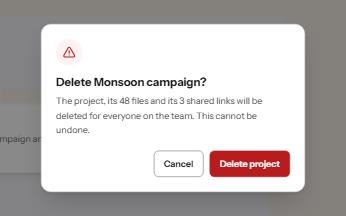
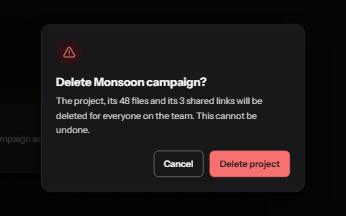
A modal that stops to confirm something that cannot be undone, with focus on the safe answer and the cost in plain words.
-
Button
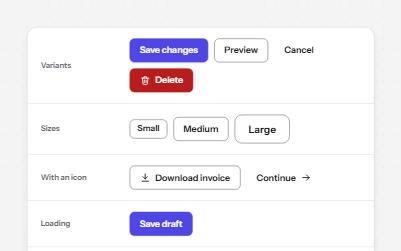
Native buttons in four variants and three sizes, with a loading state that keeps focus and a disabled state that says why.
-
Status message
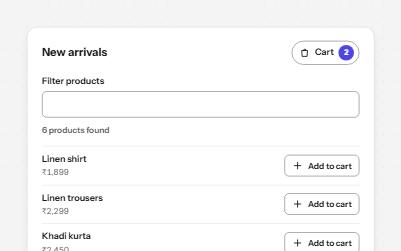
Results, confirmations and saves told to screen readers through role=status, without moving focus, once each time.