Accessibility pattern · Buttons and actions
Command palette
The palette is a modal dialog around a combobox: typing filters a grouped listbox, and the arrow keys move a highlight while focus stays in the field. aria-activedescendant tells a screen reader which command is highlighted, and a polite status says how many match once typing pauses.
- WCAG criteria
- 7
- Keyboard rules
- 7
- Checked with
- axe, keyboard and the inspector
Live demo
Try it
Use it with a mouse, a keyboard or a screen reader. The inspector beside it shows what the browser tells assistive technology as you go: focus, state changes and announcements.
The shortcut works while focus is anywhere in this demo: Ctrl+K, or ⌘+K on a Mac.
No command run yet
The demo works without JavaScript only as far as its HTML does; the inspector needs JavaScript.
Keyboard
Keys it answers to
Every action works without a pointer.
| Key | What it does |
|---|---|
| CtrlK or ⌘K | Opens the palette while focus is anywhere in the demo; pressed in the palette, selects the search text. |
| Enter or Space | On Search commands, opens the palette with focus in the search field. |
| Arrow Down or Arrow Up | Moves the highlight to the next or previous matching command, wrapping at the ends and skipping group names. |
| A–Z | Typing filters the commands; the number that match is announced when typing pauses. |
| Ctrl, or CtrlShiftL or Ctrl/ | With the palette closed and focus in the demo, runs the command whose hint shows those keys (⌘ instead of Ctrl on a Mac). |
| Enter | Runs the highlighted command, closes the palette and returns focus to where it was before. |
| Escape | Closes the palette without running anything and returns focus. |
Screen readers
What it announces
Written from the roles, names and states in the markup.
| When | Expected announcement |
|---|---|
| Focus reaches the button | Search commands, button, opens a dialog, Control+K |
| The palette opens | Command palette, dialog. Search commands, combo box, expanded. New note, 1 of 9 |
| Arrow Down moves the highlight | Duplicate note, 2 of 9 |
| Typing "cal" leaves one match | 1 command |
| Nothing matches | No commands match |
| Enter runs Calendar | Search commands, button. Ran: Calendar |
These are expected announcements, not recordings. Wording and order differ between screen readers and browsers.
Code
Copy the code
The exact files this demo runs on. The styles are served with a prefix that keeps this site's own styles out of the demo; what you copy is the original.
<div class="ap-command-palette" data-ap-command-palette>
  <div class="ap-command-palette__app">
    <div class="ap-command-palette__bar">
      <p class="ap-command-palette__brand">
        <svg viewBox="0 0 24 24" aria-hidden="true" focusable="false"><path d="M6 3h9l4 4v14H6Z"/><path d="M14 3v5h5"/><path d="M9 13h6M9 17h4"/></svg>
        <span>Notebook</span>
      </p>
      <button type="button" class="ap-command-palette__open" data-ap-open aria-haspopup="dialog" aria-keyshortcuts="Control+K Meta+K">
        <svg viewBox="0 0 24 24" aria-hidden="true" focusable="false"><circle cx="11" cy="11" r="7"/><path d="m20 20-3.5-3.5"/></svg>
        <span class="ap-command-palette__open-text">Search commands</span>
        <span class="ap-command-palette__keys" aria-hidden="true"><kbd>Ctrl</kbd><kbd>K</kbd></span>
      </button>
    </div>
    <div class="ap-command-palette__page">
      <label class="ap-command-palette__note-label" for="command-palette-note">Quick note</label>
      <textarea class="ap-command-palette__note" id="command-palette-note" rows="3" placeholder="Write something, then press Ctrl+K without leaving the field."></textarea>
      <p class="ap-command-palette__hint">The shortcut works while focus is anywhere in this demo: <span class="ap-command-palette__combo"><kbd>Ctrl</kbd>+<kbd>K</kbd></span>, or <span class="ap-command-palette__combo"><kbd>⌘</kbd>+<kbd>K</kbd></span> on a Mac.</p>
    </div>
    <p class="ap-command-palette__status" role="status">No command run yet</p>
  </div>

  <dialog class="ap-command-palette__dialog" aria-label="Command palette">
    <div class="ap-command-palette__search">
      <svg viewBox="0 0 24 24" aria-hidden="true" focusable="false"><circle cx="11" cy="11" r="7"/><path d="m20 20-3.5-3.5"/></svg>
      <input class="ap-command-palette__input" id="command-palette-input" type="text" role="combobox" aria-label="Search commands" aria-expanded="true" aria-controls="command-palette-list" aria-autocomplete="list" autocomplete="off" spellcheck="false" placeholder="Type a command or search" />
      <kbd class="ap-command-palette__esc" aria-hidden="true">Esc</kbd>
    </div>
    <div class="ap-command-palette__list" id="command-palette-list" role="listbox" aria-label="Commands">
      <div class="ap-command-palette__group" role="group" aria-labelledby="command-palette-g-notes">
        <div class="ap-command-palette__group-name" id="command-palette-g-notes" role="presentation">Notes</div>
        <div class="ap-command-palette__opt" role="option" id="command-palette-o-new" aria-selected="false" data-words="new note create add page">
          <svg class="ap-command-palette__ico" viewBox="0 0 24 24" aria-hidden="true" focusable="false"><path d="M12 5v14M5 12h14"/></svg>
          <span class="ap-command-palette__name">New note</span>
        </div>
        <div class="ap-command-palette__opt" role="option" id="command-palette-o-duplicate" aria-selected="false" data-words="duplicate note copy clone">
          <svg class="ap-command-palette__ico" viewBox="0 0 24 24" aria-hidden="true" focusable="false"><rect x="9" y="9" width="11" height="11" rx="2"/><path d="M5 15V5a2 2 0 0 1 2-2h10"/></svg>
          <span class="ap-command-palette__name">Duplicate note</span>
        </div>
        <div class="ap-command-palette__opt" role="option" id="command-palette-o-export" aria-selected="false" data-words="export as pdf download save print">
          <svg class="ap-command-palette__ico" viewBox="0 0 24 24" aria-hidden="true" focusable="false"><path d="M12 4v11"/><path d="m7 10 5 5 5-5"/><path d="M5 20h14"/></svg>
          <span class="ap-command-palette__name">Export as PDF</span>
        </div>
      </div>
      <div class="ap-command-palette__group" role="group" aria-labelledby="command-palette-g-go">
        <div class="ap-command-palette__group-name" id="command-palette-g-go" role="presentation">Go to</div>
        <div class="ap-command-palette__opt" role="option" id="command-palette-o-inbox" aria-selected="false" data-words="go to inbox messages mail">
          <svg class="ap-command-palette__ico" viewBox="0 0 24 24" aria-hidden="true" focusable="false"><path d="M3 13h5l1.5 3h5l1.5-3h5"/><path d="M5.5 5h13L21 13v6H3v-6Z"/></svg>
          <span class="ap-command-palette__name">Inbox</span>
        </div>
        <div class="ap-command-palette__opt" role="option" id="command-palette-o-calendar" aria-selected="false" data-words="go to calendar schedule events dates">
          <svg class="ap-command-palette__ico" viewBox="0 0 24 24" aria-hidden="true" focusable="false"><rect x="3.5" y="5" width="17" height="15" rx="2"/><path d="M3.5 10h17M8 3v4M16 3v4"/></svg>
          <span class="ap-command-palette__name">Calendar</span>
        </div>
        <div class="ap-command-palette__opt" role="option" id="command-palette-o-settings" aria-selected="false" aria-keyshortcuts="Control+, Meta+," data-words="go to settings preferences options account">
          <svg class="ap-command-palette__ico" viewBox="0 0 24 24" aria-hidden="true" focusable="false"><circle cx="12" cy="12" r="3"/><path d="M12 2.5v3M12 18.5v3M4.2 6.5l2.6 1.5M17.2 16l2.6 1.5M4.2 17.5 6.8 16M17.2 8l2.6-1.5"/></svg>
          <span class="ap-command-palette__name">Settings</span>
          <span class="ap-command-palette__keys" aria-hidden="true"><kbd>Ctrl</kbd><kbd>,</kbd></span>
        </div>
      </div>
      <div class="ap-command-palette__group" role="group" aria-labelledby="command-palette-g-view">
        <div class="ap-command-palette__group-name" id="command-palette-g-view" role="presentation">Display</div>
        <div class="ap-command-palette__opt" role="option" id="command-palette-o-theme" aria-selected="false" aria-keyshortcuts="Control+Shift+L Meta+Shift+L" data-words="switch theme dark light mode appearance">
          <svg class="ap-command-palette__ico" viewBox="0 0 24 24" aria-hidden="true" focusable="false"><path d="M20 14.5A8 8 0 1 1 9.5 4a6.5 6.5 0 0 0 10.5 10.5Z"/></svg>
          <span class="ap-command-palette__name">Switch theme</span>
          <span class="ap-command-palette__keys" aria-hidden="true"><kbd>Ctrl</kbd><kbd>Shift</kbd><kbd>L</kbd></span>
        </div>
        <div class="ap-command-palette__opt" role="option" id="command-palette-o-zoom" aria-selected="false" data-words="zoom in bigger larger text size">
          <svg class="ap-command-palette__ico" viewBox="0 0 24 24" aria-hidden="true" focusable="false"><circle cx="11" cy="11" r="7"/><path d="m20 20-3.5-3.5M11 8v6M8 11h6"/></svg>
          <span class="ap-command-palette__name">Zoom in</span>
        </div>
        <div class="ap-command-palette__opt" role="option" id="command-palette-o-keys" aria-selected="false" aria-keyshortcuts="Control+/ Meta+/" data-words="keyboard shortcuts keys hotkeys help">
          <svg class="ap-command-palette__ico" viewBox="0 0 24 24" aria-hidden="true" focusable="false"><rect x="2.5" y="6" width="19" height="12" rx="2"/><path d="M6 10h.01M9.5 10h.01M13 10h.01M16.5 10h.01M7 14h10"/></svg>
          <span class="ap-command-palette__name">Keyboard shortcuts</span>
          <span class="ap-command-palette__keys" aria-hidden="true"><kbd>Ctrl</kbd><kbd>/</kbd></span>
        </div>
      </div>
    </div>
    <div class="ap-command-palette__empty" data-ap-no-match hidden>
      <svg viewBox="0 0 24 24" aria-hidden="true" focusable="false"><circle cx="11" cy="11" r="7"/><path d="m20 20-3.5-3.5M8.5 8.5l5 5M13.5 8.5l-5 5"/></svg>
      <p class="ap-command-palette__empty-lead">No commands match</p>
      <p class="ap-command-palette__empty-hint">Try a shorter word, or another name for what you want to do.</p>
    </div>
    <div class="ap-command-palette__foot">
      <p class="ap-command-palette__count"><span data-ap-n translate="no">9</span> <span data-ap-unit>commands</span></p>
      <p class="ap-command-palette__how" aria-hidden="true"><kbd>↑</kbd><kbd>↓</kbd> <span>to move</span> <kbd>↵</kbd> <span>to run</span></p>
    </div>
    <p class="ap-command-palette__say" role="status" data-ap-say></p>
  </dialog>
</div>
/* Command palette. Uses the --ap-* design tokens. */
.ap-command-palette {
  width: min(100%, 560px);
  margin-inline: auto;
  container-type: inline-size;
}

/* A small app to run commands in */
.ap-command-palette__app {
  border: 1px solid var(--ap-border);
  border-radius: var(--ap-radius-lg);
  background: var(--ap-surface);
  color: var(--ap-text);
  box-shadow: var(--ap-shadow-md);
}
.ap-command-palette__bar {
  display: flex;
  align-items: center;
  justify-content: space-between;
  gap: 12px;
  padding: 12px 14px 12px 18px;
  border-bottom: 1px solid var(--ap-border);
}
.ap-command-palette__brand {
  display: flex;
  align-items: center;
  gap: 8px;
  margin: 0;
  font-weight: 650;
}
.ap-command-palette__brand svg,
.ap-command-palette__open svg,
.ap-command-palette__search svg,
.ap-command-palette__ico,
.ap-command-palette__empty svg {
  flex-shrink: 0;
  width: 18px;
  height: 18px;
  fill: none;
  stroke: currentColor;
  stroke-width: 2;
  stroke-linecap: round;
  stroke-linejoin: round;
}
.ap-command-palette__brand svg {
  color: var(--ap-accent-text);
}

.ap-command-palette__open {
  display: flex;
  flex: 0 1 260px;
  align-items: center;
  gap: 10px;
  min-width: 0;
  min-height: 40px;
  padding: 0 8px 0 12px;
  border: 1px solid var(--ap-border-strong);
  border-radius: var(--ap-radius-sm);
  background: var(--ap-surface-2);
  color: var(--ap-text-3);
  font: inherit;
  text-align: start;
  cursor: pointer;
  transition: background-color var(--ap-duration) var(--ap-ease), color var(--ap-duration) var(--ap-ease);
}
.ap-command-palette__open:hover {
  background: var(--ap-surface);
  color: var(--ap-text-2);
}
.ap-command-palette__open:focus-visible {
  outline: 2px solid var(--ap-focus);
  outline-offset: 2px;
}
.ap-command-palette__open-text {
  flex: 1;
  overflow: hidden;
  text-overflow: ellipsis;
  white-space: nowrap;
}

.ap-command-palette__keys {
  display: flex;
  flex-shrink: 0;
  gap: 4px;
}
.ap-command-palette kbd {
  display: inline-grid;
  place-items: center;
  min-width: 22px;
  height: 22px;
  padding: 0 5px;
  border: 1px solid var(--ap-border);
  border-bottom-width: 2px;
  border-radius: var(--ap-radius-sm);
  background: var(--ap-surface);
  color: var(--ap-text-2);
  font-family: var(--ap-mono);
  font-size: .6875rem;
  font-weight: 600;
  line-height: 1;
}

.ap-command-palette__page {
  display: grid;
  gap: 8px;
  padding: 16px 18px 6px;
}
.ap-command-palette__note-label {
  font-size: .9375rem;
  font-weight: 600;
}
.ap-command-palette__note {
  width: 100%;
  min-height: 84px;
  padding: 10px 12px;
  border: 1px solid var(--ap-border-strong);
  border-radius: var(--ap-radius-sm);
  background: var(--ap-surface);
  color: var(--ap-text);
  font: inherit;
  line-height: 1.5;
  resize: vertical;
}
.ap-command-palette__note::placeholder {
  color: var(--ap-text-3);
}
.ap-command-palette__note:focus-visible {
  outline: 2px solid var(--ap-focus);
  outline-offset: 1px;
  border-color: var(--ap-focus);
}
.ap-command-palette__hint {
  margin: 0;
  color: var(--ap-text-3);
  font-size: .875rem;
  line-height: 1.6;
}
.ap-command-palette__hint kbd {
  height: 20px;
  vertical-align: 1px;
}
.ap-command-palette__combo {
  white-space: nowrap;
}
.ap-command-palette__status {
  min-height: 44px;
  margin: 14px 0 0;
  padding: 12px 18px;
  border-top: 1px solid var(--ap-border);
  border-radius: 0 0 var(--ap-radius-lg) var(--ap-radius-lg);
  background: var(--ap-surface-2);
  color: var(--ap-text-3);
  font-size: .875rem;
}
.ap-command-palette__status strong {
  color: var(--ap-text);
  font-weight: 650;
}

/* The palette */
.ap-command-palette__dialog {
  width: min(92vw, 560px);
  max-height: min(78vh, 640px);
  margin: 12vh auto auto;
  padding: 0;
  overflow: hidden;
  border: 1px solid var(--ap-border);
  border-radius: var(--ap-radius-lg);
  background: var(--ap-surface);
  color: var(--ap-text);
  box-shadow: var(--ap-shadow-lg);
  font-family: var(--ap-font);
  font-size: .9375rem;
  container-type: inline-size;
  opacity: 1;
  transform: none;
  transition: opacity 160ms var(--ap-ease), transform 160ms var(--ap-ease), overlay 160ms allow-discrete, display 160ms allow-discrete;
}
.ap-command-palette__dialog[open] {
  display: flex;
  flex-direction: column;
}
.ap-command-palette__dialog:not([open]) {
  opacity: 0;
  transform: translateY(-6px) scale(.98);
}
@starting-style {
  .ap-command-palette__dialog[open] {
    opacity: 0;
    transform: translateY(-6px) scale(.98);
  }
}
.ap-command-palette__dialog::backdrop {
  background: var(--ap-scrim);
  backdrop-filter: blur(2px);
}

.ap-command-palette__search {
  display: flex;
  flex-shrink: 0;
  align-items: center;
  gap: 10px;
  padding: 0 14px 0 16px;
  border-bottom: 1px solid var(--ap-border);
  color: var(--ap-text-3);
}
.ap-command-palette__search:focus-within {
  box-shadow: inset 0 -2px 0 var(--ap-focus);
}
.ap-command-palette__input {
  flex: 1;
  min-width: 0;
  min-height: 56px;
  padding: 0;
  border: 0;
  background: transparent;
  color: var(--ap-text);
  font: inherit;
  font-size: 1.0625rem;
}
.ap-command-palette__input::placeholder {
  color: var(--ap-text-3);
}
.ap-command-palette__input:focus-visible {
  outline: none;
}

.ap-command-palette__list {
  flex: 1 1 auto;
  min-height: 0;
  padding: 6px;
  overflow-y: auto;
  overscroll-behavior: contain;
}
.ap-command-palette__group + .ap-command-palette__group {
  margin-top: 4px;
}
.ap-command-palette__group-name {
  padding: 10px 10px 6px;
  color: var(--ap-text-3);
  font-size: .75rem;
  font-weight: 650;
  letter-spacing: .05em;
  text-transform: uppercase;
}
.ap-command-palette__opt {
  position: relative;
  display: flex;
  align-items: center;
  gap: 12px;
  min-height: 44px;
  padding: 0 10px 0 14px;
  border-radius: var(--ap-radius-sm);
  color: var(--ap-text);
  cursor: pointer;
}
.ap-command-palette__opt[aria-selected="true"] {
  background: var(--ap-accent-soft);
  color: var(--ap-accent-soft-text);
}
.ap-command-palette__opt[aria-selected="true"]::before {
  content: "";
  position: absolute;
  top: 9px;
  bottom: 9px;
  left: 0;
  width: 3px;
  border-radius: var(--ap-radius-full);
  background: var(--ap-accent);
}
.ap-command-palette__ico {
  color: var(--ap-text-3);
}
.ap-command-palette__opt[aria-selected="true"] .ap-command-palette__ico {
  color: currentColor;
}
.ap-command-palette__name {
  flex: 1;
  min-width: 0;
  overflow: hidden;
  text-overflow: ellipsis;
  white-space: nowrap;
}

.ap-command-palette__empty {
  display: grid;
  justify-items: center;
  gap: 4px;
  padding: 36px 24px;
  text-align: center;
}
.ap-command-palette__empty svg {
  width: 32px;
  height: 32px;
  margin-bottom: 6px;
  color: var(--ap-text-3);
  stroke-width: 1.6;
}
.ap-command-palette__empty-lead {
  margin: 0;
  font-weight: 650;
}
.ap-command-palette__empty-hint {
  max-width: 34ch;
  margin: 0;
  color: var(--ap-text-3);
  font-size: .875rem;
  line-height: 1.5;
}

.ap-command-palette__foot {
  display: flex;
  flex-shrink: 0;
  align-items: center;
  justify-content: space-between;
  gap: 12px;
  padding: 10px 16px;
  border-top: 1px solid var(--ap-border);
  background: var(--ap-surface-2);
  color: var(--ap-text-3);
  font-size: .8125rem;
}
.ap-command-palette__foot p {
  display: flex;
  align-items: center;
  gap: 5px;
  margin: 0;
}
.ap-command-palette__how span {
  margin-right: 6px;
}

/* Read by screen readers, not shown */
.ap-command-palette__say {
  position: absolute;
  width: 1px;
  height: 1px;
  margin: -1px;
  padding: 0;
  overflow: hidden;
  clip-path: inset(50%);
  white-space: nowrap;
}

@container (max-width: 400px) {
  .ap-command-palette__bar { flex-wrap: wrap; }
  .ap-command-palette__open { flex: 1 1 100%; }
  .ap-command-palette__foot .ap-command-palette__how { display: none; }
  .ap-command-palette__opt .ap-command-palette__keys { display: none; }
}

@media (prefers-reduced-motion: reduce) {
  .ap-command-palette__dialog,
  .ap-command-palette__open { transition: none; }
}
/**
 * Command palette: a modal dialog around a combobox that filters a grouped
 * listbox of commands. Focus stays in the field; aria-activedescendant moves
 * the highlight. Ctrl+K or ⌘K opens it while focus is inside the root, and
 * an option with aria-keyshortcuts also runs from those keys there.
 *
 * Markup: [data-ap-command-palette] holding a button[data-ap-open], a
 * p[role=status] for the command that ran, and a dialog with an
 * input[role=combobox], a [role=listbox] of [role=group]s of [role=option]s
 * (label in .ap-command-palette__name, extra search words in data-words), an
 * empty state [data-ap-no-match], a count ([data-ap-n], [data-ap-unit]) and a
 * p[role=status][data-ap-say] for screen readers.
 */

export function init(root) {
  const opener = root.querySelector("[data-ap-open]");
  const dialog = root.querySelector("dialog");
  const input = dialog.querySelector("[role=combobox]");
  const listbox = dialog.querySelector("[role=listbox]");
  const groups = [...listbox.querySelectorAll("[role=group]")];
  const options = [...listbox.querySelectorAll("[role=option]")];
  const empty = dialog.querySelector("[data-ap-no-match]");
  const count = dialog.querySelector("[data-ap-n]");
  const unit = dialog.querySelector("[data-ap-unit]");
  const say = dialog.querySelector("[data-ap-say]");
  const status = root.querySelector("[role=status]:not([data-ap-say])");
  const html = document.documentElement;
  const nameOf = (option) => option.querySelector(".ap-command-palette__name").textContent.trim();
  const words = (option) => `${nameOf(option)} ${option.dataset.words || ""}`.toLocaleLowerCase();

  let shown = options;
  let active = null;
  let returnTo = null;
  let ran = null;
  let scrollWas = "";
  let sayTimer = 0;

  function setActive(option, scroll = true) {
    active = option;
    for (const o of options) o.setAttribute("aria-selected", String(o === option));
    if (option) {
      input.setAttribute("aria-activedescendant", option.id);
      if (scroll) option.scrollIntoView({ block: "nearest" });
    } else {
      input.removeAttribute("aria-activedescendant");
    }
  }

  function filter(announce) {
    const query = input.value.toLocaleLowerCase().split(/\s+/).filter(Boolean);
    shown = options.filter((o) => {
      const hit = query.every((q) => words(o).includes(q));
      o.hidden = !hit;
      return hit;
    });
    for (const g of groups) g.hidden = !g.querySelector("[role=option]:not([hidden])");
    const any = shown.length > 0;
    listbox.hidden = !any;
    empty.hidden = any;
    input.setAttribute("aria-expanded", String(any));
    setActive(shown[0] || null);
    count.textContent = String(shown.length);
    unit.textContent = shown.length === 1 ? "command" : "commands";

    // Say how many match once typing pauses, not on every key.
    clearTimeout(sayTimer);
    if (!announce) return;
    sayTimer = setTimeout(() => {
      if (!any) {
        say.textContent = "No commands match";
        return;
      }
      const n = document.createElement("span");
      n.setAttribute("translate", "no");
      n.textContent = String(shown.length);
      const u = document.createElement("span");
      u.textContent = unit.textContent;
      say.replaceChildren(n, " ", u);
    }, 500);
  }

  function open() {
    if (dialog.open) return;
    const at = document.activeElement;
    returnTo = at && at !== document.body && root.contains(at) ? at : opener;
    scrollWas = html.style.overflow;
    html.style.overflow = "hidden";
    input.value = "";
    say.textContent = "";
    filter(false);
    dialog.showModal();
    input.focus();
  }

  function run(option) {
    ran = nameOf(option);
    dialog.close();
  }

  function onClose() {
    html.style.overflow = scrollWas;
    clearTimeout(sayTimer);
    (returnTo && returnTo.isConnected ? returnTo : opener).focus();
    returnTo = null;
    // Reported after focus is back, so it is announced in the page, not the closed dialog.
    if (ran) report(ran);
    ran = null;
  }

  function report(name) {
    const said = document.createElement("span");
    said.textContent = "Ran:";
    const what = document.createElement("strong");
    what.textContent = name;
    status.replaceChildren(said, " ", what);
  }

  function onInputKey(event) {
    if (event.key === "ArrowDown" || event.key === "ArrowUp") {
      event.preventDefault();
      if (!shown.length) return;
      const at = shown.indexOf(active);
      const next = event.key === "ArrowDown"
        ? shown[(at + 1) % shown.length]
        : shown[at <= 0 ? shown.length - 1 : at - 1];
      setActive(next);
    } else if (event.key === "Enter") {
      event.preventDefault();
      if (active) run(active);
    }
  }

  // Does the key press match one of the combinations in aria-keyshortcuts?
  const CODES = { ",": "Comma", "/": "Slash" };
  function matches(event, shortcuts) {
    return shortcuts.split(/\s+/).some((combo) => {
      const parts = combo.split("+");
      const key = parts.pop();
      return parts.includes("Control") === event.ctrlKey && parts.includes("Meta") === event.metaKey
        && parts.includes("Shift") === event.shiftKey && parts.includes("Alt") === event.altKey
        && (event.key.toLowerCase() === key.toLowerCase() || event.code === (CODES[key] || `Key${key.toUpperCase()}`));
    });
  }

  // The shortcuts belong to the app, so they listen on the root, not the document.
  function onRootKey(event) {
    if (!dialog.open) {
      const option = options.find((o) => o.hasAttribute("aria-keyshortcuts") && matches(event, o.getAttribute("aria-keyshortcuts")));
      if (option) {
        event.preventDefault();
        event.stopPropagation();
        report(nameOf(option));
        return;
      }
    }
    const isK = event.key.toLowerCase() === "k" || event.code === "KeyK";
    if (!isK || !(event.ctrlKey || event.metaKey) || event.altKey || event.shiftKey) return;
    event.preventDefault();
    // Handled here: a page-wide Ctrl+K should not open as well.
    event.stopPropagation();
    if (dialog.open) {
      input.focus();
      input.select();
    } else {
      open();
    }
  }

  function onDialogClick(event) {
    const option = event.target.closest("[role=option]");
    if (option && listbox.contains(option)) run(option);
    // A click on the dialog element itself, not its content, is the backdrop.
    else if (event.target === dialog) dialog.close();
  }

  // The pointer moves the same highlight the arrow keys do, so there is only ever one.
  function onPointerMove(event) {
    const option = event.target.closest("[role=option]");
    if (option && option !== active) setActive(option, false);
  }

  const onInput = () => filter(true);

  opener.addEventListener("click", open);
  listbox.addEventListener("pointermove", onPointerMove);
  root.addEventListener("keydown", onRootKey);
  input.addEventListener("keydown", onInputKey);
  input.addEventListener("input", onInput);
  dialog.addEventListener("click", onDialogClick);
  dialog.addEventListener("close", onClose);

  return () => {
    clearTimeout(sayTimer);
    opener.removeEventListener("click", open);
    listbox.removeEventListener("pointermove", onPointerMove);
    root.removeEventListener("keydown", onRootKey);
    input.removeEventListener("keydown", onInputKey);
    input.removeEventListener("input", onInput);
    dialog.removeEventListener("click", onDialogClick);
    dialog.removeEventListener("close", onClose);
    if (dialog.open) dialog.close();
    html.style.overflow = scrollWas;
  };
}

for (const root of document.querySelectorAll("[data-ap-command-palette]")) init(root);
/* Design tokens for the pattern components. Light by default, dark when the
   system asks for it; set data-theme="dark" on :root to force dark. */
:root {
    --ap-radius-sm: 8px;
    --ap-radius: 12px;
    --ap-radius-lg: 16px;
    --ap-radius-full: 999px;
    --ap-font: "Instrument Sans", ui-sans-serif, system-ui, -apple-system, "Segoe UI", Roboto, sans-serif;
    --ap-mono: "JetBrains Mono", ui-monospace, "Cascadia Mono", "SF Mono", Consolas, monospace;
    --ap-ease: cubic-bezier(.2, .8, .2, 1);
    --ap-duration: 180ms;
    --ap-target: 44px;
    --ap-bg: #F4F4F5;
    --ap-surface: #FFFFFF;
    --ap-surface-2: #F4F4F5;
    --ap-surface-3: #E4E4E7;
    --ap-border: #E4E4E7;
    --ap-border-strong: #76767F;
    --ap-text: #18181B;
    --ap-text-2: #3F3F46;
    --ap-text-3: #5E5E66;
    --ap-accent: #4F46E5;
    --ap-accent-hover: #4338CA;
    --ap-on-accent: #FFFFFF;
    --ap-accent-text: #4338CA;
    --ap-accent-soft: #EEF2FF;
    --ap-accent-soft-text: #3730A3;
    --ap-focus: #4F46E5;
    --ap-danger: #B91C1C;
    --ap-danger-soft: #FEF2F2;
    --ap-success: #15803D;
    --ap-success-soft: #F0FDF4;
    --ap-warning: #A15C07;
    --ap-warning-soft: #FEFCE8;
    --ap-info: #1D4ED8;
    --ap-info-soft: #EFF6FF;
    --ap-scrim: rgb(9 9 11 / .48);
    --ap-shadow-sm: 0 1px 2px rgb(9 9 11 / .06);
    --ap-shadow-md: 0 1px 2px rgb(9 9 11 / .05), 0 6px 16px -4px rgb(9 9 11 / .1);
    --ap-shadow-lg: 0 2px 6px rgb(9 9 11 / .06), 0 20px 40px -12px rgb(9 9 11 / .22);
    --ap-light-bg: #F4F4F5;
    --ap-light-surface: #FFFFFF;
    --ap-light-surface-2: #F4F4F5;
    --ap-light-surface-3: #E4E4E7;
    --ap-light-border: #E4E4E7;
    --ap-light-border-strong: #76767F;
    --ap-light-text: #18181B;
    --ap-light-text-2: #3F3F46;
    --ap-light-text-3: #5E5E66;
    --ap-light-accent: #4F46E5;
    --ap-light-accent-hover: #4338CA;
    --ap-light-on-accent: #FFFFFF;
    --ap-light-accent-text: #4338CA;
    --ap-light-accent-soft: #EEF2FF;
    --ap-light-accent-soft-text: #3730A3;
    --ap-light-focus: #4F46E5;
    --ap-light-danger: #B91C1C;
    --ap-light-danger-soft: #FEF2F2;
    --ap-light-success: #15803D;
    --ap-light-success-soft: #F0FDF4;
    --ap-light-warning: #A15C07;
    --ap-light-warning-soft: #FEFCE8;
    --ap-light-info: #1D4ED8;
    --ap-light-info-soft: #EFF6FF;
    --ap-light-scrim: rgb(9 9 11 / .48);
    --ap-light-shadow-sm: 0 1px 2px rgb(9 9 11 / .06);
    --ap-light-shadow-md: 0 1px 2px rgb(9 9 11 / .05), 0 6px 16px -4px rgb(9 9 11 / .1);
    --ap-light-shadow-lg: 0 2px 6px rgb(9 9 11 / .06), 0 20px 40px -12px rgb(9 9 11 / .22);
    --ap-dark-bg: #09090B;
    --ap-dark-surface: #18181B;
    --ap-dark-surface-2: #27272A;
    --ap-dark-surface-3: #3F3F46;
    --ap-dark-border: #2E2E33;
    --ap-dark-border-strong: #8E8E97;
    --ap-dark-text: #FAFAFA;
    --ap-dark-text-2: #D4D4D8;
    --ap-dark-text-3: #A1A1AA;
    --ap-dark-accent: #818CF8;
    --ap-dark-accent-hover: #A5B4FC;
    --ap-dark-on-accent: #0C0A1F;
    --ap-dark-accent-text: #A5B4FC;
    --ap-dark-accent-soft: #1E1B4B;
    --ap-dark-accent-soft-text: #C7D2FE;
    --ap-dark-focus: #A5B4FC;
    --ap-dark-danger: #F87171;
    --ap-dark-danger-soft: #2A1215;
    --ap-dark-success: #4ADE80;
    --ap-dark-success-soft: #0F2A1A;
    --ap-dark-warning: #FACC15;
    --ap-dark-warning-soft: #2A2410;
    --ap-dark-info: #60A5FA;
    --ap-dark-info-soft: #0F1D33;
    --ap-dark-scrim: rgb(0 0 0 / .62);
    --ap-dark-shadow-sm: 0 1px 2px rgb(0 0 0 / .4);
    --ap-dark-shadow-md: 0 1px 2px rgb(0 0 0 / .4), 0 8px 20px -6px rgb(0 0 0 / .5);
    --ap-dark-shadow-lg: 0 2px 8px rgb(0 0 0 / .45), 0 24px 48px -12px rgb(0 0 0 / .7);
}
@media (prefers-color-scheme: dark) {
  :root:not([data-theme="light"]) {
      --ap-bg: #09090B;
      --ap-surface: #18181B;
      --ap-surface-2: #27272A;
      --ap-surface-3: #3F3F46;
      --ap-border: #2E2E33;
      --ap-border-strong: #8E8E97;
      --ap-text: #FAFAFA;
      --ap-text-2: #D4D4D8;
      --ap-text-3: #A1A1AA;
      --ap-accent: #818CF8;
      --ap-accent-hover: #A5B4FC;
      --ap-on-accent: #0C0A1F;
      --ap-accent-text: #A5B4FC;
      --ap-accent-soft: #1E1B4B;
      --ap-accent-soft-text: #C7D2FE;
      --ap-focus: #A5B4FC;
      --ap-danger: #F87171;
      --ap-danger-soft: #2A1215;
      --ap-success: #4ADE80;
      --ap-success-soft: #0F2A1A;
      --ap-warning: #FACC15;
      --ap-warning-soft: #2A2410;
      --ap-info: #60A5FA;
      --ap-info-soft: #0F1D33;
      --ap-scrim: rgb(0 0 0 / .62);
      --ap-shadow-sm: 0 1px 2px rgb(0 0 0 / .4);
      --ap-shadow-md: 0 1px 2px rgb(0 0 0 / .4), 0 8px 20px -6px rgb(0 0 0 / .5);
      --ap-shadow-lg: 0 2px 8px rgb(0 0 0 / .45), 0 24px 48px -12px rgb(0 0 0 / .7);
  }
}
:root[data-theme="dark"] {
    --ap-bg: #09090B;
    --ap-surface: #18181B;
    --ap-surface-2: #27272A;
    --ap-surface-3: #3F3F46;
    --ap-border: #2E2E33;
    --ap-border-strong: #8E8E97;
    --ap-text: #FAFAFA;
    --ap-text-2: #D4D4D8;
    --ap-text-3: #A1A1AA;
    --ap-accent: #818CF8;
    --ap-accent-hover: #A5B4FC;
    --ap-on-accent: #0C0A1F;
    --ap-accent-text: #A5B4FC;
    --ap-accent-soft: #1E1B4B;
    --ap-accent-soft-text: #C7D2FE;
    --ap-focus: #A5B4FC;
    --ap-danger: #F87171;
    --ap-danger-soft: #2A1215;
    --ap-success: #4ADE80;
    --ap-success-soft: #0F2A1A;
    --ap-warning: #FACC15;
    --ap-warning-soft: #2A2410;
    --ap-info: #60A5FA;
    --ap-info-soft: #0F1D33;
    --ap-scrim: rgb(0 0 0 / .62);
    --ap-shadow-sm: 0 1px 2px rgb(0 0 0 / .4);
    --ap-shadow-md: 0 1px 2px rgb(0 0 0 / .4), 0 8px 20px -6px rgb(0 0 0 / .5);
    --ap-shadow-lg: 0 2px 8px rgb(0 0 0 / .45), 0 24px 48px -12px rgb(0 0 0 / .7);
}
WCAG 2.2
What it meets
The success criteria this pattern takes care of, and how.
-
1.3.1 Info and Relationships
Level A
Commands sit in named groups inside the listbox, so a screen reader can tell the Go to commands from the Display ones.
-
1.4.1 Use of Color
Level A
The highlighted command gets a bar along its edge as well as a fill, so it does not rely on color.
-
2.1.1 Keyboard
Level A
A visible button opens the palette as well as the shortcut, and every command runs from the arrow keys and Enter.
-
2.1.4 Character Key Shortcuts
Level A
The shortcut needs Ctrl or ⌘, so it cannot fire while someone types or dictates, and it listens only inside the demo.
-
2.4.3 Focus Order
Level A
Focus goes into the search field when the palette opens and back to the button or field that opened it when it closes.
-
4.1.2 Name, Role, Value
Level A
The field is a combobox with aria-expanded and aria-controls; aria-activedescendant points at the highlighted option, which has aria-selected.
-
4.1.3 Status Messages
Level AA
The number of matches is announced from a polite status when typing pauses, without moving focus.
Usage
When to use it
Use it
- Apps with more commands than fit in menus and toolbars, for people who would rather type than hunt.
- A fast route to actions that also exist somewhere visible in the interface.
Use something else
- As the only home of a command: people who never press Ctrl+K need to find it in the interface.
- Searching a site's content: a search field with a results page is easier to understand and to bookmark.
- A handful of actions: a menu button or a toolbar shows them without any typing.
Common failures
How it usually goes wrong
A shortcut that listens everywhere
Ctrl+K on the whole document takes the key from editors and other widgets on the page. The listener here sits on the demo, so it answers only inside it.
Moving focus into the list
If the arrow keys move real focus to the options, typing stops until people go back to the field. aria-activedescendant moves only the highlight.
Results nobody hears
Sighted people see the list shrink; screen reader users hear nothing unless the count is announced. A polite status gives it when typing pauses.
Announcing every keystroke
Updating a live region on each letter makes a screen reader talk over the typing. The count waits for a short pause.
A floating box instead of a dialog
A positioned div leaves the page behind open to Tab and the virtual cursor. showModal() makes the rest of the page inert while the palette is open.
Shortcut hints that do nothing
A hint beside a command promises the keys work. Every hint here runs its command, and aria-keyshortcuts gives the same keys to assistive technology.
Notes
Building it
- Only commands with a shortcut show a hint, and each hint is wired: the visible keys are aria-hidden because aria-keyshortcuts already exposes them.
- Matching uses the label plus a few hidden keywords per command (data-words), so typing "dark" finds Switch theme.
- Group names are role=presentation elements that each group's aria-labelledby points to, as in the grouped listbox example in the WAI-ARIA Authoring Practices.
- When nothing matches, the listbox is hidden, the combobox reports aria-expanded=false, and an empty state says what to try next.
- The demo stops Ctrl+K from reaching the page once it has handled it, so a site-wide search on the same keys does not open as well.
Sources: WAI-ARIA Authoring Practices: Combobox · WAI-ARIA Authoring Practices: Listbox · HTML: the dialog element
Checked with axe in light and dark themes, at desktop and phone widths, and by keyboard. Not yet tested with every screen reader and browser pair. Report a correction
Related
Patterns that go with it
-
Combobox with autocomplete
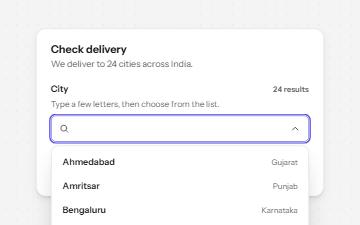
A text field that filters a list of suggestions as you type, with arrow keys to pick one and a live count of matches.
-
Modal dialog
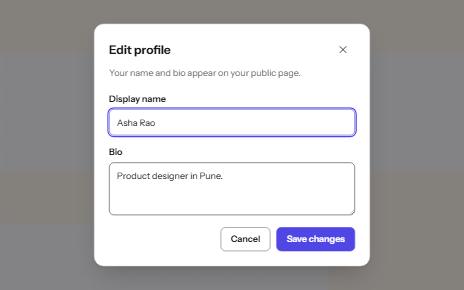
A window over the page that holds focus until it is closed, built on the native dialog element.
-
Keyboard shortcuts
Single-key shortcuts that are off until turned on, can be remapped, work only in their list, and repeat a visible button.
-
Search field
A labelled search landmark with a clear button, recent searches, and a result count that is announced without moving focus.