Accessibility pattern · Interaction and motion
Keyboard shortcuts
A single letter as a shortcut is fast for some people and a trap for others: speech input and a stray key press set it off by accident. So here j, k and e start switched off, can be changed to other keys, only work while the message list has focus, and every one repeats a visible button.
- WCAG criteria
- 6
- Keyboard rules
- 7
- Checked with
- axe, keyboard and the inspector
Live demo
Try it
Use it with a mouse, a keyboard or a screen reader. The inspector beside it shows what the browser tells assistive technology as you go: focus, state changes and announcements.
Inbox
3 unread
- Meera Iyer New Lunch on Friday? Are we still on for 1 pm at Koshy's? I can book a table. 10:24
- Rohan Mehta New Site visit notes Photos from Whitefield are in the shared folder. Two snags to fix. 09:02
- Ananya Rao Invoice 2041 Paid today by UPI. The receipt is attached. Yesterday
- Kabir Shah New Tile samples The terracotta ones arrive on Monday. Yesterday
- Priya Nair Weekend plans Trek to Skandagiri on Saturday, back by noon. Mon
All done. Nothing is left in your inbox.
Shortcut settings
Off by default, so typing and speech input never set them off. They work only while the message list has focus.
Change keys
The demo works without JavaScript only as far as its HTML does; the inspector needs JavaScript.
Keyboard
Keys it answers to
Every action works without a pointer.
| Key | What it does |
|---|---|
| Arrow Down or Arrow Up | In the message list, selects the next or previous message. Always on: arrow keys are not character keys. |
| Home or End | In the message list, selects the first or last message. |
| J or K | With single-key shortcuts on and focus in the message list, selects the next or previous message. |
| E | With single-key shortcuts on and focus in the message list, archives the selected message. |
| ? | With single-key shortcuts on and focus in the message list, opens the list of shortcuts. |
| ControlEnter | In the quick reply, sends it. A modified shortcut, so it stays on and works inside the text field. |
| Escape | Closes the shortcuts dialog and returns focus to where it was. |
Screen readers
What it announces
Written from the roles, names and states in the markup.
| When | Expected announcement |
|---|---|
| Focus reaches the message list | Messages, list box. Meera Iyer New Lunch on Friday? Are we still on for 1 pm at Koshy's? I can book a table. 10:24, selected, 1 of 5 |
| Single-key shortcuts are turned on | Single-key shortcuts, switch, on. Single-key shortcuts on |
| Focus reaches the Next button with shortcuts on | Next, button, shortcut j |
| E archives the selected message | Message archived |
| e is pressed in the Next message key field | Archive already uses this key. |
| New keys are saved | Shortcut keys saved |
These are expected announcements, not recordings. Wording and order differ between screen readers and browsers.
Code
Copy the code
The exact files this demo runs on. The styles are served with a prefix that keeps this site's own styles out of the demo; what you copy is the original.
<div class="ap-kbs" data-ap-keyboard-shortcuts>
  <div class="ap-kbs__layout">
  <section class="ap-kbs__app" aria-labelledby="kbs-inbox-name">
    <div class="ap-kbs__top">
      <h3 class="ap-kbs__name" id="kbs-inbox-name" tabindex="-1">Inbox</h3>
      <p class="ap-kbs__count"><span data-ap-unread translate="no">3</span> <span>unread</span></p>
      <button type="button" class="ap-btn ap-btn--ghost ap-kbs__help-btn" aria-haspopup="dialog" data-ap-help>
        <svg class="ap-btn__icon" viewBox="0 0 24 24" aria-hidden="true" focusable="false"><rect x="2.5" y="6" width="19" height="12" rx="2"/><path d="M6.5 10h1m3 0h1m3 0h1m3 0h1M8 14h8"/></svg>
        Keyboard shortcuts
        <kbd class="ap-kbs__cap" aria-hidden="true" translate="no">?</kbd>
      </button>
    </div>

    <div class="ap-kbs__actions" role="group" aria-label="Message actions">
        <button type="button" class="ap-btn ap-kbs__act" data-ap-cmd="prev">
          <svg class="ap-btn__icon" viewBox="0 0 24 24" aria-hidden="true" focusable="false"><path d="m18 15-6-6-6 6"/></svg>
          Previous
          <kbd class="ap-kbs__cap" data-ap-keycap="prev" aria-hidden="true" translate="no">k</kbd>
        </button>
        <button type="button" class="ap-btn ap-kbs__act" data-ap-cmd="next">
          <svg class="ap-btn__icon" viewBox="0 0 24 24" aria-hidden="true" focusable="false"><path d="m6 9 6 6 6-6"/></svg>
          Next
          <kbd class="ap-kbs__cap" data-ap-keycap="next" aria-hidden="true" translate="no">j</kbd>
        </button>
        <button type="button" class="ap-btn ap-kbs__act" data-ap-cmd="archive">
          <svg class="ap-btn__icon" viewBox="0 0 24 24" aria-hidden="true" focusable="false"><rect x="3" y="4" width="18" height="5" rx="1"/><path d="M5 9v10a1 1 0 0 0 1 1h12a1 1 0 0 0 1-1V9M10 13h4"/></svg>
          Archive
          <kbd class="ap-kbs__cap" data-ap-keycap="archive" aria-hidden="true" translate="no">e</kbd>
        </button>
    </div>

    <ul class="ap-kbs__list" role="listbox" aria-label="Messages" tabindex="0" aria-activedescendant="kbs-msg-1" data-ap-list>
      <li class="ap-kbs__msg" role="option" id="kbs-msg-1" aria-selected="true" data-unread>
        <span class="ap-kbs__avatar" aria-hidden="true" translate="no">MI</span>
        <span class="ap-kbs__msg-main">
          <span class="ap-kbs__msg-top"><span class="ap-kbs__from">Meera Iyer</span> <span class="ap-kbs__new">New</span></span>
          <span class="ap-kbs__subject">Lunch on Friday?</span>
          <span class="ap-kbs__snippet">Are we still on for 1 pm at Koshy's? I can book a table.</span>
        </span>
        <span class="ap-kbs__time">10:24</span>
      </li>
      <li class="ap-kbs__msg" role="option" id="kbs-msg-2" aria-selected="false" data-unread>
        <span class="ap-kbs__avatar" aria-hidden="true" translate="no">RM</span>
        <span class="ap-kbs__msg-main">
          <span class="ap-kbs__msg-top"><span class="ap-kbs__from">Rohan Mehta</span> <span class="ap-kbs__new">New</span></span>
          <span class="ap-kbs__subject">Site visit notes</span>
          <span class="ap-kbs__snippet">Photos from Whitefield are in the shared folder. Two snags to fix.</span>
        </span>
        <span class="ap-kbs__time">09:02</span>
      </li>
      <li class="ap-kbs__msg" role="option" id="kbs-msg-3" aria-selected="false">
        <span class="ap-kbs__avatar" aria-hidden="true" translate="no">AR</span>
        <span class="ap-kbs__msg-main">
          <span class="ap-kbs__msg-top"><span class="ap-kbs__from">Ananya Rao</span></span>
          <span class="ap-kbs__subject">Invoice 2041</span>
          <span class="ap-kbs__snippet">Paid today by UPI. The receipt is attached.</span>
        </span>
        <span class="ap-kbs__time">Yesterday</span>
      </li>
      <li class="ap-kbs__msg" role="option" id="kbs-msg-4" aria-selected="false" data-unread>
        <span class="ap-kbs__avatar" aria-hidden="true" translate="no">KS</span>
        <span class="ap-kbs__msg-main">
          <span class="ap-kbs__msg-top"><span class="ap-kbs__from">Kabir Shah</span> <span class="ap-kbs__new">New</span></span>
          <span class="ap-kbs__subject">Tile samples</span>
          <span class="ap-kbs__snippet">The terracotta ones arrive on Monday.</span>
        </span>
        <span class="ap-kbs__time">Yesterday</span>
      </li>
      <li class="ap-kbs__msg" role="option" id="kbs-msg-5" aria-selected="false">
        <span class="ap-kbs__avatar" aria-hidden="true" translate="no">PN</span>
        <span class="ap-kbs__msg-main">
          <span class="ap-kbs__msg-top"><span class="ap-kbs__from">Priya Nair</span></span>
          <span class="ap-kbs__subject">Weekend plans</span>
          <span class="ap-kbs__snippet">Trek to Skandagiri on Saturday, back by noon.</span>
        </span>
        <span class="ap-kbs__time">Mon</span>
      </li>
    </ul>
    <p class="ap-kbs__empty" data-ap-empty-inbox hidden>All done. Nothing is left in your inbox.</p>

    <form class="ap-kbs__reply" data-ap-reply>
      <label class="ap-label" for="kbs-reply">Quick reply</label>
      <textarea class="ap-input" id="kbs-reply" rows="2" aria-describedby="kbs-reply-hint"></textarea>
      <div class="ap-kbs__reply-row">
        <p class="ap-hint" id="kbs-reply-hint">Letters typed here never set off a shortcut. Ctrl+Enter sends.</p>
        <button type="submit" class="ap-btn ap-btn--primary" aria-keyshortcuts="Control+Enter Meta+Enter">Send</button>
      </div>
    </form>
    <p class="ap-kbs__status" role="status"></p>
  </section>

  <section class="ap-kbs__settings" aria-labelledby="kbs-settings-name">
    <h3 class="ap-kbs__set-name" id="kbs-settings-name">Shortcut settings</h3>
    <div class="ap-kbs__switch-row">
      <label class="ap-kbs__switch-label" for="kbs-single">Single-key shortcuts</label>
      <span class="ap-kbs__switch">
        <input class="ap-kbs__switch-input" type="checkbox" role="switch" id="kbs-single" aria-describedby="kbs-single-desc" data-ap-single />
        <span class="ap-kbs__track" aria-hidden="true"><span class="ap-kbs__thumb"></span></span>
      </span>
    </div>
    <p class="ap-kbs__desc" id="kbs-single-desc">Off by default, so typing and speech input never set them off. They work only while the message list has focus.</p>

    <details class="ap-kbs__remap">
      <summary class="ap-kbs__summary">Change keys</summary>
      <form class="ap-kbs__form" data-ap-keys novalidate>
        <p class="ap-hint" id="kbs-key-hint">Press one letter or digit. ? stays for help.</p>
          <div class="ap-field ap-kbs__keyfield">
            <label class="ap-label" for="kbs-key-next">Next message</label>
            <input class="ap-input ap-kbs__keyinput" id="kbs-key-next" data-ap-key="next" value="j" maxlength="1" autocomplete="off" autocapitalize="off" spellcheck="false" aria-describedby="kbs-key-hint" />
            <p class="ap-error ap-kbs__err" id="kbs-key-next-error"></p>
          </div>
          <div class="ap-field ap-kbs__keyfield">
            <label class="ap-label" for="kbs-key-prev">Previous message</label>
            <input class="ap-input ap-kbs__keyinput" id="kbs-key-prev" data-ap-key="prev" value="k" maxlength="1" autocomplete="off" autocapitalize="off" spellcheck="false" aria-describedby="kbs-key-hint" />
            <p class="ap-error ap-kbs__err" id="kbs-key-prev-error"></p>
          </div>
          <div class="ap-field ap-kbs__keyfield">
            <label class="ap-label" for="kbs-key-archive">Archive</label>
            <input class="ap-input ap-kbs__keyinput" id="kbs-key-archive" data-ap-key="archive" value="e" maxlength="1" autocomplete="off" autocapitalize="off" spellcheck="false" aria-describedby="kbs-key-hint" />
            <p class="ap-error ap-kbs__err" id="kbs-key-archive-error"></p>
          </div>
        <button type="submit" class="ap-btn">Save keys</button>
        <p class="ap-kbs__form-status" role="status"></p>
      </form>
    </details>
  </section>
  </div>

  <dialog class="ap-kbs__dialog" aria-labelledby="kbs-help-name">
    <div class="ap-kbs__dialog-top">
      <h2 class="ap-kbs__dialog-name" id="kbs-help-name">Keyboard shortcuts</h2>
      <button type="button" class="ap-kbs__x" aria-label="Close" data-ap-close-help>
        <svg viewBox="0 0 24 24" aria-hidden="true" focusable="false"><path d="M6 6l12 12M18 6 6 18"/></svg>
      </button>
    </div>
    <p class="ap-kbs__state" data-ap-help-state>Single-key shortcuts are off. Turn them on in Shortcut settings.</p>
    <h3 class="ap-kbs__group">In the message list</h3>
    <dl class="ap-kbs__keys">
          <div class="ap-kbs__row"><dt><kbd data-ap-keycap="next" translate="no">j</kbd></dt><dd>Next message</dd></div>
          <div class="ap-kbs__row"><dt><kbd data-ap-keycap="prev" translate="no">k</kbd></dt><dd>Previous message</dd></div>
          <div class="ap-kbs__row"><dt><kbd data-ap-keycap="archive" translate="no">e</kbd></dt><dd>Archive</dd></div>
          <div class="ap-kbs__row"><dt><kbd translate="no">?</kbd></dt><dd>Show this list</dd></div>
    </dl>
    <h3 class="ap-kbs__group">Always on</h3>
    <dl class="ap-kbs__keys">
          <div class="ap-kbs__row"><dt><kbd translate="no">↓</kbd> <kbd translate="no">↑</kbd></dt><dd>Move through the messages</dd></div>
          <div class="ap-kbs__row"><dt><kbd translate="no">Home</kbd> <kbd translate="no">End</kbd></dt><dd>First or last message</dd></div>
          <div class="ap-kbs__row"><dt><kbd translate="no">Ctrl</kbd> <kbd translate="no">Enter</kbd></dt><dd>Send a quick reply</dd></div>
          <div class="ap-kbs__row"><dt><kbd translate="no">Esc</kbd></dt><dd>Close this list</dd></div>
    </dl>
  </dialog>
</div>
/* Shared primitives: buttons and form fields used across the patterns.
   Uses the --ap-* design tokens. */

.ap-btn {
  display: inline-flex;
  align-items: center;
  justify-content: center;
  gap: 8px;
  min-height: 40px;
  padding: 0 16px;
  border: 1px solid var(--ap-border-strong);
  border-radius: var(--ap-radius-sm);
  background: var(--ap-surface);
  color: var(--ap-text);
  font: inherit;
  font-weight: 600;
  line-height: 1.2;
  text-decoration: none;
  white-space: nowrap;
  cursor: pointer;
  transition: background-color var(--ap-duration) var(--ap-ease), border-color var(--ap-duration) var(--ap-ease), box-shadow var(--ap-duration) var(--ap-ease);
}
.ap-btn:hover {
  background: var(--ap-surface-2);
}
.ap-btn:focus-visible {
  outline: 2px solid var(--ap-focus);
  outline-offset: 2px;
}
.ap-btn:disabled,
.ap-btn[aria-disabled="true"] {
  opacity: .55;
  cursor: not-allowed;
}
.ap-btn--primary {
  border-color: var(--ap-accent);
  background: var(--ap-accent);
  color: var(--ap-on-accent);
  box-shadow: var(--ap-shadow-sm);
}
.ap-btn--primary:hover {
  border-color: var(--ap-accent-hover);
  background: var(--ap-accent-hover);
}
.ap-btn--danger {
  border-color: var(--ap-danger);
  background: var(--ap-danger);
  color: var(--ap-surface);
}
.ap-btn--danger:hover {
  filter: brightness(1.08);
}
.ap-btn--ghost {
  border-color: transparent;
  background: transparent;
}
.ap-btn--ghost:hover {
  background: var(--ap-surface-2);
}
.ap-btn__icon {
  width: 18px;
  height: 18px;
  flex-shrink: 0;
  fill: none;
  stroke: currentColor;
  stroke-width: 2;
  stroke-linecap: round;
  stroke-linejoin: round;
}

.ap-field {
  display: grid;
  gap: 6px;
}
.ap-label {
  color: var(--ap-text);
  font-weight: 600;
  font-size: .9375rem;
}
.ap-hint {
  margin: 0;
  color: var(--ap-text-3);
  font-size: .875rem;
  line-height: 1.45;
}
.ap-error {
  display: flex;
  align-items: flex-start;
  gap: 6px;
  margin: 0;
  color: var(--ap-danger);
  font-size: .875rem;
  font-weight: 600;
  line-height: 1.45;
}
.ap-input {
  width: 100%;
  min-height: 44px;
  padding: 10px 12px;
  border: 1px solid var(--ap-border-strong);
  border-radius: var(--ap-radius-sm);
  background: var(--ap-surface);
  color: var(--ap-text);
  font: inherit;
  line-height: 1.4;
  transition: border-color var(--ap-duration) var(--ap-ease), box-shadow var(--ap-duration) var(--ap-ease);
}
.ap-input::placeholder {
  color: var(--ap-text-3);
}
.ap-input:hover {
  border-color: var(--ap-text-2);
}
.ap-input:focus-visible {
  outline: 2px solid var(--ap-focus);
  outline-offset: 1px;
  border-color: var(--ap-focus);
}
.ap-input[aria-invalid="true"] {
  border-color: var(--ap-danger);
  box-shadow: inset 4px 0 0 var(--ap-danger);
}
textarea.ap-input {
  resize: vertical;
  min-height: 88px;
}

@media (prefers-reduced-motion: reduce) {
  .ap-btn,
  .ap-input { transition: none; }
}

/* Keyboard shortcuts. Uses the --ap-* design tokens and the shared primitives.
   data-keys-on on the root shows the keycaps while single-key shortcuts work. */
.ap-kbs {
  width: min(100%, 860px);
  margin-inline: auto;
  color: var(--ap-text);
  container-type: inline-size;
}
.ap-kbs [hidden] {
  display: none;
}
.ap-kbs__layout {
  display: grid;
  gap: 16px;
  align-items: start;
}

/* ── The mail app ── */
.ap-kbs__app {
  min-width: 0;
  border: 1px solid var(--ap-border);
  border-radius: var(--ap-radius-lg);
  background: var(--ap-surface);
  box-shadow: var(--ap-shadow-md);
}
.ap-kbs__top {
  display: flex;
  flex-wrap: wrap;
  align-items: center;
  gap: 8px 12px;
  padding: 14px 16px 12px 20px;
  border-bottom: 1px solid var(--ap-border);
}
.ap-kbs__name {
  margin: 0;
  font-size: 1.125rem;
  font-weight: 650;
  line-height: 1.3;
}
.ap-kbs__name:focus-visible {
  outline: 2px solid var(--ap-focus);
  outline-offset: 2px;
  border-radius: 4px;
}
.ap-kbs__count {
  margin: 0;
  padding: 2px 10px;
  border-radius: var(--ap-radius-full);
  background: var(--ap-accent-soft);
  color: var(--ap-accent-soft-text);
  font-size: .8125rem;
  font-weight: 650;
}
.ap-kbs__help-btn {
  margin-left: auto;
}

/* Keycaps: shown on the buttons only while single-key shortcuts are on. */
.ap-kbs kbd {
  display: inline-grid;
  place-items: center;
  min-width: 22px;
  height: 22px;
  padding: 0 6px;
  border: 1px solid var(--ap-border-strong);
  border-bottom-width: 2px;
  border-radius: 6px;
  background: var(--ap-surface);
  color: var(--ap-text);
  font-family: var(--ap-mono);
  font-size: .75rem;
  font-weight: 600;
  line-height: 1;
}
.ap-kbs .ap-kbs__cap {
  display: none;
  margin-left: 2px;
}
.ap-kbs[data-keys-on] .ap-kbs__cap {
  display: inline-grid;
}

.ap-kbs__actions {
  display: flex;
  flex-wrap: wrap;
  gap: 6px;
  padding: 12px 16px;
  border-bottom: 1px solid var(--ap-border);
  background: var(--ap-surface-2);
}
.ap-kbs__act {
  gap: 6px;
  min-height: 38px;
  padding: 0 10px;
  font-size: .875rem;
}

/* The message list: one tab stop; aria-activedescendant marks the message. */
.ap-kbs__list {
  margin: 0;
  padding: 6px;
  list-style: none;
  outline: none;
}
.ap-kbs__msg {
  display: grid;
  grid-template-columns: auto minmax(0, 1fr) auto;
  align-items: start;
  gap: 12px;
  padding: 10px 12px;
  border-radius: var(--ap-radius-sm);
  cursor: pointer;
  scroll-margin-block: 8px;
}
.ap-kbs__msg + .ap-kbs__msg {
  margin-top: 2px;
}
.ap-kbs__msg:hover {
  background: var(--ap-surface-2);
}
.ap-kbs__msg[aria-selected="true"] {
  background: var(--ap-accent-soft);
  box-shadow: inset 3px 0 0 var(--ap-accent);
}
.ap-kbs__list:focus-visible .ap-kbs__msg[aria-selected="true"] {
  outline: 2px solid var(--ap-focus);
  outline-offset: -2px;
}
.ap-kbs__avatar {
  display: grid;
  place-items: center;
  width: 36px;
  height: 36px;
  border-radius: var(--ap-radius-full);
  background: var(--ap-surface-3);
  color: var(--ap-text);
  font-size: .75rem;
  font-weight: 700;
}
.ap-kbs__msg-main {
  display: grid;
  gap: 1px;
  min-width: 0;
}
.ap-kbs__msg-top {
  display: flex;
  align-items: center;
  gap: 8px;
}
.ap-kbs__from {
  font-weight: 600;
}
.ap-kbs__msg[data-unread] .ap-kbs__from,
.ap-kbs__msg[data-unread] .ap-kbs__subject {
  font-weight: 700;
}
.ap-kbs__new {
  padding: 0 7px;
  border-radius: var(--ap-radius-full);
  background: var(--ap-accent);
  color: var(--ap-on-accent);
  font-size: .6875rem;
  font-weight: 700;
  line-height: 1.6;
}
.ap-kbs__subject {
  font-size: .9375rem;
}
.ap-kbs__snippet {
  overflow: hidden;
  color: var(--ap-text-3);
  font-size: .875rem;
  text-overflow: ellipsis;
  white-space: nowrap;
}
.ap-kbs__msg[aria-selected="true"] .ap-kbs__snippet {
  color: var(--ap-text-2);
}
.ap-kbs__time {
  color: var(--ap-text-3);
  font-size: .8125rem;
  white-space: nowrap;
}
.ap-kbs__msg[aria-selected="true"] .ap-kbs__time {
  color: var(--ap-text-2);
}
.ap-kbs__empty {
  margin: 0;
  padding: 28px 20px;
  color: var(--ap-text-2);
  text-align: center;
}

.ap-kbs__reply {
  display: grid;
  gap: 6px;
  padding: 14px 16px 16px;
  border-top: 1px solid var(--ap-border);
}
.ap-kbs__reply textarea.ap-input {
  min-height: 64px;
}
.ap-kbs__reply-row {
  display: flex;
  flex-wrap: wrap;
  align-items: center;
  justify-content: space-between;
  gap: 8px 12px;
}
.ap-kbs__status {
  margin: 0;
  padding: 0 16px 14px;
  color: var(--ap-text);
  font-weight: 600;
}
.ap-kbs__status:empty {
  padding: 0;
}

/* ── Settings ── */
.ap-kbs__settings {
  display: grid;
  gap: 10px;
  min-width: 0;
  padding: 18px 18px 16px;
  border: 1px solid var(--ap-border);
  border-radius: var(--ap-radius-lg);
  background: var(--ap-surface);
  box-shadow: var(--ap-shadow-md);
}
.ap-kbs__set-name {
  margin: 0;
  font-size: 1rem;
  font-weight: 650;
}
.ap-kbs__switch-row {
  display: flex;
  align-items: center;
  justify-content: space-between;
  gap: 12px;
}
.ap-kbs__switch-label {
  font-weight: 600;
  cursor: pointer;
}
.ap-kbs__desc {
  margin: -4px 0 0;
  color: var(--ap-text-3);
  font-size: .875rem;
  line-height: 1.45;
}
/* The switch: a real checkbox with role=switch, stretched over the track. */
.ap-kbs__switch {
  position: relative;
  display: flex;
  flex-shrink: 0;
  align-items: center;
  min-height: var(--ap-target);
}
.ap-kbs__switch-input {
  position: absolute;
  inset: 0;
  z-index: 1;
  width: 100%;
  height: 100%;
  margin: 0;
  opacity: 0;
  cursor: pointer;
}
.ap-kbs__track {
  position: relative;
  width: 48px;
  height: 28px;
  border: 1px solid var(--ap-border-strong);
  border-radius: var(--ap-radius-full);
  background: var(--ap-surface-3);
  transition: background-color var(--ap-duration) var(--ap-ease);
}
.ap-kbs__thumb {
  position: absolute;
  top: 3px;
  left: 3px;
  width: 20px;
  height: 20px;
  border-radius: var(--ap-radius-full);
  background: var(--ap-surface);
  box-shadow: var(--ap-shadow-sm), 0 0 0 1px var(--ap-border-strong);
  transition: transform var(--ap-duration) var(--ap-ease);
}
.ap-kbs__switch-input:checked + .ap-kbs__track {
  border-color: var(--ap-accent);
  background: var(--ap-accent);
}
.ap-kbs__switch-input:checked + .ap-kbs__track .ap-kbs__thumb {
  transform: translateX(20px);
  box-shadow: var(--ap-shadow-sm);
}
.ap-kbs__switch-input:focus-visible + .ap-kbs__track {
  outline: 2px solid var(--ap-focus);
  outline-offset: 2px;
}

.ap-kbs__remap {
  border-top: 1px solid var(--ap-border);
}
.ap-kbs__summary {
  display: flex;
  align-items: center;
  justify-content: space-between;
  min-height: var(--ap-target);
  padding: 0 4px;
  border-radius: var(--ap-radius-sm);
  font-weight: 600;
  list-style: none;
  cursor: pointer;
}
.ap-kbs__summary::-webkit-details-marker {
  display: none;
}
.ap-kbs__summary::after {
  content: "";
  width: 8px;
  height: 8px;
  margin-right: 6px;
  border-right: 2px solid var(--ap-text-2);
  border-bottom: 2px solid var(--ap-text-2);
  transform: rotate(45deg) translateY(-2px);
  transition: transform var(--ap-duration) var(--ap-ease);
}
.ap-kbs__remap[open] .ap-kbs__summary::after {
  transform: rotate(-135deg) translateY(-2px);
}
.ap-kbs__summary:hover {
  background: var(--ap-surface-2);
}
.ap-kbs__summary:focus-visible {
  outline: 2px solid var(--ap-focus);
  outline-offset: 2px;
}
.ap-kbs__form {
  display: grid;
  gap: 12px;
  padding: 4px 0 2px;
}
.ap-kbs__keyfield {
  grid-template-columns: minmax(0, 1fr) 64px;
  align-items: center;
  column-gap: 12px;
}
.ap-kbs__keyfield .ap-label {
  font-weight: 500;
}
.ap-kbs__keyinput {
  font-family: var(--ap-mono);
  font-weight: 650;
  text-align: center;
  caret-color: transparent;
}
.ap-kbs__err {
  grid-column: 1 / -1;
}
.ap-kbs__err:empty {
  display: none;
}
.ap-kbs__form .ap-btn {
  justify-self: start;
}
.ap-kbs__form-status {
  margin: 0;
  color: var(--ap-text);
  font-size: .875rem;
  font-weight: 600;
}
.ap-kbs__form-status:empty {
  display: none;
}

/* ── The help dialog ── */
.ap-kbs__dialog {
  width: min(92vw, 420px);
  max-height: min(86vh, 620px);
  padding: 20px 22px 22px;
  border: 1px solid var(--ap-border);
  border-radius: var(--ap-radius-lg);
  background: var(--ap-surface);
  color: var(--ap-text);
  box-shadow: var(--ap-shadow-lg);
  overflow: auto;
}
.ap-kbs__dialog[open] {
  animation: ap-kbs-in 200ms var(--ap-ease);
}
.ap-kbs__dialog::backdrop {
  background: var(--ap-scrim);
}
.ap-kbs__dialog-top {
  display: flex;
  align-items: center;
  justify-content: space-between;
  gap: 12px;
}
.ap-kbs__dialog-name {
  margin: 0;
  font-size: 1.1875rem;
  font-weight: 650;
}
.ap-kbs__x {
  display: grid;
  place-items: center;
  width: 40px;
  height: 40px;
  padding: 0;
  border: 0;
  border-radius: var(--ap-radius-sm);
  background: transparent;
  color: var(--ap-text-2);
  cursor: pointer;
}
.ap-kbs__x:hover {
  background: var(--ap-surface-2);
  color: var(--ap-text);
}
.ap-kbs__x:focus-visible {
  outline: 2px solid var(--ap-focus);
  outline-offset: 2px;
}
.ap-kbs__x svg {
  width: 20px;
  height: 20px;
  fill: none;
  stroke: currentColor;
  stroke-width: 2;
  stroke-linecap: round;
}
.ap-kbs__state {
  margin: 10px 0 4px;
  padding: 10px 12px;
  border-radius: var(--ap-radius-sm);
  background: var(--ap-surface-2);
  color: var(--ap-text-2);
  font-size: .875rem;
  line-height: 1.45;
}
.ap-kbs__group {
  margin: 16px 0 6px;
  color: var(--ap-text-3);
  font-size: .75rem;
  font-weight: 650;
  letter-spacing: .06em;
  text-transform: uppercase;
}
.ap-kbs__keys {
  display: grid;
  margin: 0;
}
.ap-kbs__row {
  display: flex;
  align-items: center;
  justify-content: space-between;
  gap: 12px;
  padding: 8px 0;
  border-top: 1px solid var(--ap-border);
}
.ap-kbs__row dt {
  display: flex;
  gap: 4px;
  order: 2;
}
.ap-kbs__row dd {
  margin: 0;
}

@keyframes ap-kbs-in {
  from { opacity: 0; transform: translateY(8px) scale(.98); }
}

@container (min-width: 700px) {
  .ap-kbs__layout { grid-template-columns: minmax(0, 1fr) 256px; }
}

@media (prefers-reduced-motion: reduce) {
  .ap-kbs__track,
  .ap-kbs__thumb,
  .ap-kbs__summary::after { transition: none; }
  .ap-kbs__dialog[open] { animation: none; }
}
/**
 * Keyboard shortcuts: single-key shortcuts done safely (WCAG 2.1.4). They
 * start off, can be remapped, fire only while the message list has focus,
 * and each repeats a visible button that carries aria-keyshortcuts.
 *
 * Markup: [data-ap-keyboard-shortcuts] holding buttons [data-ap-cmd], a
 * listbox [data-ap-list] of options, a reply form [data-ap-reply], a switch
 * [data-ap-single], a key form [data-ap-keys] with inputs [data-ap-key], and
 * a help dialog opened by [data-ap-help]. The root gets data-keys-on while
 * the single-key shortcuts work.
 */

const DEFAULT_KEYS = { next: "j", prev: "k", archive: "e" };
const HELP_KEY = "?";

export function init(root) {
  const ac = new AbortController();
  const on = (target, type, fn, options = {}) => target.addEventListener(type, fn, { ...options, signal: ac.signal });
  const list = root.querySelector("[data-ap-list]");
  const empty = root.querySelector("[data-ap-empty-inbox]");
  const unread = root.querySelector("[data-ap-unread]");
  const inbox = root.querySelector(".ap-kbs__name");
  const status = root.querySelector(".ap-kbs__status");
  const single = root.querySelector("[data-ap-single]");
  const keyForm = root.querySelector("[data-ap-keys]");
  const keyStatus = root.querySelector(".ap-kbs__form-status");
  const inputs = [...root.querySelectorAll("[data-ap-key]")];
  const reply = root.querySelector("[data-ap-reply]");
  const replyBox = reply.querySelector("textarea");
  const dialog = root.querySelector("dialog");
  const helpState = root.querySelector("[data-ap-help-state]");
  const buttons = Object.fromEntries([...root.querySelectorAll("[data-ap-cmd]")].map((b) => [b.dataset.apCmd, b]));
  const helpButton = root.querySelector("[data-ap-help]");
  const keys = { ...DEFAULT_KEYS };
  const timers = new Set();

  const options = () => [...list.querySelectorAll("[role=option]")];
  const active = () => document.getElementById(list.getAttribute("aria-activedescendant") || "") || null;
  const enabled = () => single.checked;

  function say(region, text) {
    region.textContent = "";
    const t = setTimeout(() => { region.textContent = text; timers.delete(t); }, 60);
    timers.add(t);
  }

  /* ── The list ── */
  function select(option) {
    for (const o of options()) o.setAttribute("aria-selected", String(o === option));
    if (option) {
      list.setAttribute("aria-activedescendant", option.id);
      option.scrollIntoView({ block: "nearest" });
    } else list.removeAttribute("aria-activedescendant");
  }

  function move(step) {
    const all = options();
    if (!all.length) return;
    const at = all.indexOf(active());
    select(all[Math.min(all.length - 1, Math.max(0, at + step))]);
  }

  function archive() {
    const current = active();
    if (!current) return;
    const all = options();
    const at = all.indexOf(current);
    const next = all[at + 1] || all[at - 1] || null;
    if (current.hasAttribute("data-unread")) unread.textContent = String(Math.max(0, Number(unread.textContent) - 1));
    const listHadFocus = document.activeElement === list;
    current.remove();
    select(next);
    if (!next) {
      // Nothing left to select: show the empty state and keep focus somewhere real.
      list.hidden = true;
      empty.hidden = false;
      if (listHadFocus) inbox.focus();
    }
    say(status, "Message archived");
  }

  function run(cmd) {
    if (cmd === "next") move(1);
    else if (cmd === "prev") move(-1);
    else if (cmd === "archive") archive();
  }

  function onListKey(event) {
    // Keys the list always answers to: not character keys, so 2.1.4 does not apply.
    if (event.key === "ArrowDown" || event.key === "ArrowUp") {
      event.preventDefault();
      move(event.key === "ArrowDown" ? 1 : -1);
      return;
    }
    if (event.key === "Home" || event.key === "End") {
      event.preventDefault();
      const all = options();
      select(event.key === "Home" ? all[0] : all[all.length - 1]);
      return;
    }
    // Single-key shortcuts: never with a modifier, so browser, system and
    // screen reader shortcuts pass through.
    if (event.ctrlKey || event.metaKey || event.altKey) return;
    if (event.key === HELP_KEY) {
      // The page around the app may use ? too; while the list has focus, the key is the list's.
      event.stopPropagation();
      if (!enabled()) return;
      event.preventDefault();
      openHelp();
      return;
    }
    if (!enabled()) return;
    if (event.shiftKey) return;
    const cmd = Object.keys(keys).find((k) => keys[k] === event.key.toLowerCase());
    if (!cmd) return;
    event.preventDefault();
    event.stopPropagation();
    run(cmd);
  }

  function onListClick(event) {
    const option = event.target.closest("[role=option]");
    if (!option) return;
    select(option);
    list.focus();
  }

  /* ── Shortcuts on or off, and their names ── */
  function paintKeys() {
    const live = enabled();
    root.toggleAttribute("data-keys-on", live);
    for (const [cmd, b] of Object.entries(buttons)) {
      if (live) b.setAttribute("aria-keyshortcuts", keys[cmd]);
      else b.removeAttribute("aria-keyshortcuts");
    }
    if (live) helpButton.setAttribute("aria-keyshortcuts", HELP_KEY);
    else helpButton.removeAttribute("aria-keyshortcuts");
    for (const cap of root.querySelectorAll("[data-ap-keycap]")) cap.textContent = keys[cap.dataset.apKeycap];
    helpState.textContent = live
      ? "Single-key shortcuts are on. They work while the message list has focus."
      : "Single-key shortcuts are off. Turn them on in Shortcut settings.";
  }

  function openHelp() {
    paintKeys();
    dialog.showModal();
  }

  /* ── Remapping ── */
  const TAKEN = {
    next: "Next message already uses this key.",
    prev: "Previous message already uses this key.",
    archive: "Archive already uses this key.",
  };

  /** What is wrong with a key field, if anything. In a clash, the command
      that had the key first keeps it; the field that took it is the error. */
  function problem(input) {
    const v = input.value;
    if (!v) return "Press a letter or a digit.";
    if (!/^[a-z0-9]$/.test(v)) return "Use a letter or a digit.";
    const rival = inputs.find((o) => o !== input && o.value === v);
    if (!rival) return "";
    const mine = keys[input.dataset.apKey] === v;
    const theirs = keys[rival.dataset.apKey] === v;
    if (mine && !theirs) return "";
    if (!mine && !theirs && inputs.indexOf(rival) > inputs.indexOf(input)) return "";
    return TAKEN[rival.dataset.apKey];
  }

  function mark(input, message) {
    const error = document.getElementById(`${input.id}-error`);
    const described = new Set((input.getAttribute("aria-describedby") || "").split(/\s+/).filter(Boolean));
    error.textContent = message;
    if (message) {
      input.setAttribute("aria-invalid", "true");
      described.add(error.id);
    } else {
      input.removeAttribute("aria-invalid");
      described.delete(error.id);
    }
    input.setAttribute("aria-describedby", [...described].join(" "));
  }

  function onKeyCapture(event) {
    const input = event.target.closest("[data-ap-key]");
    if (!input) return;
    if (["Tab", "Escape", "Enter"].includes(event.key) || event.ctrlKey || event.metaKey || event.altKey) return;
    event.preventDefault();
    event.stopPropagation();
    if (event.key === "Backspace" || event.key === "Delete") input.value = "";
    else if (event.key.length === 1) input.value = event.key.toLowerCase();
    else return;
    // A clash is reported at once, on the field being typed in.
    const rival = inputs.find((o) => o !== input && o.value && o.value === input.value);
    const message = rival ? TAKEN[rival.dataset.apKey] : problem(input);
    mark(input, message);
    for (const o of inputs) if (o !== input && o.hasAttribute("aria-invalid") && !problem(o)) mark(o, "");
    if (message) say(keyStatus, message);
    else keyStatus.textContent = "";
  }

  // Touch keyboards and IME may skip keydown: keep the last character typed.
  function onKeyInput(event) {
    const input = event.target.closest("[data-ap-key]");
    if (!input) return;
    input.value = input.value.slice(-1).toLowerCase();
    mark(input, problem(input));
  }

  function onKeySubmit(event) {
    event.preventDefault();
    let first = null;
    for (const input of inputs) {
      const message = problem(input);
      mark(input, message);
      if (message && !first) first = input;
    }
    if (first) {
      first.focus();
      return;
    }
    for (const input of inputs) keys[input.dataset.apKey] = input.value;
    paintKeys();
    say(keyStatus, "Shortcut keys saved");
  }

  /* ── The rest ── */
  function onClick(event) {
    const t = event.target;
    const cmdButton = t.closest("[data-ap-cmd]");
    if (cmdButton) return run(cmdButton.dataset.apCmd);
    if (t.closest("[data-ap-help]")) return openHelp();
    if (t.closest("[data-ap-close-help]")) return dialog.close();
  }

  function onReplyKey(event) {
    // A modified shortcut: it cannot fire by accident, so it stays on, even in the text field.
    if (event.key === "Enter" && (event.ctrlKey || event.metaKey)) {
      event.preventDefault();
      reply.requestSubmit();
    }
  }

  function onReplySubmit(event) {
    event.preventDefault();
    if (!replyBox.value.trim()) {
      say(status, "Write a reply first.");
      replyBox.focus();
      return;
    }
    replyBox.value = "";
    say(status, "Reply sent");
  }

  function onSwitch() {
    paintKeys();
    say(status, enabled() ? "Single-key shortcuts on" : "Single-key shortcuts off");
  }

  on(list, "keydown", onListKey);
  on(list, "click", onListClick);
  on(root, "click", onClick);
  on(single, "change", onSwitch);
  on(keyForm, "keydown", onKeyCapture);
  on(keyForm, "input", onKeyInput);
  on(keyForm, "submit", onKeySubmit);
  on(keyForm, "focusin", (event) => event.target.closest("[data-ap-key]")?.select());
  on(replyBox, "keydown", onReplyKey);
  on(reply, "submit", onReplySubmit);
  paintKeys();

  return () => {
    ac.abort();
    if (dialog.open) dialog.close();
    for (const t of timers) clearTimeout(t);
  };
}

for (const root of document.querySelectorAll("[data-ap-keyboard-shortcuts]")) init(root);
/* Design tokens for the pattern components. Light by default, dark when the
   system asks for it; set data-theme="dark" on :root to force dark. */
:root {
    --ap-radius-sm: 8px;
    --ap-radius: 12px;
    --ap-radius-lg: 16px;
    --ap-radius-full: 999px;
    --ap-font: "Instrument Sans", ui-sans-serif, system-ui, -apple-system, "Segoe UI", Roboto, sans-serif;
    --ap-mono: "JetBrains Mono", ui-monospace, "Cascadia Mono", "SF Mono", Consolas, monospace;
    --ap-ease: cubic-bezier(.2, .8, .2, 1);
    --ap-duration: 180ms;
    --ap-target: 44px;
    --ap-bg: #F4F4F5;
    --ap-surface: #FFFFFF;
    --ap-surface-2: #F4F4F5;
    --ap-surface-3: #E4E4E7;
    --ap-border: #E4E4E7;
    --ap-border-strong: #76767F;
    --ap-text: #18181B;
    --ap-text-2: #3F3F46;
    --ap-text-3: #5E5E66;
    --ap-accent: #4F46E5;
    --ap-accent-hover: #4338CA;
    --ap-on-accent: #FFFFFF;
    --ap-accent-text: #4338CA;
    --ap-accent-soft: #EEF2FF;
    --ap-accent-soft-text: #3730A3;
    --ap-focus: #4F46E5;
    --ap-danger: #B91C1C;
    --ap-danger-soft: #FEF2F2;
    --ap-success: #15803D;
    --ap-success-soft: #F0FDF4;
    --ap-warning: #A15C07;
    --ap-warning-soft: #FEFCE8;
    --ap-info: #1D4ED8;
    --ap-info-soft: #EFF6FF;
    --ap-scrim: rgb(9 9 11 / .48);
    --ap-shadow-sm: 0 1px 2px rgb(9 9 11 / .06);
    --ap-shadow-md: 0 1px 2px rgb(9 9 11 / .05), 0 6px 16px -4px rgb(9 9 11 / .1);
    --ap-shadow-lg: 0 2px 6px rgb(9 9 11 / .06), 0 20px 40px -12px rgb(9 9 11 / .22);
    --ap-light-bg: #F4F4F5;
    --ap-light-surface: #FFFFFF;
    --ap-light-surface-2: #F4F4F5;
    --ap-light-surface-3: #E4E4E7;
    --ap-light-border: #E4E4E7;
    --ap-light-border-strong: #76767F;
    --ap-light-text: #18181B;
    --ap-light-text-2: #3F3F46;
    --ap-light-text-3: #5E5E66;
    --ap-light-accent: #4F46E5;
    --ap-light-accent-hover: #4338CA;
    --ap-light-on-accent: #FFFFFF;
    --ap-light-accent-text: #4338CA;
    --ap-light-accent-soft: #EEF2FF;
    --ap-light-accent-soft-text: #3730A3;
    --ap-light-focus: #4F46E5;
    --ap-light-danger: #B91C1C;
    --ap-light-danger-soft: #FEF2F2;
    --ap-light-success: #15803D;
    --ap-light-success-soft: #F0FDF4;
    --ap-light-warning: #A15C07;
    --ap-light-warning-soft: #FEFCE8;
    --ap-light-info: #1D4ED8;
    --ap-light-info-soft: #EFF6FF;
    --ap-light-scrim: rgb(9 9 11 / .48);
    --ap-light-shadow-sm: 0 1px 2px rgb(9 9 11 / .06);
    --ap-light-shadow-md: 0 1px 2px rgb(9 9 11 / .05), 0 6px 16px -4px rgb(9 9 11 / .1);
    --ap-light-shadow-lg: 0 2px 6px rgb(9 9 11 / .06), 0 20px 40px -12px rgb(9 9 11 / .22);
    --ap-dark-bg: #09090B;
    --ap-dark-surface: #18181B;
    --ap-dark-surface-2: #27272A;
    --ap-dark-surface-3: #3F3F46;
    --ap-dark-border: #2E2E33;
    --ap-dark-border-strong: #8E8E97;
    --ap-dark-text: #FAFAFA;
    --ap-dark-text-2: #D4D4D8;
    --ap-dark-text-3: #A1A1AA;
    --ap-dark-accent: #818CF8;
    --ap-dark-accent-hover: #A5B4FC;
    --ap-dark-on-accent: #0C0A1F;
    --ap-dark-accent-text: #A5B4FC;
    --ap-dark-accent-soft: #1E1B4B;
    --ap-dark-accent-soft-text: #C7D2FE;
    --ap-dark-focus: #A5B4FC;
    --ap-dark-danger: #F87171;
    --ap-dark-danger-soft: #2A1215;
    --ap-dark-success: #4ADE80;
    --ap-dark-success-soft: #0F2A1A;
    --ap-dark-warning: #FACC15;
    --ap-dark-warning-soft: #2A2410;
    --ap-dark-info: #60A5FA;
    --ap-dark-info-soft: #0F1D33;
    --ap-dark-scrim: rgb(0 0 0 / .62);
    --ap-dark-shadow-sm: 0 1px 2px rgb(0 0 0 / .4);
    --ap-dark-shadow-md: 0 1px 2px rgb(0 0 0 / .4), 0 8px 20px -6px rgb(0 0 0 / .5);
    --ap-dark-shadow-lg: 0 2px 8px rgb(0 0 0 / .45), 0 24px 48px -12px rgb(0 0 0 / .7);
}
@media (prefers-color-scheme: dark) {
  :root:not([data-theme="light"]) {
      --ap-bg: #09090B;
      --ap-surface: #18181B;
      --ap-surface-2: #27272A;
      --ap-surface-3: #3F3F46;
      --ap-border: #2E2E33;
      --ap-border-strong: #8E8E97;
      --ap-text: #FAFAFA;
      --ap-text-2: #D4D4D8;
      --ap-text-3: #A1A1AA;
      --ap-accent: #818CF8;
      --ap-accent-hover: #A5B4FC;
      --ap-on-accent: #0C0A1F;
      --ap-accent-text: #A5B4FC;
      --ap-accent-soft: #1E1B4B;
      --ap-accent-soft-text: #C7D2FE;
      --ap-focus: #A5B4FC;
      --ap-danger: #F87171;
      --ap-danger-soft: #2A1215;
      --ap-success: #4ADE80;
      --ap-success-soft: #0F2A1A;
      --ap-warning: #FACC15;
      --ap-warning-soft: #2A2410;
      --ap-info: #60A5FA;
      --ap-info-soft: #0F1D33;
      --ap-scrim: rgb(0 0 0 / .62);
      --ap-shadow-sm: 0 1px 2px rgb(0 0 0 / .4);
      --ap-shadow-md: 0 1px 2px rgb(0 0 0 / .4), 0 8px 20px -6px rgb(0 0 0 / .5);
      --ap-shadow-lg: 0 2px 8px rgb(0 0 0 / .45), 0 24px 48px -12px rgb(0 0 0 / .7);
  }
}
:root[data-theme="dark"] {
    --ap-bg: #09090B;
    --ap-surface: #18181B;
    --ap-surface-2: #27272A;
    --ap-surface-3: #3F3F46;
    --ap-border: #2E2E33;
    --ap-border-strong: #8E8E97;
    --ap-text: #FAFAFA;
    --ap-text-2: #D4D4D8;
    --ap-text-3: #A1A1AA;
    --ap-accent: #818CF8;
    --ap-accent-hover: #A5B4FC;
    --ap-on-accent: #0C0A1F;
    --ap-accent-text: #A5B4FC;
    --ap-accent-soft: #1E1B4B;
    --ap-accent-soft-text: #C7D2FE;
    --ap-focus: #A5B4FC;
    --ap-danger: #F87171;
    --ap-danger-soft: #2A1215;
    --ap-success: #4ADE80;
    --ap-success-soft: #0F2A1A;
    --ap-warning: #FACC15;
    --ap-warning-soft: #2A2410;
    --ap-info: #60A5FA;
    --ap-info-soft: #0F1D33;
    --ap-scrim: rgb(0 0 0 / .62);
    --ap-shadow-sm: 0 1px 2px rgb(0 0 0 / .4);
    --ap-shadow-md: 0 1px 2px rgb(0 0 0 / .4), 0 8px 20px -6px rgb(0 0 0 / .5);
    --ap-shadow-lg: 0 2px 8px rgb(0 0 0 / .45), 0 24px 48px -12px rgb(0 0 0 / .7);
}
WCAG 2.2
What it meets
The success criteria this pattern takes care of, and how.
-
2.1.4 Character Key Shortcuts
Level A
The single-key shortcuts can be turned off (they start off), remapped to other keys, and only fire while the message list has focus, which meets all three of the criterion's options.
-
2.1.1 Keyboard
Level A
Every shortcut repeats a visible button, and the arrow keys move through the list, so nothing depends on knowing a shortcut.
-
3.3.1 Error Identification
Level A
A key that is already taken, or is not a letter or digit, is named as an error next to its field and the field is marked invalid.
-
3.3.2 Labels or Instructions
Level A
Each key field has a label and a hint saying what it accepts, and the switch says what it does before it is turned on.
-
4.1.2 Name, Role, Value
Level A
aria-keyshortcuts on the buttons names each shortcut while it works and is removed when it does not; the list is a listbox with the selected message marked.
-
4.1.3 Status Messages
Level AA
Archiving, sending, saving keys and turning shortcuts on or off are confirmed in status messages without moving focus.
Usage
When to use it
Use it
- Apps people use for hours, like mail, chat, editors and dashboards, where frequent users want speed.
- Commands that also exist as visible buttons, so the shortcut is a faster route, never the only one.
Use something else
- Single-key shortcuts on by default across the whole page: speech input users say words, and every letter fires.
- Keys the browser, the operating system or screen readers already use, like Ctrl+F, Ctrl+K or Insert.
- Shortcuts as the only way to do something: no one discovers them, and some people cannot press them.
Common failures
How it usually goes wrong
Letters that fire anywhere on the page
A global listener for j or e triggers while someone types, and every time speech input hears a word with that letter. Limit them to the component that has focus.
No way to turn them off
If the only fix for a stray shortcut is to avoid that key, some people cannot use the page. Off by default, or a switch, is the minimum.
Shortcuts in text fields
Typing "e" in a reply should type "e". Check where focus is, not just which key was pressed, and ignore editable targets.
Hidden shortcuts
A shortcut that is not listed anywhere helps only the people who guessed it. A help dialog, keycaps on the buttons and aria-keyshortcuts make them findable.
Clashing with assistive technology
Screen readers use single letters to move by headings and links. In a list with focus mode on they pass keys through; elsewhere your shortcut never arrives.
Notes
Building it
- aria-keyshortcuts takes key names from the KeyboardEvent key values ("j", "Control+Enter", "Meta+Enter"); it only announces the shortcut, the script still has to handle it.
- Check event.ctrlKey, metaKey and altKey before treating a key as a single-key shortcut, so browser and system shortcuts pass through untouched.
- Shift+/ gives "?" on many layouts but not all. Matching event.key, not event.code, follows the character the person sees on their keyboard.
- Keep remapped keys somewhere that lasts, like localStorage or the account's settings. The demo keeps them in memory, so Reset restores j, k and e.
- A shortcut two parts of a page both want goes to whichever listens first. This site opens its guide on ? and search on Ctrl+K, so the list stops ? from reaching the page while it has focus.
Sources: Understanding WCAG 2.2: Character Key Shortcuts · WAI-ARIA 1.2: aria-keyshortcuts · WAI-ARIA Authoring Practices: Keyboard interface
Checked with axe in light and dark themes, at desktop and phone widths, and by keyboard. Not yet tested with every screen reader and browser pair. Report a correction
Related
Patterns that go with it
-
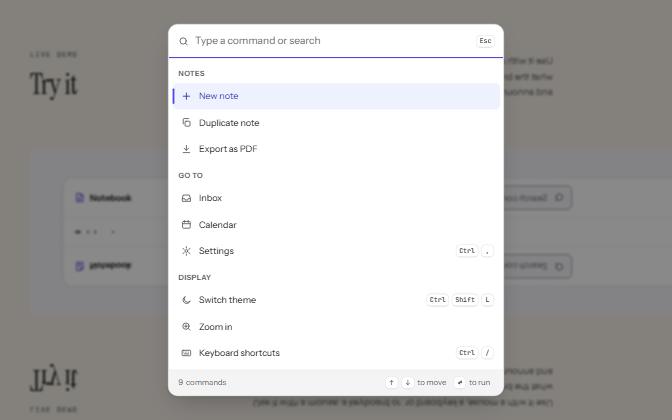
Command palette
A searchable list of commands, opened with Ctrl+K or a button, that filters as you type and runs the highlighted one.
-
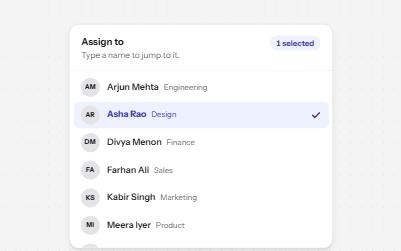
Listbox
A list of options to choose one or several from, with arrow keys, typing to jump and a count of what is selected.
-
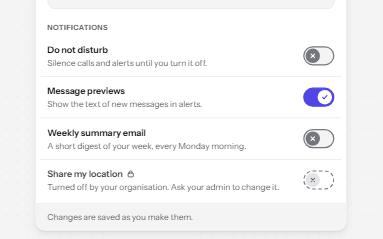
Switch
An on and off control for settings that take effect at once, built on a checkbox with the switch role.
-
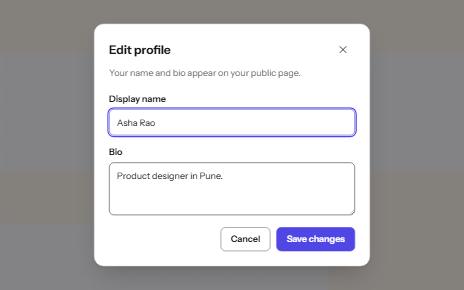
Modal dialog
A window over the page that holds focus until it is closed, built on the native dialog element.