Accessibility pattern · Interaction and motion
Reduced motion
Movement is added only when nobody has asked for less: the system's reduced motion setting decides by default, and a switch on the page can override it. Reduced does not mean nothing happens: slides become fades, the spinner pulses, and every change is still shown and announced.
- WCAG criteria
- 6
- Keyboard rules
- 4
- Checked with
- axe, keyboard and the inspector
Live demo
Try it
Use it with a mouse, a keyboard or a screen reader. The inspector beside it shows what the browser tells assistive technology as you go: focus, state changes and announcements.
Motion
Following your system: full motion
Parallax hero
- Full motion
- Layers scroll at different speeds
- Reduced
- Scrolls as one picture
Monsoon in the Western Ghats A four-day walk from Lonavala
We left Lonavala before dawn, with the cloud still sitting in the valleys below the road.
By noon the rain had found us. The path turned into a stream, and the waterfalls across the valley doubled in size.
On the last morning the sky cleared over Rajmachi fort, and we could see the whole ridge we had walked.
Page transition
- Full motion
- Slides in from the side
- Reduced
- Fades in place
Step 1 of 3
Loader
- Full motion
- Spins
- Reduced
- Fades in and out
3 photos ready to upload
Notification badge
- Full motion
- Bounces, and the bell swings
- Reduced
- Fades in
Smooth scroll
- Full motion
- Glides to the target
- Reduced
- Jumps there at once
Release notes, version 4.2
Search shows results as you type, and forgives small typing mistakes.
Calendar events can be dragged to a new day, or moved with Move to in their menu.
Every chart now has a data table, and focus rings are thicker.
Exports keep their column order, and the dark theme no longer flashes on load.
Summary
Search is faster, charts have tables, and dark mode loads cleanly.
/* Still by default: movement is added, never patched out. */
                            @media (prefers-reduced-motion: no-preference) {
                            .badge.is-new { animation: pop 400ms ease-out; }
                            }
                            /* Reduced: the same news, without the movement. */
                            @media (prefers-reduced-motion: reduce) {
                            .badge.is-new { animation: fade-in 200ms; }
}The demo works without JavaScript only as far as its HTML does; the inspector needs JavaScript.
Keyboard
Keys it answers to
Every action works without a pointer.
| Key | What it does |
|---|---|
| Tab or ShiftTab | Moves through the switch, each piece's buttons and links, and the two scrolling areas. |
| Space or Enter | On Reduce motion, turns reduced motion on or off for this demo, whatever the system says. |
| Arrow Down or Arrow Up | In the travel story or the release notes, scrolls; the hero's layers drift apart only in full motion. |
| Enter | On Jump to the summary, scrolls there, gliding or at once, and moves focus to the Summary heading. |
Screen readers
What it announces
Written from the roles, names and states in the markup.
| When | Expected announcement |
|---|---|
| Focus reaches the switch | Reduce motion, switch, off. Following your system: full motion |
| Space turns it on | On |
| Next shows the second step | Step 2 of 3 |
| The upload starts, then ends | Uploading 3 photos… then 3 photos uploaded |
| A test message arrives | New message received |
| Jump to the summary is followed | Summary, heading level 5 |
These are expected announcements, not recordings. Wording and order differ between screen readers and browsers.
Code
Copy the code
The exact files this demo runs on. The styles are served with a prefix that keeps this site's own styles out of the demo; what you copy is the original.
<div class="ap-reduced-motion" data-ap-reduced-motion>
  <div class="ap-reduced-motion__top">
    <div class="ap-reduced-motion__id">
      <h3 class="ap-reduced-motion__name">Motion</h3>
      <p class="ap-reduced-motion__source" id="reduced-motion-source" data-ap-source>Following your system: full motion</p>
    </div>
    <div class="ap-reduced-motion__control">
      <button type="button" class="ap-reduced-motion__switch" role="switch" aria-checked="false" aria-describedby="reduced-motion-source" data-ap-switch>
        <span class="ap-reduced-motion__switch-label">Reduce motion</span>
        <span class="ap-reduced-motion__track" aria-hidden="true"><span class="ap-reduced-motion__thumb"></span></span>
      </button>
      <button type="button" class="ap-btn ap-btn--ghost ap-reduced-motion__system" data-ap-use-system hidden>Use system setting</button>
    </div>
  </div>

  <div class="ap-reduced-motion__tiles">
    <div class="ap-reduced-motion__tile ap-reduced-motion__tile--wide" role="group" aria-labelledby="reduced-motion-hero-name">
      <div class="ap-reduced-motion__tile-top">
        <h4 class="ap-reduced-motion__tile-name" id="reduced-motion-hero-name">Parallax hero</h4>
        <dl class="ap-reduced-motion__modes">
        <div data-mode="full"><dt>Full motion</dt><dd>Layers scroll at different speeds</dd></div>
        <div data-mode="reduce"><dt>Reduced</dt><dd>Scrolls as one picture</dd></div>
      </dl>
      </div>
      <div class="ap-reduced-motion__scroller" role="region" aria-label="Travel story" tabindex="0" data-ap-parallax>
        <div class="ap-reduced-motion__hero" data-ap-hero>
          <svg class="ap-reduced-motion__layer ap-reduced-motion__layer--sun" viewBox="0 0 600 200" preserveAspectRatio="xMidYMax slice" aria-hidden="true" focusable="false"><circle cx="452" cy="62" r="26"/></svg>
          <svg class="ap-reduced-motion__layer ap-reduced-motion__layer--far" viewBox="0 0 600 200" preserveAspectRatio="xMidYMax slice" aria-hidden="true" focusable="false"><path d="M0 120 70 82l60 26 80-52 90 50 70-30 90 44 70-28 70 30v78H0Z"/></svg>
          <svg class="ap-reduced-motion__layer ap-reduced-motion__layer--mid" viewBox="0 0 600 200" preserveAspectRatio="xMidYMax slice" aria-hidden="true" focusable="false"><path d="M0 150 90 104l70 34 90-58 100 62 80-36 100 50 70-20v64H0Z"/></svg>
          <svg class="ap-reduced-motion__layer ap-reduced-motion__layer--near" viewBox="0 0 600 200" preserveAspectRatio="xMidYMax slice" aria-hidden="true" focusable="false"><path d="M0 172c60-26 120-30 190-12s140 20 210-6 140-20 200 4v42H0Z"/></svg>
          <p class="ap-reduced-motion__hero-card"><span class="ap-reduced-motion__hero-name">Monsoon in the Western Ghats</span> <span class="ap-reduced-motion__hero-sub">A four-day walk from Lonavala</span></p>
        </div>
        <div class="ap-reduced-motion__story">
          <p>We left Lonavala before dawn, with the cloud still sitting in the valleys below the road.</p>
          <p>By noon the rain had found us. The path turned into a stream, and the waterfalls across the valley doubled in size.</p>
          <p>On the last morning the sky cleared over Rajmachi fort, and we could see the whole ridge we had walked.</p>
        </div>
      </div>
    </div>

    <div class="ap-reduced-motion__tile" role="group" aria-labelledby="reduced-motion-steps-name">
      <div class="ap-reduced-motion__tile-top">
        <h4 class="ap-reduced-motion__tile-name" id="reduced-motion-steps-name">Page transition</h4>
        <dl class="ap-reduced-motion__modes">
        <div data-mode="full"><dt>Full motion</dt><dd>Slides in from the side</dd></div>
        <div data-mode="reduce"><dt>Reduced</dt><dd>Fades in place</dd></div>
      </dl>
      </div>
      <div class="ap-reduced-motion__steps">
        <p class="ap-reduced-motion__count" role="status" data-ap-step-count>Step 1 of 3</p>
        <div class="ap-reduced-motion__viewport">
          <div class="ap-reduced-motion__step" data-ap-step>
            <p class="ap-reduced-motion__step-name">Choose a plan</p>
            <p class="ap-reduced-motion__step-text">Pick monthly or yearly. You can change it at any time.</p>
          </div>
          <div class="ap-reduced-motion__step" data-ap-step hidden>
            <p class="ap-reduced-motion__step-name">Add your team</p>
            <p class="ap-reduced-motion__step-text">Invite people by email. They join when they accept.</p>
          </div>
          <div class="ap-reduced-motion__step" data-ap-step hidden>
            <p class="ap-reduced-motion__step-name">You are all set</p>
            <p class="ap-reduced-motion__step-text">Your workspace is ready. Start from a template or a blank page.</p>
          </div>
        </div>
        <div class="ap-reduced-motion__nav">
          <button type="button" class="ap-btn" data-ap-step-go="-1" aria-disabled="true">Back</button>
          <button type="button" class="ap-btn ap-btn--primary" data-ap-step-go="1" aria-disabled="false">Next</button>
        </div>
      </div>
    </div>

    <div class="ap-reduced-motion__tile" role="group" aria-labelledby="reduced-motion-load-name">
      <div class="ap-reduced-motion__tile-top">
        <h4 class="ap-reduced-motion__tile-name" id="reduced-motion-load-name">Loader</h4>
        <dl class="ap-reduced-motion__modes">
        <div data-mode="full"><dt>Full motion</dt><dd>Spins</dd></div>
        <div data-mode="reduce"><dt>Reduced</dt><dd>Fades in and out</dd></div>
      </dl>
      </div>
      <div class="ap-reduced-motion__upload" data-ap-upload>
        <div class="ap-reduced-motion__progress">
          <svg class="ap-reduced-motion__photos" viewBox="0 0 24 24" aria-hidden="true" focusable="false"><rect x="3" y="5" width="18" height="14" rx="2"/><circle cx="9" cy="10" r="1.6"/><path d="m21 16-5-5-9 8"/></svg>
          <span class="ap-reduced-motion__spinner" aria-hidden="true"></span>
          <svg class="ap-reduced-motion__done" viewBox="0 0 24 24" aria-hidden="true" focusable="false"><path d="m5 12.5 4.5 4.5L19 7.5"/></svg>
          <p class="ap-reduced-motion__upload-idle">3 photos ready to upload</p>
          <p class="ap-reduced-motion__upload-status" role="status" data-ap-upload-status></p>
        </div>
        <button type="button" class="ap-btn ap-btn--primary" data-ap-upload-go aria-disabled="false">
          <svg class="ap-btn__icon" viewBox="0 0 24 24" aria-hidden="true" focusable="false"><path d="M12 16V4M7 9l5-5 5 5M5 20h14"/></svg>
          Upload 3 photos
        </button>
      </div>
    </div>

    <div class="ap-reduced-motion__tile" role="group" aria-labelledby="reduced-motion-badge-name">
      <div class="ap-reduced-motion__tile-top">
        <h4 class="ap-reduced-motion__tile-name" id="reduced-motion-badge-name">Notification badge</h4>
        <dl class="ap-reduced-motion__modes">
        <div data-mode="full"><dt>Full motion</dt><dd>Bounces, and the bell swings</dd></div>
        <div data-mode="reduce"><dt>Reduced</dt><dd>Fades in</dd></div>
      </dl>
      </div>
      <div class="ap-reduced-motion__inbox">
        <button type="button" class="ap-reduced-motion__bell" data-ap-bell>
          <svg class="ap-reduced-motion__bell-icon" viewBox="0 0 24 24" aria-hidden="true" focusable="false"><path d="M6 9a6 6 0 0 1 12 0c0 6 2.5 7.5 2.5 7.5h-17S6 15 6 9"/><path d="M10 20a2.2 2.2 0 0 0 4 0"/></svg>
          <span class="ap-reduced-motion__sr">Notifications</span>
          <span class="ap-reduced-motion__badge" data-ap-badge><span data-ap-unread>2</span> <span class="ap-reduced-motion__sr">new</span></span>
        </button>
        <button type="button" class="ap-btn" data-ap-send>Send a test message</button>
        <p class="ap-reduced-motion__sr" role="status" data-ap-inbox-status></p>
      </div>
    </div>

    <div class="ap-reduced-motion__tile" role="group" aria-labelledby="reduced-motion-jump-name">
      <div class="ap-reduced-motion__tile-top">
        <h4 class="ap-reduced-motion__tile-name" id="reduced-motion-jump-name">Smooth scroll</h4>
        <dl class="ap-reduced-motion__modes">
        <div data-mode="full"><dt>Full motion</dt><dd>Glides to the target</dd></div>
        <div data-mode="reduce"><dt>Reduced</dt><dd>Jumps there at once</dd></div>
      </dl>
      </div>
      <div class="ap-reduced-motion__notes" role="region" aria-label="Release notes" tabindex="0" data-ap-jumps>
        <h5 class="ap-reduced-motion__notes-name" id="reduced-motion-notes-top" tabindex="-1">Release notes, version 4.2</h5>
        <p><a href="#reduced-motion-summary">Jump to the summary</a></p>
        <p>Search shows results as you type, and forgives small typing mistakes.</p>
        <p>Calendar events can be dragged to a new day, or moved with Move to in their menu.</p>
        <p>Every chart now has a data table, and focus rings are thicker.</p>
        <p>Exports keep their column order, and the dark theme no longer flashes on load.</p>
        <h5 class="ap-reduced-motion__notes-name" id="reduced-motion-summary" tabindex="-1">Summary</h5>
        <p>Search is faster, charts have tables, and dark mode loads cleanly.</p>
        <p><a href="#reduced-motion-notes-top">Back to the top</a></p>
      </div>
    </div>
  </div>

  <figure class="ap-reduced-motion__css">
    <figcaption>No motion first, in CSS</figcaption>
    <pre><code>/* Still by default: movement is added, never patched out. */
@media (prefers-reduced-motion: no-preference) {
<span class="ap-reduced-motion__in">.badge.is-new { animation: pop 400ms ease-out; }</span>
}
/* Reduced: the same news, without the movement. */
@media (prefers-reduced-motion: reduce) {
<span class="ap-reduced-motion__in">.badge.is-new { animation: fade-in 200ms; }</span>
}</code></pre>
  </figure>
</div>
/* Shared primitives: buttons and form fields used across the patterns.
   Uses the --ap-* design tokens. */

.ap-btn {
  display: inline-flex;
  align-items: center;
  justify-content: center;
  gap: 8px;
  min-height: 40px;
  padding: 0 16px;
  border: 1px solid var(--ap-border-strong);
  border-radius: var(--ap-radius-sm);
  background: var(--ap-surface);
  color: var(--ap-text);
  font: inherit;
  font-weight: 600;
  line-height: 1.2;
  text-decoration: none;
  white-space: nowrap;
  cursor: pointer;
  transition: background-color var(--ap-duration) var(--ap-ease), border-color var(--ap-duration) var(--ap-ease), box-shadow var(--ap-duration) var(--ap-ease);
}
.ap-btn:hover {
  background: var(--ap-surface-2);
}
.ap-btn:focus-visible {
  outline: 2px solid var(--ap-focus);
  outline-offset: 2px;
}
.ap-btn:disabled,
.ap-btn[aria-disabled="true"] {
  opacity: .55;
  cursor: not-allowed;
}
.ap-btn--primary {
  border-color: var(--ap-accent);
  background: var(--ap-accent);
  color: var(--ap-on-accent);
  box-shadow: var(--ap-shadow-sm);
}
.ap-btn--primary:hover {
  border-color: var(--ap-accent-hover);
  background: var(--ap-accent-hover);
}
.ap-btn--danger {
  border-color: var(--ap-danger);
  background: var(--ap-danger);
  color: var(--ap-surface);
}
.ap-btn--danger:hover {
  filter: brightness(1.08);
}
.ap-btn--ghost {
  border-color: transparent;
  background: transparent;
}
.ap-btn--ghost:hover {
  background: var(--ap-surface-2);
}
.ap-btn__icon {
  width: 18px;
  height: 18px;
  flex-shrink: 0;
  fill: none;
  stroke: currentColor;
  stroke-width: 2;
  stroke-linecap: round;
  stroke-linejoin: round;
}

.ap-field {
  display: grid;
  gap: 6px;
}
.ap-label {
  color: var(--ap-text);
  font-weight: 600;
  font-size: .9375rem;
}
.ap-hint {
  margin: 0;
  color: var(--ap-text-3);
  font-size: .875rem;
  line-height: 1.45;
}
.ap-error {
  display: flex;
  align-items: flex-start;
  gap: 6px;
  margin: 0;
  color: var(--ap-danger);
  font-size: .875rem;
  font-weight: 600;
  line-height: 1.45;
}
.ap-input {
  width: 100%;
  min-height: 44px;
  padding: 10px 12px;
  border: 1px solid var(--ap-border-strong);
  border-radius: var(--ap-radius-sm);
  background: var(--ap-surface);
  color: var(--ap-text);
  font: inherit;
  line-height: 1.4;
  transition: border-color var(--ap-duration) var(--ap-ease), box-shadow var(--ap-duration) var(--ap-ease);
}
.ap-input::placeholder {
  color: var(--ap-text-3);
}
.ap-input:hover {
  border-color: var(--ap-text-2);
}
.ap-input:focus-visible {
  outline: 2px solid var(--ap-focus);
  outline-offset: 1px;
  border-color: var(--ap-focus);
}
.ap-input[aria-invalid="true"] {
  border-color: var(--ap-danger);
  box-shadow: inset 4px 0 0 var(--ap-danger);
}
textarea.ap-input {
  resize: vertical;
  min-height: 88px;
}

@media (prefers-reduced-motion: reduce) {
  .ap-btn,
  .ap-input { transition: none; }
}

/* Reduced motion. Uses the --ap-* design tokens and the shared primitives.

   No motion first: every rule below the "Motion" heading at the end is
   still. Movement is added only under [data-motion="full"], and fades
   under [data-motion="reduce"]; the script sets one or the other from
   prefers-reduced-motion and the switch. Without the script, nothing moves. */
.ap-reduced-motion {
  width: min(100%, 780px);
  margin-inline: auto;
  border: 1px solid var(--ap-border);
  border-radius: var(--ap-radius-lg);
  background: var(--ap-surface);
  color: var(--ap-text);
  box-shadow: var(--ap-shadow-md);
  container-type: inline-size;
}
.ap-reduced-motion [hidden] {
  display: none;
}

/* ── The setting ── */
.ap-reduced-motion__top {
  display: flex;
  flex-wrap: wrap;
  align-items: center;
  justify-content: space-between;
  gap: 12px 20px;
  padding: 18px 20px;
  border-bottom: 1px solid var(--ap-border);
}
.ap-reduced-motion__name {
  margin: 0;
  font-size: 1.0625rem;
  font-weight: 650;
  line-height: 1.3;
}
.ap-reduced-motion__source {
  margin: 2px 0 0;
  color: var(--ap-text-3);
  font-size: .875rem;
}
.ap-reduced-motion__control {
  display: flex;
  flex-wrap: wrap;
  align-items: center;
  gap: 8px;
}
.ap-reduced-motion__switch {
  display: inline-flex;
  align-items: center;
  gap: 12px;
  min-height: var(--ap-target);
  padding: 0 8px 0 16px;
  border: 1px solid var(--ap-border-strong);
  border-radius: var(--ap-radius-full);
  background: var(--ap-surface);
  color: var(--ap-text);
  font: inherit;
  font-weight: 600;
  cursor: pointer;
}
.ap-reduced-motion__switch:hover {
  background: var(--ap-surface-2);
}
.ap-reduced-motion__switch:focus-visible {
  outline: 2px solid var(--ap-focus);
  outline-offset: 2px;
}
.ap-reduced-motion__track {
  position: relative;
  display: block;
  width: 46px;
  height: 28px;
  border: 1px solid var(--ap-border-strong);
  border-radius: var(--ap-radius-full);
  background: var(--ap-surface-3);
}
.ap-reduced-motion__thumb {
  position: absolute;
  top: 3px;
  left: 3px;
  width: 20px;
  height: 20px;
  border-radius: var(--ap-radius-full);
  background: var(--ap-surface);
  box-shadow: var(--ap-shadow-sm), 0 0 0 1px var(--ap-border-strong);
}
.ap-reduced-motion__switch[aria-checked="true"] .ap-reduced-motion__track {
  border-color: var(--ap-accent);
  background: var(--ap-accent);
}
.ap-reduced-motion__switch[aria-checked="true"] .ap-reduced-motion__thumb {
  transform: translateX(18px);
  box-shadow: var(--ap-shadow-sm);
}
.ap-reduced-motion__system {
  min-height: var(--ap-target);
  color: var(--ap-accent-text);
  font-size: .875rem;
}

/* ── The pieces ── */
.ap-reduced-motion__tiles {
  display: grid;
  grid-template-columns: repeat(2, minmax(0, 1fr));
  gap: 14px;
  padding: 18px 20px;
}
.ap-reduced-motion__tile {
  display: flex;
  flex-direction: column;
  gap: 12px;
  min-width: 0;
  padding: 16px;
  border: 1px solid var(--ap-border);
  border-radius: var(--ap-radius);
  background: var(--ap-surface);
}
.ap-reduced-motion__tile--wide {
  grid-column: 1 / -1;
}
.ap-reduced-motion__tile-top {
  display: grid;
  gap: 6px;
}
.ap-reduced-motion__tile-name {
  margin: 0;
  font-size: .9375rem;
  font-weight: 650;
}

/* What each mode does; the one in force is marked with a filled dot and bold text. */
.ap-reduced-motion__modes {
  display: grid;
  gap: 2px;
  margin: 0;
  font-size: .8125rem;
  line-height: 1.45;
}
.ap-reduced-motion__modes div {
  display: flex;
  align-items: baseline;
  gap: 6px;
  color: var(--ap-text-3);
}
.ap-reduced-motion__modes div::before {
  content: "";
  flex-shrink: 0;
  width: 8px;
  height: 8px;
  border: 1.5px solid var(--ap-border-strong);
  border-radius: var(--ap-radius-full);
  transform: translateY(-1px);
}
.ap-reduced-motion__modes dt {
  flex-shrink: 0;
  font-weight: 600;
  white-space: nowrap;
}
.ap-reduced-motion__modes dt::after {
  content: ":";
}
.ap-reduced-motion__modes dd {
  margin: 0;
}
.ap-reduced-motion[data-motion="full"] [data-mode="full"],
.ap-reduced-motion[data-motion="reduce"] [data-mode="reduce"] {
  color: var(--ap-text);
}
.ap-reduced-motion[data-motion="full"] [data-mode="full"] dt,
.ap-reduced-motion[data-motion="reduce"] [data-mode="reduce"] dt {
  font-weight: 750;
}
.ap-reduced-motion[data-motion="full"] [data-mode="full"]::before,
.ap-reduced-motion[data-motion="reduce"] [data-mode="reduce"]::before {
  border-color: var(--ap-accent);
  background: var(--ap-accent);
}

/* Parallax hero, inside a scrolling story */
.ap-reduced-motion__scroller {
  position: relative;
  height: 240px;
  overflow: auto;
  border: 1px solid var(--ap-border);
  border-radius: var(--ap-radius-sm);
  background: var(--ap-surface);
}
.ap-reduced-motion__scroller:focus-visible {
  outline: 2px solid var(--ap-focus);
  outline-offset: 2px;
}
.ap-reduced-motion__hero {
  position: relative;
  height: 210px;
  overflow: hidden;
  background: var(--ap-info-soft);
}
.ap-reduced-motion__layer {
  position: absolute;
  inset: 0;
  width: 100%;
  height: 100%;
}
.ap-reduced-motion__layer--sun { fill: var(--ap-warning); opacity: .85; }
.ap-reduced-motion__layer--far { fill: var(--ap-accent); opacity: .22; }
.ap-reduced-motion__layer--mid { fill: var(--ap-accent); opacity: .45; }
.ap-reduced-motion__layer--near { fill: var(--ap-accent-hover); }
.ap-reduced-motion__hero-card {
  position: absolute;
  left: 14px;
  bottom: 14px;
  display: grid;
  max-width: calc(100% - 28px);
  margin: 0;
  padding: 8px 12px;
  border-radius: var(--ap-radius-sm);
  background: var(--ap-surface);
  box-shadow: var(--ap-shadow-md);
}
.ap-reduced-motion__hero-name {
  font-weight: 650;
  line-height: 1.3;
}
.ap-reduced-motion__hero-sub {
  color: var(--ap-text-3);
  font-size: .8125rem;
}
.ap-reduced-motion__story {
  padding: 14px 16px 4px;
}
.ap-reduced-motion__story p {
  margin: 0 0 12px;
  color: var(--ap-text-2);
  font-size: .9375rem;
  line-height: 1.6;
}

/* Page transition */
.ap-reduced-motion__steps {
  display: flex;
  flex: 1;
  flex-direction: column;
  gap: 8px;
  padding: 14px;
  border-radius: var(--ap-radius-sm);
  background: var(--ap-surface-2);
}
.ap-reduced-motion__count {
  margin: 0;
  color: var(--ap-text-3);
  font-size: .75rem;
  font-weight: 700;
  letter-spacing: .06em;
  text-transform: uppercase;
}
.ap-reduced-motion__viewport {
  flex: 1;
  min-height: 84px;
  overflow: hidden;
}
.ap-reduced-motion__step p {
  margin: 0;
}
.ap-reduced-motion__step-name {
  font-size: 1rem;
  font-weight: 650;
  line-height: 1.35;
}
.ap-reduced-motion__step-text {
  margin-top: 4px;
  color: var(--ap-text-2);
  font-size: .9375rem;
  line-height: 1.5;
}
.ap-reduced-motion__step p.ap-reduced-motion__step-text {
  margin-top: 4px;
}
.ap-reduced-motion__nav {
  display: flex;
  justify-content: flex-end;
  gap: 8px;
}

/* Loader */
.ap-reduced-motion__upload {
  display: flex;
  flex: 1;
  flex-direction: column;
  justify-content: space-between;
  gap: 12px;
}
.ap-reduced-motion__progress {
  display: flex;
  flex: 1;
  align-items: center;
  gap: 12px;
  min-height: 64px;
  padding: 12px 14px;
  border-radius: var(--ap-radius-sm);
  background: var(--ap-surface-2);
}
.ap-reduced-motion__photos,
.ap-reduced-motion__done {
  flex-shrink: 0;
  width: 26px;
  height: 26px;
  fill: none;
  stroke-width: 2;
  stroke-linecap: round;
  stroke-linejoin: round;
}
.ap-reduced-motion__photos {
  stroke: var(--ap-text-3);
}
.ap-reduced-motion__done {
  display: none;
  stroke: var(--ap-success);
}
.ap-reduced-motion__spinner {
  display: none;
  flex-shrink: 0;
  width: 26px;
  height: 26px;
  border: 3px solid var(--ap-surface-3);
  border-top-color: var(--ap-accent);
  border-radius: var(--ap-radius-full);
}
.ap-reduced-motion__upload-idle,
.ap-reduced-motion__upload-status {
  margin: 0;
  font-size: .9375rem;
}
.ap-reduced-motion__upload-idle {
  color: var(--ap-text-3);
}
.ap-reduced-motion__upload-status {
  font-weight: 600;
}
.ap-reduced-motion__upload.is-busy .ap-reduced-motion__spinner,
.ap-reduced-motion__upload.is-done .ap-reduced-motion__done {
  display: block;
}
.is-busy .ap-reduced-motion__photos,
.is-done .ap-reduced-motion__photos,
.is-busy .ap-reduced-motion__upload-idle,
.is-done .ap-reduced-motion__upload-idle {
  display: none;
}
.ap-reduced-motion__upload .ap-btn {
  align-self: flex-start;
}

/* Notification badge */
.ap-reduced-motion__inbox {
  display: flex;
  flex: 1;
  flex-wrap: wrap;
  align-items: center;
  justify-content: center;
  gap: 16px;
  padding: 14px;
  border-radius: var(--ap-radius-sm);
  background: var(--ap-surface-2);
}
.ap-reduced-motion__bell {
  position: relative;
  display: grid;
  place-items: center;
  width: 48px;
  height: 48px;
  padding: 0;
  border: 1px solid var(--ap-border-strong);
  border-radius: var(--ap-radius-full);
  background: var(--ap-surface);
  color: var(--ap-text);
  cursor: pointer;
}
.ap-reduced-motion__bell:hover {
  background: var(--ap-surface-3);
}
.ap-reduced-motion__bell:focus-visible {
  outline: 2px solid var(--ap-focus);
  outline-offset: 2px;
}
.ap-reduced-motion__bell-icon {
  width: 22px;
  height: 22px;
  fill: none;
  stroke: currentColor;
  stroke-width: 2;
  stroke-linecap: round;
  stroke-linejoin: round;
  transform-origin: 50% 10%;
}
.ap-reduced-motion__badge {
  position: absolute;
  top: -5px;
  right: -5px;
  display: grid;
  place-items: center;
  min-width: 22px;
  height: 22px;
  padding: 0 5px;
  border: 2px solid var(--ap-surface);
  border-radius: var(--ap-radius-full);
  background: var(--ap-danger);
  color: var(--ap-surface);
  font-size: .75rem;
  font-weight: 700;
  line-height: 1;
}

/* Smooth scroll */
.ap-reduced-motion__notes {
  position: relative;
  height: 180px;
  padding: 0 16px;
  overflow: auto;
  border: 1px solid var(--ap-border);
  border-radius: var(--ap-radius-sm);
  background: var(--ap-surface);
}
.ap-reduced-motion__notes:focus-visible {
  outline: 2px solid var(--ap-focus);
  outline-offset: 2px;
}
.ap-reduced-motion__notes-name {
  margin: 14px 0 6px;
  font-size: .9375rem;
  font-weight: 650;
  line-height: 1.35;
}
.ap-reduced-motion__notes-name:focus-visible {
  outline: 2px solid var(--ap-focus);
  outline-offset: 2px;
  border-radius: 2px;
}
.ap-reduced-motion__notes p {
  margin: 0 0 10px;
  color: var(--ap-text-2);
  font-size: .875rem;
  line-height: 1.55;
}
.ap-reduced-motion__notes a {
  color: var(--ap-accent-text);
  font-weight: 600;
  text-decoration: underline;
  text-underline-offset: 3px;
}
.ap-reduced-motion__notes a:focus-visible {
  outline: 2px solid var(--ap-focus);
  outline-offset: 2px;
  border-radius: 2px;
}

/* The CSS behind it */
.ap-reduced-motion__css {
  margin: 0 20px 20px;
  border: 1px solid var(--ap-border);
  border-radius: var(--ap-radius);
  background: var(--ap-surface-2);
}
.ap-reduced-motion__css figcaption {
  padding: 10px 14px;
  border-bottom: 1px solid var(--ap-border);
  color: var(--ap-text-2);
  font-size: .8125rem;
  font-weight: 650;
}
.ap-reduced-motion__css pre {
  margin: 0;
  padding: 12px 14px;
  color: var(--ap-text);
  font-family: var(--ap-mono);
  font-size: .8125rem;
  line-height: 1.6;
  /* pre-line keeps the line breaks but drops the indentation of the page source. */
  white-space: pre-line;
  overflow-wrap: anywhere;
}
.ap-reduced-motion__in {
  display: inline-block;
  padding-left: 2ch;
}

/* Read by screen readers, not shown. */
.ap-reduced-motion__sr {
  position: absolute;
  width: 1px;
  height: 1px;
  margin: -1px;
  padding: 0;
  overflow: hidden;
  clip-path: inset(50%);
  white-space: nowrap;
  border: 0;
}

@container (max-width: 560px) {
  .ap-reduced-motion__top,
  .ap-reduced-motion__tiles { padding-inline: 14px; }
  .ap-reduced-motion__tiles { grid-template-columns: minmax(0, 1fr); }
  .ap-reduced-motion__css { margin-inline: 14px; }
}

/* ── Motion: added only when it is allowed ── */
.ap-reduced-motion[data-motion="full"] .ap-reduced-motion__thumb {
  transition: transform var(--ap-duration) var(--ap-ease);
}
.ap-reduced-motion[data-motion="full"] .ap-reduced-motion__layer--sun { transform: translateY(calc(var(--rm-scroll, 0) * .7px)); }
.ap-reduced-motion[data-motion="full"] .ap-reduced-motion__layer--far { transform: translateY(calc(var(--rm-scroll, 0) * .5px)); }
.ap-reduced-motion[data-motion="full"] .ap-reduced-motion__layer--mid { transform: translateY(calc(var(--rm-scroll, 0) * .28px)); }
.ap-reduced-motion[data-motion="full"] .ap-reduced-motion__layer--near { transform: translateY(calc(var(--rm-scroll, 0) * .08px)); }
.ap-reduced-motion[data-motion="full"] .is-busy .ap-reduced-motion__spinner {
  animation: ap-reduced-motion-spin 800ms linear infinite;
}

/* Reduced: the same feedback, with fades instead of movement. */
.ap-reduced-motion[data-motion="reduce"] .is-busy .ap-reduced-motion__spinner {
  border-color: var(--ap-accent);
  animation: ap-reduced-motion-pulse 1200ms ease-in-out infinite;
}

@keyframes ap-reduced-motion-spin {
  to { transform: rotate(1turn); }
}
@keyframes ap-reduced-motion-pulse {
  50% { opacity: .3; }
}

@media (forced-colors: active) {
  .ap-reduced-motion__switch[aria-checked="true"] .ap-reduced-motion__track { background: Highlight; }
  .ap-reduced-motion__badge { border-color: Canvas; }
}
/**
 * Reduced motion: animated pieces that follow the system's
 * prefers-reduced-motion setting, with a switch that overrides it.
 *
 * The script sets data-motion="full" or "reduce" on the root; the stylesheet
 * adds movement only under "full" and fades under "reduce", so nothing moves
 * before the script has run (no motion first). Movement the script starts
 * itself (Element.animate, scrollTo) checks the same mode() first.
 *
 * Markup: [data-ap-reduced-motion] holding button[role=switch][data-ap-switch],
 * p[data-ap-source] saying where the setting comes from, and
 * button[data-ap-use-system]; then the pieces: a scroller [data-ap-parallax]
 * around [data-ap-hero]; steps [data-ap-step] with [data-ap-step-count] and
 * buttons [data-ap-step-go="-1|1"]; [data-ap-upload] with its button and
 * status; a bell [data-ap-bell] with [data-ap-badge] and [data-ap-send]; and
 * a scroller [data-ap-jumps] with in-page links.
 */

export function init(root) {
  const system = window.matchMedia("(prefers-reduced-motion: reduce)");
  const toggle = root.querySelector("[data-ap-switch]");
  const source = root.querySelector("[data-ap-source]");
  const useSystem = root.querySelector("[data-ap-use-system]");
  const timers = new Set();
  let override = null; // "full" or "reduce" once the switch is used; kept in memory only

  const mode = () => override || (system.matches ? "reduce" : "full");
  const reduced = () => mode() === "reduce";
  const later = (fn, ms) => {
    const id = setTimeout(() => { timers.delete(id); fn(); }, ms);
    timers.add(id);
  };
  const set = (el, name, value) => { if (el.getAttribute(name) !== value) el.setAttribute(name, value); };
  /** Clear, then write, so the same message twice is still read out. */
  function say(region, text) {
    region.textContent = "";
    later(() => { region.textContent = text; }, 60);
  }

  /* ── The setting ── */
  function paint() {
    const m = mode();
    root.dataset.motion = m;
    set(toggle, "aria-checked", String(m === "reduce"));
    const text = override
      ? (m === "reduce" ? "Set on this page: reduced motion" : "Set on this page: full motion")
      : (m === "reduce" ? "Following your system: reduced motion" : "Following your system: full motion");
    if (source.textContent !== text) source.textContent = text;
    useSystem.hidden = !override;
  }
  function onSwitch() {
    override = toggle.getAttribute("aria-checked") === "true" ? "full" : "reduce";
    paint();
  }
  function onUseSystem() {
    override = null;
    paint();
    toggle.focus(); // the button that had focus has just been hidden
  }

  /* ── Parallax hero: layers drift apart as the story scrolls ── */
  const scroller = root.querySelector("[data-ap-parallax]");
  const hero = root.querySelector("[data-ap-hero]");
  let frame = 0;
  function onScroll() {
    if (frame) return;
    frame = requestAnimationFrame(() => {
      frame = 0;
      hero.style.setProperty("--rm-scroll", String(Math.round(scroller.scrollTop)));
    });
  }

  /* ── Page transition ── */
  const steps = [...root.querySelectorAll("[data-ap-step]")];
  const count = root.querySelector("[data-ap-step-count]");
  const stepButtons = [...root.querySelectorAll("[data-ap-step-go]")];
  let at = steps.findIndex((s) => !s.hidden);
  function go(by) {
    const next = at + by;
    if (next < 0 || next >= steps.length) return;
    steps[at].hidden = true;
    at = next;
    const shown = steps[at];
    shown.hidden = false;
    const from = by > 0 ? 28 : -28;
    shown.animate(
      reduced()
        ? [{ opacity: 0 }, { opacity: 1 }]
        : [{ opacity: 0, transform: `translateX(${from}px)` }, { opacity: 1, transform: "none" }],
      { duration: reduced() ? 200 : 280, easing: "cubic-bezier(.2, .8, .2, 1)" },
    );
    count.textContent = `Step ${at + 1} of ${steps.length}`;
    set(stepButtons.find((b) => b.dataset.apStepGo === "-1"), "aria-disabled", String(at === 0));
    set(stepButtons.find((b) => b.dataset.apStepGo === "1"), "aria-disabled", String(at === steps.length - 1));
  }

  /* ── Loader: a short upload, shown and announced ── */
  const upload = root.querySelector("[data-ap-upload]");
  const uploadGo = root.querySelector("[data-ap-upload-go]");
  const uploadStatus = root.querySelector("[data-ap-upload-status]");
  function startUpload() {
    if (uploadGo.getAttribute("aria-disabled") === "true") return;
    uploadGo.setAttribute("aria-disabled", "true");
    upload.classList.remove("is-done");
    upload.classList.add("is-busy");
    say(uploadStatus, "Uploading 3 photos…");
    later(() => {
      upload.classList.remove("is-busy");
      upload.classList.add("is-done");
      uploadGo.setAttribute("aria-disabled", "false");
      say(uploadStatus, "3 photos uploaded");
    }, 2400);
  }

  /* ── Notification badge ── */
  const bell = root.querySelector("[data-ap-bell]");
  const badge = root.querySelector("[data-ap-badge]");
  const unread = root.querySelector("[data-ap-unread]");
  const inboxStatus = root.querySelector("[data-ap-inbox-status]");
  function receive() {
    const n = Math.min(9, Number(unread.textContent) + 1);
    unread.textContent = String(n);
    badge.hidden = false;
    if (reduced()) {
      badge.animate([{ opacity: 0 }, { opacity: 1 }], { duration: 240, easing: "ease-out" });
    } else {
      badge.animate(
        [{ transform: "scale(.4)" }, { transform: "scale(1.3)", offset: .45 }, { transform: "scale(.9)", offset: .7 }, { transform: "none" }],
        { duration: 520, easing: "ease-out" },
      );
      bell.querySelector("svg").animate(
        [{ transform: "none" }, { transform: "rotate(-16deg)" }, { transform: "rotate(12deg)" }, { transform: "rotate(-7deg)" }, { transform: "none" }],
        { duration: 620, easing: "ease-in-out" },
      );
    }
    say(inboxStatus, "New message received");
  }
  function readAll() {
    if (badge.hidden) return;
    unread.textContent = "0";
    badge.hidden = true;
    say(inboxStatus, "All messages read");
  }

  /* ── Smooth scroll: in-page links inside the release notes ── */
  const jumps = root.querySelector("[data-ap-jumps]");
  function onJump(event) {
    const link = event.target.closest("a[href^='#']");
    if (!link) return;
    const target = jumps.querySelector(link.getAttribute("href"));
    if (!target) return;
    event.preventDefault();
    jumps.scrollTo({ top: target.offsetTop - 14, behavior: reduced() ? "instant" : "smooth" });
    target.focus({ preventScroll: true });
  }

  function onClick(event) {
    const t = event.target;
    if (t.closest("[data-ap-switch]")) onSwitch();
    else if (t.closest("[data-ap-use-system]")) onUseSystem();
    else if (t.closest("[data-ap-step-go]")) {
      const b = t.closest("[data-ap-step-go]");
      if (b.getAttribute("aria-disabled") !== "true") go(Number(b.dataset.apStepGo));
    } else if (t.closest("[data-ap-upload-go]")) startUpload();
    else if (t.closest("[data-ap-send]")) receive();
    else if (t.closest("[data-ap-bell]")) readAll();
  }

  root.addEventListener("click", onClick);
  scroller.addEventListener("scroll", onScroll, { passive: true });
  jumps.addEventListener("click", onJump);
  system.addEventListener("change", paint);
  paint();

  return () => {
    for (const id of timers) clearTimeout(id);
    cancelAnimationFrame(frame);
    root.removeEventListener("click", onClick);
    scroller.removeEventListener("scroll", onScroll);
    jumps.removeEventListener("click", onJump);
    system.removeEventListener("change", paint);
  };
}

for (const root of document.querySelectorAll("[data-ap-reduced-motion]")) init(root);
/* Design tokens for the pattern components. Light by default, dark when the
   system asks for it; set data-theme="dark" on :root to force dark. */
:root {
    --ap-radius-sm: 8px;
    --ap-radius: 12px;
    --ap-radius-lg: 16px;
    --ap-radius-full: 999px;
    --ap-font: "Instrument Sans", ui-sans-serif, system-ui, -apple-system, "Segoe UI", Roboto, sans-serif;
    --ap-mono: "JetBrains Mono", ui-monospace, "Cascadia Mono", "SF Mono", Consolas, monospace;
    --ap-ease: cubic-bezier(.2, .8, .2, 1);
    --ap-duration: 180ms;
    --ap-target: 44px;
    --ap-bg: #F4F4F5;
    --ap-surface: #FFFFFF;
    --ap-surface-2: #F4F4F5;
    --ap-surface-3: #E4E4E7;
    --ap-border: #E4E4E7;
    --ap-border-strong: #76767F;
    --ap-text: #18181B;
    --ap-text-2: #3F3F46;
    --ap-text-3: #5E5E66;
    --ap-accent: #4F46E5;
    --ap-accent-hover: #4338CA;
    --ap-on-accent: #FFFFFF;
    --ap-accent-text: #4338CA;
    --ap-accent-soft: #EEF2FF;
    --ap-accent-soft-text: #3730A3;
    --ap-focus: #4F46E5;
    --ap-danger: #B91C1C;
    --ap-danger-soft: #FEF2F2;
    --ap-success: #15803D;
    --ap-success-soft: #F0FDF4;
    --ap-warning: #A15C07;
    --ap-warning-soft: #FEFCE8;
    --ap-info: #1D4ED8;
    --ap-info-soft: #EFF6FF;
    --ap-scrim: rgb(9 9 11 / .48);
    --ap-shadow-sm: 0 1px 2px rgb(9 9 11 / .06);
    --ap-shadow-md: 0 1px 2px rgb(9 9 11 / .05), 0 6px 16px -4px rgb(9 9 11 / .1);
    --ap-shadow-lg: 0 2px 6px rgb(9 9 11 / .06), 0 20px 40px -12px rgb(9 9 11 / .22);
    --ap-light-bg: #F4F4F5;
    --ap-light-surface: #FFFFFF;
    --ap-light-surface-2: #F4F4F5;
    --ap-light-surface-3: #E4E4E7;
    --ap-light-border: #E4E4E7;
    --ap-light-border-strong: #76767F;
    --ap-light-text: #18181B;
    --ap-light-text-2: #3F3F46;
    --ap-light-text-3: #5E5E66;
    --ap-light-accent: #4F46E5;
    --ap-light-accent-hover: #4338CA;
    --ap-light-on-accent: #FFFFFF;
    --ap-light-accent-text: #4338CA;
    --ap-light-accent-soft: #EEF2FF;
    --ap-light-accent-soft-text: #3730A3;
    --ap-light-focus: #4F46E5;
    --ap-light-danger: #B91C1C;
    --ap-light-danger-soft: #FEF2F2;
    --ap-light-success: #15803D;
    --ap-light-success-soft: #F0FDF4;
    --ap-light-warning: #A15C07;
    --ap-light-warning-soft: #FEFCE8;
    --ap-light-info: #1D4ED8;
    --ap-light-info-soft: #EFF6FF;
    --ap-light-scrim: rgb(9 9 11 / .48);
    --ap-light-shadow-sm: 0 1px 2px rgb(9 9 11 / .06);
    --ap-light-shadow-md: 0 1px 2px rgb(9 9 11 / .05), 0 6px 16px -4px rgb(9 9 11 / .1);
    --ap-light-shadow-lg: 0 2px 6px rgb(9 9 11 / .06), 0 20px 40px -12px rgb(9 9 11 / .22);
    --ap-dark-bg: #09090B;
    --ap-dark-surface: #18181B;
    --ap-dark-surface-2: #27272A;
    --ap-dark-surface-3: #3F3F46;
    --ap-dark-border: #2E2E33;
    --ap-dark-border-strong: #8E8E97;
    --ap-dark-text: #FAFAFA;
    --ap-dark-text-2: #D4D4D8;
    --ap-dark-text-3: #A1A1AA;
    --ap-dark-accent: #818CF8;
    --ap-dark-accent-hover: #A5B4FC;
    --ap-dark-on-accent: #0C0A1F;
    --ap-dark-accent-text: #A5B4FC;
    --ap-dark-accent-soft: #1E1B4B;
    --ap-dark-accent-soft-text: #C7D2FE;
    --ap-dark-focus: #A5B4FC;
    --ap-dark-danger: #F87171;
    --ap-dark-danger-soft: #2A1215;
    --ap-dark-success: #4ADE80;
    --ap-dark-success-soft: #0F2A1A;
    --ap-dark-warning: #FACC15;
    --ap-dark-warning-soft: #2A2410;
    --ap-dark-info: #60A5FA;
    --ap-dark-info-soft: #0F1D33;
    --ap-dark-scrim: rgb(0 0 0 / .62);
    --ap-dark-shadow-sm: 0 1px 2px rgb(0 0 0 / .4);
    --ap-dark-shadow-md: 0 1px 2px rgb(0 0 0 / .4), 0 8px 20px -6px rgb(0 0 0 / .5);
    --ap-dark-shadow-lg: 0 2px 8px rgb(0 0 0 / .45), 0 24px 48px -12px rgb(0 0 0 / .7);
}
@media (prefers-color-scheme: dark) {
  :root:not([data-theme="light"]) {
      --ap-bg: #09090B;
      --ap-surface: #18181B;
      --ap-surface-2: #27272A;
      --ap-surface-3: #3F3F46;
      --ap-border: #2E2E33;
      --ap-border-strong: #8E8E97;
      --ap-text: #FAFAFA;
      --ap-text-2: #D4D4D8;
      --ap-text-3: #A1A1AA;
      --ap-accent: #818CF8;
      --ap-accent-hover: #A5B4FC;
      --ap-on-accent: #0C0A1F;
      --ap-accent-text: #A5B4FC;
      --ap-accent-soft: #1E1B4B;
      --ap-accent-soft-text: #C7D2FE;
      --ap-focus: #A5B4FC;
      --ap-danger: #F87171;
      --ap-danger-soft: #2A1215;
      --ap-success: #4ADE80;
      --ap-success-soft: #0F2A1A;
      --ap-warning: #FACC15;
      --ap-warning-soft: #2A2410;
      --ap-info: #60A5FA;
      --ap-info-soft: #0F1D33;
      --ap-scrim: rgb(0 0 0 / .62);
      --ap-shadow-sm: 0 1px 2px rgb(0 0 0 / .4);
      --ap-shadow-md: 0 1px 2px rgb(0 0 0 / .4), 0 8px 20px -6px rgb(0 0 0 / .5);
      --ap-shadow-lg: 0 2px 8px rgb(0 0 0 / .45), 0 24px 48px -12px rgb(0 0 0 / .7);
  }
}
:root[data-theme="dark"] {
    --ap-bg: #09090B;
    --ap-surface: #18181B;
    --ap-surface-2: #27272A;
    --ap-surface-3: #3F3F46;
    --ap-border: #2E2E33;
    --ap-border-strong: #8E8E97;
    --ap-text: #FAFAFA;
    --ap-text-2: #D4D4D8;
    --ap-text-3: #A1A1AA;
    --ap-accent: #818CF8;
    --ap-accent-hover: #A5B4FC;
    --ap-on-accent: #0C0A1F;
    --ap-accent-text: #A5B4FC;
    --ap-accent-soft: #1E1B4B;
    --ap-accent-soft-text: #C7D2FE;
    --ap-focus: #A5B4FC;
    --ap-danger: #F87171;
    --ap-danger-soft: #2A1215;
    --ap-success: #4ADE80;
    --ap-success-soft: #0F2A1A;
    --ap-warning: #FACC15;
    --ap-warning-soft: #2A2410;
    --ap-info: #60A5FA;
    --ap-info-soft: #0F1D33;
    --ap-scrim: rgb(0 0 0 / .62);
    --ap-shadow-sm: 0 1px 2px rgb(0 0 0 / .4);
    --ap-shadow-md: 0 1px 2px rgb(0 0 0 / .4), 0 8px 20px -6px rgb(0 0 0 / .5);
    --ap-shadow-lg: 0 2px 8px rgb(0 0 0 / .45), 0 24px 48px -12px rgb(0 0 0 / .7);
}
WCAG 2.2
What it meets
The success criteria this pattern takes care of, and how.
-
2.1.1 Keyboard
Level A
The switch, every piece's buttons and links, and both scrolling areas work from the keyboard; the scrolling areas take focus so the arrow keys scroll them.
-
2.2.2 Pause, Stop, Hide
Level A
Nothing moves on its own for more than five seconds: the spinner stops when the upload ends, the badge bounces once, and the parallax moves only while someone scrolls.
-
2.3.3 Animation from Interactions
Level AAA
Motion started by an interaction can be turned off: the system's reduced motion setting does it by default, and the switch does it on the page.
-
2.4.3 Focus Order
Level A
The jump link moves focus to the Summary heading as well as scrolling, so the next Tab carries on from the summary.
-
4.1.2 Name, Role, Value
Level A
The control is a button with role=switch, a visible name and aria-checked, described by the line that says where the setting comes from.
-
4.1.3 Status Messages
Level AA
Upload progress, new messages and the current step are status messages, so no one has to see a movement to know something changed.
Usage
When to use it
Use it
- Any interface with transitions, parallax, animated loaders or attention-grabbing badges.
- Sites with large moving areas, such as scroll-linked heroes or full-page transitions, which most need a way to turn them off.
Use something else
- Using reduced motion as a reason to drop feedback: keep every change visible, just without the travel.
- Video and auto-playing media: those need their own pause control, which a motion setting does not replace.
Common failures
How it usually goes wrong
Removing the feedback with the motion
A reduced mode that skips the loading state or the new badge leaves people guessing. Here movement turns into a fade, and every change is still shown and announced.
Motion first, patched out later
Animating everything and adding a reduce query on top always misses something. No-motion-first starts still and adds movement under one condition.
Ignoring the system setting
People set reduced motion once for every app. A site that ignores it makes them hunt for a separate switch, after the motion has already made them unwell.
No way to change it on the page
On a shared or managed computer people cannot change system settings, and some only need it for one busy site. The switch here overrides the system both ways.
Smooth scrolling that ignores the setting
scroll-behavior: smooth on the whole page, or scrollTo with behavior: smooth, glides every jump. Check the preference first; reduced jumps at once.
Parallax on by default
Large layers moving at different speeds are a well-known trigger for vestibular disorders. Reduced mode scrolls the hero as one flat picture.
Notes
Building it
- matchMedia("(prefers-reduced-motion: reduce)") gives the script the same answer as the CSS media query; listen for its change event so the page follows a new system setting without a reload.
- Element.animate(), scrollTo() and scrollIntoView() do not read the CSS media query: check the preference before starting them, as this script does with one mode() function.
- Reduced is not none: fades, color changes and instant swaps are generally safe; movement across the screen, zooming, spinning and parallax are what to avoid.
- Store the choice the way you store a theme, in localStorage or a cookie, and apply it in the head before the first paint; this demo keeps it in memory, so Reset forgets it.
- Without JavaScript nothing here moves at all: data-motion is never set, and only the two attribute values add movement or fades. That is the no-motion-first default.
Sources: WCAG 2.2 Understanding: Animation from Interactions · WCAG Technique C39: the CSS reduced motion query · Media Queries Level 5: prefers-reduced-motion
Checked with axe in light and dark themes, at desktop and phone widths, and by keyboard. Not yet tested with every screen reader and browser pair. Report a correction
Related
Patterns that go with it
-
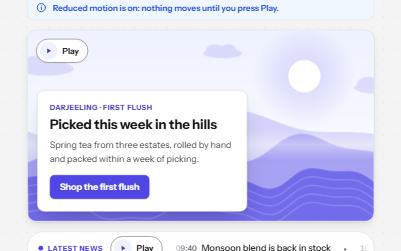
Moving content with pause
A background loop, a news ticker, an animation and a sound, each with its own Pause or Play, and still under reduced motion.
-
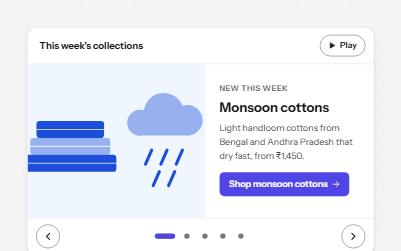
Carousel
Rotating slides with pause, previous, next and a slide picker, that stop moving while someone is reading or using them.
-
Loading state
A busy button that keeps focus, a region marked busy while it loads, a spinner with words, and a note when it runs long.
-
Theme switcher
A Light, Dark and System choice that themes the page at once, follows the device when asked and remembers the pick.