Accessibility pattern · Disclosure and content
Carousel
The Pause button comes first, rotation waits while focus or the pointer is inside, and it never starts by itself when the system asks for reduced motion. Slides are labelled groups, and the live region is off while the carousel rotates on its own, so only the changes someone asks for are announced.
- WCAG criteria
- 7
- Keyboard rules
- 4
- Checked with
- axe, keyboard and the inspector
Live demo
Try it
Use it with a mouse, a keyboard or a screen reader. The inspector beside it shows what the browser tells assistive technology as you go: focus, state changes and announcements.
This week's collections
The demo works without JavaScript only as far as its HTML does; the inspector needs JavaScript.
Keyboard
Keys it answers to
Every action works without a pointer.
| Key | What it does |
|---|---|
| Tab | Reaches Pause first, then the slide's link, Previous, the slide picker and Next. Focus anywhere but Pause holds the rotation. |
| Enter or Space | On Pause, stops the rotation; the button becomes Play, which starts it again. Focus stays on the button. |
| Enter or Space | On Previous or Next, shows the slide before or after, wrapping at the ends; focus stays on the button. |
| Enter or Space | On a picker button, shows that slide. |
Screen readers
What it announces
Written from the roles, names and states in the markup.
| When | Expected announcement |
|---|---|
| Tab reaches the carousel | This week's collections, carousel. Pause slide show, button |
| Pause is pressed | Play slide show, button (the new name; some screen readers say it only when focus comes back) |
| Next is pressed | 2 of 5: Festive silks |
| Focus reaches a picker button | Festive silks, button, current |
| Reading into a slide | 2 of 5, slide |
| The carousel moves on by itself | Nothing: the live region is off while it rotates |
These are expected announcements, not recordings. Wording and order differ between screen readers and browsers.
Code
Copy the code
The exact files this demo runs on. The styles are served with a prefix that keeps this site's own styles out of the demo; what you copy is the original.
<section class="ap-carousel" data-ap-carousel aria-roledescription="carousel" aria-labelledby="car-label">
  <div class="ap-carousel__top">
    <h3 class="ap-carousel__label" id="car-label">This week's collections</h3>
    <button type="button" class="ap-carousel__rotate" data-car-rotate aria-label="Pause slide show">
      <svg class="ap-carousel__icon ap-carousel__icon--pause" viewBox="0 0 24 24" aria-hidden="true" focusable="false"><path d="M9 6v12M15 6v12"/></svg>
      <svg class="ap-carousel__icon ap-carousel__icon--play" viewBox="0 0 24 24" aria-hidden="true" focusable="false"><path d="M8 5.5v13l11-6.5Z"/></svg>
      <span class="ap-carousel__rotate-text">Pause</span>
    </button>
  </div>

  <div class="ap-carousel__slides" id="car-slides">
      <div class="ap-carousel__slide ap-carousel__slide--rain is-current" role="group" aria-roledescription="slide" aria-label="1 of 5" id="car-slide-1">
        <div class="ap-carousel__art" aria-hidden="true">
          <svg viewBox="0 0 320 200" preserveAspectRatio="xMidYMid slice" focusable="false">
            <path class="ap-carousel__ink ap-carousel__ink--soft" d="M196 60a26 26 0 0 1 50-6 20 20 0 1 1 6 39h-58a17 17 0 1 1 2-33Z"/>
            <path class="ap-carousel__line" d="M206 112l-8 18M226 112l-8 18M246 112l-8 18M216 140l-8 18M236 140l-8 18"/>
            <rect class="ap-carousel__ink" x="40" y="118" width="120" height="22" rx="4"/>
            <rect class="ap-carousel__ink ap-carousel__ink--soft" x="48" y="96" width="104" height="22" rx="4"/>
            <rect class="ap-carousel__ink" x="56" y="74" width="88" height="22" rx="4"/>
            <path class="ap-carousel__line ap-carousel__line--thin" d="M40 129h120M48 107h104M56 85h88"/>
          </svg>
        </div>
        <div class="ap-carousel__copy">
          <p class="ap-carousel__kicker">New this week</p>
          <h4 class="ap-carousel__name" id="car-name-1">Monsoon cottons</h4>
          <p class="ap-carousel__text">Light handloom cottons from Bengal and Andhra Pradesh that dry fast, from ₹1,450.</p>
          <a class="ap-carousel__link" href="#car-name-1">Shop monsoon cottons<svg viewBox="0 0 24 24" aria-hidden="true" focusable="false"><path d="M5 12h14M13 6l6 6-6 6"/></svg></a>
        </div>
      </div>
      <div class="ap-carousel__slide ap-carousel__slide--silk" role="group" aria-roledescription="slide" aria-label="2 of 5" id="car-slide-2">
        <div class="ap-carousel__art" aria-hidden="true">
          <svg viewBox="0 0 320 200" preserveAspectRatio="xMidYMid slice" focusable="false">
            <path class="ap-carousel__ink ap-carousel__ink--soft" d="M30 170a130 130 0 0 1 260 0Z"/>
            <path class="ap-carousel__ink" d="M70 170a90 90 0 0 1 180 0Z"/>
            <path class="ap-carousel__ink ap-carousel__ink--soft" d="M110 170a50 50 0 0 1 100 0Z"/>
            <path class="ap-carousel__ink" d="M160 26l9 14-9 14-9-14ZM60 60l7 11-7 11-7-11ZM260 60l7 11-7 11-7-11Z"/>
          </svg>
        </div>
        <div class="ap-carousel__copy">
          <p class="ap-carousel__kicker">Wedding season</p>
          <h4 class="ap-carousel__name" id="car-name-2">Festive silks</h4>
          <p class="ap-carousel__text">Kanjeevaram and Banarasi silks with real zari borders, from ₹8,900.</p>
          <a class="ap-carousel__link" href="#car-name-2">Shop festive silks<svg viewBox="0 0 24 24" aria-hidden="true" focusable="false"><path d="M5 12h14M13 6l6 6-6 6"/></svg></a>
        </div>
      </div>
      <div class="ap-carousel__slide ap-carousel__slide--block" role="group" aria-roledescription="slide" aria-label="3 of 5" id="car-slide-3">
        <div class="ap-carousel__art" aria-hidden="true">
          <svg viewBox="0 0 320 200" preserveAspectRatio="xMidYMid slice" focusable="false">
            <defs>
              <pattern id="car-block" width="80" height="80" y="20" patternUnits="userSpaceOnUse">
                <path class="ap-carousel__ink" d="M32.5 28a7.5 7.5 0 1 0 15 0a7.5 7.5 0 1 0 -15 0ZM44.5 40a7.5 7.5 0 1 0 15 0a7.5 7.5 0 1 0 -15 0ZM32.5 52a7.5 7.5 0 1 0 15 0a7.5 7.5 0 1 0 -15 0ZM20.5 40a7.5 7.5 0 1 0 15 0a7.5 7.5 0 1 0 -15 0Z"/>
                <path class="ap-carousel__hole" d="M34.5 40a5.5 5.5 0 1 0 11 0a5.5 5.5 0 1 0 -11 0Z"/>
                <path class="ap-carousel__ink ap-carousel__ink--soft" d="M-3 0a3 3 0 1 0 6 0a3 3 0 1 0 -6 0ZM77 0a3 3 0 1 0 6 0a3 3 0 1 0 -6 0ZM-3 80a3 3 0 1 0 6 0a3 3 0 1 0 -6 0ZM77 80a3 3 0 1 0 6 0a3 3 0 1 0 -6 0Z"/>
              </pattern>
            </defs>
            <rect width="320" height="200" fill="url(#car-block)"/>
          </svg>
        </div>
        <div class="ap-carousel__copy">
          <p class="ap-carousel__kicker">Made in Jaipur</p>
          <h4 class="ap-carousel__name" id="car-name-3">Hand block prints</h4>
          <p class="ap-carousel__text">Kurtas and dupattas stamped by hand in natural dyes, from ₹1,200.</p>
          <a class="ap-carousel__link" href="#car-name-3">Shop block prints<svg viewBox="0 0 24 24" aria-hidden="true" focusable="false"><path d="M5 12h14M13 6l6 6-6 6"/></svg></a>
        </div>
      </div>
      <div class="ap-carousel__slide ap-carousel__slide--hills" role="group" aria-roledescription="slide" aria-label="4 of 5" id="car-slide-4">
        <div class="ap-carousel__art" aria-hidden="true">
          <svg viewBox="0 0 320 200" preserveAspectRatio="xMidYMid slice" focusable="false">
            <circle class="ap-carousel__ink ap-carousel__ink--soft" cx="236" cy="58" r="22"/>
            <path class="ap-carousel__ink ap-carousel__ink--soft" d="M0 150l60-62 46 40 58-70 74 92 82-56v106H0Z"/>
            <path class="ap-carousel__ink" d="M0 170c40-18 80-18 120 0s80 18 120 0 60-18 80-10v40H0Z"/>
          </svg>
        </div>
        <div class="ap-carousel__copy">
          <p class="ap-carousel__kicker">From Kashmir</p>
          <h4 class="ap-carousel__name" id="car-name-4">Pashmina shawls</h4>
          <p class="ap-carousel__text">Hand-spun and hand-woven, each with a certificate of origin, from ₹6,500.</p>
          <a class="ap-carousel__link" href="#car-name-4">Shop pashmina shawls<svg viewBox="0 0 24 24" aria-hidden="true" focusable="false"><path d="M5 12h14M13 6l6 6-6 6"/></svg></a>
        </div>
      </div>
      <div class="ap-carousel__slide ap-carousel__slide--gift" role="group" aria-roledescription="slide" aria-label="5 of 5" id="car-slide-5">
        <div class="ap-carousel__art" aria-hidden="true">
          <svg viewBox="0 0 320 200" preserveAspectRatio="xMidYMid slice" focusable="false">
            <rect class="ap-carousel__ink ap-carousel__ink--soft" x="58" y="92" width="96" height="78" rx="6"/>
            <rect class="ap-carousel__ink" x="52" y="78" width="108" height="22" rx="5"/>
            <path class="ap-carousel__line" d="M106 78v92M106 78c-10-22-34-22-30-6 2 6 18 6 30 6Zm0 0c10-22 34-22 30-6-2 6-18 6-30 6Z"/>
            <rect class="ap-carousel__ink" x="182" y="112" width="78" height="58" rx="6"/>
            <path class="ap-carousel__line ap-carousel__line--light" d="M221 112v58M182 138h78"/>
          </svg>
        </div>
        <div class="ap-carousel__copy">
          <p class="ap-carousel__kicker">Ready to give</p>
          <h4 class="ap-carousel__name" id="car-name-5">Gifts under ₹2,000</h4>
          <p class="ap-carousel__text">Stoles, pouches and table linen, wrapped for free with a handwritten note.</p>
          <a class="ap-carousel__link" href="#car-name-5">Shop gifts<svg viewBox="0 0 24 24" aria-hidden="true" focusable="false"><path d="M5 12h14M13 6l6 6-6 6"/></svg></a>
        </div>
      </div>
  </div>

  <div class="ap-carousel__nav">
    <button type="button" class="ap-carousel__step" data-car-prev aria-controls="car-slides" aria-label="Previous slide">
      <svg viewBox="0 0 24 24" aria-hidden="true" focusable="false"><path d="m15 6-6 6 6 6"/></svg>
    </button>
    <div class="ap-carousel__dots" role="group" aria-label="Choose a slide">
      <button type="button" class="ap-carousel__dot" aria-labelledby="car-name-1" aria-controls="car-slide-1" aria-current="true"><span class="ap-carousel__pip" aria-hidden="true"></span></button>
      <button type="button" class="ap-carousel__dot" aria-labelledby="car-name-2" aria-controls="car-slide-2"><span class="ap-carousel__pip" aria-hidden="true"></span></button>
      <button type="button" class="ap-carousel__dot" aria-labelledby="car-name-3" aria-controls="car-slide-3"><span class="ap-carousel__pip" aria-hidden="true"></span></button>
      <button type="button" class="ap-carousel__dot" aria-labelledby="car-name-4" aria-controls="car-slide-4"><span class="ap-carousel__pip" aria-hidden="true"></span></button>
      <button type="button" class="ap-carousel__dot" aria-labelledby="car-name-5" aria-controls="car-slide-5"><span class="ap-carousel__pip" aria-hidden="true"></span></button>
    </div>
    <button type="button" class="ap-carousel__step" data-car-next aria-controls="car-slides" aria-label="Next slide">
      <svg viewBox="0 0 24 24" aria-hidden="true" focusable="false"><path d="m9 6 6 6-6 6"/></svg>
    </button>
  </div>
  <p class="ap-carousel__live" aria-live="off" aria-atomic="true"></p>
</section>
/* Carousel. Uses the --ap-* design tokens. */
.ap-carousel {
  container-type: inline-size;
  position: relative;
  width: min(100%, 680px);
  margin-inline: auto;
  border: 1px solid var(--ap-border);
  border-radius: var(--ap-radius-lg);
  background: var(--ap-surface);
  color: var(--ap-text);
  box-shadow: var(--ap-shadow-md);
  overflow: hidden;
}

/* ── The name and the rotation control, first in the tab order ── */
.ap-carousel__top {
  display: flex;
  align-items: center;
  justify-content: space-between;
  gap: 12px;
  padding: 12px 14px 12px 20px;
  border-bottom: 1px solid var(--ap-border);
}
.ap-carousel__label {
  margin: 0;
  font-size: 1rem;
  font-weight: 650;
  line-height: 1.35;
}
.ap-carousel__rotate {
  display: inline-flex;
  flex-shrink: 0;
  align-items: center;
  gap: 6px;
  min-height: 36px;
  padding: 0 14px 0 11px;
  border: 1px solid var(--ap-border-strong);
  border-radius: var(--ap-radius-full);
  background: var(--ap-surface);
  color: var(--ap-text);
  font: inherit;
  font-size: .875rem;
  font-weight: 600;
  cursor: pointer;
  transition: background-color var(--ap-duration) var(--ap-ease);
}
.ap-carousel__rotate:hover {
  background: var(--ap-surface-2);
}
.ap-carousel__icon {
  width: 16px;
  height: 16px;
  fill: none;
  stroke: currentColor;
  stroke-width: 2.4;
  stroke-linecap: round;
  stroke-linejoin: round;
}
.ap-carousel__icon--play {
  display: none;
  fill: currentColor;
  stroke-width: 1.5;
}
.ap-carousel.is-stopped .ap-carousel__icon--pause { display: none; }
.ap-carousel.is-stopped .ap-carousel__icon--play { display: block; }

/* ── Slides: stacked in one cell once the script runs; without it they
   simply follow one another. ── */
.ap-carousel__slides {
  display: grid;
}
.ap-carousel.is-ready .ap-carousel__slide {
  grid-area: 1 / 1;
  transition: opacity 360ms var(--ap-ease), visibility 360ms;
}
.ap-carousel.is-ready .ap-carousel__slide:not(.is-current) {
  visibility: hidden;
  opacity: 0;
}
.ap-carousel:not(.is-ready) .ap-carousel__nav,
.ap-carousel:not(.is-ready) .ap-carousel__rotate {
  display: none;
}

.ap-carousel__slide {
  display: grid;
  grid-template-columns: minmax(0, 1fr);
  align-content: start;
}
@container (min-width: 560px) {
  .ap-carousel__slide {
    grid-template-columns: minmax(0, 1.05fr) minmax(0, 1fr);
    align-content: stretch;
  }
}

/* Artwork: decoration, drawn with SVG in the slide's own tint. */
.ap-carousel__art {
  aspect-ratio: 16 / 8;
}
@container (min-width: 560px) {
  .ap-carousel__art {
    aspect-ratio: auto;
    min-height: 256px;
  }
}
.ap-carousel__art svg {
  display: block;
  width: 100%;
  height: 100%;
}
.ap-carousel__slide--rain .ap-carousel__art { background: var(--ap-info-soft); color: var(--ap-info); }
.ap-carousel__slide--silk .ap-carousel__art { background: var(--ap-warning-soft); color: var(--ap-warning); }
.ap-carousel__slide--block .ap-carousel__art { background: var(--ap-danger-soft); color: var(--ap-danger); }
.ap-carousel__slide--hills .ap-carousel__art { background: var(--ap-success-soft); color: var(--ap-success); }
.ap-carousel__slide--gift .ap-carousel__art { background: var(--ap-accent-soft); color: var(--ap-accent); }
.ap-carousel__ink { fill: currentColor; }
.ap-carousel__ink--soft { opacity: .42; }
.ap-carousel__hole { fill: var(--ap-danger-soft); }
.ap-carousel__line {
  fill: none;
  stroke: currentColor;
  stroke-width: 4;
  stroke-linecap: round;
  stroke-linejoin: round;
}
.ap-carousel__line--thin {
  stroke: var(--ap-surface);
  stroke-width: 1.5;
  opacity: .7;
}
.ap-carousel__line--light {
  stroke: var(--ap-surface);
  stroke-width: 3;
}

.ap-carousel__copy {
  display: grid;
  align-content: center;
  justify-items: start;
  gap: 8px;
  padding: 20px 24px 24px;
}
.ap-carousel__kicker {
  margin: 0;
  color: var(--ap-text-3);
  font-size: .8125rem;
  font-weight: 600;
  letter-spacing: .05em;
  text-transform: uppercase;
}
.ap-carousel__name {
  margin: 0;
  font-size: 1.375rem;
  font-weight: 650;
  line-height: 1.25;
}
.ap-carousel__text {
  margin: 0;
  color: var(--ap-text-2);
  line-height: 1.55;
}
.ap-carousel__link {
  display: inline-flex;
  align-items: center;
  gap: 6px;
  min-height: 40px;
  margin-top: 8px;
  padding: 0 14px 0 16px;
  border-radius: var(--ap-radius-sm);
  background: var(--ap-accent);
  color: var(--ap-on-accent);
  font-weight: 600;
  text-decoration: none;
  box-shadow: var(--ap-shadow-sm);
  transition: background-color var(--ap-duration) var(--ap-ease);
}
.ap-carousel__link:hover {
  background: var(--ap-accent-hover);
  text-decoration: underline;
  text-underline-offset: 3px;
}
.ap-carousel__link svg {
  width: 16px;
  height: 16px;
  fill: none;
  stroke: currentColor;
  stroke-width: 2.2;
  stroke-linecap: round;
  stroke-linejoin: round;
}

/* ── Previous, picker, next ── */
.ap-carousel__nav {
  display: flex;
  align-items: center;
  justify-content: space-between;
  gap: 8px;
  padding: 10px 14px;
  border-top: 1px solid var(--ap-border);
  background: var(--ap-surface);
}
.ap-carousel__step {
  display: grid;
  flex-shrink: 0;
  place-items: center;
  width: 40px;
  height: 40px;
  padding: 0;
  border: 1px solid var(--ap-border-strong);
  border-radius: var(--ap-radius-full);
  background: var(--ap-surface);
  color: var(--ap-text);
  cursor: pointer;
  transition: background-color var(--ap-duration) var(--ap-ease);
}
.ap-carousel__step:hover {
  background: var(--ap-surface-2);
}
.ap-carousel__step svg {
  width: 20px;
  height: 20px;
  fill: none;
  stroke: currentColor;
  stroke-width: 2.2;
  stroke-linecap: round;
  stroke-linejoin: round;
}

.ap-carousel__dots {
  display: flex;
  flex-wrap: wrap;
  justify-content: center;
  align-items: center;
  gap: 2px;
}
.ap-carousel__dot {
  display: grid;
  place-items: center;
  min-width: 28px;
  height: 32px;
  padding: 0 4px;
  border: 0;
  border-radius: var(--ap-radius-full);
  background: transparent;
  cursor: pointer;
}
.ap-carousel__pip {
  position: relative;
  display: block;
  width: 9px;
  height: 9px;
  border-radius: var(--ap-radius-full);
  background: var(--ap-border-strong);
  overflow: hidden;
  transition: width var(--ap-duration) var(--ap-ease), background-color var(--ap-duration) var(--ap-ease);
}
.ap-carousel__dot:hover .ap-carousel__pip {
  background: var(--ap-text-2);
}
/* The shown slide's dot is a longer pill (shape, not only color); its fill
   shows how long until the next slide, and stops when the rotation does. */
.ap-carousel__dot[aria-current="true"] .ap-carousel__pip {
  width: 34px;
  background: var(--ap-border-strong);
}
.ap-carousel__dot[aria-current="true"] .ap-carousel__pip::after {
  content: "";
  position: absolute;
  inset: 0;
  border-radius: inherit;
  background: var(--ap-accent);
  transform-origin: left center;
  animation: ap-carousel-fill var(--car-interval, 6s) linear both;
}
.ap-carousel.is-held .ap-carousel__dot[aria-current="true"] .ap-carousel__pip::after {
  animation-play-state: paused;
}
.ap-carousel.is-stopped .ap-carousel__dot[aria-current="true"] .ap-carousel__pip::after {
  animation: none;
}

.ap-carousel__rotate:focus-visible,
.ap-carousel__step:focus-visible,
.ap-carousel__link:focus-visible {
  outline: 2px solid var(--ap-focus);
  outline-offset: 2px;
}
.ap-carousel__dot:focus-visible {
  outline: 2px solid var(--ap-focus);
  outline-offset: 0;
}

/* The announcement for slide changes someone asks for: read, not shown. */
.ap-carousel__live {
  position: absolute;
  width: 1px;
  height: 1px;
  margin: -1px;
  padding: 0;
  overflow: hidden;
  clip-path: inset(50%);
  white-space: nowrap;
  border: 0;
}

@keyframes ap-carousel-fill {
  from { transform: scaleX(0); }
}

@media (prefers-reduced-motion: reduce) {
  .ap-carousel.is-ready .ap-carousel__slide,
  .ap-carousel__rotate,
  .ap-carousel__step,
  .ap-carousel__link,
  .ap-carousel__pip { transition: none; }
  .ap-carousel__dot[aria-current="true"] .ap-carousel__pip::after { animation: none; }
}
/**
 * Carousel: auto-rotating slides with a rotation control, previous and next
 * buttons and a slide picker, following the WAI-ARIA carousel pattern.
 *
 * Markup: section[data-ap-carousel][aria-roledescription=carousel] holding
 * button[data-car-rotate] (first), .ap-carousel__slide groups
 * (aria-roledescription=slide, one with .is-current), button[data-car-prev],
 * button[data-car-next], picker buttons .ap-carousel__dot, and a visually
 * hidden .ap-carousel__live region.
 *
 * Rotation runs unless the reader stopped it, the pointer is over the
 * carousel, or focus is inside it (other than on the rotation button). It
 * never starts by itself when the system asks for reduced motion.
 */

const INTERVAL = 6000; // ms per slide

export function init(root) {
  const slides = [...root.querySelectorAll(".ap-carousel__slide")];
  const dots = [...root.querySelectorAll(".ap-carousel__dot")];
  const rotate = root.querySelector("[data-car-rotate]");
  const rotateText = rotate.querySelector(".ap-carousel__rotate-text");
  const live = root.querySelector(".ap-carousel__live");
  const reduce = window.matchMedia("(prefers-reduced-motion: reduce)");
  const off = new AbortController();
  const on = { signal: off.signal };

  let current = Math.max(0, slides.findIndex((s) => s.classList.contains("is-current")));
  let stopped = reduce.matches;
  let hover = false;
  let focusInside = false;
  let timer = 0;
  let startedAt = 0;
  let remaining = INTERVAL;
  let labelledStopped = false; // the markup starts as Pause

  const running = () => !stopped && !hover && !focusInside;

  function show(index, asked) {
    current = (index + slides.length) % slides.length;
    slides.forEach((slide, i) => slide.classList.toggle("is-current", i === current));
    dots.forEach((dot, i) => {
      if (i === current) dot.setAttribute("aria-current", "true");
      else dot.removeAttribute("aria-current");
    });
    remaining = INTERVAL;
    if (timer) schedule();
    // Only a change someone asked for is announced; the region is off while
    // the carousel moves on its own.
    if (asked) {
      const slide = slides[current];
      const name = slide.querySelector(".ap-carousel__name");
      live.textContent = `${slide.getAttribute("aria-label")}: ${name ? name.textContent.trim() : ""}`;
    }
  }

  function tick() {
    timer = 0;
    show(current + 1, false);
    sync();
  }

  function schedule() {
    clearTimeout(timer);
    startedAt = performance.now();
    timer = setTimeout(tick, remaining);
  }

  // Start, hold or stop the timer to match the state, and say so in the markup.
  function sync() {
    if (running() && !timer) schedule();
    else if (!running() && timer) {
      clearTimeout(timer);
      timer = 0;
      remaining = Math.max(0, remaining - (performance.now() - startedAt));
    }
    root.classList.toggle("is-stopped", stopped);
    root.classList.toggle("is-held", !stopped && !running());
    const politeness = running() ? "off" : "polite";
    if (live.getAttribute("aria-live") !== politeness) live.setAttribute("aria-live", politeness);
    // Compare with what was last written, not with the attribute: a translated
    // page has its own words there.
    if (labelledStopped !== stopped) {
      labelledStopped = stopped;
      rotate.setAttribute("aria-label", stopped ? "Play slide show" : "Pause slide show");
      rotateText.textContent = stopped ? "Play" : "Pause";
    }
  }

  root.addEventListener("click", (event) => {
    const button = event.target.closest("button");
    if (!button || !root.contains(button)) return;
    if (button === rotate) {
      stopped = !stopped;
      if (!stopped) remaining = INTERVAL;
    } else if (button.hasAttribute("data-car-prev")) show(current - 1, true);
    else if (button.hasAttribute("data-car-next")) show(current + 1, true);
    else if (dots.includes(button)) show(dots.indexOf(button), true);
    sync();
  }, on);

  // Hover holds the rotation for a mouse or pen; touch has no hover.
  root.addEventListener("pointerenter", (event) => {
    if (event.pointerType === "touch") return;
    hover = true;
    sync();
  }, on);
  root.addEventListener("pointerleave", () => {
    hover = false;
    sync();
  }, on);

  // Focus inside holds it too, except on the rotation button, so that
  // pressing Play starts the slides straight away.
  root.addEventListener("focusin", (event) => {
    focusInside = event.target !== rotate;
    sync();
  }, on);
  root.addEventListener("focusout", (event) => {
    const to = event.relatedTarget;
    focusInside = !!to && root.contains(to) && to !== rotate;
    sync();
  }, on);

  reduce.addEventListener("change", () => {
    if (reduce.matches) stopped = true;
    sync();
  }, on);

  root.style.setProperty("--car-interval", `${INTERVAL}ms`);
  root.classList.add("is-ready");
  show(current, false);
  sync();

  return () => {
    off.abort();
    clearTimeout(timer);
    timer = 0;
  };
}

for (const root of document.querySelectorAll("[data-ap-carousel]")) init(root);
/* Design tokens for the pattern components. Light by default, dark when the
   system asks for it; set data-theme="dark" on :root to force dark. */
:root {
    --ap-radius-sm: 8px;
    --ap-radius: 12px;
    --ap-radius-lg: 16px;
    --ap-radius-full: 999px;
    --ap-font: "Instrument Sans", ui-sans-serif, system-ui, -apple-system, "Segoe UI", Roboto, sans-serif;
    --ap-mono: "JetBrains Mono", ui-monospace, "Cascadia Mono", "SF Mono", Consolas, monospace;
    --ap-ease: cubic-bezier(.2, .8, .2, 1);
    --ap-duration: 180ms;
    --ap-target: 44px;
    --ap-bg: #F4F4F5;
    --ap-surface: #FFFFFF;
    --ap-surface-2: #F4F4F5;
    --ap-surface-3: #E4E4E7;
    --ap-border: #E4E4E7;
    --ap-border-strong: #76767F;
    --ap-text: #18181B;
    --ap-text-2: #3F3F46;
    --ap-text-3: #5E5E66;
    --ap-accent: #4F46E5;
    --ap-accent-hover: #4338CA;
    --ap-on-accent: #FFFFFF;
    --ap-accent-text: #4338CA;
    --ap-accent-soft: #EEF2FF;
    --ap-accent-soft-text: #3730A3;
    --ap-focus: #4F46E5;
    --ap-danger: #B91C1C;
    --ap-danger-soft: #FEF2F2;
    --ap-success: #15803D;
    --ap-success-soft: #F0FDF4;
    --ap-warning: #A15C07;
    --ap-warning-soft: #FEFCE8;
    --ap-info: #1D4ED8;
    --ap-info-soft: #EFF6FF;
    --ap-scrim: rgb(9 9 11 / .48);
    --ap-shadow-sm: 0 1px 2px rgb(9 9 11 / .06);
    --ap-shadow-md: 0 1px 2px rgb(9 9 11 / .05), 0 6px 16px -4px rgb(9 9 11 / .1);
    --ap-shadow-lg: 0 2px 6px rgb(9 9 11 / .06), 0 20px 40px -12px rgb(9 9 11 / .22);
    --ap-light-bg: #F4F4F5;
    --ap-light-surface: #FFFFFF;
    --ap-light-surface-2: #F4F4F5;
    --ap-light-surface-3: #E4E4E7;
    --ap-light-border: #E4E4E7;
    --ap-light-border-strong: #76767F;
    --ap-light-text: #18181B;
    --ap-light-text-2: #3F3F46;
    --ap-light-text-3: #5E5E66;
    --ap-light-accent: #4F46E5;
    --ap-light-accent-hover: #4338CA;
    --ap-light-on-accent: #FFFFFF;
    --ap-light-accent-text: #4338CA;
    --ap-light-accent-soft: #EEF2FF;
    --ap-light-accent-soft-text: #3730A3;
    --ap-light-focus: #4F46E5;
    --ap-light-danger: #B91C1C;
    --ap-light-danger-soft: #FEF2F2;
    --ap-light-success: #15803D;
    --ap-light-success-soft: #F0FDF4;
    --ap-light-warning: #A15C07;
    --ap-light-warning-soft: #FEFCE8;
    --ap-light-info: #1D4ED8;
    --ap-light-info-soft: #EFF6FF;
    --ap-light-scrim: rgb(9 9 11 / .48);
    --ap-light-shadow-sm: 0 1px 2px rgb(9 9 11 / .06);
    --ap-light-shadow-md: 0 1px 2px rgb(9 9 11 / .05), 0 6px 16px -4px rgb(9 9 11 / .1);
    --ap-light-shadow-lg: 0 2px 6px rgb(9 9 11 / .06), 0 20px 40px -12px rgb(9 9 11 / .22);
    --ap-dark-bg: #09090B;
    --ap-dark-surface: #18181B;
    --ap-dark-surface-2: #27272A;
    --ap-dark-surface-3: #3F3F46;
    --ap-dark-border: #2E2E33;
    --ap-dark-border-strong: #8E8E97;
    --ap-dark-text: #FAFAFA;
    --ap-dark-text-2: #D4D4D8;
    --ap-dark-text-3: #A1A1AA;
    --ap-dark-accent: #818CF8;
    --ap-dark-accent-hover: #A5B4FC;
    --ap-dark-on-accent: #0C0A1F;
    --ap-dark-accent-text: #A5B4FC;
    --ap-dark-accent-soft: #1E1B4B;
    --ap-dark-accent-soft-text: #C7D2FE;
    --ap-dark-focus: #A5B4FC;
    --ap-dark-danger: #F87171;
    --ap-dark-danger-soft: #2A1215;
    --ap-dark-success: #4ADE80;
    --ap-dark-success-soft: #0F2A1A;
    --ap-dark-warning: #FACC15;
    --ap-dark-warning-soft: #2A2410;
    --ap-dark-info: #60A5FA;
    --ap-dark-info-soft: #0F1D33;
    --ap-dark-scrim: rgb(0 0 0 / .62);
    --ap-dark-shadow-sm: 0 1px 2px rgb(0 0 0 / .4);
    --ap-dark-shadow-md: 0 1px 2px rgb(0 0 0 / .4), 0 8px 20px -6px rgb(0 0 0 / .5);
    --ap-dark-shadow-lg: 0 2px 8px rgb(0 0 0 / .45), 0 24px 48px -12px rgb(0 0 0 / .7);
}
@media (prefers-color-scheme: dark) {
  :root:not([data-theme="light"]) {
      --ap-bg: #09090B;
      --ap-surface: #18181B;
      --ap-surface-2: #27272A;
      --ap-surface-3: #3F3F46;
      --ap-border: #2E2E33;
      --ap-border-strong: #8E8E97;
      --ap-text: #FAFAFA;
      --ap-text-2: #D4D4D8;
      --ap-text-3: #A1A1AA;
      --ap-accent: #818CF8;
      --ap-accent-hover: #A5B4FC;
      --ap-on-accent: #0C0A1F;
      --ap-accent-text: #A5B4FC;
      --ap-accent-soft: #1E1B4B;
      --ap-accent-soft-text: #C7D2FE;
      --ap-focus: #A5B4FC;
      --ap-danger: #F87171;
      --ap-danger-soft: #2A1215;
      --ap-success: #4ADE80;
      --ap-success-soft: #0F2A1A;
      --ap-warning: #FACC15;
      --ap-warning-soft: #2A2410;
      --ap-info: #60A5FA;
      --ap-info-soft: #0F1D33;
      --ap-scrim: rgb(0 0 0 / .62);
      --ap-shadow-sm: 0 1px 2px rgb(0 0 0 / .4);
      --ap-shadow-md: 0 1px 2px rgb(0 0 0 / .4), 0 8px 20px -6px rgb(0 0 0 / .5);
      --ap-shadow-lg: 0 2px 8px rgb(0 0 0 / .45), 0 24px 48px -12px rgb(0 0 0 / .7);
  }
}
:root[data-theme="dark"] {
    --ap-bg: #09090B;
    --ap-surface: #18181B;
    --ap-surface-2: #27272A;
    --ap-surface-3: #3F3F46;
    --ap-border: #2E2E33;
    --ap-border-strong: #8E8E97;
    --ap-text: #FAFAFA;
    --ap-text-2: #D4D4D8;
    --ap-text-3: #A1A1AA;
    --ap-accent: #818CF8;
    --ap-accent-hover: #A5B4FC;
    --ap-on-accent: #0C0A1F;
    --ap-accent-text: #A5B4FC;
    --ap-accent-soft: #1E1B4B;
    --ap-accent-soft-text: #C7D2FE;
    --ap-focus: #A5B4FC;
    --ap-danger: #F87171;
    --ap-danger-soft: #2A1215;
    --ap-success: #4ADE80;
    --ap-success-soft: #0F2A1A;
    --ap-warning: #FACC15;
    --ap-warning-soft: #2A2410;
    --ap-info: #60A5FA;
    --ap-info-soft: #0F1D33;
    --ap-scrim: rgb(0 0 0 / .62);
    --ap-shadow-sm: 0 1px 2px rgb(0 0 0 / .4);
    --ap-shadow-md: 0 1px 2px rgb(0 0 0 / .4), 0 8px 20px -6px rgb(0 0 0 / .5);
    --ap-shadow-lg: 0 2px 8px rgb(0 0 0 / .45), 0 24px 48px -12px rgb(0 0 0 / .7);
}
WCAG 2.2
What it meets
The success criteria this pattern takes care of, and how.
-
2.2.2 Pause, Stop, Hide
Level A
The slides move for more than five seconds, so Pause is the first control, and rotation also holds while the pointer or focus is inside.
-
2.1.1 Keyboard
Level A
Pause, Previous, Next and every slide in the picker work with Enter or Space.
-
2.4.3 Focus Order
Level A
Pause comes first in the carousel's tab order, and no control moves focus when it is used.
-
2.3.3 Animation from Interactions
Level AAA
When the system asks for reduced motion, the carousel starts paused and slides change without the fade.
-
4.1.2 Name, Role, Value
Level A
The region and slides carry roles and roledescriptions, the picker marks the shown slide with aria-current, and the rotation button's name says what it will do.
-
4.1.3 Status Messages
Level AA
Slide changes someone asks for are announced from a polite live region; changes the timer makes are not.
-
2.5.8 Target Size (Minimum)
Level AA
The picker dots are small, but each button around them is a target of at least 24 by 24 pixels.
Usage
When to use it
Use it
- A few promotions of equal weight in limited space, where people are happy to see only the first.
- Browsing a small, visual set, like collections or featured stories, with the reader in control.
Use something else
- Anything people must see: most people never get past the first slide.
- Content that needs reading time; motion competes with reading, so show it in a grid or a list.
- More than five or six slides: use a grid of cards.
Common failures
How it usually goes wrong
No way to stop it
Slides that move by themselves for more than five seconds need a pause control. Pause on hover alone fails keyboard and touch users.
Pause at the end
If the stop control comes after the slides, keyboard users tab through moving content to reach it. Here it is the first stop.
Announcing every automatic change
A live region that is always polite reads out a new slide every few seconds, over whatever the person is reading. It is off while rotating.
Hidden slides still in the tab order
Slides moved off screen keep their links reachable, so focus vanishes into content nobody can see. Slides not shown here are visibility: hidden.
Dots with no names
Picker buttons announced only as "button" tell nobody which slide they show. Each one here is named by its slide's heading.
Autoplay that ignores reduced motion
Moving content can cause nausea and distraction. When the system asks for less motion, the carousel starts paused.
Notes
Building it
- The timer pauses rather than restarts on hover or focus, and the bar on the current dot pauses with it, so a slide never jumps the moment the pointer leaves.
- Focus on the Pause button itself does not hold the rotation, so pressing Play starts it at once; focus anywhere else inside does.
- Six seconds a slide is a floor, not a target. Slides with more words need longer, or no autoplay at all.
- Name the carousel without the word "carousel": aria-roledescription already says it.
- The APG's grouped example marks the shown slide's picker button with aria-disabled; aria-current is used here, so it is announced as current rather than unavailable.
Sources: WAI-ARIA Authoring Practices: Carousel · WCAG 2.2 Understanding 2.2.2: Pause, Stop, Hide
Checked with axe in light and dark themes, at desktop and phone widths, and by keyboard. Not yet tested with every screen reader and browser pair. Report a correction
Related
Patterns that go with it
-
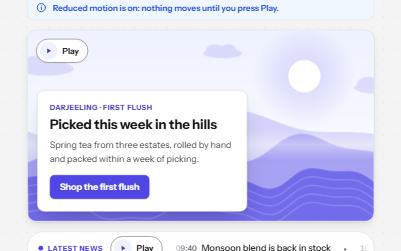
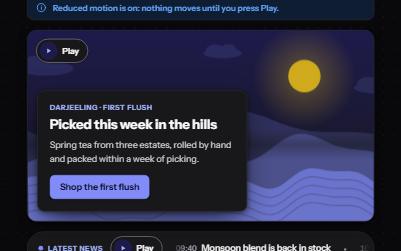
Moving content with pause
A background loop, a news ticker, an animation and a sound, each with its own Pause or Play, and still under reduced motion.
-
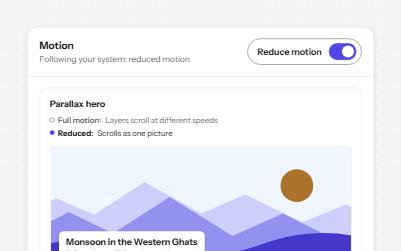
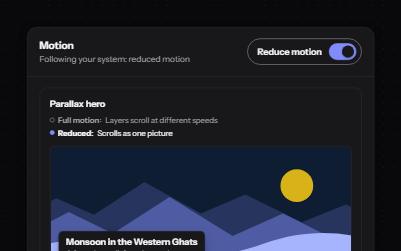
Reduced motion
Animated pieces that follow the system's reduced motion setting, with a switch to override it, swapping movement for fades.
-
Card
Cards whose title link covers the whole card, with Save and Share buttons that stay reachable on top of it.
-
Tabs
Several panels in one place, one shown at a time, chosen from a row of tabs.