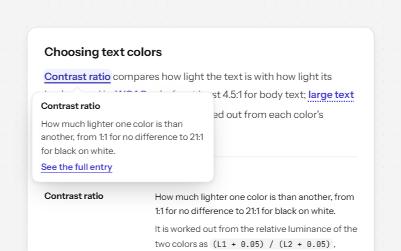
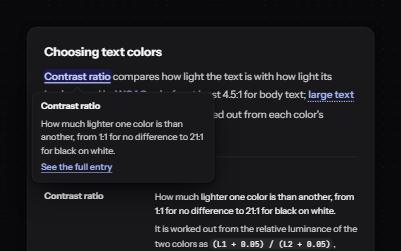
Each reference is a real link named Footnote 1, Footnote 2, and each note links back to the exact place it was cited from.Focus follows every jump, so the next Tab, and a screen reader, carry on from where the reader landed.
Use it with a mouse, a keyboard or a screen reader.The inspector beside it shows what the browser tells assistive technology as you go: focus, state changes and announcements.
Why body text needs 4.5:1
Body text on the web needs a contrast ratio of at least 4.5:1 against its background.1 That figure starts from 3:1, the minimum older display standards set for people with typical vision.2
It is then raised by half again, for the contrast lost with vision of about 20/40, which is typical by around age 80.3 Large text, 18 points or 14 points in bold, is easier to read, so it passes at 3:1.
The demo works without JavaScript only as far as its HTML does; the inspector needs JavaScript.
Keyboard
Keys it answers to
Every action works without a pointer.
Key
What it does
Tab
Moves through the references in reading order, then through the Back links in the notes.
Enter
On a reference, jumps to its note and moves focus there; the note is highlighted.
Enter
On a Back link, returns to the reference it came from and moves focus onto it.
Screen readers
What it announces
Written from the roles, names and states in the markup.
When
Expected announcement
Focus reaches a reference
Footnote 1, link
Enter follows it
List item. Success criterion 1.4.3 of WCAG 2.0, a W3C Recommendation since 11 December 2008… Back to reference 1
Focus reaches a Back link
Back to reference 1, link
Enter follows it
Footnote 1, link (focus is back in the text)
These are expected announcements, not recordings.Wording and order differ between screen readers and browsers.
Code
Copy the code
The exact files this demo runs on.The styles are served with a prefix that keeps this site's own styles out of the demo; what you copy is the original.
The markup
<article class="ap-footnotes" data-ap-footnotes>
<h3 class="ap-footnotes__name">Why body text needs 4.5:1</h3>
<div class="ap-footnotes__body">
<p>Body text on the web needs a contrast ratio of at least 4.5:1 against its background.<sup class="ap-footnotes__sup"><a class="ap-footnotes__ref" id="fn-ref-1" href="#fn-note-1" aria-label="Footnote 1">1</a></sup> That figure starts from 3:1, the minimum older display standards set for people with typical vision.<sup class="ap-footnotes__sup"><a class="ap-footnotes__ref" id="fn-ref-2" href="#fn-note-2" aria-label="Footnote 2">2</a></sup></p>
<p>It is then raised by half again, for the contrast lost with vision of about 20/40, which is typical by around age 80.<sup class="ap-footnotes__sup"><a class="ap-footnotes__ref" id="fn-ref-3" href="#fn-note-3" aria-label="Footnote 3">3</a></sup> Large text, 18 points or 14 points in bold, is easier to read, so it passes at 3:1.</p>
</div>
<footer class="ap-footnotes__foot">
<h4 class="ap-footnotes__label">Notes</h4>
<ol class="ap-footnotes__list" role="list">
<li class="ap-footnotes__note" id="fn-note-1" tabindex="-1">
<p>Success criterion 1.4.3 of <cite>WCAG 2.0</cite>, a W3C Recommendation since 11 December 2008. WCAG 2.2 keeps the same figure.</p>
<a class="ap-footnotes__back" href="#fn-ref-1" aria-label="Back to reference 1"><svg viewBox="0 0 24 24" aria-hidden="true" focusable="false"><path d="M9 14 4 9l5-5"/><path d="M4 9h10.5a5.5 5.5 0 0 1 0 11H11"/></svg>Back</a>
</li>
<li class="ap-footnotes__note" id="fn-note-2" tabindex="-1">
<p>ISO 9241-3 and ANSI/HFES 100-1988 both use 3:1 for text, as <cite>Understanding Success Criterion 1.4.3</cite> explains.</p>
<a class="ap-footnotes__back" href="#fn-ref-2" aria-label="Back to reference 2"><svg viewBox="0 0 24 24" aria-hidden="true" focusable="false"><path d="M9 14 4 9l5-5"/><path d="M4 9h10.5a5.5 5.5 0 0 1 0 11H11"/></svg>Back</a>
</li>
<li class="ap-footnotes__note" id="fn-note-3" tabindex="-1">
<p>Vision of 20/40 comes with about 1.5 times less contrast sensitivity, and 3 × 1.5 = 4.5. Same source as note 2.</p>
<a class="ap-footnotes__back" href="#fn-ref-3" aria-label="Back to reference 3"><svg viewBox="0 0 24 24" aria-hidden="true" focusable="false"><path d="M9 14 4 9l5-5"/><path d="M4 9h10.5a5.5 5.5 0 0 1 0 11H11"/></svg>Back</a>
</li>
</ol>
</footer>
</article>
/**
 * Footnotes: numbered references in the text that link to notes at the end,
 * and notes that link back.
 *
 * Markup: [data-ap-footnotes] holding sup > a[href="#note-id"][aria-label]
 * references and an ol of li[id][tabindex="-1"] notes, each with an
 * a[href="#reference-id"] Back link.
 *
 * The links work without this script. It adds one thing: once the browser
 * has followed a link, focus moves to where it landed, so the next Tab and a
 * screen reader carry on from the note (or the reference) instead of from
 * the link that was used. The browser still updates the address, applies
 * :target and scrolls, so its own Back button keeps working.
 */

export function init(root) {
  let frame = 0;

  function onClick(event) {
    // Leave new-tab and new-window clicks to the browser.
    if (event.defaultPrevented || event.button !== 0 || event.metaKey || event.ctrlKey || event.shiftKey || event.altKey) return;
    const link = event.target.closest("a[href^='#']");
    if (!link || !root.contains(link)) return;
    const target = document.getElementById(decodeURIComponent(link.hash.slice(1)));
    if (!target || !root.contains(target)) return;
    cancelAnimationFrame(frame);
    // preventScroll: the browser is already scrolling to it.
    frame = requestAnimationFrame(() => target.focus({ preventScroll: true }));
  }

  root.addEventListener("click", onClick);
  return () => {
    cancelAnimationFrame(frame);
    root.removeEventListener("click", onClick);
  };
}

for (const root of document.querySelectorAll("[data-ap-footnotes]")) init(root);
References, Back links and the focused note show a two-pixel focus ring; the target of a jump is highlighted as well.
Usage
When to use it
Use it
Sources, caveats and asides in long-form text, where the detail would interrupt the sentence.
Articles and reports that are read in full and cited, where a reader may want to check every claim.
Use something else
Information people need to act on: put it in the text, or in a callout beside it.
Definitions of terms: a glossary term explains in place without a round trip.
Short pages, where a link straight to the source is simpler than a note that holds one.
Common failures
How it usually goes wrong
A bare number as the link text
A link announced as "1, link" means nothing in a list of links. aria-label names it Footnote 1, and the visible number is still part of the name.
Focus left behind
Following an in-page link scrolls the page, but focus can stay on the link, so the next Tab jumps back up the article. Focus moves to the note here.
No way back
Without a link back, readers have to scroll to find their place again. Each note returns to the exact reference it came from.
Every Back link with the same name
Three links called Back are indistinguishable when listed. Each is named Back to reference and its number.
Numbers typed by hand into each note
Hand-numbered notes drift when one is added. The ordered list counts them, so the note numbers always follow their order.
A target that disappears under a sticky header
A jump that scrolls the note to the top of the screen can hide it under a fixed header. scroll-margin keeps a gap above every target.
Notes
Building it
The links work without the script: it only moves focus once the browser has followed the link, so :target, the address bar and the browser's Back button all keep working.
Each note has tabindex=-1 so it can take focus from the script without joining the Tab order.
role=list on the ordered list keeps its list semantics in Safari, which drops them from lists styled with list-style: none.
Superscript links sit inside a sentence, so WCAG's inline exception covers their size; the chip around each number still makes it easier to hit.
Number references in reading order. If a note is cited twice, give each reference its own id and the note one Back link per reference.
Checked with axe in light and dark themes, at desktop and phone widths, and by keyboard.Not yet tested with every screen reader and browser pair.Report a correction