Accessibility pattern · Disclosure and content
FAQ
Each question is a heading with a button in it, so the FAQ shows up in the headings list and every answer opens from the keyboard. Search filters as you type, highlights what matched, and a status message says how many questions match without moving focus.
- WCAG criteria
- 6
- Keyboard rules
- 4
- Checked with
- axe, keyboard and the inspector
Live demo
Try it
Use it with a mouse, a keyboard or a screen reader. The inspector beside it shows what the browser tells assistive technology as you go: focus, state changes and announcements.
Orders and delivery
Orders inside India arrive in three to five working days, and remote pin codes can take up to eight. You get a tracking link by SMS and email when the parcel leaves.
Yes, until the order is packed. Open the order in your account and choose Change address. Once it has shipped, write to us and we will ask the courier.
Yes, on orders up to ₹10,000 to most pin codes. A ₹40 handling fee applies, and you can pay the courier in cash or by UPI.
Returns and refunds
Return anything unused within 30 days. Choose Return item on the order page, pick a pickup slot, and keep the item in its original packaging.
Refunds start the day the return reaches our warehouse. UPI and card refunds take three to seven working days to show; cash on delivery orders are refunded to your bank account.
Yes. Choose Exchange instead of Return and pick the new size. We send it as soon as the pickup is done, at no extra cost.
Payments and account
UPI, debit and credit cards, net banking and cash on delivery. Card EMI is available on orders above ₹3,000.
Your card is stored by our payment partner as a token that only works on this shop, never as the card number. You can delete it at any time under Account, Payments.
Choose Forgot password on the sign-in page and enter your email address. The reset link works for 30 minutes.
No questions match those words. Try fewer or shorter words.
The demo works without JavaScript only as far as its HTML does; the inspector needs JavaScript.
Keyboard
Keys it answers to
Every action works without a pointer.
| Key | What it does |
|---|---|
| Tab | Moves from the search field to Expand all, Collapse all and the popular links, then question by question. |
| Escape | In the search field, clears the search and shows every question again. |
| Enter or Space | On a question, opens or closes its answer; focus stays on the question. |
| Enter | On a popular link, opens that question and moves focus to it. |
Screen readers
What it announces
Written from the roles, names and states in the markup.
| When | Expected announcement |
|---|---|
| Typing return in the search field, then pausing | 3 questions match |
| Focus reaches a question | When will I get my refund?, button, collapsed, heading level 4 |
| Enter opens it | Expanded |
| A popular link is followed | How do I return an item?, button, expanded, heading level 4 |
| The search matches nothing | 0 questions match |
These are expected announcements, not recordings. Wording and order differ between screen readers and browsers.
Code
Copy the code
The exact files this demo runs on. The styles are served with a prefix that keeps this site's own styles out of the demo; what you copy is the original.
<div class="ap-faq" data-ap-faq>
  <div class="ap-faq__tools">
    <label class="ap-faq__label" for="faq-search">Search the questions</label>
    <div class="ap-faq__field">
      <svg class="ap-faq__glass" viewBox="0 0 24 24" aria-hidden="true" focusable="false"><circle cx="11" cy="11" r="6.5"/><path d="m20 20-4.2-4.2"/></svg>
      <input class="ap-faq__input" id="faq-search" type="search" autocomplete="off" spellcheck="false" />
    </div>
    <div class="ap-faq__bar">
      <p class="ap-faq__count" role="status"><span class="ap-faq__num" translate="no">9</span> <span data-faq-words>questions</span></p>
      <div class="ap-faq__all">
        <button type="button" class="ap-faq__btn" data-faq-expand>Expand all</button>
        <button type="button" class="ap-faq__btn" data-faq-collapse>Collapse all</button>
      </div>
    </div>
    <div class="ap-faq__popular">
      <p class="ap-faq__pop-k" id="faq-pop">Popular</p>
      <ul class="ap-faq__pop" aria-labelledby="faq-pop">
        <li><a href="#faq-return">Return an item</a></li>
        <li><a href="#faq-cod">Cash on delivery</a></li>
        <li><a href="#faq-password">Reset your password</a></li>
      </ul>
    </div>
  </div>

  <div class="ap-faq__group" data-faq-group>
    <h3 class="ap-faq__topic">Orders and delivery</h3>
    <div class="ap-faq__list">
      <div class="ap-faq__item" data-faq-item>
        <h4 class="ap-faq__q" id="faq-arrive">
          <button type="button" class="ap-faq__trigger" aria-expanded="false" aria-controls="faq-a-arrive">
            <span class="ap-faq__text">When will my order arrive?</span>
            <svg class="ap-faq__icon" viewBox="0 0 24 24" aria-hidden="true" focusable="false"><path class="ap-faq__icon-v" d="M12 6v12"/><path d="M6 12h12"/></svg>
          </button>
        </h4>
        <div class="ap-faq__a" id="faq-a-arrive" hidden="until-found">
          <p>Orders inside India arrive in three to five working days, and remote pin codes can take up to eight. You get a tracking link by SMS and email when the parcel leaves.</p>
        </div>
      </div>
      <div class="ap-faq__item" data-faq-item>
        <h4 class="ap-faq__q" id="faq-address">
          <button type="button" class="ap-faq__trigger" aria-expanded="false" aria-controls="faq-a-address">
            <span class="ap-faq__text">Can I change my delivery address?</span>
            <svg class="ap-faq__icon" viewBox="0 0 24 24" aria-hidden="true" focusable="false"><path class="ap-faq__icon-v" d="M12 6v12"/><path d="M6 12h12"/></svg>
          </button>
        </h4>
        <div class="ap-faq__a" id="faq-a-address" hidden="until-found">
          <p>Yes, until the order is packed. Open the order in your account and choose Change address. Once it has shipped, write to us and we will ask the courier.</p>
        </div>
      </div>
      <div class="ap-faq__item" data-faq-item>
        <h4 class="ap-faq__q" id="faq-cod">
          <button type="button" class="ap-faq__trigger" aria-expanded="false" aria-controls="faq-a-cod">
            <span class="ap-faq__text">Do you offer cash on delivery?</span>
            <svg class="ap-faq__icon" viewBox="0 0 24 24" aria-hidden="true" focusable="false"><path class="ap-faq__icon-v" d="M12 6v12"/><path d="M6 12h12"/></svg>
          </button>
        </h4>
        <div class="ap-faq__a" id="faq-a-cod" hidden="until-found">
          <p>Yes, on orders up to ₹10,000 to most pin codes. A ₹40 handling fee applies, and you can pay the courier in cash or by UPI.</p>
        </div>
      </div>
    </div>
  </div>

  <div class="ap-faq__group" data-faq-group>
    <h3 class="ap-faq__topic">Returns and refunds</h3>
    <div class="ap-faq__list">
      <div class="ap-faq__item" data-faq-item>
        <h4 class="ap-faq__q" id="faq-return">
          <button type="button" class="ap-faq__trigger" aria-expanded="false" aria-controls="faq-a-return">
            <span class="ap-faq__text">How do I return an item?</span>
            <svg class="ap-faq__icon" viewBox="0 0 24 24" aria-hidden="true" focusable="false"><path class="ap-faq__icon-v" d="M12 6v12"/><path d="M6 12h12"/></svg>
          </button>
        </h4>
        <div class="ap-faq__a" id="faq-a-return" hidden="until-found">
          <p>Return anything unused within 30 days. Choose Return item on the order page, pick a pickup slot, and keep the item in its original packaging.</p>
        </div>
      </div>
      <div class="ap-faq__item" data-faq-item>
        <h4 class="ap-faq__q" id="faq-refund">
          <button type="button" class="ap-faq__trigger" aria-expanded="false" aria-controls="faq-a-refund">
            <span class="ap-faq__text">When will I get my refund?</span>
            <svg class="ap-faq__icon" viewBox="0 0 24 24" aria-hidden="true" focusable="false"><path class="ap-faq__icon-v" d="M12 6v12"/><path d="M6 12h12"/></svg>
          </button>
        </h4>
        <div class="ap-faq__a" id="faq-a-refund" hidden="until-found">
          <p>Refunds start the day the return reaches our warehouse. UPI and card refunds take three to seven working days to show; cash on delivery orders are refunded to your bank account.</p>
        </div>
      </div>
      <div class="ap-faq__item" data-faq-item>
        <h4 class="ap-faq__q" id="faq-exchange">
          <button type="button" class="ap-faq__trigger" aria-expanded="false" aria-controls="faq-a-exchange">
            <span class="ap-faq__text">Can I exchange an item for another size?</span>
            <svg class="ap-faq__icon" viewBox="0 0 24 24" aria-hidden="true" focusable="false"><path class="ap-faq__icon-v" d="M12 6v12"/><path d="M6 12h12"/></svg>
          </button>
        </h4>
        <div class="ap-faq__a" id="faq-a-exchange" hidden="until-found">
          <p>Yes. Choose Exchange instead of Return and pick the new size. We send it as soon as the pickup is done, at no extra cost.</p>
        </div>
      </div>
    </div>
  </div>

  <div class="ap-faq__group" data-faq-group>
    <h3 class="ap-faq__topic">Payments and account</h3>
    <div class="ap-faq__list">
      <div class="ap-faq__item" data-faq-item>
        <h4 class="ap-faq__q" id="faq-pay">
          <button type="button" class="ap-faq__trigger" aria-expanded="false" aria-controls="faq-a-pay">
            <span class="ap-faq__text">Which payment methods do you accept?</span>
            <svg class="ap-faq__icon" viewBox="0 0 24 24" aria-hidden="true" focusable="false"><path class="ap-faq__icon-v" d="M12 6v12"/><path d="M6 12h12"/></svg>
          </button>
        </h4>
        <div class="ap-faq__a" id="faq-a-pay" hidden="until-found">
          <p>UPI, debit and credit cards, net banking and cash on delivery. Card EMI is available on orders above ₹3,000.</p>
        </div>
      </div>
      <div class="ap-faq__item" data-faq-item>
        <h4 class="ap-faq__q" id="faq-card">
          <button type="button" class="ap-faq__trigger" aria-expanded="false" aria-controls="faq-a-card">
            <span class="ap-faq__text">Is it safe to save my card?</span>
            <svg class="ap-faq__icon" viewBox="0 0 24 24" aria-hidden="true" focusable="false"><path class="ap-faq__icon-v" d="M12 6v12"/><path d="M6 12h12"/></svg>
          </button>
        </h4>
        <div class="ap-faq__a" id="faq-a-card" hidden="until-found">
          <p>Your card is stored by our payment partner as a token that only works on this shop, never as the card number. You can delete it at any time under Account, Payments.</p>
        </div>
      </div>
      <div class="ap-faq__item" data-faq-item>
        <h4 class="ap-faq__q" id="faq-password">
          <button type="button" class="ap-faq__trigger" aria-expanded="false" aria-controls="faq-a-password">
            <span class="ap-faq__text">How do I reset my password?</span>
            <svg class="ap-faq__icon" viewBox="0 0 24 24" aria-hidden="true" focusable="false"><path class="ap-faq__icon-v" d="M12 6v12"/><path d="M6 12h12"/></svg>
          </button>
        </h4>
        <div class="ap-faq__a" id="faq-a-password" hidden="until-found">
          <p>Choose Forgot password on the sign-in page and enter your email address. The reset link works for 30 minutes.</p>
        </div>
      </div>
    </div>
  </div>

  <div class="ap-faq__empty" data-faq-empty hidden>
    <p>No questions match those words. Try fewer or shorter words.</p>
    <button type="button" class="ap-faq__btn" data-faq-clear>Clear the search</button>
  </div>
</div>
/* FAQ with search. Uses the --ap-* design tokens. */
.ap-faq {
  container-type: inline-size;
  display: grid;
  gap: 22px;
  width: min(100%, 640px);
  margin-inline: auto;
  color: var(--ap-text);
}

/* ── Search, count, expand and collapse, popular links ── */
.ap-faq__tools {
  display: grid;
  gap: 10px;
}
.ap-faq__label {
  color: var(--ap-text);
  font-size: .9375rem;
  font-weight: 600;
}
.ap-faq__field {
  position: relative;
}
.ap-faq__glass {
  position: absolute;
  top: 50%;
  left: 14px;
  width: 20px;
  height: 20px;
  transform: translateY(-50%);
  fill: none;
  stroke: var(--ap-text-3);
  stroke-width: 2;
  stroke-linecap: round;
  pointer-events: none;
}
.ap-faq__input {
  width: 100%;
  min-height: 48px;
  padding: 10px 14px 10px 44px;
  border: 1px solid var(--ap-border-strong);
  border-radius: var(--ap-radius);
  background: var(--ap-surface);
  color: var(--ap-text);
  font: inherit;
  box-shadow: var(--ap-shadow-sm);
  transition: border-color var(--ap-duration) var(--ap-ease);
}
.ap-faq__input:hover {
  border-color: var(--ap-text-2);
}
.ap-faq__input:focus-visible {
  outline: 2px solid var(--ap-focus);
  outline-offset: 1px;
  border-color: var(--ap-focus);
}

.ap-faq__bar {
  display: flex;
  flex-wrap: wrap;
  align-items: center;
  justify-content: space-between;
  gap: 8px 16px;
}
.ap-faq__count {
  margin: 0;
  color: var(--ap-text-3);
  font-size: .9375rem;
}
.ap-faq__num {
  color: var(--ap-text);
  font-weight: 650;
  font-variant-numeric: tabular-nums;
}
.ap-faq__all {
  display: flex;
  gap: 6px;
}
.ap-faq__btn {
  min-height: 36px;
  padding: 0 12px;
  border: 1px solid var(--ap-border-strong);
  border-radius: var(--ap-radius-sm);
  background: var(--ap-surface);
  color: var(--ap-text);
  font: inherit;
  font-size: .875rem;
  font-weight: 600;
  white-space: nowrap;
  cursor: pointer;
  transition: background-color var(--ap-duration) var(--ap-ease);
}
.ap-faq__btn:hover {
  background: var(--ap-surface-2);
}
.ap-faq__btn:focus-visible {
  outline: 2px solid var(--ap-focus);
  outline-offset: 2px;
}

.ap-faq__popular {
  display: flex;
  flex-wrap: wrap;
  align-items: center;
  gap: 8px 10px;
  padding-top: 4px;
}
.ap-faq__pop-k {
  margin: 0;
  color: var(--ap-text-3);
  font-size: .875rem;
  font-weight: 600;
}
.ap-faq__pop {
  display: flex;
  flex-wrap: wrap;
  gap: 8px;
  margin: 0;
  padding: 0;
  list-style: none;
}
.ap-faq__pop a {
  display: inline-flex;
  align-items: center;
  min-height: 32px;
  padding: 0 12px;
  border: 1px solid var(--ap-border);
  border-radius: var(--ap-radius-full);
  background: var(--ap-surface);
  color: var(--ap-accent-text);
  font-size: .875rem;
  font-weight: 600;
  text-decoration: underline;
  text-decoration-color: transparent;
  text-underline-offset: 3px;
  transition: background-color var(--ap-duration) var(--ap-ease), text-decoration-color var(--ap-duration) var(--ap-ease);
}
.ap-faq__pop a:hover {
  background: var(--ap-accent-soft);
  color: var(--ap-accent-soft-text);
  text-decoration-color: currentColor;
}
.ap-faq__pop a:focus-visible {
  outline: 2px solid var(--ap-focus);
  outline-offset: 2px;
}

/* ── Topics and questions ── */
.ap-faq__group {
  display: grid;
  gap: 10px;
}
.ap-faq__group[hidden],
.ap-faq__item[hidden],
.ap-faq__empty[hidden] {
  display: none;
}
.ap-faq__topic {
  margin: 0;
  color: var(--ap-text-2);
  font-size: .8125rem;
  font-weight: 650;
  letter-spacing: .06em;
  text-transform: uppercase;
}
.ap-faq__list {
  border: 1px solid var(--ap-border);
  border-radius: var(--ap-radius-lg);
  background: var(--ap-surface);
  box-shadow: var(--ap-shadow-sm);
  overflow: hidden;
}
/* A rule between visible questions only, whatever the search has hidden. */
.ap-faq__item:not([hidden]) ~ .ap-faq__item:not([hidden]) {
  border-top: 1px solid var(--ap-border);
}

.ap-faq__q {
  margin: 0;
  font-size: 1rem;
  font-weight: 600;
  line-height: 1.4;
}
.ap-faq__trigger {
  display: flex;
  align-items: center;
  justify-content: space-between;
  gap: 14px;
  width: 100%;
  min-height: 52px;
  padding: 12px 16px 12px 18px;
  border: 0;
  background: transparent;
  color: var(--ap-text);
  font: inherit;
  text-align: start;
  cursor: pointer;
  transition: background-color var(--ap-duration) var(--ap-ease);
}
.ap-faq__trigger:hover {
  background: var(--ap-surface-2);
}
.ap-faq__trigger:focus-visible {
  outline: 2px solid var(--ap-focus);
  outline-offset: -4px;
  border-radius: calc(var(--ap-radius) - 2px);
}
.ap-faq__icon {
  flex-shrink: 0;
  width: 28px;
  height: 28px;
  padding: 5px;
  border-radius: var(--ap-radius-full);
  background: var(--ap-surface-2);
  fill: none;
  stroke: var(--ap-text-2);
  stroke-width: 2;
  stroke-linecap: round;
  transition: background-color var(--ap-duration) var(--ap-ease);
}
.ap-faq__icon-v {
  transform-origin: 12px 12px;
  transition: transform var(--ap-duration) var(--ap-ease);
}
/* Open: the plus turns into a minus, so the state is a shape, not a color. */
.ap-faq__trigger[aria-expanded="true"] .ap-faq__icon {
  background: var(--ap-accent-soft);
  stroke: var(--ap-accent-soft-text);
}
.ap-faq__trigger[aria-expanded="true"] .ap-faq__icon-v {
  transform: rotate(90deg) scaleY(0);
}

/* Until-found keeps collapsed answers searchable. Many resets set
   [hidden] { display: none !important }, which would undo that. */
.ap-faq__a[hidden="until-found"] {
  display: block !important;
  content-visibility: hidden !important;
}
.ap-faq__a p {
  margin: 0;
  padding: 0 60px 18px 18px;
  color: var(--ap-text-2);
  line-height: 1.6;
}
.ap-faq__a:not([hidden]) {
  animation: ap-faq-in 200ms var(--ap-ease);
}

.ap-faq__hit {
  margin: -6px 18px 12px;
  color: var(--ap-text-3);
  font-size: .8125rem;
  font-style: italic;
}

.ap-faq__mark {
  padding: 0 1px;
  border-radius: 3px;
  background: var(--ap-accent-soft);
  color: var(--ap-accent-soft-text);
  box-shadow: inset 0 -2px 0 var(--ap-accent);
}

.ap-faq__empty {
  display: grid;
  justify-items: center;
  gap: 12px;
  padding: 28px 20px;
  border: 1px dashed var(--ap-border-strong);
  border-radius: var(--ap-radius-lg);
  background: var(--ap-surface);
  text-align: center;
}
.ap-faq__empty p {
  margin: 0;
  color: var(--ap-text-2);
}

@container (max-width: 420px) {
  .ap-faq__a p { padding-right: 18px; }
  .ap-faq__trigger { padding-left: 16px; }
}

@keyframes ap-faq-in {
  from { opacity: 0; transform: translateY(-4px); }
}

@media (prefers-reduced-motion: reduce) {
  .ap-faq__input,
  .ap-faq__btn,
  .ap-faq__pop a,
  .ap-faq__trigger,
  .ap-faq__icon,
  .ap-faq__icon-v { transition: none; }
  .ap-faq__a:not([hidden]) { animation: none; }
}
/**
 * FAQ: questions as headings with disclosure buttons, a live search, expand
 * and collapse all, and deep links that open the question they name.
 *
 * Markup: [data-ap-faq] holding input[type=search]; a role=status count
 * (.ap-faq__num and [data-faq-words]); [data-faq-expand] and
 * [data-faq-collapse]; [data-faq-group] > [data-faq-item], each an
 * h4[id] > button[aria-expanded][aria-controls] followed by its answer,
 * div[hidden="until-found"]; and [data-faq-empty] with [data-faq-clear].
 */

const PAUSE = 400; // ms of quiet typing before the count is announced

export function init(root) {
  const input = root.querySelector("input[type=search]");
  const num = root.querySelector(".ap-faq__num");
  const words = root.querySelector("[data-faq-words]");
  const empty = root.querySelector("[data-faq-empty]");
  const groups = [...root.querySelectorAll("[data-faq-group]")];
  const items = [...root.querySelectorAll("[data-faq-item]")];
  const buttonOf = (item) => item.querySelector("button[aria-controls]");
  const answerOf = (item) => document.getElementById(buttonOf(item).getAttribute("aria-controls"));
  const questionOf = (item) => item.querySelector(".ap-faq__text");
  const off = new AbortController();
  const on = { signal: off.signal };
  let countTimer = 0;
  let linkTimer = 0;

  function setOpen(item, open) {
    buttonOf(item).setAttribute("aria-expanded", String(open));
    const answer = answerOf(item);
    if (open) answer.removeAttribute("hidden");
    else answer.setAttribute("hidden", "until-found");
  }

  /* Highlighting: wrap each match in <mark>, working on the text as it is
     shown, so it works in whatever language the page is in. */
  function unmark(el) {
    for (const m of el.querySelectorAll("mark.ap-faq__mark")) m.replaceWith(m.textContent);
    el.normalize();
  }
  function mark(el, terms) {
    const walker = document.createTreeWalker(el, NodeFilter.SHOW_TEXT);
    const nodes = [];
    while (walker.nextNode()) nodes.push(walker.currentNode);
    for (const node of nodes) {
      const text = node.data;
      const lower = text.toLocaleLowerCase();
      const spans = [];
      for (const term of terms) {
        for (let at = lower.indexOf(term); at !== -1; at = lower.indexOf(term, at + term.length)) spans.push([at, at + term.length]);
      }
      if (!spans.length) continue;
      spans.sort((a, b) => a[0] - b[0]);
      const frag = document.createDocumentFragment();
      let done = 0;
      for (const [start, end] of spans) {
        if (end <= done) continue;
        const from = Math.max(start, done);
        if (from > done) frag.append(text.slice(done, from));
        const m = document.createElement("mark");
        m.className = "ap-faq__mark";
        m.textContent = text.slice(from, end);
        frag.append(m);
        done = end;
      }
      if (done < text.length) frag.append(text.slice(done));
      node.replaceWith(frag);
    }
  }

  function setCount(shown, searching) {
    num.textContent = String(shown);
    words.textContent = !searching ? "questions" : shown === 1 ? "question matches" : "questions match";
  }

  function filter() {
    const terms = input.value.toLocaleLowerCase().split(/\s+/).filter(Boolean);
    let shown = 0;
    for (const item of items) {
      const question = questionOf(item);
      const answer = answerOf(item);
      unmark(question);
      unmark(answer);
      item.querySelector(".ap-faq__hit")?.remove();
      const q = question.textContent.toLocaleLowerCase();
      const a = answer.textContent.toLocaleLowerCase();
      const match = terms.every((t) => q.includes(t) || a.includes(t));
      item.hidden = !match;
      if (!match) continue;
      shown++;
      if (!terms.length) continue;
      mark(question, terms);
      mark(answer, terms);
      // Some of the words are only in the answer: say so, or the match looks wrong.
      if (!terms.every((t) => q.includes(t))) {
        const hit = document.createElement("p");
        hit.className = "ap-faq__hit";
        hit.textContent = "Found in the answer";
        item.querySelector(".ap-faq__q").after(hit);
      }
    }
    for (const group of groups) group.hidden = !group.querySelector("[data-faq-item]:not([hidden])");
    empty.hidden = shown > 0;
    // Announce the count once typing pauses, not on every key.
    clearTimeout(countTimer);
    countTimer = setTimeout(() => setCount(shown, terms.length > 0), PAUSE);
  }

  function clearSearch() {
    input.value = "";
    filter();
  }

  /* Deep links: #faq-return opens that question and puts focus on it. */
  function openTarget(id, focus) {
    const target = id && document.getElementById(id);
    const item = target && root.contains(target) ? target.closest("[data-faq-item]") : null;
    if (!item) return false;
    if (item.hidden) clearSearch(); // the search was hiding the question the link names
    setOpen(item, true);
    if (focus) buttonOf(item).focus();
    return true;
  }
  const idOf = (hash) => {
    try { return decodeURIComponent(hash.slice(1)); } catch { return ""; }
  };

  root.addEventListener("click", (event) => {
    const button = event.target.closest("button");
    if (button && root.contains(button)) {
      if (button.hasAttribute("data-faq-expand")) {
        for (const item of items) if (!item.hidden) setOpen(item, true);
      } else if (button.hasAttribute("data-faq-collapse")) {
        for (const item of items) setOpen(item, false);
      } else if (button.hasAttribute("data-faq-clear")) {
        clearSearch();
        input.focus();
      } else if (button.hasAttribute("aria-controls")) {
        const item = button.closest("[data-faq-item]");
        if (item) setOpen(item, button.getAttribute("aria-expanded") !== "true");
      }
      return;
    }
    // A link to a question: the browser updates the address and scrolls;
    // then the script opens the answer and moves focus to the question.
    // (hashchange does the same; this covers a link to the current hash.)
    const link = event.target.closest("a[href^='#']");
    if (link && root.contains(link)) {
      const id = idOf(link.hash);
      linkTimer = setTimeout(() => openTarget(id, true));
    }
  }, on);

  input.addEventListener("input", filter, on);
  input.addEventListener("keydown", (event) => {
    if (event.key === "Escape" && input.value) {
      event.preventDefault();
      clearSearch();
    }
  }, on);

  // Find-in-page matched a collapsed answer: the browser reveals it, and
  // the question's button has to say so too.
  root.addEventListener("beforematch", (event) => {
    const item = event.target.closest("[data-faq-item]");
    if (item) buttonOf(item).setAttribute("aria-expanded", "true");
  }, on);

  window.addEventListener("hashchange", () => openTarget(idOf(location.hash), true), on);
  openTarget(idOf(location.hash), false);

  return () => {
    off.abort();
    clearTimeout(countTimer);
    clearTimeout(linkTimer);
  };
}

for (const root of document.querySelectorAll("[data-ap-faq]")) init(root);
/* Design tokens for the pattern components. Light by default, dark when the
   system asks for it; set data-theme="dark" on :root to force dark. */
:root {
    --ap-radius-sm: 8px;
    --ap-radius: 12px;
    --ap-radius-lg: 16px;
    --ap-radius-full: 999px;
    --ap-font: "Instrument Sans", ui-sans-serif, system-ui, -apple-system, "Segoe UI", Roboto, sans-serif;
    --ap-mono: "JetBrains Mono", ui-monospace, "Cascadia Mono", "SF Mono", Consolas, monospace;
    --ap-ease: cubic-bezier(.2, .8, .2, 1);
    --ap-duration: 180ms;
    --ap-target: 44px;
    --ap-bg: #F4F4F5;
    --ap-surface: #FFFFFF;
    --ap-surface-2: #F4F4F5;
    --ap-surface-3: #E4E4E7;
    --ap-border: #E4E4E7;
    --ap-border-strong: #76767F;
    --ap-text: #18181B;
    --ap-text-2: #3F3F46;
    --ap-text-3: #5E5E66;
    --ap-accent: #4F46E5;
    --ap-accent-hover: #4338CA;
    --ap-on-accent: #FFFFFF;
    --ap-accent-text: #4338CA;
    --ap-accent-soft: #EEF2FF;
    --ap-accent-soft-text: #3730A3;
    --ap-focus: #4F46E5;
    --ap-danger: #B91C1C;
    --ap-danger-soft: #FEF2F2;
    --ap-success: #15803D;
    --ap-success-soft: #F0FDF4;
    --ap-warning: #A15C07;
    --ap-warning-soft: #FEFCE8;
    --ap-info: #1D4ED8;
    --ap-info-soft: #EFF6FF;
    --ap-scrim: rgb(9 9 11 / .48);
    --ap-shadow-sm: 0 1px 2px rgb(9 9 11 / .06);
    --ap-shadow-md: 0 1px 2px rgb(9 9 11 / .05), 0 6px 16px -4px rgb(9 9 11 / .1);
    --ap-shadow-lg: 0 2px 6px rgb(9 9 11 / .06), 0 20px 40px -12px rgb(9 9 11 / .22);
    --ap-light-bg: #F4F4F5;
    --ap-light-surface: #FFFFFF;
    --ap-light-surface-2: #F4F4F5;
    --ap-light-surface-3: #E4E4E7;
    --ap-light-border: #E4E4E7;
    --ap-light-border-strong: #76767F;
    --ap-light-text: #18181B;
    --ap-light-text-2: #3F3F46;
    --ap-light-text-3: #5E5E66;
    --ap-light-accent: #4F46E5;
    --ap-light-accent-hover: #4338CA;
    --ap-light-on-accent: #FFFFFF;
    --ap-light-accent-text: #4338CA;
    --ap-light-accent-soft: #EEF2FF;
    --ap-light-accent-soft-text: #3730A3;
    --ap-light-focus: #4F46E5;
    --ap-light-danger: #B91C1C;
    --ap-light-danger-soft: #FEF2F2;
    --ap-light-success: #15803D;
    --ap-light-success-soft: #F0FDF4;
    --ap-light-warning: #A15C07;
    --ap-light-warning-soft: #FEFCE8;
    --ap-light-info: #1D4ED8;
    --ap-light-info-soft: #EFF6FF;
    --ap-light-scrim: rgb(9 9 11 / .48);
    --ap-light-shadow-sm: 0 1px 2px rgb(9 9 11 / .06);
    --ap-light-shadow-md: 0 1px 2px rgb(9 9 11 / .05), 0 6px 16px -4px rgb(9 9 11 / .1);
    --ap-light-shadow-lg: 0 2px 6px rgb(9 9 11 / .06), 0 20px 40px -12px rgb(9 9 11 / .22);
    --ap-dark-bg: #09090B;
    --ap-dark-surface: #18181B;
    --ap-dark-surface-2: #27272A;
    --ap-dark-surface-3: #3F3F46;
    --ap-dark-border: #2E2E33;
    --ap-dark-border-strong: #8E8E97;
    --ap-dark-text: #FAFAFA;
    --ap-dark-text-2: #D4D4D8;
    --ap-dark-text-3: #A1A1AA;
    --ap-dark-accent: #818CF8;
    --ap-dark-accent-hover: #A5B4FC;
    --ap-dark-on-accent: #0C0A1F;
    --ap-dark-accent-text: #A5B4FC;
    --ap-dark-accent-soft: #1E1B4B;
    --ap-dark-accent-soft-text: #C7D2FE;
    --ap-dark-focus: #A5B4FC;
    --ap-dark-danger: #F87171;
    --ap-dark-danger-soft: #2A1215;
    --ap-dark-success: #4ADE80;
    --ap-dark-success-soft: #0F2A1A;
    --ap-dark-warning: #FACC15;
    --ap-dark-warning-soft: #2A2410;
    --ap-dark-info: #60A5FA;
    --ap-dark-info-soft: #0F1D33;
    --ap-dark-scrim: rgb(0 0 0 / .62);
    --ap-dark-shadow-sm: 0 1px 2px rgb(0 0 0 / .4);
    --ap-dark-shadow-md: 0 1px 2px rgb(0 0 0 / .4), 0 8px 20px -6px rgb(0 0 0 / .5);
    --ap-dark-shadow-lg: 0 2px 8px rgb(0 0 0 / .45), 0 24px 48px -12px rgb(0 0 0 / .7);
}
@media (prefers-color-scheme: dark) {
  :root:not([data-theme="light"]) {
      --ap-bg: #09090B;
      --ap-surface: #18181B;
      --ap-surface-2: #27272A;
      --ap-surface-3: #3F3F46;
      --ap-border: #2E2E33;
      --ap-border-strong: #8E8E97;
      --ap-text: #FAFAFA;
      --ap-text-2: #D4D4D8;
      --ap-text-3: #A1A1AA;
      --ap-accent: #818CF8;
      --ap-accent-hover: #A5B4FC;
      --ap-on-accent: #0C0A1F;
      --ap-accent-text: #A5B4FC;
      --ap-accent-soft: #1E1B4B;
      --ap-accent-soft-text: #C7D2FE;
      --ap-focus: #A5B4FC;
      --ap-danger: #F87171;
      --ap-danger-soft: #2A1215;
      --ap-success: #4ADE80;
      --ap-success-soft: #0F2A1A;
      --ap-warning: #FACC15;
      --ap-warning-soft: #2A2410;
      --ap-info: #60A5FA;
      --ap-info-soft: #0F1D33;
      --ap-scrim: rgb(0 0 0 / .62);
      --ap-shadow-sm: 0 1px 2px rgb(0 0 0 / .4);
      --ap-shadow-md: 0 1px 2px rgb(0 0 0 / .4), 0 8px 20px -6px rgb(0 0 0 / .5);
      --ap-shadow-lg: 0 2px 8px rgb(0 0 0 / .45), 0 24px 48px -12px rgb(0 0 0 / .7);
  }
}
:root[data-theme="dark"] {
    --ap-bg: #09090B;
    --ap-surface: #18181B;
    --ap-surface-2: #27272A;
    --ap-surface-3: #3F3F46;
    --ap-border: #2E2E33;
    --ap-border-strong: #8E8E97;
    --ap-text: #FAFAFA;
    --ap-text-2: #D4D4D8;
    --ap-text-3: #A1A1AA;
    --ap-accent: #818CF8;
    --ap-accent-hover: #A5B4FC;
    --ap-on-accent: #0C0A1F;
    --ap-accent-text: #A5B4FC;
    --ap-accent-soft: #1E1B4B;
    --ap-accent-soft-text: #C7D2FE;
    --ap-focus: #A5B4FC;
    --ap-danger: #F87171;
    --ap-danger-soft: #2A1215;
    --ap-success: #4ADE80;
    --ap-success-soft: #0F2A1A;
    --ap-warning: #FACC15;
    --ap-warning-soft: #2A2410;
    --ap-info: #60A5FA;
    --ap-info-soft: #0F1D33;
    --ap-scrim: rgb(0 0 0 / .62);
    --ap-shadow-sm: 0 1px 2px rgb(0 0 0 / .4);
    --ap-shadow-md: 0 1px 2px rgb(0 0 0 / .4), 0 8px 20px -6px rgb(0 0 0 / .5);
    --ap-shadow-lg: 0 2px 8px rgb(0 0 0 / .45), 0 24px 48px -12px rgb(0 0 0 / .7);
}
WCAG 2.2
What it meets
The success criteria this pattern takes care of, and how.
-
1.3.1 Info and Relationships
Level A
Topics are h3 and questions h4, so the FAQ's outline is in the headings list; the search field has a visible label.
-
2.1.1 Keyboard
Level A
Searching, opening answers, Expand all and the popular links all work from the keyboard.
-
2.4.3 Focus Order
Level A
Following a popular link moves focus to the question it names, so the next Tab continues from there.
-
3.2.2 On Input
Level A
Typing filters the list but never moves focus or opens anything; nothing changes context as you type.
-
4.1.2 Name, Role, Value
Level A
Each question's button carries aria-expanded and aria-controls, so its open state is exposed and announced.
-
4.1.3 Status Messages
Level AA
The match count is a status message, announced politely once typing pauses, without taking focus.
Usage
When to use it
Use it
- A help page of short answers that people search or scan for one question.
- Answers grouped by topic, where a link to one question is worth sharing.
Use something else
- Information everybody needs: put it in the page or the flow, not behind a question.
- Long answers with steps and screenshots: give each one its own help page.
- A handful of questions: a plain list of headings and paragraphs needs no search.
Common failures
How it usually goes wrong
Questions that are not headings
Bold paragraphs look like headings but cannot be jumped to. Real headings let people skim the FAQ by heading, as many screen reader users do.
A count nobody hears
A number that changes on screen says nothing to a screen reader user. The count here is a status message, so the result is announced.
Announcing every keystroke
A live region updated on each key interrupts itself. The count here waits for a short pause in typing before it changes.
Deep links that land on a closed answer
A link to a question that only scrolls there shows the question, not the answer. The script opens it and moves focus to it.
Filtered questions still in the page
Questions faded out with opacity are still read out and still reached by Tab. Filtered questions here use the hidden attribute.
Matches you cannot see
A search that matches inside a closed answer, then shows the question with nothing marked, looks broken. Each question here says when the match is in its answer.
Notes
Building it
- The search matches every word you type, in the question or the answer, ignoring case, and wraps each match in mark.
- Collapsed answers use hidden="until-found", so find-in-page still works; filtered-out questions use plain hidden, because the reader asked for them to go.
- Expand all opens only the questions the current search shows.
- Deep links work on load and on hashchange. Keep the ids stable: people bookmark them and paste them into chats.
- Skip role=region on the answers: with nine of them the page fills with landmarks nobody needs.
Sources: WAI-ARIA Authoring Practices: Disclosure (FAQ example) · WCAG 2.2 Understanding 4.1.3: Status Messages
Checked with axe in light and dark themes, at desktop and phone widths, and by keyboard. Not yet tested with every screen reader and browser pair. Report a correction
Related
Patterns that go with it
-
Accordion
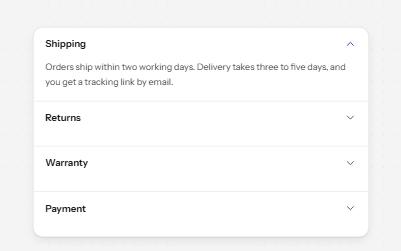
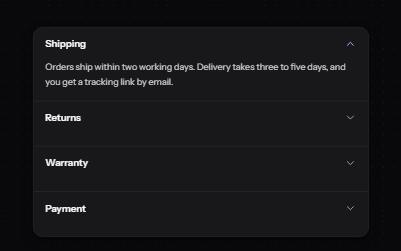
Stacked headings that each show or hide a panel, so a long page reads as a short list.
-
Show more
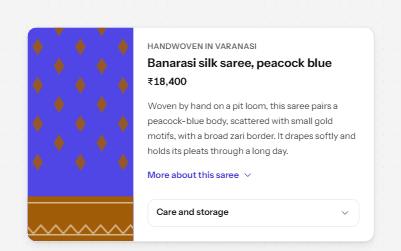
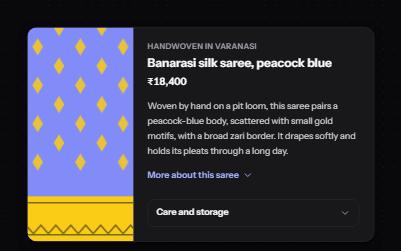
A button that reveals the rest of a long text in place, with the hidden part still reachable by find-in-page.
-
Search field
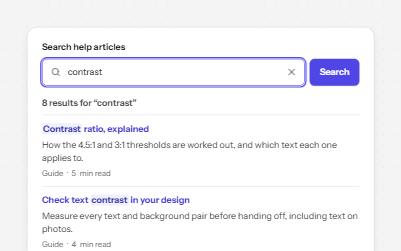
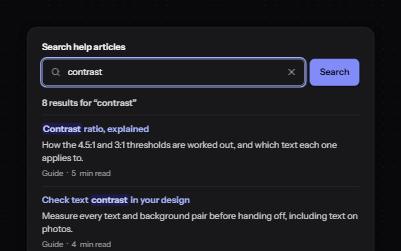
A labelled search landmark with a clear button, recent searches, and a result count that is announced without moving focus.
-
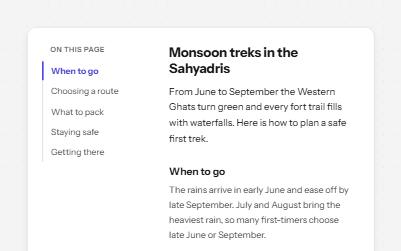
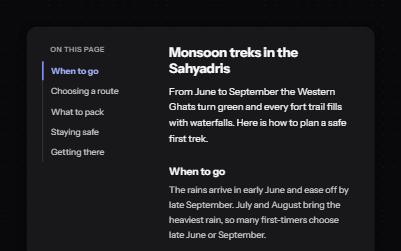
Table of contents
An "On this page" list that jumps to each section, moves focus there, and marks the section you are reading.