Accessibility pattern · Disclosure and content
Code block
The code is a labelled region that takes focus while it scrolls, so it can be read and moved with the keyboard. Line numbers come from CSS counters with empty alternative text, so screen readers skip them and Copy leaves them out.
- WCAG criteria
- 6
- Keyboard rules
- 4
- Checked with
- axe, keyboard and the inspector
Live demo
Try it
Use it with a mouse, a keyboard or a screen reader. The inspector beside it shows what the browser tells assistive technology as you go: focus, state changes and announcements.
                            // Shows a price in paise as rupees: 249900 → "₹2,499.00"
                            export function formatPrice(paise, locale = "en-IN") {
                              const rupees = paise / 100;
                              return new Intl.NumberFormat(locale, {
                                style: "currency",
                                currency: "INR",
                              }).format(rupees);
                            }

                            const order = { id: "AA-20418", totalPaise: 249900, method: "UPI" };
                            console.log(`Order ${order.id}: ${formatPrice(order.totalPaise)} paid by ${order.method}`);
The demo works without JavaScript only as far as its HTML does; the inspector needs JavaScript.
Keyboard
Keys it answers to
Every action works without a pointer.
| Key | What it does |
|---|---|
| Tab | Moves to Wrap lines, then Copy, then into the code while it is wider than its box. |
| Enter or Space | On Wrap lines, wraps long lines or puts them back; on Copy, copies the code without its line numbers. |
| Arrow Left or Arrow Right | With the code focused, scrolls it sideways. |
| Arrow Up or Arrow Down | With the code focused, scrolls it up and down when it is taller than its box. |
Screen readers
What it announces
Written from the roles, names and states in the markup.
| When | Expected announcement |
|---|---|
| Focus reaches the toggle | Wrap lines, toggle button, not pressed |
| Enter turns wrapping on | Pressed |
| Focus reaches Copy | Copy, button, format-price.js |
| The code is copied | Copied |
| Tab reaches the code | format-price.js JavaScript, region |
These are expected announcements, not recordings. Wording and order differ between screen readers and browsers.
Code
Copy the code
The exact files this demo runs on. The styles are served with a prefix that keeps this site's own styles out of the demo; what you copy is the original.
<div class="ap-code-block" data-ap-code-block>
  <div class="ap-code-block__bar">
    <div class="ap-code-block__meta">
      <span class="ap-code-block__lang" id="code-block-lang">JavaScript</span>
      <span class="ap-code-block__file" id="code-block-file" translate="no">format-price.js</span>
    </div>
    <div class="ap-code-block__actions">
      <button type="button" class="ap-code-block__btn" aria-pressed="false" data-ap-code-wrap>
        <svg class="ap-code-block__icon ap-code-block__icon--off" viewBox="0 0 24 24" aria-hidden="true" focusable="false"><path d="M4 6h16"/><path d="M4 12h13a3 3 0 0 1 0 6h-4"/><path d="m15 16-2 2 2 2"/><path d="M4 18h5"/></svg>
        <svg class="ap-code-block__icon ap-code-block__icon--on" viewBox="0 0 24 24" aria-hidden="true" focusable="false"><path d="m5 12.5 4.5 4.5L19 7.5"/></svg>
        <span>Wrap lines</span>
      </button>
      <button type="button" class="ap-code-block__btn" aria-describedby="code-block-file" data-ap-code-copy>
        <svg class="ap-code-block__icon" viewBox="0 0 24 24" aria-hidden="true" focusable="false"><rect x="9" y="9" width="11" height="11" rx="2"/><path d="M5 15V5a2 2 0 0 1 2-2h10"/></svg>
        <span>Copy</span>
      </button>
      <span class="ap-code-block__status" role="status">
        <svg class="ap-code-block__icon ap-code-block__icon--ok" viewBox="0 0 24 24" aria-hidden="true" focusable="false"><path d="m5 12.5 4.5 4.5L19 7.5"/></svg>
        <svg class="ap-code-block__icon ap-code-block__icon--err" viewBox="0 0 24 24" aria-hidden="true" focusable="false"><circle cx="12" cy="12" r="9"/><path d="M12 7.5v5"/><path d="M12 16.5h.01"/></svg>
        <span class="ap-code-block__msg"></span>
      </span>
    </div>
  </div>
  <pre class="ap-code-block__pre" tabindex="0" role="region" aria-labelledby="code-block-file code-block-lang" translate="no"><code class="ap-code-block__code">
<span class="ap-code-block__line"><span class="ap-code-block__cm">// Shows a price in paise as rupees: 249900 → "₹2,499.00"</span></span>
<span class="ap-code-block__line"><span class="ap-code-block__kw">export function</span> <span class="ap-code-block__fn">formatPrice</span>(paise, locale = <span class="ap-code-block__str">"en-IN"</span>) {</span>
<span class="ap-code-block__line">  <span class="ap-code-block__kw">const</span> rupees = paise / <span class="ap-code-block__num">100</span>;</span>
<span class="ap-code-block__line">  <span class="ap-code-block__kw">return new</span> Intl.<span class="ap-code-block__fn">NumberFormat</span>(locale, {</span>
<span class="ap-code-block__line">    style: <span class="ap-code-block__str">"currency"</span>,</span>
<span class="ap-code-block__line">    currency: <span class="ap-code-block__str">"INR"</span>,</span>
<span class="ap-code-block__line">  }).<span class="ap-code-block__fn">format</span>(rupees);</span>
<span class="ap-code-block__line">}</span>
<span class="ap-code-block__line"></span>
<span class="ap-code-block__line"><span class="ap-code-block__kw">const</span> order = { id: <span class="ap-code-block__str">"AA-20418"</span>, totalPaise: <span class="ap-code-block__num">249900</span>, method: <span class="ap-code-block__str">"UPI"</span> };</span>
<span class="ap-code-block__line">console.<span class="ap-code-block__fn">log</span>(<span class="ap-code-block__str">`Order </span><span class="ap-code-block__kw">${</span>order.id<span class="ap-code-block__kw">}</span><span class="ap-code-block__str">: </span><span class="ap-code-block__kw">${</span><span class="ap-code-block__fn">formatPrice</span>(order.totalPaise)<span class="ap-code-block__kw">}</span><span class="ap-code-block__str"> paid by </span><span class="ap-code-block__kw">${</span>order.method<span class="ap-code-block__kw">}</span><span class="ap-code-block__str">`</span>);</span>
</code></pre>
</div>
/* Code block. Uses the --ap-* design tokens. */
.ap-code-block {
  width: min(100%, 640px);
  margin-inline: auto;
  border: 1px solid var(--ap-border);
  border-radius: var(--ap-radius-lg);
  background: var(--ap-surface);
  color: var(--ap-text);
  box-shadow: var(--ap-shadow-md);
  overflow: hidden;
  container-type: inline-size;
}

/* The bar: language, file name and the two actions. */
.ap-code-block__bar {
  display: flex;
  flex-wrap: wrap;
  align-items: center;
  justify-content: space-between;
  gap: 8px 12px;
  padding: 10px 10px 10px 14px;
  border-bottom: 1px solid var(--ap-border);
  background: var(--ap-surface-2);
}
.ap-code-block__meta {
  display: flex;
  align-items: center;
  gap: 10px;
  min-width: 0;
}
.ap-code-block__lang {
  flex-shrink: 0;
  padding: 3px 10px;
  border-radius: var(--ap-radius-full);
  background: var(--ap-accent-soft);
  color: var(--ap-accent-soft-text);
  font-size: .8125rem;
  font-weight: 650;
  line-height: 1.35;
}
.ap-code-block__file {
  min-width: 0;
  color: var(--ap-text-2);
  font-family: var(--ap-mono);
  font-size: .8125rem;
  overflow-wrap: anywhere;
}
.ap-code-block__actions {
  position: relative;
  display: flex;
  align-items: center;
  gap: 6px;
  margin-inline-start: auto;
}

.ap-code-block__btn {
  display: inline-flex;
  align-items: center;
  gap: 6px;
  min-height: 36px;
  padding: 0 12px 0 10px;
  border: 1px solid var(--ap-border-strong);
  border-radius: var(--ap-radius-sm);
  background: var(--ap-surface);
  color: var(--ap-text);
  font: inherit;
  font-size: .875rem;
  font-weight: 600;
  line-height: 1.2;
  white-space: nowrap;
  cursor: pointer;
  transition: background-color var(--ap-duration) var(--ap-ease), border-color var(--ap-duration) var(--ap-ease), color var(--ap-duration) var(--ap-ease);
}
.ap-code-block__btn:hover {
  background: var(--ap-surface-3);
}
.ap-code-block__btn:focus-visible {
  outline: 2px solid var(--ap-focus);
  outline-offset: 2px;
}
/* Pressed: tinted, accent edge, and a tick in place of the wrap icon. */
.ap-code-block__btn[aria-pressed="true"] {
  border-color: var(--ap-accent);
  background: var(--ap-accent-soft);
  color: var(--ap-accent-soft-text);
}
.ap-code-block__icon {
  width: 16px;
  height: 16px;
  flex-shrink: 0;
  fill: none;
  stroke: currentColor;
  stroke-width: 2;
  stroke-linecap: round;
  stroke-linejoin: round;
}
.ap-code-block__btn[aria-pressed="true"] .ap-code-block__icon--off,
.ap-code-block__btn:not([aria-pressed="true"]) .ap-code-block__icon--on {
  display: none;
}

/* The confirmation: a small note under the buttons, shown for a moment.
   It stays in the page (empty) so the live region is always there. */
.ap-code-block__status {
  position: absolute;
  top: calc(100% + 12px);
  right: 0;
  z-index: 2;
  display: flex;
  align-items: center;
  gap: 6px;
  width: max-content;
  max-width: min(18rem, 80cqi);
  padding: 6px 10px;
  border: 1px solid var(--ap-border);
  border-radius: var(--ap-radius-sm);
  background: var(--ap-surface);
  color: var(--ap-success);
  font-size: .8125rem;
  font-weight: 650;
  line-height: 1.4;
  box-shadow: var(--ap-shadow-md);
  opacity: 0;
  translate: 0 -4px;
  pointer-events: none;
  transition: opacity var(--ap-duration) var(--ap-ease), translate var(--ap-duration) var(--ap-ease);
}
.ap-code-block__status.is-shown {
  opacity: 1;
  translate: 0 0;
}
.ap-code-block__status.is-error {
  color: var(--ap-danger);
}
.ap-code-block__status.is-error .ap-code-block__icon--ok,
.ap-code-block__status:not(.is-error) .ap-code-block__icon--err {
  display: none;
}

/* The code. */
.ap-code-block__pre {
  margin: 0;
  padding: 14px 0 16px;
  overflow: auto;
  /* The rule beside the numbers belongs to the box, so it stays put while
     the code scrolls. */
  background: linear-gradient(var(--ap-border), var(--ap-border)) calc(3em + 1px) 0 / 1px 100% no-repeat, var(--ap-surface);
  color: var(--ap-text);
  font-family: var(--ap-mono);
  font-size: .875rem;
  line-height: 1.7;
  tab-size: 2;
  scrollbar-width: thin;
  scrollbar-color: var(--ap-border-strong) transparent;
}
.ap-code-block__pre:focus-visible {
  outline: 2px solid var(--ap-focus);
  outline-offset: -2px;
}
/* Each line is its own block, so whitespace between the line elements in
   the HTML is ignored and only the spaces inside a line count. */
.ap-code-block__code {
  display: block;
  min-width: max-content;
  font: inherit;
  white-space: normal;
  counter-reset: ap-code-line;
}
.ap-code-block__line {
  display: block;
  padding-inline: 3.75em 20px;
  white-space: pre;
  counter-increment: ap-code-line;
}
/* The number: drawn, not text. The second declaration gives it empty
   alternative text, so screen readers skip it; the first is the fallback.
   It sticks to the left edge (2px in, clear of the focus ring) while the
   code scrolls sideways under it. */
.ap-code-block__line::before {
  content: counter(ap-code-line);
  content: counter(ap-code-line) / "";
  position: sticky;
  left: 2px;
  display: inline-block;
  width: 3em;
  margin-inline-start: -3.75em;
  margin-inline-end: .75em;
  padding-inline-end: .9em;
  background: linear-gradient(to left, var(--ap-border) 1px, var(--ap-surface) 1px);
  color: var(--ap-text-3);
  text-align: end;
  font-variant-numeric: tabular-nums;
  user-select: none;
}

/* Wrapped: long lines fold, and continue under the code, not the number. */
.ap-code-block--wrap .ap-code-block__code {
  min-width: 0;
}
.ap-code-block--wrap .ap-code-block__line {
  white-space: pre-wrap;
  overflow-wrap: anywhere;
}

/* Syntax colors: every one a token measured at 4.5:1 on the surface. */
.ap-code-block__kw { color: var(--ap-accent-text); }
.ap-code-block__fn { color: var(--ap-info); }
.ap-code-block__str { color: var(--ap-success); }
.ap-code-block__num { color: var(--ap-warning); }
.ap-code-block__cm {
  color: var(--ap-text-3);
  font-style: italic;
}

@container (max-width: 420px) {
  .ap-code-block__bar {
    padding: 10px;
  }
  .ap-code-block__pre {
    font-size: .8125rem;
  }
}

@media (prefers-reduced-motion: reduce) {
  .ap-code-block__btn,
  .ap-code-block__status { transition: none; }
}
/**
 * Code block: a labelled, scrollable code sample with a Copy button and a
 * Wrap lines toggle.
 *
 * Markup: [data-ap-code-block] holding button[data-ap-code-wrap][aria-pressed],
 * button[data-ap-code-copy], a span[role=status] with a .ap-code-block__msg inside
 * it, and pre[role=region][aria-labelledby] > code with one
 * span.ap-code-block__line per line. Line numbers are CSS counters with
 * empty alternative text, so they are neither read nor copied.
 */

export function init(root) {
  const pre = root.querySelector("pre");
  const code = pre.querySelector("code");
  const wrapButton = root.querySelector("[data-ap-code-wrap]");
  const status = root.querySelector("[role=status]");
  const msg = status.querySelector(".ap-code-block__msg");
  const timers = new Set();
  const later = (fn, ms) => {
    const t = setTimeout(() => { timers.delete(t); fn(); }, ms);
    timers.add(t);
  };
  const clearTimers = () => { for (const t of timers) clearTimeout(t); timers.clear(); };

  // The code is a tab stop only while it scrolls, so the arrow keys can
  // move it; a box that fits needs no stop of its own.
  function updateTabStop() {
    const scrolls = pre.scrollWidth > pre.clientWidth + 1 || pre.scrollHeight > pre.clientHeight + 1;
    if (scrolls) pre.tabIndex = 0;
    else pre.removeAttribute("tabindex");
  }

  // One line per element: join them, so the HTML's own indentation never
  // reaches the clipboard.
  function codeText() {
    const lines = code.querySelectorAll(".ap-code-block__line");
    return lines.length ? [...lines].map((line) => line.textContent).join("\n") + "\n" : code.textContent;
  }

  function say(words, ok) {
    clearTimers();
    // Emptying the region first makes the same words announce again.
    msg.textContent = "";
    status.classList.toggle("is-error", !ok);
    later(() => {
      msg.textContent = words;
      status.classList.add("is-shown");
      later(() => {
        status.classList.remove("is-shown");
        later(() => { msg.textContent = ""; }, 250);
      }, ok ? 2400 : 6000);
    }, 60);
  }

  async function copy() {
    try {
      await navigator.clipboard.writeText(codeText());
      say("Copied", true);
    } catch {
      // Clipboard blocked or missing: select the code so it can be copied by hand.
      const range = document.createRange();
      range.selectNodeContents(code);
      const selection = getSelection();
      selection.removeAllRanges();
      selection.addRange(range);
      say("Copy blocked: the code is selected for you to copy.", false);
    }
  }

  function setWrap(on) {
    wrapButton.setAttribute("aria-pressed", String(on));
    root.classList.toggle("ap-code-block--wrap", on);
    updateTabStop();
  }

  function onClick(event) {
    if (event.target.closest("[data-ap-code-wrap]")) setWrap(wrapButton.getAttribute("aria-pressed") !== "true");
    else if (event.target.closest("[data-ap-code-copy]")) copy();
  }

  const resize = new ResizeObserver(updateTabStop);
  resize.observe(pre);
  root.addEventListener("click", onClick);
  setWrap(wrapButton.getAttribute("aria-pressed") === "true");

  return () => {
    clearTimers();
    resize.disconnect();
    root.removeEventListener("click", onClick);
  };
}

for (const root of document.querySelectorAll("[data-ap-code-block]")) init(root);
/* Design tokens for the pattern components. Light by default, dark when the
   system asks for it; set data-theme="dark" on :root to force dark. */
:root {
    --ap-radius-sm: 8px;
    --ap-radius: 12px;
    --ap-radius-lg: 16px;
    --ap-radius-full: 999px;
    --ap-font: "Instrument Sans", ui-sans-serif, system-ui, -apple-system, "Segoe UI", Roboto, sans-serif;
    --ap-mono: "JetBrains Mono", ui-monospace, "Cascadia Mono", "SF Mono", Consolas, monospace;
    --ap-ease: cubic-bezier(.2, .8, .2, 1);
    --ap-duration: 180ms;
    --ap-target: 44px;
    --ap-bg: #F4F4F5;
    --ap-surface: #FFFFFF;
    --ap-surface-2: #F4F4F5;
    --ap-surface-3: #E4E4E7;
    --ap-border: #E4E4E7;
    --ap-border-strong: #76767F;
    --ap-text: #18181B;
    --ap-text-2: #3F3F46;
    --ap-text-3: #5E5E66;
    --ap-accent: #4F46E5;
    --ap-accent-hover: #4338CA;
    --ap-on-accent: #FFFFFF;
    --ap-accent-text: #4338CA;
    --ap-accent-soft: #EEF2FF;
    --ap-accent-soft-text: #3730A3;
    --ap-focus: #4F46E5;
    --ap-danger: #B91C1C;
    --ap-danger-soft: #FEF2F2;
    --ap-success: #15803D;
    --ap-success-soft: #F0FDF4;
    --ap-warning: #A15C07;
    --ap-warning-soft: #FEFCE8;
    --ap-info: #1D4ED8;
    --ap-info-soft: #EFF6FF;
    --ap-scrim: rgb(9 9 11 / .48);
    --ap-shadow-sm: 0 1px 2px rgb(9 9 11 / .06);
    --ap-shadow-md: 0 1px 2px rgb(9 9 11 / .05), 0 6px 16px -4px rgb(9 9 11 / .1);
    --ap-shadow-lg: 0 2px 6px rgb(9 9 11 / .06), 0 20px 40px -12px rgb(9 9 11 / .22);
    --ap-light-bg: #F4F4F5;
    --ap-light-surface: #FFFFFF;
    --ap-light-surface-2: #F4F4F5;
    --ap-light-surface-3: #E4E4E7;
    --ap-light-border: #E4E4E7;
    --ap-light-border-strong: #76767F;
    --ap-light-text: #18181B;
    --ap-light-text-2: #3F3F46;
    --ap-light-text-3: #5E5E66;
    --ap-light-accent: #4F46E5;
    --ap-light-accent-hover: #4338CA;
    --ap-light-on-accent: #FFFFFF;
    --ap-light-accent-text: #4338CA;
    --ap-light-accent-soft: #EEF2FF;
    --ap-light-accent-soft-text: #3730A3;
    --ap-light-focus: #4F46E5;
    --ap-light-danger: #B91C1C;
    --ap-light-danger-soft: #FEF2F2;
    --ap-light-success: #15803D;
    --ap-light-success-soft: #F0FDF4;
    --ap-light-warning: #A15C07;
    --ap-light-warning-soft: #FEFCE8;
    --ap-light-info: #1D4ED8;
    --ap-light-info-soft: #EFF6FF;
    --ap-light-scrim: rgb(9 9 11 / .48);
    --ap-light-shadow-sm: 0 1px 2px rgb(9 9 11 / .06);
    --ap-light-shadow-md: 0 1px 2px rgb(9 9 11 / .05), 0 6px 16px -4px rgb(9 9 11 / .1);
    --ap-light-shadow-lg: 0 2px 6px rgb(9 9 11 / .06), 0 20px 40px -12px rgb(9 9 11 / .22);
    --ap-dark-bg: #09090B;
    --ap-dark-surface: #18181B;
    --ap-dark-surface-2: #27272A;
    --ap-dark-surface-3: #3F3F46;
    --ap-dark-border: #2E2E33;
    --ap-dark-border-strong: #8E8E97;
    --ap-dark-text: #FAFAFA;
    --ap-dark-text-2: #D4D4D8;
    --ap-dark-text-3: #A1A1AA;
    --ap-dark-accent: #818CF8;
    --ap-dark-accent-hover: #A5B4FC;
    --ap-dark-on-accent: #0C0A1F;
    --ap-dark-accent-text: #A5B4FC;
    --ap-dark-accent-soft: #1E1B4B;
    --ap-dark-accent-soft-text: #C7D2FE;
    --ap-dark-focus: #A5B4FC;
    --ap-dark-danger: #F87171;
    --ap-dark-danger-soft: #2A1215;
    --ap-dark-success: #4ADE80;
    --ap-dark-success-soft: #0F2A1A;
    --ap-dark-warning: #FACC15;
    --ap-dark-warning-soft: #2A2410;
    --ap-dark-info: #60A5FA;
    --ap-dark-info-soft: #0F1D33;
    --ap-dark-scrim: rgb(0 0 0 / .62);
    --ap-dark-shadow-sm: 0 1px 2px rgb(0 0 0 / .4);
    --ap-dark-shadow-md: 0 1px 2px rgb(0 0 0 / .4), 0 8px 20px -6px rgb(0 0 0 / .5);
    --ap-dark-shadow-lg: 0 2px 8px rgb(0 0 0 / .45), 0 24px 48px -12px rgb(0 0 0 / .7);
}
@media (prefers-color-scheme: dark) {
  :root:not([data-theme="light"]) {
      --ap-bg: #09090B;
      --ap-surface: #18181B;
      --ap-surface-2: #27272A;
      --ap-surface-3: #3F3F46;
      --ap-border: #2E2E33;
      --ap-border-strong: #8E8E97;
      --ap-text: #FAFAFA;
      --ap-text-2: #D4D4D8;
      --ap-text-3: #A1A1AA;
      --ap-accent: #818CF8;
      --ap-accent-hover: #A5B4FC;
      --ap-on-accent: #0C0A1F;
      --ap-accent-text: #A5B4FC;
      --ap-accent-soft: #1E1B4B;
      --ap-accent-soft-text: #C7D2FE;
      --ap-focus: #A5B4FC;
      --ap-danger: #F87171;
      --ap-danger-soft: #2A1215;
      --ap-success: #4ADE80;
      --ap-success-soft: #0F2A1A;
      --ap-warning: #FACC15;
      --ap-warning-soft: #2A2410;
      --ap-info: #60A5FA;
      --ap-info-soft: #0F1D33;
      --ap-scrim: rgb(0 0 0 / .62);
      --ap-shadow-sm: 0 1px 2px rgb(0 0 0 / .4);
      --ap-shadow-md: 0 1px 2px rgb(0 0 0 / .4), 0 8px 20px -6px rgb(0 0 0 / .5);
      --ap-shadow-lg: 0 2px 8px rgb(0 0 0 / .45), 0 24px 48px -12px rgb(0 0 0 / .7);
  }
}
:root[data-theme="dark"] {
    --ap-bg: #09090B;
    --ap-surface: #18181B;
    --ap-surface-2: #27272A;
    --ap-surface-3: #3F3F46;
    --ap-border: #2E2E33;
    --ap-border-strong: #8E8E97;
    --ap-text: #FAFAFA;
    --ap-text-2: #D4D4D8;
    --ap-text-3: #A1A1AA;
    --ap-accent: #818CF8;
    --ap-accent-hover: #A5B4FC;
    --ap-on-accent: #0C0A1F;
    --ap-accent-text: #A5B4FC;
    --ap-accent-soft: #1E1B4B;
    --ap-accent-soft-text: #C7D2FE;
    --ap-focus: #A5B4FC;
    --ap-danger: #F87171;
    --ap-danger-soft: #2A1215;
    --ap-success: #4ADE80;
    --ap-success-soft: #0F2A1A;
    --ap-warning: #FACC15;
    --ap-warning-soft: #2A2410;
    --ap-info: #60A5FA;
    --ap-info-soft: #0F1D33;
    --ap-scrim: rgb(0 0 0 / .62);
    --ap-shadow-sm: 0 1px 2px rgb(0 0 0 / .4);
    --ap-shadow-md: 0 1px 2px rgb(0 0 0 / .4), 0 8px 20px -6px rgb(0 0 0 / .5);
    --ap-shadow-lg: 0 2px 8px rgb(0 0 0 / .45), 0 24px 48px -12px rgb(0 0 0 / .7);
}
WCAG 2.2
What it meets
The success criteria this pattern takes care of, and how.
-
1.3.1 Info and Relationships
Level A
The code sits in a pre named by its file name and language, and the language is text in the bar, not a color or a logo.
-
1.4.3 Contrast (Minimum)
Level AA
Every syntax color is a token that clears 4.5:1 on the code background in both themes; comments are italic as well as grey.
-
1.4.10 Reflow
Level AA
Wrap lines lets long lines fold at narrow widths and high zoom, so nobody has to scroll sideways to read a line.
-
2.1.1 Keyboard
Level A
While the code is wider than its box it takes focus, so the arrow keys can scroll it; both buttons work with Enter and Space.
-
4.1.2 Name, Role, Value
Level A
Wrap lines is a toggle button with aria-pressed, and Copy is described by the file name it copies.
-
4.1.3 Status Messages
Level AA
Copied, or the reason it could not copy, is announced from a polite status region without moving focus.
Usage
When to use it
Use it
- Code readers are meant to copy: install commands, configuration, short examples in docs and articles.
- Samples long enough to need line numbers when they are discussed in the text around them.
Use something else
- A single command or value in a sentence: an inline code element is enough.
- Code people edit in place: use a real editor component, which has its own keyboard model.
- Output from a running program: a log region that announces new lines fits better.
Common failures
How it usually goes wrong
A scroll box the keyboard cannot reach
A pre with overflow: auto scrolls only with a mouse or touch. tabindex=0 lets keyboard users focus and scroll it, and the region role with a name says what it is.
Line numbers in the text
Numbers typed into the markup are read before every line and pasted with the code. CSS counters with empty alternative text are neither.
A Copy button that says nothing
If the only sign of success is an icon that flickers, screen reader users never learn whether it worked. A status region says Copied.
A label that changes to Copied
Renaming the button for a moment confuses anyone who lands on it then. The button stays Copy; the confirmation is a separate message.
Syntax colors that fail contrast
Many editor themes put comments and strings near 3:1. The colors here are the token set the contrast test measures.
A wrap switch with no state
A button whose look changes but whose state is not exposed leaves people guessing. aria-pressed says whether wrapping is on.
Notes
Building it
- content: counter(…) / "" gives the number empty alternative text. Browsers that do not support it fall back to the first declaration and read the number, which is a nuisance, not a barrier.
- Copy joins the text of each line with a line break, so the indentation in your HTML never reaches the clipboard.
- If the Clipboard API is blocked, the script selects the code and says so, so people can copy it with their own keys.
- The script removes the tab stop from the code when it fits, so keyboard users are not sent to a box that does not scroll.
- translate="no" on the pre stops browser translation tools from rewriting the code.
Sources: CSS Generated Content: alternative text for content · WAI-ARIA Authoring Practices: Button (toggle) · MDN: Clipboard.writeText()
Checked with axe in light and dark themes, at desktop and phone widths, and by keyboard. Not yet tested with every screen reader and browser pair. Report a correction
Related
Patterns that go with it
-
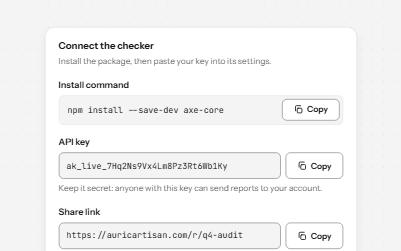
Copy to clipboard
A button that copies a command, key or link, confirms it on the button and in a status message, and says what to do if it fails.
-
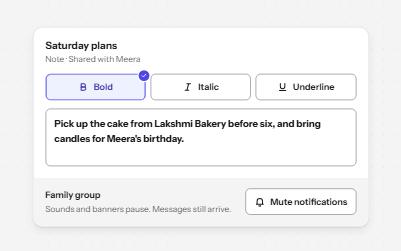
Toggle button
Buttons that stay on or off, like Bold or Mute, with aria-pressed reporting the state while the label stays the same.
-
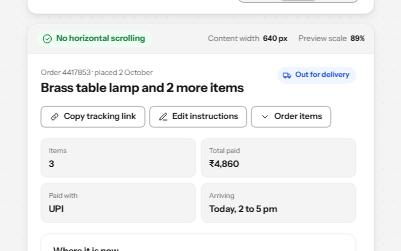
Reflow
A page that fits 320 CSS pixels, a 1280-pixel window at 400% zoom, with no sideways scrolling and nothing cut off.
-
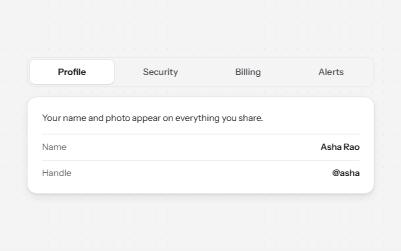
Tabs
Several panels in one place, one shown at a time, chosen from a row of tabs.