Accessibility pattern · Disclosure and content
Timeline
An ordered list is the timeline: screen readers say how many steps there are, and each step's time is a time element with a machine-readable datetime. Each status is a word and an icon of its own shape, never only a color, and the step in progress carries aria-current="step".
- WCAG criteria
- 5
- Keyboard rules
- 2
- Checked with
- axe, keyboard and the inspector
Live demo
Try it
Use it with a mouse, a keyboard or a screen reader. The inspector beside it shows what the browser tells assistive technology as you go: focus, state changes and announcements.
Order AA-48213
Blue pottery vase, ₹2,450
Arriving today by 7 pm
-
Order placed
Paid by UPI. A receipt is in your email.
-
Packed in Jaipur
Wrapped in recycled paper padding.
-
Shipped
Handed to the courier. Tracking number 7741 2290 553.
-
Reached the Pune hub
Sorted for delivery in Kothrud.
-
Out for delivery
Rahul is bringing it and will call before he arrives.
-
Delivered
Someone at the address can sign for it.
The demo works without JavaScript only as far as its HTML does; the inspector needs JavaScript.
Keyboard
Keys it answers to
Every action works without a pointer.
| Key | What it does |
|---|---|
| Tab | Reaches the earlier events button; the list has no controls of its own, so the next Tab leaves the timeline. |
| Enter or Space | Shows or hides the three earlier events at the top of the list; focus stays on the button. |
Screen readers
What it announces
Written from the roles, names and states in the markup.
| When | Expected announcement |
|---|---|
| Focus reaches the button | 3 earlier events, button, collapsed |
| Enter shows them | Expanded |
| Reading into the list | Delivery history, list, 6 items |
| Reading the step in progress | Current step. Out for delivery. In progress, Today, 9:20 am. Rahul is bringing it… |
| Reading a finished step | Reached the Pune hub. Done, 4 Oct, 10:15 pm. Sorted for delivery in Kothrud. |
These are expected announcements, not recordings. Wording and order differ between screen readers and browsers.
Code
Copy the code
The exact files this demo runs on. The styles are served with a prefix that keeps this site's own styles out of the demo; what you copy is the original.
<div class="ap-timeline" data-ap-timeline>
  <div class="ap-timeline__top">
    <div>
      <h3 class="ap-timeline__order">Order AA-48213</h3>
      <p class="ap-timeline__item">Blue pottery vase, ₹2,450</p>
    </div>
    <p class="ap-timeline__eta">Arriving today by 7 pm</p>
  </div>

  <button type="button" class="ap-timeline__earlier" aria-expanded="false" aria-controls="tl-placed tl-packed tl-shipped">
    <svg class="ap-timeline__chev" viewBox="0 0 24 24" aria-hidden="true" focusable="false"><path d="m6 9 6 6 6-6"/></svg>
    <span>3 earlier events</span>
  </button>

  <ol class="ap-timeline__list" role="list" aria-label="Delivery history">
    <li class="ap-timeline__step ap-timeline__step--done ap-timeline__step--earlier" id="tl-placed" hidden="until-found">
      <div class="ap-timeline__row">
        <span class="ap-timeline__mark"><svg viewBox="0 0 24 24" aria-hidden="true" focusable="false"><path d="m6.5 12.5 3.5 3.5 7.5-8"/></svg></span>
        <div class="ap-timeline__body">
          <p class="ap-timeline__what">Order placed</p>
          <p class="ap-timeline__meta"><span class="ap-timeline__state">Done</span> <time datetime="2026-10-01T11:02+05:30">1 Oct, 11:02 am</time></p>
          <p class="ap-timeline__note">Paid by UPI. A receipt is in your email.</p>
        </div>
      </div>
    </li>
    <li class="ap-timeline__step ap-timeline__step--done ap-timeline__step--earlier" id="tl-packed" hidden="until-found">
      <div class="ap-timeline__row">
        <span class="ap-timeline__mark"><svg viewBox="0 0 24 24" aria-hidden="true" focusable="false"><path d="m6.5 12.5 3.5 3.5 7.5-8"/></svg></span>
        <div class="ap-timeline__body">
          <p class="ap-timeline__what">Packed in Jaipur</p>
          <p class="ap-timeline__meta"><span class="ap-timeline__state">Done</span> <time datetime="2026-10-02T16:30+05:30">2 Oct, 4:30 pm</time></p>
          <p class="ap-timeline__note">Wrapped in recycled paper padding.</p>
        </div>
      </div>
    </li>
    <li class="ap-timeline__step ap-timeline__step--done ap-timeline__step--earlier" id="tl-shipped" hidden="until-found">
      <div class="ap-timeline__row">
        <span class="ap-timeline__mark"><svg viewBox="0 0 24 24" aria-hidden="true" focusable="false"><path d="m6.5 12.5 3.5 3.5 7.5-8"/></svg></span>
        <div class="ap-timeline__body">
          <p class="ap-timeline__what">Shipped</p>
          <p class="ap-timeline__meta"><span class="ap-timeline__state">Done</span> <time datetime="2026-10-03T18:40+05:30">3 Oct, 6:40 pm</time></p>
          <p class="ap-timeline__note">Handed to the courier. Tracking number 7741 2290 553.</p>
        </div>
      </div>
    </li>
    <li class="ap-timeline__step ap-timeline__step--done">
      <div class="ap-timeline__row">
        <span class="ap-timeline__mark"><svg viewBox="0 0 24 24" aria-hidden="true" focusable="false"><path d="m6.5 12.5 3.5 3.5 7.5-8"/></svg></span>
        <div class="ap-timeline__body">
          <p class="ap-timeline__what">Reached the Pune hub</p>
          <p class="ap-timeline__meta"><span class="ap-timeline__state">Done</span> <time datetime="2026-10-04T22:15+05:30">4 Oct, 10:15 pm</time></p>
          <p class="ap-timeline__note">Sorted for delivery in Kothrud.</p>
        </div>
      </div>
    </li>
    <li class="ap-timeline__step ap-timeline__step--now" aria-current="step">
      <div class="ap-timeline__row">
        <span class="ap-timeline__mark"><svg viewBox="0 0 24 24" aria-hidden="true" focusable="false"><circle cx="12" cy="12" r="4.5"/></svg></span>
        <div class="ap-timeline__body">
          <p class="ap-timeline__what">Out for delivery</p>
          <p class="ap-timeline__meta"><span class="ap-timeline__state">In progress</span> <time datetime="2026-10-05T09:20+05:30">Today, 9:20 am</time></p>
          <p class="ap-timeline__note">Rahul is bringing it and will call before he arrives.</p>
        </div>
      </div>
    </li>
    <li class="ap-timeline__step ap-timeline__step--next">
      <div class="ap-timeline__row">
        <span class="ap-timeline__mark"><svg viewBox="0 0 24 24" aria-hidden="true" focusable="false"><circle cx="12" cy="12" r="6.5"/><path d="M12 8.5V12l2.5 1.5"/></svg></span>
        <div class="ap-timeline__body">
          <p class="ap-timeline__what">Delivered</p>
          <p class="ap-timeline__meta"><span class="ap-timeline__state">Expected</span> <time datetime="2026-10-05T19:00+05:30">Today, by 7 pm</time></p>
          <p class="ap-timeline__note">Someone at the address can sign for it.</p>
        </div>
      </div>
    </li>
  </ol>
</div>
/* Timeline. Uses the --ap-* design tokens. */
.ap-timeline {
  container-type: inline-size;
  width: min(100%, 560px);
  margin-inline: auto;
  border: 1px solid var(--ap-border);
  border-radius: var(--ap-radius-lg);
  background: var(--ap-surface);
  color: var(--ap-text);
  box-shadow: var(--ap-shadow-md);
}

.ap-timeline__top {
  display: flex;
  flex-wrap: wrap;
  align-items: flex-start;
  justify-content: space-between;
  gap: 10px 16px;
  padding: 18px 22px;
  border-bottom: 1px solid var(--ap-border);
}
.ap-timeline__order {
  margin: 0;
  font-size: 1.0625rem;
  font-weight: 650;
  line-height: 1.35;
}
.ap-timeline__item {
  margin: 2px 0 0;
  color: var(--ap-text-3);
  font-size: .875rem;
}
.ap-timeline__eta {
  margin: 0;
  padding: 5px 12px;
  border-radius: var(--ap-radius-full);
  background: var(--ap-accent-soft);
  color: var(--ap-accent-soft-text);
  font-size: .8125rem;
  font-weight: 650;
  white-space: nowrap;
}

/* The disclosure for older events, lined up with the step markers. */
.ap-timeline__earlier {
  display: inline-flex;
  align-items: center;
  gap: 6px;
  min-height: 36px;
  margin: 16px 22px 4px 18px;
  padding: 0 14px 0 8px;
  border: 1px solid var(--ap-border-strong);
  border-radius: var(--ap-radius-full);
  background: var(--ap-surface);
  color: var(--ap-text-2);
  font: inherit;
  font-size: .875rem;
  font-weight: 600;
  cursor: pointer;
  transition: background-color var(--ap-duration) var(--ap-ease);
}
.ap-timeline__earlier:hover {
  background: var(--ap-surface-2);
  color: var(--ap-text);
}
.ap-timeline__earlier:focus-visible {
  outline: 2px solid var(--ap-focus);
  outline-offset: 2px;
}
.ap-timeline__chev {
  width: 20px;
  height: 20px;
  fill: none;
  stroke: currentColor;
  stroke-width: 2;
  stroke-linecap: round;
  stroke-linejoin: round;
  transition: transform var(--ap-duration) var(--ap-ease);
}
.ap-timeline__earlier[aria-expanded="true"] .ap-timeline__chev {
  transform: rotate(180deg);
}

.ap-timeline__list {
  margin: 0;
  padding: 14px 22px 22px;
  list-style: none;
}
/* Collapsed earlier steps stay findable: many resets set
   [hidden] { display: none !important }, which would undo until-found.
   The step has no box of its own, so it takes no space while hidden. */
.ap-timeline__step[hidden="until-found"] {
  display: block !important;
  content-visibility: hidden !important;
}
.ap-timeline__step--earlier:not([hidden]) .ap-timeline__row {
  animation: ap-timeline-in 200ms var(--ap-ease);
}

.ap-timeline__row {
  position: relative;
  display: grid;
  grid-template-columns: 28px minmax(0, 1fr);
  column-gap: 14px;
  padding-bottom: 20px;
}
.ap-timeline__step:last-child .ap-timeline__row {
  padding-bottom: 0;
}
/* The line to the next step: solid once a step is done, dashed after. */
.ap-timeline__row::before {
  content: "";
  position: absolute;
  top: 32px;
  bottom: 4px;
  left: 13px;
  border-left: 2px solid var(--ap-success);
}
.ap-timeline__step--now .ap-timeline__row::before,
.ap-timeline__step--next .ap-timeline__row::before {
  border-left: 2px dashed var(--ap-border-strong);
}
.ap-timeline__step:last-child .ap-timeline__row::before {
  display: none;
}

.ap-timeline__mark {
  display: grid;
  place-items: center;
  width: 28px;
  height: 28px;
  border-radius: var(--ap-radius-full);
}
.ap-timeline__mark svg {
  width: 18px;
  height: 18px;
  fill: none;
  stroke: currentColor;
  stroke-width: 2.4;
  stroke-linecap: round;
  stroke-linejoin: round;
}
.ap-timeline__step--done .ap-timeline__mark {
  background: var(--ap-success);
  color: var(--ap-surface);
}
.ap-timeline__step--now .ap-timeline__mark {
  border: 2px solid var(--ap-accent);
  background: var(--ap-accent-soft);
  color: var(--ap-accent);
}
.ap-timeline__step--now .ap-timeline__mark svg {
  fill: currentColor;
  stroke: none;
}
.ap-timeline__step--next .ap-timeline__mark {
  border: 2px solid var(--ap-border-strong);
  background: var(--ap-surface);
  color: var(--ap-text-3);
}
.ap-timeline__step--next .ap-timeline__mark svg {
  width: 16px;
  height: 16px;
  stroke-width: 2;
}

.ap-timeline__body {
  min-width: 0;
  padding-top: 3px;
}
.ap-timeline__step--now .ap-timeline__body {
  margin: -6px 0 0 -8px;
  padding: 9px 12px 12px 8px;
  border-radius: var(--ap-radius);
  background: var(--ap-surface-2);
}
.ap-timeline__what {
  margin: 0;
  color: var(--ap-text);
  font-weight: 600;
  line-height: 1.4;
}
.ap-timeline__meta {
  display: flex;
  flex-wrap: wrap;
  align-items: center;
  margin: 3px 0 0;
  color: var(--ap-text-3);
  font-size: .8125rem;
  font-variant-numeric: tabular-nums;
}
.ap-timeline__state {
  font-weight: 650;
  letter-spacing: .04em;
  text-transform: uppercase;
}
.ap-timeline__step--done .ap-timeline__state { color: var(--ap-success); }
.ap-timeline__step--now .ap-timeline__state { color: var(--ap-accent-text); }
.ap-timeline__meta time::before {
  content: "";
  display: inline-block;
  width: 3px;
  height: 3px;
  margin: 0 8px;
  border-radius: var(--ap-radius-full);
  background: currentColor;
  vertical-align: middle;
}
.ap-timeline__note {
  margin: 6px 0 0;
  color: var(--ap-text-2);
  font-size: .9375rem;
  line-height: 1.55;
}

@keyframes ap-timeline-in {
  from { opacity: 0; transform: translateY(-4px); }
}

@media (prefers-reduced-motion: reduce) {
  .ap-timeline__earlier,
  .ap-timeline__chev { transition: none; }
  .ap-timeline__step--earlier:not([hidden]) .ap-timeline__row { animation: none; }
}
/**
 * Timeline: an ordered list of steps, with a disclosure button that shows
 * or hides the earlier ones.
 *
 * Markup: [data-ap-timeline] holding button[aria-expanded][aria-controls]
 * (the ids of the earlier list items, space-separated) and an ol whose
 * earlier items carry hidden="until-found". The step in progress has
 * aria-current="step"; that and everything else is plain HTML.
 */

export function init(root) {
  const button = root.querySelector("button[aria-expanded][aria-controls]");
  if (!button) return () => {};
  const items = button.getAttribute("aria-controls").split(/\s+/).map((id) => document.getElementById(id)).filter(Boolean);

  function setOpen(open) {
    button.setAttribute("aria-expanded", String(open));
    for (const item of items) {
      if (open) item.removeAttribute("hidden");
      else item.setAttribute("hidden", "until-found");
    }
  }

  function onClick() {
    setOpen(button.getAttribute("aria-expanded") !== "true");
  }

  // Find-in-page matched text in one earlier step: show all of them, so the
  // list never has a gap, and let the button say so.
  function onBeforeMatch(event) {
    if (items.includes(event.target)) setOpen(true);
  }

  button.addEventListener("click", onClick);
  root.addEventListener("beforematch", onBeforeMatch);
  return () => {
    button.removeEventListener("click", onClick);
    root.removeEventListener("beforematch", onBeforeMatch);
  };
}

for (const root of document.querySelectorAll("[data-ap-timeline]")) init(root);
/* Design tokens for the pattern components. Light by default, dark when the
   system asks for it; set data-theme="dark" on :root to force dark. */
:root {
    --ap-radius-sm: 8px;
    --ap-radius: 12px;
    --ap-radius-lg: 16px;
    --ap-radius-full: 999px;
    --ap-font: "Instrument Sans", ui-sans-serif, system-ui, -apple-system, "Segoe UI", Roboto, sans-serif;
    --ap-mono: "JetBrains Mono", ui-monospace, "Cascadia Mono", "SF Mono", Consolas, monospace;
    --ap-ease: cubic-bezier(.2, .8, .2, 1);
    --ap-duration: 180ms;
    --ap-target: 44px;
    --ap-bg: #F4F4F5;
    --ap-surface: #FFFFFF;
    --ap-surface-2: #F4F4F5;
    --ap-surface-3: #E4E4E7;
    --ap-border: #E4E4E7;
    --ap-border-strong: #76767F;
    --ap-text: #18181B;
    --ap-text-2: #3F3F46;
    --ap-text-3: #5E5E66;
    --ap-accent: #4F46E5;
    --ap-accent-hover: #4338CA;
    --ap-on-accent: #FFFFFF;
    --ap-accent-text: #4338CA;
    --ap-accent-soft: #EEF2FF;
    --ap-accent-soft-text: #3730A3;
    --ap-focus: #4F46E5;
    --ap-danger: #B91C1C;
    --ap-danger-soft: #FEF2F2;
    --ap-success: #15803D;
    --ap-success-soft: #F0FDF4;
    --ap-warning: #A15C07;
    --ap-warning-soft: #FEFCE8;
    --ap-info: #1D4ED8;
    --ap-info-soft: #EFF6FF;
    --ap-scrim: rgb(9 9 11 / .48);
    --ap-shadow-sm: 0 1px 2px rgb(9 9 11 / .06);
    --ap-shadow-md: 0 1px 2px rgb(9 9 11 / .05), 0 6px 16px -4px rgb(9 9 11 / .1);
    --ap-shadow-lg: 0 2px 6px rgb(9 9 11 / .06), 0 20px 40px -12px rgb(9 9 11 / .22);
    --ap-light-bg: #F4F4F5;
    --ap-light-surface: #FFFFFF;
    --ap-light-surface-2: #F4F4F5;
    --ap-light-surface-3: #E4E4E7;
    --ap-light-border: #E4E4E7;
    --ap-light-border-strong: #76767F;
    --ap-light-text: #18181B;
    --ap-light-text-2: #3F3F46;
    --ap-light-text-3: #5E5E66;
    --ap-light-accent: #4F46E5;
    --ap-light-accent-hover: #4338CA;
    --ap-light-on-accent: #FFFFFF;
    --ap-light-accent-text: #4338CA;
    --ap-light-accent-soft: #EEF2FF;
    --ap-light-accent-soft-text: #3730A3;
    --ap-light-focus: #4F46E5;
    --ap-light-danger: #B91C1C;
    --ap-light-danger-soft: #FEF2F2;
    --ap-light-success: #15803D;
    --ap-light-success-soft: #F0FDF4;
    --ap-light-warning: #A15C07;
    --ap-light-warning-soft: #FEFCE8;
    --ap-light-info: #1D4ED8;
    --ap-light-info-soft: #EFF6FF;
    --ap-light-scrim: rgb(9 9 11 / .48);
    --ap-light-shadow-sm: 0 1px 2px rgb(9 9 11 / .06);
    --ap-light-shadow-md: 0 1px 2px rgb(9 9 11 / .05), 0 6px 16px -4px rgb(9 9 11 / .1);
    --ap-light-shadow-lg: 0 2px 6px rgb(9 9 11 / .06), 0 20px 40px -12px rgb(9 9 11 / .22);
    --ap-dark-bg: #09090B;
    --ap-dark-surface: #18181B;
    --ap-dark-surface-2: #27272A;
    --ap-dark-surface-3: #3F3F46;
    --ap-dark-border: #2E2E33;
    --ap-dark-border-strong: #8E8E97;
    --ap-dark-text: #FAFAFA;
    --ap-dark-text-2: #D4D4D8;
    --ap-dark-text-3: #A1A1AA;
    --ap-dark-accent: #818CF8;
    --ap-dark-accent-hover: #A5B4FC;
    --ap-dark-on-accent: #0C0A1F;
    --ap-dark-accent-text: #A5B4FC;
    --ap-dark-accent-soft: #1E1B4B;
    --ap-dark-accent-soft-text: #C7D2FE;
    --ap-dark-focus: #A5B4FC;
    --ap-dark-danger: #F87171;
    --ap-dark-danger-soft: #2A1215;
    --ap-dark-success: #4ADE80;
    --ap-dark-success-soft: #0F2A1A;
    --ap-dark-warning: #FACC15;
    --ap-dark-warning-soft: #2A2410;
    --ap-dark-info: #60A5FA;
    --ap-dark-info-soft: #0F1D33;
    --ap-dark-scrim: rgb(0 0 0 / .62);
    --ap-dark-shadow-sm: 0 1px 2px rgb(0 0 0 / .4);
    --ap-dark-shadow-md: 0 1px 2px rgb(0 0 0 / .4), 0 8px 20px -6px rgb(0 0 0 / .5);
    --ap-dark-shadow-lg: 0 2px 8px rgb(0 0 0 / .45), 0 24px 48px -12px rgb(0 0 0 / .7);
}
@media (prefers-color-scheme: dark) {
  :root:not([data-theme="light"]) {
      --ap-bg: #09090B;
      --ap-surface: #18181B;
      --ap-surface-2: #27272A;
      --ap-surface-3: #3F3F46;
      --ap-border: #2E2E33;
      --ap-border-strong: #8E8E97;
      --ap-text: #FAFAFA;
      --ap-text-2: #D4D4D8;
      --ap-text-3: #A1A1AA;
      --ap-accent: #818CF8;
      --ap-accent-hover: #A5B4FC;
      --ap-on-accent: #0C0A1F;
      --ap-accent-text: #A5B4FC;
      --ap-accent-soft: #1E1B4B;
      --ap-accent-soft-text: #C7D2FE;
      --ap-focus: #A5B4FC;
      --ap-danger: #F87171;
      --ap-danger-soft: #2A1215;
      --ap-success: #4ADE80;
      --ap-success-soft: #0F2A1A;
      --ap-warning: #FACC15;
      --ap-warning-soft: #2A2410;
      --ap-info: #60A5FA;
      --ap-info-soft: #0F1D33;
      --ap-scrim: rgb(0 0 0 / .62);
      --ap-shadow-sm: 0 1px 2px rgb(0 0 0 / .4);
      --ap-shadow-md: 0 1px 2px rgb(0 0 0 / .4), 0 8px 20px -6px rgb(0 0 0 / .5);
      --ap-shadow-lg: 0 2px 8px rgb(0 0 0 / .45), 0 24px 48px -12px rgb(0 0 0 / .7);
  }
}
:root[data-theme="dark"] {
    --ap-bg: #09090B;
    --ap-surface: #18181B;
    --ap-surface-2: #27272A;
    --ap-surface-3: #3F3F46;
    --ap-border: #2E2E33;
    --ap-border-strong: #8E8E97;
    --ap-text: #FAFAFA;
    --ap-text-2: #D4D4D8;
    --ap-text-3: #A1A1AA;
    --ap-accent: #818CF8;
    --ap-accent-hover: #A5B4FC;
    --ap-on-accent: #0C0A1F;
    --ap-accent-text: #A5B4FC;
    --ap-accent-soft: #1E1B4B;
    --ap-accent-soft-text: #C7D2FE;
    --ap-focus: #A5B4FC;
    --ap-danger: #F87171;
    --ap-danger-soft: #2A1215;
    --ap-success: #4ADE80;
    --ap-success-soft: #0F2A1A;
    --ap-warning: #FACC15;
    --ap-warning-soft: #2A2410;
    --ap-info: #60A5FA;
    --ap-info-soft: #0F1D33;
    --ap-scrim: rgb(0 0 0 / .62);
    --ap-shadow-sm: 0 1px 2px rgb(0 0 0 / .4);
    --ap-shadow-md: 0 1px 2px rgb(0 0 0 / .4), 0 8px 20px -6px rgb(0 0 0 / .5);
    --ap-shadow-lg: 0 2px 8px rgb(0 0 0 / .45), 0 24px 48px -12px rgb(0 0 0 / .7);
}
WCAG 2.2
What it meets
The success criteria this pattern takes care of, and how.
-
1.3.1 Info and Relationships
Level A
Steps are items of an ordered list, times are time elements with a datetime, and the current step is marked in the markup, not just drawn.
-
1.3.2 Meaningful Sequence
Level A
The list runs oldest to newest on screen and in the source, and the earlier events appear straight after the button that reveals them.
-
1.4.1 Use of Color
Level A
Every status is a word (Done, In progress, Expected) and an icon of its own shape; color only repeats it.
-
1.4.11 Non-text Contrast
Level AA
Step markers and the line between them clear 3:1 against the surface in both themes.
-
4.1.2 Name, Role, Value
Level A
The button exposes aria-expanded, and aria-current="step" marks the step in progress.
Usage
When to use it
Use it
- Something that moves through known steps over time: an order, an application, a support ticket.
- A history people check for the latest event first, with older ones kept close by.
Use something else
- Steps the person completes themselves in a form: use progress steps.
- An open-ended stream of updates: use a feed.
- Two or three events: a sentence ("Shipped on 3 October") says it faster.
Common failures
How it usually goes wrong
A timeline of divs
Without a list, a screen reader cannot say how many steps there are or where one ends. An ordered list says both.
Status shown only by color
A green dot and a grey dot look the same to many people. Each step here says Done, In progress or Expected, beside an icon of a different shape.
The current step not marked
A highlighted box means nothing to a screen reader. aria-current="step" makes the step announce itself as current.
Dates only people can read
"Today" and "4 Oct" cannot be parsed by software. The time element's datetime carries the exact moment and the time zone.
History removed instead of collapsed
Sending older events to another page loses context. A disclosure keeps them one key press away, and find-in-page still reaches them.
Icons that speak
An unlabelled SVG can be read as "image" or not at all, unpredictably. The icons here are hidden; the words carry the status.
Notes
Building it
- Put aria-current="step" on the list item of the step in progress and move it as the order moves; only one step is current.
- aria-controls lists all three earlier items, because they live in the same list rather than in one panel.
- The earlier items use hidden="until-found": a find-in-page match in one of them opens all three and updates the button.
- list-style: none removes list semantics in Safari; role="list" on the ol puts them back.
- Write relative words (Today) for people and keep the absolute moment, with its offset (+05:30), in datetime.
Sources: HTML: the time element · WAI-ARIA 1.2: aria-current
Checked with axe in light and dark themes, at desktop and phone widths, and by keyboard. Not yet tested with every screen reader and browser pair. Report a correction
Related
Patterns that go with it
-
Progress steps
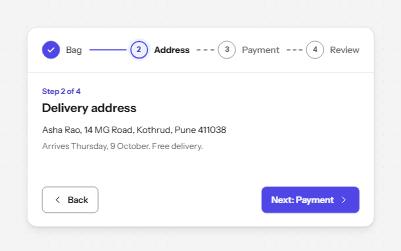
A row of numbered steps that says which are done, which is current and which are still to come, with Back and Next to move.
-
Feed with load more
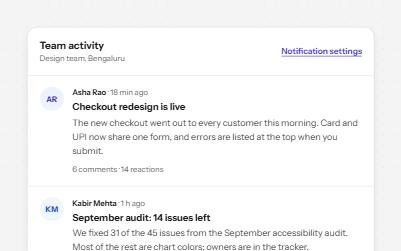
A stream of posts people read in order, with keys to move post by post, a Load more button and new posts that wait.
-
Show more
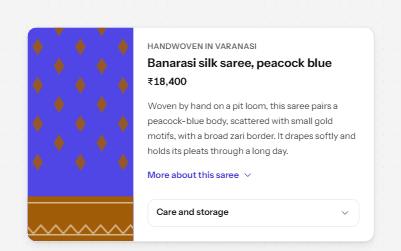
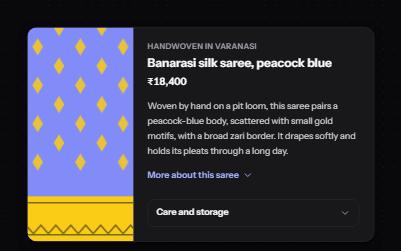
A button that reveals the rest of a long text in place, with the hidden part still reachable by find-in-page.
-
Lists and groups
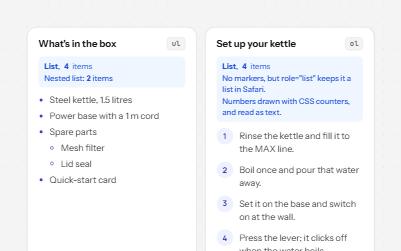
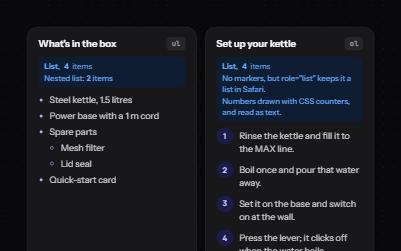
Bulleted, numbered and description lists that announce their size, even when styled as cards, tags or numbered steps.