Accessibility pattern · Media
Moving content with pause
Anything that moves by itself for more than five seconds needs a Pause button placed before it, and sound should never start on its own. Here the background stops after five seconds anyway, the ticker holds while you point at it or tab into it, and nothing starts at all when the system asks for reduced motion.
- WCAG criteria
- 7
- Keyboard rules
- 5
- Checked with
- axe, keyboard and the inspector
Live demo
Try it
Use it with a mouse, a keyboard or a screen reader. The inspector beside it shows what the browser tells assistive technology as you go: focus, state changes and announcements.
Reduced motion is on: nothing moves until you press Play.
Darjeeling · First flush
Picked this week in the hills
Spring tea from three estates, rolled by hand and packed within a week of picking.
Shop the first flushLatest news
How to brew a cup
- Boil the water
- Add a spoon of leaves
- Steep for three minutes
- Pour and serve
Shop ambience
A tanpura drone for the tasting room. It plays only when you press Play.
- Not this: sound that starts with the page talks over screen readers. Past 3 seconds it needs Stop or its own volume.
- This: it waits for a press, and Stop and volume sit right beside it.
The demo works without JavaScript only as far as its HTML does; the inspector needs JavaScript.
Keyboard
Keys it answers to
Every action works without a pointer.
| Key | What it does |
|---|---|
| Tab | Reaches each part's Pause or Play button before the content it controls: the background, the ticker and its headlines, the animation, then the sound. |
| Enter or Space | On a Pause button, stops that motion where it is; the button becomes Play, which starts it again. Focus stays on the button. |
| Tab or ShiftTab | Inside the ticker, holds it still and brings the focused headline fully into view; it moves on when focus leaves. |
| Enter or Space | On the animation's Play, plays the four steps twice through and rests on the last one; on the sound's Play, starts the drone, and Stop ends it. |
| Arrow Left or Arrow Right | On Ambience volume, lowers or raises the volume in steps of 5; Home and End set it to 0 or 100. |
Screen readers
What it announces
Written from the roles, names and states in the markup.
| When | Expected announcement |
|---|---|
| Tab reaches the background's button | Picked this week in the hills, region. Pause background animation, button |
| The background stops by itself after five seconds | Nothing is said; the button is renamed Play background animation, read when focus next reaches it |
| Pause is pressed on the ticker | Play news ticker, button |
| Focus reaches a headline | 09:40 Monsoon blend is back in stock, link |
| Play is pressed on the animation | Pause animation, button |
| Play is pressed on the sound | Stop the ambience, button (and the drone starts) |
| The volume changes | Ambience volume, slider, 60 |
These are expected announcements, not recordings. Wording and order differ between screen readers and browsers.
Code
Copy the code
The exact files this demo runs on. The styles are served with a prefix that keeps this site's own styles out of the demo; what you copy is the original.
<div class="ap-autoplay-media" data-ap-autoplay-media>
  <p class="ap-autoplay-media__calm" data-apm-reduced hidden>
    <svg viewBox="0 0 24 24" aria-hidden="true" focusable="false"><circle cx="12" cy="12" r="9"/><path d="M12 11v5M12 8h.01"/></svg>
    Reduced motion is on: nothing moves until you press Play.
  </p>

  <section class="ap-autoplay-media__hero" aria-labelledby="apm-hero-name">
    <button type="button" class="ap-autoplay-media__toggle is-playing" data-apm-hero aria-label="Pause background animation">
      <span class="ap-autoplay-media__glyph">
        <svg class="ap-autoplay-media__icon ap-autoplay-media__icon--pause" viewBox="0 0 24 24" aria-hidden="true" focusable="false"><path d="M7 5h3.5v14H7zM13.5 5H17v14h-3.5z"/></svg>
        <svg class="ap-autoplay-media__icon ap-autoplay-media__icon--play" viewBox="0 0 24 24" aria-hidden="true" focusable="false"><path d="M8 5.2v13.6L19 12Z"/></svg>
        <svg class="ap-autoplay-media__ring" viewBox="0 0 32 32" aria-hidden="true" focusable="false"><circle cx="16" cy="16" r="14.5" pathLength="100"/></svg>
      </span>
      <span class="ap-autoplay-media__word">Pause</span>
    </button>
    <canvas class="ap-autoplay-media__canvas" data-apm-canvas aria-hidden="true"></canvas>
    <div class="ap-autoplay-media__copy">
      <p class="ap-autoplay-media__kicker">Darjeeling · First flush</p>
      <h3 class="ap-autoplay-media__name" id="apm-hero-name">Picked this week in the hills</h3>
      <p class="ap-autoplay-media__text">Spring tea from three estates, rolled by hand and packed within a week of picking.</p>
      <a class="ap-btn ap-btn--primary" href="#apm-hero-name">Shop the first flush</a>
    </div>
  </section>

  <section class="ap-autoplay-media__ticker" aria-labelledby="apm-ticker-name">
    <h3 class="ap-autoplay-media__tag" id="apm-ticker-name">Latest news</h3>
    <button type="button" class="ap-autoplay-media__toggle is-playing" data-apm-ticker aria-label="Pause news ticker">
      <span class="ap-autoplay-media__glyph">
        <svg class="ap-autoplay-media__icon ap-autoplay-media__icon--pause" viewBox="0 0 24 24" aria-hidden="true" focusable="false"><path d="M7 5h3.5v14H7zM13.5 5H17v14h-3.5z"/></svg>
        <svg class="ap-autoplay-media__icon ap-autoplay-media__icon--play" viewBox="0 0 24 24" aria-hidden="true" focusable="false"><path d="M8 5.2v13.6L19 12Z"/></svg>
      </span>
      <span class="ap-autoplay-media__word">Pause</span>
    </button>
    <div class="ap-autoplay-media__strip" data-apm-strip>
      <div class="ap-autoplay-media__rail">
        <ul class="ap-autoplay-media__news">
          <li><a href="#apm-ticker-name"><time datetime="09:40">09:40</time> <span>Monsoon blend is back in stock</span></a></li>
          <li><a href="#apm-ticker-name"><time datetime="10:15">10:15</time> <span>Free delivery in Pune and Mumbai this week</span></a></li>
          <li><a href="#apm-ticker-name"><time datetime="11:30">11:30</time> <span>Tasting in Indiranagar on Saturday at 5 pm</span></a></li>
          <li><a href="#apm-ticker-name"><time datetime="12:05">12:05</time> <span>New: cardamom and saffron chai</span></a></li>
          <li><a href="#apm-ticker-name"><time datetime="13:20">13:20</time> <span>Gift boxes now ship in two days</span></a></li>
        </ul>
      </div>
    </div>
  </section>

  <div class="ap-autoplay-media__pair">
    <section class="ap-autoplay-media__card" aria-labelledby="apm-gif-name">
      <h3 class="ap-autoplay-media__label" id="apm-gif-name">How to brew a cup</h3>
      <figure class="ap-autoplay-media__figure">
        <div class="ap-autoplay-media__screen">
          <svg class="ap-autoplay-media__art" viewBox="0 0 240 150" role="img" aria-label="Animation of the four steps below" focusable="false">
            <path class="ap-autoplay-media__table" d="M16 128h208"/>
            <g class="ap-autoplay-media__cel is-shown" data-apm-cel>
              <rect class="ap-autoplay-media__plate" x="70" y="114" width="100" height="10" rx="3"/>
              <path class="ap-autoplay-media__warm" d="M96 114c2-7 5-8 6-14 2 6 5 7 6 14Zm16 0c2-7 5-8 6-14 2 6 5 7 6 14Zm16 0c2-7 5-8 6-14 2 6 5 7 6 14Z"/>
              <path class="ap-autoplay-media__ink" d="M86 104c-4-24 8-40 34-40s38 16 34 40Z"/>
              <path class="ap-autoplay-media__ink" d="M150 86l22-16 5 6-21 18Z"/>
              <path class="ap-autoplay-media__line" d="M98 66c0-22 44-22 44 0"/>
              <path class="ap-autoplay-media__ink ap-autoplay-media__ink--deep" d="M108 64c0-5 5-8 12-8s12 3 12 8Z"/>
              <path class="ap-autoplay-media__steam" d="M180 62c-6-6 4-10-2-16M192 66c-6-6 4-10-2-16"/>
            </g>
            <g class="ap-autoplay-media__cel" data-apm-cel>
              <path class="ap-autoplay-media__ink" d="M78 124c-10-34 10-56 42-56s52 22 42 56Z"/>
              <path class="ap-autoplay-media__ink" d="M158 100c14-2 20-12 26-24l6 4c-6 16-14 26-30 30Z"/>
              <path class="ap-autoplay-media__line" d="M80 84c-18 0-20 28 0 30"/>
              <ellipse class="ap-autoplay-media__hole" cx="120" cy="70" rx="22" ry="5"/>
              <path class="ap-autoplay-media__line" d="M178 22 142 44"/>
              <ellipse class="ap-autoplay-media__ink ap-autoplay-media__ink--deep" cx="136" cy="48" rx="10" ry="5" transform="rotate(-31 136 48)"/>
              <path class="ap-autoplay-media__leaf" d="M116 50c4-5 11-5 13 0-4 5-11 5-13 0ZM104 60c4-5 11-5 13 0-4 5-11 5-13 0ZM122 62c4-5 11-5 13 0-4 5-11 5-13 0Z"/>
            </g>
            <g class="ap-autoplay-media__cel" data-apm-cel>
              <path class="ap-autoplay-media__ink" d="M78 124c-10-34 10-56 42-56s52 22 42 56Z"/>
            <path class="ap-autoplay-media__ink" d="M158 100c14-2 20-12 26-24l6 4c-6 16-14 26-30 30Z"/>
            <path class="ap-autoplay-media__line" d="M80 84c-18 0-20 28 0 30"/>
            <path class="ap-autoplay-media__ink ap-autoplay-media__ink--deep" d="M100 70c0-8 9-12 20-12s20 4 20 12Z"/>
            <circle class="ap-autoplay-media__ink ap-autoplay-media__ink--deep" cx="120" cy="54" r="4"/>
            <path class="ap-autoplay-media__band" d="M84 98h72"/>
              <path class="ap-autoplay-media__steam" d="M112 44c-6-6 4-10-2-16M128 44c-6-6 4-10-2-16"/>
              <circle class="ap-autoplay-media__face" cx="210" cy="64" r="15"/>
              <path class="ap-autoplay-media__warm" d="M210 64V49a15 15 0 1 1-8.82 27.14Z"/>
              <circle class="ap-autoplay-media__line" cx="210" cy="64" r="15"/>
              <path class="ap-autoplay-media__line" d="M206 44h8"/>
            </g>
            <g class="ap-autoplay-media__cel" data-apm-cel>
              <g transform="translate(-36 -8) rotate(24 164 124)">
                <path class="ap-autoplay-media__ink" d="M78 124c-10-34 10-56 42-56s52 22 42 56Z"/>
            <path class="ap-autoplay-media__ink" d="M158 100c14-2 20-12 26-24l6 4c-6 16-14 26-30 30Z"/>
            <path class="ap-autoplay-media__line" d="M80 84c-18 0-20 28 0 30"/>
            <path class="ap-autoplay-media__ink ap-autoplay-media__ink--deep" d="M100 70c0-8 9-12 20-12s20 4 20 12Z"/>
            <circle class="ap-autoplay-media__ink ap-autoplay-media__ink--deep" cx="120" cy="54" r="4"/>
            <path class="ap-autoplay-media__band" d="M84 98h72"/>
              </g>
              <path class="ap-autoplay-media__pour" d="M171 82c9 4 16 10 21 24"/>
              <path class="ap-autoplay-media__ink" d="M176 104h40v6c0 12-8 18-20 18s-20-6-20-18Z"/>
              <path class="ap-autoplay-media__line" d="M216 108c9 0 9 12 0 12"/>
              <path class="ap-autoplay-media__warm" d="M180 106h32v3c0 3-2 4-4 4h-24c-2 0-4-1-4-4Z"/>
              <path class="ap-autoplay-media__steam" d="M192 96c-6-6 4-10-2-16M204 96c-6-6 4-10-2-16"/>
            </g>
          </svg>
          <span class="ap-autoplay-media__badge" aria-hidden="true" translate="no">GIF</span>
          <button type="button" class="ap-autoplay-media__toggle" data-apm-gif aria-label="Play animation">
            <span class="ap-autoplay-media__glyph">
              <svg class="ap-autoplay-media__icon ap-autoplay-media__icon--pause" viewBox="0 0 24 24" aria-hidden="true" focusable="false"><path d="M7 5h3.5v14H7zM13.5 5H17v14h-3.5z"/></svg>
        <svg class="ap-autoplay-media__icon ap-autoplay-media__icon--play" viewBox="0 0 24 24" aria-hidden="true" focusable="false"><path d="M8 5.2v13.6L19 12Z"/></svg>
            </span>
            <span class="ap-autoplay-media__word">Play</span>
          </button>
        </div>
        <figcaption>
          <ol class="ap-autoplay-media__steps">
            <li class="is-now" data-apm-step>Boil the water</li>
            <li data-apm-step>Add a spoon of leaves</li>
            <li data-apm-step>Steep for three minutes</li>
            <li data-apm-step>Pour and serve</li>
          </ol>
        </figcaption>
      </figure>
    </section>

    <section class="ap-autoplay-media__card" aria-labelledby="apm-sound-name">
      <h3 class="ap-autoplay-media__label" id="apm-sound-name">Shop ambience</h3>
      <p class="ap-autoplay-media__note">A tanpura drone for the tasting room. It plays only when you press Play.</p>
      <div class="ap-autoplay-media__player">
        <button type="button" class="ap-autoplay-media__toggle" data-apm-sound aria-label="Play the ambience">
          <span class="ap-autoplay-media__glyph">
            <svg class="ap-autoplay-media__icon ap-autoplay-media__icon--pause" viewBox="0 0 24 24" aria-hidden="true" focusable="false"><rect x="6.5" y="6.5" width="11" height="11" rx="2"/></svg>
            <svg class="ap-autoplay-media__icon ap-autoplay-media__icon--play" viewBox="0 0 24 24" aria-hidden="true" focusable="false"><path d="M8 5.2v13.6L19 12Z"/></svg>
          </span>
          <span class="ap-autoplay-media__word">Play</span>
        </button>
        <span class="ap-autoplay-media__bars" aria-hidden="true"><span></span><span></span><span></span><span></span><span></span></span>
      </div>
      <div class="ap-autoplay-media__volume">
        <label class="ap-label" for="apm-volume">Ambience volume</label>
        <div class="ap-autoplay-media__range">
          <input type="range" id="apm-volume" min="0" max="100" step="5" value="40" data-apm-volume />
          <span class="ap-autoplay-media__level" data-apm-level aria-hidden="true">40%</span>
        </div>
      </div>
      <ul class="ap-autoplay-media__rules">
        <li class="ap-autoplay-media__rule ap-autoplay-media__rule--no">
          <svg viewBox="0 0 24 24" aria-hidden="true" focusable="false"><path d="M6 6l12 12M18 6 6 18"/></svg>
          <span><strong>Not this:</strong> sound that starts with the page talks over screen readers. Past 3 seconds it needs Stop or its own volume.</span>
        </li>
        <li class="ap-autoplay-media__rule ap-autoplay-media__rule--yes">
          <svg viewBox="0 0 24 24" aria-hidden="true" focusable="false"><path d="m5 12 5 5L20 7"/></svg>
          <span><strong>This:</strong> it waits for a press, and Stop and volume sit right beside it.</span>
        </li>
      </ul>
    </section>
  </div>
</div>
/* Shared primitives: buttons and form fields used across the patterns.
   Uses the --ap-* design tokens. */

.ap-btn {
  display: inline-flex;
  align-items: center;
  justify-content: center;
  gap: 8px;
  min-height: 40px;
  padding: 0 16px;
  border: 1px solid var(--ap-border-strong);
  border-radius: var(--ap-radius-sm);
  background: var(--ap-surface);
  color: var(--ap-text);
  font: inherit;
  font-weight: 600;
  line-height: 1.2;
  text-decoration: none;
  white-space: nowrap;
  cursor: pointer;
  transition: background-color var(--ap-duration) var(--ap-ease), border-color var(--ap-duration) var(--ap-ease), box-shadow var(--ap-duration) var(--ap-ease);
}
.ap-btn:hover {
  background: var(--ap-surface-2);
}
.ap-btn:focus-visible {
  outline: 2px solid var(--ap-focus);
  outline-offset: 2px;
}
.ap-btn:disabled,
.ap-btn[aria-disabled="true"] {
  opacity: .55;
  cursor: not-allowed;
}
.ap-btn--primary {
  border-color: var(--ap-accent);
  background: var(--ap-accent);
  color: var(--ap-on-accent);
  box-shadow: var(--ap-shadow-sm);
}
.ap-btn--primary:hover {
  border-color: var(--ap-accent-hover);
  background: var(--ap-accent-hover);
}
.ap-btn--danger {
  border-color: var(--ap-danger);
  background: var(--ap-danger);
  color: var(--ap-surface);
}
.ap-btn--danger:hover {
  filter: brightness(1.08);
}
.ap-btn--ghost {
  border-color: transparent;
  background: transparent;
}
.ap-btn--ghost:hover {
  background: var(--ap-surface-2);
}
.ap-btn__icon {
  width: 18px;
  height: 18px;
  flex-shrink: 0;
  fill: none;
  stroke: currentColor;
  stroke-width: 2;
  stroke-linecap: round;
  stroke-linejoin: round;
}

.ap-field {
  display: grid;
  gap: 6px;
}
.ap-label {
  color: var(--ap-text);
  font-weight: 600;
  font-size: .9375rem;
}
.ap-hint {
  margin: 0;
  color: var(--ap-text-3);
  font-size: .875rem;
  line-height: 1.45;
}
.ap-error {
  display: flex;
  align-items: flex-start;
  gap: 6px;
  margin: 0;
  color: var(--ap-danger);
  font-size: .875rem;
  font-weight: 600;
  line-height: 1.45;
}
.ap-input {
  width: 100%;
  min-height: 44px;
  padding: 10px 12px;
  border: 1px solid var(--ap-border-strong);
  border-radius: var(--ap-radius-sm);
  background: var(--ap-surface);
  color: var(--ap-text);
  font: inherit;
  line-height: 1.4;
  transition: border-color var(--ap-duration) var(--ap-ease), box-shadow var(--ap-duration) var(--ap-ease);
}
.ap-input::placeholder {
  color: var(--ap-text-3);
}
.ap-input:hover {
  border-color: var(--ap-text-2);
}
.ap-input:focus-visible {
  outline: 2px solid var(--ap-focus);
  outline-offset: 1px;
  border-color: var(--ap-focus);
}
.ap-input[aria-invalid="true"] {
  border-color: var(--ap-danger);
  box-shadow: inset 4px 0 0 var(--ap-danger);
}
textarea.ap-input {
  resize: vertical;
  min-height: 88px;
}

@media (prefers-reduced-motion: reduce) {
  .ap-btn,
  .ap-input { transition: none; }
}

/* Moving content with pause. Uses the --ap-* design tokens and the shared primitives. */
.ap-autoplay-media {
  container-type: inline-size;
  display: grid;
  gap: 16px;
  width: min(100%, 720px);
  margin-inline: auto;
}

/* Shown when reduced motion is on, by the system or the demo's option. */
.ap-autoplay-media__calm {
  display: flex;
  align-items: center;
  gap: 10px;
  margin: 0;
  padding: 10px 14px;
  border: 1px solid var(--ap-border);
  border-radius: var(--ap-radius);
  background: var(--ap-info-soft);
  color: var(--ap-info);
  font-size: .875rem;
  font-weight: 600;
  line-height: 1.45;
}
.ap-autoplay-media__calm[hidden] {
  display: none;
}
.ap-autoplay-media__calm svg {
  width: 18px;
  height: 18px;
  flex-shrink: 0;
  fill: none;
  stroke: currentColor;
  stroke-width: 2;
  stroke-linecap: round;
}

/* ── Play / Pause toggles ── */
.ap-autoplay-media__toggle {
  display: inline-flex;
  align-items: center;
  gap: 8px;
  min-height: 40px;
  padding: 0 14px 0 5px;
  border: 1px solid var(--ap-border-strong);
  border-radius: var(--ap-radius-full);
  background: var(--ap-surface);
  color: var(--ap-text);
  font: inherit;
  font-size: .875rem;
  font-weight: 650;
  line-height: 1;
  white-space: nowrap;
  cursor: pointer;
  box-shadow: var(--ap-shadow-sm);
  transition: background-color var(--ap-duration) var(--ap-ease);
}
.ap-autoplay-media__toggle:hover {
  background: var(--ap-surface-2);
}
.ap-autoplay-media__toggle:focus-visible {
  outline: 2px solid var(--ap-focus);
  outline-offset: 2px;
}
.ap-autoplay-media__glyph {
  position: relative;
  display: grid;
  place-items: center;
  width: 30px;
  height: 30px;
  border-radius: 50%;
  background: var(--ap-accent-soft);
  color: var(--ap-accent-text);
}
.ap-autoplay-media__icon {
  grid-area: 1 / 1;
  width: 14px;
  height: 14px;
  fill: currentColor;
}
.ap-autoplay-media__toggle:not(.is-playing) .ap-autoplay-media__icon--pause,
.ap-autoplay-media__toggle.is-playing .ap-autoplay-media__icon--play {
  display: none;
}

/* The ring drains over the five seconds before the background stops itself. */
.ap-autoplay-media__ring {
  position: absolute;
  inset: -1px;
  width: 32px;
  height: 32px;
  fill: none;
  stroke: var(--ap-accent);
  stroke-width: 2.5;
  stroke-dasharray: 100;
  stroke-dashoffset: 100;
  transform: rotate(-90deg);
}
.ap-autoplay-media__hero.is-counting .ap-autoplay-media__ring {
  animation: ap-autoplay-media-countdown var(--apm-countdown, 5s) linear forwards;
}

/* ── The hero with its background loop ── */
.ap-autoplay-media__hero {
  position: relative;
  isolation: isolate;
  display: grid;
  align-items: end;
  min-height: 320px;
  border: 1px solid var(--ap-border);
  border-radius: var(--ap-radius-lg);
  background: var(--ap-accent-soft);
  box-shadow: var(--ap-shadow-md);
  overflow: hidden;
}
.ap-autoplay-media__hero > .ap-autoplay-media__toggle {
  position: absolute;
  top: 14px;
  left: 14px;
  z-index: 1;
}
.ap-autoplay-media__canvas {
  position: absolute;
  inset: 0;
  z-index: -1;
  display: block;
  width: 100%;
  height: 100%;
}
.ap-autoplay-media__copy {
  max-width: 350px;
  margin: 76px 16px 16px;
  padding: 18px 20px 20px;
  border: 1px solid var(--ap-border);
  border-radius: var(--ap-radius);
  background: var(--ap-surface);
  box-shadow: var(--ap-shadow-lg);
}
.ap-autoplay-media__kicker {
  margin: 0 0 6px;
  color: var(--ap-accent-text);
  font-size: .75rem;
  font-weight: 700;
  letter-spacing: .06em;
  text-transform: uppercase;
}
.ap-autoplay-media__name {
  margin: 0 0 8px;
  font-size: 1.375rem;
  font-weight: 700;
  line-height: 1.25;
  letter-spacing: -.01em;
}
.ap-autoplay-media__text {
  margin: 0 0 16px;
  color: var(--ap-text-2);
  line-height: 1.55;
}

/* ── The news ticker ── */
.ap-autoplay-media__ticker {
  display: flex;
  align-items: center;
  gap: 12px;
  min-width: 0;
  padding: 7px 7px 7px 18px;
  border: 1px solid var(--ap-border);
  border-radius: var(--ap-radius-full);
  background: var(--ap-surface);
  box-shadow: var(--ap-shadow-sm);
}
.ap-autoplay-media__tag {
  display: inline-flex;
  align-items: center;
  gap: 8px;
  flex-shrink: 0;
  margin: 0;
  color: var(--ap-accent-text);
  font-size: .75rem;
  font-weight: 700;
  letter-spacing: .06em;
  text-transform: uppercase;
  white-space: nowrap;
}
.ap-autoplay-media__tag::before {
  content: "";
  width: 8px;
  height: 8px;
  border-radius: 50%;
  background: var(--ap-accent);
}
.ap-autoplay-media__ticker > .ap-autoplay-media__toggle {
  flex-shrink: 0;
}
.ap-autoplay-media__strip {
  flex: 1;
  min-width: 0;
  overflow-x: hidden;
  scrollbar-width: none;
  -webkit-mask-image: linear-gradient(90deg, transparent, var(--ap-text) 28px, var(--ap-text) calc(100% - 28px), transparent);
  mask-image: linear-gradient(90deg, transparent, var(--ap-text) 28px, var(--ap-text) calc(100% - 28px), transparent);
}
.ap-autoplay-media__strip::-webkit-scrollbar {
  display: none;
}
/* Stopped, the strip scrolls by hand; with focus inside, nothing is faded. */
.ap-autoplay-media__ticker.is-stopped .ap-autoplay-media__strip {
  overflow-x: auto;
}
.ap-autoplay-media__strip:focus-within {
  -webkit-mask-image: none;
  mask-image: none;
}
.ap-autoplay-media__rail {
  display: flex;
  gap: 36px;
  width: max-content;
  padding-inline: 4px;
}
.ap-autoplay-media__news {
  display: flex;
  gap: 36px;
  margin: 0;
  padding: 0;
  list-style: none;
}
.ap-autoplay-media__news[hidden] {
  display: none;
}
.ap-autoplay-media__news li {
  position: relative;
  white-space: nowrap;
}
.ap-autoplay-media__news li + li::before {
  content: "";
  position: absolute;
  top: 50%;
  left: -20px;
  width: 4px;
  height: 4px;
  border-radius: 50%;
  background: var(--ap-border-strong);
}
.ap-autoplay-media__news a {
  display: inline-flex;
  align-items: center;
  gap: 8px;
  min-height: 34px;
  padding: 0 6px;
  border-radius: var(--ap-radius-sm);
  color: var(--ap-text);
  font-weight: 500;
  text-decoration: none;
}
.ap-autoplay-media__news a:hover {
  text-decoration: underline;
  text-underline-offset: 3px;
}
.ap-autoplay-media__news a:focus-visible {
  outline: 2px solid var(--ap-focus);
  outline-offset: -2px;
}
.ap-autoplay-media__news time {
  color: var(--ap-text-3);
  font-size: .8125rem;
  font-variant-numeric: tabular-nums;
}

/* ── The animation and the sound ── */
.ap-autoplay-media__pair {
  display: grid;
  grid-template-columns: 1fr 1fr;
  gap: 16px;
}
.ap-autoplay-media__card {
  display: grid;
  align-content: start;
  gap: 14px;
  min-width: 0;
  padding: 18px;
  border: 1px solid var(--ap-border);
  border-radius: var(--ap-radius-lg);
  background: var(--ap-surface);
  box-shadow: var(--ap-shadow-md);
}
.ap-autoplay-media__label {
  margin: 0;
  font-size: 1rem;
  font-weight: 650;
  line-height: 1.35;
}
.ap-autoplay-media__note {
  margin: -6px 0 0;
  color: var(--ap-text-3);
  font-size: .875rem;
  line-height: 1.5;
}

.ap-autoplay-media__figure {
  display: grid;
  gap: 12px;
  margin: 0;
}
.ap-autoplay-media__screen {
  position: relative;
  border: 1px solid var(--ap-border);
  border-radius: var(--ap-radius);
  background: var(--ap-accent-soft);
  overflow: hidden;
}
.ap-autoplay-media__art {
  display: block;
  width: 100%;
  height: auto;
  aspect-ratio: 8 / 5;
}
.ap-autoplay-media__screen > .ap-autoplay-media__toggle {
  position: absolute;
  top: 10px;
  left: 10px;
}
.ap-autoplay-media__badge {
  position: absolute;
  top: 10px;
  right: 10px;
  padding: 2px 7px;
  border: 1px solid var(--ap-border-strong);
  border-radius: var(--ap-radius-sm);
  background: var(--ap-surface);
  color: var(--ap-text-2);
  font-family: var(--ap-mono);
  font-size: .6875rem;
  font-weight: 700;
  letter-spacing: .06em;
}

/* Drawing: one frame (cel) shows at a time. */
.ap-autoplay-media__cel {
  display: none;
}
.ap-autoplay-media__cel.is-shown {
  display: inline;
}
.ap-autoplay-media__table {
  fill: none;
  stroke: var(--ap-border-strong);
  stroke-width: 2;
  stroke-linecap: round;
}
.ap-autoplay-media__ink {
  fill: var(--ap-accent);
}
.ap-autoplay-media__ink--deep {
  fill: var(--ap-accent-hover);
}
.ap-autoplay-media__band {
  fill: none;
  stroke: var(--ap-accent-soft);
  stroke-width: 3;
  stroke-linecap: round;
  opacity: .7;
}
.ap-autoplay-media__line {
  fill: none;
  stroke: var(--ap-text-2);
  stroke-width: 4;
  stroke-linecap: round;
}
.ap-autoplay-media__plate {
  fill: var(--ap-text-3);
}
.ap-autoplay-media__warm {
  fill: var(--ap-warning);
}
.ap-autoplay-media__steam {
  fill: none;
  stroke: var(--ap-text-3);
  stroke-width: 2.5;
  stroke-linecap: round;
}
.ap-autoplay-media__hole {
  fill: var(--ap-accent-soft);
}
.ap-autoplay-media__leaf {
  fill: var(--ap-success);
}
.ap-autoplay-media__face {
  fill: var(--ap-surface);
}
.ap-autoplay-media__pour {
  fill: none;
  stroke: var(--ap-warning);
  stroke-width: 3.5;
  stroke-linecap: round;
}

.ap-autoplay-media__steps {
  display: grid;
  grid-template-columns: 1fr 1fr;
  gap: 6px 14px;
  margin: 0;
  padding: 0;
  list-style: none;
  counter-reset: apm-step;
}
.ap-autoplay-media__steps li {
  display: flex;
  align-items: baseline;
  gap: 8px;
  color: var(--ap-text-3);
  font-size: .875rem;
  line-height: 1.4;
  counter-increment: apm-step;
}
.ap-autoplay-media__steps li::before {
  content: counter(apm-step);
  display: inline-grid;
  place-items: center;
  flex-shrink: 0;
  width: 20px;
  height: 20px;
  border: 1px solid var(--ap-border-strong);
  border-radius: 50%;
  font-size: .75rem;
  font-weight: 700;
  font-variant-numeric: tabular-nums;
}
/* The step on screen: bolder, darker and a filled number, not color alone. */
.ap-autoplay-media__steps li.is-now {
  color: var(--ap-text);
  font-weight: 650;
}
.ap-autoplay-media__steps li.is-now::before {
  border-color: var(--ap-accent);
  background: var(--ap-accent);
  color: var(--ap-on-accent);
}

.ap-autoplay-media__player {
  display: flex;
  align-items: center;
  gap: 14px;
}
.ap-autoplay-media__bars {
  display: flex;
  align-items: flex-end;
  gap: 3px;
  height: 22px;
}
.ap-autoplay-media__bars span {
  width: 4px;
  height: 8px;
  border-radius: 2px;
  background: var(--ap-border-strong);
  transform-origin: bottom;
}
.ap-autoplay-media__bars span:nth-child(2) { height: 14px; }
.ap-autoplay-media__bars span:nth-child(3) { height: 10px; }
.ap-autoplay-media__bars span:nth-child(4) { height: 17px; }
.ap-autoplay-media__bars span:nth-child(5) { height: 6px; }
.ap-autoplay-media__card.is-sounding .ap-autoplay-media__bars span {
  height: 22px;
  background: var(--ap-accent);
  animation: ap-autoplay-media-bars 1.5s var(--ap-ease) infinite alternate;
}
.ap-autoplay-media__card.is-sounding .ap-autoplay-media__bars span:nth-child(2) { animation-delay: -.4s; }
.ap-autoplay-media__card.is-sounding .ap-autoplay-media__bars span:nth-child(3) { animation-delay: -.9s; }
.ap-autoplay-media__card.is-sounding .ap-autoplay-media__bars span:nth-child(4) { animation-delay: -.2s; }
.ap-autoplay-media__card.is-sounding .ap-autoplay-media__bars span:nth-child(5) { animation-delay: -1.2s; }

.ap-autoplay-media__volume {
  display: grid;
  gap: 6px;
}
.ap-autoplay-media__range {
  display: flex;
  align-items: center;
  gap: 12px;
}
.ap-autoplay-media__range input {
  flex: 1;
  min-width: 0;
  min-height: 24px;
  margin: 0;
  accent-color: var(--ap-accent);
  cursor: pointer;
}
.ap-autoplay-media__range input:focus-visible {
  outline: 2px solid var(--ap-focus);
  outline-offset: 2px;
}
.ap-autoplay-media__level {
  min-width: 4ch;
  color: var(--ap-text-2);
  font-size: .875rem;
  font-weight: 600;
  font-variant-numeric: tabular-nums;
  text-align: end;
}

.ap-autoplay-media__rules {
  display: grid;
  gap: 8px;
  margin: 0;
  padding: 0;
  list-style: none;
}
.ap-autoplay-media__rule {
  display: flex;
  align-items: flex-start;
  gap: 10px;
  padding: 10px 12px;
  border-radius: var(--ap-radius-sm);
  font-size: .8125rem;
  line-height: 1.5;
}
.ap-autoplay-media__rule svg {
  width: 16px;
  height: 16px;
  flex-shrink: 0;
  margin-top: 2px;
  fill: none;
  stroke: currentColor;
  stroke-width: 2.5;
  stroke-linecap: round;
  stroke-linejoin: round;
}
.ap-autoplay-media__rule--no {
  background: var(--ap-danger-soft);
  color: var(--ap-danger);
}
.ap-autoplay-media__rule--yes {
  background: var(--ap-success-soft);
  color: var(--ap-success);
}

@keyframes ap-autoplay-media-countdown {
  from { stroke-dashoffset: 0; }
  to { stroke-dashoffset: 100; }
}
@keyframes ap-autoplay-media-bars {
  0% { transform: scaleY(.3); }
  50% { transform: scaleY(1); }
  100% { transform: scaleY(.55); }
}

@container (max-width: 600px) {
  .ap-autoplay-media__pair { grid-template-columns: 1fr; }
}
@container (max-width: 520px) {
  .ap-autoplay-media__ticker {
    flex-wrap: wrap;
    gap: 8px 12px;
    padding: 10px 10px 8px 16px;
    border-radius: var(--ap-radius-lg);
  }
  .ap-autoplay-media__ticker > .ap-autoplay-media__toggle { margin-left: auto; }
  .ap-autoplay-media__strip { flex-basis: 100%; }
  /* Narrow: the loop becomes a band above the words instead of behind them. */
  .ap-autoplay-media__hero { min-height: 0; }
  .ap-autoplay-media__canvas {
    position: relative;
    height: 180px;
  }
  .ap-autoplay-media__copy {
    max-width: none;
    margin: 0;
    border: 0;
    border-top: 1px solid var(--ap-border);
    border-radius: 0;
    box-shadow: none;
  }
}

/* Reduced motion, from the system or the demo's option: still decoration. */
@media (prefers-reduced-motion: reduce) {
  .ap-autoplay-media__toggle { transition: none; }
  .ap-autoplay-media__hero.is-counting .ap-autoplay-media__ring,
  .ap-autoplay-media__card.is-sounding .ap-autoplay-media__bars span { animation: none; }
}
.ap-autoplay-media[data-reduce-motion] .ap-autoplay-media__toggle { transition: none; }
.ap-autoplay-media[data-reduce-motion] .ap-autoplay-media__card.is-sounding .ap-autoplay-media__bars span { animation: none; }
/**
 * Moving content with pause: a background loop that stops by itself after
 * five seconds, a news ticker that holds on hover and focus, an animation
 * that plays only when asked, and a sound that starts only on a press.
 *
 * Markup: [data-ap-autoplay-media] holding
 *   a hero: button[data-apm-hero] first, then canvas[data-apm-canvas];
 *   a ticker: button[data-apm-ticker], then [data-apm-strip] > .ap-autoplay-media__rail > ul;
 *   a figure: svg frames g[data-apm-cel], button[data-apm-gif], li[data-apm-step];
 *   a sound panel: button[data-apm-sound], input[data-apm-volume].
 * Every toggle names what it will do next (aria-label) and shows a short word.
 * Add data-reduce-motion to the root to behave as if the system asked for
 * reduced motion: nothing starts by itself, Play still plays.
 */

const AUTO_STOP = 5000;   // ms: the background stops by itself, inside the 2.2.2 limit
const TICKER_SPEED = 34;  // px per second
const FRAME_TIME = 1200;  // ms per animation frame
const LOOPS = 2;          // the animation plays through twice, then rests

export function init(root) {
  const off = new AbortController();
  const on = { signal: off.signal };
  const media = window.matchMedia("(prefers-reduced-motion: reduce)");
  const reduced = () => media.matches || root.hasAttribute("data-reduce-motion");
  const notice = root.querySelector("[data-apm-reduced]");
  let done = false;

  // Loops, timers and observers check this: if the markup was removed
  // without cleanup being called, everything stops by itself.
  function gone() {
    if (root.isConnected) return false;
    cleanup();
    return true;
  }

  /** One toggle: its name says what pressing it will do. */
  function setToggle(button, playing, names) {
    button.classList.toggle("is-playing", playing);
    button.setAttribute("aria-label", playing ? names.stop : names.play);
    button.querySelector(".ap-autoplay-media__word").textContent = playing ? names.stopWord : "Play";
  }

  /* ── The background loop, drawn on a canvas ── */
  const hero = (() => {
    const section = root.querySelector(".ap-autoplay-media__hero");
    const button = root.querySelector("[data-apm-hero]");
    const canvas = root.querySelector("[data-apm-canvas]");
    const ctx = canvas.getContext("2d");
    const names = { play: "Play background animation", stop: "Pause background animation", stopWord: "Pause" };
    let running = false;
    let frame = 0;
    let stopTimer = 0;
    let t = 0;          // seconds of animation shown so far
    let last = 0;
    let w = 0;
    let h = 0;
    let colors = readColors();

    function readColors() {
      const s = getComputedStyle(canvas);
      const v = (name) => s.getPropertyValue(name).trim();
      return { sky: v("--ap-accent-soft"), ground: v("--ap-surface"), hill: v("--ap-accent"), sun: v("--ap-warning"), text: v("--ap-text") };
    }

    // Token colors are hex; canvas needs the alpha written into the color.
    function alpha(color, a) {
      const m = /^#([0-9a-f]{6})$/i.exec(color);
      if (!m) return color;
      const n = parseInt(m[1], 16);
      return `rgba(${n >> 16}, ${(n >> 8) & 255}, ${n & 255}, ${a})`;
    }

    // Light text means a dark theme: the sun is yellow there, a pale disk in light.
    function isDark() {
      const m = /^#([0-9a-f]{6})$/i.exec(colors.text);
      if (!m) return false;
      const n = parseInt(m[1], 16);
      return ((n >> 16) * 299 + ((n >> 8) & 255) * 587 + (n & 255) * 114) / 1000 > 128;
    }

    function ridge(base, amp, waves, speed, phase) {
      ctx.beginPath();
      ctx.moveTo(0, h);
      for (let x = 0; x <= w + 8; x += 8) {
        const u = (x + t * speed) / Math.max(w, 1);
        const y = h * base + Math.sin(u * Math.PI * 2 * waves + phase) * amp * h + Math.sin(u * Math.PI * 2 * waves * 2.3 + phase * 2) * amp * h * 0.35;
        ctx.lineTo(x, y);
      }
      ctx.lineTo(w, h);
      ctx.closePath();
    }

    function draw() {
      if (!w || !h) return;
      const c = colors;
      const sky = ctx.createLinearGradient(0, 0, 0, h);
      sky.addColorStop(0, c.sky);
      sky.addColorStop(1, c.ground);
      ctx.fillStyle = sky;
      ctx.fillRect(0, 0, w, h);

      // The sun and its glow.
      const r = Math.min(w, h) * 0.085;
      const sx = w * 0.8;
      const sy = h * 0.24;
      const dark = isDark();
      const halo = dark ? c.sun : c.hill;
      const glow = ctx.createRadialGradient(sx, sy, r * 0.6, sx, sy, r * 3.2);
      glow.addColorStop(0, alpha(halo, dark ? 0.26 : 0.16));
      glow.addColorStop(1, alpha(halo, 0));
      ctx.fillStyle = glow;
      ctx.fillRect(0, 0, w, h);
      ctx.fillStyle = dark ? alpha(c.sun, 0.75) : c.ground;
      ctx.beginPath();
      ctx.arc(sx, sy, r, 0, Math.PI * 2);
      ctx.fill();

      // Clouds drift slowly to the left and wrap around.
      ctx.fillStyle = alpha(c.hill, 0.14);
      for (const [x0, y0, s, v] of [[0.15, 0.2, 1, 9], [0.55, 0.12, 0.7, 6], [0.9, 0.3, 0.85, 7.5]]) {
        const span = w + 160;
        const x = ((x0 * span - t * v) % span + span) % span - 80;
        const y = h * y0;
        ctx.beginPath();
        ctx.ellipse(x, y, 46 * s, 12 * s, 0, 0, Math.PI * 2);
        ctx.ellipse(x - 18 * s, y - 8 * s, 22 * s, 13 * s, 0, 0, Math.PI * 2);
        ctx.ellipse(x + 14 * s, y - 10 * s, 18 * s, 12 * s, 0, 0, Math.PI * 2);
        ctx.fill();
      }

      // Three ranges of hills, nearer ones moving faster.
      const ranges = [[0.5, 0.06, 1.2, 5, 0.3, 0.2], [0.63, 0.07, 1.8, 11, 1.7, 0.36], [0.77, 0.05, 2.6, 20, 3.1, 0.6]];
      for (const [base, amp, waves, speed, phase, a] of ranges) {
        ridge(base, amp, waves, speed, phase);
        ctx.fillStyle = alpha(c.hill, a);
        ctx.fill();
      }

      // Rows of tea bushes on the nearest hill.
      ctx.strokeStyle = alpha(c.ground, 0.22);
      ctx.lineWidth = 2;
      for (let i = 1; i <= 4; i++) {
        ctx.save();
        ctx.translate(0, i * h * 0.045);
        ridge(0.77, 0.05, 2.6, 20, 3.1);
        ctx.restore();
        ctx.stroke();
      }

      // A band of mist drifting across the middle range.
      const my = h * (0.6 + Math.sin(t * 0.4) * 0.02);
      const mist = ctx.createLinearGradient(0, my - h * 0.08, 0, my + h * 0.08);
      mist.addColorStop(0, alpha(c.ground, 0));
      mist.addColorStop(0.5, alpha(c.ground, 0.38));
      mist.addColorStop(1, alpha(c.ground, 0));
      ctx.fillStyle = mist;
      ctx.fillRect(0, my - h * 0.08, w, h * 0.16);
    }

    function loop(now) {
      if (gone()) return;
      t += Math.min(64, now - last) / 1000;
      last = now;
      draw();
      frame = requestAnimationFrame(loop);
    }

    function play(byItself) {
      if (running) return;
      running = true;
      last = performance.now();
      frame = requestAnimationFrame(loop);
      setToggle(button, true, names);
      // Started by the page, it stops within five seconds; started by a
      // person, it runs until they pause it.
      section.classList.toggle("is-counting", byItself);
      if (byItself) stopTimer = setTimeout(pause, AUTO_STOP);
    }

    function pause() {
      running = false;
      cancelAnimationFrame(frame);
      clearTimeout(stopTimer);
      section.classList.remove("is-counting");
      setToggle(button, false, names);
    }

    button.addEventListener("click", () => (running ? pause() : play(false)), on);

    // Size the canvas to its box, sharp on high-density screens.
    const resize = new ResizeObserver(() => {
      if (gone()) return;
      const dpr = Math.min(window.devicePixelRatio || 1, 2);
      w = canvas.clientWidth;
      h = canvas.clientHeight;
      canvas.width = Math.round(w * dpr);
      canvas.height = Math.round(h * dpr);
      ctx.setTransform(dpr, 0, 0, dpr, 0, 0);
      draw();
    });
    resize.observe(canvas);

    // The tokens change with the theme; a still frame has to be redrawn.
    function recolor() {
      if (gone()) return;
      const next = readColors();
      if (JSON.stringify(next) === JSON.stringify(colors)) return;
      colors = next;
      if (!running) draw();
    }
    const themes = new MutationObserver(recolor);
    for (let n = root.parentElement; n; n = n.parentElement) themes.observe(n, { attributes: true });
    window.matchMedia("(prefers-color-scheme: dark)").addEventListener("change", recolor, on);

    section.style.setProperty("--apm-countdown", `${AUTO_STOP}ms`);
    if (reduced()) pause();
    else play(true);

    return {
      pause,
      stop() {
        pause();
        resize.disconnect();
        themes.disconnect();
      },
    };
  })();

  /* ── The news ticker ── */
  const ticker = (() => {
    const section = root.querySelector(".ap-autoplay-media__ticker");
    const button = root.querySelector("[data-apm-ticker]");
    const strip = root.querySelector("[data-apm-strip]");
    const list = strip.querySelector("ul");
    const names = { play: "Play news ticker", stop: "Pause news ticker", stopWord: "Pause" };

    // A copy of the list follows the original so the loop has no gap. It is
    // hidden from assistive technology and out of the Tab order; a pointer
    // can still use its links.
    const copy = list.cloneNode(true);
    copy.setAttribute("aria-hidden", "true");
    copy.classList.add("is-copy");
    for (const a of copy.querySelectorAll("a")) a.tabIndex = -1;
    list.after(copy);

    let stopped = false;
    let hover = false;
    let focus = false;
    let pos = 0;
    let last = 0;
    let frame = 0;

    const moving = () => !stopped && !hover && !focus;

    function loop(now) {
      if (gone()) return;
      const span = copy.offsetLeft - list.offsetLeft;
      pos += (TICKER_SPEED * Math.min(64, now - last)) / 1000;
      last = now;
      if (span > 0 && pos >= span) pos -= span;
      strip.scrollLeft = pos;
      frame = requestAnimationFrame(loop);
    }

    function sync() {
      if (moving() && !frame) {
        pos = strip.scrollLeft;
        last = performance.now();
        frame = requestAnimationFrame(loop);
      } else if (!moving() && frame) {
        cancelAnimationFrame(frame);
        frame = 0;
      }
      // Stopped, it is a plain list that scrolls by hand; the copy goes.
      section.classList.toggle("is-stopped", stopped);
      copy.hidden = stopped;
    }

    function setStopped(value) {
      stopped = value;
      setToggle(button, !stopped, names);
      sync();
    }

    button.addEventListener("click", () => setStopped(!stopped), on);
    strip.addEventListener("pointerenter", () => { hover = true; sync(); }, on);
    strip.addEventListener("pointerleave", () => { hover = false; sync(); }, on);
    // Focus on a headline holds the ticker and brings the whole headline into
    // view (browsers leave a half-visible element where it is).
    function reveal(link) {
      const box = strip.getBoundingClientRect();
      const r = link.getBoundingClientRect();
      if (r.left < box.left + 8) strip.scrollLeft -= box.left + 8 - r.left;
      else if (r.right > box.right - 8) strip.scrollLeft += r.right - box.right + 8;
    }
    strip.addEventListener("focusin", (event) => {
      focus = true;
      sync();
      reveal(event.target);
    }, on);
    strip.addEventListener("focusout", (event) => {
      if (!strip.contains(event.relatedTarget)) { focus = false; sync(); }
    }, on);

    setStopped(reduced());

    return {
      pause: () => setStopped(true),
      stop() {
        cancelAnimationFrame(frame);
        frame = 0;
        copy.remove();
      },
    };
  })();

  /* ── The animation: a still until someone presses Play ── */
  const animation = (() => {
    const button = root.querySelector("[data-apm-gif]");
    const cels = [...root.querySelectorAll("[data-apm-cel]")];
    const steps = [...root.querySelectorAll("[data-apm-step]")];
    const names = { play: "Play animation", stop: "Pause animation", stopWord: "Pause" };
    let at = Math.max(0, cels.findIndex((c) => c.classList.contains("is-shown")));
    let ends = 0;
    let timer = 0;

    function show(i) {
      at = i;
      cels.forEach((c, k) => c.classList.toggle("is-shown", k === i));
      steps.forEach((s, k) => s.classList.toggle("is-now", k === i));
    }

    function tick() {
      if (gone()) return;
      show((at + 1) % cels.length);
      if (at === cels.length - 1 && ++ends >= LOOPS) pause();
    }

    function play() {
      if (at === cels.length - 1) show(0); // a finished run starts again
      ends = 0;
      timer = setInterval(tick, FRAME_TIME);
      setToggle(button, true, names);
    }

    function pause() {
      clearInterval(timer);
      timer = 0;
      setToggle(button, false, names);
    }

    button.addEventListener("click", () => (timer ? pause() : play()), on);
    show(at);
    return { pause, stop: pause };
  })();

  /* ── The sound: Web Audio, created on the first press ── */
  const sound = (() => {
    const button = root.querySelector("[data-apm-sound]");
    const volume = root.querySelector("[data-apm-volume]");
    const level = root.querySelector("[data-apm-level]");
    const card = button.closest(".ap-autoplay-media__card");
    const names = { play: "Play the ambience", stop: "Stop the ambience", stopWord: "Stop" };
    // A tanpura cycle on C sharp: Pa, upper Sa, upper Sa, Sa.
    const NOTES = [207.65, 277.18, 277.18, 138.59];
    const GAP = 0.75; // seconds between plucks
    let audio = null;
    let master = null;
    let timer = 0;
    let next = 0;
    let step = 0;

    const gainFor = () => (volume.valueAsNumber / 100) ** 2 * 0.5;

    function pluck(freq, at) {
      const filter = audio.createBiquadFilter();
      filter.type = "lowpass";
      filter.Q.value = 1.5;
      filter.frequency.setValueAtTime(2400, at);
      filter.frequency.exponentialRampToValueAtTime(600, at + 2.6);
      const env = audio.createGain();
      env.gain.setValueAtTime(0.0001, at);
      env.gain.exponentialRampToValueAtTime(0.22, at + 0.02);
      env.gain.exponentialRampToValueAtTime(0.0001, at + 3.2);
      for (const detune of [-5, 4]) {
        const osc = audio.createOscillator();
        osc.type = "sawtooth";
        osc.frequency.value = freq;
        osc.detune.value = detune;
        osc.connect(filter);
        osc.start(at);
        osc.stop(at + 3.3);
      }
      filter.connect(env);
      env.connect(master);
    }

    function schedule() {
      if (gone()) return;
      while (next < audio.currentTime + 0.4) {
        pluck(NOTES[step % NOTES.length], next);
        next += GAP;
        step++;
      }
    }

    function start() {
      // Browsers only allow sound after a press, so the context is made here.
      audio ??= new AudioContext();
      audio.resume();
      master = audio.createGain();
      master.gain.value = gainFor();
      master.connect(audio.destination);
      next = audio.currentTime + 0.05;
      step = 0;
      schedule();
      timer = setInterval(schedule, 120);
      card.classList.add("is-sounding");
      setToggle(button, true, names);
    }

    function stop() {
      clearInterval(timer);
      timer = 0;
      if (master) {
        const m = master;
        m.gain.setTargetAtTime(0, audio.currentTime, 0.04);
        setTimeout(() => m.disconnect(), 400);
        master = null;
      }
      card.classList.remove("is-sounding");
      setToggle(button, false, names);
    }

    function onVolume() {
      level.textContent = `${volume.value}%`;
      if (master) master.gain.setTargetAtTime(gainFor(), audio.currentTime, 0.03);
    }

    button.addEventListener("click", () => (timer ? stop() : start()), on);
    volume.addEventListener("input", onVolume, on);
    onVolume();

    return {
      stop() {
        stop();
        audio?.close();
        audio = null;
      },
    };
  })();

  // If the system starts asking for reduced motion while things move, stop them.
  function onMotionPreference() {
    if (gone()) return;
    notice.hidden = !reduced();
    if (reduced()) {
      hero.pause();
      ticker.pause();
      animation.pause();
    }
  }
  media.addEventListener("change", onMotionPreference, on);
  notice.hidden = !reduced();

  function cleanup() {
    if (done) return;
    done = true;
    off.abort();
    hero.stop();
    ticker.stop();
    animation.stop();
    sound.stop();
  }
  return cleanup;
}

for (const root of document.querySelectorAll("[data-ap-autoplay-media]")) init(root);
/* Design tokens for the pattern components. Light by default, dark when the
   system asks for it; set data-theme="dark" on :root to force dark. */
:root {
    --ap-radius-sm: 8px;
    --ap-radius: 12px;
    --ap-radius-lg: 16px;
    --ap-radius-full: 999px;
    --ap-font: "Instrument Sans", ui-sans-serif, system-ui, -apple-system, "Segoe UI", Roboto, sans-serif;
    --ap-mono: "JetBrains Mono", ui-monospace, "Cascadia Mono", "SF Mono", Consolas, monospace;
    --ap-ease: cubic-bezier(.2, .8, .2, 1);
    --ap-duration: 180ms;
    --ap-target: 44px;
    --ap-bg: #F4F4F5;
    --ap-surface: #FFFFFF;
    --ap-surface-2: #F4F4F5;
    --ap-surface-3: #E4E4E7;
    --ap-border: #E4E4E7;
    --ap-border-strong: #76767F;
    --ap-text: #18181B;
    --ap-text-2: #3F3F46;
    --ap-text-3: #5E5E66;
    --ap-accent: #4F46E5;
    --ap-accent-hover: #4338CA;
    --ap-on-accent: #FFFFFF;
    --ap-accent-text: #4338CA;
    --ap-accent-soft: #EEF2FF;
    --ap-accent-soft-text: #3730A3;
    --ap-focus: #4F46E5;
    --ap-danger: #B91C1C;
    --ap-danger-soft: #FEF2F2;
    --ap-success: #15803D;
    --ap-success-soft: #F0FDF4;
    --ap-warning: #A15C07;
    --ap-warning-soft: #FEFCE8;
    --ap-info: #1D4ED8;
    --ap-info-soft: #EFF6FF;
    --ap-scrim: rgb(9 9 11 / .48);
    --ap-shadow-sm: 0 1px 2px rgb(9 9 11 / .06);
    --ap-shadow-md: 0 1px 2px rgb(9 9 11 / .05), 0 6px 16px -4px rgb(9 9 11 / .1);
    --ap-shadow-lg: 0 2px 6px rgb(9 9 11 / .06), 0 20px 40px -12px rgb(9 9 11 / .22);
    --ap-light-bg: #F4F4F5;
    --ap-light-surface: #FFFFFF;
    --ap-light-surface-2: #F4F4F5;
    --ap-light-surface-3: #E4E4E7;
    --ap-light-border: #E4E4E7;
    --ap-light-border-strong: #76767F;
    --ap-light-text: #18181B;
    --ap-light-text-2: #3F3F46;
    --ap-light-text-3: #5E5E66;
    --ap-light-accent: #4F46E5;
    --ap-light-accent-hover: #4338CA;
    --ap-light-on-accent: #FFFFFF;
    --ap-light-accent-text: #4338CA;
    --ap-light-accent-soft: #EEF2FF;
    --ap-light-accent-soft-text: #3730A3;
    --ap-light-focus: #4F46E5;
    --ap-light-danger: #B91C1C;
    --ap-light-danger-soft: #FEF2F2;
    --ap-light-success: #15803D;
    --ap-light-success-soft: #F0FDF4;
    --ap-light-warning: #A15C07;
    --ap-light-warning-soft: #FEFCE8;
    --ap-light-info: #1D4ED8;
    --ap-light-info-soft: #EFF6FF;
    --ap-light-scrim: rgb(9 9 11 / .48);
    --ap-light-shadow-sm: 0 1px 2px rgb(9 9 11 / .06);
    --ap-light-shadow-md: 0 1px 2px rgb(9 9 11 / .05), 0 6px 16px -4px rgb(9 9 11 / .1);
    --ap-light-shadow-lg: 0 2px 6px rgb(9 9 11 / .06), 0 20px 40px -12px rgb(9 9 11 / .22);
    --ap-dark-bg: #09090B;
    --ap-dark-surface: #18181B;
    --ap-dark-surface-2: #27272A;
    --ap-dark-surface-3: #3F3F46;
    --ap-dark-border: #2E2E33;
    --ap-dark-border-strong: #8E8E97;
    --ap-dark-text: #FAFAFA;
    --ap-dark-text-2: #D4D4D8;
    --ap-dark-text-3: #A1A1AA;
    --ap-dark-accent: #818CF8;
    --ap-dark-accent-hover: #A5B4FC;
    --ap-dark-on-accent: #0C0A1F;
    --ap-dark-accent-text: #A5B4FC;
    --ap-dark-accent-soft: #1E1B4B;
    --ap-dark-accent-soft-text: #C7D2FE;
    --ap-dark-focus: #A5B4FC;
    --ap-dark-danger: #F87171;
    --ap-dark-danger-soft: #2A1215;
    --ap-dark-success: #4ADE80;
    --ap-dark-success-soft: #0F2A1A;
    --ap-dark-warning: #FACC15;
    --ap-dark-warning-soft: #2A2410;
    --ap-dark-info: #60A5FA;
    --ap-dark-info-soft: #0F1D33;
    --ap-dark-scrim: rgb(0 0 0 / .62);
    --ap-dark-shadow-sm: 0 1px 2px rgb(0 0 0 / .4);
    --ap-dark-shadow-md: 0 1px 2px rgb(0 0 0 / .4), 0 8px 20px -6px rgb(0 0 0 / .5);
    --ap-dark-shadow-lg: 0 2px 8px rgb(0 0 0 / .45), 0 24px 48px -12px rgb(0 0 0 / .7);
}
@media (prefers-color-scheme: dark) {
  :root:not([data-theme="light"]) {
      --ap-bg: #09090B;
      --ap-surface: #18181B;
      --ap-surface-2: #27272A;
      --ap-surface-3: #3F3F46;
      --ap-border: #2E2E33;
      --ap-border-strong: #8E8E97;
      --ap-text: #FAFAFA;
      --ap-text-2: #D4D4D8;
      --ap-text-3: #A1A1AA;
      --ap-accent: #818CF8;
      --ap-accent-hover: #A5B4FC;
      --ap-on-accent: #0C0A1F;
      --ap-accent-text: #A5B4FC;
      --ap-accent-soft: #1E1B4B;
      --ap-accent-soft-text: #C7D2FE;
      --ap-focus: #A5B4FC;
      --ap-danger: #F87171;
      --ap-danger-soft: #2A1215;
      --ap-success: #4ADE80;
      --ap-success-soft: #0F2A1A;
      --ap-warning: #FACC15;
      --ap-warning-soft: #2A2410;
      --ap-info: #60A5FA;
      --ap-info-soft: #0F1D33;
      --ap-scrim: rgb(0 0 0 / .62);
      --ap-shadow-sm: 0 1px 2px rgb(0 0 0 / .4);
      --ap-shadow-md: 0 1px 2px rgb(0 0 0 / .4), 0 8px 20px -6px rgb(0 0 0 / .5);
      --ap-shadow-lg: 0 2px 8px rgb(0 0 0 / .45), 0 24px 48px -12px rgb(0 0 0 / .7);
  }
}
:root[data-theme="dark"] {
    --ap-bg: #09090B;
    --ap-surface: #18181B;
    --ap-surface-2: #27272A;
    --ap-surface-3: #3F3F46;
    --ap-border: #2E2E33;
    --ap-border-strong: #8E8E97;
    --ap-text: #FAFAFA;
    --ap-text-2: #D4D4D8;
    --ap-text-3: #A1A1AA;
    --ap-accent: #818CF8;
    --ap-accent-hover: #A5B4FC;
    --ap-on-accent: #0C0A1F;
    --ap-accent-text: #A5B4FC;
    --ap-accent-soft: #1E1B4B;
    --ap-accent-soft-text: #C7D2FE;
    --ap-focus: #A5B4FC;
    --ap-danger: #F87171;
    --ap-danger-soft: #2A1215;
    --ap-success: #4ADE80;
    --ap-success-soft: #0F2A1A;
    --ap-warning: #FACC15;
    --ap-warning-soft: #2A2410;
    --ap-info: #60A5FA;
    --ap-info-soft: #0F1D33;
    --ap-scrim: rgb(0 0 0 / .62);
    --ap-shadow-sm: 0 1px 2px rgb(0 0 0 / .4);
    --ap-shadow-md: 0 1px 2px rgb(0 0 0 / .4), 0 8px 20px -6px rgb(0 0 0 / .5);
    --ap-shadow-lg: 0 2px 8px rgb(0 0 0 / .45), 0 24px 48px -12px rgb(0 0 0 / .7);
}
WCAG 2.2
What it meets
The success criteria this pattern takes care of, and how.
-
2.2.2 Pause, Stop, Hide
Level A
The background stops by itself within five seconds and has Pause anyway; the ticker has Pause and holds on hover and focus; the animation moves only when asked.
-
1.4.2 Audio Control
Level A
Nothing plays on load. The drone starts on a press, Stop is the same button, and its own volume works apart from the system volume.
-
1.1.1 Non-text Content
Level A
The background canvas is hidden as decoration; the animation has a name, and the steps it shows are written out under it.
-
2.3.3 Animation from Interactions
Level AAA
Under reduced motion, real or simulated, nothing moves by itself, and the countdown ring and sound bars stay still.
-
2.1.1 Keyboard
Level A
Every Pause, Play and Stop is a button, the volume is a native slider, and focus inside the ticker holds it.
-
2.4.3 Focus Order
Level A
Each Pause control comes before the moving content it controls, so nobody has to tab through motion to stop it.
-
4.1.2 Name, Role, Value
Level A
Each button's name says what it will do next and changes when it is pressed, so its state is never shown by an icon alone.
Usage
When to use it
Use it
- Decorative motion that adds something, like a hero loop, a ticker or an animated illustration, as long as it can be stopped.
- Sound people choose to hear: a preview, an ambience, the pronunciation of a word.
Use something else
- Moving text people must read in time: show it as a list, or let people step through it.
- Sound on page load, of any length: let people press Play.
- Motion on every page of a product: once is a delight, every visit is a cost.
Common failures
How it usually goes wrong
Pause only on hover
Keyboard and touch users cannot hover. Hover and focus hold the ticker here, but the Pause button is what everyone can rely on.
The stop control at the end
If Pause comes after the moving content, keyboard users tab through motion to reach it. Each one here is the first control in its part.
Sound that starts by itself
Autoplaying sound talks over a screen reader, which also speaks through the speakers. Past 3 seconds it fails 1.4.2 without a stop or its own volume.
An animated GIF with no controls
Browsers cannot pause a GIF. Show a still with a Play button, and use an SVG, a canvas or a video that script can stop.
A ticker in a live region
Announcing every headline as it slides past interrupts whatever someone is reading. The ticker here is a plain list of links.
Ignoring reduced motion
Large moving backgrounds can cause nausea and dizziness. When the system asks for less motion, nothing here starts by itself.
Notes
Building it
- Each kind of motion stops in its own way: cancelAnimationFrame for a canvas loop, a class or animation-play-state for CSS, pause() for a video. Keep the state in one place so the button and the automatic stop agree.
- Reduced motion changes what starts by itself, not what people ask for: everything starts still, and Play still plays.
- The ticker loops by showing a copy of its list. The copy is aria-hidden and its links are out of the Tab order, so every headline is read and reached once.
- Browsers allow sound only after a press, so the AudioContext is created in the click handler, and the master gain carries the page's own volume.
- The option above sets data-reduce-motion on the root, which the script and the stylesheet treat exactly like prefers-reduced-motion: reduce.
Sources: Understanding WCAG 2.2: Pause, Stop, Hide · Understanding WCAG 2.2: Audio Control · MDN: prefers-reduced-motion
Checked with axe in light and dark themes, at desktop and phone widths, and by keyboard. Not yet tested with every screen reader and browser pair. Report a correction
Related
Patterns that go with it
-
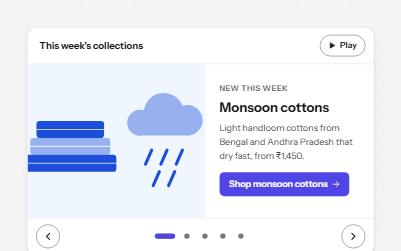
Carousel
Rotating slides with pause, previous, next and a slide picker, that stop moving while someone is reading or using them.
-
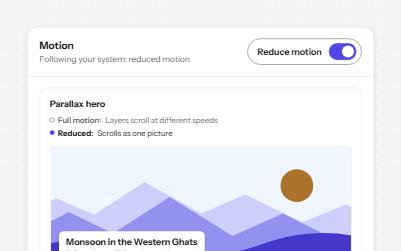
Reduced motion
Animated pieces that follow the system's reduced motion setting, with a switch to override it, swapping movement for fades.
-
Video player
Custom video controls that all work from the keyboard, with captions, a transcript, speed, full screen and no autoplay.
-
Audio player
A podcast player with labelled controls, chapters that seek, a transcript that follows along, and nothing playing on load.