Accessibility pattern · Media
Image alternatives
Alt text replaces the picture for people who cannot see it, so it depends on the job the picture does: describe it, skip it, name its destination or repeat its words. Here the pictures are inline SVG, so role="img" with aria-label does the work of alt, and aria-hidden marks the decoration.
- WCAG criteria
- 6
- Keyboard rules
- 4
- Checked with
- axe, keyboard and the inspector
Live demo
Try it
Use it with a mouse, a keyboard or a screen reader. The inspector beside it shows what the browser tells assistive technology as you go: focus, state changes and announcements.
One picture, four jobs
Each image needs a different kind of alternative. Try the wrong one to hear what changes.
-
Informative image
A product photo in a shop
Blue pottery teapot
₹2,400
alt="White teapot hand-painted with cobalt-blue flowers"<img src="teapot-final-v2.jpg">Screen reader says
White teapot hand-painted with cobalt-blue flowers, image
teapot-final-v2.jpg, image
Right. Says what a shopper needs to see; the name is already in the text below.
Wrong. With no alt at all, many screen readers read out the file name.
-
Decorative image
A divider between two paragraphs
Our story
Every piece is thrown, glazed and painted by hand in our Jaipur workshop.
Each batch is fired twice, so the cobalt stays bright.
alt=""alt="Image of a decorative divider"Screen reader says
Nothing: the divider is skipped.
Image of a decorative divider, image
Right. Pure decoration. aria-hidden on an SVG, or alt="" on an img, keeps it out of the way.
Wrong. Decoration now interrupts the story, and "image" is said twice.
-
Functional image
A logo that links to the home page
alt="Neel Pottery home"alt=""Screen reader says
Neel Pottery home, link
Link
Right. A linked image is named for where it goes, not for how it looks.
Wrong. The link has no name, so people hear only "link", or the web address instead.
-
Image of text
A sale banner
alt="Diwali sale: 30% off all lamps, until 2 November"alt="Sale banner"Screen reader says
Diwali sale: 30% off all lamps, until 2 November, image
Sale banner, image
Right. Repeats the words in the picture, because they are the point of it.
Wrong. The offer and the closing date, the reasons the banner is there, are lost.
Which alt does my image need?
Answer up to four questions; the advice appears below them.
Advice
Name it for what it does
Describe where the link goes or what the button does, not how the picture looks, like the logo above that links home.
alt="Neel Pottery home"
Advice
Put the words in the alt
Repeat the text in the image, like the sale banner's offer and date. Better still, make it real text styled with CSS, so it can be resized and translated.
alt="Diwali sale: 30% off all lamps, until 2 November"
Advice
Leave the alt empty
The words are already on the page, so reading them twice adds nothing. An empty alt tells screen readers to skip the image.
alt=""
Advice
Leave the alt empty
The image is decoration, like the divider above. alt="" on an img, or aria-hidden="true" on an inline SVG, keeps it out of the way.
alt=""
Advice
Describe what matters, in a sentence
Say what the image shows that matters here, the way you would on the phone. Leave out "image of": screen readers already say it is an image.
alt="White teapot hand-painted with cobalt-blue flowers"
Advice
A short alt, then a long description
Name the chart and its main point in the alt, then give the detail as text or a table beside it, as the Complex image pattern does.
alt="Bar chart: most of Mumbai's rain falls from June to September"
The demo works without JavaScript only as far as its HTML does; the inspector needs JavaScript.
Keyboard
Keys it answers to
Every action works without a pointer.
| Key | What it does |
|---|---|
| Tab | Moves to the logo link, each Try the wrong alt button, then the questions of the decision tree. |
| Enter or Space | On Try the wrong alt, swaps that picture's alt for the wrong one and back, and shows what a screen reader says. |
| Arrow Down or Arrow Up | In a question, chooses Yes or No; the next question or the advice appears below it. |
| Enter or Space | On Start again, clears every answer and puts focus back on the first question. |
Screen readers
What it announces
Written from the roles, names and states in the markup.
| When | Expected announcement |
|---|---|
| Reading reaches the product photo | White teapot hand-painted with cobalt-blue flowers, image |
| Reading reaches the divider | Nothing: it is skipped |
| Focus reaches the logo link | Neel Pottery home, link |
| Try the wrong alt on the product photo | Try the wrong alt, toggle button, pressed. Screen reader says: teapot-final-v2.jpg, image. Wrong. With no alt at all, many screen readers read out the file name. |
| Focus reaches the logo link with the wrong alt | Link |
| The last answer gives the advice | Advice: Describe what matters, in a sentence. Say what the image shows that matters here… |
These are expected announcements, not recordings. Wording and order differ between screen readers and browsers.
Code
Copy the code
The exact files this demo runs on. The styles are served with a prefix that keeps this site's own styles out of the demo; what you copy is the original.
<div class="ap-alt" data-ap-image-alt>
<div class="ap-alt__intro">
<h3 class="ap-alt__name">One picture, four jobs</h3>
<p class="ap-alt__lead">Each image needs a different kind of alternative. Try the wrong one to hear what changes.</p>
</div>
<ul class="ap-alt__cases">
<li class="ap-alt__case" data-alt-case>
<div class="ap-alt__case-top">
<h4 class="ap-alt__kind"><span class="ap-alt__num" aria-hidden="true">1</span>Informative image</h4>
<p class="ap-alt__ctx">A product photo in a shop</p>
</div>
<div class="ap-alt__scene">
<div class="ap-alt__product">
<svg class="ap-alt__pic" viewBox="0 0 320 190" preserveAspectRatio="xMidYMid slice" role="img" aria-label="White teapot hand-painted with cobalt-blue flowers" data-alt-img data-wrong-label="teapot-final-v2.jpg">
<defs>
<linearGradient id="ialt-wall" x1="0" y1="0" x2="0" y2="1"><stop offset="0" stop-color="#F5EBDD"/><stop offset="1" stop-color="#E8D4BD"/></linearGradient>
<linearGradient id="ialt-glaze" x1="0" y1="0" x2="1" y2="1"><stop offset="0" stop-color="#FFFFFF"/><stop offset="1" stop-color="#D8E1EC"/></linearGradient>
<g id="ialt-flower"><g fill="#1D4ED8"><ellipse cy="-6" rx="4.6" ry="6"/><ellipse cy="-6" rx="4.6" ry="6" transform="rotate(72)"/><ellipse cy="-6" rx="4.6" ry="6" transform="rotate(144)"/><ellipse cy="-6" rx="4.6" ry="6" transform="rotate(216)"/><ellipse cy="-6" rx="4.6" ry="6" transform="rotate(288)"/></g><circle r="3.4" fill="#F8FAFC"/><circle r="1.8" fill="#0E7490"/></g>
</defs>
<rect width="320" height="190" fill="url(#ialt-wall)"/>
<rect y="150" width="320" height="40" fill="#D6BE9F"/>
<ellipse cx="164" cy="160" rx="96" ry="9" fill="#4A3426" opacity=".2"/>
<g transform="translate(160 106) scale(1.18) translate(-160 -106)">
<path d="M106 92c-32-6-40 48-2 52" fill="none" stroke="#C3CEDB" stroke-width="13" stroke-linecap="round"/>
<path d="M106 92c-32-6-40 48-2 52" fill="none" stroke="#F8FAFC" stroke-width="8" stroke-linecap="round"/>
<path d="M206 114c18-2 30-18 40-42l9 4c-8 30-22 50-44 56z" fill="url(#ialt-glaze)" stroke="#C3CEDB" stroke-width="1.5"/>
<path d="M128 152h66l-7 8h-52z" fill="#C3CEDB"/>
<path d="M102 112c0-34 26-50 58-50s58 16 58 50c0 26-18 42-58 42s-58-16-58-42z" fill="url(#ialt-glaze)" stroke="#C3CEDB" stroke-width="1.5"/>
<path d="M107 98c34 11 72 11 106 0" fill="none" stroke="#1E40AF" stroke-width="3"/>
<path d="M112 138c30 9 66 9 96 0" fill="none" stroke="#1E40AF" stroke-width="2.5"/>
<path d="M146 118c-8-6-16-4-20 2 8 2 14 2 20-2zM176 112c8-6 16-4 20 2-8 2-14 2-20-2z" fill="#0F766E"/>
<use href="#ialt-flower" transform="translate(160 119)"/>
<use href="#ialt-flower" transform="translate(129 122) scale(1.05)"/>
<use href="#ialt-flower" transform="translate(191 121) scale(.9)"/>
<ellipse cx="160" cy="64" rx="34" ry="8" fill="#E2E8F0" stroke="#C3CEDB"/>
<path d="M137 62c5-11 41-11 46 0" fill="#F8FAFC"/>
<circle cx="160" cy="52" r="7" fill="#1E40AF"/>
<path d="M120 96c5-14 16-21 28-24" fill="none" stroke="#FFFFFF" stroke-width="5" stroke-linecap="round" opacity=".85"/>
</g>
</svg>
<div class="ap-alt__prodline">
<p class="ap-alt__prodname">Blue pottery teapot</p>
<p class="ap-alt__price">₹2,400</p>
</div>
</div>
</div>
<p class="ap-alt__code"><code data-alt-right>alt="White teapot hand-painted with cobalt-blue flowers"</code><code data-alt-wrong hidden><img src="teapot-final-v2.jpg"></code></p>
<div class="ap-alt__hear">
<p class="ap-alt__say-k"><svg class="ap-alt__say-icon" viewBox="0 0 24 24" aria-hidden="true" focusable="false"><path d="M11 5 6 9H3v6h3l5 4V5Z"/><path d="M15.5 8.5a5 5 0 0 1 0 7M18.5 5.5a9 9 0 0 1 0 13"/></svg><span>Screen reader says</span></p>
<p class="ap-alt__speech" data-alt-right>White teapot hand-painted with cobalt-blue flowers, image</p>
<p class="ap-alt__speech" data-alt-wrong hidden>teapot-final-v2.jpg, image</p>
<p class="ap-alt__why ap-alt__why--right" data-alt-right><svg class="ap-alt__mark" viewBox="0 0 24 24" aria-hidden="true" focusable="false"><path d="m5 12 5 5L20 7"/></svg><span><strong>Right.</strong> Says what a shopper needs to see; the name is already in the text below.</span></p>
<p class="ap-alt__why ap-alt__why--wrong" data-alt-wrong hidden><svg class="ap-alt__mark" viewBox="0 0 24 24" aria-hidden="true" focusable="false"><path d="M6 6l12 12M18 6 6 18"/></svg><span><strong>Wrong.</strong> With no alt at all, many screen readers read out the file name.</span></p>
</div>
<button type="button" class="ap-btn ap-alt__try" aria-pressed="false" data-alt-try>
<svg class="ap-btn__icon" viewBox="0 0 24 24" aria-hidden="true" focusable="false"><path d="M4 12a8 8 0 0 1 14-5.3L20 9"/><path d="M20 4v5h-5"/><path d="M20 12a8 8 0 0 1-14 5.3L4 15"/><path d="M4 20v-5h5"/></svg>
Try the wrong alt
</button>
</li>
<li class="ap-alt__case" data-alt-case>
<div class="ap-alt__case-top">
<h4 class="ap-alt__kind"><span class="ap-alt__num" aria-hidden="true">2</span>Decorative image</h4>
<p class="ap-alt__ctx">A divider between two paragraphs</p>
</div>
<div class="ap-alt__scene">
<div class="ap-alt__article">
<p class="ap-alt__kicker">Our story</p>
<p>Every piece is thrown, glazed and painted by hand in our Jaipur workshop.</p>
<svg class="ap-alt__flourish" viewBox="0 0 240 28" aria-hidden="true" focusable="false" data-alt-img data-wrong-label="Image of a decorative divider">
<path d="M6 14h74M160 14h74"/>
<path d="M80 14c10-13 26-13 28 0-2 9-13 9-15 2M160 14c-10-13-26-13-28 0 2 9 13 9 15 2"/>
<path class="ap-alt__flourish-fill" d="m120 4 9 10-9 10-9-10z"/>
<circle class="ap-alt__flourish-fill" cx="100" cy="23" r="1.8"/>
<circle class="ap-alt__flourish-fill" cx="140" cy="23" r="1.8"/>
</svg>
<p>Each batch is fired twice, so the cobalt stays bright.</p>
</div>
</div>
<p class="ap-alt__code"><code data-alt-right>alt=""</code><code data-alt-wrong hidden>alt="Image of a decorative divider"</code></p>
<div class="ap-alt__hear">
<p class="ap-alt__say-k"><svg class="ap-alt__say-icon" viewBox="0 0 24 24" aria-hidden="true" focusable="false"><path d="M11 5 6 9H3v6h3l5 4V5Z"/><path d="M15.5 8.5a5 5 0 0 1 0 7M18.5 5.5a9 9 0 0 1 0 13"/></svg><span>Screen reader says</span></p>
<p class="ap-alt__speech" data-alt-right>Nothing: the divider is skipped.</p>
<p class="ap-alt__speech" data-alt-wrong hidden>Image of a decorative divider, image</p>
<p class="ap-alt__why ap-alt__why--right" data-alt-right><svg class="ap-alt__mark" viewBox="0 0 24 24" aria-hidden="true" focusable="false"><path d="m5 12 5 5L20 7"/></svg><span><strong>Right.</strong> Pure decoration. aria-hidden on an SVG, or alt="" on an img, keeps it out of the way.</span></p>
<p class="ap-alt__why ap-alt__why--wrong" data-alt-wrong hidden><svg class="ap-alt__mark" viewBox="0 0 24 24" aria-hidden="true" focusable="false"><path d="M6 6l12 12M18 6 6 18"/></svg><span><strong>Wrong.</strong> Decoration now interrupts the story, and "image" is said twice.</span></p>
</div>
<button type="button" class="ap-btn ap-alt__try" aria-pressed="false" data-alt-try>
<svg class="ap-btn__icon" viewBox="0 0 24 24" aria-hidden="true" focusable="false"><path d="M4 12a8 8 0 0 1 14-5.3L20 9"/><path d="M20 4v5h-5"/><path d="M20 12a8 8 0 0 1-14 5.3L4 15"/><path d="M4 20v-5h5"/></svg>
Try the wrong alt
</button>
</li>
<li class="ap-alt__case" data-alt-case>
<div class="ap-alt__case-top">
<h4 class="ap-alt__kind"><span class="ap-alt__num" aria-hidden="true">3</span>Functional image</h4>
<p class="ap-alt__ctx">A logo that links to the home page</p>
</div>
<div class="ap-alt__scene">
<div class="ap-alt__site">
<div class="ap-alt__chrome" aria-hidden="true"><span></span><span></span><span></span></div>
<div class="ap-alt__header">
<a class="ap-alt__logo" href="#ialt-home">
<svg class="ap-alt__logo-art" viewBox="0 0 172 36" role="img" aria-label="Neel Pottery home" data-alt-img data-wrong-label="">
<path class="ap-alt__logo-pot" d="M6 13h24l-2.6 13.4A7 7 0 0 1 20.5 32h-5a7 7 0 0 1-6.9-5.6Z"/>
<path class="ap-alt__logo-rim" d="M4 9.5h28v4H4z"/>
<path class="ap-alt__logo-leaf" d="M18 4c4 0 6 2 6 5.5-4 0-6-2-6-5.5Z"/>
<text class="ap-alt__logo-word" x="42" y="24.5">Neel Pottery</text>
</svg>
</a>
<p class="ap-alt__deal">Free delivery over ₹999</p>
</div>
<div class="ap-alt__skel" aria-hidden="true"><span></span><span></span><span></span></div>
</div>
</div>
<p class="ap-alt__code"><code data-alt-right>alt="Neel Pottery home"</code><code data-alt-wrong hidden>alt=""</code></p>
<div class="ap-alt__hear">
<p class="ap-alt__say-k"><svg class="ap-alt__say-icon" viewBox="0 0 24 24" aria-hidden="true" focusable="false"><path d="M11 5 6 9H3v6h3l5 4V5Z"/><path d="M15.5 8.5a5 5 0 0 1 0 7M18.5 5.5a9 9 0 0 1 0 13"/></svg><span>Screen reader says</span></p>
<p class="ap-alt__speech" data-alt-right>Neel Pottery home, link</p>
<p class="ap-alt__speech" data-alt-wrong hidden>Link</p>
<p class="ap-alt__why ap-alt__why--right" data-alt-right><svg class="ap-alt__mark" viewBox="0 0 24 24" aria-hidden="true" focusable="false"><path d="m5 12 5 5L20 7"/></svg><span><strong>Right.</strong> A linked image is named for where it goes, not for how it looks.</span></p>
<p class="ap-alt__why ap-alt__why--wrong" data-alt-wrong hidden><svg class="ap-alt__mark" viewBox="0 0 24 24" aria-hidden="true" focusable="false"><path d="M6 6l12 12M18 6 6 18"/></svg><span><strong>Wrong.</strong> The link has no name, so people hear only "link", or the web address instead.</span></p>
</div>
<button type="button" class="ap-btn ap-alt__try" aria-pressed="false" data-alt-try>
<svg class="ap-btn__icon" viewBox="0 0 24 24" aria-hidden="true" focusable="false"><path d="M4 12a8 8 0 0 1 14-5.3L20 9"/><path d="M20 4v5h-5"/><path d="M20 12a8 8 0 0 1-14 5.3L4 15"/><path d="M4 20v-5h5"/></svg>
Try the wrong alt
</button>
</li>
<li class="ap-alt__case" data-alt-case>
<div class="ap-alt__case-top">
<h4 class="ap-alt__kind"><span class="ap-alt__num" aria-hidden="true">4</span>Image of text</h4>
<p class="ap-alt__ctx">A sale banner</p>
</div>
<div class="ap-alt__scene">
<div class="ap-alt__banner">
<svg class="ap-alt__pic" viewBox="0 0 320 190" role="img" aria-label="Diwali sale: 30% off all lamps, until 2 November" data-alt-img data-wrong-label="Sale banner">
<defs>
<linearGradient id="ialt-night" x1="0" y1="0" x2="1" y2="1"><stop offset="0" stop-color="#2E2A78"/><stop offset="1" stop-color="#6D28D9"/></linearGradient>
<radialGradient id="ialt-glow"><stop offset="0" stop-color="#FDE68A" stop-opacity=".85"/><stop offset="1" stop-color="#FDE68A" stop-opacity="0"/></radialGradient>
</defs>
<rect width="320" height="190" fill="url(#ialt-night)"/>
<g fill="#E0E7FF" opacity=".7"><circle cx="196" cy="26" r="1.6"/><circle cx="292" cy="40" r="1.2"/><circle cx="226" cy="58" r="1"/><circle cx="300" cy="150" r="1.4"/><circle cx="182" cy="164" r="1"/></g>
<circle cx="254" cy="104" r="62" fill="url(#ialt-glow)"/>
<path d="M219 126c4 24 66 24 70 0z" fill="#C2410C"/>
<ellipse cx="254" cy="126" rx="35" ry="6.5" fill="#EA580C"/>
<g fill="#FDBA74"><circle cx="238" cy="138" r="2"/><circle cx="254" cy="141" r="2"/><circle cx="270" cy="138" r="2"/></g>
<path d="M254 80c11 15 13 28 0 41-13-13-11-26 0-41z" fill="#FBBF24"/>
<path d="M254 97c5 8 6 15 0 21-6-6-5-13 0-21z" fill="#FEF3C7"/>
<g class="ap-alt__banner-type">
<text x="24" y="50" font-size="13" font-weight="700" letter-spacing="3" fill="#FDE68A">DIWALI SALE</text>
<text x="21" y="102" font-size="48" font-weight="800" fill="#FFFFFF">30% off</text>
<text x="24" y="130" font-size="18" font-weight="600" fill="#E0E7FF">all lamps</text>
<text x="24" y="162" font-size="12.5" fill="#C7D2FE">Until 2 November</text>
</g>
</svg>
</div>
</div>
<p class="ap-alt__code"><code data-alt-right>alt="Diwali sale: 30% off all lamps, until 2 November"</code><code data-alt-wrong hidden>alt="Sale banner"</code></p>
<div class="ap-alt__hear">
<p class="ap-alt__say-k"><svg class="ap-alt__say-icon" viewBox="0 0 24 24" aria-hidden="true" focusable="false"><path d="M11 5 6 9H3v6h3l5 4V5Z"/><path d="M15.5 8.5a5 5 0 0 1 0 7M18.5 5.5a9 9 0 0 1 0 13"/></svg><span>Screen reader says</span></p>
<p class="ap-alt__speech" data-alt-right>Diwali sale: 30% off all lamps, until 2 November, image</p>
<p class="ap-alt__speech" data-alt-wrong hidden>Sale banner, image</p>
<p class="ap-alt__why ap-alt__why--right" data-alt-right><svg class="ap-alt__mark" viewBox="0 0 24 24" aria-hidden="true" focusable="false"><path d="m5 12 5 5L20 7"/></svg><span><strong>Right.</strong> Repeats the words in the picture, because they are the point of it.</span></p>
<p class="ap-alt__why ap-alt__why--wrong" data-alt-wrong hidden><svg class="ap-alt__mark" viewBox="0 0 24 24" aria-hidden="true" focusable="false"><path d="M6 6l12 12M18 6 6 18"/></svg><span><strong>Wrong.</strong> The offer and the closing date, the reasons the banner is there, are lost.</span></p>
</div>
<button type="button" class="ap-btn ap-alt__try" aria-pressed="false" data-alt-try>
<svg class="ap-btn__icon" viewBox="0 0 24 24" aria-hidden="true" focusable="false"><path d="M4 12a8 8 0 0 1 14-5.3L20 9"/><path d="M20 4v5h-5"/><path d="M20 12a8 8 0 0 1-14 5.3L4 15"/><path d="M4 20v-5h5"/></svg>
Try the wrong alt
</button>
</li>
</ul>
<section class="ap-alt__tree" aria-labelledby="ialt-tree-name" data-alt-tree>
<div class="ap-alt__tree-top">
<svg class="ap-alt__tree-icon" viewBox="0 0 24 24" aria-hidden="true" focusable="false"><circle cx="6" cy="5" r="2.5"/><circle cx="6" cy="19" r="2.5"/><circle cx="18" cy="12" r="2.5"/><path d="M6 7.5v9M8.3 6.2C13 7 15.5 8.5 16 10M8.3 17.8c4.7-.8 7.2-2.3 7.7-3.8"/></svg>
<div>
<h3 class="ap-alt__name" id="ialt-tree-name">Which alt does my image need?</h3>
<p class="ap-alt__lead">Answer up to four questions; the advice appears below them.</p>
</div>
</div>
<ol class="ap-alt__qs">
<li class="ap-alt__q" data-q="link">
<fieldset class="ap-alt__set">
<legend class="ap-alt__legend">Is the image the only thing inside a link or a button?</legend>
<div class="ap-alt__yn">
<label class="ap-alt__opt"><input type="radio" name="ialt-q-link" value="yes" /><span>Yes</span></label>
<label class="ap-alt__opt"><input type="radio" name="ialt-q-link" value="no" /><span>No</span></label>
</div>
</fieldset>
</li>
<li class="ap-alt__q" data-q="text" hidden>
<fieldset class="ap-alt__set">
<legend class="ap-alt__legend">Does the image show words that people need to read?</legend>
<div class="ap-alt__yn">
<label class="ap-alt__opt"><input type="radio" name="ialt-q-text" value="yes" /><span>Yes</span></label>
<label class="ap-alt__opt"><input type="radio" name="ialt-q-text" value="no" /><span>No</span></label>
</div>
</fieldset>
</li>
<li class="ap-alt__q" data-q="near" hidden>
<fieldset class="ap-alt__set">
<legend class="ap-alt__legend">Are the same words already on the page as real text?</legend>
<div class="ap-alt__yn">
<label class="ap-alt__opt"><input type="radio" name="ialt-q-near" value="yes" /><span>Yes</span></label>
<label class="ap-alt__opt"><input type="radio" name="ialt-q-near" value="no" /><span>No</span></label>
</div>
</fieldset>
</li>
<li class="ap-alt__q" data-q="meaning" hidden>
<fieldset class="ap-alt__set">
<legend class="ap-alt__legend">Does the image tell people something the text around it does not?</legend>
<div class="ap-alt__yn">
<label class="ap-alt__opt"><input type="radio" name="ialt-q-meaning" value="yes" /><span>Yes</span></label>
<label class="ap-alt__opt"><input type="radio" name="ialt-q-meaning" value="no" /><span>No</span></label>
</div>
</fieldset>
</li>
<li class="ap-alt__q" data-q="complex" hidden>
<fieldset class="ap-alt__set">
<legend class="ap-alt__legend">Is it a chart, diagram or map that needs more than a sentence?</legend>
<div class="ap-alt__yn">
<label class="ap-alt__opt"><input type="radio" name="ialt-q-complex" value="yes" /><span>Yes</span></label>
<label class="ap-alt__opt"><input type="radio" name="ialt-q-complex" value="no" /><span>No</span></label>
</div>
</fieldset>
</li>
</ol>
<div class="ap-alt__verdict">
<div class="ap-alt__answer" data-verdict="function" hidden>
<p class="ap-alt__answer-k">Advice</p>
<h4 class="ap-alt__answer-name">Name it for what it does</h4>
<p class="ap-alt__answer-text">Describe where the link goes or what the button does, not how the picture looks, like the logo above that links home.</p>
<p class="ap-alt__answer-code"><code>alt="Neel Pottery home"</code></p>
</div>
<div class="ap-alt__answer" data-verdict="words" hidden>
<p class="ap-alt__answer-k">Advice</p>
<h4 class="ap-alt__answer-name">Put the words in the alt</h4>
<p class="ap-alt__answer-text">Repeat the text in the image, like the sale banner's offer and date. Better still, make it real text styled with CSS, so it can be resized and translated.</p>
<p class="ap-alt__answer-code"><code>alt="Diwali sale: 30% off all lamps, until 2 November"</code></p>
</div>
<div class="ap-alt__answer" data-verdict="redundant" hidden>
<p class="ap-alt__answer-k">Advice</p>
<h4 class="ap-alt__answer-name">Leave the alt empty</h4>
<p class="ap-alt__answer-text">The words are already on the page, so reading them twice adds nothing. An empty alt tells screen readers to skip the image.</p>
<p class="ap-alt__answer-code"><code>alt=""</code></p>
</div>
<div class="ap-alt__answer" data-verdict="decorative" hidden>
<p class="ap-alt__answer-k">Advice</p>
<h4 class="ap-alt__answer-name">Leave the alt empty</h4>
<p class="ap-alt__answer-text">The image is decoration, like the divider above. alt="" on an img, or aria-hidden="true" on an inline SVG, keeps it out of the way.</p>
<p class="ap-alt__answer-code"><code>alt=""</code></p>
</div>
<div class="ap-alt__answer" data-verdict="describe" hidden>
<p class="ap-alt__answer-k">Advice</p>
<h4 class="ap-alt__answer-name">Describe what matters, in a sentence</h4>
<p class="ap-alt__answer-text">Say what the image shows that matters here, the way you would on the phone. Leave out "image of": screen readers already say it is an image.</p>
<p class="ap-alt__answer-code"><code>alt="White teapot hand-painted with cobalt-blue flowers"</code></p>
</div>
<div class="ap-alt__answer" data-verdict="complex" hidden>
<p class="ap-alt__answer-k">Advice</p>
<h4 class="ap-alt__answer-name">A short alt, then a long description</h4>
<p class="ap-alt__answer-text">Name the chart and its main point in the alt, then give the detail as text or a table beside it, as the Complex image pattern does.</p>
<p class="ap-alt__answer-code"><code>alt="Bar chart: most of Mumbai's rain falls from June to September"</code></p>
</div>
</div>
<button type="button" class="ap-btn ap-btn--ghost ap-alt__restart" data-alt-restart hidden>
<svg class="ap-btn__icon" viewBox="0 0 24 24" aria-hidden="true" focusable="false"><path d="M4 12a8 8 0 1 0 2.4-5.7"/><path d="M4 4v4.5h4.5"/></svg>
Start again
</button>
</section>
<p class="ap-alt__sr" role="status" data-alt-status></p>
</div>
/* Shared primitives: buttons and form fields used across the patterns.
   Uses the --ap-* design tokens. */

.ap-btn {
  display: inline-flex;
  align-items: center;
  justify-content: center;
  gap: 8px;
  min-height: 40px;
  padding: 0 16px;
  border: 1px solid var(--ap-border-strong);
  border-radius: var(--ap-radius-sm);
  background: var(--ap-surface);
  color: var(--ap-text);
  font: inherit;
  font-weight: 600;
  line-height: 1.2;
  text-decoration: none;
  white-space: nowrap;
  cursor: pointer;
  transition: background-color var(--ap-duration) var(--ap-ease), border-color var(--ap-duration) var(--ap-ease), box-shadow var(--ap-duration) var(--ap-ease);
}
.ap-btn:hover {
  background: var(--ap-surface-2);
}
.ap-btn:focus-visible {
  outline: 2px solid var(--ap-focus);
  outline-offset: 2px;
}
.ap-btn:disabled,
.ap-btn[aria-disabled="true"] {
  opacity: .55;
  cursor: not-allowed;
}
.ap-btn--primary {
  border-color: var(--ap-accent);
  background: var(--ap-accent);
  color: var(--ap-on-accent);
  box-shadow: var(--ap-shadow-sm);
}
.ap-btn--primary:hover {
  border-color: var(--ap-accent-hover);
  background: var(--ap-accent-hover);
}
.ap-btn--danger {
  border-color: var(--ap-danger);
  background: var(--ap-danger);
  color: var(--ap-surface);
}
.ap-btn--danger:hover {
  filter: brightness(1.08);
}
.ap-btn--ghost {
  border-color: transparent;
  background: transparent;
}
.ap-btn--ghost:hover {
  background: var(--ap-surface-2);
}
.ap-btn__icon {
  width: 18px;
  height: 18px;
  flex-shrink: 0;
  fill: none;
  stroke: currentColor;
  stroke-width: 2;
  stroke-linecap: round;
  stroke-linejoin: round;
}

.ap-field {
  display: grid;
  gap: 6px;
}
.ap-label {
  color: var(--ap-text);
  font-weight: 600;
  font-size: .9375rem;
}
.ap-hint {
  margin: 0;
  color: var(--ap-text-3);
  font-size: .875rem;
  line-height: 1.45;
}
.ap-error {
  display: flex;
  align-items: flex-start;
  gap: 6px;
  margin: 0;
  color: var(--ap-danger);
  font-size: .875rem;
  font-weight: 600;
  line-height: 1.45;
}
.ap-input {
  width: 100%;
  min-height: 44px;
  padding: 10px 12px;
  border: 1px solid var(--ap-border-strong);
  border-radius: var(--ap-radius-sm);
  background: var(--ap-surface);
  color: var(--ap-text);
  font: inherit;
  line-height: 1.4;
  transition: border-color var(--ap-duration) var(--ap-ease), box-shadow var(--ap-duration) var(--ap-ease);
}
.ap-input::placeholder {
  color: var(--ap-text-3);
}
.ap-input:hover {
  border-color: var(--ap-text-2);
}
.ap-input:focus-visible {
  outline: 2px solid var(--ap-focus);
  outline-offset: 1px;
  border-color: var(--ap-focus);
}
.ap-input[aria-invalid="true"] {
  border-color: var(--ap-danger);
  box-shadow: inset 4px 0 0 var(--ap-danger);
}
textarea.ap-input {
  resize: vertical;
  min-height: 88px;
}

@media (prefers-reduced-motion: reduce) {
  .ap-btn,
  .ap-input { transition: none; }
}

/* Image alternatives. Uses the --ap-* design tokens and the shared primitives. */
.ap-alt {
  position: relative;
  container-type: inline-size;
  display: grid;
  gap: 22px;
  width: min(100%, 760px);
  margin-inline: auto;
  color: var(--ap-text);
  font-family: var(--ap-font);
}

.ap-alt__intro {
  display: grid;
  gap: 4px;
}
.ap-alt__name {
  margin: 0;
  font-size: 1.1875rem;
  font-weight: 650;
  line-height: 1.3;
}
.ap-alt__lead {
  margin: 0;
  color: var(--ap-text-3);
  font-size: .9375rem;
  line-height: 1.5;
}

/* ── The four examples ── */
.ap-alt__cases {
  display: grid;
  grid-template-columns: minmax(0, 1fr);
  gap: 16px;
  margin: 0;
  padding: 0;
  list-style: none;
}
@container (min-width: 540px) {
  .ap-alt__cases { grid-template-columns: repeat(2, minmax(0, 1fr)); }
}

.ap-alt__case {
  display: grid;
  grid-template-rows: auto auto auto 1fr auto;
  gap: 12px;
  padding: 16px;
  border: 1px solid var(--ap-border);
  border-radius: var(--ap-radius-lg);
  background: var(--ap-surface);
  box-shadow: var(--ap-shadow-md);
  transition: border-color var(--ap-duration) var(--ap-ease);
}
.ap-alt__case.is-wrong {
  border-color: var(--ap-danger);
}

.ap-alt__case-top {
  display: grid;
  gap: 2px;
}
.ap-alt__kind {
  display: inline-flex;
  align-items: center;
  gap: 8px;
  margin: 0;
  font-size: 1rem;
  font-weight: 650;
  line-height: 1.3;
}
.ap-alt__num {
  display: inline-grid;
  place-items: center;
  width: 24px;
  height: 24px;
  border-radius: var(--ap-radius-full);
  background: var(--ap-accent-soft);
  color: var(--ap-accent-soft-text);
  font-size: .8125rem;
  font-weight: 700;
}
.ap-alt__ctx {
  margin: 0 0 0 32px;
  color: var(--ap-text-3);
  font-size: .8125rem;
}

/* The pictures in their settings */
.ap-alt__scene {
  display: grid;
  min-height: 186px;
  border-radius: var(--ap-radius);
  overflow: hidden;
}
.ap-alt__pic {
  display: block;
  width: 100%;
  height: auto;
}
.ap-alt__pic text {
  font-family: var(--ap-font);
}

.ap-alt__product {
  display: grid;
  border: 1px solid var(--ap-border);
  border-radius: var(--ap-radius);
  background: var(--ap-surface);
  overflow: hidden;
}
.ap-alt__product .ap-alt__pic {
  aspect-ratio: 320 / 150;
  object-fit: cover;
}
.ap-alt__prodline {
  display: flex;
  align-items: baseline;
  justify-content: space-between;
  gap: 12px;
  padding: 10px 12px;
}
.ap-alt__prodname,
.ap-alt__price {
  margin: 0;
  font-size: .9375rem;
  font-weight: 600;
}
.ap-alt__price {
  font-variant-numeric: tabular-nums;
}

.ap-alt__article {
  display: grid;
  align-content: center;
  gap: 8px;
  padding: 16px 18px;
  border: 1px solid var(--ap-border);
  border-radius: var(--ap-radius);
  background: var(--ap-surface-2);
}
.ap-alt__article p {
  margin: 0;
  color: var(--ap-text-2);
  font-size: .875rem;
  line-height: 1.55;
}
.ap-alt__article .ap-alt__kicker {
  color: var(--ap-text-3);
  font-size: .75rem;
  font-weight: 700;
  letter-spacing: .08em;
  text-transform: uppercase;
}
.ap-alt__flourish {
  display: block;
  width: min(100%, 200px);
  height: auto;
  margin: 2px auto;
  color: var(--ap-warning);
  fill: none;
  stroke: currentColor;
  stroke-width: 1.6;
  stroke-linecap: round;
}
.ap-alt__flourish .ap-alt__flourish-fill {
  fill: currentColor;
  stroke: none;
}

.ap-alt__site {
  display: grid;
  align-content: start;
  border: 1px solid var(--ap-border);
  border-radius: var(--ap-radius);
  background: var(--ap-surface-2);
  overflow: hidden;
}
.ap-alt__chrome {
  display: flex;
  gap: 6px;
  padding: 9px 12px;
  border-bottom: 1px solid var(--ap-border);
  background: var(--ap-surface-3);
}
.ap-alt__chrome span {
  width: 9px;
  height: 9px;
  border-radius: var(--ap-radius-full);
  background: var(--ap-surface);
}
.ap-alt__header {
  display: flex;
  flex-wrap: wrap;
  align-items: center;
  justify-content: space-between;
  gap: 8px 12px;
  padding: 12px 14px;
  border-bottom: 1px solid var(--ap-border);
  background: var(--ap-surface);
}
.ap-alt__logo {
  display: inline-flex;
  align-items: center;
  min-height: var(--ap-target);
  padding: 4px 6px;
  margin: -4px -6px;
  border-radius: var(--ap-radius-sm);
  color: var(--ap-text);
}
.ap-alt__logo:hover {
  background: var(--ap-surface-2);
}
.ap-alt__logo:focus-visible {
  outline: 2px solid var(--ap-focus);
  outline-offset: 2px;
}
.ap-alt__logo-art {
  display: block;
  width: 150px;
  height: auto;
}
.ap-alt__logo-pot { fill: var(--ap-accent); }
.ap-alt__logo-rim { fill: var(--ap-accent-hover); }
.ap-alt__logo-leaf { fill: var(--ap-success); }
.ap-alt__logo-word {
  fill: currentColor;
  font-family: var(--ap-font);
  font-size: 17px;
  font-weight: 700;
  letter-spacing: -.01em;
}
.ap-alt__deal {
  margin: 0;
  color: var(--ap-text-3);
  font-size: .8125rem;
}
.ap-alt__skel {
  display: grid;
  gap: 8px;
  padding: 14px;
}
.ap-alt__skel span {
  height: 9px;
  border-radius: var(--ap-radius-full);
  background: var(--ap-surface-3);
}
.ap-alt__skel span:nth-child(1) { width: 70%; height: 13px; }
.ap-alt__skel span:nth-child(3) { width: 55%; }

.ap-alt__banner {
  display: grid;
  border-radius: var(--ap-radius);
  overflow: hidden;
}
.ap-alt__banner .ap-alt__pic {
  height: 100%;
  min-height: 186px;
}

/* The alt, as code */
.ap-alt__code {
  margin: 0;
  padding: 8px 10px;
  border: 1px solid var(--ap-border);
  border-radius: var(--ap-radius-sm);
  background: var(--ap-surface-2);
  color: var(--ap-text-2);
  font-size: .8125rem;
  line-height: 1.45;
  overflow-wrap: anywhere;
}
.ap-alt__code code {
  font-family: var(--ap-mono);
}
.ap-alt__case.is-wrong .ap-alt__code {
  border-color: var(--ap-danger);
  background: var(--ap-danger-soft);
  color: var(--ap-danger);
}

/* What a screen reader says */
.ap-alt__hear {
  display: grid;
  align-content: start;
  gap: 6px;
}
.ap-alt__hear p {
  margin: 0;
}
.ap-alt__say-k {
  display: flex;
  align-items: center;
  gap: 6px;
  color: var(--ap-text-3);
  font-size: .75rem;
  font-weight: 700;
  letter-spacing: .06em;
  text-transform: uppercase;
}
.ap-alt__say-icon {
  width: 16px;
  height: 16px;
  fill: none;
  stroke: currentColor;
  stroke-width: 2;
  stroke-linecap: round;
  stroke-linejoin: round;
}
.ap-alt__speech {
  color: var(--ap-text);
  font-size: 1rem;
  font-weight: 600;
  line-height: 1.4;
}
.ap-alt__speech::before { content: "\201C"; }
.ap-alt__speech::after { content: "\201D"; }
.ap-alt__why {
  display: flex;
  align-items: flex-start;
  gap: 8px;
  color: var(--ap-text-2);
  font-size: .875rem;
  line-height: 1.5;
}
.ap-alt__mark {
  flex-shrink: 0;
  width: 18px;
  height: 18px;
  margin-top: 1px;
  padding: 2px;
  border-radius: var(--ap-radius-full);
  fill: none;
  stroke: currentColor;
  stroke-width: 3;
  stroke-linecap: round;
  stroke-linejoin: round;
}
.ap-alt__why--right .ap-alt__mark {
  background: var(--ap-success-soft);
  color: var(--ap-success);
}
.ap-alt__why--wrong .ap-alt__mark {
  background: var(--ap-danger-soft);
  color: var(--ap-danger);
}
.ap-alt__why--right strong { color: var(--ap-success); }
.ap-alt__why--wrong strong { color: var(--ap-danger); }

.ap-alt__try {
  justify-self: start;
}
.ap-alt__try[aria-pressed="true"] {
  border-color: var(--ap-danger);
  background: var(--ap-danger-soft);
  color: var(--ap-danger);
}
.ap-alt__try[aria-pressed="true"] .ap-btn__icon {
  transform: rotate(180deg);
}
.ap-alt__try .ap-btn__icon {
  transition: transform var(--ap-duration) var(--ap-ease);
}

/* ── The decision tree ── */
.ap-alt__tree {
  display: grid;
  gap: 16px;
  padding: 20px;
  border: 1px solid var(--ap-border);
  border-radius: var(--ap-radius-lg);
  background: var(--ap-surface);
  box-shadow: var(--ap-shadow-md);
}
.ap-alt__tree-top {
  display: flex;
  align-items: flex-start;
  gap: 12px;
}
.ap-alt__tree-icon {
  flex-shrink: 0;
  width: 40px;
  height: 40px;
  padding: 8px;
  border-radius: var(--ap-radius);
  background: var(--ap-accent-soft);
  color: var(--ap-accent-soft-text);
  fill: none;
  stroke: currentColor;
  stroke-width: 2;
  stroke-linecap: round;
}

.ap-alt__qs {
  display: grid;
  gap: 10px;
  margin: 0;
  padding: 0;
  list-style: none;
  counter-reset: ap-alt-q;
}
.ap-alt__q {
  counter-increment: ap-alt-q;
}
.ap-alt__q:not([hidden]) {
  animation: ap-alt-in var(--ap-duration) var(--ap-ease);
}
.ap-alt__set {
  display: flex;
  flex-wrap: wrap;
  align-items: center;
  justify-content: space-between;
  gap: 10px 16px;
  min-width: 0;
  margin: 0;
  padding: 12px 14px 12px 12px;
  border: 1px solid var(--ap-border);
  border-radius: var(--ap-radius);
  background: var(--ap-surface-2);
}
.ap-alt__legend {
  float: left;
  display: flex;
  align-items: flex-start;
  gap: 10px;
  flex: 1 1 260px;
  padding: 0;
  font-size: .9375rem;
  font-weight: 600;
  line-height: 1.45;
}
.ap-alt__legend::before {
  content: counter(ap-alt-q);
  display: inline-grid;
  flex-shrink: 0;
  place-items: center;
  width: 24px;
  height: 24px;
  border-radius: var(--ap-radius-full);
  background: var(--ap-surface);
  box-shadow: inset 0 0 0 1px var(--ap-border-strong);
  color: var(--ap-text-2);
  font-size: .8125rem;
  font-weight: 700;
}
.ap-alt__yn {
  display: flex;
  gap: 8px;
}
.ap-alt__opt {
  display: inline-flex;
  align-items: center;
  gap: 8px;
  min-height: 40px;
  padding: 0 14px 0 10px;
  border: 1px solid var(--ap-border-strong);
  border-radius: var(--ap-radius-full);
  background: var(--ap-surface);
  font-weight: 600;
  cursor: pointer;
  transition: background-color var(--ap-duration) var(--ap-ease), border-color var(--ap-duration) var(--ap-ease);
}
.ap-alt__opt:hover {
  background: var(--ap-surface-3);
}
.ap-alt__opt input {
  display: grid;
  place-items: center;
  width: 18px;
  height: 18px;
  margin: 0;
  border: 2px solid var(--ap-border-strong);
  border-radius: var(--ap-radius-full);
  background: var(--ap-surface);
  appearance: none;
  cursor: pointer;
}
.ap-alt__opt input::after {
  content: "";
  width: 8px;
  height: 8px;
  border-radius: var(--ap-radius-full);
  background: var(--ap-on-accent);
  transform: scale(0);
  transition: transform var(--ap-duration) var(--ap-ease);
}
.ap-alt__opt input:checked {
  border-color: var(--ap-accent);
  background: var(--ap-accent);
}
.ap-alt__opt input:checked::after {
  transform: scale(1);
}
.ap-alt__opt:has(input:checked) {
  border-color: var(--ap-accent);
  background: var(--ap-accent-soft);
  color: var(--ap-accent-soft-text);
}
.ap-alt__opt input:focus-visible {
  outline: none;
}
.ap-alt__opt:has(input:focus-visible) {
  outline: 2px solid var(--ap-focus);
  outline-offset: 2px;
}

.ap-alt__verdict:empty,
.ap-alt__verdict:not(:has(> :not([hidden]))) {
  display: none;
}
.ap-alt__answer {
  display: grid;
  gap: 6px;
  padding: 16px 18px;
  border: 1px solid var(--ap-accent);
  border-left-width: 4px;
  border-radius: var(--ap-radius);
  background: var(--ap-accent-soft);
  color: var(--ap-accent-soft-text);
}
.ap-alt__answer:not([hidden]) {
  animation: ap-alt-in var(--ap-duration) var(--ap-ease);
}
.ap-alt__answer p {
  margin: 0;
}
.ap-alt__answer-k {
  font-size: .75rem;
  font-weight: 700;
  letter-spacing: .08em;
  text-transform: uppercase;
}
.ap-alt__answer-name {
  margin: 0;
  color: var(--ap-text);
  font-size: 1.0625rem;
  font-weight: 650;
  line-height: 1.35;
}
.ap-alt__answer-text {
  color: var(--ap-text-2);
  line-height: 1.55;
}
.ap-alt__answer-code {
  justify-self: start;
  padding: 6px 10px;
  border-radius: var(--ap-radius-sm);
  background: var(--ap-surface);
  color: var(--ap-text);
  font-size: .8125rem;
  overflow-wrap: anywhere;
}
.ap-alt__answer-code code {
  font-family: var(--ap-mono);
}
.ap-alt__restart {
  justify-self: start;
}

/* Read out, not shown: it repeats what the cards already show. */
.ap-alt__sr {
  position: absolute;
  width: 1px;
  height: 1px;
  margin: -1px;
  padding: 0;
  overflow: hidden;
  clip-path: inset(50%);
  white-space: nowrap;
}

@keyframes ap-alt-in {
  from { opacity: 0; transform: translateY(-4px); }
}

@media (prefers-reduced-motion: reduce) {
  .ap-alt__case,
  .ap-alt__opt,
  .ap-alt__opt input::after,
  .ap-alt__try .ap-btn__icon { transition: none; }
  .ap-alt__q:not([hidden]),
  .ap-alt__answer:not([hidden]) { animation: none; }
}
/**
 * Image alternatives: four pictures with the alternative each one needs, a
 * toggle per picture that swaps in the wrong alternative, and an alt
 * decision tree.
 *
 * Markup: [data-ap-image-alt] holding
 *   [data-alt-case] cards, each with a picture [data-alt-img] (role="img" and
 *   aria-label, or aria-hidden for decoration) whose wrong label is in
 *   data-wrong-label (empty for an empty alt), paired [data-alt-right] /
 *   [data-alt-wrong] texts, and a button[aria-pressed][data-alt-try];
 *   a [data-alt-tree] with one fieldset of Yes/No radios per question
 *   (li[data-q], radios named ialt-q-<question>), advice blocks
 *   [data-verdict] and button[data-alt-restart];
 *   and a role=status paragraph [data-alt-status] that reads out each change.
 */

/* Where each answer leads: another question, or advice ("=name"). */
const FLOW = {
  link: { yes: "=function", no: "text" },
  text: { yes: "near", no: "meaning" },
  near: { yes: "=redundant", no: "=words" },
  meaning: { yes: "complex", no: "=decorative" },
  complex: { yes: "=complex", no: "=describe" },
};

const text = (el) => (el ? el.textContent.replace(/\s+/g, " ").trim() : "");

export function init(root) {
  const status = root.querySelector("[data-alt-status]");
  const cleanups = [];

  // The status message is built from text already on the page, so it reads
  // in whatever language the page is in.
  function say(message) {
    status.textContent = message;
  }

  /* ── The examples: swap the right alternative for the wrong one ── */
  for (const card of root.querySelectorAll("[data-alt-case]")) {
    const button = card.querySelector("[data-alt-try]");
    const img = card.querySelector("[data-alt-img]");
    // What the picture says when it is right, to put back afterwards.
    const right = {
      role: img.getAttribute("role"),
      label: img.getAttribute("aria-label"),
      hidden: img.getAttribute("aria-hidden"),
    };
    // An empty alt makes a picture presentational; for an SVG that is aria-hidden.
    const wrongLabel = img.dataset.wrongLabel;
    const wrong = wrongLabel
      ? { role: "img", label: wrongLabel, hidden: null }
      : { role: null, label: null, hidden: "true" };

    const set = (name, value) => (value == null ? img.removeAttribute(name) : img.setAttribute(name, value));

    function toggle() {
      const isWrong = button.getAttribute("aria-pressed") !== "true";
      const state = isWrong ? wrong : right;
      set("role", state.role);
      set("aria-hidden", state.hidden);
      set("aria-label", state.label);
      card.classList.toggle("is-wrong", isWrong);
      for (const el of card.querySelectorAll("[data-alt-right]")) el.hidden = isWrong;
      for (const el of card.querySelectorAll("[data-alt-wrong]")) el.hidden = !isWrong;
      button.setAttribute("aria-pressed", String(isWrong));

      const shown = (sel) => [...card.querySelectorAll(sel)].find((el) => !el.hidden);
      const speech = text(shown(".ap-alt__speech")).replace(/[.।]$/, "");
      say(`${text(card.querySelector(".ap-alt__say-k"))}: ${speech}. ${text(shown(".ap-alt__why"))}`);
    }

    button.addEventListener("click", toggle);
    cleanups.push(() => button.removeEventListener("click", toggle));
  }

  /* ── The decision tree ── */
  const tree = root.querySelector("[data-alt-tree]");
  const steps = [...tree.querySelectorAll("[data-q]")];
  const verdicts = [...tree.querySelectorAll("[data-verdict]")];
  const restart = tree.querySelector("[data-alt-restart]");
  const answerTo = (q) => tree.querySelector(`input[name="ialt-q-${q}"]:checked`)?.value;
  let lastVerdict = null;

  // Follow the answers from the first question; show the questions on that
  // path, clear the ones off it, and show the advice it ends in.
  function render() {
    const onPath = new Set();
    let verdict = null;
    let q = steps[0].dataset.q;
    while (q) {
      onPath.add(q);
      const answer = answerTo(q);
      if (!answer) break;
      const next = FLOW[q][answer];
      if (next.startsWith("=")) {
        verdict = next.slice(1);
        break;
      }
      q = next;
    }
    for (const step of steps) {
      const shown = onPath.has(step.dataset.q);
      step.hidden = !shown;
      if (!shown) for (const radio of step.querySelectorAll("input")) radio.checked = false;
    }
    let block = null;
    for (const b of verdicts) {
      b.hidden = b.dataset.verdict !== verdict;
      if (!b.hidden) block = b;
    }
    restart.hidden = !tree.querySelector("input:checked");

    // Read the advice out once, when it appears or changes.
    if (verdict !== lastVerdict) {
      lastVerdict = verdict;
      if (block) {
        const [kicker, name, body] = [...block.children].map(text);
        say(`${kicker}: ${name}. ${body}`);
      } else say("");
    }
  }

  function onRestart() {
    for (const radio of tree.querySelectorAll("input:checked")) radio.checked = false;
    render();
    steps[0].querySelector("input").focus();
  }

  tree.addEventListener("change", render);
  restart.addEventListener("click", onRestart);
  render();

  return () => {
    for (const undo of cleanups) undo();
    tree.removeEventListener("change", render);
    restart.removeEventListener("click", onRestart);
  };
}

for (const root of document.querySelectorAll("[data-ap-image-alt]")) init(root);
/* Design tokens for the pattern components. Light by default, dark when the
   system asks for it; set data-theme="dark" on :root to force dark. */
:root {
    --ap-radius-sm: 8px;
    --ap-radius: 12px;
    --ap-radius-lg: 16px;
    --ap-radius-full: 999px;
    --ap-font: "Instrument Sans", ui-sans-serif, system-ui, -apple-system, "Segoe UI", Roboto, sans-serif;
    --ap-mono: "JetBrains Mono", ui-monospace, "Cascadia Mono", "SF Mono", Consolas, monospace;
    --ap-ease: cubic-bezier(.2, .8, .2, 1);
    --ap-duration: 180ms;
    --ap-target: 44px;
    --ap-bg: #F4F4F5;
    --ap-surface: #FFFFFF;
    --ap-surface-2: #F4F4F5;
    --ap-surface-3: #E4E4E7;
    --ap-border: #E4E4E7;
    --ap-border-strong: #76767F;
    --ap-text: #18181B;
    --ap-text-2: #3F3F46;
    --ap-text-3: #5E5E66;
    --ap-accent: #4F46E5;
    --ap-accent-hover: #4338CA;
    --ap-on-accent: #FFFFFF;
    --ap-accent-text: #4338CA;
    --ap-accent-soft: #EEF2FF;
    --ap-accent-soft-text: #3730A3;
    --ap-focus: #4F46E5;
    --ap-danger: #B91C1C;
    --ap-danger-soft: #FEF2F2;
    --ap-success: #15803D;
    --ap-success-soft: #F0FDF4;
    --ap-warning: #A15C07;
    --ap-warning-soft: #FEFCE8;
    --ap-info: #1D4ED8;
    --ap-info-soft: #EFF6FF;
    --ap-scrim: rgb(9 9 11 / .48);
    --ap-shadow-sm: 0 1px 2px rgb(9 9 11 / .06);
    --ap-shadow-md: 0 1px 2px rgb(9 9 11 / .05), 0 6px 16px -4px rgb(9 9 11 / .1);
    --ap-shadow-lg: 0 2px 6px rgb(9 9 11 / .06), 0 20px 40px -12px rgb(9 9 11 / .22);
    --ap-light-bg: #F4F4F5;
    --ap-light-surface: #FFFFFF;
    --ap-light-surface-2: #F4F4F5;
    --ap-light-surface-3: #E4E4E7;
    --ap-light-border: #E4E4E7;
    --ap-light-border-strong: #76767F;
    --ap-light-text: #18181B;
    --ap-light-text-2: #3F3F46;
    --ap-light-text-3: #5E5E66;
    --ap-light-accent: #4F46E5;
    --ap-light-accent-hover: #4338CA;
    --ap-light-on-accent: #FFFFFF;
    --ap-light-accent-text: #4338CA;
    --ap-light-accent-soft: #EEF2FF;
    --ap-light-accent-soft-text: #3730A3;
    --ap-light-focus: #4F46E5;
    --ap-light-danger: #B91C1C;
    --ap-light-danger-soft: #FEF2F2;
    --ap-light-success: #15803D;
    --ap-light-success-soft: #F0FDF4;
    --ap-light-warning: #A15C07;
    --ap-light-warning-soft: #FEFCE8;
    --ap-light-info: #1D4ED8;
    --ap-light-info-soft: #EFF6FF;
    --ap-light-scrim: rgb(9 9 11 / .48);
    --ap-light-shadow-sm: 0 1px 2px rgb(9 9 11 / .06);
    --ap-light-shadow-md: 0 1px 2px rgb(9 9 11 / .05), 0 6px 16px -4px rgb(9 9 11 / .1);
    --ap-light-shadow-lg: 0 2px 6px rgb(9 9 11 / .06), 0 20px 40px -12px rgb(9 9 11 / .22);
    --ap-dark-bg: #09090B;
    --ap-dark-surface: #18181B;
    --ap-dark-surface-2: #27272A;
    --ap-dark-surface-3: #3F3F46;
    --ap-dark-border: #2E2E33;
    --ap-dark-border-strong: #8E8E97;
    --ap-dark-text: #FAFAFA;
    --ap-dark-text-2: #D4D4D8;
    --ap-dark-text-3: #A1A1AA;
    --ap-dark-accent: #818CF8;
    --ap-dark-accent-hover: #A5B4FC;
    --ap-dark-on-accent: #0C0A1F;
    --ap-dark-accent-text: #A5B4FC;
    --ap-dark-accent-soft: #1E1B4B;
    --ap-dark-accent-soft-text: #C7D2FE;
    --ap-dark-focus: #A5B4FC;
    --ap-dark-danger: #F87171;
    --ap-dark-danger-soft: #2A1215;
    --ap-dark-success: #4ADE80;
    --ap-dark-success-soft: #0F2A1A;
    --ap-dark-warning: #FACC15;
    --ap-dark-warning-soft: #2A2410;
    --ap-dark-info: #60A5FA;
    --ap-dark-info-soft: #0F1D33;
    --ap-dark-scrim: rgb(0 0 0 / .62);
    --ap-dark-shadow-sm: 0 1px 2px rgb(0 0 0 / .4);
    --ap-dark-shadow-md: 0 1px 2px rgb(0 0 0 / .4), 0 8px 20px -6px rgb(0 0 0 / .5);
    --ap-dark-shadow-lg: 0 2px 8px rgb(0 0 0 / .45), 0 24px 48px -12px rgb(0 0 0 / .7);
}
@media (prefers-color-scheme: dark) {
  :root:not([data-theme="light"]) {
      --ap-bg: #09090B;
      --ap-surface: #18181B;
      --ap-surface-2: #27272A;
      --ap-surface-3: #3F3F46;
      --ap-border: #2E2E33;
      --ap-border-strong: #8E8E97;
      --ap-text: #FAFAFA;
      --ap-text-2: #D4D4D8;
      --ap-text-3: #A1A1AA;
      --ap-accent: #818CF8;
      --ap-accent-hover: #A5B4FC;
      --ap-on-accent: #0C0A1F;
      --ap-accent-text: #A5B4FC;
      --ap-accent-soft: #1E1B4B;
      --ap-accent-soft-text: #C7D2FE;
      --ap-focus: #A5B4FC;
      --ap-danger: #F87171;
      --ap-danger-soft: #2A1215;
      --ap-success: #4ADE80;
      --ap-success-soft: #0F2A1A;
      --ap-warning: #FACC15;
      --ap-warning-soft: #2A2410;
      --ap-info: #60A5FA;
      --ap-info-soft: #0F1D33;
      --ap-scrim: rgb(0 0 0 / .62);
      --ap-shadow-sm: 0 1px 2px rgb(0 0 0 / .4);
      --ap-shadow-md: 0 1px 2px rgb(0 0 0 / .4), 0 8px 20px -6px rgb(0 0 0 / .5);
      --ap-shadow-lg: 0 2px 8px rgb(0 0 0 / .45), 0 24px 48px -12px rgb(0 0 0 / .7);
  }
}
:root[data-theme="dark"] {
    --ap-bg: #09090B;
    --ap-surface: #18181B;
    --ap-surface-2: #27272A;
    --ap-surface-3: #3F3F46;
    --ap-border: #2E2E33;
    --ap-border-strong: #8E8E97;
    --ap-text: #FAFAFA;
    --ap-text-2: #D4D4D8;
    --ap-text-3: #A1A1AA;
    --ap-accent: #818CF8;
    --ap-accent-hover: #A5B4FC;
    --ap-on-accent: #0C0A1F;
    --ap-accent-text: #A5B4FC;
    --ap-accent-soft: #1E1B4B;
    --ap-accent-soft-text: #C7D2FE;
    --ap-focus: #A5B4FC;
    --ap-danger: #F87171;
    --ap-danger-soft: #2A1215;
    --ap-success: #4ADE80;
    --ap-success-soft: #0F2A1A;
    --ap-warning: #FACC15;
    --ap-warning-soft: #2A2410;
    --ap-info: #60A5FA;
    --ap-info-soft: #0F1D33;
    --ap-scrim: rgb(0 0 0 / .62);
    --ap-shadow-sm: 0 1px 2px rgb(0 0 0 / .4);
    --ap-shadow-md: 0 1px 2px rgb(0 0 0 / .4), 0 8px 20px -6px rgb(0 0 0 / .5);
    --ap-shadow-lg: 0 2px 8px rgb(0 0 0 / .45), 0 24px 48px -12px rgb(0 0 0 / .7);
}
WCAG 2.2
What it meets
The success criteria this pattern takes care of, and how.
-
1.1.1 Non-text Content
Level A
Each picture gets the alternative its job needs: a description, a destination, its own words, or nothing for decoration.
-
1.3.1 Info and Relationships
Level A
Each question of the decision tree is a fieldset whose legend names its Yes and No radio buttons.
-
1.4.5 Images of Text
Level AA
The sale banner shows why images of text are a last resort, and its alt carries every word it shows.
-
2.4.4 Link Purpose (In Context)
Level A
The logo link is named by its alt, "Neel Pottery home", so its purpose is clear out of context.
-
4.1.2 Name, Role, Value
Level A
Try the wrong alt is a toggle button with aria-pressed, so its state is announced, not only drawn.
-
4.1.3 Status Messages
Level AA
What a screen reader would say, and the advice at the end of the tree, are announced in a polite status message without moving focus.
Usage
When to use it
Use it
- Every img element, and every inline SVG or canvas that stands for a picture.
- Pictures inside links and buttons, where the alt is the control's name.
- Writing guidance for an editorial or product team that adds images every day.
Use something else
- Charts, maps and diagrams: a short alt is not enough, so add a long description as in the complex image pattern.
- Icons beside a visible label: hide the icon and let the label name the control.
- Text you could set as real text: style it with CSS instead of drawing it into a picture.
Common failures
How it usually goes wrong
No alt attribute at all
Many screen readers then read the file name, like "teapot-final-v2.jpg", which tells nobody anything. Every img needs alt, even if it is empty.
"Image of" or "picture of"
Screen readers already say "image", so the words are heard twice. Start with what the picture shows.
Describing decoration
A described flourish or stock photo interrupts the content for nothing. Decoration gets alt="" or aria-hidden.
An empty alt on a linked image
When the picture is all the link holds, an empty alt leaves a link with no name. Name where it goes.
Alt that leaves out the text in the picture
"Sale banner" drops the discount and the date. If the words matter, they belong in the alt.
The same text in alt and the caption
Repeating a visible caption word for word makes people hear it twice. Let the alt add what the caption does not say.
Notes
Building it
- For an inline SVG that stands for a picture, put role="img" and aria-label on the svg element; children of role="img" are hidden, so its own text and shapes are not read.
- For a decorative SVG, use aria-hidden="true"; for a decorative img, alt="". Both take the picture out of the accessibility tree without hiding it from view.
- Alt depends on context: the teapot photo describes the pattern because the product name is already beside it. On a page about tea, the same photo might need different words.
- Keep it short, usually one sentence. If a picture needs a paragraph, it is a complex image: give it a short alt and a long description beside it.
- The demo's Try the wrong alt buttons change the live markup, so the inspector and your screen reader both meet the wrong version.
Sources: W3C WAI: An alt decision tree · W3C WAI: Images tutorial · HTML: requirements for providing text to act as an alternative for images
Checked with axe in light and dark themes, at desktop and phone widths, and by keyboard. Not yet tested with every screen reader and browser pair. Report a correction
Related
Patterns that go with it
-
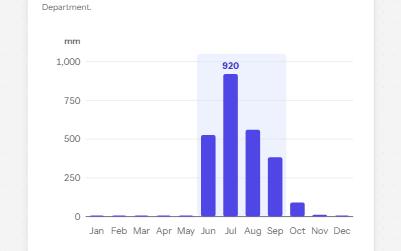
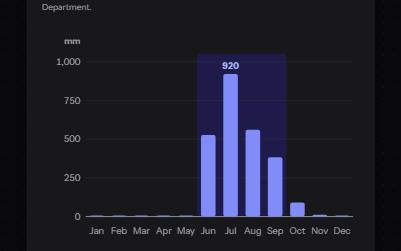
Complex image
A chart with a short alt that gives its point, a long description in a disclosure, and its data in a table beside it.
-
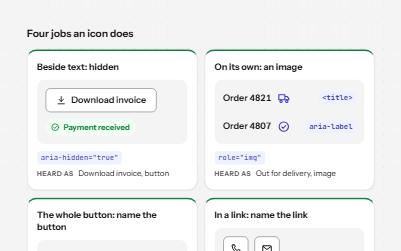
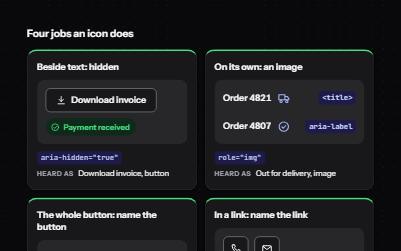
Icons
Icons that are decoration, icons that carry meaning and icons that are the whole control, each exposed the right way.
-
Icon button
Buttons that show only an icon, named with aria-label, 44 pixels square, with a tooltip on hover and focus that repeats the name.
-
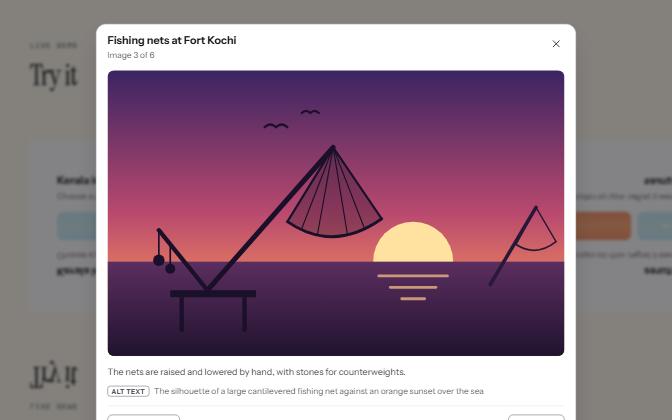
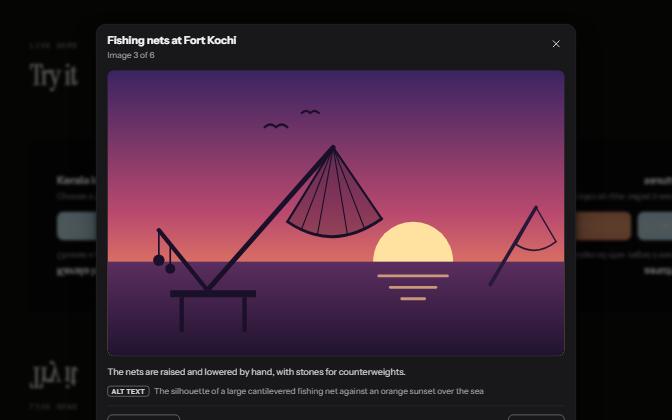
Image lightbox
A grid of thumbnails that opens each picture large in a modal viewer, with its caption, alt text and arrow keys to move on.