Accessibility pattern · Media
Video player
Every control is a real button or slider with a name, so the player works by keyboard and screen reader, and nothing plays until someone presses Play. The captions and the transcript come from one cue list in the page, and a seek slider says "1 minute 5 seconds of 1 minute 20 seconds" instead of a bare number.
- WCAG criteria
- 7
- Keyboard rules
- 6
- Checked with
- axe, keyboard and the inspector
Live demo
Try it
Use it with a mouse, a keyboard or a screen reader. The inspector beside it shows what the browser tells assistive technology as you go: focus, state changes and announcements.
Uttarayan: a day of kites in Ahmedabad
Keys while the player has focus: K play or pause, M mute, C captions, F full screen.
Transcript
Described video: the rooftops of Ahmedabad's old city from dawn to after dark. The title reads "Uttarayan: Kites over Ahmedabad, 14 January". Kites in bright colors rise from the terraces; at 0:33 an orange kite is cut loose and drifts away. At dusk most kites come down, and a line of glowing lanterns climbs into the night.
- 0:00 [Wind over the rooftops]
- 0:05 14 January in Ahmedabad: Uttarayan starts at first light.
- 0:11 Families climb onto the terraces of the old city with their kites.
- 0:17 [Music: a light, plucked tune]
- 0:23 By mid-morning, the sky is full of paper kites.
- 0:29 The game is to cut a rival's string with your own.
- 0:33 [Shouting from a nearby roof] Kai po che!
- 0:37 It means "I have cut it", and you hear it all day.
- 0:45 The wind decides everything: when it drops, the kites sink.
- 0:53 [The wind picks up; the kites climb again]
- 1:00 At sunset, the sky over the old city turns orange.
- 1:07 After dark, paper lanterns called tukkal rise on the kite strings.
- 1:14 [The music fades]
The demo works without JavaScript only as far as its HTML does; the inspector needs JavaScript.
Keyboard
Keys it answers to
Every action works without a pointer.
| Key | What it does |
|---|---|
| Space or K | Plays or pauses: Space on the play button, the seek slider or the volume; K anywhere in the player. |
| Arrow Right or Arrow Left | On the seek slider, forward or back 5 seconds. On the volume slider, louder or quieter. |
| Page Up or Page Down | On the seek slider, forward or back 15 seconds. |
| Home or End | On the seek slider, the start or the end of the video. |
| M or C or F | Anywhere in the player: mute or unmute, captions on or off, full screen on or off. |
| Enter or Arrow Down | On the speed button, opens the menu on the current speed; arrows move, Enter chooses, Escape closes. |
Screen readers
What it announces
Written from the roles, names and states in the markup.
| When | Expected announcement |
|---|---|
| Tab enters the player | Uttarayan: a day of kites in Ahmedabad, group. Keys while the player has focus: K play or pause… Play, button |
| Tab reaches the seek slider | Seek, slider, 0 seconds of 1 minute 20 seconds |
| Arrow Right on the seek slider | 5 seconds |
| K while focus is on the volume slider | Playing |
| M anywhere in the player | Sound muted |
| Focus reaches the captions button | Captions, toggle button, pressed |
| The speed menu opens | 1×, menu item radio, checked, 3 of 6 |
| The video reaches the end | The video has ended |
These are expected announcements, not recordings. Wording and order differ between screen readers and browsers.
Code
Copy the code
The exact files this demo runs on. The styles are served with a prefix that keeps this site's own styles out of the demo; what you copy is the original.
<div class="ap-video" data-ap-video-player>
  <div class="ap-video__player" role="group" aria-labelledby="vp-name" aria-describedby="vp-keys" data-vp-player>
    <div class="ap-video__screen" data-vp-screen>
      <video class="ap-video__media" playsinline preload="none" aria-labelledby="vp-name" data-vp-video></video>
      <canvas class="ap-video__media" width="640" height="360" role="img" aria-labelledby="vp-name" hidden data-vp-canvas></canvas>
      <span class="ap-video__hint" aria-hidden="true"><svg viewBox="0 0 24 24" focusable="false"><path d="M8 5.5v13l11-6.5z"/></svg></span>
      <p class="ap-video__cc" aria-hidden="true" hidden data-vp-cc><span></span></p>
    </div>

    <div class="ap-video__bar">
      <div class="ap-video__seekrow">
        <div class="ap-video__seek" role="slider" tabindex="0" aria-label="Seek" aria-valuemin="0" aria-valuemax="80" aria-valuenow="0" aria-valuetext="0 seconds of 1 minute 20 seconds" data-vp-seek>
          <span class="ap-video__rail"><span class="ap-video__fill"></span></span>
          <span class="ap-video__knob"></span>
        </div>
        <span class="ap-video__time" aria-hidden="true" translate="no"><span data-vp-now>0:00</span> / 1:20</span>
      </div>

      <div class="ap-video__row">
        <button type="button" class="ap-video__btn ap-video__btn--play" aria-label="Play" aria-keyshortcuts="K" data-vp-play>
          <svg class="ap-video__i-play" viewBox="0 0 24 24" aria-hidden="true" focusable="false"><path d="M8 5.5v13l11-6.5z"/></svg>
          <svg class="ap-video__i-pause" viewBox="0 0 24 24" aria-hidden="true" focusable="false"><path d="M8 5h3v14H8zM13 5h3v14h-3z"/></svg>
        </button>
        <div class="ap-video__sound">
          <button type="button" class="ap-video__btn ap-video__btn--mute" aria-pressed="false" aria-label="Mute" aria-keyshortcuts="M" data-vp-mute>
            <svg viewBox="0 0 24 24" aria-hidden="true" focusable="false"><path class="ap-video__speaker" d="M11 5 6.5 9H3v6h3.5L11 19z"/><path class="ap-video__waves" d="M15.5 8.5a5 5 0 0 1 0 7M18.5 5.5a9 9 0 0 1 0 13"/><path class="ap-video__cross" d="m16 9.5 5 5m0-5-5 5"/></svg>
          </button>
          <input class="ap-video__volume" type="range" min="0" max="100" step="5" value="80" aria-label="Volume level" aria-valuetext="80%" data-vp-volume />
        </div>
        <span class="ap-video__spacer"></span>
        <button type="button" class="ap-video__btn ap-video__btn--cc" aria-pressed="true" aria-label="Captions" aria-keyshortcuts="C" data-vp-cc-btn>
          <svg viewBox="0 0 24 24" aria-hidden="true" focusable="false"><rect x="3" y="5.5" width="18" height="13" rx="2.5"/><path d="M10.5 10.2a2.2 2.2 0 1 0 0 3.6M17 10.2a2.2 2.2 0 1 0 0 3.6"/></svg>
        </button>
        <div class="ap-video__speed">
          <button type="button" class="ap-video__btn ap-video__btn--speed" id="vp-speed-btn" aria-haspopup="menu" aria-expanded="false" aria-controls="vp-speed-menu" data-vp-speed><span class="ap-video__vh">Speed</span> <span data-vp-rate translate="no">1×</span></button>
          <div class="ap-video__menu" id="vp-speed-menu" role="menu" aria-labelledby="vp-speed-btn" hidden data-vp-menu>
            <button type="button" class="ap-video__item" role="menuitemradio" tabindex="-1" aria-checked="false" data-rate="0.5"><svg class="ap-video__tick" viewBox="0 0 24 24" aria-hidden="true" focusable="false"><path d="m5 12 5 5L20 7"/></svg><span translate="no">0.5×</span></button>
            <button type="button" class="ap-video__item" role="menuitemradio" tabindex="-1" aria-checked="false" data-rate="0.75"><svg class="ap-video__tick" viewBox="0 0 24 24" aria-hidden="true" focusable="false"><path d="m5 12 5 5L20 7"/></svg><span translate="no">0.75×</span></button>
            <button type="button" class="ap-video__item" role="menuitemradio" tabindex="-1" aria-checked="true" data-rate="1"><svg class="ap-video__tick" viewBox="0 0 24 24" aria-hidden="true" focusable="false"><path d="m5 12 5 5L20 7"/></svg><span translate="no">1×</span></button>
            <button type="button" class="ap-video__item" role="menuitemradio" tabindex="-1" aria-checked="false" data-rate="1.25"><svg class="ap-video__tick" viewBox="0 0 24 24" aria-hidden="true" focusable="false"><path d="m5 12 5 5L20 7"/></svg><span translate="no">1.25×</span></button>
            <button type="button" class="ap-video__item" role="menuitemradio" tabindex="-1" aria-checked="false" data-rate="1.5"><svg class="ap-video__tick" viewBox="0 0 24 24" aria-hidden="true" focusable="false"><path d="m5 12 5 5L20 7"/></svg><span translate="no">1.5×</span></button>
            <button type="button" class="ap-video__item" role="menuitemradio" tabindex="-1" aria-checked="false" data-rate="2"><svg class="ap-video__tick" viewBox="0 0 24 24" aria-hidden="true" focusable="false"><path d="m5 12 5 5L20 7"/></svg><span translate="no">2×</span></button>
          </div>
        </div>
        <button type="button" class="ap-video__btn ap-video__btn--fs" aria-label="Full screen" aria-keyshortcuts="F" data-vp-fs>
          <svg class="ap-video__i-enter" viewBox="0 0 24 24" aria-hidden="true" focusable="false"><path d="M4 9V4h5M20 9V4h-5M4 15v5h5M20 15v5h-5"/></svg>
          <svg class="ap-video__i-exit" viewBox="0 0 24 24" aria-hidden="true" focusable="false"><path d="M9 4v5H4M15 4v5h5M9 20v-5H4M15 20v-5h5"/></svg>
        </button>
      </div>
    </div>
  </div>

  <div class="ap-video__info">
    <h3 class="ap-video__name" id="vp-name">Uttarayan: a day of kites in Ahmedabad</h3>
    <p class="ap-video__meta">1 minute 20 seconds, with captions and a transcript. A demo clip drawn in your browser; its music starts only when you press Play.</p>
    <p class="ap-video__keys" id="vp-keys">Keys while the player has focus: <kbd>K</kbd> play or pause, <kbd>M</kbd> mute, <kbd>C</kbd> captions, <kbd>F</kbd> full screen.</p>
  </div>

  <details class="ap-video__transcript">
    <summary class="ap-video__toggle">
      <svg class="ap-video__chev" viewBox="0 0 24 24" aria-hidden="true" focusable="false"><path d="m9 6 6 6-6 6"/></svg>
      Transcript
    </summary>
    <div class="ap-video__tx">
      <p class="ap-video__described">Described video: the rooftops of Ahmedabad's old city from dawn to after dark. The title reads "Uttarayan: Kites over Ahmedabad, 14 January". Kites in bright colors rise from the terraces; at 0:33 an orange kite is cut loose and drifts away. At dusk most kites come down, and a line of glowing lanterns climbs into the night.</p>
      <ol class="ap-video__cues" data-vp-cues>
        <li data-start="0.5" data-end="4.5"><span class="ap-video__t" translate="no">0:00</span> <span data-vp-line>[Wind over the rooftops]</span></li>
        <li data-start="5" data-end="10.5"><span class="ap-video__t" translate="no">0:05</span> <span data-vp-line>14 January in Ahmedabad: Uttarayan starts at first light.</span></li>
        <li data-start="11" data-end="16.5"><span class="ap-video__t" translate="no">0:11</span> <span data-vp-line>Families climb onto the terraces of the old city with their kites.</span></li>
        <li data-start="17" data-end="22.5"><span class="ap-video__t" translate="no">0:17</span> <span data-vp-line>[Music: a light, plucked tune]</span></li>
        <li data-start="23" data-end="28.5"><span class="ap-video__t" translate="no">0:23</span> <span data-vp-line>By mid-morning, the sky is full of paper kites.</span></li>
        <li data-start="29" data-end="32.5"><span class="ap-video__t" translate="no">0:29</span> <span data-vp-line>The game is to cut a rival's string with your own.</span></li>
        <li data-start="33" data-end="37"><span class="ap-video__t" translate="no">0:33</span> <span data-vp-line>[Shouting from a nearby roof] Kai po che!</span></li>
        <li data-start="37.5" data-end="43.5"><span class="ap-video__t" translate="no">0:37</span> <span data-vp-line>It means "I have cut it", and you hear it all day.</span></li>
        <li data-start="45" data-end="51.5"><span class="ap-video__t" translate="no">0:45</span> <span data-vp-line>The wind decides everything: when it drops, the kites sink.</span></li>
        <li data-start="53" data-end="58.5"><span class="ap-video__t" translate="no">0:53</span> <span data-vp-line>[The wind picks up; the kites climb again]</span></li>
        <li data-start="60" data-end="66"><span class="ap-video__t" translate="no">1:00</span> <span data-vp-line>At sunset, the sky over the old city turns orange.</span></li>
        <li data-start="67" data-end="73"><span class="ap-video__t" translate="no">1:07</span> <span data-vp-line>After dark, paper lanterns called tukkal rise on the kite strings.</span></li>
        <li data-start="74" data-end="79.5"><span class="ap-video__t" translate="no">1:14</span> <span data-vp-line>[The music fades]</span></li>
      </ol>
    </div>
  </details>

  <p class="ap-video__vh" role="status" data-vp-status></p>
</div>
/* Shared primitives: buttons and form fields used across the patterns.
   Uses the --ap-* design tokens. */

.ap-btn {
  display: inline-flex;
  align-items: center;
  justify-content: center;
  gap: 8px;
  min-height: 40px;
  padding: 0 16px;
  border: 1px solid var(--ap-border-strong);
  border-radius: var(--ap-radius-sm);
  background: var(--ap-surface);
  color: var(--ap-text);
  font: inherit;
  font-weight: 600;
  line-height: 1.2;
  text-decoration: none;
  white-space: nowrap;
  cursor: pointer;
  transition: background-color var(--ap-duration) var(--ap-ease), border-color var(--ap-duration) var(--ap-ease), box-shadow var(--ap-duration) var(--ap-ease);
}
.ap-btn:hover {
  background: var(--ap-surface-2);
}
.ap-btn:focus-visible {
  outline: 2px solid var(--ap-focus);
  outline-offset: 2px;
}
.ap-btn:disabled,
.ap-btn[aria-disabled="true"] {
  opacity: .55;
  cursor: not-allowed;
}
.ap-btn--primary {
  border-color: var(--ap-accent);
  background: var(--ap-accent);
  color: var(--ap-on-accent);
  box-shadow: var(--ap-shadow-sm);
}
.ap-btn--primary:hover {
  border-color: var(--ap-accent-hover);
  background: var(--ap-accent-hover);
}
.ap-btn--danger {
  border-color: var(--ap-danger);
  background: var(--ap-danger);
  color: var(--ap-surface);
}
.ap-btn--danger:hover {
  filter: brightness(1.08);
}
.ap-btn--ghost {
  border-color: transparent;
  background: transparent;
}
.ap-btn--ghost:hover {
  background: var(--ap-surface-2);
}
.ap-btn__icon {
  width: 18px;
  height: 18px;
  flex-shrink: 0;
  fill: none;
  stroke: currentColor;
  stroke-width: 2;
  stroke-linecap: round;
  stroke-linejoin: round;
}

.ap-field {
  display: grid;
  gap: 6px;
}
.ap-label {
  color: var(--ap-text);
  font-weight: 600;
  font-size: .9375rem;
}
.ap-hint {
  margin: 0;
  color: var(--ap-text-3);
  font-size: .875rem;
  line-height: 1.45;
}
.ap-error {
  display: flex;
  align-items: flex-start;
  gap: 6px;
  margin: 0;
  color: var(--ap-danger);
  font-size: .875rem;
  font-weight: 600;
  line-height: 1.45;
}
.ap-input {
  width: 100%;
  min-height: 44px;
  padding: 10px 12px;
  border: 1px solid var(--ap-border-strong);
  border-radius: var(--ap-radius-sm);
  background: var(--ap-surface);
  color: var(--ap-text);
  font: inherit;
  line-height: 1.4;
  transition: border-color var(--ap-duration) var(--ap-ease), box-shadow var(--ap-duration) var(--ap-ease);
}
.ap-input::placeholder {
  color: var(--ap-text-3);
}
.ap-input:hover {
  border-color: var(--ap-text-2);
}
.ap-input:focus-visible {
  outline: 2px solid var(--ap-focus);
  outline-offset: 1px;
  border-color: var(--ap-focus);
}
.ap-input[aria-invalid="true"] {
  border-color: var(--ap-danger);
  box-shadow: inset 4px 0 0 var(--ap-danger);
}
textarea.ap-input {
  resize: vertical;
  min-height: 88px;
}

@media (prefers-reduced-motion: reduce) {
  .ap-btn,
  .ap-input { transition: none; }
}

/* Video player. Uses the --ap-* design tokens and the shared primitives. */
.ap-video {
  /* Caption text and its box: light on dark in both themes. light-dark()
     follows color-scheme; where nothing sets it, the pair simply inverts. */
  --vp-ink: light-dark(var(--ap-surface), var(--ap-text));
  --vp-ground: light-dark(var(--ap-text), var(--ap-bg));
  position: relative;
  display: grid;
  gap: 16px;
  width: min(100%, 720px);
  margin-inline: auto;
  color: var(--ap-text);
  font-family: var(--ap-font);
}

/* ── The player: screen above, controls below, never hidden ── */
.ap-video__player {
  container-type: inline-size;
  display: grid;
  border: 1px solid var(--ap-border);
  border-radius: var(--ap-radius-lg);
  background: var(--ap-surface);
  box-shadow: var(--ap-shadow-md);
}
.ap-video__screen {
  position: relative;
  aspect-ratio: 16 / 9;
  border-radius: calc(var(--ap-radius-lg) - 1px) calc(var(--ap-radius-lg) - 1px) 0 0;
  background: var(--vp-ground);
  overflow: hidden;
  cursor: pointer;
}
.ap-video__media {
  position: absolute;
  inset: 0;
  display: block;
  width: 100%;
  height: 100%;
  object-fit: contain;
}
.ap-video__media[hidden] {
  display: none;
}

/* A large play sign while paused; the screen itself takes the click. */
.ap-video__hint {
  position: absolute;
  top: 50%;
  left: 50%;
  display: grid;
  place-items: center;
  width: 64px;
  height: 64px;
  margin: -32px 0 0 -32px;
  border-radius: var(--ap-radius-full);
  background: var(--vp-ground);
  color: var(--vp-ink);
  box-shadow: var(--ap-shadow-lg);
  opacity: .9;
  pointer-events: none;
  transition: opacity var(--ap-duration) var(--ap-ease), transform var(--ap-duration) var(--ap-ease);
}
.ap-video__hint svg {
  width: 30px;
  height: 30px;
  margin-left: 3px;
  fill: currentColor;
}
.ap-video__screen:hover .ap-video__hint {
  transform: scale(1.06);
}
.ap-video.is-playing .ap-video__hint {
  opacity: 0;
  transform: scale(.9);
}

/* Captions: real text over the picture, sized to the player */
.ap-video__cc {
  position: absolute;
  right: 6%;
  bottom: 6%;
  left: 6%;
  margin: 0;
  text-align: center;
  pointer-events: none;
}
.ap-video__cc[hidden] {
  display: none;
}
.ap-video__cc span {
  padding: .12em .5em;
  border-radius: 4px;
  background: var(--vp-ground);
  color: var(--vp-ink);
  font-size: clamp(.875rem, 3.3cqi, 1.75rem);
  font-weight: 500;
  line-height: 1.6;
  -webkit-box-decoration-break: clone;
  box-decoration-break: clone;
}

/* ── The controls ── */
.ap-video__bar {
  display: grid;
  gap: 4px;
  padding: 8px 12px 10px;
}
.ap-video__seekrow {
  display: flex;
  align-items: center;
  gap: 14px;
  padding-inline: 4px;
}
.ap-video__seek {
  position: relative;
  flex: 1;
  height: 28px;
  border-radius: 6px;
  cursor: pointer;
  touch-action: none;
}
.ap-video__seek:focus-visible {
  outline: 2px solid var(--ap-focus);
  outline-offset: 2px;
}
.ap-video__rail {
  position: absolute;
  top: 50%;
  right: 0;
  left: 0;
  height: 6px;
  margin-top: -3px;
  border-radius: var(--ap-radius-full);
  background: var(--ap-surface-3);
  box-shadow: inset 0 0 0 1px var(--ap-border-strong);
  overflow: hidden;
}
.ap-video__fill {
  display: block;
  width: calc(var(--vp-progress, 0) * 100%);
  height: 100%;
  background: var(--ap-accent);
}
.ap-video__knob {
  position: absolute;
  top: 50%;
  left: calc(var(--vp-progress, 0) * 100%);
  width: 16px;
  height: 16px;
  margin: -8px 0 0 -8px;
  border: 3px solid var(--ap-accent);
  border-radius: var(--ap-radius-full);
  background: var(--ap-surface);
  box-shadow: var(--ap-shadow-sm);
  transition: transform var(--ap-duration) var(--ap-ease);
}
.ap-video__seek:hover .ap-video__knob,
.ap-video__seek:focus-visible .ap-video__knob {
  transform: scale(1.2);
}
.ap-video__time {
  color: var(--ap-text-2);
  font-size: .8125rem;
  font-variant-numeric: tabular-nums;
  white-space: nowrap;
}

.ap-video__row {
  display: flex;
  align-items: center;
  gap: 4px;
}
.ap-video__spacer {
  flex: 1;
}
.ap-video__btn {
  display: inline-grid;
  place-items: center;
  width: 40px;
  height: 40px;
  padding: 0;
  border: 0;
  border-radius: var(--ap-radius-sm);
  background: transparent;
  color: var(--ap-text);
  font: inherit;
  cursor: pointer;
  transition: background-color var(--ap-duration) var(--ap-ease), color var(--ap-duration) var(--ap-ease);
}
.ap-video__btn[hidden] {
  display: none;
}
.ap-video__btn:hover {
  background: var(--ap-surface-2);
}
.ap-video__btn:focus-visible {
  outline: 2px solid var(--ap-focus);
  outline-offset: 2px;
}
.ap-video__btn svg {
  grid-area: 1 / 1;
  width: 22px;
  height: 22px;
  fill: none;
  stroke: currentColor;
  stroke-width: 2;
  stroke-linecap: round;
  stroke-linejoin: round;
}

.ap-video__btn--play {
  width: 44px;
  height: 44px;
  margin-right: 4px;
  border-radius: var(--ap-radius-full);
  background: var(--ap-accent);
  color: var(--ap-on-accent);
  box-shadow: var(--ap-shadow-sm);
}
.ap-video__btn--play:hover {
  background: var(--ap-accent-hover);
}
.ap-video__btn--play svg {
  fill: currentColor;
  stroke: none;
}
.ap-video__i-play { margin-left: 2px; }
.ap-video__i-pause,
.ap-video.is-playing .ap-video__i-play { visibility: hidden; }
.ap-video.is-playing .ap-video__i-pause { visibility: visible; }

.ap-video__sound {
  display: flex;
  align-items: center;
  gap: 2px;
}
.ap-video__cross { display: none; }
.ap-video__btn--mute[aria-pressed="true"] .ap-video__waves { display: none; }
.ap-video__btn--mute[aria-pressed="true"] .ap-video__cross { display: inline; }
.ap-video__btn--mute[aria-pressed="true"] {
  color: var(--ap-danger);
}

/* Volume: a native range input, restyled */
.ap-video__volume {
  width: 84px;
  height: 28px;
  margin: 0 6px 0 2px;
  background: transparent;
  cursor: pointer;
  -webkit-appearance: none;
  appearance: none;
}
.ap-video__volume:focus-visible {
  outline: 2px solid var(--ap-focus);
  outline-offset: 2px;
  border-radius: 4px;
}
.ap-video__volume::-webkit-slider-runnable-track {
  height: 6px;
  border-radius: var(--ap-radius-full);
  background: linear-gradient(to right, var(--ap-text-2) 0 calc(var(--vp-level, .8) * 100%), var(--ap-surface-3) 0);
  box-shadow: inset 0 0 0 1px var(--ap-border-strong);
}
.ap-video__volume::-webkit-slider-thumb {
  width: 16px;
  height: 16px;
  margin-top: -5px;
  border: 3px solid var(--ap-text-2);
  border-radius: var(--ap-radius-full);
  background: var(--ap-surface);
  -webkit-appearance: none;
  appearance: none;
}
.ap-video__volume::-moz-range-track {
  height: 6px;
  border-radius: var(--ap-radius-full);
  background: var(--ap-surface-3);
  box-shadow: inset 0 0 0 1px var(--ap-border-strong);
}
.ap-video__volume::-moz-range-progress {
  height: 6px;
  border-radius: var(--ap-radius-full);
  background: var(--ap-text-2);
}
.ap-video__volume::-moz-range-thumb {
  box-sizing: border-box;
  width: 16px;
  height: 16px;
  border: 3px solid var(--ap-text-2);
  border-radius: var(--ap-radius-full);
  background: var(--ap-surface);
}

/* Captions on: a filled button with a bar under it, not only a color */
.ap-video__btn--cc[aria-pressed="true"] {
  background: var(--ap-accent-soft);
  color: var(--ap-accent-soft-text);
  box-shadow: inset 0 -3px 0 var(--ap-accent);
}

/* Speed: a menu button */
.ap-video__speed {
  position: relative;
}
.ap-video__btn--speed {
  width: auto;
  min-width: 52px;
  padding: 0 10px;
  font-size: .9375rem;
  font-weight: 650;
  font-variant-numeric: tabular-nums;
}
.ap-video__btn--speed[aria-expanded="true"] {
  background: var(--ap-surface-2);
}
.ap-video__menu {
  position: absolute;
  right: 0;
  bottom: calc(100% + 8px);
  z-index: 3;
  display: grid;
  min-width: 132px;
  padding: 6px;
  border: 1px solid var(--ap-border);
  border-radius: var(--ap-radius);
  background: var(--ap-surface);
  box-shadow: var(--ap-shadow-lg);
}
.ap-video__menu[hidden] {
  display: none;
}
.ap-video__menu:not([hidden]) {
  animation: ap-video-in var(--ap-duration) var(--ap-ease);
}
.ap-video__item {
  display: flex;
  align-items: center;
  gap: 8px;
  min-height: 36px;
  padding: 0 12px 0 8px;
  border: 0;
  border-radius: 6px;
  background: transparent;
  color: var(--ap-text);
  font: inherit;
  font-variant-numeric: tabular-nums;
  text-align: start;
  cursor: pointer;
}
.ap-video__item:hover {
  background: var(--ap-surface-2);
}
.ap-video__item:focus-visible {
  outline: 2px solid var(--ap-focus);
  outline-offset: -2px;
  background: var(--ap-surface-2);
}
.ap-video__tick {
  width: 16px;
  height: 16px;
  fill: none;
  stroke: currentColor;
  stroke-width: 2.5;
  stroke-linecap: round;
  stroke-linejoin: round;
  visibility: hidden;
}
.ap-video__item[aria-checked="true"] {
  color: var(--ap-accent-text);
  font-weight: 650;
}
.ap-video__item[aria-checked="true"] .ap-video__tick {
  visibility: visible;
}

.ap-video__i-exit,
.ap-video.is-full .ap-video__i-enter { visibility: hidden; }
.ap-video.is-full .ap-video__i-exit { visibility: visible; }

/* Full screen: the whole player, so captions and controls come along */
.ap-video__player:fullscreen {
  grid-template-rows: minmax(0, 1fr) auto;
  border: 0;
  border-radius: 0;
  background: var(--vp-ground);
}
.ap-video__player:fullscreen .ap-video__screen {
  aspect-ratio: auto;
  border-radius: 0;
}
.ap-video__player:fullscreen .ap-video__bar {
  background: var(--ap-surface);
}

/* ── Title, keys and transcript ── */
.ap-video__info {
  display: grid;
  gap: 6px;
}
.ap-video__info p {
  margin: 0;
}
.ap-video__name {
  margin: 0;
  font-size: 1.1875rem;
  font-weight: 650;
  line-height: 1.3;
}
.ap-video__meta {
  color: var(--ap-text-2);
  font-size: .9375rem;
  line-height: 1.5;
}
.ap-video__keys {
  color: var(--ap-text-3);
  font-size: .875rem;
  line-height: 1.8;
}
.ap-video__keys kbd {
  display: inline-grid;
  place-items: center;
  min-width: 22px;
  height: 22px;
  padding: 0 5px;
  border: 1px solid var(--ap-border-strong);
  border-bottom-width: 2px;
  border-radius: 5px;
  background: var(--ap-surface);
  color: var(--ap-text);
  font-family: var(--ap-mono);
  font-size: .75rem;
  font-weight: 600;
  line-height: 1;
}

.ap-video__transcript {
  border: 1px solid var(--ap-border);
  border-radius: var(--ap-radius);
  background: var(--ap-surface);
}
.ap-video__toggle {
  display: flex;
  align-items: center;
  gap: 8px;
  min-height: var(--ap-target);
  padding: 10px 14px;
  border-radius: calc(var(--ap-radius) - 1px);
  font-weight: 650;
  list-style: none;
  cursor: pointer;
}
.ap-video__toggle::-webkit-details-marker {
  display: none;
}
.ap-video__toggle:hover {
  background: var(--ap-surface-2);
}
.ap-video__toggle:focus-visible {
  outline: 2px solid var(--ap-focus);
  outline-offset: 2px;
}
.ap-video__chev {
  flex-shrink: 0;
  width: 18px;
  height: 18px;
  fill: none;
  stroke: currentColor;
  stroke-width: 2.25;
  stroke-linecap: round;
  stroke-linejoin: round;
  transition: transform var(--ap-duration) var(--ap-ease);
}
.ap-video__transcript[open] .ap-video__chev {
  transform: rotate(90deg);
}
.ap-video__tx {
  display: grid;
  gap: 12px;
  padding: 2px 16px 16px;
}
.ap-video__described {
  margin: 0;
  padding: 12px 14px;
  border-radius: var(--ap-radius-sm);
  background: var(--ap-surface-2);
  color: var(--ap-text-2);
  font-size: .9375rem;
  line-height: 1.55;
}
.ap-video__cues {
  display: grid;
  gap: 6px;
  margin: 0;
  padding: 0;
  list-style: none;
}
.ap-video__cues li {
  display: grid;
  grid-template-columns: 3.25rem minmax(0, 1fr);
  gap: 8px;
  color: var(--ap-text);
  line-height: 1.5;
}
.ap-video__t {
  color: var(--ap-text-3);
  font-size: .875rem;
  font-variant-numeric: tabular-nums;
  line-height: 1.7;
}

.ap-video__vh {
  position: absolute;
  width: 1px;
  height: 1px;
  margin: -1px;
  padding: 0;
  overflow: hidden;
  clip-path: inset(50%);
  white-space: nowrap;
}

/* A narrow player: the volume slider gives way, the mute button stays */
@container (max-width: 420px) {
  .ap-video__hint { width: 44px; height: 44px; margin: -22px 0 0 -22px; }
  .ap-video__hint svg { width: 22px; height: 22px; }
  .ap-video__volume { width: 64px; }
  .ap-video__bar { padding-inline: 8px; }
  .ap-video__btn { width: 38px; }
  .ap-video__btn--speed { min-width: 46px; padding: 0 6px; }
}

@keyframes ap-video-in {
  from { opacity: 0; transform: translateY(4px); }
}

@media (prefers-reduced-motion: reduce) {
  .ap-video__hint,
  .ap-video__knob,
  .ap-video__btn,
  .ap-video__chev { transition: none; }
  .ap-video__menu:not([hidden]) { animation: none; }
}
/**
 * Video player: custom controls around a video element, with captions drawn
 * from a cue list, a transcript, keyboard shortcuts and no autoplay.
 *
 * Markup: [data-ap-video-player] holding a role=group [data-vp-player] with
 * the screen ([data-vp-screen]: video[data-vp-video], the caption box
 * [data-vp-cc]) and the controls: the seek slider [data-vp-seek]
 * (role=slider), and buttons for play [data-vp-play], mute [data-vp-mute],
 * captions [data-vp-cc-btn], speed [data-vp-speed] with its menu
 * [data-vp-menu] of menuitemradio items, and full screen [data-vp-fs], plus
 * a volume range [data-vp-volume]. The transcript list [data-vp-cues] holds
 * the cues (li[data-start][data-end]) for both the captions and a WebVTT
 * track. A role=status [data-vp-status] reports changes made by shortcut.
 *
 * The player only talks to `media` through the properties and events of an
 * HTMLMediaElement. This demo has no video file, so CanvasClip (at the end)
 * draws one on a canvas and plays it into the video element; with a real
 * file, use `const media = video` and delete CanvasClip.
 */

const STEP = 5; // seconds per arrow key on the seek slider
const PAGE = 15; // seconds per Page Up / Page Down

const clock = (s) => `${Math.floor(s / 60)}:${String(Math.floor(s % 60)).padStart(2, "0")}`;
function spoken(s) {
  const m = Math.floor(s / 60);
  const sec = Math.floor(s % 60);
  const parts = [];
  if (m) parts.push(`${m} ${m === 1 ? "minute" : "minutes"}`);
  if (sec || !m) parts.push(`${sec} ${sec === 1 ? "second" : "seconds"}`);
  return parts.join(" ");
}
const vttTime = (s) => `${String(Math.floor(s / 3600)).padStart(2, "0")}:${String(Math.floor((s % 3600) / 60)).padStart(2, "0")}:${(s % 60).toFixed(3).padStart(6, "0")}`;

export function init(root) {
  const ac = new AbortController();
  const on = (target, type, fn, opts = {}) => target.addEventListener(type, fn, { ...opts, signal: ac.signal });
  const $ = (sel) => root.querySelector(sel);

  const player = $("[data-vp-player]");
  const screen = $("[data-vp-screen]");
  const video = $("[data-vp-video]");
  const seek = $("[data-vp-seek]");
  const nowText = $("[data-vp-now]");
  const playBtn = $("[data-vp-play]");
  const muteBtn = $("[data-vp-mute]");
  const volume = $("[data-vp-volume]");
  const ccBtn = $("[data-vp-cc-btn]");
  const ccBox = $("[data-vp-cc]");
  const ccText = ccBox.querySelector("span");
  const speedBtn = $("[data-vp-speed]");
  const rateText = speedBtn.querySelector("[data-vp-rate]");
  const menu = $("[data-vp-menu]");
  const items = [...menu.querySelectorAll("[role=menuitemradio]")];
  const fsBtn = $("[data-vp-fs]");
  const status = $("[data-vp-status]");

  const media = new CanvasClip($("[data-vp-canvas]"), video);

  /* ── Cues: the transcript is the cue list ── */
  const cues = [...root.querySelectorAll("[data-vp-cues] li")].map((li) => ({
    start: Number(li.dataset.start),
    end: Number(li.dataset.end),
    line: li.querySelector("[data-vp-line]") || li,
  }));
  // The same cues as a real text track. The browser does not draw it
  // (mode "hidden"); the player draws captions itself, above the controls.
  let trackUrl = "";
  try {
    const vtt = "WEBVTT\n\n" + cues.map((c, i) => `${i + 1}\n${vttTime(c.start)} --> ${vttTime(c.end)}\n${c.line.textContent.trim()}\n`).join("\n");
    trackUrl = URL.createObjectURL(new Blob([vtt], { type: "text/vtt" }));
    const track = document.createElement("track");
    Object.assign(track, { kind: "captions", srclang: "en", label: "English", src: trackUrl });
    video.append(track);
    track.track.mode = "hidden";
  } catch { /* captions still come from the cue list */ }

  let shownCue = null;
  function paintCaptions(t) {
    const on = ccBtn.getAttribute("aria-pressed") === "true";
    const cue = on ? cues.find((c) => t >= c.start && t < c.end) || null : null;
    if (cue === shownCue) return;
    shownCue = cue;
    ccText.textContent = cue ? cue.line.textContent.trim() : "";
    ccBox.hidden = !cue;
  }

  /* ── Time: the picture moves every frame, the slider's value is told on request ── */
  function paintTime() {
    const t = media.currentTime;
    seek.style.setProperty("--vp-progress", String(media.duration ? t / media.duration : 0));
    nowText.textContent = clock(t);
    paintCaptions(t);
  }

  // A focused slider announces every change of its value, so while the video
  // plays the value is set when the slider gains focus, when someone seeks,
  // and when playback stops; not every second over the soundtrack.
  function tellSeek(withTotal) {
    const t = Math.floor(media.currentTime);
    seek.setAttribute("aria-valuemax", String(Math.floor(media.duration)));
    seek.setAttribute("aria-valuenow", String(t));
    seek.setAttribute("aria-valuetext", withTotal ? `${spoken(t)} of ${spoken(media.duration)}` : spoken(t));
  }

  /* ── Media events → controls ── */
  function onPlayState() {
    const playing = !media.paused;
    root.classList.toggle("is-playing", playing);
    playBtn.setAttribute("aria-label", playing ? "Pause" : "Play");
    tellSeek(document.activeElement !== seek);
  }
  function onVolume() {
    muteBtn.setAttribute("aria-pressed", String(media.muted));
    volume.value = String(Math.round(media.volume * 100));
    volume.setAttribute("aria-valuetext", `${volume.value}%`);
    volume.style.setProperty("--vp-level", String(media.muted ? 0 : media.volume));
  }
  function onRate() {
    rateText.textContent = `${media.playbackRate}×`;
    for (const item of items) item.setAttribute("aria-checked", String(Number(item.dataset.rate) === media.playbackRate));
  }

  on(media, "play", onPlayState);
  on(media, "pause", onPlayState);
  on(media, "timeupdate", paintTime);
  on(media, "seeked", paintTime);
  on(media, "volumechange", onVolume);
  on(media, "ratechange", onRate);
  on(media, "ended", () => say("The video has ended"));

  /* ── Controls ── */
  let shortcut = false; // true while a key press, not a click, made the change
  function say(text) {
    status.textContent = "";
    requestAnimationFrame(() => { status.textContent = text; });
  }
  const togglePlay = () => {
    if (media.paused) media.play();
    else media.pause();
    if (shortcut) say(media.paused ? "Paused" : "Playing");
  };
  const toggleMute = () => {
    media.muted = !media.muted;
    if (shortcut) say(media.muted ? "Sound muted" : "Sound on");
  };
  const toggleCaptions = () => {
    const turnOn = ccBtn.getAttribute("aria-pressed") !== "true";
    ccBtn.setAttribute("aria-pressed", String(turnOn));
    shownCue = undefined;
    paintCaptions(media.currentTime);
    if (shortcut) say(turnOn ? "Captions on" : "Captions off");
  };
  const canFullscreen = typeof player.requestFullscreen === "function" && document.fullscreenEnabled !== false;
  fsBtn.hidden = !canFullscreen;
  const toggleFullscreen = () => {
    if (!canFullscreen) return;
    if (document.fullscreenElement === player) document.exitFullscreen();
    else player.requestFullscreen().catch(() => {});
  };
  on(document, "fullscreenchange", () => {
    const full = document.fullscreenElement === player;
    root.classList.toggle("is-full", full);
    fsBtn.setAttribute("aria-label", full ? "Exit full screen" : "Full screen");
  });

  on(playBtn, "click", togglePlay);
  on(screen, "click", togglePlay);
  on(muteBtn, "click", toggleMute);
  on(ccBtn, "click", toggleCaptions);
  on(fsBtn, "click", toggleFullscreen);
  on(volume, "input", () => {
    media.volume = Number(volume.value) / 100;
    if (media.muted && media.volume > 0) media.muted = false;
  });

  /* ── The seek slider ── */
  function seekTo(t, withTotal = false) {
    media.currentTime = Math.max(0, Math.min(media.duration, t));
    tellSeek(withTotal);
  }
  on(seek, "keydown", (event) => {
    const t = media.currentTime;
    const keys = {
      ArrowRight: t + STEP, ArrowUp: t + STEP, ArrowLeft: t - STEP, ArrowDown: t - STEP,
      PageUp: t + PAGE, PageDown: t - PAGE, Home: 0, End: media.duration,
    };
    if (event.key in keys) {
      event.preventDefault();
      seekTo(keys[event.key]);
    }
  });
  on(seek, "focus", () => tellSeek(true));
  on(seek, "blur", () => tellSeek(true));

  let dragging = false;
  const timeAt = (event) => {
    const box = seek.getBoundingClientRect();
    return ((event.clientX - box.left) / box.width) * media.duration;
  };
  on(seek, "pointerdown", (event) => {
    if (event.button !== 0) return;
    dragging = true;
    seek.setPointerCapture(event.pointerId);
    seekTo(timeAt(event));
  });
  on(seek, "pointermove", (event) => { if (dragging) media.currentTime = Math.max(0, Math.min(media.duration, timeAt(event))); });
  on(seek, "pointerup", () => {
    if (!dragging) return;
    dragging = false;
    tellSeek(false);
  });

  /* ── The speed menu: a menu button with radio items ── */
  const isOpen = () => !menu.hidden;
  function openMenu() {
    menu.hidden = false;
    speedBtn.setAttribute("aria-expanded", "true");
    (items.find((i) => i.getAttribute("aria-checked") === "true") || items[0]).focus();
  }
  function closeMenu(refocus) {
    if (!isOpen()) return;
    menu.hidden = true;
    speedBtn.setAttribute("aria-expanded", "false");
    if (refocus) speedBtn.focus();
  }
  function choose(item) {
    media.playbackRate = Number(item.dataset.rate);
    closeMenu(true);
  }
  on(speedBtn, "click", () => (isOpen() ? closeMenu(true) : openMenu()));
  on(speedBtn, "keydown", (event) => {
    if (event.key === "ArrowDown" || event.key === "ArrowUp") {
      event.preventDefault();
      openMenu();
    }
  });
  on(menu, "click", (event) => {
    const item = event.target.closest("[role=menuitemradio]");
    if (item) choose(item);
  });
  on(menu, "keydown", (event) => {
    const at = items.indexOf(document.activeElement);
    let next = null;
    if (event.key === "ArrowDown") next = items[(at + 1) % items.length];
    else if (event.key === "ArrowUp") next = items[(at - 1 + items.length) % items.length];
    else if (event.key === "Home") next = items[0];
    else if (event.key === "End") next = items[items.length - 1];
    else if (event.key === "Escape") {
      event.preventDefault();
      event.stopPropagation();
      closeMenu(true);
      return;
    } else if (event.key === "Tab") {
      closeMenu(false);
      return;
    }
    if (next) {
      event.preventDefault();
      next.focus();
    }
  });
  on(document, "pointerdown", (event) => {
    if (isOpen() && !menu.contains(event.target) && !speedBtn.contains(event.target)) closeMenu(false);
  });

  /* ── Shortcuts, only while focus is in the player (2.1.4) ── */
  on(player, "keydown", (event) => {
    if (event.ctrlKey || event.metaKey || event.altKey || event.defaultPrevented) return;
    if (menu.contains(event.target)) return;
    const key = event.key.toLowerCase();
    // Space plays or pauses where it has no job of its own: the slider and the volume.
    const spaceToPlay = key === " " && (event.target === seek || event.target === volume);
    const actions = { k: togglePlay, m: toggleMute, c: toggleCaptions, f: toggleFullscreen };
    const action = spaceToPlay ? togglePlay : actions[key];
    if (!action) return;
    event.preventDefault();
    // Focus may be anywhere in the player, so say what changed.
    shortcut = true;
    action();
    shortcut = false;
  });

  onPlayState();
  onVolume();
  onRate();
  paintTime();

  return () => {
    ac.abort();
    if (document.fullscreenElement === player) document.exitFullscreen().catch(() => {});
    media.destroy();
    for (const track of video.querySelectorAll("track")) track.remove();
    if (trackUrl) URL.revokeObjectURL(trackUrl);
  };
}

/* ════════════════════════════════════════════════════════════════════════
   The demo clip. Stands in for a video file: it has the properties and
   events of a media element, draws each frame on a canvas that the video
   element shows through captureStream(), and makes its soundtrack with the
   Web Audio API. Nothing here is needed with a real video.
   ════════════════════════════════════════════════════════════════════════ */

class CanvasClip extends EventTarget {
  duration = 80;
  #canvas;
  #g;
  #video;
  #stream = null;
  #frames = null;
  #sound = new Soundtrack();
  #time = 0;
  #paused = true;
  #rate = 1;
  #volume = 0.8;
  #muted = false;
  #from = 0;
  #fromAt = 0;
  #raf = 0;

  constructor(canvas, video) {
    super();
    this.#canvas = canvas;
    this.#g = canvas.getContext("2d");
    this.#video = video;
    drawScene(this.#g, 0);
    if (typeof canvas.captureStream !== "function") this.#useCanvas();
    else {
      try { video.poster = canvas.toDataURL("image/jpeg", 0.86); } catch { /* the first frame shows on play */ }
    }
  }

  #emit(type) { this.dispatchEvent(new Event(type)); }
  #draw(t) {
    drawScene(this.#g, t);
    this.#frames?.requestFrame?.();
  }
  #useCanvas() {
    this.#video.hidden = true;
    this.#canvas.hidden = false;
  }
  // The video element shows the canvas from the first play or seek on.
  #attach() {
    if (this.#stream || this.#canvas.hidden === false) return;
    try {
      // Frames are sent on request, after each drawing, so a seek while
      // paused shows at once.
      this.#stream = this.#canvas.captureStream(0);
      this.#frames = this.#stream.getVideoTracks()[0];
      this.#video.muted = true; // the soundtrack is Web Audio, not the stream
      this.#video.srcObject = this.#stream;
      this.#video.play().catch(() => this.#useCanvas());
    } catch {
      this.#useCanvas();
    }
  }

  get currentTime() {
    if (this.#paused) return this.#time;
    return Math.min(this.duration, this.#from + ((performance.now() - this.#fromAt) / 1000) * this.#rate);
  }
  set currentTime(value) {
    const t = Math.max(0, Math.min(this.duration, Number(value) || 0));
    this.#attach();
    this.#time = this.#from = t;
    this.#fromAt = performance.now();
    this.#draw(t);
    if (!this.#paused) this.#sound.restart(() => this.currentTime, this.#rate);
    this.#emit("seeked");
    this.#emit("timeupdate");
  }
  get paused() { return this.#paused; }
  get ended() { return this.#paused && this.#time >= this.duration; }

  play() {
    if (!this.#paused) return Promise.resolve();
    if (this.#time >= this.duration) this.#time = 0;
    this.#attach();
    this.#paused = false;
    this.#from = this.#time;
    this.#fromAt = performance.now();
    // Called from a click or key press, so the AudioContext may start.
    this.#sound.start(this.#time, this.#rate, this.#level());
    this.#raf = requestAnimationFrame(this.#tick);
    this.#emit("play");
    return Promise.resolve();
  }
  pause() {
    if (this.#paused) return;
    this.#time = this.currentTime;
    this.#paused = true;
    cancelAnimationFrame(this.#raf);
    this.#sound.stop();
    this.#emit("pause");
  }
  #tick = () => {
    const t = this.currentTime;
    this.#draw(t);
    this.#emit("timeupdate");
    if (t >= this.duration) {
      this.#time = this.duration;
      this.#paused = true;
      this.#sound.stop();
      this.#emit("pause");
      this.#emit("ended");
      return;
    }
    this.#raf = requestAnimationFrame(this.#tick);
  };

  get playbackRate() { return this.#rate; }
  set playbackRate(value) {
    const t = this.currentTime;
    this.#rate = Number(value) || 1;
    this.#from = t;
    this.#fromAt = performance.now();
    if (!this.#paused) this.#sound.restart(() => this.currentTime, this.#rate);
    this.#emit("ratechange");
  }
  #level() { return this.#muted ? 0 : this.#volume * this.#volume; }
  get volume() { return this.#volume; }
  set volume(value) {
    this.#volume = Math.max(0, Math.min(1, Number(value)));
    this.#sound.gain(this.#level());
    this.#emit("volumechange");
  }
  get muted() { return this.#muted; }
  set muted(value) {
    this.#muted = Boolean(value);
    this.#sound.gain(this.#level());
    this.#emit("volumechange");
  }

  destroy() {
    cancelAnimationFrame(this.#raf);
    this.#paused = true;
    this.#sound.close();
    if (this.#stream) for (const track of this.#stream.getTracks()) track.stop();
    this.#video.srcObject = null;
  }
}

/* ── The soundtrack: wind, a plucked tune, a whoosh and an evening chord ── */

const keyframes = (keys, t) => {
  if (t <= keys[0][0]) return keys[0][1];
  for (let i = 1; i < keys.length; i++) {
    if (t < keys[i][0]) {
      const [t0, a] = keys[i - 1];
      const [t1, b] = keys[i];
      const k = (t - t0) / (t1 - t0);
      return Array.isArray(a) ? a.map((v, j) => v + (b[j] - v) * k) : a + (b - a) * k;
    }
  }
  return keys[keys.length - 1][1];
};

const WIND = [[0, 0.8], [40, 1], [45, 0.75], [50, 0.35], [52.5, 0.35], [56, 1.25], [60, 1.2], [66, 0.9], [80, 0.8]];
const WIND_SOUND = [[0, 0.55], [15, 0.3], [44, 0.28], [50, 0.12], [53, 0.12], [55, 0.7], [61, 0.65], [66, 0.32], [80, 0.22]];

const SCORE = (() => {
  const notes = [];
  const scale = [293.66, 329.63, 369.99, 440, 493.88, 587.33, 659.25]; // D major pentatonic, D4 to E5
  const phrases = [
    [0, 2, 4, 2, 3, 4, 5, -1, 4, 3, 2, 3, 1, 0, -1, -1],
    [2, 3, 4, 5, 6, 5, 4, -1, 3, 4, 3, 2, 0, 1, 0, -1],
  ];
  const beat = 0.3125;
  for (const [from, to, level] of [[17, 35, 0.2], [53, 74, 0.15]]) {
    let i = 0;
    for (let t = from; t < to; t += beat, i++) {
      const phrase = phrases[Math.floor(i / 16) % 2];
      const n = phrase[i % 16];
      if (n >= 0) notes.push({ t, kind: "pluck", f: scale[n], dur: 0.7, level });
      if (i % 4 === 0) notes.push({ t, kind: "bass", f: i % 8 === 0 ? 73.42 : 110, dur: 1.2, level: level * 0.9 });
    }
  }
  notes.push({ t: 33, kind: "whoosh", dur: 0.9, level: 0.35 });
  notes.push({ t: 64, kind: "pad", f: [146.83, 185, 220, 293.66], dur: 15.5, level: 0.06 });
  return notes.sort((a, b) => a.t - b.t);
})();

class Soundtrack {
  #ctx = null;
  #master = null;
  #noise = null;
  #level = 0.64;
  #run = null; // { bus, wind, filter, source, ctx0, media0, rate, next, timer }
  #retry = 0;

  start(t, rate, level) {
    if (!this.#ctx) {
      const AudioCtx = window.AudioContext || window.webkitAudioContext;
      if (!AudioCtx) return;
      this.#ctx = new AudioCtx();
      this.#master = this.#ctx.createGain();
      this.#master.connect(this.#ctx.destination);
    }
    this.#ctx.resume?.();
    this.gain(level);
    this.#open(t, rate);
  }
  stop() {
    clearTimeout(this.#retry);
    this.#shut();
  }
  // Seeking or a new speed: start again from the new time once the change settles.
  restart(now, rate) {
    if (!this.#ctx) return;
    this.#shut();
    clearTimeout(this.#retry);
    this.#retry = setTimeout(() => this.#open(now(), rate), 120);
  }
  gain(level) {
    this.#level = level;
    if (this.#master) this.#master.gain.setTargetAtTime(level, this.#ctx.currentTime, 0.02);
  }
  close() {
    this.stop();
    this.#ctx?.close?.();
    this.#ctx = null;
  }

  #noiseBuffer() {
    if (this.#noise) return this.#noise;
    const ctx = this.#ctx;
    const buffer = ctx.createBuffer(1, ctx.sampleRate * 2, ctx.sampleRate);
    const data = buffer.getChannelData(0);
    for (let i = 0; i < data.length; i++) data[i] = Math.random() * 2 - 1;
    return (this.#noise = buffer);
  }

  #open(t, rate) {
    const ctx = this.#ctx;
    this.#shut();
    const bus = ctx.createGain();
    bus.gain.value = 0;
    bus.gain.setTargetAtTime(1, ctx.currentTime, 0.04);
    bus.connect(this.#master);
    const source = ctx.createBufferSource();
    source.buffer = this.#noiseBuffer();
    source.loop = true;
    const filter = ctx.createBiquadFilter();
    filter.type = "bandpass";
    filter.Q.value = 0.7;
    const wind = ctx.createGain();
    wind.gain.value = 0;
    source.connect(filter).connect(wind).connect(bus);
    source.start();
    const run = { bus, wind, filter, source, ctx0: ctx.currentTime + 0.05, media0: t, rate, next: 0, timer: 0 };
    run.next = SCORE.findIndex((n) => n.t >= t);
    if (run.next === -1) run.next = SCORE.length;
    // A long chord already sounding at this time joins part way through.
    for (const n of SCORE) if (n.kind === "pad" && n.t < t && n.t + n.dur > t) voice(ctx, bus, run.ctx0, { ...n, dur: n.t + n.dur - t }, rate);
    this.#run = run;
    run.timer = setInterval(() => this.#schedule(), 50);
    this.#schedule();
  }

  #schedule() {
    const ctx = this.#ctx;
    const run = this.#run;
    if (!run) return;
    const mediaNow = run.media0 + Math.max(0, ctx.currentTime - run.ctx0) * run.rate;
    const w = keyframes(WIND_SOUND, mediaNow + 0.2);
    run.wind.gain.setTargetAtTime(w * 0.5, ctx.currentTime, 0.3);
    run.filter.frequency.setTargetAtTime(320 + w * 900, ctx.currentTime, 0.4);
    const horizon = mediaNow + 0.3 * run.rate;
    while (run.next < SCORE.length && SCORE[run.next].t < horizon) {
      const n = SCORE[run.next++];
      const when = Math.max(ctx.currentTime, run.ctx0 + (n.t - run.media0) / run.rate);
      voice(ctx, run.bus, when, n, run.rate, this.#noiseBuffer());
    }
  }

  #shut() {
    const run = this.#run;
    if (!run) return;
    this.#run = null;
    clearInterval(run.timer);
    const at = this.#ctx.currentTime;
    run.bus.gain.cancelScheduledValues(at);
    run.bus.gain.setTargetAtTime(0, at, 0.02);
    run.source.stop(at + 0.25);
    setTimeout(() => run.bus.disconnect(), 400);
  }
}

function voice(ctx, bus, when, n, rate, noise) {
  const dur = n.dur / rate;
  const out = ctx.createGain();
  out.connect(bus);
  const env = out.gain;
  if (n.kind === "pluck" || n.kind === "bass") {
    const osc = ctx.createOscillator();
    osc.type = n.kind === "pluck" ? "triangle" : "sine";
    osc.frequency.value = n.f;
    const tone = ctx.createBiquadFilter();
    tone.type = "lowpass";
    tone.frequency.value = n.kind === "pluck" ? 2600 : 600;
    osc.connect(tone).connect(out);
    env.setValueAtTime(0, when);
    env.linearRampToValueAtTime(n.level, when + 0.006);
    env.exponentialRampToValueAtTime(0.0005, when + dur);
    osc.start(when);
    osc.stop(when + dur + 0.05);
  } else if (n.kind === "pad") {
    for (const f of n.f) {
      const osc = ctx.createOscillator();
      osc.type = "sine";
      osc.frequency.value = f;
      osc.connect(out);
      osc.start(when);
      osc.stop(when + dur + 0.1);
    }
    env.setValueAtTime(0, when);
    env.linearRampToValueAtTime(n.level, when + Math.min(2, dur / 3));
    env.setValueAtTime(n.level, when + Math.max(dur - 4, dur * 0.6));
    env.linearRampToValueAtTime(0, when + dur);
  } else if (n.kind === "whoosh" && noise) {
    const src = ctx.createBufferSource();
    src.buffer = noise;
    const sweep = ctx.createBiquadFilter();
    sweep.type = "bandpass";
    sweep.Q.value = 2;
    sweep.frequency.setValueAtTime(300, when);
    sweep.frequency.exponentialRampToValueAtTime(2400, when + dur);
    src.connect(sweep).connect(out);
    env.setValueAtTime(0, when);
    env.linearRampToValueAtTime(n.level, when + dur * 0.4);
    env.linearRampToValueAtTime(0, when + dur);
    src.start(when);
    src.stop(when + dur + 0.05);
  }
}

/* ── The picture: Uttarayan over Ahmedabad's old city, dawn to after dark ── */

const W = 640;
const H = 360;
const rgb = (h) => [1, 3, 5].map((i) => parseInt(h.slice(i, i + 2), 16));
const css = (c, a = 1) => `rgb(${c.map(Math.round).join(" ")} / ${a})`;
const ramp = (pairs) => pairs.map(([t, h]) => [t, rgb(h)]);
const smooth = (a, b, t) => {
  const k = Math.max(0, Math.min(1, (t - a) / (b - a)));
  return k * k * (3 - 2 * k);
};
const lerp = (a, b, k) => a + (b - a) * k;

const SKY_TOP = ramp([[0, "#2B2F6B"], [10, "#4C6FD6"], [18, "#3B82F6"], [52, "#3B82F6"], [60, "#5B5BB8"], [66, "#6E4A9E"], [72, "#2A2360"], [80, "#121130"]]);
const SKY_LOW = ramp([[0, "#F6A77F"], [10, "#FCE1B6"], [18, "#BFE3FA"], [52, "#BFE3FA"], [60, "#F7B36B"], [66, "#F28C6B"], [72, "#8E4A78"], [80, "#3A2A5C"]]);
const FAR_TINT = ramp([[0, "#6B5C8E"], [14, "#A3AFCF"], [56, "#A3AFCF"], [66, "#7A5C8C"], [74, "#3B3260"], [80, "#2C2650"]]);
const NEAR_TINT = ramp([[0, "#4A3550"], [14, "#8A5E55"], [56, "#8A5E55"], [66, "#5A3A4E"], [74, "#271E36"], [80, "#1C1629"]]);
const STRING = ramp([[0, "#F8FAFC"], [14, "#1E293B"], [58, "#1E293B"], [68, "#F8FAFC"]]);

function seeded(seed) {
  return () => {
    seed = (seed + 0x6d2b79f5) | 0;
    let x = Math.imul(seed ^ (seed >>> 15), 1 | seed);
    x = (x + Math.imul(x ^ (x >>> 7), 61 | x)) ^ x;
    return ((x ^ (x >>> 14)) >>> 0) / 4294967296;
  };
}
const rand = seeded(14);
const FAR = [];
for (let x = -10; x < W + 10;) {
  const w = 34 + rand() * 46;
  FAR.push({ x, w, top: 300 - (40 + rand() * 46) });
  x += w - 2;
}
const NEAR = [];
for (let x = -14; x < W + 14;) {
  const w = 56 + rand() * 58;
  const top = H - 32 - rand() * 40;
  const windows = [];
  for (let wx = x + 10; wx < x + w - 14; wx += 18) if (rand() < 0.7) windows.push([wx, top + 14 + rand() * 12]);
  NEAR.push({ x, w, top, tank: rand() < 0.45, rail: rand() < 0.65, windows });
  x += w + (rand() < 0.3 ? 5 : 0);
}
const PEOPLE = [1, 3, 5, 7].map((i) => {
  const b = NEAR[Math.min(i, NEAR.length - 1)];
  const x = b.x + b.w * 0.45;
  return { x, top: b.top, hx: x + 7, hy: b.top - 21 };
});
const STARS = Array.from({ length: 46 }, () => [rand() * W, rand() * 190, 0.6 + rand() * 1.1]);
const KITES = [
  { a: 0, from: 3, x: 132, y: 112, s: 16, c1: "#E11D74", c2: "#FACC15", ph: 0, stay: true },
  { a: 1, from: 9, x: 246, y: 84, s: 15, c1: "#0EA5E9", c2: "#F8FAFC", ph: 1.7 },
  { a: 2, from: 12, x: 350, y: 132, s: 14, c1: "#F97316", c2: "#7C3AED", ph: 3.1, cut: 33 },
  { a: 3, from: 16, x: 430, y: 70, s: 15, c1: "#16A34A", c2: "#FDE047", ph: 4.4, stay: true },
  { a: 1, from: 20, x: 520, y: 126, s: 13, c1: "#DC2626", c2: "#F8FAFC", ph: 2.4 },
  { a: 2, from: 24, x: 586, y: 62, s: 12, c1: "#4F46E5", c2: "#F472B6", ph: 5.2 },
];

function kiteAt(k, t, wind) {
  if (t < k.from) return null;
  const p = PEOPLE[k.a];
  if (k.cut && t >= k.cut) {
    const d = t - k.cut;
    const at = kiteAt({ ...k, cut: 0 }, k.cut, keyframes(WIND, k.cut));
    return { x: at.x + d * 24, y: at.y - d * 9 + d * d * 1.3, tilt: d * 1.6, loose: true };
  }
  const rise = smooth(k.from, k.from + 6, t) * (k.stay ? 1 : 1 - smooth(61, 67, t));
  if (rise < 0.06) return null; // still in hand, or wound back in
  const x = k.x + Math.sin(t * 0.6 + k.ph) * 10 * wind;
  const y = k.y + (1 - wind) * 46 + Math.cos(t * 0.9 + k.ph) * 6 * wind;
  return { x: lerp(p.hx, x, rise), y: lerp(p.hy, y, rise), tilt: Math.sin(t * 1.4 + k.ph) * 0.24 * wind, from: p };
}

function drawKite(g, k, at) {
  g.save();
  g.translate(at.x, at.y);
  g.rotate(at.tilt);
  const s = k.s;
  g.beginPath();
  g.moveTo(0, -s * 1.25);
  g.lineTo(s, 0);
  g.lineTo(0, s * 1.05);
  g.lineTo(-s, 0);
  g.closePath();
  g.fillStyle = k.c1;
  g.fill();
  g.beginPath();
  g.moveTo(0, -s * 1.25);
  g.lineTo(s, 0);
  g.lineTo(0, 0);
  g.closePath();
  g.fillStyle = k.c2;
  g.fill();
  g.strokeStyle = "rgb(15 23 42 / .45)";
  g.lineWidth = 1;
  g.beginPath();
  g.moveTo(0, -s * 1.25);
  g.lineTo(0, s * 1.05);
  g.moveTo(-s, 0);
  g.quadraticCurveTo(0, -s * 0.5, s, 0);
  g.stroke();
  g.fillStyle = k.c1;
  g.beginPath();
  g.moveTo(0, s * 1.05);
  g.lineTo(-4, s * 1.05 + 7);
  g.lineTo(4, s * 1.05 + 7);
  g.closePath();
  g.fill();
  g.restore();
}

function stringPath(g, from, to) {
  g.beginPath();
  g.moveTo(from.x, from.y);
  g.quadraticCurveTo((from.x + to.x) / 2 + 12, Math.max(from.y, to.y) - Math.abs(from.y - to.y) * 0.2 + 18, to.x, to.y);
}

function drawScene(g, t) {
  const day = smooth(4, 14, t) * (1 - smooth(58, 70, t));
  const wind = keyframes(WIND, t);

  // Sky
  const sky = g.createLinearGradient(0, 0, 0, 300);
  sky.addColorStop(0, css(keyframes(SKY_TOP, t)));
  sky.addColorStop(1, css(keyframes(SKY_LOW, t)));
  g.fillStyle = sky;
  g.fillRect(0, 0, W, H);

  // Stars after dusk
  const night = smooth(68, 77, t);
  if (night > 0) {
    g.fillStyle = css([248, 250, 252], night * 0.85);
    for (const [x, y, r] of STARS) {
      g.beginPath();
      g.arc(x, y, r, 0, Math.PI * 2);
      g.fill();
    }
  }

  // Sun, rising at the left and setting at the right
  if (t < 70) {
    const k = t / 68;
    const sx = 70 + k * 500;
    const sy = 292 - Math.sin(Math.PI * Math.min(1, k)) * 232;
    const warm = 1 - day;
    const glow = g.createRadialGradient(sx, sy, 6, sx, sy, 90);
    glow.addColorStop(0, css([255, 236, 190], 0.55));
    glow.addColorStop(1, css([255, 236, 190], 0));
    g.fillStyle = glow;
    g.fillRect(sx - 90, sy - 90, 180, 180);
    g.fillStyle = css([255, lerp(246, 170, warm), lerp(214, 110, warm)]);
    g.beginPath();
    g.arc(sx, sy, 20, 0, Math.PI * 2);
    g.fill();
  }

  // Clouds drifting by day
  if (day > 0) {
    g.fillStyle = css([255, 255, 255], 0.55 * day);
    for (const [cx, cy, r] of [[90, 60, 18], [400, 40, 14], [560, 96, 16]]) {
      const x = ((cx + t * 4) % (W + 120)) - 60;
      g.beginPath();
      g.ellipse(x, cy, r * 2.4, r, 0, 0, Math.PI * 2);
      g.ellipse(x + r * 1.4, cy - r * 0.5, r * 1.5, r * 0.9, 0, 0, Math.PI * 2);
      g.fill();
    }
  }

  // Far rooftops and the minarets
  g.fillStyle = css(keyframes(FAR_TINT, t));
  for (const b of FAR) g.fillRect(b.x, b.top, b.w, H - b.top);
  for (const mx of [452, 486]) {
    g.fillRect(mx - 5, 196, 10, 110);
    g.fillRect(mx - 8, 222, 16, 4);
    g.fillRect(mx - 8, 252, 16, 4);
    g.beginPath();
    g.ellipse(mx, 196, 6, 9, 0, Math.PI, 0);
    g.fill();
  }
  g.beginPath();
  g.ellipse(469, 262, 24, 18, 0, Math.PI, 0);
  g.fill();

  // Kite strings, then kites
  const strings = css(keyframes(STRING, t), 0.5);
  const kites = KITES.map((k) => [k, kiteAt(k, t, wind)]).filter(([, at]) => at && at.x < W + 40 && at.y < H + 40);
  g.lineWidth = 1;
  g.strokeStyle = strings;
  for (const [k, at] of kites) {
    if (at.loose) continue;
    stringPath(g, { x: PEOPLE[k.a].hx, y: PEOPLE[k.a].hy }, { x: at.x, y: at.y + k.s * 1.05 });
    g.stroke();
  }
  for (const [k, at] of kites) drawKite(g, k, at);

  // Tukkal: paper lanterns climbing the first kite's string after dark
  if (t > 67) {
    const k = KITES[0];
    const at = kiteAt(k, t, wind);
    const from = { x: PEOPLE[0].hx, y: PEOPLE[0].hy };
    const to = { x: at.x, y: at.y + k.s };
    const cx = (from.x + to.x) / 2 + 12;
    const cy = Math.max(from.y, to.y) - Math.abs(from.y - to.y) * 0.2 + 18;
    for (let i = 0; i < 5; i++) {
      const f = smooth(67 + i * 1.6, 73 + i * 1.6, t) * (0.86 - i * 0.14);
      if (f <= 0) continue;
      const u = 1 - f;
      const x = u * u * from.x + 2 * u * f * cx + f * f * to.x;
      const y = u * u * from.y + 2 * u * f * cy + f * f * to.y + 7;
      const flicker = 0.85 + Math.sin(t * 9 + i * 2) * 0.08;
      const glow = g.createRadialGradient(x, y, 1, x, y, 16);
      glow.addColorStop(0, css([255, 214, 140], 0.9 * flicker));
      glow.addColorStop(1, css([255, 160, 60], 0));
      g.fillStyle = glow;
      g.fillRect(x - 16, y - 16, 32, 32);
      g.fillStyle = css([255, 231, 168]);
      g.fillRect(x - 3, y - 4, 6, 8);
    }
  }

  // Near rooftops: terraces, tanks, railings, lit windows, and the flyers
  const near = keyframes(NEAR_TINT, t);
  g.fillStyle = css(near);
  for (const b of NEAR) {
    g.fillRect(b.x, b.top, b.w, H - b.top);
    if (b.tank) {
      g.fillRect(b.x + b.w - 26, b.top - 14, 16, 14);
      g.fillRect(b.x + b.w - 28, b.top - 16, 20, 3);
    }
  }
  g.strokeStyle = css(near);
  g.lineWidth = 2;
  for (const b of NEAR) {
    if (!b.rail) continue;
    g.beginPath();
    g.moveTo(b.x + 2, b.top - 8);
    g.lineTo(b.x + b.w * 0.6, b.top - 8);
    for (let x = b.x + 4; x < b.x + b.w * 0.6; x += 9) {
      g.moveTo(x, b.top - 8);
      g.lineTo(x, b.top);
    }
    g.stroke();
  }
  const lit = smooth(62, 70, t);
  for (const b of NEAR) {
    for (const [x, y] of b.windows) {
      g.fillStyle = lit > 0 ? css([255, 210, 122], 0.25 + lit * 0.7) : css([30, 20, 40], 0.25);
      g.fillRect(x, y, 6, 9);
    }
  }
  g.fillStyle = css(near);
  for (const p of PEOPLE) {
    g.beginPath();
    g.arc(p.x, p.top - 20, 4.2, 0, Math.PI * 2);
    g.fill();
    g.fillRect(p.x - 3.5, p.top - 15, 7, 15);
    g.lineWidth = 2.2;
    g.beginPath();
    g.moveTo(p.x + 2, p.top - 13);
    g.lineTo(p.hx, p.hy);
    g.stroke();
  }

  // The title at the start
  const title = 1 - smooth(3.2, 4.8, t);
  if (title > 0) {
    g.save();
    g.textAlign = "center";
    g.fillStyle = css([255, 255, 255], title);
    g.shadowColor = "rgb(15 15 40 / .45)";
    g.shadowBlur = 12;
    g.font = "600 13px system-ui, sans-serif";
    if ("letterSpacing" in g) g.letterSpacing = "4px";
    g.fillText("UTTARAYAN", W / 2, 66);
    if ("letterSpacing" in g) g.letterSpacing = "0px";
    g.font = "700 30px system-ui, sans-serif";
    g.fillText("Kites over Ahmedabad", W / 2, 104);
    g.font = "500 15px system-ui, sans-serif";
    g.fillText("14 January", W / 2, 130);
    g.restore();
  }
}

// Last, so the classes above exist before the first player starts.
for (const root of document.querySelectorAll("[data-ap-video-player]")) init(root);
/* Design tokens for the pattern components. Light by default, dark when the
   system asks for it; set data-theme="dark" on :root to force dark. */
:root {
    --ap-radius-sm: 8px;
    --ap-radius: 12px;
    --ap-radius-lg: 16px;
    --ap-radius-full: 999px;
    --ap-font: "Instrument Sans", ui-sans-serif, system-ui, -apple-system, "Segoe UI", Roboto, sans-serif;
    --ap-mono: "JetBrains Mono", ui-monospace, "Cascadia Mono", "SF Mono", Consolas, monospace;
    --ap-ease: cubic-bezier(.2, .8, .2, 1);
    --ap-duration: 180ms;
    --ap-target: 44px;
    --ap-bg: #F4F4F5;
    --ap-surface: #FFFFFF;
    --ap-surface-2: #F4F4F5;
    --ap-surface-3: #E4E4E7;
    --ap-border: #E4E4E7;
    --ap-border-strong: #76767F;
    --ap-text: #18181B;
    --ap-text-2: #3F3F46;
    --ap-text-3: #5E5E66;
    --ap-accent: #4F46E5;
    --ap-accent-hover: #4338CA;
    --ap-on-accent: #FFFFFF;
    --ap-accent-text: #4338CA;
    --ap-accent-soft: #EEF2FF;
    --ap-accent-soft-text: #3730A3;
    --ap-focus: #4F46E5;
    --ap-danger: #B91C1C;
    --ap-danger-soft: #FEF2F2;
    --ap-success: #15803D;
    --ap-success-soft: #F0FDF4;
    --ap-warning: #A15C07;
    --ap-warning-soft: #FEFCE8;
    --ap-info: #1D4ED8;
    --ap-info-soft: #EFF6FF;
    --ap-scrim: rgb(9 9 11 / .48);
    --ap-shadow-sm: 0 1px 2px rgb(9 9 11 / .06);
    --ap-shadow-md: 0 1px 2px rgb(9 9 11 / .05), 0 6px 16px -4px rgb(9 9 11 / .1);
    --ap-shadow-lg: 0 2px 6px rgb(9 9 11 / .06), 0 20px 40px -12px rgb(9 9 11 / .22);
    --ap-light-bg: #F4F4F5;
    --ap-light-surface: #FFFFFF;
    --ap-light-surface-2: #F4F4F5;
    --ap-light-surface-3: #E4E4E7;
    --ap-light-border: #E4E4E7;
    --ap-light-border-strong: #76767F;
    --ap-light-text: #18181B;
    --ap-light-text-2: #3F3F46;
    --ap-light-text-3: #5E5E66;
    --ap-light-accent: #4F46E5;
    --ap-light-accent-hover: #4338CA;
    --ap-light-on-accent: #FFFFFF;
    --ap-light-accent-text: #4338CA;
    --ap-light-accent-soft: #EEF2FF;
    --ap-light-accent-soft-text: #3730A3;
    --ap-light-focus: #4F46E5;
    --ap-light-danger: #B91C1C;
    --ap-light-danger-soft: #FEF2F2;
    --ap-light-success: #15803D;
    --ap-light-success-soft: #F0FDF4;
    --ap-light-warning: #A15C07;
    --ap-light-warning-soft: #FEFCE8;
    --ap-light-info: #1D4ED8;
    --ap-light-info-soft: #EFF6FF;
    --ap-light-scrim: rgb(9 9 11 / .48);
    --ap-light-shadow-sm: 0 1px 2px rgb(9 9 11 / .06);
    --ap-light-shadow-md: 0 1px 2px rgb(9 9 11 / .05), 0 6px 16px -4px rgb(9 9 11 / .1);
    --ap-light-shadow-lg: 0 2px 6px rgb(9 9 11 / .06), 0 20px 40px -12px rgb(9 9 11 / .22);
    --ap-dark-bg: #09090B;
    --ap-dark-surface: #18181B;
    --ap-dark-surface-2: #27272A;
    --ap-dark-surface-3: #3F3F46;
    --ap-dark-border: #2E2E33;
    --ap-dark-border-strong: #8E8E97;
    --ap-dark-text: #FAFAFA;
    --ap-dark-text-2: #D4D4D8;
    --ap-dark-text-3: #A1A1AA;
    --ap-dark-accent: #818CF8;
    --ap-dark-accent-hover: #A5B4FC;
    --ap-dark-on-accent: #0C0A1F;
    --ap-dark-accent-text: #A5B4FC;
    --ap-dark-accent-soft: #1E1B4B;
    --ap-dark-accent-soft-text: #C7D2FE;
    --ap-dark-focus: #A5B4FC;
    --ap-dark-danger: #F87171;
    --ap-dark-danger-soft: #2A1215;
    --ap-dark-success: #4ADE80;
    --ap-dark-success-soft: #0F2A1A;
    --ap-dark-warning: #FACC15;
    --ap-dark-warning-soft: #2A2410;
    --ap-dark-info: #60A5FA;
    --ap-dark-info-soft: #0F1D33;
    --ap-dark-scrim: rgb(0 0 0 / .62);
    --ap-dark-shadow-sm: 0 1px 2px rgb(0 0 0 / .4);
    --ap-dark-shadow-md: 0 1px 2px rgb(0 0 0 / .4), 0 8px 20px -6px rgb(0 0 0 / .5);
    --ap-dark-shadow-lg: 0 2px 8px rgb(0 0 0 / .45), 0 24px 48px -12px rgb(0 0 0 / .7);
}
@media (prefers-color-scheme: dark) {
  :root:not([data-theme="light"]) {
      --ap-bg: #09090B;
      --ap-surface: #18181B;
      --ap-surface-2: #27272A;
      --ap-surface-3: #3F3F46;
      --ap-border: #2E2E33;
      --ap-border-strong: #8E8E97;
      --ap-text: #FAFAFA;
      --ap-text-2: #D4D4D8;
      --ap-text-3: #A1A1AA;
      --ap-accent: #818CF8;
      --ap-accent-hover: #A5B4FC;
      --ap-on-accent: #0C0A1F;
      --ap-accent-text: #A5B4FC;
      --ap-accent-soft: #1E1B4B;
      --ap-accent-soft-text: #C7D2FE;
      --ap-focus: #A5B4FC;
      --ap-danger: #F87171;
      --ap-danger-soft: #2A1215;
      --ap-success: #4ADE80;
      --ap-success-soft: #0F2A1A;
      --ap-warning: #FACC15;
      --ap-warning-soft: #2A2410;
      --ap-info: #60A5FA;
      --ap-info-soft: #0F1D33;
      --ap-scrim: rgb(0 0 0 / .62);
      --ap-shadow-sm: 0 1px 2px rgb(0 0 0 / .4);
      --ap-shadow-md: 0 1px 2px rgb(0 0 0 / .4), 0 8px 20px -6px rgb(0 0 0 / .5);
      --ap-shadow-lg: 0 2px 8px rgb(0 0 0 / .45), 0 24px 48px -12px rgb(0 0 0 / .7);
  }
}
:root[data-theme="dark"] {
    --ap-bg: #09090B;
    --ap-surface: #18181B;
    --ap-surface-2: #27272A;
    --ap-surface-3: #3F3F46;
    --ap-border: #2E2E33;
    --ap-border-strong: #8E8E97;
    --ap-text: #FAFAFA;
    --ap-text-2: #D4D4D8;
    --ap-text-3: #A1A1AA;
    --ap-accent: #818CF8;
    --ap-accent-hover: #A5B4FC;
    --ap-on-accent: #0C0A1F;
    --ap-accent-text: #A5B4FC;
    --ap-accent-soft: #1E1B4B;
    --ap-accent-soft-text: #C7D2FE;
    --ap-focus: #A5B4FC;
    --ap-danger: #F87171;
    --ap-danger-soft: #2A1215;
    --ap-success: #4ADE80;
    --ap-success-soft: #0F2A1A;
    --ap-warning: #FACC15;
    --ap-warning-soft: #2A2410;
    --ap-info: #60A5FA;
    --ap-info-soft: #0F1D33;
    --ap-scrim: rgb(0 0 0 / .62);
    --ap-shadow-sm: 0 1px 2px rgb(0 0 0 / .4);
    --ap-shadow-md: 0 1px 2px rgb(0 0 0 / .4), 0 8px 20px -6px rgb(0 0 0 / .5);
    --ap-shadow-lg: 0 2px 8px rgb(0 0 0 / .45), 0 24px 48px -12px rgb(0 0 0 / .7);
}
WCAG 2.2
What it meets
The success criteria this pattern takes care of, and how.
-
1.2.2 Captions (Prerecorded)
Level A
Captions carry the narration and the sounds, drawn from cues in the page and on by default.
-
1.2.3 Audio Description or Media Alternative (Prerecorded)
Level A
A described transcript gives the narration, the sounds and what the picture shows, for people who cannot see or hear it.
-
1.4.2 Audio Control
Level A
Nothing plays on load. The music starts only from the Play button, and mute and volume are always in the bar.
-
2.1.1 Keyboard
Level A
Every control is a button, a slider or a menu item reachable with Tab and the arrow keys.
-
2.1.4 Character Key Shortcuts
Level A
The single-letter shortcuts work only while focus is inside the player, so they never fire while someone types elsewhere.
-
4.1.2 Name, Role, Value
Level A
Play changes its name to Pause, mute and captions are toggle buttons with aria-pressed, and the seek slider has a value in words.
-
4.1.3 Status Messages
Level AA
Changes made by a shortcut, and the end of the video, are announced in a status message.
Usage
When to use it
Use it
- Video that people need to follow: tutorials, product demos, talks, news.
- A player that must match a brand when the browser's own controls do not, with the same keyboard support.
Use something else
- Short decorative loops: use a muted video with a visible pause button, as in the moving content pattern.
- When the browser's controls are acceptable: the controls attribute gives keyboard support for free.
- Audio only: use the audio player pattern, with chapters and a transcript.
Common failures
How it usually goes wrong
Autoplay with sound
Sound that starts by itself talks over screen readers and startles people. Start muted, or better, wait for Play.
Icon buttons with no names
Screen readers hear "button, button, button". Each control here has a name, and the toggles say whether they are pressed.
A seek bar that only says a number
"65" means nothing. aria-valuetext gives minutes and seconds, and the total when the slider gains focus.
Controls that hide while playing
Controls that fade out after a few seconds vanish for keyboard users mid-task. These stay visible.
Captions as part of the picture
Open captions burned into the video cannot be turned off, restyled or translated. These are text drawn over it.
Global single-key shortcuts
A page-wide M or K fires while people type or dictate. These keys work only inside the player.
Notes
Building it
- The player talks to the media only through currentTime, play(), pause(), volume, muted and playbackRate and their events. With a real file, point it at the video element; the CanvasClip class only stands in for one here.
- The seek slider's value is refreshed when it gains focus, when someone seeks and when playback stops. Updating a focused slider every second makes screen readers read the clock over the soundtrack.
- Captions come from the transcript's cue list, which the script also turns into a WebVTT track for the video element; the player hides the browser's own rendering and draws its own so the captions sit above the controls.
- Full screen goes to the whole player, not the video element, so the captions and the controls come along.
- Captions are on by default here because the clip's narration exists only in its captions; in your own player, remember the person's last choice.
Sources: WAI-ARIA Authoring Practices: Media seek slider · W3C WAI: Media player accessibility · HTML: the track element
Checked with axe in light and dark themes, at desktop and phone widths, and by keyboard. Not yet tested with every screen reader and browser pair. Report a correction
Related
Patterns that go with it
-
Audio player
A podcast player with labelled controls, chapters that seek, a transcript that follows along, and nothing playing on load.
-
Moving content with pause
A background loop, a news ticker, an animation and a sound, each with its own Pause or Play, and still under reduced motion.
-
Slider
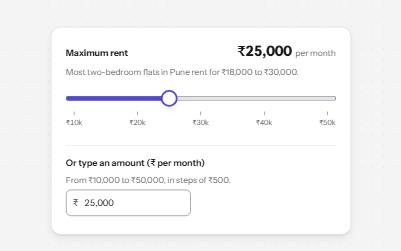
A native range input styled with a filled track and a large thumb, its value said with units, and a number field kept in step.
-
Menu button
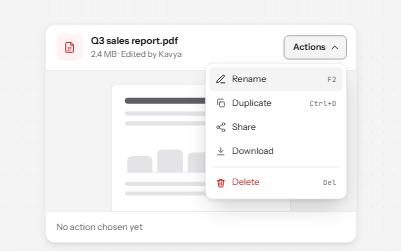
A button that opens a list of actions, moved through with the arrow keys and closed with Escape, focus going back to the button.