Accessibility pattern · Media
Audio player
Real buttons, a select and a slider make every control reachable by keyboard and named for screen readers, and no sound starts until someone presses Play. Chapters jump to their start and mark the one playing with aria-current; the transcript highlights the line being spoken without announcing it over the audio.
- WCAG criteria
- 6
- Keyboard rules
- 6
- Checked with
- axe, keyboard and the inspector
Live demo
Try it
Use it with a mouse, a keyboard or a screen reader. The inspector beside it shows what the browser tells assistive technology as you go: focus, state changes and announcements.
The Raag Clock · Episode 14
Four raags round the clock
With Meera Iyer · 2 minutes 20 seconds
The music is made in your browser when you press Play; Meera's words are in the transcript.
Chapters
Transcript
- 0:00 [Music: a tanpura drone, tuned to Sa and Pa]
- 0:05 Meera: Welcome to The Raag Clock. I'm Meera Iyer.
- 0:10 Meera: In Hindustani music, many raags belong to a time of day. Today we go round the clock in four short phrases.
- 0:20 [Music: Bhairav, a slow, low phrase]
- 0:28 Meera: Bhairav is sung at dawn. Its flattened second and sixth notes give it a grave, prayerful sound.
- 0:40 [The phrase climbs to the upper Sa, then settles back]
- 0:50 [Music: Bhimpalasi, a brighter, swaying phrase]
- 0:58 Meera: Bhimpalasi is for the hot afternoon. It leans on the flattened third and seventh.
- 1:08 [The melody lingers on Ma, then falls home to Sa]
- 1:20 [Music: Yaman, an open, rising phrase]
- 1:28 Meera: Yaman opens the night. Its sharp fourth, tivra Ma, makes it sound bright and searching.
- 1:40 [Long notes climb to the upper Re and rest on Sa]
- 1:50 [Music: Malkauns, a deep, five-note phrase]
- 1:58 Meera: Malkauns belongs to midnight. It uses only five notes and leaves out Re and Pa.
- 2:08 Meera: That's the clock. Next week: the monsoon raags.
- 2:14 [The tanpura fades out]
The demo works without JavaScript only as far as its HTML does; the inspector needs JavaScript.
Keyboard
Keys it answers to
Every action works without a pointer.
| Key | What it does |
|---|---|
| Enter or Space | On Play, plays or pauses; on Back 15 seconds or Forward 15 seconds, skips; on a chapter, goes to its start. |
| Arrow Right or Arrow Left | On the seek slider, forward or back 5 seconds. On the volume slider, louder or quieter. |
| Page Up or Page Down | On the seek slider, forward or back 15 seconds. |
| Home or End | On the seek slider, the start or the end of the episode. |
| Space | On the seek slider, plays or pauses, and says which. |
| Arrow Down or Arrow Up | On the speed select, chooses a slower or faster speed. |
Screen readers
What it announces
Written from the roles, names and states in the markup.
| When | Expected announcement |
|---|---|
| Tab enters the player | Four raags round the clock, group. Seek, slider, 0 seconds of 2 minutes 20 seconds |
| Focus reaches Play | Play, button |
| Page Up on the seek slider | 15 seconds |
| Space on the seek slider | Playing |
| Focus reaches the chapter playing now | 0:20 Bhairav, at dawn, button, current |
| The transcript moves to the next line | Nothing: the highlight is visual only |
| The episode ends | Episode finished |
These are expected announcements, not recordings. Wording and order differ between screen readers and browsers.
Code
Copy the code
The exact files this demo runs on. The styles are served with a prefix that keeps this site's own styles out of the demo; what you copy is the original.
<div class="ap-audio" data-ap-audio-player>
  <div class="ap-audio__player" role="group" aria-labelledby="aud-name" data-aud-player>
    <div class="ap-audio__top">
      <svg class="ap-audio__cover" viewBox="0 0 96 96" aria-hidden="true" focusable="false">
        <rect width="96" height="96" rx="14" fill="#1E1B4B"/>
        <path d="M48 18a30 30 0 0 1 30 30H48z" fill="#F59E0B"/>
        <path d="M78 48a30 30 0 0 1-30 30V48z" fill="#FDE68A"/>
        <path d="M48 78a30 30 0 0 1-30-30h30z" fill="#F472B6"/>
        <path d="M18 48a30 30 0 0 1 30-30v30z" fill="#6366F1"/>
        <circle cx="48" cy="48" r="17" fill="#1E1B4B"/>
        <path d="M48 48V36M48 48l8 5" stroke="#FFFFFF" stroke-width="3" stroke-linecap="round"/>
        <circle cx="48" cy="48" r="2.6" fill="#FFFFFF"/>
      </svg>
      <div class="ap-audio__id">
        <p class="ap-audio__show">The Raag Clock · Episode 14</p>
        <h3 class="ap-audio__name" id="aud-name">Four raags round the clock</h3>
        <p class="ap-audio__by">With Meera Iyer · 2 minutes 20 seconds</p>
      </div>
    </div>

    <div class="ap-audio__seekrow">
      <span class="ap-audio__time" aria-hidden="true" translate="no" data-aud-now>0:00</span>
      <div class="ap-audio__seek" role="slider" tabindex="0" aria-label="Seek" aria-valuemin="0" aria-valuemax="140" aria-valuenow="0" aria-valuetext="0 seconds of 2 minutes 20 seconds" data-aud-seek>
        <span class="ap-audio__rail"><span class="ap-audio__fill"></span></span>
        <span class="ap-audio__marks" aria-hidden="true" data-aud-marks></span>
        <span class="ap-audio__knob"></span>
      </div>
      <span class="ap-audio__time" aria-hidden="true" translate="no">2:20</span>
    </div>

    <div class="ap-audio__controls">
      <div class="ap-audio__rate">
        <label class="ap-audio__rate-label" for="aud-rate">Speed</label>
        <select class="ap-audio__select" id="aud-rate" data-aud-rate>
          <option value="0.75">0.75×</option>
          <option value="1" selected>1×</option>
          <option value="1.25">1.25×</option>
          <option value="1.5">1.5×</option>
          <option value="2">2×</option>
        </select>
      </div>
      <div class="ap-audio__transport">
        <button type="button" class="ap-audio__btn ap-audio__btn--skip" aria-label="Back 15 seconds" data-aud-skip="-15"><svg viewBox="0 0 24 24" aria-hidden="true" focusable="false"><path d="M4.5 12a7.5 7.5 0 1 0 2.2-5.3M4.5 4v4.5H9"/><text x="12" y="15.4" text-anchor="middle">15</text></svg></button>
        <button type="button" class="ap-audio__btn ap-audio__btn--play" aria-label="Play" data-aud-play>
          <svg class="ap-audio__i-play" viewBox="0 0 24 24" aria-hidden="true" focusable="false"><path d="M8 5.5v13l11-6.5z"/></svg>
          <svg class="ap-audio__i-pause" viewBox="0 0 24 24" aria-hidden="true" focusable="false"><path d="M7.5 5h3.2v14H7.5zM13.3 5h3.2v14h-3.2z"/></svg>
        </button>
        <button type="button" class="ap-audio__btn ap-audio__btn--skip" aria-label="Forward 15 seconds" data-aud-skip="15"><svg viewBox="0 0 24 24" aria-hidden="true" focusable="false"><path d="M19.5 12a7.5 7.5 0 1 1-2.2-5.3M19.5 4v4.5H15"/><text x="12" y="15.4" text-anchor="middle">15</text></svg></button>
      </div>
      <div class="ap-audio__sound">
        <button type="button" class="ap-audio__btn ap-audio__btn--mute" aria-pressed="false" aria-label="Mute" data-aud-mute>
          <svg viewBox="0 0 24 24" aria-hidden="true" focusable="false"><path d="M11 5 6.5 9H3v6h3.5L11 19z"/><path class="ap-audio__waves" d="M15.5 8.5a5 5 0 0 1 0 7M18.5 5.5a9 9 0 0 1 0 13"/><path class="ap-audio__cross" d="m16 9.5 5 5m0-5-5 5"/></svg>
        </button>
        <input class="ap-audio__volume" type="range" min="0" max="100" step="5" value="80" aria-label="Volume level" aria-valuetext="80%" data-aud-volume />
      </div>
    </div>
    <p class="ap-audio__note">The music is made in your browser when you press Play; Meera's words are in the transcript.</p>
  </div>

  <div class="ap-audio__more">
    <div class="ap-audio__panel">
      <h4 class="ap-audio__h" id="aud-chapters">Chapters</h4>
      <ol class="ap-audio__chapters" aria-labelledby="aud-chapters">
          <li><button type="button" class="ap-audio__chapter" data-aud-chapter data-at="0" aria-current="true"><span class="ap-audio__ct" translate="no">0:00</span><span class="ap-audio__cn">Tuning up</span><svg class="ap-audio__eq" viewBox="0 0 16 16" aria-hidden="true" focusable="false"><path d="M3 13V7M8 13V3M13 13V9"/></svg></button></li>
          <li><button type="button" class="ap-audio__chapter" data-aud-chapter data-at="20"><span class="ap-audio__ct" translate="no">0:20</span><span class="ap-audio__cn">Bhairav, at dawn</span><svg class="ap-audio__eq" viewBox="0 0 16 16" aria-hidden="true" focusable="false"><path d="M3 13V7M8 13V3M13 13V9"/></svg></button></li>
          <li><button type="button" class="ap-audio__chapter" data-aud-chapter data-at="50"><span class="ap-audio__ct" translate="no">0:50</span><span class="ap-audio__cn">Bhimpalasi, in the afternoon</span><svg class="ap-audio__eq" viewBox="0 0 16 16" aria-hidden="true" focusable="false"><path d="M3 13V7M8 13V3M13 13V9"/></svg></button></li>
          <li><button type="button" class="ap-audio__chapter" data-aud-chapter data-at="80"><span class="ap-audio__ct" translate="no">1:20</span><span class="ap-audio__cn">Yaman, at dusk</span><svg class="ap-audio__eq" viewBox="0 0 16 16" aria-hidden="true" focusable="false"><path d="M3 13V7M8 13V3M13 13V9"/></svg></button></li>
          <li><button type="button" class="ap-audio__chapter" data-aud-chapter data-at="110"><span class="ap-audio__ct" translate="no">1:50</span><span class="ap-audio__cn">Malkauns, at midnight</span><svg class="ap-audio__eq" viewBox="0 0 16 16" aria-hidden="true" focusable="false"><path d="M3 13V7M8 13V3M13 13V9"/></svg></button></li>
      </ol>
    </div>
    <div class="ap-audio__panel">
      <h4 class="ap-audio__h" id="aud-transcript">Transcript</h4>
      <div class="ap-audio__script" role="region" aria-labelledby="aud-transcript" tabindex="0" data-aud-transcript>
        <ol class="ap-audio__lines">
            <li data-start="0" data-end="5"><span class="ap-audio__lt" translate="no">0:00</span> <span class="ap-audio__line">[Music: a tanpura drone, tuned to Sa and Pa]</span></li>
            <li data-start="5" data-end="10"><span class="ap-audio__lt" translate="no">0:05</span> <span class="ap-audio__line"><b>Meera:</b> Welcome to The Raag Clock. I'm Meera Iyer.</span></li>
            <li data-start="10" data-end="20"><span class="ap-audio__lt" translate="no">0:10</span> <span class="ap-audio__line"><b>Meera:</b> In Hindustani music, many raags belong to a time of day. Today we go round the clock in four short phrases.</span></li>
            <li data-start="20" data-end="28"><span class="ap-audio__lt" translate="no">0:20</span> <span class="ap-audio__line">[Music: Bhairav, a slow, low phrase]</span></li>
            <li data-start="28" data-end="40"><span class="ap-audio__lt" translate="no">0:28</span> <span class="ap-audio__line"><b>Meera:</b> Bhairav is sung at dawn. Its flattened second and sixth notes give it a grave, prayerful sound.</span></li>
            <li data-start="40" data-end="50"><span class="ap-audio__lt" translate="no">0:40</span> <span class="ap-audio__line">[The phrase climbs to the upper Sa, then settles back]</span></li>
            <li data-start="50" data-end="58"><span class="ap-audio__lt" translate="no">0:50</span> <span class="ap-audio__line">[Music: Bhimpalasi, a brighter, swaying phrase]</span></li>
            <li data-start="58" data-end="68"><span class="ap-audio__lt" translate="no">0:58</span> <span class="ap-audio__line"><b>Meera:</b> Bhimpalasi is for the hot afternoon. It leans on the flattened third and seventh.</span></li>
            <li data-start="68" data-end="80"><span class="ap-audio__lt" translate="no">1:08</span> <span class="ap-audio__line">[The melody lingers on Ma, then falls home to Sa]</span></li>
            <li data-start="80" data-end="88"><span class="ap-audio__lt" translate="no">1:20</span> <span class="ap-audio__line">[Music: Yaman, an open, rising phrase]</span></li>
            <li data-start="88" data-end="100"><span class="ap-audio__lt" translate="no">1:28</span> <span class="ap-audio__line"><b>Meera:</b> Yaman opens the night. Its sharp fourth, tivra Ma, makes it sound bright and searching.</span></li>
            <li data-start="100" data-end="110"><span class="ap-audio__lt" translate="no">1:40</span> <span class="ap-audio__line">[Long notes climb to the upper Re and rest on Sa]</span></li>
            <li data-start="110" data-end="118"><span class="ap-audio__lt" translate="no">1:50</span> <span class="ap-audio__line">[Music: Malkauns, a deep, five-note phrase]</span></li>
            <li data-start="118" data-end="128"><span class="ap-audio__lt" translate="no">1:58</span> <span class="ap-audio__line"><b>Meera:</b> Malkauns belongs to midnight. It uses only five notes and leaves out Re and Pa.</span></li>
            <li data-start="128" data-end="134"><span class="ap-audio__lt" translate="no">2:08</span> <span class="ap-audio__line"><b>Meera:</b> That's the clock. Next week: the monsoon raags.</span></li>
            <li data-start="134" data-end="140"><span class="ap-audio__lt" translate="no">2:14</span> <span class="ap-audio__line">[The tanpura fades out]</span></li>
        </ol>
      </div>
    </div>
  </div>

  <p class="ap-audio__vh" role="status" data-aud-status></p>
</div>
/* Shared primitives: buttons and form fields used across the patterns.
   Uses the --ap-* design tokens. */

.ap-btn {
  display: inline-flex;
  align-items: center;
  justify-content: center;
  gap: 8px;
  min-height: 40px;
  padding: 0 16px;
  border: 1px solid var(--ap-border-strong);
  border-radius: var(--ap-radius-sm);
  background: var(--ap-surface);
  color: var(--ap-text);
  font: inherit;
  font-weight: 600;
  line-height: 1.2;
  text-decoration: none;
  white-space: nowrap;
  cursor: pointer;
  transition: background-color var(--ap-duration) var(--ap-ease), border-color var(--ap-duration) var(--ap-ease), box-shadow var(--ap-duration) var(--ap-ease);
}
.ap-btn:hover {
  background: var(--ap-surface-2);
}
.ap-btn:focus-visible {
  outline: 2px solid var(--ap-focus);
  outline-offset: 2px;
}
.ap-btn:disabled,
.ap-btn[aria-disabled="true"] {
  opacity: .55;
  cursor: not-allowed;
}
.ap-btn--primary {
  border-color: var(--ap-accent);
  background: var(--ap-accent);
  color: var(--ap-on-accent);
  box-shadow: var(--ap-shadow-sm);
}
.ap-btn--primary:hover {
  border-color: var(--ap-accent-hover);
  background: var(--ap-accent-hover);
}
.ap-btn--danger {
  border-color: var(--ap-danger);
  background: var(--ap-danger);
  color: var(--ap-surface);
}
.ap-btn--danger:hover {
  filter: brightness(1.08);
}
.ap-btn--ghost {
  border-color: transparent;
  background: transparent;
}
.ap-btn--ghost:hover {
  background: var(--ap-surface-2);
}
.ap-btn__icon {
  width: 18px;
  height: 18px;
  flex-shrink: 0;
  fill: none;
  stroke: currentColor;
  stroke-width: 2;
  stroke-linecap: round;
  stroke-linejoin: round;
}

.ap-field {
  display: grid;
  gap: 6px;
}
.ap-label {
  color: var(--ap-text);
  font-weight: 600;
  font-size: .9375rem;
}
.ap-hint {
  margin: 0;
  color: var(--ap-text-3);
  font-size: .875rem;
  line-height: 1.45;
}
.ap-error {
  display: flex;
  align-items: flex-start;
  gap: 6px;
  margin: 0;
  color: var(--ap-danger);
  font-size: .875rem;
  font-weight: 600;
  line-height: 1.45;
}
.ap-input {
  width: 100%;
  min-height: 44px;
  padding: 10px 12px;
  border: 1px solid var(--ap-border-strong);
  border-radius: var(--ap-radius-sm);
  background: var(--ap-surface);
  color: var(--ap-text);
  font: inherit;
  line-height: 1.4;
  transition: border-color var(--ap-duration) var(--ap-ease), box-shadow var(--ap-duration) var(--ap-ease);
}
.ap-input::placeholder {
  color: var(--ap-text-3);
}
.ap-input:hover {
  border-color: var(--ap-text-2);
}
.ap-input:focus-visible {
  outline: 2px solid var(--ap-focus);
  outline-offset: 1px;
  border-color: var(--ap-focus);
}
.ap-input[aria-invalid="true"] {
  border-color: var(--ap-danger);
  box-shadow: inset 4px 0 0 var(--ap-danger);
}
textarea.ap-input {
  resize: vertical;
  min-height: 88px;
}

@media (prefers-reduced-motion: reduce) {
  .ap-btn,
  .ap-input { transition: none; }
}

/* Audio player. Uses the --ap-* design tokens and the shared primitives. */
.ap-audio {
  container-type: inline-size;
  position: relative;
  display: grid;
  gap: 16px;
  width: min(100%, 720px);
  margin-inline: auto;
  color: var(--ap-text);
  font-family: var(--ap-font);
}

/* ── The player card ── */
.ap-audio__player {
  display: grid;
  gap: 16px;
  padding: 20px 22px 16px;
  border: 1px solid var(--ap-border);
  border-radius: var(--ap-radius-lg);
  background: var(--ap-surface);
  box-shadow: var(--ap-shadow-md);
}
.ap-audio__top {
  display: flex;
  align-items: center;
  gap: 16px;
}
.ap-audio__cover {
  flex-shrink: 0;
  width: 84px;
  height: 84px;
  border-radius: var(--ap-radius);
  box-shadow: var(--ap-shadow-sm);
}
.ap-audio__id {
  display: grid;
  gap: 2px;
  min-width: 0;
}
.ap-audio__id p {
  margin: 0;
}
.ap-audio__show {
  color: var(--ap-accent-text);
  font-size: .8125rem;
  font-weight: 700;
  letter-spacing: .02em;
}
.ap-audio__name {
  margin: 0;
  font-size: 1.25rem;
  font-weight: 650;
  line-height: 1.3;
}
.ap-audio__by {
  color: var(--ap-text-3);
  font-size: .875rem;
}

/* Seek */
.ap-audio__seekrow {
  display: flex;
  align-items: center;
  gap: 12px;
}
.ap-audio__time {
  min-width: 2.6em;
  color: var(--ap-text-2);
  font-size: .8125rem;
  font-variant-numeric: tabular-nums;
}
.ap-audio__time:last-child {
  text-align: end;
}
.ap-audio__seek {
  position: relative;
  flex: 1;
  height: 28px;
  border-radius: 6px;
  cursor: pointer;
  touch-action: none;
}
.ap-audio__seek:focus-visible {
  outline: 2px solid var(--ap-focus);
  outline-offset: 2px;
}
.ap-audio__rail {
  position: absolute;
  top: 50%;
  right: 0;
  left: 0;
  height: 6px;
  margin-top: -3px;
  border-radius: var(--ap-radius-full);
  background: var(--ap-surface-3);
  box-shadow: inset 0 0 0 1px var(--ap-border-strong);
  overflow: hidden;
}
.ap-audio__fill {
  display: block;
  width: calc(var(--aud-progress, 0) * 100%);
  height: 100%;
  background: var(--ap-accent);
}
.ap-audio__marks span {
  position: absolute;
  top: 50%;
  left: calc(var(--at) * 100%);
  width: 2px;
  height: 12px;
  margin: -6px 0 0 -1px;
  border-radius: 1px;
  background: var(--ap-text-3);
}
.ap-audio__knob {
  position: absolute;
  top: 50%;
  left: calc(var(--aud-progress, 0) * 100%);
  width: 16px;
  height: 16px;
  margin: -8px 0 0 -8px;
  border: 3px solid var(--ap-accent);
  border-radius: var(--ap-radius-full);
  background: var(--ap-surface);
  box-shadow: var(--ap-shadow-sm);
  transition: transform var(--ap-duration) var(--ap-ease);
}
.ap-audio__seek:hover .ap-audio__knob,
.ap-audio__seek:focus-visible .ap-audio__knob {
  transform: scale(1.2);
}

/* Controls: speed, the transport in the middle, sound */
.ap-audio__controls {
  display: grid;
  grid-template-columns: 1fr auto 1fr;
  align-items: center;
  gap: 12px;
}
.ap-audio__rate {
  display: flex;
  align-items: center;
  gap: 8px;
}
.ap-audio__rate-label {
  color: var(--ap-text-2);
  font-size: .875rem;
  font-weight: 600;
}
.ap-audio__select {
  min-height: 36px;
  padding: 0 28px 0 10px;
  border: 1px solid var(--ap-border-strong);
  border-radius: var(--ap-radius-sm);
  /* A chevron drawn with two gradients, then the fill color. */
  background:
    linear-gradient(45deg, transparent 50%, var(--ap-text-2) 50%) no-repeat right 15px center / 5px 5px,
    linear-gradient(-45deg, transparent 50%, var(--ap-text-2) 50%) no-repeat right 10px center / 5px 5px,
    var(--ap-surface);
  color: var(--ap-text);
  font: inherit;
  font-weight: 600;
  font-variant-numeric: tabular-nums;
  appearance: none;
  cursor: pointer;
}
.ap-audio__select:hover {
  border-color: var(--ap-text-2);
}
.ap-audio__select:focus-visible {
  outline: 2px solid var(--ap-focus);
  outline-offset: 2px;
}
.ap-audio__transport {
  display: flex;
  align-items: center;
  gap: 10px;
}
.ap-audio__sound {
  display: flex;
  align-items: center;
  justify-content: flex-end;
  gap: 2px;
}

.ap-audio__btn {
  display: inline-grid;
  place-items: center;
  width: 44px;
  height: 44px;
  padding: 0;
  border: 0;
  border-radius: var(--ap-radius-full);
  background: transparent;
  color: var(--ap-text);
  font: inherit;
  cursor: pointer;
  transition: background-color var(--ap-duration) var(--ap-ease);
}
.ap-audio__btn:hover {
  background: var(--ap-surface-2);
}
.ap-audio__btn:focus-visible {
  outline: 2px solid var(--ap-focus);
  outline-offset: 2px;
}
.ap-audio__btn svg {
  grid-area: 1 / 1;
  width: 26px;
  height: 26px;
  fill: none;
  stroke: currentColor;
  stroke-width: 1.9;
  stroke-linecap: round;
  stroke-linejoin: round;
}
.ap-audio__btn--skip text {
  fill: currentColor;
  stroke: none;
  font-family: var(--ap-font);
  font-size: 8.5px;
  font-weight: 700;
}
.ap-audio__btn--play {
  width: 56px;
  height: 56px;
  background: var(--ap-accent);
  color: var(--ap-on-accent);
  box-shadow: var(--ap-shadow-md);
}
.ap-audio__btn--play:hover {
  background: var(--ap-accent-hover);
}
.ap-audio__btn--play svg {
  fill: currentColor;
  stroke: none;
}
.ap-audio__i-play { margin-left: 3px; }
.ap-audio__i-pause,
.ap-audio.is-playing .ap-audio__i-play { visibility: hidden; }
.ap-audio.is-playing .ap-audio__i-pause { visibility: visible; }

.ap-audio__btn--mute {
  width: 40px;
  height: 40px;
  border-radius: var(--ap-radius-sm);
}
.ap-audio__btn--mute svg {
  width: 22px;
  height: 22px;
  stroke-width: 2;
}
.ap-audio__cross { display: none; }
.ap-audio__btn--mute[aria-pressed="true"] { color: var(--ap-danger); }
.ap-audio__btn--mute[aria-pressed="true"] .ap-audio__waves { display: none; }
.ap-audio__btn--mute[aria-pressed="true"] .ap-audio__cross { display: inline; }

.ap-audio__volume {
  width: 84px;
  height: 28px;
  margin: 0 0 0 2px;
  background: transparent;
  cursor: pointer;
  -webkit-appearance: none;
  appearance: none;
}
.ap-audio__volume:focus-visible {
  outline: 2px solid var(--ap-focus);
  outline-offset: 2px;
  border-radius: 4px;
}
.ap-audio__volume::-webkit-slider-runnable-track {
  height: 6px;
  border-radius: var(--ap-radius-full);
  background: linear-gradient(to right, var(--ap-text-2) 0 calc(var(--aud-level, .8) * 100%), var(--ap-surface-3) 0);
  box-shadow: inset 0 0 0 1px var(--ap-border-strong);
}
.ap-audio__volume::-webkit-slider-thumb {
  width: 16px;
  height: 16px;
  margin-top: -5px;
  border: 3px solid var(--ap-text-2);
  border-radius: var(--ap-radius-full);
  background: var(--ap-surface);
  -webkit-appearance: none;
  appearance: none;
}
.ap-audio__volume::-moz-range-track {
  height: 6px;
  border-radius: var(--ap-radius-full);
  background: var(--ap-surface-3);
  box-shadow: inset 0 0 0 1px var(--ap-border-strong);
}
.ap-audio__volume::-moz-range-progress {
  height: 6px;
  border-radius: var(--ap-radius-full);
  background: var(--ap-text-2);
}
.ap-audio__volume::-moz-range-thumb {
  box-sizing: border-box;
  width: 16px;
  height: 16px;
  border: 3px solid var(--ap-text-2);
  border-radius: var(--ap-radius-full);
  background: var(--ap-surface);
}

.ap-audio__note {
  margin: 0;
  padding-top: 12px;
  border-top: 1px solid var(--ap-border);
  color: var(--ap-text-3);
  font-size: .8125rem;
  line-height: 1.5;
}

/* ── Chapters and transcript ── */
.ap-audio__more {
  display: grid;
  grid-template-columns: minmax(0, 1fr);
  gap: 16px;
}
@container (min-width: 600px) {
  .ap-audio__more { grid-template-columns: minmax(0, .9fr) minmax(0, 1.25fr); }
}
.ap-audio__panel {
  display: grid;
  align-content: start;
  gap: 10px;
  min-width: 0;
  padding: 16px;
  border: 1px solid var(--ap-border);
  border-radius: var(--ap-radius-lg);
  background: var(--ap-surface);
}
.ap-audio__h {
  margin: 0;
  color: var(--ap-text-3);
  font-size: .75rem;
  font-weight: 700;
  letter-spacing: .08em;
  text-transform: uppercase;
}

.ap-audio__chapters {
  display: grid;
  gap: 2px;
  margin: 0;
  padding: 0;
  list-style: none;
}
.ap-audio__chapter {
  display: grid;
  grid-template-columns: 2.6rem minmax(0, 1fr) 16px;
  align-items: center;
  gap: 8px;
  width: 100%;
  min-height: 44px;
  padding: 6px 10px;
  border: 0;
  border-radius: var(--ap-radius-sm);
  background: transparent;
  color: var(--ap-text);
  font: inherit;
  text-align: start;
  cursor: pointer;
}
.ap-audio__chapter:hover {
  background: var(--ap-surface-2);
}
.ap-audio__chapter:focus-visible {
  outline: 2px solid var(--ap-focus);
  outline-offset: -2px;
}
.ap-audio__ct {
  color: var(--ap-text-3);
  font-size: .875rem;
  font-variant-numeric: tabular-nums;
}
.ap-audio__cn {
  line-height: 1.35;
}
.ap-audio__eq {
  width: 16px;
  height: 16px;
  fill: none;
  stroke: currentColor;
  stroke-width: 2.4;
  stroke-linecap: round;
  visibility: hidden;
}
.ap-audio__chapter[aria-current="true"] {
  background: var(--ap-accent-soft);
  color: var(--ap-accent-soft-text);
  font-weight: 650;
}
.ap-audio__chapter[aria-current="true"] .ap-audio__ct {
  color: var(--ap-accent-soft-text);
}
.ap-audio__chapter[aria-current="true"] .ap-audio__eq {
  visibility: visible;
}

.ap-audio__script {
  max-height: 272px;
  margin: -4px;
  padding: 4px;
  overflow-y: auto;
  border-radius: var(--ap-radius-sm);
  overscroll-behavior: contain;
}
.ap-audio__script:focus-visible {
  outline: 2px solid var(--ap-focus);
  outline-offset: 0;
}
.ap-audio__lines {
  position: relative;
  display: grid;
  gap: 2px;
  margin: 0;
  padding: 0;
  list-style: none;
}
.ap-audio__lines li {
  display: grid;
  grid-template-columns: 2.6rem minmax(0, 1fr);
  gap: 8px;
  padding: 6px 10px;
  border-left: 3px solid transparent;
  border-radius: 0 var(--ap-radius-sm) var(--ap-radius-sm) 0;
  color: var(--ap-text-2);
  line-height: 1.5;
  transition: background-color var(--ap-duration) var(--ap-ease);
}
.ap-audio__lt {
  color: var(--ap-text-3);
  font-size: .8125rem;
  font-variant-numeric: tabular-nums;
  line-height: 1.85;
}
.ap-audio__line b {
  color: var(--ap-text);
  font-weight: 650;
}
.ap-audio__lines li.is-now {
  border-left-color: var(--ap-accent);
  background: var(--ap-accent-soft);
  color: var(--ap-text);
}
.ap-audio__lines li.is-now .ap-audio__lt {
  color: var(--ap-accent-soft-text);
  font-weight: 700;
}

.ap-audio__vh {
  position: absolute;
  width: 1px;
  height: 1px;
  margin: -1px;
  padding: 0;
  overflow: hidden;
  clip-path: inset(50%);
  white-space: nowrap;
}

/* A narrow card: the transport gets its own row */
@container (max-width: 480px) {
  .ap-audio__player { padding: 16px 14px 14px; }
  .ap-audio__cover { width: 64px; height: 64px; }
  .ap-audio__name { font-size: 1.125rem; }
  .ap-audio__controls {
    grid-template-columns: 1fr auto;
    grid-template-areas: "transport transport" "rate sound";
    row-gap: 10px;
  }
  .ap-audio__transport { grid-area: transport; justify-content: center; }
  .ap-audio__rate { grid-area: rate; }
  .ap-audio__sound { grid-area: sound; }
}

@media (prefers-reduced-motion: reduce) {
  .ap-audio__knob,
  .ap-audio__btn,
  .ap-audio__lines li { transition: none; }
}
/**
 * Audio player: a podcast player with labelled controls, chapters that seek,
 * and a transcript that follows along without announcing itself. Nothing
 * plays until someone presses Play.
 *
 * Markup: [data-ap-audio-player] holding the player group [data-aud-player]
 * with a seek slider [data-aud-seek] (role=slider), buttons for play
 * [data-aud-play], back and forward [data-aud-skip="-15"|"15"] and mute
 * [data-aud-mute], a speed select [data-aud-rate] and a volume range
 * [data-aud-volume]; chapter buttons [data-aud-chapter][data-at]; the
 * transcript region [data-aud-transcript] whose li[data-start][data-end] are
 * its lines; and a role=status [data-aud-status].
 *
 * The player only talks to `media` through the properties and events of an
 * HTMLMediaElement. This demo has no audio file, so Episode (at the end)
 * plays one made with the Web Audio API; with a real file, use
 * `const media = root.querySelector("audio")` and delete Episode.
 */

const STEP = 5;
const PAGE = 15;

const clock = (s) => `${Math.floor(s / 60)}:${String(Math.floor(s % 60)).padStart(2, "0")}`;
function spoken(s) {
  const m = Math.floor(s / 60);
  const sec = Math.floor(s % 60);
  const parts = [];
  if (m) parts.push(`${m} ${m === 1 ? "minute" : "minutes"}`);
  if (sec || !m) parts.push(`${sec} ${sec === 1 ? "second" : "seconds"}`);
  return parts.join(" ");
}

export function init(root) {
  const ac = new AbortController();
  const on = (target, type, fn, opts = {}) => target.addEventListener(type, fn, { ...opts, signal: ac.signal });
  const $ = (sel) => root.querySelector(sel);

  const seek = $("[data-aud-seek]");
  const nowText = $("[data-aud-now]");
  const playBtn = $("[data-aud-play]");
  const muteBtn = $("[data-aud-mute]");
  const volume = $("[data-aud-volume]");
  const rate = $("[data-aud-rate]");
  const status = $("[data-aud-status]");
  const scroller = $("[data-aud-transcript]");
  const chapters = [...root.querySelectorAll("[data-aud-chapter]")].map((button) => ({ button, at: Number(button.dataset.at) }));
  const lines = [...scroller.querySelectorAll("li[data-start]")].map((li) => ({ li, start: Number(li.dataset.start), end: Number(li.dataset.end) }));

  const media = new Episode();

  // Chapter marks on the seek bar, from the chapter list.
  const marks = $("[data-aud-marks]");
  marks.replaceChildren(...chapters.slice(1).map((c) => {
    const mark = document.createElement("span");
    mark.style.setProperty("--at", String(c.at / media.duration));
    return mark;
  }));

  function say(text) {
    status.textContent = "";
    requestAnimationFrame(() => { status.textContent = text; });
  }

  /* ── Following along: chapter and transcript line ── */
  let chapterNow = null;
  let lineNow = null;
  let readingUntil = 0; // the reader scrolled the transcript; leave it alone for a while
  const reading = () => scroller.matches(":hover, :focus-within") || performance.now() < readingUntil;

  function follow(t) {
    const chapter = chapters.findLast((c) => t >= c.at) || chapters[0];
    if (chapter !== chapterNow) {
      chapterNow?.button.removeAttribute("aria-current");
      chapter.button.setAttribute("aria-current", "true");
      chapterNow = chapter;
    }
    // The current line is shown, not announced: reading each one out would
    // talk over the episode.
    const line = lines.find((l) => t >= l.start && t < l.end) || null;
    if (line !== lineNow) {
      lineNow?.li.classList.remove("is-now");
      line?.li.classList.add("is-now");
      lineNow = line;
      if (line && !reading()) {
        const top = line.li.offsetTop - scroller.clientHeight / 3;
        const still = matchMedia("(prefers-reduced-motion: reduce)").matches;
        scroller.scrollTo({ top: Math.max(0, top), behavior: still ? "auto" : "smooth" });
      }
    }
  }
  for (const type of ["wheel", "touchmove", "keydown"]) {
    on(scroller, type, () => { readingUntil = performance.now() + 4000; }, { passive: true });
  }

  /* ── Time ── */
  function paintTime() {
    const t = media.currentTime;
    seek.style.setProperty("--aud-progress", String(t / media.duration));
    nowText.textContent = clock(t);
    follow(t);
  }
  // As in the video player: the slider's value is set on focus, on seeking
  // and when playback stops, so a focused slider does not read the clock aloud.
  function tellSeek(withTotal) {
    const t = Math.floor(media.currentTime);
    seek.setAttribute("aria-valuenow", String(t));
    seek.setAttribute("aria-valuetext", withTotal ? `${spoken(t)} of ${spoken(media.duration)}` : spoken(t));
  }
  function seekTo(t) {
    media.currentTime = Math.max(0, Math.min(media.duration, t));
    tellSeek(document.activeElement !== seek);
  }

  /* ── Media events → controls ── */
  function onPlayState() {
    const playing = !media.paused;
    root.classList.toggle("is-playing", playing);
    playBtn.setAttribute("aria-label", playing ? "Pause" : "Play");
    tellSeek(document.activeElement !== seek);
  }
  function onVolume() {
    muteBtn.setAttribute("aria-pressed", String(media.muted));
    volume.value = String(Math.round(media.volume * 100));
    volume.setAttribute("aria-valuetext", `${volume.value}%`);
    volume.style.setProperty("--aud-level", String(media.muted ? 0 : media.volume));
  }
  on(media, "play", onPlayState);
  on(media, "pause", onPlayState);
  on(media, "timeupdate", paintTime);
  on(media, "seeked", paintTime);
  on(media, "volumechange", onVolume);
  on(media, "ended", () => say("Episode finished"));

  /* ── Controls ── */
  const togglePlay = () => (media.paused ? media.play() : media.pause());
  on(playBtn, "click", togglePlay);
  for (const button of root.querySelectorAll("[data-aud-skip]")) {
    on(button, "click", () => seekTo(media.currentTime + Number(button.dataset.audSkip)));
  }
  on(rate, "change", () => { media.playbackRate = Number(rate.value); });
  on(muteBtn, "click", () => { media.muted = !media.muted; });
  on(volume, "input", () => {
    media.volume = Number(volume.value) / 100;
    if (media.muted && media.volume > 0) media.muted = false;
  });
  for (const chapter of chapters) on(chapter.button, "click", () => seekTo(chapter.at));

  /* ── The seek slider ── */
  on(seek, "keydown", (event) => {
    const t = media.currentTime;
    const keys = {
      ArrowRight: t + STEP, ArrowUp: t + STEP, ArrowLeft: t - STEP, ArrowDown: t - STEP,
      PageUp: t + PAGE, PageDown: t - PAGE, Home: 0, End: media.duration,
    };
    if (event.key in keys) {
      event.preventDefault();
      media.currentTime = Math.max(0, Math.min(media.duration, keys[event.key]));
      tellSeek(false);
    } else if (event.key === " ") {
      // Space has no job on a slider; here it plays or pauses, and says so.
      event.preventDefault();
      togglePlay();
      say(media.paused ? "Paused" : "Playing");
    }
  });
  on(seek, "focus", () => tellSeek(true));
  on(seek, "blur", () => tellSeek(true));

  let dragging = false;
  const timeAt = (event) => {
    const box = seek.getBoundingClientRect();
    return Math.max(0, Math.min(media.duration, ((event.clientX - box.left) / box.width) * media.duration));
  };
  on(seek, "pointerdown", (event) => {
    if (event.button !== 0) return;
    dragging = true;
    seek.setPointerCapture(event.pointerId);
    media.currentTime = timeAt(event);
  });
  on(seek, "pointermove", (event) => { if (dragging) media.currentTime = timeAt(event); });
  on(seek, "pointerup", () => {
    if (!dragging) return;
    dragging = false;
    tellSeek(false);
  });

  onPlayState();
  onVolume();
  paintTime();

  return () => {
    ac.abort();
    media.destroy();
  };
}

/* ════════════════════════════════════════════════════════════════════════
   The demo episode. Stands in for an audio file: it has the properties and
   events of a media element and plays music made with the Web Audio API.
   Its AudioContext is created on the first play(), which only a click or
   key press calls, so no sound can start by itself.
   ════════════════════════════════════════════════════════════════════════ */

class Episode extends EventTarget {
  duration = 140;
  #synth = new Synth();
  #time = 0;
  #paused = true;
  #rate = 1;
  #volume = 0.8;
  #muted = false;
  #from = 0;
  #fromAt = 0;
  #raf = 0;

  #emit(type) { this.dispatchEvent(new Event(type)); }

  get currentTime() {
    if (this.#paused) return this.#time;
    return Math.min(this.duration, this.#from + ((performance.now() - this.#fromAt) / 1000) * this.#rate);
  }
  set currentTime(value) {
    const t = Math.max(0, Math.min(this.duration, Number(value) || 0));
    this.#time = this.#from = t;
    this.#fromAt = performance.now();
    if (!this.#paused) this.#synth.restart(() => this.currentTime, this.#rate);
    this.#emit("seeked");
    this.#emit("timeupdate");
  }
  get paused() { return this.#paused; }
  get ended() { return this.#paused && this.#time >= this.duration; }

  play() {
    if (!this.#paused) return Promise.resolve();
    if (this.#time >= this.duration) this.#time = 0;
    this.#paused = false;
    this.#from = this.#time;
    this.#fromAt = performance.now();
    this.#synth.start(this.#time, this.#rate, this.#level());
    this.#raf = requestAnimationFrame(this.#tick);
    this.#emit("play");
    return Promise.resolve();
  }
  pause() {
    if (this.#paused) return;
    this.#time = this.currentTime;
    this.#paused = true;
    cancelAnimationFrame(this.#raf);
    this.#synth.stop();
    this.#emit("pause");
  }
  #tick = () => {
    const t = this.currentTime;
    this.#emit("timeupdate");
    if (t >= this.duration) {
      this.#time = this.duration;
      this.#paused = true;
      this.#synth.stop();
      this.#emit("pause");
      this.#emit("ended");
      return;
    }
    this.#raf = requestAnimationFrame(this.#tick);
  };

  get playbackRate() { return this.#rate; }
  set playbackRate(value) {
    const t = this.currentTime;
    this.#rate = Number(value) || 1;
    this.#from = t;
    this.#fromAt = performance.now();
    if (!this.#paused) this.#synth.restart(() => this.currentTime, this.#rate);
    this.#emit("ratechange");
  }
  #level() { return this.#muted ? 0 : this.#volume * this.#volume; }
  get volume() { return this.#volume; }
  set volume(value) {
    this.#volume = Math.max(0, Math.min(1, Number(value)));
    this.#synth.gain(this.#level());
    this.#emit("volumechange");
  }
  get muted() { return this.#muted; }
  set muted(value) {
    this.#muted = Boolean(value);
    this.#synth.gain(this.#level());
    this.#emit("volumechange");
  }

  destroy() {
    cancelAnimationFrame(this.#raf);
    this.#paused = true;
    this.#synth.close();
  }
}

/* ── The music: a tanpura drone and one phrase in each of four raags ── */

const SA = 138.59; // C# below middle C, a common tuning for a male voice
const SWARA = { S: 0, r: 1, R: 2, g: 3, G: 4, m: 5, M: 6, P: 7, d: 8, D: 9, n: 10, N: 11 };
const BEAT = 0.72;

// "S:2" is Sa for two beats; a dot before the note lowers it an octave, a quote after raises it.
function phrase(text, start) {
  const notes = [];
  let t = start;
  let prev = null;
  for (const token of text.split(/\s+/)) {
    const [name, beats] = token.split(":");
    const swara = name.replace(/[.']/g, "");
    const octave = (name.startsWith(".") ? -1 : 0) + (name.endsWith("'") ? 1 : 0);
    const f = SA * 2 * 2 ** ((SWARA[swara] + octave * 12) / 12);
    const dur = Number(beats) * BEAT;
    notes.push({ t, kind: "note", f, from: prev ?? f, dur, level: 0.15 });
    prev = f;
    t += dur;
  }
  return notes;
}

const SCORE = (() => {
  const notes = [];
  const cycle = [-5, 0, 0, -12]; // Pa, Sa, Sa, low Sa
  for (let i = 0, t = 0.2; t < 136; i++, t += 0.8) {
    const fade = t > 130 ? Math.max(0, (138 - t) / 8) : 1;
    notes.push({ t, kind: "pluck", f: SA * 2 ** (cycle[i % 4] / 12), dur: 3, level: 0.09 * fade });
  }
  notes.push(...phrase("S:2 r:1 G:1 m:2 P:1 d:2 P:1 m:1 G:1 r:2 S:3", 21));
  notes.push(...phrase("G:1 m:1 d:2 N:1 S':3 N:1 d:2 P:1 m:1 G:1 m:1 r:2 S:4", 21 + 18 * BEAT));
  notes.push(...phrase(".n:1 S:1 g:2 m:2 P:1 m:1 g:1 R:1 S:2", 51));
  notes.push(...phrase("m:1 P:1 n:2 S':2 n:1 D:1 P:2 m:1 P:1 g:2 m:1 g:1 R:1 S:3", 51 + 13 * BEAT));
  notes.push(...phrase(".N:1 R:1 G:2 M:1 D:1 N:2 S':3 N:1 D:1 P:1 M:1 G:2 R:1 S:3", 81));
  notes.push(...phrase(".N:1 R:1 G:1 M:1 P:2 D:1 N:1 R':2 S':4", 81 + 22 * BEAT));
  notes.push(...phrase("S:1 .n:1 .d:2 .n:1 S:2 g:1 m:2 g:1 m:1 d:2 n:1 S':3", 111));
  notes.push(...phrase("n:1 d:1 m:2 g:1 m:1 g:1 S:3", 111 + 19 * BEAT));
  return notes.sort((a, b) => a.t - b.t);
})();

class Synth {
  #ctx = null;
  #master = null;
  #level = 0.64;
  #run = null; // { bus, ctx0, media0, rate, next, timer }
  #retry = 0;

  start(t, rate, level) {
    if (!this.#ctx) {
      const AudioCtx = window.AudioContext || window.webkitAudioContext;
      if (!AudioCtx) return;
      this.#ctx = new AudioCtx();
      this.#master = this.#ctx.createGain();
      this.#master.connect(this.#ctx.destination);
    }
    this.#ctx.resume?.();
    this.gain(level);
    this.#open(t, rate);
  }
  stop() {
    clearTimeout(this.#retry);
    this.#shut();
  }
  restart(now, rate) {
    if (!this.#ctx) return;
    this.#shut();
    clearTimeout(this.#retry);
    this.#retry = setTimeout(() => this.#open(now(), rate), 120);
  }
  gain(level) {
    this.#level = level;
    if (this.#master) this.#master.gain.setTargetAtTime(level, this.#ctx.currentTime, 0.02);
  }
  close() {
    this.stop();
    this.#ctx?.close?.();
    this.#ctx = null;
  }

  #open(t, rate) {
    const ctx = this.#ctx;
    this.#shut();
    const bus = ctx.createGain();
    bus.gain.value = 0;
    bus.gain.setTargetAtTime(1, ctx.currentTime, 0.04);
    bus.connect(this.#master);
    const run = { bus, ctx0: ctx.currentTime + 0.05, media0: t, rate, next: SCORE.findIndex((n) => n.t >= t), timer: 0 };
    if (run.next === -1) run.next = SCORE.length;
    this.#run = run;
    run.timer = setInterval(() => this.#schedule(), 50);
    this.#schedule();
  }
  #schedule() {
    const ctx = this.#ctx;
    const run = this.#run;
    if (!run) return;
    const horizon = run.media0 + (Math.max(0, ctx.currentTime - run.ctx0) + 0.3) * run.rate;
    while (run.next < SCORE.length && SCORE[run.next].t < horizon) {
      const n = SCORE[run.next++];
      voice(ctx, run.bus, Math.max(ctx.currentTime, run.ctx0 + (n.t - run.media0) / run.rate), n, run.rate);
    }
  }
  #shut() {
    const run = this.#run;
    if (!run) return;
    this.#run = null;
    clearInterval(run.timer);
    const at = this.#ctx.currentTime;
    run.bus.gain.cancelScheduledValues(at);
    run.bus.gain.setTargetAtTime(0, at, 0.02);
    setTimeout(() => run.bus.disconnect(), 400);
  }
}

function voice(ctx, bus, when, n, rate) {
  const dur = n.dur / rate;
  const out = ctx.createGain();
  out.connect(bus);
  const env = out.gain;
  env.setValueAtTime(0, when);
  if (n.kind === "pluck") {
    // Tanpura: two slightly detuned saws through a closing filter.
    const tone = ctx.createBiquadFilter();
    tone.type = "lowpass";
    tone.frequency.setValueAtTime(2400, when);
    tone.frequency.exponentialRampToValueAtTime(500, when + 1.6);
    tone.connect(out);
    for (const detune of [-4, 4]) {
      const osc = ctx.createOscillator();
      osc.type = "sawtooth";
      osc.frequency.value = n.f;
      osc.detune.value = detune;
      osc.connect(tone);
      osc.start(when);
      osc.stop(when + 3.1);
    }
    env.linearRampToValueAtTime(n.level, when + 0.012);
    env.exponentialRampToValueAtTime(0.0004, when + 3);
  } else {
    // Melody: a soft, flute-like tone that glides into each note and
    // gathers a little vibrato as it is held.
    const tone = ctx.createBiquadFilter();
    tone.type = "lowpass";
    tone.frequency.value = 2200;
    tone.connect(out);
    const vibrato = ctx.createOscillator();
    vibrato.frequency.value = 5.2;
    const depth = ctx.createGain();
    depth.gain.setValueAtTime(0, when);
    depth.gain.linearRampToValueAtTime(9, when + Math.min(0.5, dur));
    vibrato.connect(depth);
    for (const [type, mix] of [["sine", 0.7], ["triangle", 0.3]]) {
      const osc = ctx.createOscillator();
      osc.type = type;
      osc.frequency.setValueAtTime(n.from, when);
      osc.frequency.exponentialRampToValueAtTime(n.f, when + Math.min(0.08, dur / 3));
      depth.connect(osc.detune);
      const g = ctx.createGain();
      g.gain.value = mix;
      osc.connect(g).connect(tone);
      osc.start(when);
      osc.stop(when + dur + 0.15);
    }
    vibrato.start(when);
    vibrato.stop(when + dur + 0.15);
    env.linearRampToValueAtTime(n.level, when + 0.06);
    env.setValueAtTime(n.level, when + Math.max(0.06, dur - 0.08));
    env.linearRampToValueAtTime(0, when + dur + 0.12);
  }
}

// Last, so the classes above exist before the first player starts.
for (const root of document.querySelectorAll("[data-ap-audio-player]")) init(root);
/* Design tokens for the pattern components. Light by default, dark when the
   system asks for it; set data-theme="dark" on :root to force dark. */
:root {
    --ap-radius-sm: 8px;
    --ap-radius: 12px;
    --ap-radius-lg: 16px;
    --ap-radius-full: 999px;
    --ap-font: "Instrument Sans", ui-sans-serif, system-ui, -apple-system, "Segoe UI", Roboto, sans-serif;
    --ap-mono: "JetBrains Mono", ui-monospace, "Cascadia Mono", "SF Mono", Consolas, monospace;
    --ap-ease: cubic-bezier(.2, .8, .2, 1);
    --ap-duration: 180ms;
    --ap-target: 44px;
    --ap-bg: #F4F4F5;
    --ap-surface: #FFFFFF;
    --ap-surface-2: #F4F4F5;
    --ap-surface-3: #E4E4E7;
    --ap-border: #E4E4E7;
    --ap-border-strong: #76767F;
    --ap-text: #18181B;
    --ap-text-2: #3F3F46;
    --ap-text-3: #5E5E66;
    --ap-accent: #4F46E5;
    --ap-accent-hover: #4338CA;
    --ap-on-accent: #FFFFFF;
    --ap-accent-text: #4338CA;
    --ap-accent-soft: #EEF2FF;
    --ap-accent-soft-text: #3730A3;
    --ap-focus: #4F46E5;
    --ap-danger: #B91C1C;
    --ap-danger-soft: #FEF2F2;
    --ap-success: #15803D;
    --ap-success-soft: #F0FDF4;
    --ap-warning: #A15C07;
    --ap-warning-soft: #FEFCE8;
    --ap-info: #1D4ED8;
    --ap-info-soft: #EFF6FF;
    --ap-scrim: rgb(9 9 11 / .48);
    --ap-shadow-sm: 0 1px 2px rgb(9 9 11 / .06);
    --ap-shadow-md: 0 1px 2px rgb(9 9 11 / .05), 0 6px 16px -4px rgb(9 9 11 / .1);
    --ap-shadow-lg: 0 2px 6px rgb(9 9 11 / .06), 0 20px 40px -12px rgb(9 9 11 / .22);
    --ap-light-bg: #F4F4F5;
    --ap-light-surface: #FFFFFF;
    --ap-light-surface-2: #F4F4F5;
    --ap-light-surface-3: #E4E4E7;
    --ap-light-border: #E4E4E7;
    --ap-light-border-strong: #76767F;
    --ap-light-text: #18181B;
    --ap-light-text-2: #3F3F46;
    --ap-light-text-3: #5E5E66;
    --ap-light-accent: #4F46E5;
    --ap-light-accent-hover: #4338CA;
    --ap-light-on-accent: #FFFFFF;
    --ap-light-accent-text: #4338CA;
    --ap-light-accent-soft: #EEF2FF;
    --ap-light-accent-soft-text: #3730A3;
    --ap-light-focus: #4F46E5;
    --ap-light-danger: #B91C1C;
    --ap-light-danger-soft: #FEF2F2;
    --ap-light-success: #15803D;
    --ap-light-success-soft: #F0FDF4;
    --ap-light-warning: #A15C07;
    --ap-light-warning-soft: #FEFCE8;
    --ap-light-info: #1D4ED8;
    --ap-light-info-soft: #EFF6FF;
    --ap-light-scrim: rgb(9 9 11 / .48);
    --ap-light-shadow-sm: 0 1px 2px rgb(9 9 11 / .06);
    --ap-light-shadow-md: 0 1px 2px rgb(9 9 11 / .05), 0 6px 16px -4px rgb(9 9 11 / .1);
    --ap-light-shadow-lg: 0 2px 6px rgb(9 9 11 / .06), 0 20px 40px -12px rgb(9 9 11 / .22);
    --ap-dark-bg: #09090B;
    --ap-dark-surface: #18181B;
    --ap-dark-surface-2: #27272A;
    --ap-dark-surface-3: #3F3F46;
    --ap-dark-border: #2E2E33;
    --ap-dark-border-strong: #8E8E97;
    --ap-dark-text: #FAFAFA;
    --ap-dark-text-2: #D4D4D8;
    --ap-dark-text-3: #A1A1AA;
    --ap-dark-accent: #818CF8;
    --ap-dark-accent-hover: #A5B4FC;
    --ap-dark-on-accent: #0C0A1F;
    --ap-dark-accent-text: #A5B4FC;
    --ap-dark-accent-soft: #1E1B4B;
    --ap-dark-accent-soft-text: #C7D2FE;
    --ap-dark-focus: #A5B4FC;
    --ap-dark-danger: #F87171;
    --ap-dark-danger-soft: #2A1215;
    --ap-dark-success: #4ADE80;
    --ap-dark-success-soft: #0F2A1A;
    --ap-dark-warning: #FACC15;
    --ap-dark-warning-soft: #2A2410;
    --ap-dark-info: #60A5FA;
    --ap-dark-info-soft: #0F1D33;
    --ap-dark-scrim: rgb(0 0 0 / .62);
    --ap-dark-shadow-sm: 0 1px 2px rgb(0 0 0 / .4);
    --ap-dark-shadow-md: 0 1px 2px rgb(0 0 0 / .4), 0 8px 20px -6px rgb(0 0 0 / .5);
    --ap-dark-shadow-lg: 0 2px 8px rgb(0 0 0 / .45), 0 24px 48px -12px rgb(0 0 0 / .7);
}
@media (prefers-color-scheme: dark) {
  :root:not([data-theme="light"]) {
      --ap-bg: #09090B;
      --ap-surface: #18181B;
      --ap-surface-2: #27272A;
      --ap-surface-3: #3F3F46;
      --ap-border: #2E2E33;
      --ap-border-strong: #8E8E97;
      --ap-text: #FAFAFA;
      --ap-text-2: #D4D4D8;
      --ap-text-3: #A1A1AA;
      --ap-accent: #818CF8;
      --ap-accent-hover: #A5B4FC;
      --ap-on-accent: #0C0A1F;
      --ap-accent-text: #A5B4FC;
      --ap-accent-soft: #1E1B4B;
      --ap-accent-soft-text: #C7D2FE;
      --ap-focus: #A5B4FC;
      --ap-danger: #F87171;
      --ap-danger-soft: #2A1215;
      --ap-success: #4ADE80;
      --ap-success-soft: #0F2A1A;
      --ap-warning: #FACC15;
      --ap-warning-soft: #2A2410;
      --ap-info: #60A5FA;
      --ap-info-soft: #0F1D33;
      --ap-scrim: rgb(0 0 0 / .62);
      --ap-shadow-sm: 0 1px 2px rgb(0 0 0 / .4);
      --ap-shadow-md: 0 1px 2px rgb(0 0 0 / .4), 0 8px 20px -6px rgb(0 0 0 / .5);
      --ap-shadow-lg: 0 2px 8px rgb(0 0 0 / .45), 0 24px 48px -12px rgb(0 0 0 / .7);
  }
}
:root[data-theme="dark"] {
    --ap-bg: #09090B;
    --ap-surface: #18181B;
    --ap-surface-2: #27272A;
    --ap-surface-3: #3F3F46;
    --ap-border: #2E2E33;
    --ap-border-strong: #8E8E97;
    --ap-text: #FAFAFA;
    --ap-text-2: #D4D4D8;
    --ap-text-3: #A1A1AA;
    --ap-accent: #818CF8;
    --ap-accent-hover: #A5B4FC;
    --ap-on-accent: #0C0A1F;
    --ap-accent-text: #A5B4FC;
    --ap-accent-soft: #1E1B4B;
    --ap-accent-soft-text: #C7D2FE;
    --ap-focus: #A5B4FC;
    --ap-danger: #F87171;
    --ap-danger-soft: #2A1215;
    --ap-success: #4ADE80;
    --ap-success-soft: #0F2A1A;
    --ap-warning: #FACC15;
    --ap-warning-soft: #2A2410;
    --ap-info: #60A5FA;
    --ap-info-soft: #0F1D33;
    --ap-scrim: rgb(0 0 0 / .62);
    --ap-shadow-sm: 0 1px 2px rgb(0 0 0 / .4);
    --ap-shadow-md: 0 1px 2px rgb(0 0 0 / .4), 0 8px 20px -6px rgb(0 0 0 / .5);
    --ap-shadow-lg: 0 2px 8px rgb(0 0 0 / .45), 0 24px 48px -12px rgb(0 0 0 / .7);
}
WCAG 2.2
What it meets
The success criteria this pattern takes care of, and how.
-
1.2.1 Audio-only and Video-only (Prerecorded)
Level A
A full transcript gives the words and describes the music, for people who cannot hear the episode.
-
1.4.2 Audio Control
Level A
Nothing plays on load: the AudioContext is created by the first press of Play, and Mute and volume are always beside it.
-
2.1.1 Keyboard
Level A
Every control is a button, a select or a slider, and the seek slider answers the arrow keys, Page Up, Page Down, Home and End.
-
2.2.2 Pause, Stop, Hide
Level A
The transcript moves only while the episode plays, which Pause stops, and never while the pointer, focus or a scroll is in it.
-
4.1.2 Name, Role, Value
Level A
Play changes its name to Pause, Mute has aria-pressed, the playing chapter has aria-current, and the seek slider has a value in words.
-
4.1.3 Status Messages
Level AA
Play and pause from the slider, and the end of the episode, are announced in a status message without moving focus.
Usage
When to use it
Use it
- Podcasts, interviews, recorded talks and lessons, especially long ones that need chapters.
- Audio with speech: the transcript is the alternative people who cannot hear it rely on.
Use something else
- A short sound effect or sample: a native audio element with controls is enough.
- Background music: don't add it, or start it muted with a visible pause, as in the moving content pattern.
- Video: use the video player pattern, which adds captions.
Common failures
How it usually goes wrong
Audio that starts on load
Sound that plays by itself drowns out screen readers. Under 1.4.2 anything longer than three seconds needs a pause or a volume control, and silence until asked is better still.
A transcript that announces every line
A live region on the transcript reads each line aloud over the audio itself. Highlight the current line visually and leave the region quiet.
A transcript that fights the reader
Auto-scrolling while someone reads further up yanks the page from under them. This one waits while the pointer, focus or a scroll is in it.
Chapters that are not controls
Times written as plain text cannot be activated. Each chapter here is a button that seeks, and the playing one carries aria-current.
Skip buttons named by their icon
"15" or a curved arrow says nothing. "Back 15 seconds" and "Forward 15 seconds" do.
Notes
Building it
- The player uses only the media element's interface: currentTime, play(), pause(), volume, muted, playbackRate and their events. With a real file, point it at an audio element; Episode only stands in for one here.
- Create the AudioContext inside the click or key handler that starts playback. Browsers refuse to start one without a user gesture anyway, and it keeps 1.4.2 honest.
- aria-current marks the playing chapter for anyone who reaches it, but a change of aria-current on another element is not announced, which is right while audio plays.
- The transcript region has tabindex="0" so keyboard users can scroll it, and a name from its heading.
- Speed is a native select: it has the arrow keys, the type-ahead and the screen reader support for free.
Sources: WAI-ARIA Authoring Practices: Media seek slider · W3C WAI: Transcripts · MDN: Web Audio API best practices
Checked with axe in light and dark themes, at desktop and phone widths, and by keyboard. Not yet tested with every screen reader and browser pair. Report a correction
Related
Patterns that go with it
-
Video player
Custom video controls that all work from the keyboard, with captions, a transcript, speed, full screen and no autoplay.
-
Moving content with pause
A background loop, a news ticker, an animation and a sound, each with its own Pause or Play, and still under reduced motion.
-
Slider
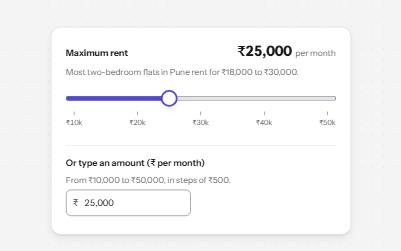
A native range input styled with a filled track and a large thumb, its value said with units, and a number field kept in step.
-
Select
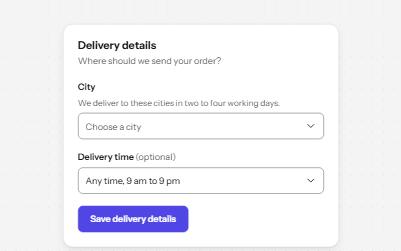
A styled native select with a label, hint, region groups, a placeholder and a required error, drawn by the browser.