Accessibility pattern · Media
Map with a text alternative
A map is a picture of where things are, so it needs the same facts as text: here every store, its address, distance and hours are also a list that is always on the page. The map itself still works without a mouse: pins are buttons in order of distance, the arrow keys move between them, and zoom and move have buttons as well as drag.
- WCAG criteria
- 7
- Keyboard rules
- 6
- Checked with
- axe, keyboard and the inspector
Live demo
Try it
Use it with a mouse, a keyboard or a screen reader. The inspector beside it shows what the browser tells assistive technology as you go: focus, state changes and announcements.
Kesar Tea stores in Bengaluru
Distances from MG Road metro. The map is simplified, not to scale.
Stores shown: 8
Arrow keys move between stores. Plus and minus zoom. Drag or use the buttons to move the map.
Selected store
No store matches these filters.
All stores, nearest first
-
Kesar Tea, Indiranagar
3.8 km- Address
- 100 Feet Road, HAL 2nd Stage
- Opening hours
- Open until 9 pm
- Has
- Seating, step-free entry
-
Kesar Tea, Koramangala
4.6 km- Address
- 80 Feet Road, 4th Block
- Opening hours
- Open until 11 pm
- Has
- Seating
-
Kesar Tea, Basavanagudi
5.4 km- Address
- DVG Road, Gandhi Bazaar
- Opening hours
- Open until 8 pm
- Has
- Step-free entry
-
Kesar Tea, Malleshwaram
5.9 km- Address
- Sampige Road, 8th Cross
- Opening hours
- Open until 9 pm
- Has
- Seating, step-free entry
-
Kesar Tea, Jayanagar
6.7 km- Address
- 11th Main, 4th Block
- Opening hours
- Open until 10 pm
- Has
- Step-free entry
-
Kesar Tea, Hebbal
8.1 km- Address
- Bellary Road, near the flyover
- Opening hours
- Open until 8 pm
- Has
- Takeaway only
-
Kesar Tea, HSR Layout
8.9 km- Address
- 27th Main, Sector 1
- Opening hours
- Open until 11 pm
- Has
- Seating, step-free entry
-
Kesar Tea, Whitefield
15.8 km- Address
- ITPL Main Road
- Opening hours
- Open until 10 pm
- Has
- Seating
No store matches these filters. Clear one to see more.
The demo works without JavaScript only as far as its HTML does; the inspector needs JavaScript.
Keyboard
Keys it answers to
Every action works without a pointer.
| Key | What it does |
|---|---|
| Tab | Moves through the view buttons, the filters, Skip the map, the selected store's pin, the zoom and move buttons, then the list. |
| Arrow Right or Arrow Down | On a pin, moves to the next store in order of distance and shows its details, wrapping at the end. |
| Arrow Left or Arrow Up | On a pin, moves to the previous store and shows its details. |
| Home or End | On a pin, moves to the nearest or the farthest store shown. |
| Plus or Minus | With focus on a pin or a map button, zooms in or out; the selected pin stays in view. |
| Enter or Space | On a move button, moves the map a step; on Show on map in the list, shows the map, selects that store and moves focus to its pin. |
Screen readers
What it announces
Written from the roles, names and states in the markup.
| When | Expected announcement |
|---|---|
| Tab reaches the map | Stores on the map, group. Kesar Tea, Indiranagar, open until 9 pm, button, current |
| Arrow Right on a pin | Kesar Tea, Koramangala, open until 11 pm, button, current |
| Open after 9 pm is checked | Open after 9 pm, checkbox, checked. Stores shown: 4 |
| Zoom in reaches its limit | Zoom in, button, unavailable |
| Show on map is pressed for Whitefield | Kesar Tea, Whitefield, open until 10 pm, button, current |
| List is pressed | List, toggle button, pressed |
These are expected announcements, not recordings. Wording and order differ between screen readers and browsers.
Code
Copy the code
The exact files this demo runs on. The styles are served with a prefix that keeps this site's own styles out of the demo; what you copy is the original.
<section class="ap-map-alternative" data-ap-map-alternative aria-labelledby="map-alt-name">
  <div class="ap-map-alternative__top">
    <div>
      <h3 class="ap-map-alternative__name" id="map-alt-name">Kesar Tea stores in Bengaluru</h3>
      <p class="ap-map-alternative__sub">Distances from MG Road metro. The map is simplified, not to scale.</p>
    </div>
    <div class="ap-map-alternative__views" role="group" aria-label="Show stores as">
      <button type="button" class="ap-map-alternative__view" data-map-view="map" aria-pressed="true">
        <svg viewBox="0 0 24 24" aria-hidden="true" focusable="false"><path d="m3 6 6-2 6 2 6-2v14l-6 2-6-2-6 2Z"/><path d="M9 4v14M15 6v14"/></svg>
        Map
      </button>
      <button type="button" class="ap-map-alternative__view" data-map-view="list" aria-pressed="false">
        <svg viewBox="0 0 24 24" aria-hidden="true" focusable="false"><path d="M9 6h11M9 12h11M9 18h11"/><path d="M4 6h.01M4 12h.01M4 18h.01"/></svg>
        List
      </button>
    </div>
  </div>

  <div class="ap-map-alternative__filters">
    <fieldset class="ap-map-alternative__fieldset">
      <legend class="ap-map-alternative__legend">Show only</legend>
      <label class="ap-map-alternative__filter"><input type="checkbox" data-map-filter="late" /> Open after 9 pm</label>
      <label class="ap-map-alternative__filter"><input type="checkbox" data-map-filter="seating" /> Seating</label>
      <label class="ap-map-alternative__filter"><input type="checkbox" data-map-filter="stepfree" /> Step-free entry</label>
    </fieldset>
    <p class="ap-map-alternative__count" role="status"><span>Stores shown:</span> <span data-map-count>8</span></p>
  </div>

  <div class="ap-map-alternative__mapview" data-map-mapview>
    <a class="ap-map-alternative__skip" href="#map-alt-list">Skip the map</a>
    <div class="ap-map-alternative__layout">
      <div class="ap-map-alternative__mapcol">
        <div class="ap-map-alternative__frame" data-map-frame>
          <div class="ap-map-alternative__world" data-map-world>
            <svg class="ap-map-alternative__ground" viewBox="0 0 600 400" preserveAspectRatio="none" aria-hidden="true" focusable="false">
              <rect class="ap-map-alternative__land" width="600" height="400"/>
              <g class="ap-map-alternative__areas">
                <path d="M24 146 98 138l6 162-76 16Z"/>
                <path d="M392 20 500 30l-8 66-104 8Z"/>
                <path d="M448 226 506 234l-6 42-54 8Z"/>
                <path d="M568 250 596 246v150h-30Z"/>
                <path d="M112 38 236 28l14 90-54 28-78-14Z"/>
                <path d="M268 8 384 14l-6 70-78 12-42-30Z"/>
                <path d="M256 136 346 126l16 88-82 16-36-38Z"/>
                <path d="M372 116 476 106l10 106-104 10Z"/>
                <path d="M506 104 594 96v136l-80-6Z"/>
                <path d="M330 244 432 234l10 88-96 10Z"/>
                <path d="M452 292 550 282l8 98-98 10Z"/>
                <path d="M206 280 314 270l12 92-110 10Z"/>
                <path d="M104 214 212 200l10 92-108 14Z"/>
              </g>
              <g class="ap-map-alternative__green">
                <ellipse cx="292" cy="166" rx="24" ry="14"/>
                <ellipse cx="232" cy="252" rx="20" ry="13"/>
              </g>
              <g class="ap-map-alternative__water">
                <ellipse cx="520" cy="262" rx="28" ry="12"/>
                <ellipse cx="340" cy="74" rx="14" ry="9"/>
                <ellipse cx="364" cy="160" rx="10" ry="16"/>
              </g>
              <g class="ap-map-alternative__roads">
                <path d="M62 200C58 92 196 22 320 24s242 50 250 166-64 192-240 196S66 316 62 200Z"/>
                <path d="M300 190 170 70M300 190 320 20M300 190l260-30M300 190l180 160M300 190l-46 182M300 190 96 262"/>
              </g>
            </svg>
            <span class="ap-map-alternative__here" data-x="50" data-y="47" aria-hidden="true"><span class="ap-map-alternative__dot"></span>You are here</span>
            <div class="ap-map-alternative__pins" role="group" aria-label="Stores on the map" aria-describedby="map-alt-keys">
          <button type="button" class="ap-map-alternative__pin" data-map-pin="indiranagar" data-x="71" data-y="40" aria-label="Kesar Tea, Indiranagar, open until 9 pm" aria-current="true">
            <svg class="ap-map-alternative__pinmark" viewBox="0 0 28 36" aria-hidden="true" focusable="false"><path d="M14 34S3 23.8 3 14.5a11 11 0 0 1 22 0C25 23.8 14 34 14 34Z"/><circle cx="14" cy="14.5" r="4.5"/></svg>
            <span class="ap-map-alternative__tag" aria-hidden="true">Indiranagar</span>
          </button>
          <button type="button" class="ap-map-alternative__pin" data-map-pin="koramangala" data-x="63" data-y="70" aria-label="Kesar Tea, Koramangala, open until 11 pm" tabindex="-1">
            <svg class="ap-map-alternative__pinmark" viewBox="0 0 28 36" aria-hidden="true" focusable="false"><path d="M14 34S3 23.8 3 14.5a11 11 0 0 1 22 0C25 23.8 14 34 14 34Z"/><circle cx="14" cy="14.5" r="4.5"/></svg>
            <span class="ap-map-alternative__tag" aria-hidden="true">Koramangala</span>
          </button>
          <button type="button" class="ap-map-alternative__pin" data-map-pin="basavanagudi" data-x="27" data-y="62" aria-label="Kesar Tea, Basavanagudi, open until 8 pm" tabindex="-1">
            <svg class="ap-map-alternative__pinmark" viewBox="0 0 28 36" aria-hidden="true" focusable="false"><path d="M14 34S3 23.8 3 14.5a11 11 0 0 1 22 0C25 23.8 14 34 14 34Z"/><circle cx="14" cy="14.5" r="4.5"/></svg>
            <span class="ap-map-alternative__tag" aria-hidden="true">Basavanagudi</span>
          </button>
          <button type="button" class="ap-map-alternative__pin" data-map-pin="malleshwaram" data-x="29" data-y="24" aria-label="Kesar Tea, Malleshwaram, open until 9 pm" tabindex="-1">
            <svg class="ap-map-alternative__pinmark" viewBox="0 0 28 36" aria-hidden="true" focusable="false"><path d="M14 34S3 23.8 3 14.5a11 11 0 0 1 22 0C25 23.8 14 34 14 34Z"/><circle cx="14" cy="14.5" r="4.5"/></svg>
            <span class="ap-map-alternative__tag" aria-hidden="true">Malleshwaram</span>
          </button>
          <button type="button" class="ap-map-alternative__pin" data-map-pin="jayanagar" data-x="44" data-y="80" aria-label="Kesar Tea, Jayanagar, open until 10 pm" tabindex="-1">
            <svg class="ap-map-alternative__pinmark" viewBox="0 0 28 36" aria-hidden="true" focusable="false"><path d="M14 34S3 23.8 3 14.5a11 11 0 0 1 22 0C25 23.8 14 34 14 34Z"/><circle cx="14" cy="14.5" r="4.5"/></svg>
            <span class="ap-map-alternative__tag" aria-hidden="true">Jayanagar</span>
          </button>
          <button type="button" class="ap-map-alternative__pin" data-map-pin="hebbal" data-x="53" data-y="17" aria-label="Kesar Tea, Hebbal, open until 8 pm" tabindex="-1">
            <svg class="ap-map-alternative__pinmark" viewBox="0 0 28 36" aria-hidden="true" focusable="false"><path d="M14 34S3 23.8 3 14.5a11 11 0 0 1 22 0C25 23.8 14 34 14 34Z"/><circle cx="14" cy="14.5" r="4.5"/></svg>
            <span class="ap-map-alternative__tag" aria-hidden="true">Hebbal</span>
          </button>
          <button type="button" class="ap-map-alternative__pin" data-map-pin="hsr" data-x="80" data-y="84" aria-label="Kesar Tea, HSR Layout, open until 11 pm" tabindex="-1">
            <svg class="ap-map-alternative__pinmark" viewBox="0 0 28 36" aria-hidden="true" focusable="false"><path d="M14 34S3 23.8 3 14.5a11 11 0 0 1 22 0C25 23.8 14 34 14 34Z"/><circle cx="14" cy="14.5" r="4.5"/></svg>
            <span class="ap-map-alternative__tag" aria-hidden="true">HSR Layout</span>
          </button>
          <button type="button" class="ap-map-alternative__pin ap-map-alternative__pin--end" data-map-pin="whitefield" data-x="92" data-y="50" aria-label="Kesar Tea, Whitefield, open until 10 pm" tabindex="-1">
            <svg class="ap-map-alternative__pinmark" viewBox="0 0 28 36" aria-hidden="true" focusable="false"><path d="M14 34S3 23.8 3 14.5a11 11 0 0 1 22 0C25 23.8 14 34 14 34Z"/><circle cx="14" cy="14.5" r="4.5"/></svg>
            <span class="ap-map-alternative__tag" aria-hidden="true">Whitefield</span>
          </button>
            </div>
          </div>
        </div>
        <div class="ap-map-alternative__controls" role="group" aria-label="Zoom and move the map">
          <div class="ap-map-alternative__ctlset">
            <button type="button" class="ap-map-alternative__ctl" data-map-zoom="in" aria-label="Zoom in" aria-keyshortcuts="+"><svg viewBox="0 0 24 24" aria-hidden="true" focusable="false"><path d="M12 5v14M5 12h14"/></svg></button>
            <button type="button" class="ap-map-alternative__ctl" data-map-zoom="out" aria-label="Zoom out" aria-disabled="true" aria-keyshortcuts="-"><svg viewBox="0 0 24 24" aria-hidden="true" focusable="false"><path d="M5 12h14"/></svg></button>
            <button type="button" class="ap-map-alternative__ctl" data-map-reset aria-label="Reset view" aria-disabled="true"><svg viewBox="0 0 24 24" aria-hidden="true" focusable="false"><path d="M4 12a8 8 0 1 0 2.4-5.7M4 4v4.5h4.5"/></svg></button>
          </div>
          <div class="ap-map-alternative__ctlset">
            <button type="button" class="ap-map-alternative__ctl" data-map-pan="left" aria-label="Move left" aria-disabled="true"><svg viewBox="0 0 24 24" aria-hidden="true" focusable="false"><path d="m15 6-6 6 6 6"/></svg></button>
            <button type="button" class="ap-map-alternative__ctl" data-map-pan="up" aria-label="Move up" aria-disabled="true"><svg viewBox="0 0 24 24" aria-hidden="true" focusable="false"><path d="m6 15 6-6 6 6"/></svg></button>
            <button type="button" class="ap-map-alternative__ctl" data-map-pan="down" aria-label="Move down" aria-disabled="true"><svg viewBox="0 0 24 24" aria-hidden="true" focusable="false"><path d="m6 9 6 6 6-6"/></svg></button>
            <button type="button" class="ap-map-alternative__ctl" data-map-pan="right" aria-label="Move right" aria-disabled="true"><svg viewBox="0 0 24 24" aria-hidden="true" focusable="false"><path d="m9 6 6 6-6 6"/></svg></button>
          </div>
        </div>
        <p class="ap-map-alternative__keys" id="map-alt-keys">Arrow keys move between stores. Plus and minus zoom. Drag or use the buttons to move the map.</p>
      </div>
      <div class="ap-map-alternative__details" data-map-details>
        <p class="ap-map-alternative__kicker">Selected store</p>
        <div class="ap-map-alternative__detail" data-map-detail></div>
        <p class="ap-map-alternative__none" data-map-none hidden>No store matches these filters.</p>
      </div>
    </div>
  </div>

  <div class="ap-map-alternative__list" id="map-alt-list" tabindex="-1">
    <h4 class="ap-map-alternative__listname">All stores, nearest first</h4>
    <ol class="ap-map-alternative__stores">
      <li class="ap-map-alternative__store" data-map-store="indiranagar" data-tags="seating stepfree">
        <div class="ap-map-alternative__storehead">
          <h5 class="ap-map-alternative__storename" id="map-alt-n-indiranagar">Kesar Tea, Indiranagar</h5>
          <span class="ap-map-alternative__km">3.8 km</span>
        </div>
        <dl class="ap-map-alternative__facts">
          <div><dt>Address</dt><dd>100 Feet Road, HAL 2nd Stage</dd></div>
          <div><dt>Opening hours</dt><dd>Open until 9 pm</dd></div>
          <div><dt>Has</dt><dd>Seating, step-free entry</dd></div>
        </dl>
        <button type="button" class="ap-btn ap-btn--ghost ap-map-alternative__show" data-map-show="indiranagar" aria-describedby="map-alt-n-indiranagar">
          <svg class="ap-btn__icon" viewBox="0 0 24 24" aria-hidden="true" focusable="false"><path d="M12 21s-6.5-6-6.5-11a6.5 6.5 0 0 1 13 0c0 5-6.5 11-6.5 11Z"/><circle cx="12" cy="10" r="2.5"/></svg>
          Show on map
        </button>
      </li>
      <li class="ap-map-alternative__store" data-map-store="koramangala" data-tags="late seating">
        <div class="ap-map-alternative__storehead">
          <h5 class="ap-map-alternative__storename" id="map-alt-n-koramangala">Kesar Tea, Koramangala</h5>
          <span class="ap-map-alternative__km">4.6 km</span>
        </div>
        <dl class="ap-map-alternative__facts">
          <div><dt>Address</dt><dd>80 Feet Road, 4th Block</dd></div>
          <div><dt>Opening hours</dt><dd>Open until 11 pm</dd></div>
          <div><dt>Has</dt><dd>Seating</dd></div>
        </dl>
        <button type="button" class="ap-btn ap-btn--ghost ap-map-alternative__show" data-map-show="koramangala" aria-describedby="map-alt-n-koramangala">
          <svg class="ap-btn__icon" viewBox="0 0 24 24" aria-hidden="true" focusable="false"><path d="M12 21s-6.5-6-6.5-11a6.5 6.5 0 0 1 13 0c0 5-6.5 11-6.5 11Z"/><circle cx="12" cy="10" r="2.5"/></svg>
          Show on map
        </button>
      </li>
      <li class="ap-map-alternative__store" data-map-store="basavanagudi" data-tags="stepfree">
        <div class="ap-map-alternative__storehead">
          <h5 class="ap-map-alternative__storename" id="map-alt-n-basavanagudi">Kesar Tea, Basavanagudi</h5>
          <span class="ap-map-alternative__km">5.4 km</span>
        </div>
        <dl class="ap-map-alternative__facts">
          <div><dt>Address</dt><dd>DVG Road, Gandhi Bazaar</dd></div>
          <div><dt>Opening hours</dt><dd>Open until 8 pm</dd></div>
          <div><dt>Has</dt><dd>Step-free entry</dd></div>
        </dl>
        <button type="button" class="ap-btn ap-btn--ghost ap-map-alternative__show" data-map-show="basavanagudi" aria-describedby="map-alt-n-basavanagudi">
          <svg class="ap-btn__icon" viewBox="0 0 24 24" aria-hidden="true" focusable="false"><path d="M12 21s-6.5-6-6.5-11a6.5 6.5 0 0 1 13 0c0 5-6.5 11-6.5 11Z"/><circle cx="12" cy="10" r="2.5"/></svg>
          Show on map
        </button>
      </li>
      <li class="ap-map-alternative__store" data-map-store="malleshwaram" data-tags="seating stepfree">
        <div class="ap-map-alternative__storehead">
          <h5 class="ap-map-alternative__storename" id="map-alt-n-malleshwaram">Kesar Tea, Malleshwaram</h5>
          <span class="ap-map-alternative__km">5.9 km</span>
        </div>
        <dl class="ap-map-alternative__facts">
          <div><dt>Address</dt><dd>Sampige Road, 8th Cross</dd></div>
          <div><dt>Opening hours</dt><dd>Open until 9 pm</dd></div>
          <div><dt>Has</dt><dd>Seating, step-free entry</dd></div>
        </dl>
        <button type="button" class="ap-btn ap-btn--ghost ap-map-alternative__show" data-map-show="malleshwaram" aria-describedby="map-alt-n-malleshwaram">
          <svg class="ap-btn__icon" viewBox="0 0 24 24" aria-hidden="true" focusable="false"><path d="M12 21s-6.5-6-6.5-11a6.5 6.5 0 0 1 13 0c0 5-6.5 11-6.5 11Z"/><circle cx="12" cy="10" r="2.5"/></svg>
          Show on map
        </button>
      </li>
      <li class="ap-map-alternative__store" data-map-store="jayanagar" data-tags="late stepfree">
        <div class="ap-map-alternative__storehead">
          <h5 class="ap-map-alternative__storename" id="map-alt-n-jayanagar">Kesar Tea, Jayanagar</h5>
          <span class="ap-map-alternative__km">6.7 km</span>
        </div>
        <dl class="ap-map-alternative__facts">
          <div><dt>Address</dt><dd>11th Main, 4th Block</dd></div>
          <div><dt>Opening hours</dt><dd>Open until 10 pm</dd></div>
          <div><dt>Has</dt><dd>Step-free entry</dd></div>
        </dl>
        <button type="button" class="ap-btn ap-btn--ghost ap-map-alternative__show" data-map-show="jayanagar" aria-describedby="map-alt-n-jayanagar">
          <svg class="ap-btn__icon" viewBox="0 0 24 24" aria-hidden="true" focusable="false"><path d="M12 21s-6.5-6-6.5-11a6.5 6.5 0 0 1 13 0c0 5-6.5 11-6.5 11Z"/><circle cx="12" cy="10" r="2.5"/></svg>
          Show on map
        </button>
      </li>
      <li class="ap-map-alternative__store" data-map-store="hebbal" data-tags="">
        <div class="ap-map-alternative__storehead">
          <h5 class="ap-map-alternative__storename" id="map-alt-n-hebbal">Kesar Tea, Hebbal</h5>
          <span class="ap-map-alternative__km">8.1 km</span>
        </div>
        <dl class="ap-map-alternative__facts">
          <div><dt>Address</dt><dd>Bellary Road, near the flyover</dd></div>
          <div><dt>Opening hours</dt><dd>Open until 8 pm</dd></div>
          <div><dt>Has</dt><dd>Takeaway only</dd></div>
        </dl>
        <button type="button" class="ap-btn ap-btn--ghost ap-map-alternative__show" data-map-show="hebbal" aria-describedby="map-alt-n-hebbal">
          <svg class="ap-btn__icon" viewBox="0 0 24 24" aria-hidden="true" focusable="false"><path d="M12 21s-6.5-6-6.5-11a6.5 6.5 0 0 1 13 0c0 5-6.5 11-6.5 11Z"/><circle cx="12" cy="10" r="2.5"/></svg>
          Show on map
        </button>
      </li>
      <li class="ap-map-alternative__store" data-map-store="hsr" data-tags="late seating stepfree">
        <div class="ap-map-alternative__storehead">
          <h5 class="ap-map-alternative__storename" id="map-alt-n-hsr">Kesar Tea, HSR Layout</h5>
          <span class="ap-map-alternative__km">8.9 km</span>
        </div>
        <dl class="ap-map-alternative__facts">
          <div><dt>Address</dt><dd>27th Main, Sector 1</dd></div>
          <div><dt>Opening hours</dt><dd>Open until 11 pm</dd></div>
          <div><dt>Has</dt><dd>Seating, step-free entry</dd></div>
        </dl>
        <button type="button" class="ap-btn ap-btn--ghost ap-map-alternative__show" data-map-show="hsr" aria-describedby="map-alt-n-hsr">
          <svg class="ap-btn__icon" viewBox="0 0 24 24" aria-hidden="true" focusable="false"><path d="M12 21s-6.5-6-6.5-11a6.5 6.5 0 0 1 13 0c0 5-6.5 11-6.5 11Z"/><circle cx="12" cy="10" r="2.5"/></svg>
          Show on map
        </button>
      </li>
      <li class="ap-map-alternative__store" data-map-store="whitefield" data-tags="late seating">
        <div class="ap-map-alternative__storehead">
          <h5 class="ap-map-alternative__storename" id="map-alt-n-whitefield">Kesar Tea, Whitefield</h5>
          <span class="ap-map-alternative__km">15.8 km</span>
        </div>
        <dl class="ap-map-alternative__facts">
          <div><dt>Address</dt><dd>ITPL Main Road</dd></div>
          <div><dt>Opening hours</dt><dd>Open until 10 pm</dd></div>
          <div><dt>Has</dt><dd>Seating</dd></div>
        </dl>
        <button type="button" class="ap-btn ap-btn--ghost ap-map-alternative__show" data-map-show="whitefield" aria-describedby="map-alt-n-whitefield">
          <svg class="ap-btn__icon" viewBox="0 0 24 24" aria-hidden="true" focusable="false"><path d="M12 21s-6.5-6-6.5-11a6.5 6.5 0 0 1 13 0c0 5-6.5 11-6.5 11Z"/><circle cx="12" cy="10" r="2.5"/></svg>
          Show on map
        </button>
      </li>
    </ol>
    <p class="ap-map-alternative__empty" data-map-empty hidden>No store matches these filters. Clear one to see more.</p>
  </div>
</section>
/* Shared primitives: buttons and form fields used across the patterns.
   Uses the --ap-* design tokens. */

.ap-btn {
  display: inline-flex;
  align-items: center;
  justify-content: center;
  gap: 8px;
  min-height: 40px;
  padding: 0 16px;
  border: 1px solid var(--ap-border-strong);
  border-radius: var(--ap-radius-sm);
  background: var(--ap-surface);
  color: var(--ap-text);
  font: inherit;
  font-weight: 600;
  line-height: 1.2;
  text-decoration: none;
  white-space: nowrap;
  cursor: pointer;
  transition: background-color var(--ap-duration) var(--ap-ease), border-color var(--ap-duration) var(--ap-ease), box-shadow var(--ap-duration) var(--ap-ease);
}
.ap-btn:hover {
  background: var(--ap-surface-2);
}
.ap-btn:focus-visible {
  outline: 2px solid var(--ap-focus);
  outline-offset: 2px;
}
.ap-btn:disabled,
.ap-btn[aria-disabled="true"] {
  opacity: .55;
  cursor: not-allowed;
}
.ap-btn--primary {
  border-color: var(--ap-accent);
  background: var(--ap-accent);
  color: var(--ap-on-accent);
  box-shadow: var(--ap-shadow-sm);
}
.ap-btn--primary:hover {
  border-color: var(--ap-accent-hover);
  background: var(--ap-accent-hover);
}
.ap-btn--danger {
  border-color: var(--ap-danger);
  background: var(--ap-danger);
  color: var(--ap-surface);
}
.ap-btn--danger:hover {
  filter: brightness(1.08);
}
.ap-btn--ghost {
  border-color: transparent;
  background: transparent;
}
.ap-btn--ghost:hover {
  background: var(--ap-surface-2);
}
.ap-btn__icon {
  width: 18px;
  height: 18px;
  flex-shrink: 0;
  fill: none;
  stroke: currentColor;
  stroke-width: 2;
  stroke-linecap: round;
  stroke-linejoin: round;
}

.ap-field {
  display: grid;
  gap: 6px;
}
.ap-label {
  color: var(--ap-text);
  font-weight: 600;
  font-size: .9375rem;
}
.ap-hint {
  margin: 0;
  color: var(--ap-text-3);
  font-size: .875rem;
  line-height: 1.45;
}
.ap-error {
  display: flex;
  align-items: flex-start;
  gap: 6px;
  margin: 0;
  color: var(--ap-danger);
  font-size: .875rem;
  font-weight: 600;
  line-height: 1.45;
}
.ap-input {
  width: 100%;
  min-height: 44px;
  padding: 10px 12px;
  border: 1px solid var(--ap-border-strong);
  border-radius: var(--ap-radius-sm);
  background: var(--ap-surface);
  color: var(--ap-text);
  font: inherit;
  line-height: 1.4;
  transition: border-color var(--ap-duration) var(--ap-ease), box-shadow var(--ap-duration) var(--ap-ease);
}
.ap-input::placeholder {
  color: var(--ap-text-3);
}
.ap-input:hover {
  border-color: var(--ap-text-2);
}
.ap-input:focus-visible {
  outline: 2px solid var(--ap-focus);
  outline-offset: 1px;
  border-color: var(--ap-focus);
}
.ap-input[aria-invalid="true"] {
  border-color: var(--ap-danger);
  box-shadow: inset 4px 0 0 var(--ap-danger);
}
textarea.ap-input {
  resize: vertical;
  min-height: 88px;
}

@media (prefers-reduced-motion: reduce) {
  .ap-btn,
  .ap-input { transition: none; }
}

/* Map with a text alternative. Uses the --ap-* design tokens and the shared primitives. */
.ap-map-alternative {
  container-type: inline-size;
  display: grid;
  gap: 18px;
  width: min(100%, 780px);
  margin-inline: auto;
  padding: 20px;
  border: 1px solid var(--ap-border);
  border-radius: var(--ap-radius-lg);
  background: var(--ap-surface);
  box-shadow: var(--ap-shadow-md);
}

/* ── Header: name and the view switch ── */
.ap-map-alternative__top {
  display: flex;
  flex-wrap: wrap;
  align-items: flex-start;
  justify-content: space-between;
  gap: 12px 20px;
}
.ap-map-alternative__name {
  margin: 0 0 4px;
  font-size: 1.25rem;
  font-weight: 700;
  line-height: 1.3;
  letter-spacing: -.01em;
}
.ap-map-alternative__sub {
  margin: 0;
  color: var(--ap-text-3);
  font-size: .875rem;
  line-height: 1.5;
}
.ap-map-alternative__views {
  display: inline-flex;
  gap: 2px;
  padding: 3px;
  border: 1px solid var(--ap-border-strong);
  border-radius: var(--ap-radius-full);
  background: var(--ap-surface-2);
}
.ap-map-alternative__view {
  display: inline-flex;
  align-items: center;
  gap: 6px;
  min-height: 36px;
  padding: 0 14px;
  border: 0;
  border-radius: var(--ap-radius-full);
  background: transparent;
  color: var(--ap-text-2);
  font: inherit;
  font-size: .875rem;
  font-weight: 500;
  cursor: pointer;
}
.ap-map-alternative__view svg {
  width: 16px;
  height: 16px;
  fill: none;
  stroke: currentColor;
  stroke-width: 2;
  stroke-linecap: round;
  stroke-linejoin: round;
}
/* Pressed: a raised surface and bold text, not a color change alone. */
.ap-map-alternative__view[aria-pressed="true"] {
  background: var(--ap-surface);
  color: var(--ap-text);
  font-weight: 700;
  box-shadow: var(--ap-shadow-sm), 0 0 0 1px var(--ap-border);
}
.ap-map-alternative__view:focus-visible {
  outline: 2px solid var(--ap-focus);
  outline-offset: 2px;
}

/* ── Filters ── */
.ap-map-alternative__filters {
  display: flex;
  flex-wrap: wrap;
  align-items: flex-end;
  justify-content: space-between;
  gap: 10px 16px;
}
.ap-map-alternative__fieldset {
  display: flex;
  flex-wrap: wrap;
  gap: 8px;
  min-width: 0;
  margin: 0;
  padding: 0;
  border: 0;
}
.ap-map-alternative__legend {
  width: 100%;
  margin-bottom: 8px;
  padding: 0;
  color: var(--ap-text);
  font-size: .875rem;
  font-weight: 650;
}
.ap-map-alternative__filter {
  display: inline-flex;
  align-items: center;
  gap: 8px;
  min-height: 36px;
  padding: 0 14px 0 10px;
  border: 1px solid var(--ap-border-strong);
  border-radius: var(--ap-radius-full);
  background: var(--ap-surface);
  color: var(--ap-text);
  font-size: .875rem;
  font-weight: 500;
  cursor: pointer;
}
.ap-map-alternative__filter input {
  width: 16px;
  height: 16px;
  margin: 0;
  accent-color: var(--ap-accent);
  cursor: pointer;
}
.ap-map-alternative__filter:hover {
  background: var(--ap-surface-2);
}
.ap-map-alternative__filter:has(input:checked) {
  border-color: var(--ap-accent);
  background: var(--ap-accent-soft);
  color: var(--ap-accent-soft-text);
  font-weight: 650;
}
.ap-map-alternative__filter:has(input:focus-visible) {
  outline: 2px solid var(--ap-focus);
  outline-offset: 2px;
}
.ap-map-alternative__filter input:focus-visible {
  outline: none;
}
.ap-map-alternative__count {
  margin: 0;
  color: var(--ap-text-3);
  font-size: .875rem;
  font-variant-numeric: tabular-nums;
}

/* ── The map ── */
.ap-map-alternative__mapview {
  position: relative;
}
.ap-map-alternative__mapview[hidden] {
  display: none;
}
.ap-map-alternative__skip:not(:focus) {
  position: absolute;
  width: 1px;
  height: 1px;
  overflow: hidden;
  clip-path: inset(50%);
  white-space: nowrap;
}
.ap-map-alternative__skip:focus {
  position: absolute;
  top: 12px;
  left: 12px;
  z-index: 3;
  padding: 8px 14px;
  border: 1px solid var(--ap-border-strong);
  border-radius: var(--ap-radius-sm);
  background: var(--ap-surface);
  color: var(--ap-accent-text);
  font-weight: 650;
  box-shadow: var(--ap-shadow-md);
  outline: 2px solid var(--ap-focus);
  outline-offset: 2px;
}
.ap-map-alternative__layout {
  display: grid;
  grid-template-columns: minmax(0, 1fr) 230px;
  align-items: start;
  gap: 16px;
}
.ap-map-alternative__mapcol {
  min-width: 0;
}

.ap-map-alternative__frame {
  position: relative;
  aspect-ratio: 3 / 2;
  border: 1px solid var(--ap-border);
  border-radius: var(--ap-radius);
  background: var(--ap-bg);
  overflow: hidden;
  overflow: clip;
  touch-action: pan-y;
}
.ap-map-alternative__frame.is-zoomed {
  cursor: grab;
  touch-action: none;
}
.ap-map-alternative__frame.is-dragging {
  cursor: grabbing;
}
/* The world is the frame's size, moved and scaled as one piece. */
.ap-map-alternative__world {
  position: absolute;
  inset: 0;
  transform: translate(calc(var(--tx, 0) * 100%), calc(var(--ty, 0) * 100%)) scale(var(--zoom, 1));
  transform-origin: 0 0;
  transition: transform 240ms var(--ap-ease);
}
.ap-map-alternative__frame.is-dragging .ap-map-alternative__world {
  transition: none;
}
.ap-map-alternative__ground {
  position: absolute;
  inset: 0;
  display: block;
  width: 100%;
  height: 100%;
}
.ap-map-alternative__land {
  fill: var(--ap-bg);
}
.ap-map-alternative__areas path {
  fill: var(--ap-surface);
  stroke: var(--ap-border);
  stroke-width: 1.5;
  stroke-linejoin: round;
}
.ap-map-alternative__green ellipse {
  fill: var(--ap-success-soft);
  stroke: var(--ap-success);
  stroke-opacity: .3;
}
.ap-map-alternative__water ellipse {
  fill: var(--ap-info-soft);
  stroke: var(--ap-info);
  stroke-opacity: .3;
}
.ap-map-alternative__roads path {
  fill: none;
  stroke: var(--ap-border-strong);
  stroke-opacity: .24;
  stroke-width: 3;
  stroke-linecap: round;
}
.ap-map-alternative__roads path:first-child {
  stroke-width: 5;
}

/* Pins and labels keep one size at every zoom. */
.ap-map-alternative__pin,
.ap-map-alternative__here {
  position: absolute;
  left: calc(var(--x, 0) * 1%);
  top: calc(var(--y, 0) * 1%);
}
.ap-map-alternative__here {
  display: inline-flex;
  align-items: center;
  gap: 6px;
  flex-direction: row-reverse;
  padding: 2px 4px 2px 8px;
  border-radius: var(--ap-radius-full);
  background: var(--ap-surface);
  color: var(--ap-text-2);
  font-size: .75rem;
  font-weight: 700;
  white-space: nowrap;
  pointer-events: none;
  box-shadow: var(--ap-shadow-sm);
  transform: translate(calc(-100% + 12px), -50%) scale(calc(1 / var(--zoom, 1)));
  transform-origin: calc(100% - 12px) 50%;
}
.ap-map-alternative__dot {
  width: 10px;
  height: 10px;
  border-radius: 50%;
  background: var(--ap-info);
  box-shadow: 0 0 0 3px var(--ap-info-soft);
}
.ap-map-alternative:not(.is-ready) .ap-map-alternative__pins {
  display: none;
}
.ap-map-alternative__pin {
  z-index: 1;
  display: block;
  width: 32px;
  height: 40px;
  padding: 0;
  border: 0;
  border-radius: var(--ap-radius-sm);
  background: transparent;
  color: var(--ap-accent);
  cursor: pointer;
  transform: translate(-50%, -100%) scale(calc(1 / var(--zoom, 1)));
  transform-origin: 50% 100%;
  transition: transform 240ms var(--ap-ease);
}
.ap-map-alternative__pin[hidden] {
  display: none;
}
.ap-map-alternative__pin:hover,
.ap-map-alternative__pin:focus-visible {
  z-index: 3;
}
.ap-map-alternative__pin:focus-visible {
  outline: 2px solid var(--ap-focus);
  outline-offset: 1px;
}
.ap-map-alternative__pinmark {
  display: block;
  width: 28px;
  height: 36px;
  margin: 2px auto 0;
  overflow: visible;
  transform-origin: 50% 100%;
}
.ap-map-alternative__pinmark path {
  fill: var(--ap-surface);
  stroke: currentColor;
  stroke-width: 2;
}
.ap-map-alternative__pinmark circle {
  fill: currentColor;
}
.ap-map-alternative__pin:hover .ap-map-alternative__pinmark path {
  fill: var(--ap-accent-soft);
}
/* The selected store: filled, larger and labelled in bold. */
.ap-map-alternative__pin[aria-current="true"] {
  z-index: 2;
}
.ap-map-alternative__pin[aria-current="true"] .ap-map-alternative__pinmark {
  transform: scale(1.18);
}
.ap-map-alternative__pin[aria-current="true"] .ap-map-alternative__pinmark path {
  fill: var(--ap-accent);
  stroke: var(--ap-accent-hover);
}
.ap-map-alternative__pin[aria-current="true"] .ap-map-alternative__pinmark circle {
  fill: var(--ap-on-accent);
}
.ap-map-alternative__tag {
  position: absolute;
  top: 100%;
  left: 50%;
  margin-top: 3px;
  padding: 2px 8px;
  border: 1px solid var(--ap-border);
  border-radius: var(--ap-radius-full);
  background: var(--ap-surface);
  color: var(--ap-text);
  font-size: .75rem;
  font-weight: 600;
  line-height: 1.4;
  white-space: nowrap;
  box-shadow: var(--ap-shadow-sm);
  transform: translateX(-50%);
}
.ap-map-alternative__pin--end .ap-map-alternative__tag {
  left: auto;
  right: 4px;
  transform: none;
}
.ap-map-alternative__pin[aria-current="true"] .ap-map-alternative__tag {
  border-color: var(--ap-accent);
  background: var(--ap-accent);
  color: var(--ap-on-accent);
  font-weight: 700;
}

/* Zoom and move buttons, below the map so they never cover a pin. */
.ap-map-alternative__controls {
  display: flex;
  flex-wrap: wrap;
  align-items: center;
  justify-content: space-between;
  gap: 8px;
  margin-top: 10px;
}
.ap-map-alternative__ctlset {
  display: inline-flex;
  gap: 4px;
}
.ap-map-alternative__ctl {
  display: inline-grid;
  place-items: center;
  width: 40px;
  height: 40px;
  padding: 0;
  border: 1px solid var(--ap-border-strong);
  border-radius: var(--ap-radius-sm);
  background: var(--ap-surface);
  color: var(--ap-text);
  cursor: pointer;
  transition: background-color var(--ap-duration) var(--ap-ease);
}
.ap-map-alternative__ctl svg {
  width: 18px;
  height: 18px;
  fill: none;
  stroke: currentColor;
  stroke-width: 2;
  stroke-linecap: round;
  stroke-linejoin: round;
}
.ap-map-alternative__ctl:hover:not([aria-disabled="true"]) {
  background: var(--ap-surface-2);
}
.ap-map-alternative__ctl[aria-disabled="true"] {
  opacity: .45;
  cursor: not-allowed;
}
.ap-map-alternative__ctl:focus-visible {
  outline: 2px solid var(--ap-focus);
  outline-offset: 2px;
}
.ap-map-alternative__keys {
  margin: 10px 0 0;
  color: var(--ap-text-3);
  font-size: .8125rem;
  line-height: 1.5;
}

/* ── Details of the selected store ── */
.ap-map-alternative__details {
  display: grid;
  gap: 10px;
  padding: 16px;
  border: 1px solid var(--ap-border);
  border-radius: var(--ap-radius);
  background: var(--ap-surface-2);
}
.ap-map-alternative__kicker {
  margin: 0;
  color: var(--ap-accent-text);
  font-size: .75rem;
  font-weight: 700;
  letter-spacing: .06em;
  text-transform: uppercase;
}
.ap-map-alternative__detail {
  display: grid;
  justify-items: start;
  gap: 10px;
}
.ap-map-alternative__detail:empty {
  display: none;
}
.ap-map-alternative__detailname {
  margin: 0;
  font-size: 1.0625rem;
  font-weight: 700;
  line-height: 1.3;
}
.ap-map-alternative__none {
  margin: 0;
  color: var(--ap-text-2);
}
.ap-map-alternative__none[hidden] {
  display: none;
}

/* ── The list: every store, always ── */
.ap-map-alternative__list {
  display: grid;
  gap: 12px;
  border-radius: var(--ap-radius);
}
.ap-map-alternative__list:focus-visible {
  outline: 2px solid var(--ap-focus);
  outline-offset: 4px;
}
.ap-map-alternative__listname {
  margin: 0;
  font-size: 1rem;
  font-weight: 650;
}
.ap-map-alternative__stores {
  display: grid;
  grid-template-columns: repeat(2, minmax(0, 1fr));
  gap: 10px;
  margin: 0;
  padding: 0;
  list-style: none;
}
.ap-map-alternative__store {
  display: grid;
  align-content: start;
  gap: 10px;
  padding: 14px 16px 10px;
  border: 1px solid var(--ap-border);
  border-radius: var(--ap-radius);
  background: var(--ap-surface);
}
.ap-map-alternative__store[hidden] {
  display: none;
}
.ap-map-alternative__storehead {
  display: flex;
  align-items: baseline;
  justify-content: space-between;
  gap: 8px;
}
.ap-map-alternative__storename {
  margin: 0;
  font-size: .9375rem;
  font-weight: 650;
  line-height: 1.35;
}
.ap-map-alternative__km {
  flex-shrink: 0;
  padding: 2px 8px;
  border-radius: var(--ap-radius-full);
  background: var(--ap-accent-soft);
  color: var(--ap-accent-soft-text);
  font-size: .75rem;
  font-weight: 700;
  font-variant-numeric: tabular-nums;
  white-space: nowrap;
}
.ap-map-alternative__facts {
  display: grid;
  gap: 6px;
  margin: 0;
}
.ap-map-alternative__facts div {
  display: grid;
  grid-template-columns: 7em minmax(0, 1fr);
  gap: 8px;
}
/* The narrow details column puts each label above its value. */
.ap-map-alternative__detail .ap-map-alternative__facts div {
  grid-template-columns: 1fr;
  gap: 0;
}
.ap-map-alternative__facts dt {
  color: var(--ap-text-3);
  font-size: .8125rem;
}
.ap-map-alternative__facts dd {
  margin: 0;
  color: var(--ap-text);
  font-size: .875rem;
  line-height: 1.45;
}
.ap-map-alternative__show {
  justify-self: start;
  min-height: 36px;
  margin-left: -10px;
  padding: 0 10px;
  color: var(--ap-accent-text);
}
.ap-map-alternative__empty {
  margin: 0;
  padding: 18px;
  border: 1px dashed var(--ap-border-strong);
  border-radius: var(--ap-radius);
  color: var(--ap-text-2);
  text-align: center;
}
.ap-map-alternative__empty[hidden] {
  display: none;
}

@container (max-width: 640px) {
  .ap-map-alternative__layout { grid-template-columns: 1fr; }
  .ap-map-alternative__stores { grid-template-columns: 1fr; }
}
@container (max-width: 520px) {
  .ap-map-alternative { padding: 16px; }
  .ap-map-alternative__ctl { width: 36px; height: 36px; }
  /* Small map: only the selected, hovered or focused pin shows its name. */
  .ap-map-alternative__pin:not([aria-current="true"]):not(:hover):not(:focus-visible) .ap-map-alternative__tag { display: none; }
}

@media (prefers-reduced-motion: reduce) {
  .ap-map-alternative__world,
  .ap-map-alternative__pin,
  .ap-map-alternative__ctl { transition: none; }
}
/**
 * Map with a text alternative: a store map whose pins are buttons in order of
 * distance, with zoom and move buttons (and drag), a details panel, and a
 * list of every store that the same filters update.
 *
 * Markup: [data-ap-map-alternative] holding view buttons [data-map-view],
 * filter checkboxes [data-map-filter], a role=status count [data-map-count],
 * the map view [data-map-mapview] with a frame [data-map-frame] > world
 * [data-map-world] (pins button[data-map-pin][data-x][data-y], positions in
 * percent), controls [data-map-zoom], [data-map-pan], [data-map-reset], the
 * details [data-map-detail], and the list: li[data-map-store][data-tags] with
 * button[data-map-show].
 *
 * The world is the frame's size, moved and scaled by --tx, --ty (fractions of
 * the frame) and --zoom, so no measurements are needed to place anything.
 */

const ZOOMS = [1, 1.5, 2, 2.5, 3];
const STEP = 0.2; // a move button shifts the view by a fifth of the frame

export function init(root) {
  const off = new AbortController();
  const on = { signal: off.signal };
  const mapview = root.querySelector("[data-map-mapview]");
  const frame = root.querySelector("[data-map-frame]");
  const world = root.querySelector("[data-map-world]");
  const pins = [...root.querySelectorAll("[data-map-pin]")];
  const stores = [...root.querySelectorAll("[data-map-store]")];
  const filters = [...root.querySelectorAll("[data-map-filter]")];
  const count = root.querySelector("[data-map-count]");
  const empty = root.querySelector("[data-map-empty]");
  const detail = root.querySelector("[data-map-detail]");
  const none = root.querySelector("[data-map-none]");
  const views = [...root.querySelectorAll("[data-map-view]")];
  const zoomIn = root.querySelector("[data-map-zoom=in]");
  const zoomOut = root.querySelector("[data-map-zoom=out]");
  const pans = [...root.querySelectorAll("[data-map-pan]")];
  const resetButton = root.querySelector("[data-map-reset]");

  let level = 0;
  let tx = 0;
  let ty = 0;
  let selected = pins.find((p) => p.getAttribute("aria-current") === "true") || pins[0];

  const zoom = () => ZOOMS[level];
  const at = (pin) => ({ x: Number(pin.dataset.x) / 100, y: Number(pin.dataset.y) / 100 });
  const visiblePins = () => pins.filter((p) => !p.hidden);
  const storeOf = (id) => stores.find((s) => s.dataset.mapStore === id);

  // Place everything that carries data-x / data-y.
  for (const el of world.querySelectorAll("[data-x]")) {
    el.style.setProperty("--x", el.dataset.x);
    el.style.setProperty("--y", el.dataset.y);
  }

  /* ── Zoom and move ── */
  function clamp() {
    tx = Math.min(0, Math.max(1 - zoom(), tx));
    ty = Math.min(0, Math.max(1 - zoom(), ty));
  }

  function setDisabled(button, disabled) {
    // aria-disabled keeps focus on a button that reaches its limit.
    if (disabled) button.setAttribute("aria-disabled", "true");
    else button.removeAttribute("aria-disabled");
  }

  function paint() {
    clamp();
    world.style.setProperty("--zoom", zoom());
    world.style.setProperty("--tx", tx.toFixed(4));
    world.style.setProperty("--ty", ty.toFixed(4));
    frame.classList.toggle("is-zoomed", level > 0);
    setDisabled(zoomIn, level === ZOOMS.length - 1);
    setDisabled(zoomOut, level === 0);
    const edge = 1 - zoom() + 0.0001;
    for (const b of pans) {
      const dir = b.dataset.mapPan;
      const stuck = dir === "left" ? tx >= 0 : dir === "right" ? tx <= edge : dir === "up" ? ty >= 0 : ty <= edge;
      setDisabled(b, stuck);
    }
    setDisabled(resetButton, level === 0);
  }

  // Keep a pin inside the frame, with room for its label.
  function reveal(pin) {
    if (!pin || pin.hidden) return;
    const { x, y } = at(pin);
    const px = x * zoom() + tx;
    const py = y * zoom() + ty;
    if (px < 0.12 || px > 0.88) tx = 0.5 - x * zoom();
    if (py < 0.2 || py > 0.85) ty = 0.55 - y * zoom();
    paint();
  }

  function setZoom(next) {
    next = Math.max(0, Math.min(ZOOMS.length - 1, next));
    if (next === level) return;
    // Zoom around the middle of the frame, then bring the selected pin back in.
    const k = ZOOMS[next] / zoom();
    tx = 0.5 - (0.5 - tx) * k;
    ty = 0.5 - (0.5 - ty) * k;
    level = next;
    paint();
    reveal(selected);
  }

  function pan(dir) {
    if (dir === "left") tx += STEP;
    else if (dir === "right") tx -= STEP;
    else if (dir === "up") ty += STEP;
    else ty -= STEP;
    paint();
  }

  /* ── Selection ── */
  function select(pin, { focus = false } = {}) {
    selected = pin;
    for (const p of pins) {
      if (p === pin) p.setAttribute("aria-current", "true");
      else p.removeAttribute("aria-current");
      p.tabIndex = p === pin ? 0 : -1;
    }
    showDetail(pin);
    reveal(pin);
    if (focus && pin) pin.focus({ preventScroll: true });
  }

  // The details are a copy of the store's list item, so the two always agree.
  function showDetail(pin) {
    detail.replaceChildren();
    none.hidden = !!pin;
    if (!pin) return;
    const item = storeOf(pin.dataset.mapPin);
    const name = document.createElement("h4");
    name.className = "ap-map-alternative__detailname";
    name.textContent = item.querySelector(".ap-map-alternative__storename").textContent;
    const km = item.querySelector(".ap-map-alternative__km").cloneNode(true);
    const facts = item.querySelector(".ap-map-alternative__facts").cloneNode(true);
    detail.append(name, km, facts);
  }

  /* ── Filters: one set of rules for the pins and the list ── */
  function applyFilters() {
    const need = filters.filter((f) => f.checked).map((f) => f.dataset.mapFilter);
    let shown = 0;
    for (const item of stores) {
      const tags = (item.dataset.tags || "").split(/\s+/);
      const match = need.every((t) => tags.includes(t));
      item.hidden = !match;
      pins.find((p) => p.dataset.mapPin === item.dataset.mapStore).hidden = !match;
      if (match) shown++;
    }
    if (count.textContent !== String(shown)) count.textContent = String(shown);
    empty.hidden = shown > 0;
    root.classList.toggle("is-empty", shown === 0);
    // A store that is filtered away cannot stay selected.
    if (!selected || selected.hidden) select(visiblePins()[0] || null);
  }

  /* ── Views: the list is always there; List hides the map ── */
  function setView(name) {
    for (const b of views) b.setAttribute("aria-pressed", String(b.dataset.mapView === name));
    mapview.hidden = name === "list";
  }

  /* ── Events ── */
  function onClick(event) {
    const pin = event.target.closest("[data-map-pin]");
    if (pin && root.contains(pin)) {
      if (moved) return; // the end of a drag is not a press
      select(pin);
      return;
    }
    const button = event.target.closest("button");
    if (!button || !root.contains(button) || button.getAttribute("aria-disabled") === "true") return;
    if (button.dataset.mapZoom) setZoom(level + (button.dataset.mapZoom === "in" ? 1 : -1));
    else if (button.dataset.mapPan) pan(button.dataset.mapPan);
    else if (button.hasAttribute("data-map-reset")) {
      level = 0;
      tx = 0;
      ty = 0;
      paint();
    } else if (button.dataset.mapView) setView(button.dataset.mapView);
    else if (button.dataset.mapShow) {
      setView("map");
      select(pins.find((p) => p.dataset.mapPin === button.dataset.mapShow), { focus: true });
      frame.scrollIntoView({ block: "nearest" });
    }
  }

  function onKeydown(event) {
    if (!mapview.contains(event.target)) return;
    if (event.ctrlKey || event.metaKey || event.altKey) return;
    if (event.key === "+" || event.key === "=") {
      event.preventDefault();
      setZoom(level + 1);
      return;
    }
    if (event.key === "-" || event.key === "_") {
      event.preventDefault();
      setZoom(level - 1);
      return;
    }
    const list = visiblePins();
    const i = list.indexOf(event.target);
    if (i === -1) return;
    let next = null;
    if (event.key === "ArrowRight" || event.key === "ArrowDown") next = list[(i + 1) % list.length];
    else if (event.key === "ArrowLeft" || event.key === "ArrowUp") next = list[(i - 1 + list.length) % list.length];
    else if (event.key === "Home") next = list[0];
    else if (event.key === "End") next = list[list.length - 1];
    if (!next) return;
    event.preventDefault();
    select(next, { focus: true });
  }

  // Focus can reach a pin some other way (a screen reader's virtual cursor).
  function onFocusin(event) {
    const pin = event.target.closest("[data-map-pin]");
    if (pin) reveal(pin);
  }

  /* Drag to move: a convenience; the buttons do the same. */
  let drag = null;
  let moved = false;
  function onPointerdown(event) {
    if (event.button !== 0 || level === 0 || event.target.closest("button")) return;
    drag = { x: event.clientX, y: event.clientY, tx, ty, w: frame.clientWidth, h: frame.clientHeight };
    moved = false;
    frame.setPointerCapture(event.pointerId);
    frame.classList.add("is-dragging");
  }
  function onPointermove(event) {
    if (!drag) return;
    const dx = event.clientX - drag.x;
    const dy = event.clientY - drag.y;
    if (Math.abs(dx) + Math.abs(dy) > 3) moved = true;
    tx = drag.tx + dx / drag.w;
    ty = drag.ty + dy / drag.h;
    paint();
  }
  function onPointerup() {
    drag = null;
    frame.classList.remove("is-dragging");
    setTimeout(() => { moved = false; }, 0);
  }

  // With overflow: hidden as a fallback for overflow: clip, focus could scroll
  // the frame itself; the view is moved by transform only.
  function onScroll() {
    frame.scrollLeft = 0;
    frame.scrollTop = 0;
  }

  root.addEventListener("click", onClick, on);
  root.addEventListener("keydown", onKeydown, on);
  root.addEventListener("change", (event) => { if (event.target.matches("[data-map-filter]")) applyFilters(); }, on);
  mapview.addEventListener("focusin", onFocusin, on);
  frame.addEventListener("pointerdown", onPointerdown, on);
  frame.addEventListener("pointermove", onPointermove, on);
  frame.addEventListener("pointerup", onPointerup, on);
  frame.addEventListener("pointercancel", onPointerup, on);
  frame.addEventListener("scroll", onScroll, on);

  paint();
  applyFilters();
  select(selected);
  root.classList.add("is-ready");

  return () => off.abort();
}

for (const root of document.querySelectorAll("[data-ap-map-alternative]")) init(root);
/* Design tokens for the pattern components. Light by default, dark when the
   system asks for it; set data-theme="dark" on :root to force dark. */
:root {
    --ap-radius-sm: 8px;
    --ap-radius: 12px;
    --ap-radius-lg: 16px;
    --ap-radius-full: 999px;
    --ap-font: "Instrument Sans", ui-sans-serif, system-ui, -apple-system, "Segoe UI", Roboto, sans-serif;
    --ap-mono: "JetBrains Mono", ui-monospace, "Cascadia Mono", "SF Mono", Consolas, monospace;
    --ap-ease: cubic-bezier(.2, .8, .2, 1);
    --ap-duration: 180ms;
    --ap-target: 44px;
    --ap-bg: #F4F4F5;
    --ap-surface: #FFFFFF;
    --ap-surface-2: #F4F4F5;
    --ap-surface-3: #E4E4E7;
    --ap-border: #E4E4E7;
    --ap-border-strong: #76767F;
    --ap-text: #18181B;
    --ap-text-2: #3F3F46;
    --ap-text-3: #5E5E66;
    --ap-accent: #4F46E5;
    --ap-accent-hover: #4338CA;
    --ap-on-accent: #FFFFFF;
    --ap-accent-text: #4338CA;
    --ap-accent-soft: #EEF2FF;
    --ap-accent-soft-text: #3730A3;
    --ap-focus: #4F46E5;
    --ap-danger: #B91C1C;
    --ap-danger-soft: #FEF2F2;
    --ap-success: #15803D;
    --ap-success-soft: #F0FDF4;
    --ap-warning: #A15C07;
    --ap-warning-soft: #FEFCE8;
    --ap-info: #1D4ED8;
    --ap-info-soft: #EFF6FF;
    --ap-scrim: rgb(9 9 11 / .48);
    --ap-shadow-sm: 0 1px 2px rgb(9 9 11 / .06);
    --ap-shadow-md: 0 1px 2px rgb(9 9 11 / .05), 0 6px 16px -4px rgb(9 9 11 / .1);
    --ap-shadow-lg: 0 2px 6px rgb(9 9 11 / .06), 0 20px 40px -12px rgb(9 9 11 / .22);
    --ap-light-bg: #F4F4F5;
    --ap-light-surface: #FFFFFF;
    --ap-light-surface-2: #F4F4F5;
    --ap-light-surface-3: #E4E4E7;
    --ap-light-border: #E4E4E7;
    --ap-light-border-strong: #76767F;
    --ap-light-text: #18181B;
    --ap-light-text-2: #3F3F46;
    --ap-light-text-3: #5E5E66;
    --ap-light-accent: #4F46E5;
    --ap-light-accent-hover: #4338CA;
    --ap-light-on-accent: #FFFFFF;
    --ap-light-accent-text: #4338CA;
    --ap-light-accent-soft: #EEF2FF;
    --ap-light-accent-soft-text: #3730A3;
    --ap-light-focus: #4F46E5;
    --ap-light-danger: #B91C1C;
    --ap-light-danger-soft: #FEF2F2;
    --ap-light-success: #15803D;
    --ap-light-success-soft: #F0FDF4;
    --ap-light-warning: #A15C07;
    --ap-light-warning-soft: #FEFCE8;
    --ap-light-info: #1D4ED8;
    --ap-light-info-soft: #EFF6FF;
    --ap-light-scrim: rgb(9 9 11 / .48);
    --ap-light-shadow-sm: 0 1px 2px rgb(9 9 11 / .06);
    --ap-light-shadow-md: 0 1px 2px rgb(9 9 11 / .05), 0 6px 16px -4px rgb(9 9 11 / .1);
    --ap-light-shadow-lg: 0 2px 6px rgb(9 9 11 / .06), 0 20px 40px -12px rgb(9 9 11 / .22);
    --ap-dark-bg: #09090B;
    --ap-dark-surface: #18181B;
    --ap-dark-surface-2: #27272A;
    --ap-dark-surface-3: #3F3F46;
    --ap-dark-border: #2E2E33;
    --ap-dark-border-strong: #8E8E97;
    --ap-dark-text: #FAFAFA;
    --ap-dark-text-2: #D4D4D8;
    --ap-dark-text-3: #A1A1AA;
    --ap-dark-accent: #818CF8;
    --ap-dark-accent-hover: #A5B4FC;
    --ap-dark-on-accent: #0C0A1F;
    --ap-dark-accent-text: #A5B4FC;
    --ap-dark-accent-soft: #1E1B4B;
    --ap-dark-accent-soft-text: #C7D2FE;
    --ap-dark-focus: #A5B4FC;
    --ap-dark-danger: #F87171;
    --ap-dark-danger-soft: #2A1215;
    --ap-dark-success: #4ADE80;
    --ap-dark-success-soft: #0F2A1A;
    --ap-dark-warning: #FACC15;
    --ap-dark-warning-soft: #2A2410;
    --ap-dark-info: #60A5FA;
    --ap-dark-info-soft: #0F1D33;
    --ap-dark-scrim: rgb(0 0 0 / .62);
    --ap-dark-shadow-sm: 0 1px 2px rgb(0 0 0 / .4);
    --ap-dark-shadow-md: 0 1px 2px rgb(0 0 0 / .4), 0 8px 20px -6px rgb(0 0 0 / .5);
    --ap-dark-shadow-lg: 0 2px 8px rgb(0 0 0 / .45), 0 24px 48px -12px rgb(0 0 0 / .7);
}
@media (prefers-color-scheme: dark) {
  :root:not([data-theme="light"]) {
      --ap-bg: #09090B;
      --ap-surface: #18181B;
      --ap-surface-2: #27272A;
      --ap-surface-3: #3F3F46;
      --ap-border: #2E2E33;
      --ap-border-strong: #8E8E97;
      --ap-text: #FAFAFA;
      --ap-text-2: #D4D4D8;
      --ap-text-3: #A1A1AA;
      --ap-accent: #818CF8;
      --ap-accent-hover: #A5B4FC;
      --ap-on-accent: #0C0A1F;
      --ap-accent-text: #A5B4FC;
      --ap-accent-soft: #1E1B4B;
      --ap-accent-soft-text: #C7D2FE;
      --ap-focus: #A5B4FC;
      --ap-danger: #F87171;
      --ap-danger-soft: #2A1215;
      --ap-success: #4ADE80;
      --ap-success-soft: #0F2A1A;
      --ap-warning: #FACC15;
      --ap-warning-soft: #2A2410;
      --ap-info: #60A5FA;
      --ap-info-soft: #0F1D33;
      --ap-scrim: rgb(0 0 0 / .62);
      --ap-shadow-sm: 0 1px 2px rgb(0 0 0 / .4);
      --ap-shadow-md: 0 1px 2px rgb(0 0 0 / .4), 0 8px 20px -6px rgb(0 0 0 / .5);
      --ap-shadow-lg: 0 2px 8px rgb(0 0 0 / .45), 0 24px 48px -12px rgb(0 0 0 / .7);
  }
}
:root[data-theme="dark"] {
    --ap-bg: #09090B;
    --ap-surface: #18181B;
    --ap-surface-2: #27272A;
    --ap-surface-3: #3F3F46;
    --ap-border: #2E2E33;
    --ap-border-strong: #8E8E97;
    --ap-text: #FAFAFA;
    --ap-text-2: #D4D4D8;
    --ap-text-3: #A1A1AA;
    --ap-accent: #818CF8;
    --ap-accent-hover: #A5B4FC;
    --ap-on-accent: #0C0A1F;
    --ap-accent-text: #A5B4FC;
    --ap-accent-soft: #1E1B4B;
    --ap-accent-soft-text: #C7D2FE;
    --ap-focus: #A5B4FC;
    --ap-danger: #F87171;
    --ap-danger-soft: #2A1215;
    --ap-success: #4ADE80;
    --ap-success-soft: #0F2A1A;
    --ap-warning: #FACC15;
    --ap-warning-soft: #2A2410;
    --ap-info: #60A5FA;
    --ap-info-soft: #0F1D33;
    --ap-scrim: rgb(0 0 0 / .62);
    --ap-shadow-sm: 0 1px 2px rgb(0 0 0 / .4);
    --ap-shadow-md: 0 1px 2px rgb(0 0 0 / .4), 0 8px 20px -6px rgb(0 0 0 / .5);
    --ap-shadow-lg: 0 2px 8px rgb(0 0 0 / .45), 0 24px 48px -12px rgb(0 0 0 / .7);
}
WCAG 2.2
What it meets
The success criteria this pattern takes care of, and how.
-
1.1.1 Non-text Content
Level A
The map is a picture of where the stores are; the list gives every store's address, distance and hours as text, so nothing depends on seeing it.
-
2.1.1 Keyboard
Level A
Pins are buttons, the arrow keys move between them, and zoom and move work from buttons and the plus and minus keys.
-
2.4.3 Focus Order
Level A
Pins follow the list's order, nearest first, not the order they were drawn in or where they sit on screen.
-
2.4.11 Focus Not Obscured (Minimum)
Level AA
When a pin gets focus at any zoom, the map moves to keep it in view rather than leaving it under the frame's edge.
-
2.5.7 Dragging Movements
Level AA
Dragging moves the map, but the move buttons do the same with single presses, for people who cannot drag.
-
4.1.2 Name, Role, Value
Level A
Each pin is named by its store and hours, the shown store is aria-current, and Map and List report pressed.
-
4.1.3 Status Messages
Level AA
The number of stores that match the filters is a status message, announced without moving focus.
Usage
When to use it
Use it
- Places people choose between, like stores, branches, venues or charging points.
- Any map that carries information, as long as the same facts are also written as text.
Use something else
- A map that is only decoration, like a skyline behind a heading: give it empty alt text and no controls.
- Turn-by-turn directions: link to a full mapping service, and write the key steps as text.
- A map as the only way to choose: when people search by name or postcode, put the list first.
Common failures
How it usually goes wrong
A map with no text alternative
An image or a canvas map tells a screen reader nothing, and a tiny pin is hard to read when zoomed in. The list gives every fact the map shows.
Pins that are not buttons
Markers drawn as divs or SVG paths cannot be reached with Tab and have no name. Each pin here is a button named by its store.
Pins in drawing order
Tabbing through pins in the order a library placed them jumps around the city. Here they go nearest first, like the list.
Drag as the only way to move
Dragging fails people who use a keyboard, a switch or a head pointer. Move buttons and keys do the same job.
Filters that update only the map
If the list ignores the filters, the two views disagree and the text alternative is no longer equivalent. One filter updates both.
Scroll-wheel zoom on the page
A map that zooms when the page scrolls over it traps people mid-page. Zoom here is buttons and keys only.
Notes
Building it
- The details beside the map are copied from the store's list item when it is selected, so the map and the list can never say different things.
- Pins are scaled by the inverse of the zoom, so they stay the same size and keep their 32 by 40 pixel targets at every zoom level.
- One pin is in the Tab order at a time, the selected one, so the map is a single stop; the list below is the place to go through every store with Tab.
- Without JavaScript the pins are not placed and the map is only a picture, but the list still holds every store.
- Map libraries such as Leaflet and MapLibre have keyboard support of their own: check that markers are focusable buttons with names, and still provide the list.
Sources: W3C WAI: Complex images · Understanding WCAG 2.2: Dragging Movements · Understanding WCAG 2.2: Focus Not Obscured (Minimum)
Checked with axe in light and dark themes, at desktop and phone widths, and by keyboard. Not yet tested with every screen reader and browser pair. Report a correction
Related
Patterns that go with it
-
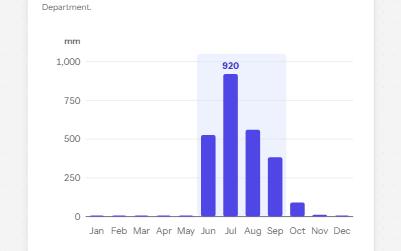
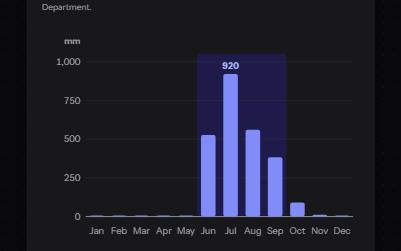
Complex image
A chart with a short alt that gives its point, a long description in a disclosure, and its data in a table beside it.
-
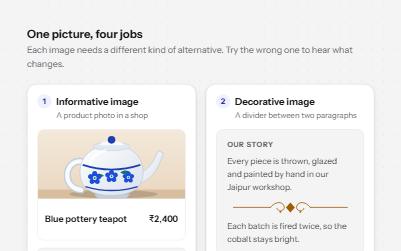
Image alternatives
Four kinds of image with the alt text each needs, what a screen reader says when it is wrong, and a decision tree.
-
Search filters
A product filter panel: grouped checkboxes with counts, a price range, sort, removable chips and a result count that is announced.
-
Toggle button
Buttons that stay on or off, like Bold or Mute, with aria-pressed reporting the state while the label stays the same.