Accessibility pattern · Interaction and motion
Sortable list
Dragging is one way to reorder, never the only one: every item also has Move up and Move down buttons that work with a single click or tap. On a handle, Space picks the item up, the arrow keys move it and Space drops it, and a polite live region says where it is after every step.
- WCAG criteria
- 7
- Keyboard rules
- 6
- Checked with
- axe, keyboard and the inspector
Live demo
Try it
Use it with a mouse, a keyboard or a screen reader. The inspector beside it shows what the browser tells assistive technology as you go: focus, state changes and announcements.
Reading list
6 booksDrag a handle or use the arrow buttons. With a keyboard, Space on a handle picks a book up, the arrow keys move it, Space drops it and Escape puts it back.
- 1 Wings of Fire A. P. J. Abdul Kalam
- 2 Atomic Habits James Clear
- 3 The God of Small Things Arundhati Roy
- 4 Sapiens Yuval Noah Harari
- 5 The White Tiger Aravind Adiga
- 6 Deep Work Cal Newport
The demo works without JavaScript only as far as its HTML does; the inspector needs JavaScript.
Keyboard
Keys it answers to
Every action works without a pointer.
| Key | What it does |
|---|---|
| Tab or ShiftTab | Moves through each book's handle and its Move up and Move down buttons. |
| Space or Enter | On a handle, picks the book up; pressed again, drops it where it now is. |
| Arrow Up or Arrow Down | While a book is picked up, moves it one place up or down; focus stays on its handle. |
| Home or End | While a book is picked up, moves it to the top or the bottom of the list. |
| Escape | While a book is picked up, cancels the move and puts it back where it started. |
| Enter or Space | On a Move up or Move down button, moves that book one place; focus stays on the button. |
Screen readers
What it announces
Written from the roles, names and states in the markup.
| When | Expected announcement |
|---|---|
| Focus reaches a handle | Reorder Atomic Habits, button, then the instructions under the list's name |
| Space picks the book up | Picked up: Atomic Habits. Position 2 of 6. |
| Arrow Down moves it | Moved to position 3 of 6. |
| Arrow Up is pressed on the first place | Top of the list. |
| Space drops it | Dropped: Atomic Habits. Position 3 of 6. |
| Escape cancels instead | Cancelled: Atomic Habits. Position 2 of 6. |
| A Move down button is pressed | Moved to position 4 of 6. |
These are expected announcements, not recordings. Wording and order differ between screen readers and browsers.
Code
Copy the code
The exact files this demo runs on. The styles are served with a prefix that keeps this site's own styles out of the demo; what you copy is the original.
<div class="ap-sortable-list" data-ap-sortable-list>
  <div class="ap-sortable-list__top">
    <h3 class="ap-sortable-list__name" id="sortable-list-name">Reading list</h3>
    <span class="ap-sortable-list__count">6 books</span>
  </div>
  <p class="ap-sortable-list__help" id="sortable-list-help">Drag a handle or use the arrow buttons. With a keyboard, Space on a handle picks a book up, the arrow keys move it, Space drops it and Escape puts it back.</p>
  <ol class="ap-sortable-list__list" role="list" aria-labelledby="sortable-list-name" data-ap-list>
    <li class="ap-sortable-list__item" data-ap-item>
      <button type="button" class="ap-sortable-list__handle" data-ap-handle aria-labelledby="sl-grab-1 sl-book-1" aria-describedby="sortable-list-help">
        <svg class="ap-sortable-list__grip" viewBox="0 0 24 24" aria-hidden="true" focusable="false"><circle cx="9" cy="6" r="1.6"/><circle cx="15" cy="6" r="1.6"/><circle cx="9" cy="12" r="1.6"/><circle cx="15" cy="12" r="1.6"/><circle cx="9" cy="18" r="1.6"/><circle cx="15" cy="18" r="1.6"/></svg><svg class="ap-sortable-list__arrows" viewBox="0 0 24 24" aria-hidden="true" focusable="false"><path d="m8 8 4-4 4 4M8 16l4 4 4-4M12 4v16"/></svg>
        <span class="ap-sortable-list__sr" id="sl-grab-1">Reorder</span>
      </button>
      <span class="ap-sortable-list__pos" data-ap-pos>1</span>
      <span class="ap-sortable-list__cover ap-sortable-list__cover--accent" aria-hidden="true">W</span>
      <span class="ap-sortable-list__book">
        <span class="ap-sortable-list__book-name" id="sl-book-1" data-ap-book translate="no">Wings of Fire</span>
        <span class="ap-sortable-list__by" translate="no">A. P. J. Abdul Kalam</span>
      </span>
      <span class="ap-sortable-list__moving" aria-hidden="true">Picked up</span>
      <span class="ap-sortable-list__moves">
        <button type="button" class="ap-sortable-list__move" data-ap-move="up" aria-labelledby="sl-up-1 sl-book-1" aria-disabled="true"><svg viewBox="0 0 24 24" aria-hidden="true" focusable="false"><path d="m6 15 6-6 6 6"/></svg><span class="ap-sortable-list__sr" id="sl-up-1">Move up</span></button>
        <button type="button" class="ap-sortable-list__move" data-ap-move="down" aria-labelledby="sl-down-1 sl-book-1" aria-disabled="false"><svg viewBox="0 0 24 24" aria-hidden="true" focusable="false"><path d="m6 9 6 6 6-6"/></svg><span class="ap-sortable-list__sr" id="sl-down-1">Move down</span></button>
      </span>
    </li>
    <li class="ap-sortable-list__item" data-ap-item>
      <button type="button" class="ap-sortable-list__handle" data-ap-handle aria-labelledby="sl-grab-2 sl-book-2" aria-describedby="sortable-list-help">
        <svg class="ap-sortable-list__grip" viewBox="0 0 24 24" aria-hidden="true" focusable="false"><circle cx="9" cy="6" r="1.6"/><circle cx="15" cy="6" r="1.6"/><circle cx="9" cy="12" r="1.6"/><circle cx="15" cy="12" r="1.6"/><circle cx="9" cy="18" r="1.6"/><circle cx="15" cy="18" r="1.6"/></svg><svg class="ap-sortable-list__arrows" viewBox="0 0 24 24" aria-hidden="true" focusable="false"><path d="m8 8 4-4 4 4M8 16l4 4 4-4M12 4v16"/></svg>
        <span class="ap-sortable-list__sr" id="sl-grab-2">Reorder</span>
      </button>
      <span class="ap-sortable-list__pos" data-ap-pos>2</span>
      <span class="ap-sortable-list__cover ap-sortable-list__cover--success" aria-hidden="true">A</span>
      <span class="ap-sortable-list__book">
        <span class="ap-sortable-list__book-name" id="sl-book-2" data-ap-book translate="no">Atomic Habits</span>
        <span class="ap-sortable-list__by" translate="no">James Clear</span>
      </span>
      <span class="ap-sortable-list__moving" aria-hidden="true">Picked up</span>
      <span class="ap-sortable-list__moves">
        <button type="button" class="ap-sortable-list__move" data-ap-move="up" aria-labelledby="sl-up-2 sl-book-2" aria-disabled="false"><svg viewBox="0 0 24 24" aria-hidden="true" focusable="false"><path d="m6 15 6-6 6 6"/></svg><span class="ap-sortable-list__sr" id="sl-up-2">Move up</span></button>
        <button type="button" class="ap-sortable-list__move" data-ap-move="down" aria-labelledby="sl-down-2 sl-book-2" aria-disabled="false"><svg viewBox="0 0 24 24" aria-hidden="true" focusable="false"><path d="m6 9 6 6 6-6"/></svg><span class="ap-sortable-list__sr" id="sl-down-2">Move down</span></button>
      </span>
    </li>
    <li class="ap-sortable-list__item" data-ap-item>
      <button type="button" class="ap-sortable-list__handle" data-ap-handle aria-labelledby="sl-grab-3 sl-book-3" aria-describedby="sortable-list-help">
        <svg class="ap-sortable-list__grip" viewBox="0 0 24 24" aria-hidden="true" focusable="false"><circle cx="9" cy="6" r="1.6"/><circle cx="15" cy="6" r="1.6"/><circle cx="9" cy="12" r="1.6"/><circle cx="15" cy="12" r="1.6"/><circle cx="9" cy="18" r="1.6"/><circle cx="15" cy="18" r="1.6"/></svg><svg class="ap-sortable-list__arrows" viewBox="0 0 24 24" aria-hidden="true" focusable="false"><path d="m8 8 4-4 4 4M8 16l4 4 4-4M12 4v16"/></svg>
        <span class="ap-sortable-list__sr" id="sl-grab-3">Reorder</span>
      </button>
      <span class="ap-sortable-list__pos" data-ap-pos>3</span>
      <span class="ap-sortable-list__cover ap-sortable-list__cover--warning" aria-hidden="true">T</span>
      <span class="ap-sortable-list__book">
        <span class="ap-sortable-list__book-name" id="sl-book-3" data-ap-book translate="no">The God of Small Things</span>
        <span class="ap-sortable-list__by" translate="no">Arundhati Roy</span>
      </span>
      <span class="ap-sortable-list__moving" aria-hidden="true">Picked up</span>
      <span class="ap-sortable-list__moves">
        <button type="button" class="ap-sortable-list__move" data-ap-move="up" aria-labelledby="sl-up-3 sl-book-3" aria-disabled="false"><svg viewBox="0 0 24 24" aria-hidden="true" focusable="false"><path d="m6 15 6-6 6 6"/></svg><span class="ap-sortable-list__sr" id="sl-up-3">Move up</span></button>
        <button type="button" class="ap-sortable-list__move" data-ap-move="down" aria-labelledby="sl-down-3 sl-book-3" aria-disabled="false"><svg viewBox="0 0 24 24" aria-hidden="true" focusable="false"><path d="m6 9 6 6 6-6"/></svg><span class="ap-sortable-list__sr" id="sl-down-3">Move down</span></button>
      </span>
    </li>
    <li class="ap-sortable-list__item" data-ap-item>
      <button type="button" class="ap-sortable-list__handle" data-ap-handle aria-labelledby="sl-grab-4 sl-book-4" aria-describedby="sortable-list-help">
        <svg class="ap-sortable-list__grip" viewBox="0 0 24 24" aria-hidden="true" focusable="false"><circle cx="9" cy="6" r="1.6"/><circle cx="15" cy="6" r="1.6"/><circle cx="9" cy="12" r="1.6"/><circle cx="15" cy="12" r="1.6"/><circle cx="9" cy="18" r="1.6"/><circle cx="15" cy="18" r="1.6"/></svg><svg class="ap-sortable-list__arrows" viewBox="0 0 24 24" aria-hidden="true" focusable="false"><path d="m8 8 4-4 4 4M8 16l4 4 4-4M12 4v16"/></svg>
        <span class="ap-sortable-list__sr" id="sl-grab-4">Reorder</span>
      </button>
      <span class="ap-sortable-list__pos" data-ap-pos>4</span>
      <span class="ap-sortable-list__cover ap-sortable-list__cover--info" aria-hidden="true">S</span>
      <span class="ap-sortable-list__book">
        <span class="ap-sortable-list__book-name" id="sl-book-4" data-ap-book translate="no">Sapiens</span>
        <span class="ap-sortable-list__by" translate="no">Yuval Noah Harari</span>
      </span>
      <span class="ap-sortable-list__moving" aria-hidden="true">Picked up</span>
      <span class="ap-sortable-list__moves">
        <button type="button" class="ap-sortable-list__move" data-ap-move="up" aria-labelledby="sl-up-4 sl-book-4" aria-disabled="false"><svg viewBox="0 0 24 24" aria-hidden="true" focusable="false"><path d="m6 15 6-6 6 6"/></svg><span class="ap-sortable-list__sr" id="sl-up-4">Move up</span></button>
        <button type="button" class="ap-sortable-list__move" data-ap-move="down" aria-labelledby="sl-down-4 sl-book-4" aria-disabled="false"><svg viewBox="0 0 24 24" aria-hidden="true" focusable="false"><path d="m6 9 6 6 6-6"/></svg><span class="ap-sortable-list__sr" id="sl-down-4">Move down</span></button>
      </span>
    </li>
    <li class="ap-sortable-list__item" data-ap-item>
      <button type="button" class="ap-sortable-list__handle" data-ap-handle aria-labelledby="sl-grab-5 sl-book-5" aria-describedby="sortable-list-help">
        <svg class="ap-sortable-list__grip" viewBox="0 0 24 24" aria-hidden="true" focusable="false"><circle cx="9" cy="6" r="1.6"/><circle cx="15" cy="6" r="1.6"/><circle cx="9" cy="12" r="1.6"/><circle cx="15" cy="12" r="1.6"/><circle cx="9" cy="18" r="1.6"/><circle cx="15" cy="18" r="1.6"/></svg><svg class="ap-sortable-list__arrows" viewBox="0 0 24 24" aria-hidden="true" focusable="false"><path d="m8 8 4-4 4 4M8 16l4 4 4-4M12 4v16"/></svg>
        <span class="ap-sortable-list__sr" id="sl-grab-5">Reorder</span>
      </button>
      <span class="ap-sortable-list__pos" data-ap-pos>5</span>
      <span class="ap-sortable-list__cover ap-sortable-list__cover--danger" aria-hidden="true">T</span>
      <span class="ap-sortable-list__book">
        <span class="ap-sortable-list__book-name" id="sl-book-5" data-ap-book translate="no">The White Tiger</span>
        <span class="ap-sortable-list__by" translate="no">Aravind Adiga</span>
      </span>
      <span class="ap-sortable-list__moving" aria-hidden="true">Picked up</span>
      <span class="ap-sortable-list__moves">
        <button type="button" class="ap-sortable-list__move" data-ap-move="up" aria-labelledby="sl-up-5 sl-book-5" aria-disabled="false"><svg viewBox="0 0 24 24" aria-hidden="true" focusable="false"><path d="m6 15 6-6 6 6"/></svg><span class="ap-sortable-list__sr" id="sl-up-5">Move up</span></button>
        <button type="button" class="ap-sortable-list__move" data-ap-move="down" aria-labelledby="sl-down-5 sl-book-5" aria-disabled="false"><svg viewBox="0 0 24 24" aria-hidden="true" focusable="false"><path d="m6 9 6 6 6-6"/></svg><span class="ap-sortable-list__sr" id="sl-down-5">Move down</span></button>
      </span>
    </li>
    <li class="ap-sortable-list__item" data-ap-item>
      <button type="button" class="ap-sortable-list__handle" data-ap-handle aria-labelledby="sl-grab-6 sl-book-6" aria-describedby="sortable-list-help">
        <svg class="ap-sortable-list__grip" viewBox="0 0 24 24" aria-hidden="true" focusable="false"><circle cx="9" cy="6" r="1.6"/><circle cx="15" cy="6" r="1.6"/><circle cx="9" cy="12" r="1.6"/><circle cx="15" cy="12" r="1.6"/><circle cx="9" cy="18" r="1.6"/><circle cx="15" cy="18" r="1.6"/></svg><svg class="ap-sortable-list__arrows" viewBox="0 0 24 24" aria-hidden="true" focusable="false"><path d="m8 8 4-4 4 4M8 16l4 4 4-4M12 4v16"/></svg>
        <span class="ap-sortable-list__sr" id="sl-grab-6">Reorder</span>
      </button>
      <span class="ap-sortable-list__pos" data-ap-pos>6</span>
      <span class="ap-sortable-list__cover ap-sortable-list__cover--plain" aria-hidden="true">D</span>
      <span class="ap-sortable-list__book">
        <span class="ap-sortable-list__book-name" id="sl-book-6" data-ap-book translate="no">Deep Work</span>
        <span class="ap-sortable-list__by" translate="no">Cal Newport</span>
      </span>
      <span class="ap-sortable-list__moving" aria-hidden="true">Picked up</span>
      <span class="ap-sortable-list__moves">
        <button type="button" class="ap-sortable-list__move" data-ap-move="up" aria-labelledby="sl-up-6 sl-book-6" aria-disabled="false"><svg viewBox="0 0 24 24" aria-hidden="true" focusable="false"><path d="m6 15 6-6 6 6"/></svg><span class="ap-sortable-list__sr" id="sl-up-6">Move up</span></button>
        <button type="button" class="ap-sortable-list__move" data-ap-move="down" aria-labelledby="sl-down-6 sl-book-6" aria-disabled="true"><svg viewBox="0 0 24 24" aria-hidden="true" focusable="false"><path d="m6 9 6 6 6-6"/></svg><span class="ap-sortable-list__sr" id="sl-down-6">Move down</span></button>
      </span>
    </li>
  </ol>
  <p class="ap-sortable-list__sr" role="status" data-ap-live></p>
</div>
/* Sortable list. Uses the --ap-* design tokens. */
.ap-sortable-list {
  width: min(100%, 580px);
  margin-inline: auto;
  border: 1px solid var(--ap-border);
  border-radius: var(--ap-radius-lg);
  background: var(--ap-surface);
  color: var(--ap-text);
  box-shadow: var(--ap-shadow-md);
  container-type: inline-size;
}

.ap-sortable-list__top {
  display: flex;
  align-items: center;
  justify-content: space-between;
  gap: 12px;
  padding: 18px 20px 0;
}
.ap-sortable-list__name {
  margin: 0;
  font-size: 1.0625rem;
  font-weight: 650;
  line-height: 1.3;
}
.ap-sortable-list__count {
  flex-shrink: 0;
  padding: 3px 10px;
  border-radius: var(--ap-radius-full);
  background: var(--ap-surface-2);
  color: var(--ap-text-2);
  font-size: .8125rem;
  font-weight: 600;
}
.ap-sortable-list__help {
  margin: 6px 20px 0;
  color: var(--ap-text-3);
  font-size: .875rem;
  line-height: 1.5;
}

/* Positioned, so the items measure their offsets from the list. */
.ap-sortable-list__list {
  position: relative;
  display: grid;
  gap: 8px;
  margin: 0;
  padding: 16px 14px 14px;
  list-style: none;
}

.ap-sortable-list__item {
  position: relative;
  display: flex;
  align-items: center;
  gap: 10px;
  min-height: 64px;
  padding: 8px 8px 8px 4px;
  border: 1px solid var(--ap-border);
  border-radius: var(--ap-radius);
  background: var(--ap-surface);
  transition: box-shadow var(--ap-duration) var(--ap-ease), border-color var(--ap-duration) var(--ap-ease);
}
.ap-sortable-list__item:hover {
  border-color: var(--ap-border-strong);
}

/* Picked up from the keyboard, or held by the pointer: raised, outlined, labelled. */
.ap-sortable-list__item.is-lifted,
.ap-sortable-list__item.is-dragging {
  z-index: 2;
  border-color: var(--ap-accent);
  box-shadow: 0 0 0 1px var(--ap-accent), var(--ap-shadow-lg);
}
.ap-sortable-list__item.is-dragging {
  cursor: grabbing;
  scale: 1.015;
}

.ap-sortable-list__handle {
  display: grid;
  place-items: center;
  flex-shrink: 0;
  width: 32px;
  height: 44px;
  padding: 0;
  border: 0;
  border-radius: var(--ap-radius-sm);
  background: transparent;
  color: var(--ap-text-3);
  cursor: grab;
  touch-action: none;
}
.ap-sortable-list__handle:hover {
  background: var(--ap-surface-2);
  color: var(--ap-text);
}
.ap-sortable-list__handle:focus-visible {
  outline: 2px solid var(--ap-focus);
  outline-offset: 0;
}
.ap-sortable-list__handle svg {
  width: 20px;
  height: 20px;
}
.ap-sortable-list__grip {
  fill: currentColor;
}
.ap-sortable-list__arrows {
  display: none;
  fill: none;
  stroke: currentColor;
  stroke-width: 2;
  stroke-linecap: round;
  stroke-linejoin: round;
}
.is-lifted > .ap-sortable-list__handle,
.is-dragging > .ap-sortable-list__handle {
  background: var(--ap-accent-soft);
  color: var(--ap-accent-soft-text);
}
.is-lifted > .ap-sortable-list__handle .ap-sortable-list__grip,
.is-dragging > .ap-sortable-list__handle .ap-sortable-list__grip {
  display: none;
}
.is-lifted > .ap-sortable-list__handle .ap-sortable-list__arrows,
.is-dragging > .ap-sortable-list__handle .ap-sortable-list__arrows {
  display: block;
}

.ap-sortable-list__pos {
  flex-shrink: 0;
  min-width: 1.5em;
  color: var(--ap-text-2);
  font-size: .9375rem;
  font-weight: 700;
  font-variant-numeric: tabular-nums;
  text-align: center;
}

.ap-sortable-list__cover {
  display: grid;
  place-items: center;
  flex-shrink: 0;
  width: 34px;
  height: 46px;
  border-radius: 4px 6px 6px 4px;
  box-shadow: inset 3px 0 0 var(--ap-border);
  font-size: 1rem;
  font-weight: 700;
}
.ap-sortable-list__cover--accent { background: var(--ap-accent-soft); color: var(--ap-accent-soft-text); }
.ap-sortable-list__cover--success { background: var(--ap-success-soft); color: var(--ap-success); }
.ap-sortable-list__cover--warning { background: var(--ap-warning-soft); color: var(--ap-warning); }
.ap-sortable-list__cover--info { background: var(--ap-info-soft); color: var(--ap-info); }
.ap-sortable-list__cover--danger { background: var(--ap-danger-soft); color: var(--ap-danger); }
.ap-sortable-list__cover--plain { background: var(--ap-surface-3); color: var(--ap-text); }

.ap-sortable-list__book {
  display: grid;
  flex: 1;
  min-width: 0;
  gap: 2px;
}
.ap-sortable-list__book-name {
  font-weight: 600;
  line-height: 1.3;
}
.ap-sortable-list__by {
  color: var(--ap-text-3);
  font-size: .8125rem;
  line-height: 1.35;
}

/* "Picked up" on the item's top edge, so the state is not shown by color alone. */
.ap-sortable-list__moving {
  position: absolute;
  top: -10px;
  left: 44px;
  display: none;
  padding: 1px 8px;
  border-radius: var(--ap-radius-full);
  background: var(--ap-accent);
  color: var(--ap-on-accent);
  font-size: .6875rem;
  font-weight: 700;
  letter-spacing: .04em;
  line-height: 1.6;
  text-transform: uppercase;
}
.is-lifted > .ap-sortable-list__moving,
.is-dragging > .ap-sortable-list__moving {
  display: block;
}

.ap-sortable-list__moves {
  display: flex;
  flex-shrink: 0;
  gap: 2px;
}
.ap-sortable-list__move {
  display: grid;
  place-items: center;
  width: 32px;
  height: 32px;
  padding: 0;
  border: 0;
  border-radius: var(--ap-radius-sm);
  background: transparent;
  color: var(--ap-text-2);
  cursor: pointer;
}
.ap-sortable-list__move:hover {
  background: var(--ap-surface-2);
  color: var(--ap-text);
}
.ap-sortable-list__move:focus-visible {
  outline: 2px solid var(--ap-focus);
  outline-offset: 0;
}
.ap-sortable-list__move[aria-disabled="true"] {
  color: var(--ap-text-3);
  opacity: .45;
  cursor: not-allowed;
}
.ap-sortable-list__move[aria-disabled="true"]:hover {
  background: transparent;
}
.ap-sortable-list__move svg {
  width: 18px;
  height: 18px;
  fill: none;
  stroke: currentColor;
  stroke-width: 2.2;
  stroke-linecap: round;
  stroke-linejoin: round;
}

/* Read by screen readers, not shown. */
.ap-sortable-list__sr {
  position: absolute;
  width: 1px;
  height: 1px;
  margin: -1px;
  padding: 0;
  overflow: hidden;
  clip-path: inset(50%);
  white-space: nowrap;
  border: 0;
}

@container (max-width: 400px) {
  .ap-sortable-list__top { padding: 16px 16px 0; }
  .ap-sortable-list__help { margin-inline: 16px; }
  .ap-sortable-list__list { padding: 14px 10px 10px; }
  .ap-sortable-list__item { gap: 8px; }
  .ap-sortable-list__cover { display: none; }
  .ap-sortable-list__moving { left: 36px; }
}

@media (prefers-reduced-motion: reduce) {
  .ap-sortable-list__item { transition: none; }
  .ap-sortable-list__item.is-dragging { scale: none; }
}

@media (forced-colors: active) {
  .ap-sortable-list__item.is-lifted,
  .ap-sortable-list__item.is-dragging { outline: 3px solid Highlight; }
}
/**
 * Sortable list: reorder by dragging a handle, by Move up and Move down
 * buttons, or from the keyboard (Space on a handle picks the item up, the
 * arrow keys move it, Space drops it, Escape puts it back). Every step is
 * announced in a polite live region, and the visible numbers are rewritten.
 *
 * Markup: [data-ap-sortable-list] holding ol[data-ap-list] > li[data-ap-item],
 * each with button[data-ap-handle], span[data-ap-pos], the item's name in
 * [data-ap-book], and button[data-ap-move="up|down"]; plus a role=status
 * element [data-ap-live].
 *
 * Focus never leaves the item being moved: the script re-inserts the other
 * items around it instead of moving it, so the browser keeps focus in place.
 */

export function init(root) {
  const list = root.querySelector("[data-ap-list]");
  const live = root.querySelector("[data-ap-live]");
  const calm = window.matchMedia("(prefers-reduced-motion: reduce)");
  const items = () => [...list.querySelectorAll(":scope > [data-ap-item]")];
  const nameOf = (item) => item.querySelector("[data-ap-book]").textContent.trim();
  let lifted = null; // { item, handle, from } while picked up from the keyboard
  let drag = null; // { item, handle, id, startY, grab, from, moved } during a pointer drag
  let suppressClick = false;
  let timer = 0;

  /* ── Announcements: fixed phrases, the item's own name kept as it is ── */
  function part(text, raw = false) {
    const span = document.createElement("span");
    span.textContent = text;
    if (raw) span.translate = false;
    return span;
  }
  function say(...parts) {
    clearTimeout(timer);
    live.textContent = "";
    // A short gap, so the same words twice in a row are still read out.
    timer = setTimeout(() => {
      const nodes = [];
      parts.forEach((p, i) => {
        if (i) nodes.push(" ");
        nodes.push(typeof p === "string" ? part(p) : part(p.raw, true));
      });
      live.replaceChildren(...nodes);
    }, 60);
  }
  const position = (item) => `Position ${items().indexOf(item) + 1} of ${items().length}.`;
  const named = (item) => ({ raw: `${nameOf(item)}.` });

  /* ── Order: numbers and button states follow the DOM ── */
  function renumber() {
    const all = items();
    const set = (el, name, value) => { if (el.getAttribute(name) !== value) el.setAttribute(name, value); };
    all.forEach((item, i) => {
      const pos = item.querySelector("[data-ap-pos]");
      if (pos.textContent !== String(i + 1)) pos.textContent = String(i + 1);
      set(item.querySelector("[data-ap-move=up]"), "aria-disabled", String(i === 0));
      set(item.querySelector("[data-ap-move=down]"), "aria-disabled", String(i === all.length - 1));
    });
  }

  /** Put item at index by moving every other item around it, then slide them. */
  function place(item, index) {
    const all = items();
    const from = all.indexOf(item);
    index = Math.max(0, Math.min(all.length - 1, index));
    if (index === from) return false;
    const before = new Map(all.map((el) => [el, el.getBoundingClientRect().top]));
    const order = all.filter((el) => el !== item);
    order.splice(index, 0, item);
    for (const el of order.slice(0, index)) list.insertBefore(el, item);
    for (const el of order.slice(index + 1)) list.append(el);
    renumber();
    if (!calm.matches) {
      for (const el of order) {
        if (drag && el === drag.item) continue;
        const dy = before.get(el) - el.getBoundingClientRect().top;
        if (dy) el.animate([{ transform: `translateY(${dy}px)` }, { transform: "none" }], { duration: 200, easing: "cubic-bezier(.2, .8, .2, 1)" });
      }
    }
    return true;
  }

  /* ── Keyboard (and click) pick-up mode ── */
  function lift(item, handle) {
    lifted = { item, handle, from: items().indexOf(item) };
    item.classList.add("is-lifted");
    say("Picked up:", named(item), position(item));
  }
  function drop() {
    if (!lifted) return;
    const { item } = lifted;
    lifted = null;
    item.classList.remove("is-lifted");
    say("Dropped:", named(item), position(item));
  }
  function cancel() {
    if (!lifted) return;
    const { item, from } = lifted;
    lifted = null;
    place(item, from);
    item.classList.remove("is-lifted");
    say("Cancelled:", named(item), position(item));
  }
  function step(index) {
    const { item } = lifted;
    const last = items().length - 1;
    if (index < 0) say("Top of the list.");
    else if (index > last) say("End of the list.");
    else if (place(item, index)) say(`Moved to position ${index + 1} of ${last + 1}.`);
  }

  function onClick(event) {
    const handle = event.target.closest("[data-ap-handle]");
    if (handle && list.contains(handle)) {
      if (suppressClick) return;
      const item = handle.closest("[data-ap-item]");
      if (lifted && lifted.item === item) drop();
      else {
        if (lifted) drop();
        lift(item, handle);
      }
      return;
    }
    const move = event.target.closest("[data-ap-move]");
    if (!move || !list.contains(move) || move.getAttribute("aria-disabled") === "true") return;
    if (lifted) drop();
    const item = move.closest("[data-ap-item]");
    const at = items().indexOf(item);
    const to = move.dataset.apMove === "up" ? at - 1 : at + 1;
    if (place(item, to)) say(`Moved to position ${to + 1} of ${items().length}.`);
  }

  function onKeydown(event) {
    if (drag) {
      // Escape mid-drag puts the item back; the rest of the drag is ignored.
      if (event.key === "Escape" && drag.moved && !drag.done) {
        event.preventDefault();
        endDrag(false);
      }
      return;
    }
    if (!lifted || event.target !== lifted.handle) return;
    const at = items().indexOf(lifted.item);
    const keys = {
      ArrowUp: () => step(at - 1),
      ArrowDown: () => step(at + 1),
      Home: () => (at === 0 ? say("Top of the list.") : step(0)),
      End: () => (at === items().length - 1 ? say("End of the list.") : step(items().length - 1)),
      Escape: cancel,
    };
    const run = keys[event.key];
    if (!run) return;
    event.preventDefault();
    run();
  }

  // Tabbing or clicking away while an item is picked up drops it where it is.
  function onFocusout(event) {
    if (lifted && event.target === lifted.handle && !lifted.handle.contains(event.relatedTarget)) drop();
  }

  /* ── Pointer drag on the handle ── */
  function onPointerdown(event) {
    const handle = event.target.closest("[data-ap-handle]");
    if (!handle || !list.contains(handle) || event.button !== 0 || !event.isPrimary || drag) return;
    const item = handle.closest("[data-ap-item]");
    if (lifted && lifted.item !== item) drop();
    drag = { item, handle, id: event.pointerId, startY: event.clientY, grab: event.clientY - item.getBoundingClientRect().top, from: items().indexOf(item), moved: false };
    handle.setPointerCapture(event.pointerId);
    handle.focus({ preventScroll: true });
  }

  function onPointermove(event) {
    if (!drag || event.pointerId !== drag.id || drag.done) return;
    const { item } = drag;
    if (!drag.moved) {
      if (Math.abs(event.clientY - drag.startY) < 5) return;
      drag.moved = true;
      if (lifted) { lifted.item.classList.remove("is-lifted"); lifted = null; }
      item.classList.add("is-dragging");
    }
    event.preventDefault();
    const top = event.clientY - drag.grab - list.getBoundingClientRect().top;
    const centre = top + item.offsetHeight / 2;
    // Swap with a neighbour once the dragged item's middle passes the neighbour's.
    for (;;) {
      const prev = item.previousElementSibling;
      const next = item.nextElementSibling;
      const at = items().indexOf(item);
      if (prev && centre < prev.offsetTop + prev.offsetHeight / 2) place(item, at - 1);
      else if (next && centre > next.offsetTop + next.offsetHeight / 2) place(item, at + 1);
      else break;
    }
    item.style.transform = `translateY(${top - item.offsetTop}px)`;
  }

  /** Settle a drag: keep the new place, or put the item back where it started. */
  function endDrag(keep) {
    const { item, from } = drag;
    drag.done = true;
    if (!keep) place(item, from);
    const offset = item.style.transform;
    item.style.transform = "";
    item.classList.remove("is-dragging");
    if (!calm.matches && offset) {
      item.animate([{ transform: offset }, { transform: "none" }], { duration: 160, easing: "cubic-bezier(.2, .8, .2, 1)" });
    }
    say(keep ? "Dropped:" : "Cancelled:", named(item), position(item));
  }

  function release(event, keep) {
    if (!drag || event.pointerId !== drag.id) return;
    const { handle, id, moved, done } = drag;
    if (moved && !done) endDrag(keep);
    drag = null;
    if (handle.hasPointerCapture(id)) handle.releasePointerCapture(id);
    if (moved) {
      // The click that follows a drag is not a request to pick the item up.
      suppressClick = true;
      setTimeout(() => { suppressClick = false; }, 0);
    }
  }
  const onPointerup = (event) => release(event, true);
  const onPointercancel = (event) => release(event, false);

  list.addEventListener("click", onClick);
  list.addEventListener("keydown", onKeydown);
  list.addEventListener("focusout", onFocusout);
  list.addEventListener("pointerdown", onPointerdown);
  list.addEventListener("pointermove", onPointermove);
  list.addEventListener("pointerup", onPointerup);
  list.addEventListener("pointercancel", onPointercancel);
  renumber();

  return () => {
    clearTimeout(timer);
    list.removeEventListener("click", onClick);
    list.removeEventListener("keydown", onKeydown);
    list.removeEventListener("focusout", onFocusout);
    list.removeEventListener("pointerdown", onPointerdown);
    list.removeEventListener("pointermove", onPointermove);
    list.removeEventListener("pointerup", onPointerup);
    list.removeEventListener("pointercancel", onPointercancel);
  };
}

for (const root of document.querySelectorAll("[data-ap-sortable-list]")) init(root);
/* Design tokens for the pattern components. Light by default, dark when the
   system asks for it; set data-theme="dark" on :root to force dark. */
:root {
    --ap-radius-sm: 8px;
    --ap-radius: 12px;
    --ap-radius-lg: 16px;
    --ap-radius-full: 999px;
    --ap-font: "Instrument Sans", ui-sans-serif, system-ui, -apple-system, "Segoe UI", Roboto, sans-serif;
    --ap-mono: "JetBrains Mono", ui-monospace, "Cascadia Mono", "SF Mono", Consolas, monospace;
    --ap-ease: cubic-bezier(.2, .8, .2, 1);
    --ap-duration: 180ms;
    --ap-target: 44px;
    --ap-bg: #F4F4F5;
    --ap-surface: #FFFFFF;
    --ap-surface-2: #F4F4F5;
    --ap-surface-3: #E4E4E7;
    --ap-border: #E4E4E7;
    --ap-border-strong: #76767F;
    --ap-text: #18181B;
    --ap-text-2: #3F3F46;
    --ap-text-3: #5E5E66;
    --ap-accent: #4F46E5;
    --ap-accent-hover: #4338CA;
    --ap-on-accent: #FFFFFF;
    --ap-accent-text: #4338CA;
    --ap-accent-soft: #EEF2FF;
    --ap-accent-soft-text: #3730A3;
    --ap-focus: #4F46E5;
    --ap-danger: #B91C1C;
    --ap-danger-soft: #FEF2F2;
    --ap-success: #15803D;
    --ap-success-soft: #F0FDF4;
    --ap-warning: #A15C07;
    --ap-warning-soft: #FEFCE8;
    --ap-info: #1D4ED8;
    --ap-info-soft: #EFF6FF;
    --ap-scrim: rgb(9 9 11 / .48);
    --ap-shadow-sm: 0 1px 2px rgb(9 9 11 / .06);
    --ap-shadow-md: 0 1px 2px rgb(9 9 11 / .05), 0 6px 16px -4px rgb(9 9 11 / .1);
    --ap-shadow-lg: 0 2px 6px rgb(9 9 11 / .06), 0 20px 40px -12px rgb(9 9 11 / .22);
    --ap-light-bg: #F4F4F5;
    --ap-light-surface: #FFFFFF;
    --ap-light-surface-2: #F4F4F5;
    --ap-light-surface-3: #E4E4E7;
    --ap-light-border: #E4E4E7;
    --ap-light-border-strong: #76767F;
    --ap-light-text: #18181B;
    --ap-light-text-2: #3F3F46;
    --ap-light-text-3: #5E5E66;
    --ap-light-accent: #4F46E5;
    --ap-light-accent-hover: #4338CA;
    --ap-light-on-accent: #FFFFFF;
    --ap-light-accent-text: #4338CA;
    --ap-light-accent-soft: #EEF2FF;
    --ap-light-accent-soft-text: #3730A3;
    --ap-light-focus: #4F46E5;
    --ap-light-danger: #B91C1C;
    --ap-light-danger-soft: #FEF2F2;
    --ap-light-success: #15803D;
    --ap-light-success-soft: #F0FDF4;
    --ap-light-warning: #A15C07;
    --ap-light-warning-soft: #FEFCE8;
    --ap-light-info: #1D4ED8;
    --ap-light-info-soft: #EFF6FF;
    --ap-light-scrim: rgb(9 9 11 / .48);
    --ap-light-shadow-sm: 0 1px 2px rgb(9 9 11 / .06);
    --ap-light-shadow-md: 0 1px 2px rgb(9 9 11 / .05), 0 6px 16px -4px rgb(9 9 11 / .1);
    --ap-light-shadow-lg: 0 2px 6px rgb(9 9 11 / .06), 0 20px 40px -12px rgb(9 9 11 / .22);
    --ap-dark-bg: #09090B;
    --ap-dark-surface: #18181B;
    --ap-dark-surface-2: #27272A;
    --ap-dark-surface-3: #3F3F46;
    --ap-dark-border: #2E2E33;
    --ap-dark-border-strong: #8E8E97;
    --ap-dark-text: #FAFAFA;
    --ap-dark-text-2: #D4D4D8;
    --ap-dark-text-3: #A1A1AA;
    --ap-dark-accent: #818CF8;
    --ap-dark-accent-hover: #A5B4FC;
    --ap-dark-on-accent: #0C0A1F;
    --ap-dark-accent-text: #A5B4FC;
    --ap-dark-accent-soft: #1E1B4B;
    --ap-dark-accent-soft-text: #C7D2FE;
    --ap-dark-focus: #A5B4FC;
    --ap-dark-danger: #F87171;
    --ap-dark-danger-soft: #2A1215;
    --ap-dark-success: #4ADE80;
    --ap-dark-success-soft: #0F2A1A;
    --ap-dark-warning: #FACC15;
    --ap-dark-warning-soft: #2A2410;
    --ap-dark-info: #60A5FA;
    --ap-dark-info-soft: #0F1D33;
    --ap-dark-scrim: rgb(0 0 0 / .62);
    --ap-dark-shadow-sm: 0 1px 2px rgb(0 0 0 / .4);
    --ap-dark-shadow-md: 0 1px 2px rgb(0 0 0 / .4), 0 8px 20px -6px rgb(0 0 0 / .5);
    --ap-dark-shadow-lg: 0 2px 8px rgb(0 0 0 / .45), 0 24px 48px -12px rgb(0 0 0 / .7);
}
@media (prefers-color-scheme: dark) {
  :root:not([data-theme="light"]) {
      --ap-bg: #09090B;
      --ap-surface: #18181B;
      --ap-surface-2: #27272A;
      --ap-surface-3: #3F3F46;
      --ap-border: #2E2E33;
      --ap-border-strong: #8E8E97;
      --ap-text: #FAFAFA;
      --ap-text-2: #D4D4D8;
      --ap-text-3: #A1A1AA;
      --ap-accent: #818CF8;
      --ap-accent-hover: #A5B4FC;
      --ap-on-accent: #0C0A1F;
      --ap-accent-text: #A5B4FC;
      --ap-accent-soft: #1E1B4B;
      --ap-accent-soft-text: #C7D2FE;
      --ap-focus: #A5B4FC;
      --ap-danger: #F87171;
      --ap-danger-soft: #2A1215;
      --ap-success: #4ADE80;
      --ap-success-soft: #0F2A1A;
      --ap-warning: #FACC15;
      --ap-warning-soft: #2A2410;
      --ap-info: #60A5FA;
      --ap-info-soft: #0F1D33;
      --ap-scrim: rgb(0 0 0 / .62);
      --ap-shadow-sm: 0 1px 2px rgb(0 0 0 / .4);
      --ap-shadow-md: 0 1px 2px rgb(0 0 0 / .4), 0 8px 20px -6px rgb(0 0 0 / .5);
      --ap-shadow-lg: 0 2px 8px rgb(0 0 0 / .45), 0 24px 48px -12px rgb(0 0 0 / .7);
  }
}
:root[data-theme="dark"] {
    --ap-bg: #09090B;
    --ap-surface: #18181B;
    --ap-surface-2: #27272A;
    --ap-surface-3: #3F3F46;
    --ap-border: #2E2E33;
    --ap-border-strong: #8E8E97;
    --ap-text: #FAFAFA;
    --ap-text-2: #D4D4D8;
    --ap-text-3: #A1A1AA;
    --ap-accent: #818CF8;
    --ap-accent-hover: #A5B4FC;
    --ap-on-accent: #0C0A1F;
    --ap-accent-text: #A5B4FC;
    --ap-accent-soft: #1E1B4B;
    --ap-accent-soft-text: #C7D2FE;
    --ap-focus: #A5B4FC;
    --ap-danger: #F87171;
    --ap-danger-soft: #2A1215;
    --ap-success: #4ADE80;
    --ap-success-soft: #0F2A1A;
    --ap-warning: #FACC15;
    --ap-warning-soft: #2A2410;
    --ap-info: #60A5FA;
    --ap-info-soft: #0F1D33;
    --ap-scrim: rgb(0 0 0 / .62);
    --ap-shadow-sm: 0 1px 2px rgb(0 0 0 / .4);
    --ap-shadow-md: 0 1px 2px rgb(0 0 0 / .4), 0 8px 20px -6px rgb(0 0 0 / .5);
    --ap-shadow-lg: 0 2px 8px rgb(0 0 0 / .45), 0 24px 48px -12px rgb(0 0 0 / .7);
}
WCAG 2.2
What it meets
The success criteria this pattern takes care of, and how.
-
1.3.1 Info and Relationships
Level A
The books are an ordered list, and each shows its place as a number in text that the script rewrites after every move.
-
2.1.1 Keyboard
Level A
The keyboard pick-up mode and the Move buttons do everything dragging does, so no move needs a pointer.
-
2.4.3 Focus Order
Level A
The script moves the other books around the one being moved, so focus never leaves its handle or button and Tab carries on from there.
-
2.5.7 Dragging Movements
Level AA
Every drag has a single-pointer alternative: Move up and Move down buttons that move a book one place per click or tap.
-
2.5.8 Target Size (Minimum)
Level AA
Handles are 32 by 44 pixels and the Move buttons 32 by 32, both past the 24-pixel minimum.
-
4.1.2 Name, Role, Value
Level A
Each handle and button is named with its book, such as Reorder Atomic Habits, and Move up on the first book is marked unavailable.
-
4.1.3 Status Messages
Level AA
Picking up, each move, dropping and cancelling are announced in a polite live region without moving focus.
Usage
When to use it
Use it
- Lists people arrange by hand: a reading list, a playlist, priorities, the fields of a form builder.
- Short lists where seeing the whole order at once matters.
Use something else
- Long lists: offer a position field or a Move to top action rather than dozens of single steps.
- An order that follows a rule, like newest first: let people pick the rule with a sort control.
- Moving items between groups: a board with a Move to menu on each card says that better.
Common failures
How it usually goes wrong
Dragging as the only way
Without another way to move items, people using a keyboard, switch access or a tremor-prone hand cannot reorder at all, and the page fails 2.5.7.
Moving the focused element
Taking the focused item out of the list and putting it back drops focus to the page in some browsers. Moving its neighbours instead keeps focus where it was.
Reordering in silence
If an item moves and nothing is said, a screen reader user cannot tell whether the key did anything. Each step here announces the new position.
Order shown only by place on screen
A list that relies on layout alone hides its order. The numbers here are text in an ordered list, rewritten after every move.
No way to back out
Without Escape, one stray arrow key is a permanent change. Escape puts the book back where it was picked up.
Disabled buttons that drop focus
A Move up button given the disabled attribute when its book reaches the top loses focus mid-task. aria-disabled keeps it focusable and says it is unavailable.
Notes
Building it
- Screen readers in browse mode send a click instead of key presses, so the arrow keys may never reach a handle; the Move buttons work in every mode, which is why they are part of the pattern, not an extra.
- The script never moves the element that holds focus: it re-inserts the other items around it. Element.moveBefore(), where supported, is another way to keep focus during a move.
- Moves animate with a short slide that stops when the system asks for reduced motion; the drag itself follows the pointer either way, because the person is moving it.
- Clicking a handle without dragging also picks the book up, so a pointer user can finish the move with the arrow keys or click again to drop it.
- Save the order as it changes, or with a single Save button, and say which; this demo keeps it in the page only.
Sources: WCAG 2.2 Understanding: Dragging Movements · WAI-ARIA Authoring Practices: Developing a Keyboard Interface
Checked with axe in light and dark themes, at desktop and phone widths, and by keyboard. Not yet tested with every screen reader and browser pair. Report a correction
Related
Patterns that go with it
-
Kanban board
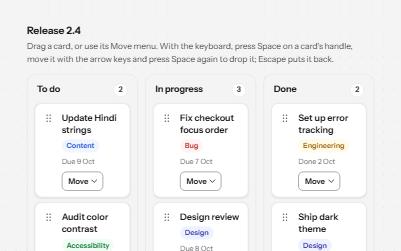
A board of cards in columns that can be dragged with a mouse, moved from a menu, or picked up and carried with the keyboard.
-
Listbox
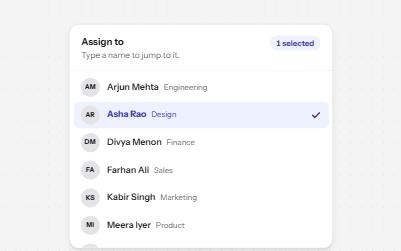
A list of options to choose one or several from, with arrow keys, typing to jump and a count of what is selected.
-
Sortable table
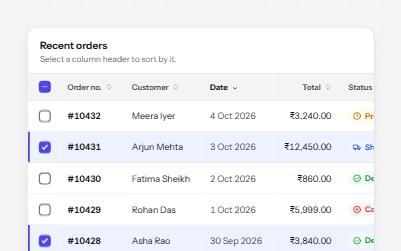
A data table with a caption, row headers, sort buttons that report the order, and row selection with a mixed Select all.
-
Reduced motion
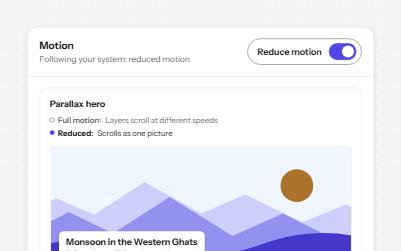
Animated pieces that follow the system's reduced motion setting, with a switch to override it, swapping movement for fades.