Accessibility pattern · Data display
Kanban board
Dragging is one way to move a card, never the only one: every card has a Move menu that a single click or tap can use, and a handle that the keyboard can pick up, carry with the arrow keys and drop. Each move is announced with the card, its column and its place in it, focus stays on the card wherever it goes, and the column counts follow.
- WCAG criteria
- 7
- Keyboard rules
- 7
- Checked with
- axe, keyboard and the inspector
Live demo
Try it
Use it with a mouse, a keyboard or a screen reader. The inspector beside it shows what the browser tells assistive technology as you go: focus, state changes and announcements.
Release 2.4
Drag a card, or use its Move menu. With the keyboard, press Space on a card's handle, move it with the arrow keys and press Space again to drop it; Escape puts it back.
To do
-
Update Hindi strings
Content Due 9 Oct -
Audit color contrast
Accessibility Due 12 Oct
No cards here yet.
In progress
-
Fix checkout focus order
Bug Due 7 Oct -
Design review
Design Due 8 Oct -
Write release notes
Writing Due 10 Oct
No cards here yet.
Done
-
Set up error tracking
Engineering Done 2 Oct -
Ship dark theme
Design Done 5 Oct
No cards here yet.
The demo works without JavaScript only as far as its HTML does; the inspector needs JavaScript.
Keyboard
Keys it answers to
Every action works without a pointer.
| Key | What it does |
|---|---|
| Tab | Moves through each card's handle and Move button, column by column. |
| Space or Enter | On a handle, picks the card up; pressed again, drops it where it is. |
| Arrow Up or Arrow Down | While a card is picked up, moves it up or down its column. |
| Arrow Left or Arrow Right | While a card is picked up, moves it to the previous or next column, keeping its place where it can. |
| Escape | While a card is picked up or dragged, puts it back where it started. In the Move menu, closes the menu. |
| Enter or Space or Arrow Down | On Move, opens the menu; Arrow Up and Arrow Down move through it, Home and End jump to its ends. |
| Enter or Space | In the menu, moves the card to that column, or up or down, and returns focus to the card's Move button. |
Screen readers
What it announces
Written from the roles, names and states in the markup.
| When | Expected announcement |
|---|---|
| Focus reaches a handle | Pick up Design review, toggle button, not pressed. Drag a card, or use its Move menu… |
| Space picks it up | Pressed. Picked up Design review. In progress, position 2 of 3. |
| Arrow Right carries it | Design review. Done, position 2 of 3. |
| Space drops it | Not pressed. Dropped Design review. Done, position 2 of 3. |
| Escape instead | Cancelled. Design review is back in In progress, position 2 of 3. |
| Done is chosen in the Move menu | Moved Design review to Done, position 3 of 3. Move Design review, menu button |
These are expected announcements, not recordings. Wording and order differ between screen readers and browsers.
Code
Copy the code
The exact files this demo runs on. The styles are served with a prefix that keeps this site's own styles out of the demo; what you copy is the original.
<div class="ap-kanban" data-ap-kanban>
  <div class="ap-kanban__top">
    <h3 class="ap-kanban__board-name">Release 2.4</h3>
    <p class="ap-kanban__keys" id="kanban-keys">Drag a card, or use its Move menu. With the keyboard, press Space on a card's handle, move it with the arrow keys and press Space again to drop it; Escape puts it back.</p>
  </div>

  <div class="ap-kanban__board">
    <div class="ap-kanban__col" data-ap-col="todo">
      <div class="ap-kanban__head">
        <h4 class="ap-kanban__name" id="kanban-todo">To do</h4>
        <span class="ap-kanban__tally" aria-hidden="true" data-ap-tally>2</span>
      </div>
      <ul class="ap-kanban__cards" aria-labelledby="kanban-todo" data-ap-cards>
        <li class="ap-kanban__card" data-ap-task="hindi">
          <button type="button" class="ap-kanban__grip" aria-label="Pick up Update Hindi strings" aria-pressed="false" aria-describedby="kanban-keys">
            <svg viewBox="0 0 24 24" aria-hidden="true" focusable="false"><path d="M9 6h.01M15 6h.01M9 12h.01M15 12h.01M9 18h.01M15 18h.01"/></svg>
          </button>
          <p class="ap-kanban__what">Update Hindi strings</p>
          <span class="ap-kanban__tag" data-tone="info">Content</span>
          <span class="ap-kanban__due">Due 9 Oct</span>
          <button type="button" class="ap-kanban__move" id="kanban-move-hindi" aria-label="Move Update Hindi strings" aria-haspopup="menu" aria-expanded="false" aria-controls="kanban-menu">
            Move
            <svg viewBox="0 0 24 24" aria-hidden="true" focusable="false"><path d="m6 9 6 6 6-6"/></svg>
          </button>
        </li>
        <li class="ap-kanban__card" data-ap-task="contrast">
          <button type="button" class="ap-kanban__grip" aria-label="Pick up Audit color contrast" aria-pressed="false" aria-describedby="kanban-keys">
            <svg viewBox="0 0 24 24" aria-hidden="true" focusable="false"><path d="M9 6h.01M15 6h.01M9 12h.01M15 12h.01M9 18h.01M15 18h.01"/></svg>
          </button>
          <p class="ap-kanban__what">Audit color contrast</p>
          <span class="ap-kanban__tag" data-tone="success">Accessibility</span>
          <span class="ap-kanban__due">Due 12 Oct</span>
          <button type="button" class="ap-kanban__move" id="kanban-move-contrast" aria-label="Move Audit color contrast" aria-haspopup="menu" aria-expanded="false" aria-controls="kanban-menu">
            Move
            <svg viewBox="0 0 24 24" aria-hidden="true" focusable="false"><path d="m6 9 6 6 6-6"/></svg>
          </button>
        </li>
      </ul>
      <p class="ap-kanban__blank" data-ap-blank hidden>No cards here yet.</p>
    </div>
    <div class="ap-kanban__col" data-ap-col="doing">
      <div class="ap-kanban__head">
        <h4 class="ap-kanban__name" id="kanban-doing">In progress</h4>
        <span class="ap-kanban__tally" aria-hidden="true" data-ap-tally>3</span>
      </div>
      <ul class="ap-kanban__cards" aria-labelledby="kanban-doing" data-ap-cards>
        <li class="ap-kanban__card" data-ap-task="focus">
          <button type="button" class="ap-kanban__grip" aria-label="Pick up Fix checkout focus order" aria-pressed="false" aria-describedby="kanban-keys">
            <svg viewBox="0 0 24 24" aria-hidden="true" focusable="false"><path d="M9 6h.01M15 6h.01M9 12h.01M15 12h.01M9 18h.01M15 18h.01"/></svg>
          </button>
          <p class="ap-kanban__what">Fix checkout focus order</p>
          <span class="ap-kanban__tag" data-tone="danger">Bug</span>
          <span class="ap-kanban__due">Due 7 Oct</span>
          <button type="button" class="ap-kanban__move" id="kanban-move-focus" aria-label="Move Fix checkout focus order" aria-haspopup="menu" aria-expanded="false" aria-controls="kanban-menu">
            Move
            <svg viewBox="0 0 24 24" aria-hidden="true" focusable="false"><path d="m6 9 6 6 6-6"/></svg>
          </button>
        </li>
        <li class="ap-kanban__card" data-ap-task="review">
          <button type="button" class="ap-kanban__grip" aria-label="Pick up Design review" aria-pressed="false" aria-describedby="kanban-keys">
            <svg viewBox="0 0 24 24" aria-hidden="true" focusable="false"><path d="M9 6h.01M15 6h.01M9 12h.01M15 12h.01M9 18h.01M15 18h.01"/></svg>
          </button>
          <p class="ap-kanban__what">Design review</p>
          <span class="ap-kanban__tag" data-tone="accent">Design</span>
          <span class="ap-kanban__due">Due 8 Oct</span>
          <button type="button" class="ap-kanban__move" id="kanban-move-review" aria-label="Move Design review" aria-haspopup="menu" aria-expanded="false" aria-controls="kanban-menu">
            Move
            <svg viewBox="0 0 24 24" aria-hidden="true" focusable="false"><path d="m6 9 6 6 6-6"/></svg>
          </button>
        </li>
        <li class="ap-kanban__card" data-ap-task="notes">
          <button type="button" class="ap-kanban__grip" aria-label="Pick up Write release notes" aria-pressed="false" aria-describedby="kanban-keys">
            <svg viewBox="0 0 24 24" aria-hidden="true" focusable="false"><path d="M9 6h.01M15 6h.01M9 12h.01M15 12h.01M9 18h.01M15 18h.01"/></svg>
          </button>
          <p class="ap-kanban__what">Write release notes</p>
          <span class="ap-kanban__tag" data-tone="info">Writing</span>
          <span class="ap-kanban__due">Due 10 Oct</span>
          <button type="button" class="ap-kanban__move" id="kanban-move-notes" aria-label="Move Write release notes" aria-haspopup="menu" aria-expanded="false" aria-controls="kanban-menu">
            Move
            <svg viewBox="0 0 24 24" aria-hidden="true" focusable="false"><path d="m6 9 6 6 6-6"/></svg>
          </button>
        </li>
      </ul>
      <p class="ap-kanban__blank" data-ap-blank hidden>No cards here yet.</p>
    </div>
    <div class="ap-kanban__col" data-ap-col="done">
      <div class="ap-kanban__head">
        <h4 class="ap-kanban__name" id="kanban-done">Done</h4>
        <span class="ap-kanban__tally" aria-hidden="true" data-ap-tally>2</span>
      </div>
      <ul class="ap-kanban__cards" aria-labelledby="kanban-done" data-ap-cards>
        <li class="ap-kanban__card" data-ap-task="errors">
          <button type="button" class="ap-kanban__grip" aria-label="Pick up Set up error tracking" aria-pressed="false" aria-describedby="kanban-keys">
            <svg viewBox="0 0 24 24" aria-hidden="true" focusable="false"><path d="M9 6h.01M15 6h.01M9 12h.01M15 12h.01M9 18h.01M15 18h.01"/></svg>
          </button>
          <p class="ap-kanban__what">Set up error tracking</p>
          <span class="ap-kanban__tag" data-tone="warning">Engineering</span>
          <span class="ap-kanban__due">Done 2 Oct</span>
          <button type="button" class="ap-kanban__move" id="kanban-move-errors" aria-label="Move Set up error tracking" aria-haspopup="menu" aria-expanded="false" aria-controls="kanban-menu">
            Move
            <svg viewBox="0 0 24 24" aria-hidden="true" focusable="false"><path d="m6 9 6 6 6-6"/></svg>
          </button>
        </li>
        <li class="ap-kanban__card" data-ap-task="dark">
          <button type="button" class="ap-kanban__grip" aria-label="Pick up Ship dark theme" aria-pressed="false" aria-describedby="kanban-keys">
            <svg viewBox="0 0 24 24" aria-hidden="true" focusable="false"><path d="M9 6h.01M15 6h.01M9 12h.01M15 12h.01M9 18h.01M15 18h.01"/></svg>
          </button>
          <p class="ap-kanban__what">Ship dark theme</p>
          <span class="ap-kanban__tag" data-tone="accent">Design</span>
          <span class="ap-kanban__due">Done 5 Oct</span>
          <button type="button" class="ap-kanban__move" id="kanban-move-dark" aria-label="Move Ship dark theme" aria-haspopup="menu" aria-expanded="false" aria-controls="kanban-menu">
            Move
            <svg viewBox="0 0 24 24" aria-hidden="true" focusable="false"><path d="m6 9 6 6 6-6"/></svg>
          </button>
        </li>
      </ul>
      <p class="ap-kanban__blank" data-ap-blank hidden>No cards here yet.</p>
    </div>
  </div>

  <div class="ap-kanban__menu" role="menu" id="kanban-menu" aria-labelledby="kanban-move-hindi" hidden>
    <div role="group" aria-labelledby="kanban-menu-cap">
      <span class="ap-kanban__menu-cap" id="kanban-menu-cap" aria-hidden="true">Move to column</span>
      <button type="button" class="ap-kanban__item" role="menuitemradio" aria-checked="false" tabindex="-1" data-ap-to="todo"><svg class="ap-kanban__check" viewBox="0 0 24 24" aria-hidden="true" focusable="false"><path d="m5 12 5 5L20 7"/></svg>To do</button>
      <button type="button" class="ap-kanban__item" role="menuitemradio" aria-checked="false" tabindex="-1" data-ap-to="doing"><svg class="ap-kanban__check" viewBox="0 0 24 24" aria-hidden="true" focusable="false"><path d="m5 12 5 5L20 7"/></svg>In progress</button>
      <button type="button" class="ap-kanban__item" role="menuitemradio" aria-checked="false" tabindex="-1" data-ap-to="done"><svg class="ap-kanban__check" viewBox="0 0 24 24" aria-hidden="true" focusable="false"><path d="m5 12 5 5L20 7"/></svg>Done</button>
    </div>
    <div class="ap-kanban__sep" role="separator"></div>
    <button type="button" class="ap-kanban__item" role="menuitem" tabindex="-1" data-ap-shift="-1"><svg class="ap-kanban__arrow" viewBox="0 0 24 24" aria-hidden="true" focusable="false"><path d="M12 19V5M6 11l6-6 6 6"/></svg>Move up</button>
    <button type="button" class="ap-kanban__item" role="menuitem" tabindex="-1" data-ap-shift="1"><svg class="ap-kanban__arrow" viewBox="0 0 24 24" aria-hidden="true" focusable="false"><path d="M12 5v14M6 13l6 6 6-6"/></svg>Move down</button>
  </div>

  <p class="ap-kanban__sr" aria-live="polite" data-ap-live></p>
  <span class="ap-kanban__sr" data-ap-msg="lift" hidden>Picked up {card}. {column}, position {pos} of {total}.</span>
  <span class="ap-kanban__sr" data-ap-msg="move" hidden>{card}. {column}, position {pos} of {total}.</span>
  <span class="ap-kanban__sr" data-ap-msg="drop" hidden>Dropped {card}. {column}, position {pos} of {total}.</span>
  <span class="ap-kanban__sr" data-ap-msg="cancel" hidden>Cancelled. {card} is back in {column}, position {pos} of {total}.</span>
  <span class="ap-kanban__sr" data-ap-msg="moved" hidden>Moved {card} to {column}, position {pos} of {total}.</span>
</div>
/* Shared primitives: buttons and form fields used across the patterns.
   Uses the --ap-* design tokens. */

.ap-btn {
  display: inline-flex;
  align-items: center;
  justify-content: center;
  gap: 8px;
  min-height: 40px;
  padding: 0 16px;
  border: 1px solid var(--ap-border-strong);
  border-radius: var(--ap-radius-sm);
  background: var(--ap-surface);
  color: var(--ap-text);
  font: inherit;
  font-weight: 600;
  line-height: 1.2;
  text-decoration: none;
  white-space: nowrap;
  cursor: pointer;
  transition: background-color var(--ap-duration) var(--ap-ease), border-color var(--ap-duration) var(--ap-ease), box-shadow var(--ap-duration) var(--ap-ease);
}
.ap-btn:hover {
  background: var(--ap-surface-2);
}
.ap-btn:focus-visible {
  outline: 2px solid var(--ap-focus);
  outline-offset: 2px;
}
.ap-btn:disabled,
.ap-btn[aria-disabled="true"] {
  opacity: .55;
  cursor: not-allowed;
}
.ap-btn--primary {
  border-color: var(--ap-accent);
  background: var(--ap-accent);
  color: var(--ap-on-accent);
  box-shadow: var(--ap-shadow-sm);
}
.ap-btn--primary:hover {
  border-color: var(--ap-accent-hover);
  background: var(--ap-accent-hover);
}
.ap-btn--danger {
  border-color: var(--ap-danger);
  background: var(--ap-danger);
  color: var(--ap-surface);
}
.ap-btn--danger:hover {
  filter: brightness(1.08);
}
.ap-btn--ghost {
  border-color: transparent;
  background: transparent;
}
.ap-btn--ghost:hover {
  background: var(--ap-surface-2);
}
.ap-btn__icon {
  width: 18px;
  height: 18px;
  flex-shrink: 0;
  fill: none;
  stroke: currentColor;
  stroke-width: 2;
  stroke-linecap: round;
  stroke-linejoin: round;
}

.ap-field {
  display: grid;
  gap: 6px;
}
.ap-label {
  color: var(--ap-text);
  font-weight: 600;
  font-size: .9375rem;
}
.ap-hint {
  margin: 0;
  color: var(--ap-text-3);
  font-size: .875rem;
  line-height: 1.45;
}
.ap-error {
  display: flex;
  align-items: flex-start;
  gap: 6px;
  margin: 0;
  color: var(--ap-danger);
  font-size: .875rem;
  font-weight: 600;
  line-height: 1.45;
}
.ap-input {
  width: 100%;
  min-height: 44px;
  padding: 10px 12px;
  border: 1px solid var(--ap-border-strong);
  border-radius: var(--ap-radius-sm);
  background: var(--ap-surface);
  color: var(--ap-text);
  font: inherit;
  line-height: 1.4;
  transition: border-color var(--ap-duration) var(--ap-ease), box-shadow var(--ap-duration) var(--ap-ease);
}
.ap-input::placeholder {
  color: var(--ap-text-3);
}
.ap-input:hover {
  border-color: var(--ap-text-2);
}
.ap-input:focus-visible {
  outline: 2px solid var(--ap-focus);
  outline-offset: 1px;
  border-color: var(--ap-focus);
}
.ap-input[aria-invalid="true"] {
  border-color: var(--ap-danger);
  box-shadow: inset 4px 0 0 var(--ap-danger);
}
textarea.ap-input {
  resize: vertical;
  min-height: 88px;
}

@media (prefers-reduced-motion: reduce) {
  .ap-btn,
  .ap-input { transition: none; }
}

/* Kanban board. Uses the --ap-* design tokens and the shared primitives. */
.ap-kanban {
  container-type: inline-size;
  position: relative;
  width: min(100%, 860px);
  margin: 0 auto;
  color: var(--ap-text);
}

.ap-kanban__top {
  margin-bottom: 14px;
}
.ap-kanban__board-name {
  margin: 0;
  color: var(--ap-text);
  font-size: 1.0625rem;
  font-weight: 650;
  line-height: 1.35;
}
.ap-kanban__keys {
  max-width: 70ch;
  margin: 4px 0 0;
  color: var(--ap-text-2);
  font-size: .875rem;
  line-height: 1.5;
}

.ap-kanban__board {
  display: grid;
  grid-template-columns: repeat(3, minmax(0, 1fr));
  gap: 12px;
  align-items: start;
}

.ap-kanban__col {
  container-type: inline-size;
  display: grid;
  grid-template-areas: "head" "cards";
  gap: 10px;
  padding: 12px;
  border: 1px solid var(--ap-border);
  border-radius: var(--ap-radius-lg);
  background: var(--ap-surface-2);
  transition: background-color var(--ap-duration) var(--ap-ease), border-color var(--ap-duration) var(--ap-ease);
}
/* Where a dragged or carried card will land. */
.ap-kanban__col.is-over {
  border-color: var(--ap-accent);
  border-style: dashed;
  background: var(--ap-accent-soft);
}
.ap-kanban__head {
  grid-area: head;
  display: flex;
  align-items: center;
  justify-content: space-between;
  gap: 8px;
  padding: 2px 4px 0;
}
.ap-kanban__name {
  margin: 0;
  color: var(--ap-text);
  font-size: .9375rem;
  font-weight: 650;
}
.ap-kanban__tally {
  display: grid;
  place-items: center;
  min-width: 24px;
  height: 24px;
  padding: 0 7px;
  border-radius: var(--ap-radius-full);
  background: var(--ap-surface);
  color: var(--ap-text-2);
  font-size: .8125rem;
  font-weight: 650;
  font-variant-numeric: tabular-nums;
  box-shadow: inset 0 0 0 1px var(--ap-border);
}

.ap-kanban__cards {
  grid-area: cards;
  display: grid;
  gap: 8px;
  min-height: 64px;
  margin: 0;
  padding: 0;
  list-style: none;
}
/* Shown over an empty list, where a card can still be dropped. */
.ap-kanban__blank {
  grid-area: cards;
  align-self: start;
  margin: 0;
  padding: 21px 8px;
  border: 2px dashed var(--ap-border);
  border-radius: var(--ap-radius);
  color: var(--ap-text-3);
  font-size: .8125rem;
  text-align: center;
  pointer-events: none;
}
.ap-kanban__blank[hidden] {
  display: none;
}

.ap-kanban__card {
  position: relative;
  display: grid;
  grid-template-columns: 32px minmax(0, 1fr) auto;
  grid-template-areas: "grip what what" "grip tag tag" "grip due move";
  align-items: center;
  gap: 6px;
  padding: 8px 10px 10px 6px;
  border: 1px solid var(--ap-border);
  border-radius: var(--ap-radius);
  background: var(--ap-surface);
  box-shadow: var(--ap-shadow-sm);
  cursor: grab;
  user-select: none;
  -webkit-user-select: none;
}
.ap-kanban__card:hover {
  border-color: var(--ap-border-strong);
}
/* Picked up with the keyboard, or held by the pointer. */
.ap-kanban__card.is-lifted,
.ap-kanban__card.is-dragging {
  border-color: var(--ap-accent);
  box-shadow: 0 0 0 1px var(--ap-accent), var(--ap-shadow-lg);
}
.ap-kanban__card.is-dragging {
  z-index: 10;
  cursor: grabbing;
  pointer-events: none;
  transform: rotate(-1.5deg);
}
.ap-kanban__slot {
  min-height: 64px;
  border: 2px dashed var(--ap-accent);
  border-radius: var(--ap-radius);
  background: var(--ap-surface);
  list-style: none;
}

.ap-kanban__grip {
  grid-area: grip;
  align-self: start;
  display: grid;
  place-items: center;
  width: 32px;
  height: 32px;
  padding: 0;
  border: 0;
  border-radius: var(--ap-radius-sm);
  background: transparent;
  color: var(--ap-text-3);
  cursor: grab;
  touch-action: none;
}
.ap-kanban__grip:hover {
  background: var(--ap-surface-2);
  color: var(--ap-text);
}
.ap-kanban__grip:focus-visible {
  outline: 2px solid var(--ap-focus);
  outline-offset: 1px;
}
.ap-kanban__grip[aria-pressed="true"] {
  background: var(--ap-accent);
  color: var(--ap-on-accent);
}
.ap-kanban__grip svg {
  width: 20px;
  height: 20px;
  fill: none;
  stroke: currentColor;
  stroke-width: 3;
  stroke-linecap: round;
}

.ap-kanban__what {
  grid-area: what;
  margin: 0;
  padding-top: 5px;
  color: var(--ap-text);
  font-size: .9375rem;
  font-weight: 600;
  line-height: 1.35;
  overflow-wrap: anywhere;
}
.ap-kanban__due {
  grid-area: due;
  color: var(--ap-text-3);
  font-size: .75rem;
}
.ap-kanban__tag {
  grid-area: tag;
  justify-self: start;
  max-width: 100%;
  overflow-wrap: anywhere;
  padding: 2px 8px;
  border-radius: var(--ap-radius-full);
  background: var(--ap-surface-2);
  color: var(--ap-text-2);
  font-size: .75rem;
  font-weight: 600;
}
.ap-kanban__tag[data-tone="accent"] { background: var(--ap-accent-soft); color: var(--ap-accent-soft-text); }
.ap-kanban__tag[data-tone="info"] { background: var(--ap-info-soft); color: var(--ap-info); }
.ap-kanban__tag[data-tone="success"] { background: var(--ap-success-soft); color: var(--ap-success); }
.ap-kanban__tag[data-tone="danger"] { background: var(--ap-danger-soft); color: var(--ap-danger); }
.ap-kanban__tag[data-tone="warning"] { background: var(--ap-warning-soft); color: var(--ap-warning); }

.ap-kanban__move {
  grid-area: move;
  display: inline-flex;
  align-items: center;
  gap: 2px;
  min-height: 32px;
  padding: 0 6px 0 10px;
  border: 1px solid var(--ap-border-strong);
  border-radius: var(--ap-radius-sm);
  background: var(--ap-surface);
  color: var(--ap-text);
  font: inherit;
  font-size: .8125rem;
  font-weight: 600;
  cursor: pointer;
}
.ap-kanban__move:hover,
.ap-kanban__move[aria-expanded="true"] {
  background: var(--ap-surface-2);
}
.ap-kanban__move:focus-visible {
  outline: 2px solid var(--ap-focus);
  outline-offset: 2px;
}
.ap-kanban__move svg {
  width: 16px;
  height: 16px;
  fill: none;
  stroke: currentColor;
  stroke-width: 2;
  stroke-linecap: round;
  stroke-linejoin: round;
}

/* The Move menu, shared by every card and placed in the one that opens it. */
.ap-kanban__menu {
  position: absolute;
  top: calc(100% + 4px);
  right: 4px;
  z-index: 20;
  display: grid;
  width: 210px;
  padding: 6px;
  border: 1px solid var(--ap-border);
  border-radius: var(--ap-radius);
  background: var(--ap-surface);
  box-shadow: var(--ap-shadow-lg);
  cursor: default;
  animation: ap-kanban-in 140ms var(--ap-ease);
}
.ap-kanban__menu.is-up {
  top: auto;
  bottom: calc(100% + 4px);
}
.ap-kanban__menu[hidden] {
  display: none;
}
.ap-kanban__menu [role="group"] {
  display: grid;
}
.ap-kanban__menu-cap {
  padding: 6px 10px 4px;
  color: var(--ap-text-3);
  font-size: .75rem;
  font-weight: 600;
}
.ap-kanban__item {
  display: flex;
  align-items: center;
  gap: 10px;
  min-height: 36px;
  padding: 0 10px;
  border: 0;
  border-radius: var(--ap-radius-sm);
  background: transparent;
  color: var(--ap-text);
  font: inherit;
  font-size: .875rem;
  text-align: start;
  cursor: pointer;
}
.ap-kanban__item:focus {
  outline: none;
  background: var(--ap-surface-2);
}
.ap-kanban__item:focus-visible {
  outline: 2px solid var(--ap-focus);
  outline-offset: -2px;
}
.ap-kanban__item[aria-disabled="true"] {
  color: var(--ap-text-3);
  cursor: not-allowed;
}
.ap-kanban__item[aria-checked="true"] {
  font-weight: 650;
}
.ap-kanban__check,
.ap-kanban__arrow {
  width: 16px;
  height: 16px;
  flex-shrink: 0;
  fill: none;
  stroke: currentColor;
  stroke-width: 2.25;
  stroke-linecap: round;
  stroke-linejoin: round;
}
.ap-kanban__check {
  visibility: hidden;
  color: var(--ap-accent-text);
}
.ap-kanban__item[aria-checked="true"] .ap-kanban__check {
  visibility: visible;
}
.ap-kanban__sep {
  height: 1px;
  margin: 6px 4px;
  background: var(--ap-border);
}

.ap-kanban__sr {
  position: absolute;
  width: 1px;
  height: 1px;
  margin: -1px;
  padding: 0;
  overflow: hidden;
  clip-path: inset(50%);
  white-space: nowrap;
}

/* Narrow: the columns stack; Arrow Left and Right still move between them. */
@container (max-width: 560px) {
  .ap-kanban__board {
    grid-template-columns: minmax(0, 1fr);
  }
}

/* A slim column: the Move button takes its own line under the date. */
@container (max-width: 190px) {
  .ap-kanban__card {
    grid-template-columns: 32px minmax(0, 1fr);
    grid-template-areas: "grip what" "grip tag" "grip due" "grip move";
  }
  .ap-kanban__move {
    justify-self: start;
    margin-top: 2px;
  }
}

@keyframes ap-kanban-in {
  from { opacity: 0; transform: translateY(-4px) scale(.98); }
}

@media (prefers-reduced-motion: reduce) {
  .ap-kanban__col { transition: none; }
  .ap-kanban__menu { animation: none; }
  .ap-kanban__card.is-dragging { transform: none; }
}

@media (forced-colors: active) {
  .ap-kanban__card.is-lifted,
  .ap-kanban__card.is-dragging { outline: 3px solid Highlight; }
  .ap-kanban__col.is-over { outline: 2px dashed Highlight; }
  .ap-kanban__slot { border-color: Highlight; }
}
/**
 * Kanban board: cards in columns that move three ways. A mouse drags them
 * (touch and pen drag from the handle); every card's Move menu moves it with
 * single clicks; and its handle, a toggle button, picks it up from the
 * keyboard so the arrow keys can carry it and Space can drop it.
 *
 * Markup: [data-ap-kanban] holding columns [data-ap-col] (each with a
 * heading .ap-kanban__name, a count [data-ap-tally], a list [data-ap-cards]
 * and an empty note [data-ap-blank]); cards .ap-kanban__card with a
 * button.ap-kanban__grip[aria-pressed], the card's name .ap-kanban__what and
 * a button.ap-kanban__move[aria-haspopup=menu]; one shared div[role=menu] whose
 * items carry data-ap-to (a column) or data-ap-shift (-1 or 1); a polite live
 * region [data-ap-live]; and hidden message templates [data-ap-msg].
 */

const DRAG_START = 5; // px of movement before a press becomes a drag
const reduce = () => matchMedia("(prefers-reduced-motion: reduce)").matches;

export function init(root) {
  const menu = root.querySelector("[role=menu]");
  const items = [...menu.querySelectorAll("[role^=menuitem]")];
  const live = root.querySelector("[data-ap-live]");
  const cols = [...root.querySelectorAll("[data-ap-col]")];
  const events = new AbortController();
  const on = (target, type, fn) => target.addEventListener(type, fn, { signal: events.signal });

  const listOf = (col) => col.querySelector("[data-ap-cards]");
  const cardsIn = (col) => [...listOf(col).children].filter((el) => el.matches(".ap-kanban__card:not(.is-dragging)"));
  const colOf = (card) => card.closest("[data-ap-col]");
  const gripOf = (card) => card.querySelector(".ap-kanban__grip");
  const moveOf = (card) => card.querySelector(".ap-kanban__move");
  const nameOf = (card) => card.querySelector(".ap-kanban__what").textContent.trim();
  const colName = (col) => col.querySelector(".ap-kanban__name").textContent.trim();

  /* ── Counts and announcements ── */
  function tally() {
    for (const col of cols) {
      const n = cardsIn(col).length;
      col.querySelector("[data-ap-tally]").textContent = String(n);
      col.querySelector("[data-ap-blank]").hidden = n > 0 || !!listOf(col).querySelector(".ap-kanban__slot");
    }
  }

  // The words come from templates in the markup, so a translation can reorder them.
  function say(kind, card) {
    const col = colOf(card);
    const cards = cardsIn(col);
    const text = (root.querySelector(`[data-ap-msg="${kind}"]`)?.textContent || "")
      .replace("{card}", nameOf(card))
      .replace("{column}", colName(col))
      .replace("{pos}", String(cards.indexOf(card) + 1))
      .replace("{total}", String(cards.length));
    live.textContent = "";
    requestAnimationFrame(() => { live.textContent = text; });
  }

  /* ── Moving a card: it glides to its new place, and focus goes with it ── */
  let moving = false;
  function put(card, col, index, focus) {
    const all = [...root.querySelectorAll(".ap-kanban__card")];
    const before = new Map(all.map((c) => [c, c.getBoundingClientRect()]));
    moving = true;
    const others = cardsIn(col).filter((c) => c !== card);
    listOf(col).insertBefore(card, others[index] || null);
    focus?.focus();
    moving = false;
    tally();
    if (reduce()) return;
    for (const c of all) {
      const a = before.get(c);
      const b = c.getBoundingClientRect();
      const dx = a.left - b.left;
      const dy = a.top - b.top;
      if (Math.abs(dx) + Math.abs(dy) > 1) {
        c.animate([{ transform: `translate(${dx}px, ${dy}px)` }, { transform: "none" }], { duration: 180, easing: "cubic-bezier(.2, .8, .2, 1)" });
      }
    }
  }

  /* ── Keyboard: the handle picks the card up, the arrows carry it ── */
  let held = null; // the card, and where it started

  function lift(card) {
    held = { card, col: colOf(card), index: cardsIn(colOf(card)).indexOf(card) };
    gripOf(card).setAttribute("aria-pressed", "true");
    card.classList.add("is-lifted");
    colOf(card).classList.add("is-over");
    say("lift", card);
  }
  function settle() {
    const { card } = held;
    held = null;
    gripOf(card).setAttribute("aria-pressed", "false");
    card.classList.remove("is-lifted");
    for (const col of cols) col.classList.remove("is-over");
    return card;
  }
  function drop() {
    say("drop", settle());
  }
  function putBack({ focus = true } = {}) {
    const { card, col, index } = held;
    put(card, col, index, focus ? gripOf(card) : null);
    say("cancel", settle());
  }
  function carry(event) {
    const { card } = held;
    const col = colOf(card);
    const at = cols.indexOf(col);
    const index = cardsIn(col).indexOf(card);
    let to = col;
    let place = index;
    switch (event.key) {
      case "ArrowUp": place = Math.max(index - 1, 0); break;
      case "ArrowDown": place = Math.min(index + 1, cardsIn(col).length - 1); break;
      case "ArrowLeft": to = cols[Math.max(at - 1, 0)]; break;
      case "ArrowRight": to = cols[Math.min(at + 1, cols.length - 1)]; break;
      case "Escape":
        event.preventDefault();
        event.stopPropagation();
        putBack();
        return;
      default: return;
    }
    event.preventDefault();
    if (to !== col) place = Math.min(index, cardsIn(to).length);
    put(card, to, place, gripOf(card));
    for (const c of cols) c.classList.toggle("is-over", c === to);
    say("move", card);
  }

  // Enter, Space and screen reader activation all arrive as a click with detail 0;
  // a mouse click (detail 1 or more) is left to dragging.
  on(root, "click", (event) => {
    const grip = event.target.closest(".ap-kanban__grip");
    if (!grip || event.detail !== 0) return;
    const card = grip.closest(".ap-kanban__card");
    if (held && held.card === card) drop();
    else if (!held) lift(card);
  });
  on(root, "keydown", (event) => {
    if (held && event.target === gripOf(held.card)) carry(event);
  });
  // Tabbing away with a card in hand puts it back.
  on(root, "focusout", (event) => {
    if (held && !moving && event.target === gripOf(held.card) && event.relatedTarget !== event.target) putBack({ focus: false });
  });

  /* ── The Move menu: one, shared, opened inside the card that asks ── */
  let opener = null;
  let outside = null;

  function openMenu(button, at = 0) {
    const card = button.closest(".ap-kanban__card");
    const col = colOf(card);
    const cards = cardsIn(col);
    const index = cards.indexOf(card);
    card.append(menu);
    menu.setAttribute("aria-labelledby", button.id);
    for (const item of items) {
      if (item.dataset.apTo) {
        item.setAttribute("aria-checked", String(item.dataset.apTo === col.dataset.apCol));
      } else {
        const blocked = Number(item.dataset.apShift) < 0 ? index === 0 : index === cards.length - 1;
        if (blocked) item.setAttribute("aria-disabled", "true");
        else item.removeAttribute("aria-disabled");
      }
    }
    menu.hidden = false;
    // Below the card, or above it when the board has no room underneath.
    menu.classList.remove("is-up");
    const board = root.getBoundingClientRect();
    const box = card.getBoundingClientRect();
    if (box.bottom + menu.offsetHeight + 8 > board.bottom && box.top - board.top > board.bottom - box.bottom) menu.classList.add("is-up");
    button.setAttribute("aria-expanded", "true");
    opener = button;
    outside = new AbortController();
    document.addEventListener("pointerdown", (event) => {
      if (!menu.contains(event.target) && !button.contains(event.target)) closeMenu(false);
    }, { signal: outside.signal });
    items[at < 0 ? items.length - 1 : at].focus();
  }

  function closeMenu(returnFocus = true) {
    if (!opener) return;
    const button = opener;
    opener = null;
    menu.hidden = true;
    button.setAttribute("aria-expanded", "false");
    outside?.abort();
    if (returnFocus) button.focus();
  }

  function choose(item) {
    if (item.getAttribute("aria-disabled") === "true") return;
    const button = opener;
    const card = button.closest(".ap-kanban__card");
    const col = colOf(card);
    closeMenu(false);
    if (item.dataset.apTo) {
      const to = cols.find((c) => c.dataset.apCol === item.dataset.apTo);
      if (to === col) {
        button.focus();
        return;
      }
      put(card, to, cardsIn(to).length, button);
    } else {
      put(card, col, cardsIn(col).indexOf(card) + Number(item.dataset.apShift), button);
    }
    say("moved", card);
  }

  on(root, "click", (event) => {
    const button = event.target.closest(".ap-kanban__move");
    if (button) {
      if (opener === button) closeMenu();
      else {
        closeMenu(false);
        openMenu(button);
      }
      return;
    }
    const item = event.target.closest("[role^=menuitem]");
    if (item && opener) choose(item);
  });

  on(root, "keydown", (event) => {
    const button = event.target.closest?.(".ap-kanban__move");
    if (button && !opener && (event.key === "ArrowDown" || event.key === "ArrowUp")) {
      event.preventDefault();
      openMenu(button, event.key === "ArrowUp" ? -1 : 0);
      return;
    }
    const at = items.indexOf(event.target);
    if (at === -1 || !opener) return;
    let next = null;
    switch (event.key) {
      case "ArrowDown": next = items[(at + 1) % items.length]; break;
      case "ArrowUp": next = items[(at - 1 + items.length) % items.length]; break;
      case "Home": next = items[0]; break;
      case "End": next = items[items.length - 1]; break;
      case "Escape":
        event.preventDefault();
        event.stopPropagation();
        closeMenu();
        return;
      case "Tab":
        closeMenu(false);
        return;
      default: return;
    }
    event.preventDefault();
    next.focus();
  });

  // Focus moving out of an open menu (a click elsewhere, say) closes it.
  on(menu, "focusout", (event) => {
    if (opener && event.relatedTarget && !menu.contains(event.relatedTarget) && event.relatedTarget !== opener) closeMenu(false);
  });

  /* ── Pointer dragging ── */
  let press = null;
  let slot = null;

  function startDrag() {
    const { card } = press;
    const r = card.getBoundingClientRect();
    press.from = { col: colOf(card), index: cardsIn(colOf(card)).indexOf(card) };
    press.started = true;
    slot = document.createElement("li");
    slot.className = "ap-kanban__slot";
    slot.setAttribute("aria-hidden", "true");
    slot.style.height = `${r.height}px`;
    card.before(slot);
    card.style.width = `${r.width}px`;
    card.style.position = "absolute";
    card.classList.add("is-dragging");
  }

  function follow(event) {
    const { card } = press;
    const box = root.getBoundingClientRect();
    card.style.left = `${event.clientX - box.left - press.dx}px`;
    card.style.top = `${event.clientY - box.top - press.dy}px`;
    const under = document.elementFromPoint(event.clientX, event.clientY)?.closest("[data-ap-col]");
    const col = under && root.contains(under) ? under : null;
    for (const c of cols) c.classList.toggle("is-over", c === col);
    if (!col) return;
    const list = listOf(col);
    const next = cardsIn(col).find((c) => {
      const b = c.getBoundingClientRect();
      return event.clientY < b.top + b.height / 2;
    });
    if (next) {
      if (slot.nextElementSibling !== next) list.insertBefore(slot, next);
    } else if (slot.parentElement !== list || slot.nextElementSibling) {
      list.append(slot);
    }
    tally();
  }

  function endDrag(keep) {
    const { card, from } = press;
    press = null;
    card.classList.remove("is-dragging");
    for (const prop of ["width", "position", "left", "top"]) card.style.removeProperty(prop);
    for (const c of cols) c.classList.remove("is-over");
    if (keep) {
      slot.replaceWith(card);
      slot = null;
      tally();
      say("drop", card);
    } else {
      slot.remove();
      slot = null;
      put(card, from.col, from.index, null);
      say("cancel", card);
    }
  }

  on(root, "pointerdown", (event) => {
    if (event.button !== 0 || held || opener) return;
    const card = event.target.closest(".ap-kanban__card");
    if (!card || event.target.closest(".ap-kanban__move, [role=menu]")) return;
    // A mouse drags from anywhere on the card; a finger or pen from the handle, so swipes still scroll.
    if (event.pointerType !== "mouse" && !event.target.closest(".ap-kanban__grip")) return;
    const r = card.getBoundingClientRect();
    press = { card, id: event.pointerId, x: event.clientX, y: event.clientY, dx: event.clientX - r.left, dy: event.clientY - r.top, started: false };
  });
  on(document, "pointermove", (event) => {
    if (!press || event.pointerId !== press.id) return;
    if (!press.started) {
      if (Math.hypot(event.clientX - press.x, event.clientY - press.y) < DRAG_START) return;
      startDrag();
    }
    event.preventDefault();
    follow(event);
  });
  on(document, "pointerup", (event) => {
    if (!press || event.pointerId !== press.id) return;
    if (press.started) endDrag(true);
    else press = null;
  });
  on(document, "pointercancel", (event) => {
    if (press?.started && event.pointerId === press.id) endDrag(false);
    else press = null;
  });
  on(document, "keydown", (event) => {
    if (event.key === "Escape" && press?.started) {
      event.preventDefault();
      endDrag(false);
    }
  });

  tally();

  return () => {
    events.abort();
    outside?.abort();
  };
}

for (const root of document.querySelectorAll("[data-ap-kanban]")) init(root);
/* Design tokens for the pattern components. Light by default, dark when the
   system asks for it; set data-theme="dark" on :root to force dark. */
:root {
    --ap-radius-sm: 8px;
    --ap-radius: 12px;
    --ap-radius-lg: 16px;
    --ap-radius-full: 999px;
    --ap-font: "Instrument Sans", ui-sans-serif, system-ui, -apple-system, "Segoe UI", Roboto, sans-serif;
    --ap-mono: "JetBrains Mono", ui-monospace, "Cascadia Mono", "SF Mono", Consolas, monospace;
    --ap-ease: cubic-bezier(.2, .8, .2, 1);
    --ap-duration: 180ms;
    --ap-target: 44px;
    --ap-bg: #F4F4F5;
    --ap-surface: #FFFFFF;
    --ap-surface-2: #F4F4F5;
    --ap-surface-3: #E4E4E7;
    --ap-border: #E4E4E7;
    --ap-border-strong: #76767F;
    --ap-text: #18181B;
    --ap-text-2: #3F3F46;
    --ap-text-3: #5E5E66;
    --ap-accent: #4F46E5;
    --ap-accent-hover: #4338CA;
    --ap-on-accent: #FFFFFF;
    --ap-accent-text: #4338CA;
    --ap-accent-soft: #EEF2FF;
    --ap-accent-soft-text: #3730A3;
    --ap-focus: #4F46E5;
    --ap-danger: #B91C1C;
    --ap-danger-soft: #FEF2F2;
    --ap-success: #15803D;
    --ap-success-soft: #F0FDF4;
    --ap-warning: #A15C07;
    --ap-warning-soft: #FEFCE8;
    --ap-info: #1D4ED8;
    --ap-info-soft: #EFF6FF;
    --ap-scrim: rgb(9 9 11 / .48);
    --ap-shadow-sm: 0 1px 2px rgb(9 9 11 / .06);
    --ap-shadow-md: 0 1px 2px rgb(9 9 11 / .05), 0 6px 16px -4px rgb(9 9 11 / .1);
    --ap-shadow-lg: 0 2px 6px rgb(9 9 11 / .06), 0 20px 40px -12px rgb(9 9 11 / .22);
    --ap-light-bg: #F4F4F5;
    --ap-light-surface: #FFFFFF;
    --ap-light-surface-2: #F4F4F5;
    --ap-light-surface-3: #E4E4E7;
    --ap-light-border: #E4E4E7;
    --ap-light-border-strong: #76767F;
    --ap-light-text: #18181B;
    --ap-light-text-2: #3F3F46;
    --ap-light-text-3: #5E5E66;
    --ap-light-accent: #4F46E5;
    --ap-light-accent-hover: #4338CA;
    --ap-light-on-accent: #FFFFFF;
    --ap-light-accent-text: #4338CA;
    --ap-light-accent-soft: #EEF2FF;
    --ap-light-accent-soft-text: #3730A3;
    --ap-light-focus: #4F46E5;
    --ap-light-danger: #B91C1C;
    --ap-light-danger-soft: #FEF2F2;
    --ap-light-success: #15803D;
    --ap-light-success-soft: #F0FDF4;
    --ap-light-warning: #A15C07;
    --ap-light-warning-soft: #FEFCE8;
    --ap-light-info: #1D4ED8;
    --ap-light-info-soft: #EFF6FF;
    --ap-light-scrim: rgb(9 9 11 / .48);
    --ap-light-shadow-sm: 0 1px 2px rgb(9 9 11 / .06);
    --ap-light-shadow-md: 0 1px 2px rgb(9 9 11 / .05), 0 6px 16px -4px rgb(9 9 11 / .1);
    --ap-light-shadow-lg: 0 2px 6px rgb(9 9 11 / .06), 0 20px 40px -12px rgb(9 9 11 / .22);
    --ap-dark-bg: #09090B;
    --ap-dark-surface: #18181B;
    --ap-dark-surface-2: #27272A;
    --ap-dark-surface-3: #3F3F46;
    --ap-dark-border: #2E2E33;
    --ap-dark-border-strong: #8E8E97;
    --ap-dark-text: #FAFAFA;
    --ap-dark-text-2: #D4D4D8;
    --ap-dark-text-3: #A1A1AA;
    --ap-dark-accent: #818CF8;
    --ap-dark-accent-hover: #A5B4FC;
    --ap-dark-on-accent: #0C0A1F;
    --ap-dark-accent-text: #A5B4FC;
    --ap-dark-accent-soft: #1E1B4B;
    --ap-dark-accent-soft-text: #C7D2FE;
    --ap-dark-focus: #A5B4FC;
    --ap-dark-danger: #F87171;
    --ap-dark-danger-soft: #2A1215;
    --ap-dark-success: #4ADE80;
    --ap-dark-success-soft: #0F2A1A;
    --ap-dark-warning: #FACC15;
    --ap-dark-warning-soft: #2A2410;
    --ap-dark-info: #60A5FA;
    --ap-dark-info-soft: #0F1D33;
    --ap-dark-scrim: rgb(0 0 0 / .62);
    --ap-dark-shadow-sm: 0 1px 2px rgb(0 0 0 / .4);
    --ap-dark-shadow-md: 0 1px 2px rgb(0 0 0 / .4), 0 8px 20px -6px rgb(0 0 0 / .5);
    --ap-dark-shadow-lg: 0 2px 8px rgb(0 0 0 / .45), 0 24px 48px -12px rgb(0 0 0 / .7);
}
@media (prefers-color-scheme: dark) {
  :root:not([data-theme="light"]) {
      --ap-bg: #09090B;
      --ap-surface: #18181B;
      --ap-surface-2: #27272A;
      --ap-surface-3: #3F3F46;
      --ap-border: #2E2E33;
      --ap-border-strong: #8E8E97;
      --ap-text: #FAFAFA;
      --ap-text-2: #D4D4D8;
      --ap-text-3: #A1A1AA;
      --ap-accent: #818CF8;
      --ap-accent-hover: #A5B4FC;
      --ap-on-accent: #0C0A1F;
      --ap-accent-text: #A5B4FC;
      --ap-accent-soft: #1E1B4B;
      --ap-accent-soft-text: #C7D2FE;
      --ap-focus: #A5B4FC;
      --ap-danger: #F87171;
      --ap-danger-soft: #2A1215;
      --ap-success: #4ADE80;
      --ap-success-soft: #0F2A1A;
      --ap-warning: #FACC15;
      --ap-warning-soft: #2A2410;
      --ap-info: #60A5FA;
      --ap-info-soft: #0F1D33;
      --ap-scrim: rgb(0 0 0 / .62);
      --ap-shadow-sm: 0 1px 2px rgb(0 0 0 / .4);
      --ap-shadow-md: 0 1px 2px rgb(0 0 0 / .4), 0 8px 20px -6px rgb(0 0 0 / .5);
      --ap-shadow-lg: 0 2px 8px rgb(0 0 0 / .45), 0 24px 48px -12px rgb(0 0 0 / .7);
  }
}
:root[data-theme="dark"] {
    --ap-bg: #09090B;
    --ap-surface: #18181B;
    --ap-surface-2: #27272A;
    --ap-surface-3: #3F3F46;
    --ap-border: #2E2E33;
    --ap-border-strong: #8E8E97;
    --ap-text: #FAFAFA;
    --ap-text-2: #D4D4D8;
    --ap-text-3: #A1A1AA;
    --ap-accent: #818CF8;
    --ap-accent-hover: #A5B4FC;
    --ap-on-accent: #0C0A1F;
    --ap-accent-text: #A5B4FC;
    --ap-accent-soft: #1E1B4B;
    --ap-accent-soft-text: #C7D2FE;
    --ap-focus: #A5B4FC;
    --ap-danger: #F87171;
    --ap-danger-soft: #2A1215;
    --ap-success: #4ADE80;
    --ap-success-soft: #0F2A1A;
    --ap-warning: #FACC15;
    --ap-warning-soft: #2A2410;
    --ap-info: #60A5FA;
    --ap-info-soft: #0F1D33;
    --ap-scrim: rgb(0 0 0 / .62);
    --ap-shadow-sm: 0 1px 2px rgb(0 0 0 / .4);
    --ap-shadow-md: 0 1px 2px rgb(0 0 0 / .4), 0 8px 20px -6px rgb(0 0 0 / .5);
    --ap-shadow-lg: 0 2px 8px rgb(0 0 0 / .45), 0 24px 48px -12px rgb(0 0 0 / .7);
}
WCAG 2.2
What it meets
The success criteria this pattern takes care of, and how.
-
1.3.1 Info and Relationships
Level A
Each column is a list named by its heading, so screen readers say how many cards it holds, and the count updates as cards move.
-
2.1.1 Keyboard
Level A
Everything a mouse drag does can be done from the keyboard, with the handle or with the Move menu.
-
2.4.3 Focus Order
Level A
Focus moves with the card, to its handle or its Move button, so it is never left behind in the old column.
-
2.4.7 Focus Visible
Level AA
Handles, Move buttons and menu items show a two-pixel ring, and a picked-up card also gets an outline and a lifted shadow.
-
2.5.7 Dragging Movements
Level AA
The Move menu moves any card to any column, or up and down, with single clicks or taps, so dragging is never required.
-
4.1.2 Name, Role, Value
Level A
The handle is a toggle button that is pressed while it holds the card, and the menu's columns are radio items with the current one checked.
-
4.1.3 Status Messages
Level AA
Picking up, moving, dropping and cancelling are announced in a polite live region with the card, column and position.
Usage
When to use it
Use it
- Work that moves through stages, like tasks, hiring stages or support tickets.
- A small team's shared view where seeing the whole flow at a glance matters.
Use something else
- Ordering a single list: a sortable list with up and down actions is simpler.
- Hundreds of items: give people a table with a status column and filters.
- Status that changes in one step: a select on each item is quicker than a board.
Common failures
How it usually goes wrong
Drag and drop only
People who use a keyboard, a switch, voice control or one finger with a tremor cannot drag. Each card has a Move menu that works with single clicks, and a handle that works from the keyboard.
Silent moves
A card that jumps columns without a word leaves screen reader users guessing where it went. Each step says the card, the column and the position.
Focus left behind
Moving the DOM node of a focused element can drop focus to the top of the page. Focus is put back on the card's handle or Move button after every move.
No way to undo a drag in progress
Once picked up, a card must be able to go back. Escape returns it to where it started, for the keyboard and for a mouse drag.
Columns that hide their counts
A number drawn in a badge is invisible to assistive technology. Each column is a list, so its size is announced, and the badge is kept in step.
Tiny drag handles
A handle a few pixels wide is hard to hit. The handle is 32 pixels square, a mouse can grab the whole card, and the Move button is a full-size target.
Notes
Building it
- The handle uses click events with detail 0 for picking up and dropping, which is what Enter, Space and screen reader activation produce; a mouse uses the drag instead.
- A mouse can drag from anywhere on a card; touch and pen drag from the handle only, so swiping across the board still scrolls the page.
- Announcements are templates in the markup, filled in with the card, column and position, so a translation can put the words in its own order.
- One Move menu is shared by every card and moved into the card that opens it, so it reads in place and the markup stays short.
- Cards glide to their new place in 180 milliseconds, and jump straight there when the system asks for reduced motion.
Sources: WCAG 2.2: Understanding Dragging Movements · WAI-ARIA Authoring Practices: Menu Button
Checked with axe in light and dark themes, at desktop and phone widths, and by keyboard. Not yet tested with every screen reader and browser pair. Report a correction
Related
Patterns that go with it
-
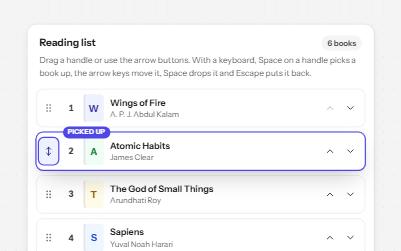
Sortable list
A list people reorder by dragging a handle, with Move up and Move down buttons and a keyboard mode that announces each move.
-
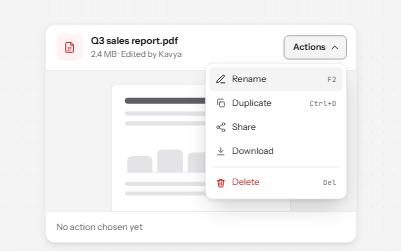
Menu button
A button that opens a list of actions, moved through with the arrow keys and closed with Escape, focus going back to the button.
-
Status message
Results, confirmations and saves told to screen readers through role=status, without moving focus, once each time.
-
Data grid
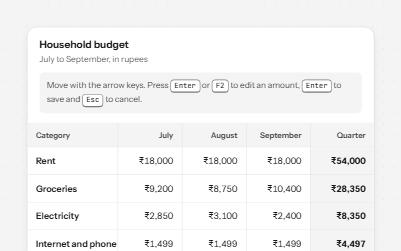
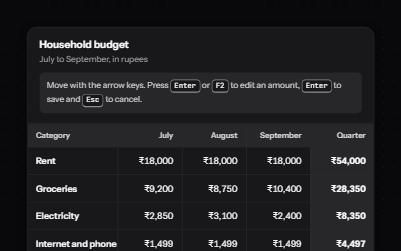
A spreadsheet-like grid with one tab stop: arrow keys move between cells, Enter edits an amount, and totals are announced.