Accessibility pattern · Data display
Calendar
The month is a grid with one tab stop: the arrow keys move by day and week, each day says its date and its events, and Enter opens that day's list below. Changing month is announced politely, and a list view sets the same events out as an agenda, which reads better than a crowded grid.
- WCAG criteria
- 7
- Keyboard rules
- 7
- Checked with
- axe, keyboard and the inspector
Live demo
Try it
Use it with a mouse, a keyboard or a screen reader. The inspector beside it shows what the browser tells assistive technology as you go: focus, state changes and announcements.
| MonMonday | TueTuesday | WedWednesday | ThuThursday | FriFriday | SatSaturday | SunSunday |
|---|
Arrow keys move by day and week, Page Up and Page Down by month. Enter shows the day's events.
Monday, 5 October
Nothing planned for this day.
-
Thursday, 24 September
- 11:00 Quarterly planning
-
Tuesday, 29 September
- 15:00 Design review
-
Friday, 2 October
- All day Gandhi Jayanti, office closed
-
Monday, 5 October
- 10:00 Sprint planning
- 16:00 Design review
-
Thursday, 8 October
- 11:30 Client call: Rao & Sons
-
Monday, 12 October
- 13:00 Team lunch
-
Wednesday, 14 October
- 10:00 Accessibility audit
- 14:00 Hiring panel
- 16:30 Design critique
-
Friday, 16 October
- 17:00 Release 2.4
-
Monday, 19 October
- 10:00 Sprint planning
-
Wednesday, 21 October
- 11:00 Workshop: writing alt text
-
Friday, 23 October
- 15:00 Quarterly review
-
Tuesday, 27 October
- 15:00 Design review
-
Friday, 30 October
- 12:00 Hindi content review
- 16:00 Retrospective
-
Monday, 2 November
- 10:00 Sprint planning
-
Friday, 6 November
- 17:00 Release 2.5
Nothing planned this month.
The demo works without JavaScript only as far as its HTML does; the inspector needs JavaScript.
Keyboard
Keys it answers to
Every action works without a pointer.
| Key | What it does |
|---|---|
| Tab | Moves into the grid on the focused day, today to begin with; the next Tab goes to the day's events. |
| Arrow Left or Arrow Right | Moves to the previous or next day, turning the month when it reaches the edge. |
| Arrow Up or Arrow Down | Moves to the same day in the previous or next week. |
| Home or End | Moves to Monday or Sunday of the same week. |
| Page Up or Page Down | Moves to the same date in the previous or next month. |
| Enter or Space | Shows the focused day's events below the grid and moves focus to their heading; Shift+Tab goes back to the day. |
| Enter or Space | On Previous month, Next month, Today or List view, does what the button says; focus stays on the button. |
Screen readers
What it announces
Written from the roles, names and states in the markup.
| When | Expected announcement |
|---|---|
| Tab reaches the grid | October 2026, grid. Monday, 5 October, 2 events: Sprint planning, Design review, current date, selected |
| Arrow Right moves on | Tuesday, 6 October |
| Enter on 14 October | Wednesday, 14 October, heading level 4 |
| Next month is pressed | November 2026 |
| List view is pressed | List view, toggle button, pressed |
These are expected announcements, not recordings. Wording and order differ between screen readers and browsers.
Code
Copy the code
The exact files this demo runs on. The styles are served with a prefix that keeps this site's own styles out of the demo; what you copy is the original.
<div class="ap-calendar" data-ap-calendar data-today="2026-10-05" data-region="IN">
<div class="ap-calendar__bar">
<div class="ap-calendar__nav">
<button type="button" class="ap-calendar__step" data-ap-step="-1" aria-label="Previous month">
<svg viewBox="0 0 24 24" aria-hidden="true" focusable="false"><path d="m15 18-6-6 6-6"/></svg>
</button>
<h3 class="ap-calendar__month" id="calendar-month" aria-live="polite" data-ap-month>October 2026</h3>
<button type="button" class="ap-calendar__step" data-ap-step="1" aria-label="Next month">
<svg viewBox="0 0 24 24" aria-hidden="true" focusable="false"><path d="m9 18 6-6-6-6"/></svg>
</button>
</div>
<div class="ap-calendar__tools">
<button type="button" class="ap-btn" data-ap-today>Today</button>
<button type="button" class="ap-btn ap-calendar__view" aria-pressed="false" data-ap-list-view>
<svg class="ap-btn__icon" viewBox="0 0 24 24" aria-hidden="true" focusable="false"><path d="M9 6h11M9 12h11M9 18h11"/><path d="M4.5 6h.01M4.5 12h.01M4.5 18h.01"/></svg>
List view
</button>
</div>
</div>
<div class="ap-calendar__month-view" data-ap-month-view>
<table class="ap-calendar__grid" role="grid" aria-labelledby="calendar-month" aria-describedby="calendar-keys">
<thead>
<tr data-ap-weekdays>
<th scope="col"><abbr title="Monday" aria-hidden="true">Mon</abbr><span class="ap-calendar__sr">Monday</span></th>
<th scope="col"><abbr title="Tuesday" aria-hidden="true">Tue</abbr><span class="ap-calendar__sr">Tuesday</span></th>
<th scope="col"><abbr title="Wednesday" aria-hidden="true">Wed</abbr><span class="ap-calendar__sr">Wednesday</span></th>
<th scope="col"><abbr title="Thursday" aria-hidden="true">Thu</abbr><span class="ap-calendar__sr">Thursday</span></th>
<th scope="col"><abbr title="Friday" aria-hidden="true">Fri</abbr><span class="ap-calendar__sr">Friday</span></th>
<th scope="col"><abbr title="Saturday" aria-hidden="true">Sat</abbr><span class="ap-calendar__sr">Saturday</span></th>
<th scope="col"><abbr title="Sunday" aria-hidden="true">Sun</abbr><span class="ap-calendar__sr">Sunday</span></th>
</tr>
</thead>
<tbody data-ap-days></tbody>
</table>
<p class="ap-calendar__keys" id="calendar-keys">Arrow keys move by day and week, Page Up and Page Down by month. Enter shows the day's events.</p>
<section class="ap-calendar__day" aria-labelledby="calendar-day-name">
<h4 class="ap-calendar__day-name" id="calendar-day-name" tabindex="-1" data-ap-day-name>Monday, 5 October</h4>
<ul class="ap-calendar__events" data-ap-day-events></ul>
<p class="ap-calendar__none" data-ap-day-none hidden>Nothing planned for this day.</p>
</section>
</div>
<div class="ap-calendar__agenda" data-ap-agenda hidden>
<ol class="ap-calendar__list" aria-labelledby="calendar-month">
<li class="ap-calendar__group" data-date="2026-09-24">
<h4 class="ap-calendar__date">Thursday, 24 September</h4>
<ul class="ap-calendar__events">
<li class="ap-calendar__event"><span class="ap-calendar__time">11:00</span> <span class="ap-calendar__what">Quarterly planning</span></li>
</ul>
</li>
<li class="ap-calendar__group" data-date="2026-09-29">
<h4 class="ap-calendar__date">Tuesday, 29 September</h4>
<ul class="ap-calendar__events">
<li class="ap-calendar__event"><span class="ap-calendar__time">15:00</span> <span class="ap-calendar__what">Design review</span></li>
</ul>
</li>
<li class="ap-calendar__group" data-date="2026-10-02">
<h4 class="ap-calendar__date">Friday, 2 October</h4>
<ul class="ap-calendar__events">
<li class="ap-calendar__event" data-kind="holiday"><span class="ap-calendar__time">All day</span> <span class="ap-calendar__what">Gandhi Jayanti, office closed</span></li>
</ul>
</li>
<li class="ap-calendar__group" data-date="2026-10-05">
<h4 class="ap-calendar__date">Monday, 5 October</h4>
<ul class="ap-calendar__events">
<li class="ap-calendar__event"><span class="ap-calendar__time">10:00</span> <span class="ap-calendar__what">Sprint planning</span></li>
<li class="ap-calendar__event"><span class="ap-calendar__time">16:00</span> <span class="ap-calendar__what">Design review</span></li>
</ul>
</li>
<li class="ap-calendar__group" data-date="2026-10-08">
<h4 class="ap-calendar__date">Thursday, 8 October</h4>
<ul class="ap-calendar__events">
<li class="ap-calendar__event"><span class="ap-calendar__time">11:30</span> <span class="ap-calendar__what">Client call: Rao & Sons</span></li>
</ul>
</li>
<li class="ap-calendar__group" data-date="2026-10-12">
<h4 class="ap-calendar__date">Monday, 12 October</h4>
<ul class="ap-calendar__events">
<li class="ap-calendar__event"><span class="ap-calendar__time">13:00</span> <span class="ap-calendar__what">Team lunch</span></li>
</ul>
</li>
<li class="ap-calendar__group" data-date="2026-10-14">
<h4 class="ap-calendar__date">Wednesday, 14 October</h4>
<ul class="ap-calendar__events">
<li class="ap-calendar__event"><span class="ap-calendar__time">10:00</span> <span class="ap-calendar__what">Accessibility audit</span></li>
<li class="ap-calendar__event"><span class="ap-calendar__time">14:00</span> <span class="ap-calendar__what">Hiring panel</span></li>
<li class="ap-calendar__event"><span class="ap-calendar__time">16:30</span> <span class="ap-calendar__what">Design critique</span></li>
</ul>
</li>
<li class="ap-calendar__group" data-date="2026-10-16">
<h4 class="ap-calendar__date">Friday, 16 October</h4>
<ul class="ap-calendar__events">
<li class="ap-calendar__event" data-kind="release"><span class="ap-calendar__time">17:00</span> <span class="ap-calendar__what">Release 2.4</span></li>
</ul>
</li>
<li class="ap-calendar__group" data-date="2026-10-19">
<h4 class="ap-calendar__date">Monday, 19 October</h4>
<ul class="ap-calendar__events">
<li class="ap-calendar__event"><span class="ap-calendar__time">10:00</span> <span class="ap-calendar__what">Sprint planning</span></li>
</ul>
</li>
<li class="ap-calendar__group" data-date="2026-10-21">
<h4 class="ap-calendar__date">Wednesday, 21 October</h4>
<ul class="ap-calendar__events">
<li class="ap-calendar__event"><span class="ap-calendar__time">11:00</span> <span class="ap-calendar__what">Workshop: writing alt text</span></li>
</ul>
</li>
<li class="ap-calendar__group" data-date="2026-10-23">
<h4 class="ap-calendar__date">Friday, 23 October</h4>
<ul class="ap-calendar__events">
<li class="ap-calendar__event"><span class="ap-calendar__time">15:00</span> <span class="ap-calendar__what">Quarterly review</span></li>
</ul>
</li>
<li class="ap-calendar__group" data-date="2026-10-27">
<h4 class="ap-calendar__date">Tuesday, 27 October</h4>
<ul class="ap-calendar__events">
<li class="ap-calendar__event"><span class="ap-calendar__time">15:00</span> <span class="ap-calendar__what">Design review</span></li>
</ul>
</li>
<li class="ap-calendar__group" data-date="2026-10-30">
<h4 class="ap-calendar__date">Friday, 30 October</h4>
<ul class="ap-calendar__events">
<li class="ap-calendar__event"><span class="ap-calendar__time">12:00</span> <span class="ap-calendar__what">Hindi content review</span></li>
<li class="ap-calendar__event"><span class="ap-calendar__time">16:00</span> <span class="ap-calendar__what">Retrospective</span></li>
</ul>
</li>
<li class="ap-calendar__group" data-date="2026-11-02">
<h4 class="ap-calendar__date">Monday, 2 November</h4>
<ul class="ap-calendar__events">
<li class="ap-calendar__event"><span class="ap-calendar__time">10:00</span> <span class="ap-calendar__what">Sprint planning</span></li>
</ul>
</li>
<li class="ap-calendar__group" data-date="2026-11-06">
<h4 class="ap-calendar__date">Friday, 6 November</h4>
<ul class="ap-calendar__events">
<li class="ap-calendar__event" data-kind="release"><span class="ap-calendar__time">17:00</span> <span class="ap-calendar__what">Release 2.5</span></li>
</ul>
</li>
</ol>
<p class="ap-calendar__none" data-ap-agenda-none hidden>Nothing planned this month.</p>
</div>
<span class="ap-calendar__sr" data-ap-say="one" hidden>1 event</span>
<span class="ap-calendar__sr" data-ap-say="many" hidden>{n} events</span>
<span class="ap-calendar__sr" data-ap-say="more" hidden>+{n} more</span>
</div>
/* Shared primitives: buttons and form fields used across the patterns.
   Uses the --ap-* design tokens. */

.ap-btn {
  display: inline-flex;
  align-items: center;
  justify-content: center;
  gap: 8px;
  min-height: 40px;
  padding: 0 16px;
  border: 1px solid var(--ap-border-strong);
  border-radius: var(--ap-radius-sm);
  background: var(--ap-surface);
  color: var(--ap-text);
  font: inherit;
  font-weight: 600;
  line-height: 1.2;
  text-decoration: none;
  white-space: nowrap;
  cursor: pointer;
  transition: background-color var(--ap-duration) var(--ap-ease), border-color var(--ap-duration) var(--ap-ease), box-shadow var(--ap-duration) var(--ap-ease);
}
.ap-btn:hover {
  background: var(--ap-surface-2);
}
.ap-btn:focus-visible {
  outline: 2px solid var(--ap-focus);
  outline-offset: 2px;
}
.ap-btn:disabled,
.ap-btn[aria-disabled="true"] {
  opacity: .55;
  cursor: not-allowed;
}
.ap-btn--primary {
  border-color: var(--ap-accent);
  background: var(--ap-accent);
  color: var(--ap-on-accent);
  box-shadow: var(--ap-shadow-sm);
}
.ap-btn--primary:hover {
  border-color: var(--ap-accent-hover);
  background: var(--ap-accent-hover);
}
.ap-btn--danger {
  border-color: var(--ap-danger);
  background: var(--ap-danger);
  color: var(--ap-surface);
}
.ap-btn--danger:hover {
  filter: brightness(1.08);
}
.ap-btn--ghost {
  border-color: transparent;
  background: transparent;
}
.ap-btn--ghost:hover {
  background: var(--ap-surface-2);
}
.ap-btn__icon {
  width: 18px;
  height: 18px;
  flex-shrink: 0;
  fill: none;
  stroke: currentColor;
  stroke-width: 2;
  stroke-linecap: round;
  stroke-linejoin: round;
}

.ap-field {
  display: grid;
  gap: 6px;
}
.ap-label {
  color: var(--ap-text);
  font-weight: 600;
  font-size: .9375rem;
}
.ap-hint {
  margin: 0;
  color: var(--ap-text-3);
  font-size: .875rem;
  line-height: 1.45;
}
.ap-error {
  display: flex;
  align-items: flex-start;
  gap: 6px;
  margin: 0;
  color: var(--ap-danger);
  font-size: .875rem;
  font-weight: 600;
  line-height: 1.45;
}
.ap-input {
  width: 100%;
  min-height: 44px;
  padding: 10px 12px;
  border: 1px solid var(--ap-border-strong);
  border-radius: var(--ap-radius-sm);
  background: var(--ap-surface);
  color: var(--ap-text);
  font: inherit;
  line-height: 1.4;
  transition: border-color var(--ap-duration) var(--ap-ease), box-shadow var(--ap-duration) var(--ap-ease);
}
.ap-input::placeholder {
  color: var(--ap-text-3);
}
.ap-input:hover {
  border-color: var(--ap-text-2);
}
.ap-input:focus-visible {
  outline: 2px solid var(--ap-focus);
  outline-offset: 1px;
  border-color: var(--ap-focus);
}
.ap-input[aria-invalid="true"] {
  border-color: var(--ap-danger);
  box-shadow: inset 4px 0 0 var(--ap-danger);
}
textarea.ap-input {
  resize: vertical;
  min-height: 88px;
}

@media (prefers-reduced-motion: reduce) {
  .ap-btn,
  .ap-input { transition: none; }
}

/* Event calendar. Uses the --ap-* design tokens and the shared primitives. */
.ap-calendar {
  container-type: inline-size;
  width: min(100%, 760px);
  margin: 0 auto;
  padding: 18px 20px 20px;
  border: 1px solid var(--ap-border);
  border-radius: var(--ap-radius-lg);
  background: var(--ap-surface);
  box-shadow: var(--ap-shadow-md);
  color: var(--ap-text);
}

.ap-calendar__bar {
  display: flex;
  flex-wrap: wrap;
  align-items: center;
  justify-content: space-between;
  gap: 12px;
  margin-bottom: 16px;
}
.ap-calendar__nav {
  display: flex;
  align-items: center;
  gap: 4px;
}
.ap-calendar__month {
  min-width: 9em;
  margin: 0 4px;
  color: var(--ap-text);
  font-size: 1.1875rem;
  font-weight: 650;
  line-height: 1.3;
  text-align: center;
}
.ap-calendar__step {
  display: grid;
  place-items: center;
  width: 40px;
  height: 40px;
  padding: 0;
  border: 1px solid var(--ap-border-strong);
  border-radius: var(--ap-radius-full);
  background: var(--ap-surface);
  color: var(--ap-text);
  cursor: pointer;
  transition: background-color var(--ap-duration) var(--ap-ease);
}
.ap-calendar__step:hover {
  background: var(--ap-surface-2);
}
.ap-calendar__step:focus-visible {
  outline: 2px solid var(--ap-focus);
  outline-offset: 2px;
}
.ap-calendar__step svg {
  width: 18px;
  height: 18px;
  fill: none;
  stroke: currentColor;
  stroke-width: 2;
  stroke-linecap: round;
  stroke-linejoin: round;
}
.ap-calendar__tools {
  display: flex;
  flex-wrap: wrap;
  gap: 8px;
}
.ap-calendar__view[aria-pressed="true"] {
  border-color: var(--ap-accent);
  background: var(--ap-accent-soft);
  color: var(--ap-accent-soft-text);
}

/* The month grid. */
.ap-calendar__grid {
  width: 100%;
  border-collapse: separate;
  border-spacing: 0;
  table-layout: fixed;
}
.ap-calendar__grid th {
  padding: 0 8px 8px;
  color: var(--ap-text-3);
  font-size: .75rem;
  font-weight: 600;
  letter-spacing: .02em;
  text-align: start;
}
.ap-calendar__grid abbr {
  text-decoration: none;
  cursor: help;
}
.ap-calendar__grid td {
  position: relative;
  height: 96px;
  padding: 6px;
  border-top: 1px solid var(--ap-border);
  border-left: 1px solid var(--ap-border);
  vertical-align: top;
  cursor: pointer;
  transition: background-color var(--ap-duration) var(--ap-ease);
}
.ap-calendar__grid td:first-child {
  border-left: 0;
}
.ap-calendar__grid tr:last-child td {
  border-bottom: 1px solid var(--ap-border);
}
.ap-calendar__grid td:hover {
  background: var(--ap-surface-2);
}
.ap-calendar__grid td:focus {
  outline: none;
}
.ap-calendar__grid td:focus-visible {
  outline: 2px solid var(--ap-focus);
  outline-offset: -2px;
  border-radius: var(--ap-radius-sm);
}
.ap-calendar__grid .ap-calendar__out {
  background: var(--ap-surface-2);
  cursor: default;
}
.ap-calendar__grid td[aria-selected="true"] {
  background: var(--ap-accent-soft);
}

.ap-calendar__top {
  display: flex;
  align-items: center;
  justify-content: space-between;
  gap: 4px;
}
.ap-calendar__num {
  display: grid;
  place-items: center;
  width: 28px;
  height: 28px;
  border-radius: var(--ap-radius-full);
  color: var(--ap-text-2);
  font-size: .8125rem;
  font-weight: 600;
  font-variant-numeric: tabular-nums;
}
.ap-calendar__grid td[aria-selected="true"] .ap-calendar__num {
  color: var(--ap-accent-soft-text);
  font-weight: 750;
}
/* Today: a ring and the word, not a tint. */
.ap-calendar__grid td[aria-current="date"] .ap-calendar__num {
  box-shadow: 0 0 0 2px var(--ap-accent);
  color: var(--ap-accent-text);
  font-weight: 750;
}
.ap-calendar__now {
  color: var(--ap-accent-text);
  font-size: .6875rem;
  font-weight: 700;
  letter-spacing: .02em;
  text-transform: uppercase;
}

.ap-calendar__date .ap-calendar__now,
.ap-calendar__day-name .ap-calendar__now {
  margin-left: 4px;
  vertical-align: 1px;
}

.ap-calendar__chips {
  display: grid;
  gap: 3px;
  margin: 6px 0 0;
  padding: 0;
  list-style: none;
}
.ap-calendar__chip {
  overflow: hidden;
  padding: 2px 6px;
  border-left: 3px solid var(--ap-accent);
  border-radius: 5px;
  background: var(--ap-surface-2);
  color: var(--ap-text);
  font-size: .75rem;
  line-height: 1.35;
  white-space: nowrap;
  text-overflow: ellipsis;
}
@container (min-width: 501px) {
  .ap-calendar__grid td[aria-selected="true"] .ap-calendar__chip {
    background: var(--ap-surface);
  }
}
.ap-calendar__chip[data-kind="holiday"] {
  border-left-color: var(--ap-warning);
  background: var(--ap-warning-soft);
  color: var(--ap-warning);
}
.ap-calendar__chip[data-kind="release"] {
  border-left-color: var(--ap-success);
  background: var(--ap-success-soft);
  color: var(--ap-success);
}
/* Two chips show; the rest are still read out, and "+1 more" says so. */
.ap-calendar__chip:nth-child(n+3),
.ap-calendar__sr {
  position: absolute;
  width: 1px;
  height: 1px;
  margin: -1px;
  padding: 0;
  overflow: hidden;
  clip-path: inset(50%);
  white-space: nowrap;
  border: 0;
}
.ap-calendar__more {
  display: block;
  margin-top: 3px;
  padding-left: 6px;
  color: var(--ap-text-3);
  font-size: .6875rem;
  font-weight: 600;
}

.ap-calendar__keys {
  margin: 10px 0 0;
  color: var(--ap-text-3);
  font-size: .8125rem;
  line-height: 1.45;
}

/* The chosen day, and the agenda: the same event rows. */
.ap-calendar__day {
  margin-top: 16px;
  padding: 16px;
  border-radius: var(--ap-radius);
  background: var(--ap-surface-2);
}
.ap-calendar__day-name {
  margin: 0 0 12px;
  color: var(--ap-text);
  font-size: 1rem;
  font-weight: 650;
  line-height: 1.35;
}
.ap-calendar__day-name:focus {
  outline: none;
}
.ap-calendar__day-name:focus-visible {
  outline: 2px solid var(--ap-focus);
  outline-offset: 4px;
  border-radius: 4px;
}
.ap-calendar__events {
  display: grid;
  gap: 8px;
  margin: 0;
  padding: 0;
  list-style: none;
}
.ap-calendar__event {
  display: grid;
  grid-template-columns: 4.75rem 1fr;
  align-items: baseline;
  gap: 12px;
  padding: 10px 12px;
  border: 1px solid var(--ap-border);
  border-left: 3px solid var(--ap-accent);
  border-radius: var(--ap-radius-sm);
  background: var(--ap-surface);
}
.ap-calendar__event[data-kind="holiday"] {
  border-left-color: var(--ap-warning);
}
.ap-calendar__event[data-kind="release"] {
  border-left-color: var(--ap-success);
}
.ap-calendar__time {
  color: var(--ap-text-3);
  font-size: .8125rem;
  font-variant-numeric: tabular-nums;
}
.ap-calendar__what {
  color: var(--ap-text);
  font-weight: 500;
}
.ap-calendar__chip .ap-calendar__what {
  color: inherit;
  font-weight: 500;
}
.ap-calendar__none {
  margin: 0;
  color: var(--ap-text-3);
}

.ap-calendar__list {
  display: grid;
  gap: 18px;
  margin: 0;
  padding: 0;
  list-style: none;
}
.ap-calendar__date {
  margin: 0 0 8px;
  color: var(--ap-text-2);
  font-size: .875rem;
  font-weight: 650;
}

@container (max-width: 500px) {
  .ap-calendar {
    padding: 16px 12px;
  }
  .ap-calendar__nav {
    flex: 1 1 100%;
    justify-content: space-between;
  }
  .ap-calendar__tools {
    flex: 1 1 100%;
  }
  .ap-calendar__tools .ap-btn {
    flex: 1;
  }
  .ap-calendar__grid th {
    padding: 0 0 6px;
    text-align: center;
  }
  .ap-calendar__grid td {
    height: 60px;
    padding: 3px;
    text-align: center;
  }
  .ap-calendar__top {
    flex-direction: column;
    gap: 1px;
  }
  .ap-calendar__num {
    width: 26px;
    height: 26px;
  }
  .ap-calendar__now {
    font-size: .5625rem;
  }
  /* Chips become dots; their words are still the cell's name. */
  .ap-calendar__chips {
    display: flex;
    justify-content: center;
    gap: 3px;
    margin-top: 3px;
  }
  .ap-calendar__chip,
  .ap-calendar__chip:nth-child(n+3) {
    position: static;
    width: 6px;
    height: 6px;
    margin: 0;
    padding: 0;
    border: 0;
    border-radius: var(--ap-radius-full);
    background: var(--ap-accent);
    clip-path: none;
    font-size: 0;
  }
  .ap-calendar__chip[data-kind="holiday"] {
    background: var(--ap-warning);
  }
  .ap-calendar__chip[data-kind="release"] {
    background: var(--ap-success);
  }
  .ap-calendar__more {
    display: none;
  }
  .ap-calendar__event {
    grid-template-columns: 1fr;
    gap: 2px;
  }
}

@media (prefers-reduced-motion: reduce) {
  .ap-calendar__step,
  .ap-calendar__grid td { transition: none; }
}

@media (forced-colors: active) {
  .ap-calendar__grid td[aria-current="date"] .ap-calendar__num { outline: 2px solid CanvasText; }
  .ap-calendar__grid td[aria-selected="true"] { outline: 2px solid Highlight; outline-offset: -4px; }
  .ap-calendar__chip { border: 1px solid CanvasText; }
}
/**
 * Calendar: a month of events as a keyboard grid (one tab stop, arrow keys,
 * Page Up and Page Down), a panel with the chosen day's events, month
 * buttons announced politely, and a list view of the same events.
 *
 * Markup: [data-ap-calendar] (data-today="YYYY-MM-DD" pins today; data-region
 * adds a region to a bare page language) holding buttons [data-ap-step]
 * (months to move), [data-ap-today] and [data-ap-list-view][aria-pressed],
 * a live month heading [data-ap-month], a month view [data-ap-month-view]
 * with a table[role=grid] (header row [data-ap-weekdays], body
 * [data-ap-days]) and a day panel ([data-ap-day-name], [data-ap-day-events],
 * [data-ap-day-none]), and the agenda [data-ap-agenda]: li[data-date] groups
 * of li.ap-calendar__event, which is the data. Hidden templates
 * [data-ap-say=one|many|more] hold the counted phrases.
 */

const pad = (n) => String(n).padStart(2, "0");
const iso = (d) => `${d.getFullYear()}-${pad(d.getMonth() + 1)}-${pad(d.getDate())}`;
const parse = (s) => {
  const [y, m, d] = s.split("-").map(Number);
  return new Date(y, m - 1, d);
};
const addDays = (d, n) => new Date(d.getFullYear(), d.getMonth(), d.getDate() + n);
const daysIn = (y, m) => new Date(y, m + 1, 0).getDate();
const weekday = (d) => (d.getDay() + 6) % 7; // Monday first
function addMonths(d, n) {
  const y = d.getFullYear();
  const m = d.getMonth() + n;
  return new Date(y, m, Math.min(d.getDate(), daysIn(y, m)));
}

function make(tag, className, parent, text) {
  const el = document.createElement(tag);
  if (className) el.className = className;
  if (text != null) el.textContent = text;
  parent?.append(el);
  return el;
}

export function init(root) {
  const monthName = root.querySelector("[data-ap-month]");
  const monthView = root.querySelector("[data-ap-month-view]");
  const weekdays = root.querySelector("[data-ap-weekdays]");
  const days = root.querySelector("[data-ap-days]");
  const dayName = root.querySelector("[data-ap-day-name]");
  const dayEvents = root.querySelector("[data-ap-day-events]");
  const dayNone = root.querySelector("[data-ap-day-none]");
  const agenda = root.querySelector("[data-ap-agenda]");
  const agendaNone = root.querySelector("[data-ap-agenda-none]");
  const listView = root.querySelector("[data-ap-list-view]");
  const groups = [...agenda.querySelectorAll("[data-date]")];
  const events = new AbortController();
  const on = (target, type, fn) => target.addEventListener(type, fn, { signal: events.signal });

  // Templates in the markup, so a translation can word them its own way.
  const say = (kind, n) => (root.querySelector(`[data-ap-say=${kind}]`)?.textContent || "").replace("{n}", String(n));
  const eventsOn = (d) => {
    const group = groups.find((g) => g.dataset.date === iso(d));
    return group ? [...group.querySelectorAll(".ap-calendar__event")] : [];
  };

  function locale() {
    const lang = root.closest("[lang]")?.lang || navigator.language;
    const region = root.dataset.region;
    return region && !lang.includes("-") ? `${lang}-${region}` : lang;
  }
  function format(options, date) {
    try {
      return new Intl.DateTimeFormat(locale(), options).format(date);
    } catch {
      return new Intl.DateTimeFormat(undefined, options).format(date);
    }
  }
  const longDate = (d) => format({ weekday: "long", day: "numeric", month: "long" }, d);

  // A heading's date, kept from the translation layer, and the word Today on today.
  function dateHeading(h, d) {
    const date = make("span", "", null, longDate(d));
    date.setAttribute("translate", "no");
    if (iso(d) === iso(today)) h.replaceChildren(date, " ", make("span", "ap-calendar__now", null, "Today"));
    else h.replaceChildren(date);
  }

  const today = root.dataset.today ? parse(root.dataset.today) : new Date(new Date().setHours(0, 0, 0, 0));
  let focusDate = today;
  let selected = today;
  let shownMonth = "";

  // Weekday names from the page's language: short to see, long for screen readers.
  function renderWeekdays() {
    const monday = new Date(2024, 0, 1);
    [...weekdays.cells].forEach((th, i) => {
      const d = addDays(monday, i);
      const abbr = make("abbr", "", null, format({ weekday: "short" }, d));
      abbr.title = format({ weekday: "long" }, d);
      abbr.setAttribute("aria-hidden", "true");
      const full = make("span", "ap-calendar__sr", null, abbr.title);
      th.setAttribute("translate", "no");
      th.replaceChildren(abbr, full);
    });
  }

  function dayCell(d) {
    const td = make("td");
    const list = eventsOn(d);
    td.dataset.date = iso(d);
    td.tabIndex = iso(d) === iso(focusDate) ? 0 : -1;
    if (iso(d) === iso(today)) td.setAttribute("aria-current", "date");
    if (iso(d) === iso(selected)) td.setAttribute("aria-selected", "true");

    const top = make("span", "ap-calendar__top", td);
    make("span", "ap-calendar__num", top, String(d.getDate())).setAttribute("aria-hidden", "true");
    if (iso(d) === iso(today)) make("span", "ap-calendar__now", top, "Today").setAttribute("aria-hidden", "true");
    // What the cell is called: the date, the number of events, then the events.
    const name = make("span", "ap-calendar__sr", td, `${longDate(d)}${list.length ? "," : ""}`);
    name.setAttribute("translate", "no");
    if (list.length) {
      make("span", "ap-calendar__sr", td, `${say(list.length === 1 ? "one" : "many", list.length)}:`);
      const chips = make("ul", "ap-calendar__chips", td);
      for (const item of list) {
        const chip = make("li", "ap-calendar__chip", chips);
        if (item.dataset.kind) chip.dataset.kind = item.dataset.kind;
        chip.append(item.querySelector(".ap-calendar__what").cloneNode(true));
      }
      if (list.length > 2) make("span", "ap-calendar__more", td, say("more", list.length - 2)).setAttribute("aria-hidden", "true");
    }
    return td;
  }

  function render() {
    const y = focusDate.getFullYear();
    const m = focusDate.getMonth();
    // The heading is a polite live region: write it only when the month changes.
    const key = `${y}-${m}`;
    if (key !== shownMonth) {
      const text = format({ month: "long", year: "numeric" }, focusDate);
      if (monthName.textContent !== text) monthName.textContent = text;
      shownMonth = key;
    }
    const lead = weekday(new Date(y, m, 1));
    const total = daysIn(y, m);
    const rows = [];
    for (let r = 0; r * 7 < lead + total; r++) {
      const tr = make("tr");
      for (let c = 0; c < 7; c++) {
        const n = r * 7 + c - lead + 1;
        if (n >= 1 && n <= total) tr.append(dayCell(new Date(y, m, n)));
        else make("td", "ap-calendar__out", tr);
      }
      rows.push(tr);
    }
    days.replaceChildren(...rows);

    // The agenda shows the same month.
    let any = false;
    for (const g of groups) {
      const d = parse(g.dataset.date);
      const inMonth = d.getFullYear() === y && d.getMonth() === m;
      g.hidden = !inMonth;
      any ||= inMonth;
      dateHeading(g.querySelector(".ap-calendar__date"), d);
    }
    agendaNone.hidden = any;
  }

  function showDay() {
    dateHeading(dayName, selected);
    const list = eventsOn(selected);
    dayEvents.replaceChildren(...list.map((item) => item.cloneNode(true)));
    dayEvents.hidden = !list.length;
    dayNone.hidden = !!list.length;
  }

  const cellFor = (d) => days.querySelector(`[data-date="${iso(d)}"]`);

  function moveTo(d, { focus = true } = {}) {
    focusDate = d;
    render();
    if (focus) cellFor(focusDate)?.focus();
  }

  function choose(d) {
    selected = d;
    focusDate = d;
    render();
    showDay();
    // Focus goes to the day's events; Shift+Tab comes back to the day.
    dayName.focus();
  }

  on(days, "keydown", (event) => {
    if (!event.target.closest("td[data-date]")) return;
    const d = focusDate;
    let next = null;
    switch (event.key) {
      case "ArrowRight": next = addDays(d, 1); break;
      case "ArrowLeft": next = addDays(d, -1); break;
      case "ArrowDown": next = addDays(d, 7); break;
      case "ArrowUp": next = addDays(d, -7); break;
      case "Home": next = addDays(d, -weekday(d)); break;
      case "End": next = addDays(d, 6 - weekday(d)); break;
      case "PageUp": next = addMonths(d, -1); break;
      case "PageDown": next = addMonths(d, 1); break;
      case "Enter":
      case " ":
        event.preventDefault();
        choose(d);
        return;
      default: return;
    }
    event.preventDefault();
    moveTo(next);
  });

  on(days, "click", (event) => {
    const td = event.target.closest("td[data-date]");
    if (td) choose(parse(td.dataset.date));
  });

  // Keep the roving tab stop on whichever day has focus.
  on(days, "focusin", (event) => {
    const td = event.target.closest("td[data-date]");
    if (!td) return;
    for (const cell of days.querySelectorAll("td[tabindex='0']")) if (cell !== td) cell.tabIndex = -1;
    td.tabIndex = 0;
    focusDate = parse(td.dataset.date);
  });

  on(root, "click", (event) => {
    const step = event.target.closest("[data-ap-step]");
    if (step) {
      // Focus stays on the button; the month heading announces where we are.
      moveTo(addMonths(focusDate, Number(step.dataset.apStep)), { focus: false });
      return;
    }
    if (event.target.closest("[data-ap-today]")) {
      selected = today;
      moveTo(today, { focus: false });
      showDay();
      return;
    }
    if (event.target.closest("[data-ap-list-view]")) {
      const list = listView.getAttribute("aria-pressed") !== "true";
      listView.setAttribute("aria-pressed", String(list));
      monthView.hidden = list;
      agenda.hidden = !list;
    }
  });

  // A page that switches language mid-visit, or a translation layer rewriting the
  // templates, gets its dates and counted phrases redone.
  const redo = () => {
    const hadFocus = days.contains(document.activeElement);
    shownMonth = "";
    renderWeekdays();
    render();
    showDay();
    if (hadFocus) cellFor(focusDate)?.focus();
  };
  const language = new MutationObserver(redo);
  language.observe(document.documentElement, { attributes: true, attributeFilter: ["lang"] });
  const wording = new MutationObserver(redo);
  for (const t of root.querySelectorAll("[data-ap-say]")) wording.observe(t, { childList: true, characterData: true, subtree: true });

  monthName.setAttribute("translate", "no");
  renderWeekdays();
  render();
  showDay();

  return () => {
    events.abort();
    language.disconnect();
    wording.disconnect();
  };
}

for (const root of document.querySelectorAll("[data-ap-calendar]")) init(root);
/* Design tokens for the pattern components. Light by default, dark when the
   system asks for it; set data-theme="dark" on :root to force dark. */
:root {
    --ap-radius-sm: 8px;
    --ap-radius: 12px;
    --ap-radius-lg: 16px;
    --ap-radius-full: 999px;
    --ap-font: "Instrument Sans", ui-sans-serif, system-ui, -apple-system, "Segoe UI", Roboto, sans-serif;
    --ap-mono: "JetBrains Mono", ui-monospace, "Cascadia Mono", "SF Mono", Consolas, monospace;
    --ap-ease: cubic-bezier(.2, .8, .2, 1);
    --ap-duration: 180ms;
    --ap-target: 44px;
    --ap-bg: #F4F4F5;
    --ap-surface: #FFFFFF;
    --ap-surface-2: #F4F4F5;
    --ap-surface-3: #E4E4E7;
    --ap-border: #E4E4E7;
    --ap-border-strong: #76767F;
    --ap-text: #18181B;
    --ap-text-2: #3F3F46;
    --ap-text-3: #5E5E66;
    --ap-accent: #4F46E5;
    --ap-accent-hover: #4338CA;
    --ap-on-accent: #FFFFFF;
    --ap-accent-text: #4338CA;
    --ap-accent-soft: #EEF2FF;
    --ap-accent-soft-text: #3730A3;
    --ap-focus: #4F46E5;
    --ap-danger: #B91C1C;
    --ap-danger-soft: #FEF2F2;
    --ap-success: #15803D;
    --ap-success-soft: #F0FDF4;
    --ap-warning: #A15C07;
    --ap-warning-soft: #FEFCE8;
    --ap-info: #1D4ED8;
    --ap-info-soft: #EFF6FF;
    --ap-scrim: rgb(9 9 11 / .48);
    --ap-shadow-sm: 0 1px 2px rgb(9 9 11 / .06);
    --ap-shadow-md: 0 1px 2px rgb(9 9 11 / .05), 0 6px 16px -4px rgb(9 9 11 / .1);
    --ap-shadow-lg: 0 2px 6px rgb(9 9 11 / .06), 0 20px 40px -12px rgb(9 9 11 / .22);
    --ap-light-bg: #F4F4F5;
    --ap-light-surface: #FFFFFF;
    --ap-light-surface-2: #F4F4F5;
    --ap-light-surface-3: #E4E4E7;
    --ap-light-border: #E4E4E7;
    --ap-light-border-strong: #76767F;
    --ap-light-text: #18181B;
    --ap-light-text-2: #3F3F46;
    --ap-light-text-3: #5E5E66;
    --ap-light-accent: #4F46E5;
    --ap-light-accent-hover: #4338CA;
    --ap-light-on-accent: #FFFFFF;
    --ap-light-accent-text: #4338CA;
    --ap-light-accent-soft: #EEF2FF;
    --ap-light-accent-soft-text: #3730A3;
    --ap-light-focus: #4F46E5;
    --ap-light-danger: #B91C1C;
    --ap-light-danger-soft: #FEF2F2;
    --ap-light-success: #15803D;
    --ap-light-success-soft: #F0FDF4;
    --ap-light-warning: #A15C07;
    --ap-light-warning-soft: #FEFCE8;
    --ap-light-info: #1D4ED8;
    --ap-light-info-soft: #EFF6FF;
    --ap-light-scrim: rgb(9 9 11 / .48);
    --ap-light-shadow-sm: 0 1px 2px rgb(9 9 11 / .06);
    --ap-light-shadow-md: 0 1px 2px rgb(9 9 11 / .05), 0 6px 16px -4px rgb(9 9 11 / .1);
    --ap-light-shadow-lg: 0 2px 6px rgb(9 9 11 / .06), 0 20px 40px -12px rgb(9 9 11 / .22);
    --ap-dark-bg: #09090B;
    --ap-dark-surface: #18181B;
    --ap-dark-surface-2: #27272A;
    --ap-dark-surface-3: #3F3F46;
    --ap-dark-border: #2E2E33;
    --ap-dark-border-strong: #8E8E97;
    --ap-dark-text: #FAFAFA;
    --ap-dark-text-2: #D4D4D8;
    --ap-dark-text-3: #A1A1AA;
    --ap-dark-accent: #818CF8;
    --ap-dark-accent-hover: #A5B4FC;
    --ap-dark-on-accent: #0C0A1F;
    --ap-dark-accent-text: #A5B4FC;
    --ap-dark-accent-soft: #1E1B4B;
    --ap-dark-accent-soft-text: #C7D2FE;
    --ap-dark-focus: #A5B4FC;
    --ap-dark-danger: #F87171;
    --ap-dark-danger-soft: #2A1215;
    --ap-dark-success: #4ADE80;
    --ap-dark-success-soft: #0F2A1A;
    --ap-dark-warning: #FACC15;
    --ap-dark-warning-soft: #2A2410;
    --ap-dark-info: #60A5FA;
    --ap-dark-info-soft: #0F1D33;
    --ap-dark-scrim: rgb(0 0 0 / .62);
    --ap-dark-shadow-sm: 0 1px 2px rgb(0 0 0 / .4);
    --ap-dark-shadow-md: 0 1px 2px rgb(0 0 0 / .4), 0 8px 20px -6px rgb(0 0 0 / .5);
    --ap-dark-shadow-lg: 0 2px 8px rgb(0 0 0 / .45), 0 24px 48px -12px rgb(0 0 0 / .7);
}
@media (prefers-color-scheme: dark) {
  :root:not([data-theme="light"]) {
      --ap-bg: #09090B;
      --ap-surface: #18181B;
      --ap-surface-2: #27272A;
      --ap-surface-3: #3F3F46;
      --ap-border: #2E2E33;
      --ap-border-strong: #8E8E97;
      --ap-text: #FAFAFA;
      --ap-text-2: #D4D4D8;
      --ap-text-3: #A1A1AA;
      --ap-accent: #818CF8;
      --ap-accent-hover: #A5B4FC;
      --ap-on-accent: #0C0A1F;
      --ap-accent-text: #A5B4FC;
      --ap-accent-soft: #1E1B4B;
      --ap-accent-soft-text: #C7D2FE;
      --ap-focus: #A5B4FC;
      --ap-danger: #F87171;
      --ap-danger-soft: #2A1215;
      --ap-success: #4ADE80;
      --ap-success-soft: #0F2A1A;
      --ap-warning: #FACC15;
      --ap-warning-soft: #2A2410;
      --ap-info: #60A5FA;
      --ap-info-soft: #0F1D33;
      --ap-scrim: rgb(0 0 0 / .62);
      --ap-shadow-sm: 0 1px 2px rgb(0 0 0 / .4);
      --ap-shadow-md: 0 1px 2px rgb(0 0 0 / .4), 0 8px 20px -6px rgb(0 0 0 / .5);
      --ap-shadow-lg: 0 2px 8px rgb(0 0 0 / .45), 0 24px 48px -12px rgb(0 0 0 / .7);
  }
}
:root[data-theme="dark"] {
    --ap-bg: #09090B;
    --ap-surface: #18181B;
    --ap-surface-2: #27272A;
    --ap-surface-3: #3F3F46;
    --ap-border: #2E2E33;
    --ap-border-strong: #8E8E97;
    --ap-text: #FAFAFA;
    --ap-text-2: #D4D4D8;
    --ap-text-3: #A1A1AA;
    --ap-accent: #818CF8;
    --ap-accent-hover: #A5B4FC;
    --ap-on-accent: #0C0A1F;
    --ap-accent-text: #A5B4FC;
    --ap-accent-soft: #1E1B4B;
    --ap-accent-soft-text: #C7D2FE;
    --ap-focus: #A5B4FC;
    --ap-danger: #F87171;
    --ap-danger-soft: #2A1215;
    --ap-success: #4ADE80;
    --ap-success-soft: #0F2A1A;
    --ap-warning: #FACC15;
    --ap-warning-soft: #2A2410;
    --ap-info: #60A5FA;
    --ap-info-soft: #0F1D33;
    --ap-scrim: rgb(0 0 0 / .62);
    --ap-shadow-sm: 0 1px 2px rgb(0 0 0 / .4);
    --ap-shadow-md: 0 1px 2px rgb(0 0 0 / .4), 0 8px 20px -6px rgb(0 0 0 / .5);
    --ap-shadow-lg: 0 2px 8px rgb(0 0 0 / .45), 0 24px 48px -12px rgb(0 0 0 / .7);
}
WCAG 2.2
What it meets
The success criteria this pattern takes care of, and how.
-
1.3.1 Info and Relationships
Level A
Days sit in a table with weekday column headers, and each day's events are a real list, in the grid and in the agenda.
-
1.4.1 Use of Color
Level A
Today has a ring and the word Today, and the chosen day is filled and bold, so neither depends on color.
-
2.1.1 Keyboard
Level A
Every day, month and event can be reached from the keyboard, with the keys the grid pattern defines.
-
2.4.3 Focus Order
Level A
Enter moves focus to the day's events, and Shift+Tab returns to the same day in the grid.
-
2.4.7 Focus Visible
Level AA
The focused day has a two-pixel ring inside its cell, separate from the today ring and the selected fill.
-
4.1.2 Name, Role, Value
Level A
Today carries aria-current=date, the chosen day aria-selected, and List view aria-pressed.
-
4.1.3 Status Messages
Level AA
The month name is a polite live region, so changing month is announced without moving focus.
Usage
When to use it
Use it
- Events people place in time and scan by week, like a team calendar, class timetable or bookings.
- When the shape of the month matters: busy weeks, gaps and deadlines at a glance.
Use something else
- Picking one date for a form field: use a date picker, which is a different pattern.
- Long lists of events read in order: the agenda list on its own is simpler.
- A single day's schedule with times: use a day view or a list of times.
Common failures
How it usually goes wrong
A grid of divs
Days drawn as a flex of boxes have no rows, columns or headers, so a screen reader cannot say which weekday a date falls on. A table with column headers keeps the structure.
Every day a tab stop
Thirty-one stops before the next control is exhausting. One day takes focus and the arrow keys move between days.
Today as a colored circle
A tinted number means nothing to a screen reader or to someone who cannot see the tint. Today has aria-current, a ring and the word itself.
Events hidden behind +2 more
Truncated chips are fine for the eye, but every event must still be reachable. The day's name lists all its events, and Enter shows them in full.
Silent month changes
Pressing Next month and hearing nothing leaves people unsure it worked. The month name is a polite live region.
No other way in
A packed month grid is slow to read cell by cell. The list view gives the same events as an agenda grouped by day.
Notes
Building it
- This is a grid of events, not a date picker; it is not in a dialog and choosing a day does not fill a field, but the keys follow the same grid pattern.
- data-today pins today to 5 October 2026 so the demo stays put; leave it off and the calendar uses the real date.
- The agenda list is the data: the script reads its data-date groups to fill the grid and the day panel, and the list view simply shows it.
- Dates and weekday names come from Intl.DateTimeFormat in the page's language, and are redrawn if the language changes.
- On narrow screens the event chips become dots; the day's name still lists every event, and the list view is the better choice there.
Sources: WAI-ARIA Authoring Practices: Grid · WAI-ARIA Authoring Practices: Date picker dialog example
Checked with axe in light and dark themes, at desktop and phone widths, and by keyboard. Not yet tested with every screen reader and browser pair. Report a correction
Related
Patterns that go with it
-
Date picker
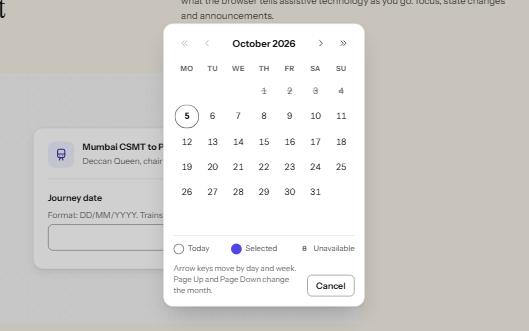
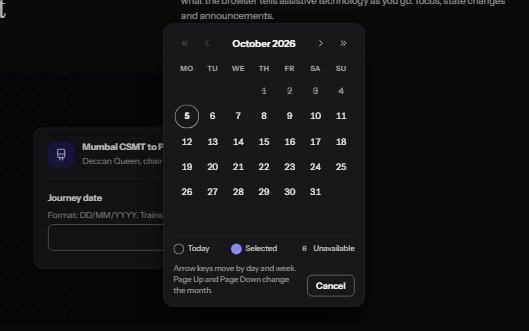
A date field that takes a typed date or opens a calendar dialog, with a month grid driven by the arrow keys.
-
Data grid
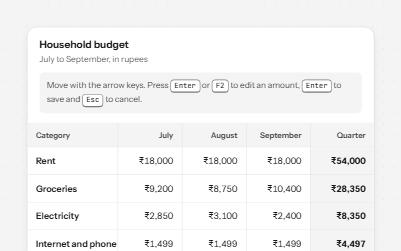
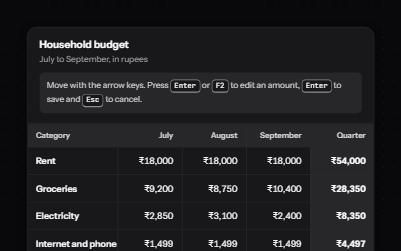
A spreadsheet-like grid with one tab stop: arrow keys move between cells, Enter edits an amount, and totals are announced.
-
Sortable table
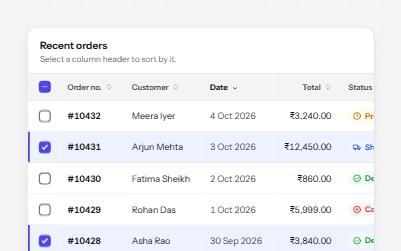
A data table with a caption, row headers, sort buttons that report the order, and row selection with a mixed Select all.
-
Timeline
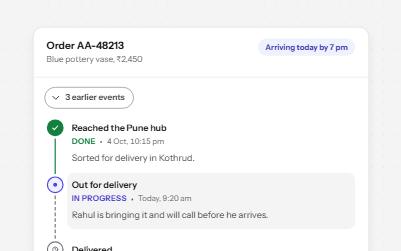
Order tracking as an ordered list: each step with its time, status in words and icons, and older events behind a button.