Accessibility pattern · Data display
Description list
A description list pairs each term with its values, so "Shipping address" and the address beside it are tied together, not just placed side by side. Each pair sits in a div, which HTML allows, so it can be laid out as a row; each Edit link carries hidden words that say what it edits.
- WCAG criteria
- 6
- Keyboard rules
- 2
- Checked with
- axe, keyboard and the inspector
Live demo
Try it
Use it with a mouse, a keyboard or a screen reader. The inspector beside it shows what the browser tells assistive technology as you go: focus, state changes and announcements.
Order #10428
Placed on 30 Sep 2026
- Items
- Handwoven cotton throw Qty 1
- Brass diya set Qty 2
- Subtotal
- ₹3,840
- Delivery
- Free
- Total
- ₹3,840
Profile
Your account details
- Member since
- March 2021
Which element to use
- Description list
<dl> - Names and values about one thing, like this order or this profile.
- Table
<table> - The same fields for many things, read across and down, like all your orders.
- List
<ul> - Items of one kind with no labels, like the products in a basket.
The demo works without JavaScript only as far as its HTML does; the inspector needs JavaScript.
Keyboard
Keys it answers to
Every action works without a pointer.
| Key | What it does |
|---|---|
| Tab or ShiftTab | Moves through the Edit links in reading order; the terms and values themselves are text, not tab stops. |
| Enter | On an Edit link, follows it to the form for that row. |
Screen readers
What it announces
Written from the roles, names and states in the markup.
| When | Expected announcement |
|---|---|
| A screen reader reads the order details | Items, term. Handwoven cotton throw Qty 1, definition. Brass diya set Qty 2, definition |
| Tab reaches the first Edit link | Edit shipping address, link |
| Tab reaches the Edit link beside Phone | Edit phone number, link |
| Enter on an Edit link in this demo | In a real page, this link opens the form for that row. |
These are expected announcements, not recordings. Wording and order differ between screen readers and browsers.
Code
Copy the code
The exact files this demo runs on. The styles are served with a prefix that keeps this site's own styles out of the demo; what you copy is the original.
<div class="ap-dlist" data-ap-dlist>
<section class="ap-dlist__card" aria-labelledby="dlist-order">
<div class="ap-dlist__top">
<h3 class="ap-dlist__name" id="dlist-order">Order #10428</h3>
<p class="ap-dlist__sub">Placed on 30 Sep 2026</p>
</div>
<dl class="ap-dlist__list">
<div class="ap-dlist__row">
<dt>Items</dt>
<dd>Handwoven cotton throw <span class="ap-dlist__qty">Qty 1</span></dd>
<dd>Brass diya set <span class="ap-dlist__qty">Qty 2</span></dd>
</div>
<div class="ap-dlist__row">
<dt>Shipping address</dt>
<dd>Asha Rao, 14 Lake View Road, Indiranagar, Bengaluru 560038</dd>
<dd class="ap-dlist__act"><a class="ap-dlist__edit" href="#edit-address">Edit<span class="ap-dlist__sr"> shipping address</span></a></dd>
</div>
<div class="ap-dlist__row">
<dt>Delivery</dt>
<dd>Standard, arriving 9 to 11 October</dd>
<dd class="ap-dlist__act"><a class="ap-dlist__edit" href="#edit-delivery">Edit<span class="ap-dlist__sr"> delivery</span></a></dd>
</div>
<div class="ap-dlist__row">
<dt>Payment</dt>
<dd>UPI, asha.rao@okbank</dd>
<dd class="ap-dlist__act"><a class="ap-dlist__edit" href="#edit-payment">Edit<span class="ap-dlist__sr"> payment</span></a></dd>
</div>
</dl>
<dl class="ap-dlist__sums">
<div><dt>Subtotal</dt><dd>₹3,840</dd></div>
<div><dt>Delivery</dt><dd>Free</dd></div>
<div class="ap-dlist__total"><dt>Total</dt><dd>₹3,840</dd></div>
</dl>
</section>
<section class="ap-dlist__card" aria-labelledby="dlist-profile">
<div class="ap-dlist__top">
<h3 class="ap-dlist__name" id="dlist-profile">Profile</h3>
<p class="ap-dlist__sub">Your account details</p>
</div>
<dl class="ap-dlist__list">
<div class="ap-dlist__row">
<dt>Name</dt>
<dd>Asha Rao</dd>
<dd class="ap-dlist__act"><a class="ap-dlist__edit" href="#edit-name">Edit<span class="ap-dlist__sr"> name</span></a></dd>
</div>
<div class="ap-dlist__row">
<dt>Email</dt>
<dd>[email protected]</dd>
<dd class="ap-dlist__act"><a class="ap-dlist__edit" href="#edit-email">Edit<span class="ap-dlist__sr"> email</span></a></dd>
</div>
<div class="ap-dlist__row">
<dt>Phone</dt>
<dd>+91 98765 43210</dd>
<dd class="ap-dlist__act"><a class="ap-dlist__edit" href="#edit-phone">Edit<span class="ap-dlist__sr"> phone number</span></a></dd>
</div>
<div class="ap-dlist__row">
<dt>Languages</dt>
<dd>English</dd>
<dd>Hindi</dd>
<dd>Kannada</dd>
<dd class="ap-dlist__act"><a class="ap-dlist__edit" href="#edit-languages">Edit<span class="ap-dlist__sr"> languages</span></a></dd>
</div>
<div class="ap-dlist__row">
<dt>Member since</dt>
<dd>March 2021</dd>
</div>
</dl>
</section>
<section class="ap-dlist__card ap-dlist__card--wide" aria-labelledby="dlist-which">
<div class="ap-dlist__top">
<h3 class="ap-dlist__name" id="dlist-which">Which element to use</h3>
</div>
<dl class="ap-dlist__compare">
<div>
<dt>Description list <code class="ap-dlist__code" translate="no"><dl></code></dt>
<dd>Names and values about one thing, like this order or this profile.</dd>
</div>
<div>
<dt>Table <code class="ap-dlist__code" translate="no"><table></code></dt>
<dd>The same fields for many things, read across and down, like all your orders.</dd>
</div>
<div>
<dt>List <code class="ap-dlist__code" translate="no"><ul></code></dt>
<dd>Items of one kind with no labels, like the products in a basket.</dd>
</div>
</dl>
</section>
<p class="ap-dlist__status" role="status"></p>
</div>
/* Description lists: an order summary, a profile card and a comparison. Uses the --ap-* design tokens. */
.ap-dlist {
  display: grid;
  grid-template-columns: minmax(0, 1fr);
  gap: 16px;
  width: min(100%, 720px);
  margin-inline: auto;
  color: var(--ap-text);
  container-type: inline-size;
}

.ap-dlist__card {
  padding: 0 20px;
  border: 1px solid var(--ap-border);
  border-radius: var(--ap-radius-lg);
  background: var(--ap-surface);
  box-shadow: var(--ap-shadow-md);
  container-type: inline-size;
}
.ap-dlist__top {
  display: flex;
  flex-wrap: wrap;
  align-items: baseline;
  justify-content: space-between;
  gap: 2px 12px;
  padding: 18px 0 14px;
  border-bottom: 1px solid var(--ap-border);
}
.ap-dlist__name {
  margin: 0;
  font-size: 1.0625rem;
  font-weight: 650;
  line-height: 1.3;
}
.ap-dlist__sub {
  margin: 0;
  color: var(--ap-text-3);
  font-size: .875rem;
}

/* A row: one div per term and its values. Narrow first: the term and its
   Edit link share a line, the values sit underneath. */
.ap-dlist__list {
  margin: 0;
}
.ap-dlist__row {
  display: grid;
  grid-template-columns: minmax(0, 1fr) auto;
  align-items: baseline;
  gap: 4px 16px;
  padding: 14px 0;
  border-bottom: 1px solid var(--ap-border);
}
.ap-dlist__row:last-child {
  border-bottom: 0;
}
.ap-dlist__row dt {
  grid-column: 1;
  color: var(--ap-text-2);
  font-size: .875rem;
  font-weight: 600;
}
.ap-dlist__row dd {
  grid-column: 1 / -1;
  margin: 0;
  font-size: .9375rem;
  line-height: 1.5;
  overflow-wrap: anywhere;
}
.ap-dlist__row .ap-dlist__act {
  grid-column: 2;
  grid-row: 1;
  justify-self: end;
}

/* Wide enough: label, values, action, side by side. */
@container (min-width: 480px) {
  .ap-dlist__row {
    grid-template-columns: minmax(7.5rem, 30%) minmax(0, 1fr) auto;
    gap: 2px 20px;
  }
  .ap-dlist__row dt {
    grid-row: 1;
    font-size: .9375rem;
  }
  .ap-dlist__row dd {
    grid-column: 2;
  }
  .ap-dlist__row .ap-dlist__act {
    grid-column: 3;
  }
}

.ap-dlist__qty {
  display: inline-block;
  margin-left: 6px;
  padding: 0 8px;
  border-radius: var(--ap-radius-full);
  background: var(--ap-surface-2);
  color: var(--ap-text-2);
  font-size: .75rem;
  font-weight: 600;
  line-height: 1.6;
  white-space: nowrap;
  vertical-align: 1px;
}

/* Edit links: a visible verb, and hidden words that finish the name. */
.ap-dlist__edit {
  display: inline-flex;
  align-items: center;
  min-height: 28px;
  margin: -4px -6px;
  padding: 0 6px;
  border-radius: 6px;
  color: var(--ap-accent-text);
  font-size: .9375rem;
  font-weight: 600;
  text-decoration: underline;
  text-decoration-thickness: 1px;
  text-underline-offset: 3px;
  transition: background-color var(--ap-duration) var(--ap-ease);
}
.ap-dlist__edit:hover {
  background: var(--ap-accent-soft);
  color: var(--ap-accent-soft-text);
  text-decoration-thickness: 2px;
}
.ap-dlist__edit:focus-visible {
  outline: 2px solid var(--ap-focus);
  outline-offset: 2px;
}
.ap-dlist__sr {
  position: absolute;
  width: 1px;
  height: 1px;
  margin: -1px;
  padding: 0;
  overflow: hidden;
  clip-path: inset(50%);
  white-space: nowrap;
  border: 0;
}

/* Order totals: a second list, figures lined up at the end. */
.ap-dlist__sums {
  display: grid;
  gap: 6px;
  margin: 0 -20px;
  padding: 14px 20px 16px;
  border-top: 1px solid var(--ap-border);
  border-radius: 0 0 var(--ap-radius-lg) var(--ap-radius-lg);
  background: var(--ap-surface-2);
}
.ap-dlist__sums div {
  display: flex;
  justify-content: space-between;
  gap: 16px;
}
.ap-dlist__sums dt {
  color: var(--ap-text-2);
}
.ap-dlist__sums dd {
  margin: 0;
  font-variant-numeric: tabular-nums;
}
.ap-dlist__sums .ap-dlist__total {
  margin-top: 4px;
  padding-top: 10px;
  border-top: 1px solid var(--ap-border);
  font-size: 1.0625rem;
  font-weight: 700;
}
.ap-dlist__sums .ap-dlist__total dt {
  color: var(--ap-text);
}

/* Which element: three tiles, each a term and its description. */
.ap-dlist__compare {
  display: grid;
  gap: 10px;
  margin: 0;
  padding: 16px 0 20px;
}
@container (min-width: 560px) {
  .ap-dlist__compare { grid-template-columns: repeat(3, minmax(0, 1fr)); }
}
.ap-dlist__compare div {
  padding: 14px 14px 16px;
  border: 1px solid var(--ap-border);
  border-radius: var(--ap-radius);
  background: var(--ap-surface-2);
}
.ap-dlist__compare dt {
  display: flex;
  flex-wrap: wrap;
  align-items: center;
  gap: 4px 8px;
  font-weight: 650;
}
.ap-dlist__compare dd {
  margin: 6px 0 0;
  color: var(--ap-text-2);
  font-size: .875rem;
  line-height: 1.5;
}
.ap-dlist__code {
  padding: 1px 6px;
  border: 1px solid var(--ap-border);
  border-radius: 6px;
  background: var(--ap-surface);
  color: var(--ap-accent-text);
  font-family: var(--ap-mono);
  font-size: .75rem;
  font-weight: 500;
}

/* Demo only: what a click on an Edit link would have done. */
.ap-dlist__status {
  justify-self: center;
  margin: 0;
  font-size: .875rem;
  font-weight: 600;
}
.ap-dlist__status:not(:empty) {
  padding: 8px 16px;
  border-radius: var(--ap-radius-full);
  background: var(--ap-info-soft);
  color: var(--ap-info);
  animation: ap-dlist-in 200ms var(--ap-ease);
}

@keyframes ap-dlist-in {
  from { opacity: 0; transform: translateY(4px); }
}

@media (prefers-reduced-motion: reduce) {
  .ap-dlist__edit { transition: none; }
  .ap-dlist__status:not(:empty) { animation: none; }
}
/**
 * Description list: dl, dt and dd need no script. This file only keeps the
 * demo's Edit links on this page: their #… addresses stand for the edit
 * forms a real product would link to, so a click says so in a status
 * message instead of going anywhere. Leave it out of your own pages.
 *
 * Markup: [data-ap-dlist] holding the lists and a p[role=status].
 */

export function init(root) {
  const status = root.querySelector("[role=status]");

  function onClick(event) {
    const link = event.target.closest("a[href^='#']");
    if (!link || !root.contains(link)) return;
    event.preventDefault();
    // Cleared first, so the same message is announced again on the next click.
    status.textContent = "";
    requestAnimationFrame(() => { status.textContent = "In a real page, this link opens the form for that row."; });
  }

  root.addEventListener("click", onClick);
  return () => root.removeEventListener("click", onClick);
}

for (const root of document.querySelectorAll("[data-ap-dlist]")) init(root);
/* Design tokens for the pattern components. Light by default, dark when the
   system asks for it; set data-theme="dark" on :root to force dark. */
:root {
    --ap-radius-sm: 8px;
    --ap-radius: 12px;
    --ap-radius-lg: 16px;
    --ap-radius-full: 999px;
    --ap-font: "Instrument Sans", ui-sans-serif, system-ui, -apple-system, "Segoe UI", Roboto, sans-serif;
    --ap-mono: "JetBrains Mono", ui-monospace, "Cascadia Mono", "SF Mono", Consolas, monospace;
    --ap-ease: cubic-bezier(.2, .8, .2, 1);
    --ap-duration: 180ms;
    --ap-target: 44px;
    --ap-bg: #F4F4F5;
    --ap-surface: #FFFFFF;
    --ap-surface-2: #F4F4F5;
    --ap-surface-3: #E4E4E7;
    --ap-border: #E4E4E7;
    --ap-border-strong: #76767F;
    --ap-text: #18181B;
    --ap-text-2: #3F3F46;
    --ap-text-3: #5E5E66;
    --ap-accent: #4F46E5;
    --ap-accent-hover: #4338CA;
    --ap-on-accent: #FFFFFF;
    --ap-accent-text: #4338CA;
    --ap-accent-soft: #EEF2FF;
    --ap-accent-soft-text: #3730A3;
    --ap-focus: #4F46E5;
    --ap-danger: #B91C1C;
    --ap-danger-soft: #FEF2F2;
    --ap-success: #15803D;
    --ap-success-soft: #F0FDF4;
    --ap-warning: #A15C07;
    --ap-warning-soft: #FEFCE8;
    --ap-info: #1D4ED8;
    --ap-info-soft: #EFF6FF;
    --ap-scrim: rgb(9 9 11 / .48);
    --ap-shadow-sm: 0 1px 2px rgb(9 9 11 / .06);
    --ap-shadow-md: 0 1px 2px rgb(9 9 11 / .05), 0 6px 16px -4px rgb(9 9 11 / .1);
    --ap-shadow-lg: 0 2px 6px rgb(9 9 11 / .06), 0 20px 40px -12px rgb(9 9 11 / .22);
    --ap-light-bg: #F4F4F5;
    --ap-light-surface: #FFFFFF;
    --ap-light-surface-2: #F4F4F5;
    --ap-light-surface-3: #E4E4E7;
    --ap-light-border: #E4E4E7;
    --ap-light-border-strong: #76767F;
    --ap-light-text: #18181B;
    --ap-light-text-2: #3F3F46;
    --ap-light-text-3: #5E5E66;
    --ap-light-accent: #4F46E5;
    --ap-light-accent-hover: #4338CA;
    --ap-light-on-accent: #FFFFFF;
    --ap-light-accent-text: #4338CA;
    --ap-light-accent-soft: #EEF2FF;
    --ap-light-accent-soft-text: #3730A3;
    --ap-light-focus: #4F46E5;
    --ap-light-danger: #B91C1C;
    --ap-light-danger-soft: #FEF2F2;
    --ap-light-success: #15803D;
    --ap-light-success-soft: #F0FDF4;
    --ap-light-warning: #A15C07;
    --ap-light-warning-soft: #FEFCE8;
    --ap-light-info: #1D4ED8;
    --ap-light-info-soft: #EFF6FF;
    --ap-light-scrim: rgb(9 9 11 / .48);
    --ap-light-shadow-sm: 0 1px 2px rgb(9 9 11 / .06);
    --ap-light-shadow-md: 0 1px 2px rgb(9 9 11 / .05), 0 6px 16px -4px rgb(9 9 11 / .1);
    --ap-light-shadow-lg: 0 2px 6px rgb(9 9 11 / .06), 0 20px 40px -12px rgb(9 9 11 / .22);
    --ap-dark-bg: #09090B;
    --ap-dark-surface: #18181B;
    --ap-dark-surface-2: #27272A;
    --ap-dark-surface-3: #3F3F46;
    --ap-dark-border: #2E2E33;
    --ap-dark-border-strong: #8E8E97;
    --ap-dark-text: #FAFAFA;
    --ap-dark-text-2: #D4D4D8;
    --ap-dark-text-3: #A1A1AA;
    --ap-dark-accent: #818CF8;
    --ap-dark-accent-hover: #A5B4FC;
    --ap-dark-on-accent: #0C0A1F;
    --ap-dark-accent-text: #A5B4FC;
    --ap-dark-accent-soft: #1E1B4B;
    --ap-dark-accent-soft-text: #C7D2FE;
    --ap-dark-focus: #A5B4FC;
    --ap-dark-danger: #F87171;
    --ap-dark-danger-soft: #2A1215;
    --ap-dark-success: #4ADE80;
    --ap-dark-success-soft: #0F2A1A;
    --ap-dark-warning: #FACC15;
    --ap-dark-warning-soft: #2A2410;
    --ap-dark-info: #60A5FA;
    --ap-dark-info-soft: #0F1D33;
    --ap-dark-scrim: rgb(0 0 0 / .62);
    --ap-dark-shadow-sm: 0 1px 2px rgb(0 0 0 / .4);
    --ap-dark-shadow-md: 0 1px 2px rgb(0 0 0 / .4), 0 8px 20px -6px rgb(0 0 0 / .5);
    --ap-dark-shadow-lg: 0 2px 8px rgb(0 0 0 / .45), 0 24px 48px -12px rgb(0 0 0 / .7);
}
@media (prefers-color-scheme: dark) {
  :root:not([data-theme="light"]) {
      --ap-bg: #09090B;
      --ap-surface: #18181B;
      --ap-surface-2: #27272A;
      --ap-surface-3: #3F3F46;
      --ap-border: #2E2E33;
      --ap-border-strong: #8E8E97;
      --ap-text: #FAFAFA;
      --ap-text-2: #D4D4D8;
      --ap-text-3: #A1A1AA;
      --ap-accent: #818CF8;
      --ap-accent-hover: #A5B4FC;
      --ap-on-accent: #0C0A1F;
      --ap-accent-text: #A5B4FC;
      --ap-accent-soft: #1E1B4B;
      --ap-accent-soft-text: #C7D2FE;
      --ap-focus: #A5B4FC;
      --ap-danger: #F87171;
      --ap-danger-soft: #2A1215;
      --ap-success: #4ADE80;
      --ap-success-soft: #0F2A1A;
      --ap-warning: #FACC15;
      --ap-warning-soft: #2A2410;
      --ap-info: #60A5FA;
      --ap-info-soft: #0F1D33;
      --ap-scrim: rgb(0 0 0 / .62);
      --ap-shadow-sm: 0 1px 2px rgb(0 0 0 / .4);
      --ap-shadow-md: 0 1px 2px rgb(0 0 0 / .4), 0 8px 20px -6px rgb(0 0 0 / .5);
      --ap-shadow-lg: 0 2px 8px rgb(0 0 0 / .45), 0 24px 48px -12px rgb(0 0 0 / .7);
  }
}
:root[data-theme="dark"] {
    --ap-bg: #09090B;
    --ap-surface: #18181B;
    --ap-surface-2: #27272A;
    --ap-surface-3: #3F3F46;
    --ap-border: #2E2E33;
    --ap-border-strong: #8E8E97;
    --ap-text: #FAFAFA;
    --ap-text-2: #D4D4D8;
    --ap-text-3: #A1A1AA;
    --ap-accent: #818CF8;
    --ap-accent-hover: #A5B4FC;
    --ap-on-accent: #0C0A1F;
    --ap-accent-text: #A5B4FC;
    --ap-accent-soft: #1E1B4B;
    --ap-accent-soft-text: #C7D2FE;
    --ap-focus: #A5B4FC;
    --ap-danger: #F87171;
    --ap-danger-soft: #2A1215;
    --ap-success: #4ADE80;
    --ap-success-soft: #0F2A1A;
    --ap-warning: #FACC15;
    --ap-warning-soft: #2A2410;
    --ap-info: #60A5FA;
    --ap-info-soft: #0F1D33;
    --ap-scrim: rgb(0 0 0 / .62);
    --ap-shadow-sm: 0 1px 2px rgb(0 0 0 / .4);
    --ap-shadow-md: 0 1px 2px rgb(0 0 0 / .4), 0 8px 20px -6px rgb(0 0 0 / .5);
    --ap-shadow-lg: 0 2px 8px rgb(0 0 0 / .45), 0 24px 48px -12px rgb(0 0 0 / .7);
}
WCAG 2.2
What it meets
The success criteria this pattern takes care of, and how.
-
1.3.1 Info and Relationships
Level A
dt and dd tie each label to its values in the markup, so the pairing survives without the two-column layout.
-
1.3.2 Meaningful Sequence
Level A
Each term comes before its values in the source, and the stacked layout keeps that order on screen.
-
1.4.10 Reflow
Level AA
Rows switch from label beside value to label above value in a narrow space, so nothing scrolls sideways at 320 pixels.
-
2.4.4 Link Purpose (In Context)
Level A
Every Edit link's name says what it edits, like "Edit shipping address", so it makes sense in a list of links.
-
2.4.7 Focus Visible
Level AA
The Edit links show a two-pixel focus ring.
-
2.5.8 Target Size (Minimum)
Level AA
Each Edit link is at least 24 pixels tall and set apart from its neighbours.
Usage
When to use it
Use it
- Names and values about one thing: an order summary, a profile, a file's properties, a product's specifications.
- Glossaries and FAQs where each term has one or more descriptions.
Use something else
- The same fields for many records: a table lets people compare down a column.
- Items of one kind with no labels: a ul or ol says that more simply.
- Layout: don't use dl just to get two columns of unrelated text.
Common failures
How it usually goes wrong
Labels and values in plain divs
Two divs styled as columns look paired but are read as unrelated text. dt and dd make the pairing part of the markup.
A row of Edit links with the same name
Five links called "Edit" mean nothing in a list of links. Hidden text completes each one: Edit shipping address, Edit phone number.
Invalid wrappers inside dl
HTML lets a dl hold dt and dd, or divs that each hold them. A span, a section or a stray p breaks the list for some screen readers.
One value split into many dd elements
An address broken into four dd elements is announced as four separate values. Use several dd elements only when there really are several values.
Empty values left blank
A term with an empty dd sounds like a mistake. Say "Not added" or leave the pair out.
Notes
Building it
- Wrap each dt and dd group in a div to style it as a row; a dl may contain divs that hold only dt and dd elements.
- A term can have several dd elements, as Languages does here, and several dt elements can share one description.
- The Edit links sit in their own dd, as in the GOV.UK summary list, because a div inside a dl may hold only dt and dd.
- Screen readers vary on dl: some announce it as a list with the number of groups, others just read the text. The pairing still holds in each case.
- The Edit links use #… addresses because they stand for other pages; the script only keeps them on this page. A description list needs no script.
Sources: HTML: the dl element · GOV.UK Design System: Summary list · WCAG 2.2 Understanding: Link Purpose (In Context)
Checked with axe in light and dark themes, at desktop and phone widths, and by keyboard. Not yet tested with every screen reader and browser pair. Report a correction
Related
Patterns that go with it
-
Lists and groups
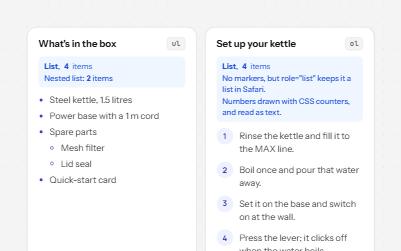
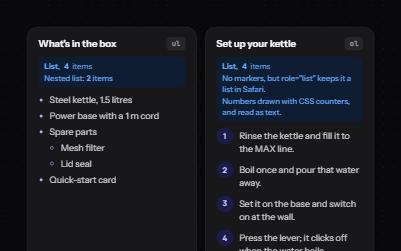
Bulleted, numbered and description lists that announce their size, even when styled as cards, tags or numbered steps.
-
Sortable table
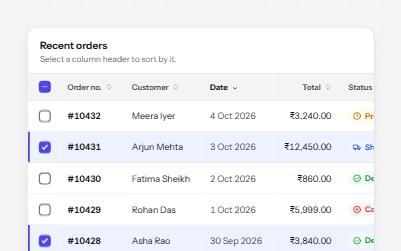
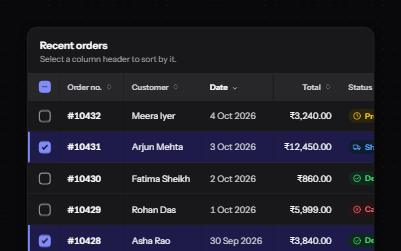
A data table with a caption, row headers, sort buttons that report the order, and row selection with a mixed Select all.
-
Card
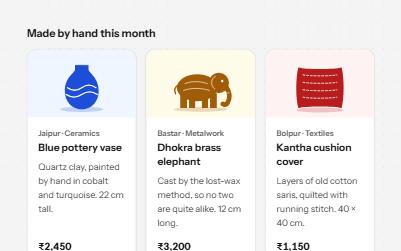
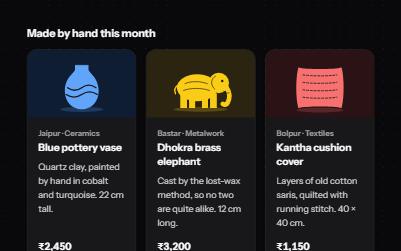
Cards whose title link covers the whole card, with Save and Share buttons that stay reachable on top of it.
-
Visually hidden text
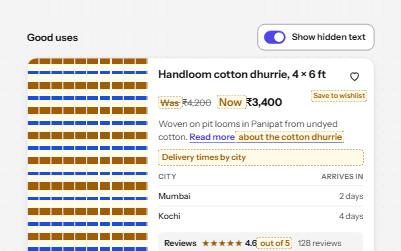
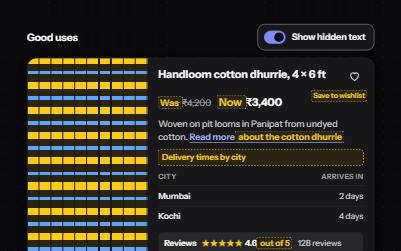
Text that screen readers read but the screen does not show, hidden the one way that keeps it in the accessibility tree.