Accessibility pattern · Data display
Comparison table
A comparison is a data table: plans are column headers, features are row headers, so every tick is announced with the plan and the feature it belongs to. Ticks and crosses carry hidden words, limits stay as visible text, and hiding the rows that match says how many are left.
- WCAG criteria
- 7
- Keyboard rules
- 4
- Checked with
- axe, keyboard and the inspector
Live demo
Try it
Use it with a mouse, a keyboard or a screen reader. The inspector beside it shows what the browser tells assistive technology as you go: focus, state changes and announcements.
Compare plans
Prices are per month, billed yearly, and include GST.
All 12 features shown
| Feature | Starter ₹0 per month | Pro Recommended ₹499 per month | Team ₹1,499 per month |
|---|---|---|---|
| Projects and files | |||
| Projects | Up to 3 | Unlimited | Unlimited |
| Storage | 2 GB | 100 GB | 1 TB |
| Version history | 7 days | 1 year | Forever |
| Export to PDF | Included | Included | Included |
| Collaboration | |||
| Members | Just you | Up to 5 | Unlimited |
| Comments and mentions | Included | Included | Included |
| Guest access | Not included | Included | Included |
| Shared templates | Not included | Not included | Included |
| Security and support | |||
| Two-step sign-in | Included | Included | Included |
| Single sign-on | Not included | Not included | Included |
| Audit log | Not included | 30 days | 1 year |
| Support | Help center | Priority, 4-hour reply | |
| Cancel any time. | |||
The demo works without JavaScript only as far as its HTML does; the inspector needs JavaScript.
Keyboard
Keys it answers to
Every action works without a pointer.
| Key | What it does |
|---|---|
| Tab | Moves to the switch, then the table's scroll area, then each Choose button. |
| Space | On the switch, hides the features every plan has in common, or shows them all again. |
| Arrow Down or Arrow Up or Arrow Right or Arrow Left | In the scroll area, scrolls the table; the plan names stay at the top and the feature names at the left. |
| Enter or Space | On a Choose button, picks that plan and confirms it below the table. |
Screen readers
What it announces
Written from the roles, names and states in the markup.
| When | Expected announcement |
|---|---|
| Focus reaches the switch | Show only differences, switch, off |
| Space turns it on | 9 of 12 features shown: only the differences |
| Table navigation moves right along the Members row | Pro, Recommended, ₹499 per month, Up to 5 |
| It reaches a cross in the Guest access row | Starter, ₹0 per month, Not included |
| Focus reaches the middle button | Choose Pro, button, ₹499 per month |
| The button is pressed | You chose Pro. Next: payment details. |
These are expected announcements, not recordings. Wording and order differ between screen readers and browsers.
Code
Copy the code
The exact files this demo runs on. The styles are served with a prefix that keeps this site's own styles out of the demo; what you copy is the original.
<div class="ap-comparison-table" data-ap-comparison-table>
  <div class="ap-comparison-table__top">
    <div class="ap-comparison-table__intro">
      <h3 class="ap-comparison-table__name" id="comparison-table-name">Compare plans</h3>
      <p class="ap-comparison-table__sub">Prices are per month, billed yearly, and include GST.</p>
    </div>
    <div class="ap-comparison-table__filter">
      <label class="ap-comparison-table__switch">
        <input class="ap-comparison-table__input" type="checkbox" role="switch" data-ap-differences />
        <span class="ap-comparison-table__track" aria-hidden="true"><span class="ap-comparison-table__thumb"></span></span>
        <span class="ap-comparison-table__switch-text">Show only differences</span>
      </label>
      <p class="ap-comparison-table__count" role="status" data-ap-features-shown>All 12 features shown</p>
    </div>
  </div>

  <div class="ap-comparison-table__scroll" role="region" aria-labelledby="comparison-table-name" tabindex="0">
    <table class="ap-comparison-table__table">
      <caption class="ap-comparison-table__vh">Starter, Pro and Team plans, feature by feature</caption>
      <thead>
        <tr>
          <th scope="col" class="ap-comparison-table__corner">Feature</th>
          <th scope="col" class="ap-comparison-table__plan">
            <span class="ap-comparison-table__plan-name">Starter</span>
            <span class="ap-comparison-table__price" id="comparison-table-starter-price"><strong>₹0</strong> per month</span>
          </th>
          <th scope="col" class="ap-comparison-table__plan ap-comparison-table__plan--pick">
            <span class="ap-comparison-table__plan-name">Pro</span>
            <span class="ap-comparison-table__tag">Recommended</span>
            <span class="ap-comparison-table__price" id="comparison-table-pro-price"><strong>₹499</strong> per month</span>
          </th>
          <th scope="col" class="ap-comparison-table__plan">
            <span class="ap-comparison-table__plan-name">Team</span>
            <span class="ap-comparison-table__price" id="comparison-table-team-price"><strong>₹1,499</strong> per month</span>
          </th>
        </tr>
      </thead>
      <tbody>
        <tr class="ap-comparison-table__group">
          <th scope="rowgroup" colspan="4"><span>Projects and files</span></th>
        </tr>
        <tr>
          <th scope="row">Projects</th>
          <td><span class="ap-comparison-table__value">Up to 3</span></td>
          <td><span class="ap-comparison-table__value">Unlimited</span></td>
          <td><span class="ap-comparison-table__value">Unlimited</span></td>
        </tr>
        <tr>
          <th scope="row">Storage</th>
          <td><span class="ap-comparison-table__value">2 GB</span></td>
          <td><span class="ap-comparison-table__value">100 GB</span></td>
          <td><span class="ap-comparison-table__value">1 TB</span></td>
        </tr>
        <tr>
          <th scope="row">Version history</th>
          <td><span class="ap-comparison-table__value">7 days</span></td>
          <td><span class="ap-comparison-table__value">1 year</span></td>
          <td><span class="ap-comparison-table__value">Forever</span></td>
        </tr>
        <tr>
          <th scope="row">Export to PDF</th>
          <td><svg class="ap-comparison-table__mark ap-comparison-table__mark--yes" viewBox="0 0 24 24" aria-hidden="true" focusable="false"><circle cx="12" cy="12" r="9"/><path d="m8 12.4 2.7 2.7L16.2 9.6"/></svg><span class="ap-comparison-table__vh">Included</span></td>
          <td><svg class="ap-comparison-table__mark ap-comparison-table__mark--yes" viewBox="0 0 24 24" aria-hidden="true" focusable="false"><circle cx="12" cy="12" r="9"/><path d="m8 12.4 2.7 2.7L16.2 9.6"/></svg><span class="ap-comparison-table__vh">Included</span></td>
          <td><svg class="ap-comparison-table__mark ap-comparison-table__mark--yes" viewBox="0 0 24 24" aria-hidden="true" focusable="false"><circle cx="12" cy="12" r="9"/><path d="m8 12.4 2.7 2.7L16.2 9.6"/></svg><span class="ap-comparison-table__vh">Included</span></td>
        </tr>
      </tbody>
      <tbody>
        <tr class="ap-comparison-table__group">
          <th scope="rowgroup" colspan="4"><span>Collaboration</span></th>
        </tr>
        <tr>
          <th scope="row">Members</th>
          <td><span class="ap-comparison-table__value">Just you</span></td>
          <td><span class="ap-comparison-table__value">Up to 5</span></td>
          <td><span class="ap-comparison-table__value">Unlimited</span></td>
        </tr>
        <tr>
          <th scope="row">Comments and mentions</th>
          <td><svg class="ap-comparison-table__mark ap-comparison-table__mark--yes" viewBox="0 0 24 24" aria-hidden="true" focusable="false"><circle cx="12" cy="12" r="9"/><path d="m8 12.4 2.7 2.7L16.2 9.6"/></svg><span class="ap-comparison-table__vh">Included</span></td>
          <td><svg class="ap-comparison-table__mark ap-comparison-table__mark--yes" viewBox="0 0 24 24" aria-hidden="true" focusable="false"><circle cx="12" cy="12" r="9"/><path d="m8 12.4 2.7 2.7L16.2 9.6"/></svg><span class="ap-comparison-table__vh">Included</span></td>
          <td><svg class="ap-comparison-table__mark ap-comparison-table__mark--yes" viewBox="0 0 24 24" aria-hidden="true" focusable="false"><circle cx="12" cy="12" r="9"/><path d="m8 12.4 2.7 2.7L16.2 9.6"/></svg><span class="ap-comparison-table__vh">Included</span></td>
        </tr>
        <tr>
          <th scope="row">Guest access</th>
          <td><svg class="ap-comparison-table__mark ap-comparison-table__mark--no" viewBox="0 0 24 24" aria-hidden="true" focusable="false"><path d="m7.5 7.5 9 9M16.5 7.5l-9 9"/></svg><span class="ap-comparison-table__vh">Not included</span></td>
          <td><svg class="ap-comparison-table__mark ap-comparison-table__mark--yes" viewBox="0 0 24 24" aria-hidden="true" focusable="false"><circle cx="12" cy="12" r="9"/><path d="m8 12.4 2.7 2.7L16.2 9.6"/></svg><span class="ap-comparison-table__vh">Included</span></td>
          <td><svg class="ap-comparison-table__mark ap-comparison-table__mark--yes" viewBox="0 0 24 24" aria-hidden="true" focusable="false"><circle cx="12" cy="12" r="9"/><path d="m8 12.4 2.7 2.7L16.2 9.6"/></svg><span class="ap-comparison-table__vh">Included</span></td>
        </tr>
        <tr>
          <th scope="row">Shared templates</th>
          <td><svg class="ap-comparison-table__mark ap-comparison-table__mark--no" viewBox="0 0 24 24" aria-hidden="true" focusable="false"><path d="m7.5 7.5 9 9M16.5 7.5l-9 9"/></svg><span class="ap-comparison-table__vh">Not included</span></td>
          <td><svg class="ap-comparison-table__mark ap-comparison-table__mark--no" viewBox="0 0 24 24" aria-hidden="true" focusable="false"><path d="m7.5 7.5 9 9M16.5 7.5l-9 9"/></svg><span class="ap-comparison-table__vh">Not included</span></td>
          <td><svg class="ap-comparison-table__mark ap-comparison-table__mark--yes" viewBox="0 0 24 24" aria-hidden="true" focusable="false"><circle cx="12" cy="12" r="9"/><path d="m8 12.4 2.7 2.7L16.2 9.6"/></svg><span class="ap-comparison-table__vh">Included</span></td>
        </tr>
      </tbody>
      <tbody>
        <tr class="ap-comparison-table__group">
          <th scope="rowgroup" colspan="4"><span>Security and support</span></th>
        </tr>
        <tr>
          <th scope="row">Two-step sign-in</th>
          <td><svg class="ap-comparison-table__mark ap-comparison-table__mark--yes" viewBox="0 0 24 24" aria-hidden="true" focusable="false"><circle cx="12" cy="12" r="9"/><path d="m8 12.4 2.7 2.7L16.2 9.6"/></svg><span class="ap-comparison-table__vh">Included</span></td>
          <td><svg class="ap-comparison-table__mark ap-comparison-table__mark--yes" viewBox="0 0 24 24" aria-hidden="true" focusable="false"><circle cx="12" cy="12" r="9"/><path d="m8 12.4 2.7 2.7L16.2 9.6"/></svg><span class="ap-comparison-table__vh">Included</span></td>
          <td><svg class="ap-comparison-table__mark ap-comparison-table__mark--yes" viewBox="0 0 24 24" aria-hidden="true" focusable="false"><circle cx="12" cy="12" r="9"/><path d="m8 12.4 2.7 2.7L16.2 9.6"/></svg><span class="ap-comparison-table__vh">Included</span></td>
        </tr>
        <tr>
          <th scope="row">Single sign-on</th>
          <td><svg class="ap-comparison-table__mark ap-comparison-table__mark--no" viewBox="0 0 24 24" aria-hidden="true" focusable="false"><path d="m7.5 7.5 9 9M16.5 7.5l-9 9"/></svg><span class="ap-comparison-table__vh">Not included</span></td>
          <td><svg class="ap-comparison-table__mark ap-comparison-table__mark--no" viewBox="0 0 24 24" aria-hidden="true" focusable="false"><path d="m7.5 7.5 9 9M16.5 7.5l-9 9"/></svg><span class="ap-comparison-table__vh">Not included</span></td>
          <td><svg class="ap-comparison-table__mark ap-comparison-table__mark--yes" viewBox="0 0 24 24" aria-hidden="true" focusable="false"><circle cx="12" cy="12" r="9"/><path d="m8 12.4 2.7 2.7L16.2 9.6"/></svg><span class="ap-comparison-table__vh">Included</span></td>
        </tr>
        <tr>
          <th scope="row">Audit log</th>
          <td><svg class="ap-comparison-table__mark ap-comparison-table__mark--no" viewBox="0 0 24 24" aria-hidden="true" focusable="false"><path d="m7.5 7.5 9 9M16.5 7.5l-9 9"/></svg><span class="ap-comparison-table__vh">Not included</span></td>
          <td><span class="ap-comparison-table__value">30 days</span></td>
          <td><span class="ap-comparison-table__value">1 year</span></td>
        </tr>
        <tr>
          <th scope="row">Support</th>
          <td><span class="ap-comparison-table__value">Help center</span></td>
          <td><span class="ap-comparison-table__value">Email</span></td>
          <td><span class="ap-comparison-table__value">Priority, 4-hour reply</span></td>
        </tr>
      </tbody>
      <tfoot>
        <tr>
          <td class="ap-comparison-table__note">Cancel any time.</td>
          <td><button type="button" class="ap-btn ap-comparison-table__choose" aria-describedby="comparison-table-starter-price" data-ap-plan="Starter">Choose Starter</button></td>
          <td><button type="button" class="ap-btn ap-btn--primary ap-comparison-table__choose" aria-describedby="comparison-table-pro-price" data-ap-plan="Pro">Choose Pro</button></td>
          <td><button type="button" class="ap-btn ap-comparison-table__choose" aria-describedby="comparison-table-team-price" data-ap-plan="Team">Choose Team</button></td>
        </tr>
      </tfoot>
    </table>
  </div>

  <p class="ap-comparison-table__chosen" role="status" data-ap-chosen></p>
</div>
/* Shared primitives: buttons and form fields used across the patterns.
   Uses the --ap-* design tokens. */

.ap-btn {
  display: inline-flex;
  align-items: center;
  justify-content: center;
  gap: 8px;
  min-height: 40px;
  padding: 0 16px;
  border: 1px solid var(--ap-border-strong);
  border-radius: var(--ap-radius-sm);
  background: var(--ap-surface);
  color: var(--ap-text);
  font: inherit;
  font-weight: 600;
  line-height: 1.2;
  text-decoration: none;
  white-space: nowrap;
  cursor: pointer;
  transition: background-color var(--ap-duration) var(--ap-ease), border-color var(--ap-duration) var(--ap-ease), box-shadow var(--ap-duration) var(--ap-ease);
}
.ap-btn:hover {
  background: var(--ap-surface-2);
}
.ap-btn:focus-visible {
  outline: 2px solid var(--ap-focus);
  outline-offset: 2px;
}
.ap-btn:disabled,
.ap-btn[aria-disabled="true"] {
  opacity: .55;
  cursor: not-allowed;
}
.ap-btn--primary {
  border-color: var(--ap-accent);
  background: var(--ap-accent);
  color: var(--ap-on-accent);
  box-shadow: var(--ap-shadow-sm);
}
.ap-btn--primary:hover {
  border-color: var(--ap-accent-hover);
  background: var(--ap-accent-hover);
}
.ap-btn--danger {
  border-color: var(--ap-danger);
  background: var(--ap-danger);
  color: var(--ap-surface);
}
.ap-btn--danger:hover {
  filter: brightness(1.08);
}
.ap-btn--ghost {
  border-color: transparent;
  background: transparent;
}
.ap-btn--ghost:hover {
  background: var(--ap-surface-2);
}
.ap-btn__icon {
  width: 18px;
  height: 18px;
  flex-shrink: 0;
  fill: none;
  stroke: currentColor;
  stroke-width: 2;
  stroke-linecap: round;
  stroke-linejoin: round;
}

.ap-field {
  display: grid;
  gap: 6px;
}
.ap-label {
  color: var(--ap-text);
  font-weight: 600;
  font-size: .9375rem;
}
.ap-hint {
  margin: 0;
  color: var(--ap-text-3);
  font-size: .875rem;
  line-height: 1.45;
}
.ap-error {
  display: flex;
  align-items: flex-start;
  gap: 6px;
  margin: 0;
  color: var(--ap-danger);
  font-size: .875rem;
  font-weight: 600;
  line-height: 1.45;
}
.ap-input {
  width: 100%;
  min-height: 44px;
  padding: 10px 12px;
  border: 1px solid var(--ap-border-strong);
  border-radius: var(--ap-radius-sm);
  background: var(--ap-surface);
  color: var(--ap-text);
  font: inherit;
  line-height: 1.4;
  transition: border-color var(--ap-duration) var(--ap-ease), box-shadow var(--ap-duration) var(--ap-ease);
}
.ap-input::placeholder {
  color: var(--ap-text-3);
}
.ap-input:hover {
  border-color: var(--ap-text-2);
}
.ap-input:focus-visible {
  outline: 2px solid var(--ap-focus);
  outline-offset: 1px;
  border-color: var(--ap-focus);
}
.ap-input[aria-invalid="true"] {
  border-color: var(--ap-danger);
  box-shadow: inset 4px 0 0 var(--ap-danger);
}
textarea.ap-input {
  resize: vertical;
  min-height: 88px;
}

@media (prefers-reduced-motion: reduce) {
  .ap-btn,
  .ap-input { transition: none; }
}

/* Comparison table. Uses the --ap-* design tokens and the shared primitives. */
.ap-comparison-table {
  width: min(100%, 720px);
  margin-inline: auto;
  border: 1px solid var(--ap-border);
  border-radius: var(--ap-radius-lg);
  background: var(--ap-surface);
  color: var(--ap-text);
  box-shadow: var(--ap-shadow-md);
  container-type: inline-size;
  overflow: hidden;
}

.ap-comparison-table__vh {
  position: absolute;
  width: 1px;
  height: 1px;
  margin: -1px;
  padding: 0;
  overflow: hidden;
  clip-path: inset(50%);
  white-space: nowrap;
}

/* Heading, filter and its count */
.ap-comparison-table__top {
  display: flex;
  flex-wrap: wrap;
  align-items: flex-start;
  justify-content: space-between;
  gap: 14px 24px;
  padding: 20px 22px 18px;
  border-bottom: 1px solid var(--ap-border);
}
.ap-comparison-table__name {
  margin: 0;
  font-size: 1.125rem;
  font-weight: 650;
  line-height: 1.3;
}
.ap-comparison-table__sub {
  margin: 4px 0 0;
  color: var(--ap-text-3);
  font-size: .875rem;
  line-height: 1.45;
}
.ap-comparison-table__filter {
  display: grid;
  justify-items: end;
  gap: 2px;
}
.ap-comparison-table__count {
  margin: 0;
  color: var(--ap-text-3);
  font-size: .8125rem;
  font-variant-numeric: tabular-nums;
}

/* The switch: a checkbox with role=switch, stretched over the whole label. */
.ap-comparison-table__switch {
  position: relative;
  display: inline-flex;
  align-items: center;
  gap: 10px;
  min-height: var(--ap-target);
  font-size: .9375rem;
  font-weight: 600;
  cursor: pointer;
}
.ap-comparison-table__input {
  position: absolute;
  inset: 0;
  z-index: 1;
  width: 100%;
  height: 100%;
  margin: 0;
  opacity: 0;
  cursor: pointer;
  appearance: none;
}
.ap-comparison-table__track {
  position: relative;
  flex-shrink: 0;
  width: 40px;
  height: 24px;
  border: 2px solid var(--ap-border-strong);
  border-radius: var(--ap-radius-full);
  background: var(--ap-surface-2);
  transition: background-color var(--ap-duration) var(--ap-ease), border-color var(--ap-duration) var(--ap-ease);
}
.ap-comparison-table__thumb {
  position: absolute;
  top: 2px;
  left: 2px;
  width: 16px;
  height: 16px;
  border-radius: var(--ap-radius-full);
  background: var(--ap-border-strong);
  transition: transform var(--ap-duration) var(--ap-ease), background-color var(--ap-duration) var(--ap-ease);
}
.ap-comparison-table__input:checked + .ap-comparison-table__track {
  border-color: var(--ap-accent);
  background: var(--ap-accent);
}
.ap-comparison-table__input:checked + .ap-comparison-table__track .ap-comparison-table__thumb {
  transform: translateX(16px);
  background: var(--ap-on-accent);
}
.ap-comparison-table__input:hover + .ap-comparison-table__track {
  border-color: var(--ap-text-2);
}
.ap-comparison-table__input:checked:hover + .ap-comparison-table__track {
  border-color: var(--ap-accent-hover);
  background: var(--ap-accent-hover);
}
.ap-comparison-table__input:focus-visible + .ap-comparison-table__track {
  outline: 2px solid var(--ap-focus);
  outline-offset: 2px;
}

/* The scroll area: plan names stick to its top, feature names to its left. */
.ap-comparison-table__scroll {
  max-height: 460px;
  overflow: auto;
  overscroll-behavior: contain;
  scroll-padding-top: 96px;
}
.ap-comparison-table__scroll:focus-visible {
  outline: 2px solid var(--ap-focus);
  outline-offset: -3px;
}

.ap-comparison-table__table {
  width: 100%;
  min-width: 520px;
  border-collapse: separate;
  border-spacing: 0;
  font-size: .9375rem;
  line-height: 1.4;
}
.ap-comparison-table__table th,
.ap-comparison-table__table td {
  padding: 12px 14px;
  border-bottom: 1px solid var(--ap-border);
  background: var(--ap-surface);
  vertical-align: middle;
}
.ap-comparison-table__table td {
  text-align: center;
}

/* Plan headers */
.ap-comparison-table__table thead th {
  position: sticky;
  top: 0;
  z-index: 2;
  padding: 16px 14px 14px;
  border-bottom-color: var(--ap-border-strong);
  vertical-align: bottom;
}
.ap-comparison-table__table thead .ap-comparison-table__corner {
  left: 0;
  width: 31%;
  z-index: 3;
  box-shadow: inset -1px 0 0 var(--ap-border);
  color: var(--ap-text-3);
  font-size: .8125rem;
  font-weight: 600;
  text-align: start;
}
.ap-comparison-table__plan {
  width: 23%;
  text-align: center;
}
.ap-comparison-table__plan > span {
  display: block;
}
.ap-comparison-table__plan-name {
  font-size: 1rem;
  font-weight: 650;
}
.ap-comparison-table__price {
  margin-top: 2px;
  color: var(--ap-text-3);
  font-size: .8125rem;
  font-weight: 500;
  font-variant-numeric: tabular-nums;
  white-space: nowrap;
}
.ap-comparison-table__price strong {
  color: var(--ap-text);
  font-size: 1.0625rem;
  font-weight: 700;
}
.ap-comparison-table__plan--pick .ap-comparison-table__tag {
  display: inline-block;
  margin: 4px 0 2px;
  padding: 1px 8px;
  border-radius: var(--ap-radius-full);
  background: var(--ap-accent);
  color: var(--ap-on-accent);
  font-size: .75rem;
  font-weight: 650;
  line-height: 1.5;
}

/* The recommended column: a tint, and a bar above its header. The word in
   the header carries the meaning; the tint only echoes it. */
.ap-comparison-table__table .ap-comparison-table__plan--pick,
.ap-comparison-table__table tbody td:nth-child(3),
.ap-comparison-table__table tfoot td:nth-child(3) {
  background: var(--ap-accent-soft);
}
.ap-comparison-table__plan--pick {
  box-shadow: inset 0 3px 0 var(--ap-accent);
}

/* Feature names */
.ap-comparison-table__table tbody th[scope="row"] {
  position: sticky;
  left: 0;
  z-index: 1;
  box-shadow: inset -1px 0 0 var(--ap-border);
  min-width: 150px;
  color: var(--ap-text);
  font-weight: 500;
  text-align: start;
}

/* Group rows: a header for the rows below it, across all four columns. */
.ap-comparison-table__group th {
  padding: 18px 14px 8px;
  color: var(--ap-text-2);
  font-size: .8125rem;
  font-weight: 650;
  letter-spacing: .02em;
  text-align: start;
}
.ap-comparison-table__group th > span {
  display: inline-block;
  position: sticky;
  left: 14px;
}
.ap-comparison-table__table tbody:first-of-type .ap-comparison-table__group th {
  padding-top: 14px;
}

/* Cell contents */
.ap-comparison-table__mark {
  display: inline-block;
  width: 22px;
  height: 22px;
  vertical-align: middle;
  fill: none;
  stroke-linecap: round;
  stroke-linejoin: round;
}
.ap-comparison-table__mark--yes {
  stroke: var(--ap-success);
  stroke-width: 2;
}
.ap-comparison-table__mark--no {
  stroke: var(--ap-text-3);
  stroke-width: 2;
}
.ap-comparison-table__value {
  color: var(--ap-text);
  font-weight: 500;
  font-variant-numeric: tabular-nums;
}

.ap-comparison-table__table tbody tr:not(.ap-comparison-table__group):hover > * {
  background: var(--ap-surface-2);
}

/* Choose buttons */
.ap-comparison-table__table tfoot td {
  padding: 14px 10px 16px;
  border-bottom: 0;
}
.ap-comparison-table__table tfoot .ap-comparison-table__note {
  position: sticky;
  left: 0;
  z-index: 1;
  box-shadow: inset -1px 0 0 var(--ap-border);
  color: var(--ap-text-3);
  font-size: .8125rem;
  text-align: start;
}
.ap-comparison-table__choose {
  width: 100%;
  min-height: var(--ap-target);
  padding: 0 10px;
}

.ap-comparison-table__chosen {
  margin: 0;
  padding: 0 22px;
  color: var(--ap-success);
  font-weight: 600;
}
.ap-comparison-table__chosen:not(:empty) {
  padding-block: 14px;
  border-top: 1px solid var(--ap-border);
}

/* When the filter wraps under the heading, it lines up with it. */
@container (max-width: 640px) {
  .ap-comparison-table__filter {
    justify-items: start;
  }
}

@container (max-width: 520px) {
  .ap-comparison-table__top {
    padding: 18px 16px 14px;
  }
  .ap-comparison-table__table {
    min-width: 470px;
    font-size: .875rem;
  }
  .ap-comparison-table__table tbody th[scope="row"] {
    min-width: 0;
    width: 112px;
  }
  .ap-comparison-table__table thead .ap-comparison-table__corner {
    width: 112px;
  }
  .ap-comparison-table__price strong {
    display: block;
  }
  .ap-comparison-table__choose {
    padding: 0 8px;
    font-size: .875rem;
  }
  .ap-comparison-table__table th,
  .ap-comparison-table__table td {
    padding-inline: 10px;
  }
  .ap-comparison-table__chosen {
    padding-inline: 16px;
  }
}

@media (prefers-reduced-motion: reduce) {
  .ap-comparison-table__track,
  .ap-comparison-table__thumb { transition: none; }
}

@media (forced-colors: active) {
  .ap-comparison-table__input:checked + .ap-comparison-table__track { forced-color-adjust: none; border-color: Highlight; background: Highlight; }
  .ap-comparison-table__input:checked + .ap-comparison-table__track .ap-comparison-table__thumb { background: HighlightText; }
  .ap-comparison-table__thumb { forced-color-adjust: none; background: CanvasText; }
}
/**
 * Comparison table: plans as column headers, features as row headers,
 * grouped rows, and a switch that hides the features every plan shares.
 *
 * Markup: [data-ap-comparison-table] holding a checkbox[role=switch]
 * [data-ap-differences], a role=status [data-ap-features-shown], a table whose
 * tbody elements each start with a group row (th scope=rowgroup), Choose
 * buttons with data-ap-plan, and a role=status [data-ap-chosen].
 */

export function init(root) {
  const toggle = root.querySelector("[data-ap-differences]");
  const count = root.querySelector("[data-ap-features-shown]");
  const chosen = root.querySelector("[data-ap-chosen]");
  const groups = [...root.querySelectorAll("tbody")];
  const isGroupRow = (row) => row.cells.length === 1 && row.cells[0].getAttribute("scope") === "rowgroup";
  const features = groups.flatMap((g) => [...g.rows].filter((r) => !isGroupRow(r)));

  // A feature differs when its plan cells do not all say the same thing. The
  // hidden words count, so a tick (Included) and a cross (Not included) differ.
  const valueOf = (cell) => cell.textContent.replace(/\s+/g, " ").trim();
  const differs = (row) => new Set([...row.cells].slice(1).map(valueOf)).size > 1;

  // Clear, then write on the next frame, so the same words are announced again.
  const say = (region, text) => {
    region.textContent = "";
    requestAnimationFrame(() => { region.textContent = text; });
  };

  function filter() {
    const only = toggle.checked;
    let shown = 0;
    for (const row of features) {
      row.hidden = only && !differs(row);
      if (!row.hidden) shown++;
    }
    // A group with nothing left in it goes too, header and all.
    for (const g of groups) g.hidden = [...g.rows].every((r) => isGroupRow(r) || r.hidden);
    say(count, only
      ? `${shown} of ${features.length} features shown: only the differences`
      : `All ${features.length} features shown`);
  }

  function onClick(event) {
    const button = event.target.closest("[data-ap-plan]");
    if (!button || !root.contains(button)) return;
    // A real product goes on to checkout here.
    say(chosen, `You chose ${button.dataset.apPlan}. Next: payment details.`);
  }

  toggle.addEventListener("change", filter);
  root.addEventListener("click", onClick);
  return () => {
    toggle.removeEventListener("change", filter);
    root.removeEventListener("click", onClick);
  };
}

for (const root of document.querySelectorAll("[data-ap-comparison-table]")) init(root);
/* Design tokens for the pattern components. Light by default, dark when the
   system asks for it; set data-theme="dark" on :root to force dark. */
:root {
    --ap-radius-sm: 8px;
    --ap-radius: 12px;
    --ap-radius-lg: 16px;
    --ap-radius-full: 999px;
    --ap-font: "Instrument Sans", ui-sans-serif, system-ui, -apple-system, "Segoe UI", Roboto, sans-serif;
    --ap-mono: "JetBrains Mono", ui-monospace, "Cascadia Mono", "SF Mono", Consolas, monospace;
    --ap-ease: cubic-bezier(.2, .8, .2, 1);
    --ap-duration: 180ms;
    --ap-target: 44px;
    --ap-bg: #F4F4F5;
    --ap-surface: #FFFFFF;
    --ap-surface-2: #F4F4F5;
    --ap-surface-3: #E4E4E7;
    --ap-border: #E4E4E7;
    --ap-border-strong: #76767F;
    --ap-text: #18181B;
    --ap-text-2: #3F3F46;
    --ap-text-3: #5E5E66;
    --ap-accent: #4F46E5;
    --ap-accent-hover: #4338CA;
    --ap-on-accent: #FFFFFF;
    --ap-accent-text: #4338CA;
    --ap-accent-soft: #EEF2FF;
    --ap-accent-soft-text: #3730A3;
    --ap-focus: #4F46E5;
    --ap-danger: #B91C1C;
    --ap-danger-soft: #FEF2F2;
    --ap-success: #15803D;
    --ap-success-soft: #F0FDF4;
    --ap-warning: #A15C07;
    --ap-warning-soft: #FEFCE8;
    --ap-info: #1D4ED8;
    --ap-info-soft: #EFF6FF;
    --ap-scrim: rgb(9 9 11 / .48);
    --ap-shadow-sm: 0 1px 2px rgb(9 9 11 / .06);
    --ap-shadow-md: 0 1px 2px rgb(9 9 11 / .05), 0 6px 16px -4px rgb(9 9 11 / .1);
    --ap-shadow-lg: 0 2px 6px rgb(9 9 11 / .06), 0 20px 40px -12px rgb(9 9 11 / .22);
    --ap-light-bg: #F4F4F5;
    --ap-light-surface: #FFFFFF;
    --ap-light-surface-2: #F4F4F5;
    --ap-light-surface-3: #E4E4E7;
    --ap-light-border: #E4E4E7;
    --ap-light-border-strong: #76767F;
    --ap-light-text: #18181B;
    --ap-light-text-2: #3F3F46;
    --ap-light-text-3: #5E5E66;
    --ap-light-accent: #4F46E5;
    --ap-light-accent-hover: #4338CA;
    --ap-light-on-accent: #FFFFFF;
    --ap-light-accent-text: #4338CA;
    --ap-light-accent-soft: #EEF2FF;
    --ap-light-accent-soft-text: #3730A3;
    --ap-light-focus: #4F46E5;
    --ap-light-danger: #B91C1C;
    --ap-light-danger-soft: #FEF2F2;
    --ap-light-success: #15803D;
    --ap-light-success-soft: #F0FDF4;
    --ap-light-warning: #A15C07;
    --ap-light-warning-soft: #FEFCE8;
    --ap-light-info: #1D4ED8;
    --ap-light-info-soft: #EFF6FF;
    --ap-light-scrim: rgb(9 9 11 / .48);
    --ap-light-shadow-sm: 0 1px 2px rgb(9 9 11 / .06);
    --ap-light-shadow-md: 0 1px 2px rgb(9 9 11 / .05), 0 6px 16px -4px rgb(9 9 11 / .1);
    --ap-light-shadow-lg: 0 2px 6px rgb(9 9 11 / .06), 0 20px 40px -12px rgb(9 9 11 / .22);
    --ap-dark-bg: #09090B;
    --ap-dark-surface: #18181B;
    --ap-dark-surface-2: #27272A;
    --ap-dark-surface-3: #3F3F46;
    --ap-dark-border: #2E2E33;
    --ap-dark-border-strong: #8E8E97;
    --ap-dark-text: #FAFAFA;
    --ap-dark-text-2: #D4D4D8;
    --ap-dark-text-3: #A1A1AA;
    --ap-dark-accent: #818CF8;
    --ap-dark-accent-hover: #A5B4FC;
    --ap-dark-on-accent: #0C0A1F;
    --ap-dark-accent-text: #A5B4FC;
    --ap-dark-accent-soft: #1E1B4B;
    --ap-dark-accent-soft-text: #C7D2FE;
    --ap-dark-focus: #A5B4FC;
    --ap-dark-danger: #F87171;
    --ap-dark-danger-soft: #2A1215;
    --ap-dark-success: #4ADE80;
    --ap-dark-success-soft: #0F2A1A;
    --ap-dark-warning: #FACC15;
    --ap-dark-warning-soft: #2A2410;
    --ap-dark-info: #60A5FA;
    --ap-dark-info-soft: #0F1D33;
    --ap-dark-scrim: rgb(0 0 0 / .62);
    --ap-dark-shadow-sm: 0 1px 2px rgb(0 0 0 / .4);
    --ap-dark-shadow-md: 0 1px 2px rgb(0 0 0 / .4), 0 8px 20px -6px rgb(0 0 0 / .5);
    --ap-dark-shadow-lg: 0 2px 8px rgb(0 0 0 / .45), 0 24px 48px -12px rgb(0 0 0 / .7);
}
@media (prefers-color-scheme: dark) {
  :root:not([data-theme="light"]) {
      --ap-bg: #09090B;
      --ap-surface: #18181B;
      --ap-surface-2: #27272A;
      --ap-surface-3: #3F3F46;
      --ap-border: #2E2E33;
      --ap-border-strong: #8E8E97;
      --ap-text: #FAFAFA;
      --ap-text-2: #D4D4D8;
      --ap-text-3: #A1A1AA;
      --ap-accent: #818CF8;
      --ap-accent-hover: #A5B4FC;
      --ap-on-accent: #0C0A1F;
      --ap-accent-text: #A5B4FC;
      --ap-accent-soft: #1E1B4B;
      --ap-accent-soft-text: #C7D2FE;
      --ap-focus: #A5B4FC;
      --ap-danger: #F87171;
      --ap-danger-soft: #2A1215;
      --ap-success: #4ADE80;
      --ap-success-soft: #0F2A1A;
      --ap-warning: #FACC15;
      --ap-warning-soft: #2A2410;
      --ap-info: #60A5FA;
      --ap-info-soft: #0F1D33;
      --ap-scrim: rgb(0 0 0 / .62);
      --ap-shadow-sm: 0 1px 2px rgb(0 0 0 / .4);
      --ap-shadow-md: 0 1px 2px rgb(0 0 0 / .4), 0 8px 20px -6px rgb(0 0 0 / .5);
      --ap-shadow-lg: 0 2px 8px rgb(0 0 0 / .45), 0 24px 48px -12px rgb(0 0 0 / .7);
  }
}
:root[data-theme="dark"] {
    --ap-bg: #09090B;
    --ap-surface: #18181B;
    --ap-surface-2: #27272A;
    --ap-surface-3: #3F3F46;
    --ap-border: #2E2E33;
    --ap-border-strong: #8E8E97;
    --ap-text: #FAFAFA;
    --ap-text-2: #D4D4D8;
    --ap-text-3: #A1A1AA;
    --ap-accent: #818CF8;
    --ap-accent-hover: #A5B4FC;
    --ap-on-accent: #0C0A1F;
    --ap-accent-text: #A5B4FC;
    --ap-accent-soft: #1E1B4B;
    --ap-accent-soft-text: #C7D2FE;
    --ap-focus: #A5B4FC;
    --ap-danger: #F87171;
    --ap-danger-soft: #2A1215;
    --ap-success: #4ADE80;
    --ap-success-soft: #0F2A1A;
    --ap-warning: #FACC15;
    --ap-warning-soft: #2A2410;
    --ap-info: #60A5FA;
    --ap-info-soft: #0F1D33;
    --ap-scrim: rgb(0 0 0 / .62);
    --ap-shadow-sm: 0 1px 2px rgb(0 0 0 / .4);
    --ap-shadow-md: 0 1px 2px rgb(0 0 0 / .4), 0 8px 20px -6px rgb(0 0 0 / .5);
    --ap-shadow-lg: 0 2px 8px rgb(0 0 0 / .45), 0 24px 48px -12px rgb(0 0 0 / .7);
}
WCAG 2.2
What it meets
The success criteria this pattern takes care of, and how.
-
1.3.1 Info and Relationships
Level A
Plans are th scope=col, features th scope=row and each group label th scope=rowgroup across all four columns, so every cell has a plan and a feature to go with it.
-
1.4.1 Use of Color
Level A
Included and not included are a tick and a cross, two different shapes, each with a word; Recommended is a word, not just a tinted column.
-
1.4.10 Reflow
Level AA
At narrow widths the table scrolls inside its own region, which reflow allows for data tables, while the heading, switch and buttons around it reflow.
-
2.1.1 Keyboard
Level A
The scroll area takes focus, so the arrow keys scroll the table without a mouse or trackpad.
-
2.4.6 Headings and Labels
Level AA
Each button names its plan, Choose Pro rather than a third Choose, and carries the price as its description.
-
4.1.2 Name, Role, Value
Level A
The filter is a checkbox with role=switch, so it is announced as a switch that is on or off.
-
4.1.3 Status Messages
Level AA
After filtering, the number of features left is a status message, announced without moving focus.
Usage
When to use it
Use it
- Helping people choose one of a few plans or products by the same features, side by side.
- Specification sheets where each column is an option and each row a property.
Use something else
- More than four or five options: let people pick the ones to compare first.
- One product's details: a description list reads better than a one-column table.
- Pricing with a single plan worth explaining: cards with plain lists are easier to read.
Common failures
How it usually goes wrong
Ticks with nothing to say
An icon-only tick is read as nothing, or as "image". Each tick and cross here carries a hidden Included or Not included.
Plan names in a row of divs
Without th scope=col the cells have no header, so a screen reader says "Included" with no plan attached. Real headers name the plan for every cell.
Group labels as ordinary cells
A section name in a td is read as data in the feature column. th scope=rowgroup across the row makes it the header of the rows below it.
Three buttons called Choose plan
Pulled into a list of buttons, three identical names cannot be told apart. Choose Starter, Choose Pro and Choose Team can.
Recommended shown only by a tint
A shaded column says nothing to people who cannot see the shade, or to a screen reader. The word Recommended sits in the plan's header.
Filtering in silence
Rows that vanish with no message leave screen reader users unsure anything happened. The count of features left is announced.
Notes
Building it
- Hide filtered rows with the hidden attribute, so the row count a screen reader reports is the true one. A row made invisible with opacity is still read.
- The table scrolls inside a fixed-height region so its plan names can stick. If your table never scrolls sideways, drop the region and let the header stick to the page instead, below your site header.
- Sticky cells need an opaque background and border-collapse: separate; with collapsed borders, some browsers let the borders scroll away from sticky cells.
- Keep limits as visible text (Up to 5, 100 GB): a tick would hide the part people are comparing.
- aria-describedby on each button adds the price after its name, so it is heard without being repeated in the button's text.
Sources: W3C WAI Tables Tutorial: Tables with irregular headers · HTML: the th element and its scope attribute
Checked with axe in light and dark themes, at desktop and phone widths, and by keyboard. Not yet tested with every screen reader and browser pair. Report a correction
Related
Patterns that go with it
-
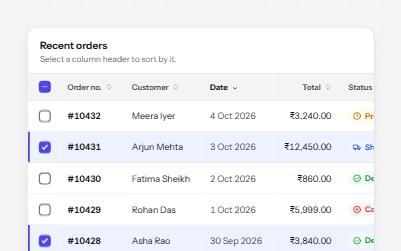
Sortable table
A data table with a caption, row headers, sort buttons that report the order, and row selection with a mixed Select all.
-
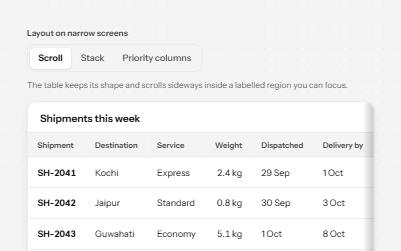
Responsive table
One table, three ways to fit a narrow screen: scroll it in a labelled region, stack rows into cards, or hide minor columns.
-
Switch
An on and off control for settings that take effect at once, built on a checkbox with the switch role.
-
Radio cards
A plan picker where each choice is a large card, built from native radio buttons so arrows, focus and state come free.