Accessibility pattern · Data display
Data grid
A grid is one stop in the Tab order; inside it the arrow keys move from cell to cell, as in a spreadsheet. Enter or F2 turns a cell into a field named by its row and column, Escape puts the old value back, and the totals that change are announced.
- WCAG criteria
- 7
- Keyboard rules
- 8
- Checked with
- axe, keyboard and the inspector
Live demo
Try it
Use it with a mouse, a keyboard or a screen reader. The inspector beside it shows what the browser tells assistive technology as you go: focus, state changes and announcements.
Household budget
July to September, in rupees
Move with the arrow keys. Press Enter or F2 to edit an amount, Enter to save and Esc to cancel.
| Category | July | August | September | Quarter |
|---|---|---|---|---|
| Rent | ₹18,000 | ₹18,000 | ₹18,000 | ₹54,000 |
| Groceries | ₹9,200 | ₹8,750 | ₹10,400 | ₹28,350 |
| Electricity | ₹2,850 | ₹3,100 | ₹2,400 | ₹8,350 |
| Internet and phone | ₹1,499 | ₹1,499 | ₹1,499 | ₹4,497 |
| Transport | ₹3,600 | ₹4,150 | ₹3,900 | ₹11,650 |
| Eating out | ₹4,500 | ₹3,200 | ₹6,800 | ₹14,500 |
| Total | ₹39,649 | ₹38,699 | ₹42,999 | ₹1,21,347 |
The demo works without JavaScript only as far as its HTML does; the inspector needs JavaScript.
Keyboard
Keys it answers to
Every action works without a pointer.
| Key | What it does |
|---|---|
| Tab | Moves into the grid, onto the last cell used; the next Tab leaves the grid. |
| Arrow Right or Arrow Left or Arrow Down or Arrow Up | Moves one cell in that direction, stopping at the edges. |
| Home or End | Moves to the first or last cell in the row. |
| CtrlHome or CtrlEnd | Moves to the first cell of the grid, or the last. |
| Enter or F2 | On an amount, opens it for editing with the value selected. |
| 0–9 | On an amount, starts editing with that digit in place of the old value. |
| Enter | While editing, saves the amount, updates the totals and puts focus back on the cell. |
| Escape | While editing, cancels and puts the old amount back. |
Screen readers
What it announces
Written from the roles, names and states in the markup.
| When | Expected announcement |
|---|---|
| Tab reaches the grid | Household budget, grid. Rent, July, ₹18,000 |
| Arrow Down moves to the next row | Groceries, ₹9,200 |
| Enter opens the cell for editing | Groceries July, edit text, selected 9200 |
| Enter saves 9500 | Saved. July total: ₹39,949. Grand total: ₹1,21,647. |
| A letter is typed and Enter pressed | Enter an amount in rupees, using digits only. |
| Focus reaches a total | Total, Quarter, ₹1,21,347, read only |
These are expected announcements, not recordings. Wording and order differ between screen readers and browsers.
Code
Copy the code
The exact files this demo runs on. The styles are served with a prefix that keeps this site's own styles out of the demo; what you copy is the original.
<div class="ap-dgrid" data-ap-dgrid>
  <div class="ap-dgrid__top">
    <h3 class="ap-dgrid__name" id="dgrid-name">Household budget</h3>
    <p class="ap-dgrid__sub">July to September, in rupees</p>
    <p class="ap-dgrid__hint" id="dgrid-hint">Move with the arrow keys. Press <kbd>Enter</kbd> or <kbd>F2</kbd> to edit an amount, <kbd>Enter</kbd> to save and <kbd>Esc</kbd> to cancel.</p>
  </div>
  <div class="ap-dgrid__scroll">
    <table class="ap-dgrid__grid" role="grid" aria-labelledby="dgrid-name" aria-describedby="dgrid-hint">
      <thead>
        <tr aria-rowindex="1">
          <th scope="col" aria-colindex="1" tabindex="-1">Category</th>
          <th scope="col" aria-colindex="2" id="dgrid-c2" tabindex="-1">July</th>
          <th scope="col" aria-colindex="3" id="dgrid-c3" tabindex="-1">August</th>
          <th scope="col" aria-colindex="4" id="dgrid-c4" tabindex="-1">September</th>
          <th scope="col" aria-colindex="5" tabindex="-1">Quarter</th>
        </tr>
      </thead>
      <tbody>
        <tr aria-rowindex="2">
          <th scope="row" aria-colindex="1" id="dgrid-r2" tabindex="-1">Rent</th>
          <td aria-colindex="2" tabindex="0">₹18,000</td>
          <td aria-colindex="3" tabindex="-1">₹18,000</td>
          <td aria-colindex="4" tabindex="-1">₹18,000</td>
          <td aria-colindex="5" aria-readonly="true" tabindex="-1">₹54,000</td>
        </tr>
        <tr aria-rowindex="3">
          <th scope="row" aria-colindex="1" id="dgrid-r3" tabindex="-1">Groceries</th>
          <td aria-colindex="2" tabindex="-1">₹9,200</td>
          <td aria-colindex="3" tabindex="-1">₹8,750</td>
          <td aria-colindex="4" tabindex="-1">₹10,400</td>
          <td aria-colindex="5" aria-readonly="true" tabindex="-1">₹28,350</td>
        </tr>
        <tr aria-rowindex="4">
          <th scope="row" aria-colindex="1" id="dgrid-r4" tabindex="-1">Electricity</th>
          <td aria-colindex="2" tabindex="-1">₹2,850</td>
          <td aria-colindex="3" tabindex="-1">₹3,100</td>
          <td aria-colindex="4" tabindex="-1">₹2,400</td>
          <td aria-colindex="5" aria-readonly="true" tabindex="-1">₹8,350</td>
        </tr>
        <tr aria-rowindex="5">
          <th scope="row" aria-colindex="1" id="dgrid-r5" tabindex="-1">Internet and phone</th>
          <td aria-colindex="2" tabindex="-1">₹1,499</td>
          <td aria-colindex="3" tabindex="-1">₹1,499</td>
          <td aria-colindex="4" tabindex="-1">₹1,499</td>
          <td aria-colindex="5" aria-readonly="true" tabindex="-1">₹4,497</td>
        </tr>
        <tr aria-rowindex="6">
          <th scope="row" aria-colindex="1" id="dgrid-r6" tabindex="-1">Transport</th>
          <td aria-colindex="2" tabindex="-1">₹3,600</td>
          <td aria-colindex="3" tabindex="-1">₹4,150</td>
          <td aria-colindex="4" tabindex="-1">₹3,900</td>
          <td aria-colindex="5" aria-readonly="true" tabindex="-1">₹11,650</td>
        </tr>
        <tr aria-rowindex="7">
          <th scope="row" aria-colindex="1" id="dgrid-r7" tabindex="-1">Eating out</th>
          <td aria-colindex="2" tabindex="-1">₹4,500</td>
          <td aria-colindex="3" tabindex="-1">₹3,200</td>
          <td aria-colindex="4" tabindex="-1">₹6,800</td>
          <td aria-colindex="5" aria-readonly="true" tabindex="-1">₹14,500</td>
        </tr>
      </tbody>
      <tfoot>
        <tr aria-rowindex="8">
          <th scope="row" aria-colindex="1" tabindex="-1">Total</th>
          <td aria-colindex="2" aria-readonly="true" tabindex="-1">₹39,649</td>
          <td aria-colindex="3" aria-readonly="true" tabindex="-1">₹38,699</td>
          <td aria-colindex="4" aria-readonly="true" tabindex="-1">₹42,999</td>
          <td aria-colindex="5" aria-readonly="true" tabindex="-1">₹1,21,347</td>
        </tr>
      </tfoot>
    </table>
  </div>
  <p class="ap-dgrid__error" id="dgrid-error" role="alert"></p>
  <p class="ap-dgrid__status" role="status"></p>
</div>
/* Data grid: an editable budget. Uses the --ap-* design tokens. */
.ap-dgrid {
  width: min(100%, 680px);
  margin-inline: auto;
  border: 1px solid var(--ap-border);
  border-radius: var(--ap-radius-lg);
  background: var(--ap-surface);
  color: var(--ap-text);
  box-shadow: var(--ap-shadow-md);
  container-type: inline-size;
  overflow: hidden;
}

.ap-dgrid__top {
  padding: 18px 20px 16px;
}
.ap-dgrid__name {
  margin: 0;
  font-size: 1.0625rem;
  font-weight: 650;
  line-height: 1.3;
}
.ap-dgrid__sub {
  margin: 2px 0 0;
  color: var(--ap-text-3);
  font-size: .875rem;
}
.ap-dgrid__hint {
  margin: 12px 0 0;
  padding: 10px 12px;
  border-radius: var(--ap-radius-sm);
  background: var(--ap-surface-2);
  color: var(--ap-text-2);
  font-size: .875rem;
  line-height: 1.7;
}
.ap-dgrid__hint kbd {
  display: inline-block;
  min-width: 1.8em;
  padding: 0 6px;
  border: 1px solid var(--ap-border-strong);
  border-bottom-width: 2px;
  border-radius: 6px;
  background: var(--ap-surface);
  color: var(--ap-text);
  font-family: var(--ap-mono);
  font-size: .75rem;
  line-height: 1.6;
  text-align: center;
}

/* The scroll area holds the grid's one tab stop, so keyboards reach it. */
.ap-dgrid__scroll {
  overflow-x: auto;
  border-top: 1px solid var(--ap-border);
  scroll-padding-left: 150px;
}

.ap-dgrid__grid {
  width: 100%;
  min-width: 520px;
  border-collapse: separate;
  border-spacing: 0;
  table-layout: fixed;
  font-size: .9375rem;
  line-height: 1.4;
}
.ap-dgrid__grid th,
.ap-dgrid__grid td {
  height: 46px;
  padding: 0 14px;
  border-bottom: 1px solid var(--ap-border);
  border-left: 1px solid var(--ap-border);
  background: var(--ap-surface);
  text-align: end;
  vertical-align: middle;
  white-space: nowrap;
  font-variant-numeric: tabular-nums;
  cursor: cell;
  transition: background-color var(--ap-duration) var(--ap-ease);
}
.ap-dgrid__grid :is(th, td):first-child {
  width: 150px;
  border-left: 0;
  text-align: start;
}

/* Headers */
.ap-dgrid__grid thead th {
  height: 40px;
  background: var(--ap-surface-2);
  color: var(--ap-text-2);
  font-size: .8125rem;
  font-weight: 600;
}
.ap-dgrid__grid tbody th {
  color: var(--ap-text);
  font-weight: 600;
}
/* The focused cell's headers light up, so its row and column are easy to find. */
.ap-dgrid__grid thead th.is-col,
.ap-dgrid__grid tr:has(:focus) > th:first-child {
  background: var(--ap-accent-soft);
  color: var(--ap-accent-soft-text);
  box-shadow: inset 0 -2px 0 var(--ap-accent);
}
.ap-dgrid__grid tr:has(:focus) > th:first-child {
  box-shadow: inset -2px 0 0 var(--ap-accent);
}

/* Worked-out cells: a quieter fill and heavier figures. */
.ap-dgrid__grid td[aria-readonly="true"] {
  background: var(--ap-surface-2);
  font-weight: 650;
  cursor: default;
}
.ap-dgrid__grid tfoot :is(th, td) {
  border-top: 2px solid var(--ap-border-strong);
  border-bottom: 0;
  background: var(--ap-surface-2);
  font-weight: 700;
}

.ap-dgrid__grid tbody td:not([aria-readonly]):hover {
  background: var(--ap-surface-2);
}

/* The focused cell: a ring and a tint, shown for mouse users too, as in a spreadsheet. */
.ap-dgrid__grid :is(th, td):focus {
  outline: 2px solid var(--ap-focus);
  outline-offset: -2px;
  background: var(--ap-accent-soft);
  color: var(--ap-accent-soft-text);
}

/* Editing: the cell holds a field that fills it. */
.ap-dgrid__grid td.is-editing {
  padding: 4px;
  background: var(--ap-surface);
}
.ap-dgrid__input {
  width: 100%;
  height: 36px;
  padding: 0 9px;
  border: 2px solid var(--ap-accent);
  border-radius: 6px;
  background: var(--ap-surface);
  color: var(--ap-text);
  font: inherit;
  font-variant-numeric: tabular-nums;
  text-align: end;
  box-shadow: var(--ap-shadow-md);
}
.ap-dgrid__input:focus-visible {
  outline: 2px solid var(--ap-focus);
  outline-offset: 2px;
}
.ap-dgrid__input[aria-invalid="true"] {
  border-color: var(--ap-danger);
  outline-color: var(--ap-danger);
  box-shadow: inset 4px 0 0 var(--ap-danger);
}

/* Messages: always in the page, so screen readers hear them change. */
.ap-dgrid__error,
.ap-dgrid__status {
  margin: 0;
  font-size: .875rem;
  font-weight: 600;
  line-height: 1.5;
}
.ap-dgrid__error:not(:empty),
.ap-dgrid__status:not(:empty) {
  padding: 12px 20px;
  border-top: 1px solid var(--ap-border);
}
.ap-dgrid__error {
  background: var(--ap-danger-soft);
  color: var(--ap-danger);
}
/* The "!" is decoration: the empty alternative keeps it out of the alert's text. */
.ap-dgrid__error:not(:empty)::before {
  content: "";
  content: "!" / "";
  display: inline-grid;
  place-items: center;
  width: 18px;
  height: 18px;
  margin-right: 8px;
  border-radius: var(--ap-radius-full);
  background: var(--ap-danger);
  color: var(--ap-danger-soft);
  font-size: .75rem;
  font-weight: 800;
  vertical-align: 1px;
}
.ap-dgrid__status {
  background: var(--ap-success-soft);
  color: var(--ap-success);
}
.ap-dgrid__status:not(:empty)::before {
  content: "";
  display: inline-block;
  width: 9px;
  height: 5px;
  margin: 0 10px 3px 2px;
  border: solid currentColor;
  border-width: 0 0 2.5px 2.5px;
  transform: rotate(-45deg);
}

/* Narrow: the category column stays put while the months scroll. */
@container (max-width: 560px) {
  .ap-dgrid__top { padding: 16px 16px 14px; }
  .ap-dgrid__grid :is(th, td):first-child {
    position: sticky;
    left: 0;
    z-index: 1;
    box-shadow: 1px 0 0 var(--ap-border);
  }
  .ap-dgrid__grid :is(th, td) { padding: 0 10px; }
  .ap-dgrid__error:not(:empty),
  .ap-dgrid__status:not(:empty) { padding: 12px 16px; }
}

@media (prefers-reduced-motion: reduce) {
  .ap-dgrid__grid th,
  .ap-dgrid__grid td { transition: none; }
}
/**
 * Data grid: an editable table with one tab stop, after the WAI-ARIA grid
 * pattern. The arrow keys, Home, End, Ctrl+Home and Ctrl+End move focus
 * from cell to cell (roving tabindex). Enter, F2 or a digit opens an
 * editable cell as a text field named by its row and column headers; Enter
 * saves, Escape restores. Saving recalculates the row, column and grand
 * totals and announces the ones that changed.
 *
 * Markup: [data-ap-dgrid] holding table[role=grid] with thead, tbody and a
 * tfoot totals row. Cells are th or td with tabindex="-1" (one has "0");
 * cells that are worked out carry aria-readonly="true". Row headers in the
 * body and month headers carry ids. p#dgrid-error[role=alert] and
 * p[role=status] hold the messages.
 */

export function init(root) {
  const grid = root.querySelector("[role=grid]");
  const rows = [...grid.rows];
  const matrix = rows.map((row) => [...row.cells]);
  const error = root.querySelector("#dgrid-error");
  const status = root.querySelector(".ap-dgrid__status");
  const money = new Intl.NumberFormat("en-IN", { style: "currency", currency: "INR", minimumFractionDigits: 0, maximumFractionDigits: 0 });

  let active = grid.querySelector('[tabindex="0"]') || matrix[1][1];
  let editing = null; // { cell, input, before }

  const place = (cell) => [rows.indexOf(cell.parentElement), cell.cellIndex];
  const editable = (cell) => cell.tagName === "TD" && cell.getAttribute("aria-readonly") !== "true";
  const amount = (cell) => Number(cell.textContent.replace(/[^\d.]/g, "")) || 0;

  const word = (text, raw = false) => {
    const span = document.createElement("span");
    span.textContent = text;
    if (raw) span.translate = false;
    return span;
  };

  /* ── Moving ── */
  function focusCell(cell) {
    if (!cell) return;
    if (active !== cell) {
      active.tabIndex = -1;
      active = cell;
    }
    cell.tabIndex = 0;
    cell.focus();
  }

  function go(r, c) {
    const row = matrix[Math.max(0, Math.min(matrix.length - 1, r))];
    focusCell(row[Math.max(0, Math.min(row.length - 1, c))]);
  }

  // The focused cell's column header lights up; its row header is styled with :has().
  function onFocusin(event) {
    const cell = event.target.closest("th, td");
    if (!cell || !grid.contains(cell)) return;
    if (cell !== active && !editing) {
      active.tabIndex = -1;
      active = cell;
      cell.tabIndex = 0;
    }
    for (const head of matrix[0]) head.classList.toggle("is-col", head.cellIndex === cell.cellIndex);
  }

  function onFocusout(event) {
    if (!grid.contains(event.relatedTarget)) for (const head of matrix[0]) head.classList.remove("is-col");
  }

  /* ── Editing ── */
  function startEdit(cell, typed) {
    const [r] = place(cell);
    const input = document.createElement("input");
    input.type = "text";
    input.inputMode = "numeric";
    input.autocomplete = "off";
    input.className = "ap-dgrid__input";
    input.setAttribute("aria-labelledby", `${matrix[r][0].id} ${matrix[0][cell.cellIndex].id}`);
    input.value = typed ?? String(amount(cell));
    editing = { cell, input, before: cell.textContent };
    cell.textContent = "";
    cell.classList.add("is-editing");
    cell.append(input);
    input.focus();
    if (typed == null) input.select();
    else input.setSelectionRange(input.value.length, input.value.length);
    input.addEventListener("blur", onBlur);
  }

  // A rupee sign, commas and spaces are fine; anything else is not an amount.
  function parse(value) {
    const clean = value.replace(/[₹,\s]/g, "");
    return /^\d{1,7}(\.\d+)?$/.test(clean) ? Math.round(Number(clean)) : null;
  }

  // Ends the edit: the cell shows `text` again, focus returns to it if asked,
  // and the totals are worked out when the amount changed.
  function finish(text, refocus) {
    const { cell, input, before } = editing;
    editing = null;
    input.removeEventListener("blur", onBlur);
    cell.classList.remove("is-editing");
    cell.textContent = text;
    error.textContent = "";
    if (refocus) focusCell(cell);
    if (text !== before) recalculate(cell);
  }

  function commit() {
    const value = parse(editing.input.value);
    if (value === null) {
      const { input } = editing;
      input.setAttribute("aria-invalid", "true");
      input.setAttribute("aria-describedby", error.id);
      error.textContent = "";
      requestAnimationFrame(() => { error.textContent = "Enter an amount in rupees, using digits only."; });
      return;
    }
    finish(money.format(value), true);
  }

  function cancel() {
    finish(editing.before, true);
  }

  // Focus left the field another way (a click elsewhere, Tab): keep a valid
  // amount, otherwise put the old one back.
  function onBlur() {
    if (!editing) return;
    const value = parse(editing.input.value);
    finish(value === null ? editing.before : money.format(value), false);
  }

  /* ── Totals ── */
  function recalculate(changed) {
    const body = [...grid.tBodies[0].rows];
    const foot = grid.tFoot.rows[0];
    const last = foot.cells.length - 1;
    for (const row of body) {
      let total = 0;
      for (let c = 1; c < last; c++) total += amount(row.cells[c]);
      row.cells[last].textContent = money.format(total);
    }
    for (let c = 1; c <= last; c++) {
      foot.cells[c].textContent = money.format(body.reduce((n, row) => n + amount(row.cells[c]), 0));
    }
    // "Saved. July total: ₹39,949. Grand total: ₹1,21,647." The month comes
    // from the column header, so a translated page reads it translated.
    const month = matrix[0][changed.cellIndex].textContent.trim();
    status.replaceChildren(
      word("Saved."), " ",
      word(month), " ", word("total:"), " ", word(`${foot.cells[changed.cellIndex].textContent}.`, true), " ",
      word("Grand total:"), " ", word(`${foot.cells[last].textContent}.`, true),
    );
  }

  /* ── Keys ── */
  function onKeydown(event) {
    if (editing) {
      if (event.key === "Enter") {
        event.preventDefault();
        commit();
      } else if (event.key === "Escape") {
        event.preventDefault();
        event.stopPropagation();
        cancel();
      }
      return;
    }
    const cell = event.target.closest("th, td");
    if (!cell || !grid.contains(cell)) return;
    const [r, c] = place(cell);
    const ctrl = event.ctrlKey || event.metaKey;
    const end = matrix[r].length - 1;
    let handled = true;
    if (event.key === "ArrowRight") go(r, c + 1);
    else if (event.key === "ArrowLeft") go(r, c - 1);
    else if (event.key === "ArrowDown") go(r + 1, c);
    else if (event.key === "ArrowUp") go(r - 1, c);
    else if (event.key === "Home") ctrl ? go(0, 0) : go(r, 0);
    else if (event.key === "End") ctrl ? go(matrix.length - 1, matrix[matrix.length - 1].length - 1) : go(r, end);
    else if ((event.key === "Enter" || event.key === "F2") && editable(cell)) startEdit(cell, null);
    else if (/^[0-9]$/.test(event.key) && !ctrl && !event.altKey && editable(cell)) startEdit(cell, event.key);
    else handled = false;
    if (handled) event.preventDefault();
  }

  function onDblclick(event) {
    const cell = event.target.closest("td");
    if (cell && grid.contains(cell) && editable(cell) && !editing) startEdit(cell, null);
  }

  grid.addEventListener("keydown", onKeydown);
  grid.addEventListener("focusin", onFocusin);
  grid.addEventListener("focusout", onFocusout);
  grid.addEventListener("dblclick", onDblclick);

  return () => {
    grid.removeEventListener("keydown", onKeydown);
    grid.removeEventListener("focusin", onFocusin);
    grid.removeEventListener("focusout", onFocusout);
    grid.removeEventListener("dblclick", onDblclick);
    if (editing) editing.input.removeEventListener("blur", onBlur);
  };
}

for (const root of document.querySelectorAll("[data-ap-dgrid]")) init(root);
/* Design tokens for the pattern components. Light by default, dark when the
   system asks for it; set data-theme="dark" on :root to force dark. */
:root {
    --ap-radius-sm: 8px;
    --ap-radius: 12px;
    --ap-radius-lg: 16px;
    --ap-radius-full: 999px;
    --ap-font: "Instrument Sans", ui-sans-serif, system-ui, -apple-system, "Segoe UI", Roboto, sans-serif;
    --ap-mono: "JetBrains Mono", ui-monospace, "Cascadia Mono", "SF Mono", Consolas, monospace;
    --ap-ease: cubic-bezier(.2, .8, .2, 1);
    --ap-duration: 180ms;
    --ap-target: 44px;
    --ap-bg: #F4F4F5;
    --ap-surface: #FFFFFF;
    --ap-surface-2: #F4F4F5;
    --ap-surface-3: #E4E4E7;
    --ap-border: #E4E4E7;
    --ap-border-strong: #76767F;
    --ap-text: #18181B;
    --ap-text-2: #3F3F46;
    --ap-text-3: #5E5E66;
    --ap-accent: #4F46E5;
    --ap-accent-hover: #4338CA;
    --ap-on-accent: #FFFFFF;
    --ap-accent-text: #4338CA;
    --ap-accent-soft: #EEF2FF;
    --ap-accent-soft-text: #3730A3;
    --ap-focus: #4F46E5;
    --ap-danger: #B91C1C;
    --ap-danger-soft: #FEF2F2;
    --ap-success: #15803D;
    --ap-success-soft: #F0FDF4;
    --ap-warning: #A15C07;
    --ap-warning-soft: #FEFCE8;
    --ap-info: #1D4ED8;
    --ap-info-soft: #EFF6FF;
    --ap-scrim: rgb(9 9 11 / .48);
    --ap-shadow-sm: 0 1px 2px rgb(9 9 11 / .06);
    --ap-shadow-md: 0 1px 2px rgb(9 9 11 / .05), 0 6px 16px -4px rgb(9 9 11 / .1);
    --ap-shadow-lg: 0 2px 6px rgb(9 9 11 / .06), 0 20px 40px -12px rgb(9 9 11 / .22);
    --ap-light-bg: #F4F4F5;
    --ap-light-surface: #FFFFFF;
    --ap-light-surface-2: #F4F4F5;
    --ap-light-surface-3: #E4E4E7;
    --ap-light-border: #E4E4E7;
    --ap-light-border-strong: #76767F;
    --ap-light-text: #18181B;
    --ap-light-text-2: #3F3F46;
    --ap-light-text-3: #5E5E66;
    --ap-light-accent: #4F46E5;
    --ap-light-accent-hover: #4338CA;
    --ap-light-on-accent: #FFFFFF;
    --ap-light-accent-text: #4338CA;
    --ap-light-accent-soft: #EEF2FF;
    --ap-light-accent-soft-text: #3730A3;
    --ap-light-focus: #4F46E5;
    --ap-light-danger: #B91C1C;
    --ap-light-danger-soft: #FEF2F2;
    --ap-light-success: #15803D;
    --ap-light-success-soft: #F0FDF4;
    --ap-light-warning: #A15C07;
    --ap-light-warning-soft: #FEFCE8;
    --ap-light-info: #1D4ED8;
    --ap-light-info-soft: #EFF6FF;
    --ap-light-scrim: rgb(9 9 11 / .48);
    --ap-light-shadow-sm: 0 1px 2px rgb(9 9 11 / .06);
    --ap-light-shadow-md: 0 1px 2px rgb(9 9 11 / .05), 0 6px 16px -4px rgb(9 9 11 / .1);
    --ap-light-shadow-lg: 0 2px 6px rgb(9 9 11 / .06), 0 20px 40px -12px rgb(9 9 11 / .22);
    --ap-dark-bg: #09090B;
    --ap-dark-surface: #18181B;
    --ap-dark-surface-2: #27272A;
    --ap-dark-surface-3: #3F3F46;
    --ap-dark-border: #2E2E33;
    --ap-dark-border-strong: #8E8E97;
    --ap-dark-text: #FAFAFA;
    --ap-dark-text-2: #D4D4D8;
    --ap-dark-text-3: #A1A1AA;
    --ap-dark-accent: #818CF8;
    --ap-dark-accent-hover: #A5B4FC;
    --ap-dark-on-accent: #0C0A1F;
    --ap-dark-accent-text: #A5B4FC;
    --ap-dark-accent-soft: #1E1B4B;
    --ap-dark-accent-soft-text: #C7D2FE;
    --ap-dark-focus: #A5B4FC;
    --ap-dark-danger: #F87171;
    --ap-dark-danger-soft: #2A1215;
    --ap-dark-success: #4ADE80;
    --ap-dark-success-soft: #0F2A1A;
    --ap-dark-warning: #FACC15;
    --ap-dark-warning-soft: #2A2410;
    --ap-dark-info: #60A5FA;
    --ap-dark-info-soft: #0F1D33;
    --ap-dark-scrim: rgb(0 0 0 / .62);
    --ap-dark-shadow-sm: 0 1px 2px rgb(0 0 0 / .4);
    --ap-dark-shadow-md: 0 1px 2px rgb(0 0 0 / .4), 0 8px 20px -6px rgb(0 0 0 / .5);
    --ap-dark-shadow-lg: 0 2px 8px rgb(0 0 0 / .45), 0 24px 48px -12px rgb(0 0 0 / .7);
}
@media (prefers-color-scheme: dark) {
  :root:not([data-theme="light"]) {
      --ap-bg: #09090B;
      --ap-surface: #18181B;
      --ap-surface-2: #27272A;
      --ap-surface-3: #3F3F46;
      --ap-border: #2E2E33;
      --ap-border-strong: #8E8E97;
      --ap-text: #FAFAFA;
      --ap-text-2: #D4D4D8;
      --ap-text-3: #A1A1AA;
      --ap-accent: #818CF8;
      --ap-accent-hover: #A5B4FC;
      --ap-on-accent: #0C0A1F;
      --ap-accent-text: #A5B4FC;
      --ap-accent-soft: #1E1B4B;
      --ap-accent-soft-text: #C7D2FE;
      --ap-focus: #A5B4FC;
      --ap-danger: #F87171;
      --ap-danger-soft: #2A1215;
      --ap-success: #4ADE80;
      --ap-success-soft: #0F2A1A;
      --ap-warning: #FACC15;
      --ap-warning-soft: #2A2410;
      --ap-info: #60A5FA;
      --ap-info-soft: #0F1D33;
      --ap-scrim: rgb(0 0 0 / .62);
      --ap-shadow-sm: 0 1px 2px rgb(0 0 0 / .4);
      --ap-shadow-md: 0 1px 2px rgb(0 0 0 / .4), 0 8px 20px -6px rgb(0 0 0 / .5);
      --ap-shadow-lg: 0 2px 8px rgb(0 0 0 / .45), 0 24px 48px -12px rgb(0 0 0 / .7);
  }
}
:root[data-theme="dark"] {
    --ap-bg: #09090B;
    --ap-surface: #18181B;
    --ap-surface-2: #27272A;
    --ap-surface-3: #3F3F46;
    --ap-border: #2E2E33;
    --ap-border-strong: #8E8E97;
    --ap-text: #FAFAFA;
    --ap-text-2: #D4D4D8;
    --ap-text-3: #A1A1AA;
    --ap-accent: #818CF8;
    --ap-accent-hover: #A5B4FC;
    --ap-on-accent: #0C0A1F;
    --ap-accent-text: #A5B4FC;
    --ap-accent-soft: #1E1B4B;
    --ap-accent-soft-text: #C7D2FE;
    --ap-focus: #A5B4FC;
    --ap-danger: #F87171;
    --ap-danger-soft: #2A1215;
    --ap-success: #4ADE80;
    --ap-success-soft: #0F2A1A;
    --ap-warning: #FACC15;
    --ap-warning-soft: #2A2410;
    --ap-info: #60A5FA;
    --ap-info-soft: #0F1D33;
    --ap-scrim: rgb(0 0 0 / .62);
    --ap-shadow-sm: 0 1px 2px rgb(0 0 0 / .4);
    --ap-shadow-md: 0 1px 2px rgb(0 0 0 / .4), 0 8px 20px -6px rgb(0 0 0 / .5);
    --ap-shadow-lg: 0 2px 8px rgb(0 0 0 / .45), 0 24px 48px -12px rgb(0 0 0 / .7);
}
WCAG 2.2
What it meets
The success criteria this pattern takes care of, and how.
-
1.3.1 Info and Relationships
Level A
The grid is a real table: column and row headers name every cell, and aria-rowindex and aria-colindex give each one its position.
-
2.1.1 Keyboard
Level A
Every cell is reached with the arrow keys, and editing, saving and cancelling all work from the keyboard.
-
2.4.3 Focus Order
Level A
The grid is one tab stop, and focus goes back to the edited cell after saving or cancelling.
-
2.4.7 Focus Visible
Level AA
The focused cell has a two-pixel ring and a tinted fill, and its row and column headers light up.
-
3.3.1 Error Identification
Level A
An amount that is not a number keeps the field open, marks it invalid and says what to type in an alert.
-
4.1.2 Name, Role, Value
Level A
The roles come from role=grid on the table, totals carry aria-readonly, and the edit field is named by its row and column headers.
-
4.1.3 Status Messages
Level AA
The new column total and grand total are announced politely after each save, without moving focus.
Usage
When to use it
Use it
- Values people change cell by cell, such as a budget, a timesheet or stock counts.
- Dense data people move around with the keyboard, the way they would in a spreadsheet.
Use something else
- Data people only read, sort or select: a table keeps the reading commands screen reader users rely on.
- Forms with a handful of fields: plain labelled inputs are simpler for everyone.
- Layout: never use role=grid to arrange cards or buttons in rows.
Common failures
How it usually goes wrong
Every cell in the Tab order
Forty cells means forty Tab presses to get past the grid. One tab stop, with arrow keys inside, is what people expect from a grid.
role=grid on a table people only read
A grid switches screen readers into focus mode, which turns off the commands for reading a table. Use a plain table unless the cells are interactive.
An edit field with no name
An input that appears in a cell is announced as just "edit text". This one is labelled by its row and column headers: Groceries July.
Escape that throws the value away
If Escape clears the cell, a stray key press loses data. Here the old amount is kept and put back.
Totals that change silently
Recalculated totals may be off screen or far from focus. A polite status message says the new totals after each save.
Focus dropped after saving
Removing the edit field sends focus to the top of the page unless it is moved. It goes back to the cell that was edited.
Notes
Building it
- Focus sits on the cell itself, with a roving tabindex; if a cell held a button or a link, focus would go to that instead.
- aria-rowindex and aria-colindex matter when only part of a large grid is in the page; with every row present they confirm each cell's place.
- Typing a digit replaces the amount, as spreadsheets do; Enter or F2 keeps it and selects it, so either habit works.
- The edit field is type=text with inputmode=numeric: phones show a number pad, and a typed rupee sign or comma is simply ignored.
- Ctrl+Home and Ctrl+End scroll the page in most browsers, so the grid stops those keys only while a cell has focus.
Sources: WAI-ARIA Authoring Practices: Grid · WAI-ARIA Authoring Practices: Data Grid Examples
Checked with axe in light and dark themes, at desktop and phone widths, and by keyboard. Not yet tested with every screen reader and browser pair. Report a correction
Related
Patterns that go with it
-
Sortable table
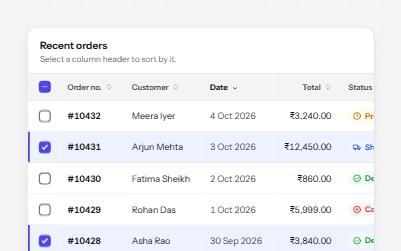
A data table with a caption, row headers, sort buttons that report the order, and row selection with a mixed Select all.
-
Tree view
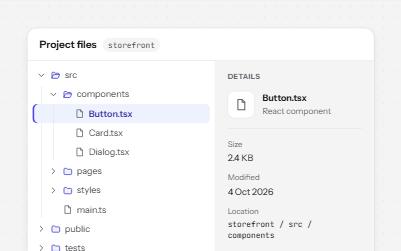
A file explorer tree: one tab stop, arrow keys to open, close and move, type-ahead, and a details pane for the chosen file.
-
Inline edit
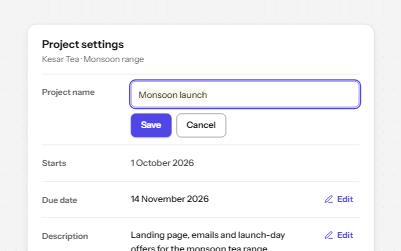
Values shown as text with an Edit button beside each, that turn into a field with Save and Cancel and return focus after.
-
Keyboard shortcuts
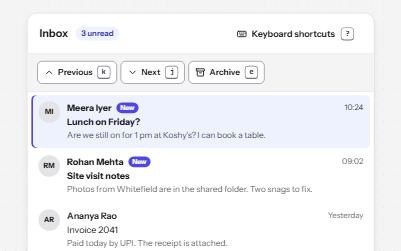
Single-key shortcuts that are off until turned on, can be remapped, work only in their list, and repeat a visible button.