Accessibility pattern · Data display
Tree view
The tree is one stop in the Tab order. Up and Down walk the visible items, Right opens a folder or steps into it, and Left closes it or climbs to its parent. Nested groups give every item its level and its place in its set, so a screen reader can say "level 3, 1 of 3" without extra attributes.
- WCAG criteria
- 6
- Keyboard rules
- 7
- Checked with
- axe, keyboard and the inspector
Live demo
Try it
Use it with a mouse, a keyboard or a screen reader. The inspector beside it shows what the browser tells assistive technology as you go: focus, state changes and announcements.
Project files
storefront
-
src
-
components
- Button.tsx
- Card.tsx
- Dialog.tsx
-
pages
- Checkout.tsx
- Home.tsx
- Orders.tsx
-
styles
- global.css
- tokens.css
- main.ts
-
components
-
public
- favicon.svg
- robots.txt
-
tests
- button.test.ts
- checkout.test.ts
- package.json
- README.md
- vite.config.ts
Details
Button.tsx
React component
- Size
- 2.4 KB
- Modified
- 4 Oct 2026
- Location
- storefront / src / components
The demo works without JavaScript only as far as its HTML does; the inspector needs JavaScript.
Keyboard
Keys it answers to
Every action works without a pointer.
| Key | What it does |
|---|---|
| Arrow Down or Arrow Up | Moves to the next or previous item you can see, without opening or closing anything. |
| Arrow Right | Opens a closed folder; on an open folder, moves to its first item. |
| Arrow Left | Closes an open folder; on anything else, moves to the folder that holds it. |
| Home or End | Moves to the first or last item you can see. |
| Enter or Space | Selects the focused item and shows it in the details pane. |
| * | Opens every folder at the same level as the focused one. |
| A–Z | Moves to the next item whose name starts with the letters typed. |
Screen readers
What it announces
Written from the roles, names and states in the markup.
| When | Expected announcement |
|---|---|
| Tab reaches the tree | Project files, tree. Button.tsx, selected, level 3, 1 of 3 |
| Arrow Down moves to the next file | Card.tsx, not selected, level 3, 2 of 3 |
| Focus reaches a closed folder | pages, collapsed, level 2, 2 of 4 |
| Arrow Right opens it | Expanded |
| Enter selects the focused file | Card.tsx, selected |
These are expected announcements, not recordings. Wording and order differ between screen readers and browsers.
Code
Copy the code
The exact files this demo runs on. The styles are served with a prefix that keeps this site's own styles out of the demo; what you copy is the original.
<div class="ap-tree" data-ap-tree>
  <div class="ap-tree__top">
    <h3 class="ap-tree__name" id="tree-name">Project files</h3>
    <p class="ap-tree__sub" translate="no">storefront</p>
  </div>
  <div class="ap-tree__body">
    <ul class="ap-tree__list" role="tree" aria-labelledby="tree-name" data-root="storefront">
      <li class="ap-tree__item" role="treeitem" aria-expanded="true" aria-labelledby="tree-src" tabindex="-1" data-kind="Folder" data-size="4 items" data-modified="4 Oct 2026">
        <span class="ap-tree__row"><svg class="ap-tree__chev" viewBox="0 0 24 24" aria-hidden="true" focusable="false"><path d="m9.5 6.5 5.5 5.5-5.5 5.5"/></svg><svg class="ap-tree__icon ap-tree__icon--shut" viewBox="0 0 24 24" aria-hidden="true" focusable="false"><path d="M3.5 7.5a2 2 0 0 1 2-2h3.6l2 2.2h7.4a2 2 0 0 1 2 2v7.8a2 2 0 0 1-2 2h-13a2 2 0 0 1-2-2Z"/></svg><svg class="ap-tree__icon ap-tree__icon--open" viewBox="0 0 24 24" aria-hidden="true" focusable="false"><path d="M3.5 17V7.5a2 2 0 0 1 2-2h3.6l2 2.2h6.4a2 2 0 0 1 2 2v1"/><path d="M3.6 18.2 6.2 11.6a1.6 1.6 0 0 1 1.5-1h12.8l-2.7 7.3a1.6 1.6 0 0 1-1.5 1H5a1.4 1.4 0 0 1-1.4-.7Z"/></svg><span class="ap-tree__label" id="tree-src" translate="no">src</span></span>
        <ul class="ap-tree__group" role="group">
          <li class="ap-tree__item" role="treeitem" aria-expanded="true" aria-labelledby="tree-src-components" tabindex="-1" data-kind="Folder" data-size="3 items" data-modified="4 Oct 2026">
            <span class="ap-tree__row"><svg class="ap-tree__chev" viewBox="0 0 24 24" aria-hidden="true" focusable="false"><path d="m9.5 6.5 5.5 5.5-5.5 5.5"/></svg><svg class="ap-tree__icon ap-tree__icon--shut" viewBox="0 0 24 24" aria-hidden="true" focusable="false"><path d="M3.5 7.5a2 2 0 0 1 2-2h3.6l2 2.2h7.4a2 2 0 0 1 2 2v7.8a2 2 0 0 1-2 2h-13a2 2 0 0 1-2-2Z"/></svg><svg class="ap-tree__icon ap-tree__icon--open" viewBox="0 0 24 24" aria-hidden="true" focusable="false"><path d="M3.5 17V7.5a2 2 0 0 1 2-2h3.6l2 2.2h6.4a2 2 0 0 1 2 2v1"/><path d="M3.6 18.2 6.2 11.6a1.6 1.6 0 0 1 1.5-1h12.8l-2.7 7.3a1.6 1.6 0 0 1-1.5 1H5a1.4 1.4 0 0 1-1.4-.7Z"/></svg><span class="ap-tree__label" id="tree-src-components" translate="no">components</span></span>
            <ul class="ap-tree__group" role="group">
              <li class="ap-tree__item" role="treeitem" tabindex="0" aria-selected="true" data-kind="React component" data-size="2.4 KB" data-modified="4 Oct 2026">
                <span class="ap-tree__row"><span class="ap-tree__spacer"></span><svg class="ap-tree__icon ap-tree__icon--file" viewBox="0 0 24 24" aria-hidden="true" focusable="false"><path d="M6.5 3.5h7l4.5 4.5v12.5h-11.5Z"/><path d="M13.5 3.5V8H18"/></svg><span class="ap-tree__label" translate="no">Button.tsx</span></span>
              </li>
              <li class="ap-tree__item" role="treeitem" tabindex="-1" data-kind="React component" data-size="1.8 KB" data-modified="28 Sep 2026">
                <span class="ap-tree__row"><span class="ap-tree__spacer"></span><svg class="ap-tree__icon ap-tree__icon--file" viewBox="0 0 24 24" aria-hidden="true" focusable="false"><path d="M6.5 3.5h7l4.5 4.5v12.5h-11.5Z"/><path d="M13.5 3.5V8H18"/></svg><span class="ap-tree__label" translate="no">Card.tsx</span></span>
              </li>
              <li class="ap-tree__item" role="treeitem" tabindex="-1" data-kind="React component" data-size="3.9 KB" data-modified="1 Oct 2026">
                <span class="ap-tree__row"><span class="ap-tree__spacer"></span><svg class="ap-tree__icon ap-tree__icon--file" viewBox="0 0 24 24" aria-hidden="true" focusable="false"><path d="M6.5 3.5h7l4.5 4.5v12.5h-11.5Z"/><path d="M13.5 3.5V8H18"/></svg><span class="ap-tree__label" translate="no">Dialog.tsx</span></span>
              </li>
            </ul>
          </li>
          <li class="ap-tree__item" role="treeitem" aria-expanded="false" aria-labelledby="tree-src-pages" tabindex="-1" data-kind="Folder" data-size="3 items" data-modified="2 Oct 2026">
            <span class="ap-tree__row"><svg class="ap-tree__chev" viewBox="0 0 24 24" aria-hidden="true" focusable="false"><path d="m9.5 6.5 5.5 5.5-5.5 5.5"/></svg><svg class="ap-tree__icon ap-tree__icon--shut" viewBox="0 0 24 24" aria-hidden="true" focusable="false"><path d="M3.5 7.5a2 2 0 0 1 2-2h3.6l2 2.2h7.4a2 2 0 0 1 2 2v7.8a2 2 0 0 1-2 2h-13a2 2 0 0 1-2-2Z"/></svg><svg class="ap-tree__icon ap-tree__icon--open" viewBox="0 0 24 24" aria-hidden="true" focusable="false"><path d="M3.5 17V7.5a2 2 0 0 1 2-2h3.6l2 2.2h6.4a2 2 0 0 1 2 2v1"/><path d="M3.6 18.2 6.2 11.6a1.6 1.6 0 0 1 1.5-1h12.8l-2.7 7.3a1.6 1.6 0 0 1-1.5 1H5a1.4 1.4 0 0 1-1.4-.7Z"/></svg><span class="ap-tree__label" id="tree-src-pages" translate="no">pages</span></span>
            <ul class="ap-tree__group" role="group" hidden>
              <li class="ap-tree__item" role="treeitem" tabindex="-1" data-kind="React component" data-size="5.2 KB" data-modified="2 Oct 2026">
                <span class="ap-tree__row"><span class="ap-tree__spacer"></span><svg class="ap-tree__icon ap-tree__icon--file" viewBox="0 0 24 24" aria-hidden="true" focusable="false"><path d="M6.5 3.5h7l4.5 4.5v12.5h-11.5Z"/><path d="M13.5 3.5V8H18"/></svg><span class="ap-tree__label" translate="no">Checkout.tsx</span></span>
              </li>
              <li class="ap-tree__item" role="treeitem" tabindex="-1" data-kind="React component" data-size="3.1 KB" data-modified="19 Sep 2026">
                <span class="ap-tree__row"><span class="ap-tree__spacer"></span><svg class="ap-tree__icon ap-tree__icon--file" viewBox="0 0 24 24" aria-hidden="true" focusable="false"><path d="M6.5 3.5h7l4.5 4.5v12.5h-11.5Z"/><path d="M13.5 3.5V8H18"/></svg><span class="ap-tree__label" translate="no">Home.tsx</span></span>
              </li>
              <li class="ap-tree__item" role="treeitem" tabindex="-1" data-kind="React component" data-size="4.6 KB" data-modified="30 Sep 2026">
                <span class="ap-tree__row"><span class="ap-tree__spacer"></span><svg class="ap-tree__icon ap-tree__icon--file" viewBox="0 0 24 24" aria-hidden="true" focusable="false"><path d="M6.5 3.5h7l4.5 4.5v12.5h-11.5Z"/><path d="M13.5 3.5V8H18"/></svg><span class="ap-tree__label" translate="no">Orders.tsx</span></span>
              </li>
            </ul>
          </li>
          <li class="ap-tree__item" role="treeitem" aria-expanded="false" aria-labelledby="tree-src-styles" tabindex="-1" data-kind="Folder" data-size="2 items" data-modified="27 Sep 2026">
            <span class="ap-tree__row"><svg class="ap-tree__chev" viewBox="0 0 24 24" aria-hidden="true" focusable="false"><path d="m9.5 6.5 5.5 5.5-5.5 5.5"/></svg><svg class="ap-tree__icon ap-tree__icon--shut" viewBox="0 0 24 24" aria-hidden="true" focusable="false"><path d="M3.5 7.5a2 2 0 0 1 2-2h3.6l2 2.2h7.4a2 2 0 0 1 2 2v7.8a2 2 0 0 1-2 2h-13a2 2 0 0 1-2-2Z"/></svg><svg class="ap-tree__icon ap-tree__icon--open" viewBox="0 0 24 24" aria-hidden="true" focusable="false"><path d="M3.5 17V7.5a2 2 0 0 1 2-2h3.6l2 2.2h6.4a2 2 0 0 1 2 2v1"/><path d="M3.6 18.2 6.2 11.6a1.6 1.6 0 0 1 1.5-1h12.8l-2.7 7.3a1.6 1.6 0 0 1-1.5 1H5a1.4 1.4 0 0 1-1.4-.7Z"/></svg><span class="ap-tree__label" id="tree-src-styles" translate="no">styles</span></span>
            <ul class="ap-tree__group" role="group" hidden>
              <li class="ap-tree__item" role="treeitem" tabindex="-1" data-kind="Stylesheet" data-size="1.2 KB" data-modified="27 Sep 2026">
                <span class="ap-tree__row"><span class="ap-tree__spacer"></span><svg class="ap-tree__icon ap-tree__icon--file" viewBox="0 0 24 24" aria-hidden="true" focusable="false"><path d="M6.5 3.5h7l4.5 4.5v12.5h-11.5Z"/><path d="M13.5 3.5V8H18"/></svg><span class="ap-tree__label" translate="no">global.css</span></span>
              </li>
              <li class="ap-tree__item" role="treeitem" tabindex="-1" data-kind="Stylesheet" data-size="2.7 KB" data-modified="25 Sep 2026">
                <span class="ap-tree__row"><span class="ap-tree__spacer"></span><svg class="ap-tree__icon ap-tree__icon--file" viewBox="0 0 24 24" aria-hidden="true" focusable="false"><path d="M6.5 3.5h7l4.5 4.5v12.5h-11.5Z"/><path d="M13.5 3.5V8H18"/></svg><span class="ap-tree__label" translate="no">tokens.css</span></span>
              </li>
            </ul>
          </li>
          <li class="ap-tree__item" role="treeitem" tabindex="-1" data-kind="TypeScript file" data-size="0.6 KB" data-modified="12 Sep 2026">
            <span class="ap-tree__row"><span class="ap-tree__spacer"></span><svg class="ap-tree__icon ap-tree__icon--file" viewBox="0 0 24 24" aria-hidden="true" focusable="false"><path d="M6.5 3.5h7l4.5 4.5v12.5h-11.5Z"/><path d="M13.5 3.5V8H18"/></svg><span class="ap-tree__label" translate="no">main.ts</span></span>
          </li>
        </ul>
      </li>
      <li class="ap-tree__item" role="treeitem" aria-expanded="false" aria-labelledby="tree-public" tabindex="-1" data-kind="Folder" data-size="2 items" data-modified="8 Sep 2026">
        <span class="ap-tree__row"><svg class="ap-tree__chev" viewBox="0 0 24 24" aria-hidden="true" focusable="false"><path d="m9.5 6.5 5.5 5.5-5.5 5.5"/></svg><svg class="ap-tree__icon ap-tree__icon--shut" viewBox="0 0 24 24" aria-hidden="true" focusable="false"><path d="M3.5 7.5a2 2 0 0 1 2-2h3.6l2 2.2h7.4a2 2 0 0 1 2 2v7.8a2 2 0 0 1-2 2h-13a2 2 0 0 1-2-2Z"/></svg><svg class="ap-tree__icon ap-tree__icon--open" viewBox="0 0 24 24" aria-hidden="true" focusable="false"><path d="M3.5 17V7.5a2 2 0 0 1 2-2h3.6l2 2.2h6.4a2 2 0 0 1 2 2v1"/><path d="M3.6 18.2 6.2 11.6a1.6 1.6 0 0 1 1.5-1h12.8l-2.7 7.3a1.6 1.6 0 0 1-1.5 1H5a1.4 1.4 0 0 1-1.4-.7Z"/></svg><span class="ap-tree__label" id="tree-public" translate="no">public</span></span>
        <ul class="ap-tree__group" role="group" hidden>
          <li class="ap-tree__item" role="treeitem" tabindex="-1" data-kind="SVG image" data-size="1.1 KB" data-modified="8 Sep 2026">
            <span class="ap-tree__row"><span class="ap-tree__spacer"></span><svg class="ap-tree__icon ap-tree__icon--file" viewBox="0 0 24 24" aria-hidden="true" focusable="false"><path d="M6.5 3.5h7l4.5 4.5v12.5h-11.5Z"/><path d="M13.5 3.5V8H18"/></svg><span class="ap-tree__label" translate="no">favicon.svg</span></span>
          </li>
          <li class="ap-tree__item" role="treeitem" tabindex="-1" data-kind="Text file" data-size="68 bytes" data-modified="8 Sep 2026">
            <span class="ap-tree__row"><span class="ap-tree__spacer"></span><svg class="ap-tree__icon ap-tree__icon--file" viewBox="0 0 24 24" aria-hidden="true" focusable="false"><path d="M6.5 3.5h7l4.5 4.5v12.5h-11.5Z"/><path d="M13.5 3.5V8H18"/></svg><span class="ap-tree__label" translate="no">robots.txt</span></span>
          </li>
        </ul>
      </li>
      <li class="ap-tree__item" role="treeitem" aria-expanded="false" aria-labelledby="tree-tests" tabindex="-1" data-kind="Folder" data-size="2 items" data-modified="3 Oct 2026">
        <span class="ap-tree__row"><svg class="ap-tree__chev" viewBox="0 0 24 24" aria-hidden="true" focusable="false"><path d="m9.5 6.5 5.5 5.5-5.5 5.5"/></svg><svg class="ap-tree__icon ap-tree__icon--shut" viewBox="0 0 24 24" aria-hidden="true" focusable="false"><path d="M3.5 7.5a2 2 0 0 1 2-2h3.6l2 2.2h7.4a2 2 0 0 1 2 2v7.8a2 2 0 0 1-2 2h-13a2 2 0 0 1-2-2Z"/></svg><svg class="ap-tree__icon ap-tree__icon--open" viewBox="0 0 24 24" aria-hidden="true" focusable="false"><path d="M3.5 17V7.5a2 2 0 0 1 2-2h3.6l2 2.2h6.4a2 2 0 0 1 2 2v1"/><path d="M3.6 18.2 6.2 11.6a1.6 1.6 0 0 1 1.5-1h12.8l-2.7 7.3a1.6 1.6 0 0 1-1.5 1H5a1.4 1.4 0 0 1-1.4-.7Z"/></svg><span class="ap-tree__label" id="tree-tests" translate="no">tests</span></span>
        <ul class="ap-tree__group" role="group" hidden>
          <li class="ap-tree__item" role="treeitem" tabindex="-1" data-kind="TypeScript file" data-size="1.9 KB" data-modified="3 Oct 2026">
            <span class="ap-tree__row"><span class="ap-tree__spacer"></span><svg class="ap-tree__icon ap-tree__icon--file" viewBox="0 0 24 24" aria-hidden="true" focusable="false"><path d="M6.5 3.5h7l4.5 4.5v12.5h-11.5Z"/><path d="M13.5 3.5V8H18"/></svg><span class="ap-tree__label" translate="no">button.test.ts</span></span>
          </li>
          <li class="ap-tree__item" role="treeitem" tabindex="-1" data-kind="TypeScript file" data-size="3.4 KB" data-modified="2 Oct 2026">
            <span class="ap-tree__row"><span class="ap-tree__spacer"></span><svg class="ap-tree__icon ap-tree__icon--file" viewBox="0 0 24 24" aria-hidden="true" focusable="false"><path d="M6.5 3.5h7l4.5 4.5v12.5h-11.5Z"/><path d="M13.5 3.5V8H18"/></svg><span class="ap-tree__label" translate="no">checkout.test.ts</span></span>
          </li>
        </ul>
      </li>
      <li class="ap-tree__item" role="treeitem" tabindex="-1" data-kind="JSON file" data-size="1.3 KB" data-modified="29 Sep 2026">
        <span class="ap-tree__row"><span class="ap-tree__spacer"></span><svg class="ap-tree__icon ap-tree__icon--file" viewBox="0 0 24 24" aria-hidden="true" focusable="false"><path d="M6.5 3.5h7l4.5 4.5v12.5h-11.5Z"/><path d="M13.5 3.5V8H18"/></svg><span class="ap-tree__label" translate="no">package.json</span></span>
      </li>
      <li class="ap-tree__item" role="treeitem" tabindex="-1" data-kind="Markdown file" data-size="2.2 KB" data-modified="15 Sep 2026">
        <span class="ap-tree__row"><span class="ap-tree__spacer"></span><svg class="ap-tree__icon ap-tree__icon--file" viewBox="0 0 24 24" aria-hidden="true" focusable="false"><path d="M6.5 3.5h7l4.5 4.5v12.5h-11.5Z"/><path d="M13.5 3.5V8H18"/></svg><span class="ap-tree__label" translate="no">README.md</span></span>
      </li>
      <li class="ap-tree__item" role="treeitem" tabindex="-1" data-kind="TypeScript file" data-size="0.4 KB" data-modified="10 Sep 2026">
        <span class="ap-tree__row"><span class="ap-tree__spacer"></span><svg class="ap-tree__icon ap-tree__icon--file" viewBox="0 0 24 24" aria-hidden="true" focusable="false"><path d="M6.5 3.5h7l4.5 4.5v12.5h-11.5Z"/><path d="M13.5 3.5V8H18"/></svg><span class="ap-tree__label" translate="no">vite.config.ts</span></span>
      </li>
    </ul>

    <section class="ap-tree__details" aria-labelledby="tree-details-name" data-ap-details>
      <h3 class="ap-tree__pane-name" id="tree-details-name">Details</h3>
      <div class="ap-tree__preview">
        <span class="ap-tree__tile" aria-hidden="true"><svg class="ap-tree__icon ap-tree__icon--file" viewBox="0 0 24 24" aria-hidden="true" focusable="false"><path d="M6.5 3.5h7l4.5 4.5v12.5h-11.5Z"/><path d="M13.5 3.5V8H18"/></svg><svg class="ap-tree__icon ap-tree__icon--shut" viewBox="0 0 24 24" aria-hidden="true" focusable="false"><path d="M3.5 7.5a2 2 0 0 1 2-2h3.6l2 2.2h7.4a2 2 0 0 1 2 2v7.8a2 2 0 0 1-2 2h-13a2 2 0 0 1-2-2Z"/></svg></span>
        <div>
          <p class="ap-tree__file" translate="no" data-ap-file>Button.tsx</p>
          <p class="ap-tree__kind" data-ap-kind>React component</p>
        </div>
      </div>
      <dl class="ap-tree__facts">
        <div><dt>Size</dt><dd data-ap-size>2.4 KB</dd></div>
        <div><dt>Modified</dt><dd data-ap-modified>4 Oct 2026</dd></div>
        <div><dt>Location</dt><dd translate="no" data-ap-where>storefront / src / components</dd></div>
      </dl>
    </section>
  </div>
</div>
/* Tree view: a file explorer with a details pane. Uses the --ap-* design tokens. */
.ap-tree {
  width: min(100%, 720px);
  margin-inline: auto;
  border: 1px solid var(--ap-border);
  border-radius: var(--ap-radius-lg);
  background: var(--ap-surface);
  color: var(--ap-text);
  box-shadow: var(--ap-shadow-md);
  container-type: inline-size;
  overflow: hidden;
}

.ap-tree__top {
  display: flex;
  flex-wrap: wrap;
  align-items: center;
  gap: 6px 10px;
  padding: 16px 20px 14px;
  border-bottom: 1px solid var(--ap-border);
}
.ap-tree__name {
  margin: 0;
  font-size: 1.0625rem;
  font-weight: 650;
  line-height: 1.3;
}
.ap-tree__sub {
  margin: 0;
  padding: 2px 9px;
  border-radius: var(--ap-radius-full);
  background: var(--ap-surface-2);
  color: var(--ap-text-2);
  font-family: var(--ap-mono);
  font-size: .8125rem;
}

.ap-tree__body {
  display: grid;
  grid-template-columns: minmax(0, 1fr) minmax(0, 16.5rem);
}

/* The tree */
.ap-tree__list,
.ap-tree__group {
  margin: 0;
  padding: 0;
  list-style: none;
}
.ap-tree__list {
  padding: 8px;
  border-right: 1px solid var(--ap-border);
}
.ap-tree__group {
  position: relative;
}
/* Guide lines under each open folder, lined up with its chevron. */
.ap-tree__group::before {
  content: "";
  position: absolute;
  top: 2px;
  bottom: 2px;
  left: 15px;
  width: 1px;
  background: var(--ap-border);
}
.ap-tree__group .ap-tree__group::before {
  left: 35px;
}

/* The ring goes on the row, not round the whole item and everything inside it. */
.ap-tree__item:focus {
  outline: none;
}
.ap-tree__item:focus-visible > .ap-tree__row {
  outline: 2px solid var(--ap-focus);
  outline-offset: -2px;
}

.ap-tree__row {
  display: flex;
  align-items: center;
  gap: 6px;
  min-height: 32px;
  padding: 0 10px 0 6px;
  border-radius: var(--ap-radius-sm);
  color: var(--ap-text-2);
  font-size: .9375rem;
  white-space: nowrap;
  cursor: pointer;
  user-select: none;
  transition: background-color var(--ap-duration) var(--ap-ease);
}
.ap-tree__row:hover {
  background: var(--ap-surface-2);
  color: var(--ap-text);
}
.ap-tree__group .ap-tree__row { padding-left: 26px; }
.ap-tree__group .ap-tree__group .ap-tree__row { padding-left: 46px; }
.ap-tree__group .ap-tree__group .ap-tree__group .ap-tree__row { padding-left: 66px; }

.ap-tree__chev,
.ap-tree__spacer {
  flex-shrink: 0;
  width: 18px;
  height: 18px;
}
.ap-tree__chev {
  fill: none;
  stroke: var(--ap-text-3);
  stroke-width: 2;
  stroke-linecap: round;
  stroke-linejoin: round;
  transition: transform var(--ap-duration) var(--ap-ease);
}
.ap-tree__item[aria-expanded="true"] > .ap-tree__row .ap-tree__chev {
  transform: rotate(90deg);
}
.ap-tree__icon {
  flex-shrink: 0;
  width: 18px;
  height: 18px;
  fill: none;
  stroke: var(--ap-text-3);
  stroke-width: 1.7;
  stroke-linejoin: round;
  stroke-linecap: round;
}
.ap-tree__icon--shut,
.ap-tree__icon--open {
  fill: var(--ap-accent-soft);
  stroke: var(--ap-accent-text);
}
.ap-tree__item[aria-expanded="true"] > .ap-tree__row .ap-tree__icon--shut,
.ap-tree__item:not([aria-expanded="true"]) > .ap-tree__row .ap-tree__icon--open {
  display: none;
}
.ap-tree__label {
  overflow: hidden;
  text-overflow: ellipsis;
}

/* Selected: tint, weight and a bar at the start, apart from the focus ring. */
.ap-tree__item[aria-selected="true"] > .ap-tree__row {
  background: var(--ap-accent-soft);
  color: var(--ap-accent-soft-text);
  font-weight: 600;
  box-shadow: inset 3px 0 0 var(--ap-accent);
}

/* The details pane */
.ap-tree__details {
  min-width: 0;
  padding: 18px 20px 20px;
  background: var(--ap-surface-2);
}
.ap-tree__pane-name {
  margin: 0 0 14px;
  color: var(--ap-text-3);
  font-size: .75rem;
  font-weight: 650;
  letter-spacing: .06em;
  text-transform: uppercase;
}
.ap-tree__preview {
  display: flex;
  align-items: center;
  gap: 12px;
  padding-bottom: 16px;
  border-bottom: 1px solid var(--ap-border);
}
.ap-tree__tile {
  display: grid;
  flex-shrink: 0;
  place-items: center;
  width: 46px;
  height: 46px;
  border: 1px solid var(--ap-border);
  border-radius: var(--ap-radius);
  background: var(--ap-surface);
}
.ap-tree__tile .ap-tree__icon {
  width: 24px;
  height: 24px;
}
.ap-tree__tile .ap-tree__icon--shut,
.ap-tree__details.is-folder .ap-tree__tile .ap-tree__icon--file {
  display: none;
}
.ap-tree__details.is-folder .ap-tree__tile .ap-tree__icon--shut {
  display: block;
}
.ap-tree__file {
  margin: 0;
  font-weight: 650;
  line-height: 1.35;
  overflow-wrap: anywhere;
}
.ap-tree__kind {
  margin: 2px 0 0;
  color: var(--ap-text-3);
  font-size: .875rem;
}
.ap-tree__facts {
  display: grid;
  gap: 12px;
  margin: 16px 0 0;
}
.ap-tree__facts dt {
  color: var(--ap-text-3);
  font-size: .8125rem;
}
.ap-tree__facts dd {
  margin: 2px 0 0;
  color: var(--ap-text);
  font-size: .9375rem;
  overflow-wrap: anywhere;
}
.ap-tree__facts dd[translate="no"] {
  font-family: var(--ap-mono);
  font-size: .8125rem;
}

/* Narrow: the pane moves under the tree. */
@container (max-width: 560px) {
  .ap-tree__body { grid-template-columns: minmax(0, 1fr); }
  .ap-tree__list { border-right: 0; }
  .ap-tree__details { border-top: 1px solid var(--ap-border); }
  .ap-tree__facts { grid-template-columns: repeat(2, minmax(0, 1fr)); }
  .ap-tree__facts div:last-child { grid-column: 1 / -1; }
}

@media (prefers-reduced-motion: reduce) {
  .ap-tree__row,
  .ap-tree__chev { transition: none; }
}
/**
 * Tree view: a file explorer after the WAI-ARIA tree pattern.
 *
 * One tab stop (roving tabindex on the items). Up and Down move through the
 * visible items; Right opens a folder or moves into it; Left closes it or
 * moves to the parent; Home and End go to the ends; * opens every folder at
 * the focused item's level; typing jumps to a matching name. Enter, Space or
 * a click selects one item (aria-selected on that item only) and fills the
 * details pane. Add data-follow to the root to make selection follow focus.
 *
 * Markup: [data-ap-tree] holding ul[role=tree][data-root] of li[role=treeitem]
 * with data-kind, data-size and data-modified; folders carry aria-expanded,
 * aria-labelledby (their own .ap-tree__label) and a ul[role=group]. The pane
 * is [data-ap-details] with [data-ap-file], [data-ap-kind], [data-ap-size],
 * [data-ap-modified] and [data-ap-where].
 */

export function init(root) {
  const tree = root.querySelector("[role=tree]");
  const pane = root.querySelector("[data-ap-details]");
  const items = () => [...tree.querySelectorAll("[role=treeitem]")];
  // Visible: no closed folder above it.
  const visible = () => items().filter((item) => !item.parentElement.closest("[role=group][hidden]"));
  const isFolder = (item) => item.hasAttribute("aria-expanded");
  const isOpen = (item) => item.getAttribute("aria-expanded") === "true";
  const groupOf = (item) => item.querySelector(":scope > [role=group]");
  const parentOf = (item) => item.parentElement.closest("[role=treeitem]");
  const labelOf = (item) => item.querySelector(":scope > .ap-tree__row .ap-tree__label").textContent.trim();

  let current = tree.querySelector('[role=treeitem][tabindex="0"]') || items()[0];
  let typed = "";
  let typedAt = 0;

  function focusItem(item) {
    if (!item) return;
    if (item !== current) {
      current.tabIndex = -1;
      current = item;
    }
    item.tabIndex = 0;
    item.focus();
    if (root.hasAttribute("data-follow")) select(item);
  }

  function setOpen(item, open) {
    if (!isFolder(item) || isOpen(item) === open) return;
    item.setAttribute("aria-expanded", String(open));
    groupOf(item).hidden = !open;
  }

  function select(item) {
    if (item.getAttribute("aria-selected") === "true") return;
    // Single selection: only the chosen item carries aria-selected.
    for (const other of tree.querySelectorAll("[aria-selected]")) other.removeAttribute("aria-selected");
    item.setAttribute("aria-selected", "true");
    show(item);
  }

  function show(item) {
    const path = [tree.dataset.root];
    for (let p = parentOf(item); p; p = parentOf(p)) path.splice(1, 0, labelOf(p));
    pane.querySelector("[data-ap-file]").textContent = labelOf(item);
    pane.querySelector("[data-ap-kind]").textContent = item.dataset.kind;
    pane.querySelector("[data-ap-size]").textContent = item.dataset.size;
    pane.querySelector("[data-ap-modified]").textContent = item.dataset.modified;
    pane.querySelector("[data-ap-where]").textContent = path.join(" / ");
    pane.classList.toggle("is-folder", isFolder(item));
  }

  function typeahead(char) {
    const now = Date.now();
    typed = now - typedAt > 500 ? char : typed + char;
    typedAt = now;
    const list = visible();
    // The same letter again moves on to the next match; a longer prefix refines.
    const same = [...typed].every((c) => c === typed[0]);
    const query = same ? typed[0] : typed;
    const from = list.indexOf(current) + (same ? 1 : 0);
    const order = [...list.slice(from), ...list.slice(0, from)];
    return order.find((item) => labelOf(item).toLocaleLowerCase().startsWith(query)) || null;
  }

  function onKeydown(event) {
    const item = event.target.closest("[role=treeitem]");
    if (!item || item !== current) return;
    if (event.ctrlKey || event.metaKey || event.altKey) return;
    const list = visible();
    const at = list.indexOf(item);
    let handled = true;
    switch (event.key) {
      case "ArrowDown": focusItem(list[at + 1]); break;
      case "ArrowUp": focusItem(list[at - 1]); break;
      case "Home": focusItem(list[0]); break;
      case "End": focusItem(list[list.length - 1]); break;
      case "ArrowRight":
        if (isFolder(item)) {
          if (!isOpen(item)) setOpen(item, true);
          else focusItem(groupOf(item).querySelector("[role=treeitem]"));
        }
        break;
      case "ArrowLeft":
        if (isFolder(item) && isOpen(item)) setOpen(item, false);
        else focusItem(parentOf(item));
        break;
      case "Enter":
      case " ":
        select(item);
        break;
      case "*":
        for (const sibling of item.parentElement.children) setOpen(sibling, true);
        break;
      default:
        if (event.key.length === 1 && event.key.trim()) focusItem(typeahead(event.key.toLocaleLowerCase()));
        else handled = false;
    }
    if (handled) event.preventDefault();
  }

  function onClick(event) {
    const item = event.target.closest("[role=treeitem]");
    if (!item || !tree.contains(item)) return;
    // A click on a folder opens or closes it, as in most code editors.
    if (isFolder(item)) setOpen(item, !isOpen(item));
    focusItem(item);
    select(item);
  }

  // Focus that arrives another way (a click lands on the item) moves the tab stop too.
  function onFocusin(event) {
    const item = event.target.closest("[role=treeitem]");
    if (item && item !== current) {
      current.tabIndex = -1;
      current = item;
      item.tabIndex = 0;
    }
  }

  tree.addEventListener("keydown", onKeydown);
  tree.addEventListener("click", onClick);
  tree.addEventListener("focusin", onFocusin);

  return () => {
    tree.removeEventListener("keydown", onKeydown);
    tree.removeEventListener("click", onClick);
    tree.removeEventListener("focusin", onFocusin);
  };
}

for (const root of document.querySelectorAll("[data-ap-tree]")) init(root);
/* Design tokens for the pattern components. Light by default, dark when the
   system asks for it; set data-theme="dark" on :root to force dark. */
:root {
    --ap-radius-sm: 8px;
    --ap-radius: 12px;
    --ap-radius-lg: 16px;
    --ap-radius-full: 999px;
    --ap-font: "Instrument Sans", ui-sans-serif, system-ui, -apple-system, "Segoe UI", Roboto, sans-serif;
    --ap-mono: "JetBrains Mono", ui-monospace, "Cascadia Mono", "SF Mono", Consolas, monospace;
    --ap-ease: cubic-bezier(.2, .8, .2, 1);
    --ap-duration: 180ms;
    --ap-target: 44px;
    --ap-bg: #F4F4F5;
    --ap-surface: #FFFFFF;
    --ap-surface-2: #F4F4F5;
    --ap-surface-3: #E4E4E7;
    --ap-border: #E4E4E7;
    --ap-border-strong: #76767F;
    --ap-text: #18181B;
    --ap-text-2: #3F3F46;
    --ap-text-3: #5E5E66;
    --ap-accent: #4F46E5;
    --ap-accent-hover: #4338CA;
    --ap-on-accent: #FFFFFF;
    --ap-accent-text: #4338CA;
    --ap-accent-soft: #EEF2FF;
    --ap-accent-soft-text: #3730A3;
    --ap-focus: #4F46E5;
    --ap-danger: #B91C1C;
    --ap-danger-soft: #FEF2F2;
    --ap-success: #15803D;
    --ap-success-soft: #F0FDF4;
    --ap-warning: #A15C07;
    --ap-warning-soft: #FEFCE8;
    --ap-info: #1D4ED8;
    --ap-info-soft: #EFF6FF;
    --ap-scrim: rgb(9 9 11 / .48);
    --ap-shadow-sm: 0 1px 2px rgb(9 9 11 / .06);
    --ap-shadow-md: 0 1px 2px rgb(9 9 11 / .05), 0 6px 16px -4px rgb(9 9 11 / .1);
    --ap-shadow-lg: 0 2px 6px rgb(9 9 11 / .06), 0 20px 40px -12px rgb(9 9 11 / .22);
    --ap-light-bg: #F4F4F5;
    --ap-light-surface: #FFFFFF;
    --ap-light-surface-2: #F4F4F5;
    --ap-light-surface-3: #E4E4E7;
    --ap-light-border: #E4E4E7;
    --ap-light-border-strong: #76767F;
    --ap-light-text: #18181B;
    --ap-light-text-2: #3F3F46;
    --ap-light-text-3: #5E5E66;
    --ap-light-accent: #4F46E5;
    --ap-light-accent-hover: #4338CA;
    --ap-light-on-accent: #FFFFFF;
    --ap-light-accent-text: #4338CA;
    --ap-light-accent-soft: #EEF2FF;
    --ap-light-accent-soft-text: #3730A3;
    --ap-light-focus: #4F46E5;
    --ap-light-danger: #B91C1C;
    --ap-light-danger-soft: #FEF2F2;
    --ap-light-success: #15803D;
    --ap-light-success-soft: #F0FDF4;
    --ap-light-warning: #A15C07;
    --ap-light-warning-soft: #FEFCE8;
    --ap-light-info: #1D4ED8;
    --ap-light-info-soft: #EFF6FF;
    --ap-light-scrim: rgb(9 9 11 / .48);
    --ap-light-shadow-sm: 0 1px 2px rgb(9 9 11 / .06);
    --ap-light-shadow-md: 0 1px 2px rgb(9 9 11 / .05), 0 6px 16px -4px rgb(9 9 11 / .1);
    --ap-light-shadow-lg: 0 2px 6px rgb(9 9 11 / .06), 0 20px 40px -12px rgb(9 9 11 / .22);
    --ap-dark-bg: #09090B;
    --ap-dark-surface: #18181B;
    --ap-dark-surface-2: #27272A;
    --ap-dark-surface-3: #3F3F46;
    --ap-dark-border: #2E2E33;
    --ap-dark-border-strong: #8E8E97;
    --ap-dark-text: #FAFAFA;
    --ap-dark-text-2: #D4D4D8;
    --ap-dark-text-3: #A1A1AA;
    --ap-dark-accent: #818CF8;
    --ap-dark-accent-hover: #A5B4FC;
    --ap-dark-on-accent: #0C0A1F;
    --ap-dark-accent-text: #A5B4FC;
    --ap-dark-accent-soft: #1E1B4B;
    --ap-dark-accent-soft-text: #C7D2FE;
    --ap-dark-focus: #A5B4FC;
    --ap-dark-danger: #F87171;
    --ap-dark-danger-soft: #2A1215;
    --ap-dark-success: #4ADE80;
    --ap-dark-success-soft: #0F2A1A;
    --ap-dark-warning: #FACC15;
    --ap-dark-warning-soft: #2A2410;
    --ap-dark-info: #60A5FA;
    --ap-dark-info-soft: #0F1D33;
    --ap-dark-scrim: rgb(0 0 0 / .62);
    --ap-dark-shadow-sm: 0 1px 2px rgb(0 0 0 / .4);
    --ap-dark-shadow-md: 0 1px 2px rgb(0 0 0 / .4), 0 8px 20px -6px rgb(0 0 0 / .5);
    --ap-dark-shadow-lg: 0 2px 8px rgb(0 0 0 / .45), 0 24px 48px -12px rgb(0 0 0 / .7);
}
@media (prefers-color-scheme: dark) {
  :root:not([data-theme="light"]) {
      --ap-bg: #09090B;
      --ap-surface: #18181B;
      --ap-surface-2: #27272A;
      --ap-surface-3: #3F3F46;
      --ap-border: #2E2E33;
      --ap-border-strong: #8E8E97;
      --ap-text: #FAFAFA;
      --ap-text-2: #D4D4D8;
      --ap-text-3: #A1A1AA;
      --ap-accent: #818CF8;
      --ap-accent-hover: #A5B4FC;
      --ap-on-accent: #0C0A1F;
      --ap-accent-text: #A5B4FC;
      --ap-accent-soft: #1E1B4B;
      --ap-accent-soft-text: #C7D2FE;
      --ap-focus: #A5B4FC;
      --ap-danger: #F87171;
      --ap-danger-soft: #2A1215;
      --ap-success: #4ADE80;
      --ap-success-soft: #0F2A1A;
      --ap-warning: #FACC15;
      --ap-warning-soft: #2A2410;
      --ap-info: #60A5FA;
      --ap-info-soft: #0F1D33;
      --ap-scrim: rgb(0 0 0 / .62);
      --ap-shadow-sm: 0 1px 2px rgb(0 0 0 / .4);
      --ap-shadow-md: 0 1px 2px rgb(0 0 0 / .4), 0 8px 20px -6px rgb(0 0 0 / .5);
      --ap-shadow-lg: 0 2px 8px rgb(0 0 0 / .45), 0 24px 48px -12px rgb(0 0 0 / .7);
  }
}
:root[data-theme="dark"] {
    --ap-bg: #09090B;
    --ap-surface: #18181B;
    --ap-surface-2: #27272A;
    --ap-surface-3: #3F3F46;
    --ap-border: #2E2E33;
    --ap-border-strong: #8E8E97;
    --ap-text: #FAFAFA;
    --ap-text-2: #D4D4D8;
    --ap-text-3: #A1A1AA;
    --ap-accent: #818CF8;
    --ap-accent-hover: #A5B4FC;
    --ap-on-accent: #0C0A1F;
    --ap-accent-text: #A5B4FC;
    --ap-accent-soft: #1E1B4B;
    --ap-accent-soft-text: #C7D2FE;
    --ap-focus: #A5B4FC;
    --ap-danger: #F87171;
    --ap-danger-soft: #2A1215;
    --ap-success: #4ADE80;
    --ap-success-soft: #0F2A1A;
    --ap-warning: #FACC15;
    --ap-warning-soft: #2A2410;
    --ap-info: #60A5FA;
    --ap-info-soft: #0F1D33;
    --ap-scrim: rgb(0 0 0 / .62);
    --ap-shadow-sm: 0 1px 2px rgb(0 0 0 / .4);
    --ap-shadow-md: 0 1px 2px rgb(0 0 0 / .4), 0 8px 20px -6px rgb(0 0 0 / .5);
    --ap-shadow-lg: 0 2px 8px rgb(0 0 0 / .45), 0 24px 48px -12px rgb(0 0 0 / .7);
}
WCAG 2.2
What it meets
The success criteria this pattern takes care of, and how.
-
1.3.1 Info and Relationships
Level A
Nested role=group lists give every item its level, its position and the size of its set; folders expose aria-expanded.
-
1.4.1 Use of Color
Level A
Selection is shown by weight, a bar at the row's start and the details pane, not by the tint alone.
-
2.1.1 Keyboard
Level A
Every action has a key: arrows to move, open and close, Enter or Space to select, * to open a level, letters to jump.
-
2.4.3 Focus Order
Level A
The tree is one tab stop that returns to the last item used; the details pane follows it in the reading order.
-
2.4.7 Focus Visible
Level AA
The focused row shows a two-pixel ring, separate from the selected row's tint, so both can be seen at once.
-
4.1.2 Name, Role, Value
Level A
Items have role=treeitem with a name from their label, folders carry aria-expanded, and the chosen item has aria-selected.
Usage
When to use it
Use it
- Hierarchies people open and close as they go, like folders, a site map or nested categories.
- Picking one item from a deep structure while seeing where it sits.
Use something else
- Site navigation: a nav landmark with nested lists of links is simpler and works like the rest of the web.
- Two levels or fewer: an accordion or grouped list says the same with less to learn.
- Tabular data in a hierarchy, with columns per row: that is a treegrid.
Common failures
How it usually goes wrong
Every item in the Tab order
A tree with forty visible items should not take forty Tab presses to leave. One tab stop with arrow keys inside is the model screen reader users know.
aria-selected="false" on every item
In a single-select tree, marking all the others not selected makes screen readers repeat it on each row. Only the chosen item carries aria-selected.
Folders named by everything inside them
A parent item's text includes its children, so its name from content can run to dozens of files. aria-labelledby points each folder at its own label.
Collapsed items left reachable
Children hidden only visually are still read and still found by the arrow keys. The hidden attribute on the group takes them out for everyone.
Focus and selection that look the same
If the focus ring and the selected row share one style, people cannot tell where they are from what they chose. Here the ring and the tinted bar differ.
Icons announced as images
Folder and file icons repeat the item's kind. They are aria-hidden, and the name says what the item is.
Notes
Building it
- With nested ul role=group, browsers work out aria-level, aria-setsize and aria-posinset; set them yourself only when the tree is a flat list or loads items lazily.
- The option above makes selection follow focus, as in many file managers; leave it off when selecting does something slow, such as loading a preview.
- Type-ahead matches from the item after the focused one and wraps; letters typed within half a second build a longer prefix.
- The details pane is not a live region: the tree item already announces that it is selected, and the pane is there to read after the tree.
- Clicking a folder opens or closes it and selects it, as in most code editors; the arrow keys keep opening and moving separate.
Sources: WAI-ARIA Authoring Practices: Tree View · WAI-ARIA Authoring Practices: File Directory Treeview Example
Checked with axe in light and dark themes, at desktop and phone widths, and by keyboard. Not yet tested with every screen reader and browser pair. Report a correction
Related
Patterns that go with it
-
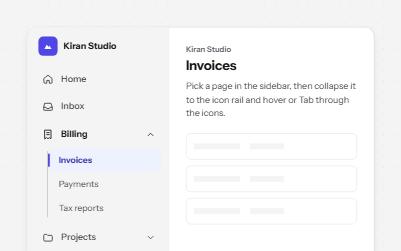
Sidebar navigation
An app sidebar with grouped links that open and close, and a collapsed icon rail where every link keeps its name.
-
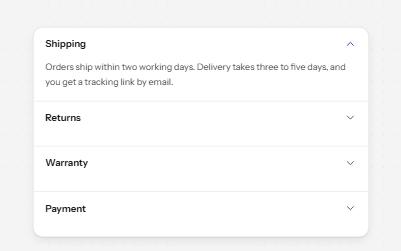
Accordion
Stacked headings that each show or hide a panel, so a long page reads as a short list.
-
Listbox
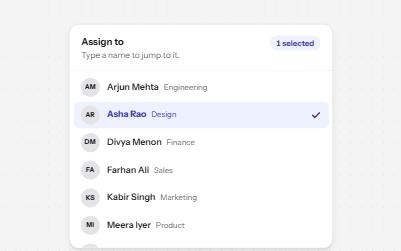
A list of options to choose one or several from, with arrow keys, typing to jump and a count of what is selected.
-
Data grid
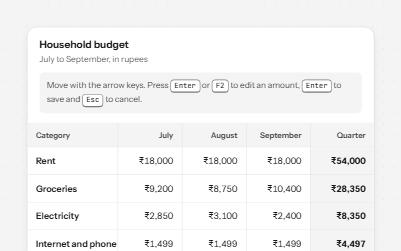
A spreadsheet-like grid with one tab stop: arrow keys move between cells, Enter edits an amount, and totals are announced.