Accessibility pattern · Data display
Stat cards
Each card says its number and its change in words, Up 12% from the previous 7 days, with an arrow beside it; color only adds whether that change is good. The period switch is a radio group that updates all four cards at once and sends one polite message, not four.
- WCAG criteria
- 7
- Keyboard rules
- 3
- Checked with
- axe, keyboard and the inspector
Live demo
Try it
Use it with a mouse, a keyboard or a screen reader. The inspector beside it shows what the browser tells assistive technology as you go: focus, state changes and announcements.
Store overview
Last 7 days, compared with the 7 days before
Revenue
₹4,82,300
Up 12% from the previous 7 days
Orders
1,284
Up 6% from the previous 7 days
Conversion rate
3.4%
Down 0.3 points from the previous 7 days
Refunds
Lower is better
₹18,450
Down 8% from the previous 7 days
The demo works without JavaScript only as far as its HTML does; the inspector needs JavaScript.
Keyboard
Keys it answers to
Every action works without a pointer.
| Key | What it does |
|---|---|
| Tab | Moves to the chosen period; the next Tab leaves the switch. The cards are not tab stops, because nothing in them does anything. |
| Arrow Right or Arrow Down | Chooses the next period; all four cards update at once, wrapping from the last period to the first. |
| Arrow Left or Arrow Up | Chooses the previous period. |
Screen readers
What it announces
Written from the roles, names and states in the markup.
| When | Expected announcement |
|---|---|
| Tab reaches the switch | Period, group. 7 days, radio button, checked, 1 of 3 |
| Arrow Right chooses 30 days | 30 days, radio button, checked, 2 of 3. Then, once: Last 30 days, compared with the 30 days before |
| The arrows go quickly from 7 to 90 days | Only the last period is announced: Last 90 days, compared with the 90 days before |
| Reading the Refunds card | Refunds, group. Refunds, heading level 4. Lower is better. ₹18,450. Down 8% from the previous 7 days |
| Reaching the sparkline | Nothing: it is hidden, and the change in words says the same |
These are expected announcements, not recordings. Wording and order differ between screen readers and browsers.
Code
Copy the code
The exact files this demo runs on. The styles are served with a prefix that keeps this site's own styles out of the demo; what you copy is the original.
<div class="ap-stat-cards" data-ap-stat-cards>
  <div class="ap-stat-cards__top">
    <div>
      <h3 class="ap-stat-cards__name">Store overview</h3>
      <p class="ap-stat-cards__period" role="status" data-ap-caption>Last 7 days, compared with the 7 days before</p>
    </div>
    <fieldset class="ap-stat-cards__set">
      <legend class="ap-stat-cards__vh">Period</legend>
      <div class="ap-stat-cards__track">
        <label class="ap-stat-cards__seg">
          <input class="ap-stat-cards__radio" type="radio" name="stat-cards-period" value="7" checked />
          <span>7 days</span>
        </label>
        <label class="ap-stat-cards__seg">
          <input class="ap-stat-cards__radio" type="radio" name="stat-cards-period" value="30" />
          <span>30 days</span>
        </label>
        <label class="ap-stat-cards__seg">
          <input class="ap-stat-cards__radio" type="radio" name="stat-cards-period" value="90" />
          <span>90 days</span>
        </label>
        <span class="ap-stat-cards__thumb" aria-hidden="true"></span>
      </div>
    </fieldset>
  </div>

  <div class="ap-stat-cards__grid">
    <div class="ap-stat-cards__card" role="group" aria-labelledby="stat-cards-revenue" data-ap-metric="revenue">
      <div class="ap-stat-cards__head">
        <h4 class="ap-stat-cards__label" id="stat-cards-revenue">Revenue</h4>
        <svg class="ap-stat-cards__icon" viewBox="0 0 24 24" aria-hidden="true" focusable="false"><path d="M6 3h12M6 8h12M6 13l8.5 8M6 13h3c6.7 0 6.7-10 0-10"/></svg>
      </div>
      <p class="ap-stat-cards__value" data-ap-value>₹4,82,300</p>
      <p class="ap-stat-cards__change">
        <span class="ap-stat-cards__delta" data-dir="up" data-tone="good" data-ap-delta>
          <svg class="ap-stat-cards__arrow" viewBox="0 0 16 16" aria-hidden="true" focusable="false"><path class="ap-stat-cards__up" d="M8 13V3M4 7l4-4 4 4"/><path class="ap-stat-cards__down" d="M8 3v10M4 9l4 4 4-4"/><path class="ap-stat-cards__flat" d="M3 8h10"/></svg>
          <span data-ap-change>Up 12%</span>
        </span>
        <span class="ap-stat-cards__since" data-ap-since>from the previous 7 days</span>
      </p>
      <svg class="ap-stat-cards__spark" viewBox="0 0 120 40" preserveAspectRatio="none" aria-hidden="true" focusable="false"><path class="ap-stat-cards__area" d="M0.0 36.0L20.0 32.4L40.0 27.6L60.0 25.7L80.0 17.3L100.0 6.0L120.0 11.6L120 40L0 40Z"/><path class="ap-stat-cards__line" d="M0.0 36.0L20.0 32.4L40.0 27.6L60.0 25.7L80.0 17.3L100.0 6.0L120.0 11.6"/><path class="ap-stat-cards__dot" d="M120.0 11.6h0"/></svg>
    </div>
    <div class="ap-stat-cards__card" role="group" aria-labelledby="stat-cards-orders" data-ap-metric="orders">
      <div class="ap-stat-cards__head">
        <h4 class="ap-stat-cards__label" id="stat-cards-orders">Orders</h4>
        <svg class="ap-stat-cards__icon" viewBox="0 0 24 24" aria-hidden="true" focusable="false"><path d="M6 2 3 6v14a2 2 0 0 0 2 2h14a2 2 0 0 0 2-2V6l-3-4Z"/><path d="M3 6h18M16 10a4 4 0 0 1-8 0"/></svg>
      </div>
      <p class="ap-stat-cards__value" data-ap-value>1,284</p>
      <p class="ap-stat-cards__change">
        <span class="ap-stat-cards__delta" data-dir="up" data-tone="good" data-ap-delta>
          <svg class="ap-stat-cards__arrow" viewBox="0 0 16 16" aria-hidden="true" focusable="false"><path class="ap-stat-cards__up" d="M8 13V3M4 7l4-4 4 4"/><path class="ap-stat-cards__down" d="M8 3v10M4 9l4 4 4-4"/><path class="ap-stat-cards__flat" d="M3 8h10"/></svg>
          <span data-ap-change>Up 6%</span>
        </span>
        <span class="ap-stat-cards__since" data-ap-since>from the previous 7 days</span>
      </p>
      <svg class="ap-stat-cards__spark" viewBox="0 0 120 40" preserveAspectRatio="none" aria-hidden="true" focusable="false"><path class="ap-stat-cards__area" d="M0.0 36.0L20.0 32.2L40.0 29.3L60.0 27.9L80.0 21.7L100.0 6.0L120.0 14.1L120 40L0 40Z"/><path class="ap-stat-cards__line" d="M0.0 36.0L20.0 32.2L40.0 29.3L60.0 27.9L80.0 21.7L100.0 6.0L120.0 14.1"/><path class="ap-stat-cards__dot" d="M120.0 14.1h0"/></svg>
    </div>
    <div class="ap-stat-cards__card" role="group" aria-labelledby="stat-cards-conversion" data-ap-metric="conversion">
      <div class="ap-stat-cards__head">
        <h4 class="ap-stat-cards__label" id="stat-cards-conversion">Conversion rate</h4>
        <svg class="ap-stat-cards__icon" viewBox="0 0 24 24" aria-hidden="true" focusable="false"><path d="M18 6 6 18"/><circle cx="7.5" cy="7.5" r="2.5"/><circle cx="16.5" cy="16.5" r="2.5"/></svg>
      </div>
      <p class="ap-stat-cards__value" data-ap-value>3.4%</p>
      <p class="ap-stat-cards__change">
        <span class="ap-stat-cards__delta" data-dir="down" data-tone="bad" data-ap-delta>
          <svg class="ap-stat-cards__arrow" viewBox="0 0 16 16" aria-hidden="true" focusable="false"><path class="ap-stat-cards__up" d="M8 13V3M4 7l4-4 4 4"/><path class="ap-stat-cards__down" d="M8 3v10M4 9l4 4 4-4"/><path class="ap-stat-cards__flat" d="M3 8h10"/></svg>
          <span data-ap-change>Down 0.3 points</span>
        </span>
        <span class="ap-stat-cards__since" data-ap-since>from the previous 7 days</span>
      </p>
      <svg class="ap-stat-cards__spark" viewBox="0 0 120 40" preserveAspectRatio="none" aria-hidden="true" focusable="false"><path class="ap-stat-cards__area" d="M0.0 6.0L20.0 13.5L40.0 13.5L60.0 21.0L80.0 28.5L100.0 36.0L120.0 28.5L120 40L0 40Z"/><path class="ap-stat-cards__line" d="M0.0 6.0L20.0 13.5L40.0 13.5L60.0 21.0L80.0 28.5L100.0 36.0L120.0 28.5"/><path class="ap-stat-cards__dot" d="M120.0 28.5h0"/></svg>
    </div>
    <div class="ap-stat-cards__card" role="group" aria-labelledby="stat-cards-refunds" data-ap-metric="refunds" data-lower-is-better>
      <div class="ap-stat-cards__head">
        <h4 class="ap-stat-cards__label" id="stat-cards-refunds">Refunds</h4>
        <svg class="ap-stat-cards__icon" viewBox="0 0 24 24" aria-hidden="true" focusable="false"><path d="M9 14 4 9l5-5"/><path d="M4 9h10.5a5.5 5.5 0 0 1 0 11H11"/></svg>
      </div>
      <p class="ap-stat-cards__hint">Lower is better</p>
      <p class="ap-stat-cards__value" data-ap-value>₹18,450</p>
      <p class="ap-stat-cards__change">
        <span class="ap-stat-cards__delta" data-dir="down" data-tone="good" data-ap-delta>
          <svg class="ap-stat-cards__arrow" viewBox="0 0 16 16" aria-hidden="true" focusable="false"><path class="ap-stat-cards__up" d="M8 13V3M4 7l4-4 4 4"/><path class="ap-stat-cards__down" d="M8 3v10M4 9l4 4 4-4"/><path class="ap-stat-cards__flat" d="M3 8h10"/></svg>
          <span data-ap-change>Down 8%</span>
        </span>
        <span class="ap-stat-cards__since" data-ap-since>from the previous 7 days</span>
      </p>
      <svg class="ap-stat-cards__spark" viewBox="0 0 120 40" preserveAspectRatio="none" aria-hidden="true" focusable="false"><path class="ap-stat-cards__area" d="M0.0 6.0L20.0 15.0L40.0 19.5L60.0 24.0L80.0 27.0L100.0 33.0L120.0 36.0L120 40L0 40Z"/><path class="ap-stat-cards__line" d="M0.0 6.0L20.0 15.0L40.0 19.5L60.0 24.0L80.0 27.0L100.0 33.0L120.0 36.0"/><path class="ap-stat-cards__dot" d="M120.0 36.0h0"/></svg>
    </div>
  </div>
</div>
/* Stat cards. Uses the --ap-* design tokens. */
.ap-stat-cards {
  width: min(100%, 880px);
  margin-inline: auto;
  color: var(--ap-text);
  container-type: inline-size;
}

.ap-stat-cards__vh {
  position: absolute;
  width: 1px;
  height: 1px;
  margin: -1px;
  padding: 0;
  overflow: hidden;
  clip-path: inset(50%);
  white-space: nowrap;
}

/* Heading, period caption (the status message) and the period switch */
.ap-stat-cards__top {
  display: flex;
  flex-wrap: wrap;
  align-items: center;
  justify-content: space-between;
  gap: 12px 20px;
  margin-bottom: 16px;
}
.ap-stat-cards__name {
  margin: 0;
  font-size: 1.125rem;
  font-weight: 650;
  line-height: 1.3;
}
.ap-stat-cards__period {
  margin: 2px 0 0;
  color: var(--ap-text-3);
  font-size: .875rem;
}

.ap-stat-cards__set {
  min-width: 0;
  margin: 0;
  padding: 0;
  border: 0;
}
.ap-stat-cards__track {
  position: relative;
  display: grid;
  grid-auto-columns: 1fr;
  grid-auto-flow: column;
  padding: 3px;
  border: 1px solid var(--ap-border);
  border-radius: var(--ap-radius);
  background: var(--ap-surface-2);
}
.ap-stat-cards__seg {
  position: relative;
  z-index: 1;
  display: grid;
  place-items: center;
  min-height: 40px;
  padding: 0 14px;
  border-radius: var(--ap-radius-sm);
  color: var(--ap-text-2);
  font-size: .875rem;
  font-weight: 500;
  white-space: nowrap;
  cursor: pointer;
  transition: color var(--ap-duration) var(--ap-ease);
}
.ap-stat-cards__seg:hover {
  color: var(--ap-text);
}
.ap-stat-cards__seg:has(.ap-stat-cards__radio:checked) {
  color: var(--ap-text);
  font-weight: 650;
}
.ap-stat-cards__seg:has(.ap-stat-cards__radio:focus-visible) {
  outline: 2px solid var(--ap-focus);
  outline-offset: 2px;
}
/* The real radio covers its segment, so it takes the click and the focus. */
.ap-stat-cards__radio {
  position: absolute;
  inset: 0;
  width: 100%;
  height: 100%;
  margin: 0;
  opacity: 0;
  cursor: pointer;
  appearance: none;
}
/* The raised thumb behind the chosen period: CSS only, from the checked radio. */
.ap-stat-cards__thumb {
  position: absolute;
  top: 3px;
  bottom: 3px;
  left: 3px;
  width: calc((100% - 6px) / 3);
  border: 1px solid var(--ap-border-strong);
  border-radius: var(--ap-radius-sm);
  background: var(--ap-surface);
  box-shadow: var(--ap-shadow-sm);
  transition: transform 220ms var(--ap-ease);
}
.ap-stat-cards__track:has(.ap-stat-cards__seg:nth-child(2) .ap-stat-cards__radio:checked) .ap-stat-cards__thumb {
  transform: translateX(100%);
}
.ap-stat-cards__track:has(.ap-stat-cards__seg:nth-child(3) .ap-stat-cards__radio:checked) .ap-stat-cards__thumb {
  transform: translateX(200%);
}

/* The cards: four columns, then two, then one. */
.ap-stat-cards__grid {
  display: grid;
  grid-template-columns: repeat(4, minmax(0, 1fr));
  gap: 12px;
}
/* Each card spans five rows of the grid and shares them (subgrid), so labels,
   values and changes line up across a row of cards even when one has a hint. */
.ap-stat-cards__card {
  display: grid;
  grid-row: span 5;
  grid-template-rows: subgrid;
  row-gap: 0;
  align-content: start;
  min-width: 0;
  padding: 16px 16px 14px;
  border: 1px solid var(--ap-border);
  border-radius: var(--ap-radius-lg);
  background: var(--ap-surface);
  box-shadow: var(--ap-shadow-md);
}
.ap-stat-cards__head {
  display: flex;
  align-items: center;
  justify-content: space-between;
  gap: 8px;
}
.ap-stat-cards__label {
  margin: 0;
  color: var(--ap-text-2);
  font-size: .875rem;
  font-weight: 600;
  line-height: 1.35;
}
.ap-stat-cards__icon {
  flex-shrink: 0;
  width: 30px;
  height: 30px;
  padding: 6px;
  border-radius: var(--ap-radius-sm);
  background: var(--ap-surface-2);
  fill: none;
  stroke: var(--ap-text-3);
  stroke-width: 2;
  stroke-linecap: round;
  stroke-linejoin: round;
}
.ap-stat-cards__hint {
  grid-row: 2;
  margin: 0;
  color: var(--ap-text-3);
  font-size: .75rem;
  font-weight: 500;
}
.ap-stat-cards__value {
  grid-row: 3;
  align-self: end;
  margin: 8px 0 8px;
  font-size: 1.375rem;
  font-weight: 650;
  font-variant-numeric: tabular-nums;
  letter-spacing: -.01em;
  line-height: 1.15;
  white-space: nowrap;
}
.ap-stat-cards__value.is-fresh {
  animation: ap-stat-cards-fresh 260ms var(--ap-ease);
}

/* The change: a word and an arrow; the tone is a fill behind them. */
.ap-stat-cards__change {
  grid-row: 4;
  align-self: start;
  display: flex;
  flex-wrap: wrap;
  align-items: center;
  gap: 4px 6px;
  margin: 0;
  font-size: .8125rem;
  line-height: 1.35;
}
.ap-stat-cards__delta {
  display: inline-flex;
  align-items: center;
  gap: 3px;
  padding: 2px 8px 2px 6px;
  border-radius: var(--ap-radius-full);
  font-weight: 650;
  font-variant-numeric: tabular-nums;
  white-space: nowrap;
}
.ap-stat-cards__delta[data-tone="good"] {
  background: var(--ap-success-soft);
  color: var(--ap-success);
}
.ap-stat-cards__delta[data-tone="bad"] {
  background: var(--ap-danger-soft);
  color: var(--ap-danger);
}
.ap-stat-cards__delta[data-tone="neutral"] {
  background: var(--ap-surface-2);
  color: var(--ap-text-2);
}
.ap-stat-cards__arrow {
  width: 14px;
  height: 14px;
  fill: none;
  stroke: currentColor;
  stroke-width: 2;
  stroke-linecap: round;
  stroke-linejoin: round;
}
.ap-stat-cards__arrow path {
  display: none;
}
.ap-stat-cards__delta[data-dir="up"] .ap-stat-cards__up,
.ap-stat-cards__delta[data-dir="down"] .ap-stat-cards__down,
.ap-stat-cards__delta[data-dir="flat"] .ap-stat-cards__flat {
  display: inline;
}
.ap-stat-cards__since {
  color: var(--ap-text-3);
  text-wrap: balance;
}

/* The sparkline: decoration in a quiet ink, the latest point in the accent. */
.ap-stat-cards__spark {
  grid-row: 5;
  align-self: end;
  display: block;
  width: 100%;
  height: 40px;
  padding-top: 14px;
  box-sizing: content-box;
  overflow: visible;
}
.ap-stat-cards__area {
  fill: var(--ap-surface-2);
  stroke: none;
}
.ap-stat-cards__line {
  fill: none;
  stroke: var(--ap-text-3);
  stroke-width: 1.75;
  stroke-linecap: round;
  stroke-linejoin: round;
  vector-effect: non-scaling-stroke;
}
.ap-stat-cards__dot {
  fill: none;
  stroke: var(--ap-accent);
  stroke-width: 7;
  stroke-linecap: round;
  vector-effect: non-scaling-stroke;
}

/* Four narrow cards give their labels the room the icons took. */
@container (min-width: 680px) and (max-width: 799px) {
  .ap-stat-cards__icon {
    display: none;
  }
}

@keyframes ap-stat-cards-fresh {
  from { opacity: .35; }
}

@container (max-width: 679px) {
  .ap-stat-cards__grid {
    grid-template-columns: repeat(2, minmax(0, 1fr));
  }
  .ap-stat-cards__value {
    font-size: 1.75rem;
  }
}
@container (max-width: 399px) {
  .ap-stat-cards__grid {
    grid-template-columns: minmax(0, 1fr);
  }
  .ap-stat-cards__set,
  .ap-stat-cards__track {
    width: 100%;
  }
}

@media (prefers-reduced-motion: reduce) {
  .ap-stat-cards__seg,
  .ap-stat-cards__thumb { transition: none; }
  .ap-stat-cards__value.is-fresh { animation: none; }
}

@media (forced-colors: active) {
  .ap-stat-cards__thumb { border-color: Highlight; }
  .ap-stat-cards__delta { border: 1px solid CanvasText; }
}
/**
 * Stat cards: headline numbers with their change in words and an arrow,
 * tone worked out from what a rise means for each measure, decorative
 * sparklines, and a period switch that updates every card and speaks once.
 *
 * Markup: [data-ap-stat-cards] holding radio inputs (value = days), a
 * role=status [data-ap-caption], and [data-ap-metric] cards (role=group), each with
 * [data-ap-value], [data-ap-delta] > [data-ap-change], [data-ap-since] and an
 * aria-hidden svg sparkline. data-lower-is-better on a card flips its tone.
 */

// What the server would send: value, change in words, direction, trend points.
const DATA = {
  7: {
    caption: "Last 7 days, compared with the 7 days before",
    since: "from the previous 7 days",
    revenue: ["₹4,82,300", "Up 12%", "up", [58.4, 61.2, 64.9, 66.3, 72.8, 81.5, 77.2]],
    orders: ["1,284", "Up 6%", "up", [158, 166, 172, 175, 188, 221, 204]],
    conversion: ["3.4%", "Down 0.3 points", "down", [3.6, 3.5, 3.5, 3.4, 3.3, 3.2, 3.3]],
    refunds: ["₹18,450", "Down 8%", "down", [3.2, 2.9, 2.75, 2.6, 2.5, 2.3, 2.2]],
  },
  30: {
    caption: "Last 30 days, compared with the 30 days before",
    since: "from the previous 30 days",
    revenue: ["₹19,64,800", "Up 4%", "up", [6.1, 6.3, 6.2, 6.5, 6.4, 6.6, 6.5, 6.8, 6.7, 6.9]],
    orders: ["5,212", "Down 2%", "down", [530, 528, 522, 525, 516, 520, 512, 515, 508, 510]],
    conversion: ["3.6%", "Up 0.2 points", "up", [3.4, 3.5, 3.5, 3.6, 3.5, 3.7, 3.6, 3.7, 3.8, 3.7]],
    refunds: ["₹86,900", "Up 15%", "up", [7.2, 7.6, 8.1, 7.9, 8.5, 8.9, 9.2, 9, 9.6, 10.9]],
  },
  90: {
    caption: "Last 90 days, compared with the 90 days before",
    since: "from the previous 90 days",
    revenue: ["₹57,31,500", "Up 21%", "up", [3.9, 4, 4.1, 4.2, 4.3, 4.2, 4.4, 4.5, 4.6, 4.5, 4.7, 4.8, 4.9]],
    orders: ["15,940", "Up 18%", "up", [1100, 1130, 1150, 1170, 1190, 1210, 1230, 1220, 1260, 1280, 1300, 1310, 1330]],
    conversion: ["3.5%", "No change", "flat", [3.5, 3.6, 3.4, 3.5, 3.6, 3.5, 3.4, 3.5, 3.6, 3.5, 3.4, 3.5, 3.5]],
    refunds: ["₹2,41,700", "Down 3%", "down", [19.2, 18.9, 19.4, 18.8, 18.6, 18.9, 18.4, 18.7, 18.2, 18.5, 18.1, 18.3, 17.9]],
  },
};
const SETTLE = 350; // ms of quiet on the switch before the one announcement

// Good or bad is direction × whether a rise is good for this measure.
function toneOf(card, dir) {
  if (dir === "flat") return "neutral";
  const riseIsGood = !card.hasAttribute("data-lower-is-better");
  return (dir === "up") === riseIsGood ? "good" : "bad";
}

// Line, area and latest point for a 120 × 40 box.
function draw(svg, values) {
  const min = Math.min(...values);
  const span = Math.max(...values) - min || 1;
  const pts = values.map((v, i) => [(i / (values.length - 1)) * 120, 36 - ((v - min) / span) * 30]);
  const line = pts.map(([x, y], i) => `${i ? "L" : "M"}${x.toFixed(1)} ${y.toFixed(1)}`).join("");
  const [lx, ly] = pts[pts.length - 1];
  svg.querySelector(".ap-stat-cards__area").setAttribute("d", `${line}L120 40L0 40Z`);
  svg.querySelector(".ap-stat-cards__line").setAttribute("d", line);
  svg.querySelector(".ap-stat-cards__dot").setAttribute("d", `M${lx.toFixed(1)} ${ly.toFixed(1)}h0`);
}

export function init(root) {
  const caption = root.querySelector("[data-ap-caption]");
  const cards = [...root.querySelectorAll("[data-ap-metric]")];
  const reduce = matchMedia("(prefers-reduced-motion: reduce)");
  let settle = 0;

  function show(days) {
    const data = DATA[days];
    for (const card of cards) {
      const [value, change, dir, trend] = data[card.dataset.apMetric];
      const valueEl = card.querySelector("[data-ap-value]");
      const delta = card.querySelector("[data-ap-delta]");
      valueEl.textContent = value;
      card.querySelector("[data-ap-change]").textContent = change;
      card.querySelector("[data-ap-since]").textContent = data.since;
      delta.dataset.dir = dir;
      delta.dataset.tone = toneOf(card, dir);
      draw(card.querySelector("svg.ap-stat-cards__spark"), trend);
      if (!reduce.matches) {
        valueEl.classList.remove("is-fresh");
        void valueEl.offsetWidth;
        valueEl.classList.add("is-fresh");
      }
    }
    // The cards change at once; the caption, a status message, waits until
    // the arrows rest, so it is announced once and only for the last period.
    clearTimeout(settle);
    settle = setTimeout(() => { caption.textContent = data.caption; }, SETTLE);
  }

  function onChange(event) {
    if (event.target.matches("input[type=radio]")) show(event.target.value);
  }

  // Draw from the data, so the first view matches every later one.
  const checked = root.querySelector("input[type=radio]:checked");
  for (const card of cards) {
    const [, , dir, trend] = DATA[checked.value][card.dataset.apMetric];
    card.querySelector("[data-ap-delta]").dataset.tone = toneOf(card, dir);
    draw(card.querySelector("svg.ap-stat-cards__spark"), trend);
  }

  root.addEventListener("change", onChange);
  return () => {
    clearTimeout(settle);
    root.removeEventListener("change", onChange);
  };
}

for (const root of document.querySelectorAll("[data-ap-stat-cards]")) init(root);
/* Design tokens for the pattern components. Light by default, dark when the
   system asks for it; set data-theme="dark" on :root to force dark. */
:root {
    --ap-radius-sm: 8px;
    --ap-radius: 12px;
    --ap-radius-lg: 16px;
    --ap-radius-full: 999px;
    --ap-font: "Instrument Sans", ui-sans-serif, system-ui, -apple-system, "Segoe UI", Roboto, sans-serif;
    --ap-mono: "JetBrains Mono", ui-monospace, "Cascadia Mono", "SF Mono", Consolas, monospace;
    --ap-ease: cubic-bezier(.2, .8, .2, 1);
    --ap-duration: 180ms;
    --ap-target: 44px;
    --ap-bg: #F4F4F5;
    --ap-surface: #FFFFFF;
    --ap-surface-2: #F4F4F5;
    --ap-surface-3: #E4E4E7;
    --ap-border: #E4E4E7;
    --ap-border-strong: #76767F;
    --ap-text: #18181B;
    --ap-text-2: #3F3F46;
    --ap-text-3: #5E5E66;
    --ap-accent: #4F46E5;
    --ap-accent-hover: #4338CA;
    --ap-on-accent: #FFFFFF;
    --ap-accent-text: #4338CA;
    --ap-accent-soft: #EEF2FF;
    --ap-accent-soft-text: #3730A3;
    --ap-focus: #4F46E5;
    --ap-danger: #B91C1C;
    --ap-danger-soft: #FEF2F2;
    --ap-success: #15803D;
    --ap-success-soft: #F0FDF4;
    --ap-warning: #A15C07;
    --ap-warning-soft: #FEFCE8;
    --ap-info: #1D4ED8;
    --ap-info-soft: #EFF6FF;
    --ap-scrim: rgb(9 9 11 / .48);
    --ap-shadow-sm: 0 1px 2px rgb(9 9 11 / .06);
    --ap-shadow-md: 0 1px 2px rgb(9 9 11 / .05), 0 6px 16px -4px rgb(9 9 11 / .1);
    --ap-shadow-lg: 0 2px 6px rgb(9 9 11 / .06), 0 20px 40px -12px rgb(9 9 11 / .22);
    --ap-light-bg: #F4F4F5;
    --ap-light-surface: #FFFFFF;
    --ap-light-surface-2: #F4F4F5;
    --ap-light-surface-3: #E4E4E7;
    --ap-light-border: #E4E4E7;
    --ap-light-border-strong: #76767F;
    --ap-light-text: #18181B;
    --ap-light-text-2: #3F3F46;
    --ap-light-text-3: #5E5E66;
    --ap-light-accent: #4F46E5;
    --ap-light-accent-hover: #4338CA;
    --ap-light-on-accent: #FFFFFF;
    --ap-light-accent-text: #4338CA;
    --ap-light-accent-soft: #EEF2FF;
    --ap-light-accent-soft-text: #3730A3;
    --ap-light-focus: #4F46E5;
    --ap-light-danger: #B91C1C;
    --ap-light-danger-soft: #FEF2F2;
    --ap-light-success: #15803D;
    --ap-light-success-soft: #F0FDF4;
    --ap-light-warning: #A15C07;
    --ap-light-warning-soft: #FEFCE8;
    --ap-light-info: #1D4ED8;
    --ap-light-info-soft: #EFF6FF;
    --ap-light-scrim: rgb(9 9 11 / .48);
    --ap-light-shadow-sm: 0 1px 2px rgb(9 9 11 / .06);
    --ap-light-shadow-md: 0 1px 2px rgb(9 9 11 / .05), 0 6px 16px -4px rgb(9 9 11 / .1);
    --ap-light-shadow-lg: 0 2px 6px rgb(9 9 11 / .06), 0 20px 40px -12px rgb(9 9 11 / .22);
    --ap-dark-bg: #09090B;
    --ap-dark-surface: #18181B;
    --ap-dark-surface-2: #27272A;
    --ap-dark-surface-3: #3F3F46;
    --ap-dark-border: #2E2E33;
    --ap-dark-border-strong: #8E8E97;
    --ap-dark-text: #FAFAFA;
    --ap-dark-text-2: #D4D4D8;
    --ap-dark-text-3: #A1A1AA;
    --ap-dark-accent: #818CF8;
    --ap-dark-accent-hover: #A5B4FC;
    --ap-dark-on-accent: #0C0A1F;
    --ap-dark-accent-text: #A5B4FC;
    --ap-dark-accent-soft: #1E1B4B;
    --ap-dark-accent-soft-text: #C7D2FE;
    --ap-dark-focus: #A5B4FC;
    --ap-dark-danger: #F87171;
    --ap-dark-danger-soft: #2A1215;
    --ap-dark-success: #4ADE80;
    --ap-dark-success-soft: #0F2A1A;
    --ap-dark-warning: #FACC15;
    --ap-dark-warning-soft: #2A2410;
    --ap-dark-info: #60A5FA;
    --ap-dark-info-soft: #0F1D33;
    --ap-dark-scrim: rgb(0 0 0 / .62);
    --ap-dark-shadow-sm: 0 1px 2px rgb(0 0 0 / .4);
    --ap-dark-shadow-md: 0 1px 2px rgb(0 0 0 / .4), 0 8px 20px -6px rgb(0 0 0 / .5);
    --ap-dark-shadow-lg: 0 2px 8px rgb(0 0 0 / .45), 0 24px 48px -12px rgb(0 0 0 / .7);
}
@media (prefers-color-scheme: dark) {
  :root:not([data-theme="light"]) {
      --ap-bg: #09090B;
      --ap-surface: #18181B;
      --ap-surface-2: #27272A;
      --ap-surface-3: #3F3F46;
      --ap-border: #2E2E33;
      --ap-border-strong: #8E8E97;
      --ap-text: #FAFAFA;
      --ap-text-2: #D4D4D8;
      --ap-text-3: #A1A1AA;
      --ap-accent: #818CF8;
      --ap-accent-hover: #A5B4FC;
      --ap-on-accent: #0C0A1F;
      --ap-accent-text: #A5B4FC;
      --ap-accent-soft: #1E1B4B;
      --ap-accent-soft-text: #C7D2FE;
      --ap-focus: #A5B4FC;
      --ap-danger: #F87171;
      --ap-danger-soft: #2A1215;
      --ap-success: #4ADE80;
      --ap-success-soft: #0F2A1A;
      --ap-warning: #FACC15;
      --ap-warning-soft: #2A2410;
      --ap-info: #60A5FA;
      --ap-info-soft: #0F1D33;
      --ap-scrim: rgb(0 0 0 / .62);
      --ap-shadow-sm: 0 1px 2px rgb(0 0 0 / .4);
      --ap-shadow-md: 0 1px 2px rgb(0 0 0 / .4), 0 8px 20px -6px rgb(0 0 0 / .5);
      --ap-shadow-lg: 0 2px 8px rgb(0 0 0 / .45), 0 24px 48px -12px rgb(0 0 0 / .7);
  }
}
:root[data-theme="dark"] {
    --ap-bg: #09090B;
    --ap-surface: #18181B;
    --ap-surface-2: #27272A;
    --ap-surface-3: #3F3F46;
    --ap-border: #2E2E33;
    --ap-border-strong: #8E8E97;
    --ap-text: #FAFAFA;
    --ap-text-2: #D4D4D8;
    --ap-text-3: #A1A1AA;
    --ap-accent: #818CF8;
    --ap-accent-hover: #A5B4FC;
    --ap-on-accent: #0C0A1F;
    --ap-accent-text: #A5B4FC;
    --ap-accent-soft: #1E1B4B;
    --ap-accent-soft-text: #C7D2FE;
    --ap-focus: #A5B4FC;
    --ap-danger: #F87171;
    --ap-danger-soft: #2A1215;
    --ap-success: #4ADE80;
    --ap-success-soft: #0F2A1A;
    --ap-warning: #FACC15;
    --ap-warning-soft: #2A2410;
    --ap-info: #60A5FA;
    --ap-info-soft: #0F1D33;
    --ap-scrim: rgb(0 0 0 / .62);
    --ap-shadow-sm: 0 1px 2px rgb(0 0 0 / .4);
    --ap-shadow-md: 0 1px 2px rgb(0 0 0 / .4), 0 8px 20px -6px rgb(0 0 0 / .5);
    --ap-shadow-lg: 0 2px 8px rgb(0 0 0 / .45), 0 24px 48px -12px rgb(0 0 0 / .7);
}
WCAG 2.2
What it meets
The success criteria this pattern takes care of, and how.
-
1.1.1 Non-text Content
Level A
The sparklines are aria-hidden decoration; the change in words carries the trend, so nothing is lost.
-
1.3.1 Info and Relationships
Level A
Each card is a group named by its heading, and the periods are radio buttons in a fieldset with a legend.
-
1.4.1 Use of Color
Level A
Direction is a word and an arrow; Lower is better on Refunds says why its fall is shown as good, so the green and red are only a hint.
-
1.4.10 Reflow
Level AA
The cards reflow from four columns to two to one as the space narrows, with no sideways scrolling.
-
1.4.11 Non-text Contrast
Level AA
The chosen period sits on a raised thumb with a 3:1 edge, and the arrows clear 3:1 on their fills.
-
2.4.6 Headings and Labels
Level AA
Periods say 7 days, 30 days and 90 days, not 7d, and every card has a heading that names its measure.
-
4.1.3 Status Messages
Level AA
Changing the period sends one polite status message after the arrows stop, instead of four live cards talking at once.
Usage
When to use it
Use it
- A few headline numbers people check at a glance, with how each moved over a chosen period.
- Dashboards where the number matters more than its shape; a full chart can sit behind each card.
Use something else
- Numbers people need to compare precisely across many periods: use a table or a line chart.
- More than five or six cards in a row: pick the measures that matter, or group them.
- Figures that change every second: a constantly updating number is hard to read and noisy to hear.
Common failures
How it usually goes wrong
Red and green as the only signal
A green 12% and a red 12% look the same to many people with color blindness. Up and Down are words here, with an arrow of a different direction.
Down always painted red
Fewer refunds is good news. Tone comes from the measure's meaning (Lower is better), not from the arrow's direction.
Every card a live region
Four cards updating at once in four live regions talk over each other, or get dropped. One status message says the period changed.
A sparkline nobody can read
An unlabelled SVG is announced as an image, or its points as a list of numbers. Hidden, with the trend in words, it costs nothing.
Numbers that count up
Figures that tick from zero make a screen reader read half-values and keep moving for people sensitive to motion. The new number simply appears.
7d, 30d, MoM
Abbreviations save a few pixels and cost understanding, and speech recognition users have to guess what to say. The periods are written out.
Notes
Building it
- Tone is worked out, not stored: direction × whether a rise is good for this measure. data-lower-is-better on the card flips it, and No change is neutral.
- Rates change in percentage points, not percent: conversion falling from 3.7% to 3.4% is down 0.3 points. Saying down 8% would be true and misleading.
- The status message waits until the arrows have rested for a moment, so arrowing from 7 days to 90 days announces only where you stopped.
- Tabular figures keep digits the same width, so values do not jitter sideways when the period changes.
- The grid uses a container query, so the cards reflow to the space they are given, whether that is a phone or a narrow sidebar.
Sources: WCAG 2.2 Understanding: Use of Color · WCAG 2.2 Understanding: Status Messages
Checked with axe in light and dark themes, at desktop and phone widths, and by keyboard. Not yet tested with every screen reader and browser pair. Report a correction
Related
Patterns that go with it
-
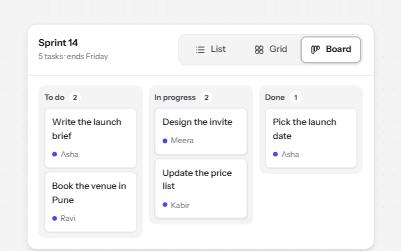
Segmented control
A row of joined segments for picking one of a few views, built from real radio buttons in a fieldset.
-
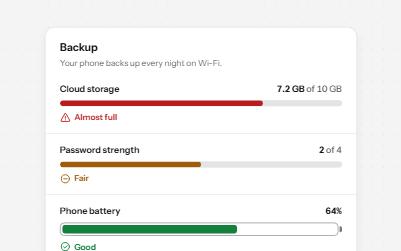
Meter
A gauge for a value inside a known range, like storage used or battery left, with its state in words as well as color.
-
Accessible line chart
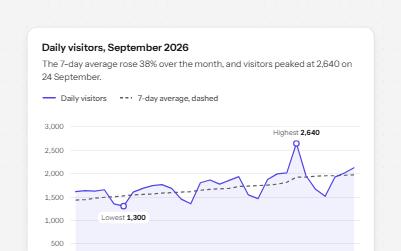
A line chart with a crosshair you can drive from the keyboard, each day read out, the peak marked and a table behind it.
-
Badge and count
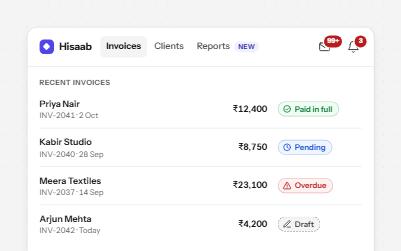
Counts and status labels that carry their meaning in words: a count inside the button's name, and pills with an icon and text.